One customer reported that when he tried to add a 2023 VW MQB49 5C key using VVDI Key Tool Plus, the device could not read the original key data, and appeared the error message "CLK line not connected." All soldering was correct, the error also occurred with solder‑free adapter.
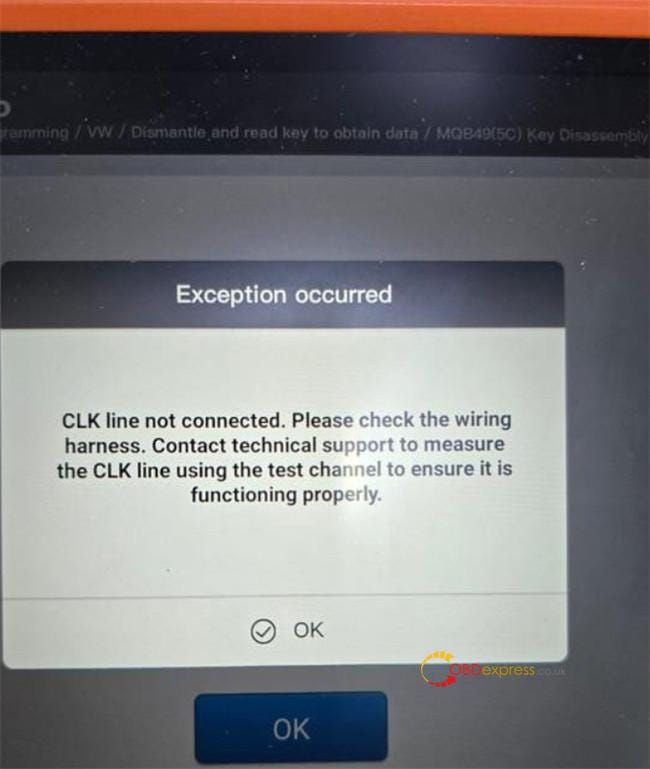
Solution:
1.Inspect all wiring connections thoroughly — wire colors can vary. Always verify by matching the actual labels on the wires themselves.
2.Pay special attention to the CLK line.
The CLK signal connects to Pin 24 on the chip.
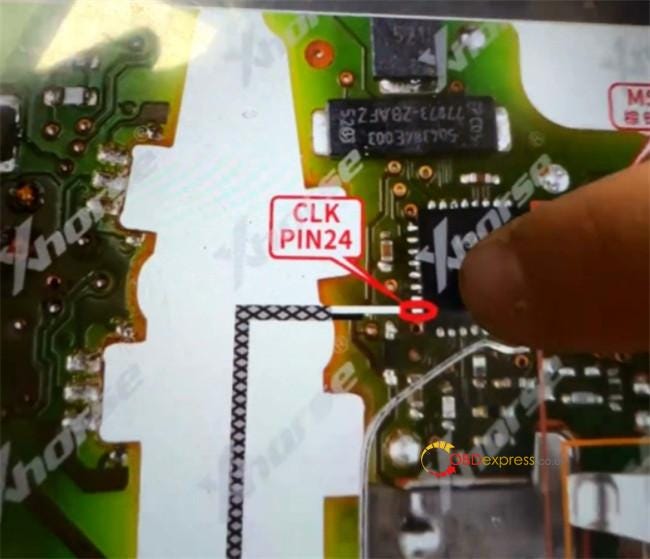
3.Check and restore the chip connection if needed:
- Examine the chip pins under a microscope.
- Carefully polish any cracked or visibly damaged pins.


4.Ensure the CLK connection is physically stable:
- Resolder the wire securely, or
- If using a 5C/5D solder‑free adapter, press a needle firmly against the CLK pin to maintain consistent contact throughout the procedure.

Once the CLK connection is properly established, the Xhorse Key Tool Plus will successfully read the original key data.


No comments:
Post a Comment