Thursday, 19 December 2024

CGDI CG100X V1.6.6.0 Update

 The latest software of CGDI CG100X Programmer was updated to V1.6.6.0 on December 14th, 2024.
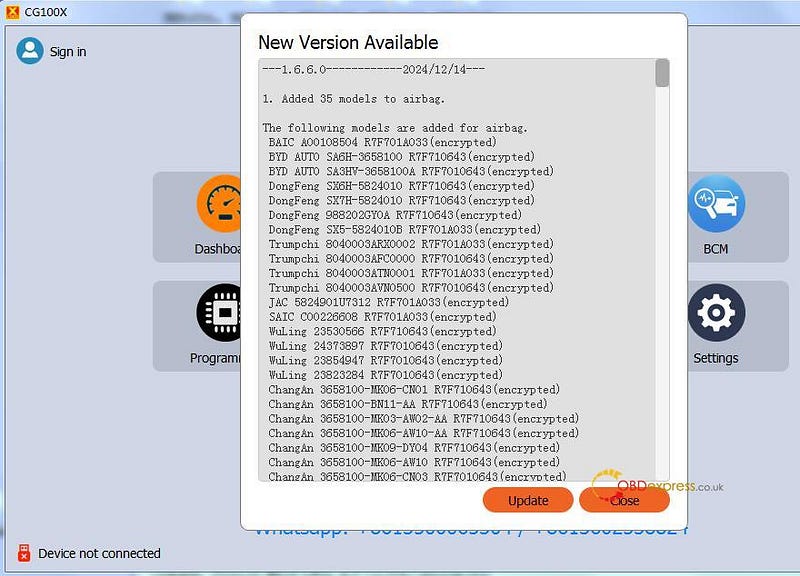

CGDI CG100X V1.6.6.0 Update

Check the details below.

  1. Added 35 models to airbag.

The following models are added for airbag.

BAIC A00108504 R7F701A033 (encrypted)

BYD AUTO SA6H-3658100 R7F710643 (encrypted)

BYD AUTO SA3HV-3658100A R7F7010643 (encrypted)

DongFeng SX6H-5824010 R7F710643 (encrypted)

DongFeng SX7H-5824010 R7F710643 (encrypted)

DongFeng 988202GY0A R7F710643 (encrypted)

DongFeng SX5–5824010B R7F701A033 (encrypted)

Trumpchi 8040003ARX0002 R7F701A033 (encrypted)

Trumpchi 8040003AFC0000 R7F7010643 (encrypted)

Trumpchi 8040003ATN0001 R7F701A033 (encrypted)

Trumpchi 8040003AVN0500 R7F7010643 (encrypted)

JAC 5824901U7312 R7F701A033 (encrypted)

SAIC C00226608 R7F701A033 (encrypted)

WuLing 23530566 R7F710643 (encrypted)

WuLing 24373897 R7F7010643 (encrypted)

WuLing 23854947 R7F7010643 (encrypted)

WuLing 23823284 R7F7010643 (encrypted)

ChangAn 3658100-MK06-CN01 R7F710643 (encrypted)

ChangAn 3658100-BN11-AA R7F710643 (encrypted)

ChangAn 3658100-MK03-AW02-AA R7F710643 (encrypted)

ChangAn 3658100-MK06-AW10-AA R7F710643 (encrypted)

ChangAn 3658100-MK09-DY04 R7F710643 (encrypted)

ChangAn 3658100-MK06-AW10 R7F710643 (encrypted)

ChangAn 3658100-MK06-CN03 R7F7010643 (encrypted)

ChangAn 3658100-MK03-BP01-AA R7F7010643 (encrypted)

ChangAn 3658100-MK03-BQ04 R7F7010643 (encrypted)

ChangAn 3658100-MK09-CW02 R7F7010643 (encrypted)

ChangAn 3658100-DC01 R7F7010643 (encrypted)

ChangAn 3658100-MK09-CW01 R7F7010643 (encrypted)

ChangAn 3658100-CN01 R7F701A033 (encrypted)

Great Wall 3658112XST01A R7F710643 (encrypted)

Great Wall 3658110XKJ20A R7F710643 (encrypted)

Great Wall 3658110XKN07A R7F710643 (encrypted)

Great Wall 3658111XKN53A R7F7010643 (encrypted)

Great Wall 3658110XPS01A R7F7010643 (encrypted)

www.obdexpress.co.uk

Lonsdor K518 Pro Program 2019 Nissan Altima Smart Key via OBD

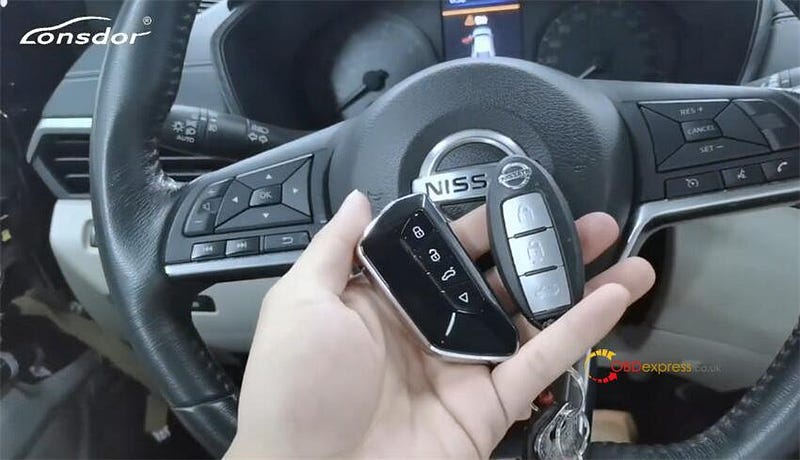
 It has been tested and confirmed by Lonsdor Tech that the 2019 Nissan Altima smart key programming with Lonsdor K518 Pro via OBD perfectly.


Lonsdor K518 Pro Program 2019 Nissan Altima Smart Key via OBD

Case:

The 2019 Nissan Altima has been dismantled, and the ignition button is here.


Lonsdor K518 Pro Program 2019 Nissan Altima Smart Key via OBD

Operation guide:

Connect K518 Pro to the vehicle’s OBDII port via the OBD2 Test cable

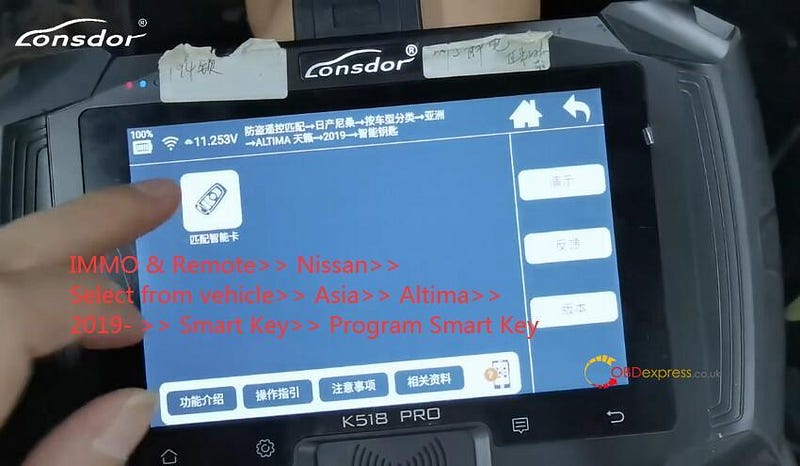
Select IMMO & Remote>> Nissan>> Select from vehicle>> Asia>> Altima>> 2019- >> Smart Key>> Program Smart Key


Lonsdor K518 Pro Program 2019 Nissan Altima Smart Key via OBD

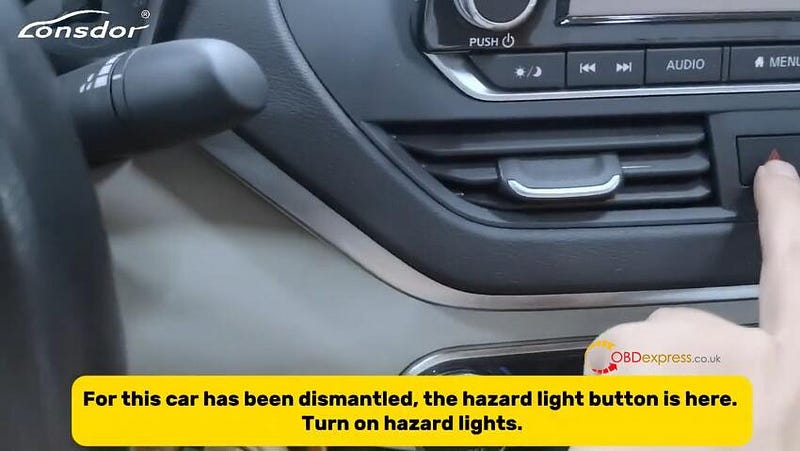
Turn the ignition off, and turn on the hazard lights

For this car has been dismantled, the hazard light is there as shown in the figure below.

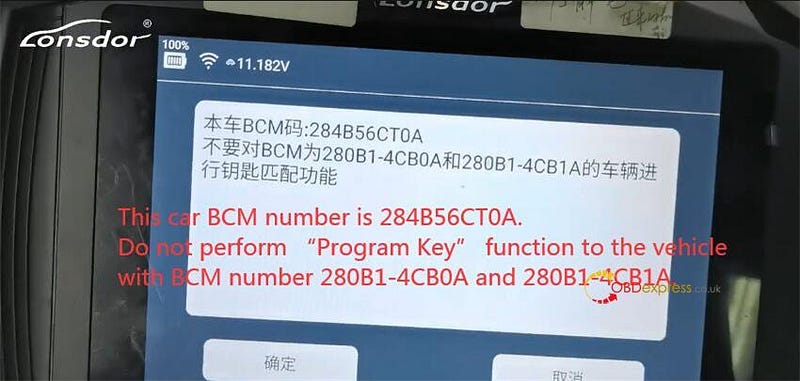
Pay attention to the operation instructions:

This car BCM number is 284B56CT0A.

Do not perform "Program Key" function to the vehicle with BCM number 280B1–4CB0A and 280B1–4CB1A.

That will cause errors.


Lonsdor K518 Pro Program 2019 Nissan Altima Smart Key via OBD

Close all the doors

Open the door once, and then close it

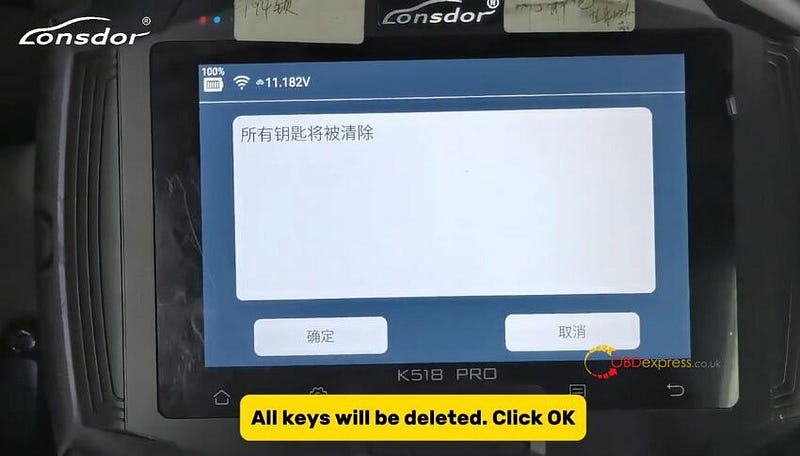
All keys will be deleted. Click "OK"


Lonsdor K518 Pro Program 2019 Nissan Altima Smart Key via OBD

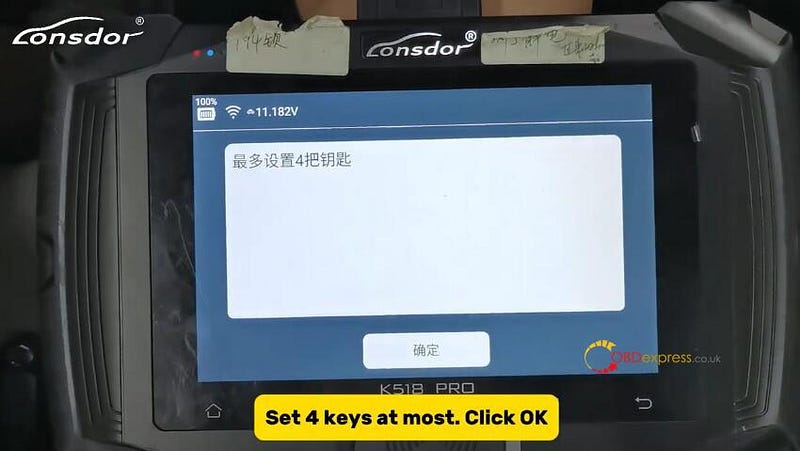
Set 4 keys at most. Click "OK"


Lonsdor K518 Pro Program 2019 Nissan Altima Smart Key via OBD

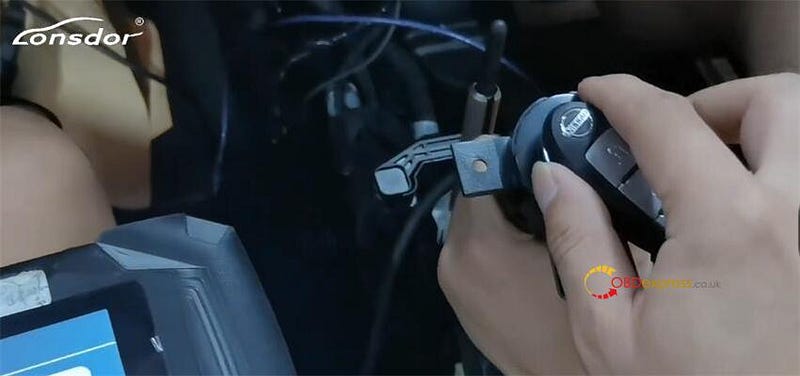
Press the Start button, attach this key to the ignition button within five seconds, then press this Start button

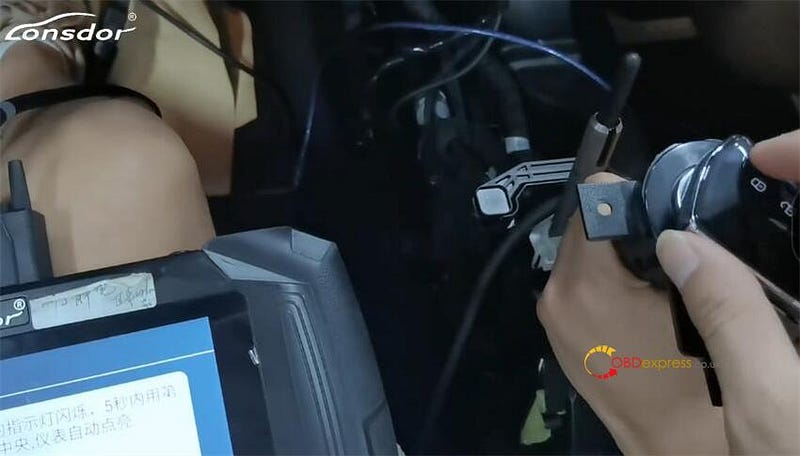
Click and attach the key. The dashboard will light up automatically. The immobilizer light flashes five times.


Lonsdor K518 Pro Program 2019 Nissan Altima Smart Key via OBD

After scanning, click "OK"

Turn off the ignition

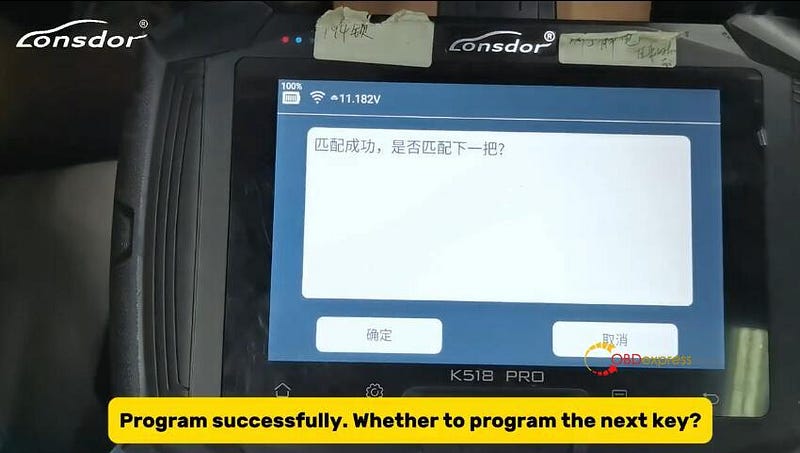
Program successfully. Whether to program the next key?

Click "Yes" to get the new key


Lonsdor K518 Pro Program 2019 Nissan Altima Smart Key via OBD

Program the new key in the same way


Lonsdor K518 Pro Program 2019 Nissan Altima Smart Key via OBD

Wait a while, and the new key has been programmed successfully as well

Turn off the ignition

Use the first key to attach the ignition switch, then press it. It’s gonna have a continuous beep.

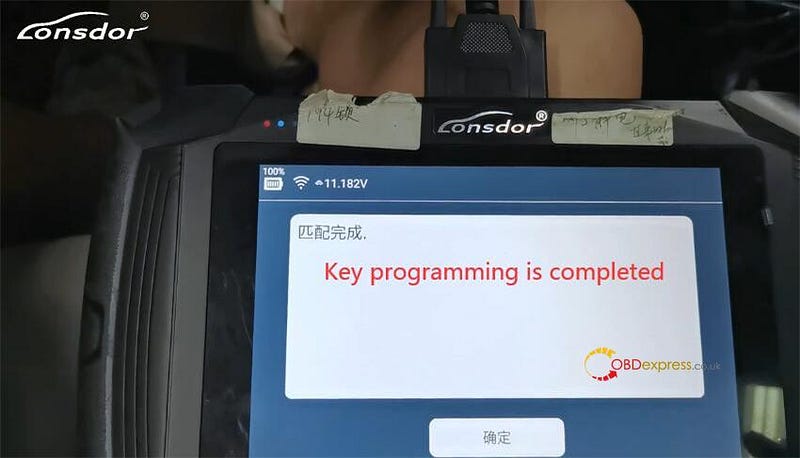
At this moment, the programming process has been completed. Click "OK" to proceed.


Lonsdor K518 Pro Program 2019 Nissan Altima Smart Key via OBD

This car has been dismantled, so the dashboard will indicate that key registration is completed.

Finally, test the remote control

Turn off the ignition

And then the switch is off and now turning off the phone switch to show the key is done

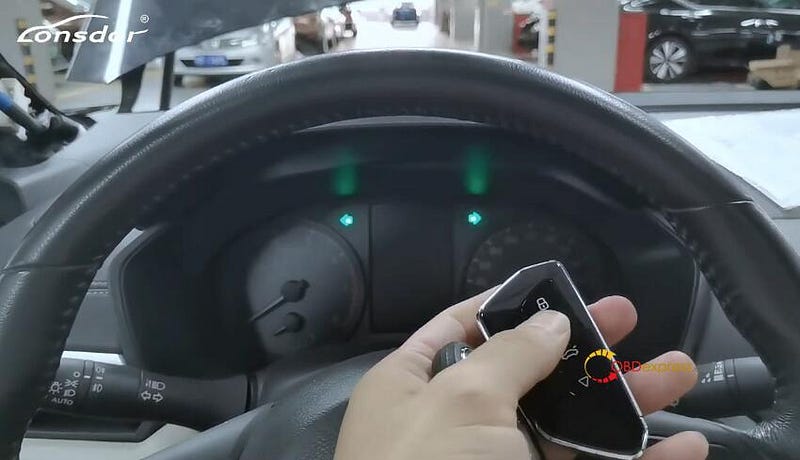
Check the remote control, turn hazard lights off. Listen to the beep sound

The remote control works well.

Start the car, step on the brake, the engine starts normally


Lonsdor K518 Pro Program 2019 Nissan Altima Smart Key via OBD

Result:

Lonsdor K518 Pro Key Programmer programmed the smart key for the 2019 Nissan Altima via OBD successfully.

www.obdexpress.co.uk

How to Configure SUPER MB PRO M6+ PRO for BENZ & BMW?

 This is a guide for SUPER MB PRO M6+ PRO Mercedes-Benz & BMW configuration step by step.

  • Plug the M6+ PRO into the power supply or connect the OBD to the test vehicle, and plug in the USB/LAN cable of the M6+ PRO.
  • Turn on the computer and plug in the computer USB/LAN cable.
  • Open the computer network configuration interface and find the Realtek USB FE Family Controller network/the network adapter that comes with the PC.

  • How to Configure SUPER MB PRO M6+ PRO for BENZ and BMW
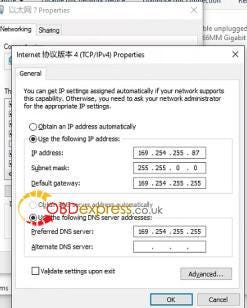
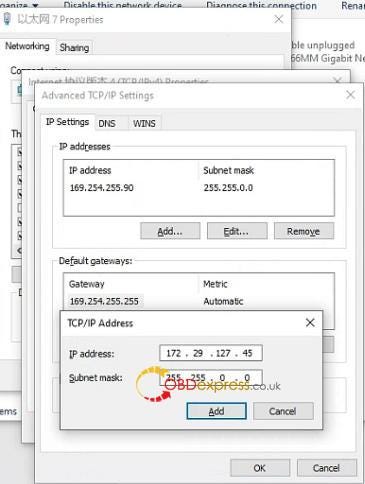
  • Click "Properties" — TCP/IPV4, and set the IP address as shown in the figure below.

  • How to Configure SUPER MB PRO M6+ PRO for BENZ and BMW
  • Click "Advanced", and add a group of network IP addresses as shown in the figure below.
  • TCP/IP Address

    IP address: 172.29.127.45

    Subnet mask: 255.255.0.0


    How to Configure SUPER MB PRO M6+ PRO for BENZ and BMW
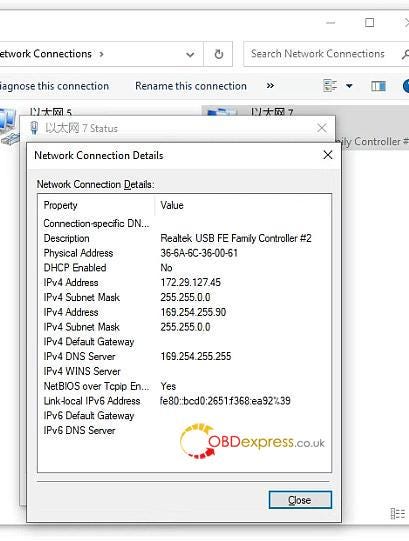
  • Click "OK". After the configuration is successful, the display is as follows.

  • How to Configure SUPER MB PRO M6+ PRO for BENZ and BMW
  • For the same computer, if you replace a new M6+ PRO, you need to reset the IP address. After the setting is completed, the computer is successfully bound to the M6+ PRO and there is no need to set the IP address again for wired and wireless Internet access. (Use LAN port connection mode, no need to re-set IP when changing devices).
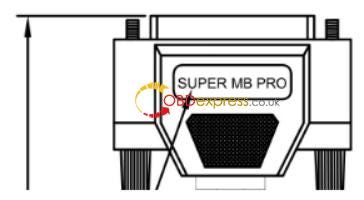
  • You can test Mercedes-Benz normally. Please connect the diagnostic cable with SUPER MB PRO

  • How to Configure SUPER MB PRO M6+ PRO for BENZ and BMW
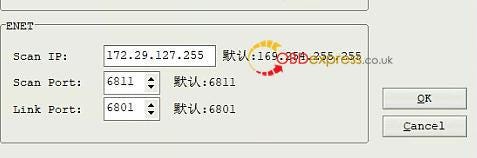
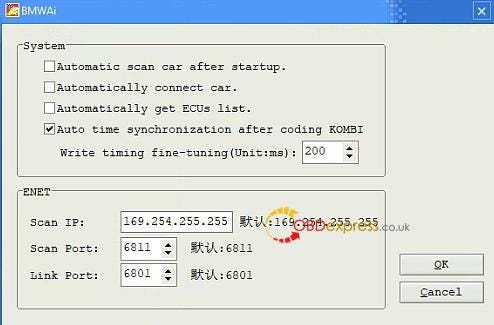
  • BMW wireless BMWAiCode configuration(only for F+G chassis)
  • Connect to the M6+ PRO -***, password: 123456789, wirelessly, press and hold the M6+ PRO switch button for 3 seconds, and the M6+ PRO host wireless indicator will flash. The computer-side BMWAiCoder configuration is as follows:


    How to Configure SUPER MB PRO M6+ PRO for BENZ and BMW
  • BMW wired BMWAiCode configuration(only for F+G chassis)
  • Connect the USB/LAN cable, press and hold the M6+ PRO switch button for 3S, and the M6+ PRO host wired indicator light will flash. The computer-side BMWAiCoder configuration is as follows:


    How to Configure SUPER MB PRO M6+ PRO for BENZ and BMW
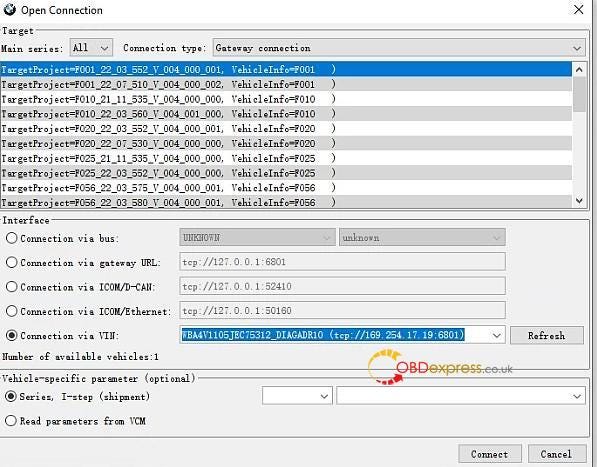
  • BMW wired and wireless E-Sys configuration(only for F+G chassis)
  • Connect to the M6+ PRO -*** wirelessly, press and hold the M6+ PRO switch button for 3 seconds, and the M6+ PRO host wireless indicator will flash. On the computer side, select the following for direct connection. Wired is similar, no setup required.


    How to Configure SUPER MB PRO M6+ PRO for BENZ and BMW
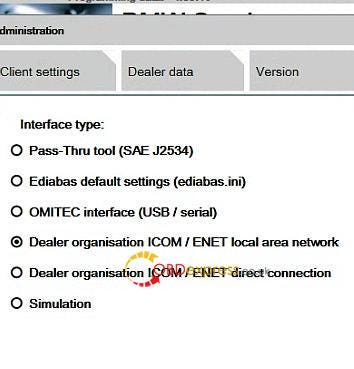
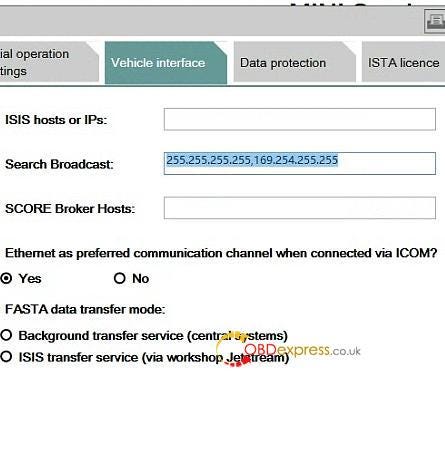
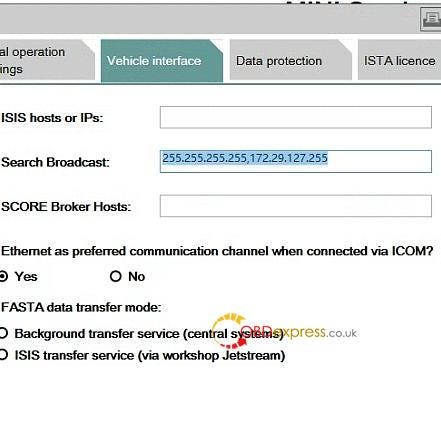
  • BMW wired ISTA configuration(only for F+G chassis)
  • Connect the USB cable, press and hold the M6+ PRO switch button for 3S, and the M6+ PRO host wired indicator light will flash. The computer ISTA configuration is as follows:


    How to Configure SUPER MB PRO M6+ PRO for BENZ and BMW
    How to Configure SUPER MB PRO M6+ PRO for BENZ and BMW
  • BMW Wireless ISTA configuration(only for F+G chassis)
  • Connect to the M6+ PRO -*** wirelessly, press and hold the M6+ PRO switch button for 3 seconds, and the M6+ PRO host wireless indicator will flash. The computer side is selected as follows:


    How to Configure SUPER MB PRO M6+ PRO for BENZ and BMW
    How to Configure SUPER MB PRO M6+ PRO for BENZ and BMW
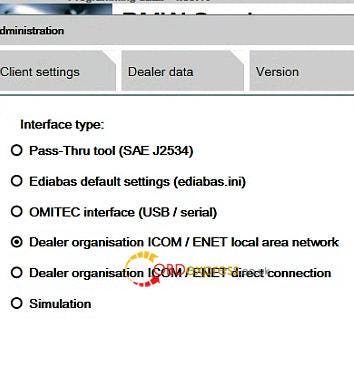
  • The mobile phone BWM APP adopts wireless connection. (only for F+G chassis)
  • Connect to the M6+ PRO -***, password: 123456789, press and hold the M6+ PRO switch button for 3 seconds, and the M6+ PRO host wireless indicator will flash.

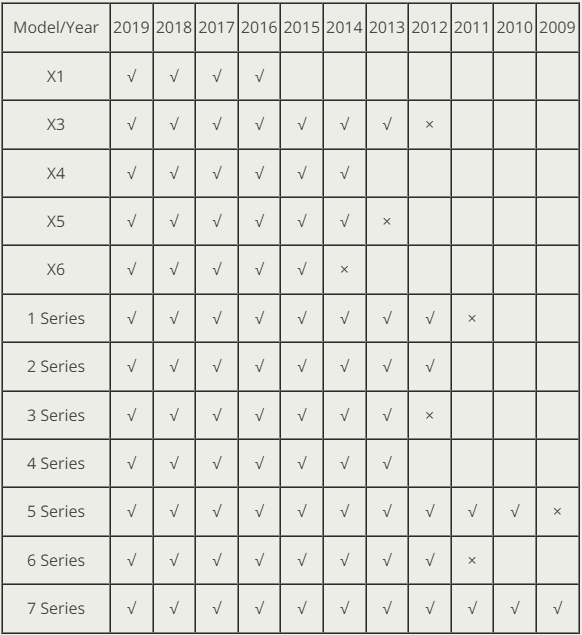
  • Supported BMW models and years.

  • How to Configure SUPER MB PRO M6+ PRO for BENZ and BMW

    www.obdexpress.co.uk

    Tuesday, 10 December 2024

    Yanhua Mini ACDP 2 Add 2012 Porsche Cayenne Success

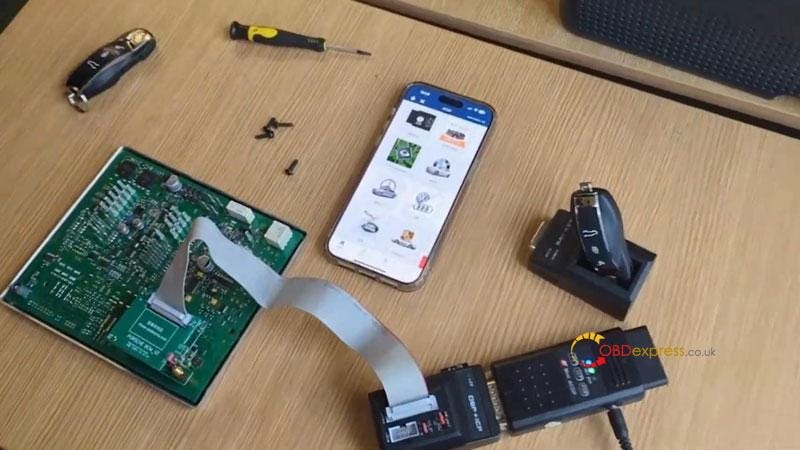
     This is a quick demo on how to add 2012 Porsche Cayenne key with Yanhua Mini ACDP 2 + Module 10 by bench.

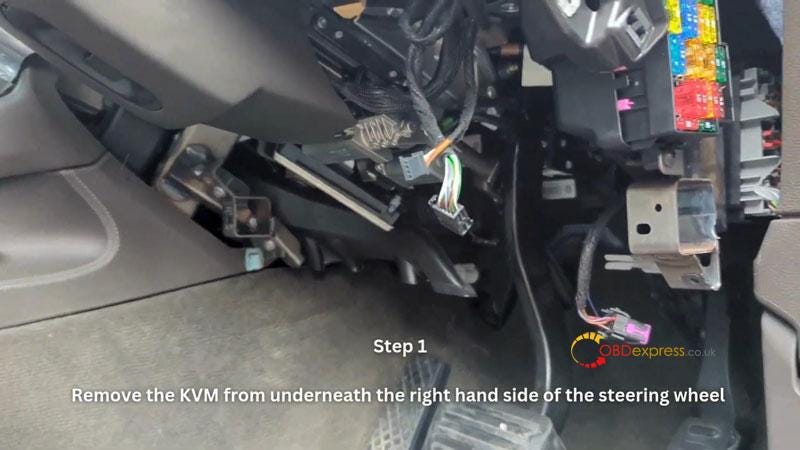
    Step1. Remove the KVM from underneath the right hand side of the steering wheel.


    Yanhua Mini ACDP 2 Add 2012 Porsche Cayenne Success

    Step2. Read data using ACDP.

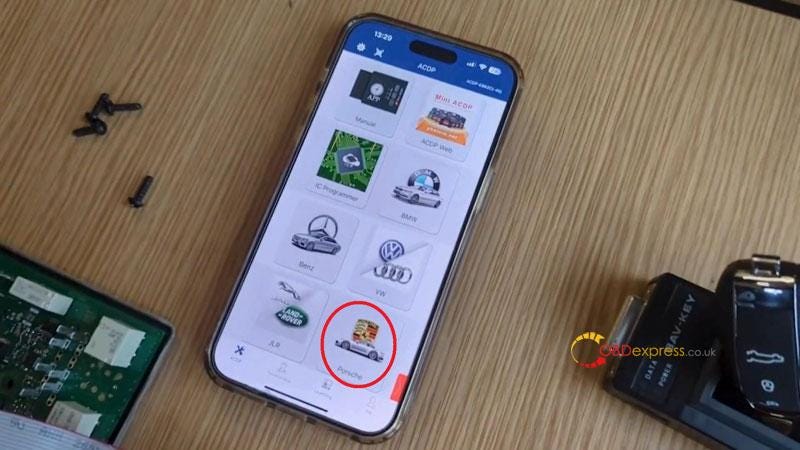
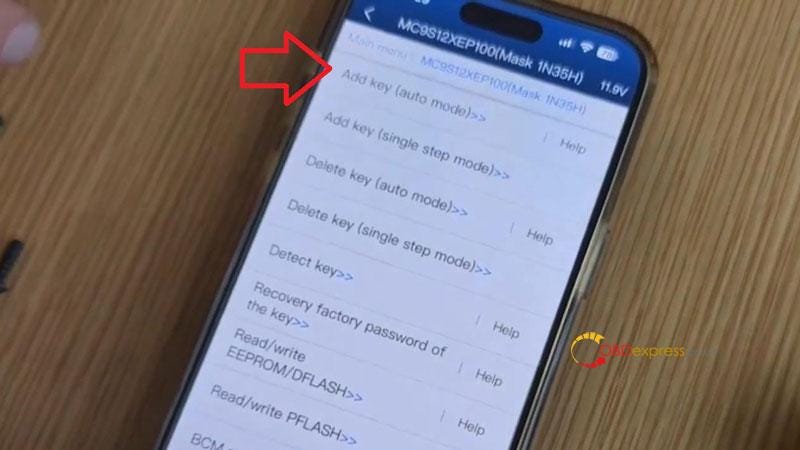
    Mini ACDP >> Porsche >> New Porsche add key/all key lost >> ICP IMMO >> MC9S12XEP100(Mask 1N35H) >> Add key(auto mode)

    Please use the ACDP standard power adapter(voltage+ 12V, current >= 2.5A)

    OK >> Continue

    It is detected that the BCM module chip has been encypted.

    Continue >> Continue

    Reading PFLASH data, please wait…

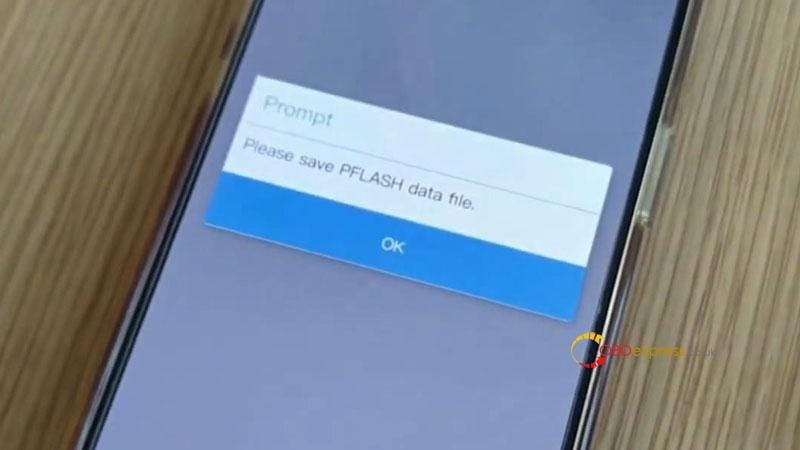
    Please save PFLASH data file.

    Backup file succeeded.

    Reading EEPROM/DFLASH data, please wait…

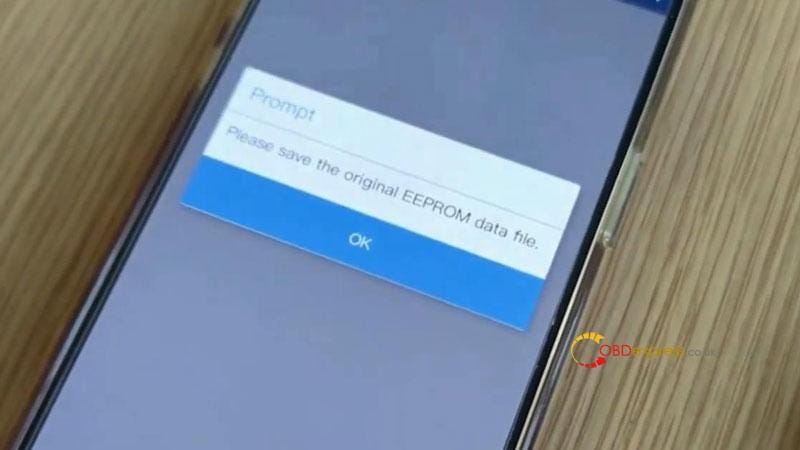
    Please save the original EEPROM data file.

    Backup file succeeded.

    Please save the original DFLASH data file.

    Backup file succeeded.


    Yanhua Mini ACDP 2 Add 2012 Porsche Cayenne Success
    Yanhua Mini ACDP 2 Add 2012 Porsche Cayenne Success
    Yanhua Mini ACDP 2 Add 2012 Porsche Cayenne Success
    Yanhua Mini ACDP 2 Add 2012 Porsche Cayenne Success
    Yanhua Mini ACDP 2 Add 2012 Porsche Cayenne Success

    Step3. Write new key data using ACDP.

    Notes:

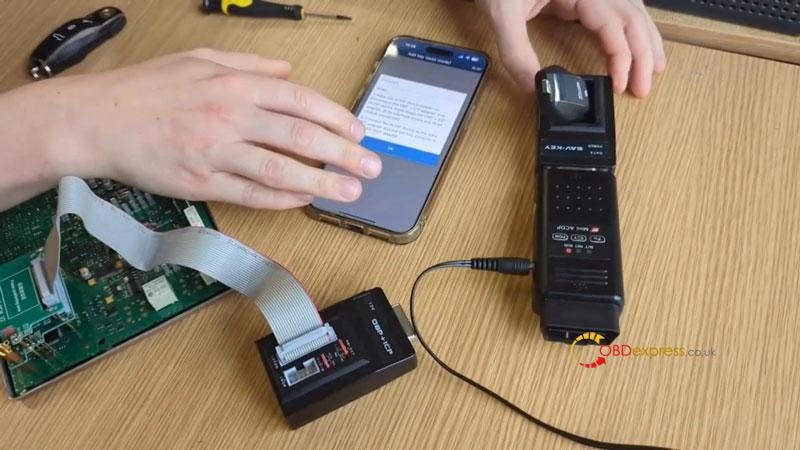
    1. Keep the ACDP device power-on. Disconnect the OBP+ICP adapter and ACDP device firstly.(keep the OBP+ICP adapter, BCM interface board and BCM module connected).
    2. Connect the ACDP device to the BAV-KEY adapter and put the key correctly in the BAV-KEY adapter.

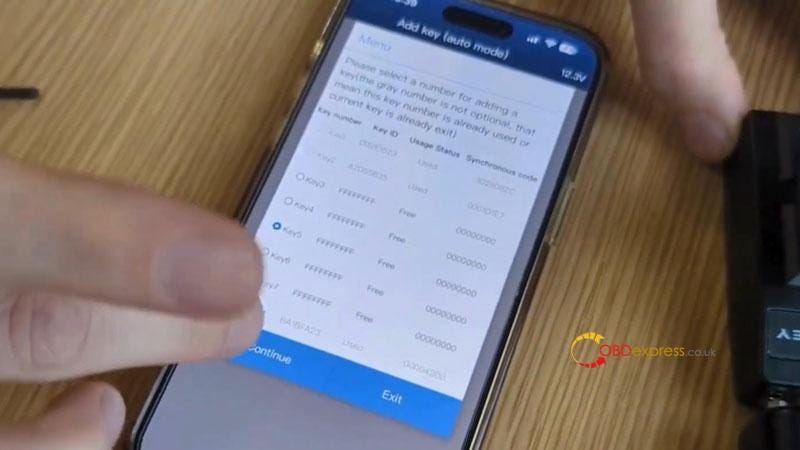
    Reading key info…

    Select a key position: Key5

    Programming key… please wait

    Please store the DFLASH data file after adding a new key.

    Backup file succeeded.


    Yanhua Mini ACDP 2 Add 2012 Porsche Cayenne Success
    Yanhua Mini ACDP 2 Add 2012 Porsche Cayenne Success

    Step4. Write new key data back to module using ACDP.

    Notes:

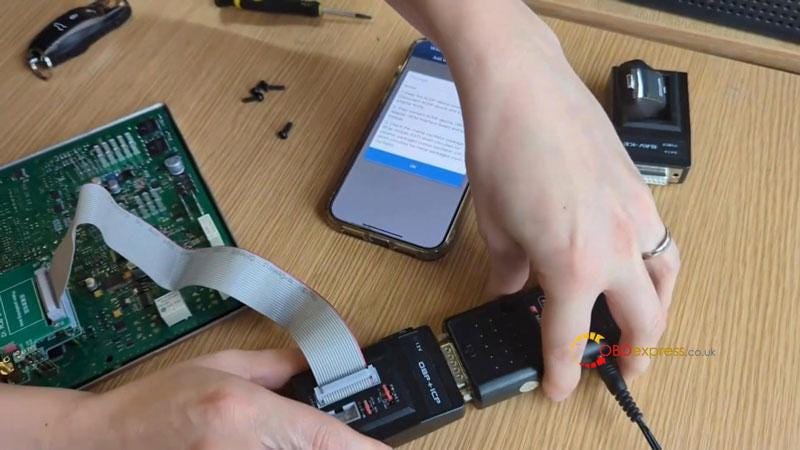
    1. Keep the ACDP device power-on. Disconenct ACDP device and BAV-KEY adapter firstly.
    2. Then connect ACDP device, OBP+ICP adapter, BCM interface board and BCM module.
    3. Check the crystal oscillator package of BCM module: EXT1 short — circuited for ceramic packaged crystal oscillator, EXT2 short — circuited for metal packaged crystal oscillator.

    Continue >> Continue

    Backup file succeeded.

    Reading EEPROM/DFLASH data, please wait…

    Please save the original EEPROM data file.

    Backup file succeeded.

    Please save the original DFLASH data file.

    Backup file succeeded.

    Please select the DFLASH data file after adding a new key.

    Wirting EEPROM/DFLASH data…

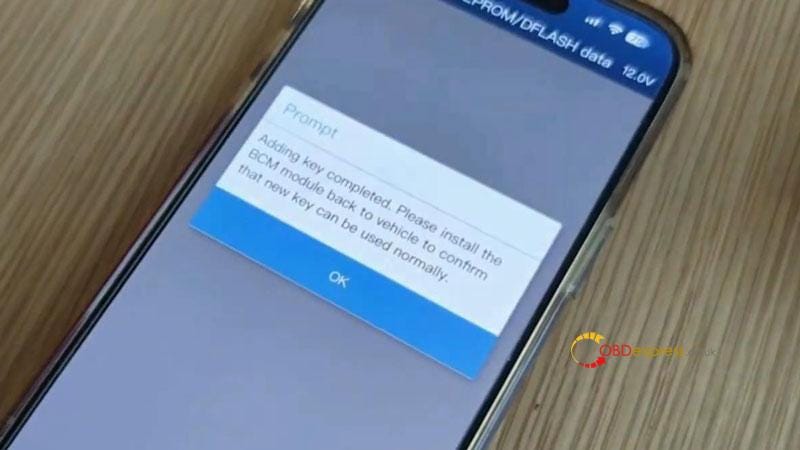
    Adding key completed. Please install the BCM module back to vehicle to confirm that new key can be used normally.


    Yanhua Mini ACDP 2 Add 2012 Porsche Cayenne Success
    Yanhua Mini ACDP 2 Add 2012 Porsche Cayenne Success

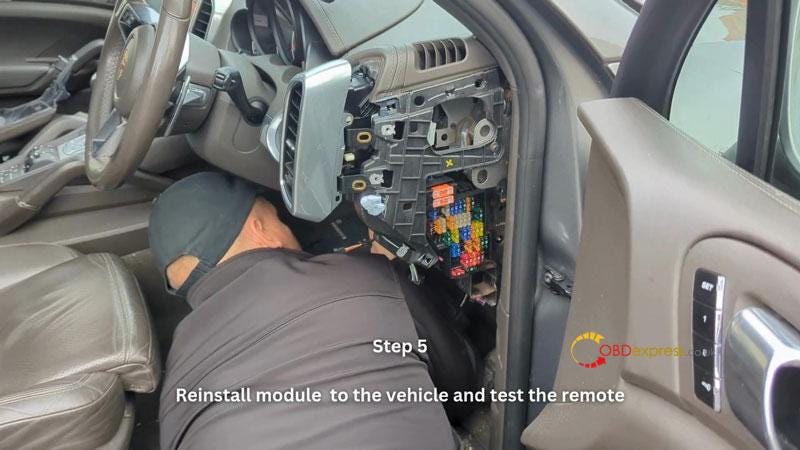
    Step5. Reinstall module to the vehicle and test the remote.

    The new remote can work.

    Done.


    Yanhua Mini ACDP 2 Add 2012 Porsche Cayenne Success

    www.obdexpress.co.uk

    Dimsport New Genius License December Sale (Till Dec.30th)

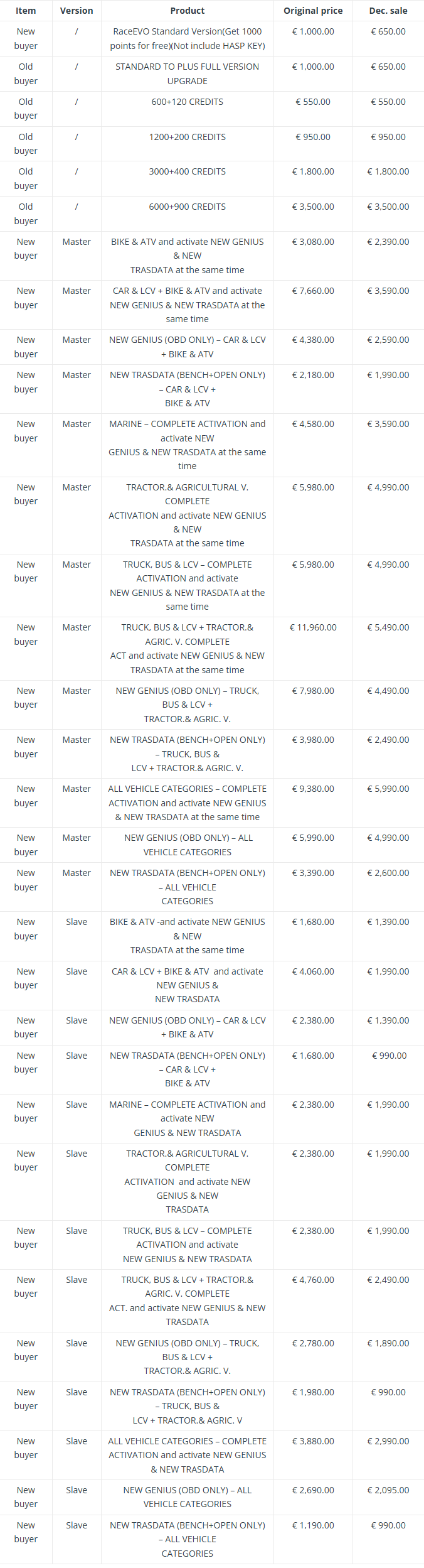
     Dimsport New Genius License December Sale at OBDExpress.co.uk lasts till December 30th, 2024.


    Dimsport New Genius

    Check the detailed promotional list below.


    Dimsport New Genius License December Sale

    More ECU Programmers, check https://www.obdexpress.co.uk/wholesale/ecu-programmer/

    www.obdexpress.co.uk

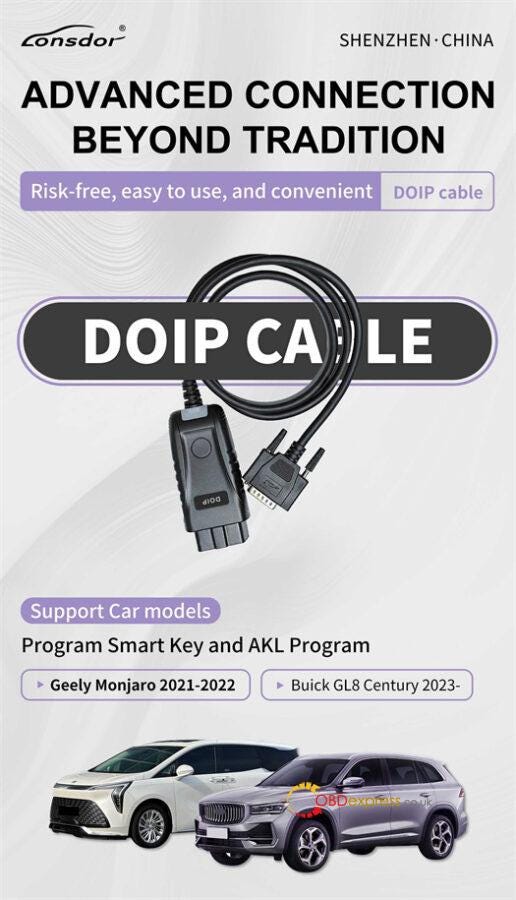
    Lonsdor K518 Pro with DOIP Cable Program 2023 Buick GL8 Century

     How to use Lonsdor K518 Pro to program new smart key to 2023 Buick GL8 via OBD?

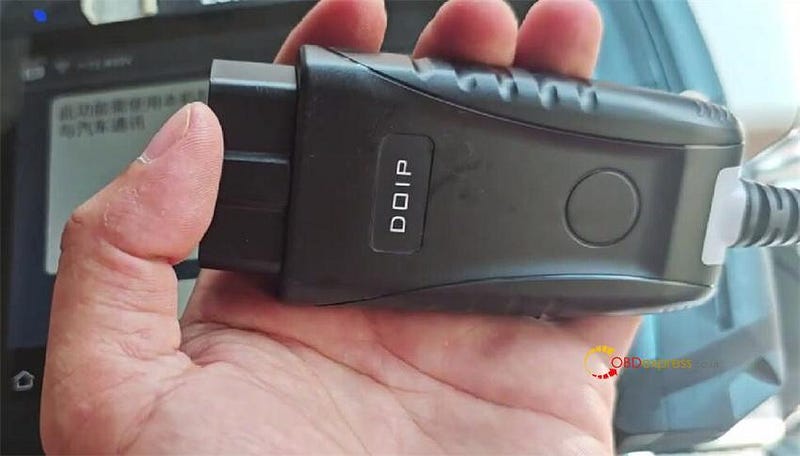
    Lonsdor DOIP Cable is required and makes the job easy to use, no risk!

    It is specially designed to work with K518 Pro Full Version and FCV Version for Geely Monjaro 2021–2022 and Buick GL8 Century 2023- smart key and all keys lost programming via OBD. It’s not compatible with other K518 key programmers.


    Lonsdor K518 Pro with DOIP Cable Program 2023 Buick GL8 Century

    Operation guide:

    For example: We have two original car keys. The key type is 4A. We don’t have a new key now, so simulate all keys lost situation, and perform the AKL process to program these two keys with K518 Pro.


    Lonsdor K518 Pro with DOIP Cable Program 2023 Buick GL8 Century

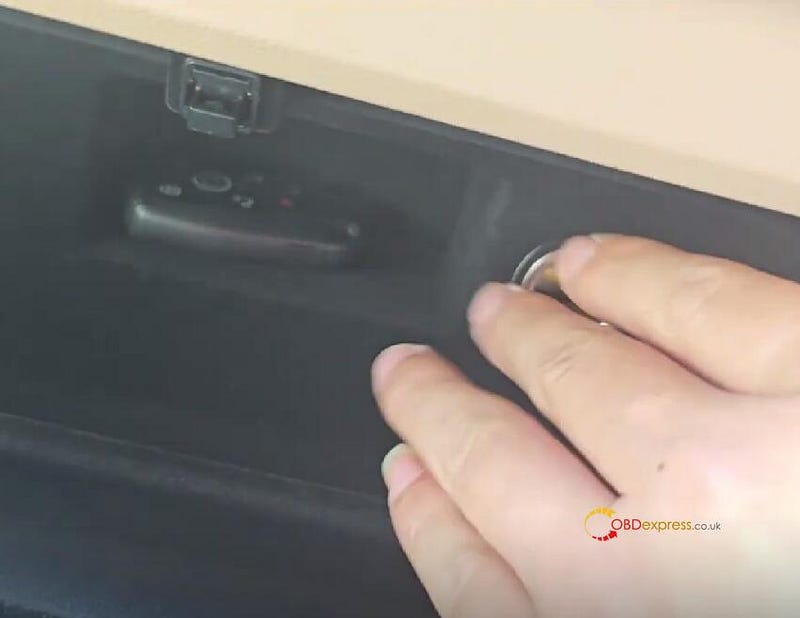
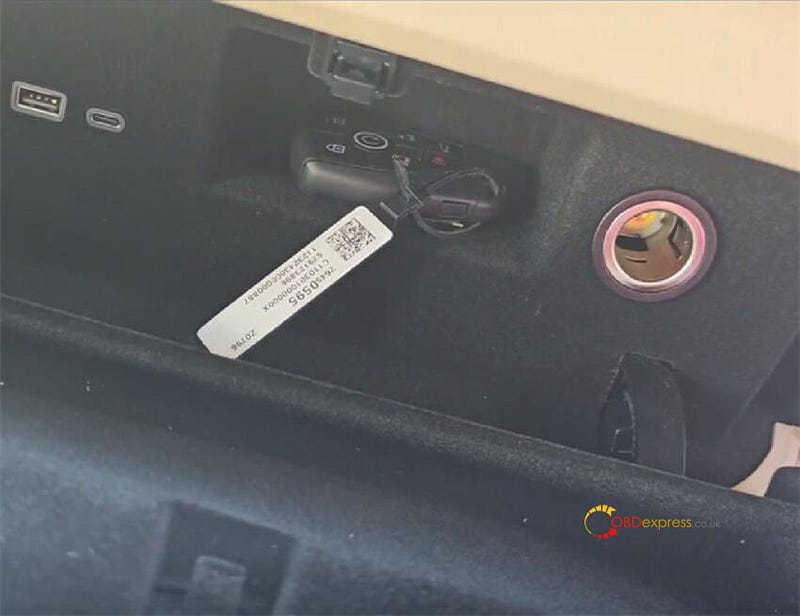
    Find the sensing area near the cigarette lighter


    Lonsdor K518 Pro with DOIP Cable Program 2023 Buick GL8 Century

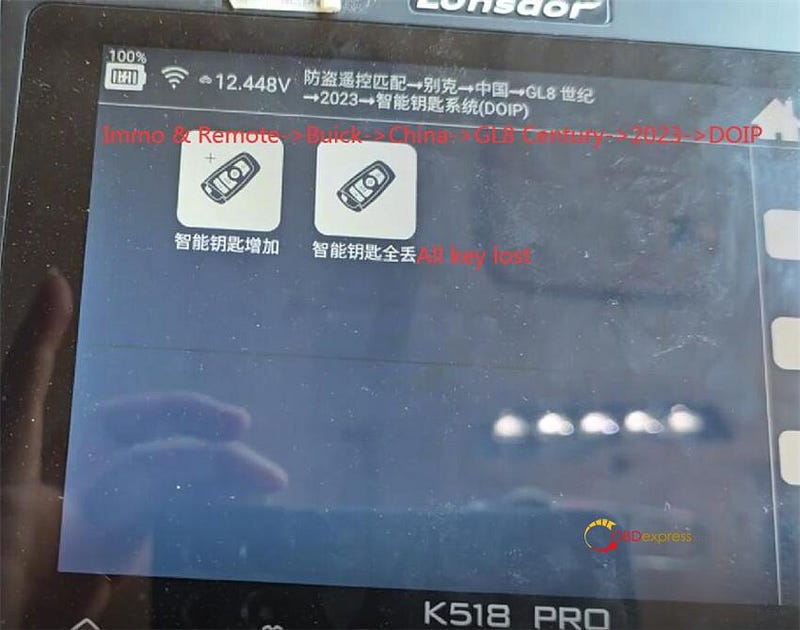
    Select IMMO & Remote>> Buick>> China>> GL8 Century>> 2023>> DOIP>> All key lost


    Lonsdor K518 Pro with DOIP Cable Program 2023 Buick GL8 Century

    Follow the prompt to use the Lonsdor DOIP Cable to connect the Buick car and K518 Pro key programmer


    Lonsdor K518 Pro with DOIP Cable Program 2023 Buick GL8 Century

    Turn on the ignition switch

    We didn’t activate the car, so turn on the hazard light

    Press the ignition switch several times to activate the car system and simulate all key lost situation

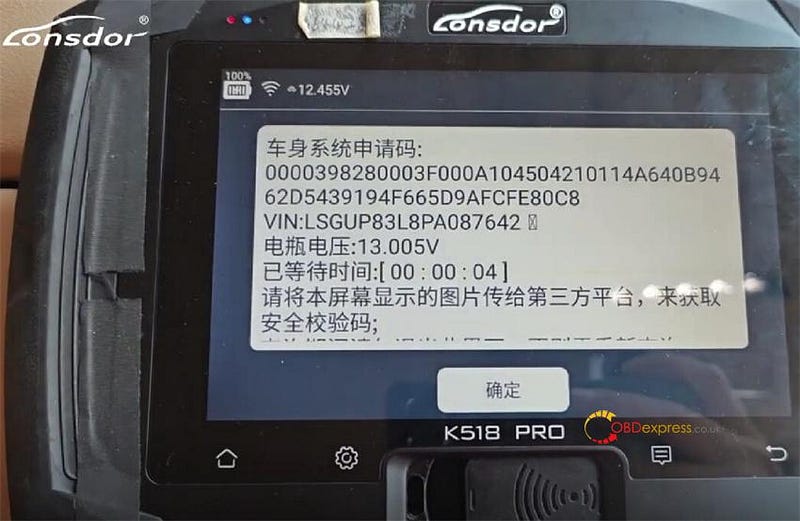
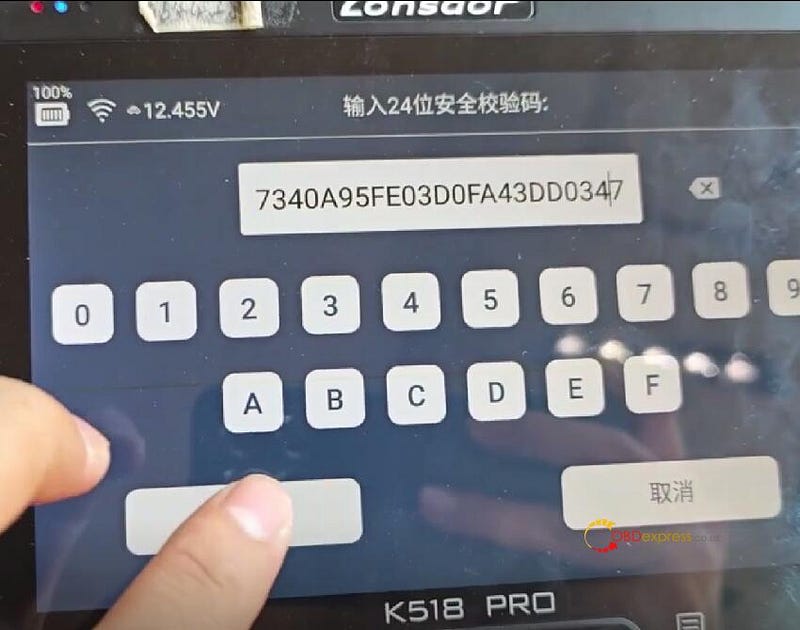
    This car requires a password query on 3rd party platform

    Save the image of the page and inquiry password with VIN


    Lonsdor K518 Pro with DOIP Cable Program 2023 Buick GL8 Century

    After you have queried the password, click "OK"

    Enter the password and check if the value is correct


    Lonsdor K518 Pro with DOIP Cable Program 2023 Buick GL8 Century

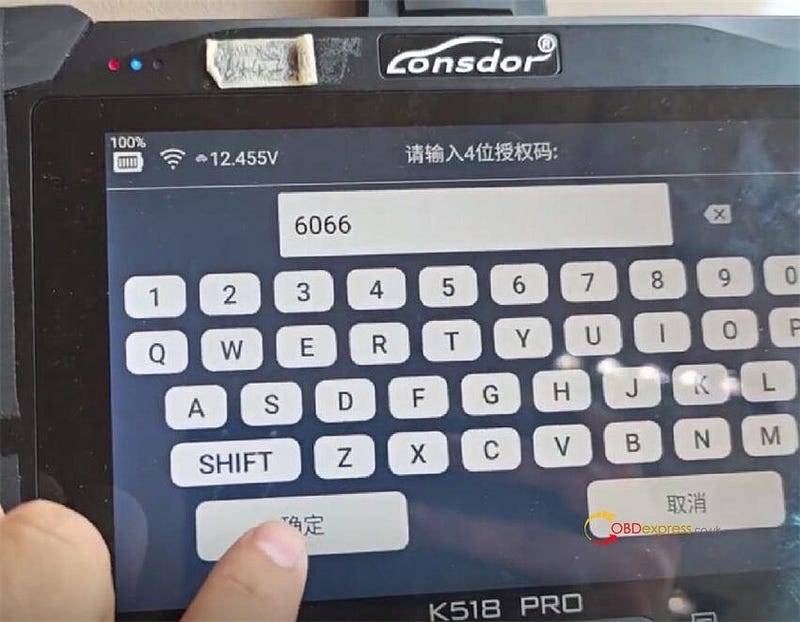
    Enter the authorization code


    Lonsdor K518 Pro with DOIP Cable Program 2023 Buick GL8 Century

    It will take about 10 minutes to configure the system

    Put a key to be programmed into the key slot next to the cigarette lighter

    At the same time, press and hold the ignition switch over 2s to 5s.

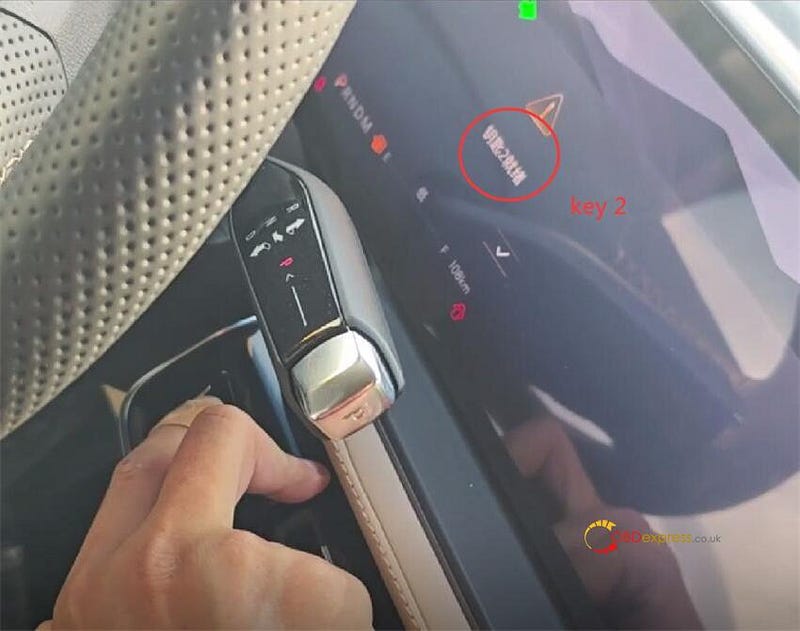
    The dashboard shows №2 key is ready, click "OK"

    That means the first key is programmed.


    Lonsdor K518 Pro with DOIP Cable Program 2023 Buick GL8 Century

    Take the programmed key out, and put another key to be programmed into the key slot

    Repeat the same steps as the first key


    Lonsdor K518 Pro with DOIP Cable Program 2023 Buick GL8 Century

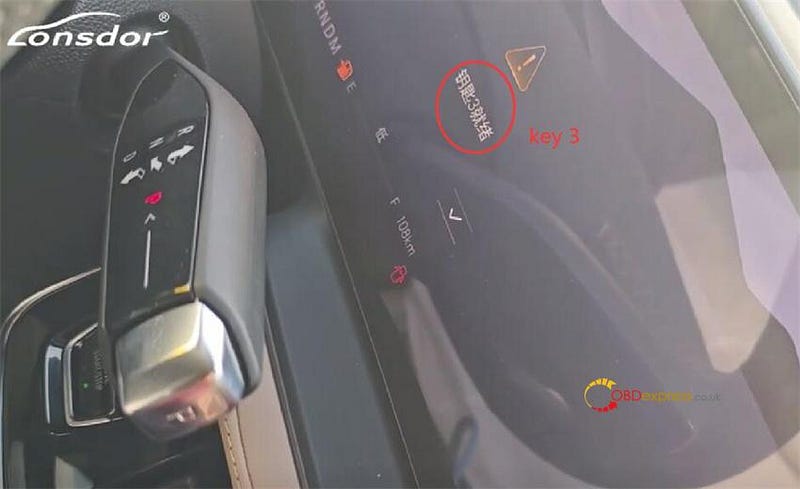
    The dashboard shows №3 key is ready.

    The program is successful. Click "OK"


    Lonsdor K518 Pro with DOIP Cable Program 2023 Buick GL8 Century

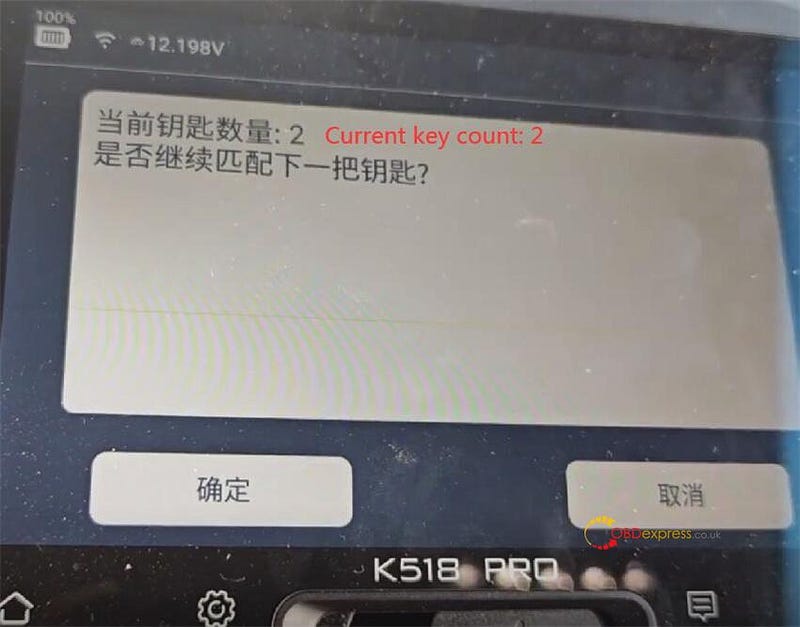
    The current count of keys is 2.


    Lonsdor K518 Pro with DOIP Cable Program 2023 Buick GL8 Century

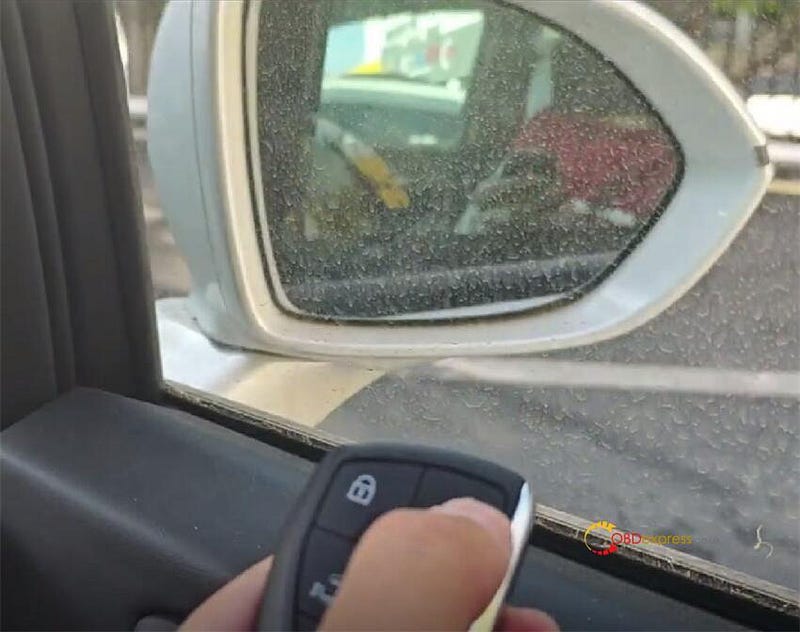
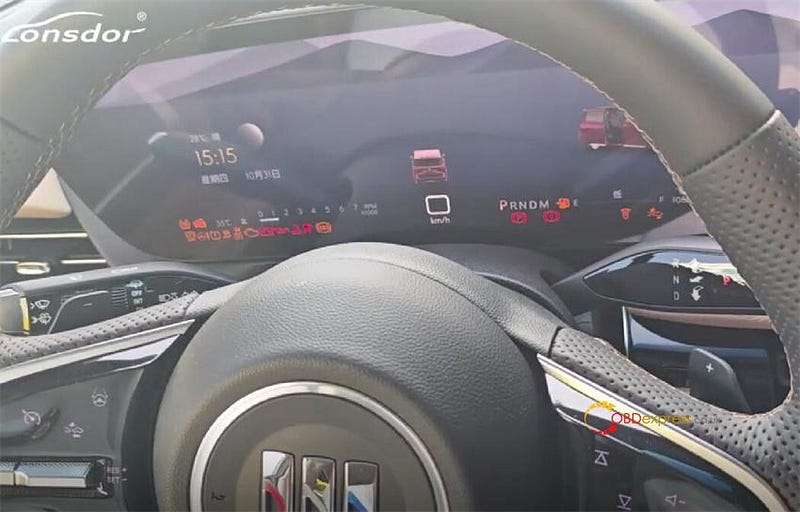
    Finally, test the lock and unlock function and start the car, two keys programmed work fine!


    Lonsdor K518 Pro with DOIP Cable Program 2023 Buick GL8 Century
    Lonsdor K518 Pro with DOIP Cable Program 2023 Buick GL8 Century

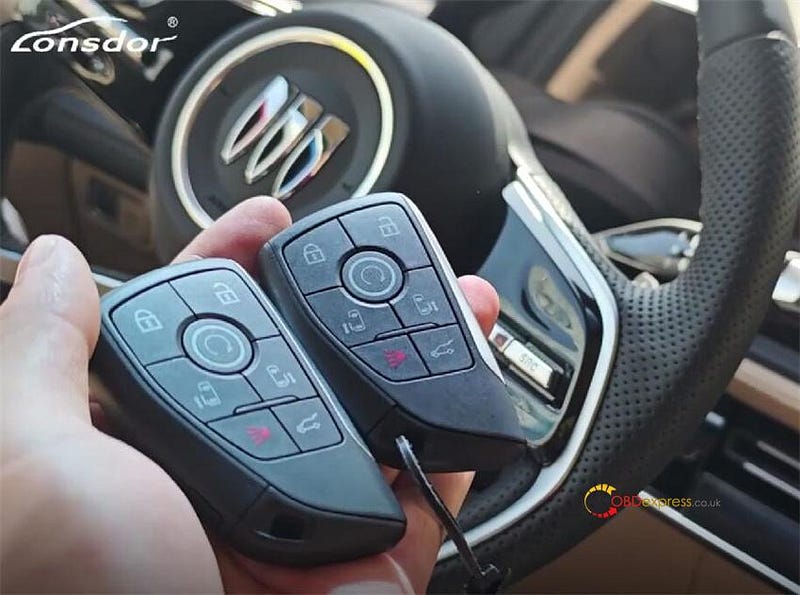
    Lonsdor K518 Pro key programmer with DOIP Cable program the Buick GL8 Century 2023- smart key successfully.

    Lonsdor DOIP Adapter will be available at OBDExpress.co.uk at the end of this month. You can pre-order it now.

    https://www.obdexpress.co.uk/wholesale/lonsdor-doip-cable.html

    KEYDIY New KD-Moto Adapter Adds Honda, Yamaha & Ducati

      Motorcycle key programming is now coming to the KEYDIY KD-X4 . The new KEYDIY KD-Moto Adapter adds dedicated motorcycle coverage for a w...