Programming a new key for your BMW G chassis model with the VAPON VP100 is a straightforward process. Follow these steps to ensure a successful key addition:
Step 1: Backup BDC Code via OBD
Connect the VP100 Key Programmer to the vehicle’s OBD port to retrieve the BDC (Body Domain Controller) code.
Step 2: Pre-Process the BDC2 Module
- Remove the BDC2 module from the vehicle.
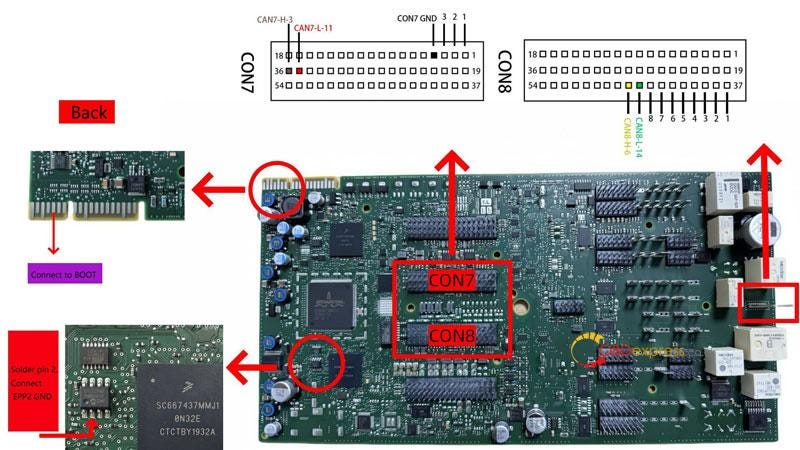
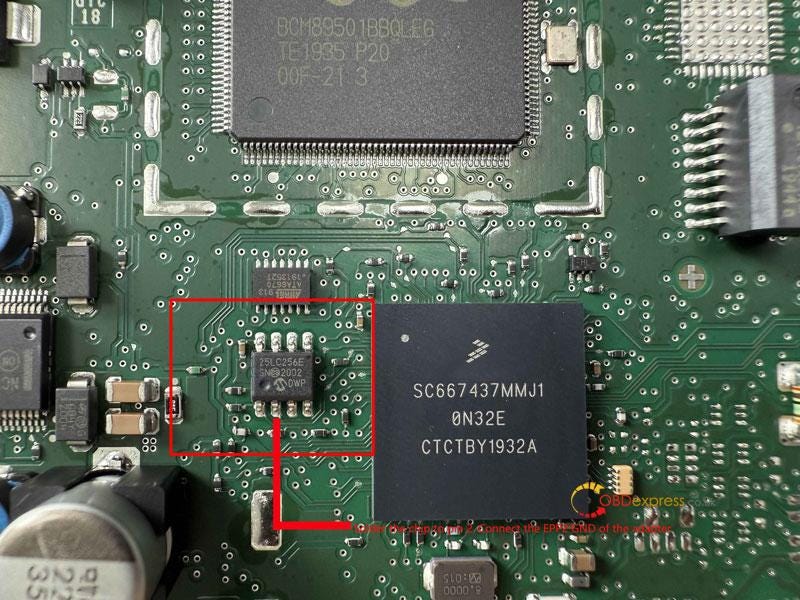
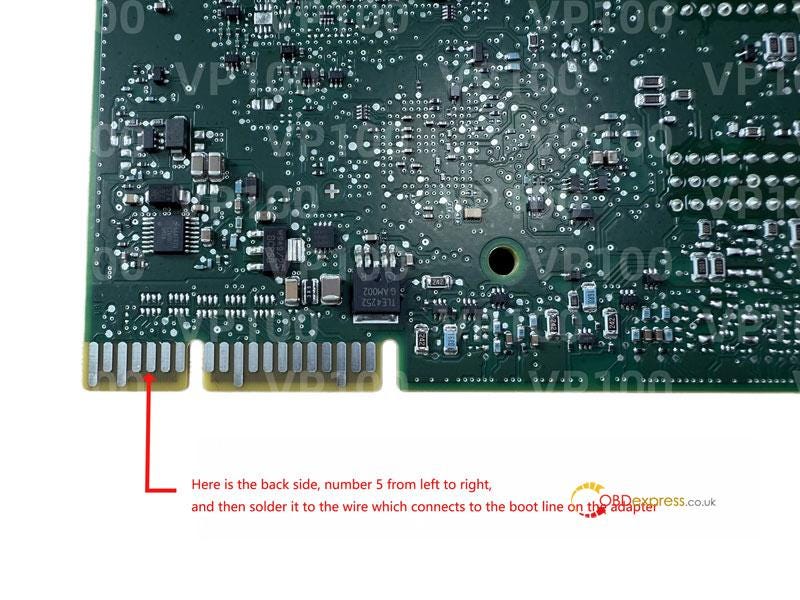
- Use the VP100 adapter for pre-processing (refer to the wiring diagram and tutorial).
Step 3: Reinstall BDC2 & Generate Dealer Key
- Reinstall the BDC2 module back into the vehicle.
- Generate the dealer key using the VP100 tool.
Step 4: Key Matching & Verification
- Place the new key near the induction coil (typically on the right side of the steering column).
- Hold the start button for 20 seconds until pairing is complete.
- Test the key to ensure proper functionality.
Read also
VAPON VP100: No Token Limit, Free License For BMW Models
http://blog.obdexpress.co.uk/2025/04/17/vpioo-vp100-no-token-limit-free-license-for-bmw-models/


No comments:
Post a Comment