Showing posts with label VAPON VP100. Show all posts

Wednesday, 23 July 2025

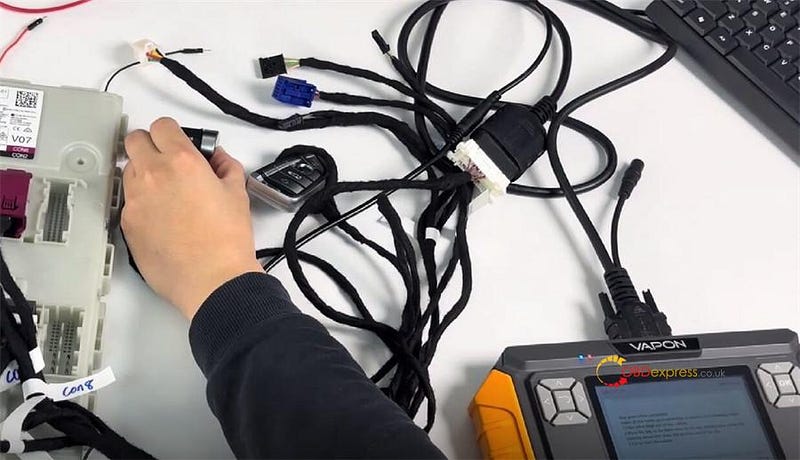
VAPON VP100 Update: Clone BMW BDC2 Without TCM/ DME

 The VAPON VP100 Key Programmer introduces a new function upgrade for module cloning and key programming, simplifying the process of replacing or upgrading BMW BDC2 (Body Domain Controller 2) modules. This upgrade ensures seamless immo data transfer, VIN updates and future-proof key ordering capabilities — all without interfering with the TCM or DME.

Last Updated: July 21, 2025

Version: V2.08


VAPON VP100 Update_Clone BMW BDC2 Without TCM DME

Benefits of the VP100 BCM2 Upgrade

Efficient IMMO Data Backup & Transfer

  • Back up the original BDC2 module’s immobilizer data and working key information effortlessly.
  • Write the data directly to a second-hand or brand-new BDC2 module, ensuring compatibility.

- No TCM or DME Interference

Unlike traditional methods, this process does not require modifications to the Transmission Control Module (TCM) or Digital Motor Electronics (DME), preserving factory settings.

- Future-Proof Key Ordering

The cloned module retains full dealership functionality, allowing users to order new keys from the dealer without restrictions.

- Automatic VIN Transfer

The copy data replace function automatically updates the VIN on the new module, ensuring correct vehicle identification and compliance.

Step-by-Step Process

- Back Up Original Data

Extract the immobilizer data and key details from the car’s original BDC2 module.

- Write Data to New Module

Transfer the backed-up data to a replacement BDC2 module (used or new).

- Install & Verify

The new module is ready for use with no additional coding required for TCM/DME.


VAPON VP100 Update_Clone BMW BDC2 Without TCM DME

Why Choose VP100 for BDC2 Module Cloning?

  • Time-Saving: Eliminates complex coding steps.
  • Cost-Effective: Enables the use of affordable second-hand modules.
  • Dealer-Compatible: Maintains OEM key programming capabilities.

For automotive locksmiths, BMW specialists and module repair services, the VAPON VP100 BCM2 upgrade is a game-changer, offering a faster and safer solution for BDC2 replacements.

www.obdexpress.co.uk

Monday, 16 June 2025

VAPON VP100 BMW G Chassis Add Key Connection Guide

 Programming a new key for your BMW G chassis model with the VAPON VP100 is a straightforward process. Follow these steps to ensure a successful key addition:

Step 1: Backup BDC Code via OBD

Connect the VP100 Key Programmer to the vehicle’s OBD port to retrieve the BDC (Body Domain Controller) code.

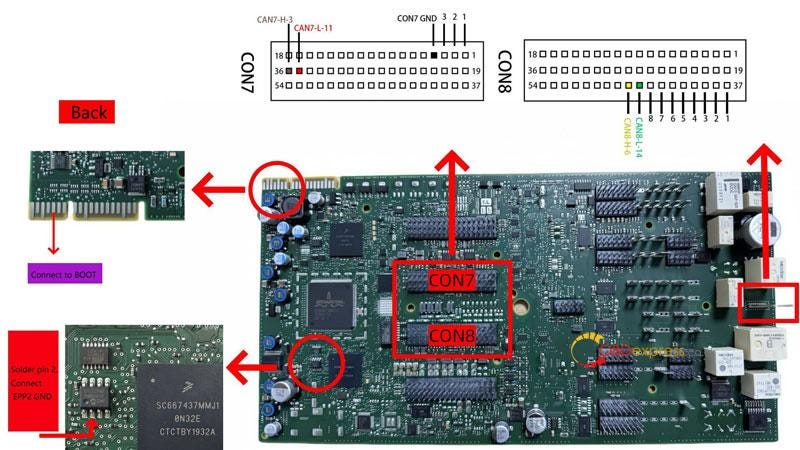
Step 2: Pre-Process the BDC2 Module

  • Remove the BDC2 module from the vehicle.
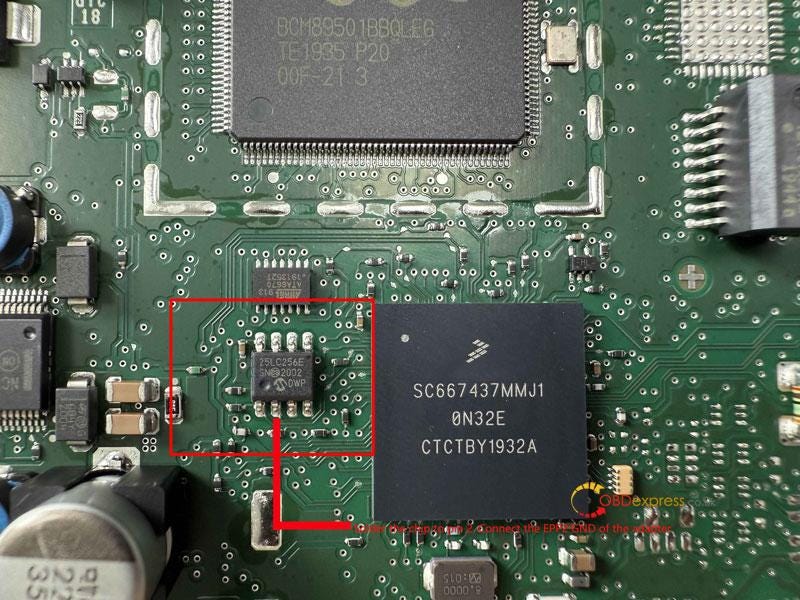
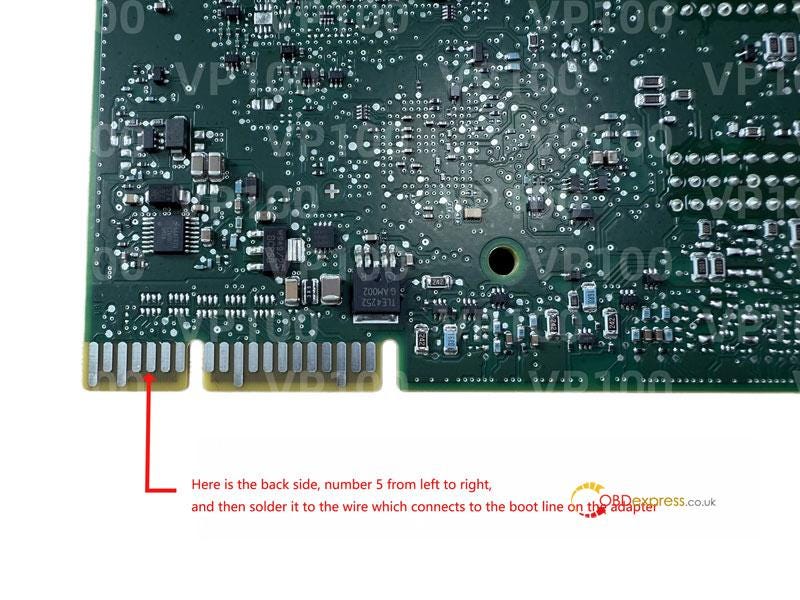
  • Use the VP100 adapter for pre-processing (refer to the wiring diagram and tutorial).

Step 3: Reinstall BDC2 & Generate Dealer Key

  • Reinstall the BDC2 module back into the vehicle.
  • Generate the dealer key using the VP100 tool.

Step 4: Key Matching & Verification

  • Place the new key near the induction coil (typically on the right side of the steering column).
  • Hold the start button for 20 seconds until pairing is complete.
  • Test the key to ensure proper functionality.

VAPON VP100 BMW G Chassis Add Key Connection Guide

Read also

VAPON VP100: No Token Limit, Free License For BMW Models

http://blog.obdexpress.co.uk/2025/04/17/vpioo-vp100-no-token-limit-free-license-for-bmw-models/

www.obdexpress.co.uk

Wednesday, 28 May 2025

Best 6 Tools for BMW G-Chassis BDC2 Key Adding

 Which Tool Can Add a Key to BMW G-Chassis BDC2 Module?

If you’re looking to add keys to BMW G-Chassis vehicles equipped with a BDC2 module (model years 2015–2021), here are six of the best tools currently recommended:

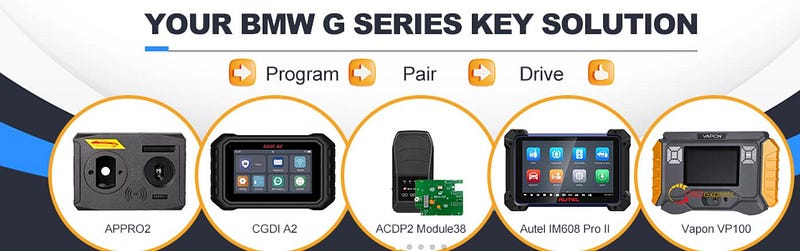
  1. Yanhua ACDP2 with Module 38
  2. Autel IM508/IM608 Series or OTOFIX IM1/IM2
  3. Launch X431 IMMO Series (IMMO Elite/IMMO Plus/IMMO PRO)
  4. Vapon VP100 Key Programmer
  5. AP PRO2 (APP2)
  6. CGDI A2 Key Programmer

Best 6 Tools for BMW G-Chassis BDC2 Key Adding

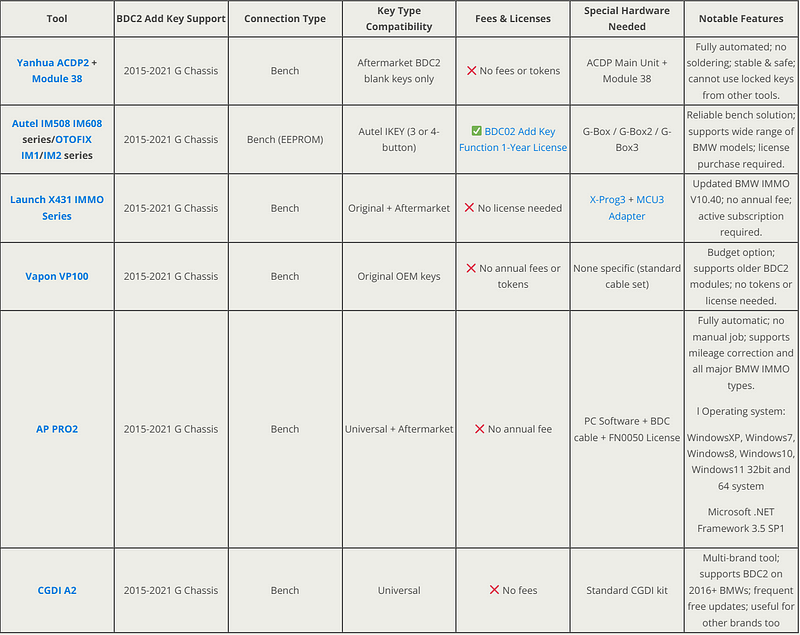
All of these tools support BDC2 key programming without the need for soldering. Most tools operate without annual fees; however, Autel and OTOFIX devices require a 1-year BDC02 Add Key Function license for BDC2 key adding functionality.

Check more details below:


Best 6 Tools for BMW G-Chassis BDC2 Key Adding

2015–2021 BMW BDC2 IMMO Key Adding Support List:


Best 6 Tools for BMW G-Chassis BDC2 Key Adding

Learn more:

  1. Yanhua Mini ACDP2 with Module 38
  • Yanhua Module 38 and BMW BDC2 installation guide:

http://blog.obdexpress.co.uk/2025/05/12/how-to-install-yanhua-module-38-for-bmw-bdc2-key-adding/

  • Yanhua ACDP with Module 38 program BMW BDC2 key:

http://blog.obdexpress.co.uk/2025/05/19/yanhua-acdp-and-module-38-program-bmw-g-chassis-bdc2-key/

2.Autel/OFOTIX

  • Autel/ OTOFIX Add Key IMMO Programming for BMW G-Chassis BDC2:

http://blog.obdexpress.co.uk/2025/02/21/autel-otofix-add-key-immo-programming-for-bmw-g-chassis-bdc2/

  • Autel/ OTOFIX BMW BDCO2 G-Chassis Add Key Precautions:

http://blog.obdexpress.co.uk/2025/03/11/autel-otofix-bmw-bdco2-g-chassis-add-key-precautions/

3.VAPON VP100 BMW Key Programmer

How to Add 2015–2021 BMW G Chassis BDC2 Key by VAPON VP100?

http://blog.obdexpress.co.uk/2025/04/18/how-to-add-2015-2021-bmw-g-chassis-bdc2-key-by-vapon-vp100/

  1. APP2 APPRO2

How to Install APP2 APPRO2 Software for BMW BDC2 Key Adding?

http://blog.obdexpress.co.uk/2025/05/16/how-to-install-app2-appro2-software-for-bmw-bdc2-key-adding/

www.obdexpress.co.uk

Wednesday, 23 April 2025

How to Add 2015-2021 BMW G Chassis BDC2 Key by VAPON VP100?

 VAPON VP100 Key Programmer can add new keys to 2015–2021 BMW G Chassis BDC2 on bench. Only need 4 steps, simple and efficient!

Step-by-step guide:

Step 1: Backup Encoding

Step 2: Preprocessing Data

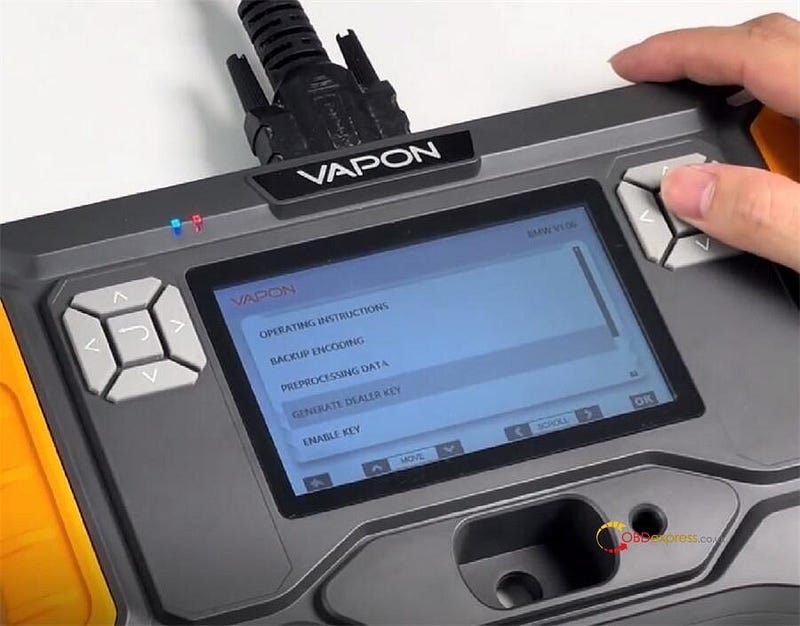
Step 3: Generate Dealer Key

Step 4: Enable Key


How to Add 2015–2021 BMW G Chassis BDC2 Key by VAPON VP100

Step 1: Backup Encoding

Connect VAPON VP100 to the BMW BDC2 module properly

On the device, select "Backup Encoding" function

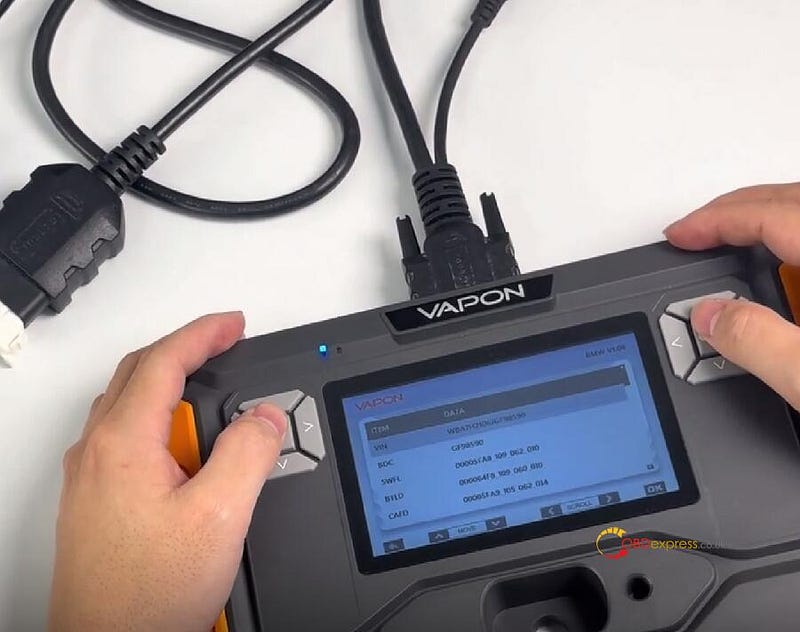
Read and save the coding data

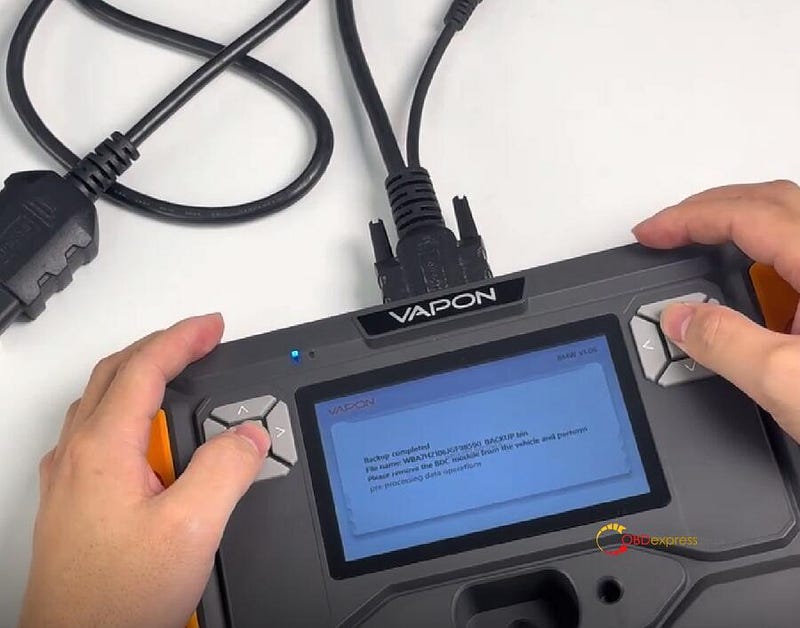
It will show "Backup completed" once the process is finished


How to Add 2015–2021 BMW G Chassis BDC2 Key by VAPON VP100

Step 2: Preprocessing Data

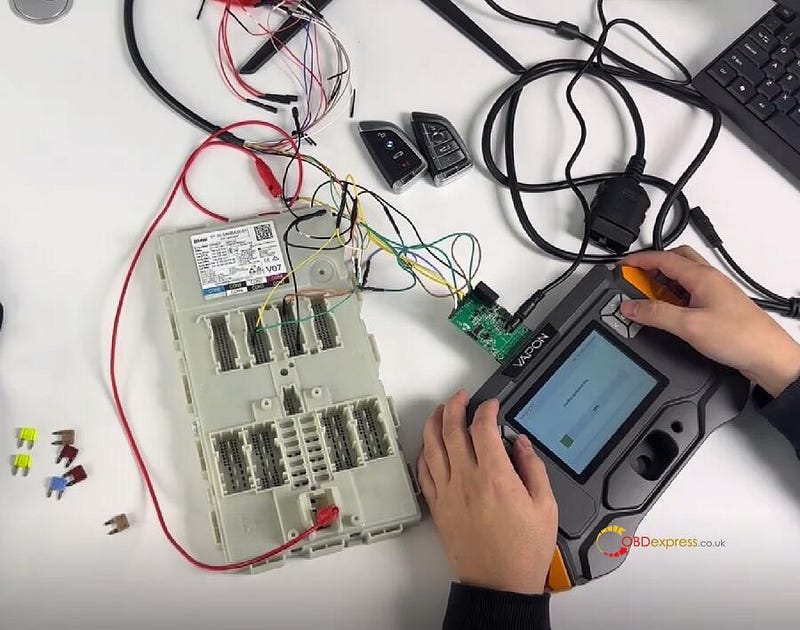
Disconnect all cables from the VP100 Key Programmer and BDC2 module

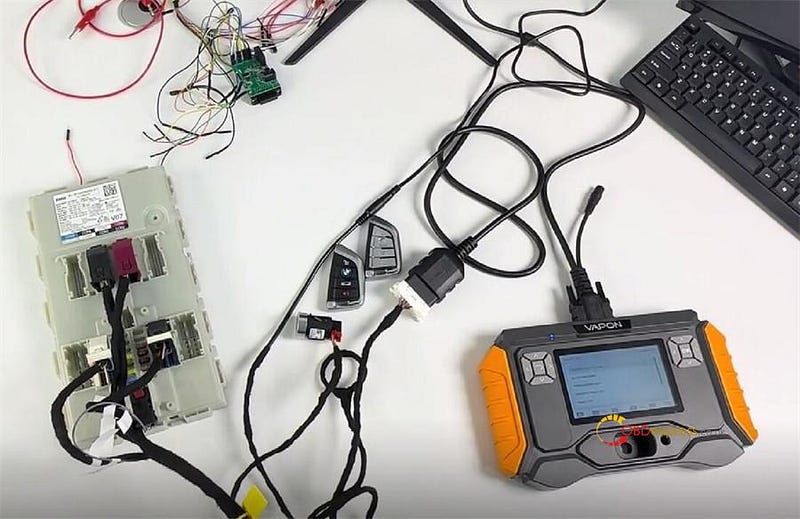
Connect the BDC2 adapter to the BDC2 module and VP100 device


How to Add 2015–2021 BMW G Chassis BDC2 Key by VAPON VP100

Start the preprocessing procedure

Follow the on-screen steps to operate one by one

1.Enter boot programming mode

2.Download BOOTLOAD (Bench)- pass security authentication

3.Read FLASH data (Bench)- get data

4.Restore SWFL- download data

5.Restore encoded files- restore data

Operation complete


How to Add 2015–2021 BMW G Chassis BDC2 Key by VAPON VP100

Step 3: Generate Dealer Key

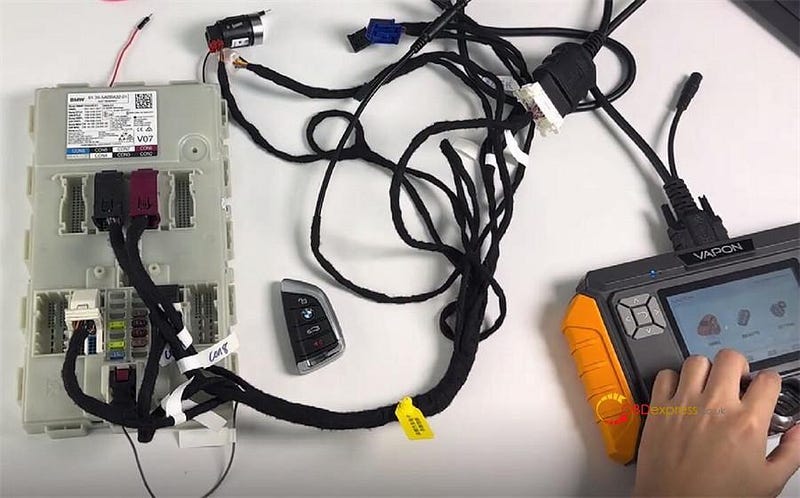
Disconnect the BDC2 adapter from both the VP100 and the BDC2 module.

Connect VP100 and the BDC2 module using the standard cables


How to Add 2015–2021 BMW G Chassis BDC2 Key by VAPON VP100

Select "Generate Dealer Key" function

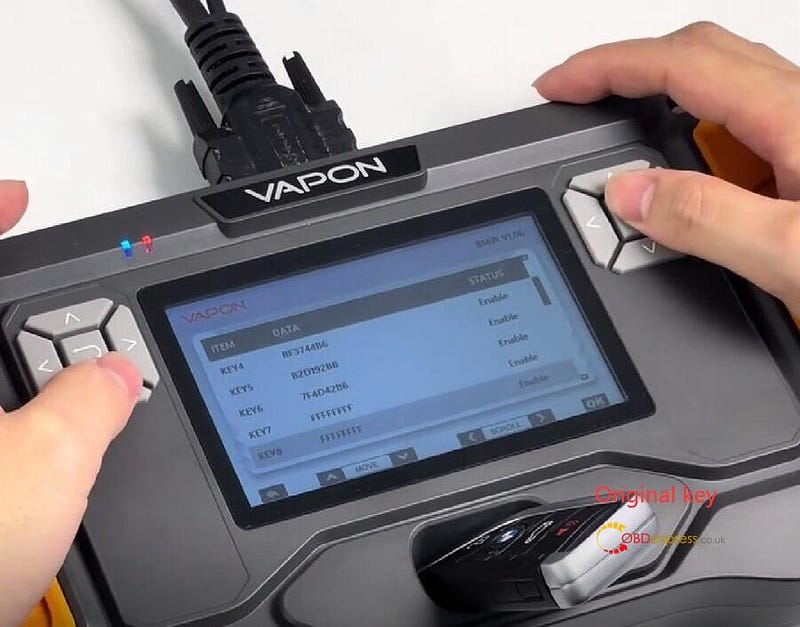
Put the original key into the RFID slot of VAPON VP100 BMW Key Programmer

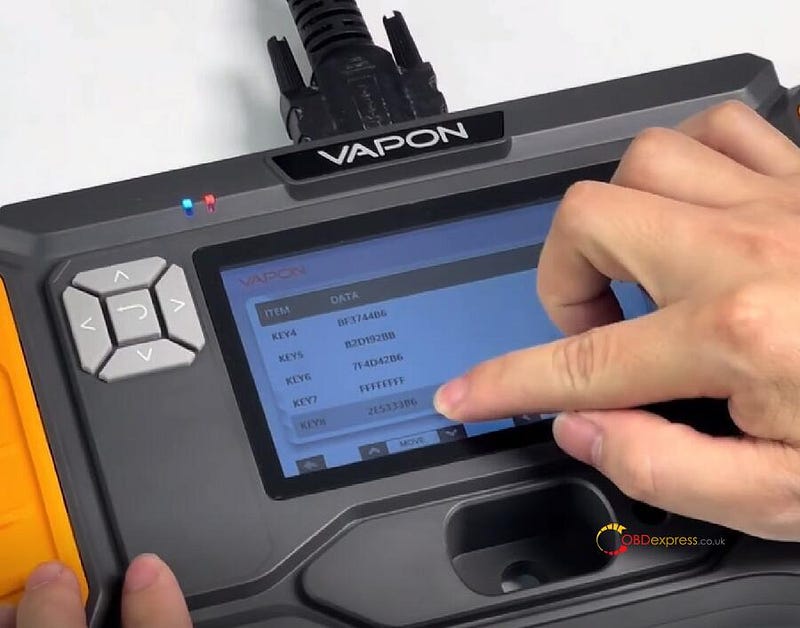
Choose an unused key position (e.g., KEY8).

Read the key information

Put a new key into the RFID slot

VP100 will write the key information

Key generation completed


How to Add 2015–2021 BMW G Chassis BDC2 Key by VAPON VP100

Step 4: Enable Key

Insert the newly programmed key into the ignition of vehicle

Press and hold the ignition button for at least 15 seconds to begin the learning process.

Select the "Learn Key" function on the VP100 BMW Key Programmer.

The system will confirm successful programming of the new key (e.g., Key #8).


How to Add 2015–2021 BMW G Chassis BDC2 Key by VAPON VP100

Finally, reinstall the BDC2 module into the vehicle, test if both the original and newly programmed key can work normally.

Read also:

VAPON VP100: No Token Limit, Free License for BMW Models

http://blog.obdexpress.co.uk/2025/04/17/vpioo-vp100-no-token-limit-free-license-for-bmw-models/

www.obdexpress.co.uk

VAPON VP100: No Token Limit, Free License for BMW Models

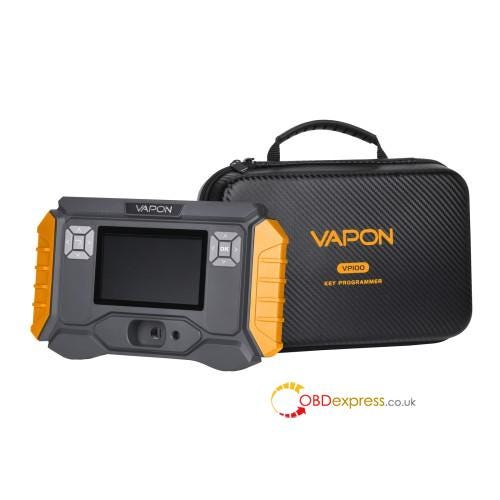
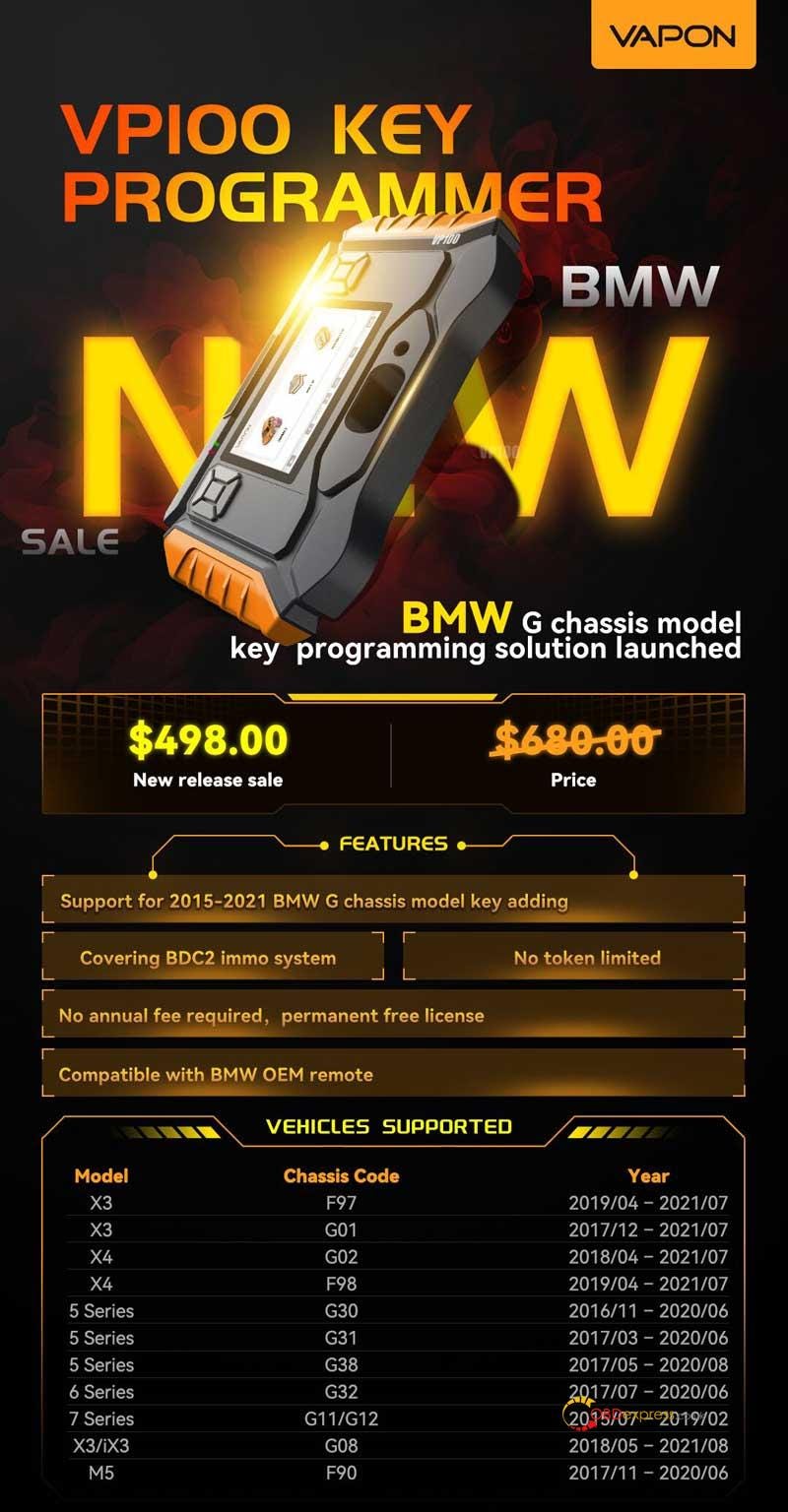
 Need to program a BMW key without the dealer hassle? The VAPON VP100 Key Programmer makes it easy — no tokens, no yearly fees, just plug and go. Works on 2015–2021 BMWs(X3, 5 Series, 7 Series, M5, and more) with BDC2 systems. With a forever-free license. Perfect for locksmiths or DIYers who want pro results without the pro price tag.


VAPON VP100_No Token Limit, Free License for BMW Models

Features

  • Support for 2015–2021 BMW G chassis model key adding.
  • Covering BDC2 immo system.
  • No token limited.
  • No annual fee required, permanent free license.
  • Compatible with BMW OEM remote.

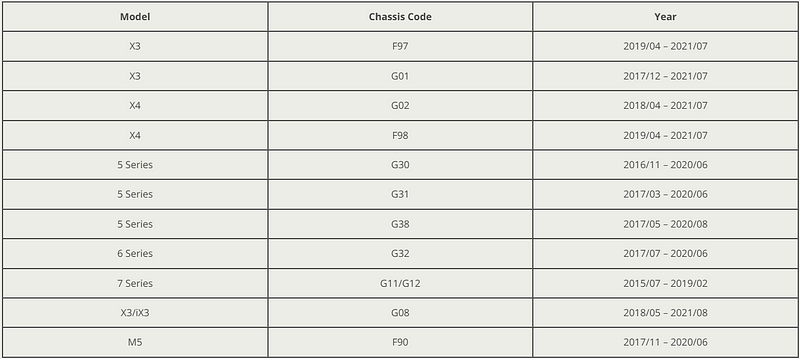
Vehicle Coverage

Model Chassis CodeYearX3F972019/04–2021/07X3G012017/12–2021/07X4G022018/04–2021/07X4F982019/04–2021/075 SeriesG302016/11–2020/065 SeriesG312017/03–2020/065 SeriesG382017/05–2020/086 SeriesG322017/07–2020/067 SeriesG11/G122015/07–2019/02X3/iX3G082018/05–2021/08M5F902017/11–2020/06


VAPON VP100_No Token Limit, Free License for BMW Models

So if you’re tired of overpriced dealer tools or clunky software, the VAPON VP100 is your fix. Simple, affordable, and no hidden costs — just a quick way to get those BMW keys working. Grab it now and save yourself the headache later. Easy peasy.

www.obdexpress.co.uk

KEYDIY New KD-Moto Adapter Adds Honda, Yamaha & Ducati

  Motorcycle key programming is now coming to the KEYDIY KD-X4 . The new KEYDIY KD-Moto Adapter adds dedicated motorcycle coverage for a w...