Tuesday, 13 August 2024

LAUNCH-X431 PAD/ PRO Serial Ford Software V50.10 Update

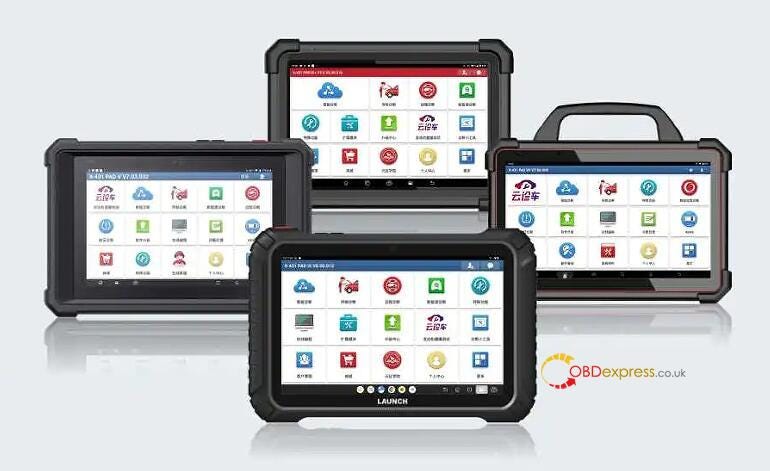
 LAUNCH-X431 updated the online vehicle model data streaming, action testing and major special functions in the newest Ford software V50.10 for X431 PAD V/VII, X431 PRO5, PRO Elite, PROS Elite, PRO TT 5.0, PRO DYNO, PRO STAR, PRO3S+ V5.0, PROS V5.0, etc.

LAUNCH-X431 ECU Programmer Clone Geely Bosch MED17.8.10 on Bench

Upgraded functions:

Online vehicle model data streaming, action testing and major special functions

1.Programmable module installation

2.Power balance

3.Relative compression

4.Cooling system filling and draining

5.Enable engine sound enhancement and active noise control

6.Enable the center display bonnet release soft button

7.Engine number configuration

8.Enhanced external lighting calibration

9.HCM calibration

10.Re-learning the power battery capacity

11.High voltage system power outage

12.Power battery capacity inspection

13.PCM (power transmission control module) fire monitoring equipment

Profile correction learning (crankshaft position learning)

14.Rear parking assist camera calibration

15.Audio system tone test

16.Reset the supplementary protocol interface module

17.Reset the learning value of the outside air temperature sensor

18.Reset the TCU (Information and Communication Control Unit) module for backup battery monitoring system

19.Left obstacle detection control module (SOD L) alignment

20.Right obstacle detection control module (SOD R) alignment

21.Speaker audio test

22.Unlock shipping and factory mode

Support Ford models below:

  • Pilot 2020–2023
  • Fiery Horse 2024
  • Adventurer 2020–2024
  • Mondeo/Light Chaser 2021–2024
  • Sharp World 2023
  • Escape/Ruiji 2020–2024
  • Road Shakers 2018–2024
  • Explorer 2020–2024
  • Raptor 2021–2024
  • Fox 2018–2024
  • Electric Horse 2021–2023
  • Navigator 2024
  • Ranger 2021–2024
  • Zephyr 2022
www.obdexpress.co.uk

Wednesday, 7 August 2024

OBDSTAR X300 Classic G3/ DP Plus/ PRO4/ MINI IMMO Upgrade

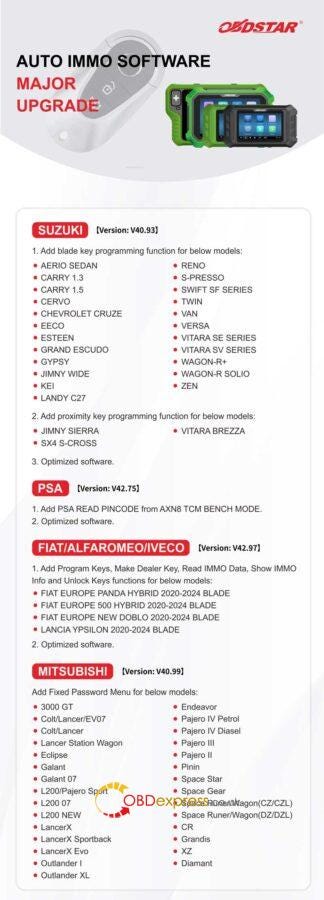
 OBDSTAR has released automotive IMMO software upgrade recently, covering SUZUKI, PSA, FIAT/ALFAROMEO/IVECO, MITSUBISHI, FORTHING, GREATWALL, NETA and GEELY.

Supported Tools

OBDSTAR X300 DP Plus

OBDSTAR X300 Classic G3

OBDSTAR X300 PRO4

OBDSTAR X300 MINI PSA/FIAT

SUZUKI Version: V40.93

  1. Add blade key programming function for below models:

AERIO SEDAN

CARRY 1.3

CARRY 1.5

CERVO

CHEVROLET CRUZE

EECO

ESTEEN

GRAND ESCUDO

GYPSY

JIMNY WIDE

KEI

LANDY C27

RENO

  • PRESSO

SWIFT SF SERIES

TWIN

VAN

VERSA

VITARA SE SERIES

VITARA SV SERIES

WAGON-R+

WAGON-R SOLIO

ZEN

  1. Add proximity key programming function for below models:

JIMNY SIERRA

VITARA BREZZA

SX4 S-CROSS

  1. Optimized software.

PSA Version: V42.75

  1. Add PSA READ PINCODE from AXN8 TCM BENCH MODE.
  2. Optimized software.

FIAT/ALFAROMEO/IVECO Version:V42.97

  1. Add program keys, make dealer key, read IMMO data, show IMMO info and unlock keys function for below models:

FIAT EUROPE PANDA HYBRID 2020–2024 BLADE

FIAT EUROPE 500 HYBRID 2020–2024 BLADE

FIAT EUROPE NEW DOBLO 2020–2024 BLADE

LANCIA YPSILON 2020–2024 BLADE

  1. Optimized software.

MITSUBISHI Version: V40.99

Add fixed password menu for below models:

3000 GT

Colt/Lancer/EV07

Colt/Lancer

Lancer Station Wagon

Eclipse

Galant

Galant 07

L200/Pajero Sport

L200 07

L200 NEW

LancerX

LancerX Sportback

LancerX Evo

Outlander I

Outlander XL

Endeavor

Pajero IV Petrol

Pajero IV Diasel

Pajero III

Pajero II

Pinin

Space Star

Space Gear

Space Runer/Wagon(CZ/CZL)

Space Runer/Wagon(DZ/DZL)

CR

Grandis

XZ

Diamant


OBDSTAR X300 IMMO Software Upgrade

Supported Tools

OBDSTAR Key Master DP Plus

OBDSTAR Key Master G3

OBDSTAR Key Master 5

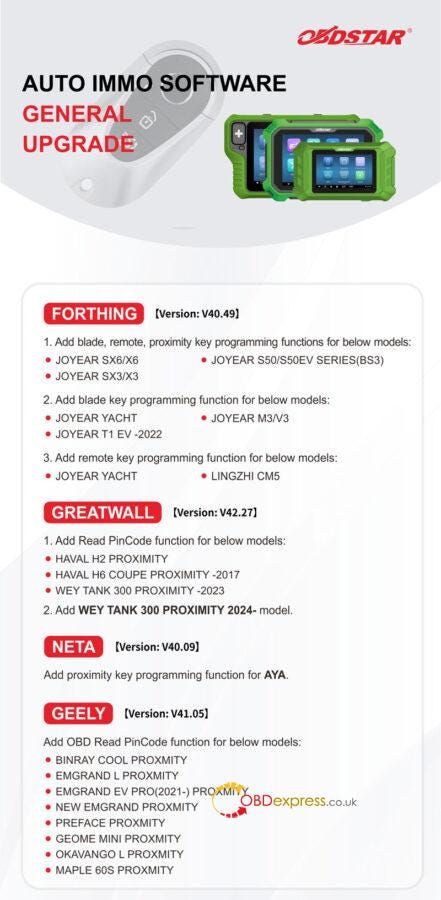
FORTHING Version: V40.49

  1. Add blade, remote, proximity key programming functions for below models:

JOYEAR SX6/X6

JOYEAR S50/S50EV SERIES(BS3)

JOYEAR SX3/X3

  1. Add blade key programming function for below models:

JOYEAR YACHT

JOYEAR M3/V3

JOYEAR T1 EV -2022
  1. Add remote key programming function for below models:

JOYEAR YACHT

LINGZHI CM5

GREATWALL Version: V42.27

  1. Add read pincode function for below models:

HAVAL H2 PROXIMITY
HAVAL H6 COUPE PROXIMITY -2017

WEY TANK 300 PROXIMITY -2023

  1. Add WEY TANK 300 PROXIMITY 2024- model.

NETA Version: V40.09

Add proximity key programming function for AYA.

GEELY Version: V41.05

Add OBD read pincode function for below models:

BINRAY COOL PROXMITY

EMGRAND L PROXMITY

EMGRAND EV PRO(2021-) PROXMITY

NEW EMGRAND PROXMITY

PREFACE PROXMITY

GEOME MINI PROXMITY

OKAVANGO L PROXMITY

MAPLE 60S PROXMITY


OBDSTAR X300 IMMO Software Upgrade

www.obdexpress.co.uk

Best 6 Tools for VW MQB RH850/V850 IMMO Mileage

 Which tool can program key or correct mileage for the Volkswagen MQB RH850/V850 dashboard?

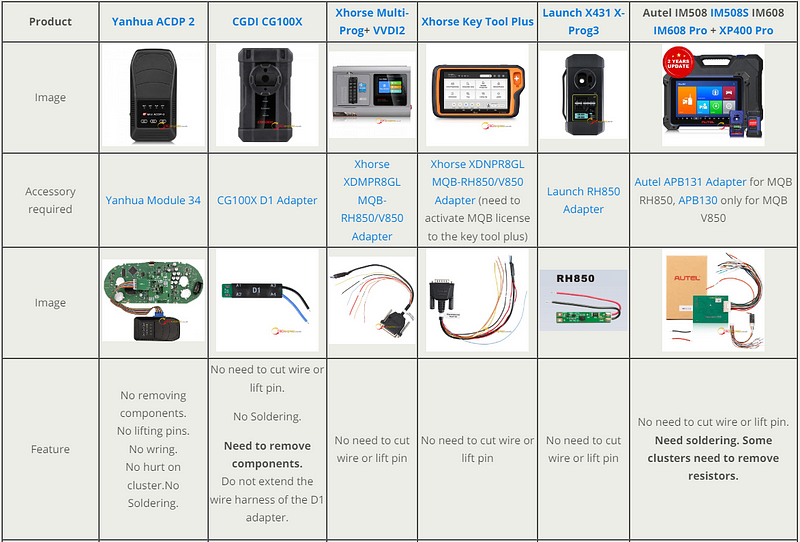
Here OBDEXPRESS.CO.UK has collected the top 6 tools for reference. All tools have wiring diagrams and do not need lifting pins or cutting wires.

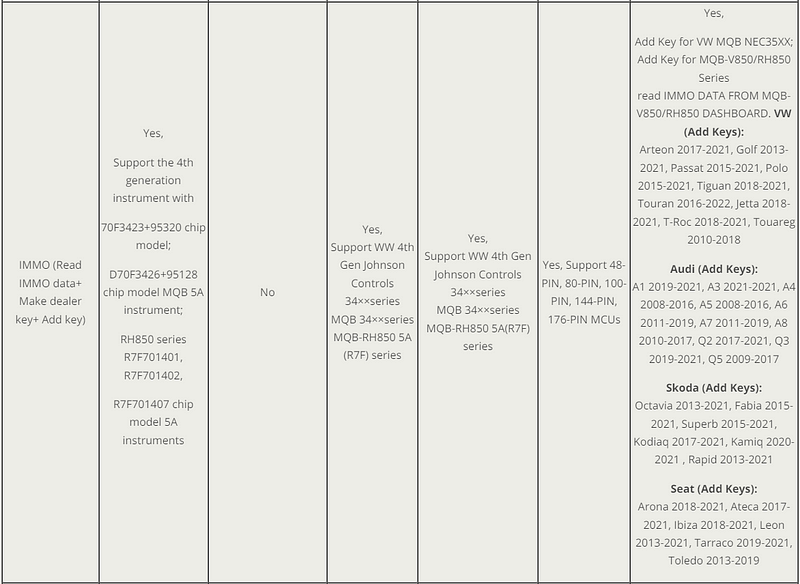
Support IMMO programming:

Yanhua Mini ACDP2 with Module 34

Xhorse Multi Prog+ VVDI2+ Xhorse MQB-RH850/V850 Adapter

Xhorse VVDI Key Tool Plus Pad+ Xhorse MQB-RH850/V850 Adapter

Launch X-Prog3+ RH850 Adapter

Autel IM508 IM608 series+ XP400 Pro+ APB131 Adapter/ APB130 Adapter

Support mileage correction:

Yanhua ACDP with Module 34

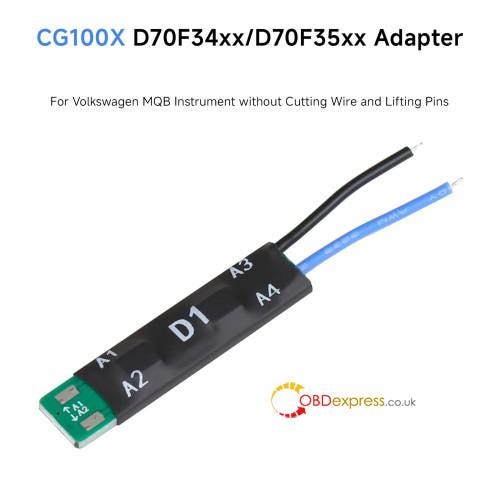
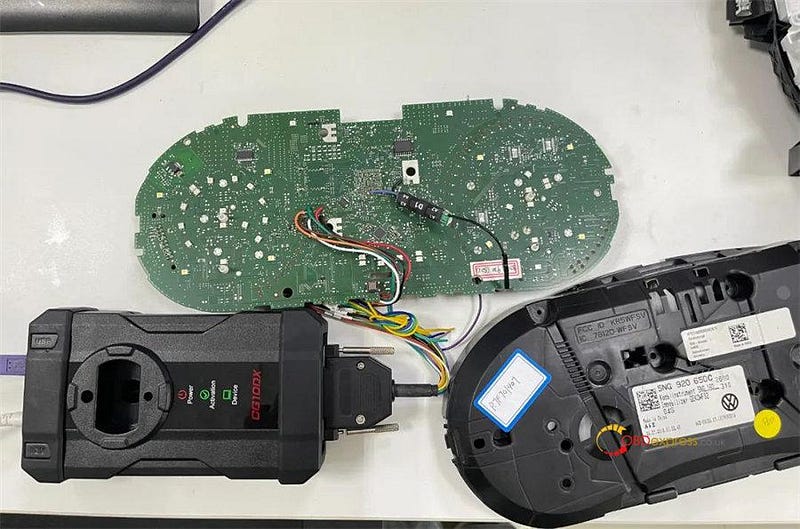
CG100X with D1 Adapter

Note:

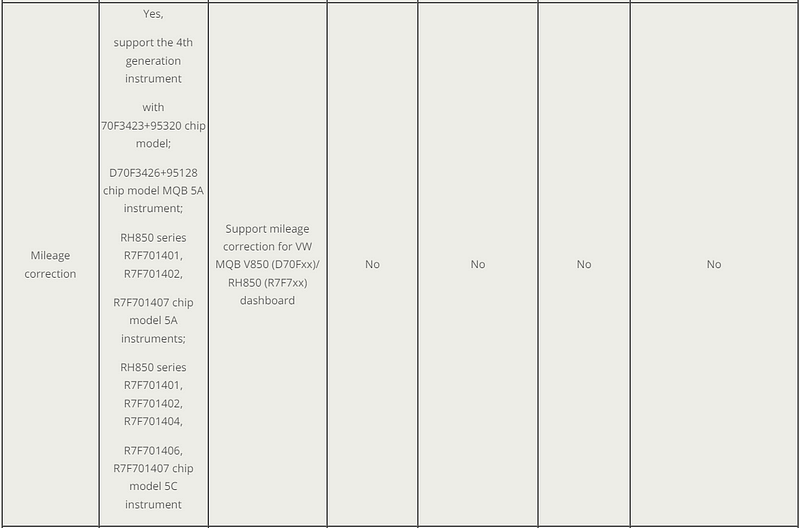
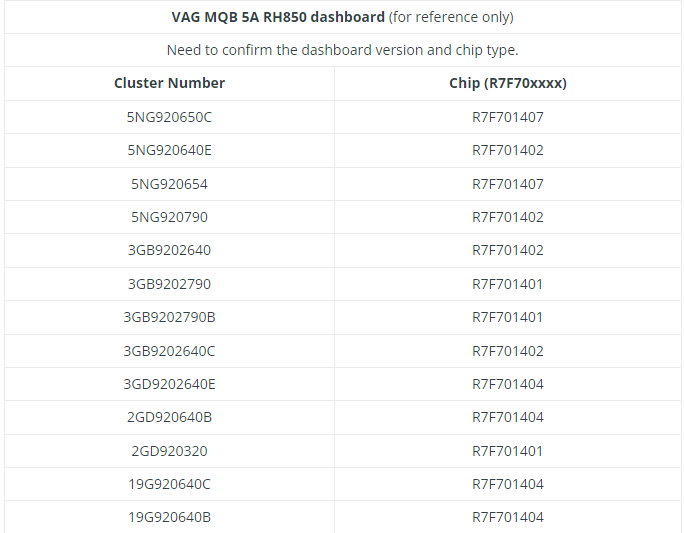
Only Yanhua Mini ACDP supports RH850 5A (IMMO & mileage) and 5C (mileage), others support RH850/V850 5A cluster.

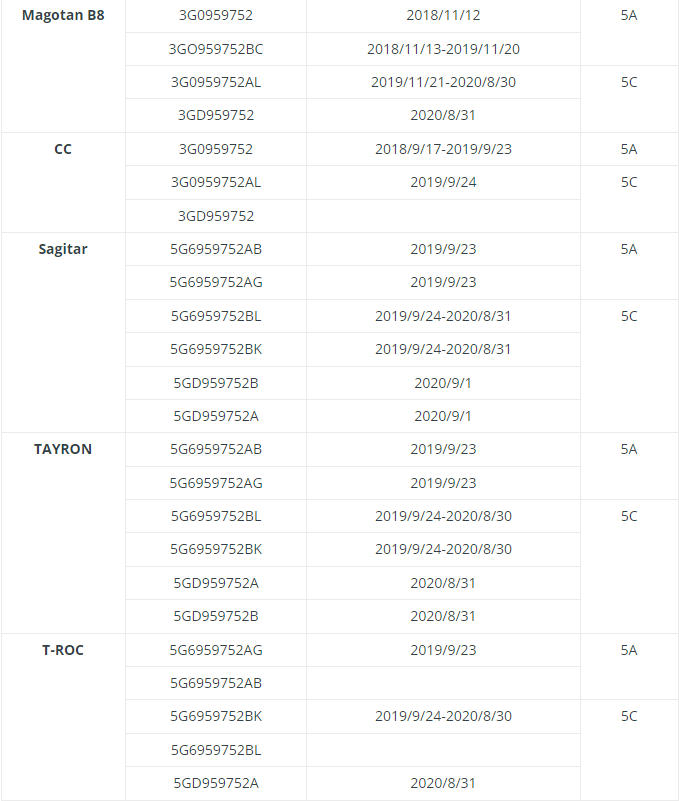
Check the comparison table below.


Best 6 Tools for VW MQB RH850 V850 IMMO Mileage

www.obdexpress.co.uk


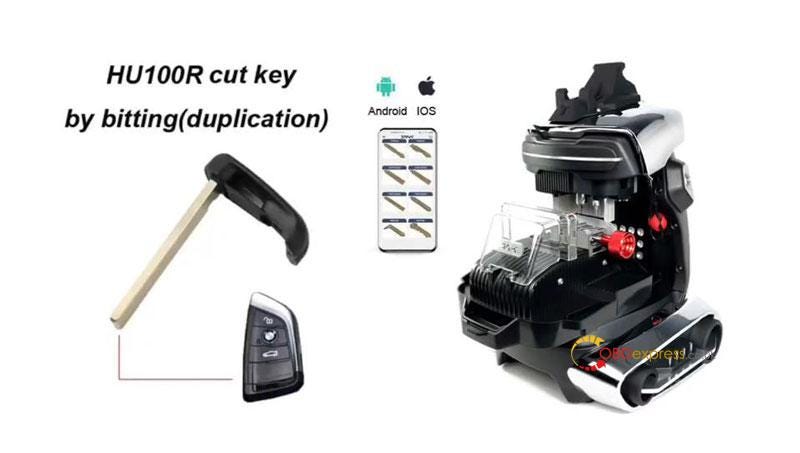
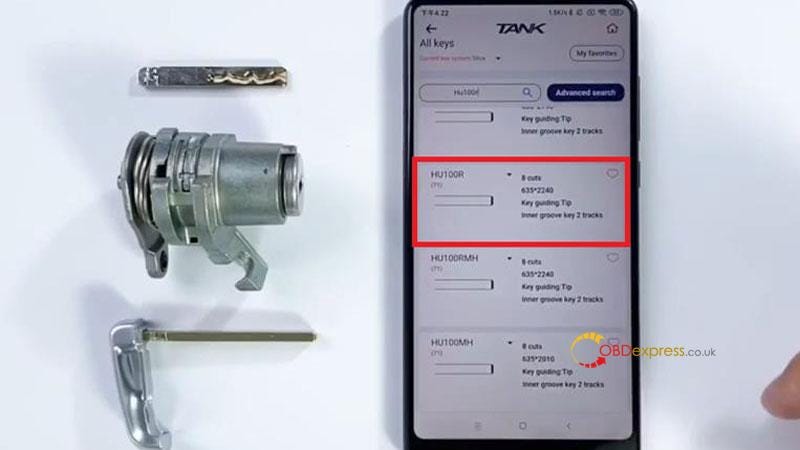
2M2 TANK 2 Pro CNC Duplicate BMW HU100R Key by Bitting

 This is a tutorial on how to duplicate BMW HU100R with 2M2 TANK 2 Pro CNC Key Cutting Machine by bitting. The process includes 2 steps: Decode & Cutting. Before that, you’ll need to prepare an original key and a new key blank.

Without further ado, let’s go.


OBDSTAR X300 Software IMMO Upgrade

Step1. Decode

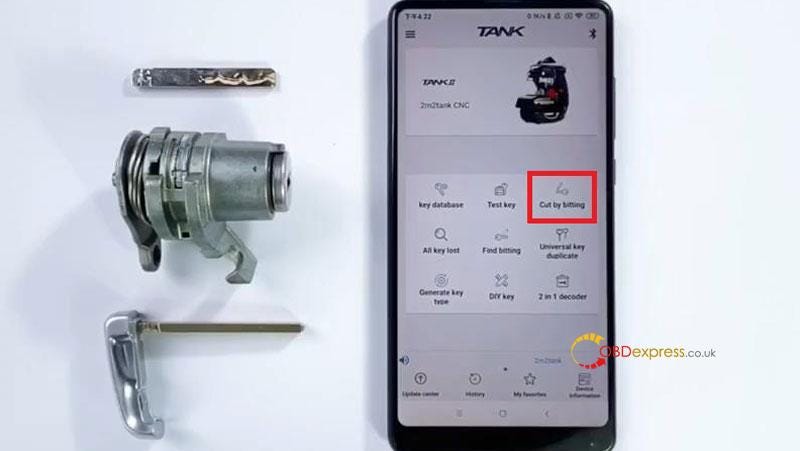
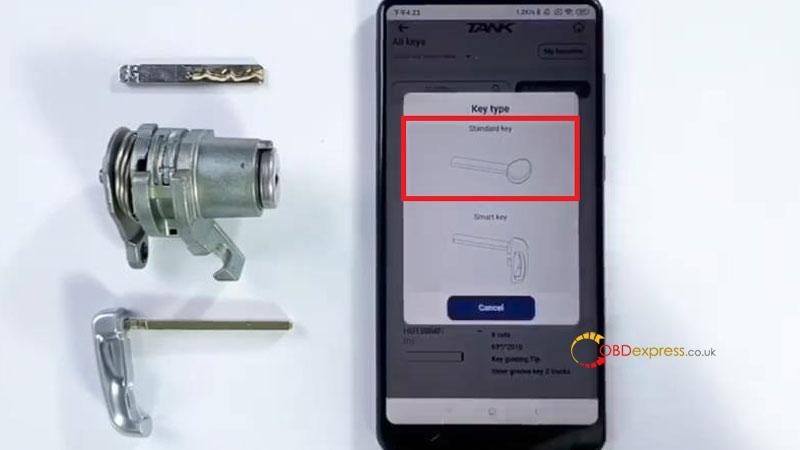
Cut by bitting >> HU100R 8 Cuts >> Standard key

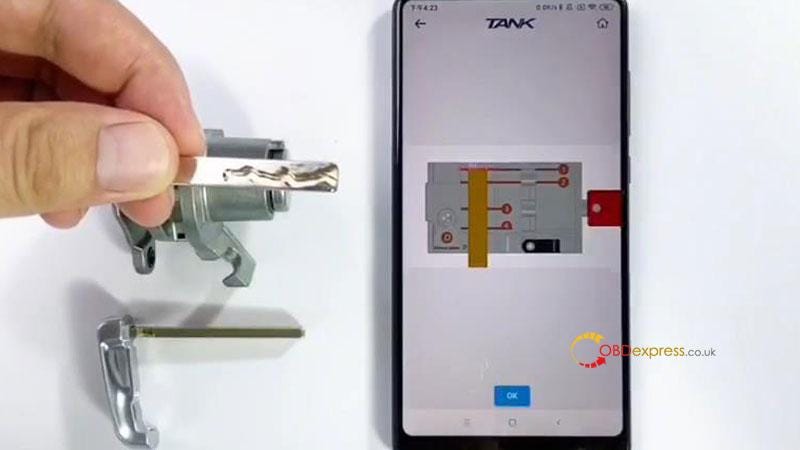
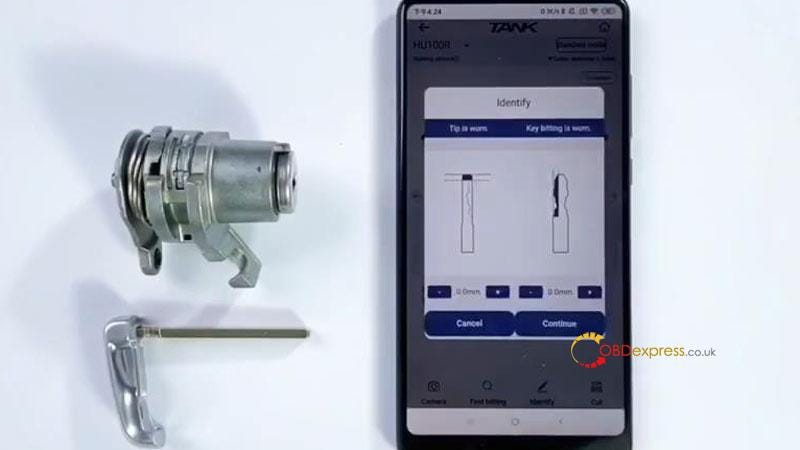
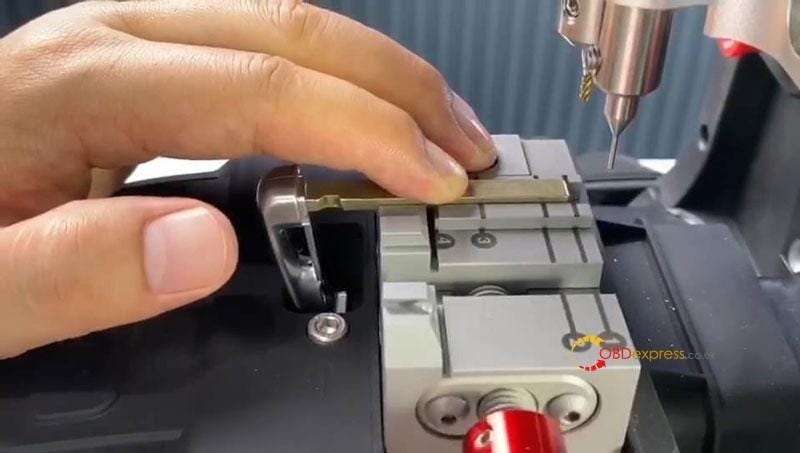
Follow the diagram to install the original key.

OK >> Identify >> Continue

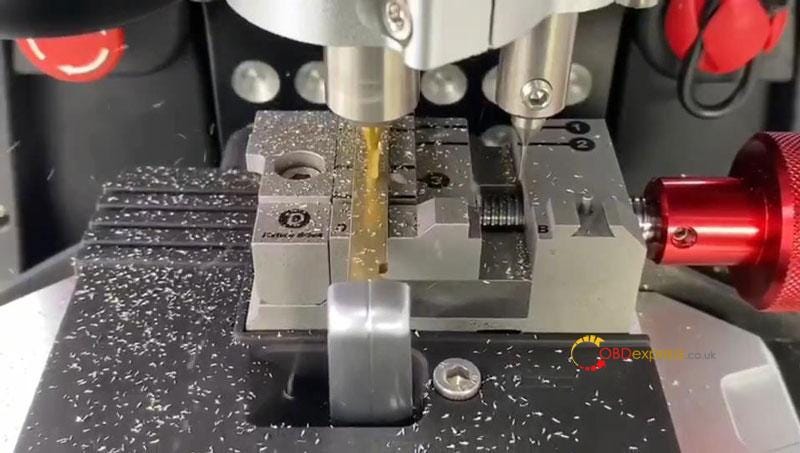
The 2M2 TANK 2 Pro CNC machine will start to decode the key…

Remove the key to replace a blank key when decoding finished.


OBDSTAR X300 Software IMMO Upgrade

Step2. Cutting

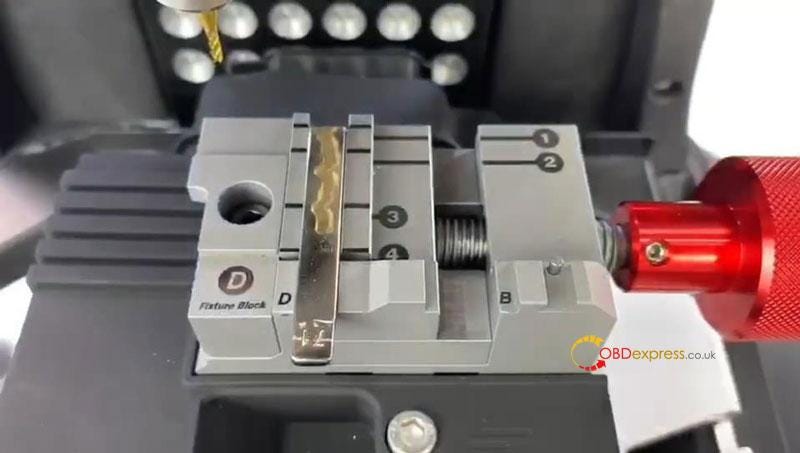
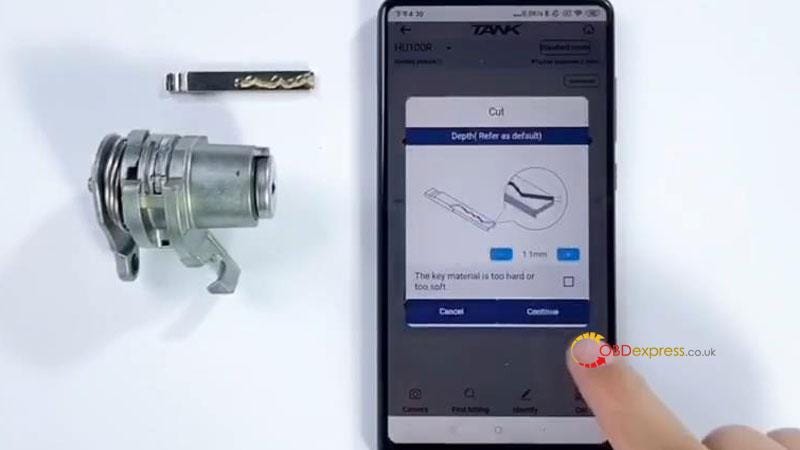
After installation, Cut >> Continue

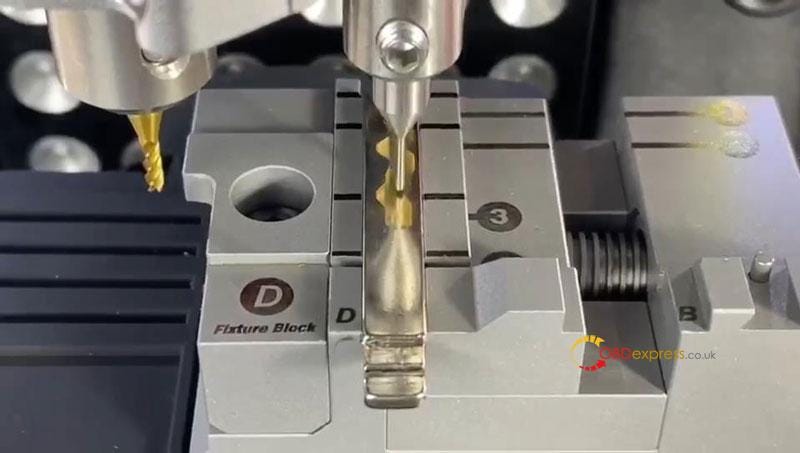
The 2M2 TANK Key Cutting Machine will start to cut automatically…

Just wait until cutting finished.

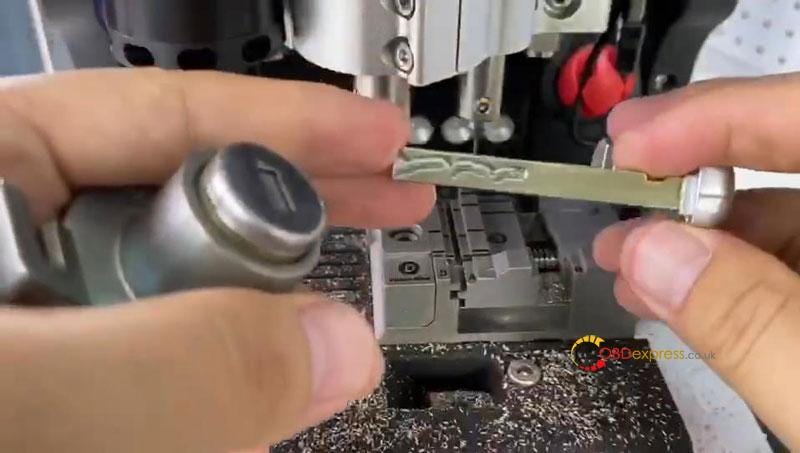
Then Turn over the key to cut the other side.

Now the key cutting was completed.

Take out the new key to have a test, it can work normally.

Perfect done.


OBDSTAR X300 Software IMMO Upgrade

www.obdexpress.co.uk

Monday, 5 August 2024

CGDI CG100X VW MQB RH850 /V850 Mileage Correction Support List

 One of the advanced features of CGDI CG100X Programmer is that it supports mileage correction for VAG MQB RH850 (R7F7xx) /V850 (D70Fxx) dashboard, while CG100 Prog III only supports Johnson Control dashboard. Check the newest MQB dashboard support list below.

CG100X D1 Adapter is required for most MQB dashboards. No Soldering! No Lift Pin! Security decryption, stable operation!


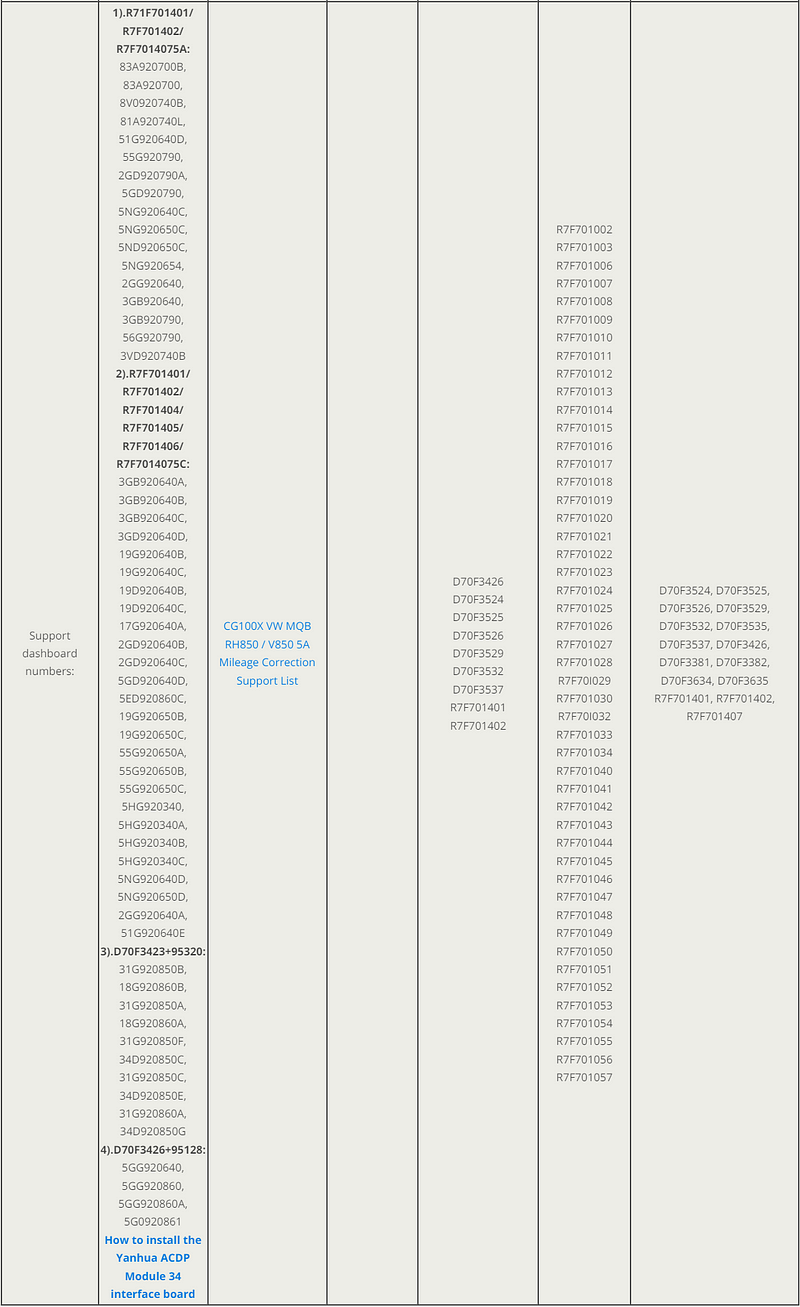
CGDI CG100X VW MQB RH850 V850 Mileage Correction Support List

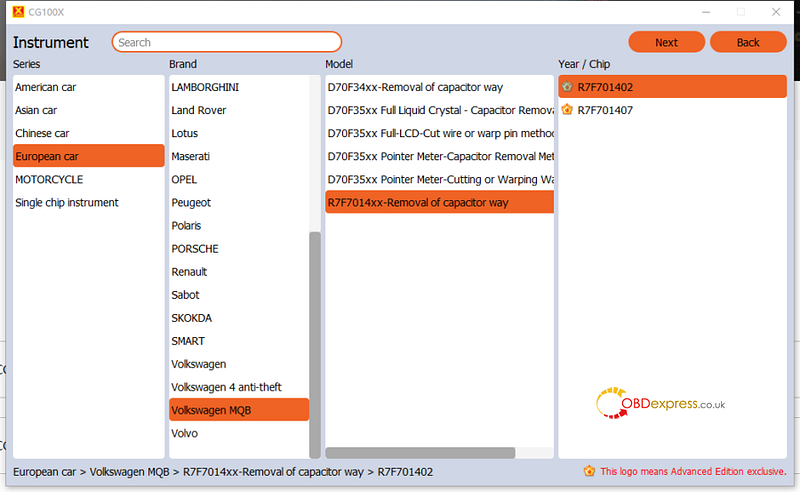
Currently, VAG MQB D70F34xx, D70F35xx, and R7F7014xx mileage repair are supported (only 5A cluster).

You need to distinguish the 5A and 5C dashboard types.


CGDI CG100X VW MQB RH850 V850 Mileage Correction Support List

1.CGDI CG100X MQB V850 (D70Fxx) Dashboard Support List

  • D70F3526 (A2C81589700) (read-write)
  • D70F3529 (read-write)
  • D70F3532 (A2C81589500) (read-write)

Car models cover Golf, Magotan, Lavida, T-ROC, Tayron, Bora, Sagitar, Lamando, CC, Variant, Teramont, Skoda, Octavia, Kodiak and other models.

  • Volkswagen D70F35xx MQB D70F3525 (A2C81589600)
  • Volkswagen MQB MQB D70F3525 (A2C81589600)
  • Volkswagen D70F35xx MQB D70F3526+95320 (read write)
  • Volkswagen MQB D70F3525+95320
  • D70F35xx MQB Full LCD D70F3525 (A2C81589600)
  • Volkswagen D70F35xx MQB Full LCD D70F3526

CGDI CG100X VW MQB RH850 V850 Mileage Correction Support List

2.CG100X VW MQB RH850 R7F7014xx Dashboard Support List

  • MQB R7F701402 and R7F701407 chips

Compatible the car models:

Volkswagen Passat, Magotan, T-ROC, Tayron, Bora, Sagitar, Tharu, Teramont, Tiguan, Lamando, CC, Golf, etc


CGDI CG100X VW MQB RH850 V850 Mileage Correction Support List

Besides, it added 6 new capacitor removal method models and Volkswagen Generation 4 anti-theft and 1 new capacitor removal method model for Volkswagen MQB on Jan. 18th, 2024.

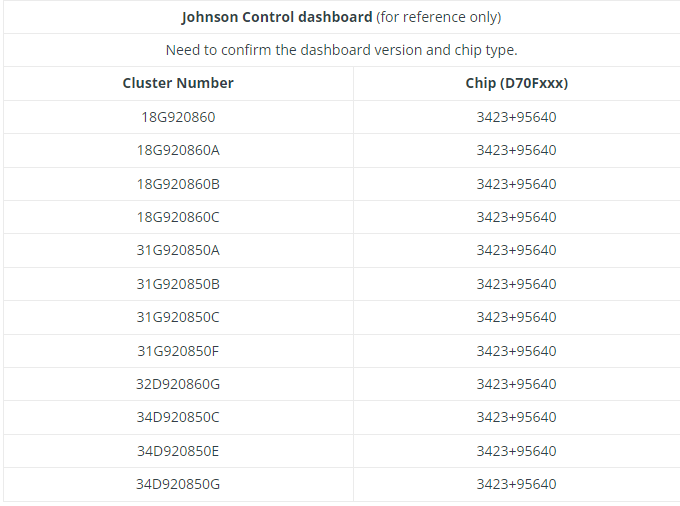
3.CG100X VW Johnson Control dashboard Mileage Correction Support List


CGDI CG100X VW MQB RH850 V850 Mileage Correction Support List

FYI…

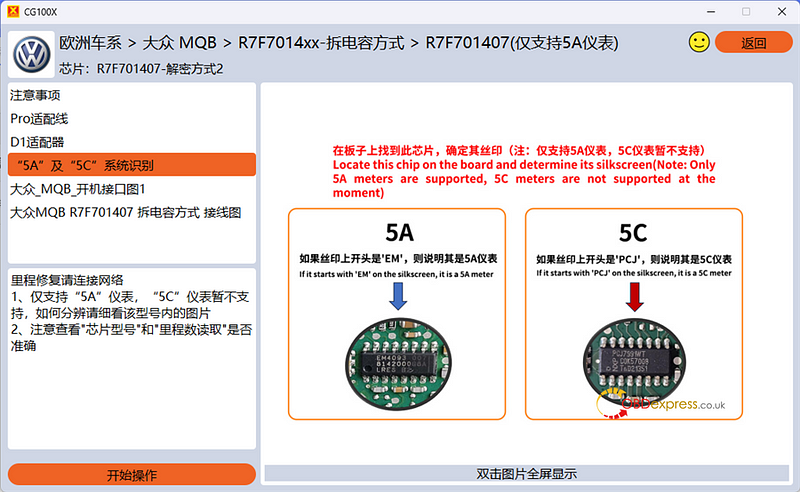
How to distinguish VW 5A & 5C Dashboard?

Locate the chip on the board and determine its silkscreen

If it starts with "EM" on the silkscreen, it is a 5A meter.

If it starts with "PCJ" on the silkscreen, it is a 5C meter.

Only 5A cluster is supported by CG100X.

5C cluster is not supported currently. Even you can read out the 5C data, the data is incorrect. It cannot be used to correct mileage.


CGDI CG100X VW MQB RH850 V850 Mileage Correction Support List

VW 5A & 5C Dashboard and Chip List


CGDI CG100X VW MQB RH850 V850 Mileage Correction Support List

www.obdexpress.co.uk


FormulaFlash Update: Support Bosch ME7.8.8, Idle Speed Adjustment (World First)

 FormulaFlash ECU Programmer released the newest software V1.0.0.5 on August 2nd, 2024. It added some new protocols. Check the details below.

[VERSION] 1.0.0.4->1.0.0.5:

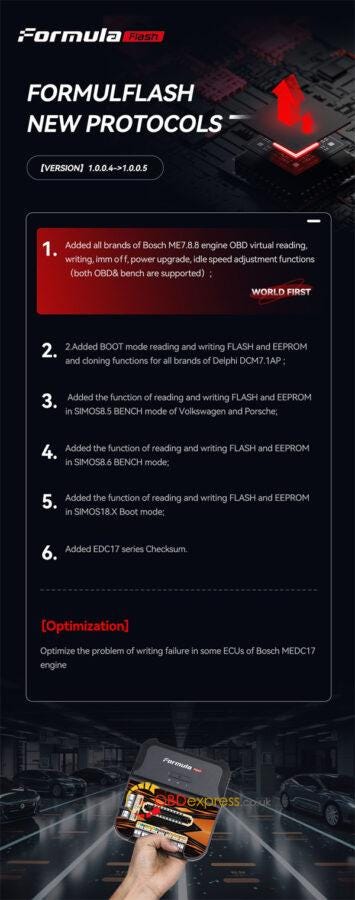
1.Added all brands of Bosch ME7.8.8 engine OBD virtual reading, writing, IMMO off, power upgrade, idle speed adjustment functions (both OBD& bench are supported);

2.Added BOOT mode reading and writing FLASH and EEPROM and cloning functions for all brands of Delphi DCM7.1AP;

3.Added the function of reading and writing FLASH and EEPROM in SIMOS8.5 BENCH mode of Volkswagen and Porsche;

4.Added the function of reading and writing FLASH and EEPROM in SIMOS8.6 BENCH mode;

5.Added the function of reading and writing FLASH and EEPROM in SIMOS18.X Boot mode;

6.Added EDC17 series Checksum.

7.Optimized the problem of writing failure in some ECUs of Bosch MEDC17 engine.


FormulaFlash Update: Support Bosch ME7.8.8, Idle Speed Adjustment (World First)

Read also:

What is FormulaFLash ECU Chip Tuning Tool?

http://blog.obdexpress.co.uk/2024/05/22/what-is-formulaflash-ecu-chip-tuning-tool/

2024 New FormulaFLash ECU Programmer FAQs

http://blog.obdexpress.co.uk/2024/05/23/2024-new-formulaflash-ecu-programmer-faqs/

What is the difference between FormulaFlash, Foxflash, FC200?

http://blog.obdexpress.co.uk/2024/07/01/what-is-the-difference-between-formulaflash-foxflash-fc200/

www.obdexpress.co.uk

How to Reset LAUNCH-X431 IMMO Plus to Factory Settings?

 Customer problem:

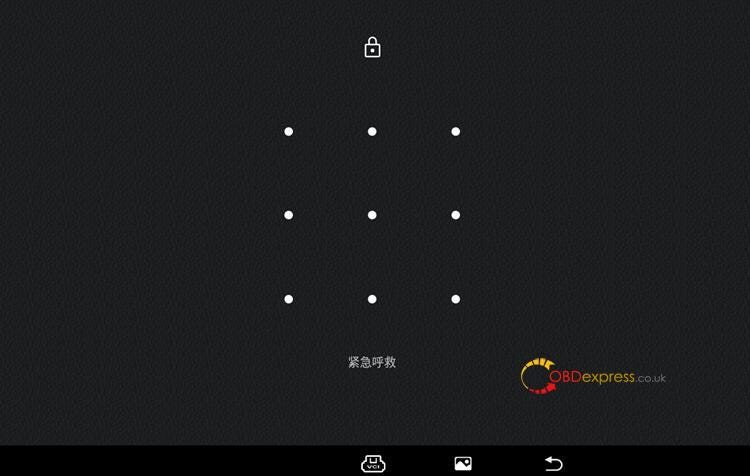
I enabled a pattern lock screen on my LAUNCH-X431 IMMO Plus, but I forgot the pattern, and I can’t use it now. How to unlock the screen?


How to Reset LAUNCH-X431 IMMO Plus to Factory Settings

Here is a solution from OBDexpress.co.uk engineer:

You need to reset the X431 tablet to factory settings, and then download APP and software again. This method also can be used for X431 IMMO Elite key programmer.

Check the details below.

1.Reset X431 IMMO Plus to factory settings

Turn off the X431 tablet


How to Reset LAUNCH-X431 IMMO Plus to Factory Settings

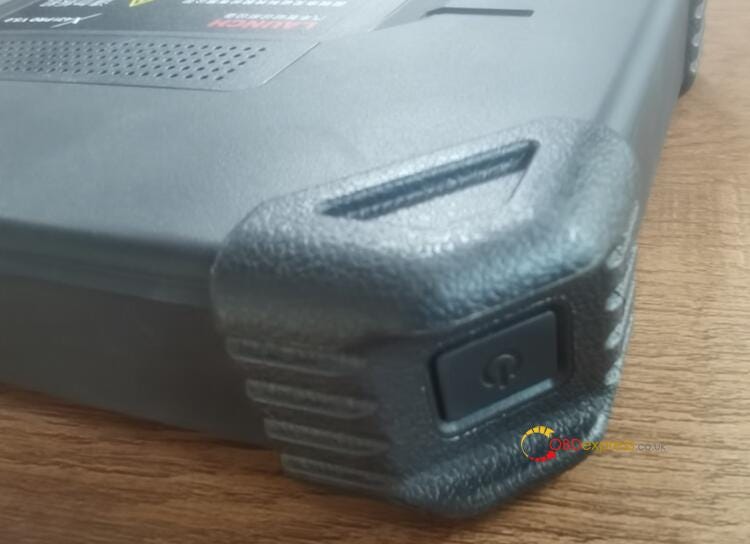
Long press the Power button for 3–5 seconds, release it then short press the Power button 5 times quickly before the LAUNCH logo comes out.

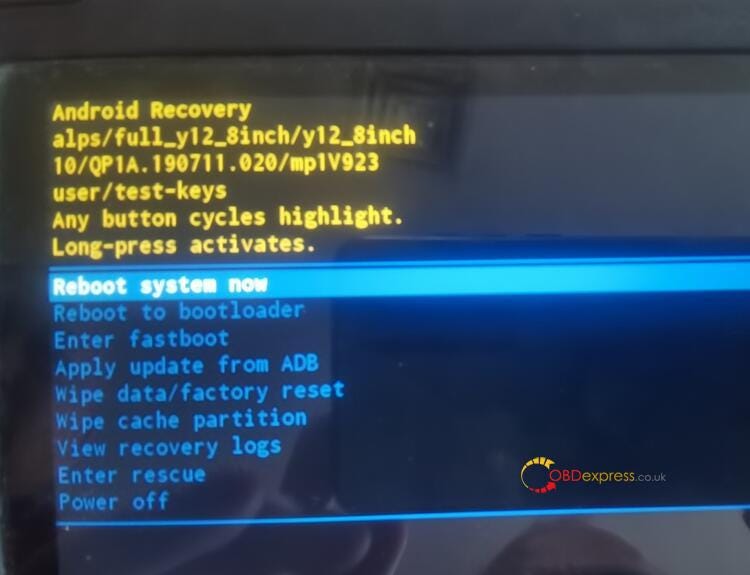
Then the system will enter into the engineering mode.


How to Reset LAUNCH-X431 IMMO Plus to Factory Settings

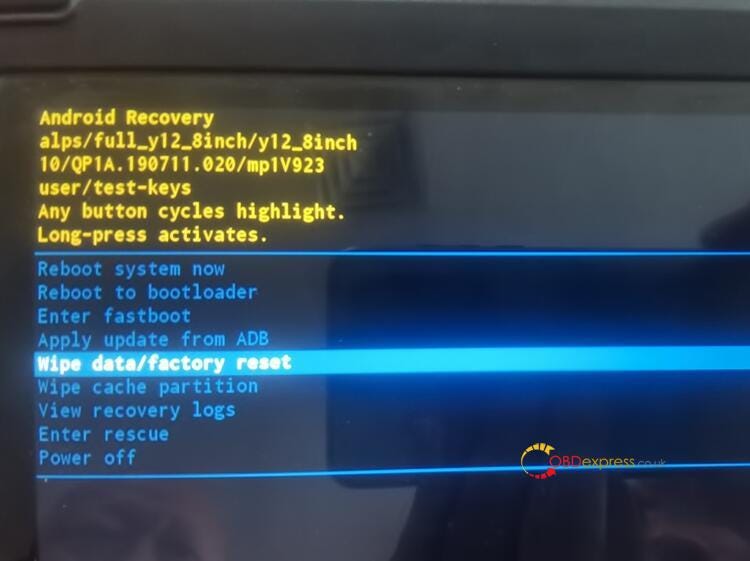
Long press the Power button to enter the next interface

Short press the Power button to pull down the menu and select Wipe data/factory reset


How to Reset LAUNCH-X431 IMMO Plus to Factory Settings

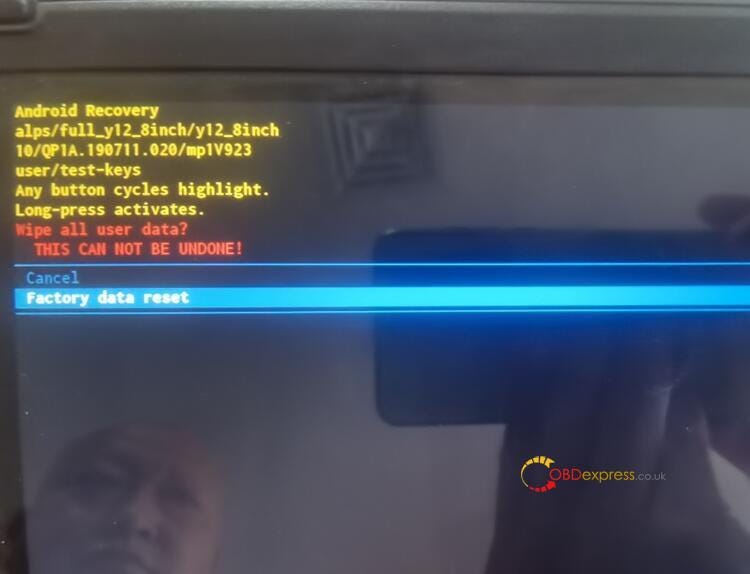
Long press the Power button to enter the next interface

Short press the Power button to select Factory data reset


How to Reset LAUNCH-X431 IMMO Plus to Factory Settings

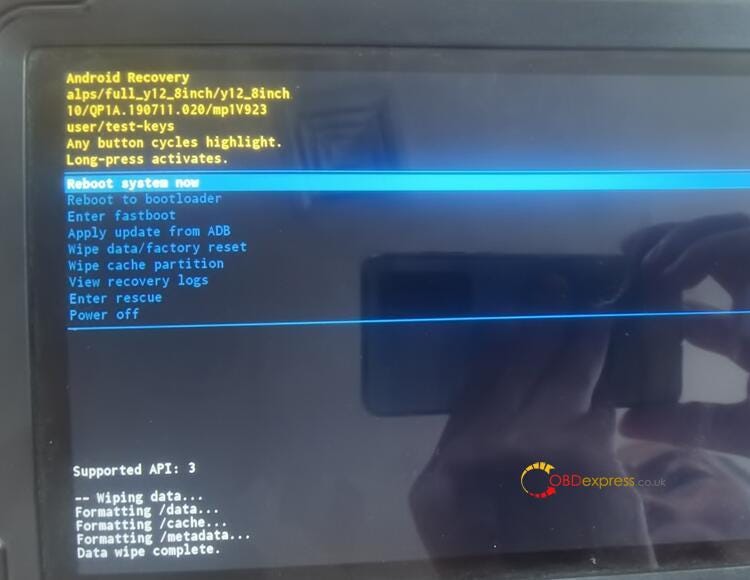
Then long press the Power button to enter the next interface

Long press the Power button to enter recovery mode


How to Reset LAUNCH-X431 IMMO Plus to Factory Settings

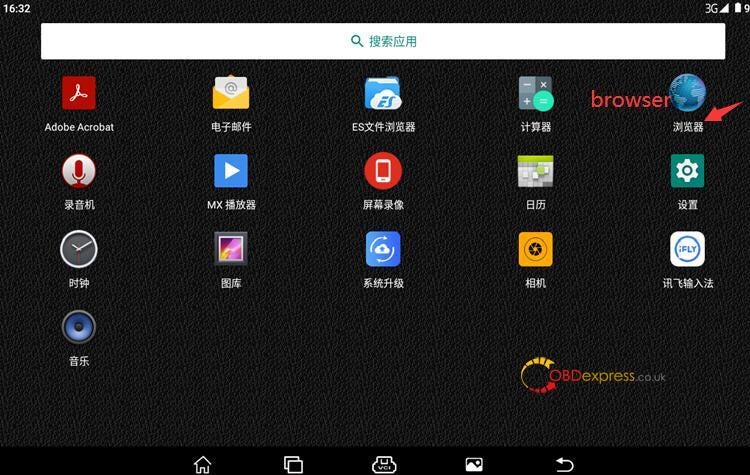
2.Download X431 IMMO Plus APP from browser

Run the browser in the home menu


How to Reset LAUNCH-X431 IMMO Plus to Factory Settings

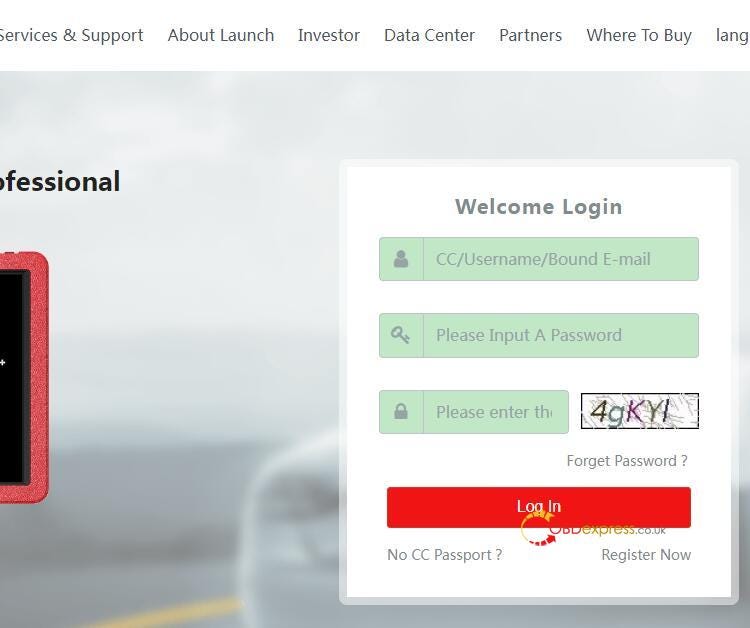
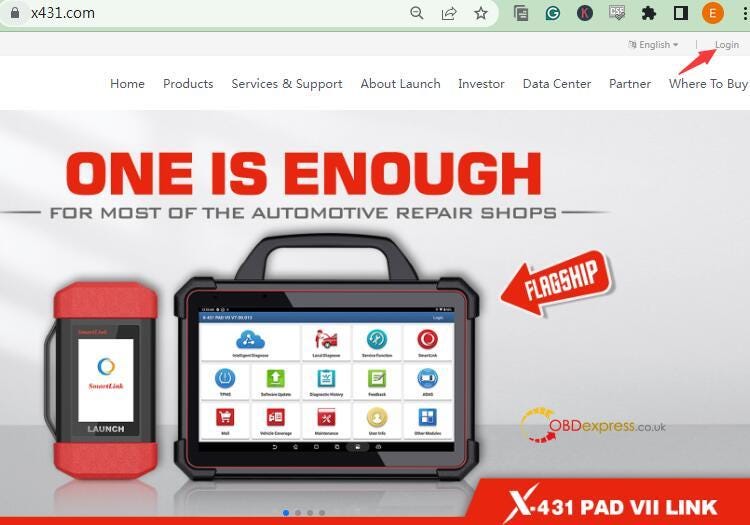
Access to www.x431.com

Click on "Login" in the up-right corner


How to Reset LAUNCH-X431 IMMO Plus to Factory Settings

Input X431 CC number/Username/Bound E-mail, password, and verification code

Click on "Log in"


How to Reset LAUNCH-X431 IMMO Plus to Factory Settings

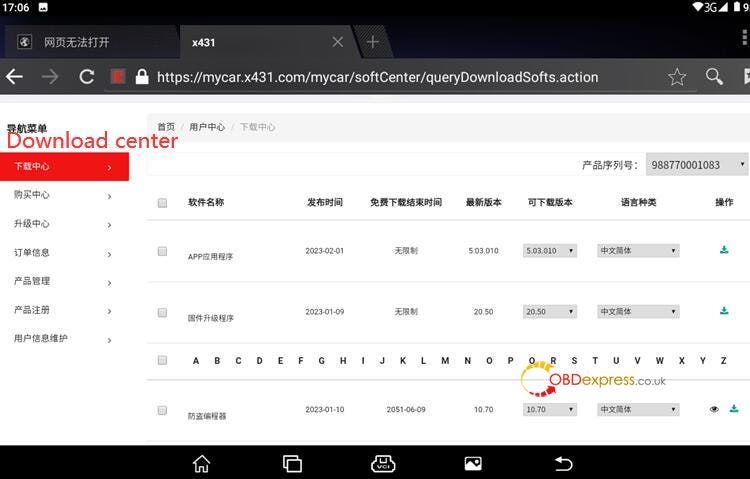
Go to "Download center"

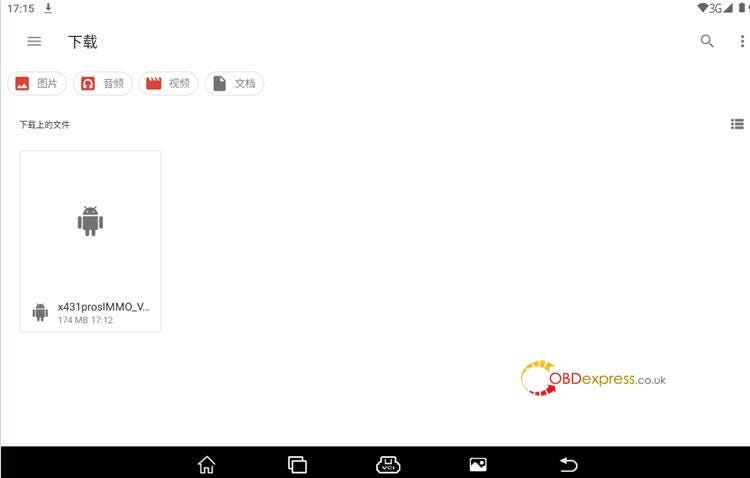
Select the corresponding APP (x431prosIMMO) to download


How to Reset LAUNCH-X431 IMMO Plus to Factory Settings

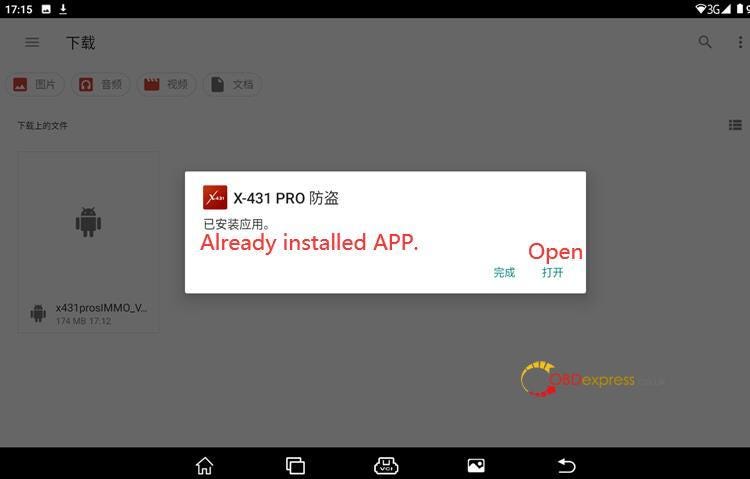
Install APP


How to Reset LAUNCH-X431 IMMO Plus to Factory Settings

After the APP is already installed, click on "Open"


How to Reset LAUNCH-X431 IMMO Plus to Factory Settings

3.Download software

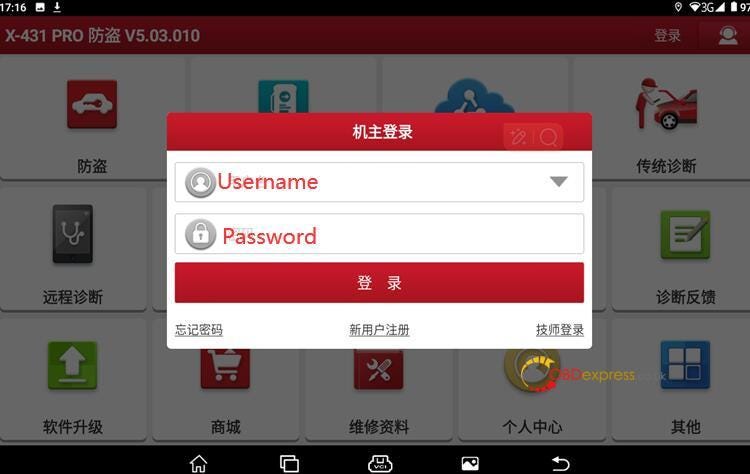
Input the user name and password and click on "Log in"


How to Reset LAUNCH-X431 IMMO Plus to Factory Settings

Select "Software Update" to download all the software again.

Then your X431 IMMO Plus Key Programmer is ready to use.

www.obdexpress.co.uk

KEYDIY New KD-Moto Adapter Adds Honda, Yamaha & Ducati

  Motorcycle key programming is now coming to the KEYDIY KD-X4 . The new KEYDIY KD-Moto Adapter adds dedicated motorcycle coverage for a w...