Tuesday, 23 November 2021

OTOFIX BT1 in-vehicle Battery function experience: used in Toyota procedure

 OTOFIX BT1 Smart Battery Tester is available with 4 types of tests to offer a complete analysis of your car batteries including: in-vehicle test, out-vehicle test, battery replacement and battery reset. This article is on how to run an in-vehicle test on a Toyota with OTOFIX BT1.


Required:

Connected to an internet


6 step to follow:

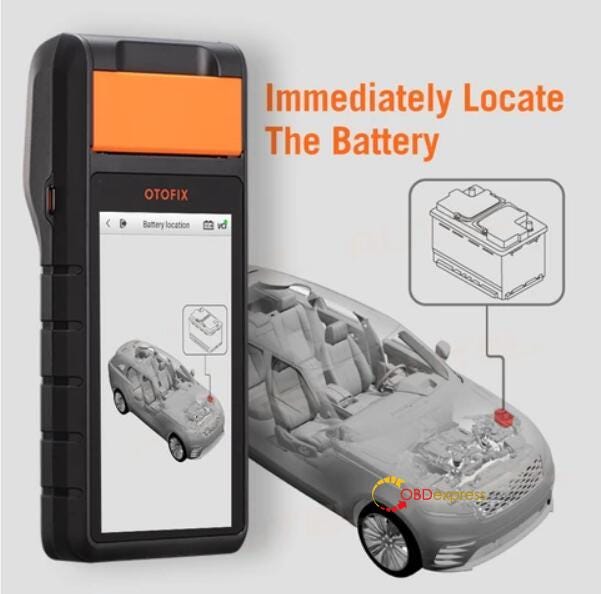
Step 1. Open the hood and find the battery. 

OTOFIX BT1 is able to help locate the car battery.
OTOFIX BT1 in-vehicle battery test on Toyota procedure

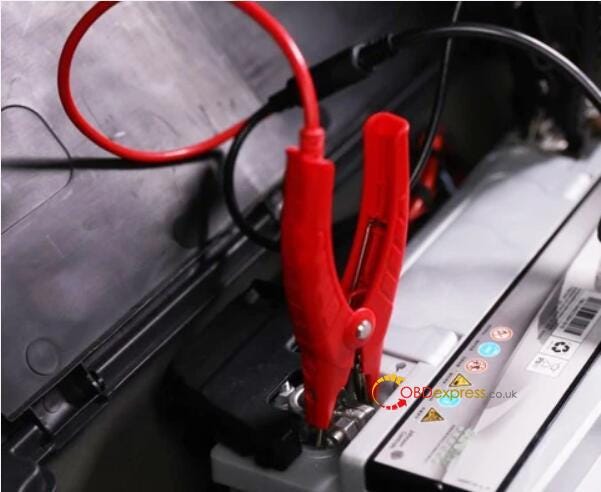
Step 2. Place the clamps on. Red to positive, black to negative.
OTOFIX BT1 in-vehicle battery test on Toyota procedure

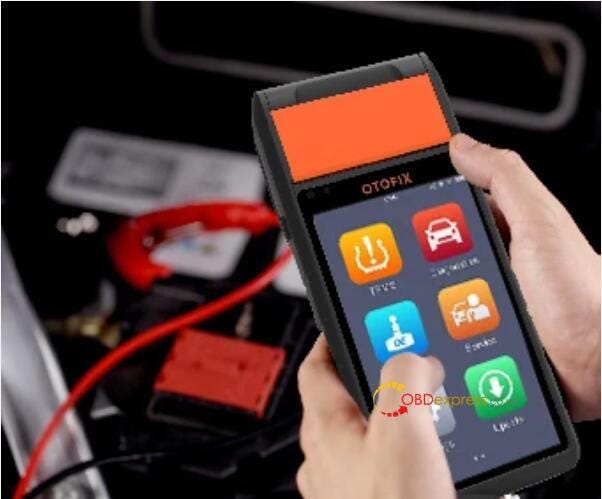
Step 3. Choose " in-vehicle test "on your BT1 battery tester.
OTOFIX BT1 in-vehicle battery test on Toyota procedure

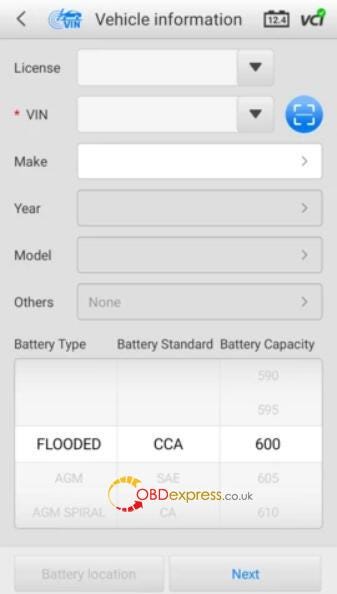
Step 4. Enter the vehicle’s information and vehicle’s battery type

OTOFIX BT1 is able to automatically identifies battery parameters and displays vehicle-specific battery locations by VIN.


If you’ve worked on the vehicle before using BT1, these fields will automatically be filled in.


If there’s no battery type listed on the battery, the default is “FLOODED”.

Tap Next.
OTOFIX BT1 in-vehicle battery test on Toyota procedure

Step 5. Start the testing.


Thanks to its intelligent features and comprehensive step-by-step instructions, it is a quick and easy process that allows you to run a test in around 5 minutes.


The result will be shown like below.
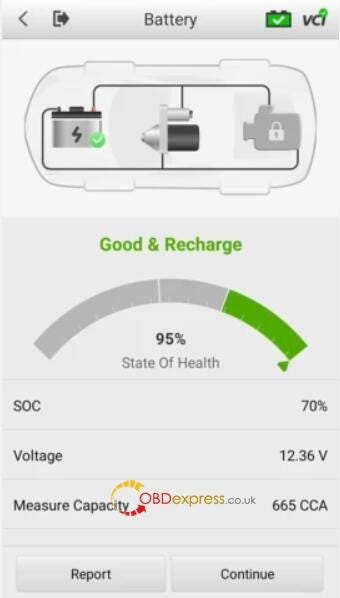
OTOFIX BT1 in-vehicle battery test on Toyota procedure

Step 6. Save, print and e-mail your customised battery test result.

With OTOFIX BT1 Battery Tester, you can generate customized report with your own logo and garage information.
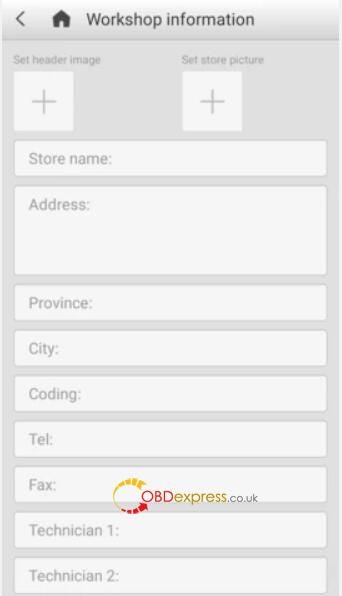
OTOFIX BT1 in-vehicle battery test on Toyota procedure

It will display the information in report format which allows you to either view it as a pdf or send it as an email. Print it out and hand the report to the customer if needed. The report will also automatically save and you can view it in Data Manager if you need to retrieve it later.

OTOFIX BT1 in-vehicle battery test on Toyota procedure

Alright, OTOFIX BT1 Smart Battery Tester is the only one you need to perform battery tests and diagnostics quickly and efficiently.

Xhorse VVDI2 helps VW Golf 6 refit the dashboard

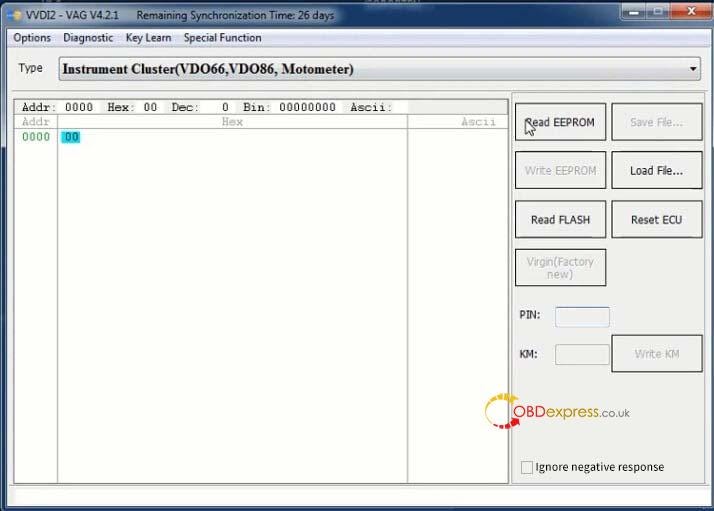
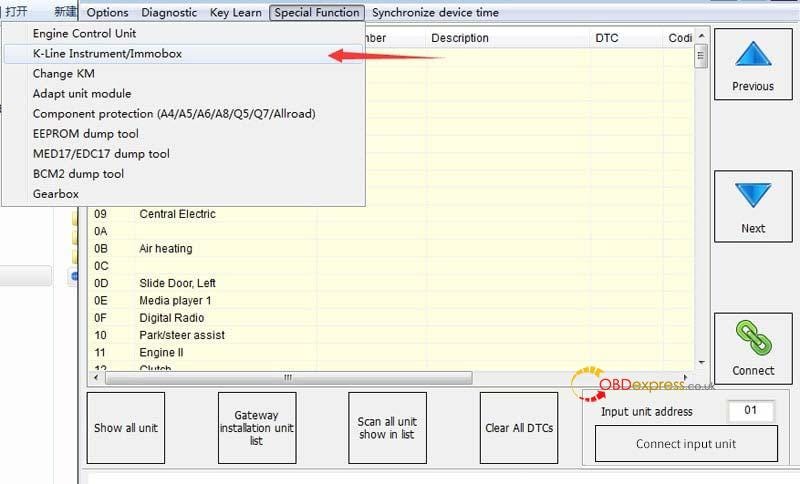
 Confirmed: Xhorse VVDI2 can adapt VW Golf 6 Instrument Cluster, when you replace the old instrument and need to place & adapt a new cluster to the vehicle.

Operation path: Go to Special Function – K-line Instrument/Immo Box

PS: Need to read both EEPROM and IMMO data.

Xhorse VVDI2 VW Golf 6 instrument cluster adaptationXhorse VVDI2 VW Golf 6 instrument cluster adaptation


Any questions on Xhorse VVDI2, visit

https://www.obdexpress.co.uk/wholesale/xhorse-pro-vvdi-2-ii-key-programmer.html

Sunday, 14 November 2021

Xhorse Audi BCM2 adapter example: use with VVDI Key Tool Plus

 This is a guide to show how to use Audi BCM2 Solder-free Adapter working with Xhorse VVDI Key Tool Plus Pad.

Operating Steps
⦁ How to connect BCM2 Solder-free Adapter?
Follow the path on VVDI Key Tool Plus:
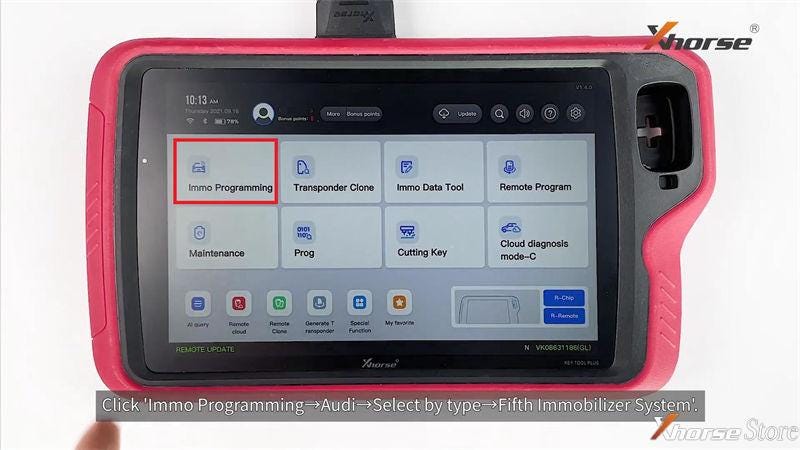
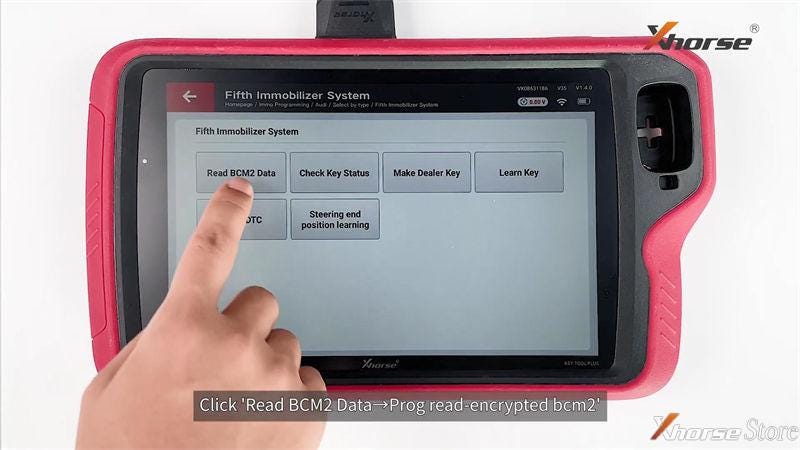
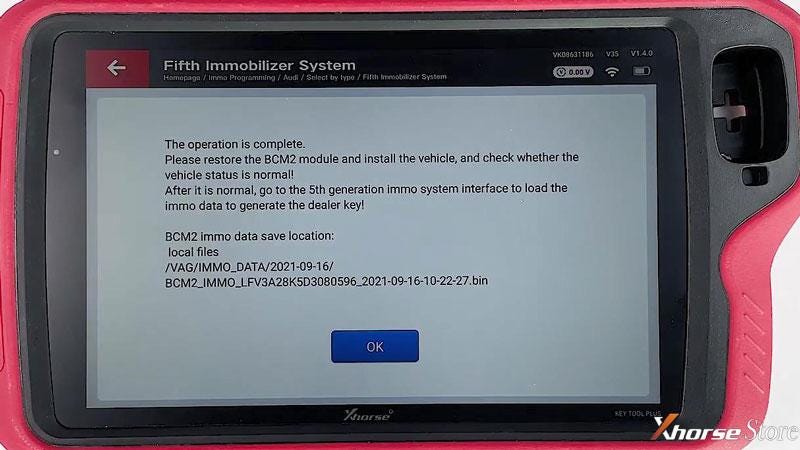
Immo programming >> Audi >> Select by type >> Fifth immobilizer system >> Start programming >> Read BCM2 data >> Prog read - encrypted bcm2 >> OK

Note: make sure the Internet connection is good.

Select the properly option according to BCM2 version on module.

Xhorse Audi BCM2 adapter example use with VVDI Key Tool Plus

Xhorse Audi BCM2 adapter example use with VVDI Key Tool Plus

Xhorse Audi BCM2 adapter example use with VVDI Key Tool Plus

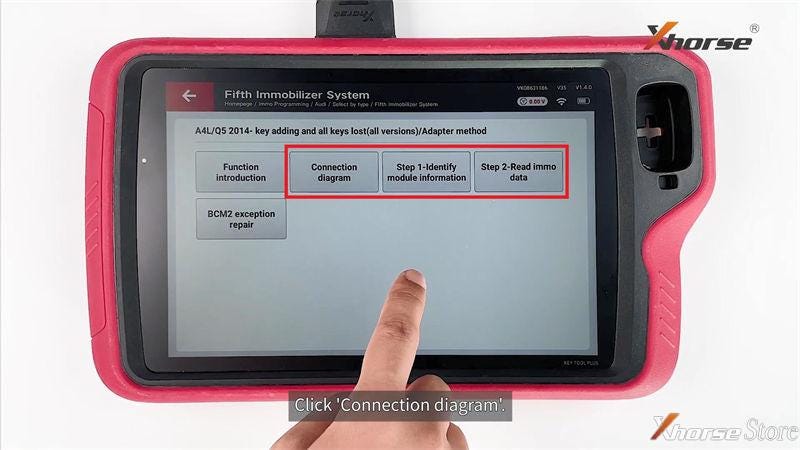
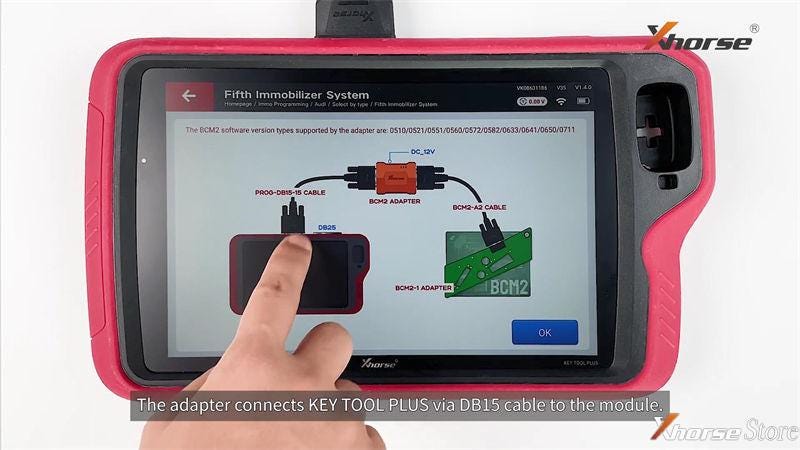
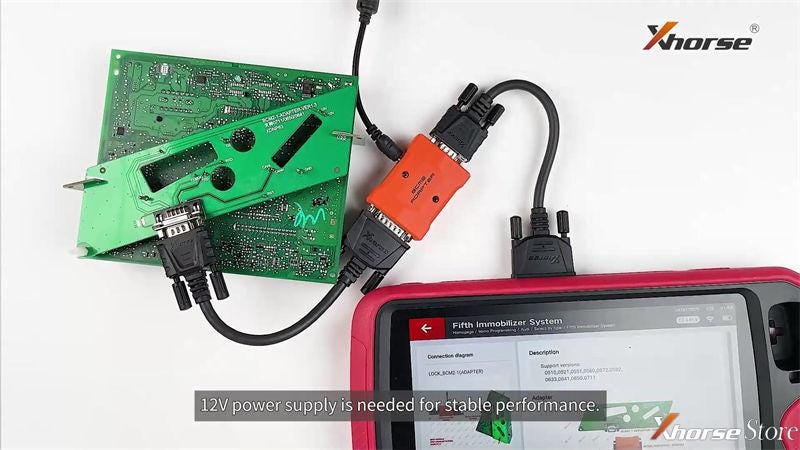
Adapter method >> Connection diagram
Here you can check how to connect BCM2 Adapter with Key Tool Plus via cable.

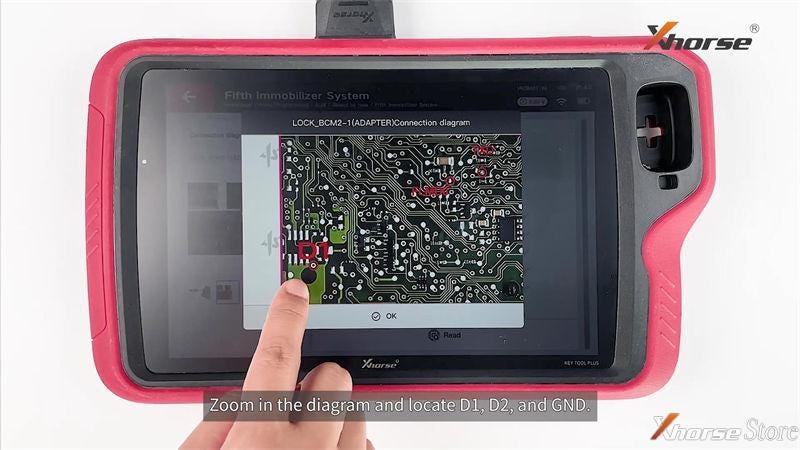
Step1 - Identify module information >> OK

Here you can zoom in the diagram to locate D1, D2 and GND.
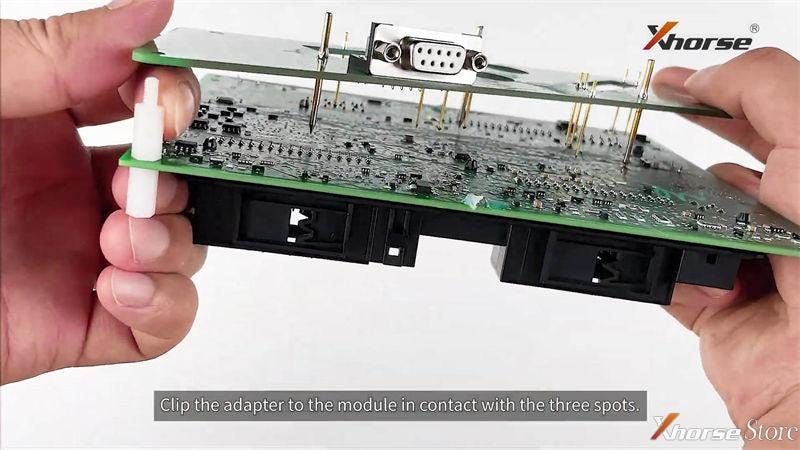
1. Install positioning pin.
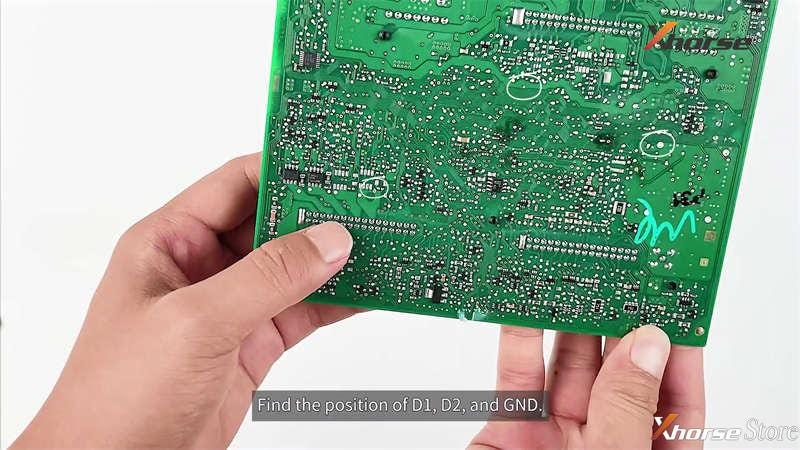
2. Find the positions of D1, D2 and GND, clip adapter onto module in contact with the 3 spots.
3. Connect Adapter & Key Tool Plus via cable.
4. Plug in 12V power supply.
Note: DO NOT move module, cable or power supply during process

Xhorse Audi BCM2 adapter example use with VVDI Key Tool Plus

Xhorse Audi BCM2 adapter example use with VVDI Key Tool Plus

Xhorse Audi BCM2 adapter example use with VVDI Key Tool Plus

Xhorse Audi BCM2 adapter example use with VVDI Key Tool Plus

Xhorse Audi BCM2 adapter example use with VVDI Key Tool Plus

Xhorse Audi BCM2 adapter example use with VVDI Key Tool Plus

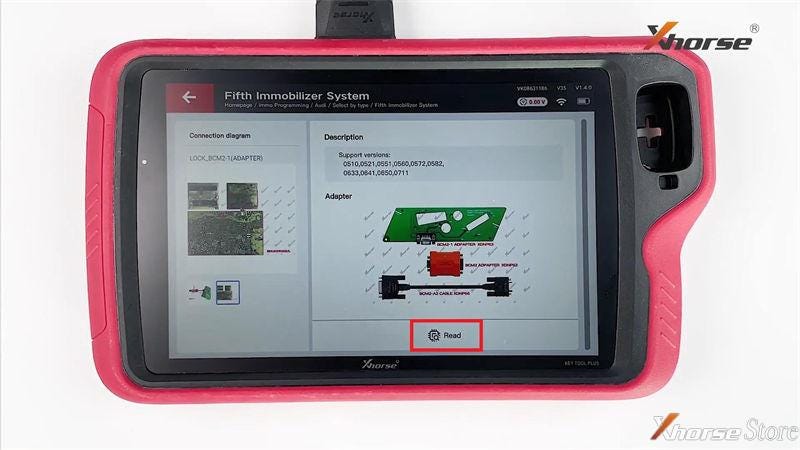
⦁ Read Data
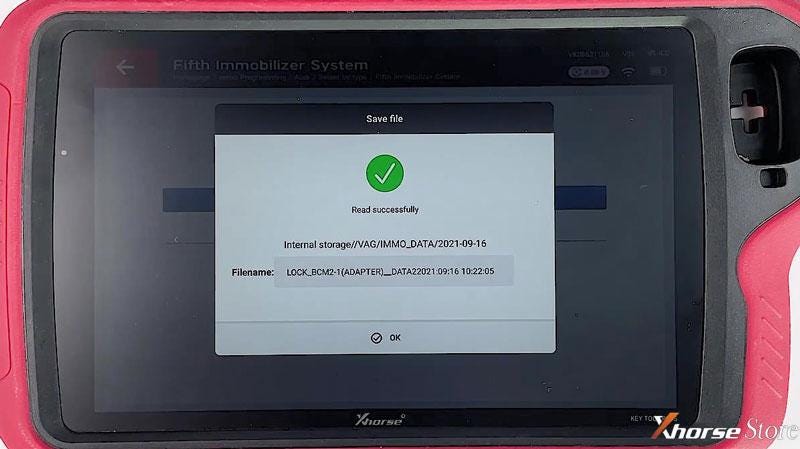
Read >> Continue >> Rename, OK >> OK
Read & save data successfully.

Step2 - Read immo data >> Yes >> Yes >> OK >> Read >> Continue >> Rename, OK >> OK >> Save here >> OK

Xhorse Audi BCM2 adapter example use with VVDI Key Tool Plus

Xhorse Audi BCM2 adapter example use with VVDI Key Tool Plus

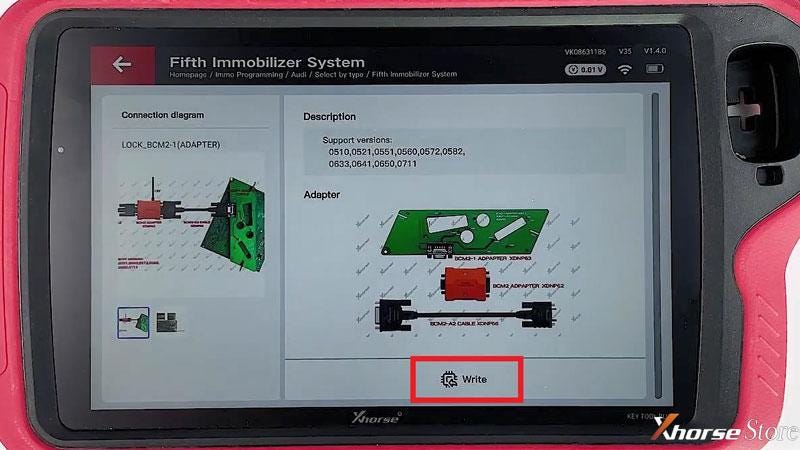
⦁ Write Data
In immo5 system, BCM2 data can make dealer key and learn key!
OK >> OK >> Write >> Continue >> OK
Write data successfully.

Xhorse Audi BCM2 adapter example use with VVDI Key Tool Plus

Xhorse Audi BCM2 adapter example use with VVDI Key Tool Plus

Now you’re ready to make a Audi 754J Dealer Key, supports A4L, A5, Q5, A6L, A7, A8 2013-2019 vehicles. More details please refer to
FAQ: Xhorse BCM2 Solder-Free Adapter for Audi Add Key & All Key Lost
http://blog.xhorsestore.co.uk/xhorse-adapters-and-parts/faq-xhorse-bcm2-solder-free-adapter-for-audi-add-key-all-key-lost/

Honda Accord 2010 key addition (using Xhorse tool)

 I have a 2010 Honda Accord key here, so I wanna use the Xhorse VVDI Key Tool Max + Dolphin XP-005 machine to cut and program a new key. This procedure may apply to 2008-2012 Honda Accord keys as well.


Car model: 2008-2012 Honda Accord(2000R coupe only)

FCCID: MLBHLIK-1T

Remote: no on-board programming(self programmable when programming transponder chip)

Chip: ID46 Philips


  • Decode & Cut Key

Connect VVDI Key Tool Max with Dolphin XP005 via Bluetooth

As I didn’t find the car year under Accord, so go to

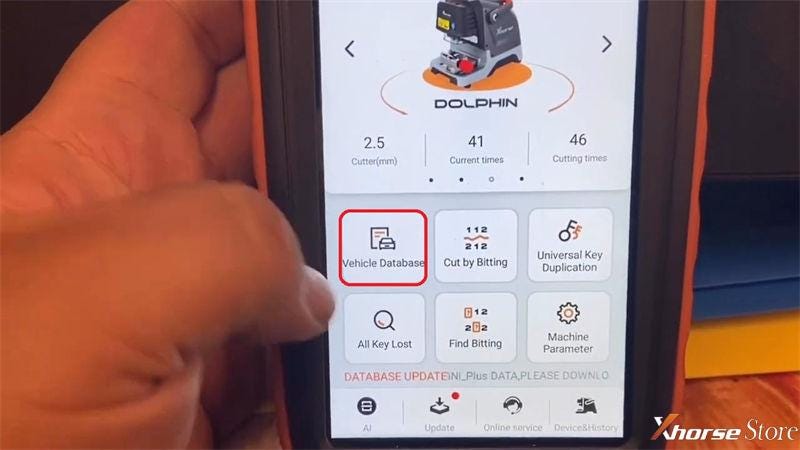
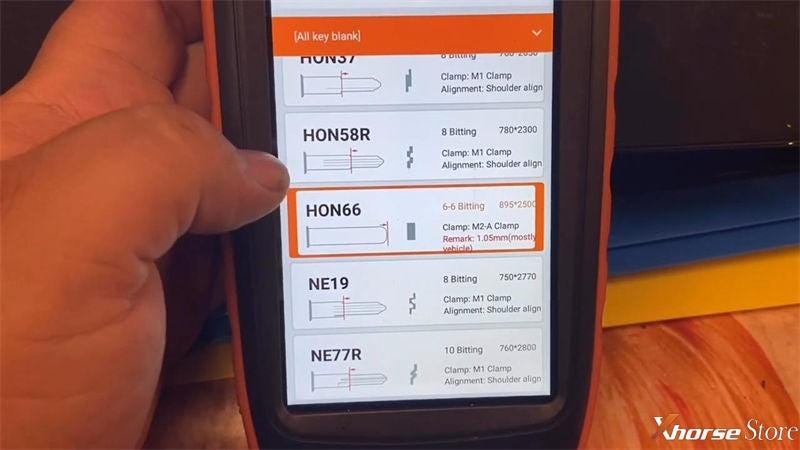
Vehicle database >> Honda >> Civic >> HON66


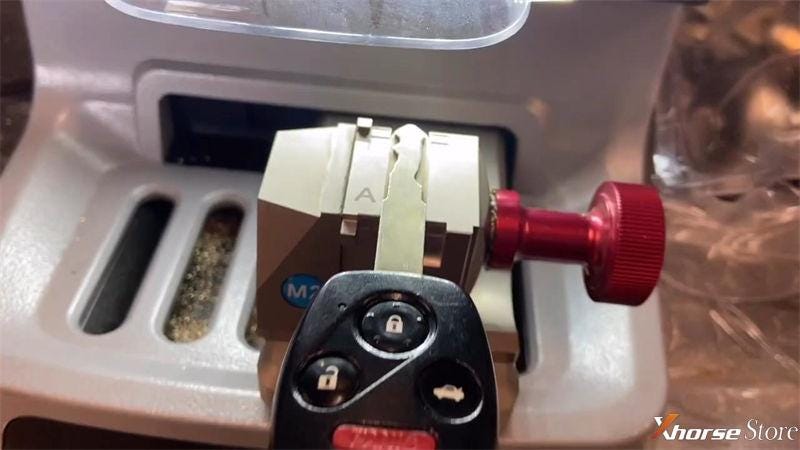
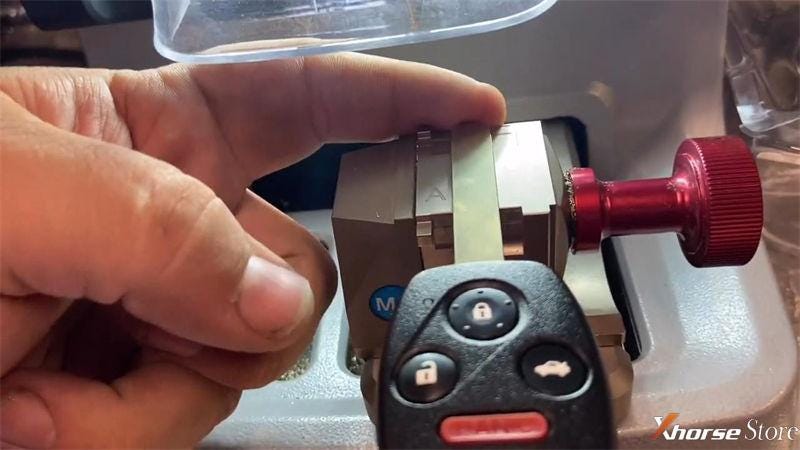
It requires M2-A clamp tip align 2 position.

Install the working key flatly on M2 clamp.


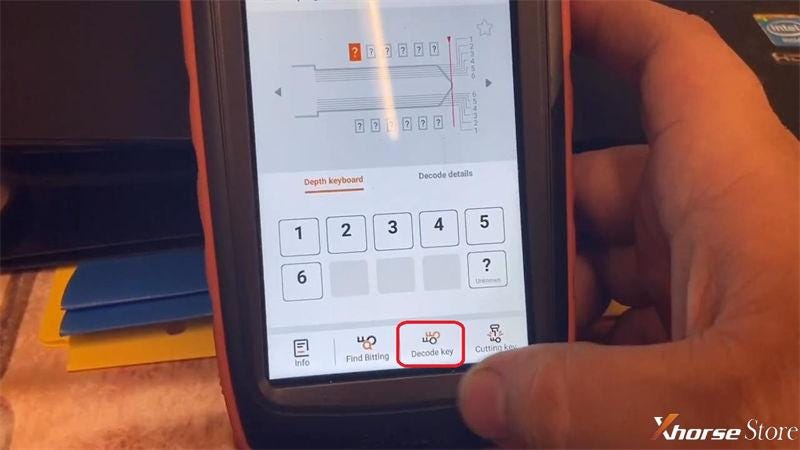
OK >> Decode key >> Continue

Dolphin XP-005 machine starts decoding...

Decode key success.

Xhorse Dolphin XP005 + VVDI Key Tool Max Made Honda Accord 2010 Key

Xhorse Dolphin XP005 + VVDI Key Tool Max Made Honda Accord 2010 Key

Xhorse Dolphin XP005 + VVDI Key Tool Max Made Honda Accord 2010 Key

Xhorse Dolphin XP005 + VVDI Key Tool Max Made Honda Accord 2010 Key

Take out the working key, then install the new key blank on clamp instead.

Cutting key >> Continue

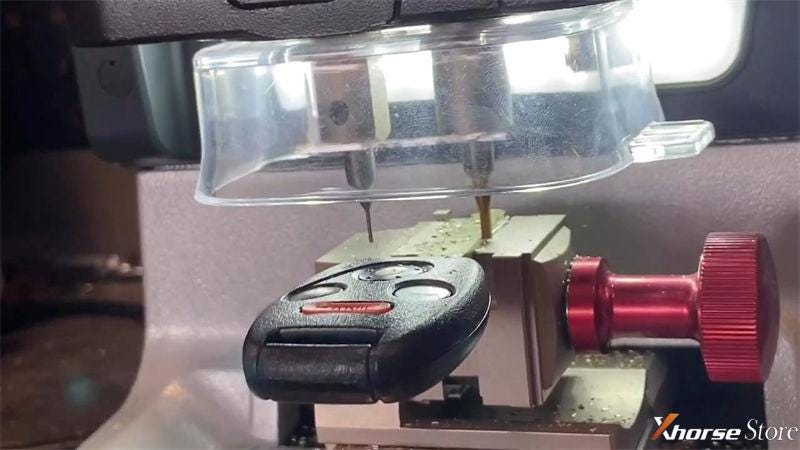
Dolphin XP-005 machine starts cutting...

Wait processing until 100%...


As soon as the front side cutting was done, go ahead to flip it to cut the other side.

Cutting completed.


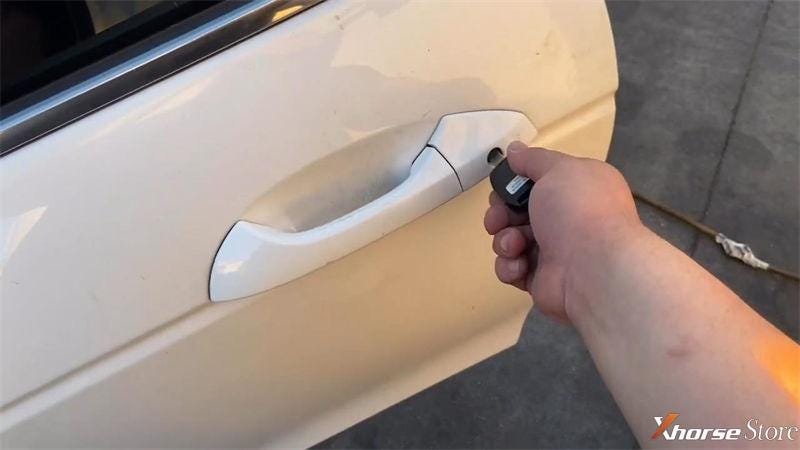
Take the key out to have a test.

Alright, it can open the door and switch engine.

Key cutting has done.

Xhorse Dolphin XP005 + VVDI Key Tool Max Made Honda Accord 2010 Key

Xhorse Dolphin XP005 + VVDI Key Tool Max Made Honda Accord 2010 Key

Xhorse Dolphin XP005 + VVDI Key Tool Max Made Honda Accord 2010 Key


  • Program Key

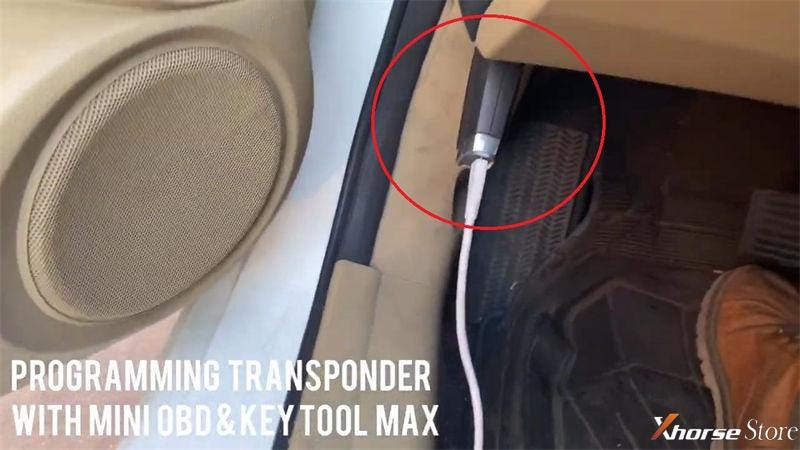
Plug Mini OBD Tool into OBD2 port, connect to Key Tool Max.

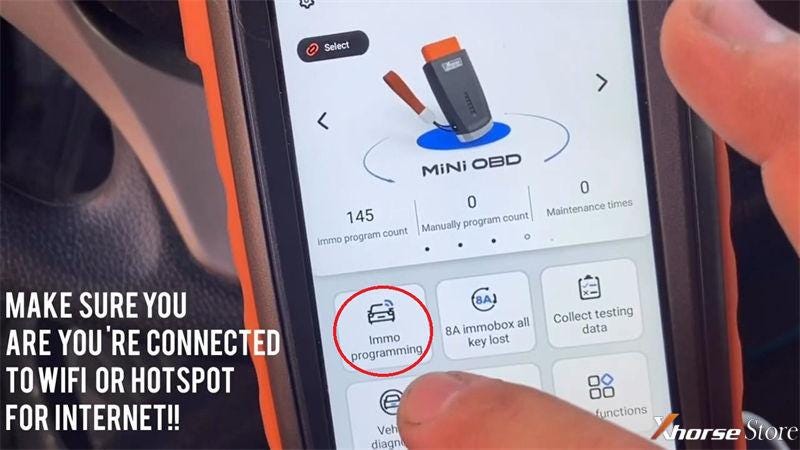
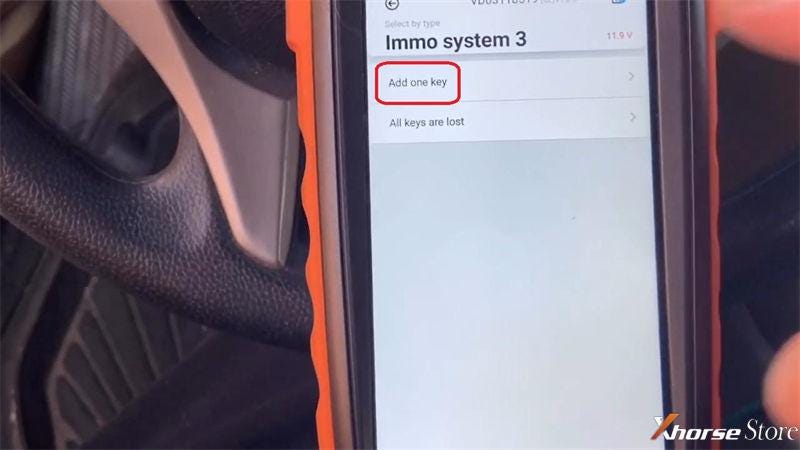
Immo programming >> Honda >> Select by type >> Immo system 3 >> Start execution >> Add one key

Xhorse Dolphin XP005 + VVDI Key Tool Max Made Honda Accord 2010 Key

Xhorse Dolphin XP005 + VVDI Key Tool Max Made Honda Accord 2010 Key

Xhorse Dolphin XP005 + VVDI Key Tool Max Made Honda Accord 2010 Key

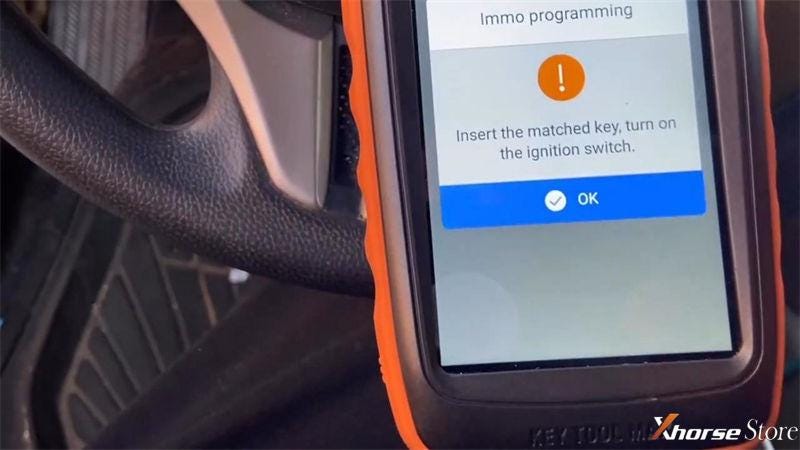
Just follow the notes to operate:

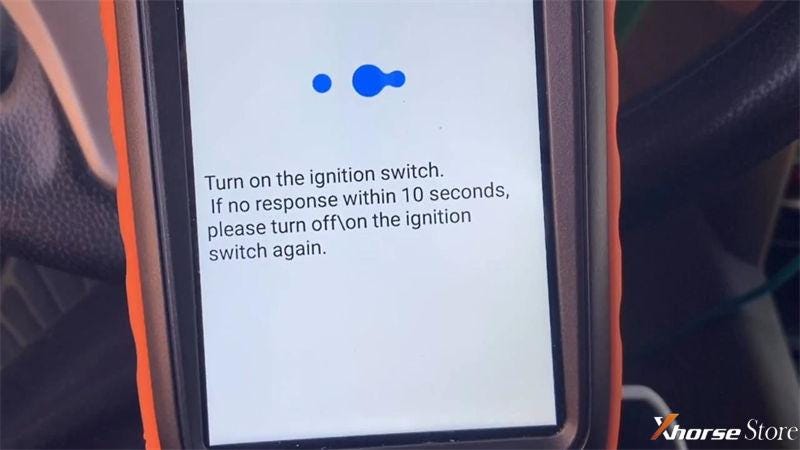
Insert the working key, turn on the ignition switch.

Turn off ignition switch.

Turn on the ignition switch.

If no response within 10s, please turn off/on the ignition switch again.

Turn off ignition switch.


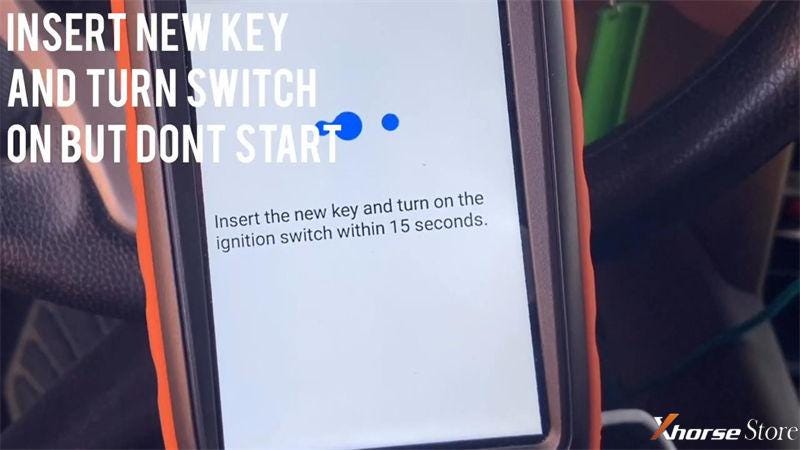
Insert the new key and turn on the ignition switch within 15s.

Turn off ignition switch.

Turn on ignition switch.

Turn off ignition switch.

Turn on ignition switch.


Whether IMMO indicator light is out? Yes


Turn off ignition switch.

Turn on ignition switch.

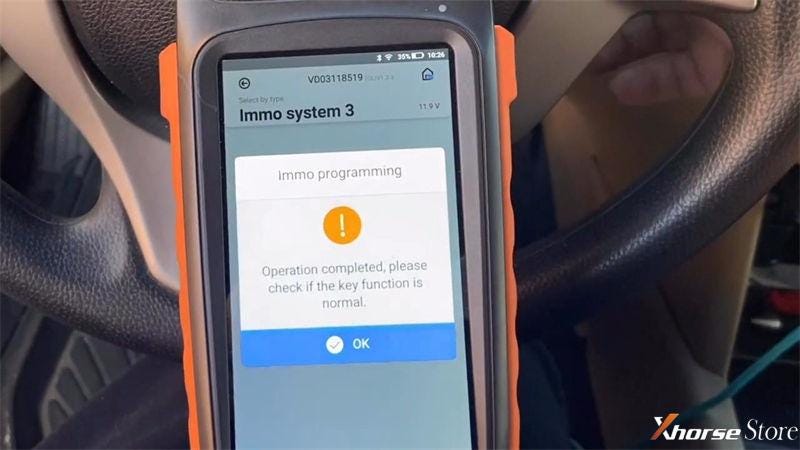
Operation completed, please check if the key function is normal.


Let’s have a try.

Perfect! It can start the engine, and its remote works well.

Key programming has done!

Xhorse Dolphin XP005 + VVDI Key Tool Max Made Honda Accord 2010 Key

Xhorse Dolphin XP005 + VVDI Key Tool Max Made Honda Accord 2010 Key

Xhorse Dolphin XP005 + VVDI Key Tool Max Made Honda Accord 2010 Key

Xhorse Dolphin XP005 + VVDI Key Tool Max Made Honda Accord 2010 Key

This is how to use Xhorse Dolphin XP-005&VVDI Key Tool Max to generate a new key for 2010 Honda Accord successfully.

https://www.xhorsestore.co.uk/

Disassemble Dolphin XP005 to test whether the battery is damaged

 Once the Xhorse Dolphin XP-005 key cutting machine unable to start up, users may have to test if there was a problem with battery. Follow the steps below to learn how to check by yourself.


NOTE: Please charge battery for one or more hours before disassembly.


How to test Dolphin XP-005 battery storage?

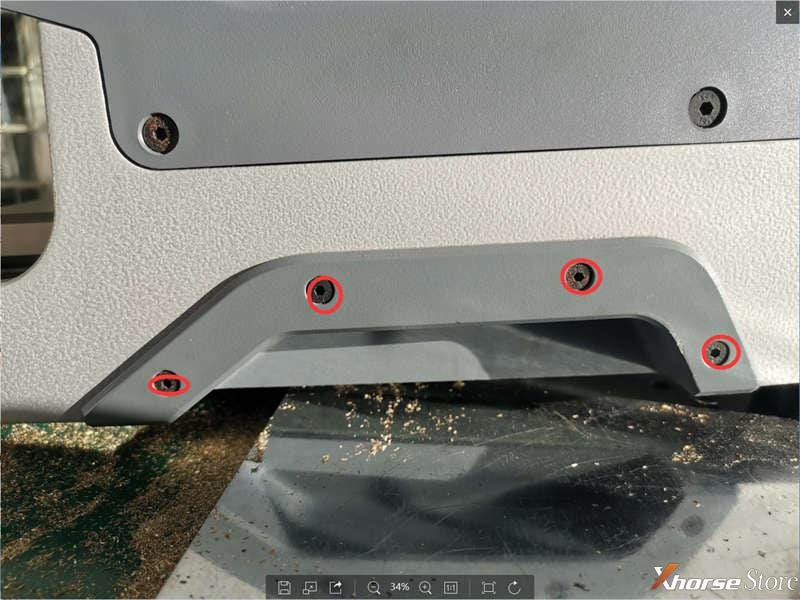
  1. Remove base armrest by loosening the screws on both sides of base.

Disassemble Dolphin XP005 to test whether the battery is damaged


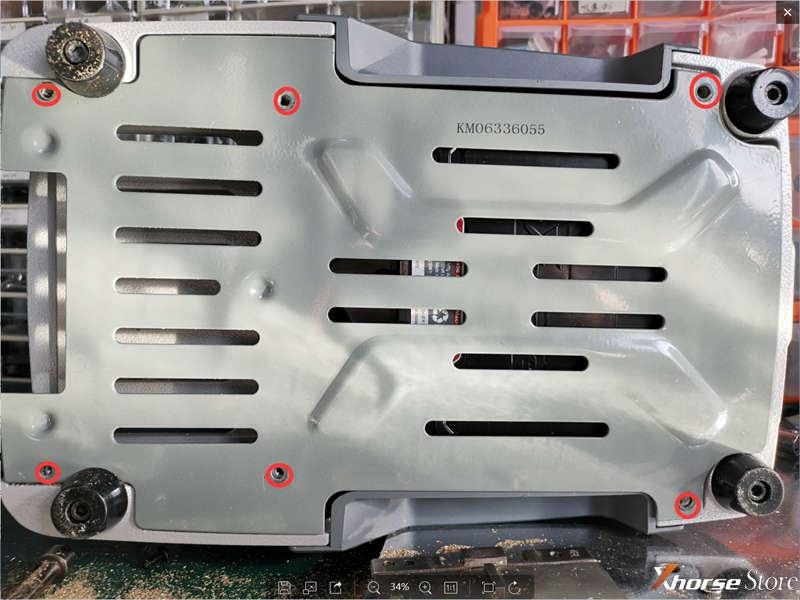
  1. Lay down Dolphin XP005 machine as image, loosen the screws marked to remove base plate.

Disassemble Dolphin XP005 to test whether the battery is damaged


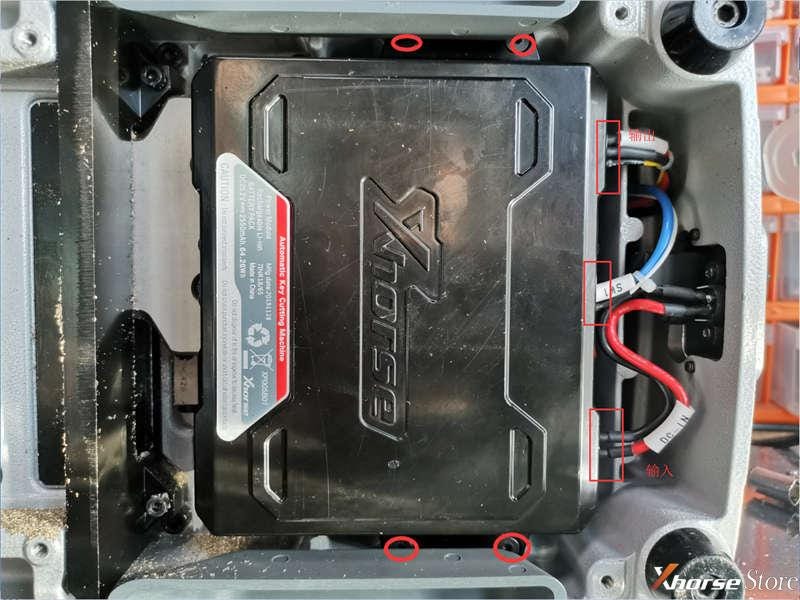
  1. Loosen 4 screws and unplug 3 connectors. (Remember to record its original positions for re-installation.)

Disassemble Dolphin XP005 to test whether the battery is damaged


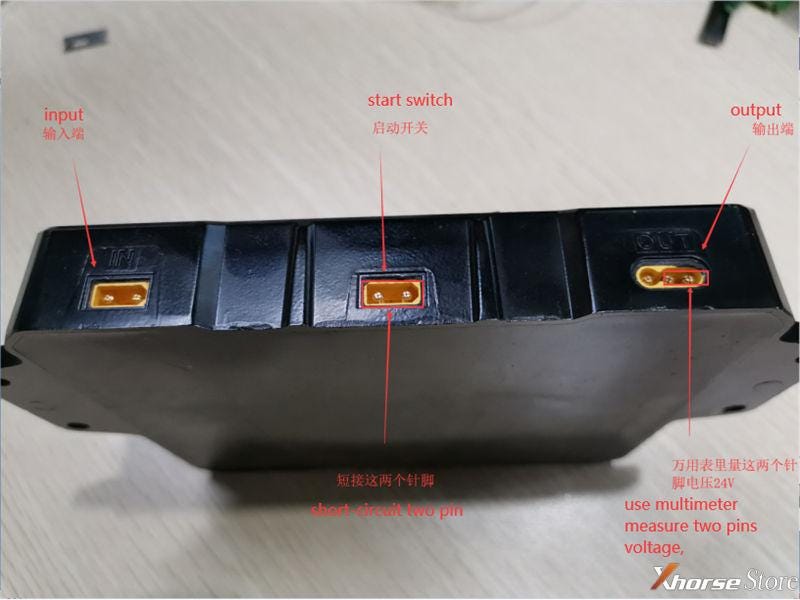
  1. Take out the battery, short-circuit the 2 pins inside Start Switch. Use a multimeter to measure the 2 pins of output terminal.


If there’s not 24V voltage output, which means the battery does not store electricity. You should replace the battery.

Disassemble Dolphin XP005 to test whether the battery is damaged


Technical support by: www.xhorsestore.co.uk Hope it’s helpful.

Wednesday, 10 November 2021

Xhorse VVDI Key Tool Plus Adds Audi Q7 2008 Key via OBD

 Audi Q7 2008 is supported to add key by Xhorse VVDI Key Tool Plus via OBD successfully. Very simple and fast to be done in few minutes.


To program add key & all keys lost for Audi A4L, A5, Q5, A6L, A7, A8, you may need the Xhorse BCM2 Solder-free Adapter as well.

More details refer to:

FAQ: Xhorse BCM2 Solder-Free Adapter for Audi Add Key & All Key Lost

http://blog.xhorsestore.co.uk/xhorse-adapters-and-parts/faq-xhorse-bcm2-solder-free-adapter-for-audi-add-key-all-key-lost/


How to add Audi Q7 2008 smart key?

Connect VVDI Key Tool Plus with OBD.

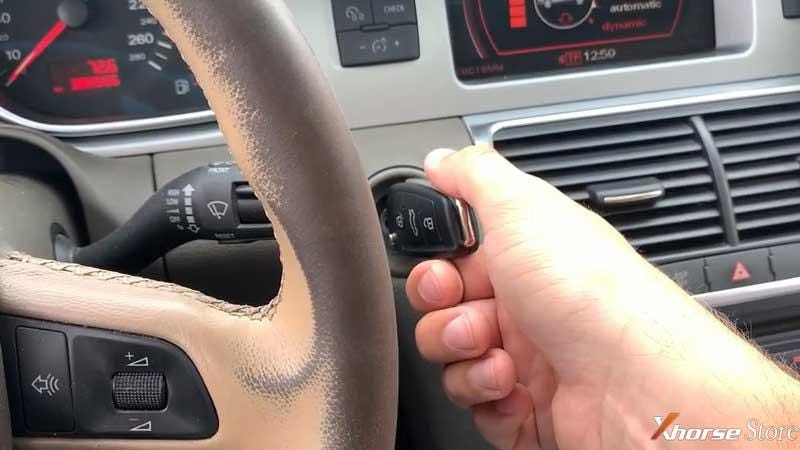
Insert a working in the ignition switch, press

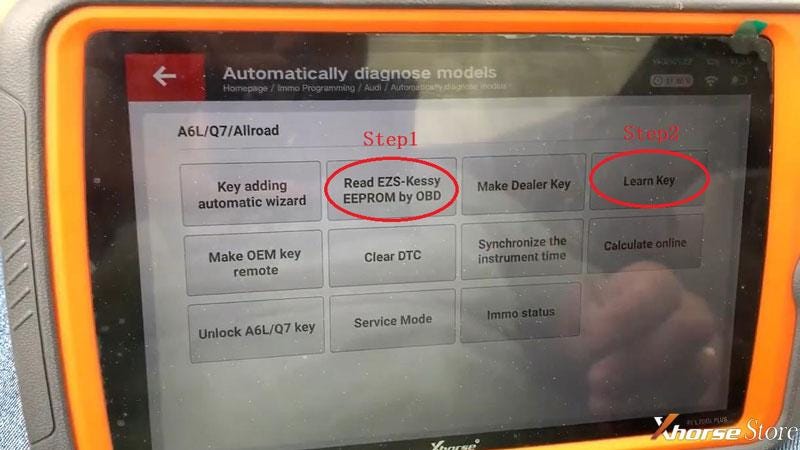
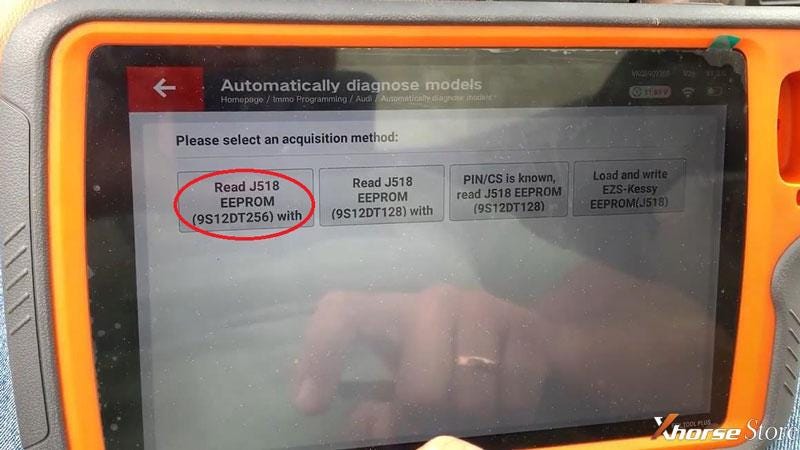
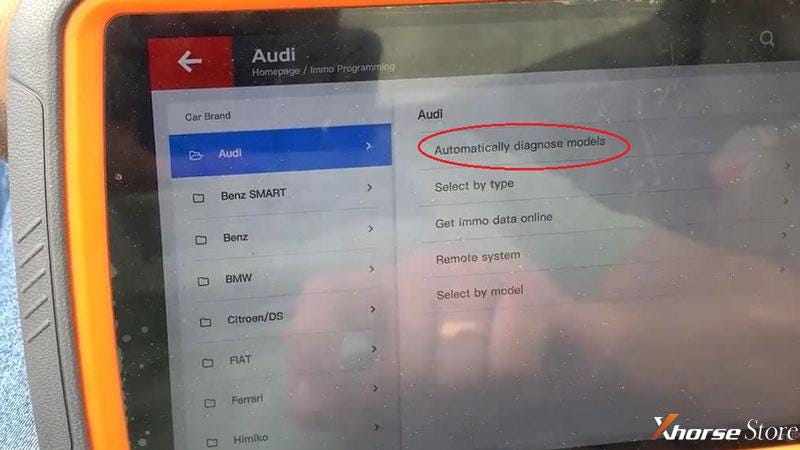
Immo programming >> Europe >> Audi >> Automatically diagnose models >> Start programming >> Read EZS-Kessy EEPROM by OBD >> Read J518 EEPROM(9S12DT256) with

Xhorse VVDI Key Tool Plus use case: adds key for Audi Q7

Xhorse VVDI Key Tool Plus use case: adds key for Audi Q7

Xhorse VVDI Key Tool Plus use case: adds key for Audi Q7

Xhorse VVDI Key Tool Plus use case: adds key for Audi Q7

Note: most of the car chip types before 2009 is 9S12DT(G)128. Most of the car chip types after 2009 is 9S12DT256. But some models in 2009 are crossover, you need to try it yourself.


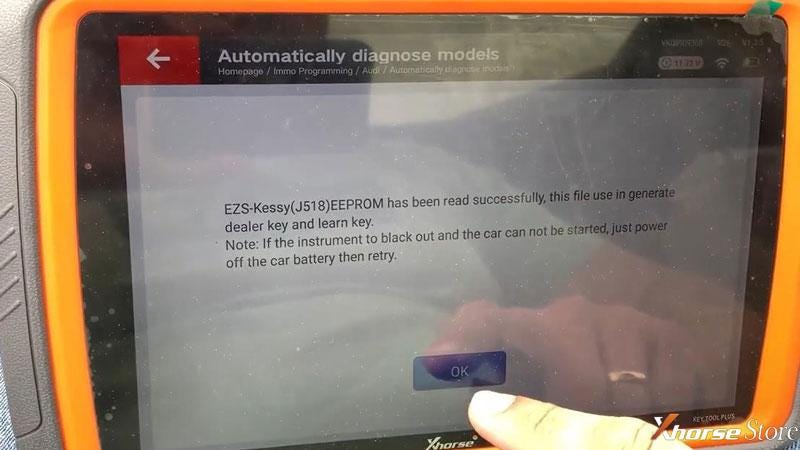
EZS-Kessy(J518) EEPROM has been read successfully, this file use in generate dealer key and learn key.

Note: if the instrument to black out and the car can not be started, just power off the car battery then retry.


Save here >> Rename, OK

Save file success.


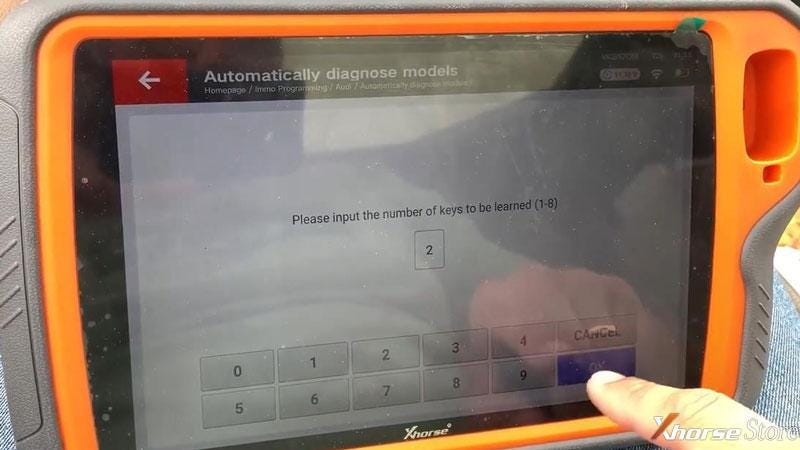
Learn key >> Input number of keys to be learned, OK


Insert the dealer key into ignition switch in turn, and keep switch on for 2s, the time for change key should smaller than 5s.

Xhorse VVDI Key Tool Plus use case: adds key for Audi Q7

Xhorse VVDI Key Tool Plus use case: adds key for Audi Q7

Xhorse VVDI Key Tool Plus use case: adds key for Audi Q7

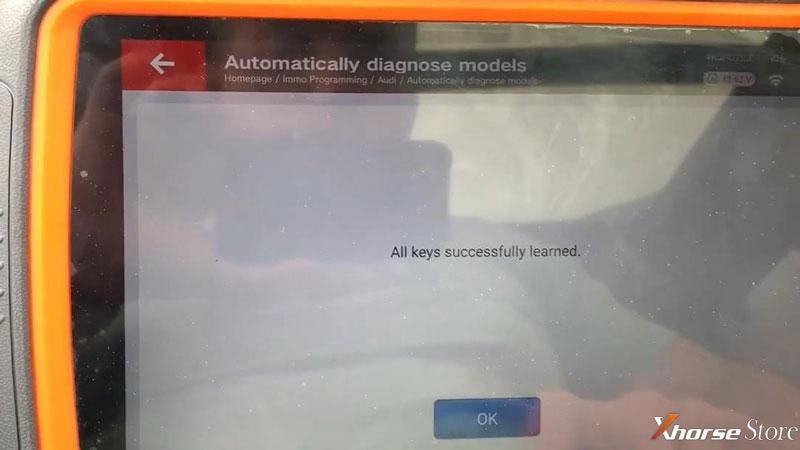
All keys successfully learned.


Test the keys, everything works well.

Done!

Xhorse VVDI Key Tool Plus use case: adds key for Audi Q7

Xhorse VVDI Key Tool Plus use case: adds key for Audi Q7

Using VVDI Key Tool Plus to program a new key for 2008 Audi Q7 is successful.

Technical support by: www.xhorsestore.co.uk

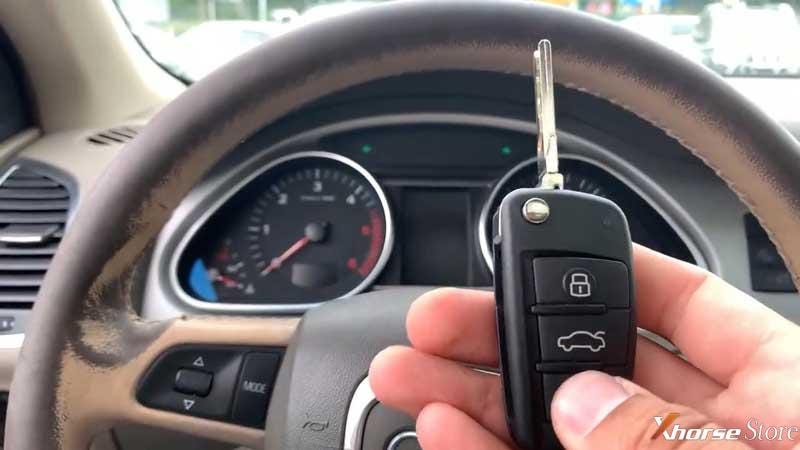
Xhorse VVDI Mini Prog introduction and evaluation

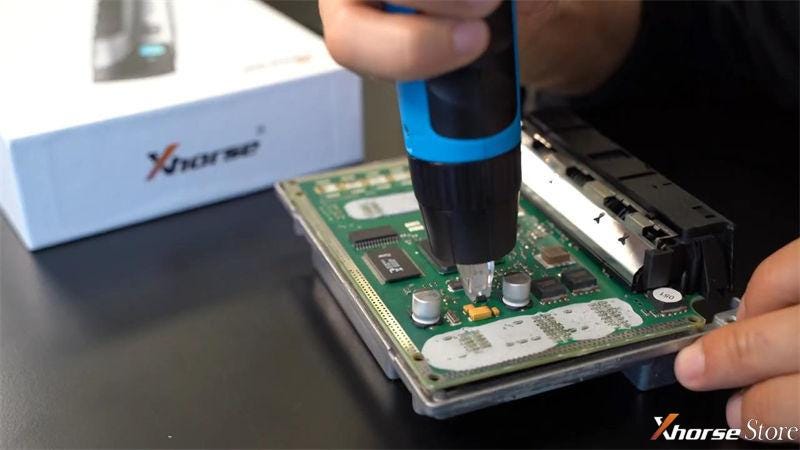
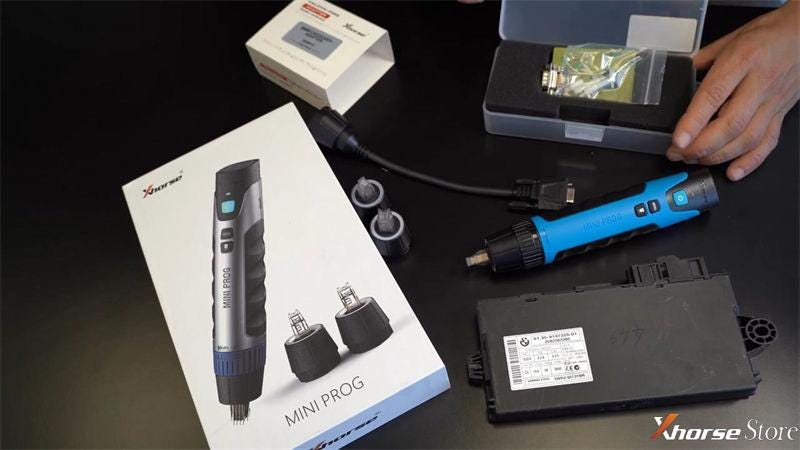
 Xhorse VVDI MINI Prog Pen is the latest Xhorse product dedicated to chip programming, portable, stable and safe. It allows you to read, modify and write EEPROM data without desoldering.


  • Highlights

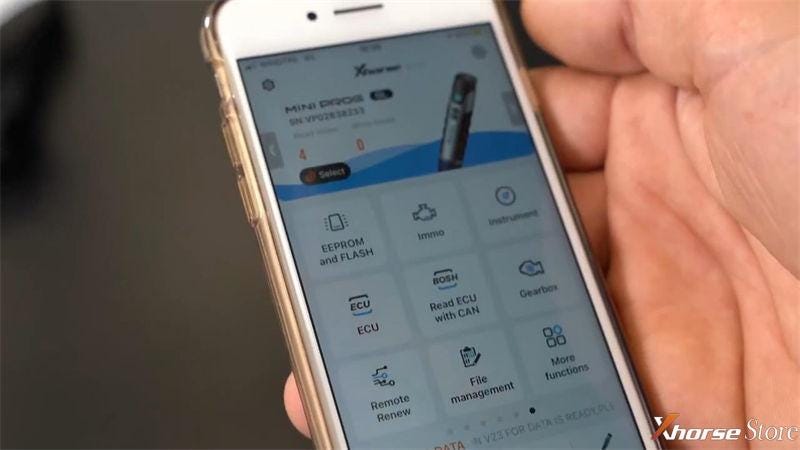
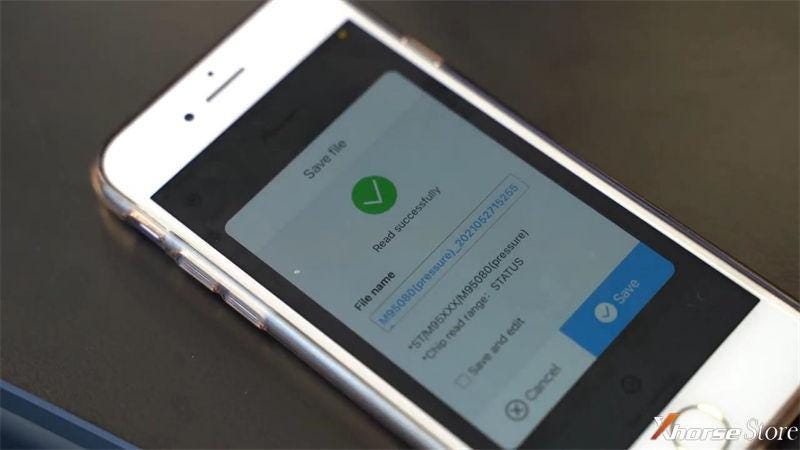
VVDI MINI Prog is a multifunction programmer that supports memories and processors used in vehicle electronic units. Through the Xhorse app, downloadable on smartphones with Android or iOS systems, you can connect via Bluetooth and WiFi for chip programming.


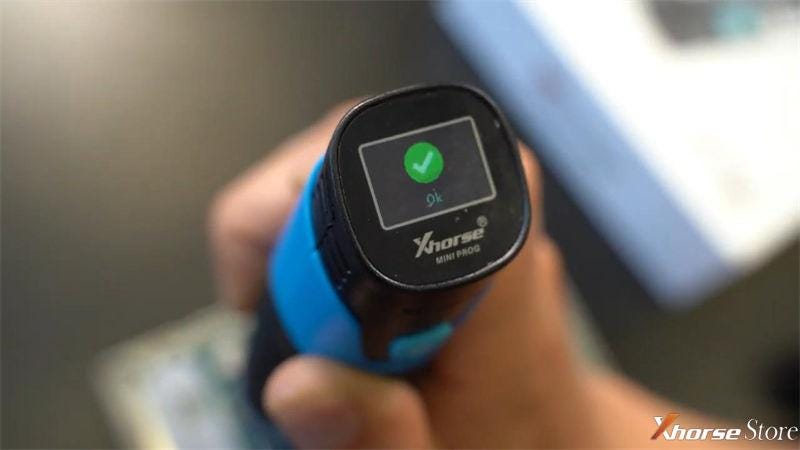
VVDI MINI Prog supports 18 languages, is equipped with a screen to display the status of the process instantly.
 

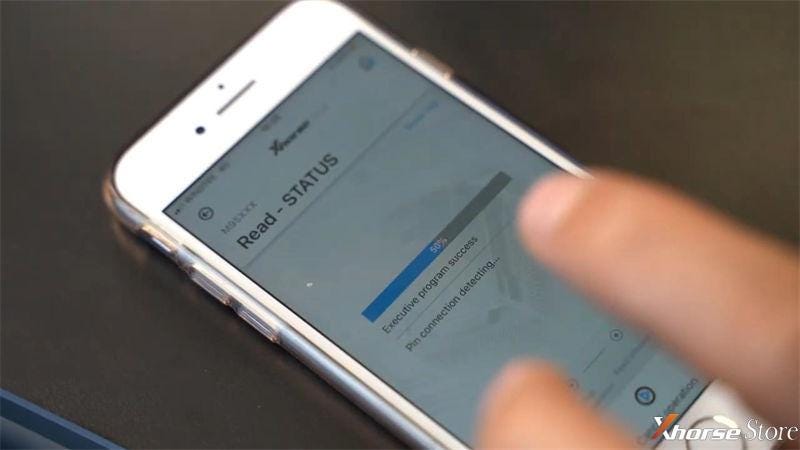
Thanks to the innovative design of Pin detection function & connections status real-time verification, MINI Prog is allowed to process much safer and precise. It is self-powered by a battery incorporated in the programmer.

Xhorse VVDI Mini Prog introduction and evaluation

Xhorse VVDI Mini Prog introduction and evaluation

Xhorse VVDI Mini Prog introduction and evaluation

  • Features
  1. VVDI MINI Prog programmer allow to store data without having to use a computer. It also supports to upload to Cloud account to avoid data loss.

Xhorse VVDI Mini Prog introduction and evaluation

Xhorse VVDI Mini Prog introduction and evaluation


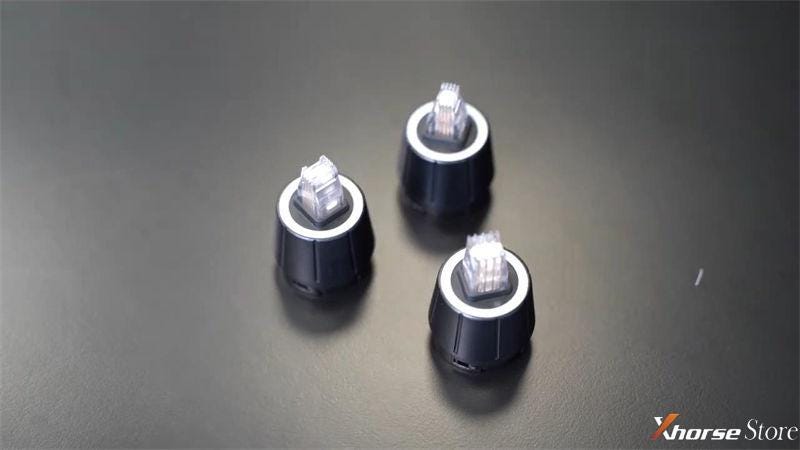
  1. 3 different 8-pin headers can be easily switched to read and write different chips.

Xhorse VVDI Mini Prog introduction and evaluation

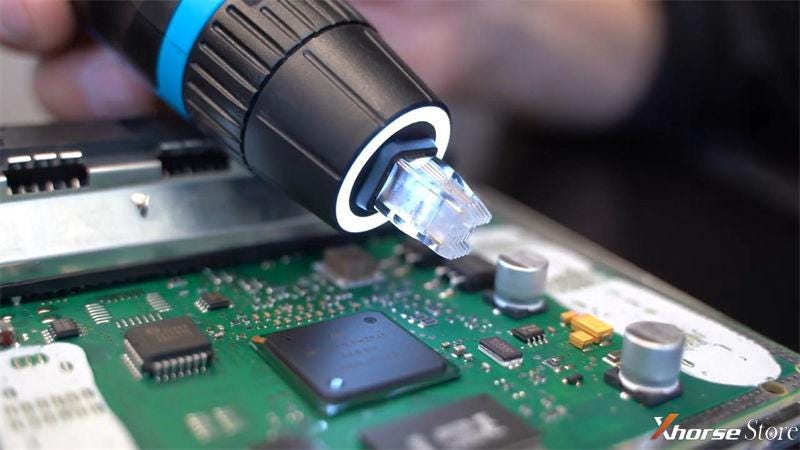
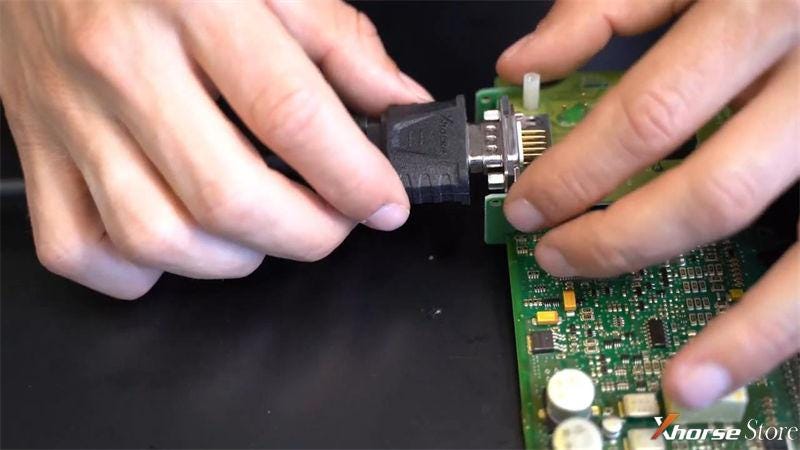
  1. MINI Prog has became one of the simplest & effective devices in chip programming. The most unique ability is to program chips directly on circuit board without soldering. Equipped with LED incorporated to have a greater visibility.
Xhorse VVDI Mini Prog introduction and evaluation

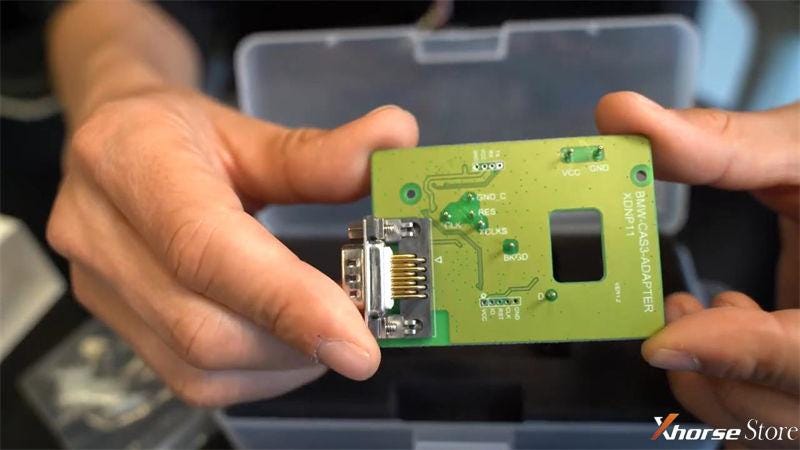
  1. Xhorse provides Solder-free Full Set Adapters to meet the needs for various car models. If you need to carry out a BMW CAS/FRM module for programming, use the specific adapter to read, modify or write EEPROM will be much efficient.
 

Buy Solder Free Adapters + MINI Prog together is more affordable.


Obviously, all above features guarantee a safety work and save much time.

Xhorse VVDI Mini Prog introduction and evaluation

Xhorse VVDI Mini Prog introduction and evaluation

Xhorse VVDI Mini Prog introduction and evaluation

Summarize the Characteristics

  • Solder-free programming
  • Read & write EEPROM
  • Read & write dashboard data,
  • PIN status detection
  • App control
  • Data Backup on Cloud storage
  • Edit data
  • 3 press headers


More questions welcome to contact us.

https://www.xhorsestore.co.uk/

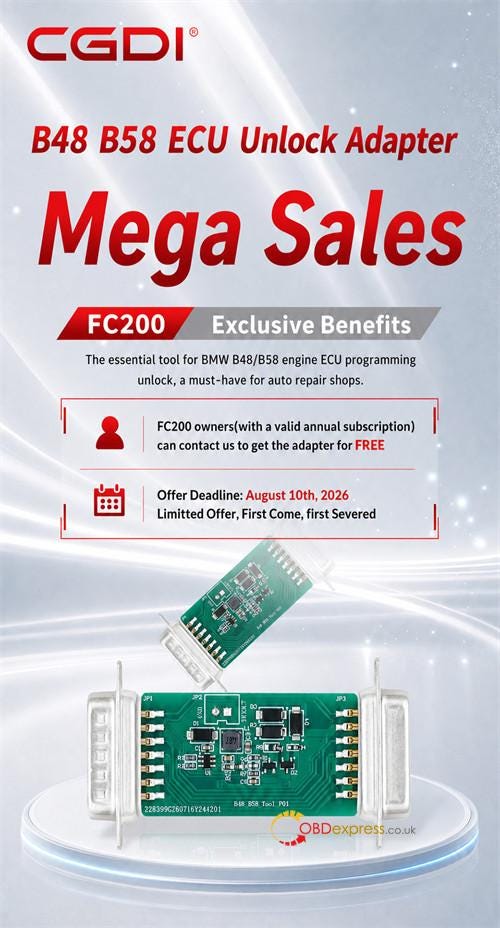
How to Get Free CG FC200 BMW B48 B58 Unlock Adapter?

  CG FC200 owners can receive a free BMW B48/B58 ECU Unlock Adapter for MG1CS024 and MG1CS201 bench setups by paying a€9 shipping charge ...