Showing posts with label Toyota diagnostic tool. Show all posts

Thursday, 31 March 2022

Free Download& Install Toyota Techstream V17.00.020 Software for VXDIAG VCX NANO

 Free download the newest VXDIAG Toyota TIS Techstream V17.00.020 software & patch for your VXDIAG VCX NANO, install it on Win7/Win10.

Software: V17.00.020
Software language: Chinese, English, French, Italian, Spanish, German
Operating system: WIN7 / WIN10

Compatible device: vxdiag vcx nano for Toyota USB and WiFi

Free Download Techstream V17.00.020 for VXDIAG VCX NANO:

Techstream Setup v17.00.020.exe

https://mega.nz/file/XmhhkYRB#HYmk2DV_m0-J174T_vWPddBFhctjZmJgZp5cax5urK0

Size: 248.6MB

Free download Techstream Patch

https://mega.nz/#F!7VZzBQgZ!wO9Fjk0gfZF-tfv6zQAqzw

Password: NO PASS!!! With Patch does not require activation.

Run techstream from pacth, does not require an activation key.

How to install VXDIAG Toyota Techstream V17.00.020?


Step-by-step guide:

Step 1: Install Techstream Setup and Framework

Run Techstream_Setup _V17.00.020

Select setup language
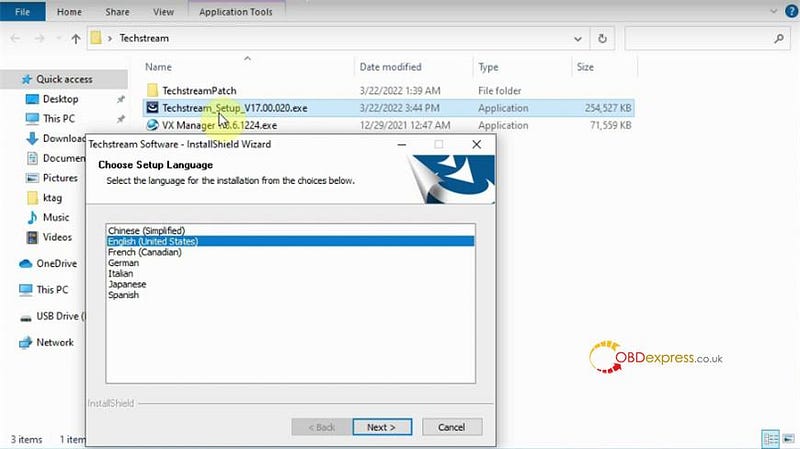
upgrade VXDIAG VCX NANO Toyota Techstream V17.00.020

Install InstallShield wizard for Techstream
Accept license agreement

Enter User Name: AADD and company name: 1
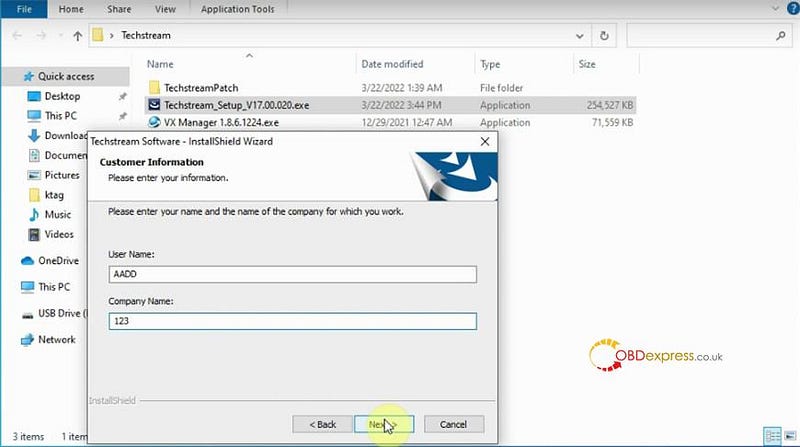
upgrade VXDIAG VCX NANO Toyota Techstream V17.00.020

Press Install

Install wizard completed. Press ‘Finish’.
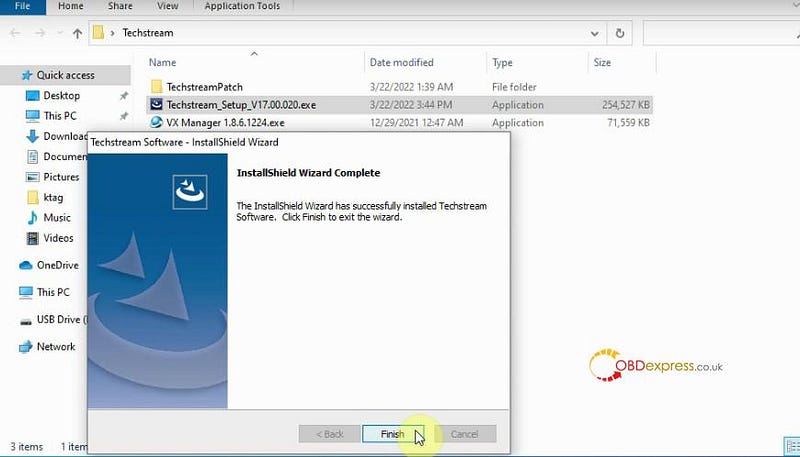
upgrade VXDIAG VCX NANO Toyota Techstream V17.00.020

Step 2: Install VX Manager

Tick ‘1-PASSTHRU- J2534’ and ‘3-TOYOTA- TechStream’

Click ‘Next’
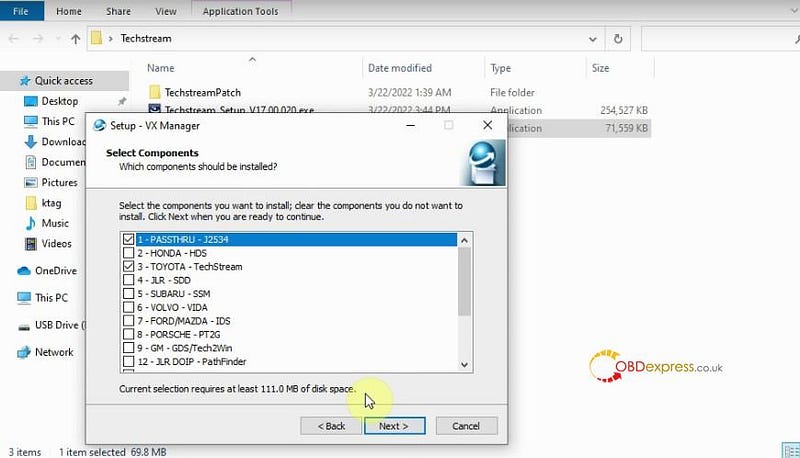
upgrade VXDIAG VCX NANO Toyota Techstream V17.00.020

Install VX Manager completed. Press ‘Finish’.

Run VX Manager to check whether the connection is successful
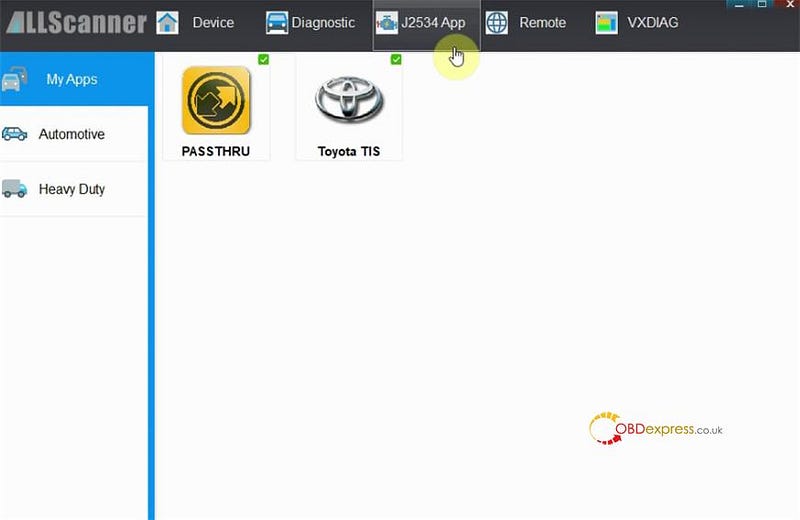
upgrade VXDIAG VCX NANO Toyota Techstream V17.00.020

Then delete the Techstream icon on the desktop

Open TechstreamPatch folder

Drag the patch file to the desktop.
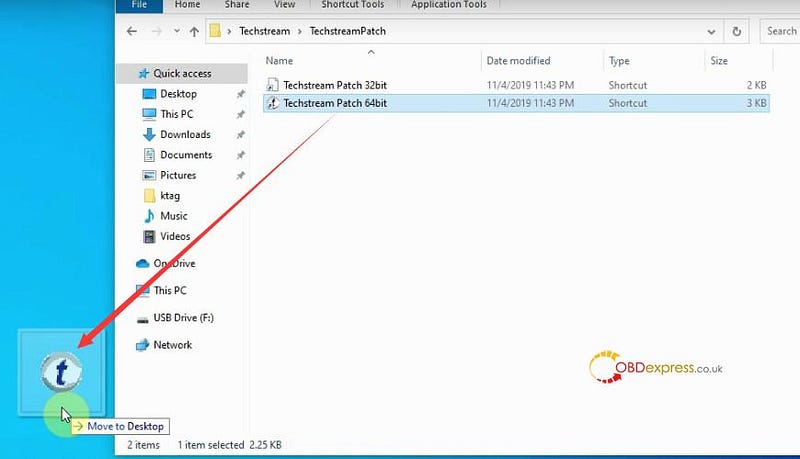
upgrade VXDIAG VCX NANO Toyota Techstream V17.00.020

Step 3: Run Techstream Patch

Run Techstream Patch

When it prompts the techstream was unable to access the network, click ‘Offline Mode’.
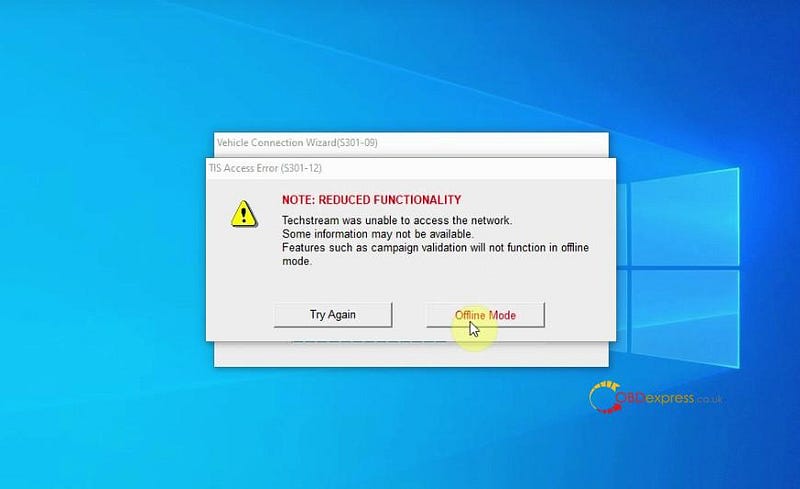
upgrade VXDIAG VCX NANO Toyota Techstream V17.00.020

Confirm the vehicle info and click ‘Next’
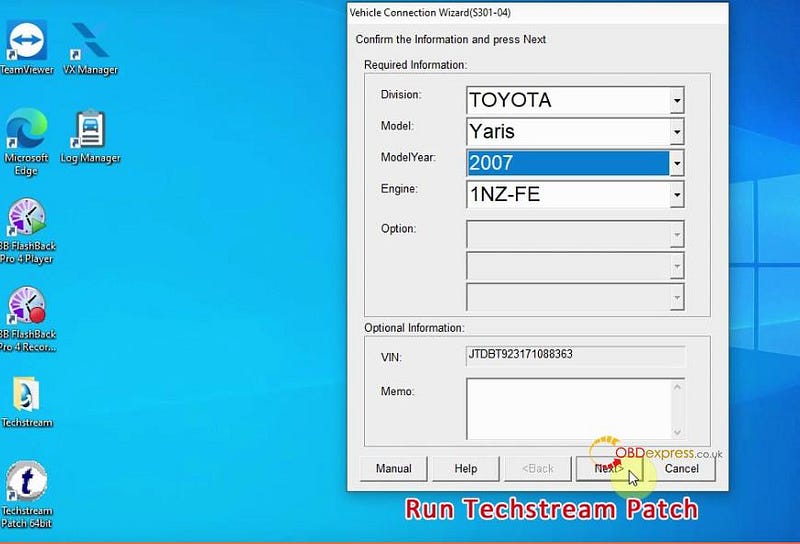
upgrade VXDIAG VCX NANO Toyota Techstream V17.00.020

Step 4: Run software

Run Techstream Patch (V17.00.020)

Connect to vehicle

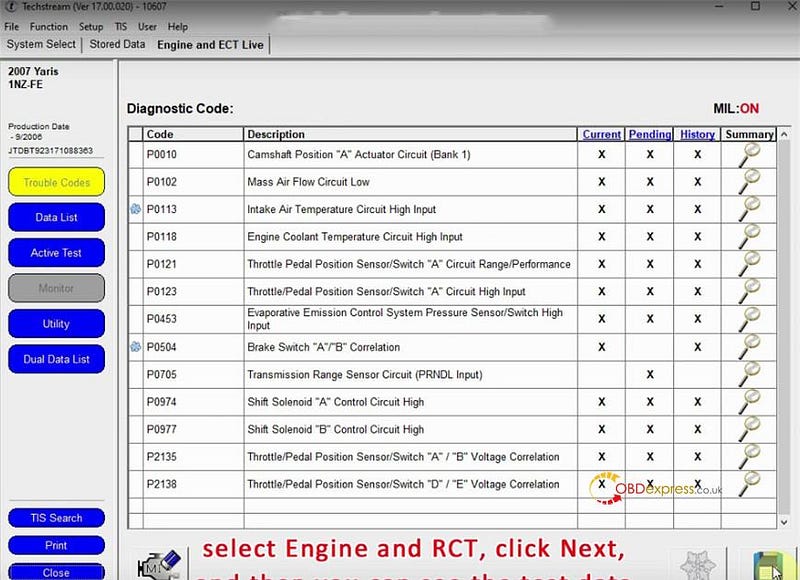
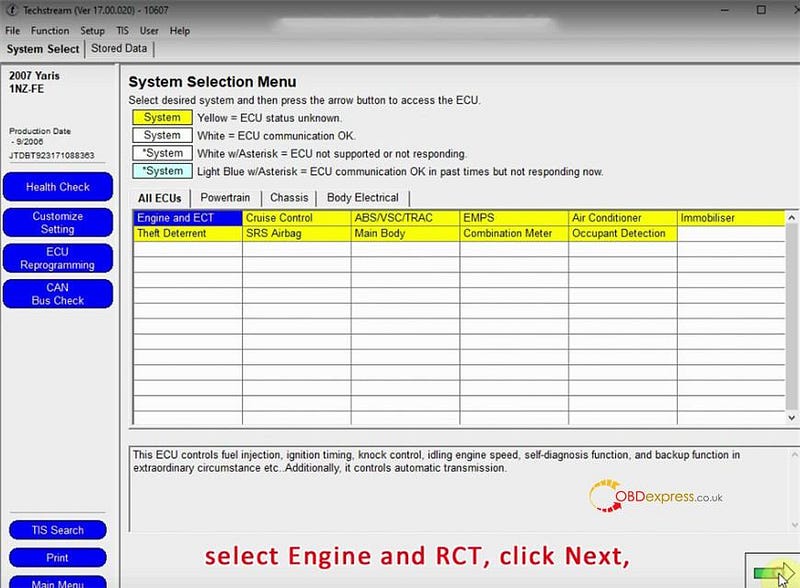
Select Engine and ECT, click ‘Next’

Then you can see the test data.

Save the data
upgrade VXDIAG VCX NANO Toyota Techstream V17.00.020upgrade VXDIAG VCX NANO Toyota Techstream V17.00.020

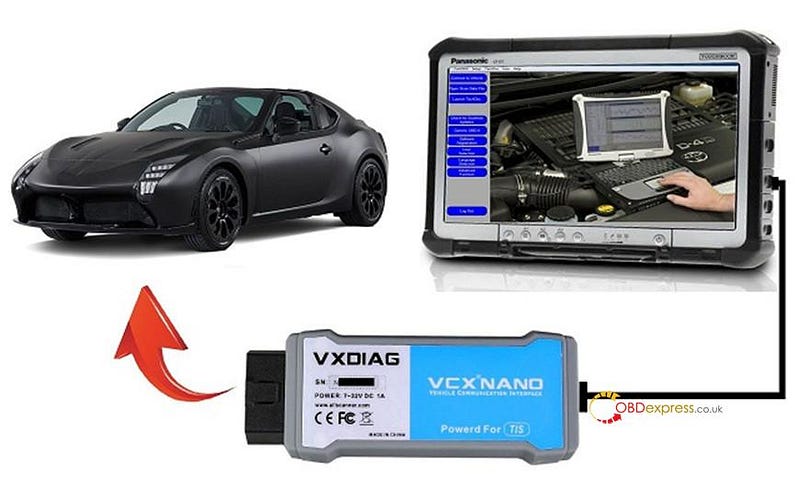
VXDIAG VCX NONA for Toyota Connection:
upgrade VXDIAG VCX NANO Toyota Techstream V17.00.020


Tuesday, 23 November 2021

OTOFIX BT1 in-vehicle Battery function experience: used in Toyota procedure

 OTOFIX BT1 Smart Battery Tester is available with 4 types of tests to offer a complete analysis of your car batteries including: in-vehicle test, out-vehicle test, battery replacement and battery reset. This article is on how to run an in-vehicle test on a Toyota with OTOFIX BT1.


Required:

Connected to an internet


6 step to follow:

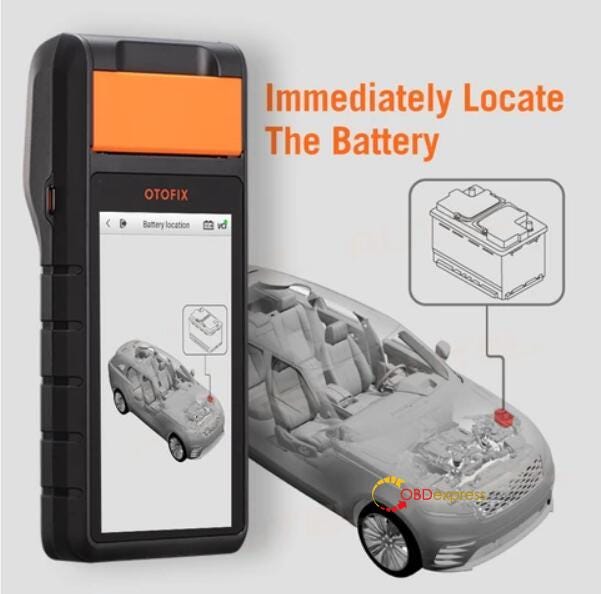
Step 1. Open the hood and find the battery. 

OTOFIX BT1 is able to help locate the car battery.

OTOFIX BT1 in-vehicle battery test on Toyota procedure

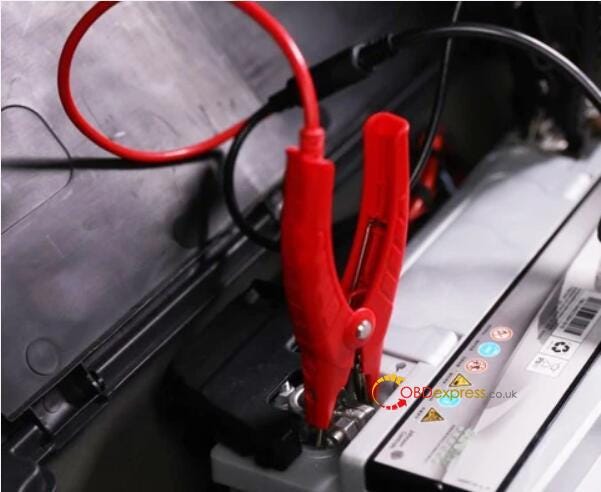
Step 2. Place the clamps on. Red to positive, black to negative.

OTOFIX BT1 in-vehicle battery test on Toyota procedure

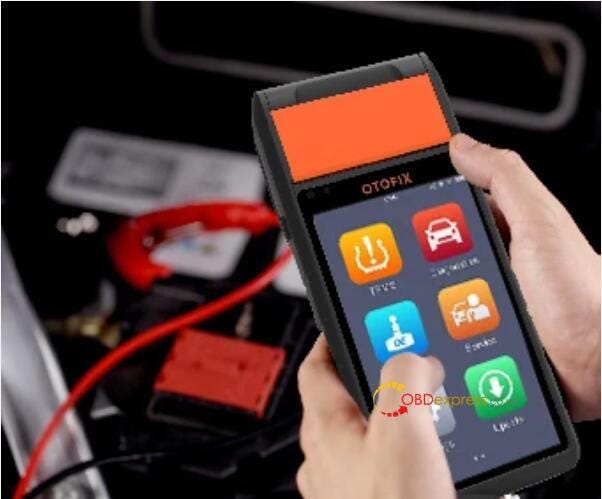
Step 3. Choose " in-vehicle test "on your BT1 battery tester.

OTOFIX BT1 in-vehicle battery test on Toyota procedure

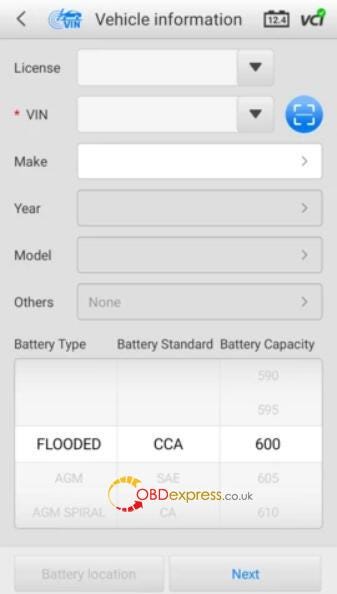
Step 4. Enter the vehicle’s information and vehicle’s battery type

OTOFIX BT1 is able to automatically identifies battery parameters and displays vehicle-specific battery locations by VIN.


If you’ve worked on the vehicle before using BT1, these fields will automatically be filled in.


If there’s no battery type listed on the battery, the default is “FLOODED”.

Tap Next.

OTOFIX BT1 in-vehicle battery test on Toyota procedure

Step 5. Start the testing.


Thanks to its intelligent features and comprehensive step-by-step instructions, it is a quick and easy process that allows you to run a test in around 5 minutes.


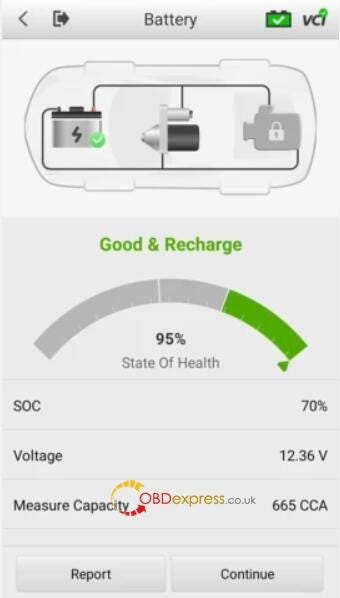
The result will be shown like below.

OTOFIX BT1 in-vehicle battery test on Toyota procedure

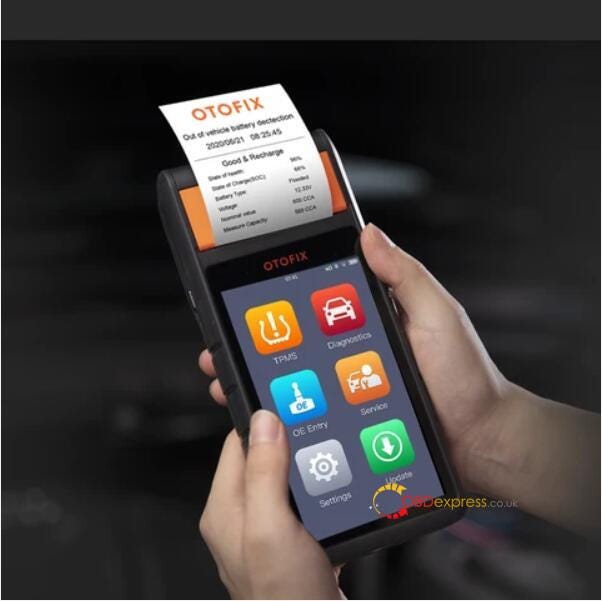
Step 6. Save, print and e-mail your customised battery test result.

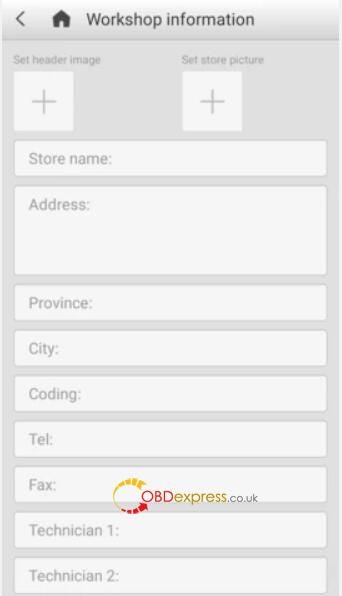
With OTOFIX BT1 Battery Tester, you can generate customized report with your own logo and garage information.

OTOFIX BT1 in-vehicle battery test on Toyota procedure

It will display the information in report format which allows you to either view it as a pdf or send it as an email. Print it out and hand the report to the customer if needed. The report will also automatically save and you can view it in Data Manager if you need to retrieve it later.

OTOFIX BT1 in-vehicle battery test on Toyota procedure

Alright, OTOFIX BT1 Smart Battery Tester is the only one you need to perform battery tests and diagnostics quickly and efficiently.

Friday, 24 July 2020

Toyota 4Runner OBD2 *BIDIRECTIONAL* Tools Reviews

Have car 2002 4Runner 4WD SR5, looking for an OBDII *BI-DIRECTIONAL* Scanner, any good experience with a budget Scanner in like the $200 (or lower?) range? Go on reading…

Review 1. Techstream BI-DIRECTIONAL test
I have Techstream and about the only “programming” it allows is with the immobilizer and keys. It’s a diagnostic tool first and foremost, which is what a Toyota technician needs.
But there Maybe other “programmers” out there, which would be the bi-directional part. You’re looking to make changes to the fuel/timing/injector maps I take it.. looking for the performance of one kind or another (most want more power, some want more efficiency/fuel economy).
Looking around a little, I see that I’m wrong about Techstream, it can be used to flash/program, just not my model year. Looks like the ability doesn’t exist on models earlier than 2001 (though I did see a Chinese cesium flash tool saying 2000… wonder if they mean a late 2000 model or a built-in 2000, the model year 2001 though).
Digging through more pages, I’m finding more and more posts talking about how Toyota ECU’s can’t be tuned. that if you want different performance, you have to go with a “piggyback” or completely replace the unit with something that is fully adjustable.

Techstream Cable and Software Recommendations:
I’ve had good luck buying Techstream Cable
 Techstream Data Output 01

Review 2. FOXWELL NT630 Plus
I used FOXWELL NT630 Plus to auto bleed my 02 brakes and the ABS unit. Not sure it’s what you are looking for but it is bi-directional to a point.
FOXWELL NT630 PLUS

Review 3. Autel Launch BI-DIRECTIONAL test
Mode $08 activity test…
Some of the chinesium brand units (Launch, Autel, etc.) in past years have been bundling up factory auto software on an android platform and selling units. These are in the $800+ range. Very good functional stuff. Definitely not sub $200 range yet. Software lisc https://www.obdexpress.co.uk/wholesale/launch-x431-crp909-car-diagnostic-scanner.html \ence infringement? I’m not a legal eagle.
Couple customer software shops, HPTuners comes to mind, have been developing front end software to custom tune ECM’s. Targeting Dodge, Ford, etc. Lions share of the market.
My gut, instinct, the view is that way back deep in the Toyota proprietary fortress there was a way to tune these ECM’s. Doubt we’d see that proprietary software released. But my hunch it existed back in the past.
As for a sub $200 bi-directional unit there’s always used, 2nd hand, Craigslist, etc. But be wary of damaged stuff, software out of date, subscription lapse, etc.

Keep upgrading…


KEYDIY KD-X4 Update: New Smart Card Synchronization & C29AX71 Key

  KEYDIY is thrilled to announce a major functional update for the KD-X4 Key Programmer . We are introducing the C29AX71 Synchronization-...