Showing posts with label Xhorse Adapter. Show all posts

Tuesday, 12 August 2025

Xhorse BDC2 Adapter Introduction: For 2015-2021 BMW

 Xhorse has unveiled its latest innovation — the XDNPBGGL BMW-G BDC2 Adapter, designed to streamline diagnostics and key programming for a wide range of BMW models. Pre-orders are now open for this cutting-edge tool, which ensures seamless compatibility with KEY TOOL PLUS, KEY TOOL MIDI or VVDI2 (activation of BMW-G BDC2 function required).


Xhorse BDC2 Adapter Introduction_For 2015–2021 BMW

Features of the BMW-G BDC2 Adapter

Part Number: XDNP8GGL

Compatibility: Works with select BMW 5, 6, 7 Series, X3, X4 and M5 models (2015–2021).

Easy Integration: Requires KEY TOOL PLUS/MIDI or VVDI2 for activation.

Firmware Support: V7.5.1, V651 or V631 and later versions.

Supported BMW Models

The adapter supports the following BDC2-equipped vehicles:

SeriesModelYear Range5 SeriesG302016.11–2020.065 SeriesG312017.03–2020.065 SeriesG382017.05–2020.086 SeriesG322017.07–2020.067 SeriesG11/G122015.07–2019.02X3F972019.04–2021.07X3/IX3G082018.05–2021.08X3G012017.12–2021.07X4G022018.04–2021.07X4F982019.04–2021.07M5F902017.11–2020.06

*Note: Year ranges are approximate. Always verify with actual OBD data.


Xhorse BDC2 Adapter Introduction_For 2015–2021 BMW

Why Choose the Xhorse BMW-G BDC2 Adapter?

  • Precision: Ensures accurate diagnostics and key programming.
  • Wide Coverage: Supports multiple high-end BMW models.
  • User-Friendly: Plug-and-play functionality with compatible Xhorse tools.

Pre-Order Now!

Don’t miss out on this essential tool for BMW diagnostics and key services. Pre-order XHORSE BMW-G BDC2 Adapter today and enhance your workshop’s capabilities.

For more details, visit www.obdexpress.co.uk.

Sunday, 14 November 2021

Xhorse Audi BCM2 adapter example: use with VVDI Key Tool Plus

 This is a guide to show how to use Audi BCM2 Solder-free Adapter working with Xhorse VVDI Key Tool Plus Pad.

Operating Steps
⦁ How to connect BCM2 Solder-free Adapter?
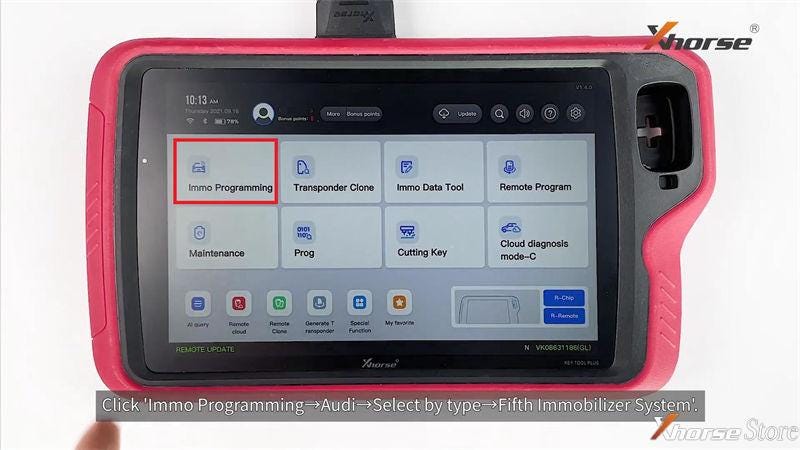
Follow the path on VVDI Key Tool Plus:
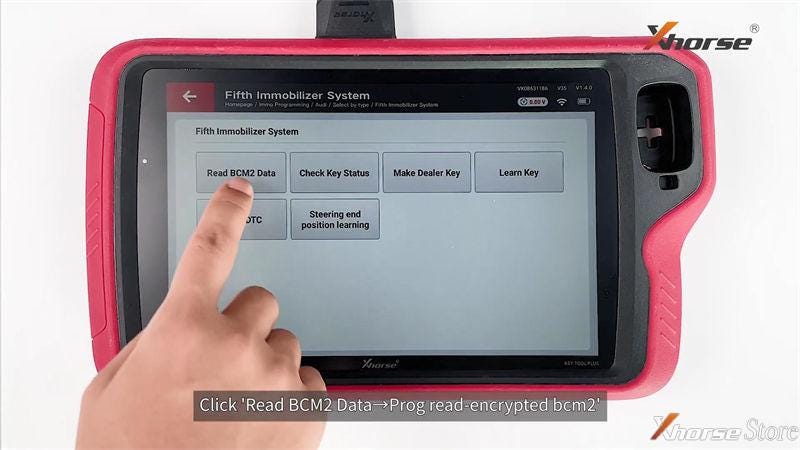
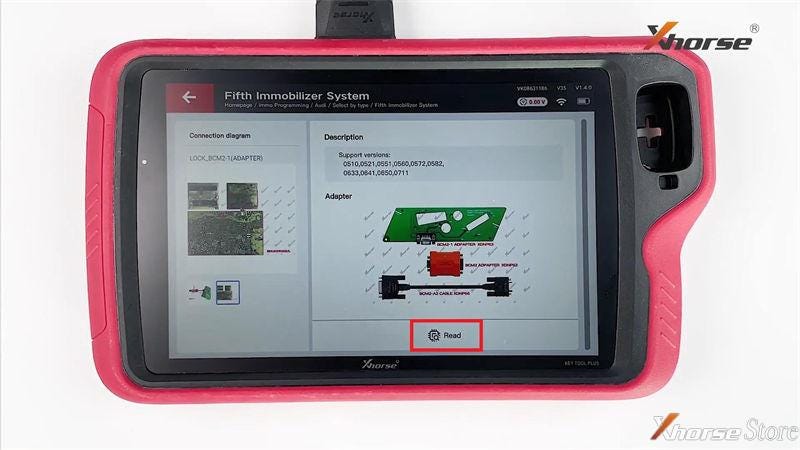
Immo programming >> Audi >> Select by type >> Fifth immobilizer system >> Start programming >> Read BCM2 data >> Prog read - encrypted bcm2 >> OK

Note: make sure the Internet connection is good.

Select the properly option according to BCM2 version on module.

Xhorse Audi BCM2 adapter example use with VVDI Key Tool Plus

Xhorse Audi BCM2 adapter example use with VVDI Key Tool Plus

Xhorse Audi BCM2 adapter example use with VVDI Key Tool Plus

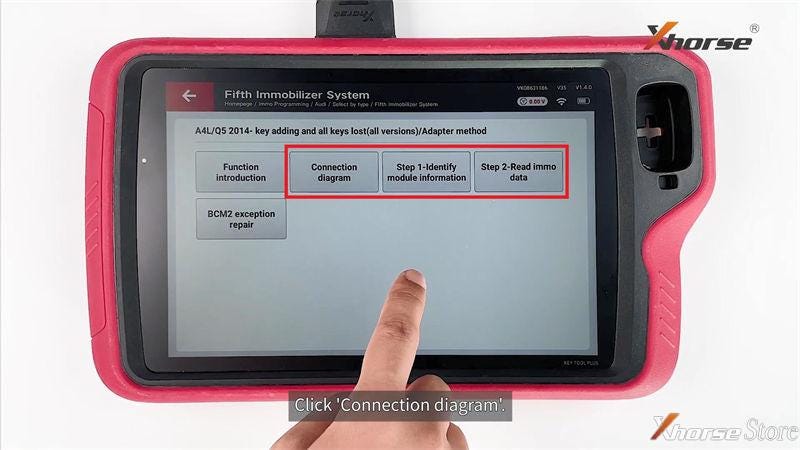
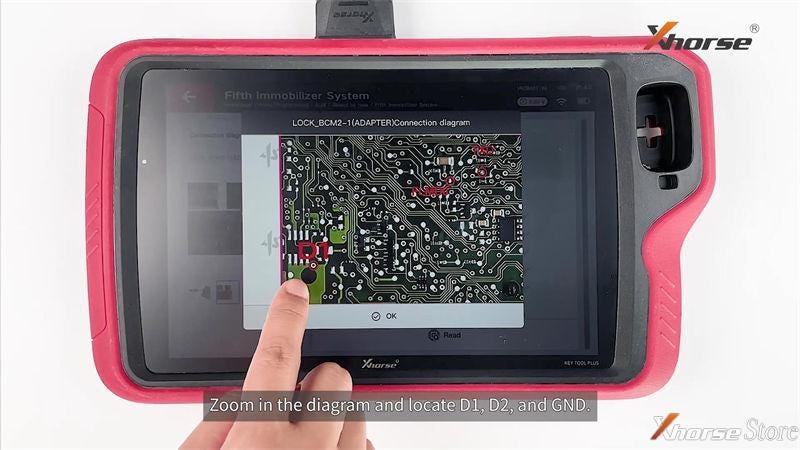
Adapter method >> Connection diagram
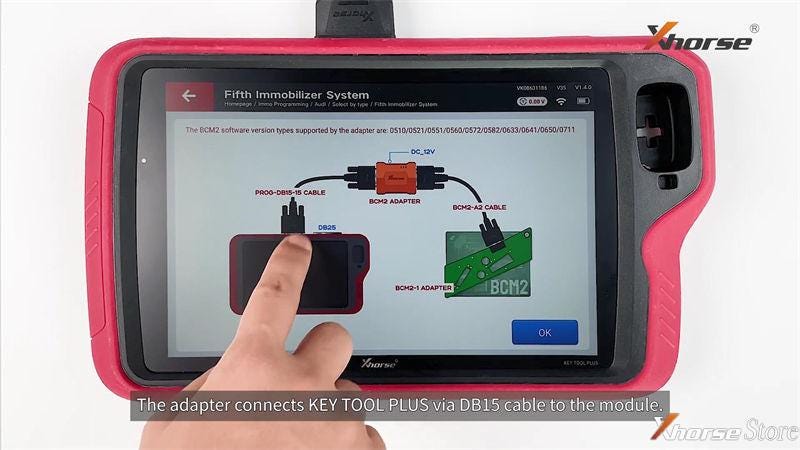
Here you can check how to connect BCM2 Adapter with Key Tool Plus via cable.

Step1 - Identify module information >> OK

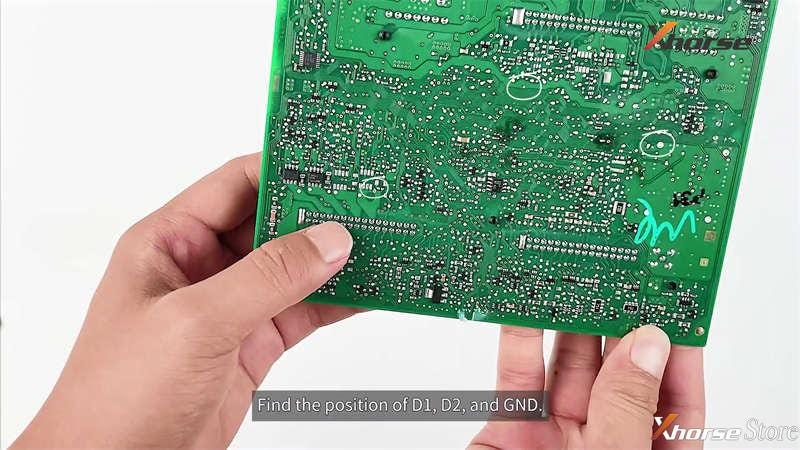
Here you can zoom in the diagram to locate D1, D2 and GND.
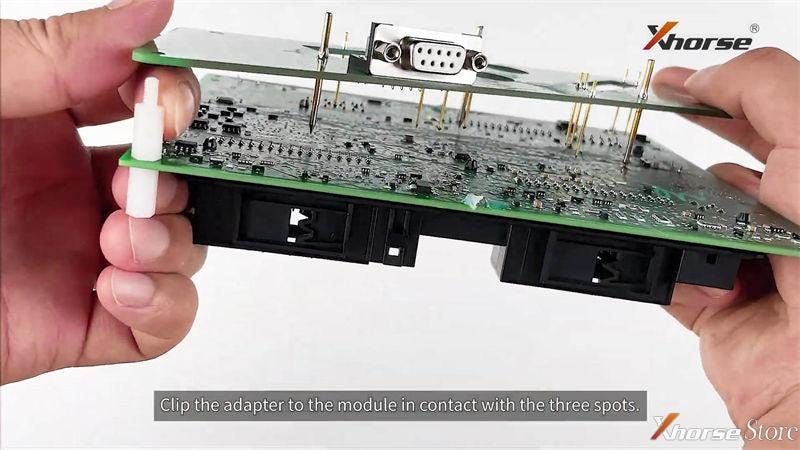
1. Install positioning pin.
2. Find the positions of D1, D2 and GND, clip adapter onto module in contact with the 3 spots.
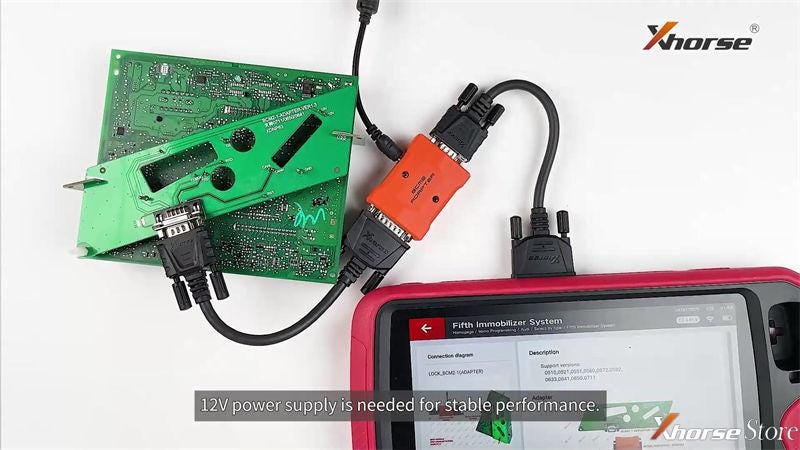
3. Connect Adapter & Key Tool Plus via cable.
4. Plug in 12V power supply.
Note: DO NOT move module, cable or power supply during process

Xhorse Audi BCM2 adapter example use with VVDI Key Tool Plus

Xhorse Audi BCM2 adapter example use with VVDI Key Tool Plus

Xhorse Audi BCM2 adapter example use with VVDI Key Tool Plus

Xhorse Audi BCM2 adapter example use with VVDI Key Tool Plus

Xhorse Audi BCM2 adapter example use with VVDI Key Tool Plus

Xhorse Audi BCM2 adapter example use with VVDI Key Tool Plus

⦁ Read Data
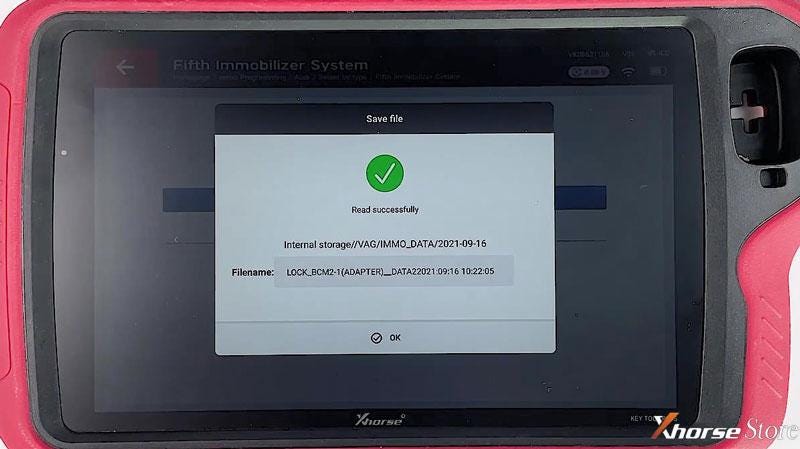
Read >> Continue >> Rename, OK >> OK
Read & save data successfully.

Step2 - Read immo data >> Yes >> Yes >> OK >> Read >> Continue >> Rename, OK >> OK >> Save here >> OK

Xhorse Audi BCM2 adapter example use with VVDI Key Tool Plus

Xhorse Audi BCM2 adapter example use with VVDI Key Tool Plus

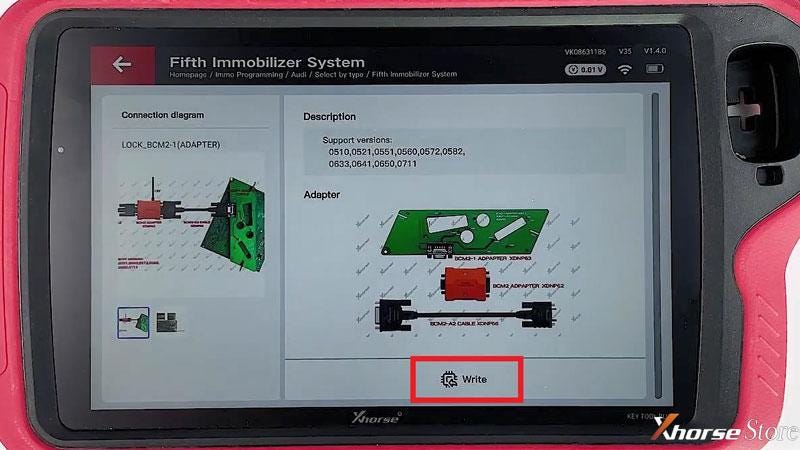
⦁ Write Data
In immo5 system, BCM2 data can make dealer key and learn key!
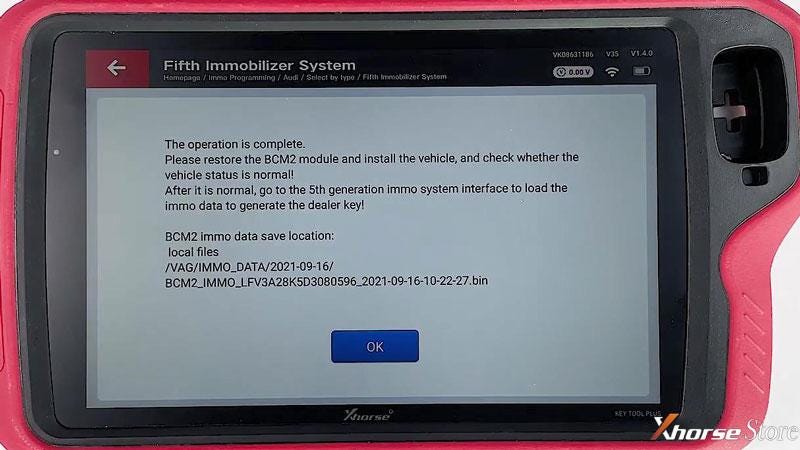
OK >> OK >> Write >> Continue >> OK
Write data successfully.

Xhorse Audi BCM2 adapter example use with VVDI Key Tool Plus

Xhorse Audi BCM2 adapter example use with VVDI Key Tool Plus

Now you’re ready to make a Audi 754J Dealer Key, supports A4L, A5, Q5, A6L, A7, A8 2013-2019 vehicles. More details please refer to
FAQ: Xhorse BCM2 Solder-Free Adapter for Audi Add Key & All Key Lost
http://blog.xhorsestore.co.uk/xhorse-adapters-and-parts/faq-xhorse-bcm2-solder-free-adapter-for-audi-add-key-all-key-lost/

Sunday, 10 October 2021

Xhorse BCM2 Solder-Free Adapter for Audi FAQ

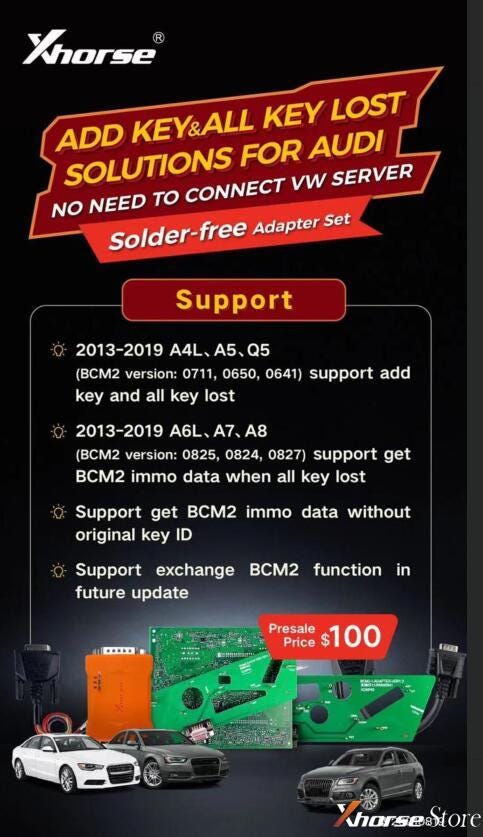
Xhorse BCM2 Solder-free Adapter set for Audi add key & all key lost solution is coming!!! No need to connect VW server, support to get BCM2 IMMO data without original key ID, support to exchange BCM2 function in future update.


Compatible to work with VVDI Key Tool Plus, VVDI2 + VVDI Prog.


  • 2013-2019 A4L, A5, Q5

(BCM2 version:0711, 0650, 0641) support add key and all key lost.

  • 2013-2019 A6L, A7, A8

(BCM2 version: 0825, 0824, 0827) support get BCM2 IMMO data when all key lost.

Xhorse BCM2 Solder-Free Adapter for Audi Add Key & All Key Lost

FAQ

Q: Does it support Audi A6L AKL without data synchronization?

A: A6L does not support currently, it can read BCM2 data & synchronize data by the third party when all key lost. So far, only A4L, A5, Q5 support.


Q: Can it work with VVDI2?

A: Yes, VVDI2 will update the software to support this function, but should work with VVDI Prog together.


Q: When is it available?

A: Early in September, shipped by pre-orders in turn.


Q: Is there an annual fee in the future? Will it deduct tokens?

A: It only charges one-time fee, and does no need any tokens.


Q: What types of keys is it used for?

A: 754J Smart Key on market.


Q: Is BCM2 easy to disassemble?

A: Yes, most people with hands-on ability can. It is a plastic box generally hides after the protection mat in car trunk. Just open it to get the BCM2 board.


Q: Can I read BCM2 data via soldering wires directly?

A: Audi Solder-free Adapter consist of 6 parts, the main part is the orange BCM2 adapter. Soldering wires with it was allowed to read data directly. But it is not sold separately at present. To avoid damaging the BCM, we’ll highly suggest to use solder-free adapters set for newbies.


Now purchase Audi BCM2Adapter + 754J Smart Key together can earn more discounts!

https://www.xhorsestore.co.uk/

How to Unlock Ford BOSCH MD1CP006 with OBDSTAR ECU Master via Boot?

 This guide covers the procedure for unlocking, reading, and writing locked Bosch MD1 CP006 engine control units found on Ford F-250 and F-...