Friday, 4 November 2022

Free Download & Install KT200 11.01 Version Software

 Here to free download & install the latest KT200 ECU Programmer software v11.01 version. 100% tested, secure & fast.

KT200 v11.01 Free Download:

Mega: https://mega.nz/file/NPM0GDZb#PVVHI2mXLekSAiRNd1UvHEom4wLtKcc64isJB7SV6m8

Weiyun(password: zug4hj):

https://share.weiyun.com/T1ZVPy6u

Size: 38.7MB

Operating system: Windows 7, Windows 8/ 8.1, Windows 10, Windows 11

KT200 v11.01 Installation Guide

  • Install KT200 Software
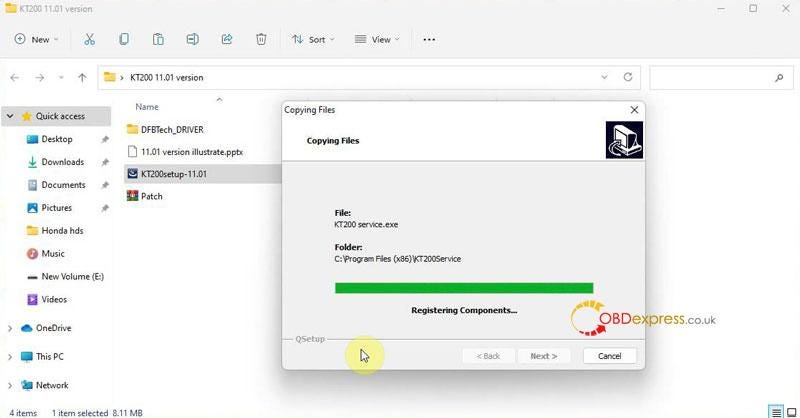
    1. Run "KT200setup-11.01" package.

      KT200 ECU Programmer 11.01 software download guide

    2. Install Driver
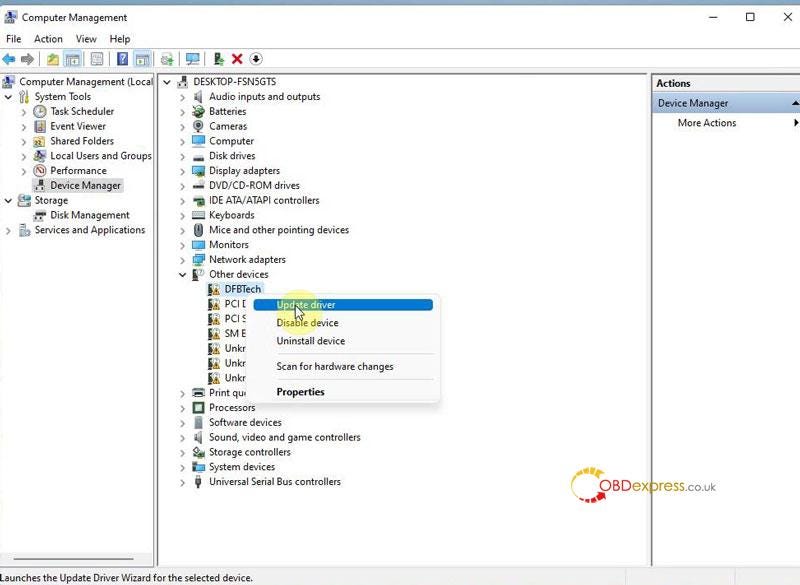
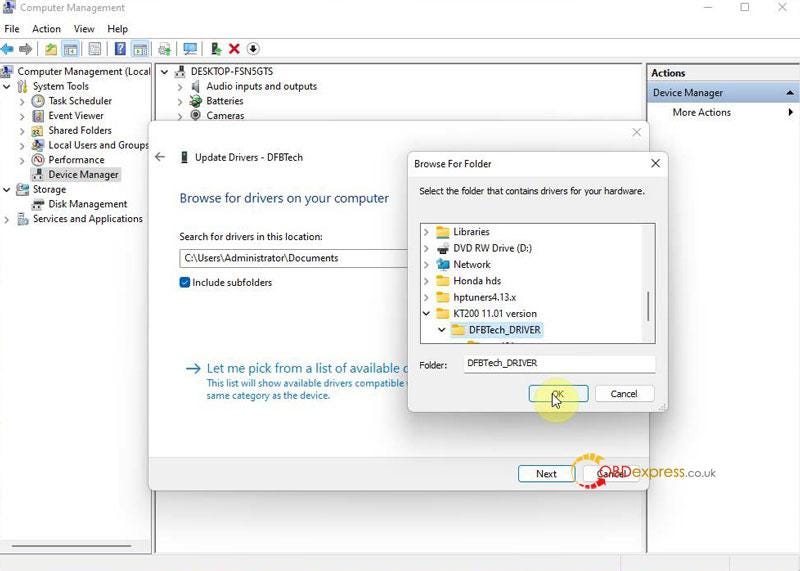
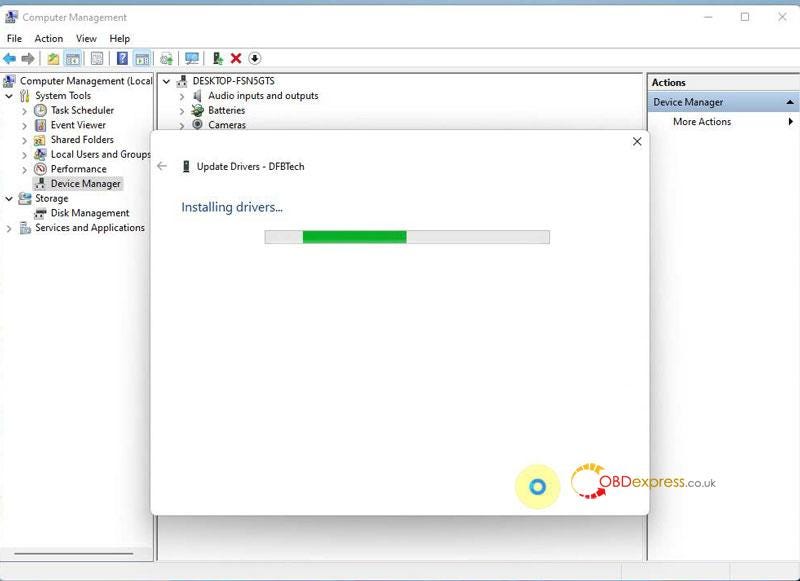
      1. Computer management >> Device manager >> DESKTOP-FSN5GTS >> Other devices >> DFBTech >> Update driver >> Browse my computer for drivers >> Selected "DFBTech_DRIVER" folder >> Next

        KT200 ECU Programmer 11.01 software download guide

        KT200 ECU Programmer 11.01 software download guide

        KT200 ECU Programmer 11.01 software download guide

      2. Download Software
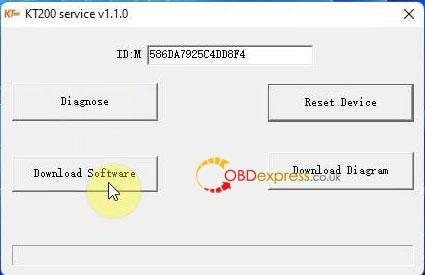
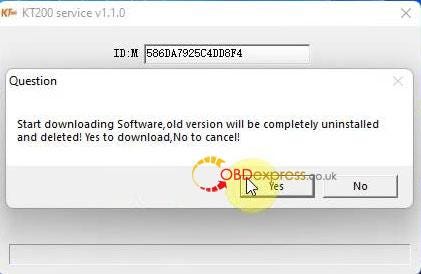
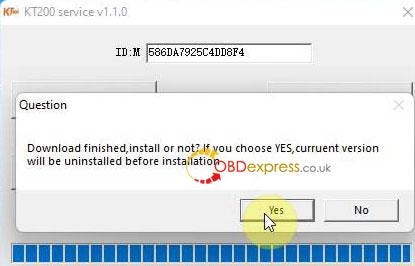
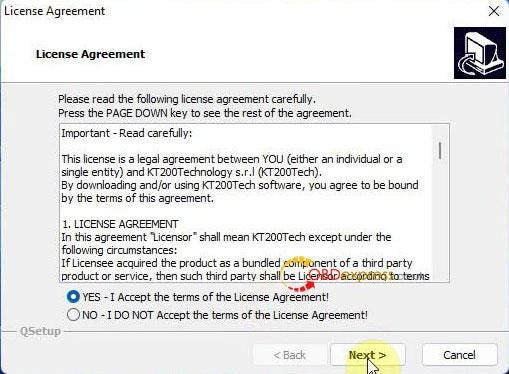
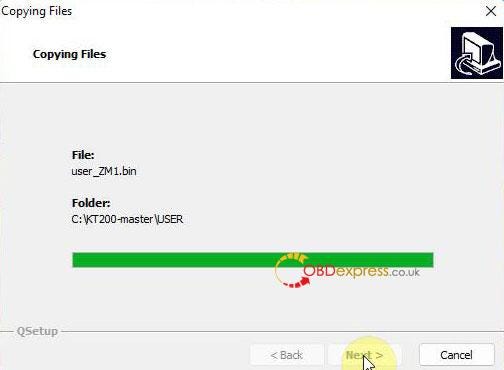
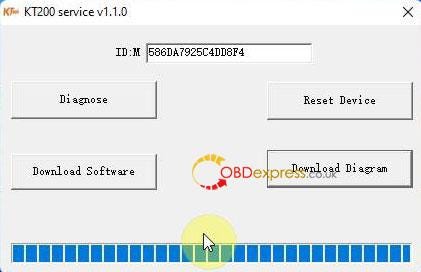
        1. Open "KT200 Service">> Download software >> Yes >> Yes >> Yes, accept terms >> Next >> Next >> Finish

          Reset device successfully!

          KT200 ECU Programmer 11.01 software download guide

          KT200 ECU Programmer 11.01 software download guide

          KT200 ECU Programmer 11.01 software download guide

          KT200 ECU Programmer 11.01 software download guide

          KT200 ECU Programmer 11.01 software download guide

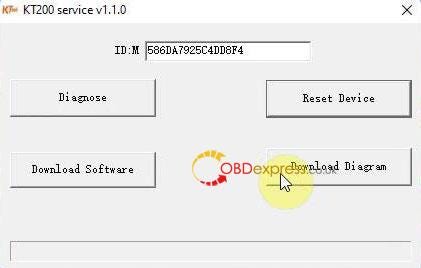
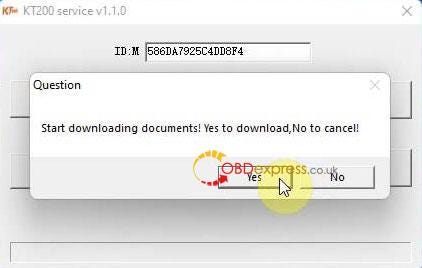
        2. Download Diagram
          1. Restart "KT200 Service">> Download diagram >> Yes >> Finish

            KT200 ECU Programmer 11.01 software download guide

            KT200 ECU Programmer 11.01 software download guide

            KT200 ECU Programmer 11.01 software download guide

            Now you can start KT200 programmer for ECU maintenance.

            KT200 ECU Programmer 11.01 software download guide

            www.obdexpress.co.uk

            Yanhua Digimaster 3 MEM ICP Solderless Adapter User Guide

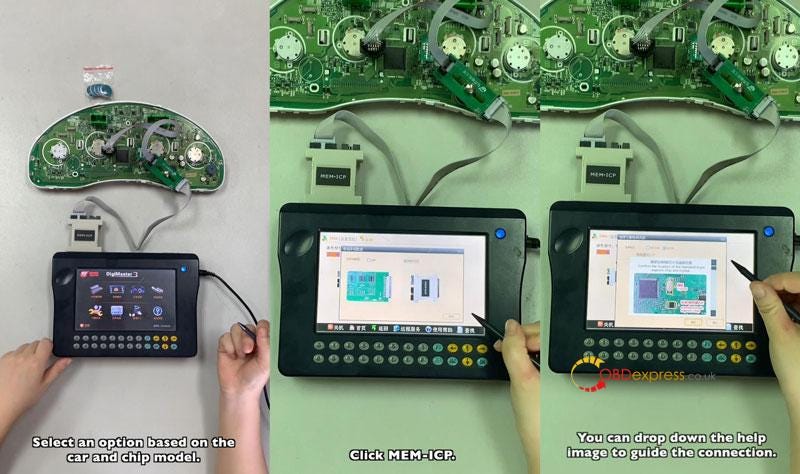
             YANHUA Digimaster 3 MEM ICP solderless programming adapter is used to read & write 8PIN EEPROM data without disassembly or soldering. Fast and easy, coming with Digimaster 3 package.

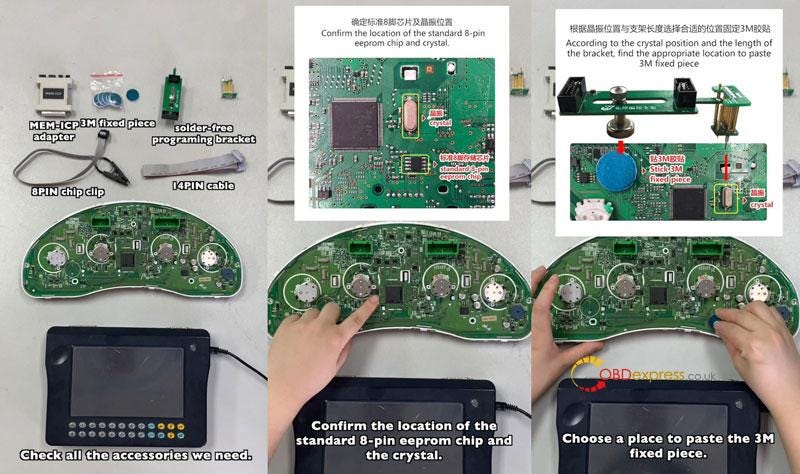
            Tool Required

            MEM-ICP adapter

            3M fixed piece

            Solder-free programming adapter

            14PIN cable

            Digimaster 3

            Installation

          2. Confirm the location of the standard 8-pin eeprom chip & crystal, fix 3M piece according to the crystal position & adapter length.
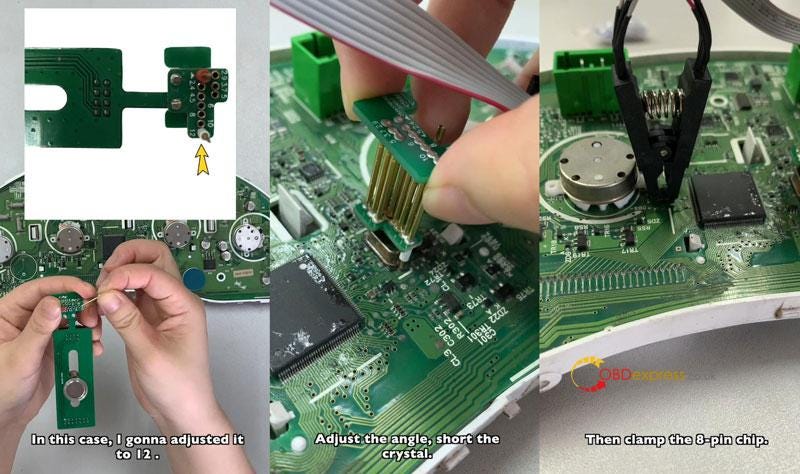
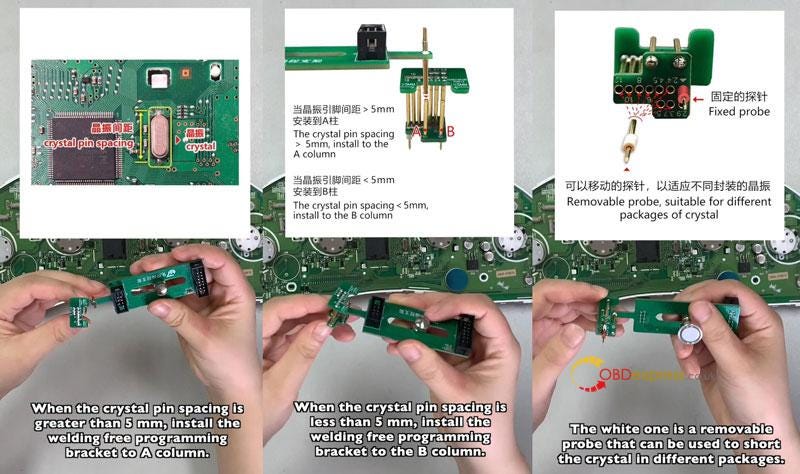
          3. When the crystal pin spacing is greater than 5mm, install the welding free programming adapter to A column. The white one is a removable probe that can be used to short the crystal in different packages. In this case, I'm gonna adjusted it to 12.
          4. Connect the 14PIN cable & 8-pin chip clip, install solder-free programming adapter. Adjust the angle, short the crystal. Please note that the red line means PIN-I.
          5. Clamp the 8-pin chip, connect the MEM-ICP adapter with 14PIN cable, connect the adapter to Digimaster 3.
            1. Yanhua Digimaster 3 MEM ICP Solderless Adapter User Guide

              Yanhua Digimaster 3 MEM ICP Solderless Adapter User Guide

              Yanhua Digimaster 3 MEM ICP Solderless Adapter User Guide

              Operation

            2. Save Original Data
              1. Select car & chip model: Instrument system >> Japan & Korea >> Subaru >> Outback >> 2006 >> 93C56 >> Next >> MEM-ICP

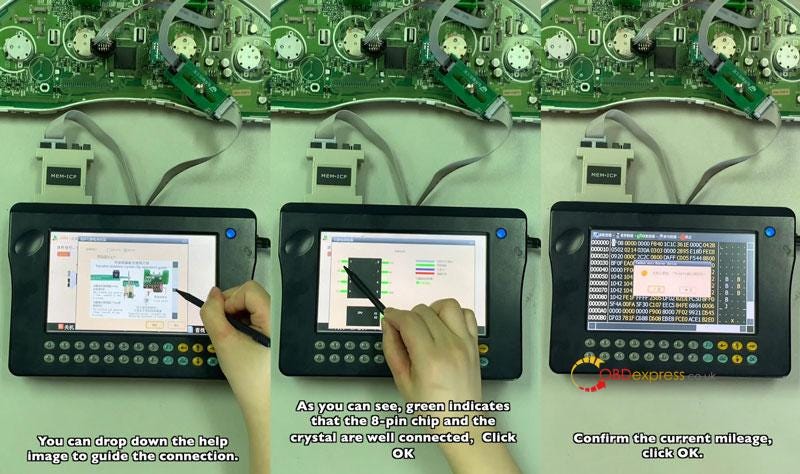
                * Users can drop down the help image to guide the connection.

                As you can see, green indicates that the 8-pin chip and the crystal are well connected.

                Click "OK".

                Confirm the current mileage, click "OK".

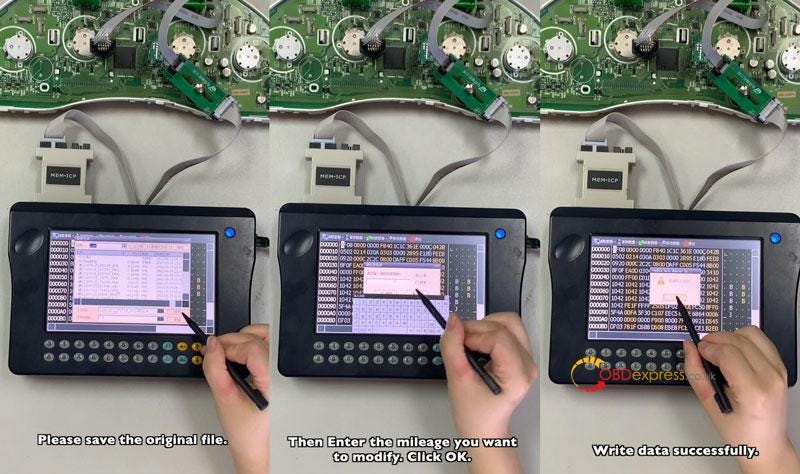
                Save the original file.

              2. Mileage Correction
                1. Enter the mileage you want to modify, click "OK".

                  Write data successfully.

                  That's it!

                  Yanhua Digimaster 3 MEM ICP Solderless Adapter User Guide

                  Yanhua Digimaster 3 MEM ICP Solderless Adapter User Guide

                  Yanhua Digimaster 3 MEM ICP Solderless Adapter User Guide

                  www.obdexpress.co.uk

                  Wednesday, 2 November 2022

                  OBDEXPRESS.CO.UK 11.11 Super Deals Shopping Guide

                   The 11.11 super deals of OBDEXPRESS.CO.UK start from Nov. 1 st to Nov. 12 th, 2022. Many car diagnostic tools/key programmers/ECU programmers/mileage correction tools and other car tools are on sale at the best price of the year. Moreover, you can get a free gift as long as your order amount meets the requirement.

                  OBDEXPRESS.CO.UK 11.11 Super Deals Shopping Guide

                  1.Order amount≥ €399, get a free Godiag Full Protocol OBD2 Jumper Cable

                  OBDEXPRESS.CO.UK 11.11 Super Deals Shopping Guide

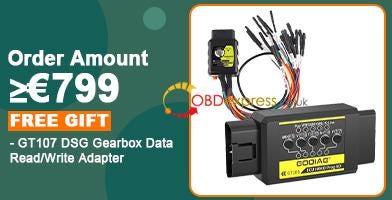
                  2.Order amount≥ €799, Get a Free Godiag GT107 DSG Gearbox Data Read/Write Adapter

                  OBDEXPRESS.CO.UK 11.11 Super Deals Shopping Guide

                  All 11.11 big sale products:

                  https://www.obdexpress.co.uk/producttags/11th-anni-sale.html

                  Top 6 excellent products recommended at obdexpress.co.uk

                  Launch X431 diagnostic tool:
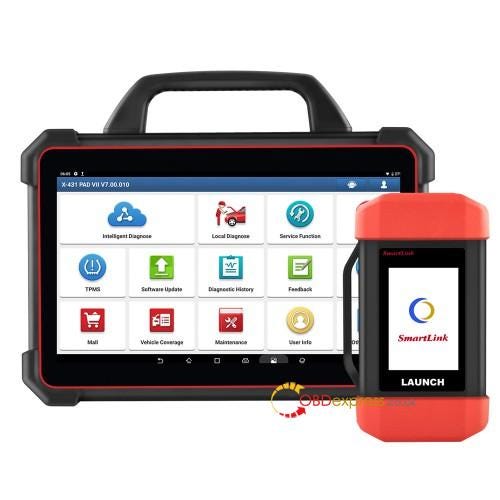
                  1.Launch X431 PAD VII (PAD 7) with SmartLink C Box

                  OBDEXPRESS.CO.UK 11.11 Super Deals Shopping Guide

                  Original price: €2,899

                  11.11 sale price: €2,526

                  Discount: 13% off

                  EU/UK Ship No Tax Free Shipping

                  2 Years Free Update

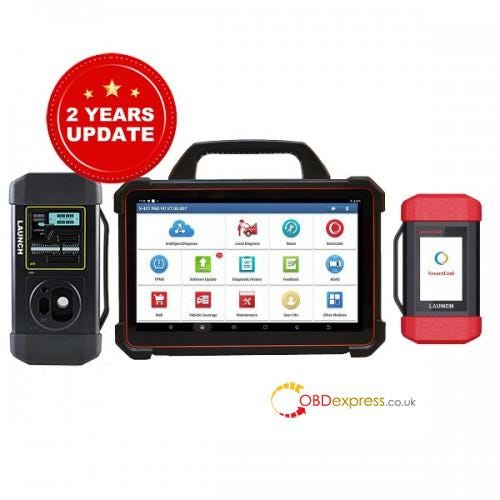
                  2.Launch X431 PAD VII (PAD7) and X431 XPROG 3

                  OBDEXPRESS.CO.UK 11.11 Super Deals Shopping Guide

                  Original price: €3,379

                  11.11 sale price: €2,967

                  Discount: 12% off

                  EU/UK Ship No Tax Free Shipping

                  2 Years Free Update

                  What is the tool?

                  • X-431 PAD VII is an unexpected high-end diagnostic tool from LAUNCH, comes with the ADAS calibration function, 50+ service functions, TPMS service and 8 extended modules functions. It's a global version available with multi-language and 5 years warranty.
                  • New Smartlink C VCI powers technician a new diagnostic level without the limitation of diagnostic functions, tools, and vehicle types. It supports VW/AUDI MQB platform engine/ gearbox ECU replacement or cloning, and supports BMW E chassis 8HP gearbox ECU reprogramming to empty.
                  • Compatible with X-431 series diagnostic scanners, X-PROG 3 enables reading/ writing EEPROM, on-board MCU and BMW CAS4+/ FEM chips, Mercedes-Benz infrared keys, generating special keys, reading BMW engine ISN code.

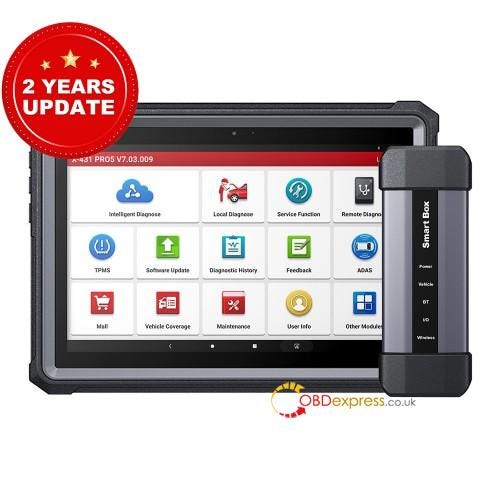
                  3.LAUNCH X431 PRO5 with SmartBox 3.0

                  OBDEXPRESS.CO.UK 11.11 Super Deals Shopping Guide

                  Original price: €1,499

                  11.11 sale price: €1,397

                  Discount: 7% off

                  EU/UK Ship No Tax Free Shipping

                  2 Years Free Update

                  What's the tool?

                  • Upgrade Version of X431 Pro3.
                  • With SmartBox 3.0 VCI Connector, Supports J2534, CAN FD, DoIP Protocols.
                  • 50+ service functions+ J2534 ECU Programming+ Advanced Online ECU Coding.
                  • Supports FCA AutoAuth, VAG Guided function.
                  • Supports multiple languages.
                  • Two Years Free Update+ 5 Years Warranty + Lifetime Free Tech Supported.

                  Autel tool:

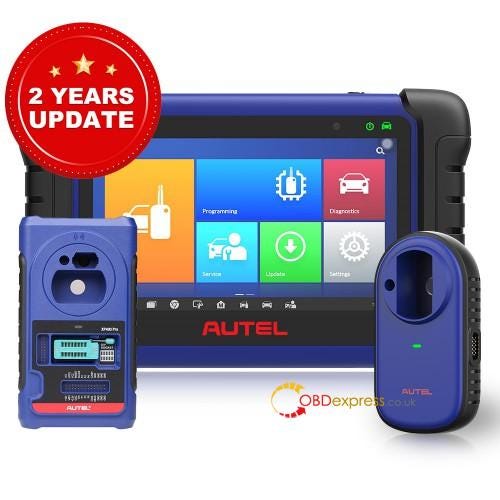
                  1.Autel MaxiIM IM508 with XP400 Pro

                  OBDEXPRESS.CO.UK 11.11 Super Deals Shopping Guide

                  Original price: €1,399

                  11.11 sale price: €1,299

                  Discount: 7% off

                  EU/UK Ship No Tax Free Shipping

                  2 Years Free Update

                  What's the tool?

                  • With XP400 Pro, add more function for IM508/ IM608, can do advanced IMMO reprogramming like IM608 Pro.
                  • Support multi-language
                  • No IP Blocking Problem

                  *Big Promotion: Click "Add to Cart" and get another 5% discount automatically, only €1,234 now!

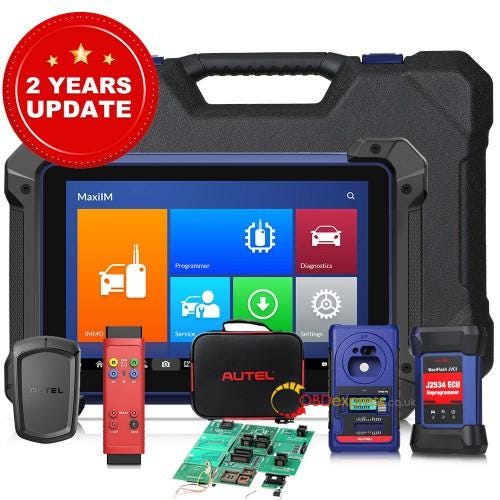
                  2.Autel MaxiIM IM608 PRO with IMKPA Accessories Kit, G-Box2 and APB112

                  OBDEXPRESS.CO.UK 11.11 Super Deals Shopping Guide

                  Original price: €3,189

                  11.11 sale price: €2,899

                  Discount: 9% off

                  EU/UK Ship No Tax free shipping

                  2 Years Free Update

                  What's the tool?

                  Autel IM608 Pro full package is an advanced comprehensive key programming tool that combines the powerful IMMO and programming functions with OE-level diagnostics and 30+ service functions in one 10.1-inch touchscreen tablet for over 95% 2000- models.

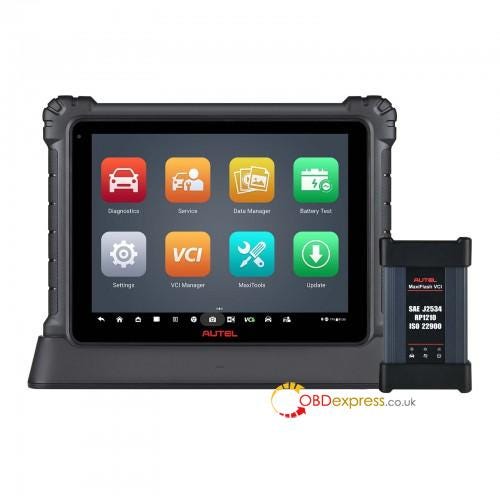
                  3.Autel MaxiCOM Ultra Lite with MaxiFlash VCI J2534

                  OBDEXPRESS.CO.UK 11.11 Super Deals Shopping Guide

                  Original price: €3,900

                  11.11 sale price: €2,459

                  Discount: 37% off

                  EU/UK Ship No Tax free shipping

                  2 Years Free Update

                  What's the tool?

                  Autel MaxiCOM Ultra Lite diagnostics tablet is designed to maximize technician intelligence. It's available with multi-languages, and can support auto scan, topology module mapping, intelligent diagnostics, ECU programming/coding, active test, remote diagnosis/programming, and 36+ special functions.

                  www.obdexpress.co.uk


                  KT200 read and check VW MED17.5 TC1766

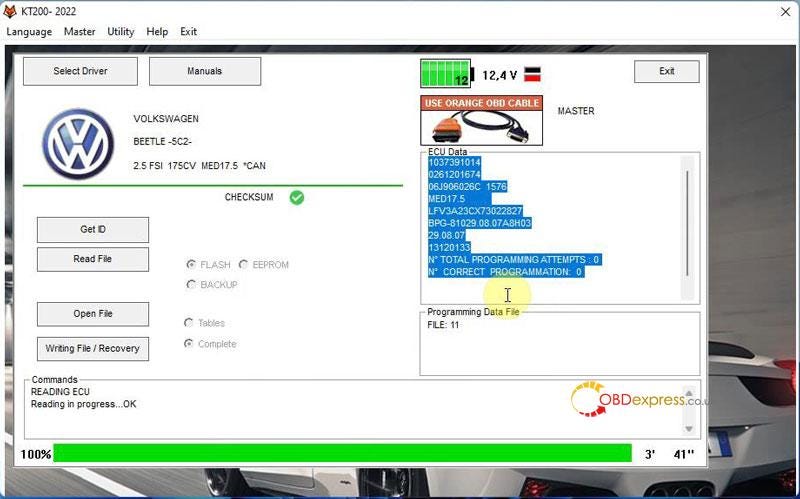
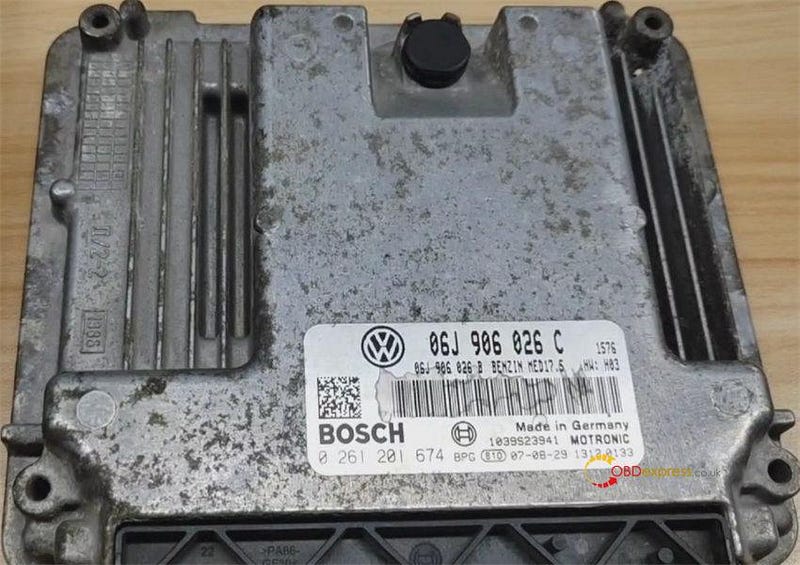
                   It has been tested and confirmed by obdexpress.co.uk engineer that KT200/KTM200/ECUTuner read, write EEPROM and correct checksum for VW MED17.5 TC1766 like a charm!

                  ECU type:

                  Volkswagen ME17.5 Bosch 0 261 201 674

                  KT200 read EEPROM for VW MED17.5 TC1766

                  ECU connection diagram:

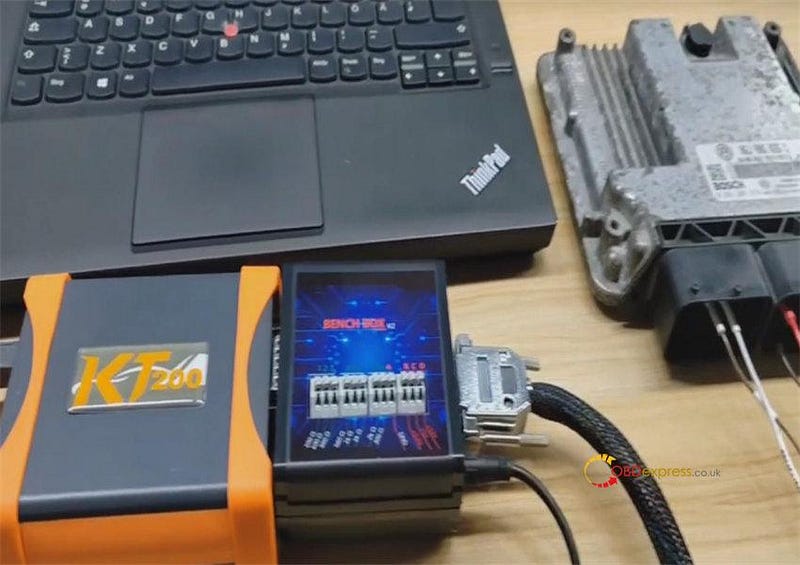
                  Plug BENCH BOX into KT200 ECU programmer

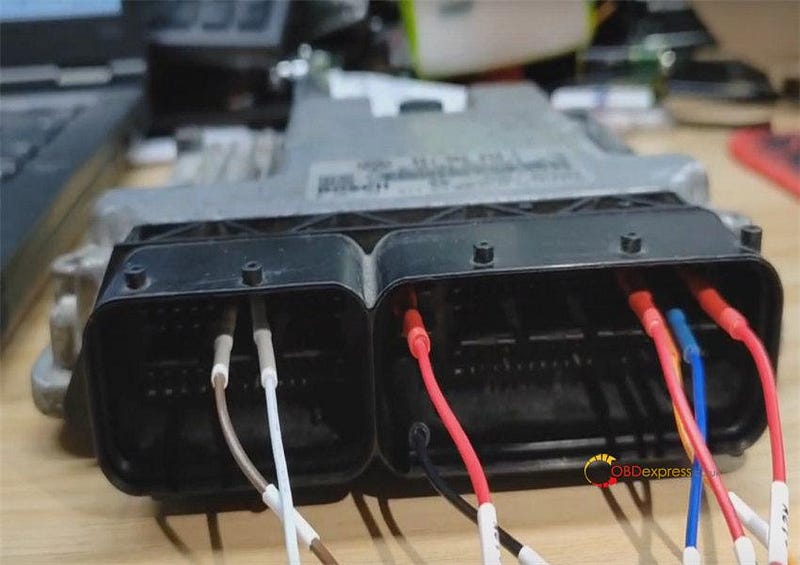
                  Connect BENCH BOX and ECU with Pinout cable according to the wiring diagram in the KT200 software

                  Connect KT200 and computer via the USB cable

                  KT200 read EEPROM for VW MED17.5 TC1766

                  KT200 read EEPROM for VW MED17.5 TC1766

                  Run KT200 software

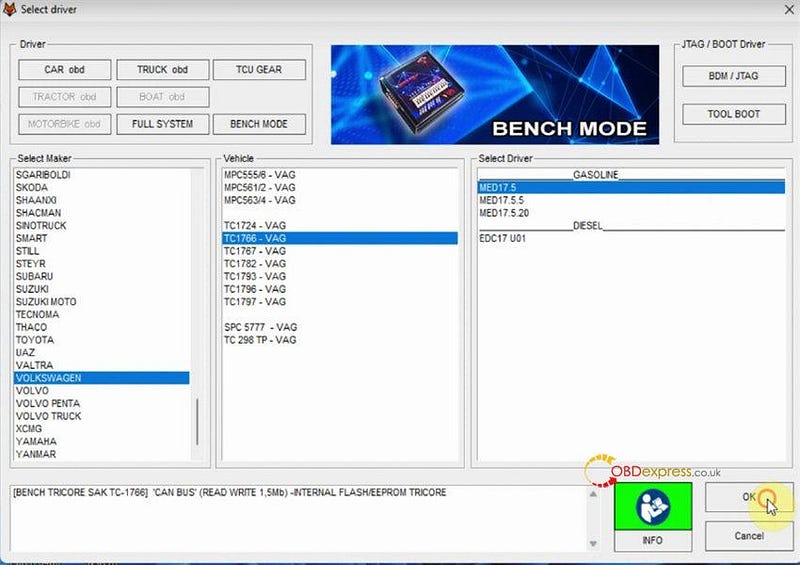
                  Select Driver

                  Select BENCH MODE>> VOLKSWAGEN>> TC1766-VAG>> ME17.5>> OK

                  KT200 read EEPROM for VW MED17.5 TC1766

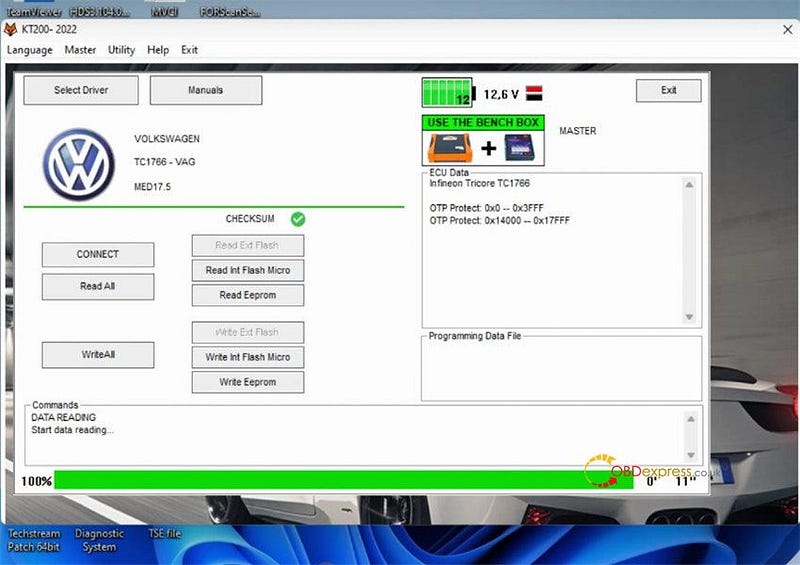
                  First, connect

                  Keep ECU power on

                  It is successful, read the ECU is TC1766

                  KT200 read EEPROM for VW MED17.5 TC1766

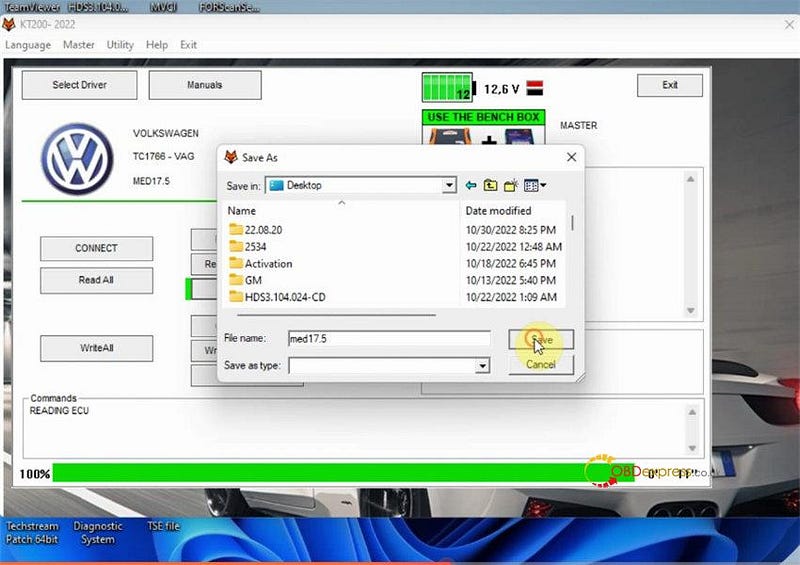
                  Then, Read EEPROM

                  Fill in a new file name to save the original EEPROM data

                  KT200 read EEPROM for VW MED17.5 TC1766

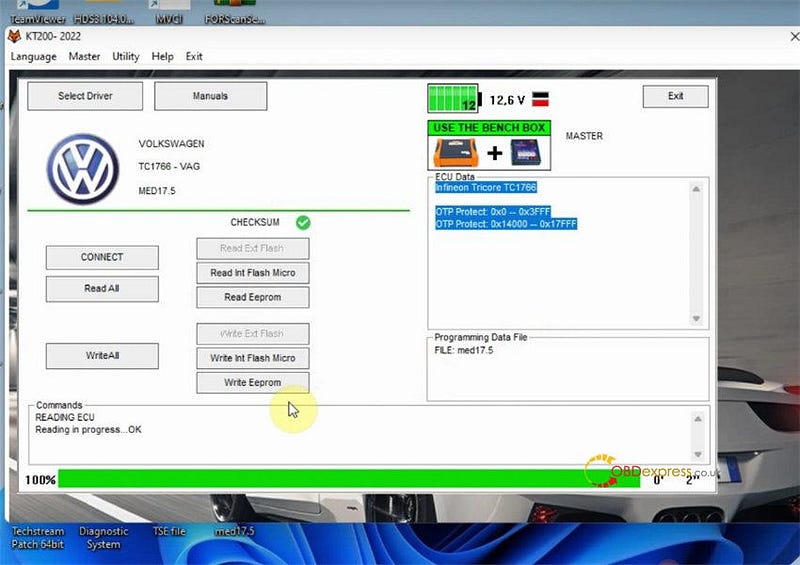
                  Keep ECU power on

                  Read EEPROM successfully, and turn off the dashboard

                  KT200 read EEPROM for VW MED17.5 TC1766

                  Next, Write EEPROM

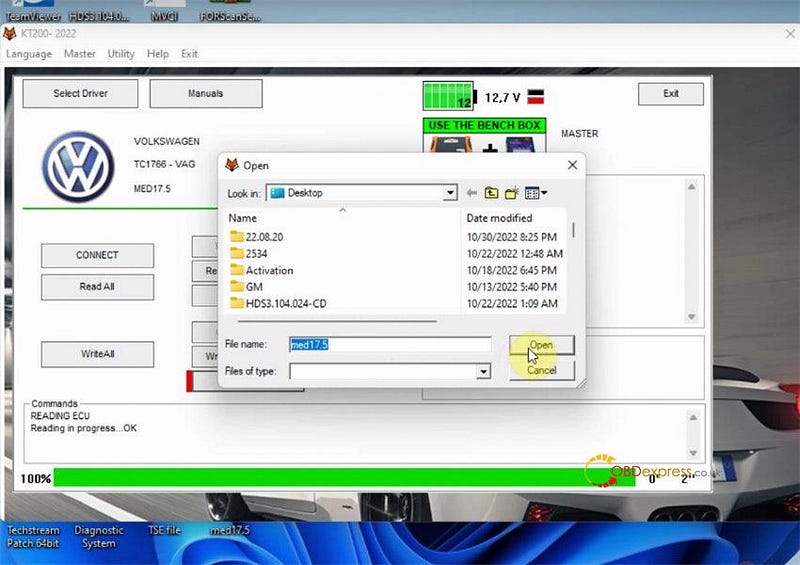
                  Connect KT200 to another ECU

                  Open the original EEPROM file to write into new ECU

                  KT200 read EEPROM for VW MED17.5 TC1766

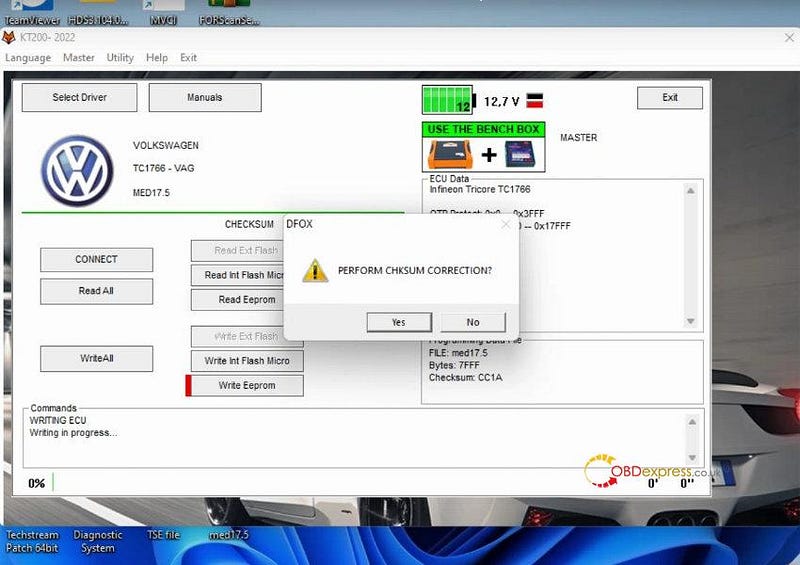
                  Confirm to perform checksum correction

                  KT200 read EEPROM for VW MED17.5 TC1766

                  Keep ECU power on

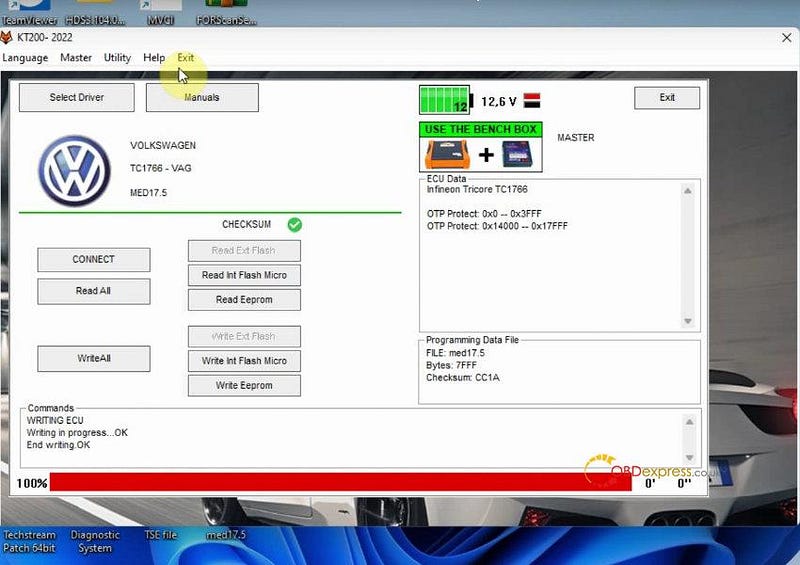
                  Both checksum correction and ECU writing are success

                  KT200 read EEPROM for VW MED17.5 TC1766

                  Perfect! KT200 ECU programmer does a good job on VW MED17.5 TC1766.

                  www.obdexpress.co.uk

                  Yanhua Mini ACDP BMW key programming added OBD/ ICP mode

                   This is a guide to add BMW CAS4/ CAS4+ key with Yanhua Mini ACDP in OBD/ICP mode. Read it carefully to learn how easy it can do.

                  BMW CAS4/4+ Add Key via OBD

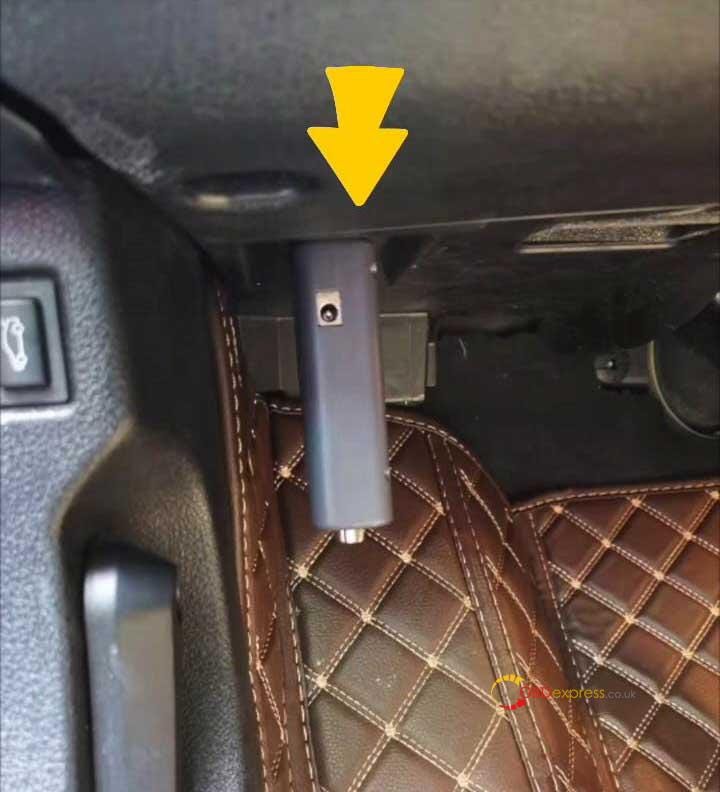
                  Connect ACDP programmer with vehicle OBD port.

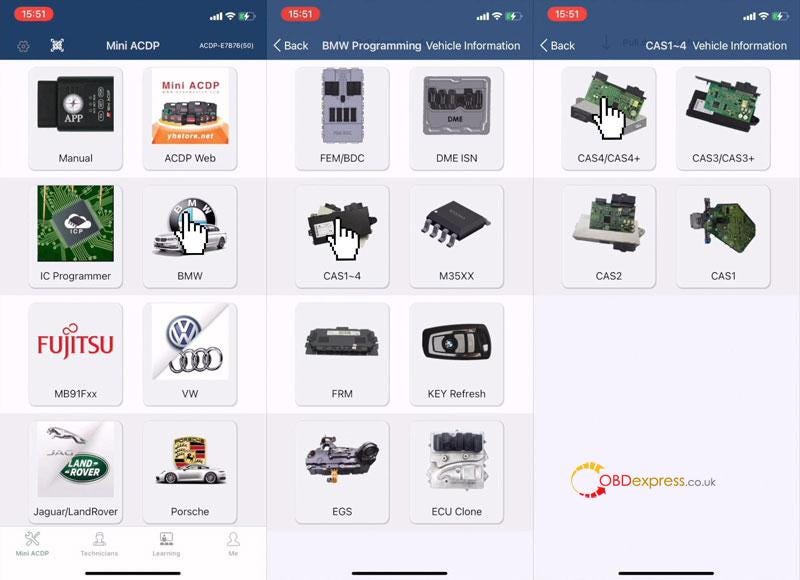
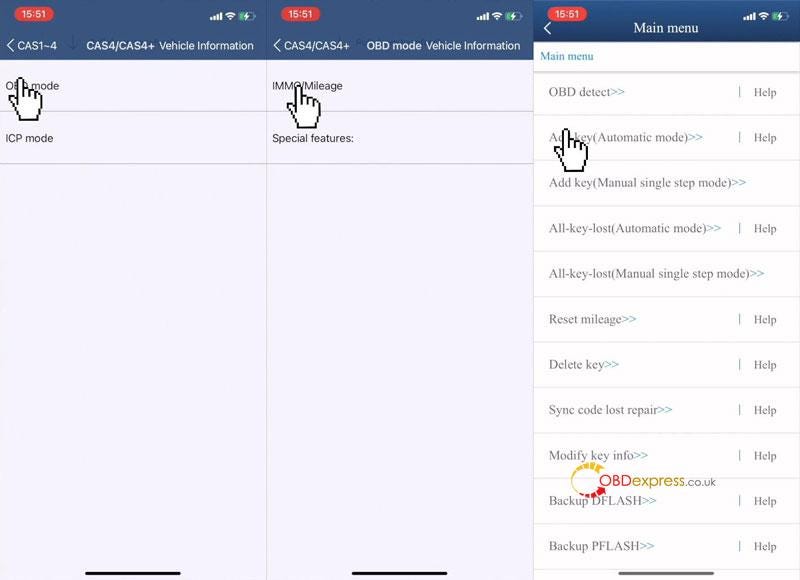
                  Mini ACDP>> BMW >> CAS1–4 >> CAS4/CAS4+ >> OBD mode >> IMMO/Mileage >> Add key(Automatic mode) >> Continue
                  Yanhua Mini ACDP BMW key programming added OBD or ICP mode

                  Yanhua Mini ACDP BMW key programming added OBD or ICP mode

                  Yanhua Mini ACDP BMW key programming added OBD or ICP mode

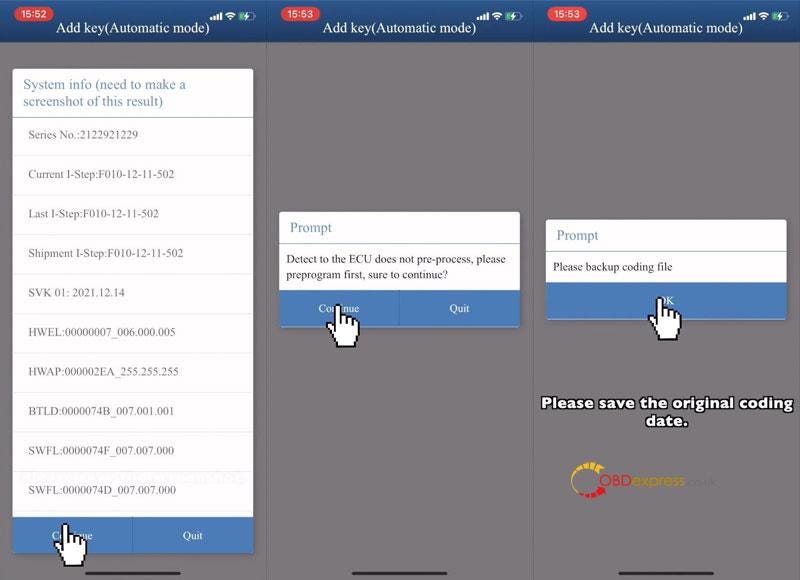
                  Please check the system info, like VIN, mileage, system status and other vehicle info.

                  Press "Continue".

                  Detect to the ECU does not pre-process, please preprogram first.

                  Press "Continue".

                  Please save the original coding data.

                  Pre-process ECU system finished.

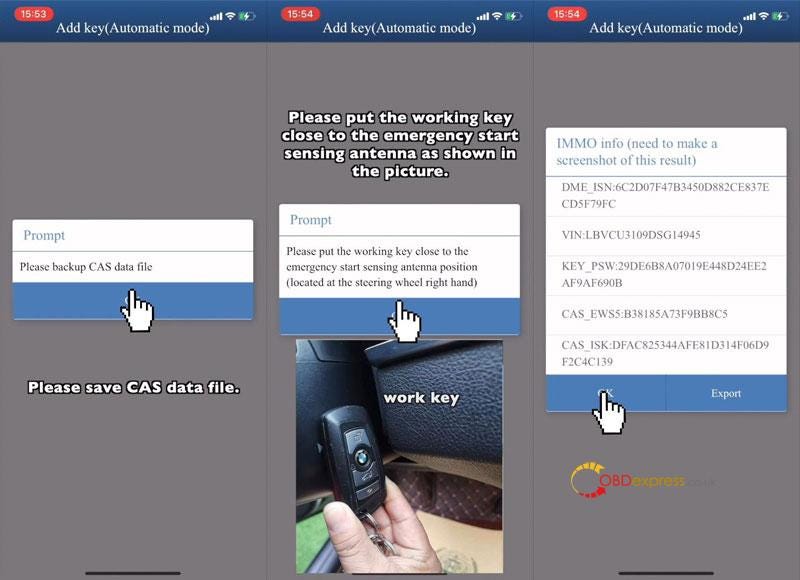
                  Please backup CAS data file.

                  Please put the working key close to the emergency start sensing antenna position(located at the steering wheel right hand).

                  Check IMMO info like ISN, VIN, press "OK".

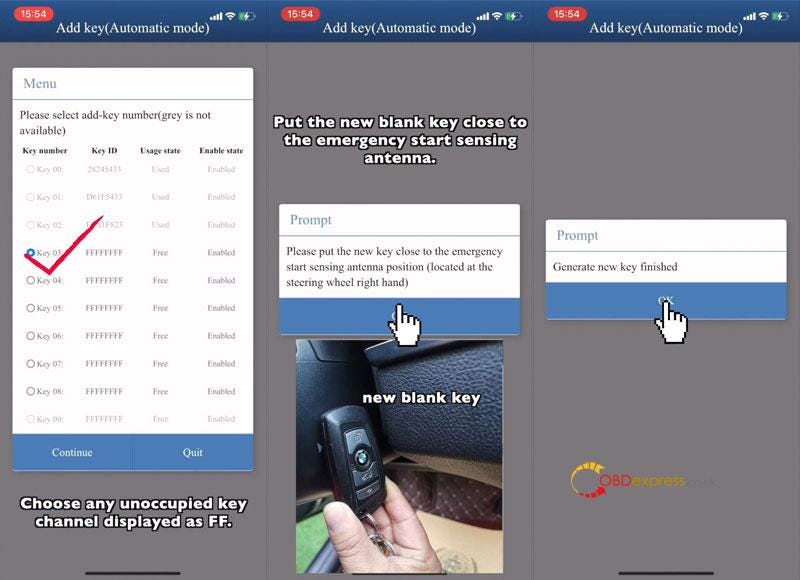
                  Choose any unoccupied key channel displayed as FF.

                  Put the new blank key close to the emergency start sensing antenna.

                  Generate new key finished.
                  Yanhua Mini ACDP BMW key programming added OBD or ICP mode

                  Yanhua Mini ACDP BMW key programming added OBD or ICP mode

                  Yanhua Mini ACDP BMW key programming added OBD or ICP mode

                  BMW CAS4/4+ Add key on Bench

                  * Users can click "Help" to check connection diagram.

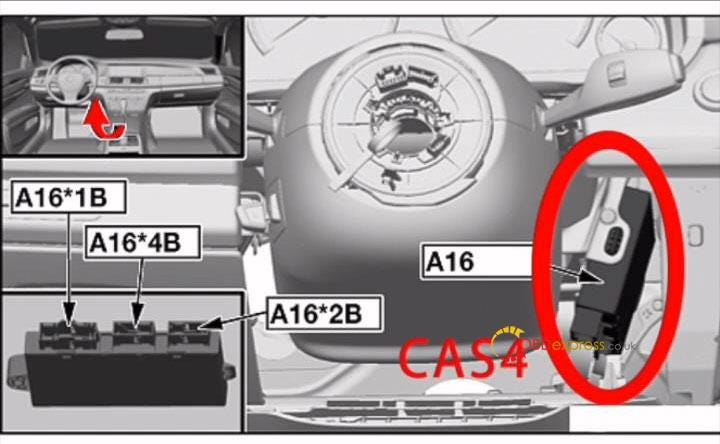
                  Remove CAS4 module from vehicle. It's under the steering wheel.
                  Yanhua Mini ACDP BMW key programming added OBD or ICP mode

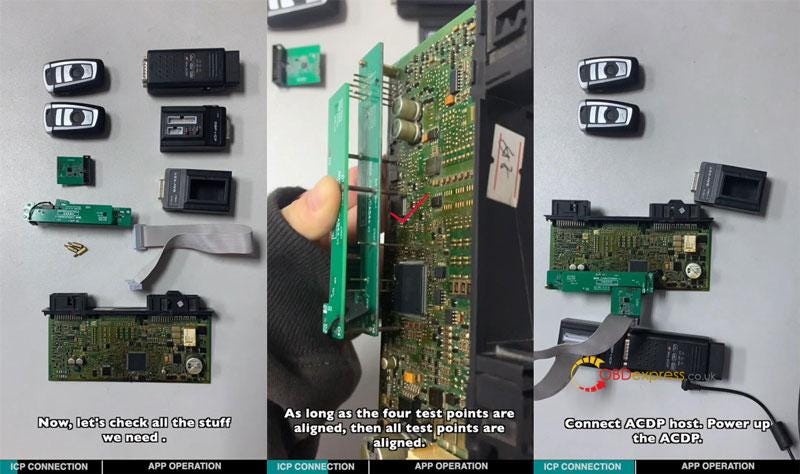
                  - Tools Required

                  CAS4 module

                  CAS4 copper pillar

                  CAS4 interface board

                  BDM adapter

                  Working key

                  New blank key

                  20PIN cable

                  BAV-KEY adapter

                  OBP+ICP adapter

                  ACDP host

                  - Installation

                2. Install the copper pillar.
                3. Align D1-D4 test points. Vertical press down the CAS4 interface board. As long as the 4 test points are aligned, then all test points are aligned.
                4. Lock the board with copper pillar & PCB lock, connect all together.
                5. Power up the ACDP.
                  1. Yanhua Mini ACDP BMW key programming added OBD or ICP mode

                    - APP Operation

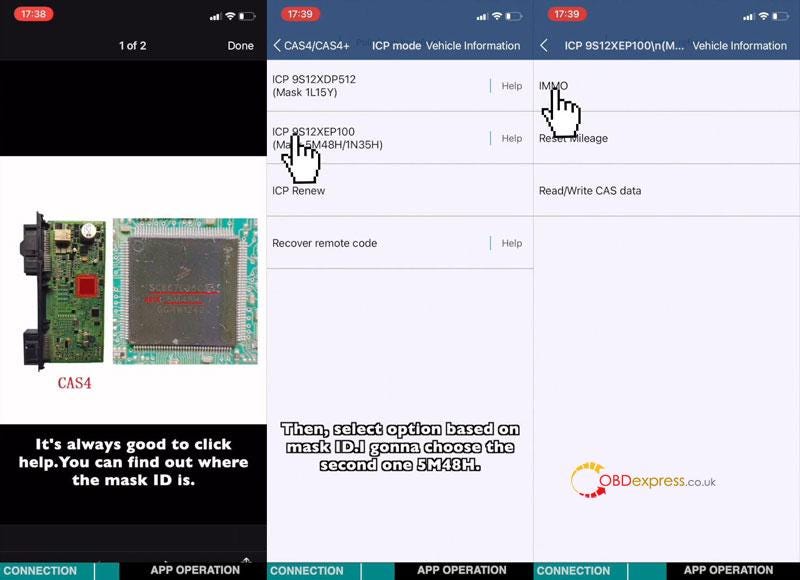
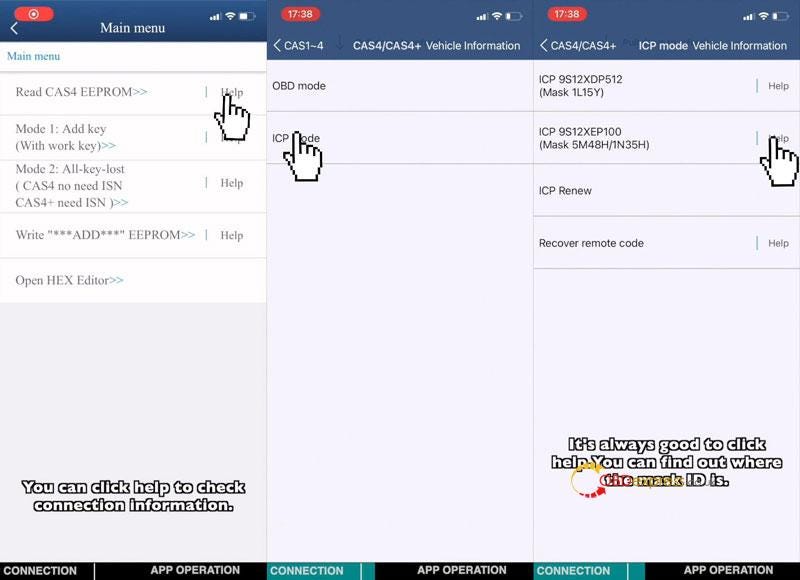
                    Mini ACDP >> BMW >> CAS1–4 >> CAS4/CAS4+ >> ICP model >> ICP 9S12XEP100(Mask 5M48H/1N35H)

                    (It's always good to click Help. You can find out where the mask ID is.)

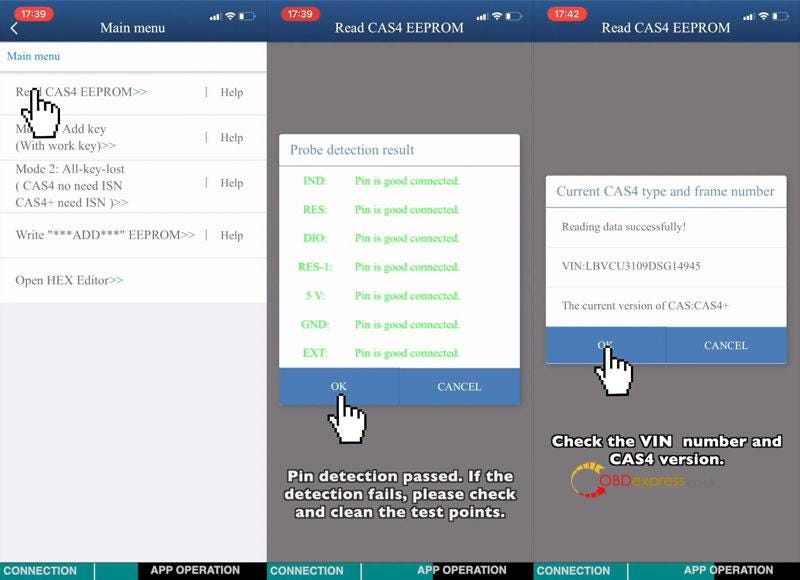
                    IMMO >> Read CAS4 EEPROM >> OK

                    Pin detection passed. If the detection fails, please check and clean the test points.

                    Press "OK".

                    Check the VIN number and CAS4 version. Press "OK".

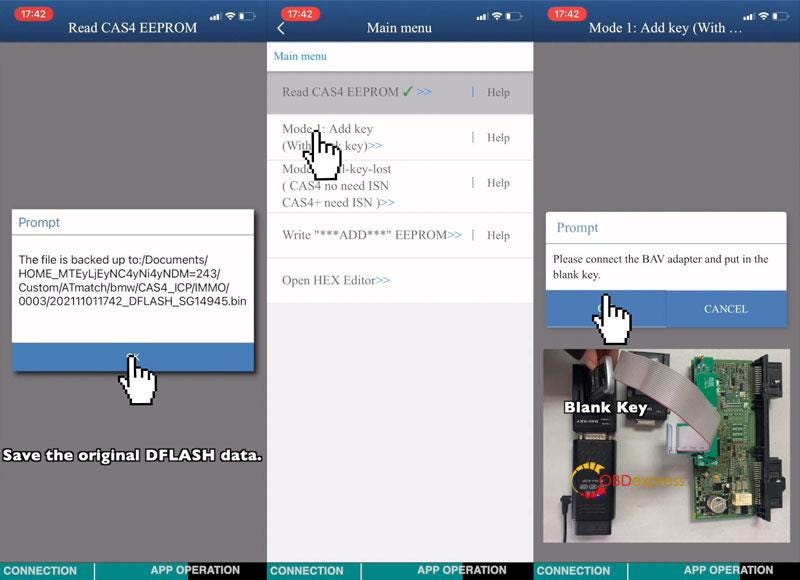
                    Save original DFLASH data.

                    Reading data successfully!
                    Yanhua Mini ACDP BMW key programming added OBD or ICP mode

                    Yanhua Mini ACDP BMW key programming added OBD or ICP mode

                    Yanhua Mini ACDP BMW key programming added OBD or ICP mode

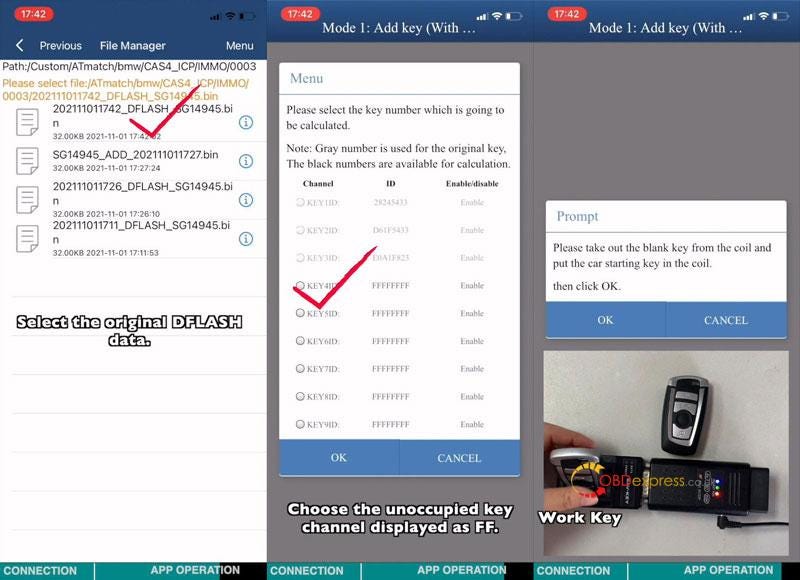
                    Mode1: add key(with work key)

                    Please connect the BAV adapter and put in the blank key.

                    Select the original DFLASH data.

                    Choose the unoccupied key channel displayed as FF.

                    Take out the blank key from the coil and put in the working key instead.

                    Vehicle info was read out.

                    Take out the working key and put in new key. Press "OK".

                    Programming key successful!

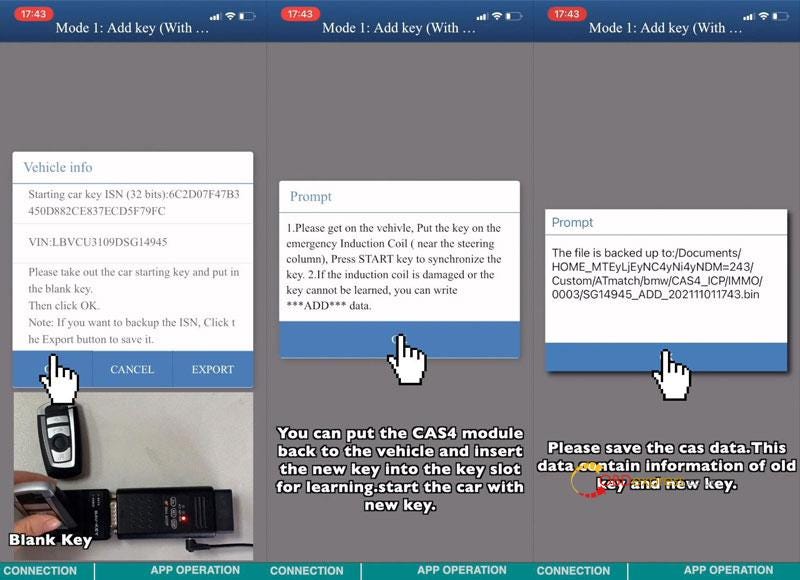
                    You can put the CAS4 module back to the vehicle. And insert the new key into the key slot for learning. Start the car with new key.

                    Remember to save the CAS data. This data contains info of old key & new key.
                    Yanhua Mini ACDP BMW key programming added OBD or ICP mode

                    Yanhua Mini ACDP BMW key programming added OBD or ICP mode

                    Yanhua Mini ACDP BMW key programming added OBD or ICP mode

                    www.obdexpress.co.uk
                    EoneBoss HK003: 6A Full Unlock Support for Hyundai/Kia Keys
                     The EoneBoss HK003 has been upgraded with 6A full unlock support for Hyundai/Kia smart keys , giving locksmiths a simpler way to handle ...