Showing posts with label KT200 ECU programmer. Show all posts

Tuesday, 31 January 2023

BMW MD1 Read and Write ECU Programmer Recommended

  Topic: Which ECU programmer can read and write BMW MD1?

obdexpress.co.uk engineer's suggestion:

New KT200 ECU programmer, Foxflash, PCMTuner with Fetrotech Tool and ECU Bench Tool are good choices, all supports BMW Bosch MD1 via Bench mode.
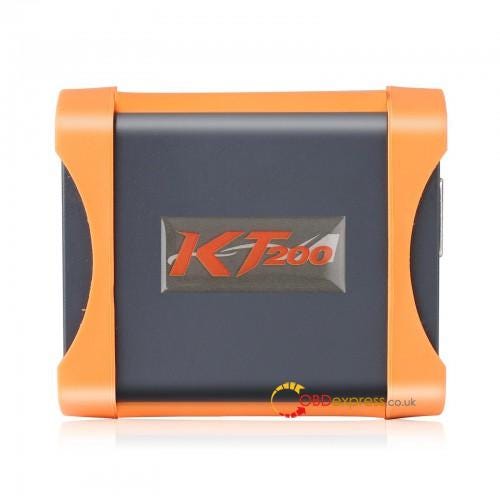
  • New KT200 ECU programmer

    1. BMW MD1 Read and Write ECU Programmer


      Price: €589

      Highlights:

      • Support multiple languages: English, German, French, Spanish, Italian, Polish, Portuguese, Romanian, Czech and Turkish
      • Support OBD/ BENCH/ BOOT/ BDM/ JTAG Mode
      • Include 10 licenses: Car OBD, Truck OBD, Tractor OBD, Boat OBD, Motorbike OBD, Full System, BDM/JTAG, TOOL BOOT, Bench Mode, TCU Gear
      • Cover a full range of German, Japanese, American and Chinese models; covering up to 5400 ECU
      • Full read and write TCU (MICRO+ EEPROM), TCU clone, TCU coding; cover more than 500 TCU (such as VAG, BMW, Mercedes BENZ, JEEP, VOLVO, OPEL etc.)
      • ECU maintenance, Chip tuning, DTC code Removal, professional reading and writing equipment, covering 99% of the models in the market
      • Support Checksum Calculator
      • Free Online Update
      • Get free VR file and Damaos files
      • Works online only (access online server)

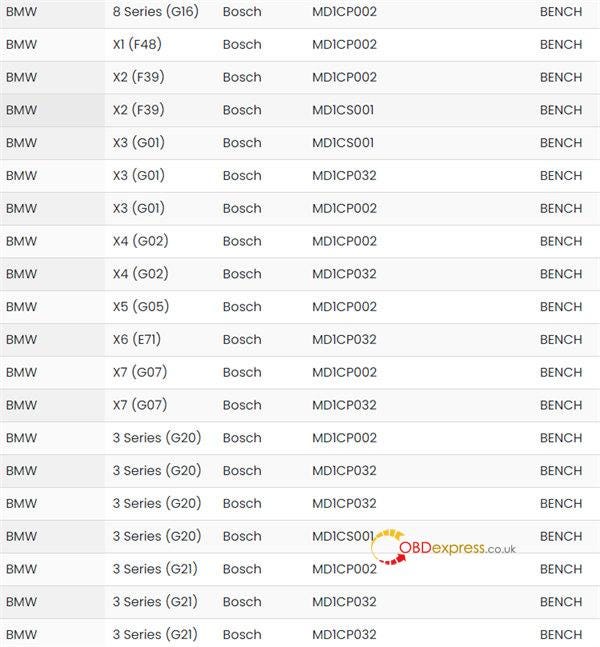
      BMW Bosch MD1 supported:
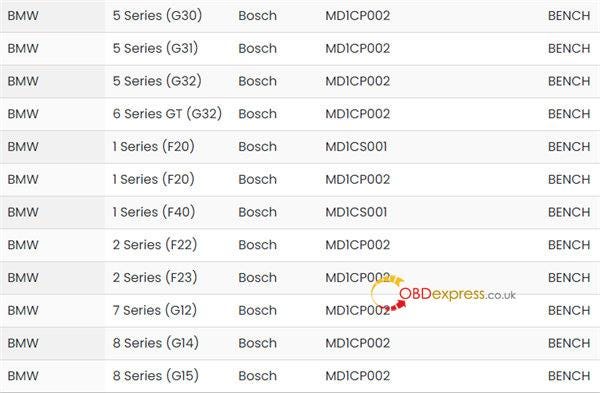

      BMW MD1 Read and Write ECU Programmer

      BMW MD1 Read and Write ECU Programmer

      BMW MD1 Read and Write ECU Programmer


      For more ECU models, check KT200 Support List

      How to read and write BMW MD1 by New KT200?

      https://youtu.be/123eak3RiUc

      Before operation, download and install New KT200 software (KTsuit Manager+ KTsuit software). Click here to learn more details.

      Prepare the device and accessories below:

      New KT200 Master

      BENCH box

      Mini genderchanger

      Pinout line (color jumper)

      Power supply

      BMW MD1 ECU (i.e MD1CS001 TC298 TP)
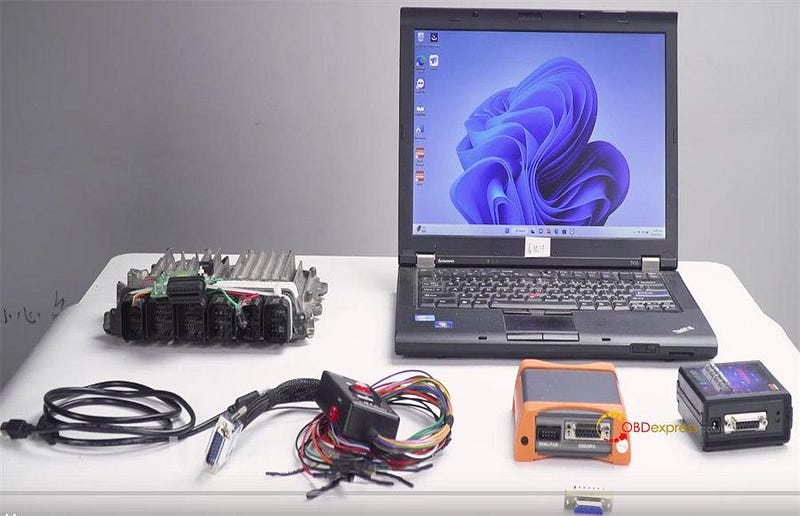

      BMW MD1 Read and Write ECU Programmer


      Operation guide:

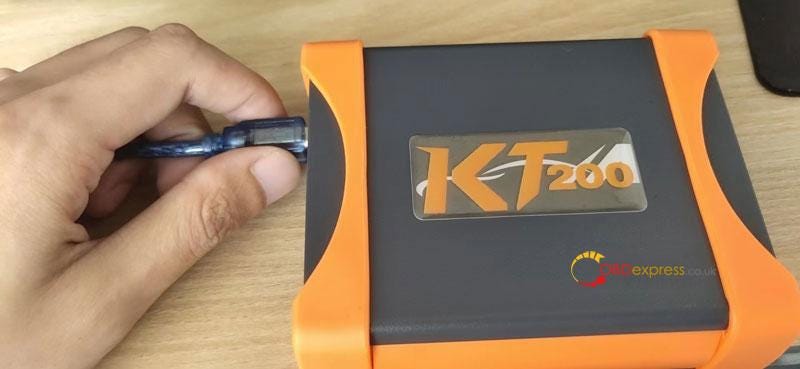
      Follow the wiring diagram in the KTsuit software to connect New KT200 ECU Chip Tuning Tool, Bench Box, ECU and computer correctly via the corresponding cable, and also need to plug in the power cord (see the figure below)
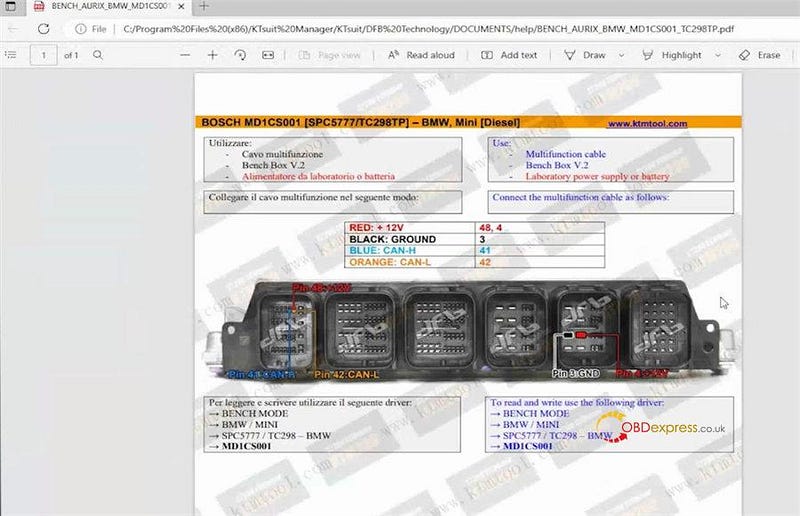
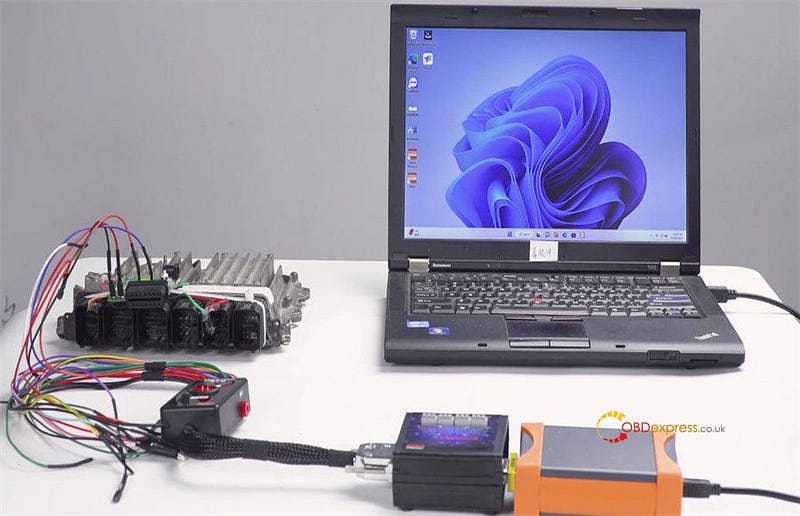
      BMW MD1 Read and Write ECU Programmer

      BMW MD1 Read and Write ECU Programmer


      Run KTsuit software

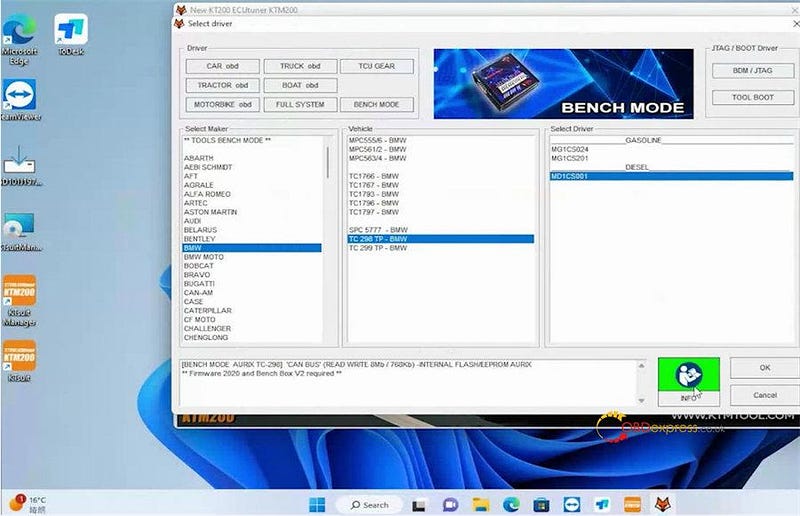
      Click Select driver>> BMW>> TC 298 TP- BMW>> MD1CS001>> OK

      BMW MD1 Read and Write ECU Programmer


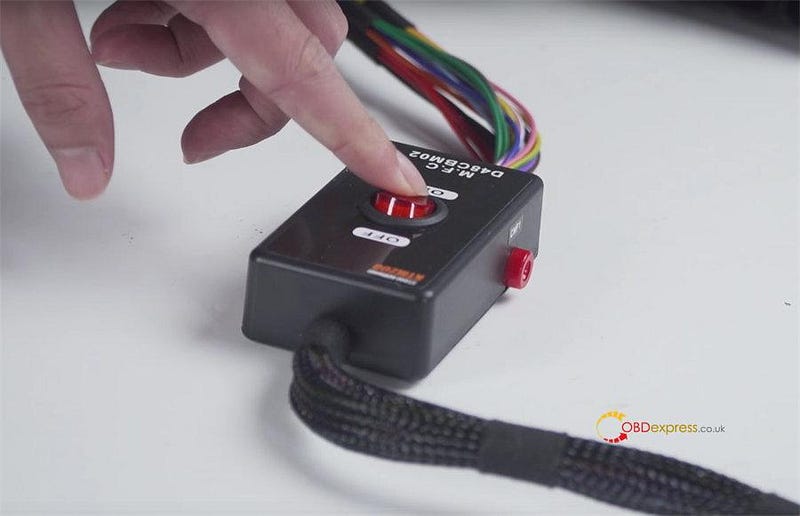
      Make sure the internet connection on the computer is good and keep the ECU power on

      BMW MD1 Read and Write ECU Programmer


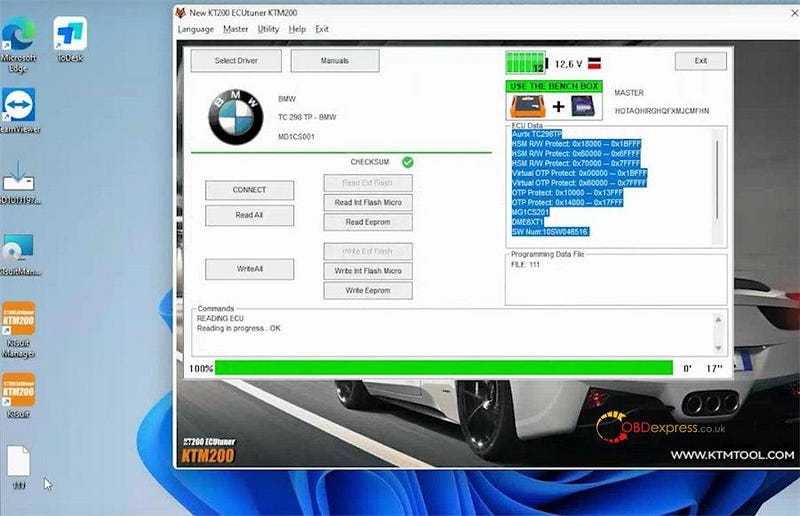
      First click CONNECT to connect the ECU

      Then click Read Eeprom to read the original ECU data and backup.

      BMW MD1 Read and Write ECU Programmer


      Click write eeprom and follow the on-screen instruction to finish the writing process

      The int flash micro read write also can be performed.
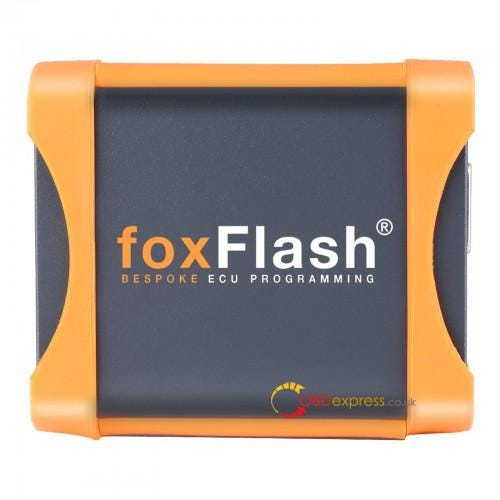
    2. Foxflash ECU Chip Tuning Tool

      1. BMW MD1 Read and Write ECU Programmer


        Price: €675

        Highlights:

        • Support Multi-language: Italian, English, German, French, Spanish, Polish, Portuguese, Czech, Romanian, Turkish
        • Master version
        • VR read online work
        • Free update, No subscription, no annual fee
        • No VPN needed- Professional Online support, Faster server (1000M/S)
        • Full protocols open
        • Support Types: CAR, TRUCK, MOTORBIKE, TRACTOR, BOAT, Additional TCU package available for Automatic Transmissions.
        • Support Five Mode: OBD, BENCH, JTAG, BOOT, BDM
        • VR read online work (some ECUs need use our VR system , tool auto connect to our server download file )
        • ECU can be restore to original if your ecu was damage or meet some bad tuning , use our tool can restore to original
        • Professional Online support, Faster server (1000M/S),.
        • Supports WiFi hotspot, convenient for outdoor work
        • Auto checksum
        • Excellent online tech support
        • Help desk and tuner account
        • ECU and TCU connect wires with pdf
        • Special functions
        • Auto support eeprom and flash checksum
        • Support MEDC17 free clone service (most of others tool need patch the files after read out, but ours is free)
        • Ship from EU, Fast and No Tax
        • Two Years Warranty

        BMW Bosch MD1 supported by foxflash, check Foxflash ECU TCU Support List

        How to read write BMW MD1 by Foxflash?

        • Activate foxflash

        Reference: How to Activate FoxFlash for Using?

        • Read write MD1

        Reference: How to Read VW MED17.5 with FoxFlash on Bench?
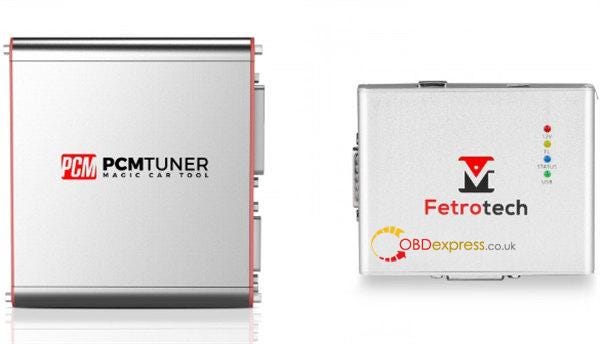
      2. PCMTuner with Fetrotech Tool

        1. BMW MD1 Read and Write ECU Programmer


          Price: €698

          Highlights:

          • Support MG1 MD1 EDC16 MED9 MED17 ME17 EDC17 Serial ECU
          • No annual fee required
          • Free online technical support
          • Free access to VZ-performance tuner account
          • Free access to PCMtuner account
          • Get virtual files for free
          • Get free mapackage A2L and damaos
          • 365days technical support except legal holidays
          • Tuner face to face
          • 2 years warranty

          BMW Bosch MD1 supported:

          • BMW_SPC5777_MD1CP002
          • BMW_SPC5777_MD1CP032
          • BMW_TC298_MD1CS001
          • BMW_TC298_MD1CS024
          • BMW_TC298_MD1CS201
          • BMW_SPC5777_MD1CS001

          How to read and write BMW MD1 by PCMTuner with Fetrotech Tool?

          Reference: Fetrotech Tool Reads BMW BOSCH/ Audi MED9 Flash Data
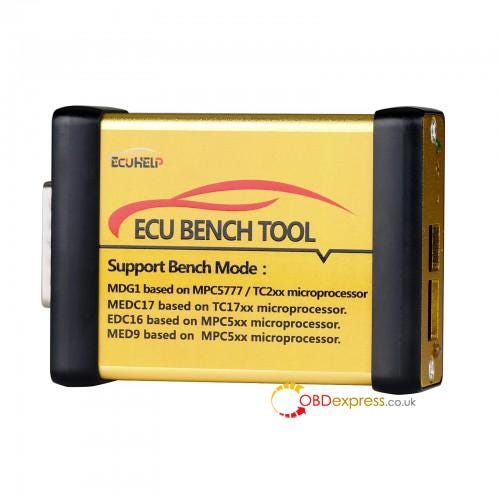
        2. ECU Bench Tool

          1. BMW MD1 Read and Write ECU Programmer


            Price: €299

            Highlights:

            • Master Version, flash checksums are included.
            • It is the first tool which supports Bosch MD1 and MG1.
            • Support old EDC16/ MED9, no need open ECU, No risk. (Other tools need open ecu)
            • Support Bench operation
            • AMT Bench Service Tool V1.01.05 and ECUHelp 2.0 software included.
            • Free Update Online

            BMW Bosch MD1 supported:

            • BMW_SPC5777_MD1CP002
            • BMW_SPC5777_MD1CP032
            • BMW_SPC5777_MD1CS001
            • BMW_TC298_MD1CS001
            • BMW_TC298_MD1CS024
            • BMW_TC298_MD1CS201

            For more ECU models, check ECU Bench Tool Support List

            How to read and write BMW MD1 by ECUHelp ECU Bench Tool?

            Reference: ECUHELP ECU Bench Tool BMW/VAG Support List and User Guide

            Which one is better to choose, just depends on your budget and what ECU and function you want to do with the ECU programmer. If you need more help, feel free to contact our customer service.

            www.obdexpress.co.uk

            Friday, 6 January 2023

            Why KT200 asks to send logs to mailbox?

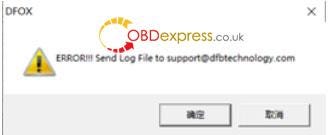
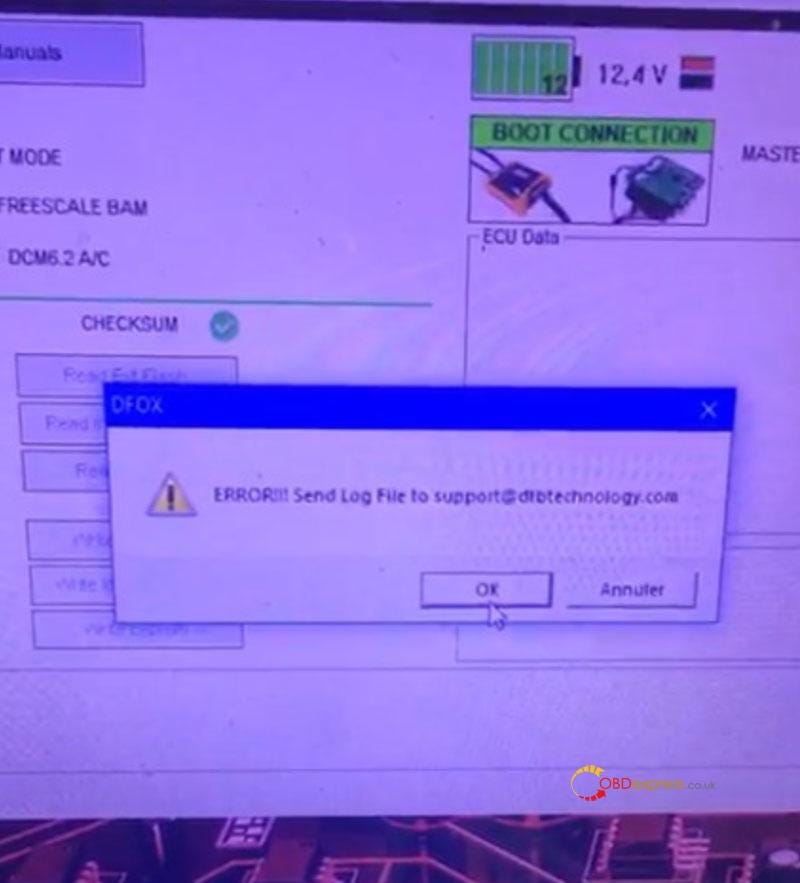
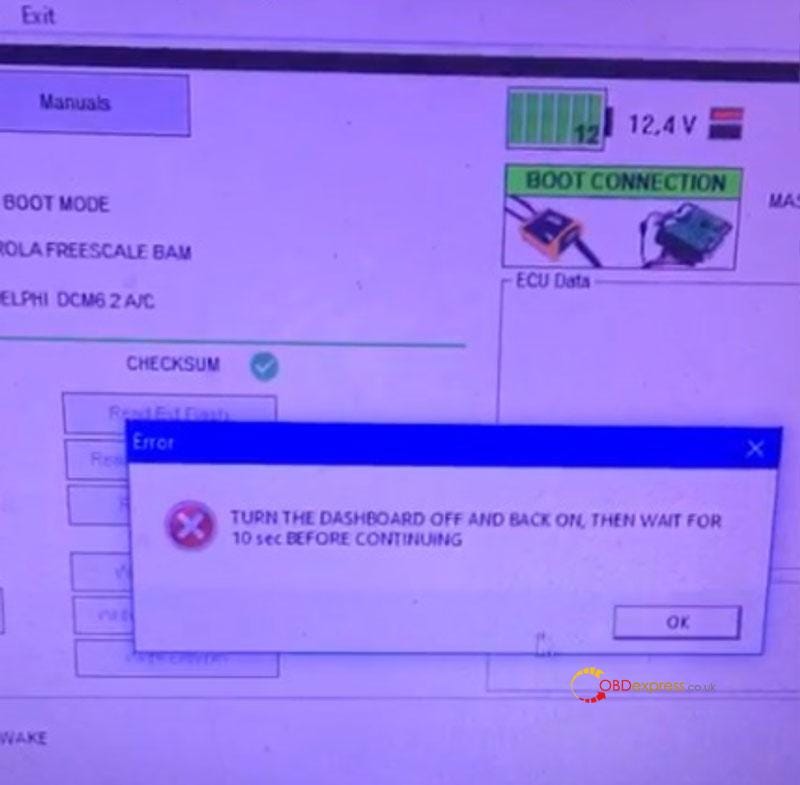
             Problem: KT200 Auto Version popped up a prompt when I was programming ECU. It says: "ERROR!!! Send log file to support@dfbtechnology.com" "TURN THE DASHBOARD OFF AND BACK ON, THEN WAIT FOR 10s BEFORE CONTINUE."

            What's the problem? Please help.

            Solved KT200 prompts sends logs to a mailbox when programming ECU

            Solved KT200 prompts sends logs to a mailbox when programming ECU

            Solved KT200 prompts sends logs to a mailbox when programming ECU

            Solution

            • Close antivirus software;
            • Close firewall;
            • Change to another stable Network or hotspot;
            • Check if the ECU connection is all correct;
            • Turn the jumper wire switch to ON.

            Hope this can help.

            Technical support

            www.obdexpress.co.uk

            Which tool can read Renault Master SID310 by obd?

             Question:

            I want to read my Renault Master SID310 by obd mode. Which tool is good to do? Have any advice?

            obdexpress.co.uk engineer's suggestion:

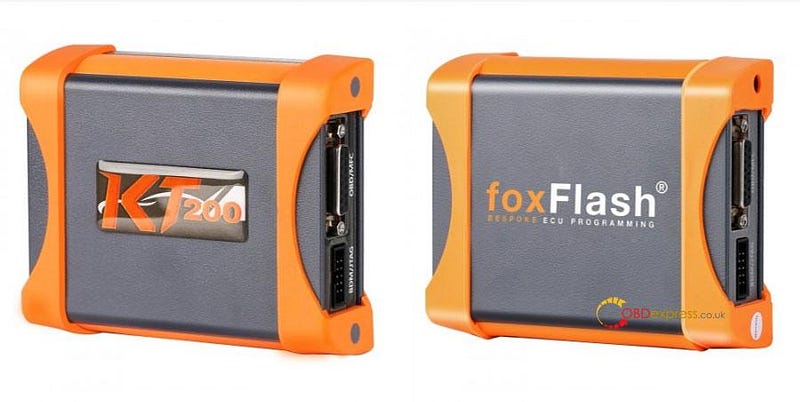
            KT200 and FoxFlash ECU programmer are good choices. Both support your car.

            KT200 or FoxFlash Read Renault SID310 via OBD

            1.By KT200:

            KT200 ECU Chip Tuning Tool can read Renault SID310 by OBD mode both online and offline.

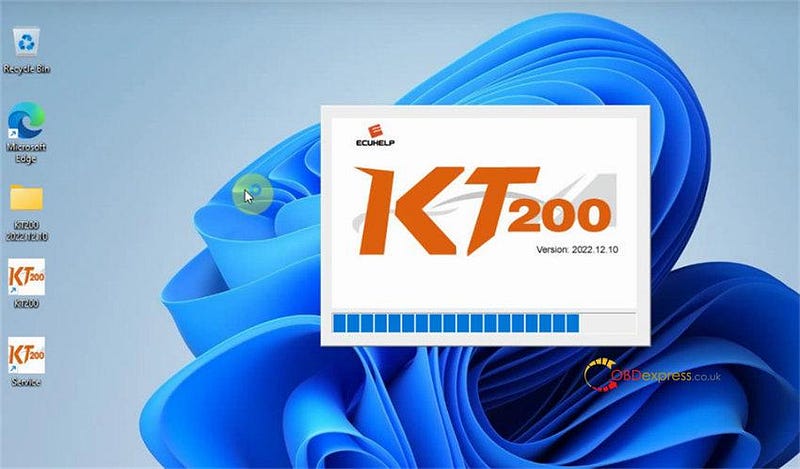
            They use the different software.

            The newest online software is KT200 V2022.12.10.

            KT200 or FoxFlash Read Renault SID310 via OBD

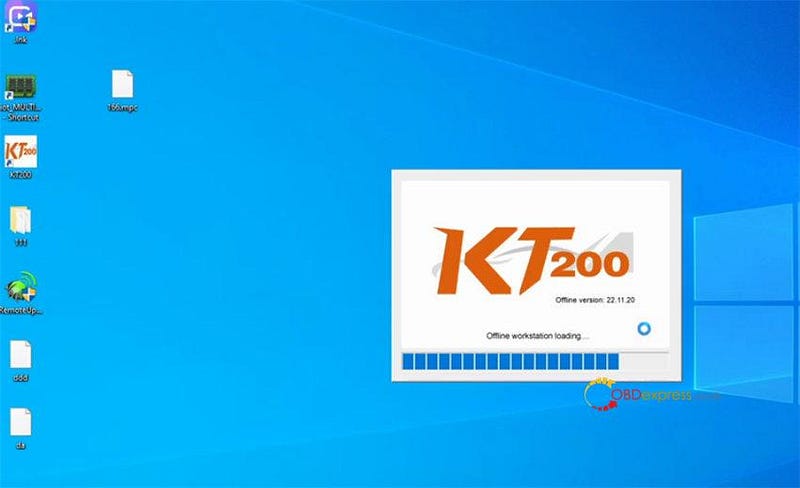
            The latest offline software is KT200 V22.11.20.

            KT200 or FoxFlash Read Renault SID310 via OBD

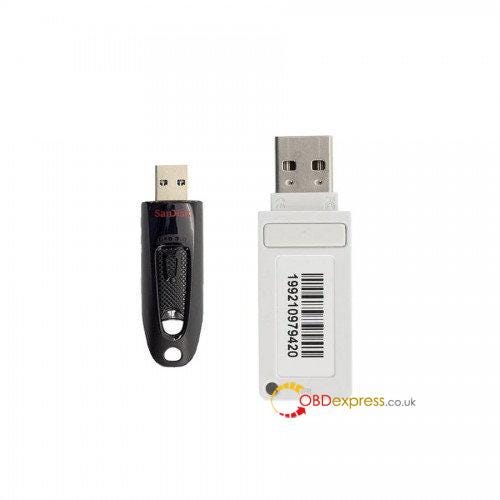
            The KT200 Offline Workstation (black U disk+ white Dongle) is also required for offline working.

            KT200 or FoxFlash Read Renault SID310 via OBD

            1).KT200 ECU programmer online software download and install guide:

            Source 1: https://mega.nz/file/1Xk2TZKR#fp5Z14acJD4R0t0iigAguNOJ2e9mfnhLIC3WI2Knils

            Size: 347.4MB

            No password

            Unzip it into the kt200-master folder and overwrite the file. (Copy and overwrite all files on C:\KT200-master.)

            Source 2: https://mega.nz/file/8CVyzDgS#AwEgqtBmIHnzNv5bcBQQv2FSXE3RonOGpTwpbwlBKc4

            Size: 1.01GB

            No password

            Operating system: Win7, Win8/8.1, Win10 and Win11

            Compatible devices: KT200 Auto Version and Full Version.

            Installation guide:

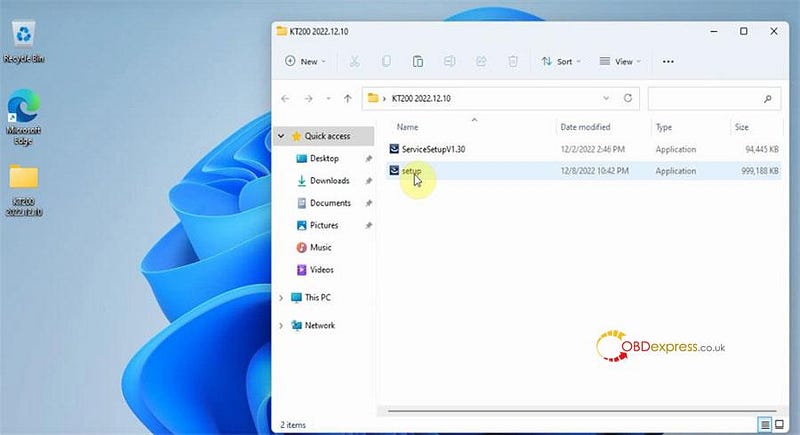
            After downloading, run setup to extract the files

            KT200 or FoxFlash Read Renault SID310 via OBD

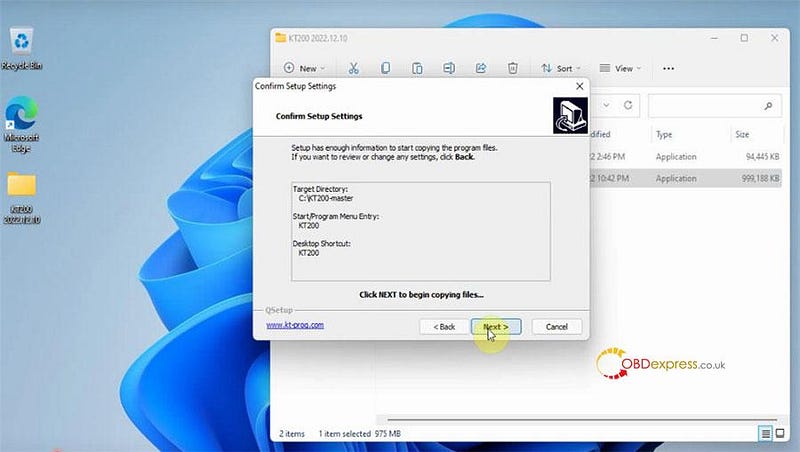
            Then agree with the license to copy files

            KT200 or FoxFlash Read Renault SID310 via OBD

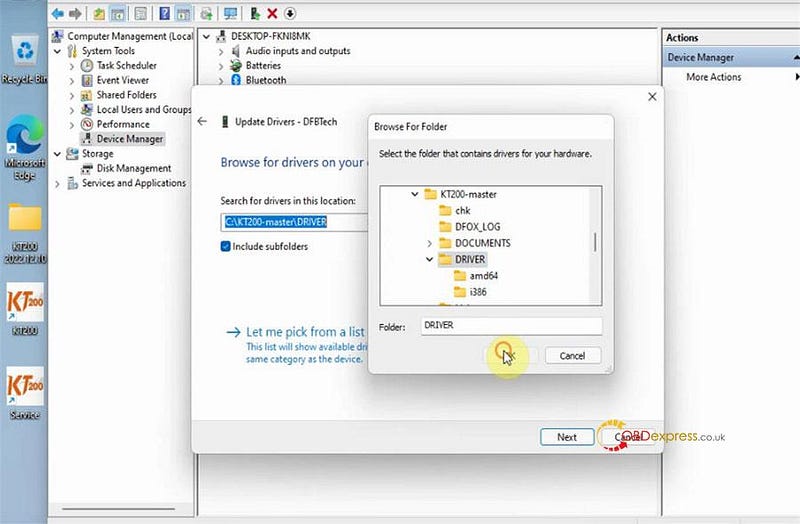
            Go to computer management>> device manger>> Other devices>> DFBTech>> Update driver

            Click Browse my computer for drivers to search for drivers

            Select C:\KT200-master\DRIVER to install driver

            KT200 or FoxFlash Read Renault SID310 via OBD

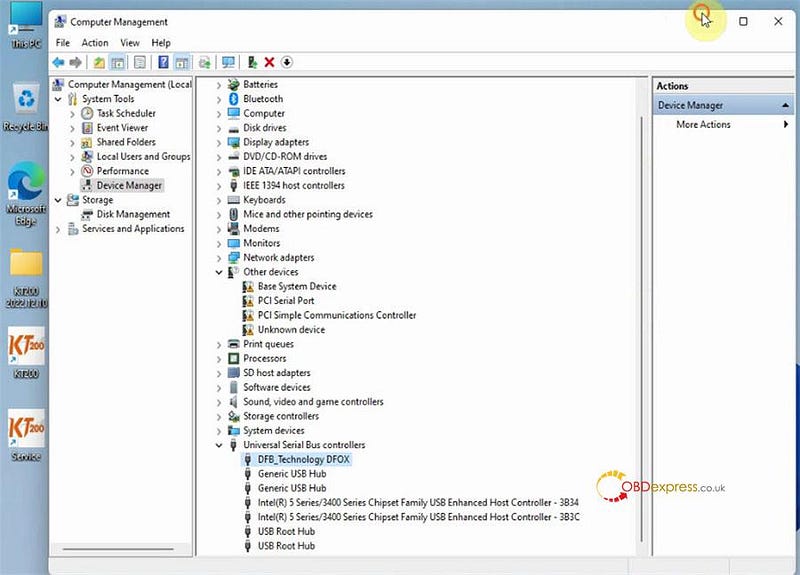
            After the driver installation is completed, the DFB_Technology DFOX option will appear under Universal Serial Bus controllers.

            KT200 or FoxFlash Read Renault SID310 via OBD

            2).KT200 offline software install guide:

            Plug the black U disk of KT200 offline workstation to the computer to install the offline software, then plug the white Dongle to the computer to update license.

            Compatible device: only KT200 ECU Programmer Full Version.

            If you have one Auto Version, you can buy the upgrade service to update to the full version, and pay only extra $50 shipping charge for a free offline station device.

            If you purchase the full configuration version, you can get a free set of offline workstation equipment, and just need to pay for $50 shipping charge.

            Click here to learn more details.

            3).KT200 read Renault SID310 via OBD online/offline

            The operation guide of online version is the same as offline version. The difference is online version needs to connect with internet, and offline version needs KT200 offline workstation.

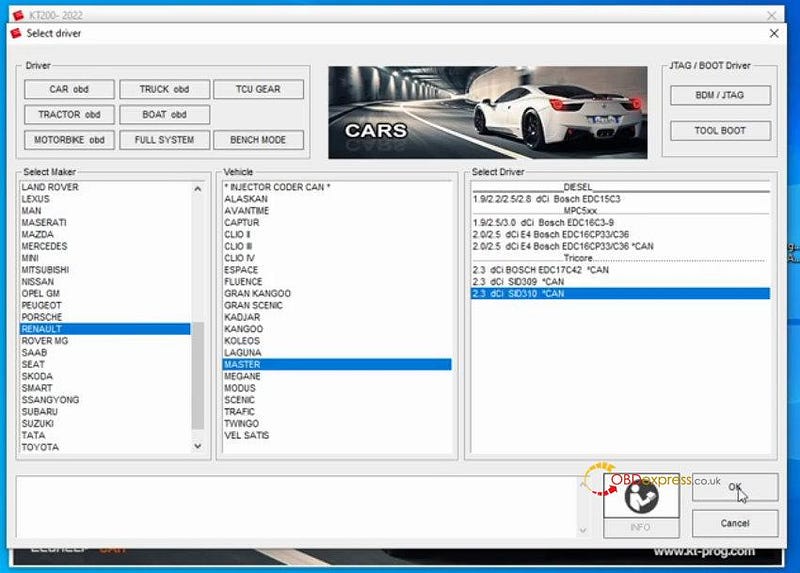
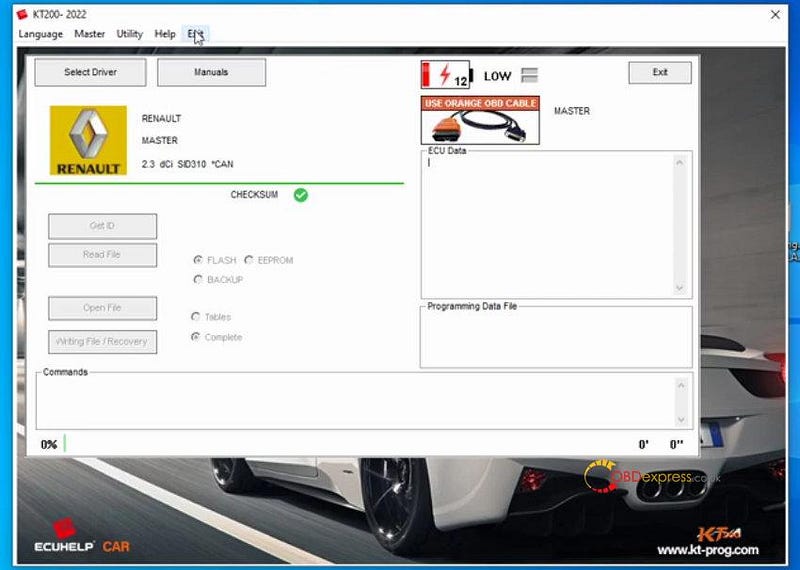
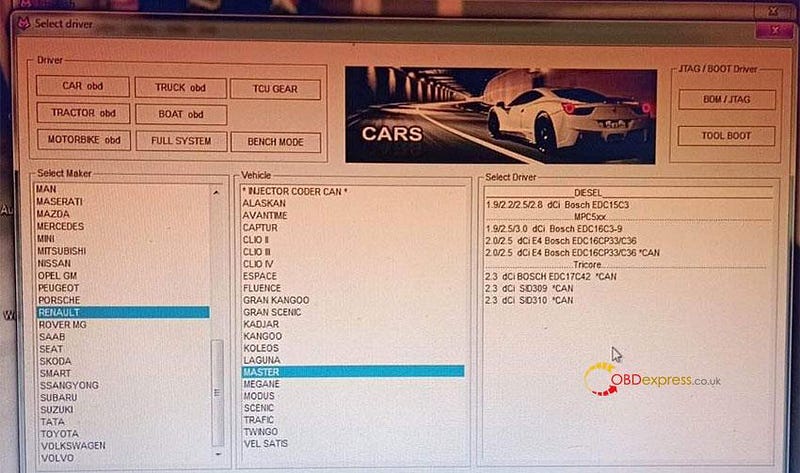
            Connect KT200 ECU programmer, Renault SID310 ECU and computer correctly, then run the related software, select driver and ECU model (CAR obd>> RENAULT>> MASTER>> 2.3 dCi SID310 *CAN) to read data

            KT200 or FoxFlash Read Renault SID310 via OBD

            KT200 or FoxFlash Read Renault SID310 via OBD

            Reference:

            https://youtu.be/om8izkWbeF8

            2.By Foxflash:

            Connect foxflash to a PC or computer correctly, and make sure the network connection is normal.

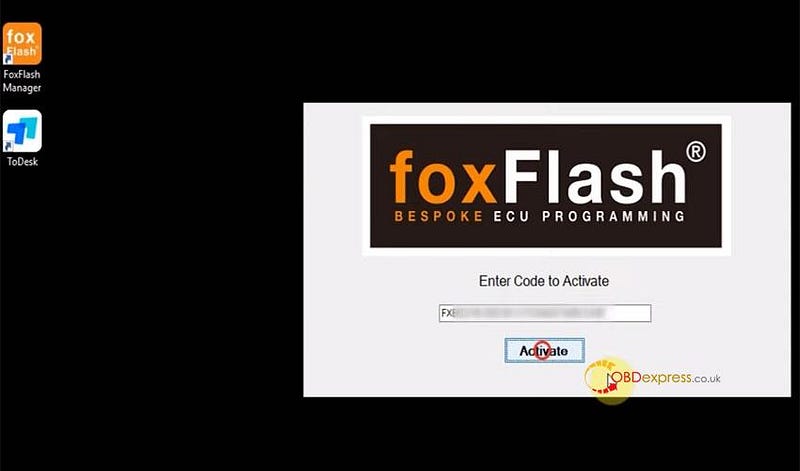
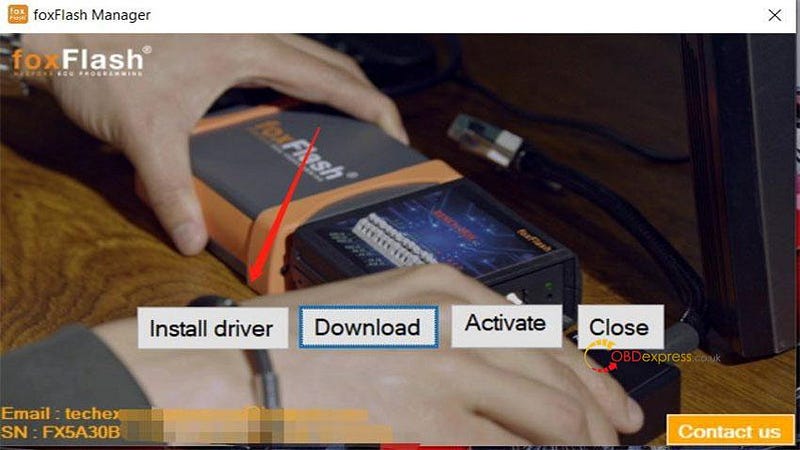
            Download and install foxFlash Manager V1.3.0 from https://www.dfb-technology.com/download.html, after installation, register and activate foxflash, and then install Foxflash software and driver inside, also need to activate foxflash software for using.

            KT200 or FoxFlash Read Renault SID310 via OBD

            KT200 or FoxFlash Read Renault SID310 via OBD

            Operating system: Win7, Win8/8.1, Win10 and Win11

            Recommended minimum requirements:

            CPU > 2.5 GHz (Intel i5, i7)

            RAM > 4GB

            64 bits

            After activation, connect foxflash ecu programmer to the ECU, then run the foxflash software to select driver and ECU model (CAR obd>> RENAULT>> MASTER>> 2.3 dCi SID310 *CAN) to read.

            KT200 or FoxFlash Read Renault SID310 via OBD

            fyi…

            Foxflash can also read Renault SID310 in boot mode.

            The Boot operation is the same as KT200.

            SIEMENS SID310 [TC1791 INT.F.] — Renault, Nissan, Mercedes

            Boot mode instruction:

            Step 1: Search Password

            Connect Foxflash ECU Chip Tuning Tool via OBD to the car

            Select driver>> TOOLS BOOT MODE>> INFINEON TRICORE Tool Password>> OBD PASSWORD SID310 RENAULT — NISSAN — MERCEDES

            Click on 'Find Password' and follow the software instruction to do.

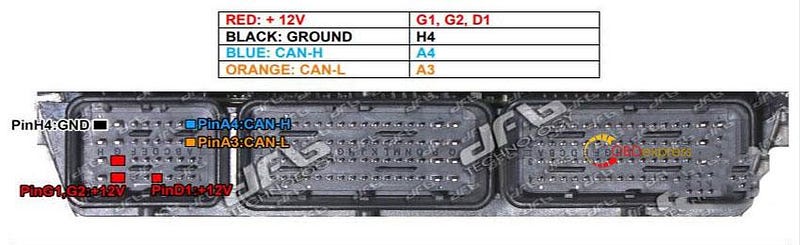
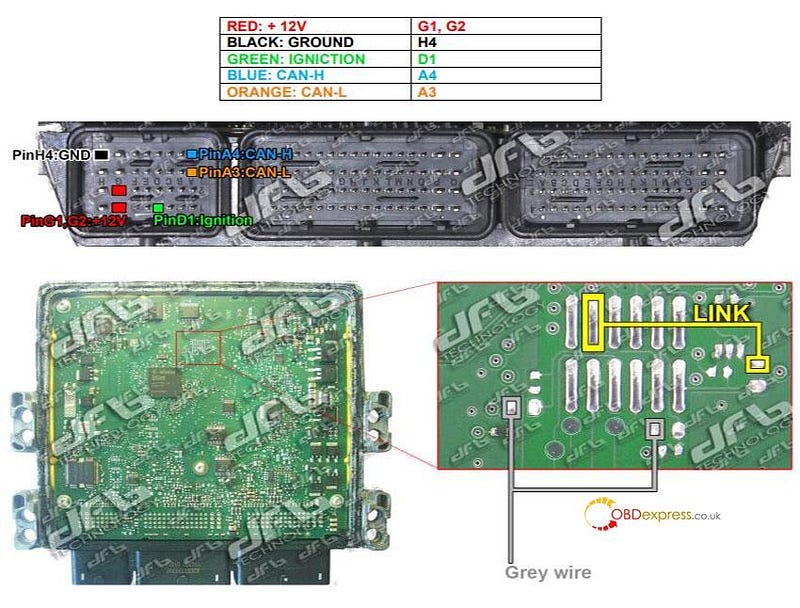
            *For some models, the password can also be found on the desk by connecting the following pinout.

            KT200 or FoxFlash Read Renault SID310 via OBD

            Step 2: Read and Write ECU

            Follow the pinout and the boot to connect with the multifunction cable

            Select driver>> TOOLS BOOT MODE>> INFINEON TRICORE Boot>> SAK TC1791

            KT200 or FoxFlash Read Renault SID310 via OBD

            www.obdexpress.co.uk

            Thursday, 24 November 2022

            (Solved) KT200 Software Cannot Open and 64 bit Patch Cannot Install

             Customer problem:

            The KT200 software opens and works well, but sometimes it does not want to open. I have to uninstall the driver and put it back. On the other hand, the ×64 patch does not want to be installed on my Windows 10 64bit computer.

            The solution offered by obdexpress.co.uk engineer:

            If it does not open, unplug your KT200 USB+ power, and then replug the USB and 12v, after that, open the software again.

            KT200 Tool cannot open the software solution

            Customer's feedback:

            It's good. It works! I reinstalled everything and it works fine.

            More KT200 common problems and solutions:

            (Solved) KT200 Software Failed to Update

            Fixed: KT200 License Cannot Be Turned On/ Voltage Low Problem

            How to Solve KT200 Write AUDI A4 8D EDC15P Error?

            KT200 V2022.10.01 Free Download and FAQs

            www.obdexpress.co.uk


            Friday, 4 November 2022

            Free Download & Install KT200 11.01 Version Software

             Here to free download & install the latest KT200 ECU Programmer software v11.01 version. 100% tested, secure & fast.

            KT200 v11.01 Free Download:

            Mega: https://mega.nz/file/NPM0GDZb#PVVHI2mXLekSAiRNd1UvHEom4wLtKcc64isJB7SV6m8

            Weiyun(password: zug4hj):

            https://share.weiyun.com/T1ZVPy6u

            Size: 38.7MB

            Operating system: Windows 7, Windows 8/ 8.1, Windows 10, Windows 11

            KT200 v11.01 Installation Guide

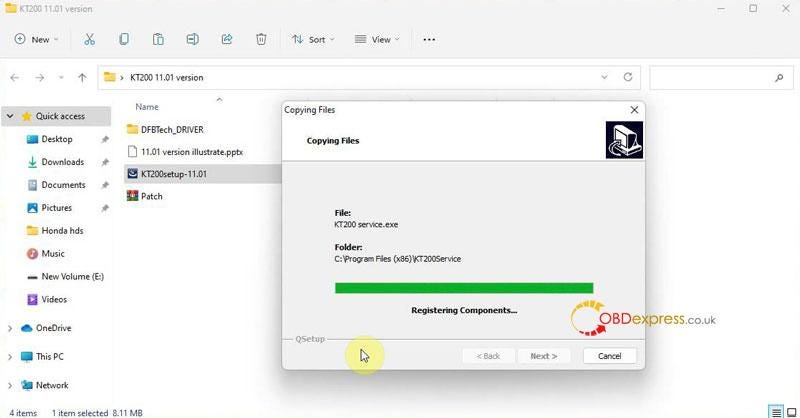
          2. Install KT200 Software
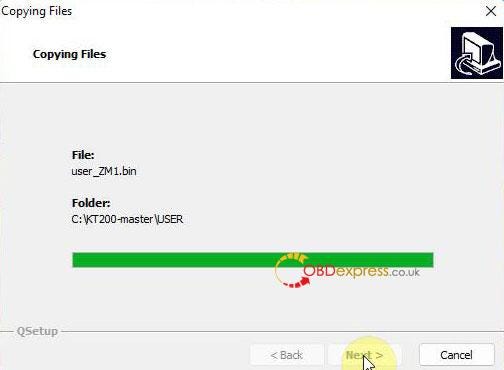
            1. Run "KT200setup-11.01" package.

              KT200 ECU Programmer 11.01 software download guide

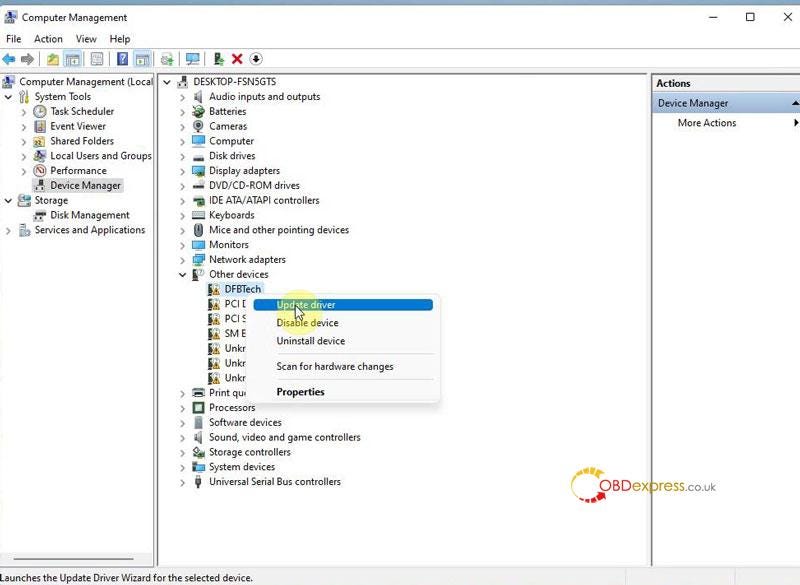
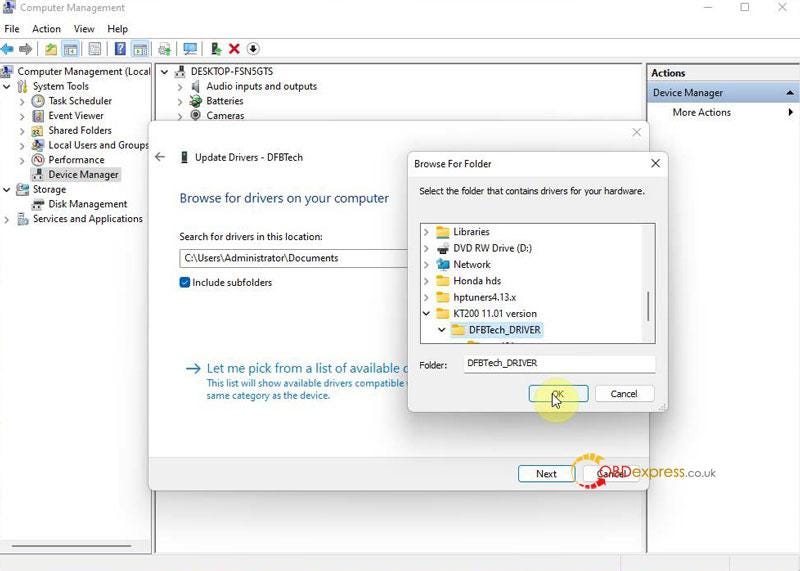
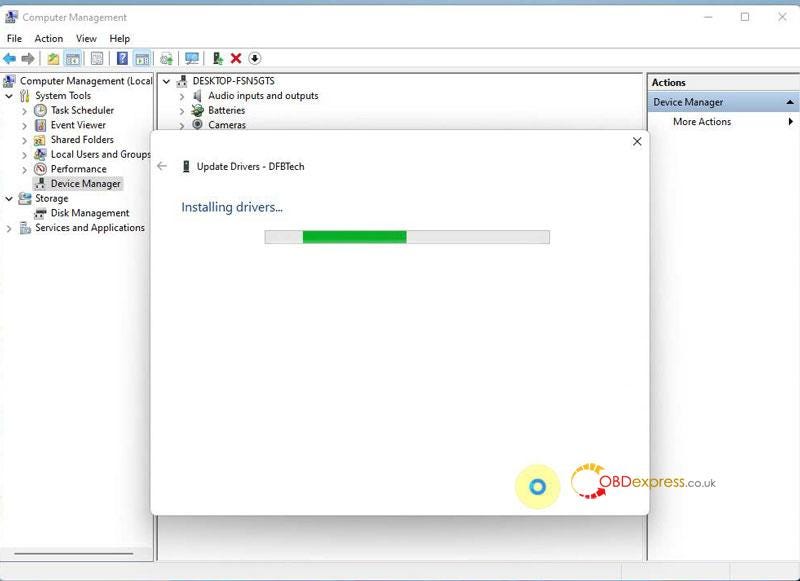
            2. Install Driver
              1. Computer management >> Device manager >> DESKTOP-FSN5GTS >> Other devices >> DFBTech >> Update driver >> Browse my computer for drivers >> Selected "DFBTech_DRIVER" folder >> Next

                KT200 ECU Programmer 11.01 software download guide

                KT200 ECU Programmer 11.01 software download guide

                KT200 ECU Programmer 11.01 software download guide

              2. Download Software
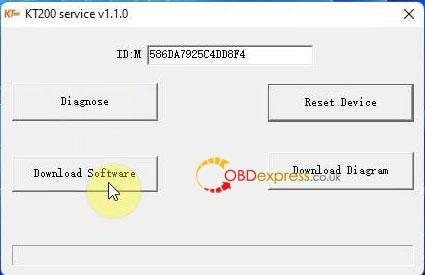
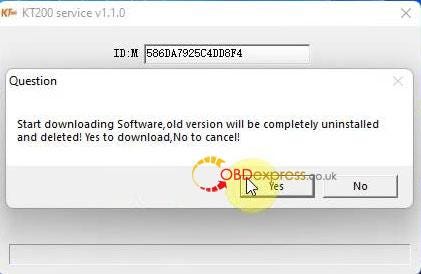
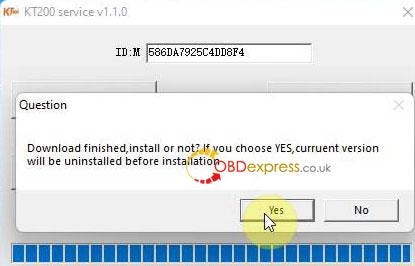
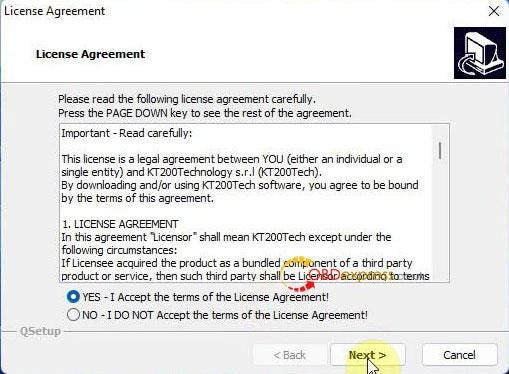
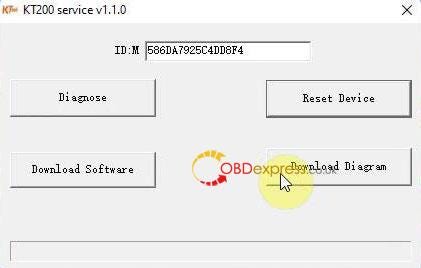
                1. Open "KT200 Service">> Download software >> Yes >> Yes >> Yes, accept terms >> Next >> Next >> Finish

                  Reset device successfully!

                  KT200 ECU Programmer 11.01 software download guide

                  KT200 ECU Programmer 11.01 software download guide

                  KT200 ECU Programmer 11.01 software download guide

                  KT200 ECU Programmer 11.01 software download guide

                  KT200 ECU Programmer 11.01 software download guide

                2. Download Diagram
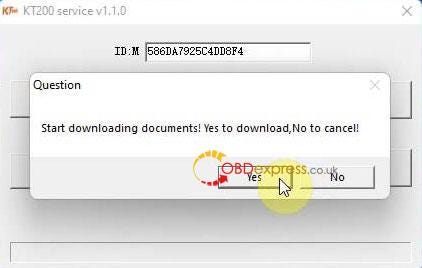
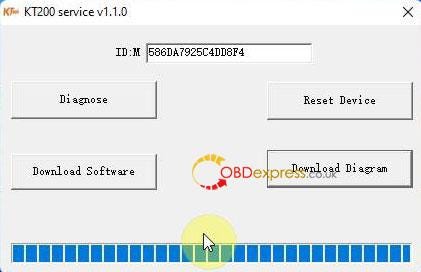
                  1. Restart "KT200 Service">> Download diagram >> Yes >> Finish

                    KT200 ECU Programmer 11.01 software download guide

                    KT200 ECU Programmer 11.01 software download guide

                    KT200 ECU Programmer 11.01 software download guide

                    Now you can start KT200 programmer for ECU maintenance.

                    KT200 ECU Programmer 11.01 software download guide

                    www.obdexpress.co.uk

                    Wednesday, 2 November 2022

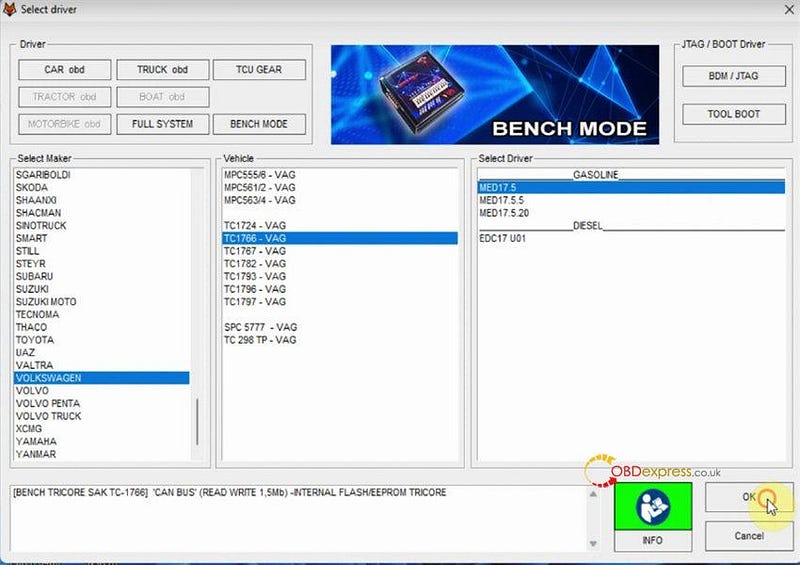
                    KT200 read and check VW MED17.5 TC1766

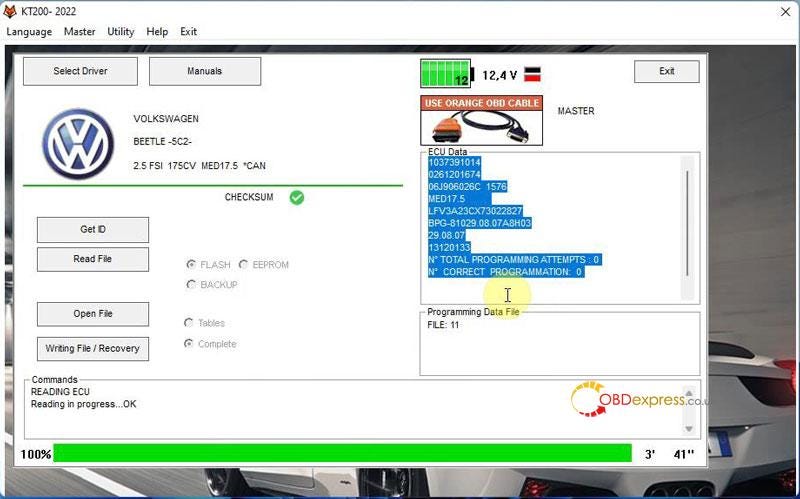
                     It has been tested and confirmed by obdexpress.co.uk engineer that KT200/KTM200/ECUTuner read, write EEPROM and correct checksum for VW MED17.5 TC1766 like a charm!

                    ECU type:

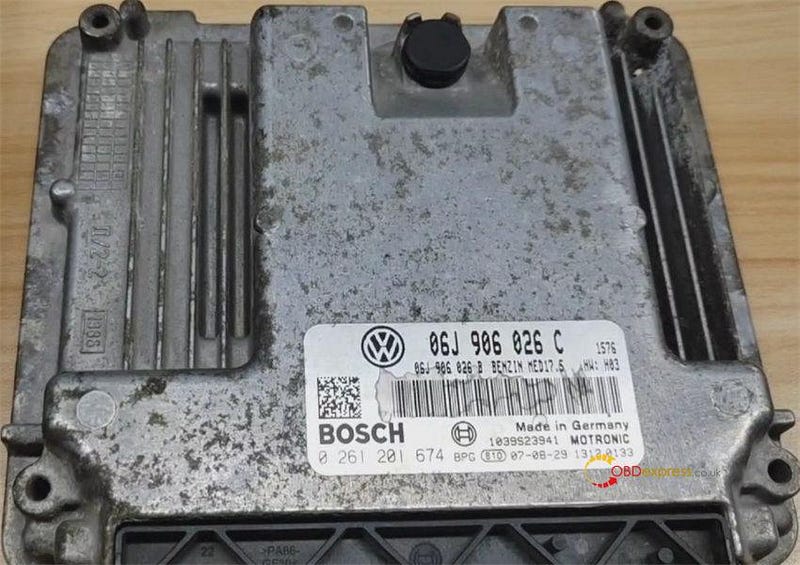
                    Volkswagen ME17.5 Bosch 0 261 201 674

                    KT200 read EEPROM for VW MED17.5 TC1766

                    ECU connection diagram:

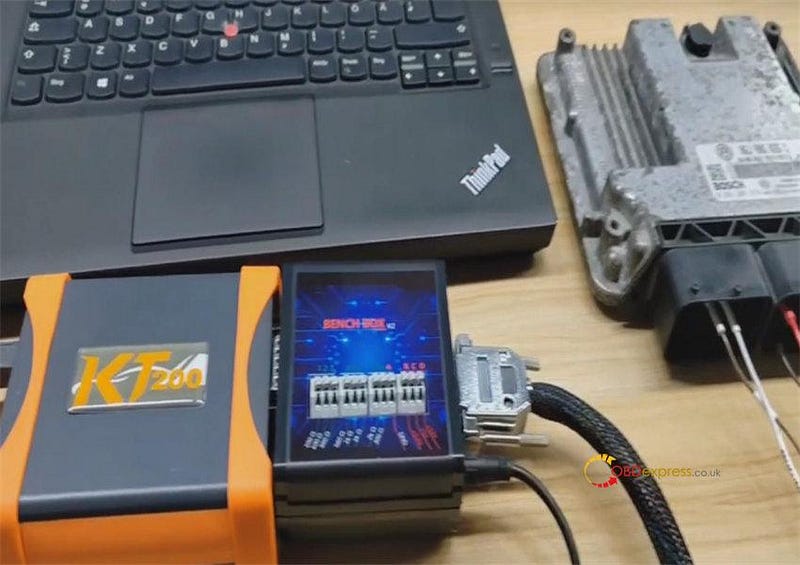
                    Plug BENCH BOX into KT200 ECU programmer

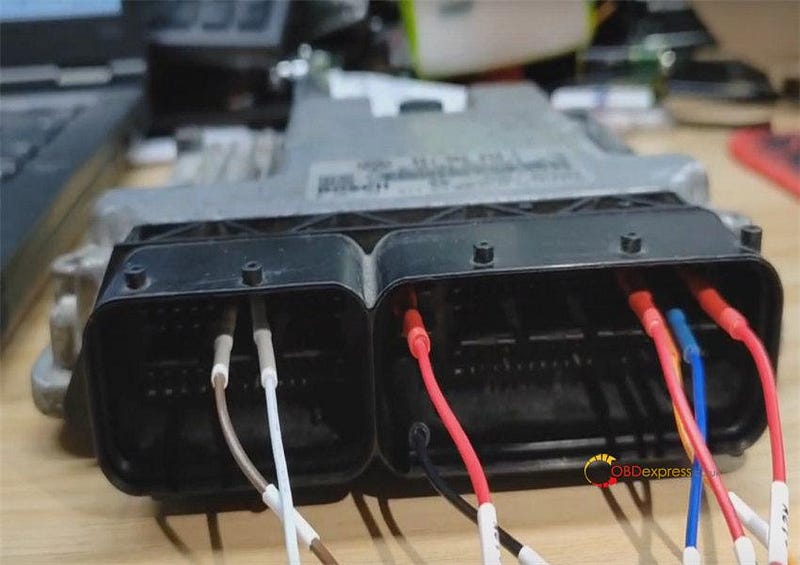
                    Connect BENCH BOX and ECU with Pinout cable according to the wiring diagram in the KT200 software

                    Connect KT200 and computer via the USB cable

                    KT200 read EEPROM for VW MED17.5 TC1766

                    KT200 read EEPROM for VW MED17.5 TC1766

                    Run KT200 software

                    Select Driver

                    Select BENCH MODE>> VOLKSWAGEN>> TC1766-VAG>> ME17.5>> OK

                    KT200 read EEPROM for VW MED17.5 TC1766

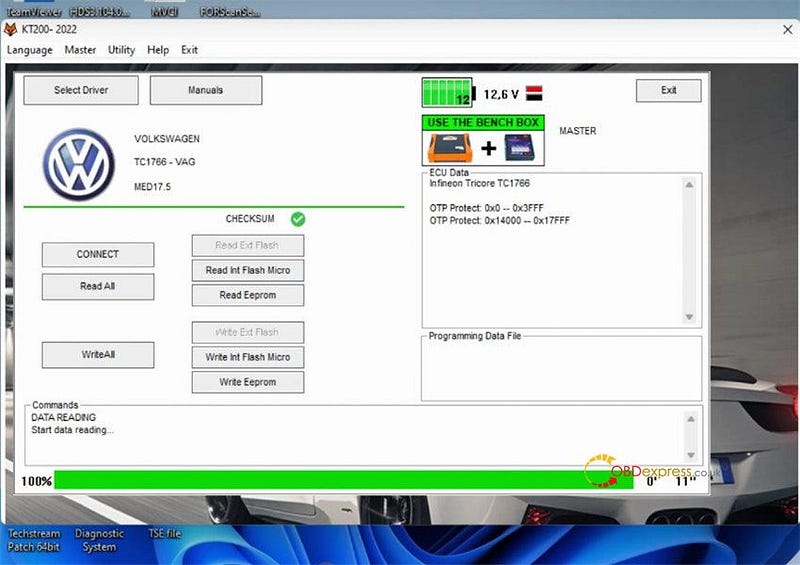
                    First, connect

                    Keep ECU power on

                    It is successful, read the ECU is TC1766

                    KT200 read EEPROM for VW MED17.5 TC1766

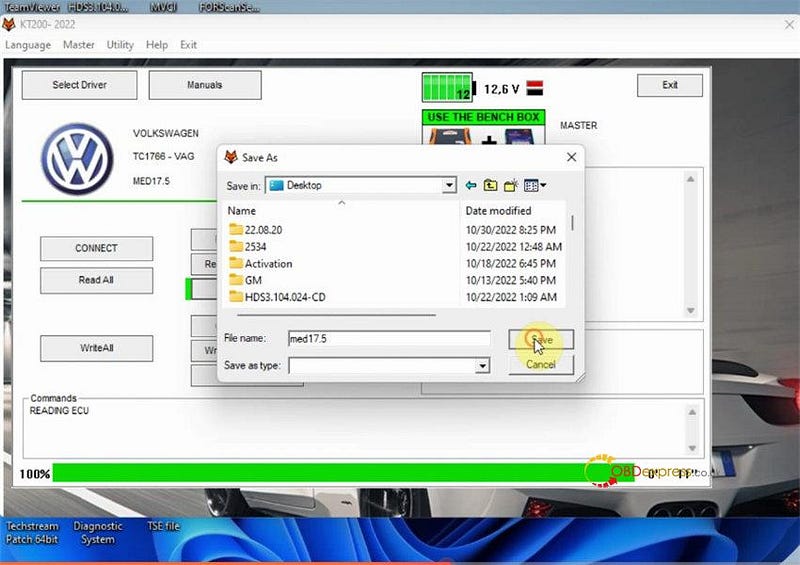
                    Then, Read EEPROM

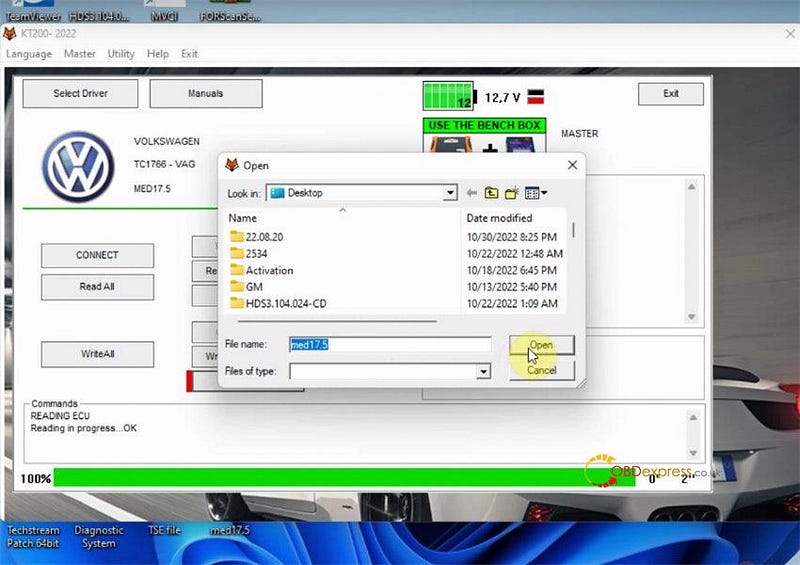
                    Fill in a new file name to save the original EEPROM data

                    KT200 read EEPROM for VW MED17.5 TC1766

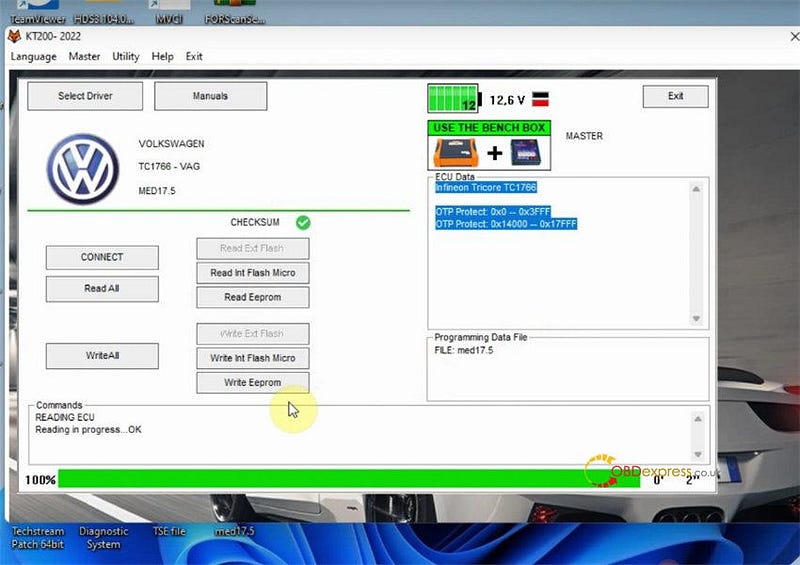
                    Keep ECU power on

                    Read EEPROM successfully, and turn off the dashboard

                    KT200 read EEPROM for VW MED17.5 TC1766

                    Next, Write EEPROM

                    Connect KT200 to another ECU

                    Open the original EEPROM file to write into new ECU

                    KT200 read EEPROM for VW MED17.5 TC1766

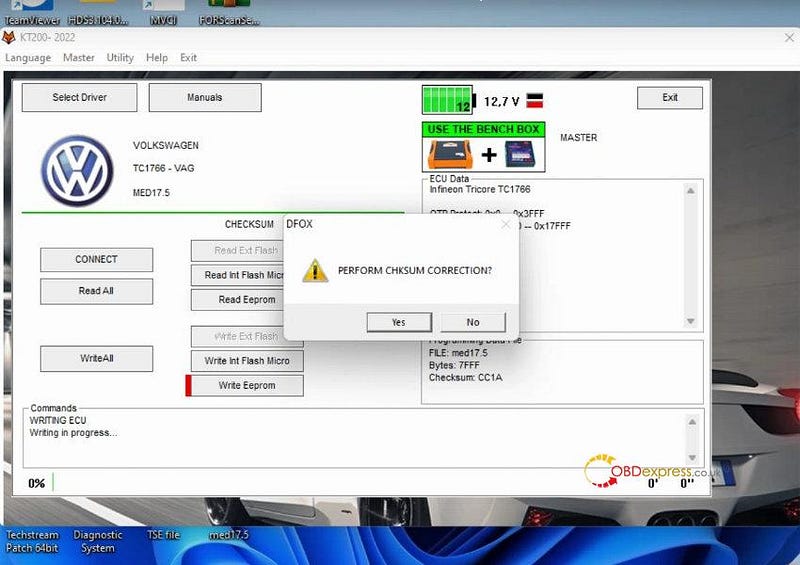
                    Confirm to perform checksum correction

                    KT200 read EEPROM for VW MED17.5 TC1766

                    Keep ECU power on

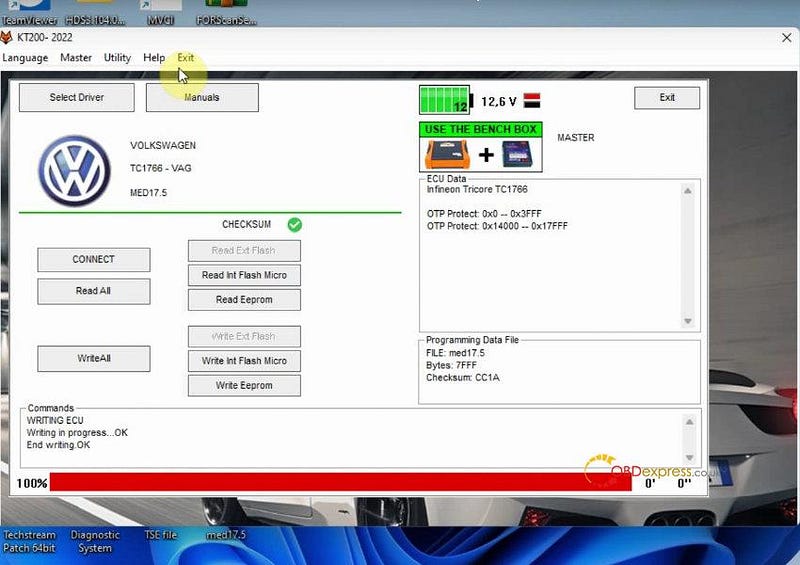
                    Both checksum correction and ECU writing are success

                    KT200 read EEPROM for VW MED17.5 TC1766

                    Perfect! KT200 ECU programmer does a good job on VW MED17.5 TC1766.

                    www.obdexpress.co.uk

                    How to Unlock Ford BOSCH MD1CP006 with OBDSTAR ECU Master via Boot?

                     This guide covers the procedure for unlocking, reading, and writing locked Bosch MD1 CP006 engine control units found on Ford F-250 and F-...