Monday, 16 May 2022

Solved: Launch X431 "SmartBox serial number is different" Issue

 How to do in case Launch X431 PAD VII prompted an attention when reading VIN for intelligent diagnosis? It says:”When downloading the software, the selected SMARTBOX serial number is different from the SMART BOX serial number currently used. Please re-select the same serial number and download the software to upgrade again or contact the dealer.”

At this time, users should re-download Auto Search software. Follow the steps below to solve the problem.

How to re-download Auto Search software?

This is taking X431 PAD V as an example, other Launch-X431 scan tools may follow the same way.

Auto Search Path:

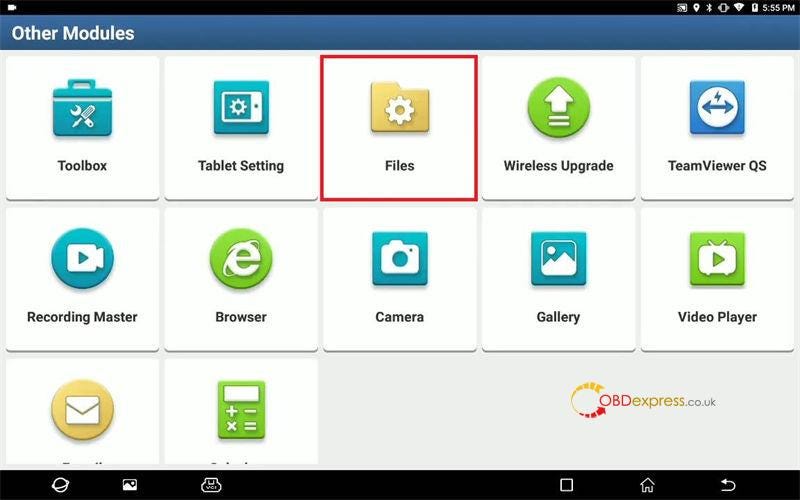
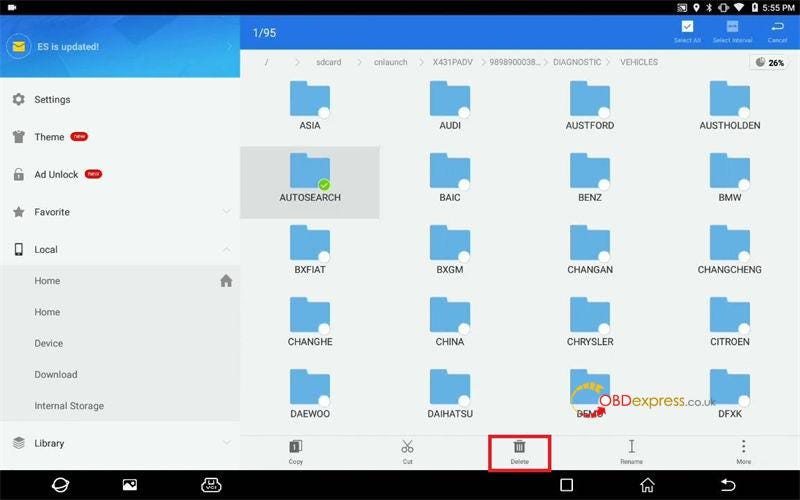
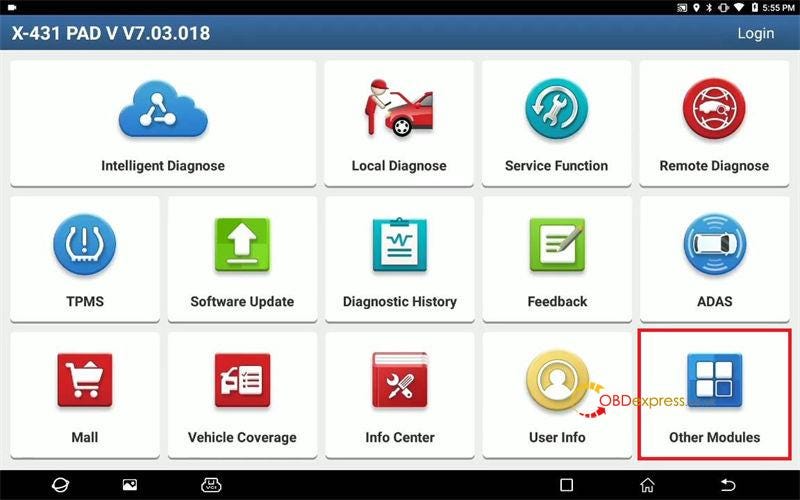
Other modules >> Files >> Local >> cnlaunch >> X431PADV >> 989890003892 >> DIAGNOSTIC >> VEHICLES >> AUTOSEARCH >> Delete

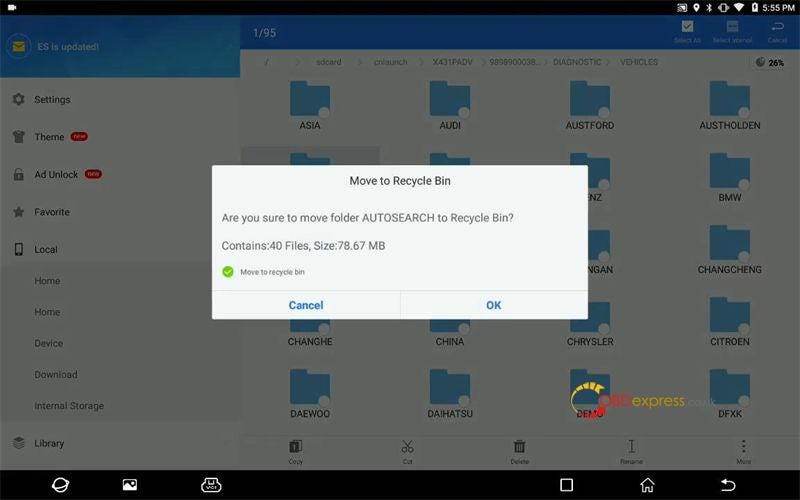
Are you sure to move folder AUTO SEARCH to recycle bin? OK

Put file into recycle bin successfully.

Launch X431 SmartBox serial number is different

Launch X431 SmartBox serial number is different

Launch X431 SmartBox serial number is different

Launch X431 SmartBox serial number is different

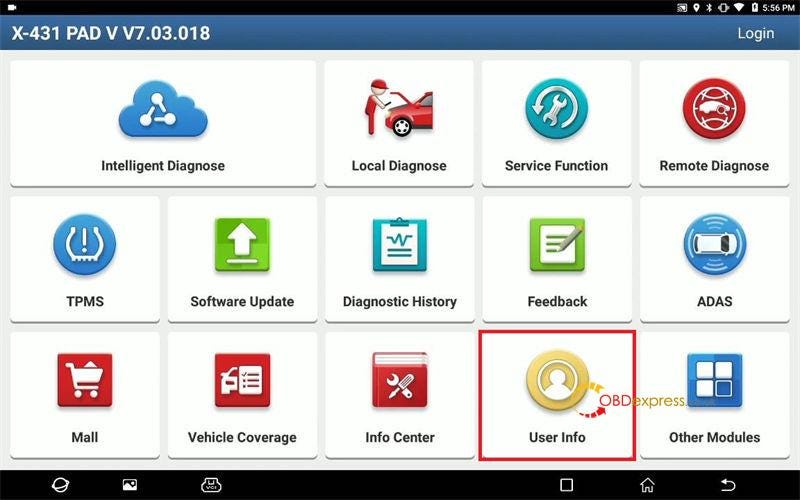
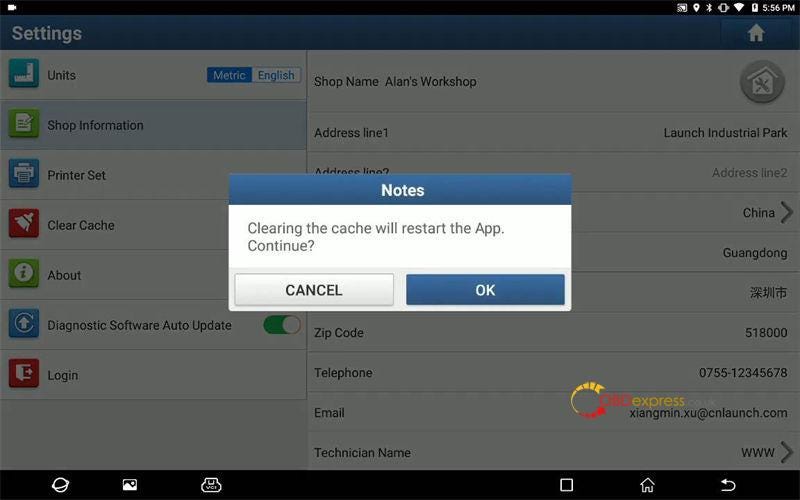
User info >> Settings >> Clear Cache

Clearing the cache will restart the App. Continue? OK

Launch X431 SmartBox serial number is different

Launch X431 SmartBox serial number is different

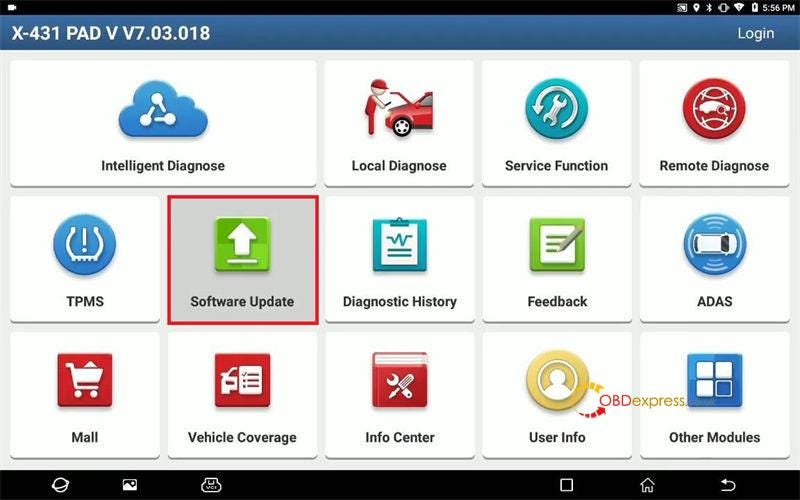
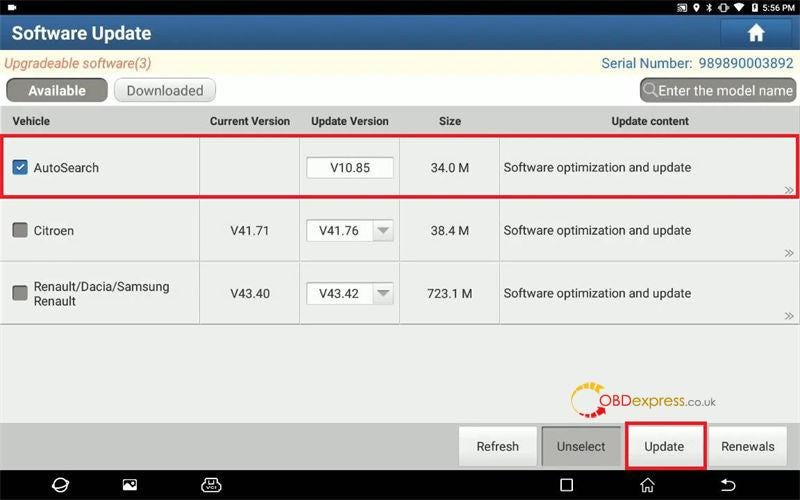
Software Update >> Log in >> Auto Search >> Update

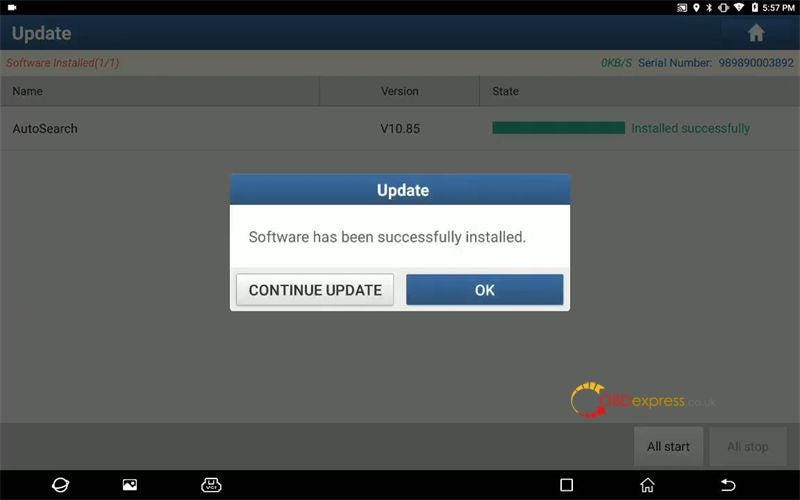
X431 PAD will automatically download & install software…

Software has been successfully installed.

Done.

Launch X431 SmartBox serial number is different

Launch X431 SmartBox serial number is different

Launch X431 SmartBox serial number is different

Problem was solved!

This is solution to solve Launch PAD 7" Smart box serial number is different” prompt. More questions please contact us.

Technical support

www.obdexpress.co.uk

Thursday, 12 May 2022

Reset Password for PCMTuner software account guide

 If you forgot your password to login PCMTuner official website www.tuner-box.com/ or support.vz-performance.com, don’t worry! You can reset the password with your available Email address.

Follow these steps to recover your password.

1.Recover PCMTuner Tuner-box.com login password

Go to www.tuner-box.com

Click ‘Login’ at the upper right corner of the website

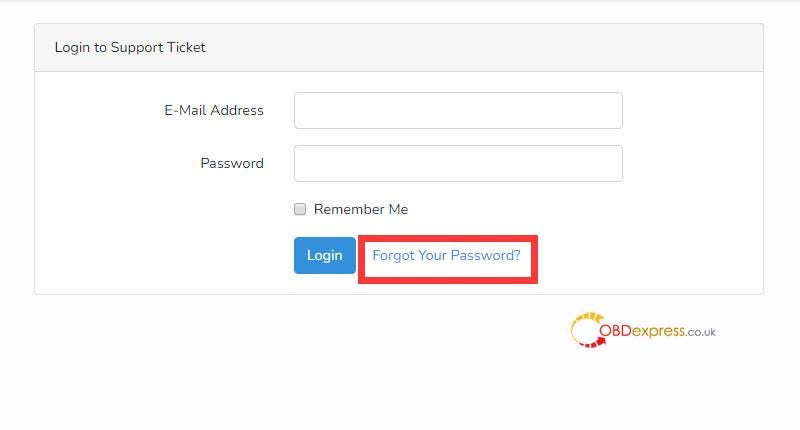
Click ‘Forgot Your Password’

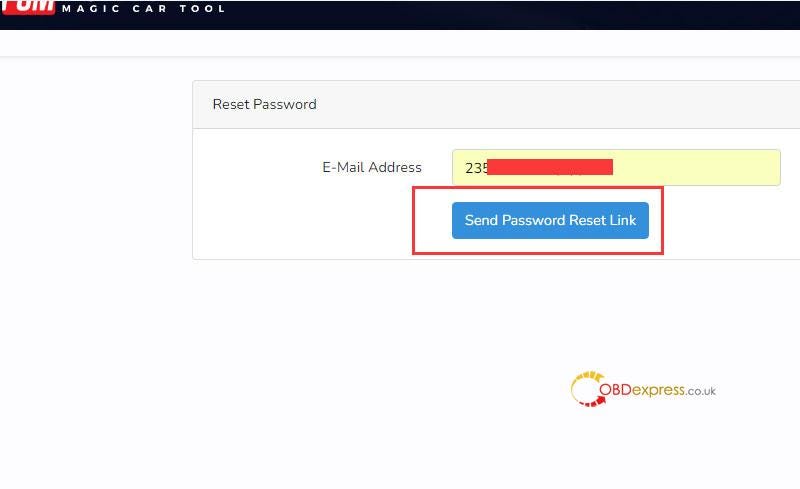
Input your email-address and click ‘Send Password Reset Link’

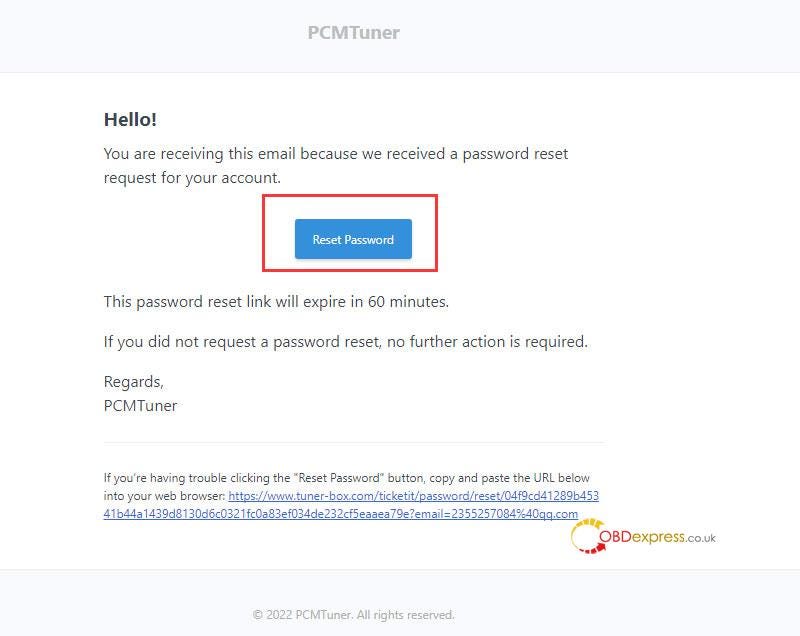
When you receive a password recovery email from PCMTuner, click ‘Reset Password’ to reset your login password.

Reset Password for PCMTuner software account

Reset Password for PCMTuner software account

Reset Password for PCMTuner software account

2.Recover PCMTuner VZperformance login password

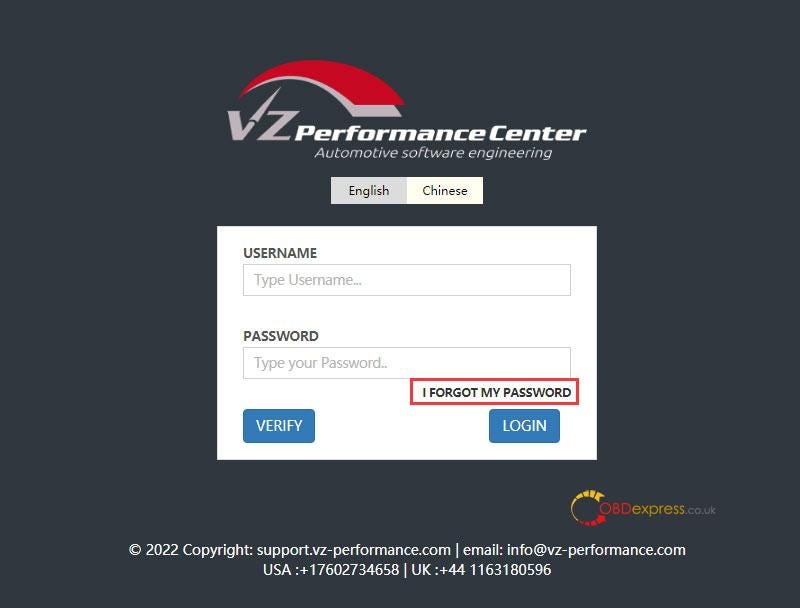
Go to support.vz-performance.com

Click ‘I FORGOT MY PASSWORD’

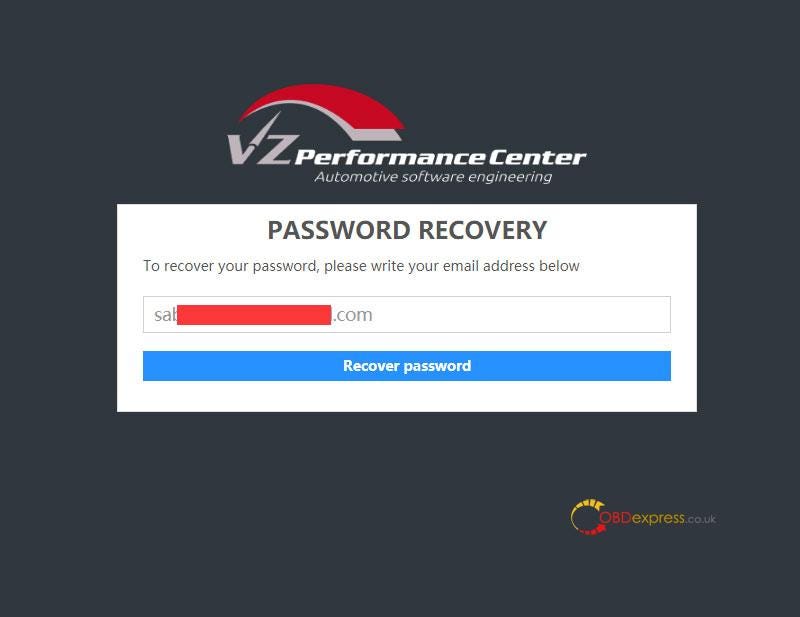
Write your email address and then click ‘Recover password’

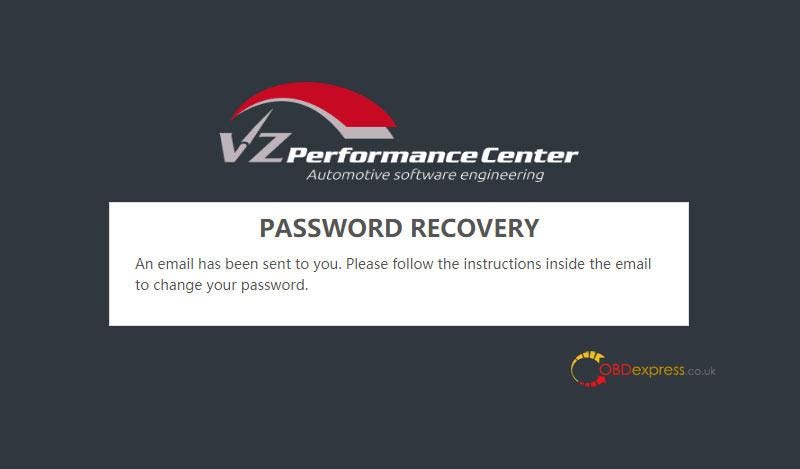
The password recovery email will be sent from PCMTuner soon, follow the instructions inside the email to change your password directly.

Reset Password for PCMTuner software account

Reset Password for PCMTuner software account

Reset Password for PCMTuner software account

For any problems, please feel free to contact our customer service.

Yanhua Mini ACDP IOS System Data Export & PC Bind Guide

 This is a guide to explain how to export IOS system Yanhua Mini ACDP data and bind device to PC software.

How to export ACDP data in IOS system?

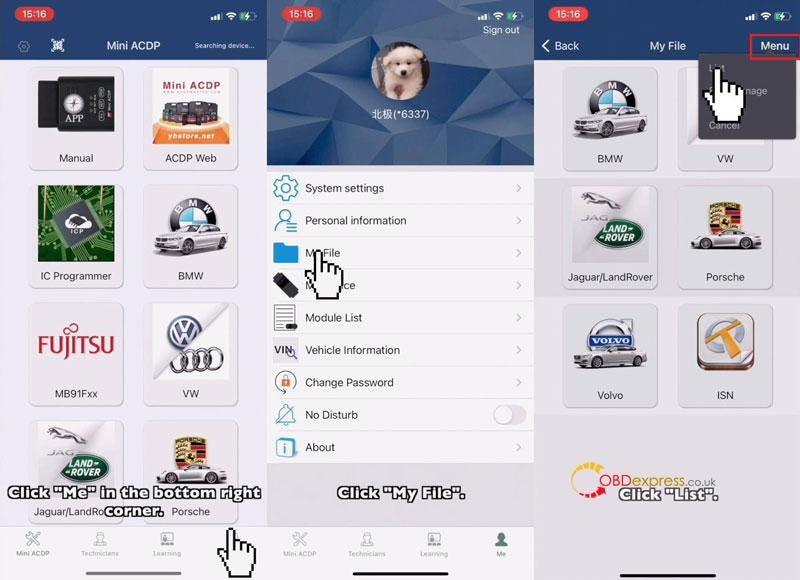
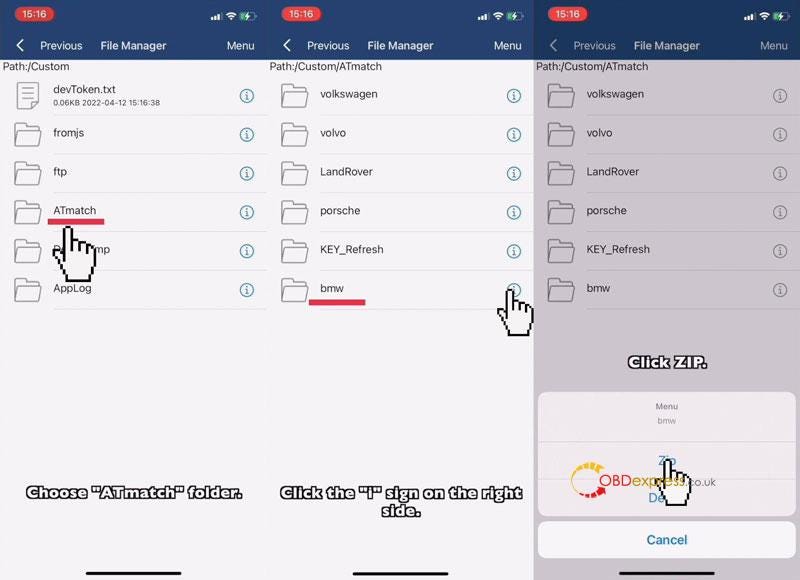
Mini ACDP >> Me >> My file >> Menu >> List >> ATmatch

Note: folders need to be compressed before exporting.

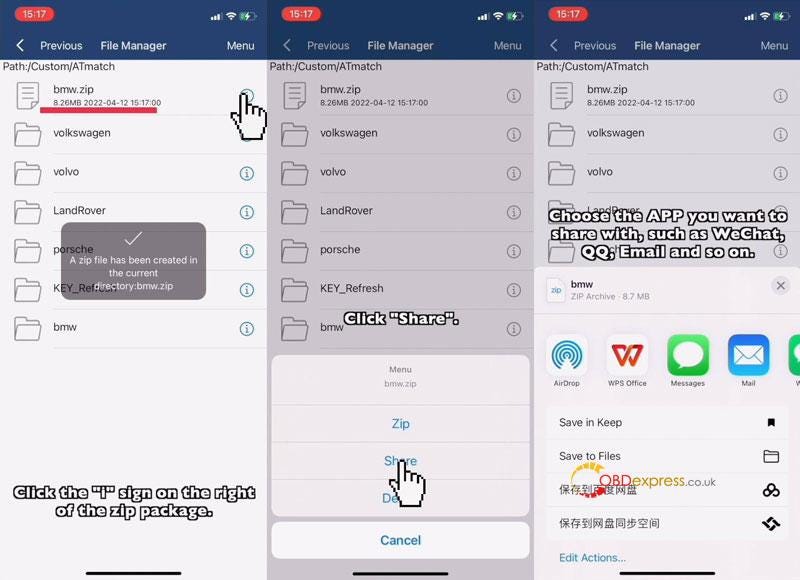
Select a data file, click "i">> Zip >> Click zip file "i">> Share

Select the APP you want to share with, such as WhatsApp, Email and so on.

Now you can export data to anywhere as wanted.

Yanhua Mini ACDP IOS System Data Export & PC Bind

Yanhua Mini ACDP IOS System Data Export & PC Bind

Yanhua Mini ACDP IOS System Data Export & PC Bind

How to bind Mini ACDP to PC software?

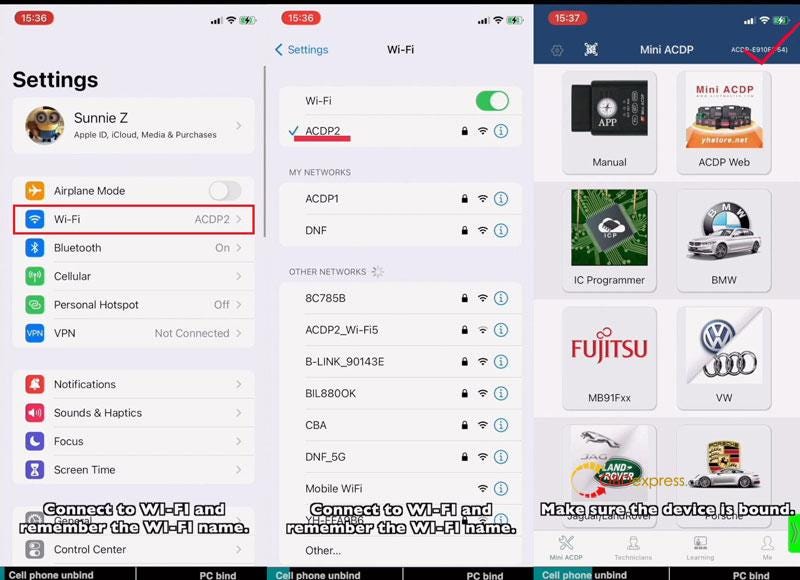
iPhone Setting:

Settings >> Wi-Fi

*Connect to Wi-Fi and remember its name.

APP Setting

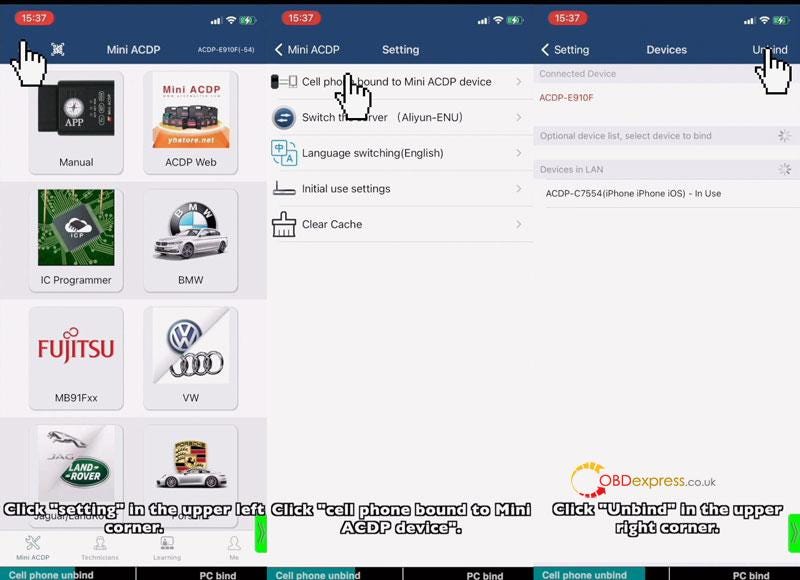
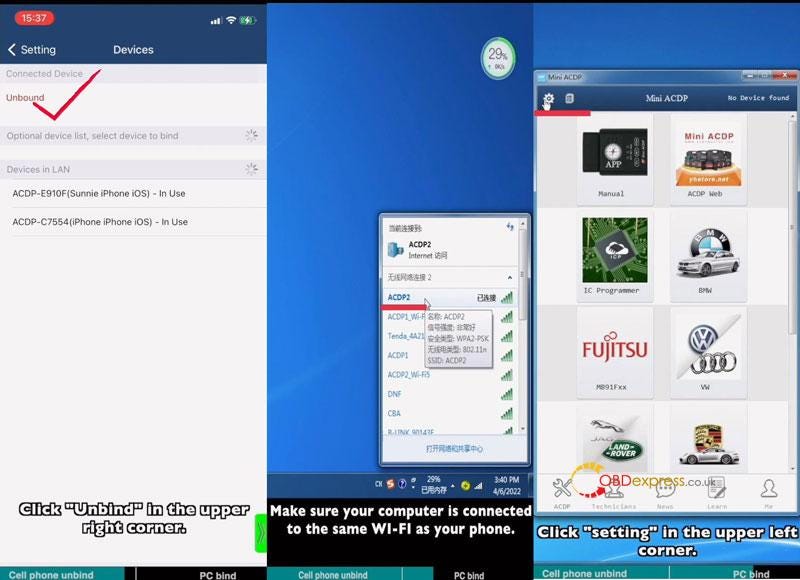
Step1. Cell Phone Unbind

Mini ACDP >>Make sure the device is bound(check top right corner)

Setting >> Cell phone bound to Mini ACDP device >> Unbind

Step2. PC Bind

Note: make sure your computer is connected to the same Wi-Fi as your phone.

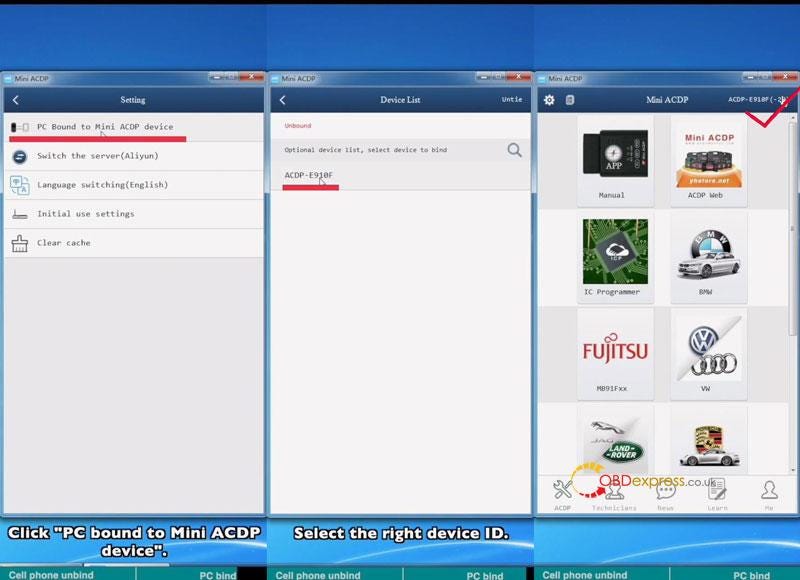
Start ACDP PC software >> Setting >> PC bound to Mini ACDP device >> Select ACDP ID

Go back to home page, once device ID was displaying on the top right corner, which means binding success.

Yanhua Mini ACDP IOS System Data Export & PC Bind

Yanhua Mini ACDP IOS System Data Export & PC Bind

Yanhua Mini ACDP IOS System Data Export & PC Bind

Yanhua Mini ACDP IOS System Data Export & PC Bind

Read also

How to connect Yanhua Mini ACDP to IOS iPhone Hotspot?

[OBDSTAR MS80] Motorcycle multi-function jumper connection method

 Background: When no corresponding diag connector for a motorcycle, M003A can be used for diagnosing.

Preparation: OBDSTAR MS80, M001A, M003A(Multi-functional Jumper), M002, Multimeter, Cables connecting with Diag Socket. (M001, M003A, M002 are included in the OBDSTAR MS80 package for free)
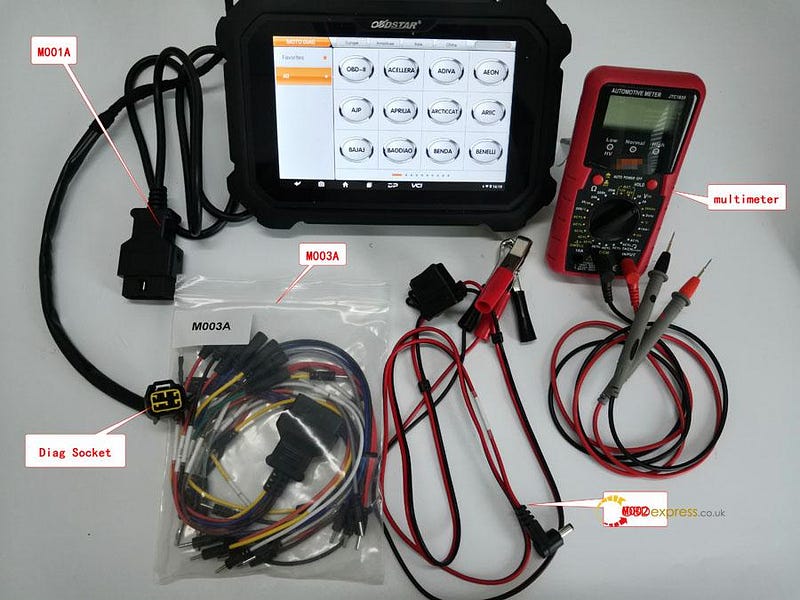
OBDSTAR MS80 jumper connection method

Tips: connecting negative pole of an external battery with negative pole of motorcycle via M002A to get power


Solutions: Using OBDSTAR M003A to diagnose motorcycle

Details Steps: Multimeter detects each pin boot's voltage of diag socket.Its voltage reaches DC 20V, the black pen connecting with battery's negative or putting up iron and the red one detecting each pin boot's voltage of diag socket.

Battery cable=battery voltage;

GND=0V;

Communicating cable: K cable (one cable), CAN cables (two cables);

K cable: its voltage lower 1–2V than battery

CAN cable: CAN-H cable & CAN-L cable, CAN-H cable's voltage ranges from 2.5~3V; CAN-L cable's voltage ranges from 2.0~2.5V.

Diagnosing via K cable

①Majority motorcycles are communicating via K cable. Judging from each pin boot's voltage as below, 6 pin boot(12.39V) is for K communicating.
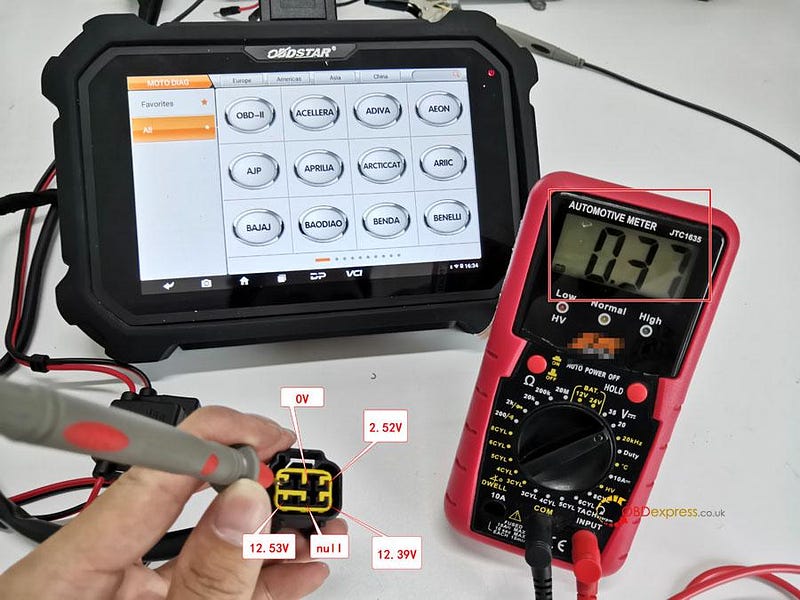
OBDSTAR MS80 jumper connection method

②Connecting M001A with MS80 and M003A, pls connect K cable of M003A with 6 pin boot(12.39V) via 7 cable from M003A. Clipping the black clip of M002 onto battery negative and the red one onto battery positive, then pls connect the other end of M002 onto M001A for charging. Pls ensure the indicator at MS80 upper right is on.

Tips: If the indicator at MS80 upper right is off, then it might be 5A fuse has been broken. If a new one is broken again, pls check the motorcycle's voltage is normal.
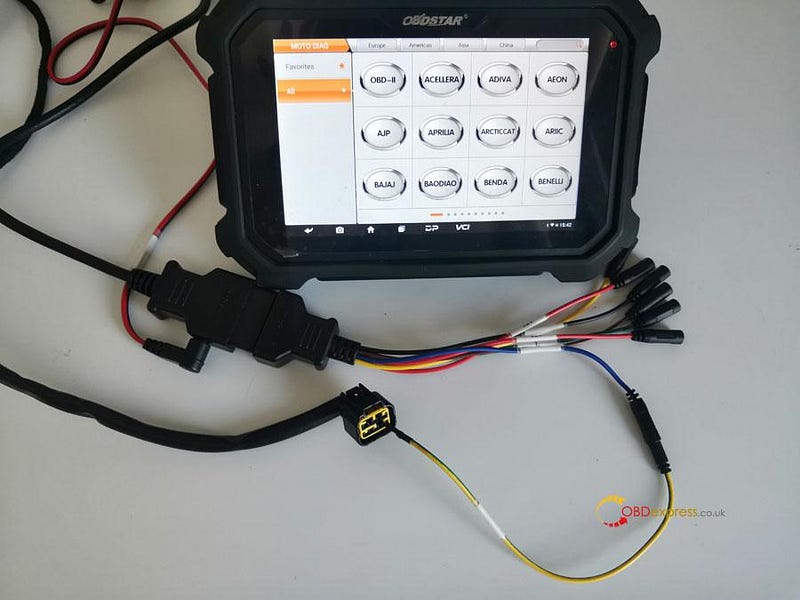
OBDSTAR MS80 jumper connection method

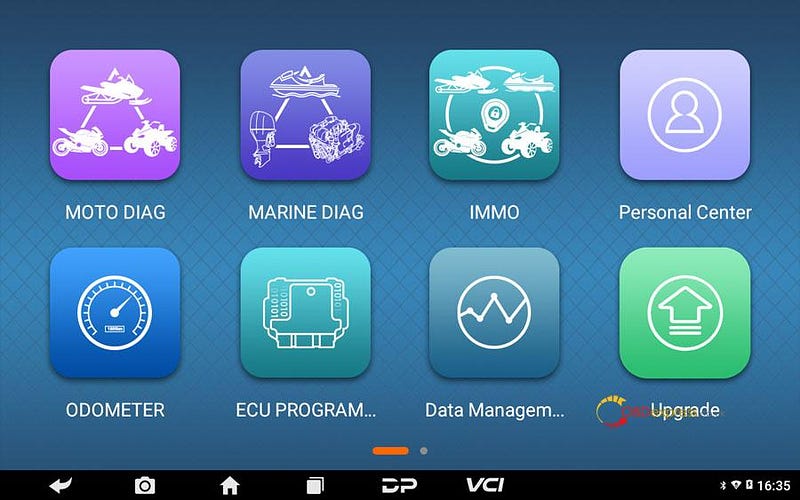
③Click [MOTO DIAG];

OBDSTAR MS80 jumper connection method

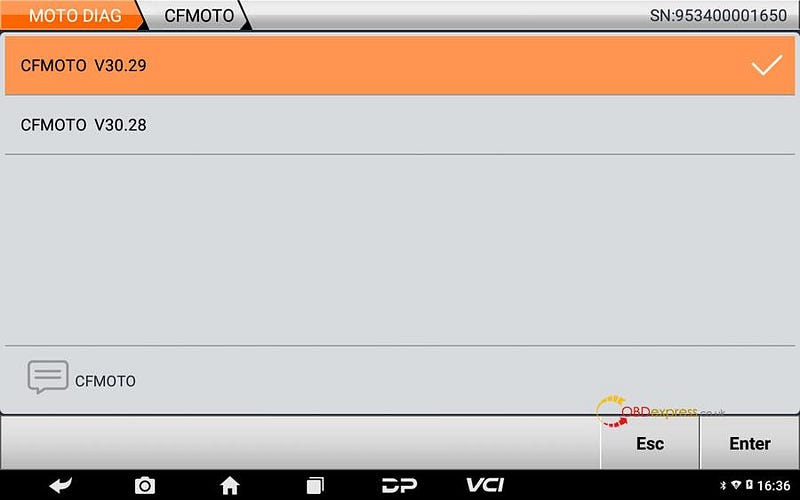
④Click [All], input letters such "CF" in search bar, click [CFMOTO];

Tips: by searching keywords, find out related models quickly.
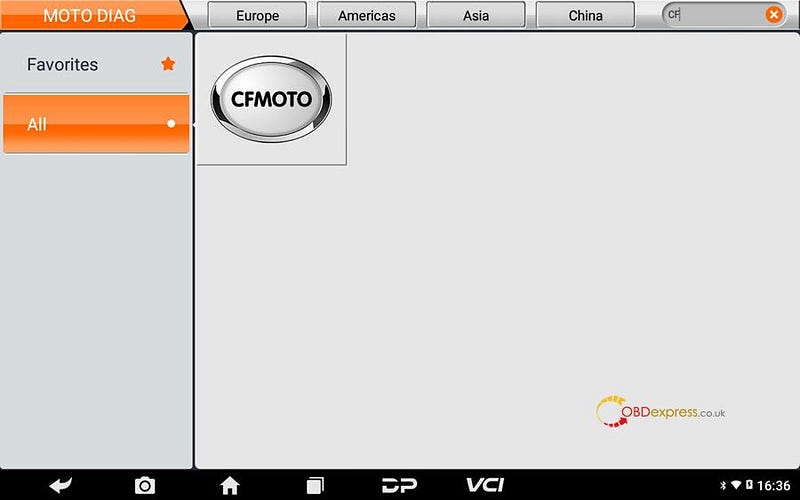
OBDSTAR MS80 jumper connection method

⑤Click the newest CFMOTO edition;

OBDSTAR MS80 jumper connection method

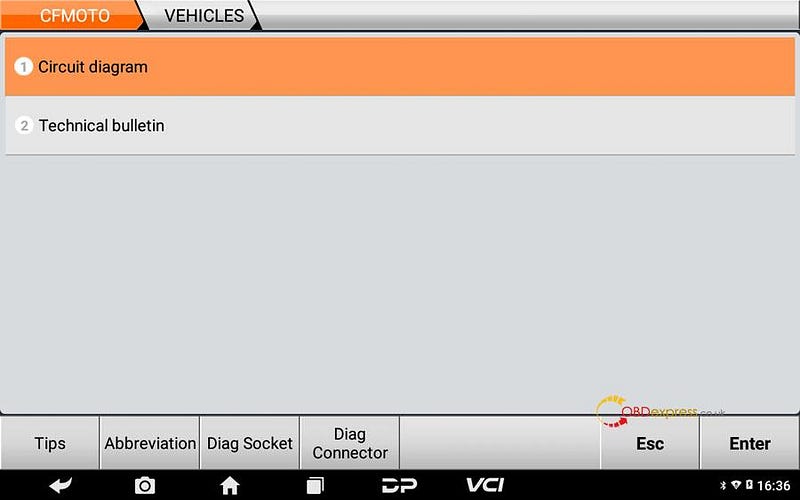
⑥Click [Circuit diagram];

OBDSTAR MS80 jumper connection method

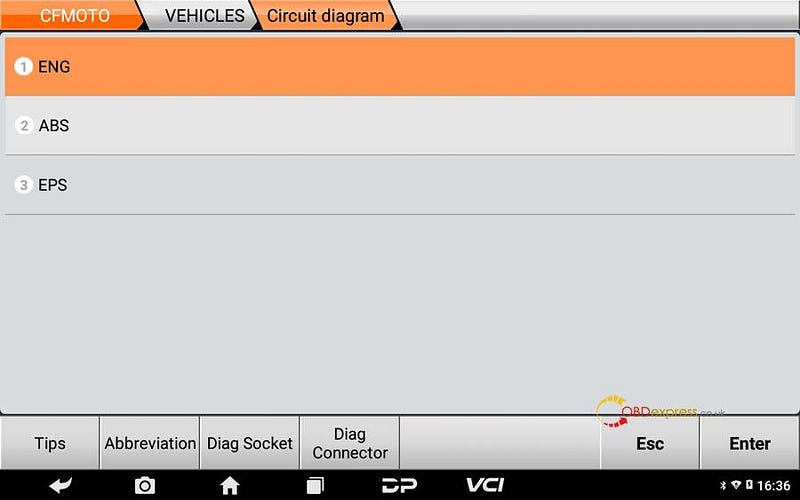
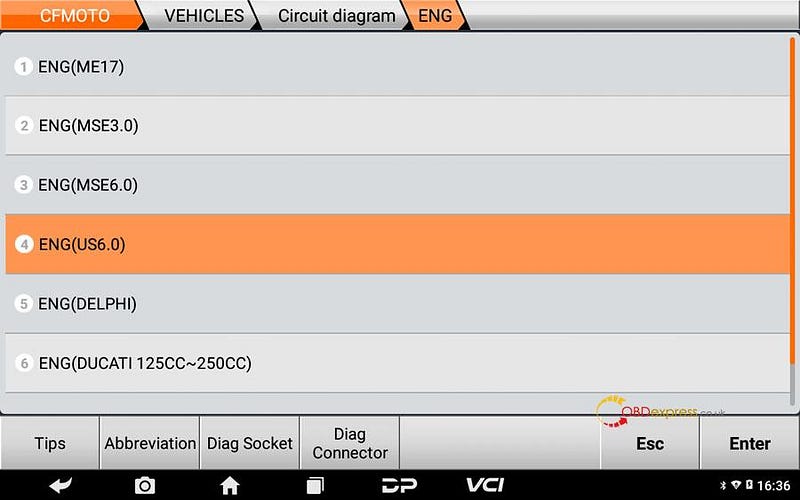
⑦Click [ENG];

OBDSTAR MS80 jumper connection method

⑧Choose corresponding system with ECU, for example BOSCHUS6.0, then click [ENG(US6.0)];
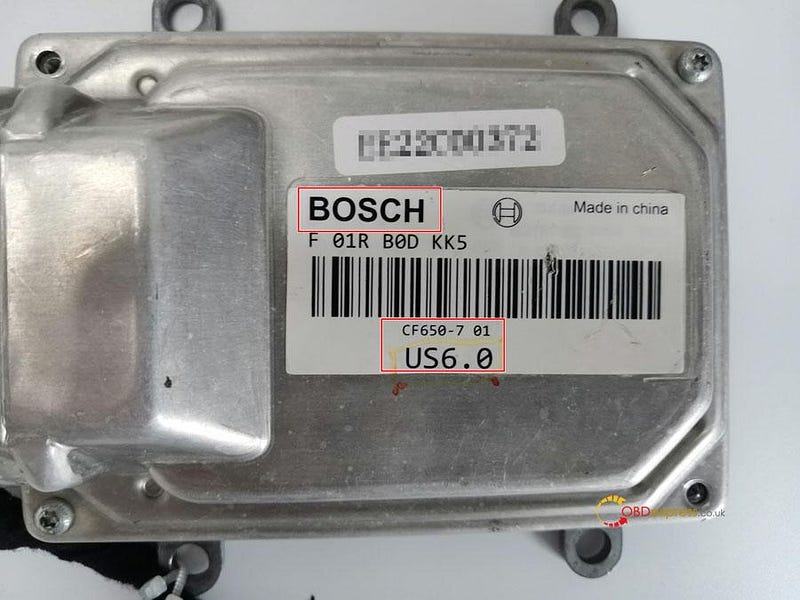
OBDSTAR MS80 jumper connection method

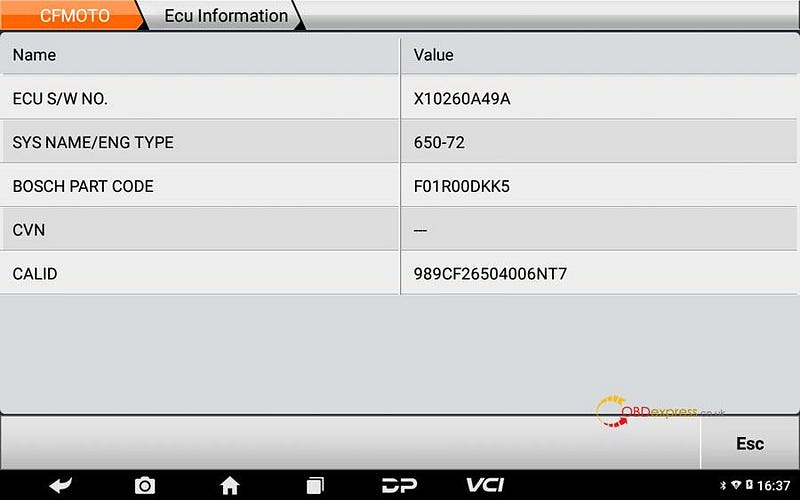
⑨If it can communicate, then the motorcycle is communicating via K cable.
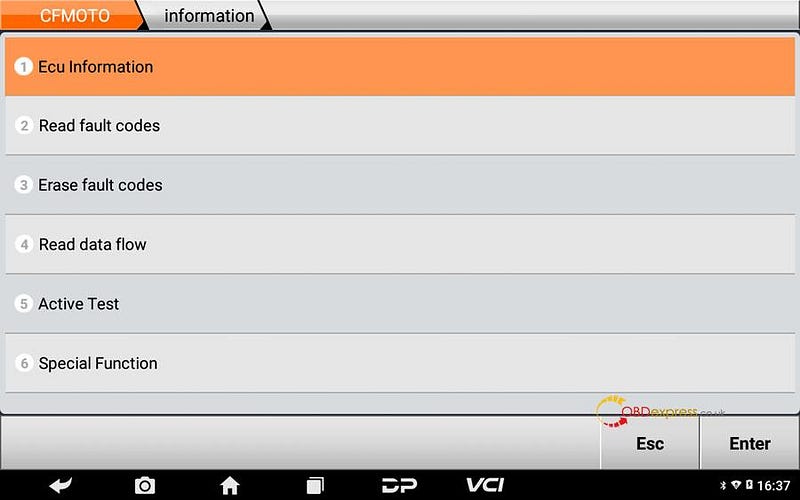
OBDSTAR MS80 jumper connection method

Diagnosing via CAN cables

①Judging from each pin boot's voltage as below, 1 pin boot (2.36V) and 3 pin boot (3.98V) are for CAN communicating.
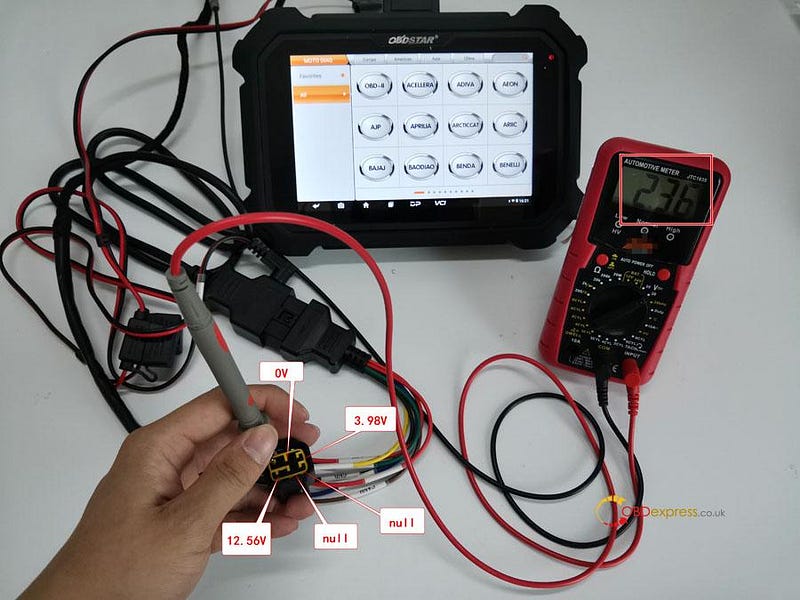
OBDSTAR MS80 jumper connection method

②Connecting M001A with MS80 and M003A, pls connect CAN-H cable (brown) of M003A with 3 pin boot (3.98V) via 7 cable from M003A, connect CAN-L cable (yellow) of M003A with 1 pin boot(3.98V) via another 7 cable from M003A. Clipping the black clip of M002 onto battery negative and the red one onto battery positive, then pls connect the other end of M002 onto M001A for charging. Pls ensure the indicator at MS80 upper right is on.

Tips: If the indicator at MS80 upper right is off, then it might be 5A fuse has been broken. If a new one is broken again, pls check the motorcycle's voltage is normal.
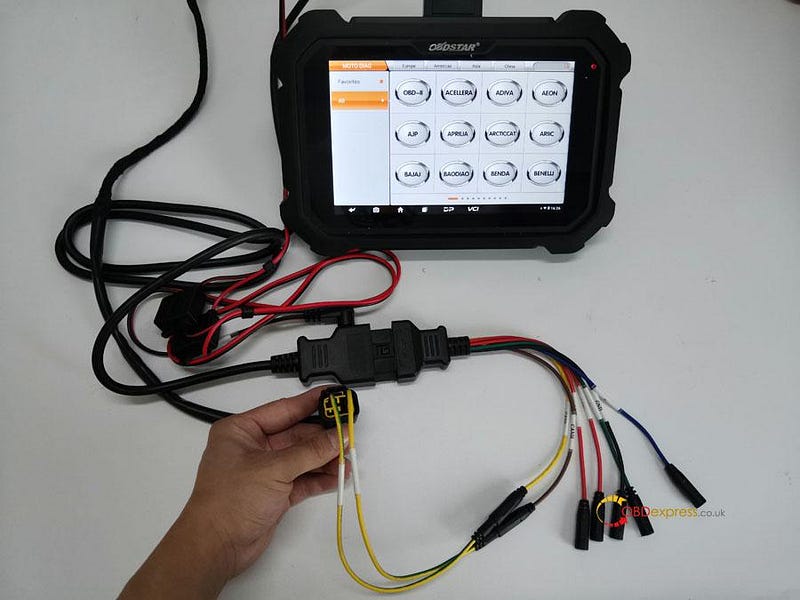
OBDSTAR MS80 jumper connection method

③Click [All], input letters such "YA" in search bar, click [YAMAHA];

Tips: by searching keywords, find out related models quickly.
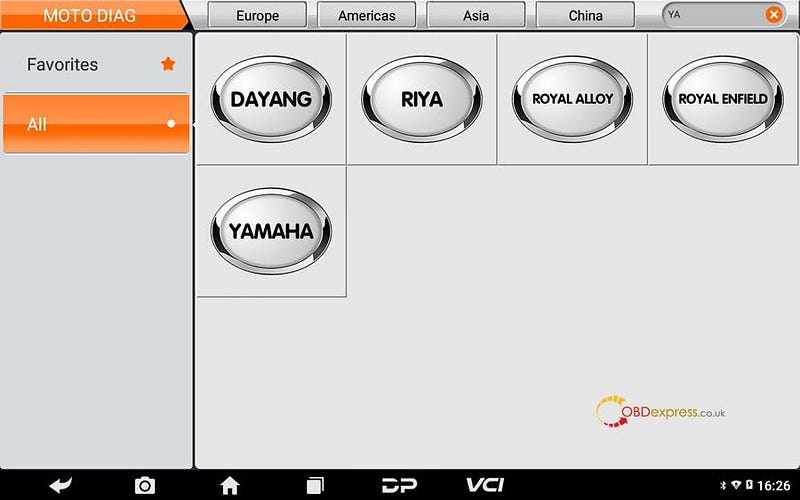
OBDSTAR MS80 jumper connection method

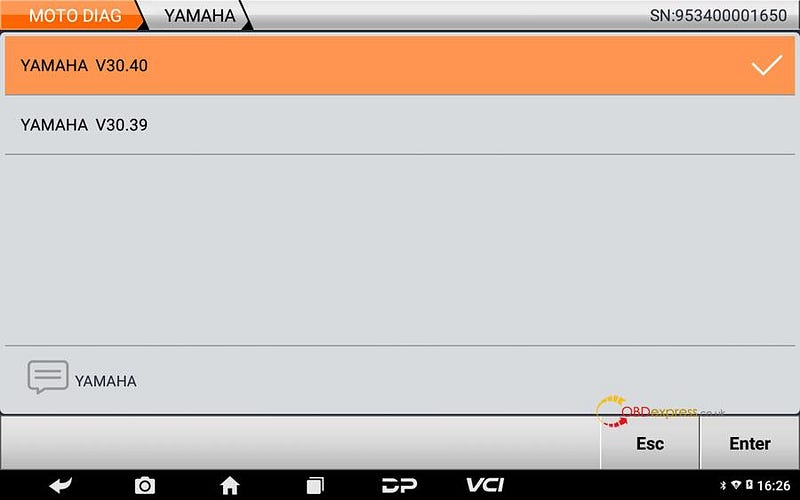
④Click the newest YAMAHA edition;

OBDSTAR MS80 jumper connection method

⑤Click [Diagnosis];

Tips: help data includes diag socket, diag connector, technical bulletin, wiring diagram help data files.
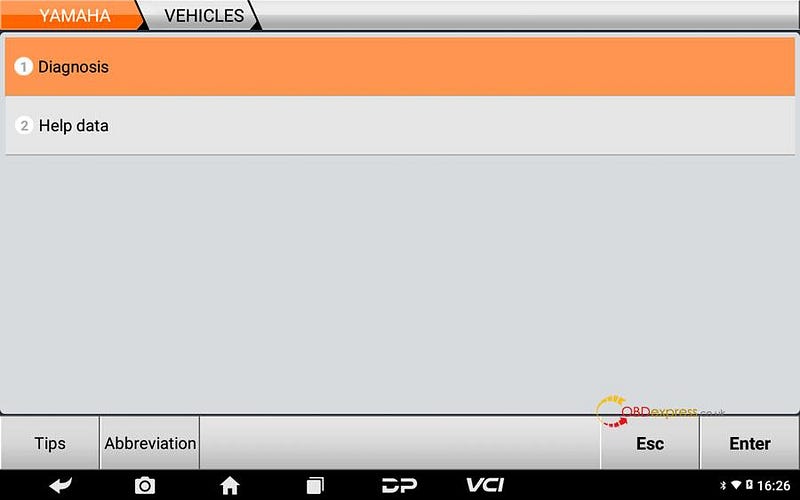
OBDSTAR MS80 jumper connection method

⑥Click [Auto Scan] or [Manual selection];
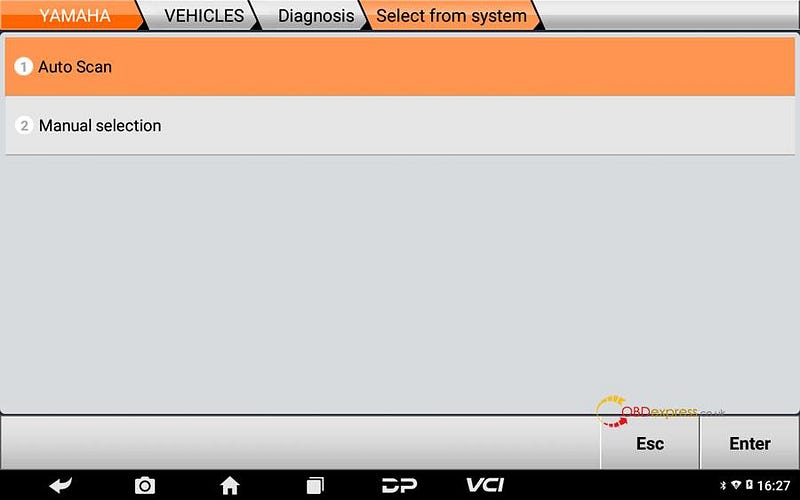
OBDSTAR MS80 jumper connection method

⑦Click [All Protocol Scan] or [Standard Protocol(CAN/KWP)];
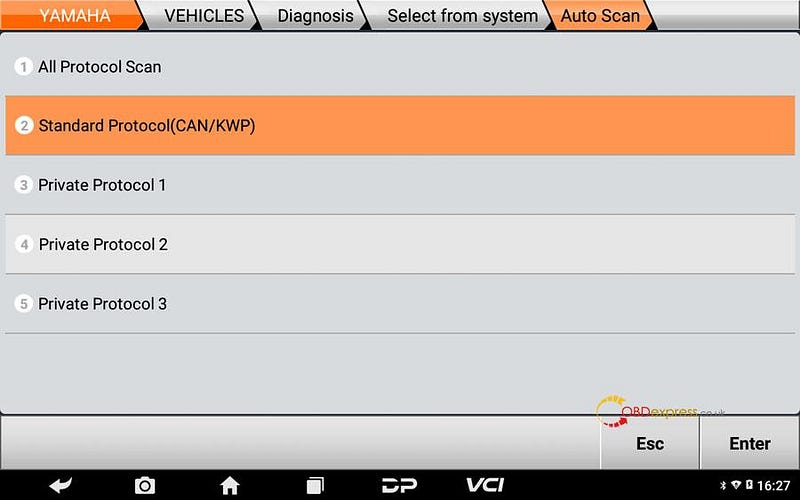
OBDSTAR MS80 jumper connection method

⑧If it can communicate, then the motorcycle is communicating via CAN cables, can click [fault] for more details.
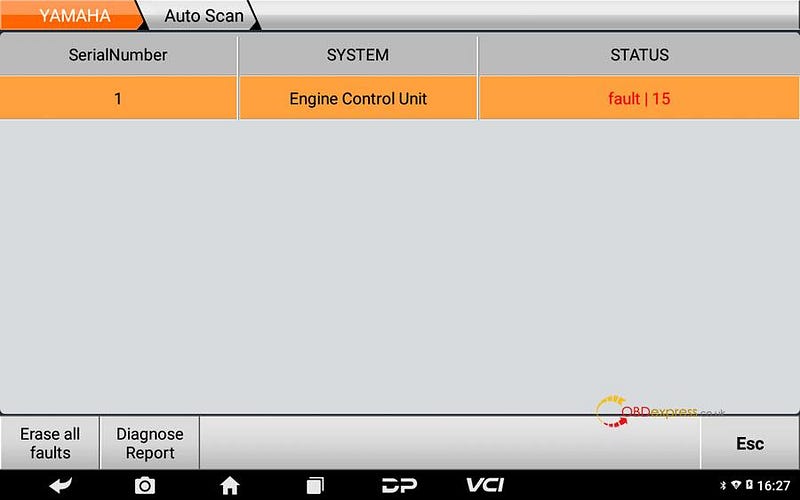
OBDSTAR MS80 jumper connection method

⑨Click [?] can check how to solve the fault;
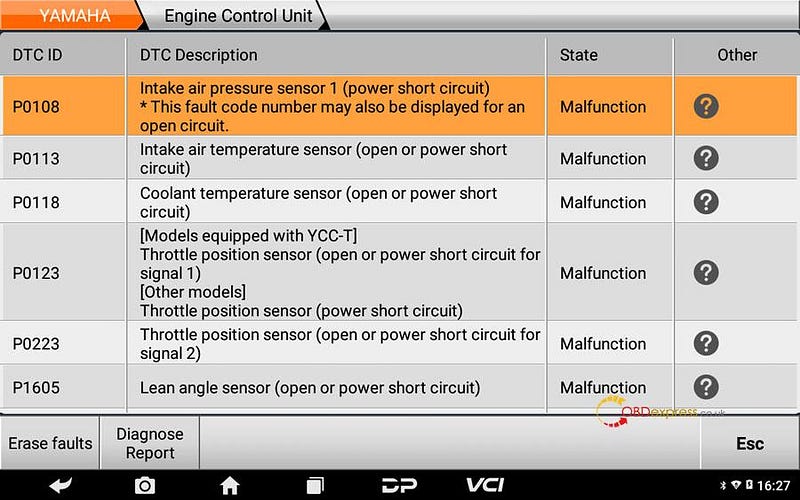
OBDSTAR MS80 jumper connection method

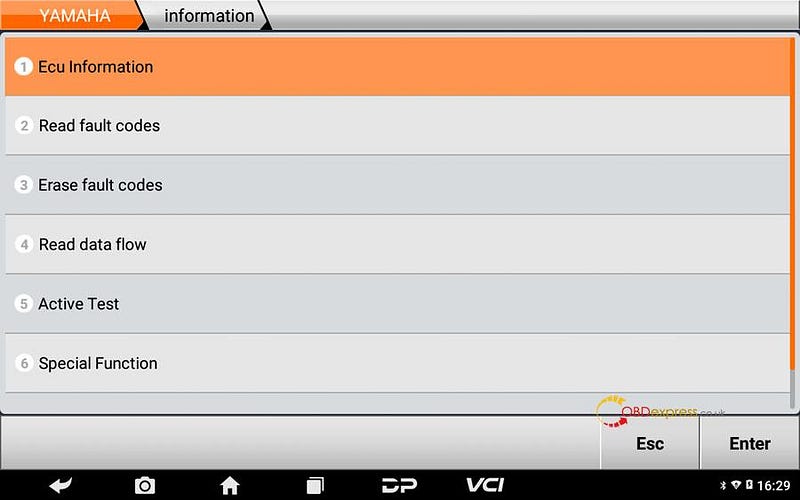
⑩Click [Engine Control Unit] can enter into engine system;
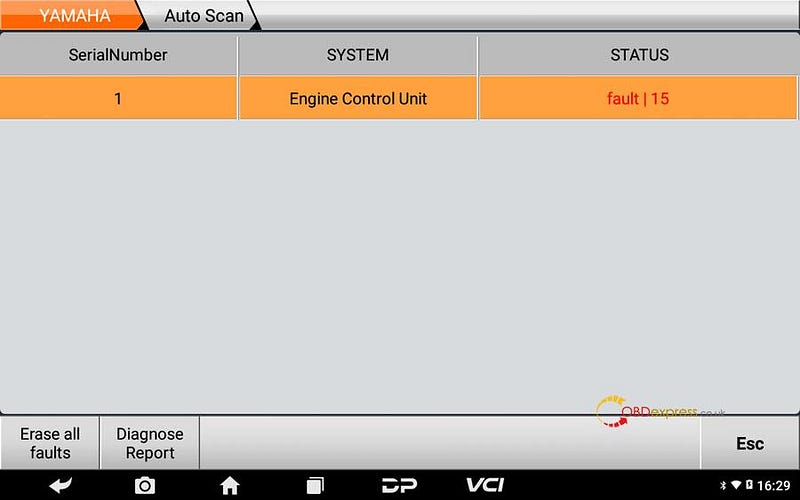
OBDSTAR MS80 jumper connection method

OBDSTAR MS80 jumper connection method

OBDSTAR MS80 jumper connection method

⑪Operations done, the problem got solved.

Pls strictly follow your device tips in your operation process. Technical support: obdexpress.co.uk
Monday, 9 May 2022

Quickly activate PCMtuner to get free Winols Damaso file

 Problem:

I bought a PCMtuner ecu programmer. I have already downloaded and installed WinOLS from support.vz-performance.com. When I opened it to use, the software required me to activate with user name and password. How to activate?

obdexpress.co.uk technician replied:
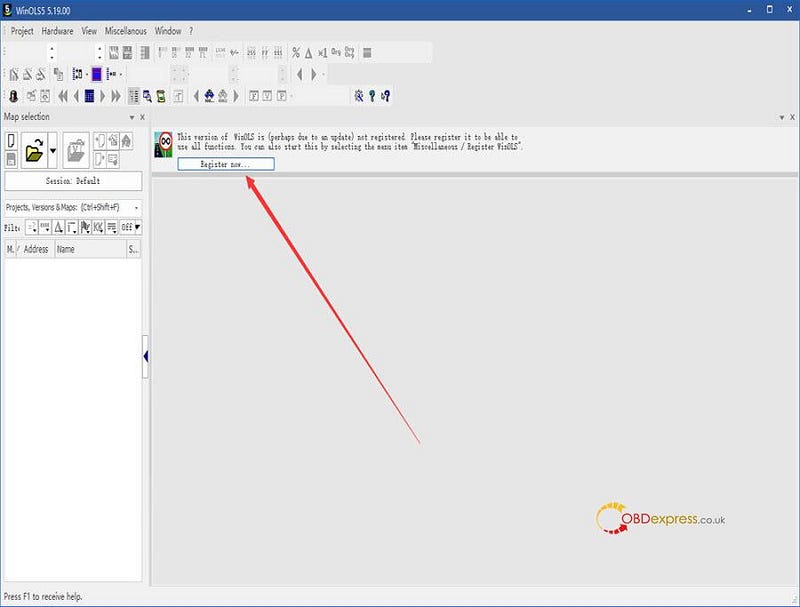
Just click 'Register now…' in the WinOLS software to register by yourself, no need to be activated by factory.

activate PCMtuner to get free Winols Damaso file

But you need to pay for the registration. After that, you can use WinOLS damaso file, WinOLS damaos and MAP package for free. Just click search, then type what you want, there will have. If there is no file you want, create ticket to contact factory.

For any problems, please feel free to contact our customer service(obdexpress.co.uk).

PCMtuner ECU Service Operation Guide (with PCMflash 1.20 download)

 Attention please DO NOT upgrade PCMflash 1.20 version while updating V1.25 PCMTUNER. Otherwise, PCMtuner Dongle will be unable to identify. Here we provide PCMflash 1.20 software free download link for misoperation.

Free download PCMflash 1.20 app

System: Win10

Size: 11.8MB

  • Uninstall PCMflash new version only;
  • Re-install PCMflash 1.20.
    1. How to use PCMtuner to do ECU Services?

      This is an operation guide on using PCMtuner to do ECU services, including power adjustment, immo off, dpf/egr remove, dtc shielding, etc.

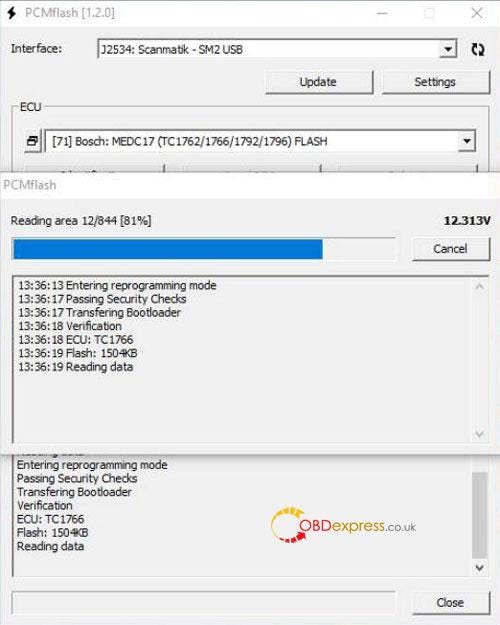
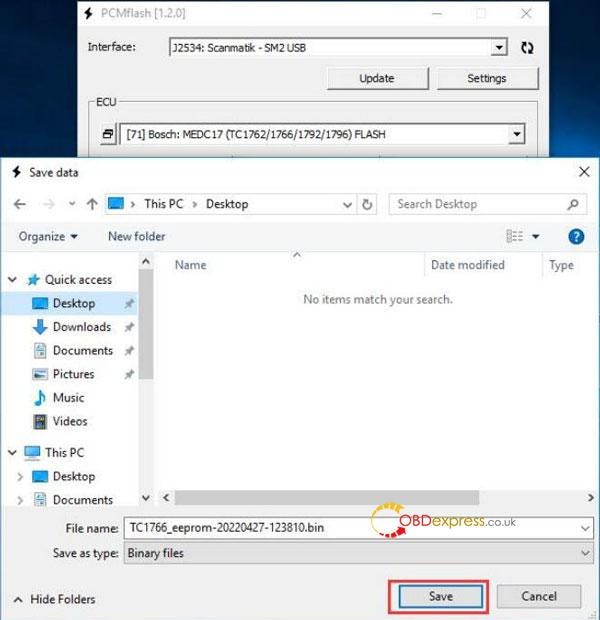
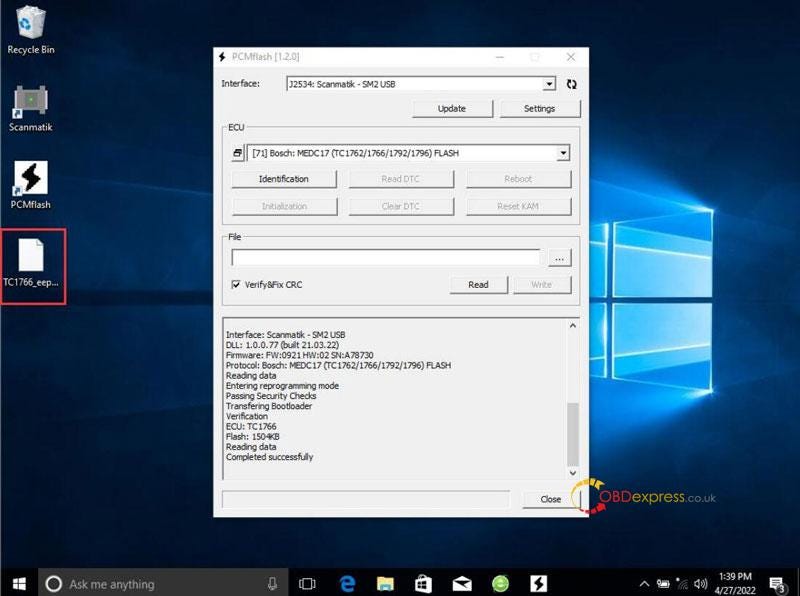
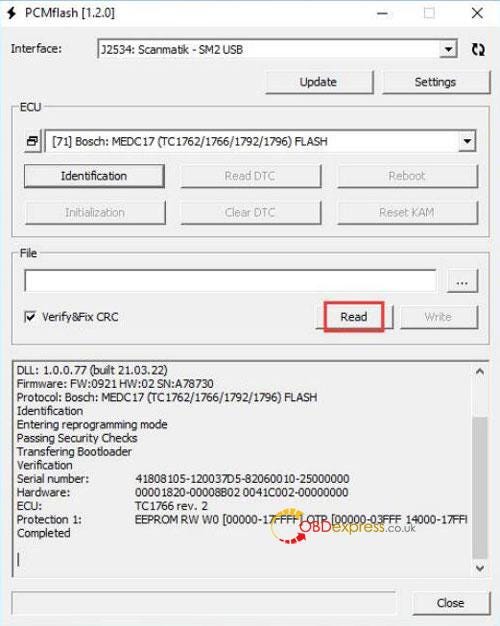
      Step1. Read flash data of the ECU via Pcmtuner.

      Note: For only buying PCMtuner Dongle users, need to use other device to read flash data. Eg. Tactrix Openport 2.0, Scanmatik 2 PRO,etc.

      Click “Read >> Save”

      PCMtuner ECU Services usage process description

      PCMtuner ECU Services usage process description

      PCMtuner ECU Services usage process description

      Step2. Send info & requirements to factory for revision.

      Information: ECU flash data + car model + ECU model

      Requirements:

    2. Verifythe payment has been finished.
    3. Explains ECU services needs.(eg.power transfer, immo off, dpf/egr remove, dtc shielding, etc.)
      1. PCMtuner ECU Services usage process description

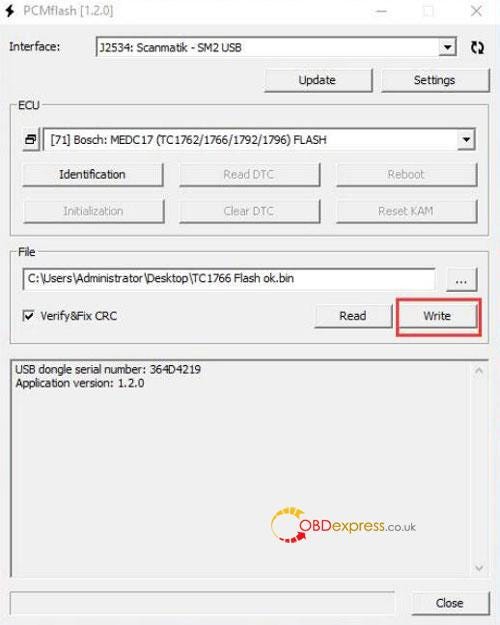
        Step3. Write processed flash data back to ECU via PCMtuner.

        Factory will send back processed flash data, just write back to ECU.

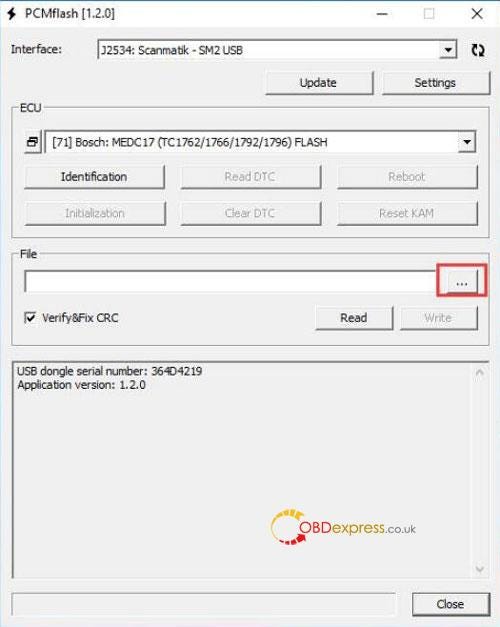
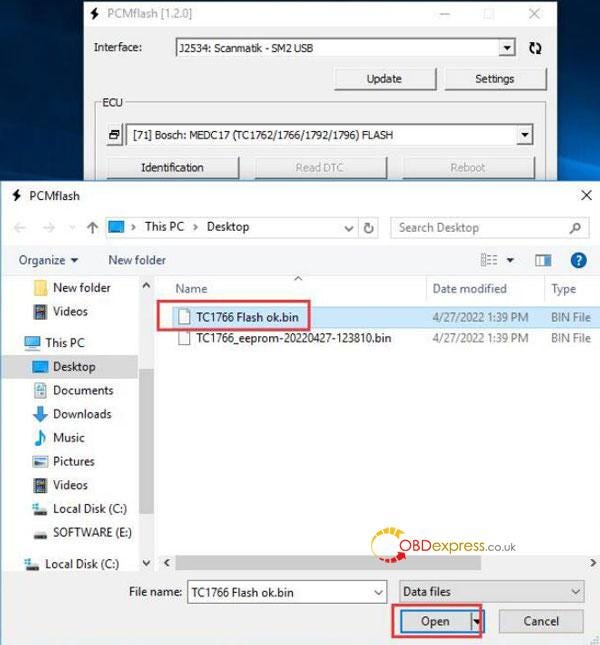
        Load file >> Write

        PCMtuner ECU Services usage process description

        PCMtuner ECU Services usage process description

        PCMtuner ECU Services usage process description

        Technical support

        www.obdexpress.co.uk
        Which car key programmer to choose in 2022?

         Which one is the best remote generator and key programmer? What’s the difference between them? Here we have collected hot 5 key tools in 2022, trying to help customers figure out before purchase.

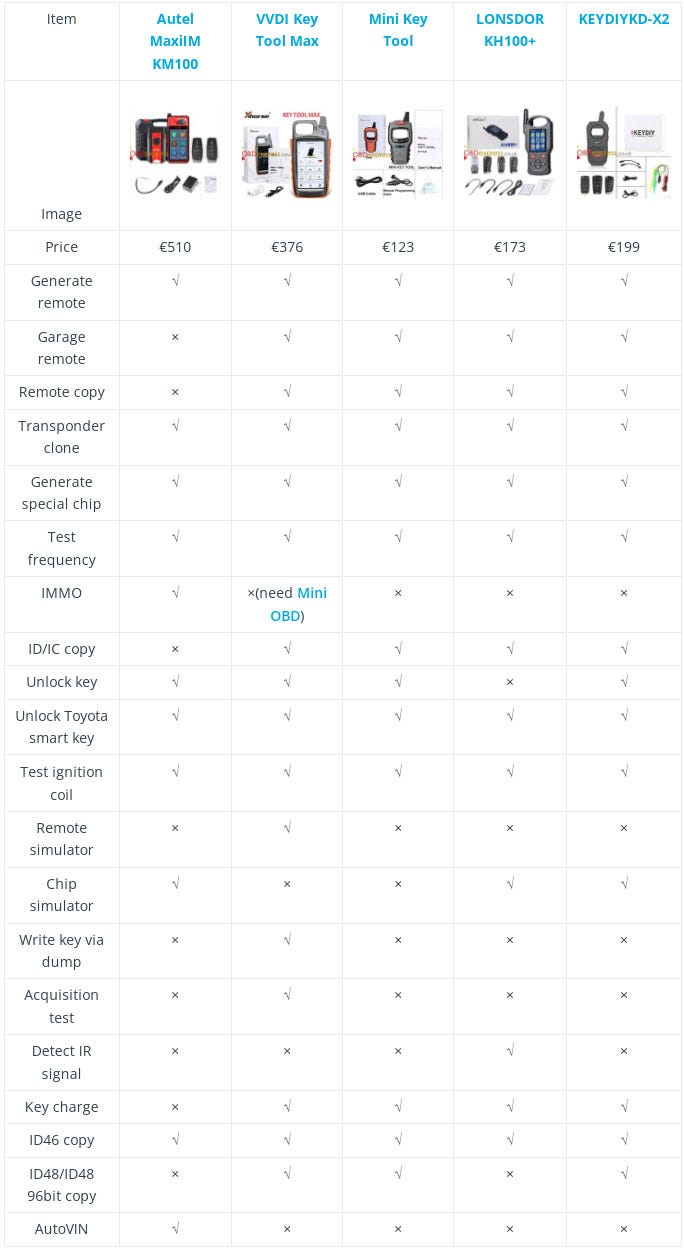
        Comparison Table

        key programmer comparison table

        Differences

        Price

        Autel KM100 > Key Tool Max > KEYDIY KD-X2 > Lonsdor KH100+ > Mini Key Tool

        - Autel KM100 is most expensive.

        - Xhorse Mini Key Tool is the cheapest.

        Appearance

      2. Autel KM100, Key Tool Max & Lonsdor KH100+ are equipped with a screen while Mini Key Tool & KEYDIY KD-X2 are not.
      3. Thereinto, only Autel KM100 & Key Tool Max are touch screen while Lonsdor KH100+ are not.
      4. Autel KM100 screen resolution is higher than Key Tool Max.
        1. Operation Conveniences

          Autel KM100 > Key Tool Max > Lonsdor KH100+ > Mini Key Tool > KEYDIY KD-X2

        2. Autel KM100, Key Tool Max & Lonsdor KH100+ are supported to operate on device directly. Mini Key Tool & KEYDIY KD-X2 should work with a phone or PC.
        3. Autel KM100 is latest tool with highest touch sensitivity. It’s the most convenient of all.
        4. Mini Key Tool can support wireless control on phone, KEYDIY KD-X2 should work on wire connection. That’s less convenient.
          1. Function

          2. Only Autel KM100 is featured with immobilizer function to do add key & all key lost while others are not. Key Tool Max needs additional Mini OBD to realize it. Lonsdor & KEYDIY also need extra key programmer. To some extent, KM100 can be an affordable alternative of IM508 or IM608 for some models. Also, it’s smaller and compact to put into pocket.
          3. In terms of unlocking keys, KM100 has a wider coverage than Xhorse like Dacia, Fiat, Honda, Benz, Opel, Suzuki; KD-X2 has a wider coverage than KM100 on Alfa, Geely, Haima, Haval, Jaguar, Lada, Land Rover, Lincoln, Maserati, Mini, Rolls Royce, Smart, VW.
          4. For chip simulator, KM100 supports ID46, 47, 48, 49 4A, 8A; KH100+ supports 4D, 46, 48, 47; KD-X2 only supports ID46 & 4D.
          5. Only Key Tool Max has remote simulator, write key via dump & acquisition test function. By collecting FSK ASK EEPROM frequency for engineer analysis when the car run into remote problems.
          6. For ID48 96bit copy, KD-X2 is free while Xhorse tools need to generate 10 remotes to activate the function.
          7. Only KM100 has AutoVIN while others do not, which is smarter & faster.
            1. Recommendation

              Autel KM100 is newer and smarter, but features are not as many as others at present. It’s obviously has advantage in IMMO due to Autel support. Can be an entry-level substitute and supporting tool before using IM508/IM608 to program keys.

              Xhorse Mini Key Tool is good at cloning & generating remotes. VVDI Key Tool Max is an upgraded version on the basis. It supports the most functions on remote & chip programming at present.

              Lonsdor KH100+ supports to copy 8A Toyota smart key directly, unlock Toyota Lexus smart fob. It’s the only one tool can read 902Mhz frequency of some USA remotes.

              KEYDIY KD-X2 supports to generate some remotes that are not supported on Xhorse. ID48 96bit copy is free and quicker than Xhorse.

              Both Lonsdor & KEYDIY can clone PCF7935 chip while Xhorse cannot.

              However, there’s no perfect tool can support everything. Purchase 2–3 items for back-up use would be a good idea for each locksmith.

              Technical support: www.obdexpress.co.uk
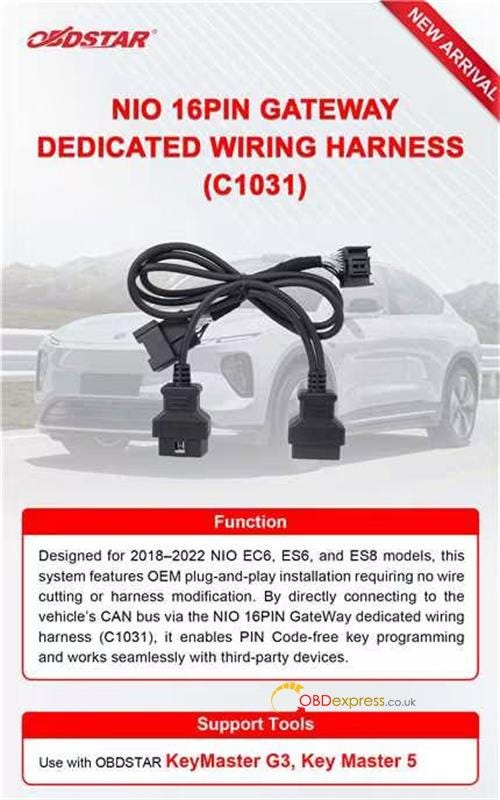
              How to Program NIO EV Keys with OBDSTAR G3 & C1031 Harness?

               Thinking about programming a key for a high-end EV like a NIO, but worried about messing up the complex gateway electronics? You’re not al...