Showing posts with label OBDSTAR MS80. Show all posts

Monday, 21 October 2024

OBDSTAR MOTO Cluster Recalibration & DIAG Software Update in Oct.

 Here we’ve collected OBDSTAR MOTO Cluster Recalibration & DIAG Software Major Upgrade in October. Involving OBDSTAR MS50, MS70 and MS80 motorcycles diagnostic tool. Please keep your device update to dated for new features.

MOTO Cluster Recalibration Software Upgrade

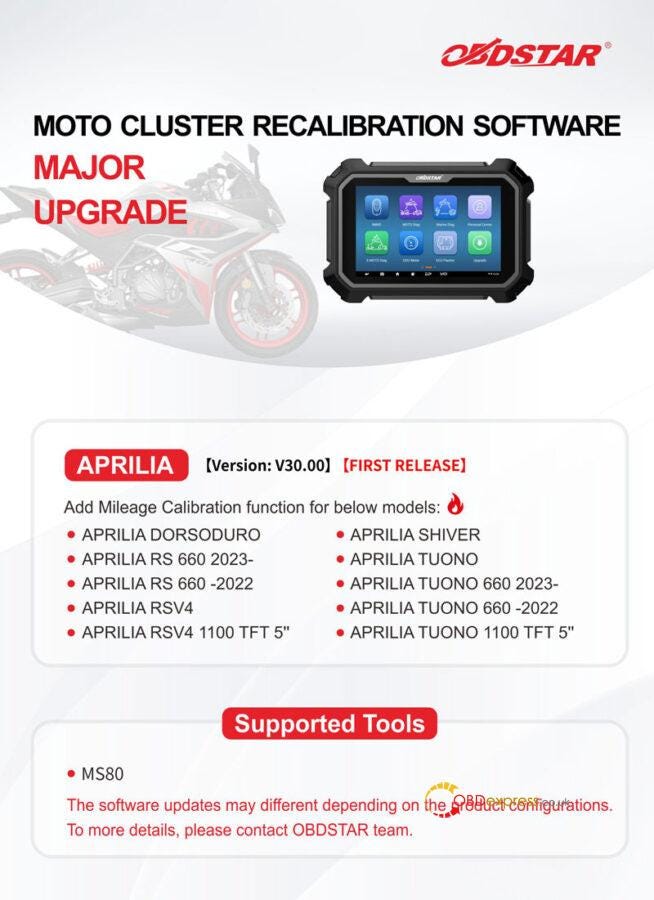
  • APRILIA V30.00 [First Release]

Add mileage calibration function for below models:

APRILIA DORSODURO

APRILIA RS 660 2023-

APRILIA RS 660 -2022

APRILIA RSV4

APRILIA RSV4 1100 TFT 5"

APRILIA SHIVER

APRILIA TUONO

APRILIA TUONO 660 2023-

APRILIA TUONO 660 -2022

APRILIA TUONO 1100 TFT 5"

  • Supported Tools

OBDSTAR MS80


OBDSTAR MOTO Cluster Recalibration & DIAG Software Update in Oct.

MOTO DIAG Software Upgrade

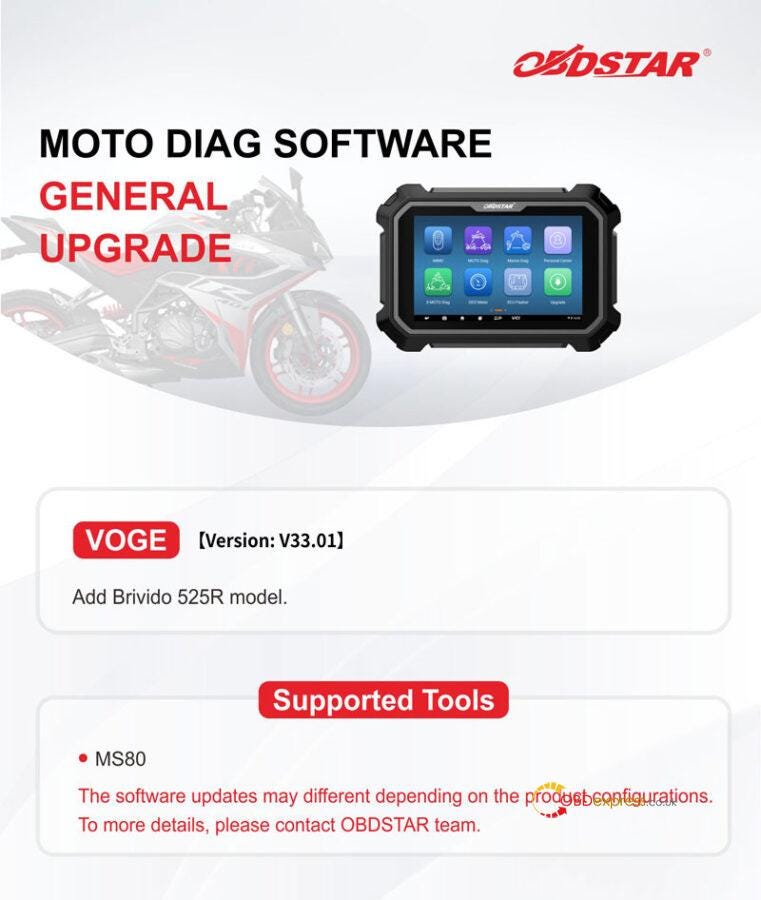
  • VOGE V33.01

Add Brivido 525R model.

  • Supported Tools

OBDSTAR MS80


OBDSTAR MOTO Cluster Recalibration & DIAG Software Update in Oct.

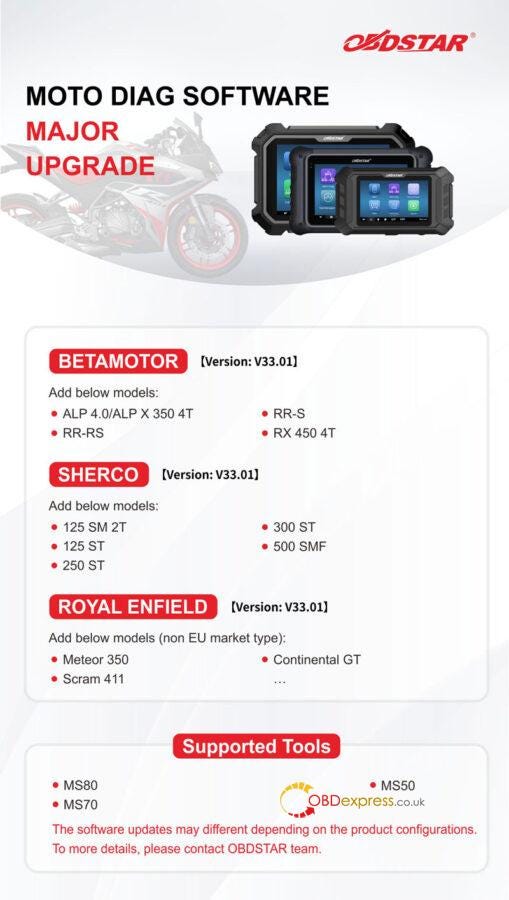
  • BETAMOTOR V33.01

Add below models:

ALP 4.0/ALP X 350 4T

RR-RS

RR-S

RX 450 4T

  • SHERCO V33.01

Add below models:

125 SM 2T

125 ST

250 ST

300 ST

500 SMF

  • ROYAL ENFIELD V33.01

Add below models(non EU market type):

Meteor 350

Scram 411

Continental GT

  • Supported Tools

OBDSTAR MS80/ MS70/ MS50


OBDSTAR MOTO Cluster Recalibration & DIAG Software Update in Oct.

www.obdexpress.co.uk

Wednesday, 10 July 2024

OBDSTAR MS80/ MS70/ MS50/ iSCAN MOTO DIAG Software Upgrade

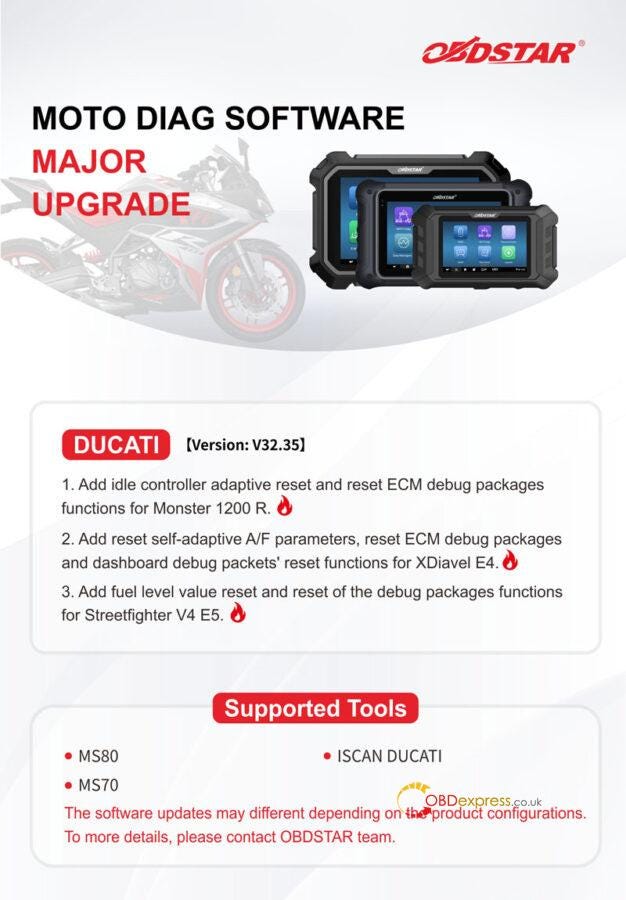
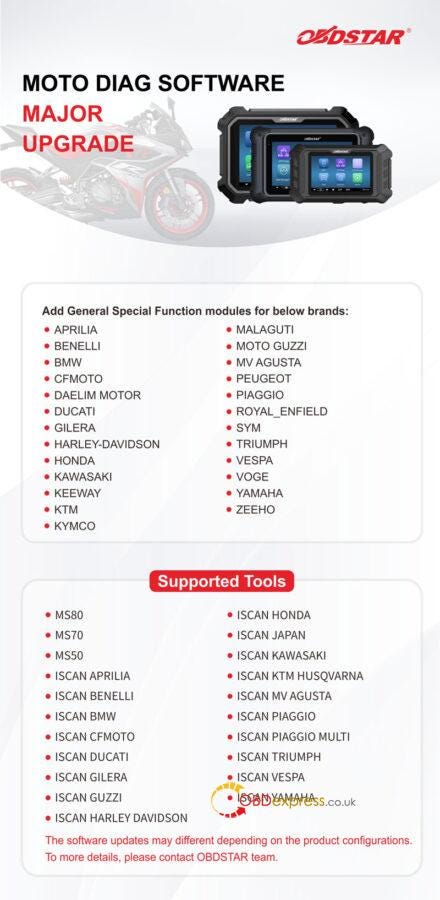
 OBDSTAR MOTO DIAG Software has released upgraded Version 32.35 for DUCATI and added general special function modules for many brands. Details please check below:

DUCATI Version: V32.35

  1. Add idle controller adaptive reset and reset ECM debug package functions for Monster 1200R.
  2. Add reset self-adaptive A/F parameters, reset ECM debug packages and dashboard debug packets’ reset functions for XDiavel E4.
  3. Add fuel level value reset and reset of the debug packages functions for Streetfighter V4 E5.

Support Tools

OBDSTAR MS80

OBDSTAR MS70

OBDSTAR ISCAN DUCATI


OBDSTAR MOTO DIAG Software Upgrade

Add General Special Function modules for below brands:

APRILIA

BENELLI

BMW

CFMOTO

DAELIM MOTOR

DUCATI

GILERA

HARLEY-DAVIDSON

HONDA

KAWASAKI

KEEWAY

KTM

KYMCO

MALAGUTI

MOTO GUZZI

MV AGUSTA

PEUGEOT

PIAGGIO

ROYAL_ENFIELD

SYM

TRIUMPH

VESPA

VOGE

YAMAHA

ZEEHO

Supported Tools

OBDSTAR MS80

OBDSTAR MS70

OBDSTAR MS50

OBDSTAR ISCAN APRILIA

OBDSTAR ISCAN BENELLI

OBDSTAR ISCAN BMW

OBDSTAR ISCAN CFMOTO

OBDSTAR ISCAN DUCATI

OBDSTAR ISCAN GILERA

OBDSTAR ISCAN GUZZI

OBDSTAR ISCAN HARLEY DAVIDSON

OBDSTAR ISCAN HONDA

OBDSTAR ISCAN JAPAN

OBDSTAR ISCAN KAWASAKI

OBDSTAR ISCAN KTM HUSQVARNA

OBDSTAR ISCAN MV AGUSTA

OBDSTAR ISCAN PIAGGIO

OBDSTAR ISCAN PIAGGIO MULTI

OBDSTAR ISCAN TRIUMPH

OBDSTAR ISCAN VESPA

OBDSTAR ISCAN YAMAHA


OBDSTAR MOTO DIAG Software Upgrade

www.obdexpress.co.uk

Monday, 13 May 2024

OBDSTAR MS80 vs. TEXA vs. Snap-ON P1000 Comparison

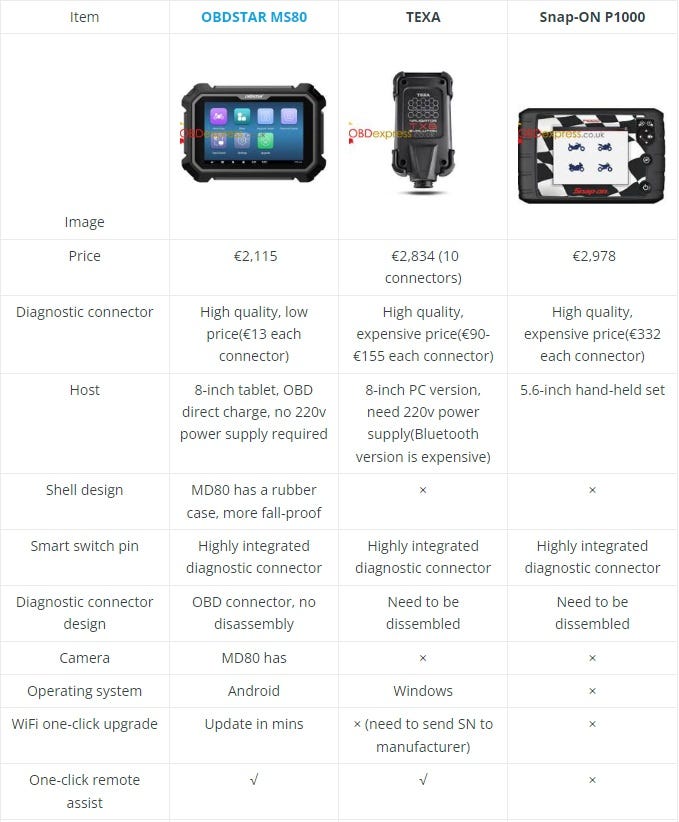
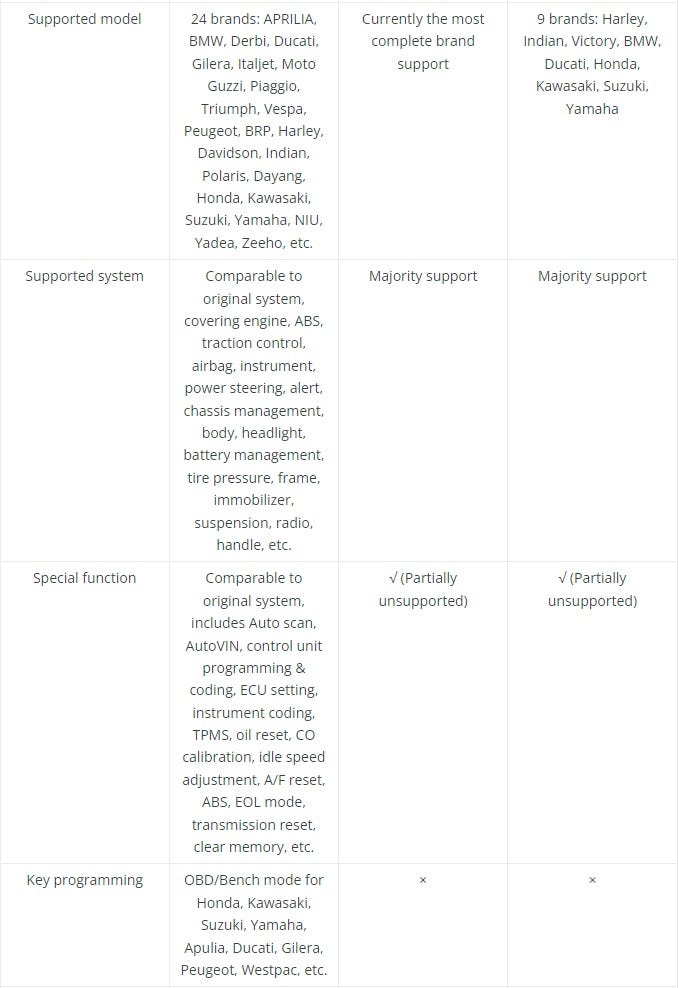
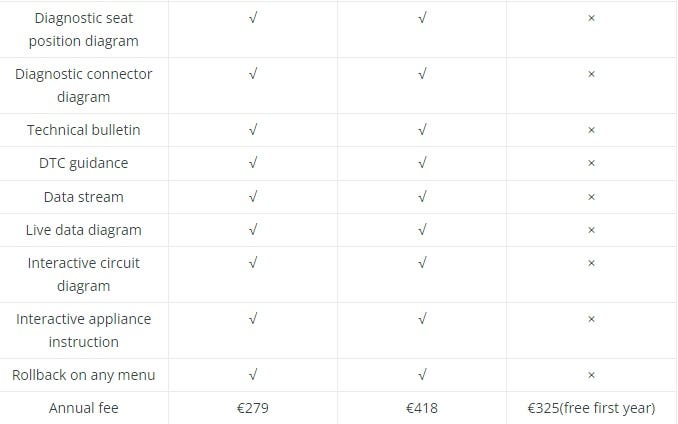
 What’s the OBDSTAR MS80 Motorcycles Diagnostic Tool different from TEXA and Snap-ON P1000? Here we’ve listed their configuration, functions and cost for comparison. Hoping to help you find the answer.

Comparison Table


OBDSTAR MS80 vs. TEXA vs. Snap-ON P1000 Comparison

Conclusion

OBDSTAR MS80 is the most cost-effective option of three. As it’s not only the cheapest, but also supports the most features. In addition, the tablet design makes it more portable to carry than others.

www.obdexpress.co.uk

Tuesday, 21 March 2023

How to Recalibrate the Odometer on a 2014 KTM 1190 with OBDSTAR MS80

 OBDSTAR MS80 Motorcycle Scan Tool is able to do odometer recalibration for KTM 93C56 chip, covering 640 LC4, 950 Adventure, 1190 Adventure, Duke 125 & Duke 200. Here's taking 2014 KTM 1 series 1190 Adventure for mileage adjustment as example.

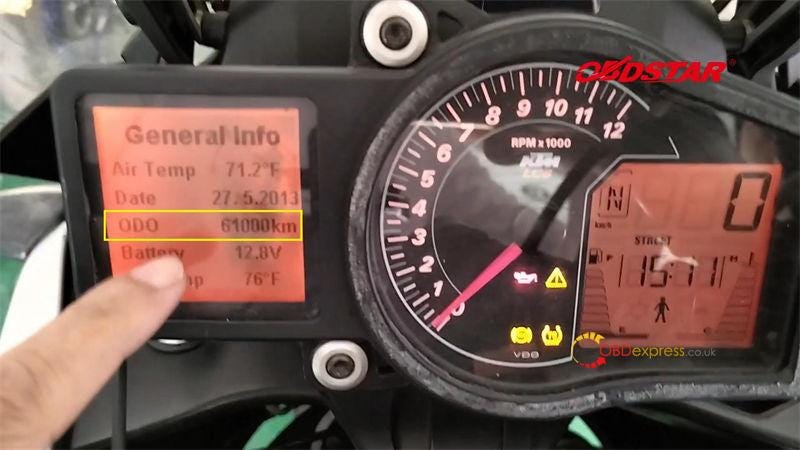
How to check odometer with OBDSTAR MS80?

The original odometer on screen is 61000km.

OBDSTAR MS80 2014 KTM 1190 Odometer Recalibration

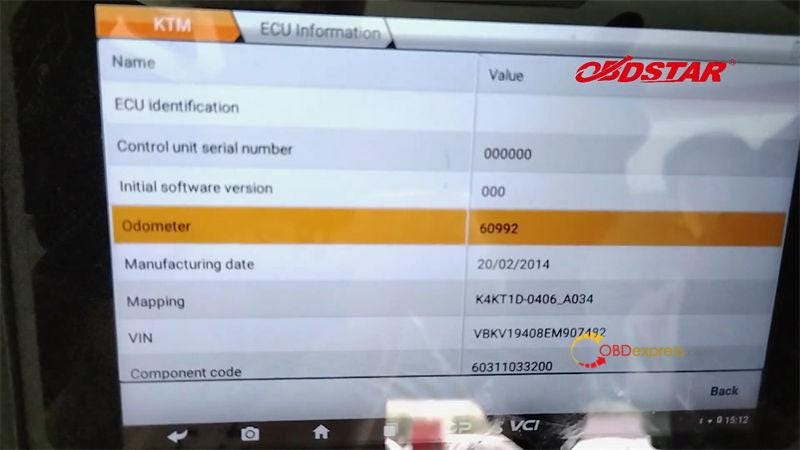
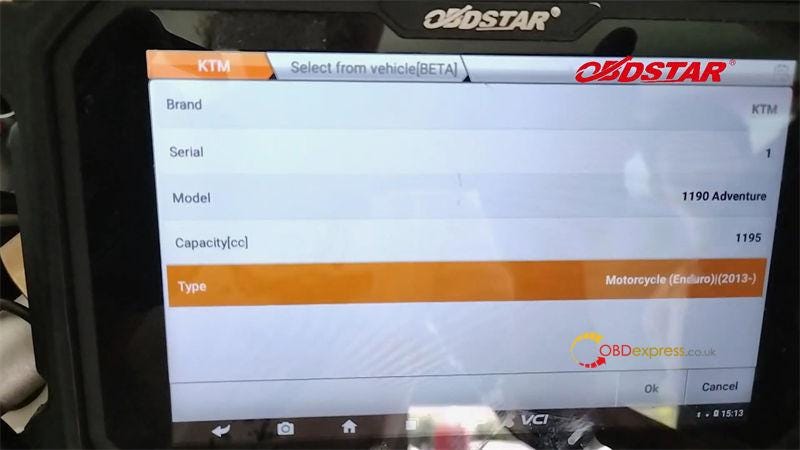
Moto Diag >> KTM >> Latest version >> Diagnosis >> Select from vehicle >> 1 Series >> 1190 Adventure >> OK >> Chassis management system >> Eldor MCU(2013-) >> ECU information

Here we can see the odometer shows 60992km.

OBDSTAR MS80 2014 KTM 1190 Odometer Recalibration

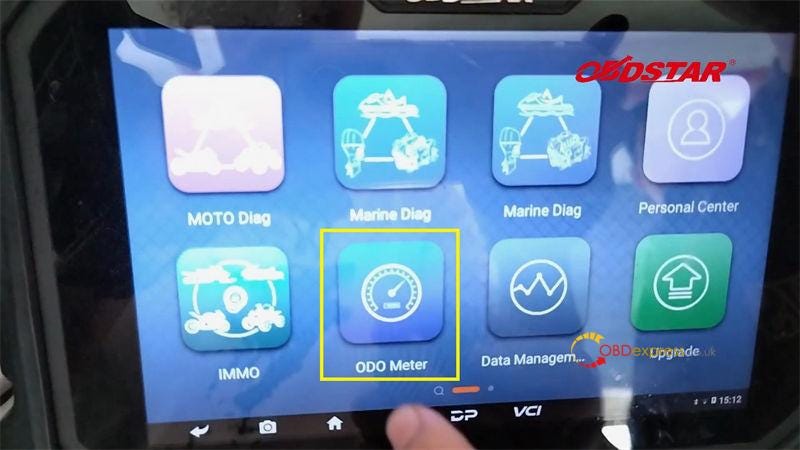
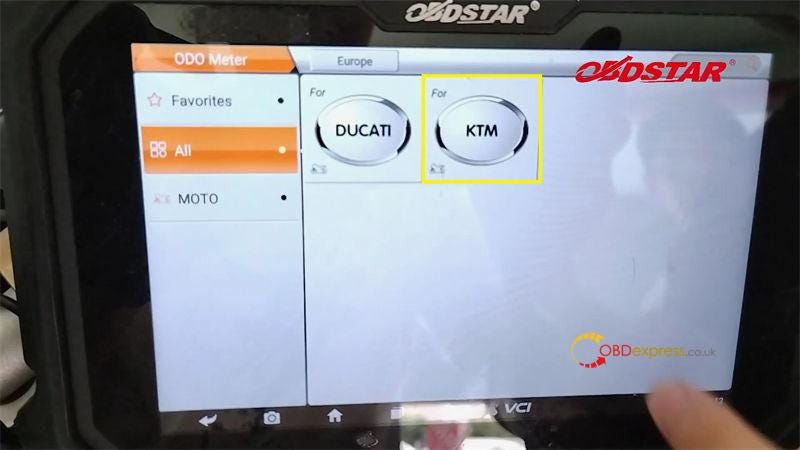
How to calibrate odometer with OBDSTAR MS80?

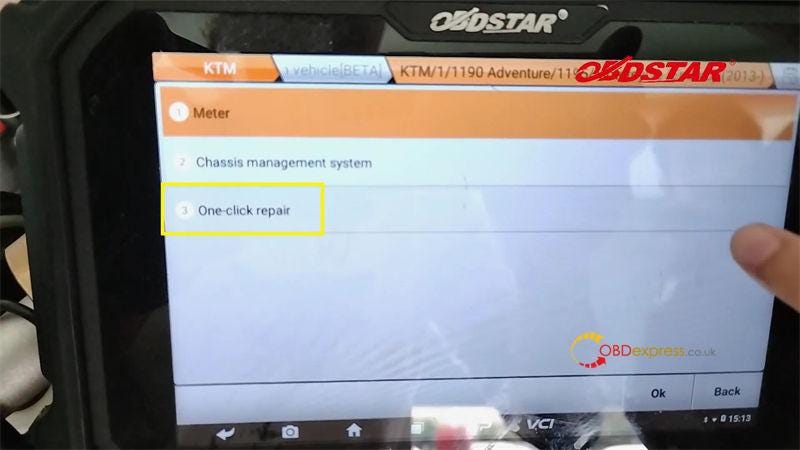
ODO Meter >> Agree >> KTM >> Latest version >> Select from vehicle >> 1 Series >> 1190 Adventure >> OK >> One-click repair >> H

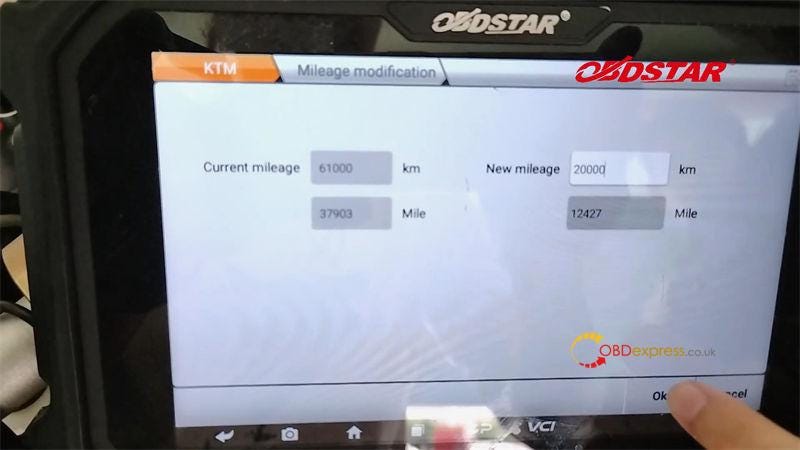
Enter the new mileage: 20000km(12427 mile)

OK >> OK

Procedure complete.

OBDSTAR MS80 2014 KTM 1190 Odometer Recalibration

OBDSTAR MS80 2014 KTM 1190 Odometer Recalibration

OBDSTAR MS80 2014 KTM 1190 Odometer Recalibration

OBDSTAR MS80 2014 KTM 1190 Odometer Recalibration

OBDSTAR MS80 2014 KTM 1190 Odometer Recalibration

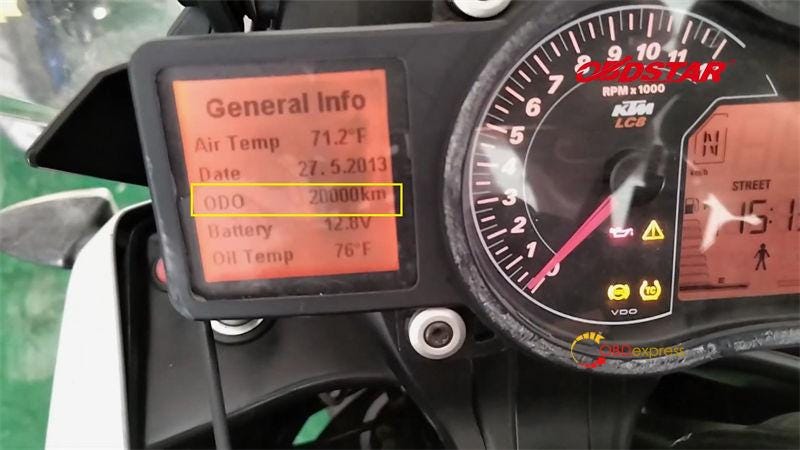
Now the moto screen has changed to 20000km.

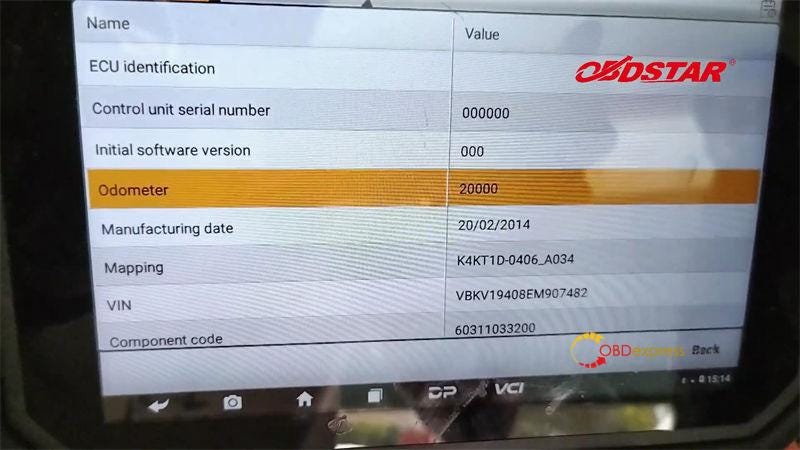
Go back to check ECU info again, the odometer is showing 20000km now.

Done.

OBDSTAR MS80 2014 KTM 1190 Odometer Recalibration

OBDSTAR MS80 2014 KTM 1190 Odometer Recalibration

www.obdexpress.co.uk

Monday, 17 October 2022

OBDSTAR MS80 vs. MS70 vs. MS50 MOTO Diagnostic Tool

 How to choose the best motorcycles diagnostic tool? Here we have listed out the latest hit motorbike scanner in 2022 for comparison — OBDSTAR MS80, MS70 & MS50. What's different between them? Which one is better?

Let's move forward to find the answer.

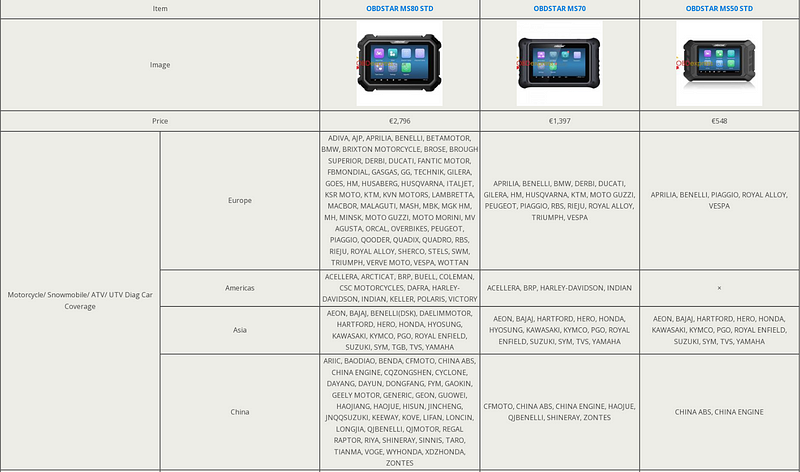
MS80 vs. MS70 vs. MS50 ComparisonDifferences

MS80 vs. MS70 vs. MS50 ComparisonDifferences

MS80 vs. MS70 vs. MS50 ComparisonDifferences

MS80 vs. MS70 vs. MS50 ComparisonDifferences

Price

OBDSTAR MS80>MS70 > MS50

- MS80 is the most costly.

- MS50 is the cheapest.

Car Coverage

OBDSTAR MS80 > MS70 > MS50

- MS80 supports the widest car coverage in Europe, Americas, Asia, etc.

- MS70 place the second.

- MS50 supports the least.

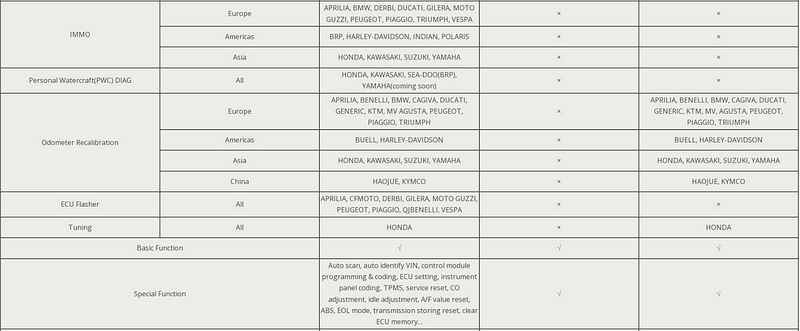
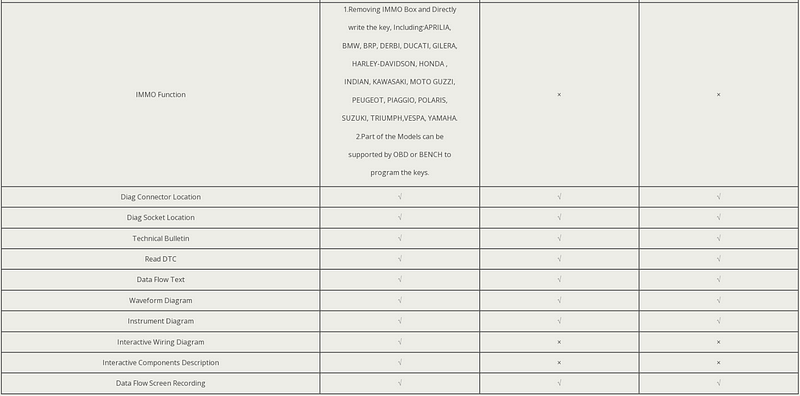
Function

OBDSTAR MS80 > MS50> MS70

- MS80 supports the most features than the others, such as IMMO, personal watercraft(PWC) diag, ECU flasher, interactive wiring diagram, interactive components description, etc.

- Only MS70 does not support odometer recalibration & Honda tuning.

Conclusion

For those on a budge without having to diagnose American motorcycles, OBDSTAR MS50 is recommended. Besides, MS50 also supports odometer recalibration & Honda tuning.

For those who need a widest coverage and most features, OBDSTAR MS80 is the best.

If the budget is somewhere in between, and need a wider diagnostic coverage, MS70 is suitable.

www.obdexpress.co.uk

Thursday, 12 May 2022

[OBDSTAR MS80] Motorcycle multi-function jumper connection method

 Background: When no corresponding diag connector for a motorcycle, M003A can be used for diagnosing.

Preparation: OBDSTAR MS80, M001A, M003A(Multi-functional Jumper), M002, Multimeter, Cables connecting with Diag Socket. (M001, M003A, M002 are included in the OBDSTAR MS80 package for free)
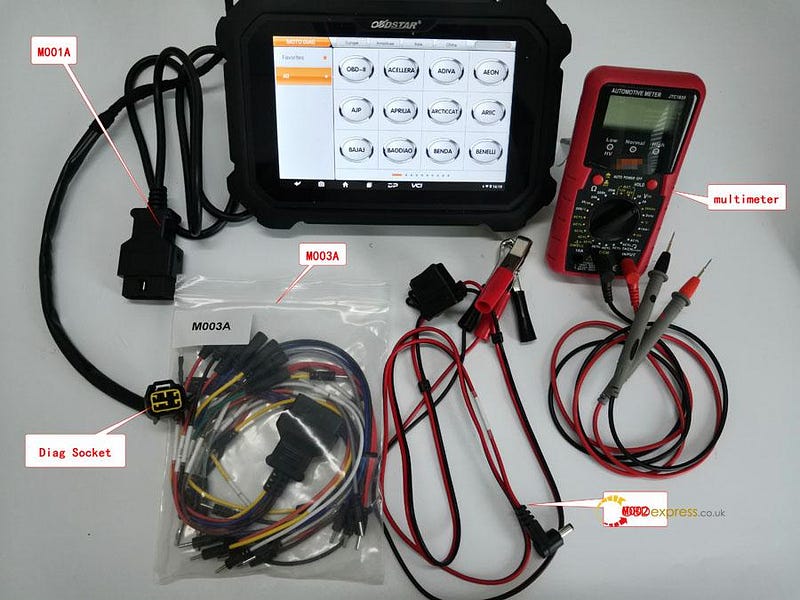
OBDSTAR MS80 jumper connection method

Tips: connecting negative pole of an external battery with negative pole of motorcycle via M002A to get power


Solutions: Using OBDSTAR M003A to diagnose motorcycle

Details Steps: Multimeter detects each pin boot's voltage of diag socket.Its voltage reaches DC 20V, the black pen connecting with battery's negative or putting up iron and the red one detecting each pin boot's voltage of diag socket.

Battery cable=battery voltage;

GND=0V;

Communicating cable: K cable (one cable), CAN cables (two cables);

K cable: its voltage lower 1–2V than battery

CAN cable: CAN-H cable & CAN-L cable, CAN-H cable's voltage ranges from 2.5~3V; CAN-L cable's voltage ranges from 2.0~2.5V.

Diagnosing via K cable

①Majority motorcycles are communicating via K cable. Judging from each pin boot's voltage as below, 6 pin boot(12.39V) is for K communicating.
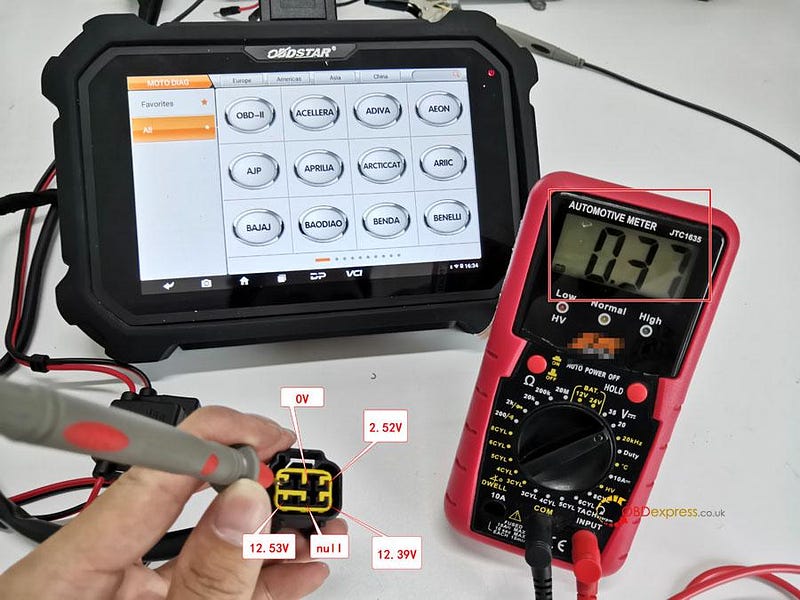
OBDSTAR MS80 jumper connection method

②Connecting M001A with MS80 and M003A, pls connect K cable of M003A with 6 pin boot(12.39V) via 7 cable from M003A. Clipping the black clip of M002 onto battery negative and the red one onto battery positive, then pls connect the other end of M002 onto M001A for charging. Pls ensure the indicator at MS80 upper right is on.

Tips: If the indicator at MS80 upper right is off, then it might be 5A fuse has been broken. If a new one is broken again, pls check the motorcycle's voltage is normal.
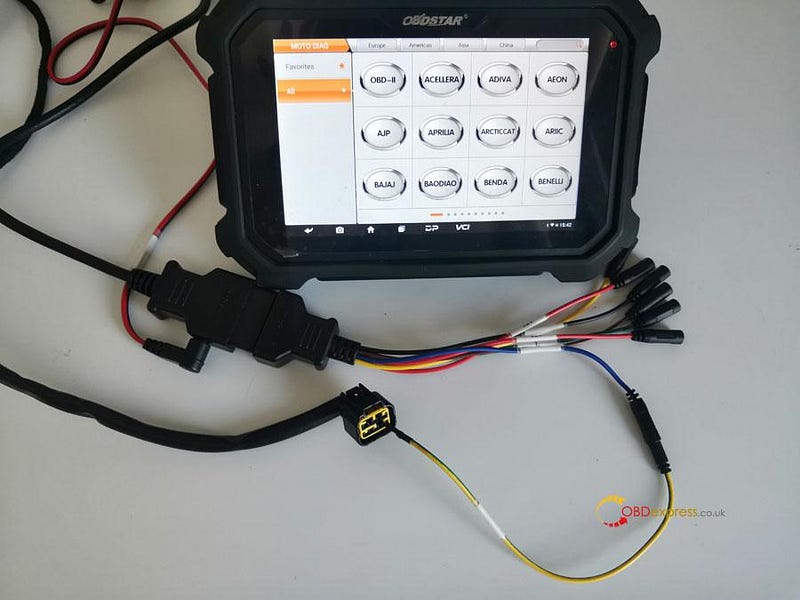
OBDSTAR MS80 jumper connection method

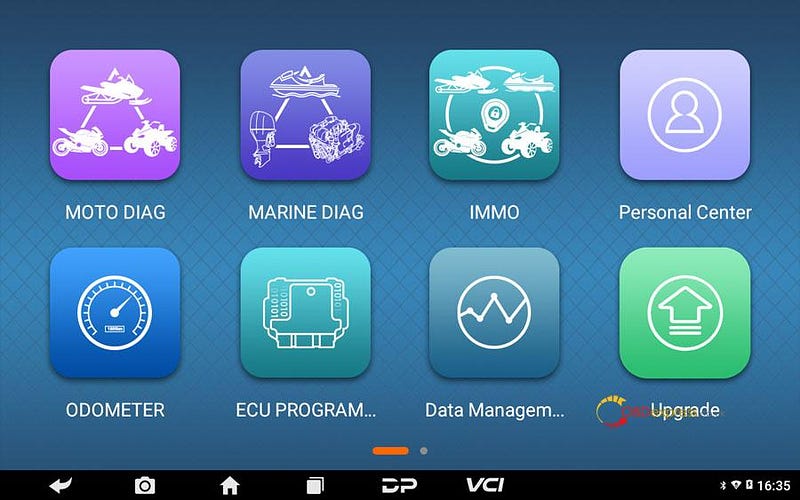
③Click [MOTO DIAG];

OBDSTAR MS80 jumper connection method

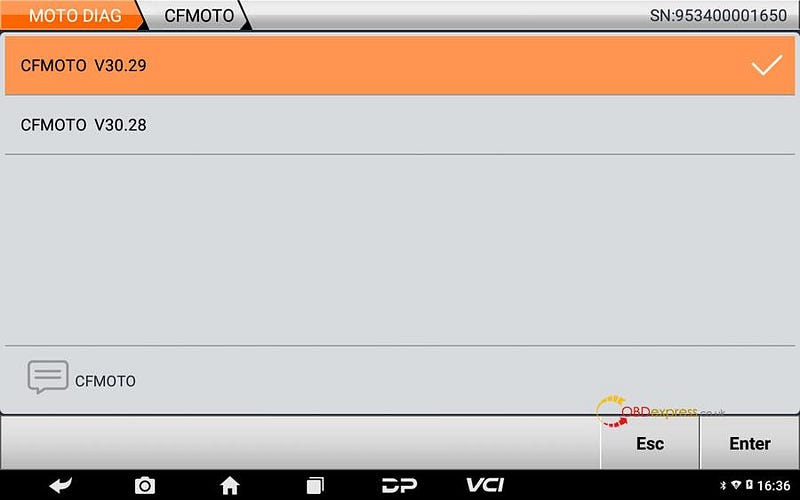
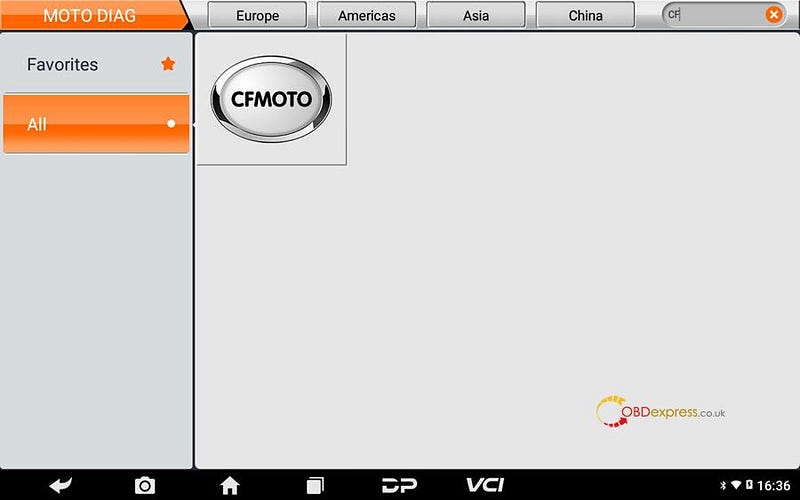
④Click [All], input letters such "CF" in search bar, click [CFMOTO];

Tips: by searching keywords, find out related models quickly.
OBDSTAR MS80 jumper connection method

⑤Click the newest CFMOTO edition;

OBDSTAR MS80 jumper connection method

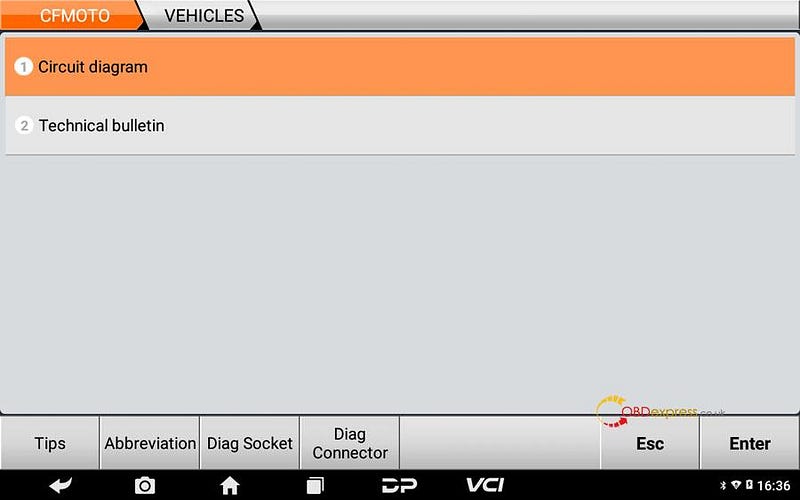
⑥Click [Circuit diagram];

OBDSTAR MS80 jumper connection method

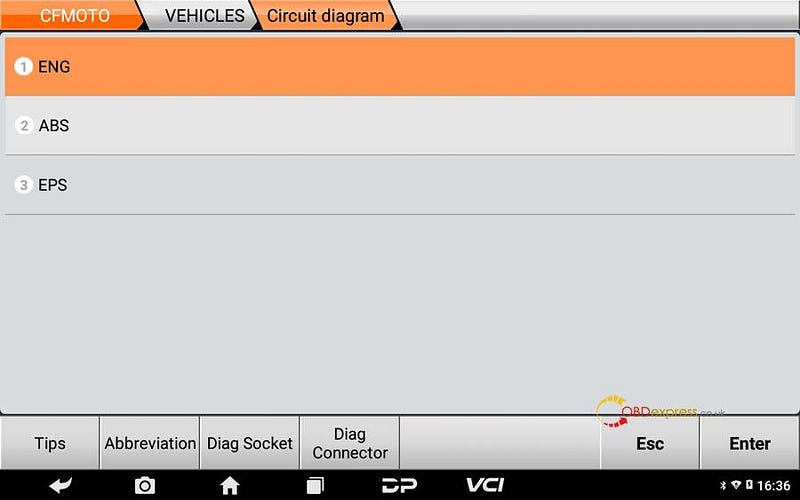
⑦Click [ENG];

OBDSTAR MS80 jumper connection method

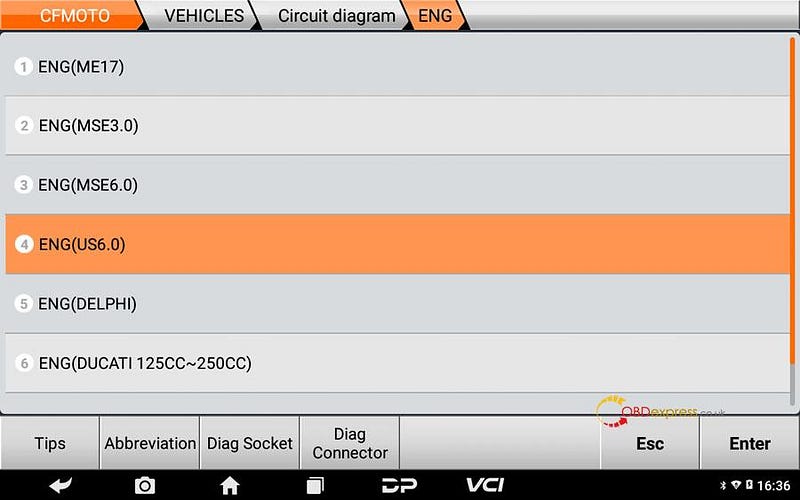
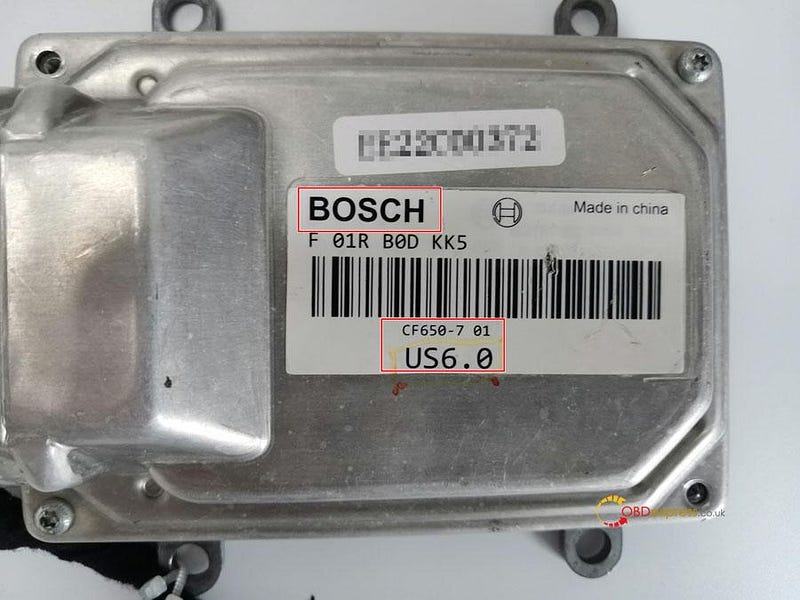
⑧Choose corresponding system with ECU, for example BOSCHUS6.0, then click [ENG(US6.0)];
OBDSTAR MS80 jumper connection method

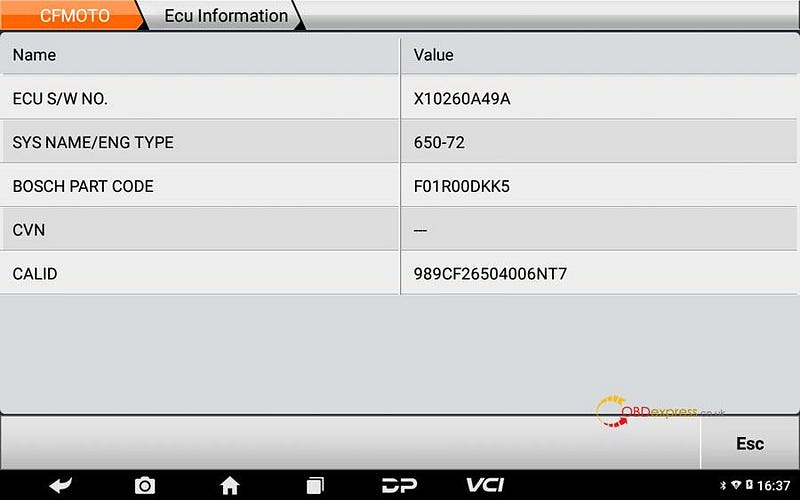
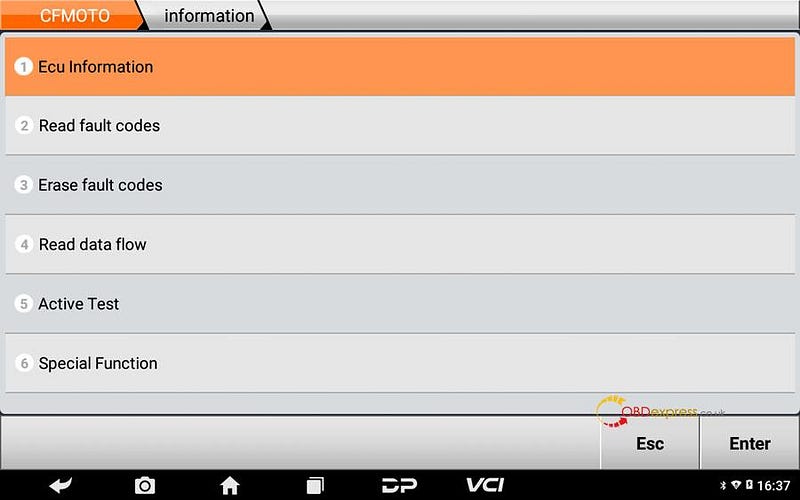
⑨If it can communicate, then the motorcycle is communicating via K cable.
OBDSTAR MS80 jumper connection method

Diagnosing via CAN cables

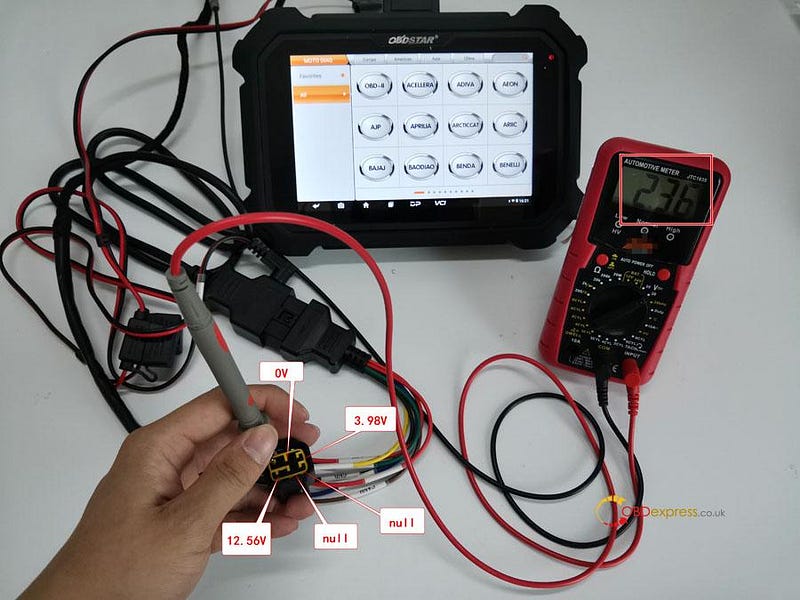
①Judging from each pin boot's voltage as below, 1 pin boot (2.36V) and 3 pin boot (3.98V) are for CAN communicating.
OBDSTAR MS80 jumper connection method

②Connecting M001A with MS80 and M003A, pls connect CAN-H cable (brown) of M003A with 3 pin boot (3.98V) via 7 cable from M003A, connect CAN-L cable (yellow) of M003A with 1 pin boot(3.98V) via another 7 cable from M003A. Clipping the black clip of M002 onto battery negative and the red one onto battery positive, then pls connect the other end of M002 onto M001A for charging. Pls ensure the indicator at MS80 upper right is on.

Tips: If the indicator at MS80 upper right is off, then it might be 5A fuse has been broken. If a new one is broken again, pls check the motorcycle's voltage is normal.
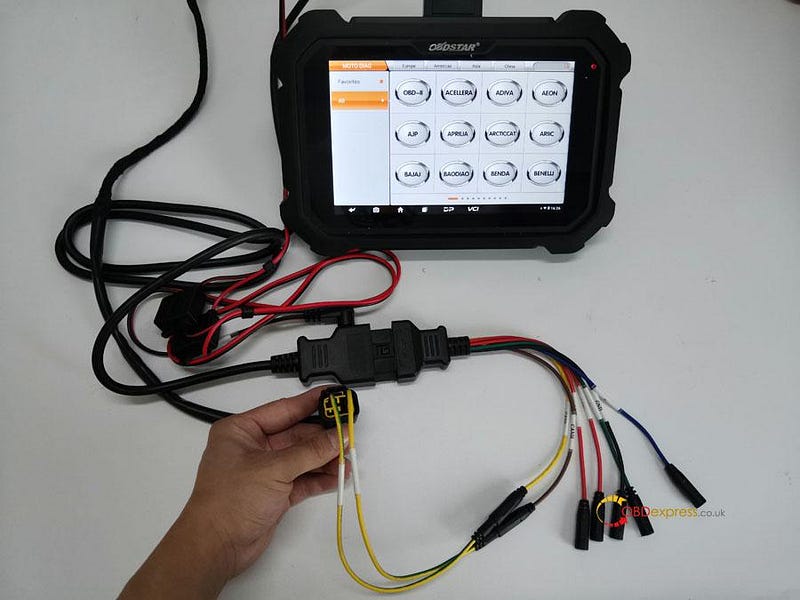
OBDSTAR MS80 jumper connection method

③Click [All], input letters such "YA" in search bar, click [YAMAHA];

Tips: by searching keywords, find out related models quickly.
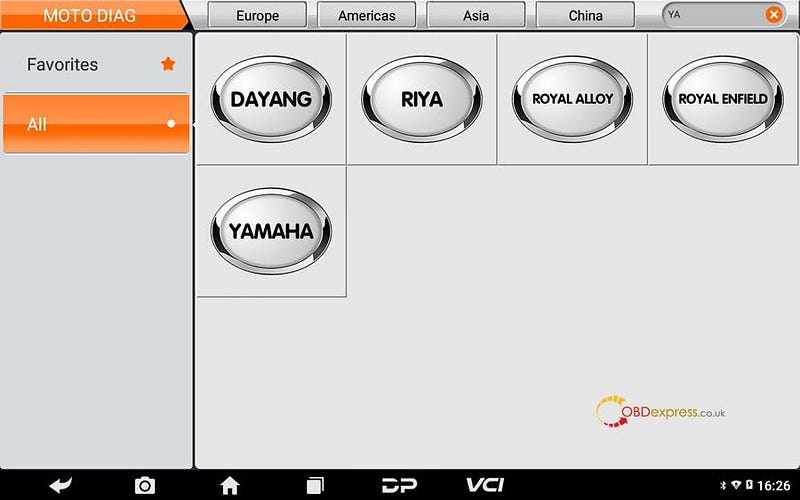
OBDSTAR MS80 jumper connection method

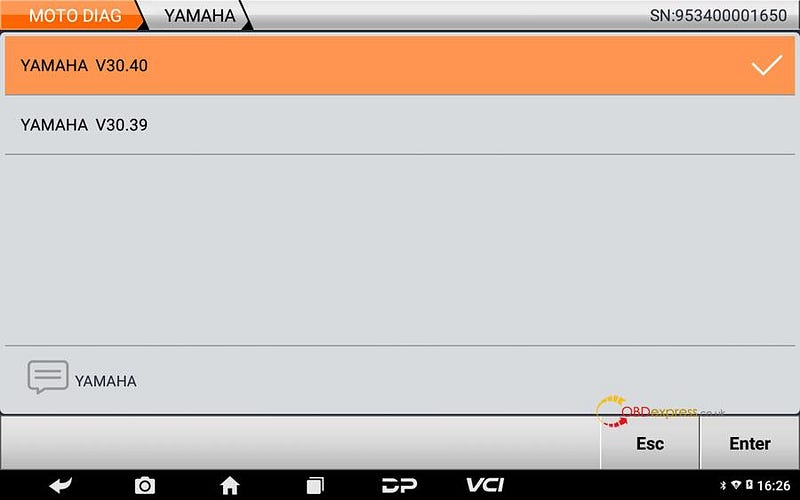
④Click the newest YAMAHA edition;

OBDSTAR MS80 jumper connection method

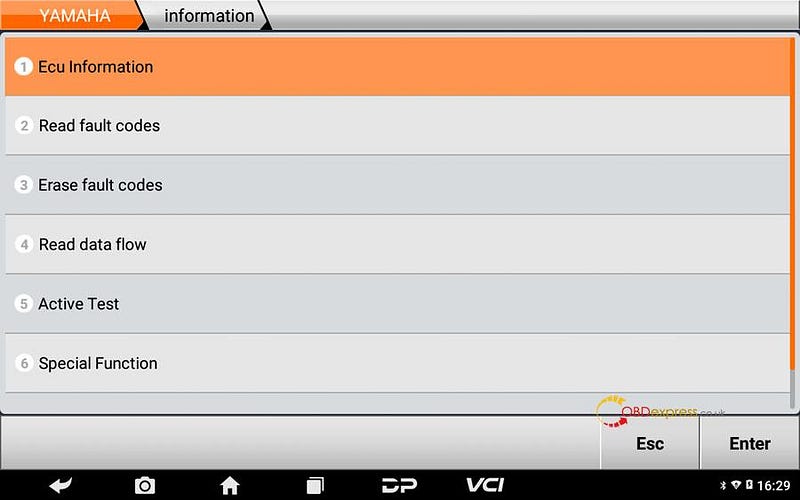
⑤Click [Diagnosis];

Tips: help data includes diag socket, diag connector, technical bulletin, wiring diagram help data files.
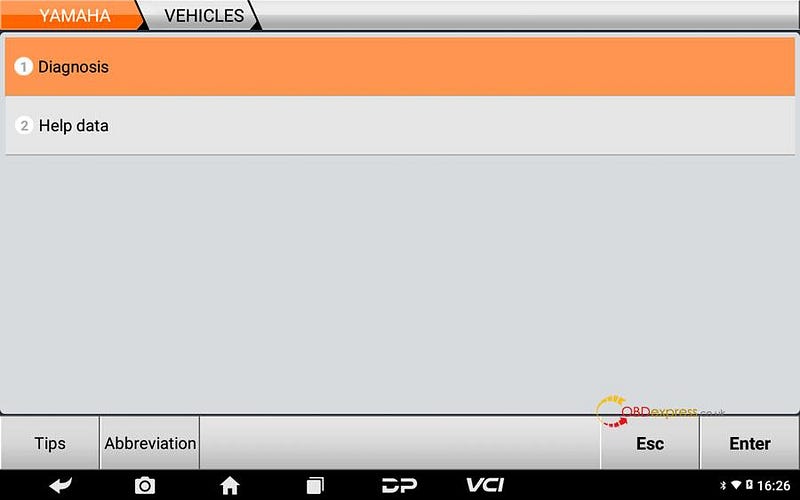
OBDSTAR MS80 jumper connection method

⑥Click [Auto Scan] or [Manual selection];
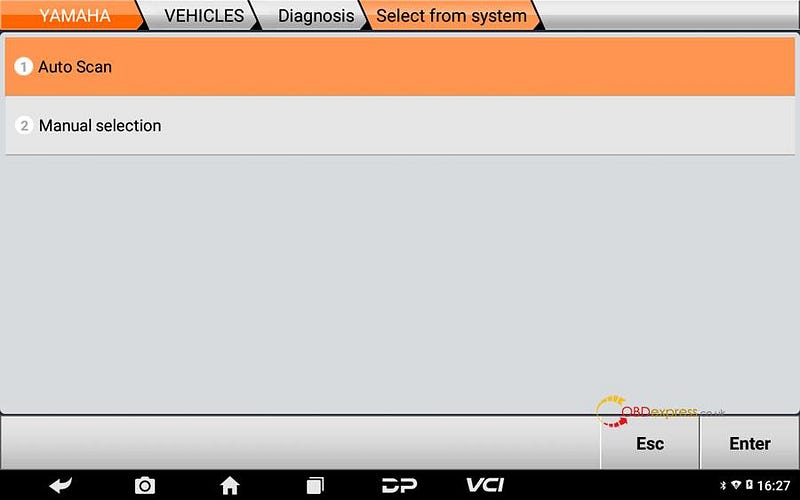
OBDSTAR MS80 jumper connection method

⑦Click [All Protocol Scan] or [Standard Protocol(CAN/KWP)];
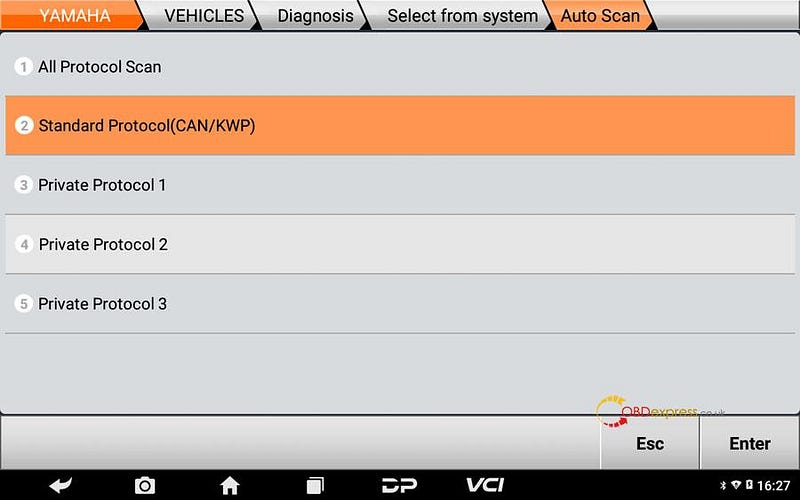
OBDSTAR MS80 jumper connection method

⑧If it can communicate, then the motorcycle is communicating via CAN cables, can click [fault] for more details.
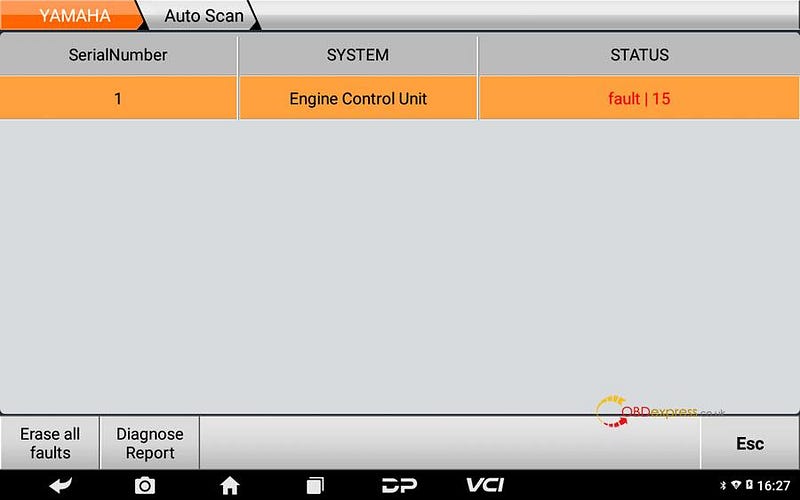
OBDSTAR MS80 jumper connection method

⑨Click [?] can check how to solve the fault;
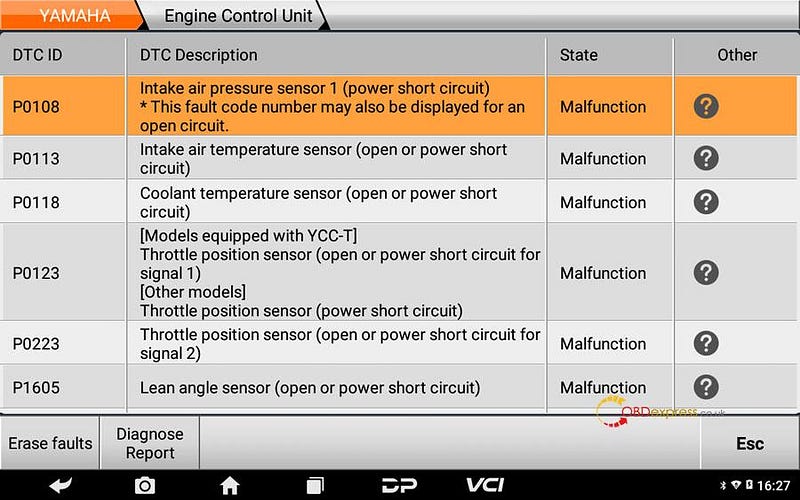
OBDSTAR MS80 jumper connection method

⑩Click [Engine Control Unit] can enter into engine system;
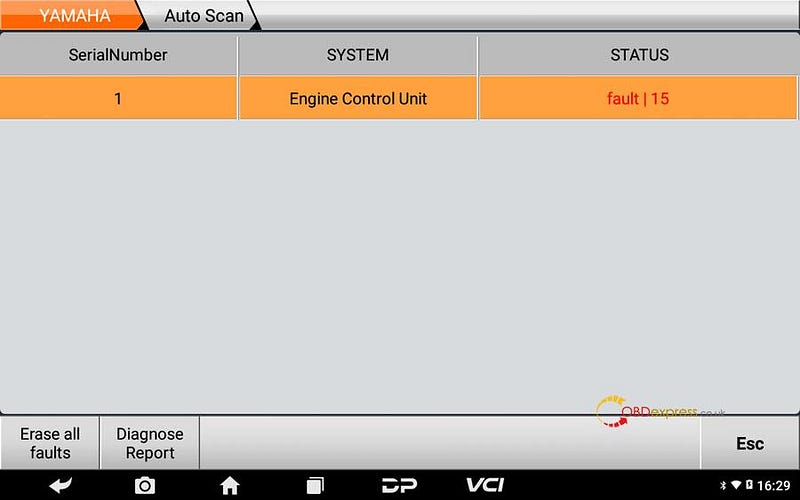
OBDSTAR MS80 jumper connection method

OBDSTAR MS80 jumper connection method

OBDSTAR MS80 jumper connection method

⑪Operations done, the problem got solved.

Pls strictly follow your device tips in your operation process. Technical support: obdexpress.co.uk
Thursday, 21 April 2022

OBDSTAR MS80 resets BMW F800 motorcycle maintenance service

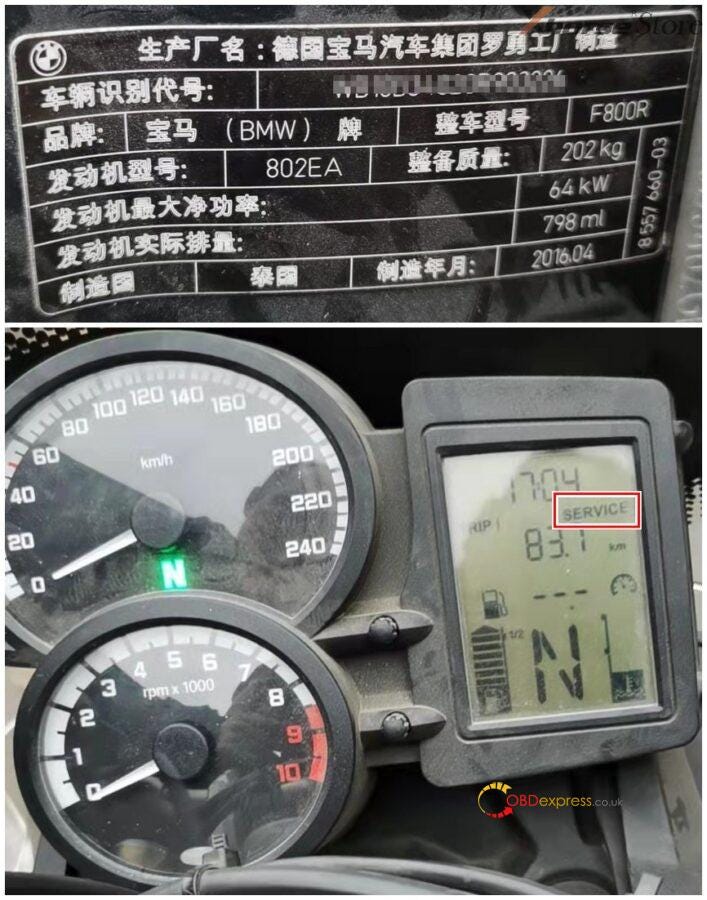
 A 2016 BMW F800 R, its maintenance time is up, the dashboard shows a “SERVICE” for maintenance tips. We can use OBDSTAR MS80 Motorcycle Tool for maintenance service reset.

OBDSTAR MS80 resets 2016 BMW F800 R service lamp

Preparation: OBDSTAR MS80, M001A, M040 (M001A, M040 are accessories included in MS80 package)

Tips: After finishing related maintenance items, pls follow below steps to remove maintenance tips.

Solutions: using OBDSTAR MS80 to operate on[Read and set the SERVICE data], [Read and set the service interval for partial mileage].

Details Steps:

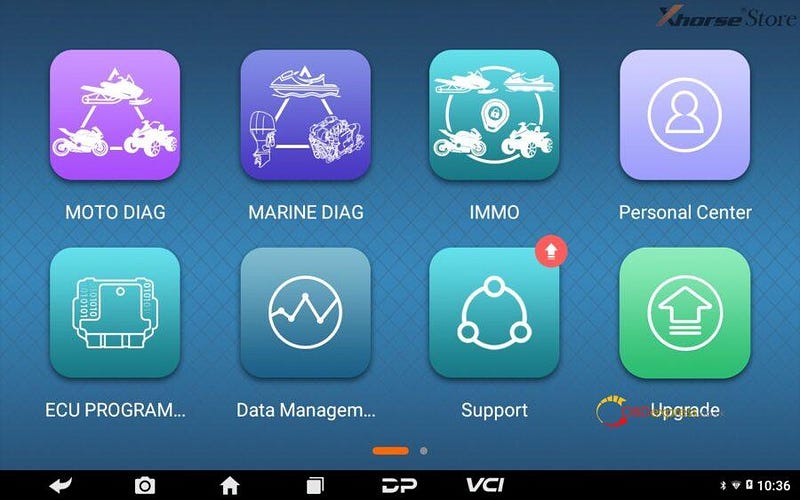
1. Connect MS80 to Motorcycle, enter into[MOTO DIAG];

OBDSTAR MS80 resets 2016 BMW F800 R service lamp

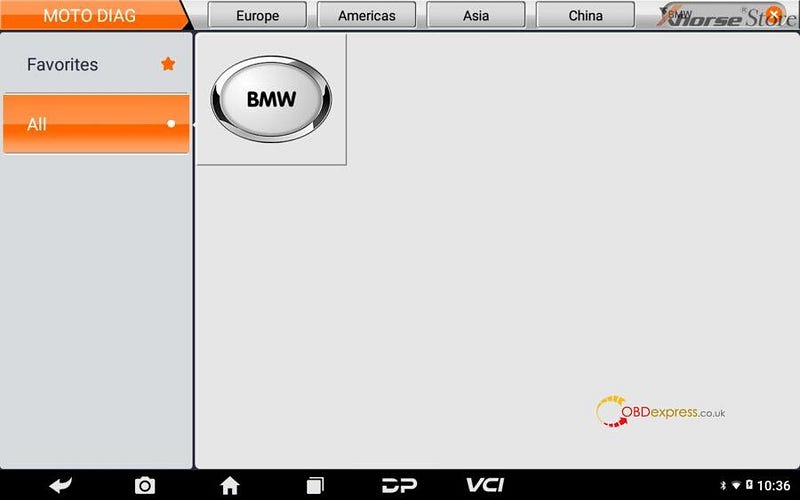
2. Click[All], input letters such”BMW” in search bar, click[BMW];

Tips: by searching keywords, find out related models quickly.

OBDSTAR MS80 resets 2016 BMW F800 R service lamp

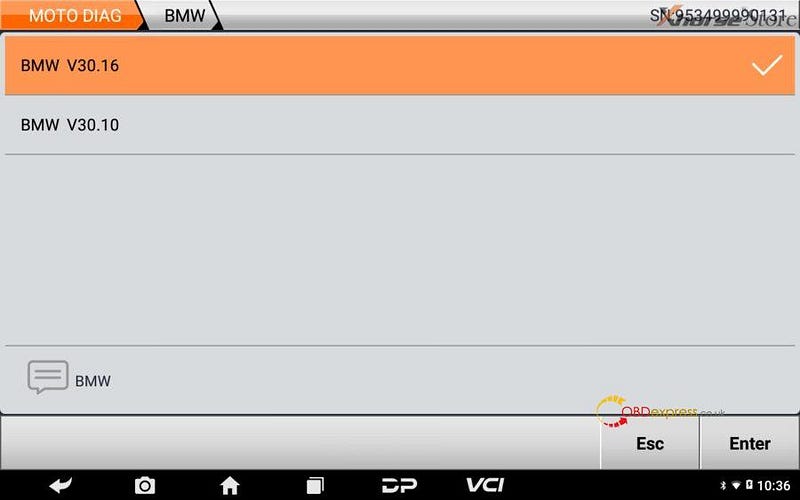
3. Click the newest BMW edition;
OBDSTAR MS80 resets 2016 BMW F800 R service lamp

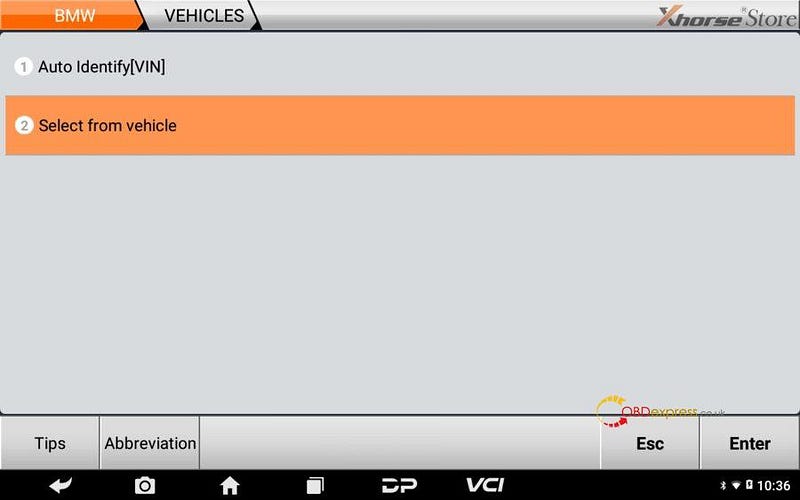
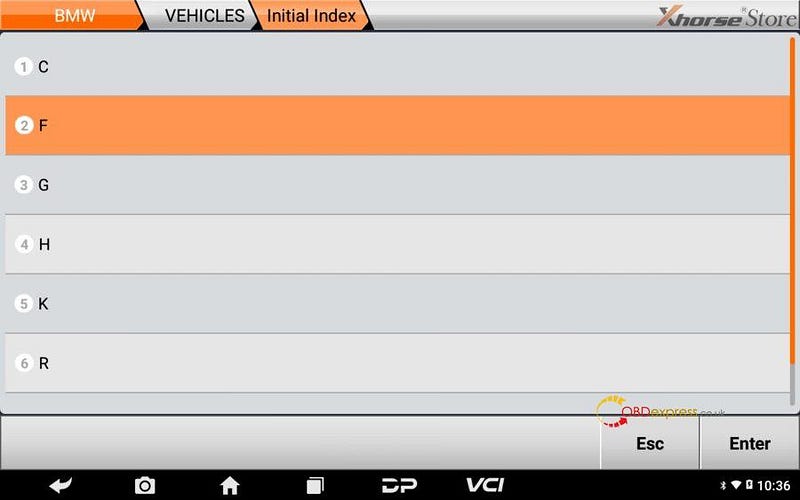
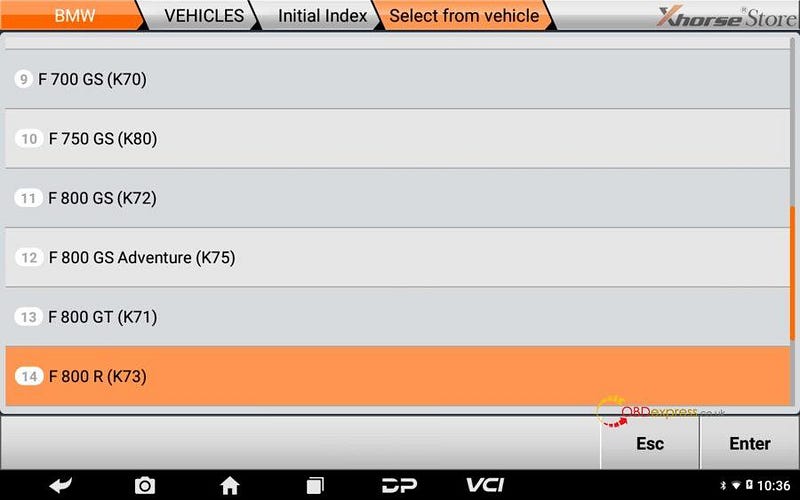
4. Click[Select from vehicle],[F],[F 800 R(K73)];

OBDSTAR MS80 resets 2016 BMW F800 R service lampOBDSTAR MS80 resets 2016 BMW F800 R service lampOBDSTAR MS80 resets 2016 BMW F800 R service lamp

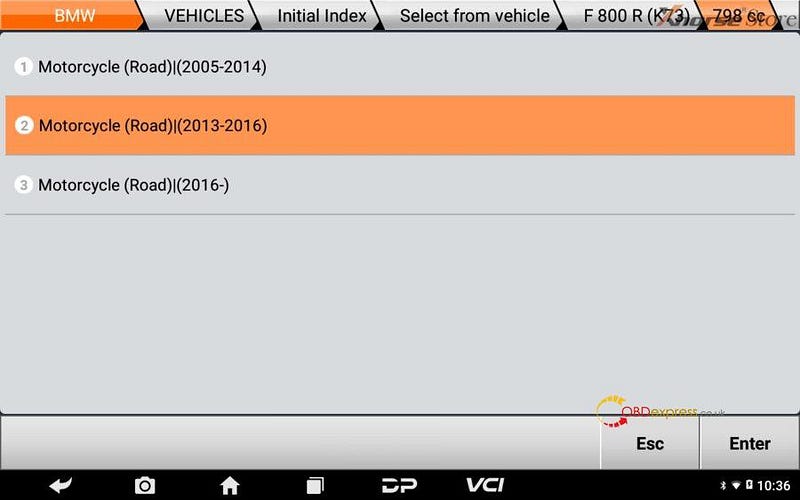
5. Click[Motorcycle(Road)|(2013–2016)];

OBDSTAR MS80 resets 2016 BMW F800 R service lamp

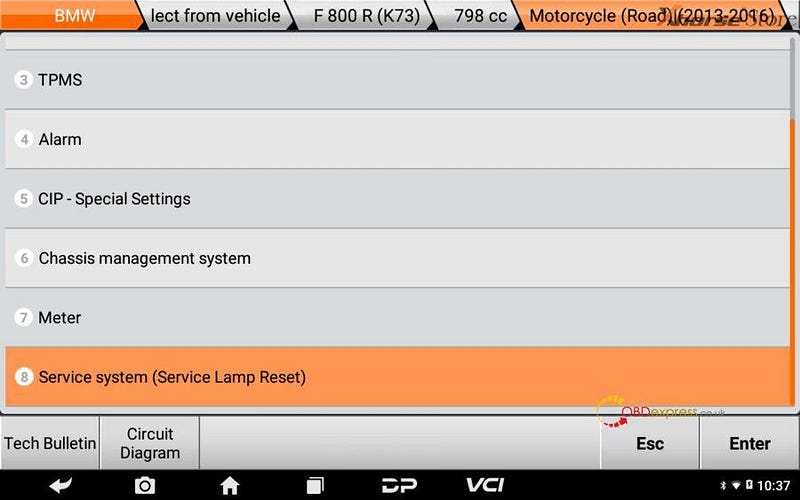
6. Click[Service system(Service Lamp Reset)];

Tips: can click[Diag Socket]or[Diag Connector]check diag socket or cable information.

OBDSTAR MS80 resets 2016 BMW F800 R service lamp

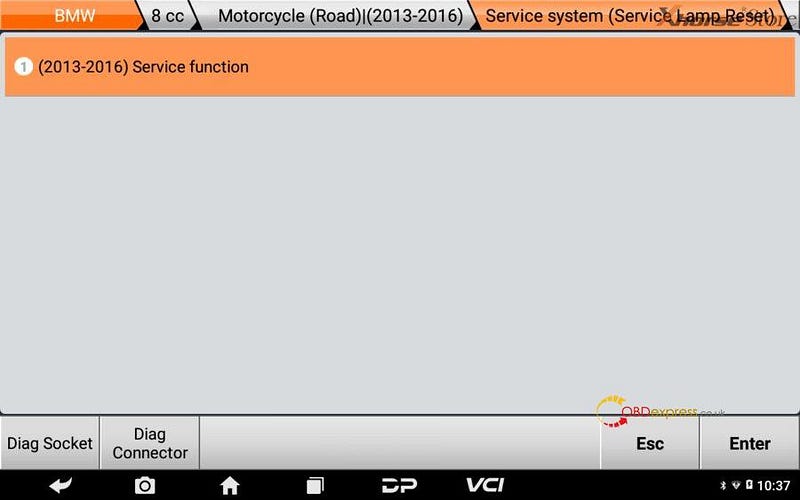
7. Click[(2013–2016)Service function];

OBDSTAR MS80 resets 2016 BMW F800 R service lamp

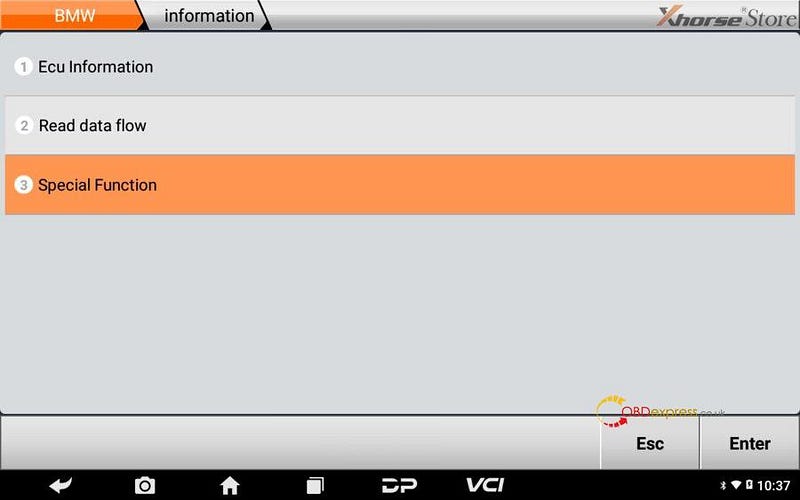
8. Click[Special Function];

OBDSTAR MS80 resets 2016 BMW F800 R service lamp

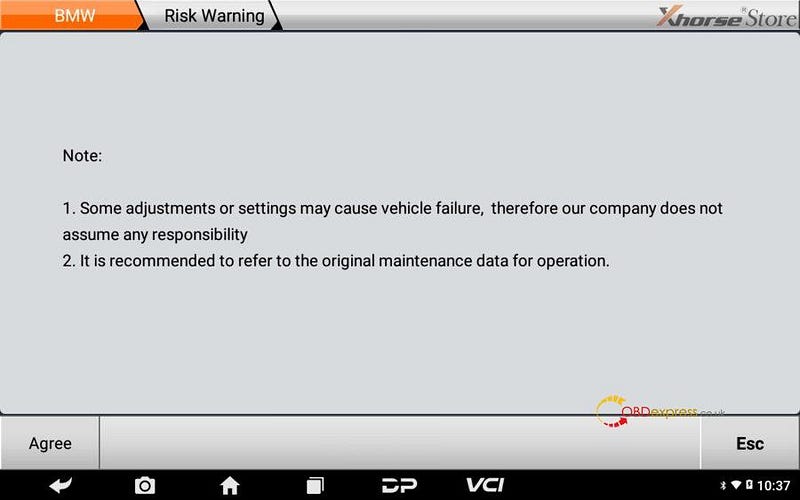
9. Read note, click[Agree];

OBDSTAR MS80 resets 2016 BMW F800 R service lamp

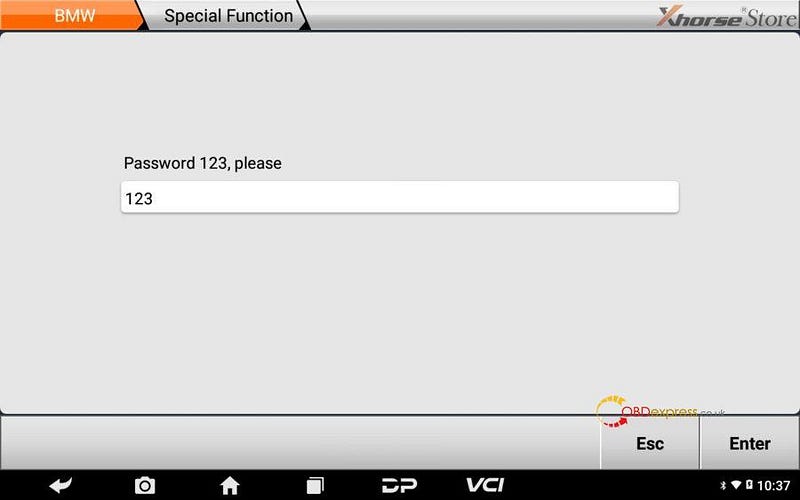
10. Input 123, click[Enter];

OBDSTAR MS80 resets 2016 BMW F800 R service lamp

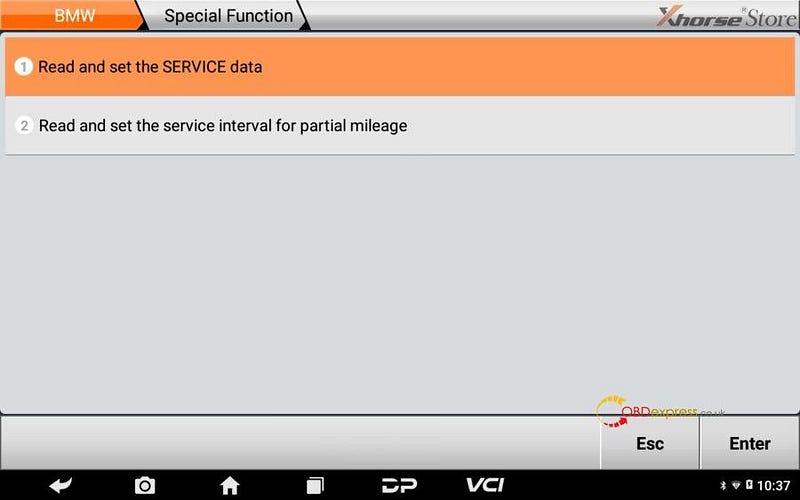
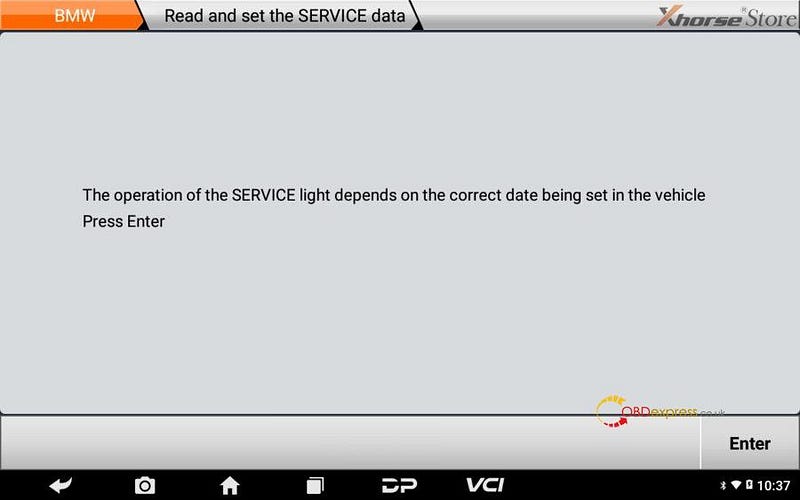
11. Click[Read and set the SERVICE data];

OBDSTAR MS80 resets 2016 BMW F800 R service lamp

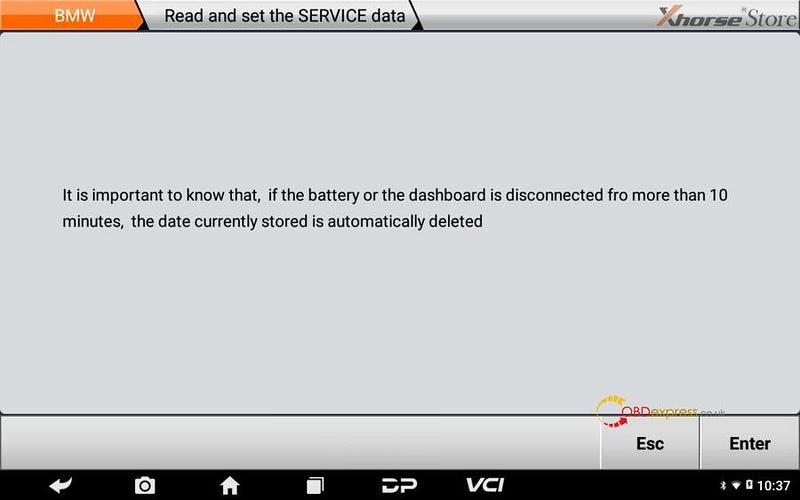
12. Read note below, click[Enter];

OBDSTAR MS80 resets 2016 BMW F800 R service lamp

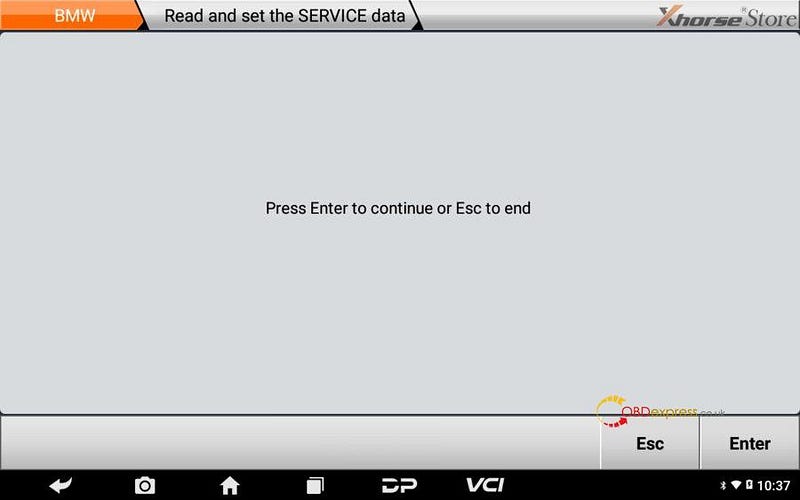
13. Click[Enter];

OBDSTAR MS80 resets 2016 BMW F800 R service lamp

14. Click[Enter];

OBDSTAR MS80 resets 2016 BMW F800 R service lamp

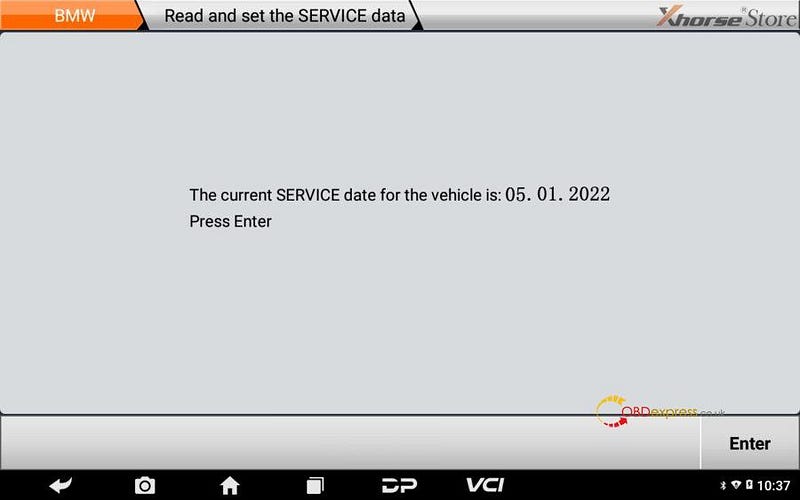
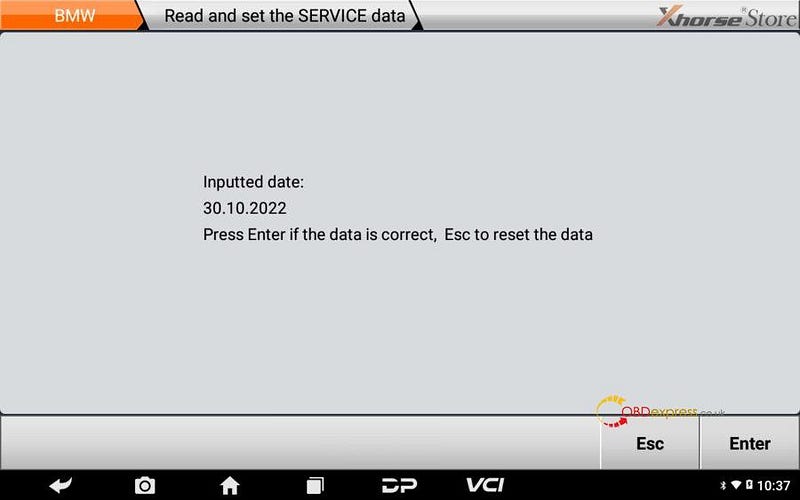
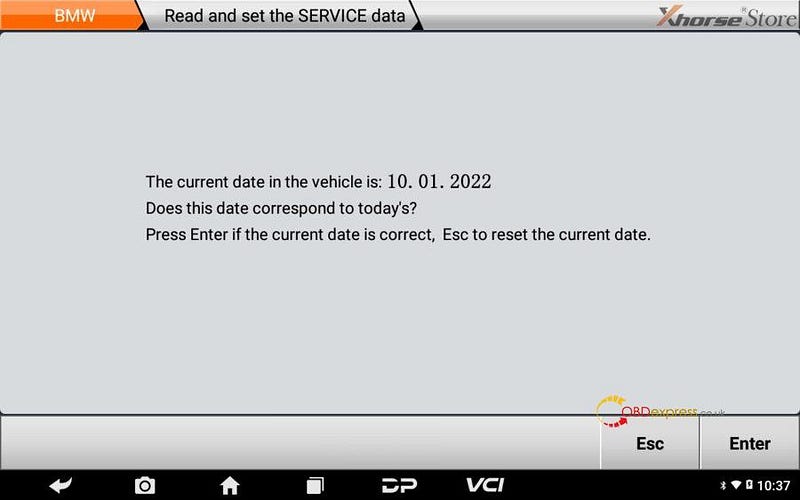
15. Confirm current date, click[Enter];

Tips: if the current date is incorrect, pls click Esc to reset it.

OBDSTAR MS80 resets 2016 BMW F800 R service lamp

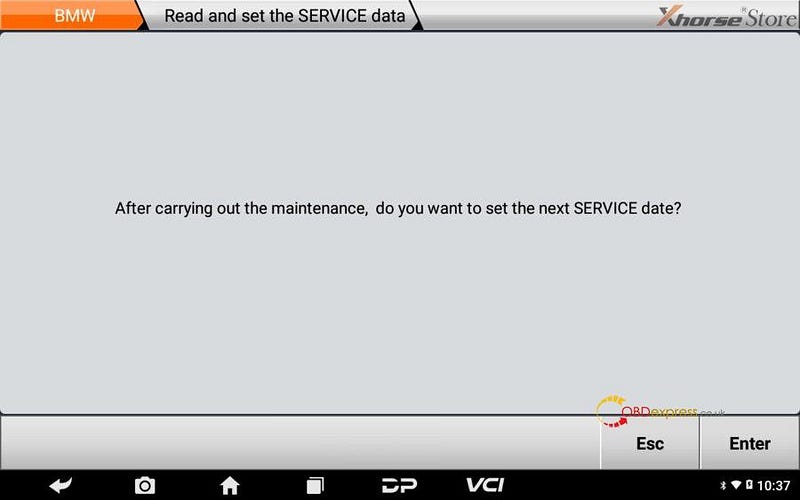
16. Click[Enter];

OBDSTAR MS80 resets 2016 BMW F800 R service lamp

17. Click[Enter];

OBDSTAR MS80 resets 2016 BMW F800 R service lamp

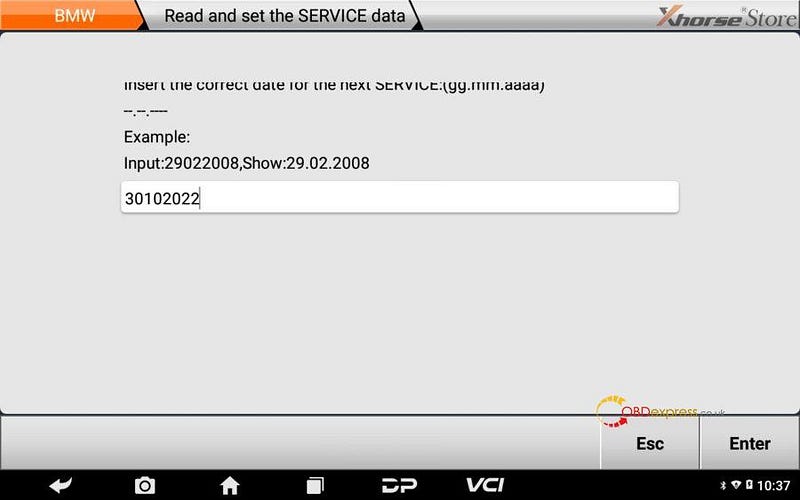
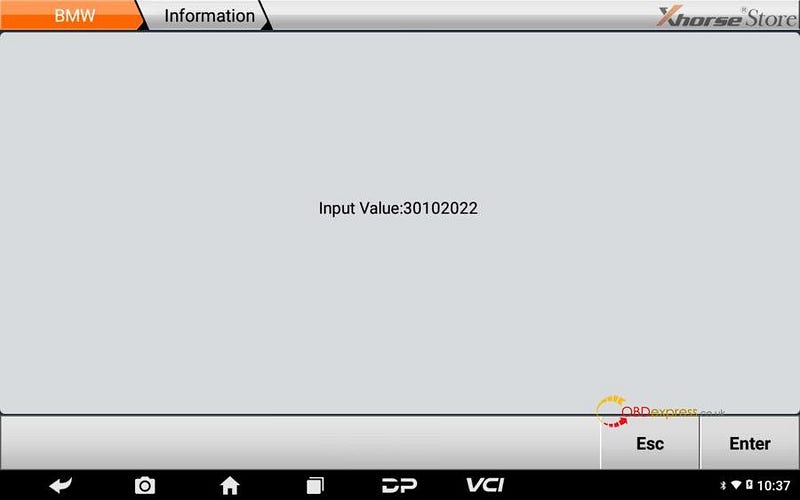
18. Insert date in format such as 30102022, click[Enter];

OBDSTAR MS80 resets 2016 BMW F800 R service lamp

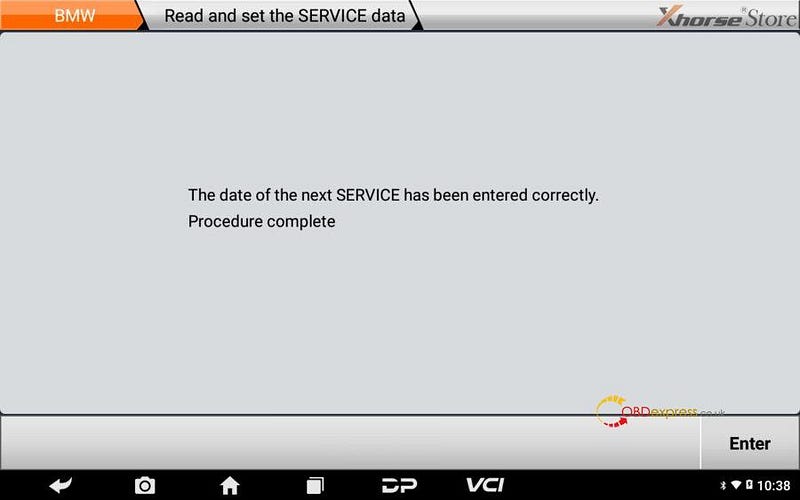
19. Click[Enter];

OBDSTAR MS80 resets 2016 BMW F800 R service lamp

20. Click[Enter];

OBDSTAR MS80 resets 2016 BMW F800 R service lamp

21. Click[Enter];

OBDSTAR MS80 resets 2016 BMW F800 R service lamp

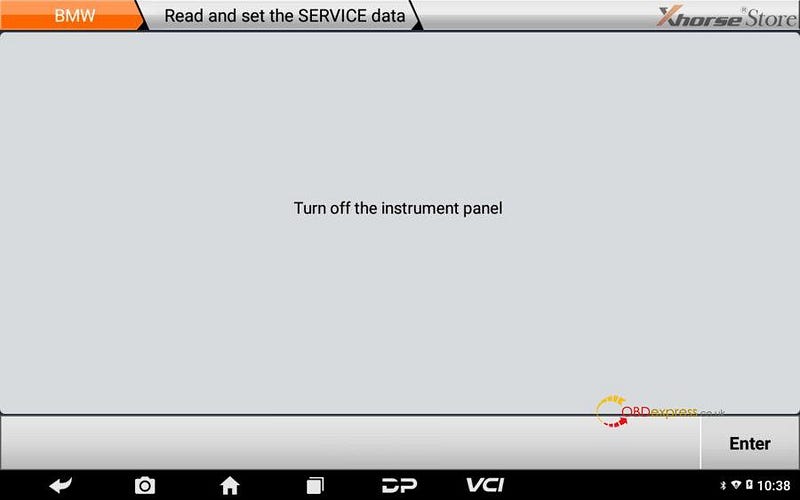
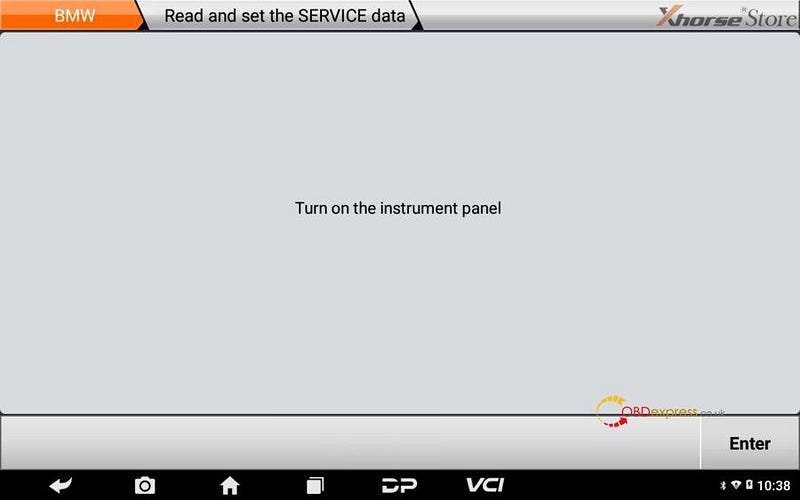
22. Turn off the instrument panel, click[Enter];

OBDSTAR MS80 resets 2016 BMW F800 R service lamp

23. Turn on the instrument panel, click[Enter];

OBDSTAR MS80 resets 2016 BMW F800 R service lamp

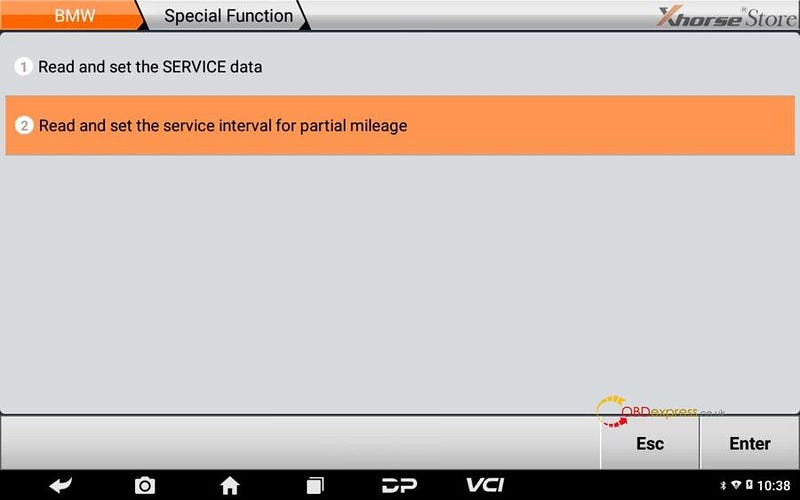
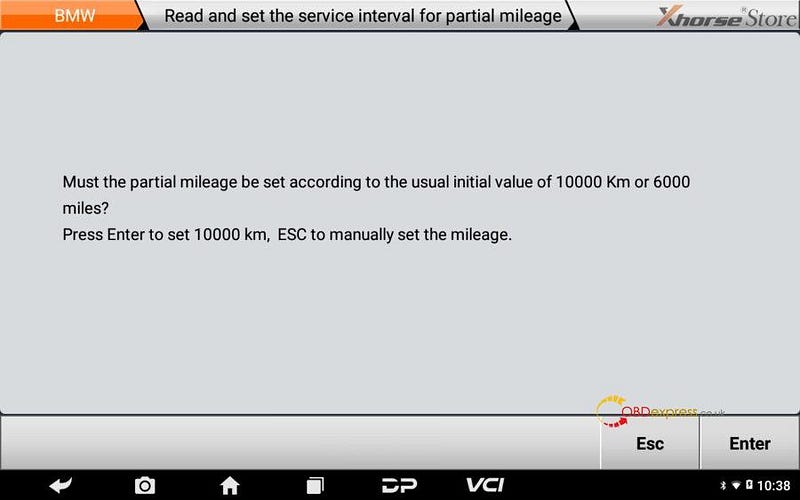
24. Click[Read and set the service interval for partial mileage];

OBDSTAR MS80 resets 2016 BMW F800 R service lamp

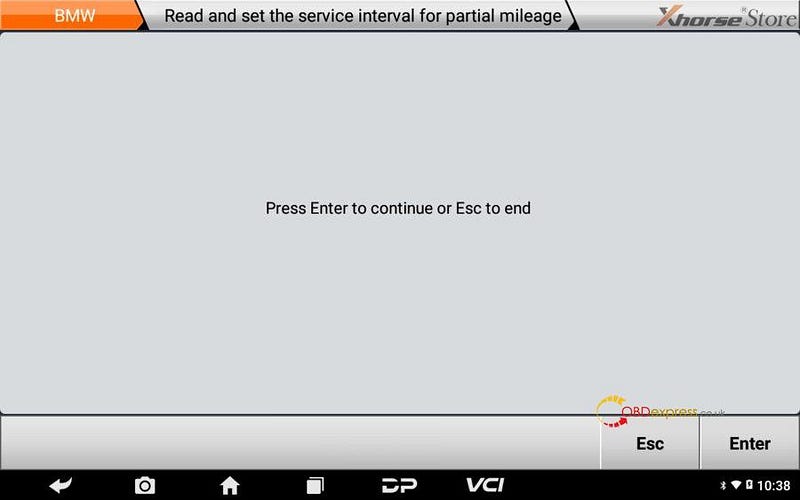
25. Click[Enter];

OBDSTAR MS80 resets 2016 BMW F800 R service lamp

26. Click[Enter];

OBDSTAR MS80 resets 2016 BMW F800 R service lamp

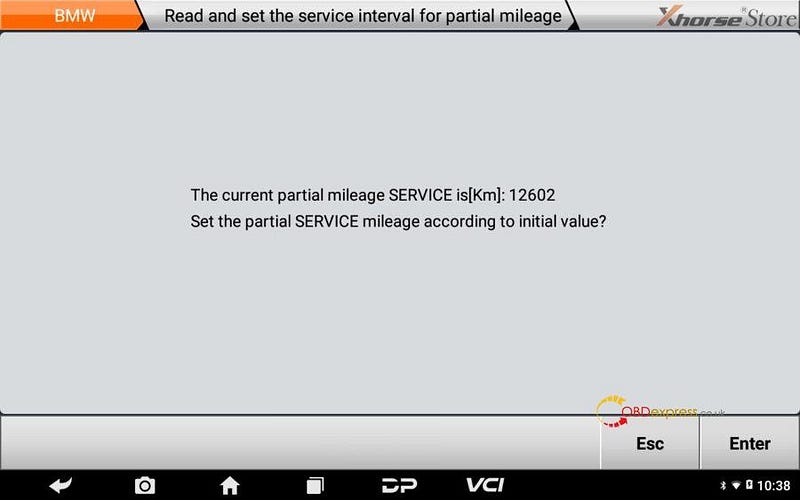
27. Click[Enter]to reset service mileage;

OBDSTAR MS80 resets 2016 BMW F800 R service lamp

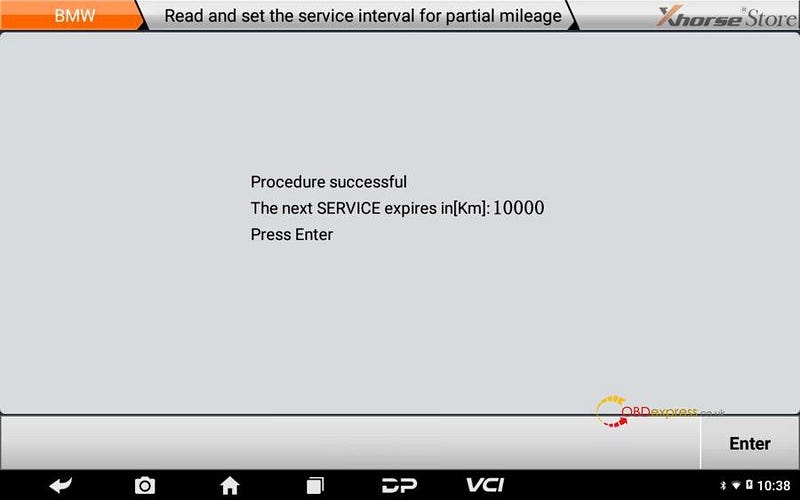
28. Procedure successful, click[Enter];

OBDSTAR MS80 resets 2016 BMW F800 R service lamp

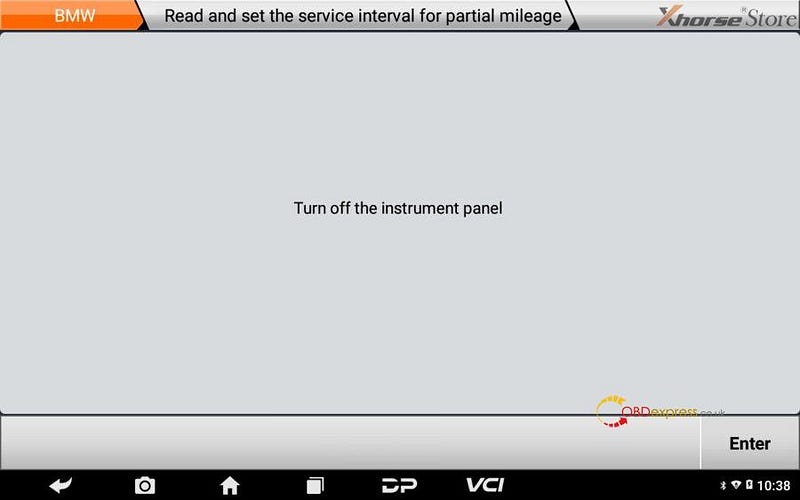
29. Turn off the instrument panel, click[Enter];

OBDSTAR MS80 resets 2016 BMW F800 R service lamp

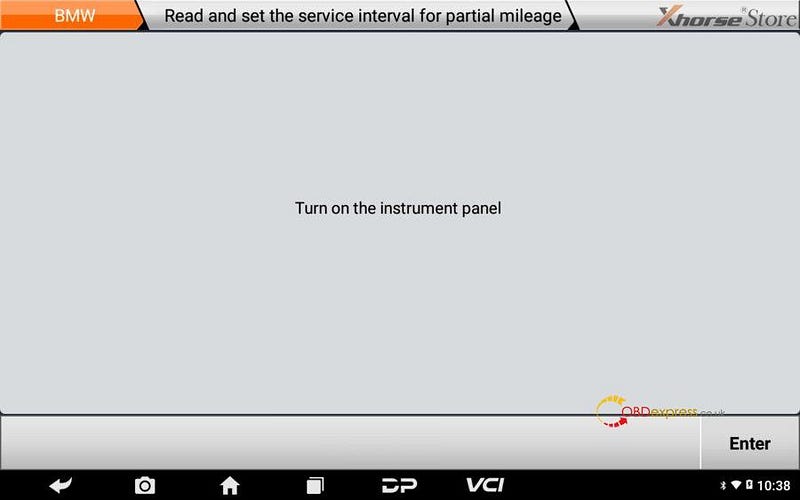
30. Turn on the instrument panel, click[Enter];

OBDSTAR MS80 resets 2016 BMW F800 R service lamp

31. Operation done.

OBDSTAR MS80 resets 2016 BMW F800 R service lamp

Pls strictly follow your device tips in your operation process.

EoneBoss HK003: 6A Full Unlock Support for Hyundai/Kia Keys

 The EoneBoss HK003 has been upgraded with 6A full unlock support for Hyundai/Kia smart keys , giving locksmiths a simpler way to handle ...