Tuesday, 8 December 2020

OBDSTAR Suzuki Swift mileage programming via OBD

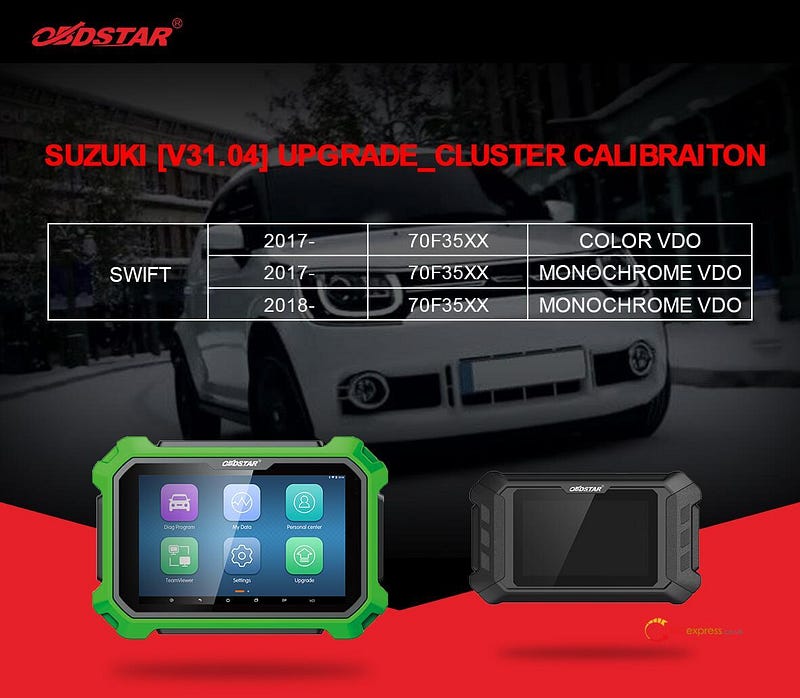
 OBDSTAR (x300dp plus, x300dp, odomaster) Suzuki V31.04 update cluster calibration.

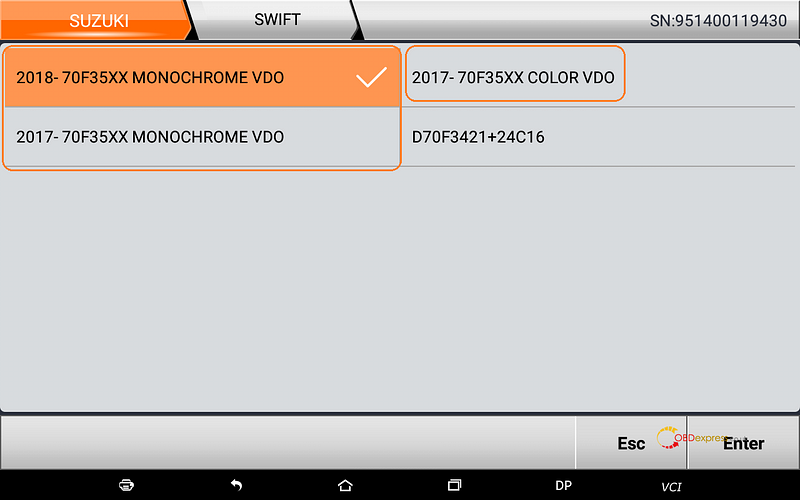
Swift: 2017 -, 70f35XX, Color VDO

Swift: 2017 -,70f35XX, Monochrome VDO

Swift: 2018-, 70f35XX, Monochrome VDO

OBDSTAR Suzuki Swift mileage programming via OBD

How to enjoy the above update?

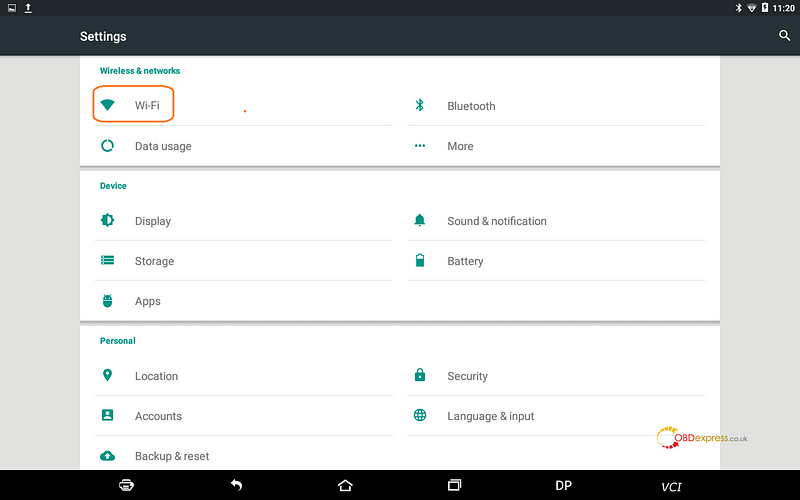
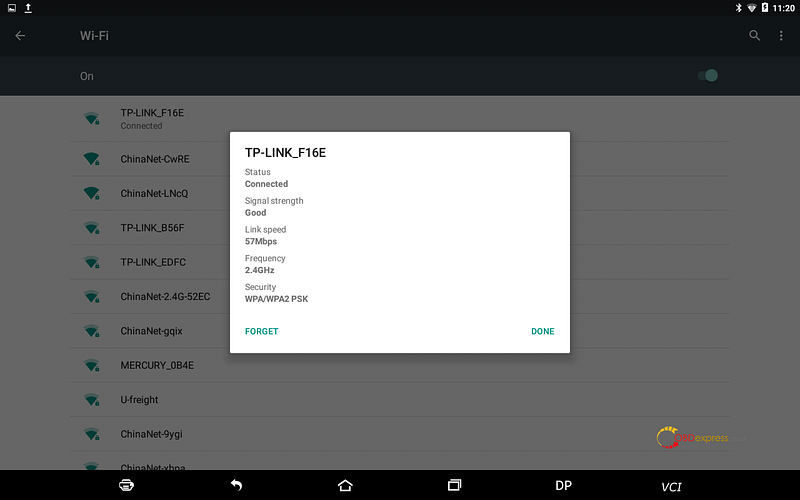
Open any of your own OBDSTAR device (here I take x300dp Plus for example), tap “Settings” then “Wifi” to connect your local WIFI.

OBDSTAR Suzuki Swift mileage programming via OBD

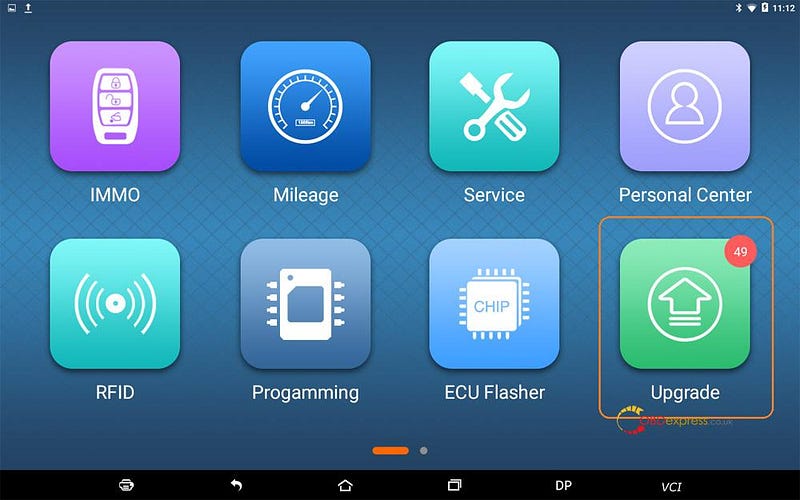
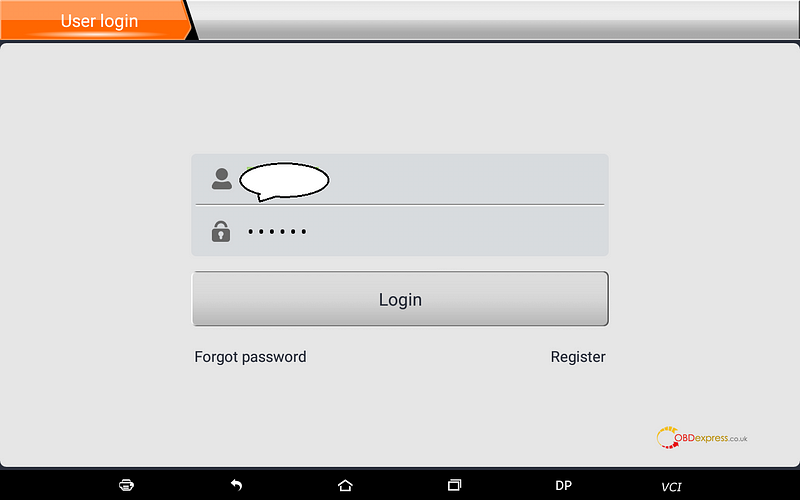
Tap “Upgrade”, then login the User ID.

OBDSTAR Suzuki Swift mileage programming via OBD

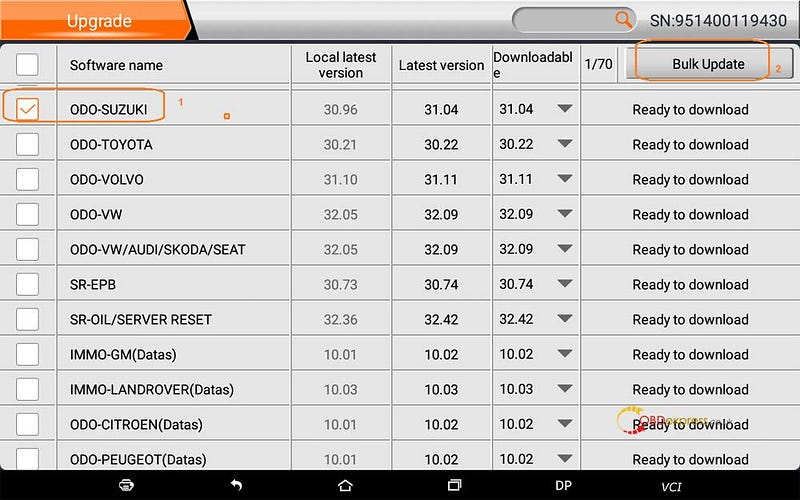
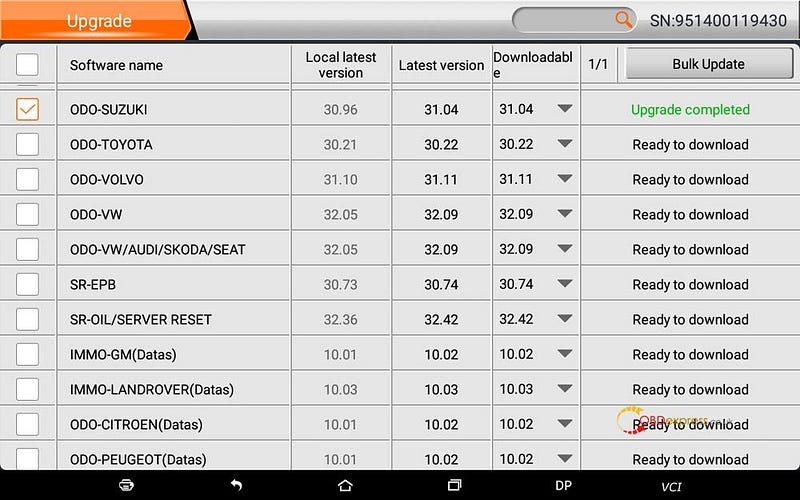
Scroll down to choose “ODO-Suzuki”, then “Bulk Update”.

OBDSTAR Suzuki Swift mileage programming via OBD

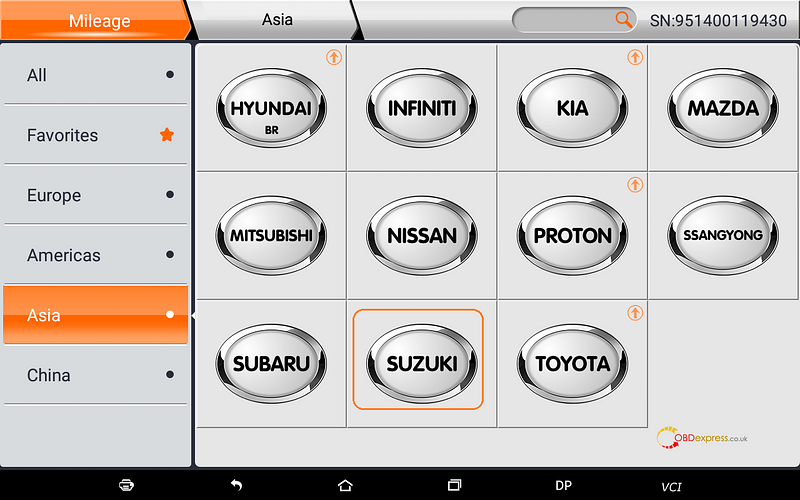
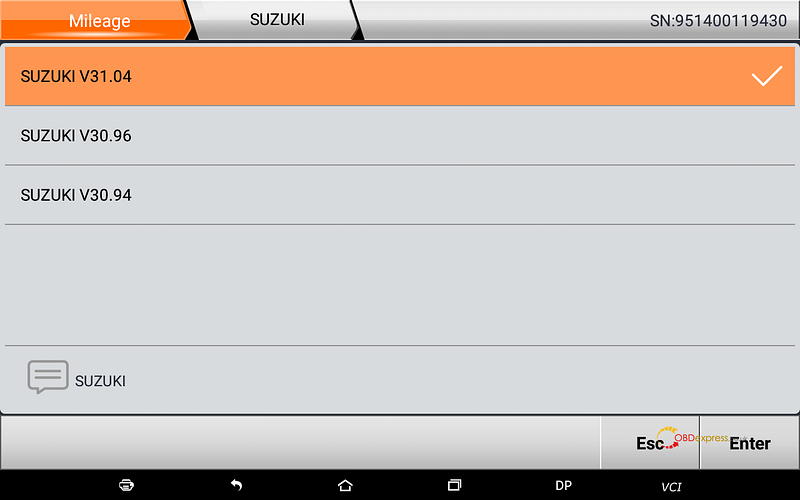
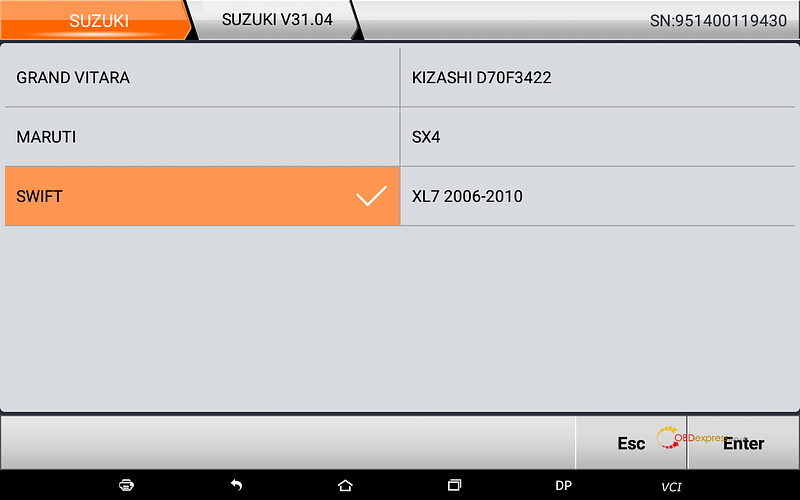
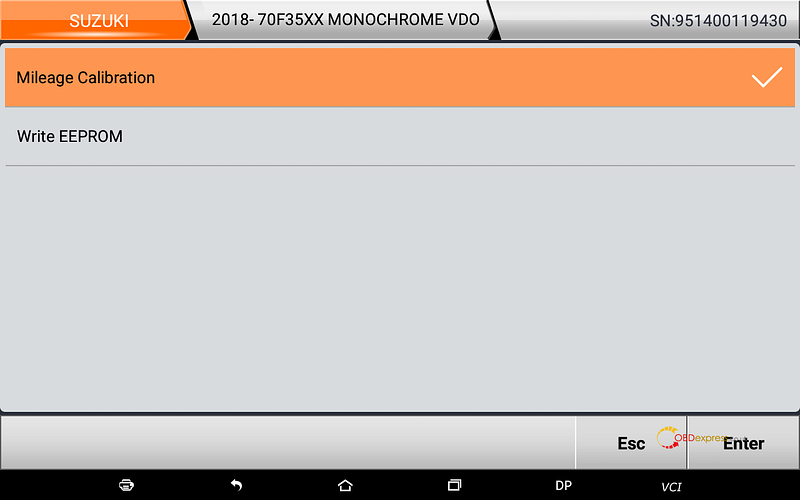
Back to enter “Mileage” -> “Suzuki” -> Suzuki V31.04 -> Swift ->2018-, 70f35XX, Monochrome VDO, 2017 -, 70f35XX, Color VDO , 2017 -,70f35XX, Monochrome VDO -> Mileage calibration…

OBDSTAR Suzuki Swift mileage programming via OBD

Go on by following the x300dp Plus on-screen guide.

Enjoy!

VVDI Key Tool Max + Mini OBD program Honda Civic: perfectly

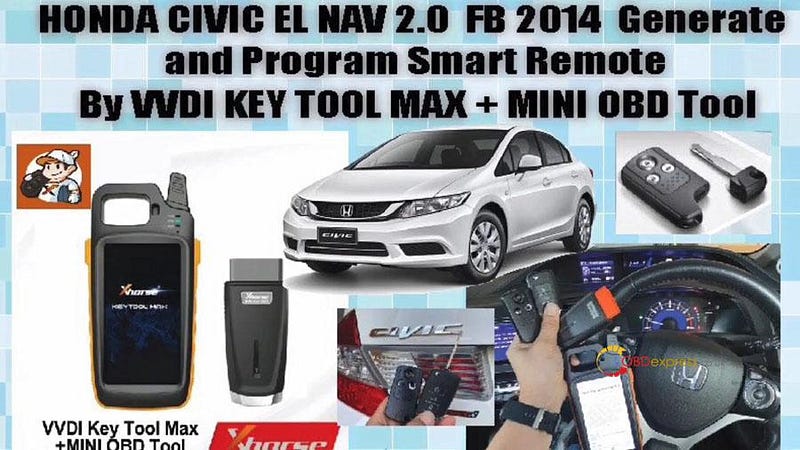
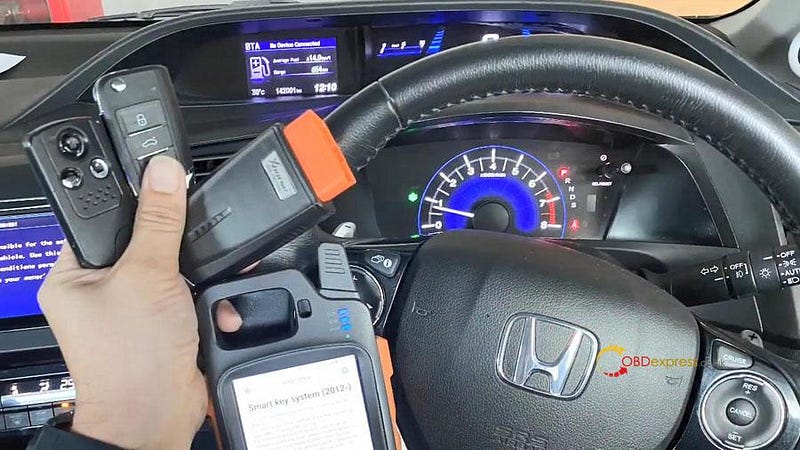
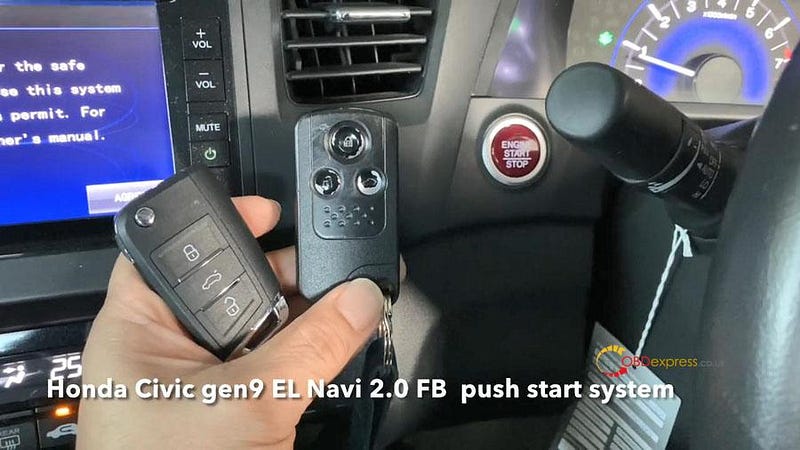
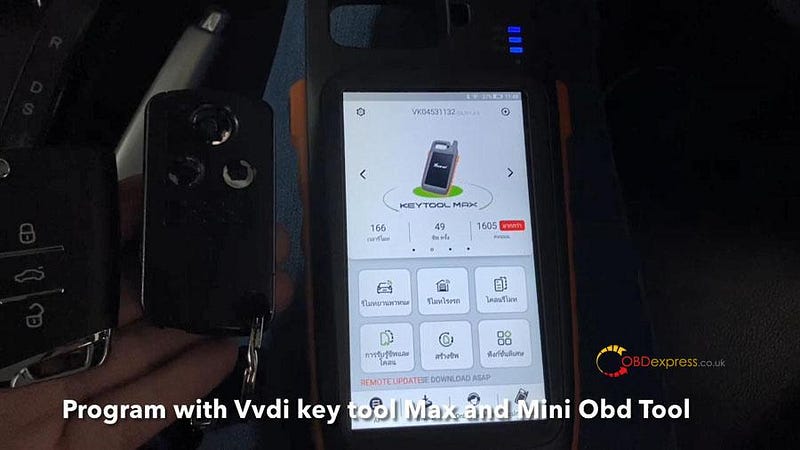
 Honda Civic EL Nav 2.0 FB 2014 Generate and program smart remote with VVDI Key Tool Max + Mini OBD tool.

VVDI Key Tool Max + Mini OBD program Honda Civic: perfectly

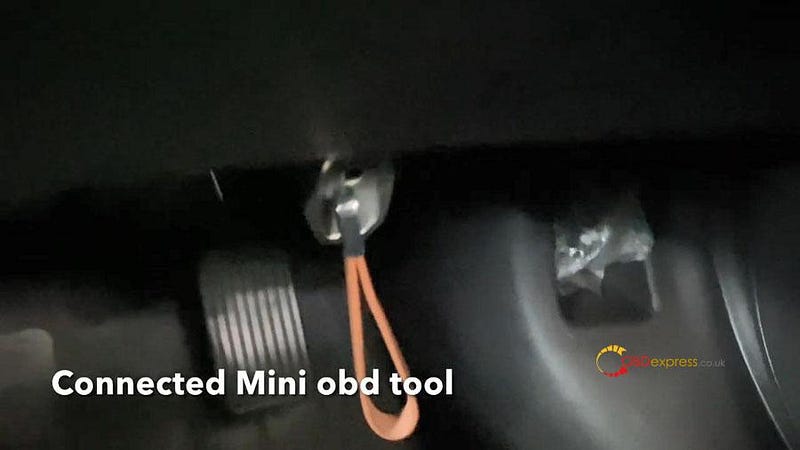
Plug Mini OBD tool to the OBD2 port of the car.

VVDI Key Tool Max + Mini OBD program Honda Civic: perfectly

Turn on ignition on.

VVDI Key Tool Max + Mini OBD program Honda Civic: perfectly

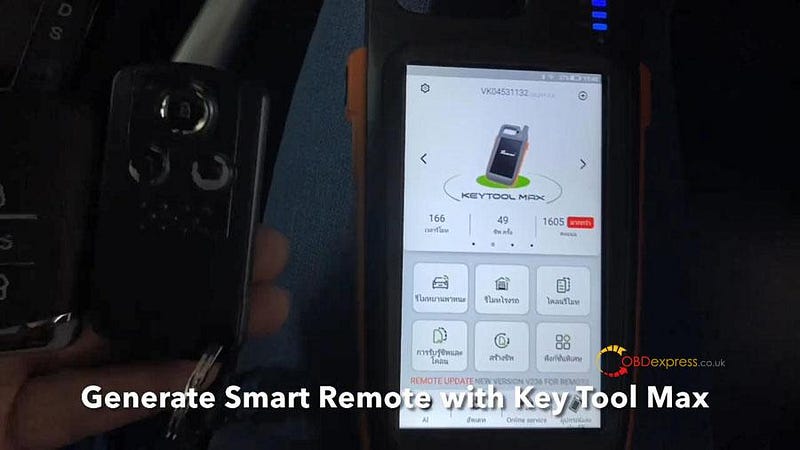
Generate Smart Remote with key Tool Max, and program with key Tool Max and Mini OBD tool.

VVDI Key Tool Max + Mini OBD program Honda Civic: perfectly

Check working smart remote.

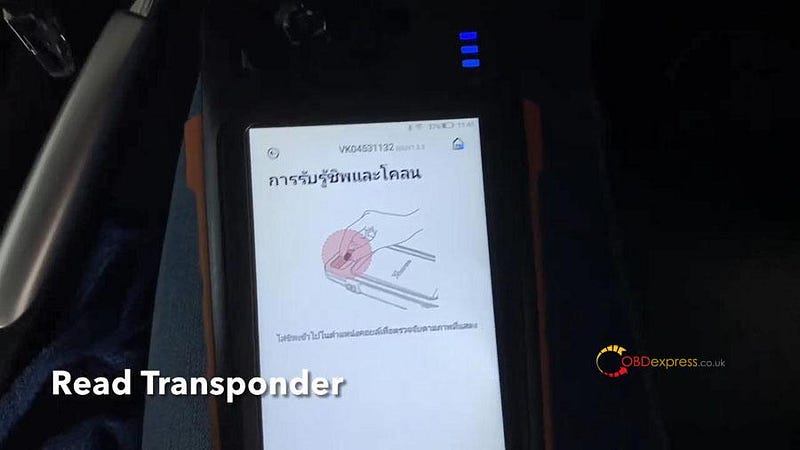
Read transponder, chip: 46 smart key.

VVDI Key Tool Max + Mini OBD program Honda Civic: perfectly

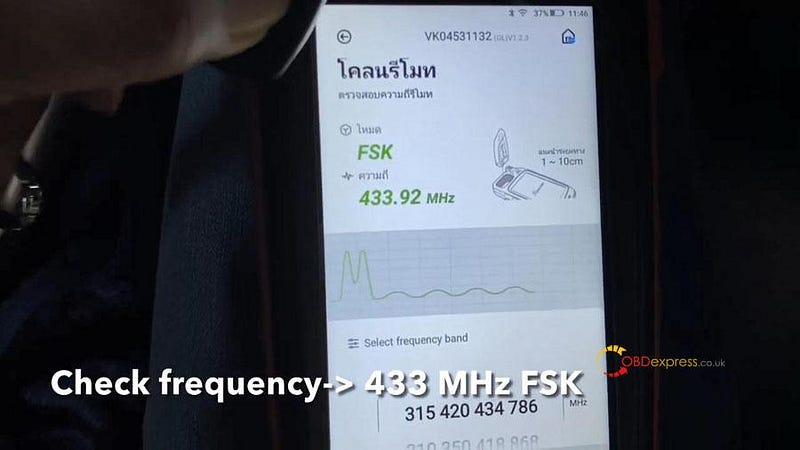
Check frequency -> 433MHz FSK.

VVDI Key Tool Max + Mini OBD program Honda Civic: perfectly

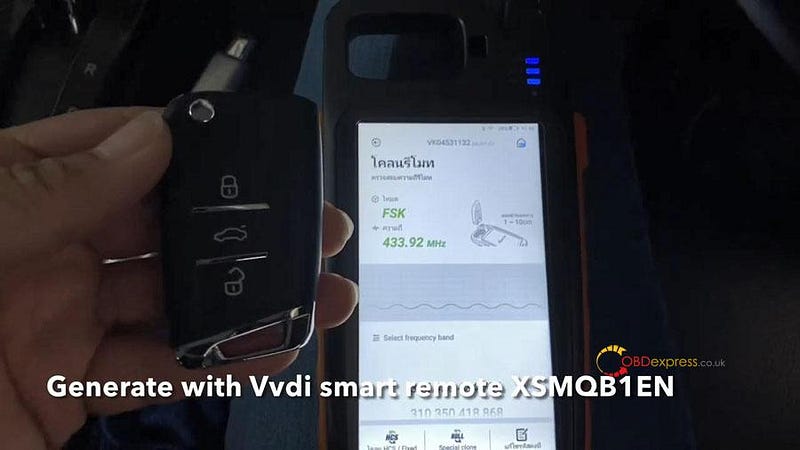
Generate with VVDI smart remote XSMQB1EN.

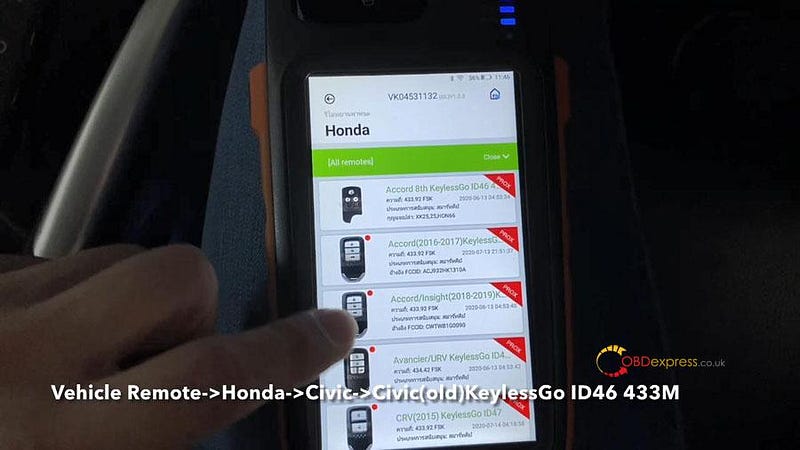
Vehicle remote -> Honda ->Civic -> Civic (old) keyless go ID46.

VVDI Key Tool Max + Mini OBD program Honda Civic: perfectly

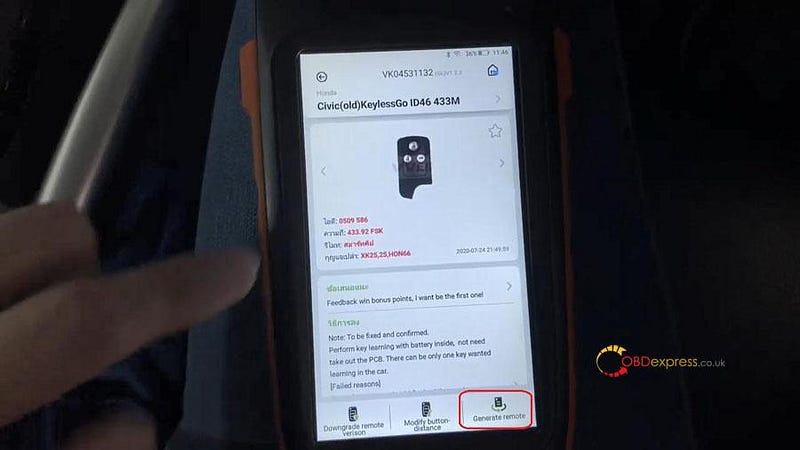
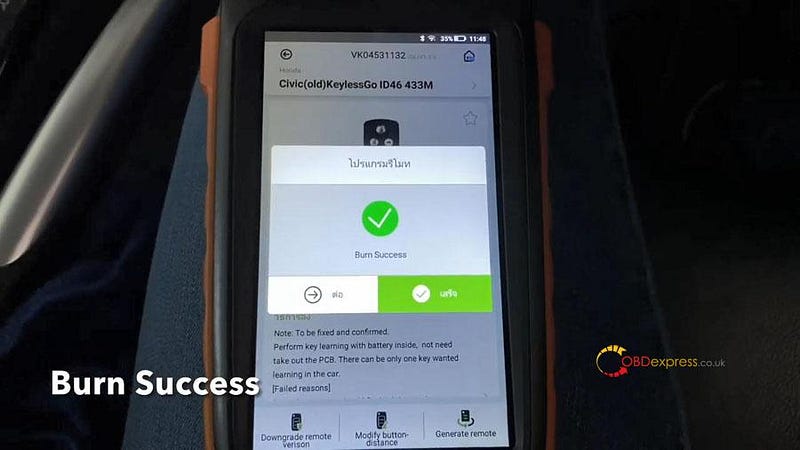
Tap “Generate remote”, it will take about 1 minute to finish.

VVDI Key Tool Max + Mini OBD program Honda Civic: perfectly

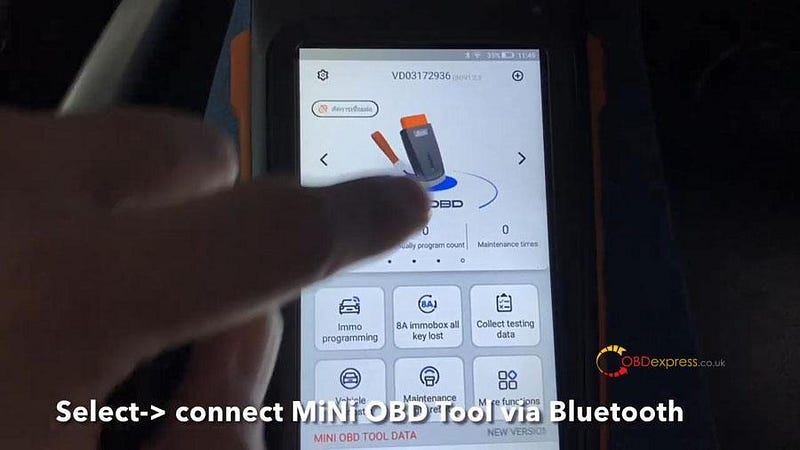
Next is go to Mini OBD tool.

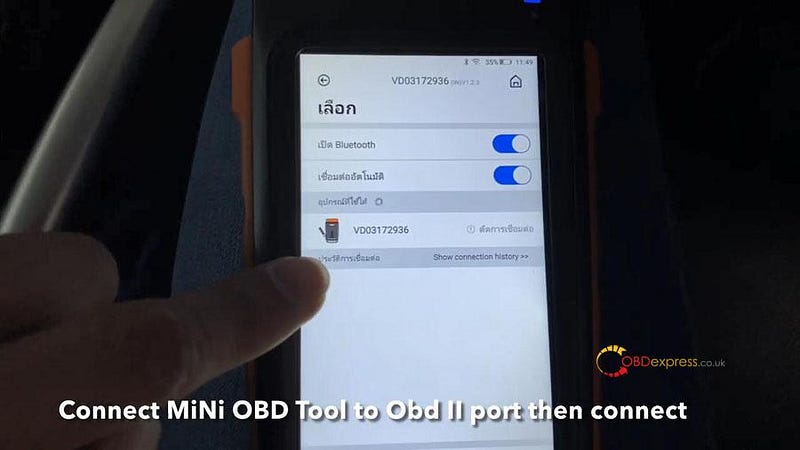
Select -> Connect Mini OBD Tool via Bluetooth.

Connect Mini OBD Tool to OBDII port, then connect.

VVDI Key Tool Max + Mini OBD program Honda Civic: perfectly

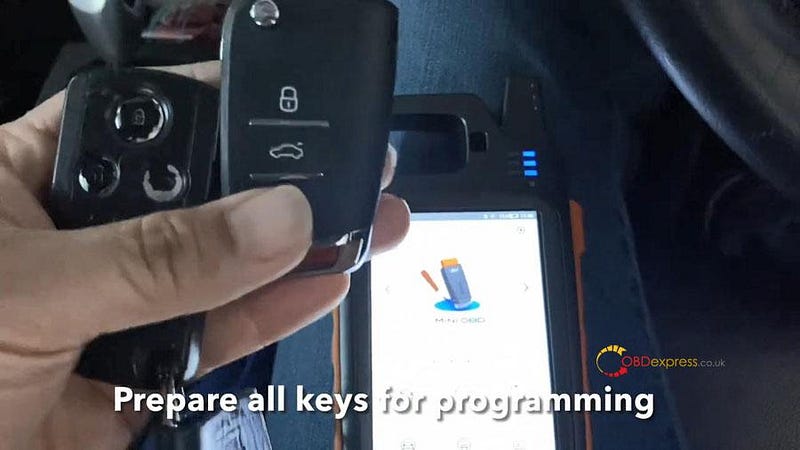
Prepare all keys for programming.

VVDI Key Tool Max + Mini OBD program Honda Civic: perfectly

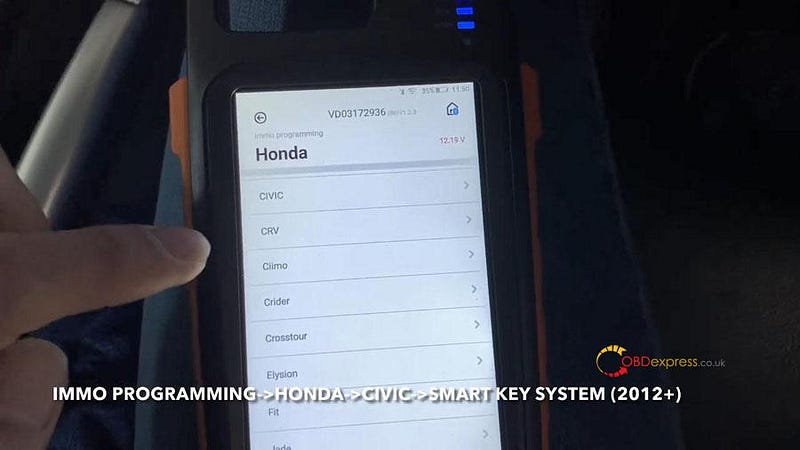
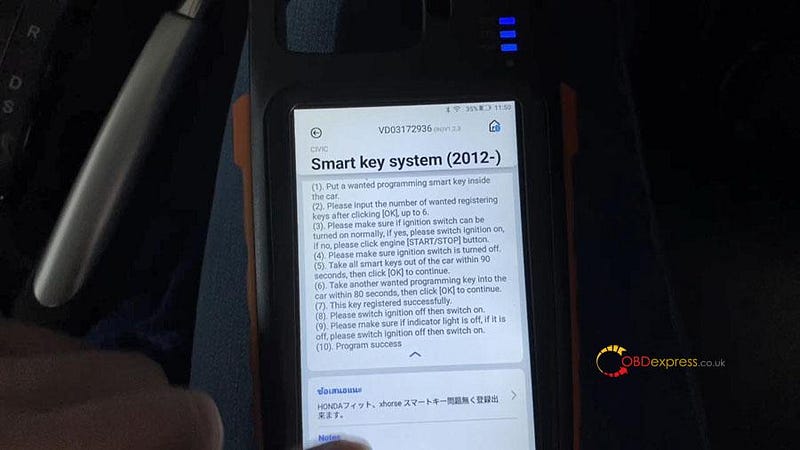
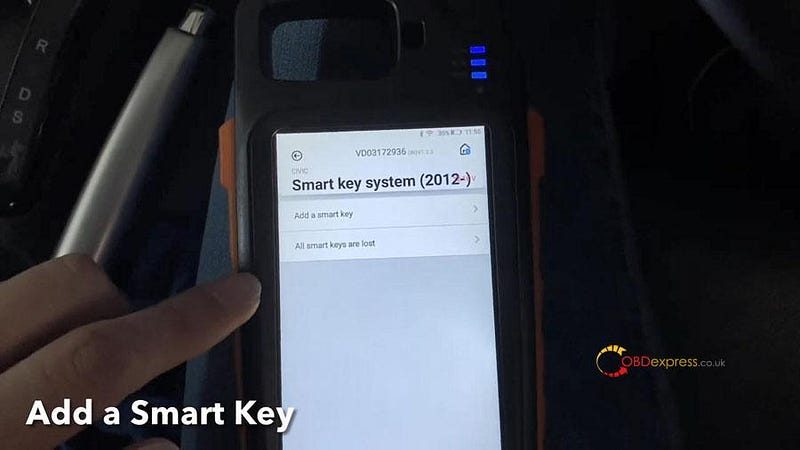
IMMO programming -> Honda -> Civic -> Smart key system (2012+) -> Start execution.

VVDI Key Tool Max + Mini OBD program Honda Civic: perfectly

Tap “Add a smart key”.

VVDI Key Tool Max + Mini OBD program Honda Civic: perfectly

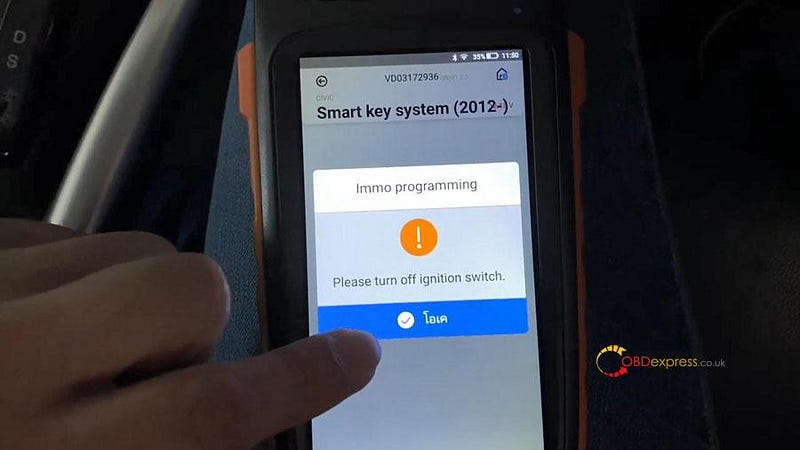
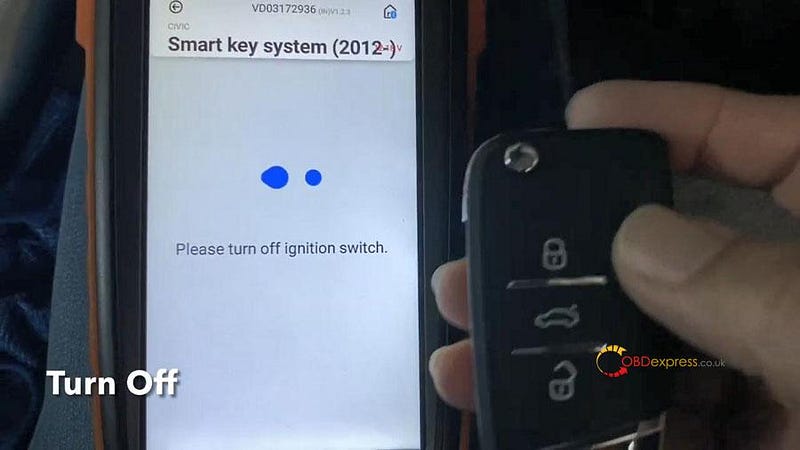
Turn off the ignition switch.

VVDI Key Tool Max + Mini OBD program Honda Civic: perfectly

Turn on the ignition switch.

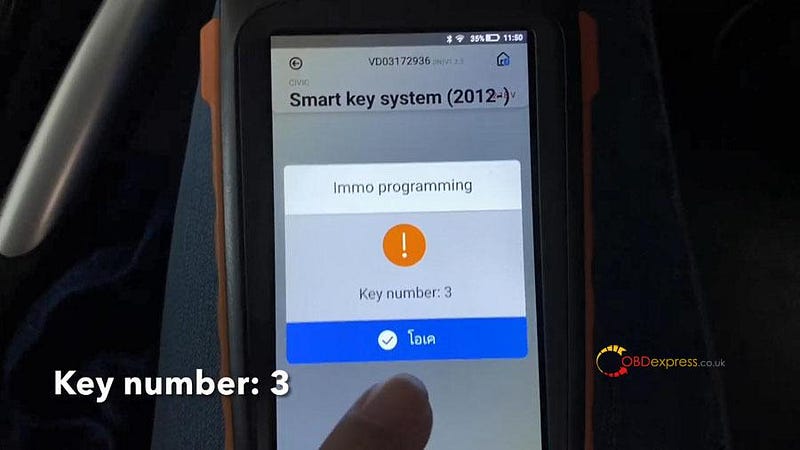
Key numbers : 3

VVDI Key Tool Max + Mini OBD program Honda Civic: perfectly

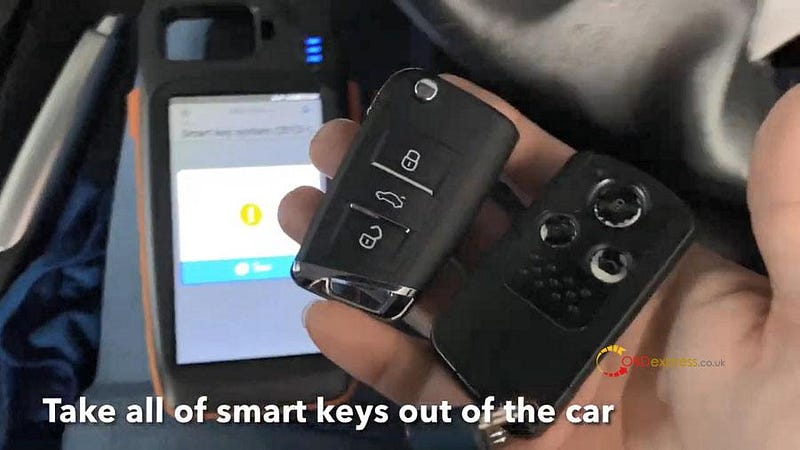
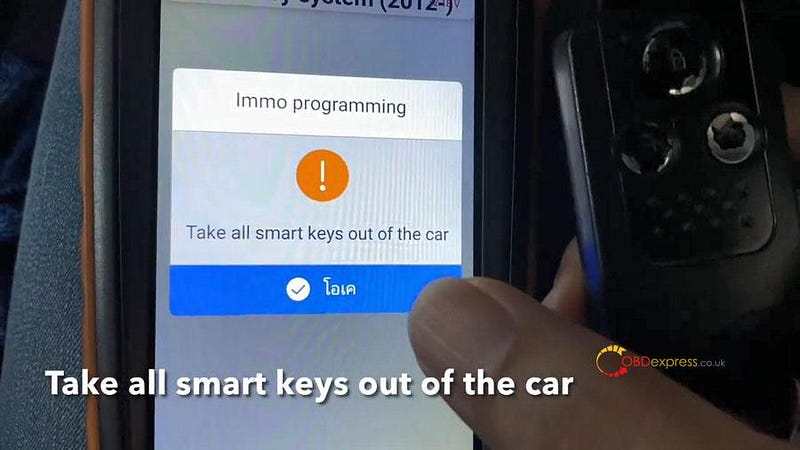
Take all smart keys out of the car.

VVDI Key Tool Max + Mini OBD program Honda Civic: perfectly

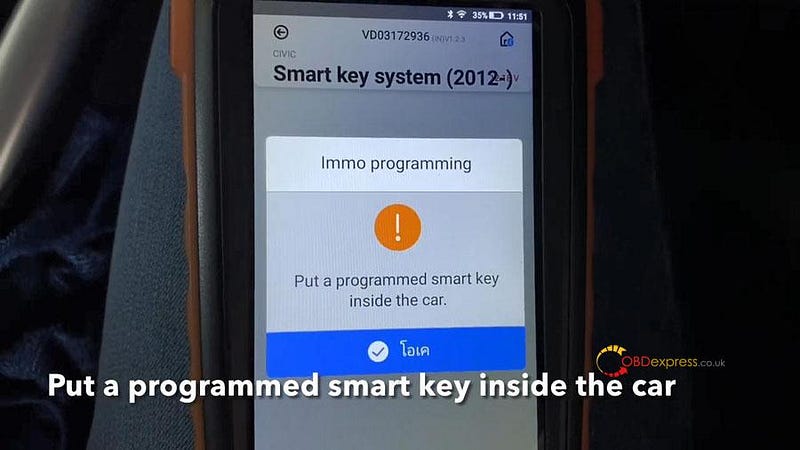
Put a programmed smart key inside the car.

VVDI Key Tool Max + Mini OBD program Honda Civic: perfectly

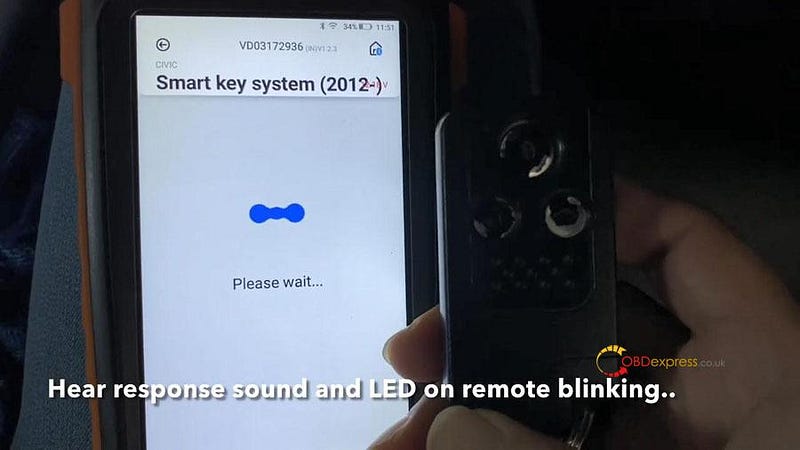
Hear response sound and see LED on remote blinking…

VVDI Key Tool Max + Mini OBD program Honda Civic: perfectly

Take all smart keys out of the car.

VVDI Key Tool Max + Mini OBD program Honda Civic: perfectly

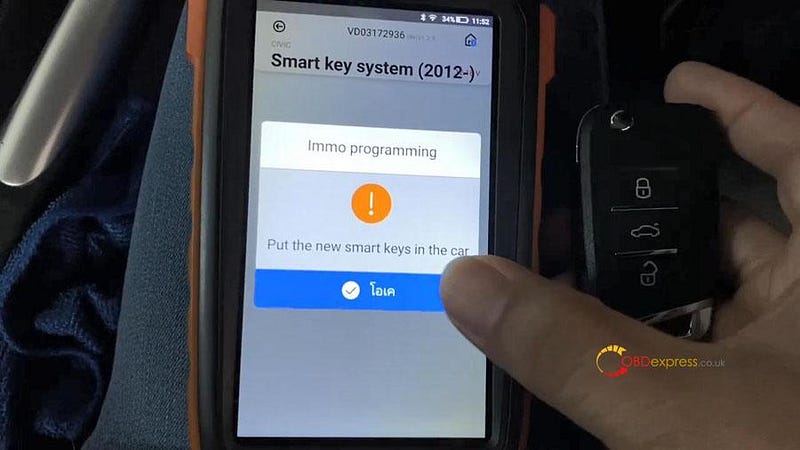
Put new smart key in the car. The LED light will blink on the key.

VVDI Key Tool Max + Mini OBD program Honda Civic: perfectly

Turn off ignition.

VVDI Key Tool Max + Mini OBD program Honda Civic: perfectly

Turn on ignition.

Turn off ignition.

Turn on ignition.

Whether the indicator light is out? tap “Yes”.

Turn off ignition.

Turn on ignition.

Turn off ignition.

Turn on ignition.

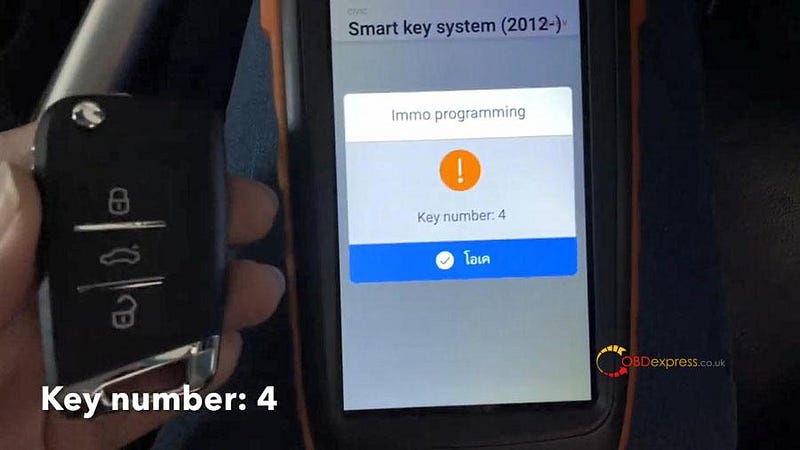
Key number: 4

VVDI Key Tool Max + Mini OBD program Honda Civic: perfectly

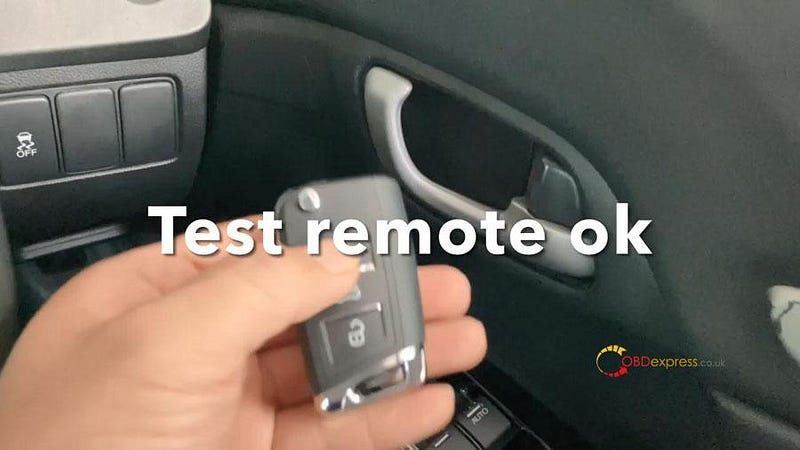
Test remote ok.

Start ok.

VVDI Key Tool Max + Mini OBD program Honda Civic: perfectly

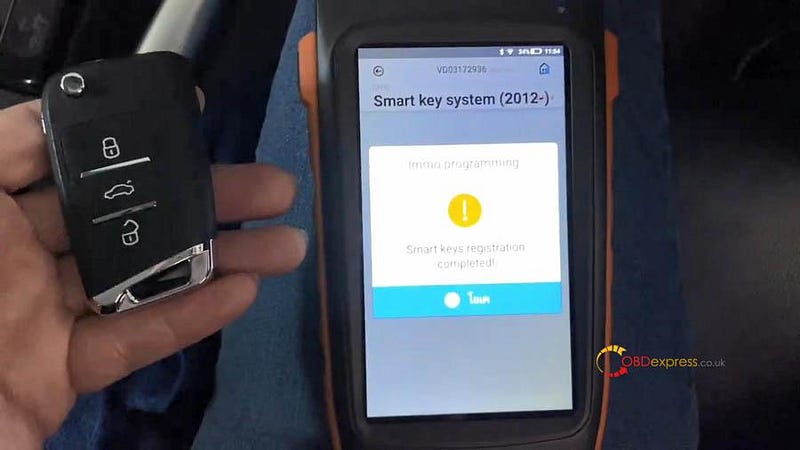
Smart key registration completed.

VVDI Key Tool Max + Mini OBD program Honda Civic: perfectly

Well done! VVDI Key Tool Max + Mini OBD program Honda Civic.

Yanhua ACDP Mini Read Write MSD80 / MSD802 DME ISN

 This job to read write MSD80/MSD802 DME ISN can be done by Yanhua ACDP Mini.

All you need:

Yanhua ACDP Mini main unit, €166

ACDP Module 3 (only read MSD802), €175

MSD802 ISN Interface Board (if you need to write) €32

Notes:

1.Please connect ACDP with DME properly, don’t cut the power nor pull out the device during the programming, carefully backup the ISN data;

2.Programming is needed for reading the DME ISN, and it may cause risk, please consider before moving ahead;

3.If reading the ISN ended with an error, please use Winkfp or ISTAP to program the DME to work status, then proceed to read ISN again.

Okay, here we go for procedure:

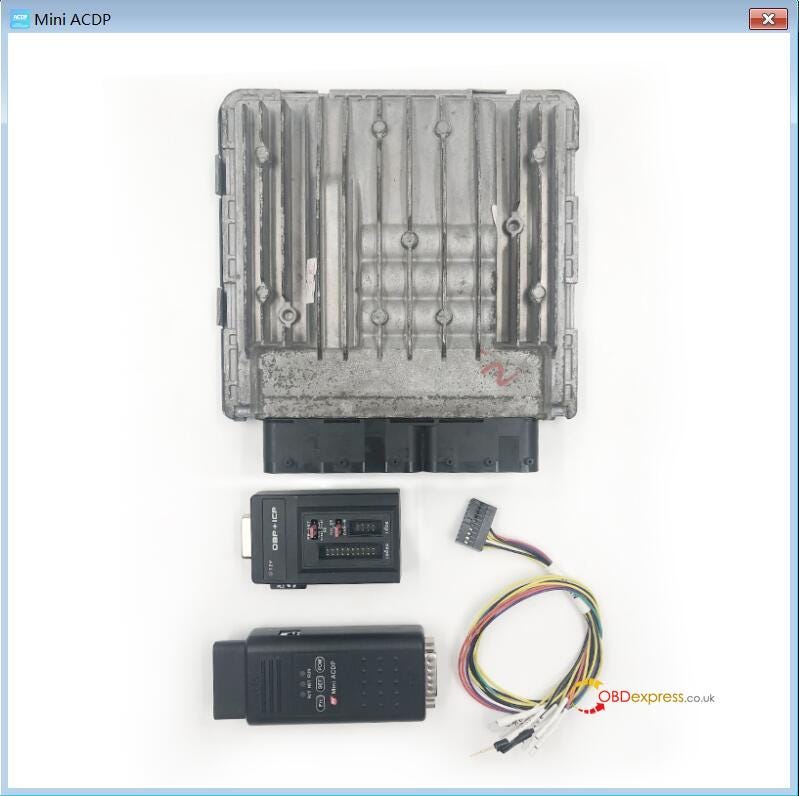
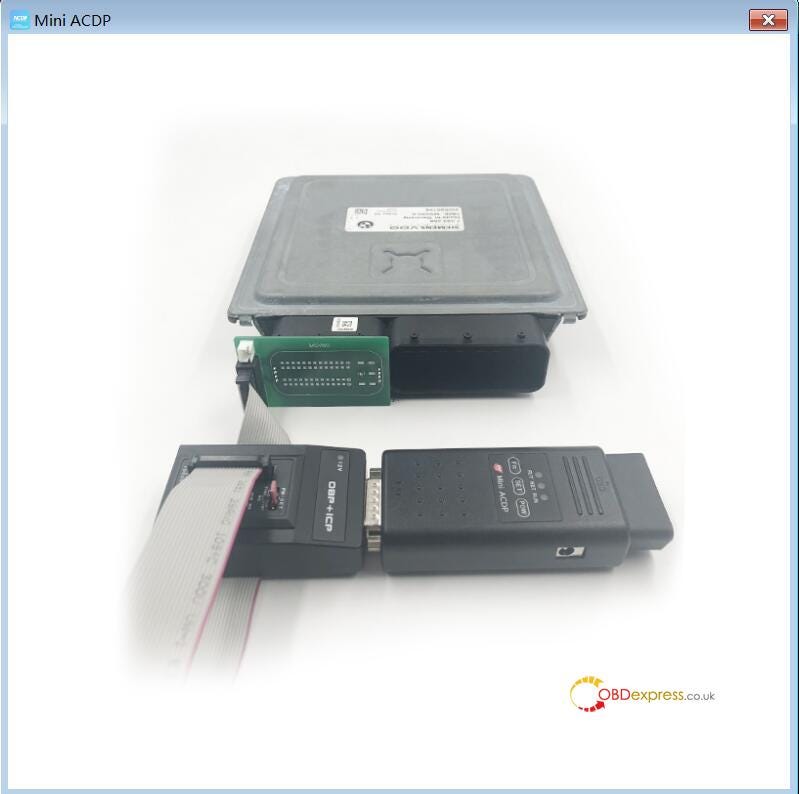
Step 1. Please prepare ACDP, OBP+ICP adaptation, PCAN line and DME.

Yanhua ACDP Mini Read Write MSD80 / MSD802 DME ISN

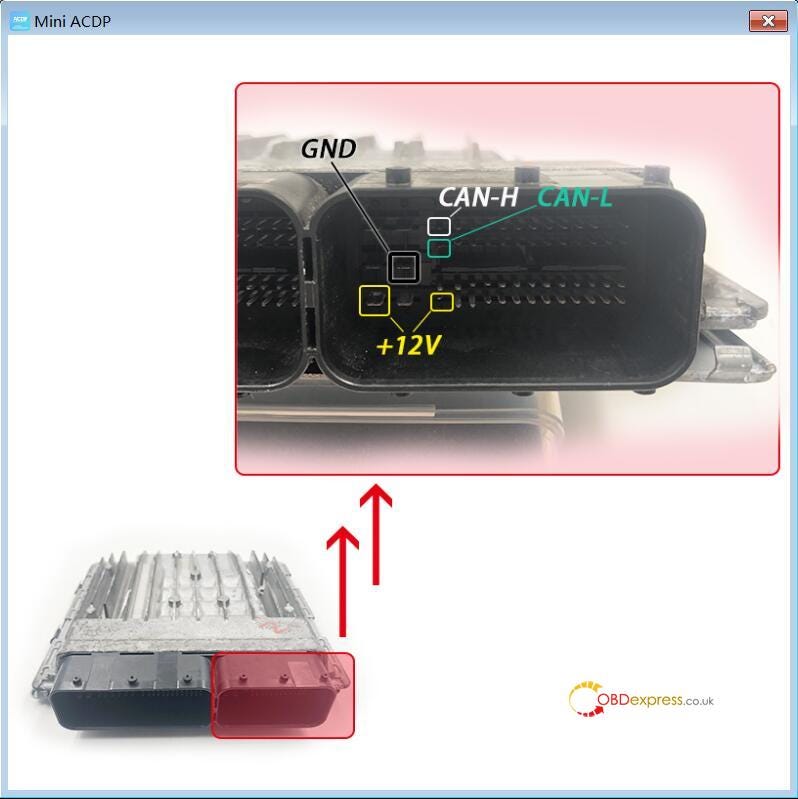
Step 2. Connect the PCAN line correctly to the DME interface as shown.

Yanhua ACDP Mini Read Write MSD80 / MSD802 DME ISN

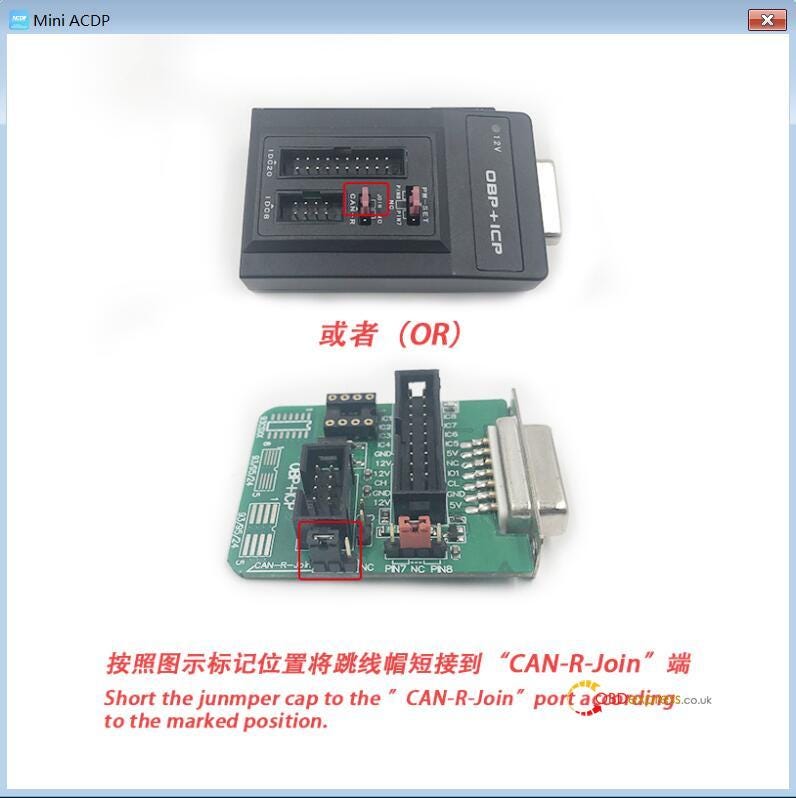
Step 3. Short the CAN resistor on the OBP + ICP adapter to the “CAN-R Join”.

Yanhua ACDP Mini Read Write MSD80 / MSD802 DME ISN

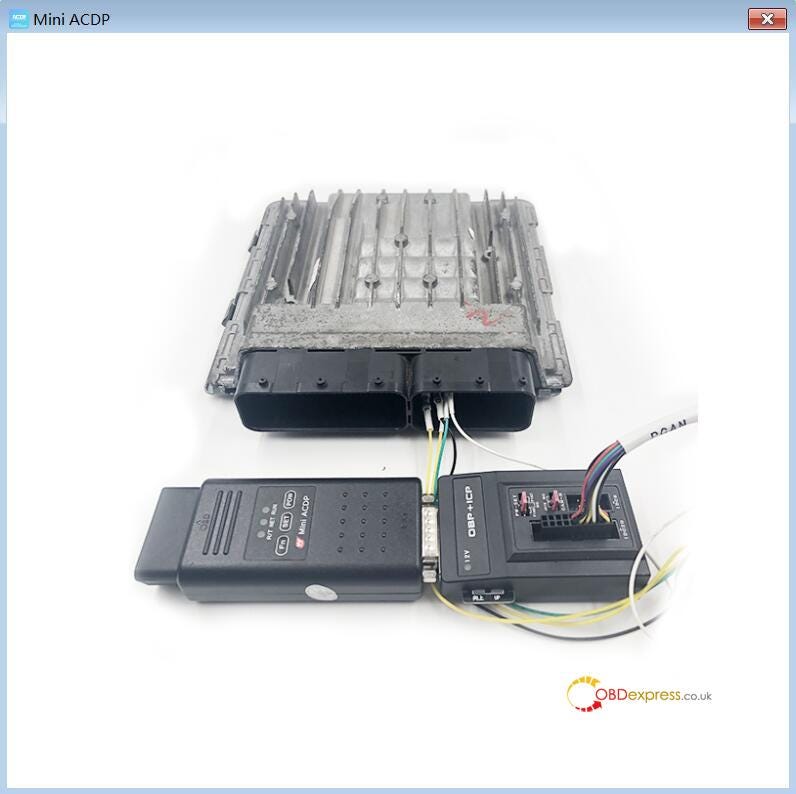
Step 4. Connect the ACDP, OBP+ICP adapter, PCAN line and DME.

Yanhua ACDP Mini Read Write MSD80 / MSD802 DME ISN

Step 5. Connect ACDP, OBP+ICP adapter, interface board and DME.

Yanhua ACDP Mini Read Write MSD80 / MSD802 DME ISN

Next is to operate in the Mini ACDP software:

You can install Mini ACDP software in Android / IOS phone, or in the PC.

-> ACDP Software Installation Download Guide for iPhone IOS

-> ACDP Software Installation Download Guide for Android

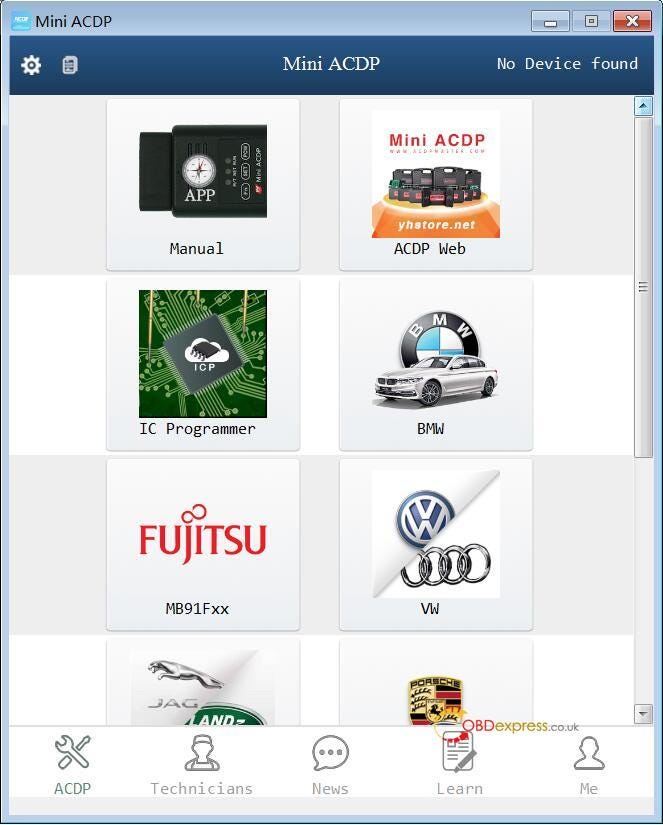
Look at Mini ACDP software menu below, click on “BMW”.

Yanhua ACDP Mini Read Write MSD80 / MSD802 DME ISN

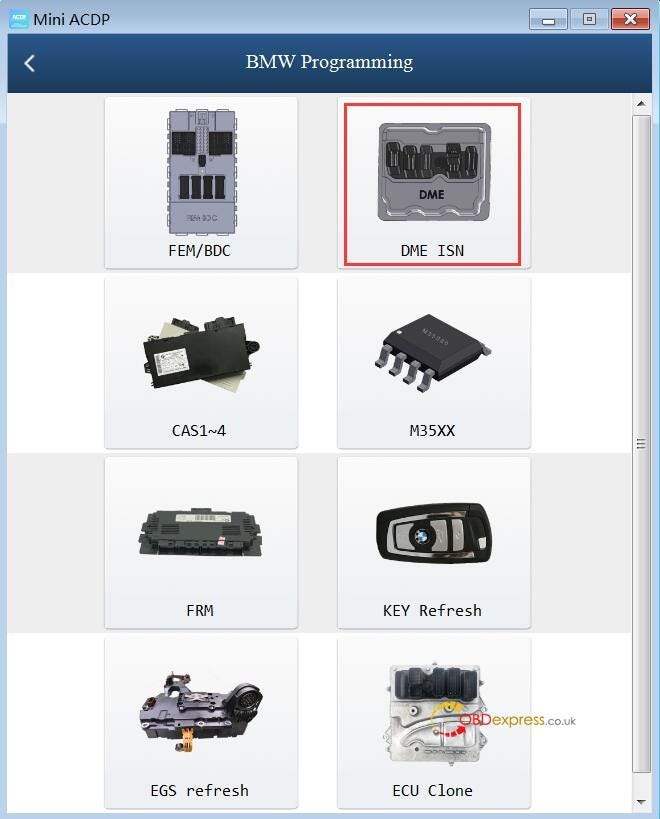
Click on “DME ISN”.

Yanhua ACDP Mini Read Write MSD80 / MSD802 DME ISN

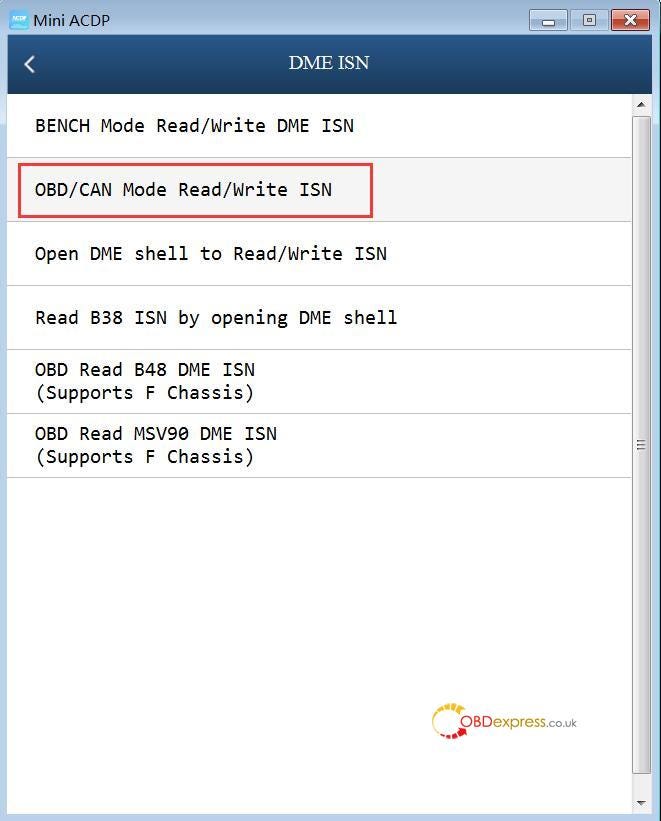
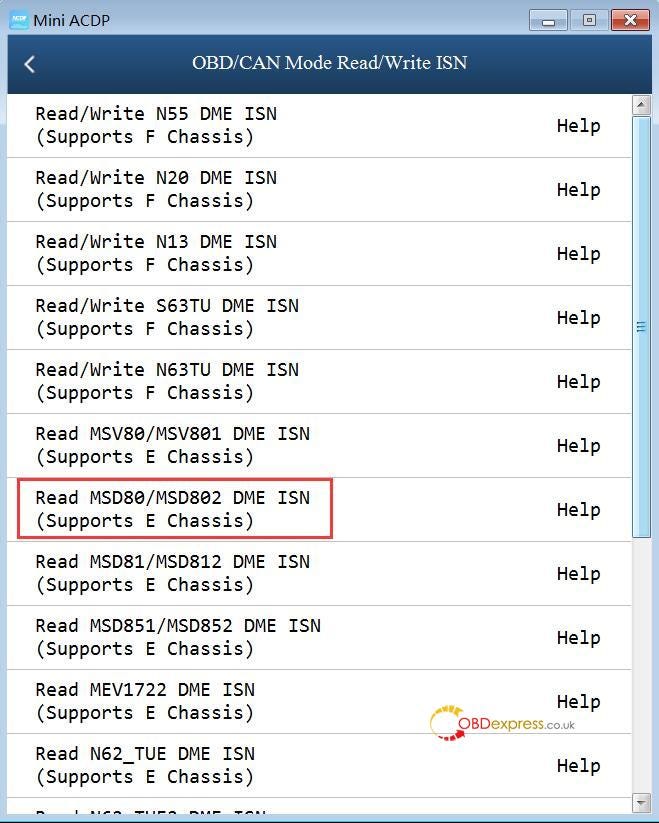
Click on “OBD / CAN Mode Read / Write ISN”.

Yanhua ACDP Mini Read Write MSD80 / MSD802 DME ISN

Click on “Read MSD80 / MSD802 DME ISN (Support E Chassis)”.

Yanhua ACDP Mini Read Write MSD80 / MSD802 DME ISN

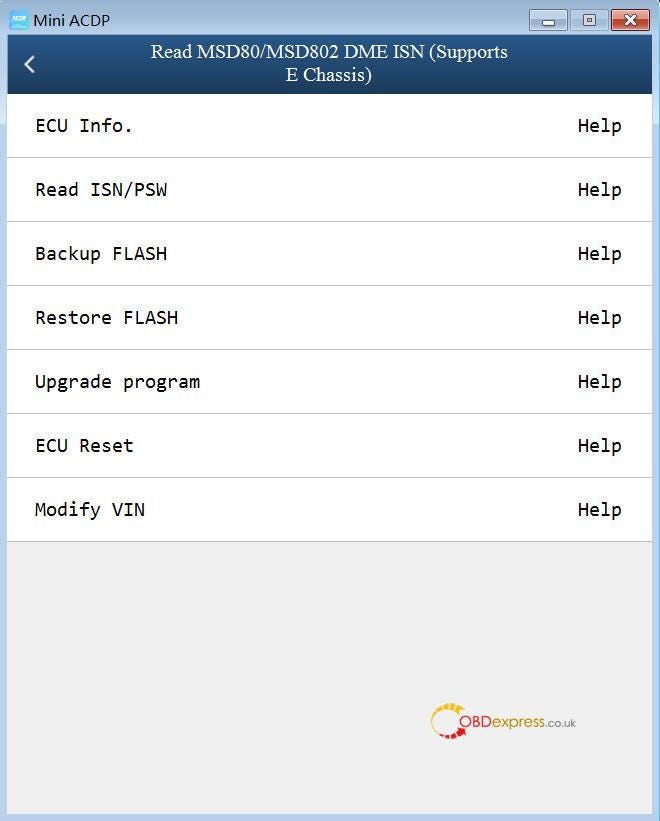
Here are function menu:

ECU Info.

Read ISN /PSW

Backup FLASH

Restore FLASH

Upgrade program

ECU Reset

Modify VIN.

Yanhua ACDP Mini Read Write MSD80 / MSD802 DME ISN

Go on operating by following the on-screen instruction.

Next is to write MSD802 DME ISN with Yanhua ACDP Mini

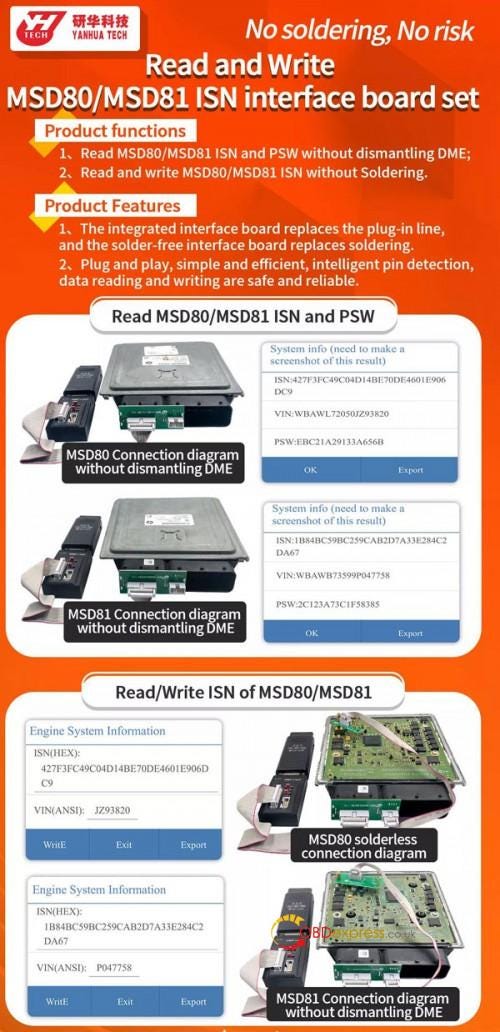
With one extra MSD802 DME ISN Interface Board Set, ACDP Mini can write MSD802

Yanhua ACDP Mini Read Write MSD80 / MSD802 DME ISN

Image source:

https://www.obdexpress.co.uk/wholesale/acdp-bmw-msd80-msd81-isn-interface-board.html

Alright.

Tuesday, 17 November 2020

SVCI ING BAOCHI Cloud Diagnostic Software Register


One user feedback he received SVCI ING software "BAOCHI Cloud Diagnostic" from obdexpress.co.uk, when he downloaded and installed, he got a window asking him to input email and password (Image blow).

SVCI ING   register

How to do?

He is supposed to register a member for BAOCHI Cloud Diagnostic.

  1. Browse the official site: http://flyobd.com


  1. Click on "Downloads", download " BAOCHI_Cloud_Diagnostic_PC" .

or download from mega:

https://mega.nz/file/P7oRiazD#gAOuFnv3bopNPhrwQFDDci6GOMismMzBHOci4kdhlP8

Size: 62.0MB


  1. Install "BAOCHI Cloud Diagnostic", it is easy to do by following the on-screen guide.


  1. Register a member and login: Open "BAOCHI Cloud Diagnostic " on the desktop, it will pops up a window to login, for the first time to use, register a member is required, please search the device Bluetooth, enter the email address, the activation code, the password.


  1. Next is to access to Nissan / Infiniti / GTR / Datsun / Renault to diagnose, do immobilization, reprogram module etc.

Watch Youtube Video:


SVCI ING BAOCHI Cloud Diagnostic Software tech support:
Source:http://blog.obdexpress.co.uk/2020/11/17/how-to-register-svci-ing-baochi-cloud-diagnostic-software/

How to Unlock BMW B48 MG1CS201 B58 MG1CS024 ECUs by FLEX?

 Interested in Flex ’s new BMW ECU unlock feature, but don’t own a FLEX tool — or lack an active subscription to access online protocols? T...