Showing posts with label VXDIAG VCX NANO. Show all posts

Monday, 31 October 2022

Obtain and install VXDIAG VCX NANO Renault software V219

 Follow this instruction to free download and install Clip V219 for VXDIAG VCX NANO Renault diagnostic tool on Win7/8/10/11 (32/64 bit).

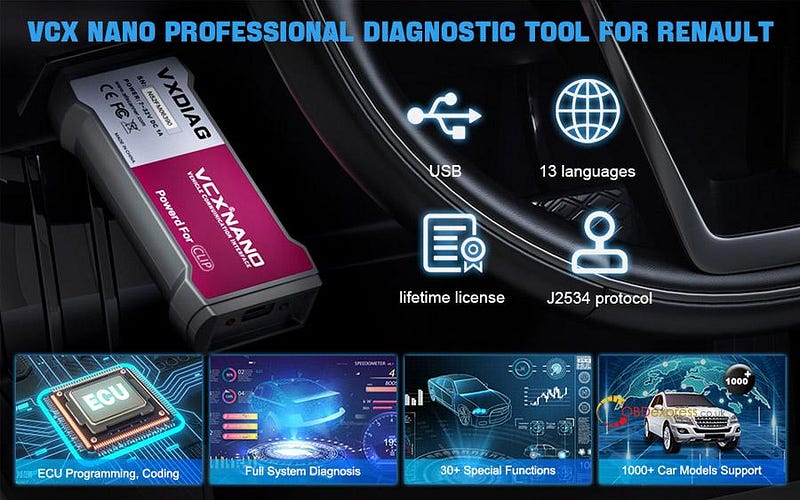
VXDIAG VCX NANO for Renault overview:

It is an intelligent all system diagnostic tool for Renault vehicles from 2005 till now (99% Car Models are supported). Compatible with Clip software V219, it can perform the same functions as original factory device such as all system diagnosis, ECU coding/programming, multi-service function by USB connection. It will be best helper for DIYer/Car Enthusiasts, Home Mechanics and Shop Dealers to repair Renault vehicles.
VXDIAG VCX NANO Renault Clip software installation tutorial

Features:

  • Testable Systems: Engine, Automatic Transmission, Air Conditioning System, SRS, ABS, ASR, MPL, GM, Anti-theft System, KEYZESS GO System and OBD-II System, etc.
  • Supports basic function: Read fault codes, clear fault codes, retrieve ECU info, view live data stream, program/match computer, test component, etc.
  • Supports service function: Oil reset, EPB reset, SAS calibration, DPF regeneration, headlight, TPMS reset, ABS auto bleed, battery registration, throttle reset, injector coding, power balance, suspension calibration, transmission adaptation etc.
  • Supports ECU coding:
      • Online Calibration
      • Online Parameterization
      • Components Matching
      • Flash Hidden Functions (3-time flasher setting)
      • Rear-view mirror folding
      • Disable daytime running light
      • Disable seat belt alarm beep
      • Remove maximum speed limiter
    1. Supports bi-directional control: Body control module (BCM), Operate mirrors, open/close windows…
      1. Kindly notice:

        This is the only VXDIAG device for Renault. Renault license is not yet ready for VCX SE and DOIP devices.

        We don't provide online account for ECU Coding & Programming & Service Functions. Need to get account by yourself.

        Free download VXDIAG VCX NANO Renault V219 (Clip V219)

        Operating system:

        Windows 7/8/10/11 32/64 bit

        13 multi-languages supported:

        English, German, Russian, French, Spanish, Italian, Portuguese, Dutch, Danish, Finnish, Norway, Swedish and Romania

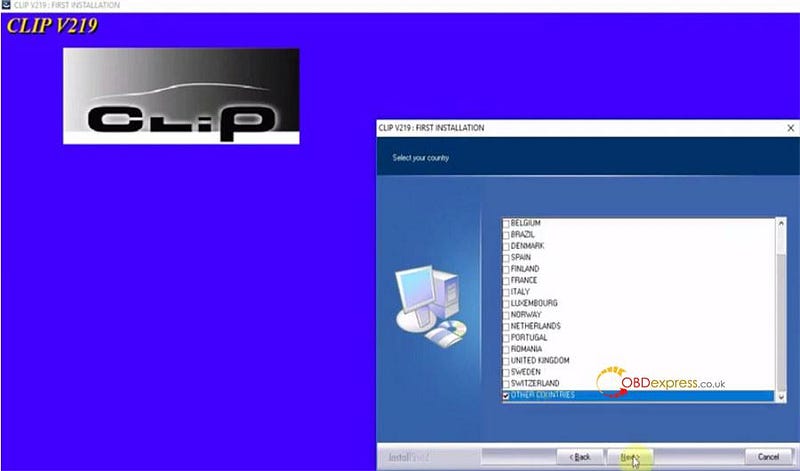
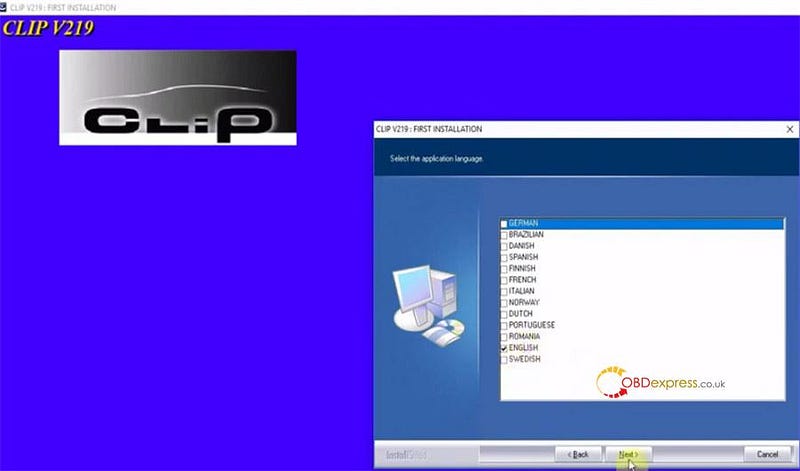
        Note: The language can be selected during installation. After installing, it cannot be switched. Need to uninstall and reinstall.

        Communication type:

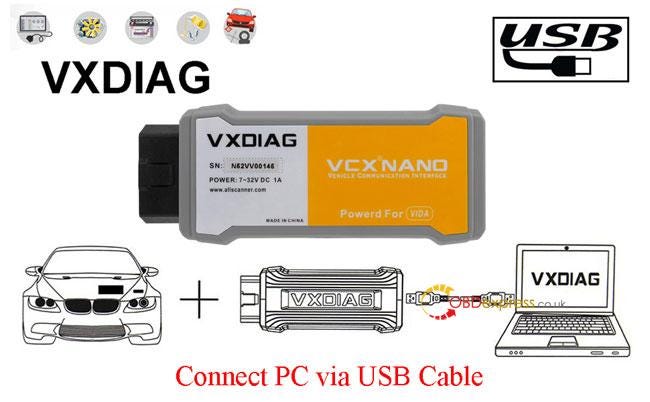
        Via USB cable

        Upgrade mode:

        Download by link offered by obdexpress.co.uk

        Note: Can Update the Firmware, License to renew in VX Manager for Free.

        Vehicle supported:

        2005–2022 Renault, Dacia, Samsung

        VCX NANO Renault V219 installation guide:

      2. Run Install Fix
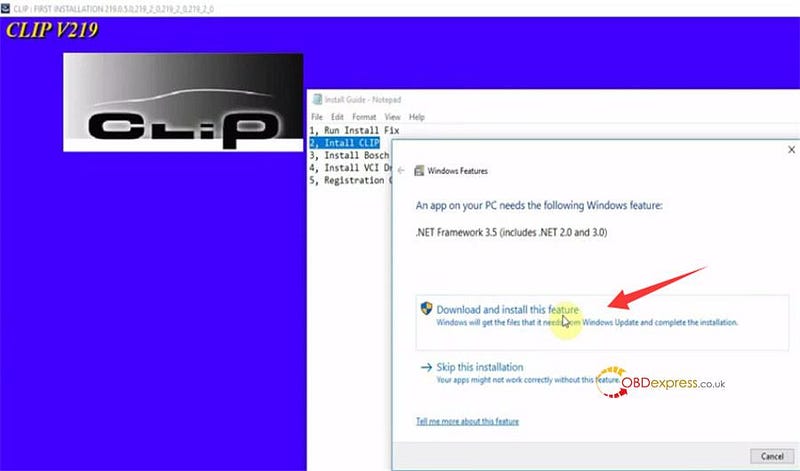
      3. Install CLIP
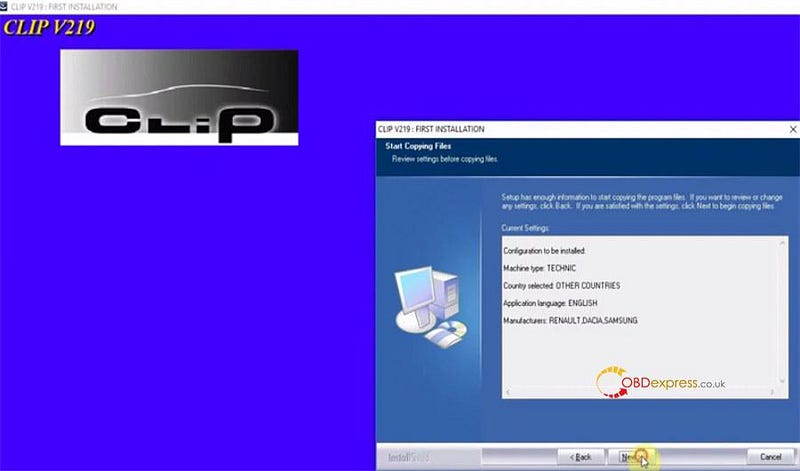
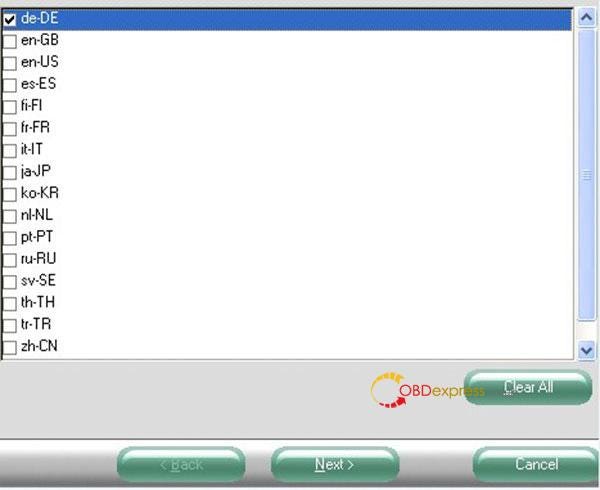
        1. Click FIRST INSTALLATION>> Select country and language>> Start copying files>> Install .NET Framework 3.5
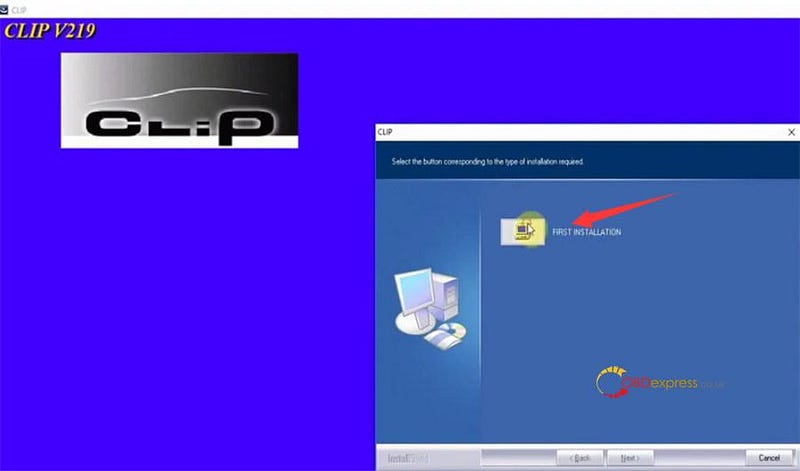
          VXDIAG VCX NANO Renault Clip software installation tutorial

          VXDIAG VCX NANO Renault Clip software installation tutorial

          VXDIAG VCX NANO Renault Clip software installation tutorial

          VXDIAG VCX NANO Renault Clip software installation tutorial

          VXDIAG VCX NANO Renault Clip software installation tutorial

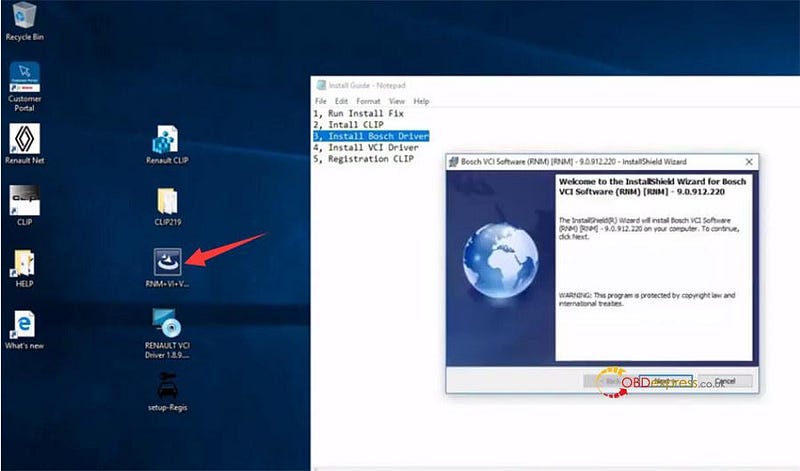
        2. Install Bosch Driver
          1. VXDIAG VCX NANO Renault Clip software installation tutorial

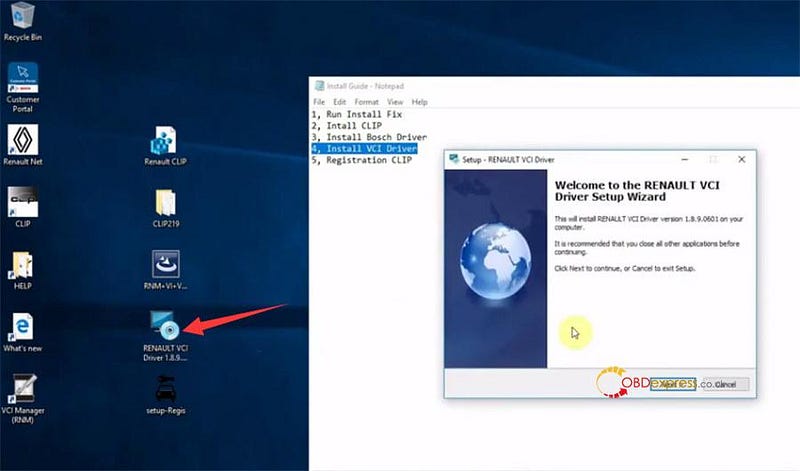
          2. Install VCI Driver
            1. VXDIAG VCX NANO Renault Clip software installation tutorial

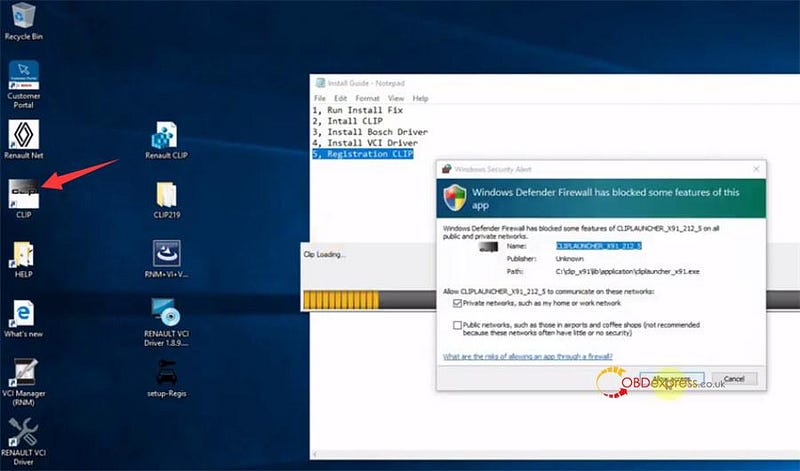
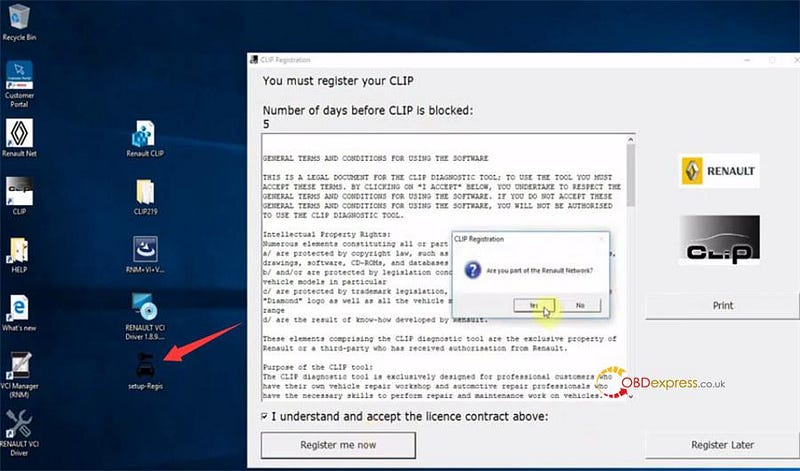
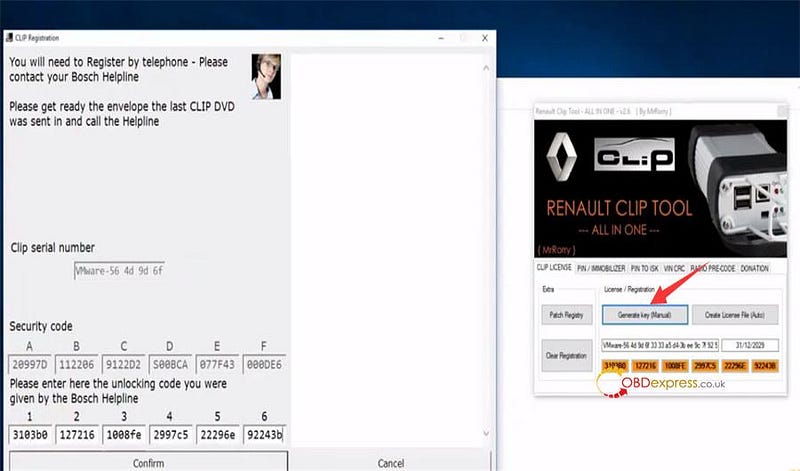
            2. Registration CLIP
              1. VXDIAG VCX NANO Renault Clip software installation tutorial

                VXDIAG VCX NANO Renault Clip software installation tutorial

                VXDIAG VCX NANO Renault Clip software installation tutorial

                The software of VXSCAN VCX NANO Renault is installed, and it is ready to use.
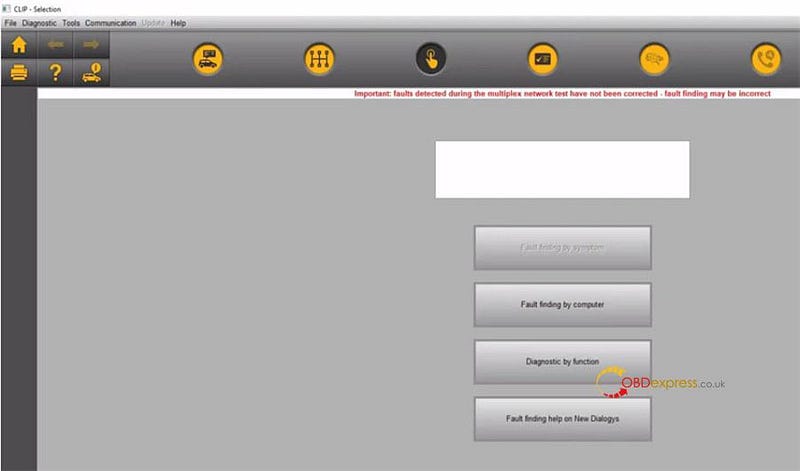
                VXDIAG VCX NANO Renault Clip software installation tutorial

                Note:

                There is a prompt window that will pop up 'Connect the token/select the card'.
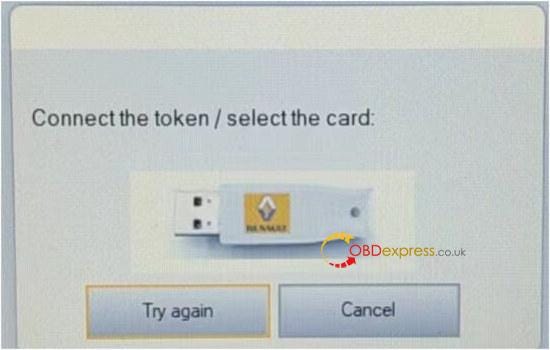
                VXDIAG VCX NANO Renault Clip software installation tutorial

                The reason is that after the software is shut down, logs will be automatically sent to the server without service. If the software is not genuine, the server cannot be connected. Just skip and close it.

                www.obdexpress.co.uk

                Monday, 22 February 2021

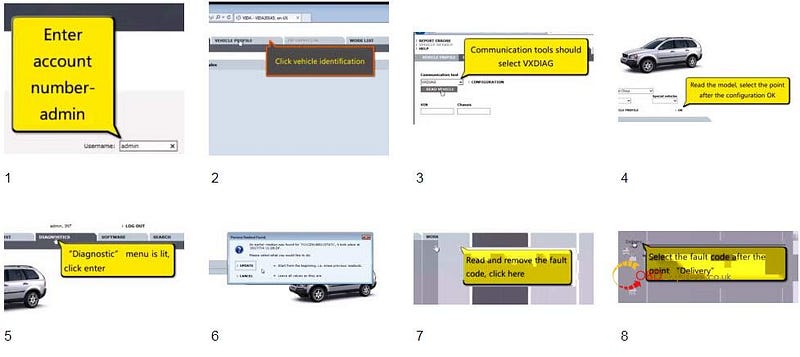
                VXDIAG Nano Volvo or VIDA DICE 2014 which is better?

                 What's the difference between VIDA DICE2014 unit and that VXDIAG Nano Volvo? Which one is better?


                Firstly, let's review VIDA DICE:

                There's actually 3 types. Vida, Vida clone and vxdiag.


                Vida is official Volvo tool. Most expensive but fastest to read your car.


                Vida clone is almost as good as official Vida. Even looks like official Vida.


                And the only real difference between genuine and Chinese made is the lack of Bluetooth on the Chinese one. But for $700 less, it’s a small cost. The Chinese dice are good now a days for vida 2014D, Vida online (paid subscription, flashing software), vdash, and for tuners to use for their programs. There is no other difference.


                Secondly is the review of VXDIAG Nano Volvo:

                VXDIAG VCX NANO device can be used with Volvo's VIDA software to communicate with Volvos from the early 2000s up to 2016or so. Free Download VXDIAG Volvo_2014D_EN software: https://mega.nz/#F!Mlx1XLjD!-tEaNyUIsHVJtjNqKlqRlg

                VXDIAG Nano Volvo


                Someone chose to buy one of these rather than a DICE or DICE clone because (A) these are a bit cheaper than DICE clones.


                Attention:

                1. Just follow instructions and installed VIDA 2014D from the installation DVD that came with the device. It will work like a charm.

                Someone tried to use it with a VIDA installation he had already done using a virtual machine image, it didn't work, I just kept getting an error message: "ERROR: SDK GetProcAddress!".


                1. The recommendation for VIDA is Windows 7 Professional 32-bit.


                Pros:

                1. Can connect to the car and read it's details, fault codes and live data.
                2. Can also use the activate feature to turn on and off various systems for testing.
                3. Much cheaper than vida dice
                4. works the same as the Vida and Vida clone.
                5. used the device with VDASH2 and it also works fine for reading information and fault codes.
                6. Multi Languages: Italian, English, French, Portuguese, Swedish, Japanese, Korean, Dutch, Russian, Turkish, Thai, Chinese

                Difference between VXDIAG Nano Volvo and VIDA DICE 2014

                Difference between VXDIAG Nano Volvo and VIDA DICE 2014


                Cons:

                1. A little slower to read your car;
                2. Requires additional software to be install (it does come with all required software on a cd but can also be downloaded for free)


                Conclusion:

                Recommend the VX NANO Volvo as a cheaper alternative to a DICE clone. Just follow the instructions and know that it may not work on a VM.

                Friday, 21 July 2017

                How to use VXDIAG VCX PRO for Diagnostics & Programming(

                VXDIAG VCX NANO Pro 7 in 1 is an auto diagnostic tool  with different software designed  for GM/FORD/MAZDA/VW/HONDA/VOLVO/TOYOTA/JLR.

                VXDIAG VCX NANO Pro 7 in 1 for sale:


                Software Version:2016.02

                PC-based diagnostics…YES, via GDS & GDS2
                Online programming…YES, via GM TIS2WEB SPS
                Tech 2 tool functionality…YES, via Tech2Win application
                vxdiag vcx nano ford: Ford IDS 101
                vxdiag vcx nano mazda: Mazda IDS 104
                obd2 diagnostic test…YES
                module programming…YES
                key programming…YES
                special functions …YES:
                Reset steering angle
                Injector Coding
                DPF Regeneration
                Set, adjust or remove speed governors
                ….

                Software Version: Techstream V12.10.019
                obd2 diagnostic test…YES
                online ECU programming…YES
                customizing settings…YES

                Software version: ODIS-Service 4.0
                obd2 diagnostic test…YES
                online ECU programming…YES
                online service coding…YES
                key programming…YES

                vxdiag vcx nano jaguar:
                Software version: JLR SDD 149
                obd2 diagnostic test…YES
                ECU programming…YES

                vxdiag vcx nano volvo:
                Software version: VIDA 2014D
                obd2 diagnostic test…YES
                ECU programming…YES


                ALL above can be done with VCX PRO price: €180


                vxdiag vcx nano review:
                This is the first review of Allscanner VCX Pro
                how-to-use-VXDIAG-VCX-NANO-Pro (1) how-to-use-VXDIAG-VCX-NANO-Pro (2) how-to-use-VXDIAG-VCX-NANO-Pro (3) how-to-use-VXDIAG-VCX-NANO-Pro (4) how-to-use-VXDIAG-VCX-NANO-Pro (15) how-to-use-VXDIAG-VCX-NANO-Pro (6) how-to-use-VXDIAG-VCX-NANO-Pro (7) how-to-use-VXDIAG-VCX-NANO-Pro (8) how-to-use-VXDIAG-VCX-NANO-Pro (9) how-to-use-VXDIAG-VCX-NANO-Pro (10) how-to-use-VXDIAG-VCX-NANO-Pro (11) how-to-use-VXDIAG-VCX-NANO-Pro (12) how-to-use-VXDIAG-VCX-NANO-Pro (13) how-to-use-VXDIAG-VCX-NANO-Pro (14)
                Done! This is how to use VCX Pro with IDS V101 on Ford.

                Source:

                Tuesday, 2 May 2017

                How to download Tech2Win 33.002 GDS2 v15.2 Tech 2 software

                Here is the Free download GM GDS2 crack V15.2 and Tech2Win 33.002 crack ! Definitely confirmed working no issues with VXDIAG VCX NANO GM diagnostic tools!!


                Tech2win download crack:
                version: 33.002
                released on 02/24/2016
                size: 138.9 MB

                GDS2 software download: (all-data VMware)
                version: V15
                size: 1.95 GB


                About the software test:
                Both Tech2win & GDS2 are confirmed woking, by Allscanner!
                Safe and free to use with Vxdiag vcx nano GM only.

                About the software installation:
                gm gds2/tech2win windows 7 64 bit…confirmed working
                gm gds2/tech2win windows 8 64 bit…confirmed working
                tech2win windows 10…needs luck

                About Tech2win v33 functions:
                Tech2Win, an application version of the Tech 2 and CANdi (Control Area Network diagnostic interface) moduleTech2Win can be used during a vehicle road test, offering a larger screen with all of the Tech 2 tool functionality. The Tech2Win application offers all of the features and functions of the Tech 2 for Opel, Saab etc.

                About GDS2 v15.2 capabilities:
                * Read codes, code status, Freeze Frame data and Clear Codes.
                * Read VIN, ECU part numbers and software numbers.
                * Record, store and replay Stored data.
                * Control and monitor Output Control functions.
                * Configure and Reset functions.
                * Record or display history of the previous vehicle diagnostic sessions.

                About Vxdiag vcx nano & Tech2win GDS2:
                * Flexible configuration supports wired or wireless connectivity
                * Compatible with applications that diagnose engines, transmissions, ABS, instrument panels and more
                * Mixed fleet capabilities with broad protocol support
                * Quick access to vehicle data for maintenance or management reports
                * Quickly attaches to vehicle’s diagnostic connector
                * May be used with desktop PC or laptop

                KEYDIY New KD-Moto Adapter Adds Honda, Yamaha & Ducati

                  Motorcycle key programming is now coming to the KEYDIY KD-X4 . The new KEYDIY KD-Moto Adapter adds dedicated motorcycle coverage for a w...