Showing posts with label VXDIAG. Show all posts

Monday, 24 April 2023

Install JLR SDD V164 on Win7 or Win10

 Here is the guide to install JLR SDD V164 software on Win7/8/10 32/64 bit for Jaguar and Land rover 2005–2017 diagnosis.

JLR SDD V164 compatible devices:

Godiag GD101 J2534 Passthru Diagnostic Cable, JLR Mangoose SDD Pro, VXDIAG VCX SE JLR DOIP and VXDIAG VCX NANO JLR, etc

Free download V164 JLR SDD software

For more software info, click here to view.

Main installation steps:

Step 1: install SDD_164.00.001.FULL

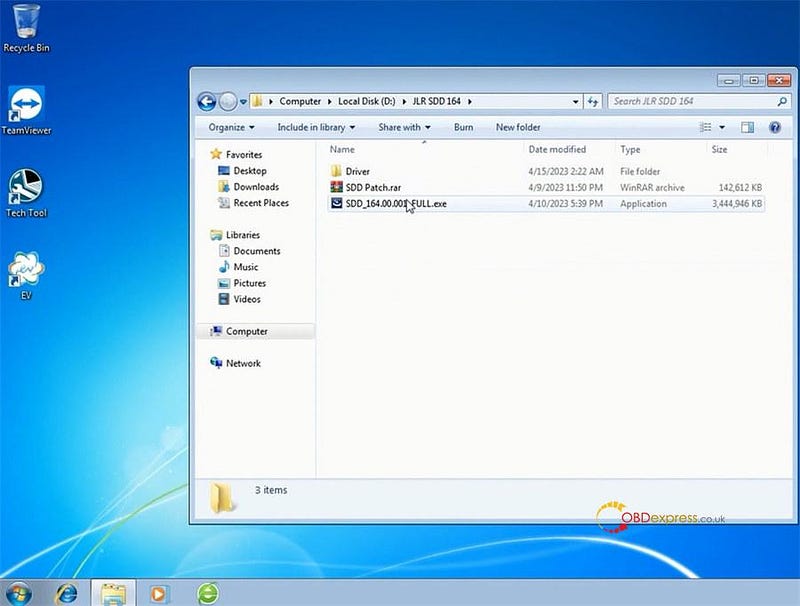
There are three items in the JLR SDD 164 folder: Driver, SDD Patch, and SDD_164.00.001_FULL
Install JLR SDD V164 on Win7 or Win10

Open SDD_164.00.001_FULL application

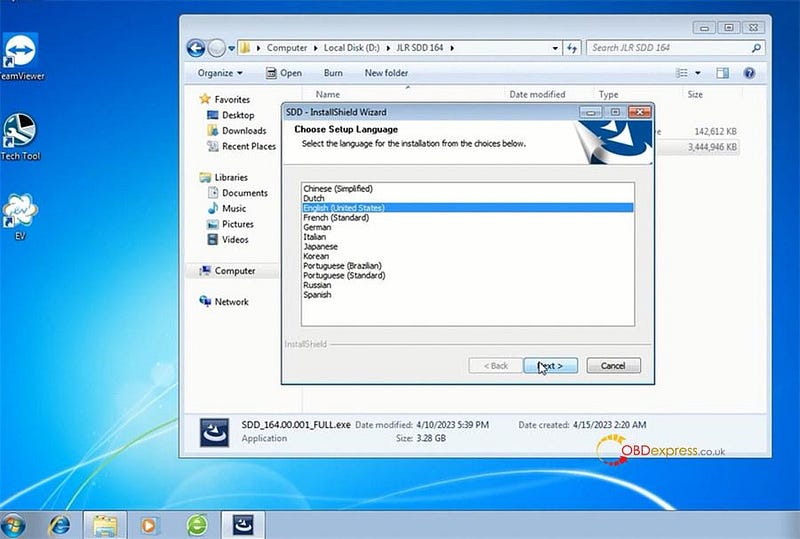
Choose the setup language
Install JLR SDD V164 on Win7 or Win10

Accept the terms of the license agreement

Read the SDD and Firewall compatibility

Select the destination drive>> language

If the Adobe Reader date is expired, then the system will prompt "The installed level of Adobe Reader of date is out of date and in order to use SDD as intended this needs to be updated. For further details please navigate to the system information page."

Click OK to continue

Then start to install

Install HV Safety installer
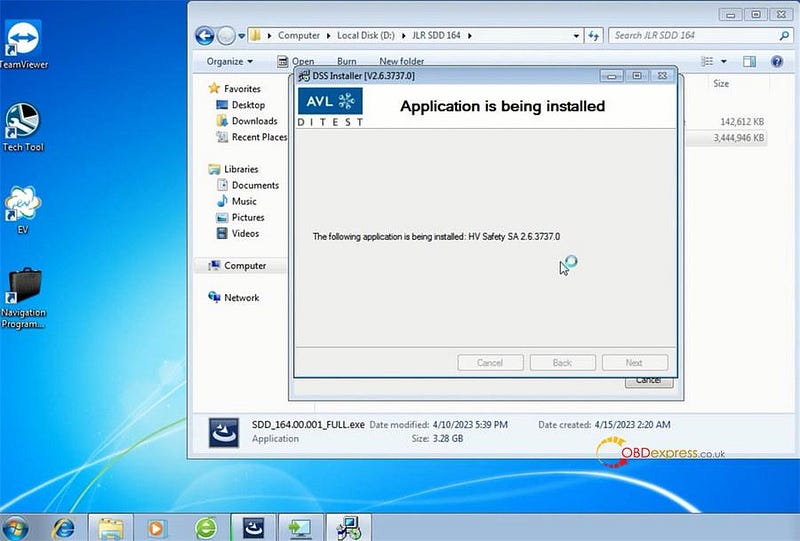
Install JLR SDD V164 on Win7 or Win10

Install MOXA UPort 1110/1130/1150 Windows driver
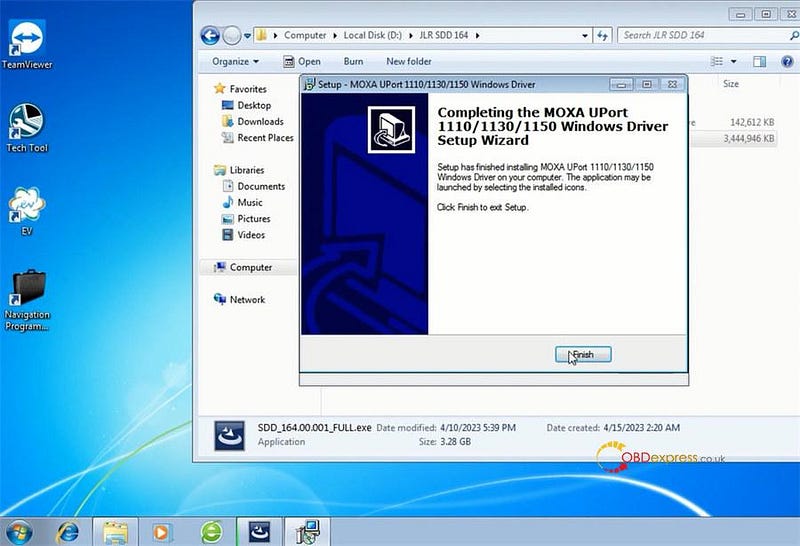
Install JLR SDD V164 on Win7 or Win10

Wait a moment till the JLR SDD V164 is installed successfully.

Before you can use the program, you must restart your computer. Just select restart now or later, and then click "Finish"
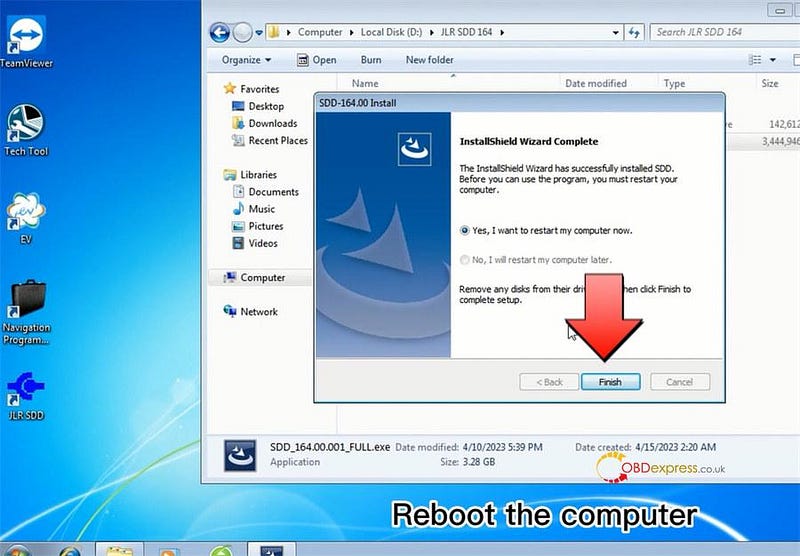
Install JLR SDD V164 on Win7 or Win10

Step 2: install SDD Patch

Extract SDD Patch folder

There are 5 items inside:

  • SDD.Offline.exe
  • SDD.Offline.Fix.2020.7.14.exe
  • SDD.Online.exe
  • read me.txt
  • 说明 (instruction).txt

Install JLR SDD V164 on Win7 or Win10

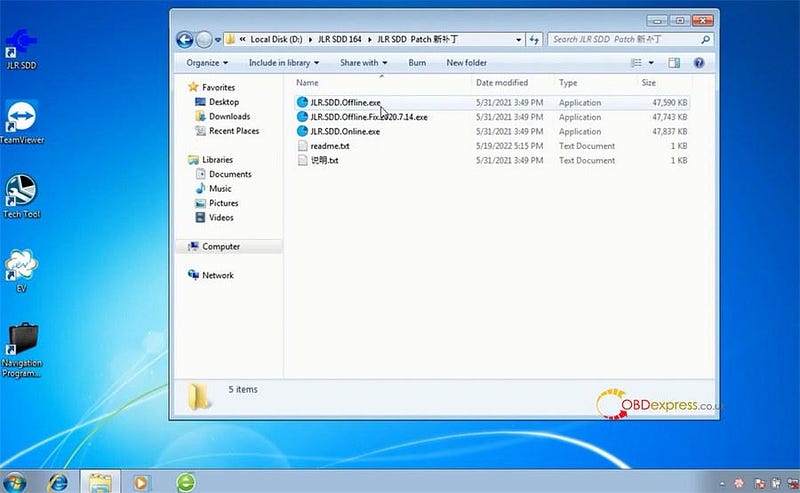
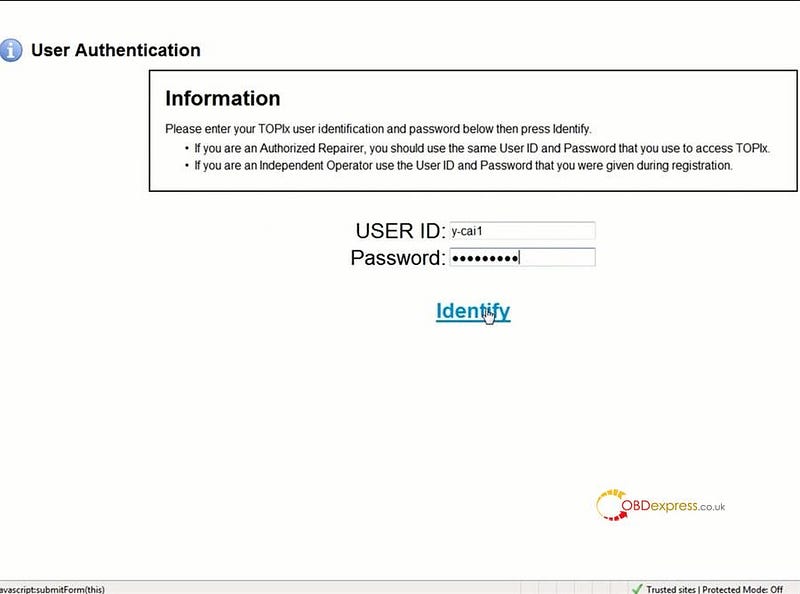
Click JLR.SDD.Offline.exe, and you will get a JLR.SDD.user.txt which contains user ID and password
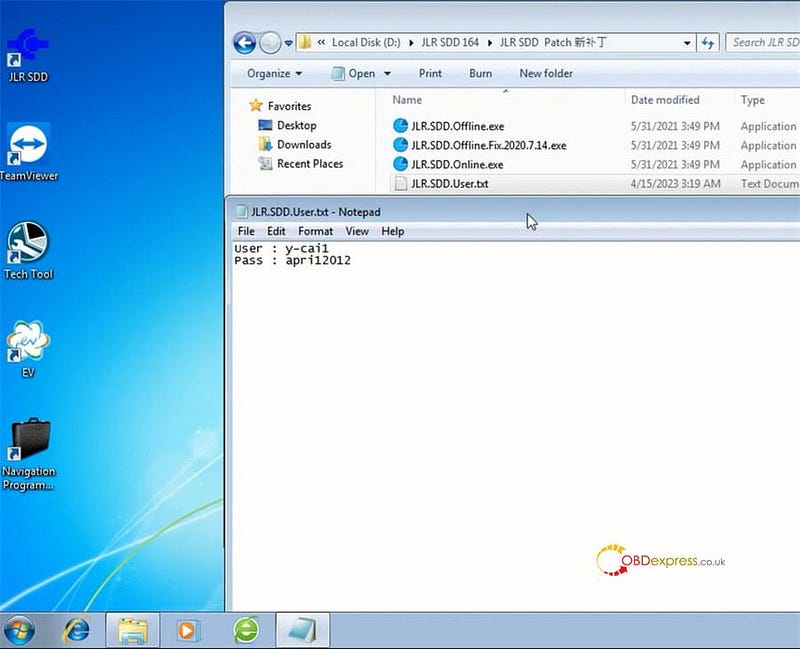
Install JLR SDD V164 on Win7 or Win10

Then you can run JLR SDD program with them to diagnose vehicles.
Install JLR SDD V164 on Win7 or Win10

Install JLR SDD V164 on Win7 or Win10

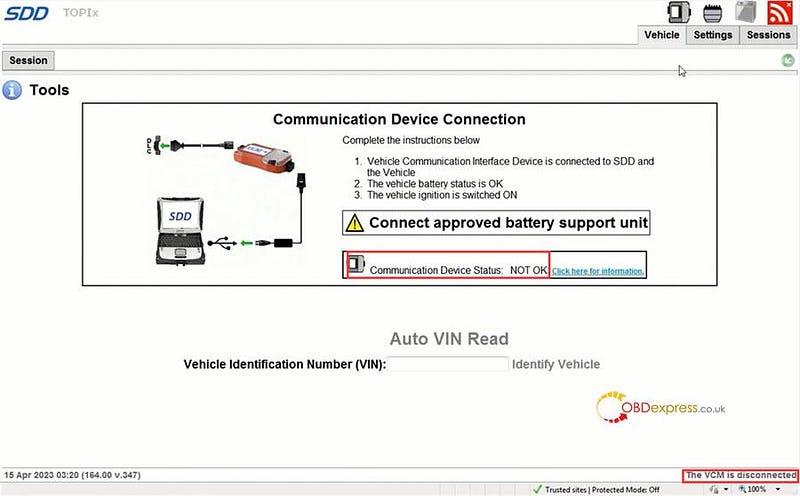
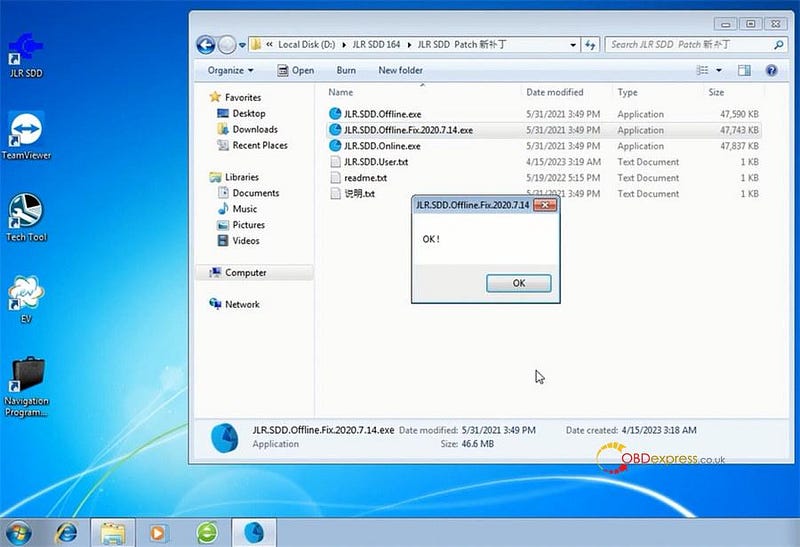
If the communication device status is not ok, and the VCM is disconnected, run JLR.SDD.Offline.Fix.2020.7.14.exe, and the problem can be solved soon.
Install JLR SDD V164 on Win7 or Win10

Install JLR SDD V164 on Win7 or Win10

www.obdexpress.co.uk

Tuesday, 9 August 2022

Can PCMtuner be used on KTM Bench & VXDIAG?

 If you already have the VXDIAG VCX SE, KTM Bench, KTMOBD, KTMFLASH, KTM100 3 in 1, Scanmatik 2 Pro, Tactrix Openport 2.0+… just have to buy a PCMTUNER Dongle to get all its features.

PCMTUNER Dongle is a USB smart dongle that contains 67 modules as V1.27 PCMtuner ECU Programmer. Supports to read & write VR online, supply free Damaos for tuner. It can be perfectly compatible with many diagnostic tools to expand more features.

No need to pay extra money for new PCMtuner tool to acquire same functions, it's a good deal either way.

PCMTUNER Dongle

PCMTUNER Dongle + KTM Bench read VW MED17.5

Connection:

Plug PCMTUNER Dongle into USB port, connect KTM Bench & VW ECU

Operation:

Select J2534: Scanmatik- SM2 USB

71 module Bosch: MEDC17(tc1762/1766/1792/1796) EEPROM

Click "Identification" then "Read".

Save data file successfully.

PCMtuner be used on KTM Bench & VXDIAG

PCMTUNER Dongle + VXDIAG VCX SE read Mitsubishi Outlander engine

Connection:

Plug PCMTUNER Dongle into USB port.

Connect VXGIAG, Full Protocol OBD2 Jumper& engine.

Operation:

Open VX Manager & PCMFlash software,

Select VXDIAG J2534,

24 Module Mitsubishi: MH Generic Read-Only

Click "Identification" then "Read".

Reading successfully.

Save data file.

PCMtuner be used on KTM Bench & VXDIAG

PCMtuner be used on KTM Bench & VXDIAG

PCMTUNER Dongle + Tactrix Openport 2.0+ read Honda City engine

Connection:

Insert PCMTUNER Dongle intoport.

Connect Tactrix, Full Protocol OBD2 Jumper & ECU.

Operation:

Install Openport 2.0+ driver, open PCMFlash software

Select Tactrix Inc.- OpenPort 2.0 J2534 ISO/CAN/VPW/PWM

12 Module Honda: Honda PGM-FI Generic Read-Only

Click "Identification" then "Read".

Save & read data successfully.

PCMtuner be used on KTM Bench & VXDIAG

PCMtuner be used on KTM Bench & VXDIAG

PCMTUNER Dongle + Tactrix Openport 2.0 + read VWDQ250 gearbox

Connection:

Follow wiring diagram to connect VW gearbox, Godiag GT107 Adapter& Tactrix.

The DSG DQ250 is CAN protocol, press 120ohm button on GT107.

Connect Openport 2.0 USB cable & PCMTUNER Dongle.

PCMtuner be used on KTM Bench & VXDIAG

PCMtuner be used on KTM Bench & VXDIAG

Operation:

Install Openport 2.0+ driver, open PCMFlash software

Select Tactrix Inc.- OpenPort 2.0 J2534 ISO/CAN/VPW/PWM

58 module VAG: DQ250E/F/MQB Boot(EEPROM)

Save data successfully.

Select 58 module VAG: DQ250E/F/MQB Boot(MICRO)

Save data successfully.

PCMtuner be used on KTM Bench & VXDIAG

PCMtuner be used on KTM Bench & VXDIAG

www.obdexpress.co.uk

Best 5 Key Cutting Machines: Xhorse vs. 2M2 Buying Guide

  Choosing an automotive key cutting machine depends on five factors: portability, operation method, cutting efficiency, key coverage, and ...