Showing posts with label CGDI K2. Show all posts

Thursday, 14 May 2026

Toyota 4A Unlock Key by CGDI K2 Key Tool

 CGDI K2 Smart Key Tool has just added support for Toyota 4A key unlocking in its latest V5.8.8 update. Here’s how you can do it in four easy steps.

Hardware Required:

  • CGDI K2 Key Tool
  • Dedicated Toyota 4A Unlocking Adapter (coming soon)
  • Original Toyota 4A Key PCB

Step 1 — Take Apart the Key

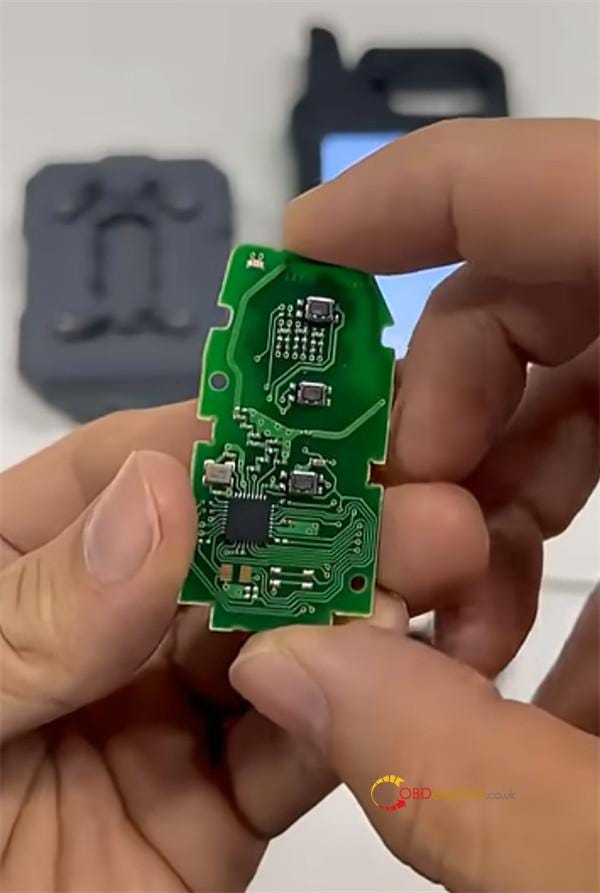
Start by carefully disassembling the Toyota 4A key and removing the PCB from the casing.


Toyota 4A Unlock Key by CGDI K2 Key Tool

Step 2 — Place the PCB on the Adapter

Next, mount the PCB onto the special adapter made for Toyota 4A keys. Double-check that it sits firmly and aligns properly.
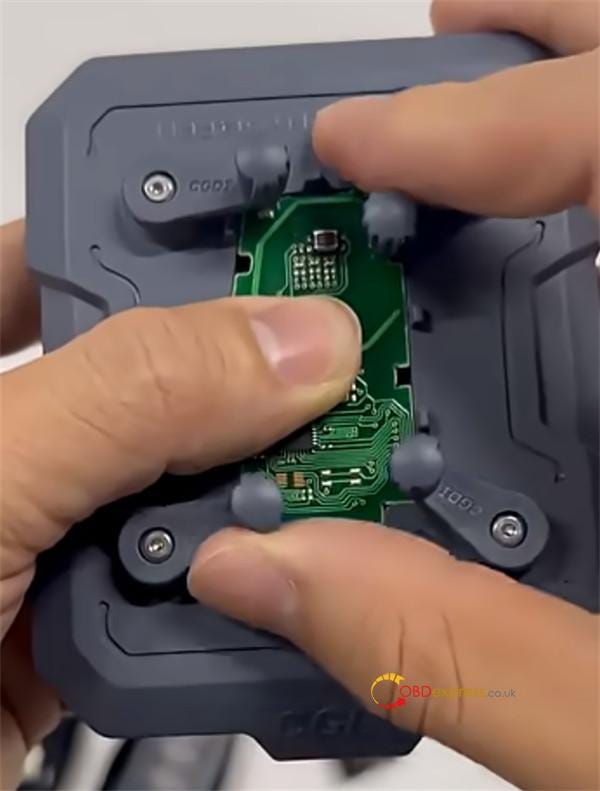

Toyota 4A Unlock Key by CGDI K2 Key Tool

Step 3 — Hook Up the Adapter to CGDI K2

Connect the adapter to your CGDI K2 Key Tool
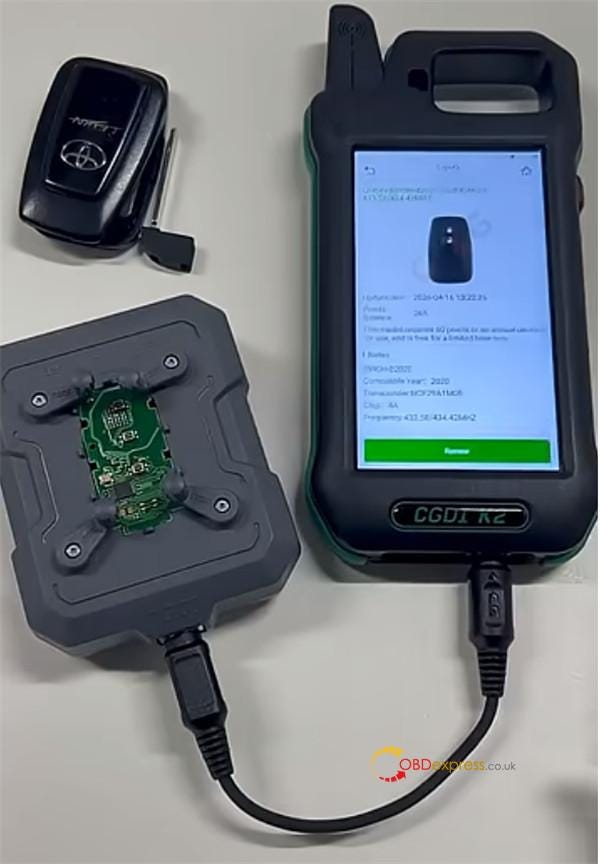

Toyota 4A Unlock Key by CGDI K2 Key Tool

Step 4 — Unlock the Key

Finally, go to the Toyota 4A unlocking option on K2 interface and follow the prompts on screen to finish the job.
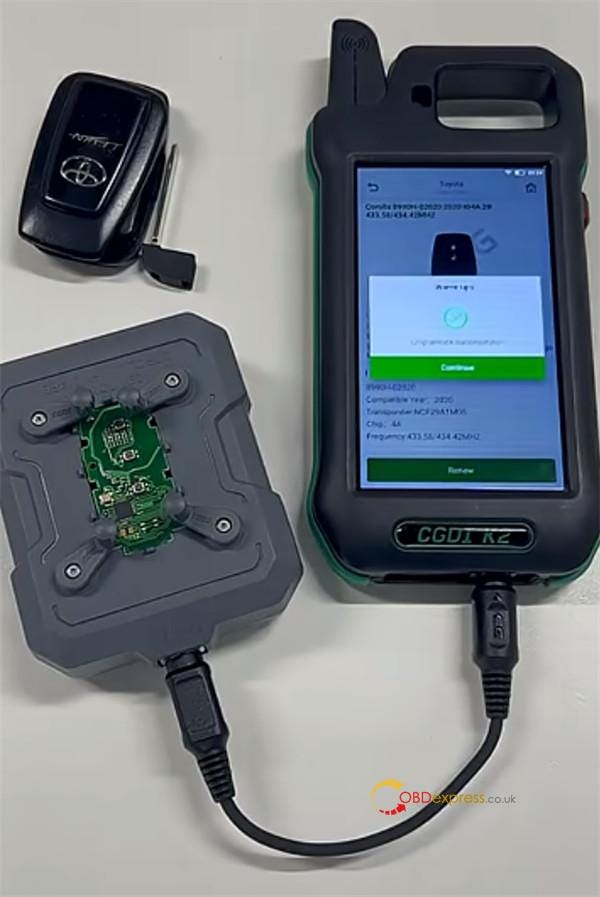

Toyota 4A Unlock Key by CGDI K2 Key Tool

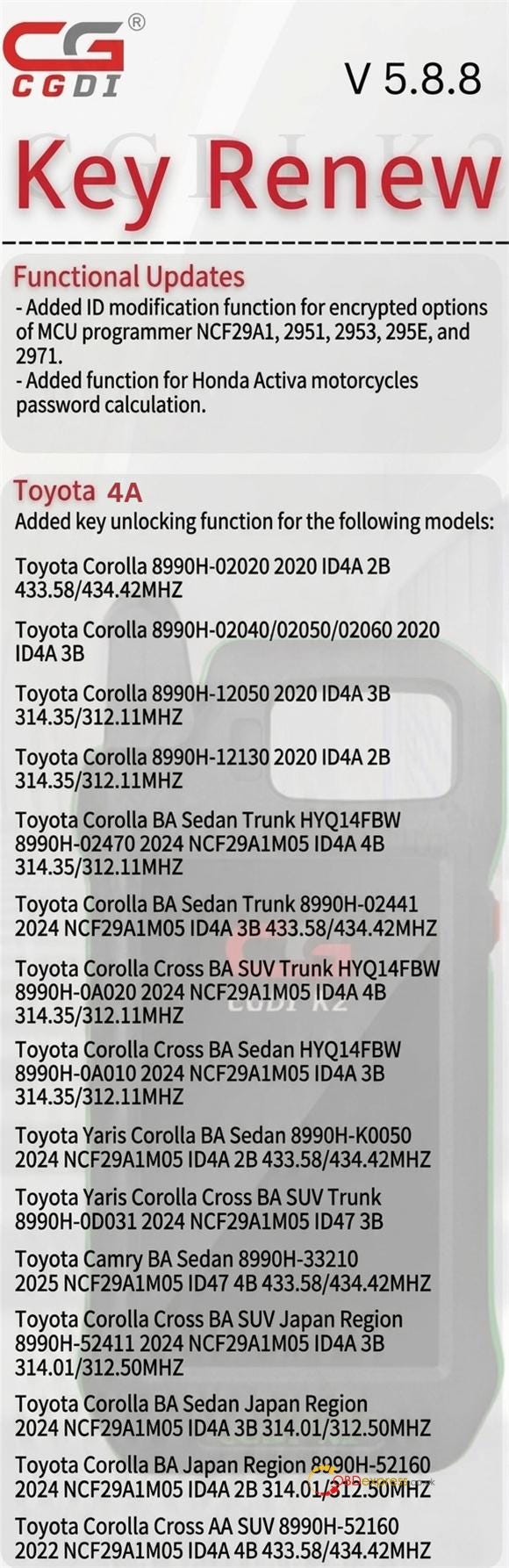
Which Toyota 4A models are supported by CGDI K2?

Currently, 15 models are supported as follows:

  • Toyota Corolla 8990H-02020 2020 ID4A 2B

433.58/434.42MHZ

  • Toyota Corolla 8990H-02040/02050/02060 2020 ID4A 3B
  • Toyota Corolla 8990H-12050 2020 ID4A 3B

314.35/312.11MHZ

  • Toyota Corolla 8990H-12130 2020 ID4A 2B

314.35/312.11MHZ

  • Toyota Corolla BA Sedan Trunk HYQ14FBW 8990H-02470 2024 NCF29A1M05 ID4A 4B

314.35/312.11MHZ

  • Toyota Corolla BA Sedan Trunk 8990H-02441 2024 NCF29A1M05 ID4A 3B

433.58/434.42MHZ

  • Toyota Corolla Cross BA SUV Trunk HYQ14FBW 8990H-0A020 2024 NCF29A1M05 ID4A 4B

314.35/312.11MHZ

  • Toyota Corolla Cross BA Sedan HYQ14FBW 8990H-0A010 2024 NCF29A1M05 ID4A 3B

314.35/312.11MHZ

  • Toyota Yaris Corolla BA Sedan 8990H-K0050 2024 NCF29A1M05 ID4A 2B

433.58/434.42MHZ

  • Toyota Yaris Corolla Cross BA SUV Trunk 8990H-0D031 2024 NCF29A1M05 ID47 3B
  • Toyota Camry BA Sedan 8990H-33210 2025 NCF29A1M05 ID47 4B

433.58/434.42MHZ

  • Toyota Corolla Cross BA SUV Japan Region 8990H-52411 2024 NCF29A1M05 ID4A 3B

314.01/312.50MHZ

  • Toyota Corolla BA Sedan Japan Region 2024 NCF29A1M05 ID4A 3B

314.01/312.50MHZ

  • Toyota Corolla BA Japan Region 8990H-52160 2024 NCF29A1M05 ID4A 2B

314.01/312.50MHZ

  • Toyota Corolla Cross AA SUV 8990H-52160 2022 NCF29A1M05 ID4A 4B

433.58/434.42MHZ

Toyota 4A Unlock Key by CGDI K2 Key Tool

www.obdexpress.co.uk

Wednesday, 8 April 2026

How to Generate VW 5C 5D Dealer Key by CGDI K2?

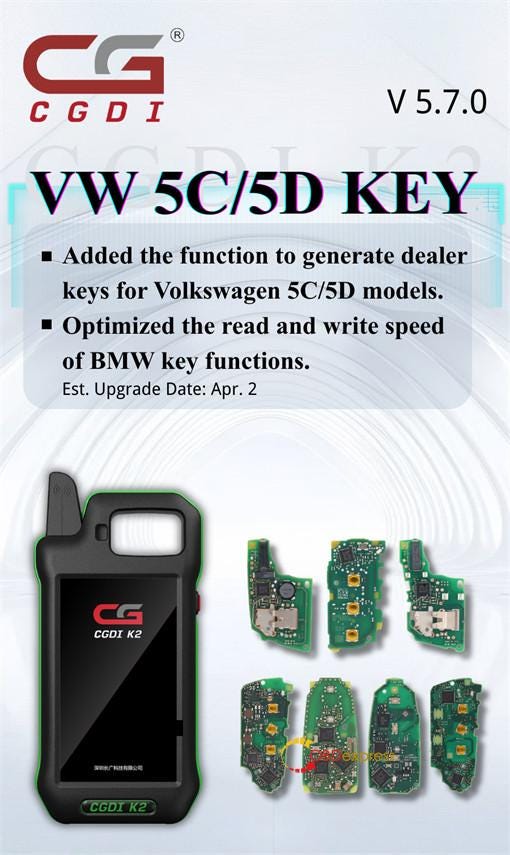
 Good news! CGDI K2 Smart Key Tool now lets you generate dealer keys for Volkswagen 5C and 5D models. Just make sure your device is running software version V5.7.0 or higher. This latest update (released April 2, 2026) also brings faster read/write speeds for BMW key functions. Plus, it’s a free update — no license activation needed.


How to Generate VW 5C 5D Dealer Key by CGDI K2

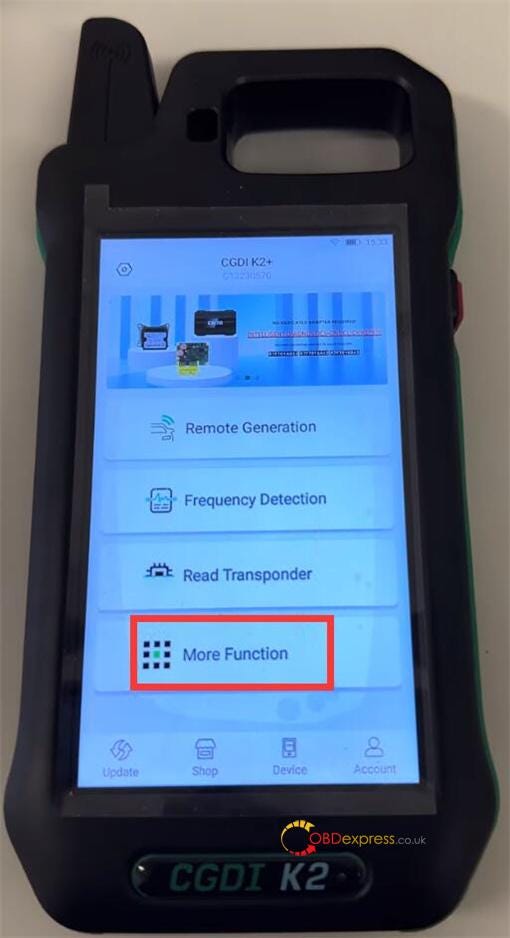
Where to find it:

Go to More Function → VW 5C/5D


How to Generate VW 5C 5D Dealer Key by CGDI K2

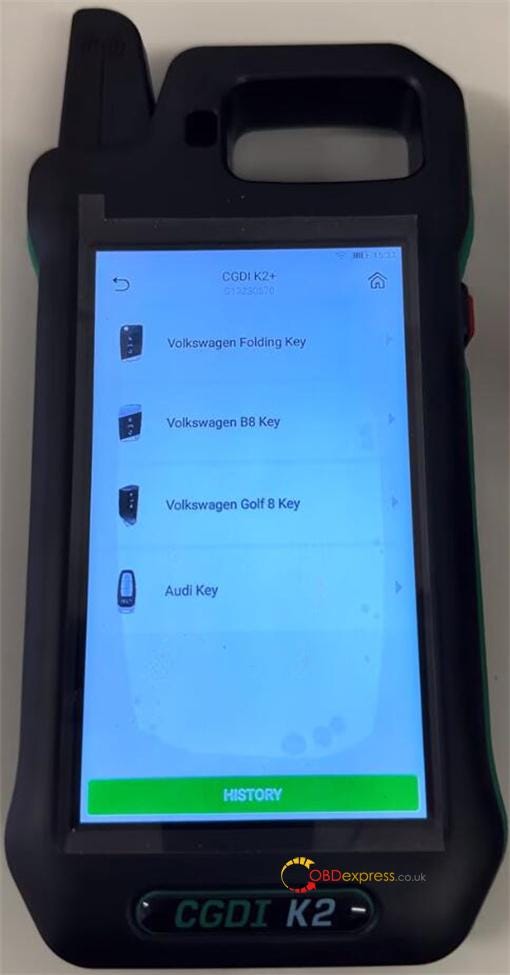
Choose your key type:

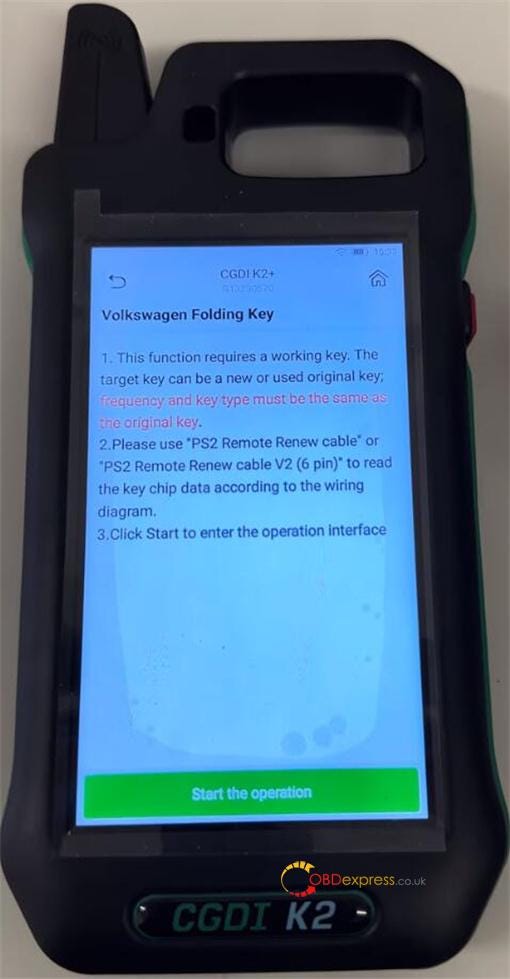
  • Volkswagen Folding Key
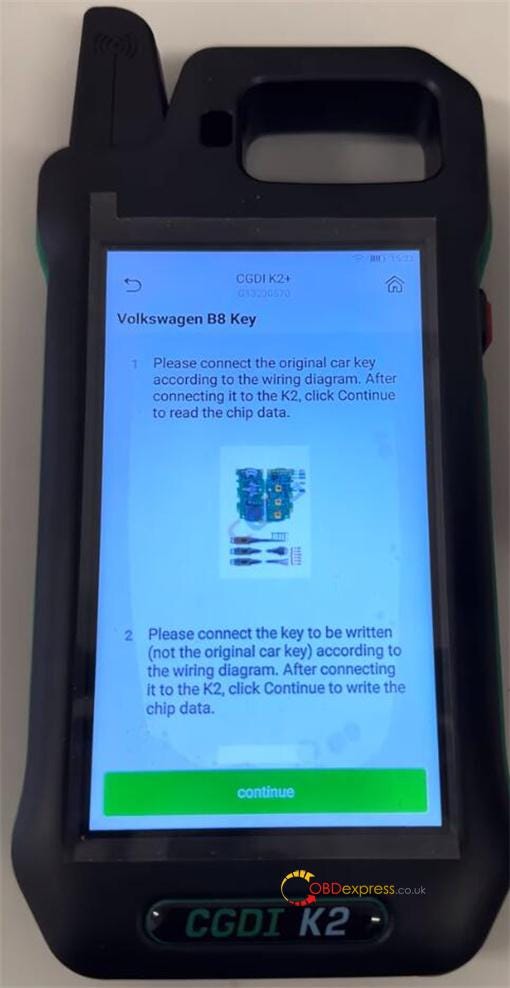
  • Volkswagen B8 Key
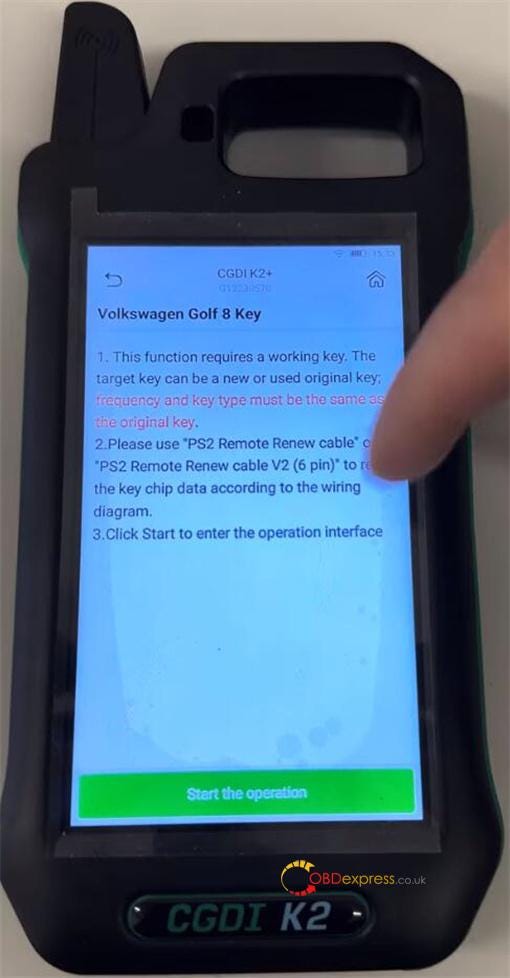
  • Volkswagen Golf 8 Key
  • Audi Key

How to Generate VW 5C 5D Dealer Key by CGDI K2

How to generate each key type:

  • For Volkswagen Folding Key

You’ll need a working key first. The new or used original key you’re programming must match the original in frequency and type.

Connect the "PS2 Remote Renew Cable" (or the 6-pin V2 version) following the wiring diagram to read the chip data.

Click "Start the operation" to begin.


How to Generate VW 5C 5D Dealer Key by CGDI K2

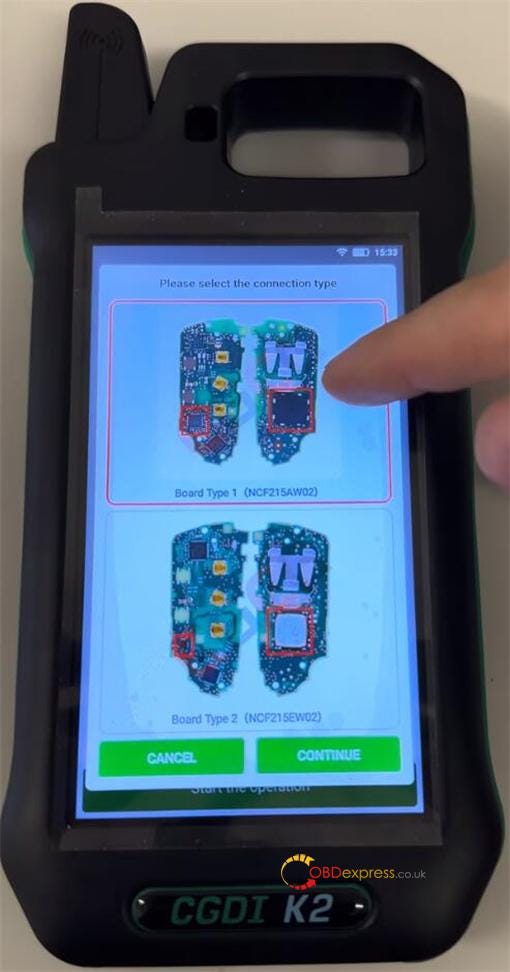
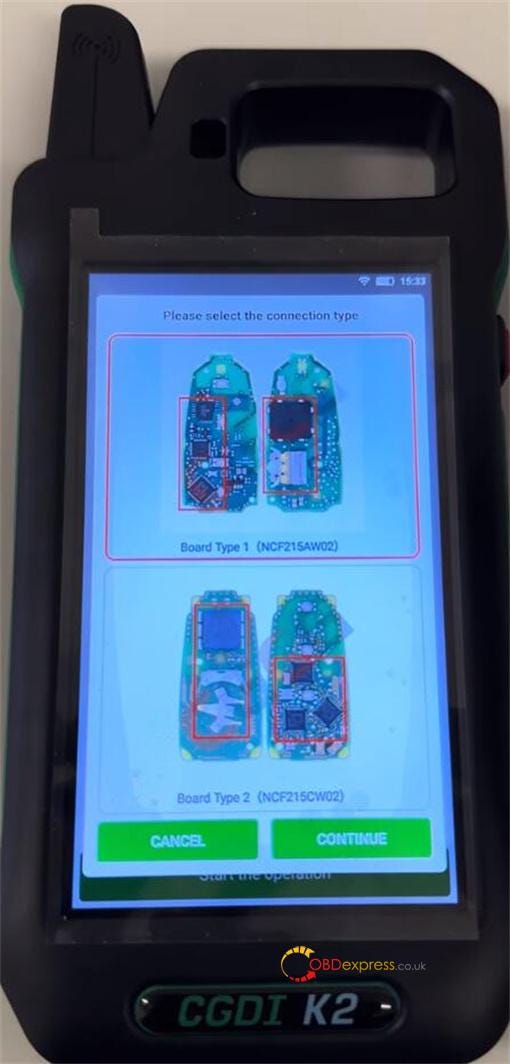
Connection types:


How to Generate VW 5C 5D Dealer Key by CGDI K2
  • For Volkswagen B8 Key

Hook up the original car key per the wiring diagram, connect it to CGDI K2, and click "Continue" to read chip data.

Then connect the key you want to program (not the original), again follow the wiring diagram, and click "Continue" to write the data.


How to Generate VW 5C 5D Dealer Key by CGDI K2
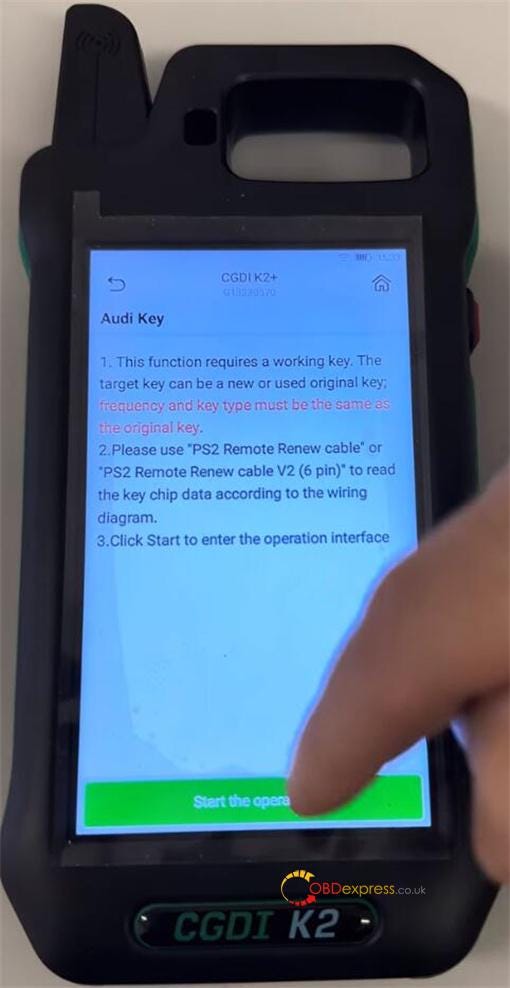
  • For Volkswagen Golf 8 Key & Audi Key

Both follow the same steps as the Volkswagen Folding Key.

Volkswagen Golf 8 Key:


How to Generate VW 5C 5D Dealer Key by CGDI K2

Audi Key:


How to Generate VW 5C 5D Dealer Key by CGDI K2

Bonus — BMW key features added:

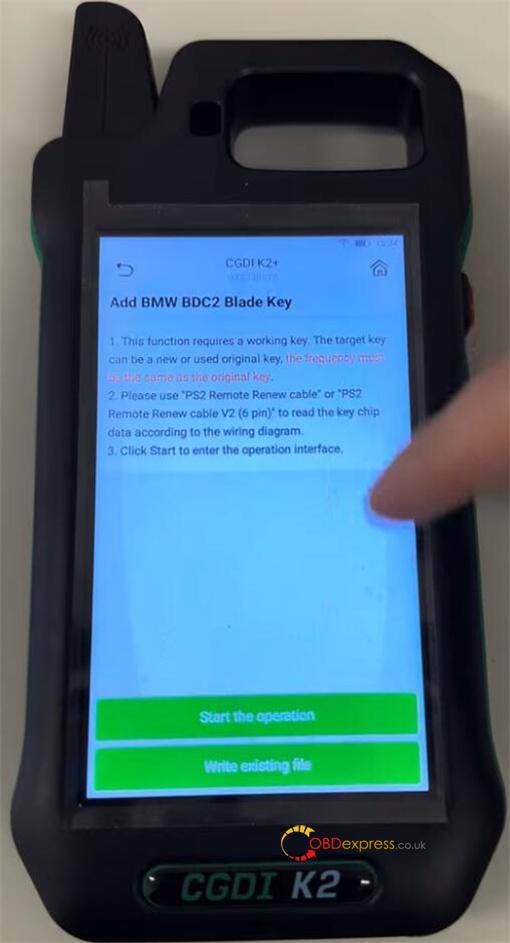
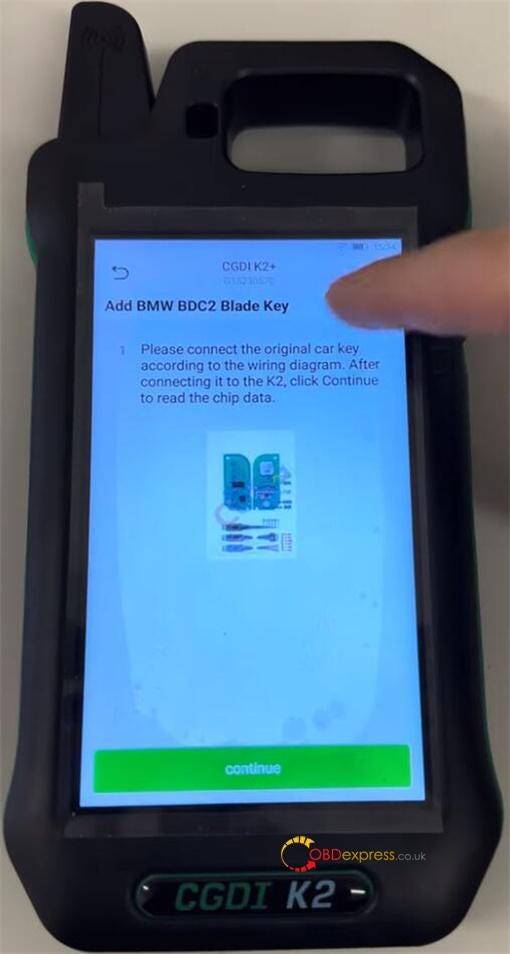
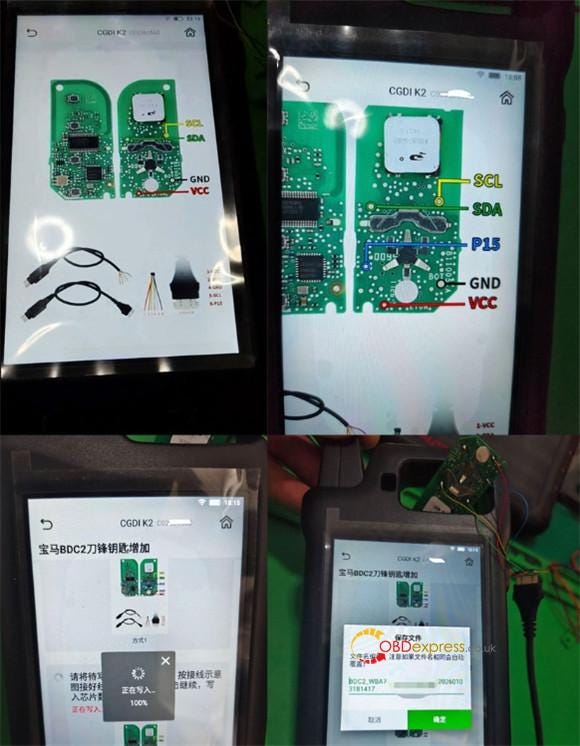
  • Add BMW BDC2 blade key (working key required; use PS2 Remote Renew Cable or V2 6-pin)
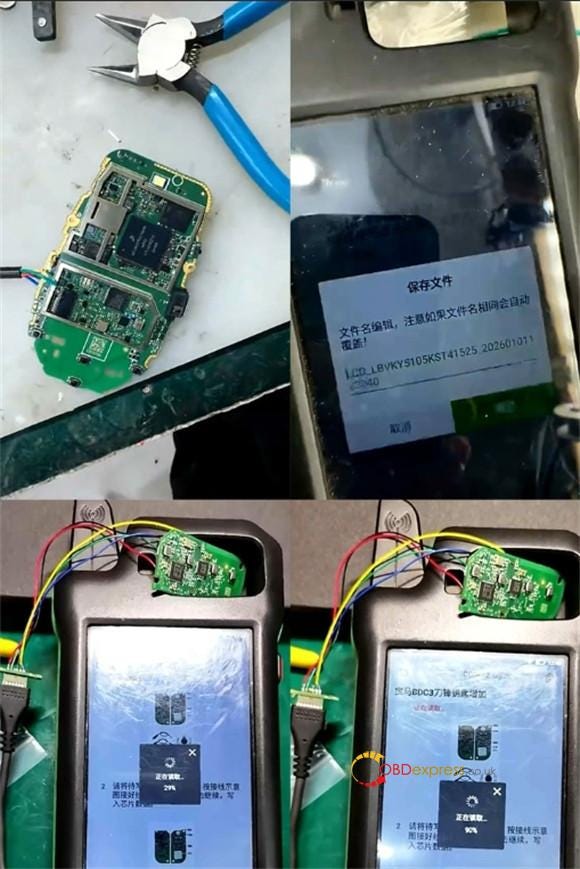
  • Add knife-style key for BMW BDC3
  • U-Chassis / BCP add key
  • Add display key

How to Generate VW 5C 5D Dealer Key by CGDI K2

www.obdexpress.co.uk

Friday, 16 January 2026

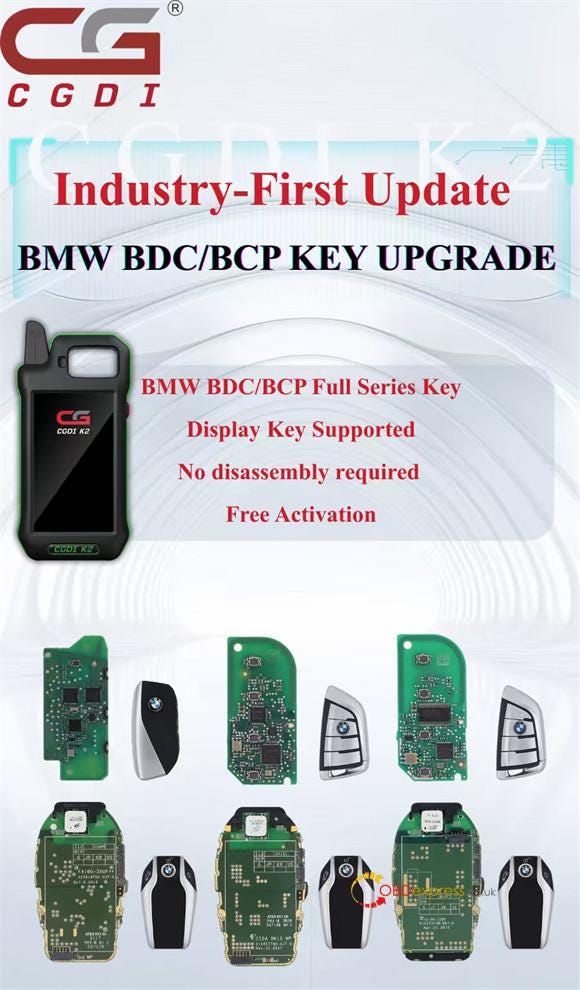
CGDI K2 Update: Support BMW All BDC2 BDC3 BCP Keys Copy

 CGDI K2 Smart Key Tool released a new upgrade for BMW in January 2026, expanding support to include full BMW BDC2, BDC3, and BCP key cloning.

Upgrade Highlights:

  • Complete coverage: All BDC2/BDC3/BCP series keys supported
  • Key type compatibility: Works with both unencrypted (Hungary) and encrypted (Mexico) keys
  • Modern key support: BMW LCD Display Keys are now fully supported
  • Non-invasive process: No disassembly of modules required
  • Cost-effective: Free activation with no additional licenses needed
  • Simple setup: Uses existing CGDI K2 solder cable - no extra adapters required
  • Key flexibility: Compatible with original OEM keys and aftermarket replacements

CGDI K2 Update Support BMW All BDC2 BDC3 BCP Keys Copy

Practical Applications:

BDC2 Key Cloning — All BDC2 keys are encrypted, but CGDI K2 now eliminates the need for module removal or bench work.


CGDI K2 Update Support BMW All BDC2 BDC3 BCP Keys Copy

G Series Display Keys — Full support for BMW’s latest display key technology.


CGDI K2 Update Support BMW All BDC2 BDC3 BCP Keys Copy

www.obdexpress.co.uk

Wednesday, 20 August 2025

How to Detect Frequency and Learn Remotes Model by CGDI K2?

 This post introduces how to use CGDI K2 Smart Key Tool to detect frequency and learn remotes model.

1.Detect Frequency

Click [Frequency Detection] to learn the frequency of a remote. Just press one of buttons on the remote.


How to Use CGDI K2 to Detect Remote Frequency

2.Compare Data

[Data comparison] can learn the model of frequency and compare the data between two buttons.


How to Use CGDI K2 to Detect Remote Frequency

Click [Start detection]


How to Use CGDI K2 to Detect Remote Frequency

Press the first button on the remote. Then you can get its model


How to Use CGDI K2 to Detect Remote Frequency

Press the first button again, then you can get the data

Press the second button to compare data


How to Use CGDI K2 to Detect Remote Frequency

The different buttons always have different data, it’s normal.


How to Use CGDI K2 to Detect Remote Frequency

Done!

That’s all process to detect frequency and learn remotes model using CGDI K2.

www.obdexpress.co.uk

Sunday, 27 April 2025

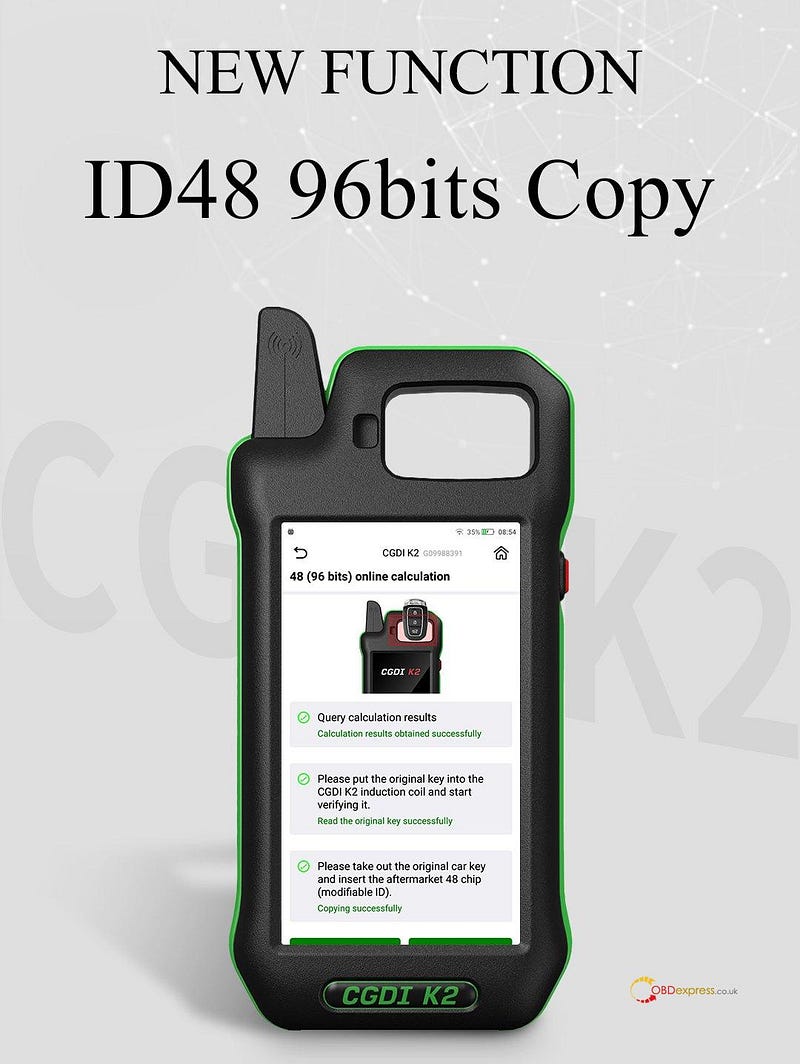
How to Use CGDI K2 ID48 96bits Copy Function?

 CGDI K2 Smart Key Tool supports the ID48 96-bit Copy function free of charge for the first 6 months for users who purchased the device before April 22, 2025. After the free period ends, users can continue using the function by redeeming CGDI K2 remote key bonus points or purchasing tokens. See details below.


CGDI K2 ID48 96bits Copy Function by Bonus Points and Tokens

How about ID48 96-bit Copy function of CGDI K2?

Many users have reported that chip calculation and copying can be completed in as little as 10 minutes.

Who can enjoy free calculations?

Existing Users (purchased before April 22, 2025)

  • Receive 1 free calculation per day for 6 months after activation.

New Users (purchased on or after April 22, 2025)

  • Buy CGDI K2 + 20 CG remotes → Get 6 months of free daily calculations (1 time per day)
  • Buy CGDI K2 + 40 CG remotes → Get 12 months of free daily calculations (1 time per day)

How to use ID48 96-bit Copy function after the free period?

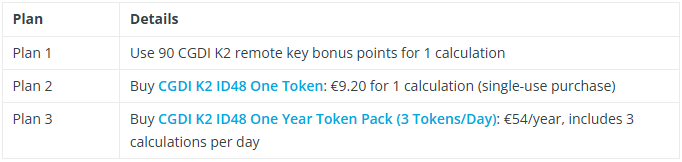
When the free period ends, or if you need more than one daily calculation, you can continue using the feature through the following plans:


CGDI K2 ID48 96bits Copy Function by Bonus Points and Tokens

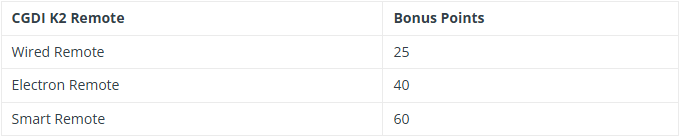
How to get CGDI K2 Remote Key Bonus Points?

Every time you use a CGDI remote key with the CGDI K2 tool, you will earn bonus points:


CGDI K2 ID48 96bits Copy Function by Bonus Points and Tokens

All CGDI K2 Remote Keys:

Note: Xhorse ID48 chip and VVDI Super Chip XT27A01 XT27A66 Transponder Chip also can work well with CGDI K2 Key Programmer.

How to Copy ID48 96-Bit Chip by CGDI K2?

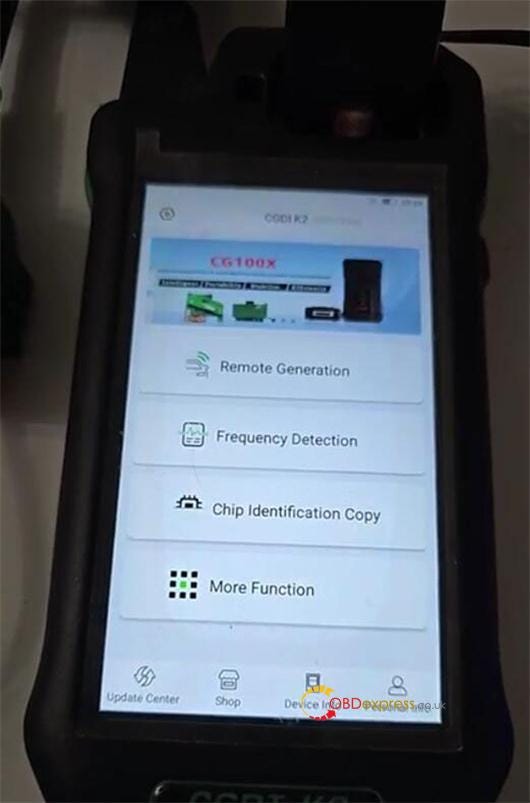
Select the "Chip Identification Copy" function.


CGDI K2 ID48 96bits Copy Function by Bonus Points and Tokens

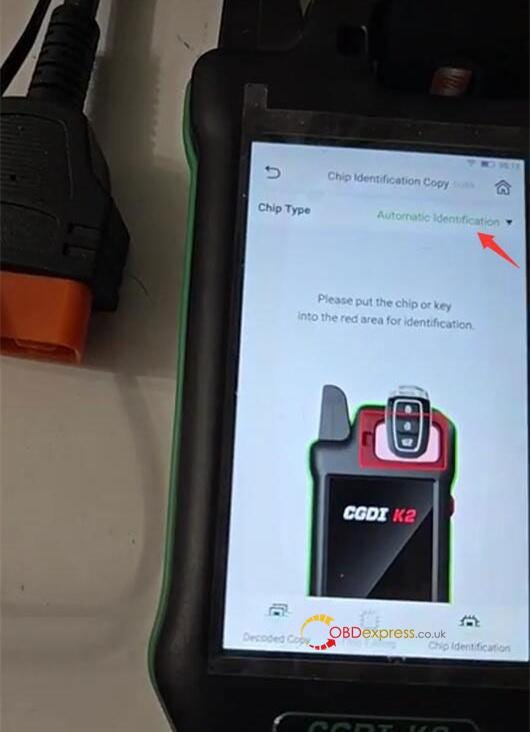
Choose either "Chip Identification" or "Automatic Identification."
Place the original chip or key into the induction coil of the CGDI K2 key tool for detection.


CGDI K2 ID48 96bits Copy Function by Bonus Points and Tokens

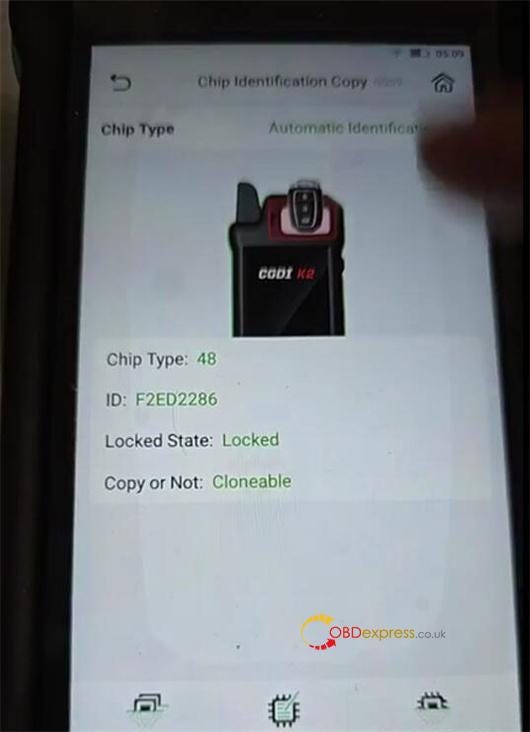
Chip information will be identified successfully.
The chip is ID48, locked, and can be cloned.


CGDI K2 ID48 96bits Copy Function by Bonus Points and Tokens

Click the "Decoded Copy" button.
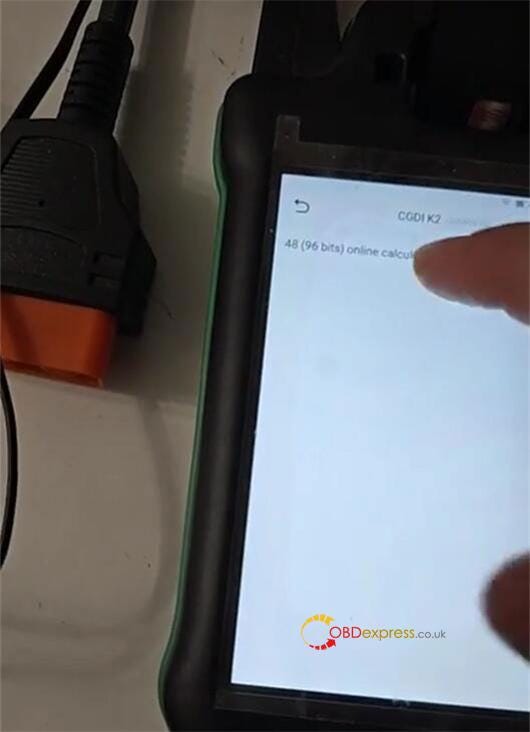
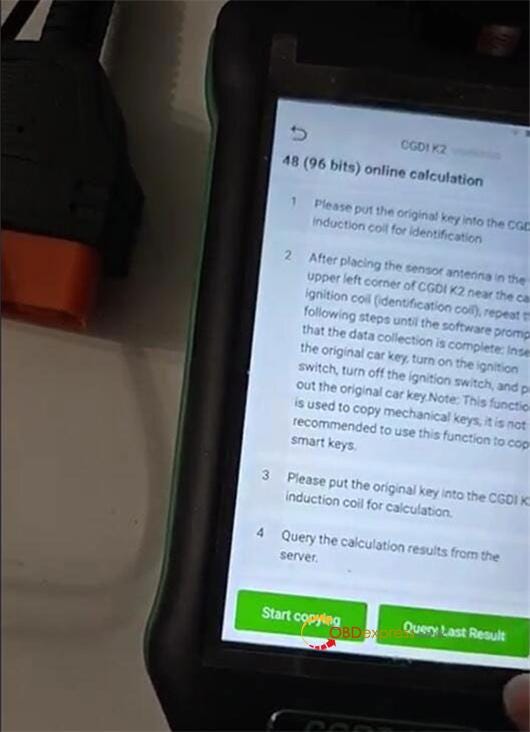
Select "48 (96 bits) Online Calculation."


CGDI K2 ID48 96bits Copy Function by Bonus Points and Tokens

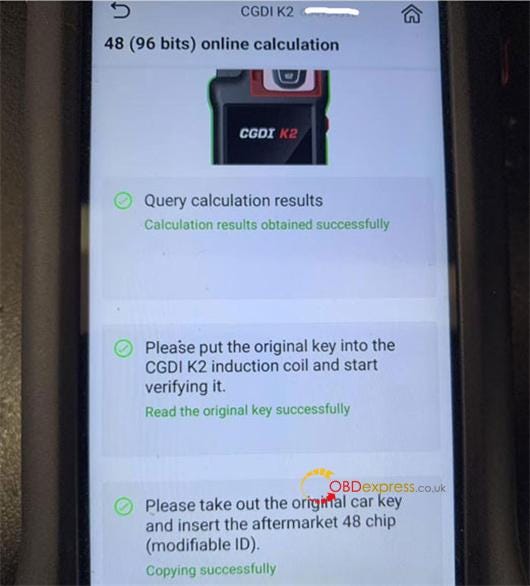
Begin the calculation process:

  • Query calculation
  • Place the original key into the CGDI K2 Key Tool induction coil to verify it.
  • Once verified, remove the original car key.
  • Insert the aftermarket ID48 chip (with modifiable ID) into the coil.
  • Wait for the system to complete the copying process.

CGDI K2 ID48 96bits Copy Function by Bonus Points and Tokens

www.obdexpress.co.uk

Friday, 25 April 2025

CGDI K2 Update: New ID48 96-Bit Copy Function Released!

Big news from CGDI! The CGDI K2 Smart Key Tool has officially added support for ID48 96-bit transponder chip copying, making it even more powerful and versatile for automotive professionals and locksmiths.


CGDI K2 Update New ID48 96-Bit Copy Function Released

What’s New?

With this latest update, the CGDI K2 can now copy ID48 96-bit chips — a widely used transponder type in many Volkswagen, Audi, Skoda, and SEAT vehicles.

Key Highlights:

  • Copy ID48 96-bit transponders with ease
  • Fast and stable online server-based calculation
  • Compatible with a wide range of VW group models
  • No disassembly, no soldering — just plug and play
  • High accuracy and reliability for professional use

How to Copy ID48 96-Bit with CGDI K2?

  1. Select 48 (96-bit) Online Calculation
  2. Perform a Query Calculation
  3. Place the original key into the CGDI K2 induction coil for verification
  4. Remove the original key and insert an aftermarket ID48 chip (modifiable ID)
  5. Complete the copying process in seconds!

Good to Know:

  • This feature is now available via online software update
  • CGDI K2 Key Tool includes 6 months of free updates, so don’t miss out!
  • Update your device today and take full advantage of this powerful new capability!

www.obdexpress.co.uk

Friday, 14 February 2025

Choosing The Right Tool: CGDI K2 or Xhorse VVDI Key Tool Max PRO?

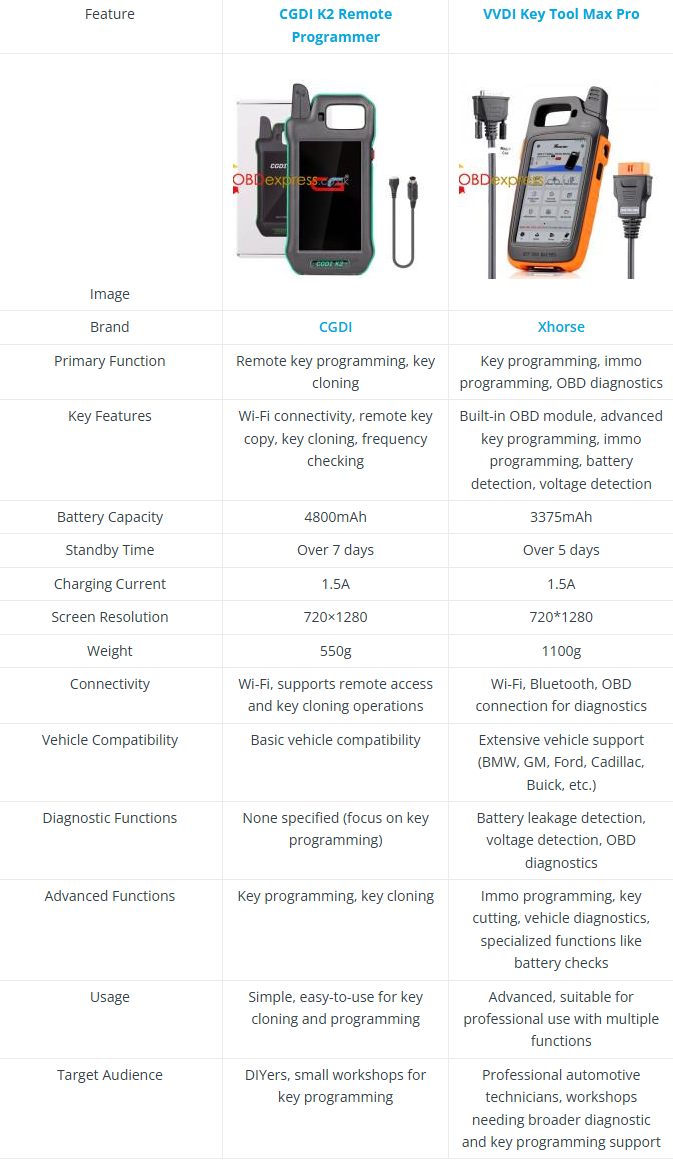
 What’s different between CG CGDI K2 & Xhorse VVDI Key Tool Max PRO key generator? Don’t know how to choose? Here we’ve made a comparison table summarizing the differences and features between them.

Comparison Table


CGDI K2 vs Xhorse VVDI Key Tool Max PRO

Main Differences

Functionality

The CGDI K2 is more focused on remote key programming and key cloning, while the VVDI Key Tool Max Pro offers a wider range of services, including OBD diagnostics, immo programming and specialized functions like battery leakage detection.

Vehicle Coverage

The VVDI Key Tool Max Pro has extensive support for multiple car brands and includes features for advanced vehicle diagnostics.

Battery & Charging:

The CGDI K2 has a 4800mAh battery with a standby time of over 7 days, while the VVDI tool has 3375mAh battery capacity with a standby time of over 5 days.

Portability

Both tools are designed to be portable and easy to use, but the VVDI Tool Max Pro appears to offer more diagnostic features, making it potentially more versatile for professional use.

Summary

The CGDI K2 Remote Programmer is a specialized tool for remote key programming and key cloning, with a focus on ease of use and portability. It supports Wi-Fi connectivity for remote access and key copying, and has a good battery life. It is suitable for basic key programming tasks but lacks advanced diagnostic features.

In contrast, the Xhorse VVDI Key Tool Max Pro is a more versatile tool with a built-in OBD module for key programming and in-depth vehicle diagnostics. It supports a wide range of vehicles, including BMW, GM, and Ford, and provides additional functionalities such as immo programming, battery leakage detection and voltage detection. The tool is designed for professional use, offering advanced features for automotive technicians.

www.obdexpress.co.uk

Wednesday, 20 November 2024

CGDI K2 Update: Added Copy Key/ Detect Frequency / Edit Chip

 CGDI K2 Multi-Functional Tablet Handheld new version has been released this month. Added more models, error codes and new functions. To get new features, please upgrade your device.

Upgrade Content

  1. Added (226 domestic/48 overseas) smart card models.
  2. Added the function of copying smart car key.
  3. Added smart card error code.
  4. Added frequency detection and chip editing function entry to remote control generation pag.
  5. More information about chip identification for BMW and Porsche.
  6. Added some smart card frequency adjustment function.


CGDI K2 Update

Good news! CGDI K2 is taking part in the Black Friday Sale, up to 70% off.

More discounts please visit:

https://www.obdexpress.co.uk/producttags/black-friday-sale.html

Thursday, 24 October 2024

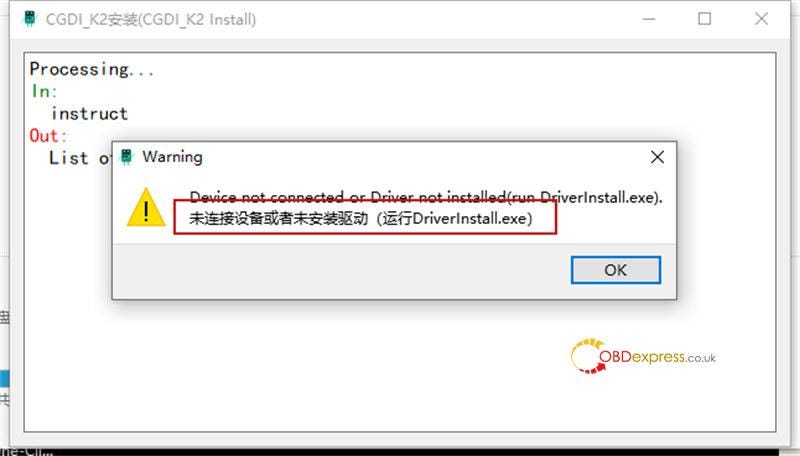
(Solved) CGDI K2 "Device not connected or driver not installed"

 If you install CGDI K2 Smart Key Tool appearing "Device not connected or driver not installed" error message, please follow the method below to install again.


Solved CGDI K2 Device not connected or driver not installed

Solution:

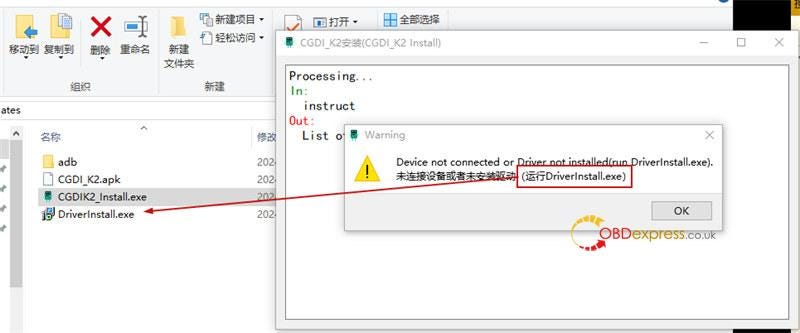
First, check whether K2 is connected to the computer. You can open "This Computer" and check whether there is "CGDI K2".

If the device is connected properly, you need to disconnect CGDI K2 and run "DriverInstall.exe".


Solved CGDI K2 Device not connected or driver not installed
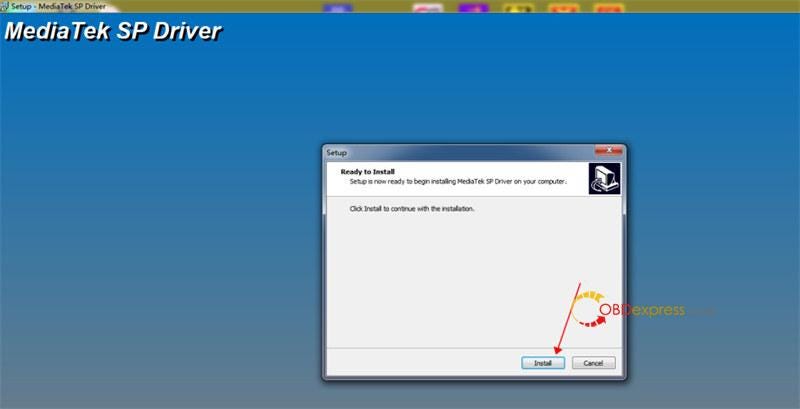
  • Click "Install" to continue with the installation

Solved CGDI K2 Device not connected or driver not installed
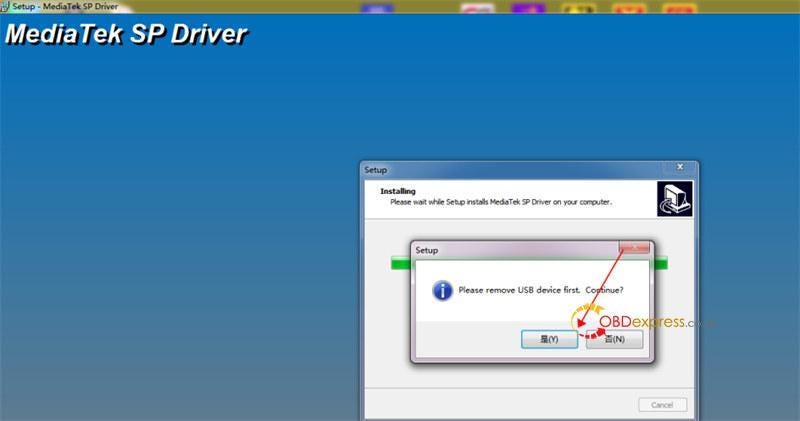
  • Remove the USB device first, click "Yes" to continue

Solved CGDI K2 Device not connected or driver not installed
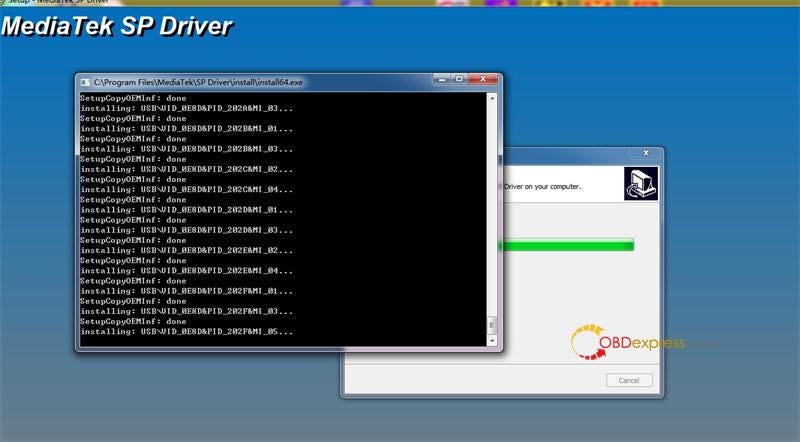
  • Installing…

Solved CGDI K2 Device not connected or driver not installed
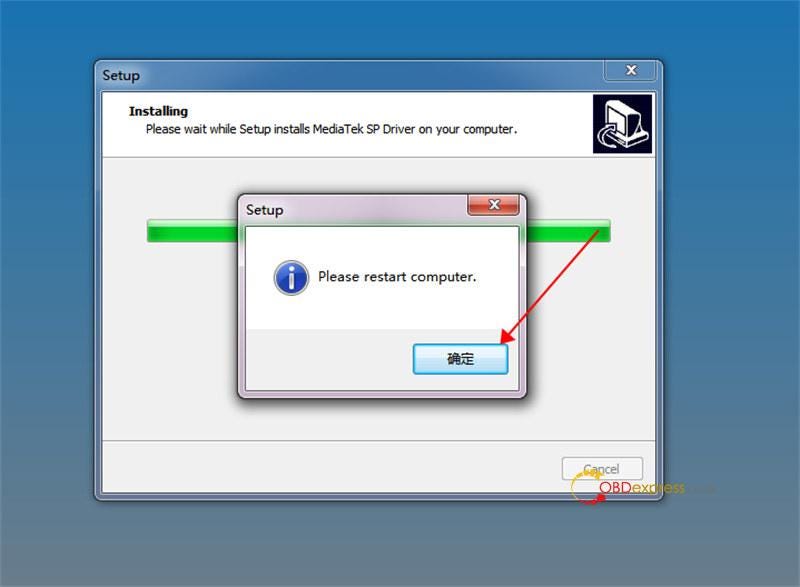
  • Restart the computer

Solved CGDI K2 Device not connected or driver not installed
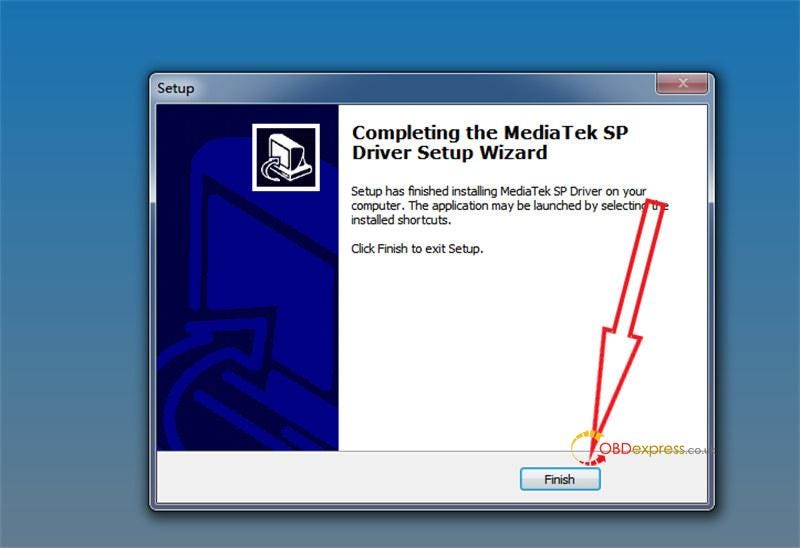
  • The MediaTek SP Driver has been installed on the computer, click "Finish" to exit Setup

Solved CGDI K2 Device not connected or driver not installed

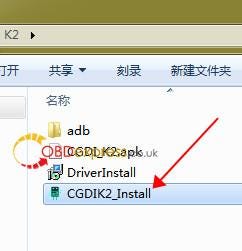
Step 1: Open "CGDIK2_Install.exe", the tool will automatically start installing CGDI K2.


Solved CGDI K2 Device not connected or driver not installed

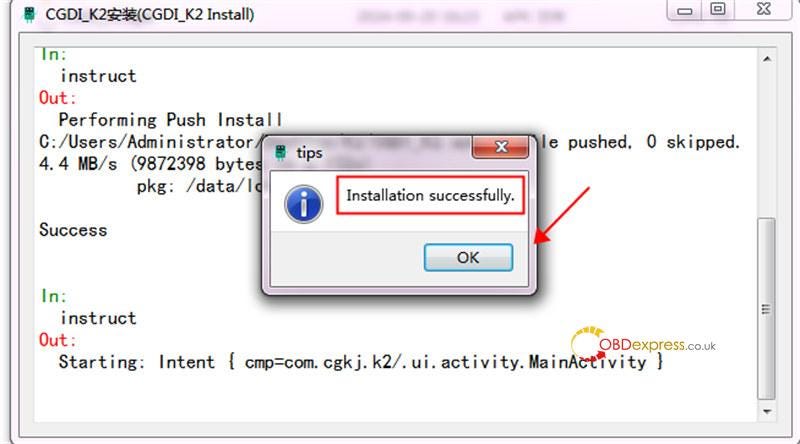
Step 2: Installation is complete and prompt: "Installation successfully"


Solved CGDI K2 Device not connected or driver not installed

Read also:

CGDI K2 Smart Key Tool "Has Stopped" Issue Solution

http://blog.obdexpress.co.uk/2024/09/25/cgdi-k2-smart-key-tool-has-stopped-issue-solution/

www.obdexpress.co.uk

Best 5 Key Cutting Machines: Xhorse vs. 2M2 Buying Guide

  Choosing an automotive key cutting machine depends on five factors: portability, operation method, cutting efficiency, key coverage, and ...