The TOPDON TopScan series transforms your smartphone into a professional-grade automotive diagnostic tool. This guide compares the Lite, Pro, and Master editions to help you choose the right model.
Comparison Table
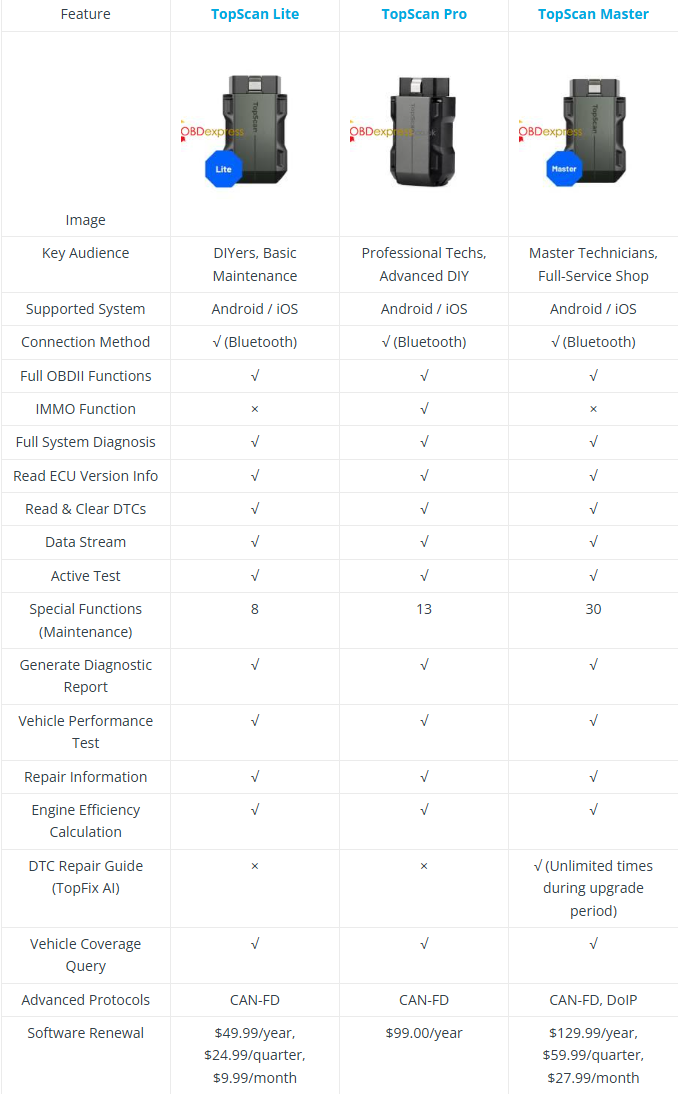
Shared Core Features:
- Full OBDII & System Diagnostics
- 120+ Vehicle Brands
- Bidirectional Control & Active Test
- Live Data Streaming & Graphing
- Vehicle Performance Testing
- 1-Year Free Initial Updates
- Android / iOS Support, Bluetooth 5.0
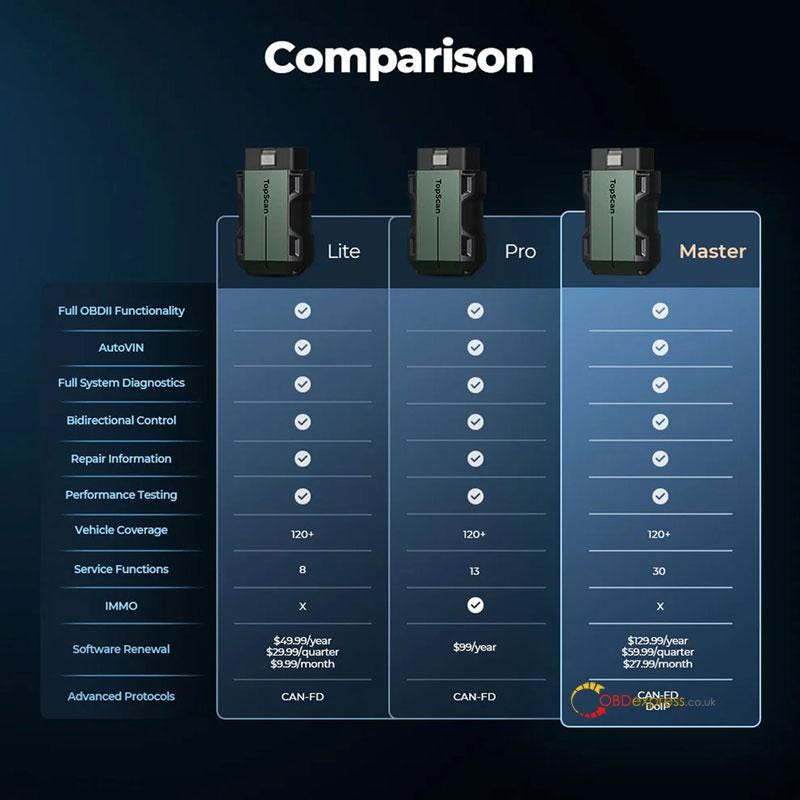
Model Breakdown & Recommendation
1. TopScan Lite - For Essentials
Best for: DIY enthusiasts and routine maintenance.
Includes: 8 core service resets (Oil, EPB, ABS, DPF, etc.).
Keep it simple: Covers basics without advanced protocols.
Recommendation: Ideal for home use and common car care.
2. TopScan Pro - For Professionals
Best for: Technicians and serious DIYers.
Adds: 13 maintenance functions + Key IMMO Programming.
Enhanced capability: Handles broader resets and security access.
Recommendation: Choose for workshop-level service and key coding.
3. TopScan Master - For Full Coverage
Best for: Experts and shops servicing latest models.
Ultimate package: All 30 maintenance functions.
Future-proof: Supports DoIP & CAN-FD for newest vehicles.
Includes: TopFix AI DTC repair guide with unlimited use.
Recommendation: The top choice for complete, modern vehicle diagnostics.
Bottom Line
DIY & Basics -> Choose TopScan Lite.
Professional Service -> Choose TopScan Pro.
Full-System Mastery -> Choose TopScan Master.
All models offer pro-level scanning, bidirectional control, and performance testing in a wireless, phone-powered tool.



No comments:
Post a Comment