The Magic Motorsport Flex is a powerful ECU (Engine Control Unit) and TCU (Transmission Control Unit) chip tuning tool designed for performance optimization. To unlock its full capabilities, you must first activate and register the device. This step-by-step guide walks you through the entire process.
Step 1: Create an Account on Magic Motorsport’s Help Desk
Visit the Help Desk Portal:
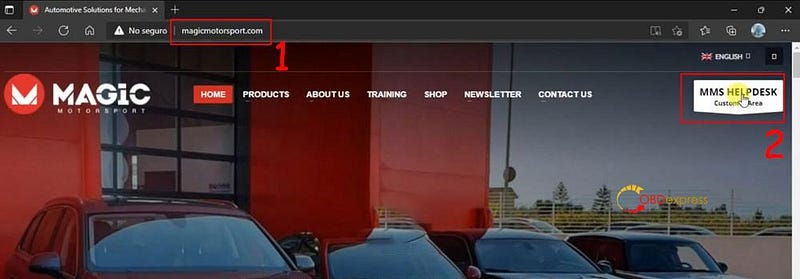
Go to [magicmotorsport.com].
Check [MMS HelpDesk Customer Area].
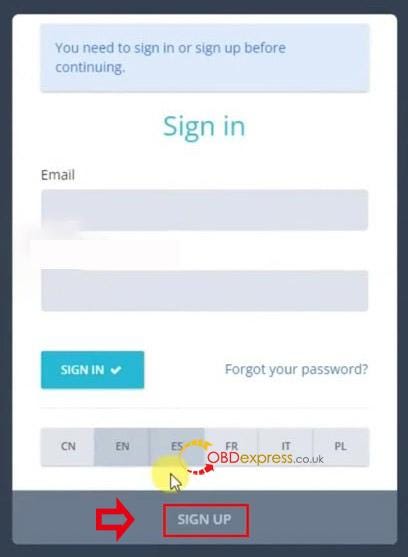
Click [Sign Up] to begin registration.
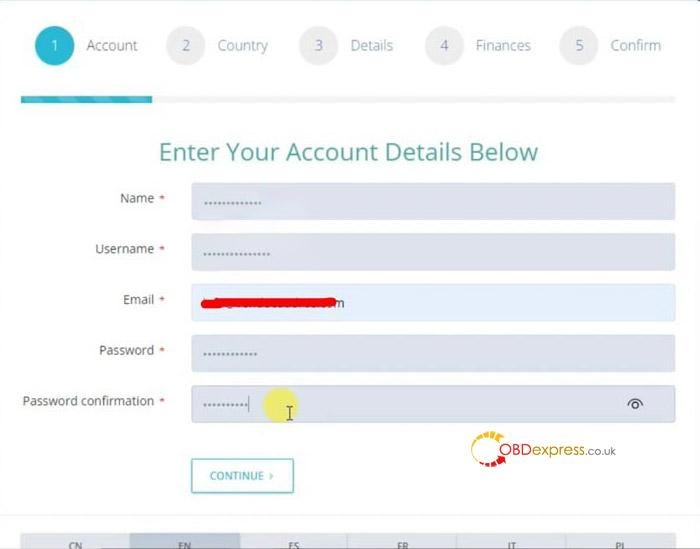
Fill in your details:
Username: A unique identifier (nicknames are acceptable).
Email Address: Must be valid and accessible for activation emails.
Password: Use a strong, secure password (minimum 8 characters, mix of letters/numbers).
Business Details: Optional for commercial users (e.g., company name, address).
Country & Tax ID: Required for European users for compliance purposes.


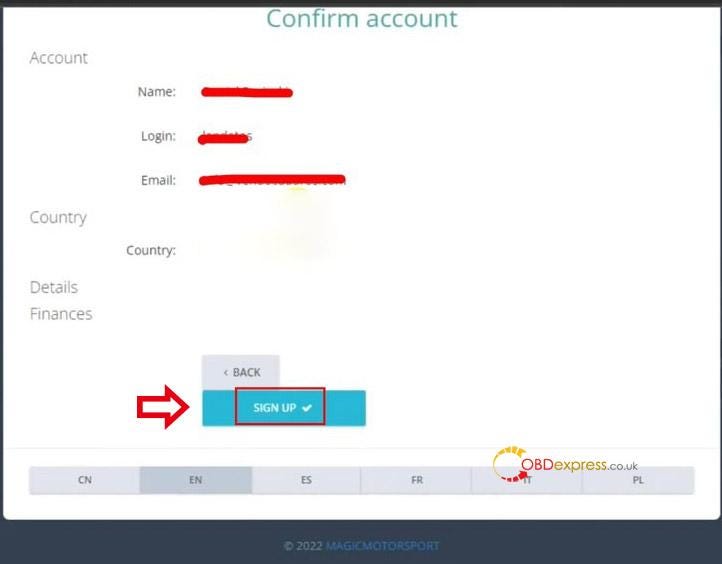
Confirm Your Email:
Do not log in immediately after registration.
Check your email inbox (including spam folders) for a confirmation link from Magic Motorsport.
Click the link to verify your account.
Failure to confirm before logging in may result in account suspension, requiring support assistance.
Step 2: Activate Your Flex Tool
Log In to Your Account:
After email confirmation, return to the Help Desk and log in with your credentials.
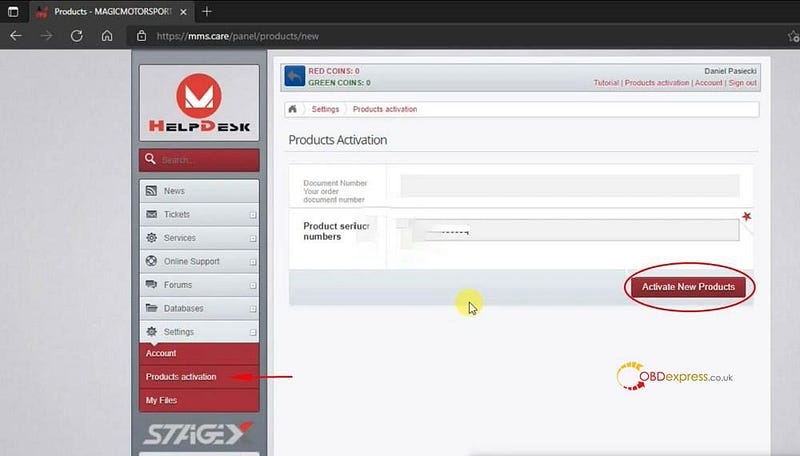
Navigate to Product Activation:
Go to the "Product Activation" section (usually under "My Products" or "Activation").
Enter the Serial Number:
Locate the serial number on the back of your Flex device or its packaging.
Enter it carefully in the activation field.
Important: You have 3 attempts per serial number. Incorrect entries will temporarily block your account as a security measure against unauthorized access.
Once correct, your device will be activated.
Example product codes:
FLX1.1: FlexBox model.
FLX1.9: Flex tool model.

Step 3: Register the Software License
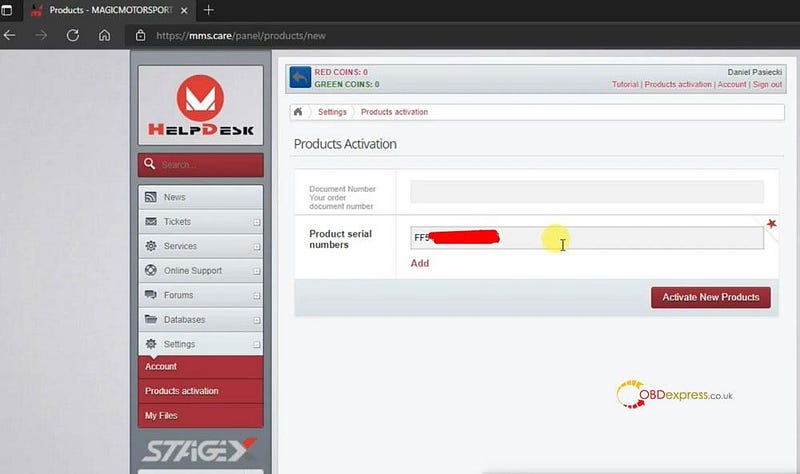
Obtain the License Key:
After purchasing the Flex tool, your dealer/distributor will provide a license key.
If you have not received it, please contact us.
Enter the License Key.
Step 4: Download and Install the Software
- Go to "Account > Tools > FlexBox Upgrade".
- Click "Update" to download the latest software.
- Run the installation file (e.g., Flex Version 6000).
- Follow the setup instructions and allow firewall access if prompted.
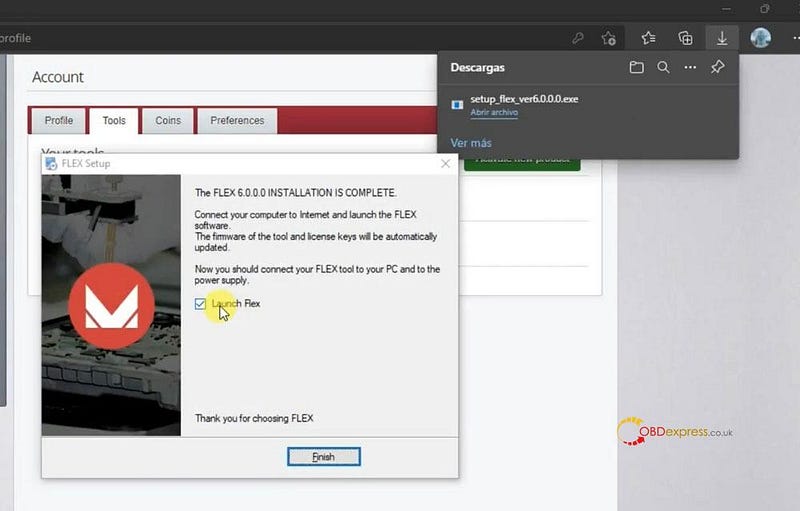
You can now begin using this tool for ECU programming.



No comments:
Post a Comment