Tuesday, 10 March 2026

Tesla 1512876–00-E Airbag Repair by CGDI CG100X/CG70 OK

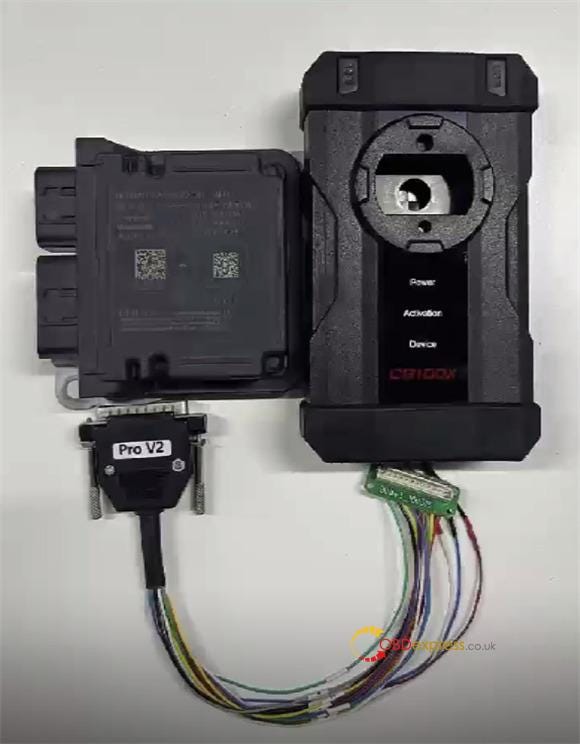
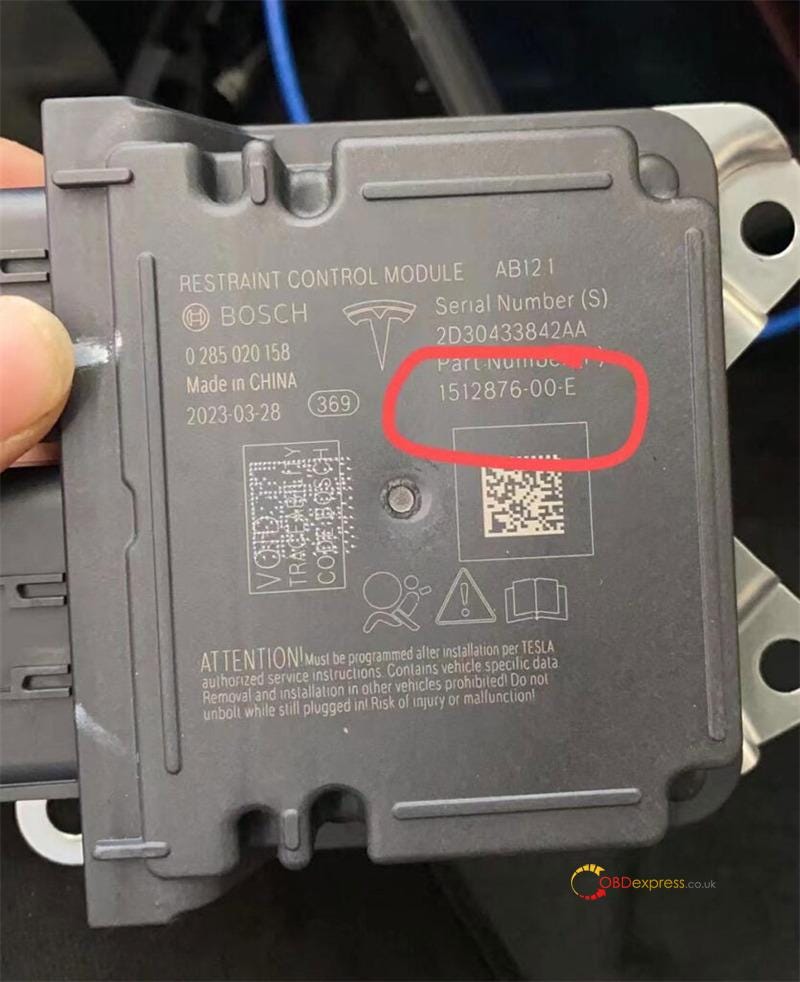
 CGDI CG100X and CG70 Airbag Reset Tool have been updated to fully support the encrypted Tesla airbag module 1512876–00-E (R7F701330). Now you can clear crash data automatically — no need to send modules back to the factory!


Tesla 1512876-00-E Airbag Repair by CGDI CG100X_CG70

How It Works (Both Tools)

CG100X and CG70’s built-in algorithm handles everything automatically:

1.Read 95M01 EEPROM data

2.Auto-correct crash data

3.Unlock and read 1330A MCU

4.Write repaired data back

Method 1: Using CGDI CG100X Programmer

Preparation:

Update CG100X software to V2.0.4.0 or above

Use PRO V2 Harness and D1 Adapter


Tesla 1512876-00-E Airbag Repair by CGDI CG100X_CG70

Steps:

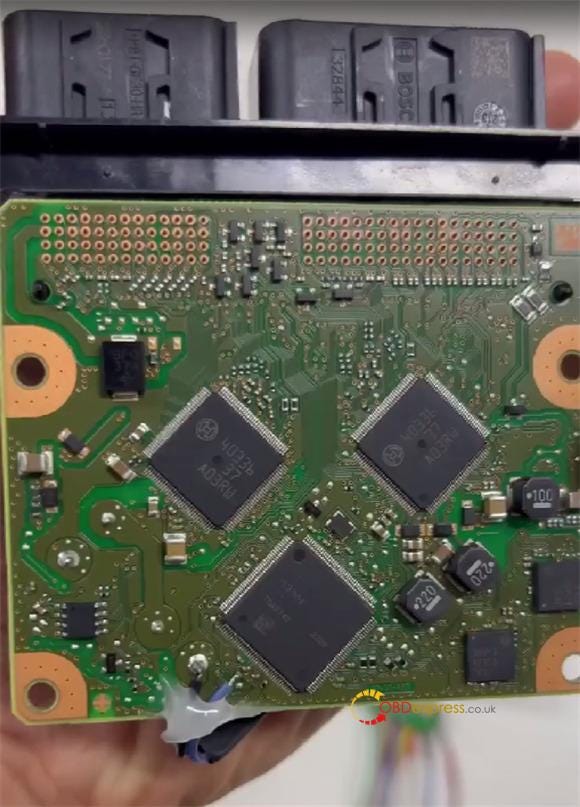
1.Remove Tesla airbag shell

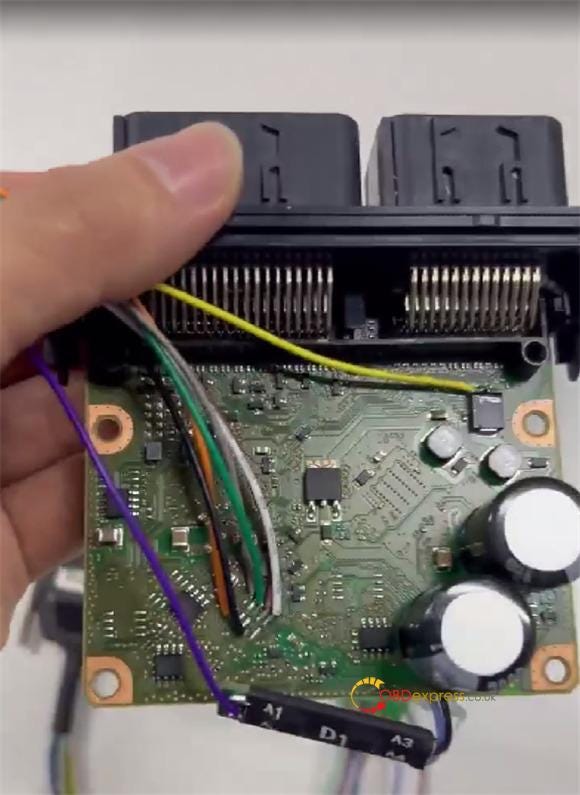
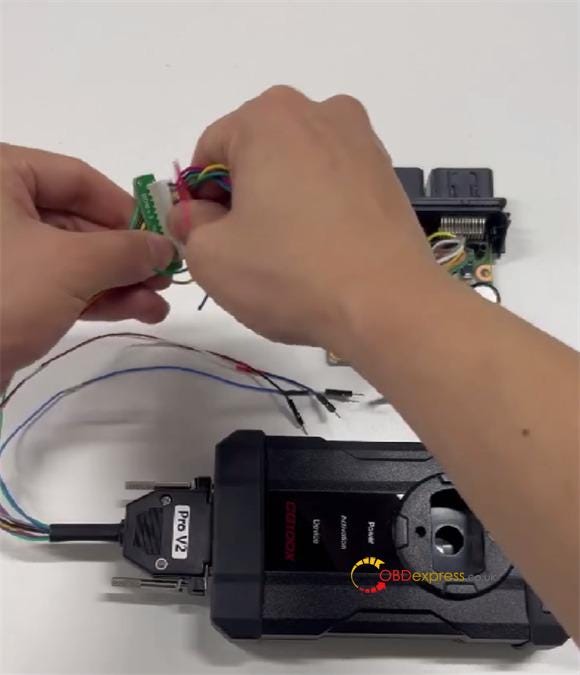
2.Connect CG100X to airbag via PRO V2 Cable and CG100X D1 Adapter


Tesla 1512876-00-E Airbag Repair by CGDI CG100X_CG70

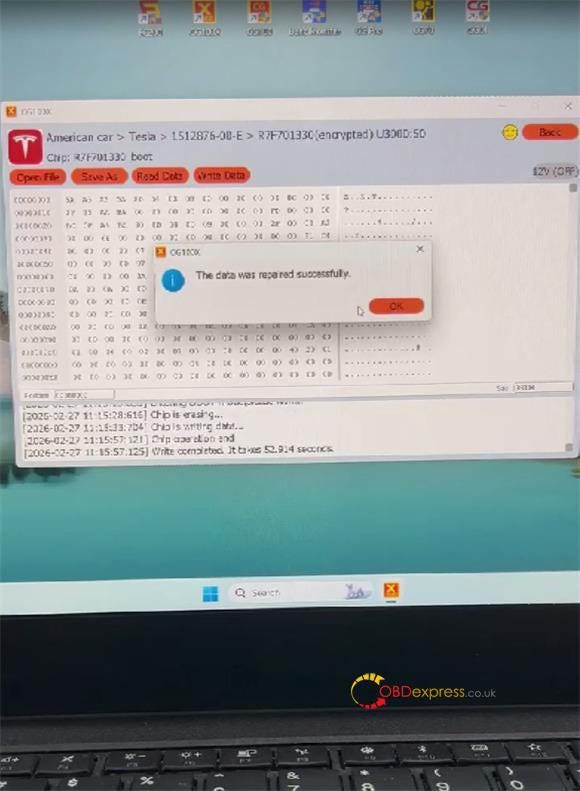
3.Navigate: Airbag → American car → Tesla → 1512876–00-E → R7F701330 (encrypted) → Start operation

4.Tool auto-decrypts, erases, and writes data

5.Success message appears


Tesla 1512876-00-E Airbag Repair by CGDI CG100X_CG70

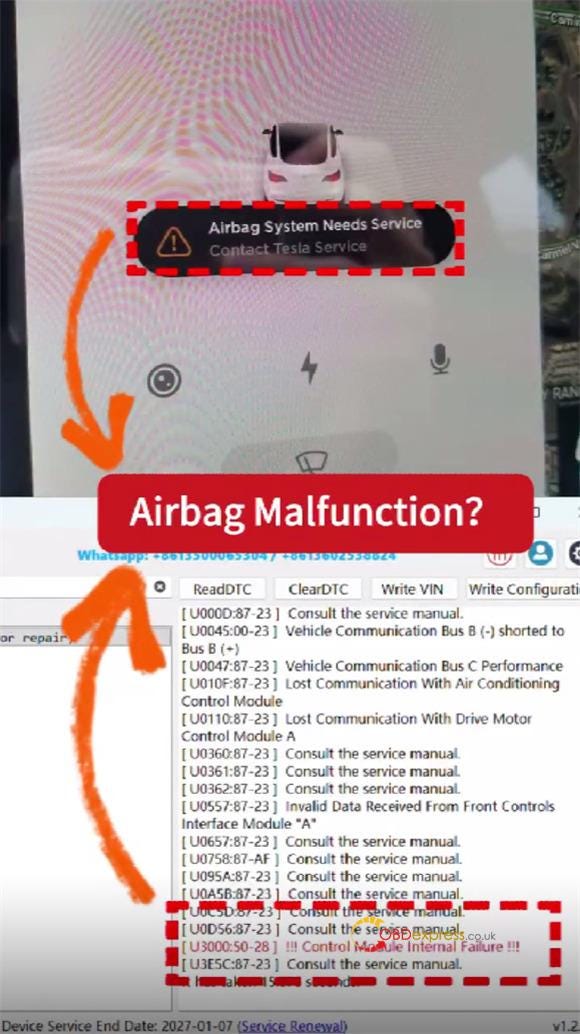
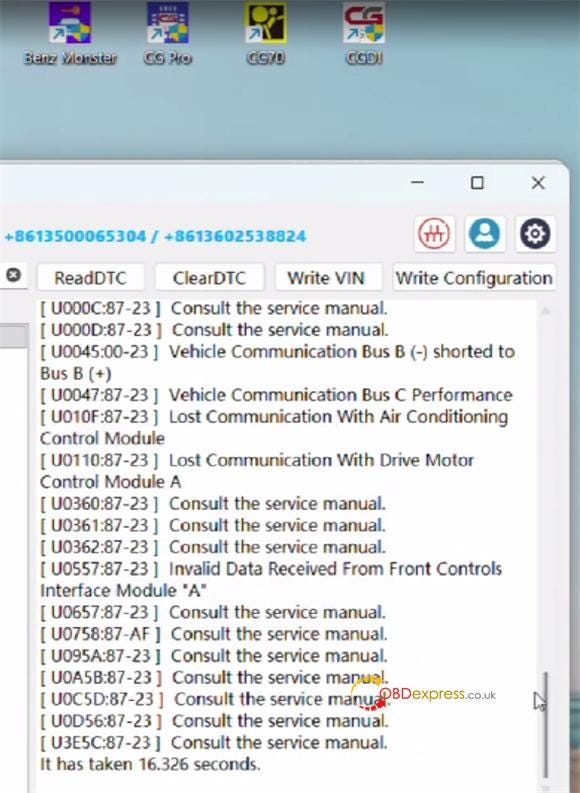
6.Re-check DTCs to confirm fault cleared


Tesla 1512876-00-E Airbag Repair by CGDI CG100X_CG70

Method 2: Using CGDI CG70 Airbag Reset Tool

Preparation:

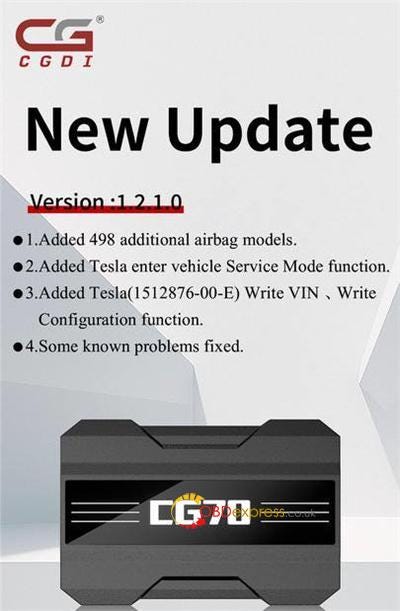
Update software to V1.2.1.0 or above

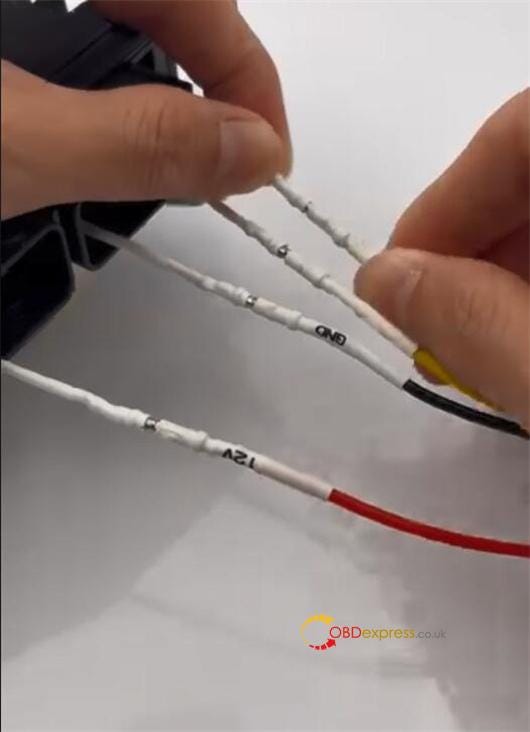
Use jumper cables


Tesla 1512876-00-E Airbag Repair by CGDI CG100X_CG70

Steps:

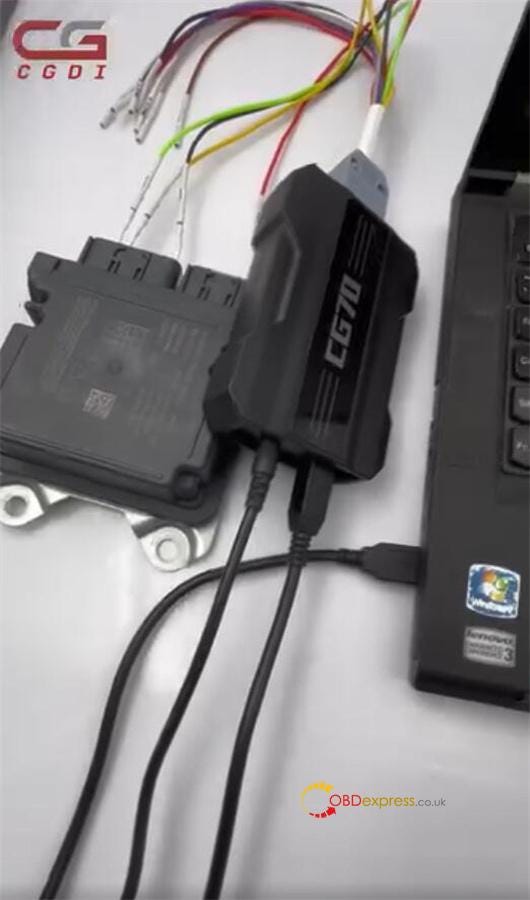
1.Connect CGDI CG70 to Tesla airbag via harness, and connect to PC via USB cable

2.Supply power to CG70


Tesla 1512876-00-E Airbag Repair by CGDI CG100X_CG70

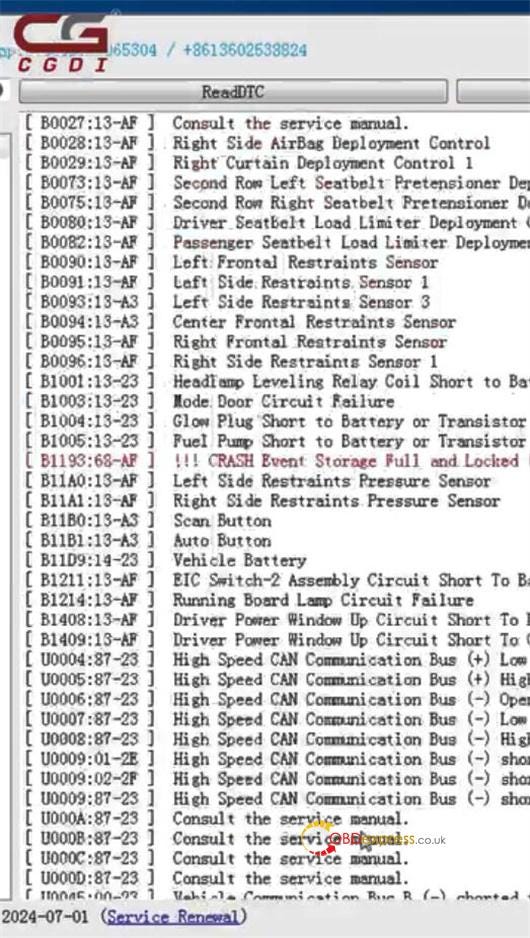
3.Open software → select Tesla model → Read DTC

4.Example fault: B1193:63-AF CRASH Event Storage Full and Locked


Tesla 1512876-00-E Airbag Repair by CGDI CG100X_CG70

5.Contact CGDI support to complete the repair (do not attempt alone)

Important

Always contact CGDI technicians for repair assistance — no self-repair.

For Tesla 1872985–00-A (R7F701330), CG70 currently supports diagnostics only. Full SRS reset coming soon.

www.obdexpress.co.uk

Lonsdor K518 Pro Guide: Add 2015 Hyundai IX35 ID46 Smart Key

Looking for a reliable way to perform Hyundai ix35 key programming? This guide shows how to use the Lonsdor K518 Pro to program a 2015 Hyundai ix35 ID46 smart key via OBD.

Prerequisites & Preparation

Before beginning the programming process, ensure you have the following items ready:

Step 1: Generate the Smart Key

The new key must first be initialized to the correct vehicle profile.

  1. Connect the K518 Pro to the vehicle’s OBD port.
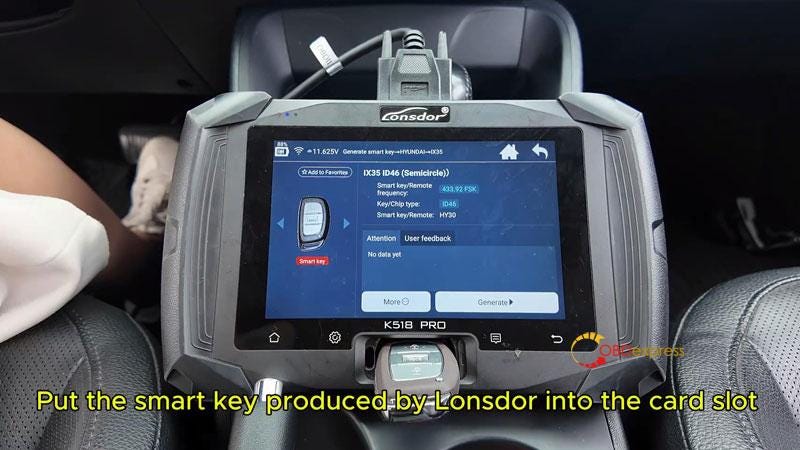
  2. Navigate to Generation Smart > Hyundai > IX35 ID46(Semicircle)
  3. Place the new Lonsdor smart key into the K518 Pro card slot.
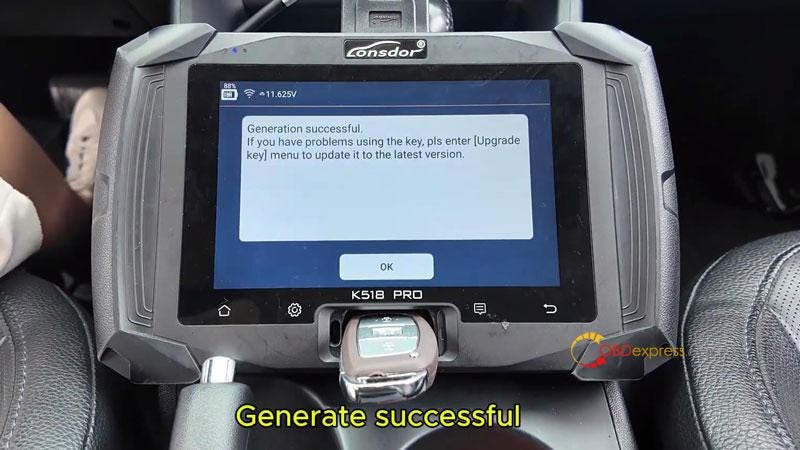
  4. Click Generate and wait for the "Generate Successful" message.


Lonsdor K518 Pro Add 2015 Hyundai IX35 ID46 Smart Key

Step 2: Read the PIN Code

The PIN code is required to access the vehicle’s immobilizer system.

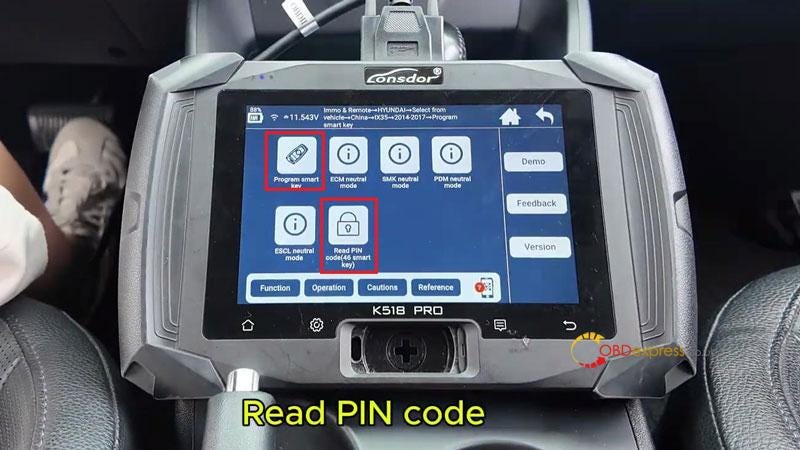
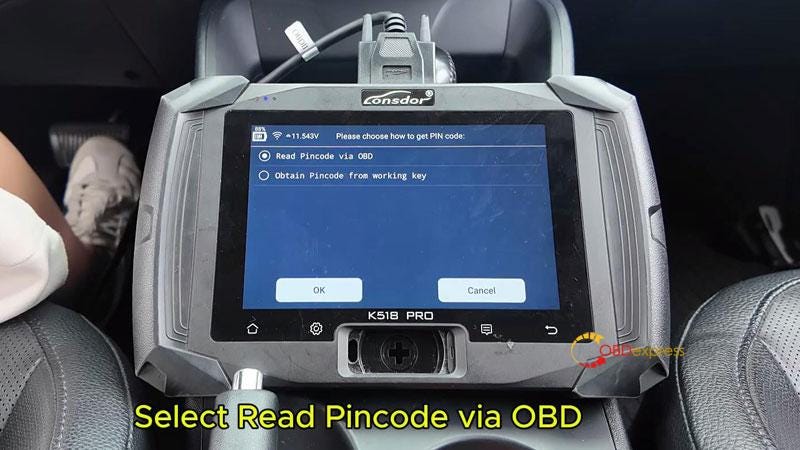
  1. From the main menu, go to Immo & Remote > Hyundai > Select from Vehicle > China > ix35 > 2014–2017 > Program smart key > Read PIN Code(46 smart key) > Read PIN Code via OBD.
  2. Follow the on-screen prompts:
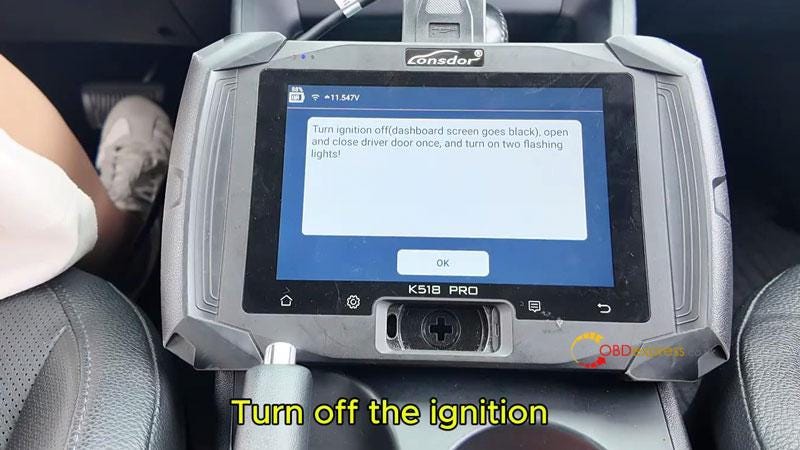
  • Turn off the ignition.
  • Open and close the driver’s door once.
  • Turn on the hazard lights (two flashing lights).

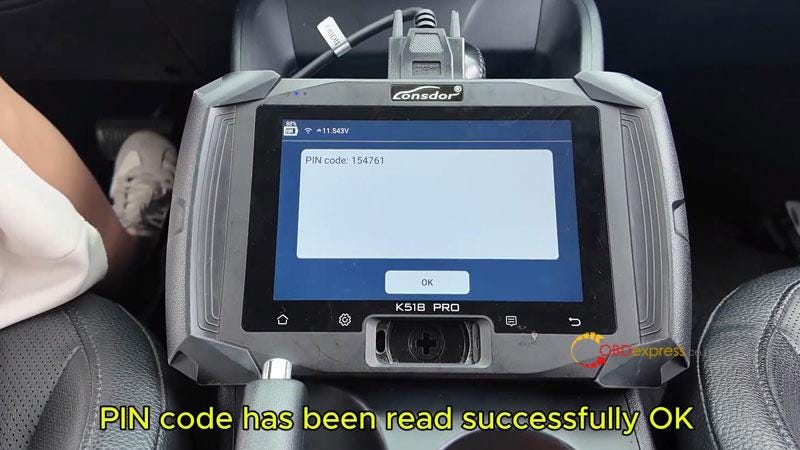
The device will then display the successfully read PIN code.


Lonsdor K518 Pro Add 2015 Hyundai IX35 ID46 Smart Key

Step 3: Program Smart Keys

Once you have the PIN, you can link the keys to the vehicle.

  1. Select Program Smart Key from the menu.
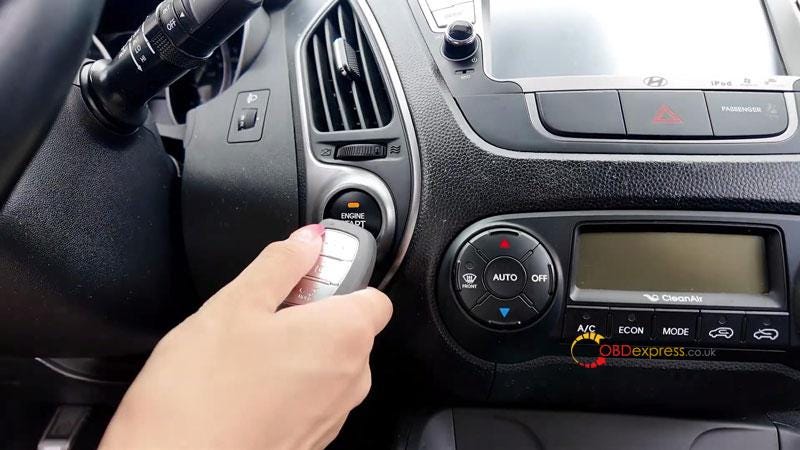
  2. Press the vehicle’s Start button once.
  3. Turn off the ignition.
  4. Open and close the driver’s door again and ensure hazard lights are on.
  5. The K518 Pro will automatically enter the PIN code; click OK to continue.
  6. Follow the device prompts to complete the programming for the first key.
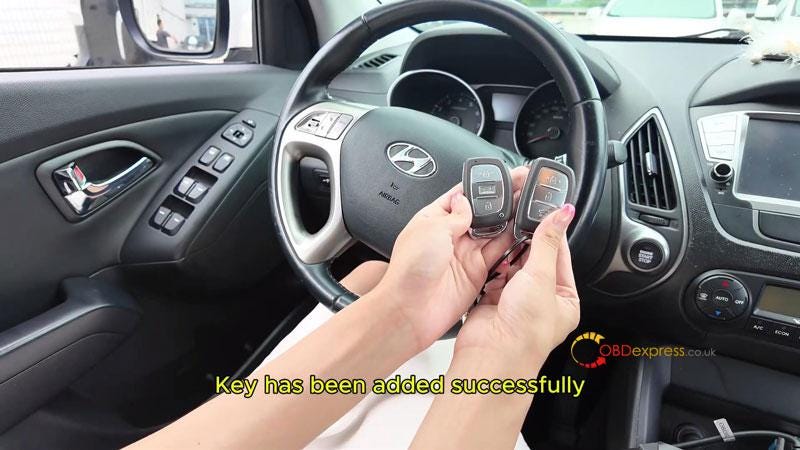
  7. If you have a second key (the original), follow the prompts to program it as well until "Programming Complete" is displayed.


Lonsdor K518 Pro Add 2015 Hyundai IX35 ID46 Smart Key

Step 4: Verify Success

Always test both keys to ensure full functionality.

  • Engine Start: Step on the brake and press the Start button with the new key, then repeat with the original key.
  • Remote Functions: Test the Lock and Unlock buttons on both remotes to ensure they operate normally.


Lonsdor K518 Pro Add 2015 Hyundai IX35 ID46 Smart Key

www.obdexpress.co.uk

Friday, 6 March 2026

How to Clone MQB48 5A RH850 Cluster by Yanhua ACDP2?

 Question: I don’t need to write the anything separately, I just want to change my VW 5A RH850 cluster from analog to new digital, will it be possible to do it with Yanhua ACDP2?

OBDexpress.co.uk engineer replied:

Yes, you can use Yanhua Module 34 to work with ACDP2 to read and write MQB48 data.

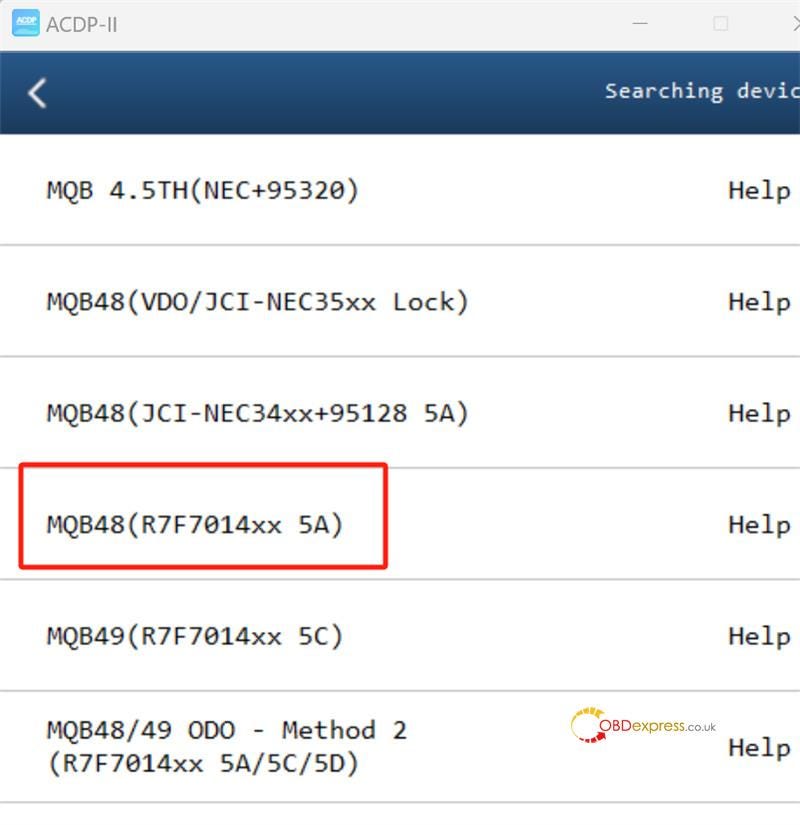
Check the ACDP II software menu path below and follow the prompts to operate.

VW-> VW MQB IMMO-> MQB48 (R7F7014xx 5A)-> ICP ODO-> R7F701401 Interface Board-> Step Mode-> Step 1: Read Data-> Step 3: Write Data


How to Clone MQB48 5A RH850 Cluster by Yanhua ACDP2

Reference:

http://blog.obdexpress.co.uk/2024/08/29/yanhua-acdp-with-module-34-change-vw-mqb-342695128-dashboard-mileage/

www.obdexpress.co.uk

How to Disassemble BMW BCP Key by Yanhua BTOOL?

Struggling to open a BMW BCP key? Use Yanhua BTOOL BCP Key Cutting Kits to remove the inner shell safely — no damaged PCBs.

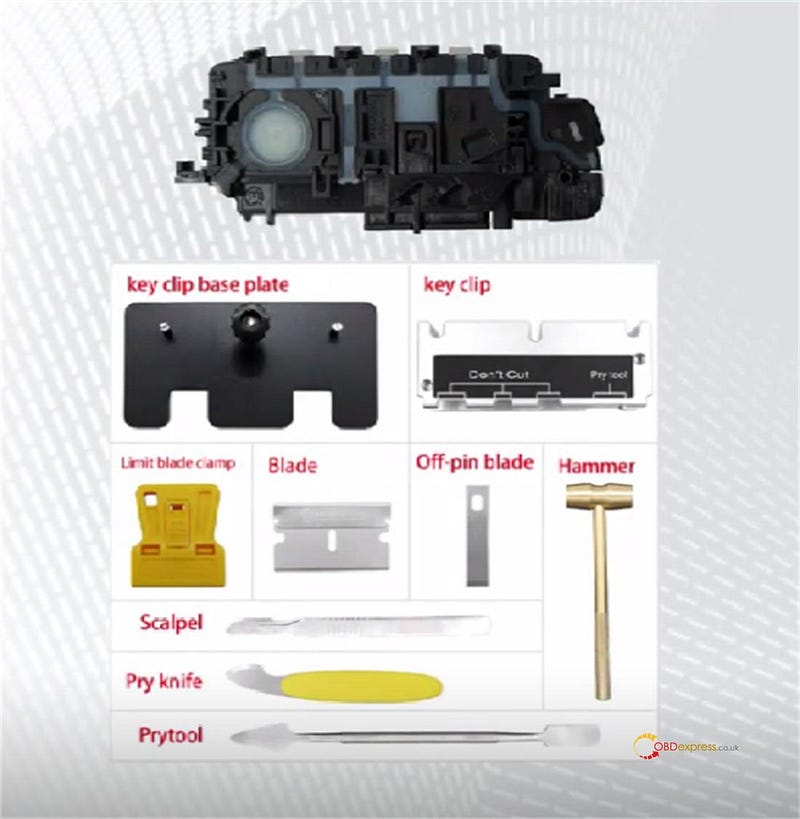
Preparation:

BMW BCP Key

Yanhua BMW BCP Key Cutting Kits

  • Key clip base plate
  • Key clip
  • Limit blade clamp
  • Blade
  • Off-pin blade
  • Hammer
  • Scalpel
  • Pry knife
  • Pry tool

How to Disassemble BMW BCP Key by Yanhua BTOOL

Step-by-step guide:

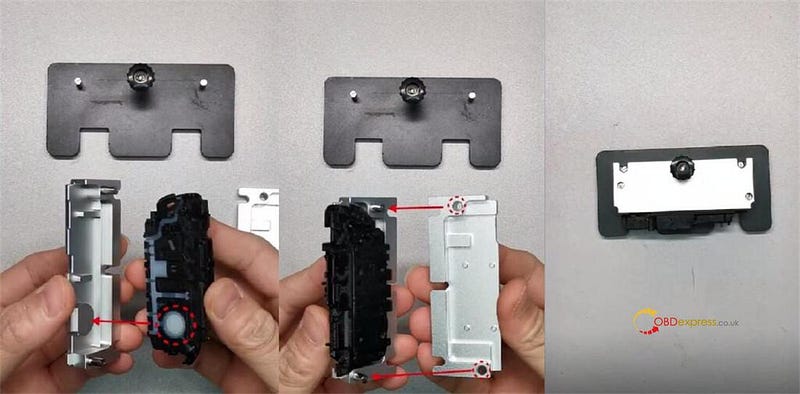
Step 1: Get the Key Ready

Take your Yanhua ACDP Btool Kit to start opening the BCP key.

Lift the clip on the holder.

Match the key’s logo with the post inside the holder.

Put the key in place. Line up the small hole with the guide pin.

Snap the clip shut to lock the key.

Slide the holder onto the base plate and fasten the nut.


How to Disassemble BMW BCP Key by Yanhua BTOOL

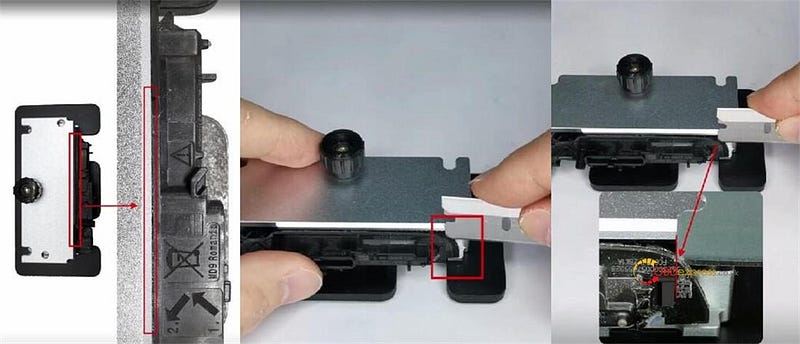
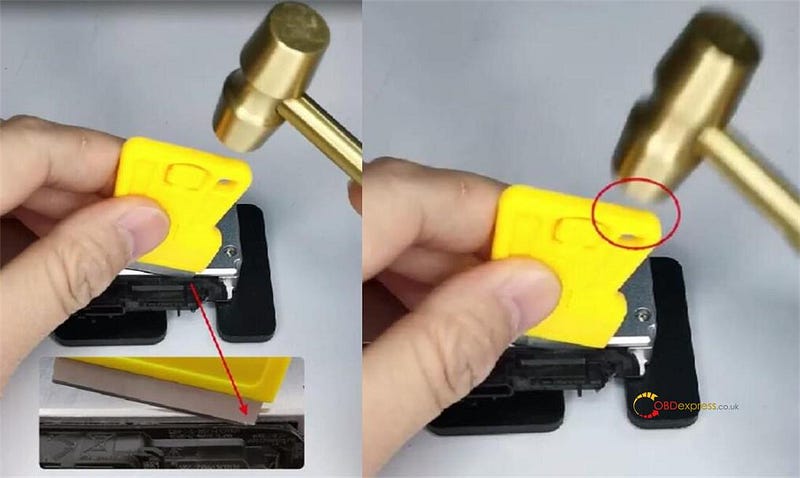
Step 2: Cut the Back

The tool shows only the welded plastic seam.

Begin at the back. Put the blade’s left edge into the slot’s right edge.


How to Disassemble BMW BCP Key by Yanhua BTOOL

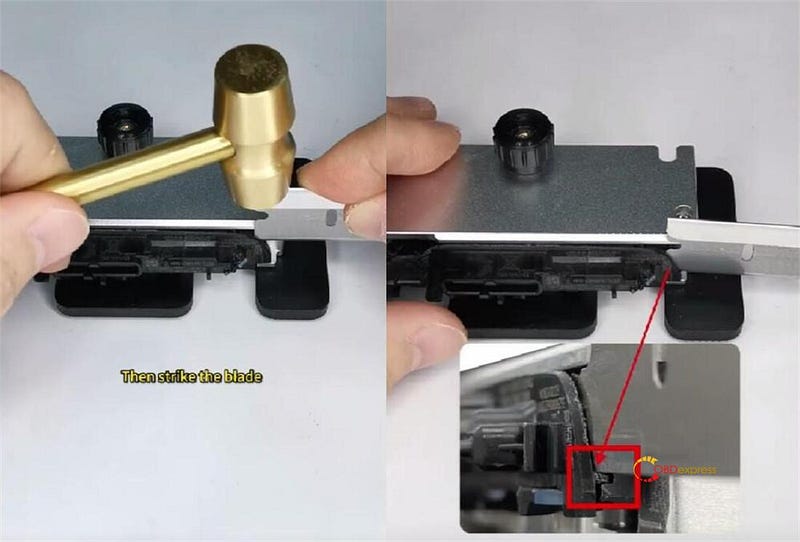
Tap the blade with a hammer until it hits the stop notch.


How to Disassemble BMW BCP Key by Yanhua BTOOL

Set the blade in the clamp. Tilt it 20° and line it up with the weld.

Hit the top-right of the blade to slice the seam.


How to Disassemble BMW BCP Key by Yanhua BTOOL

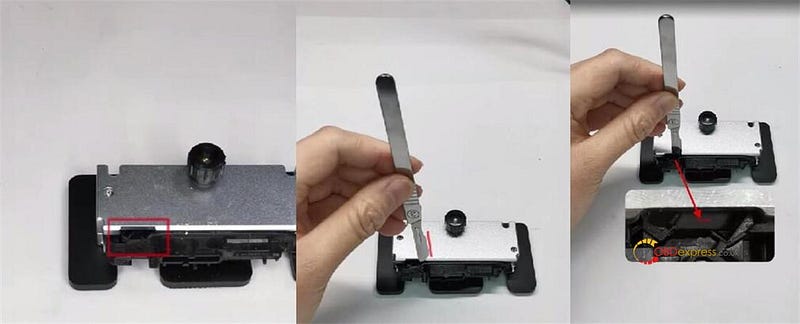
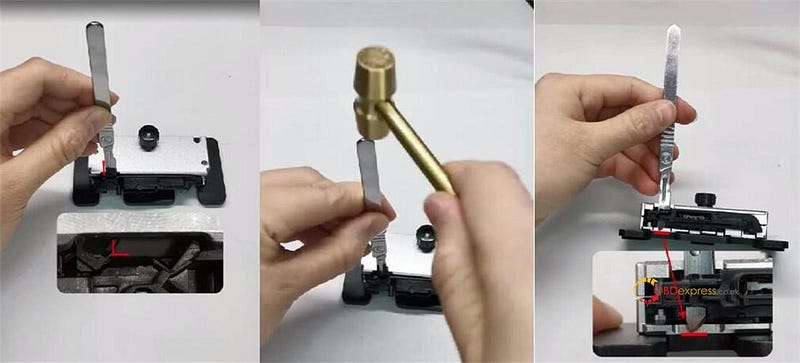
Step 3: Use a Smaller Knife

When the cut hits the tool’s groove, switch to a scalpel.

Point the blade right. Push the tip straight down into the groove.


How to Disassemble BMW BCP Key by Yanhua BTOOL

Slide the scalpel sideways so the blade back rests against the bevel.

Tap until the blade goes through to the bottom.


How to Disassemble BMW BCP Key by Yanhua BTOOL

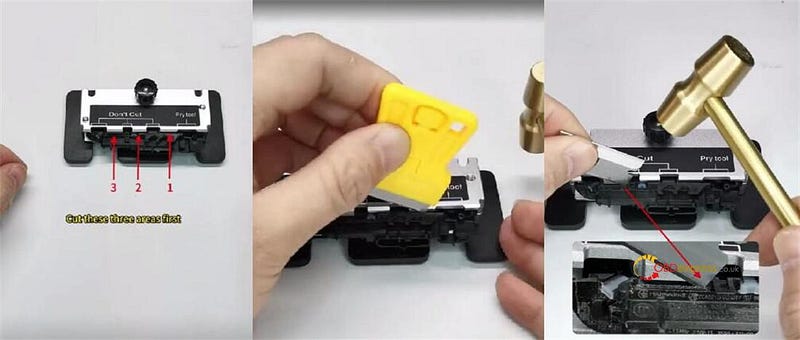
Step 4: Cut the Front

Look at the sticker guides. Find the three grooves to cut.

Careful: Skip the groove the sticker marks.

Cut the three spots first. Tilt the blade 20° , insert, and tap.

At the third spot, pull out, re-angle, and tap again along the seam.


How to Disassemble BMW BCP Key by Yanhua BTOOL

Step 5: Open and Remove PCB

Take the inner shell off the tool.

Put the off-pin blade into the front clip.

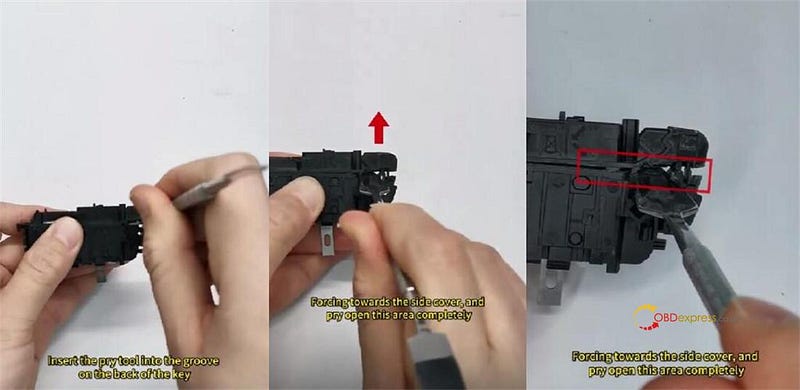
Stick the pry tool into the back groove. Push toward the side cover to pop it open.


How to Disassemble BMW BCP Key by Yanhua BTOOL

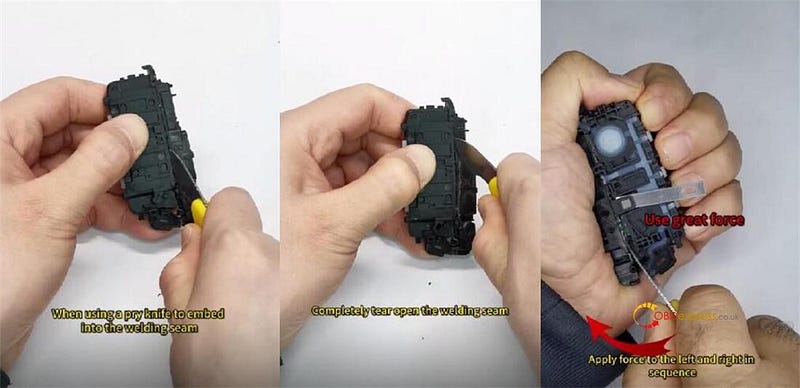
Wedge a pry knife into the front seam. Twist left and right to rip it open.


How to Disassemble BMW BCP Key by Yanhua BTOOL

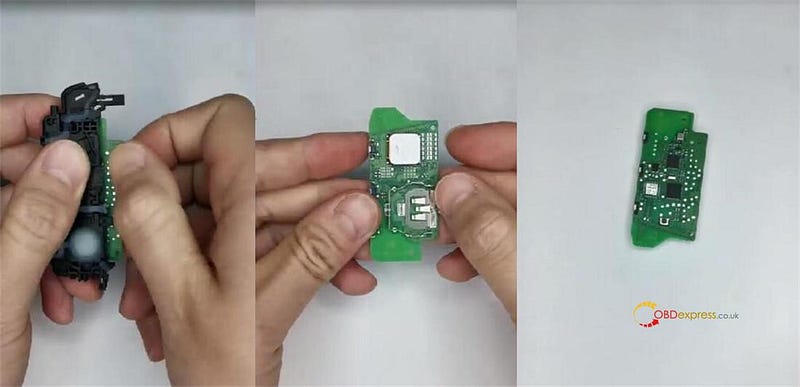
Lift out the circuit board.

Result: The PCB is safe and undamaged.


How to Disassemble BMW BCP Key by Yanhua BTOOL

Done!

It’s safe, clean, and professional BCP key opening with Yanhua ACDP BTOOL BCP Key Cutting Kits.

After disassembly, use Mini ACDP2 with Module 38 and BMW BCP Interface Board/BCP Key Encrypted Key Copying Interface Board to copy BCP key easily.


www.obdexpress.co.uk

How to Read VAG MQB49 5C/5D Keys with Xhorse Multi Prog?

 VAG MQB49 5C/5D key reading function for Xhorse Multi Prog Programmer is currently in testing.

It’s available to use the test feature with the method below.

1.How to Access:

Go to Help -> Test 180 in the software.

2.Required Modification:

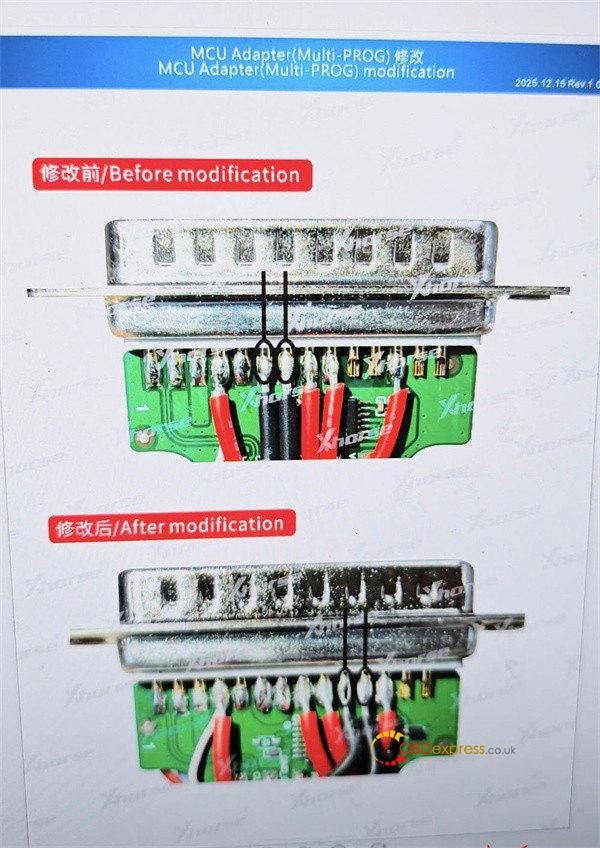
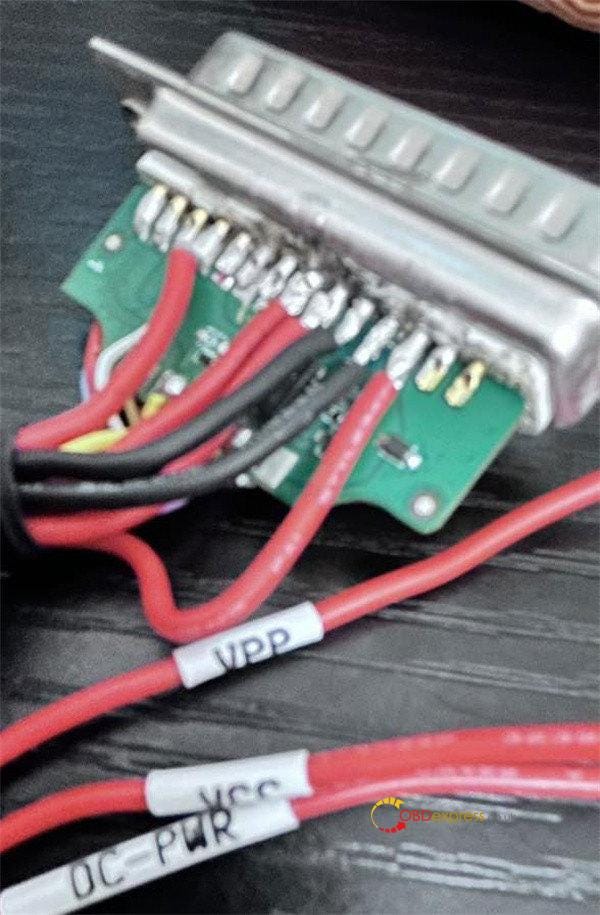
You must modify the MCU adapter by adding two black wires (GND short & GND long).


How to Read VAG MQB49 5C/5D Keys with Xhorse Multi Prog

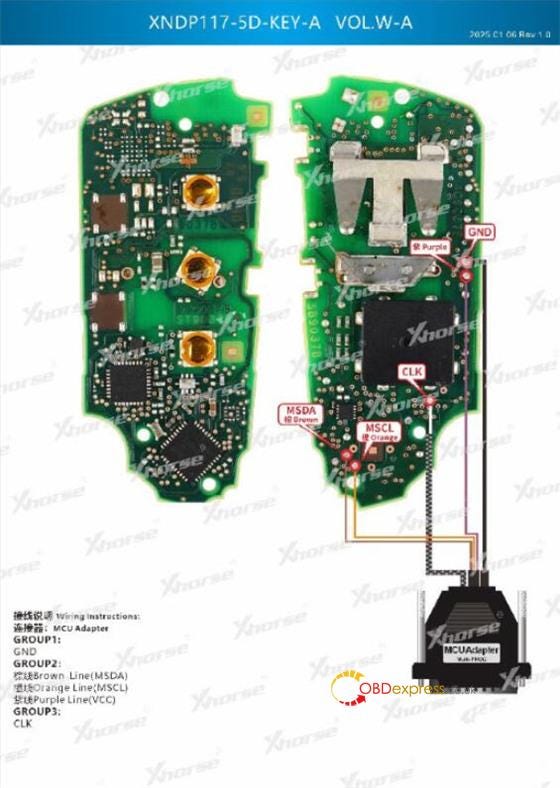
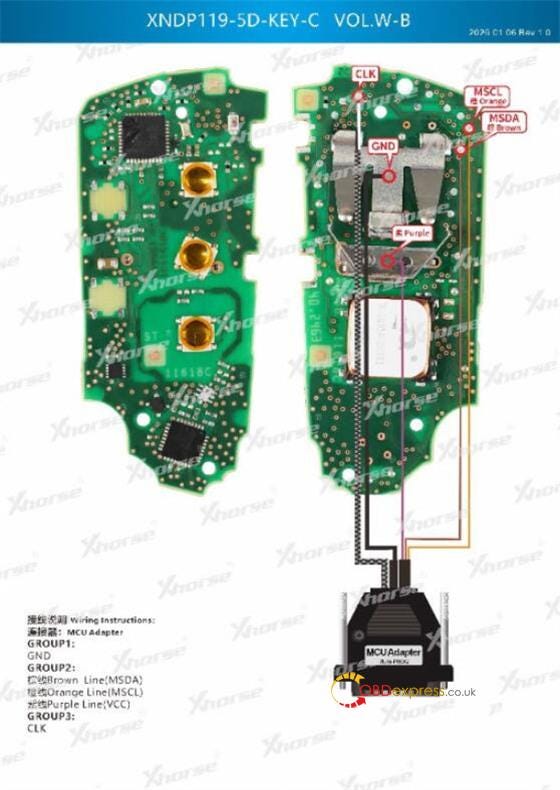
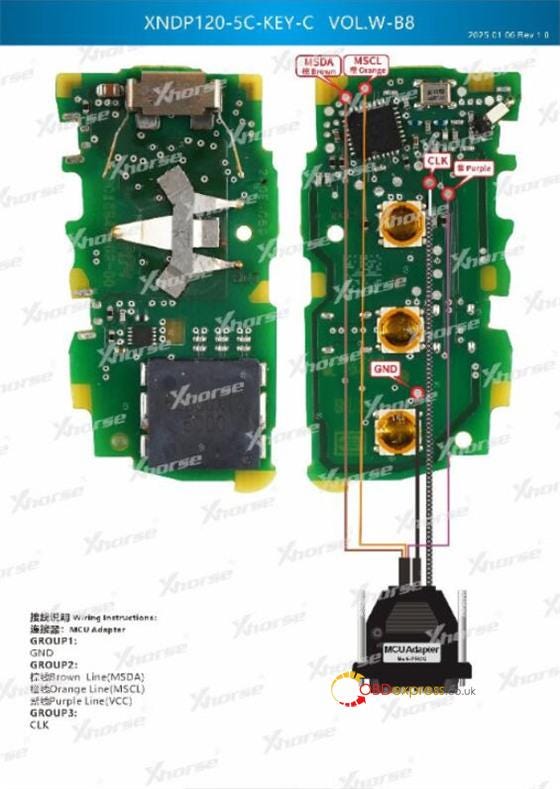
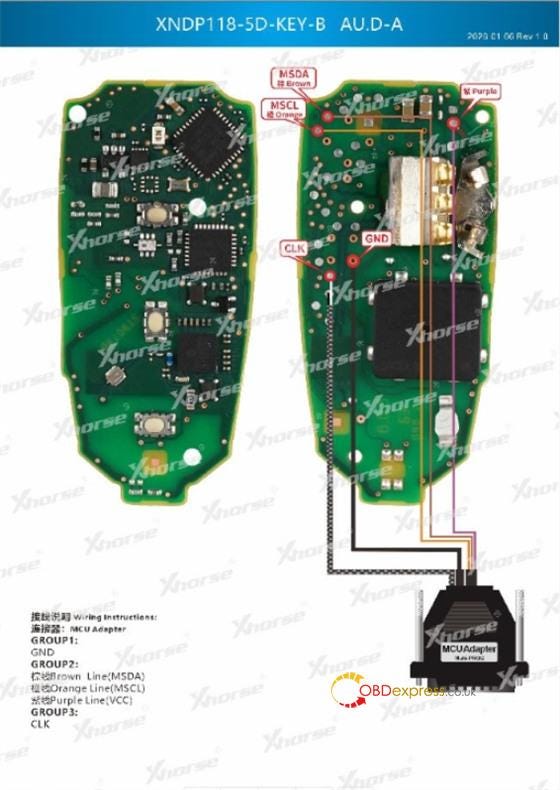
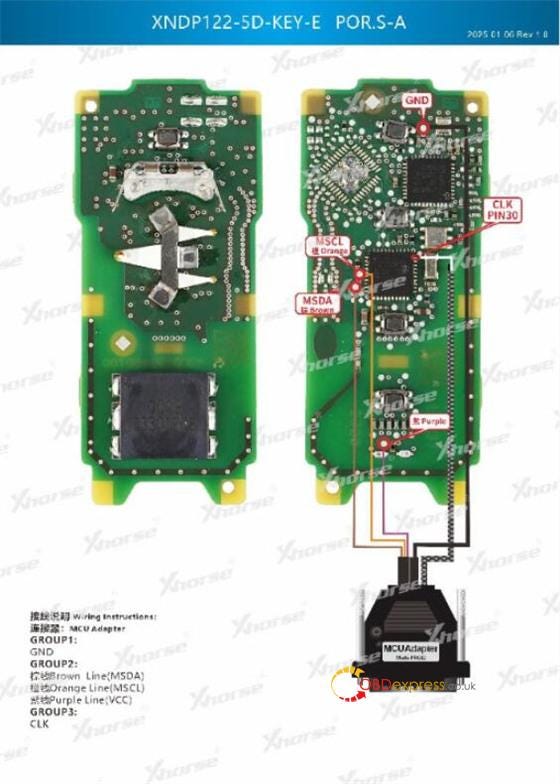
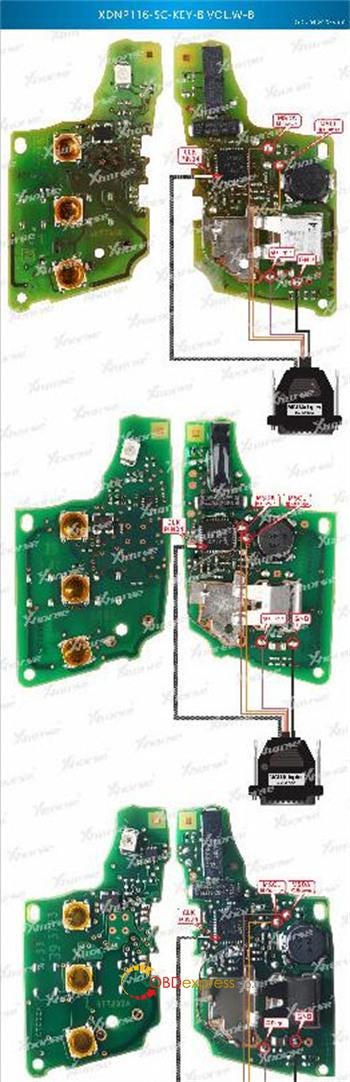
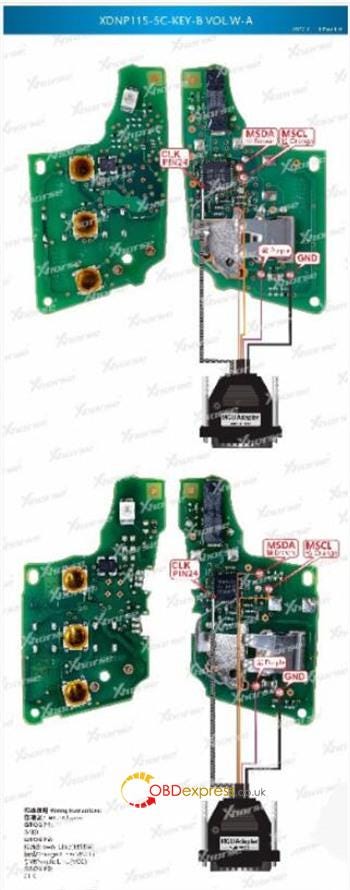
3.Wiring Diagrams:

Follow the wiring diagram in Multi Prog software below for the key connections.

(For Volkswagen 5C/5D, Audi 5D, Porsche 5D keys)


How to Read VAG MQB49 5C/5D Keys with Xhorse Multi Prog

4.Troubleshooting:

If key data reading fails using Multi-Prog, please add a 100-ohm resistor in series with the CLK wire.

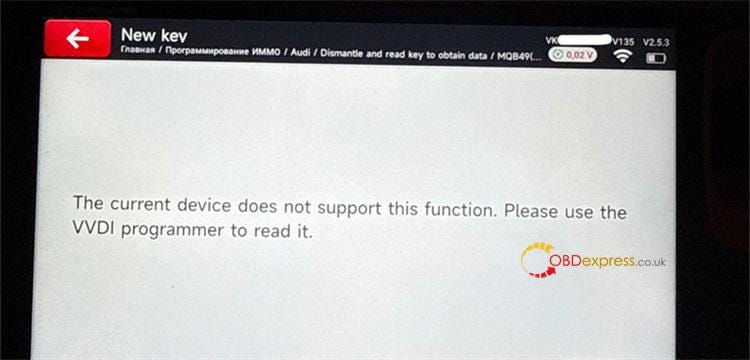
Please note that though Xhorse Key Tool MIDI has the option "Disassemble and read key data" for MQB49/5C immo system, but it does not yet support now.

If you try to use this function, it may display a "function not supported" message. In this case, a VVDI Programmer (e.g. Xhorse Multi Prog) is required to perform the initial data read.


How to Read VAG MQB49 5C/5D Keys with Xhorse Multi Prog

www.obdexpress.co.uk

Thursday, 5 March 2026

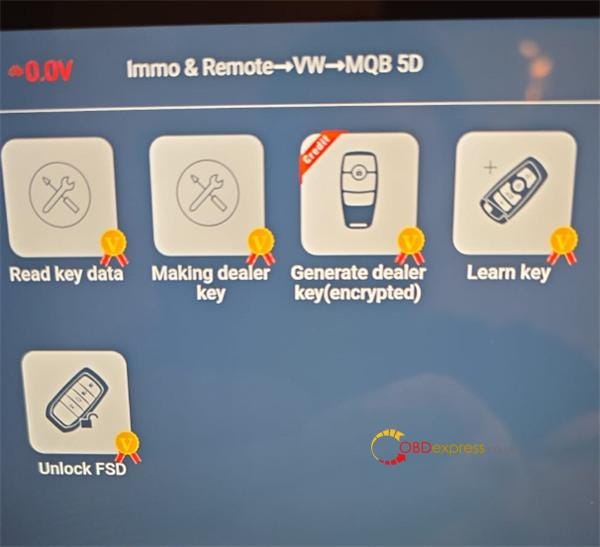
Lonsdor K518 Pro Update: Support BMW BDC3 VAG MQB49 5C/5D

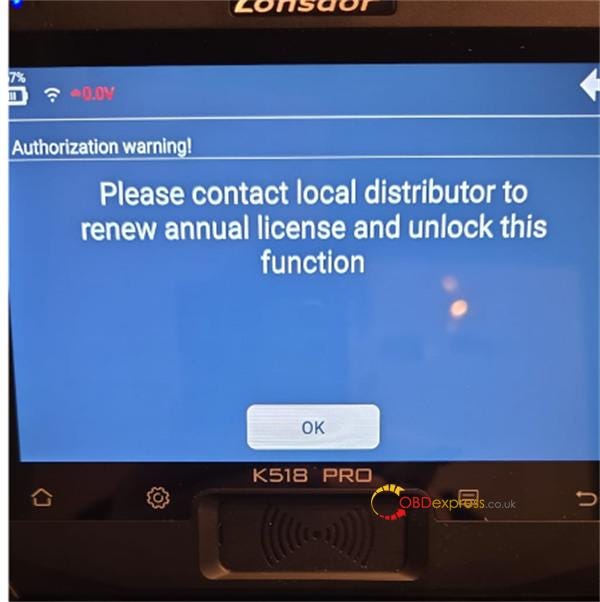
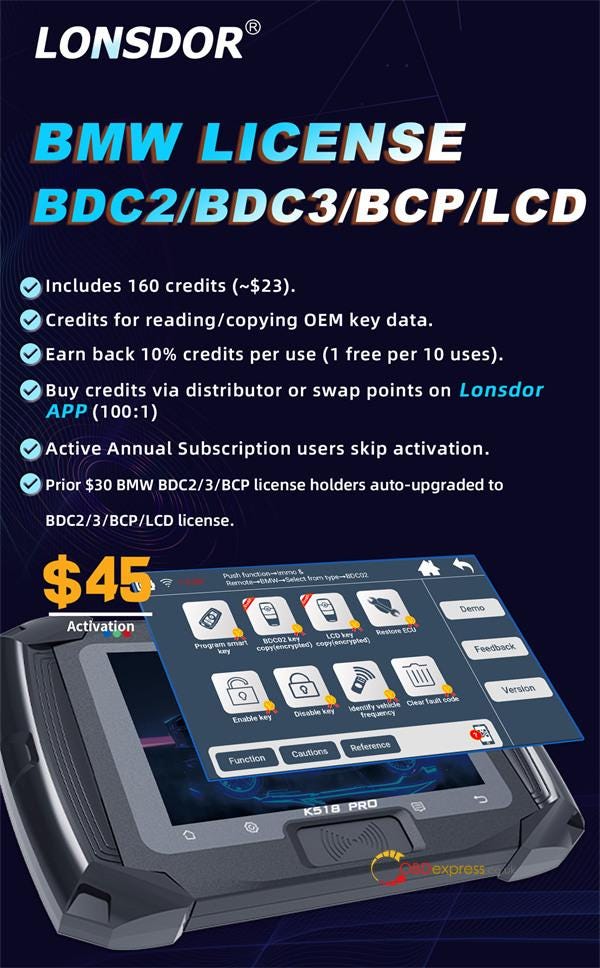
 Lonsdor’s February 2026 update brings BMW BDC2/3/BCP/LCD and VAG MQB49 5C/5D key addition to K518 Pro series key programmers. Here is everything you need to know about licensing, credits, and setup.

1.Do I need to activate a license?


Lonsdor K518 Pro Update_Support BMW BDC3 VAG MQB49 5C 5D

Answer:

Lonsdor K518 Pro Full Version (Active Subscription): No. Your annual subscription covers it.

K518 Pro Full (Expired): Yes. Renew your subscription.

Lonsdor K518 Pro FCV: Yes. You must activate the BMW and VAG licenses separately.

2.What do the licenses include?

Answer:

Both the VW 5C/5D & AUDI/PORSCHE 5D License and the BMW BDC2/BDC3/BCP/LCD License include:

  • 160 credits (~$23 USD)
  • Credits are used to read/copy OEM key data

Lonsdor K518 Pro Update_Support BMW BDC3 VAG MQB49 5C 5D

3.How do I get more credits?

Answer:

Purchase directly from a distributor

Swap points via the Lonsdor APP (100:1 ratio)

4.Are credits refundable?

Answer:

You earn back 10% of credits used per successful job (1 free use per 10 paid uses).

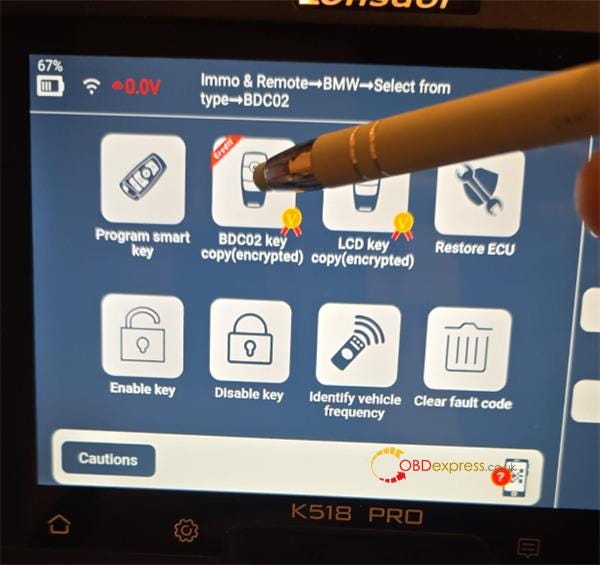
5.How do I know if a function requires credits?

Answer:

Look for the red credit icon next to the function.


Lonsdor K518 Pro Update_Support BMW BDC3 VAG MQB49 5C 5D

6.Does Lonsdor support SFD unlocking for 2023+ VAG cars?

Answer:

Yes, the device supports SFD gateway unlocking. However, the unlock code must be obtained from a third-party provider.

7.What keys should I use?

Answer:

Genuine OEM keys are recommended for BDC2/BDC3 and MQB49 5C/5D systems.

8.Can I use third-party clip adapters?

Answer:

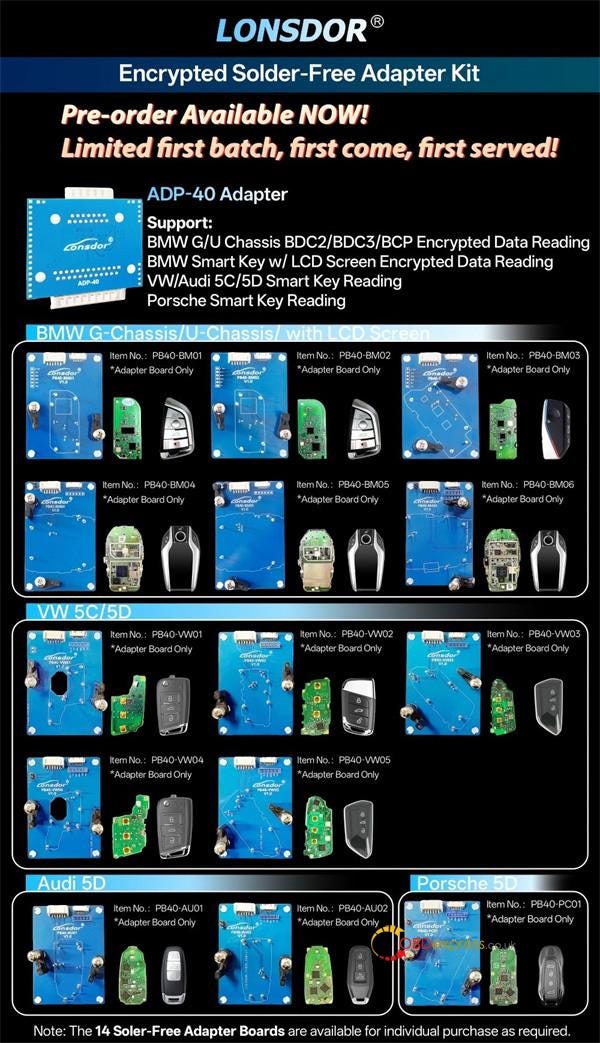
No. Only Lonsdor official adapters (Lonsdor ADP-40 Encrypted Solder-Free Adapter Kit) are compatible. Third-party clip adapters will not work.


Lonsdor K518 Pro Update_Support BMW BDC3 VAG MQB49 5C 5D

www.obdexpress.co.uk

TOPDON AD800BT vs. XTOOL IP616: Lifetime-Free for €272

 When searching for a reliable diagnostic tool under €300, the TOPDON ArtiDiag800 BT and XTOOL Inplus IP616 are two of the most popular contenders. Both are currently available at www.obdexpress.co.uk for approximately €272, offering professional features at a highly competitive price point.

Since the cost is identical, your choice depends on whether you value advanced software depth or wireless convenience. While both include Lifetime Free Updates, they serve different needs: one provides the mobility of Bluetooth, while the other offers deeper technical capabilities like bi-directional control.

Technical Specifications Comparison
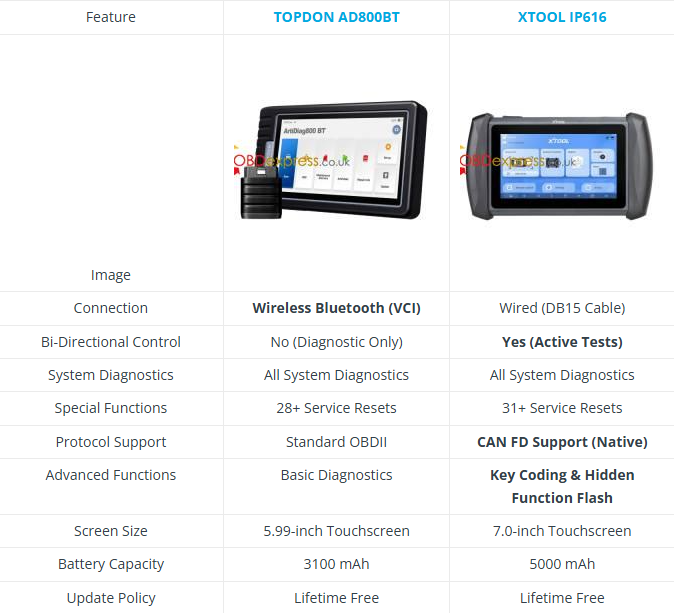

TOPDON AD800BT vs. XTOOL IP616

Deep Dive: Brand Philosophies & Value

XTOOL: The "Swiss Army Knife" for Mechanics

XTOOL has built its reputation on engineering-heavy tools. The Inplus IP616 is a perfect example of a "software-first" approach.

  • The Hidden Power (V2.0 Update): While many retail pages don’t highlight it, the latest V2.0 firmware unlocks Bi-Directional Control (Actuation Tests). This allows you to command the car to roll windows down, test fuel pumps, or engage A/C clutches — features like ABS bleeding, fuel pump tests, and injector coding — usually reserved for $500+ scanners.
  • The "Hardware Advantage": By sticking to a wired connection, XTOOL reallocated the budget into a larger 7-inch screen and a massive 5000mAh battery. It also includes native CAN FD support, essential for 2020+ GM vehicles.

TOPDON: The "Apple" of Diagnostic Tools

TOPDON focuses on the user experience (UX) and hardware aesthetics. The ArtiDiag800 BT is designed for the modern DIYer who values a seamless, clutter-free workflow.

  • Wireless Freedom: The standout feature is the Bluetooth VCI. You can perform a full system scan while standing under the hood or walking around the vehicle. The VCI even snaps into the back of the tablet for storage — a masterclass in industrial design. With One-Click AutoVIN technology, the AD800BT identifies your vehicle instantly, making the wireless diagnostic process faster and more accurate.
  • Refined Interface: TOPDON’s UI is famously smooth and intuitive. It is arguably the best "first scanner" for someone who wants professional data without a steep learning curve.

Market Perspective: Price vs. Brand Value

Since the price is identical at OBDExpress, your choice depends on what "dividend" you want to collect from your investment:

  1. XTOOL IP616’s Dividend is "Depth": You are paying for a tool that can grow with you. As you move from simple oil changes to complex troubleshooting (like testing faulty actuators), the IP616 has the software headroom to handle it.
  2. TOPDON AD800BT’s Dividend is "Efficiency": You are paying for the freedom of movement and a premium, responsive interface. It turns a chore into a high-tech, mobile experience.

TOPDON AD800BT vs. XTOOL IP616

FAQ: Essential Pre-Purchase Checklist

Q: Is the "Lifetime Free" update truly unlimited?

Yes, both the XTOOL IP616 and the classic AD800BT offered at OBDExpress are one-time purchases with no subscription fees ever.

Q: Wait, is TOPDON AD800BT always Lifetime Free?

Important Note: There are two versions of the AD800BT on the market. The version with Lifetime Free Updates typically focuses on diagnostics and 28 resets but does not include Bi-directional control. The newer "AD800BT 2" often includes Bi-directional tests but may only offer 2 years of free updates.

Q: Do I need a Wi-Fi connection to use these?

A: Basic diagnostics work offline after downloading software. However, Wi-Fi is required for the initial activation, one-click updates, and emailing diagnostic reports.

Final Verdict: Which One Should You Buy?

Choose the XTOOL Inplus IP616 if:

  • You need Bi-Directional control to pinpoint hardware failures.
  • You work on newer 2020+ GM vehicles (requiring CAN FD).
  • You want a larger screen and don’t mind a cable connection.
  • You need more advanced Key Programming capabilities.

Choose the TOPDON ArtiDiag800 BT if:

  • You hate being tethered to the dashboard and want Wireless Bluetooth mobility.
  • You value a compact, sleek design that is easy to carry.
  • Your focus is on comprehensive diagnostics and maintenance resets rather than active part testing.

Actionable Advice: Verify Before You Buy!

Because manufacturers frequently update their software policies, the "Lifetime Free Update" status can vary between different production batches and regional versions.

To ensure you get the exact version you need: Before placing your order, we strongly recommend contacting the OBDExpress customer service team.

Ask them: "Does this specific unit of TOPDON AD800BT (or XTOOL IP616) come with Lifetime Free Updates? Also, does it support Bi-Directional Control after the latest update?"

Get the best price and expert confirmation today at: www.obdexpress.co.uk
OBDSTAR G3 Program 2024 BYD Seagull All Keys Lost via OBD

 Here is a quick walkthrough on adding a new key to a 2024 BYD Seagull (all keys are lost) via OBD using OBDSTAR X300 Classic G3 . Require...