Wednesday, 13 October 2021

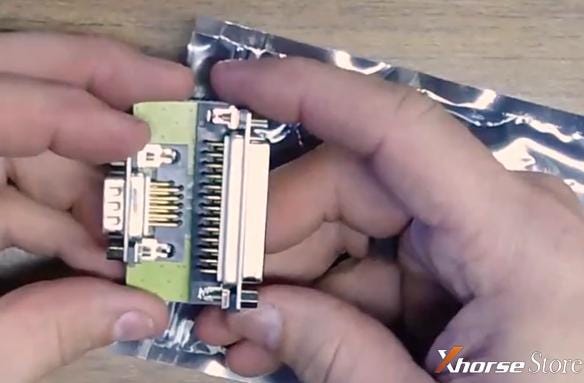
KTM bench 1.20 tune 320d BMW with Bosch edc17cp02 ecu

 Scania SDP3 2.48.2 is verified working fine with VCI3 Scanner, and this article is available with the free download link and installation guide.
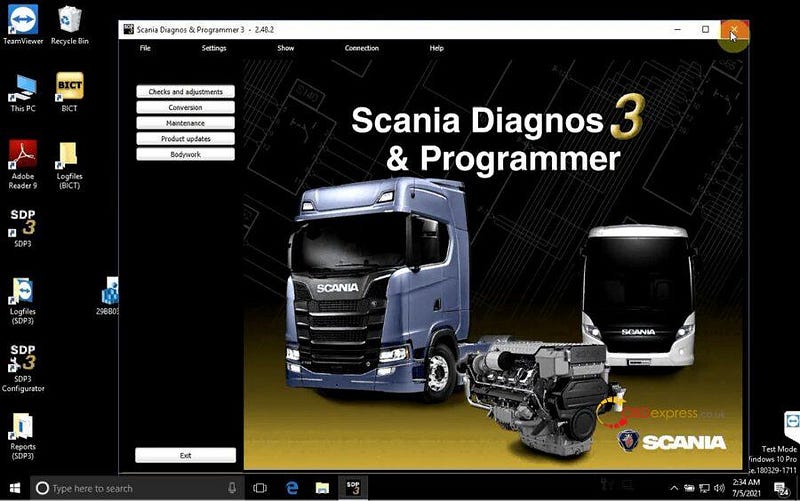
Scania SDP3 2.48.2 free download and installation on win10 64bit


Scania Diagnos & Programmer 3 Version 2.48.2 Release notes
The program supports the following vehicles:
L, P, G, R and S series (2016-)
P, G, R and T series (2003-)
F, K and N series
The program supports the following engines:
P96
E2011

New feature
• Check wizard for fuel level measurement for sensor from bodybuilder now also applies to trucks.
Change
• No major new features in the issue.
Correction
• Correction of Checking the EGR circuit to verify rectified faults.

Scania SDP3 2.48.2

https://share.weiyun.com/qQLykn2w

Password: f68n85

Security: 100% yes


Scania SDP3 2.48.2 installation on win10 64bit:

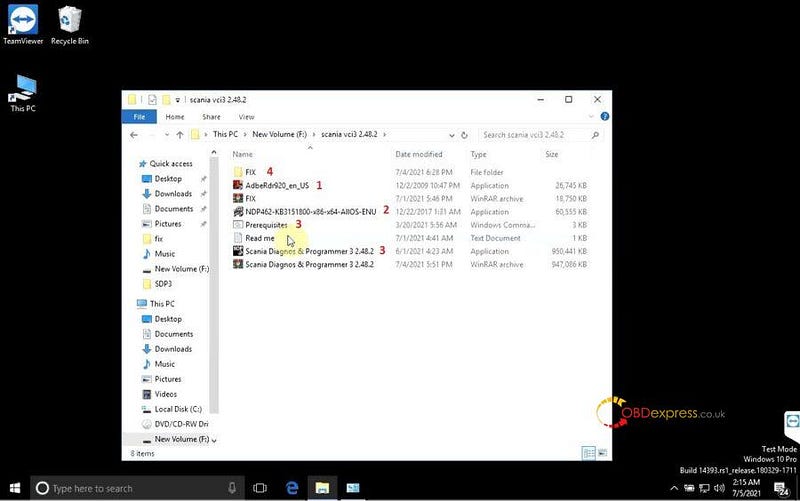
  1. Setup Adobe Reader 9.2


  1. Extract files "NDP462-KB3151800-X86-64-AllOS-ENU" and setup "Microsoft. NET 2015".


  1. Open "Scania Diagnos & Programmer 3 2.48.2" to setup, it will take several minutes to complete.


  1. Open "Prerequisites"

Scania SDP3 2.48.2 free download and installation on win10 64bit

  1. Open the folder "Fix".
  2. Then check if your computer is 64bit or 32bit. Here we have 64bit computer and then open the folder "X64".
  3. Right click on "Install" and select "Run as administrator", then until you see "Drivers installed successfully".
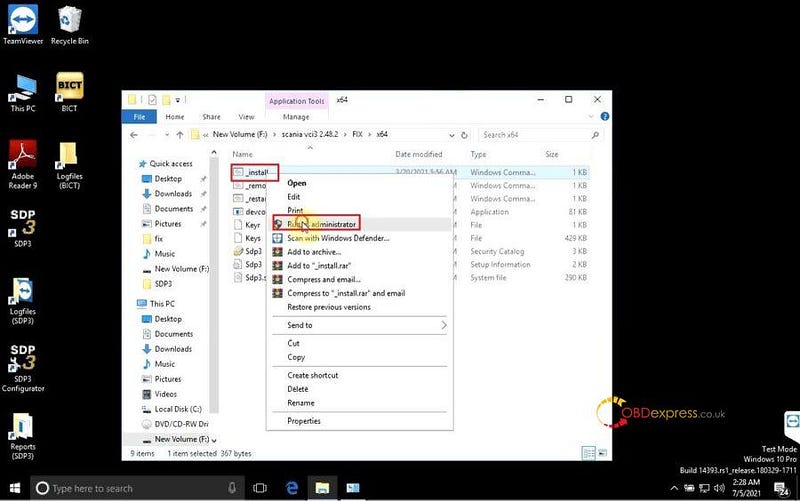
Scania SDP3 2.48.2 free download and installation on win10 64bit

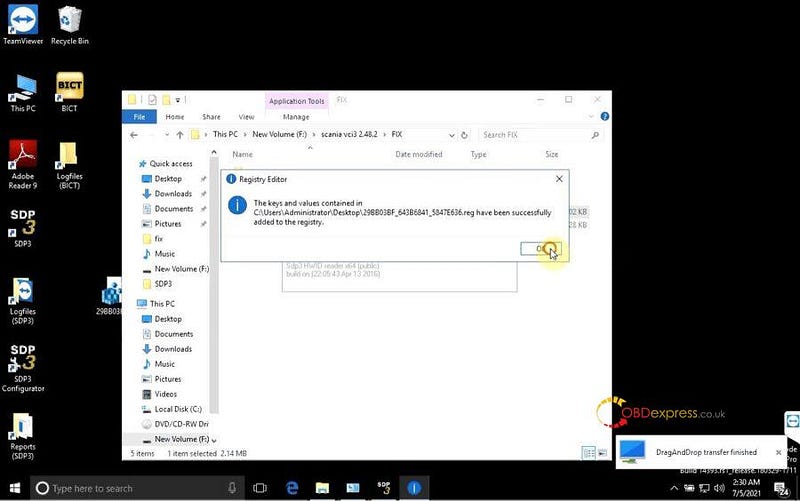
  1. Back to open "Hardware ID reader" to copy the ID, wait until you can see a message "DragAndDrop transfer finished".

Click on "Yes" and then the keys and values have been successfully added to the registry.
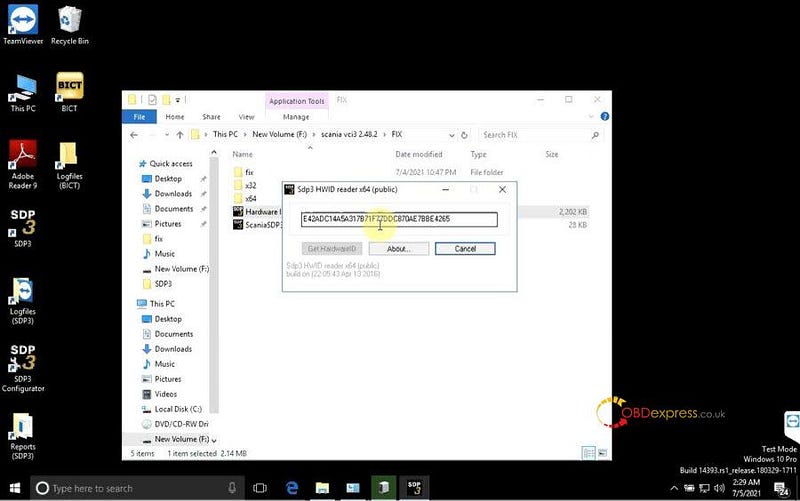
 Scania SDP3 2.48.2 free download and installation on win10 64bit

Scania SDP3 2.48.2 free download and installation on win10 64bit

  1. Back to enter "Fix" to select all files to copy.

Meanwhile, right click on "SDP3" on the desktop and select "Properties", then "Open File Location", paste the above files copied from the folder "Fix" and select "Replace the files in the destination".
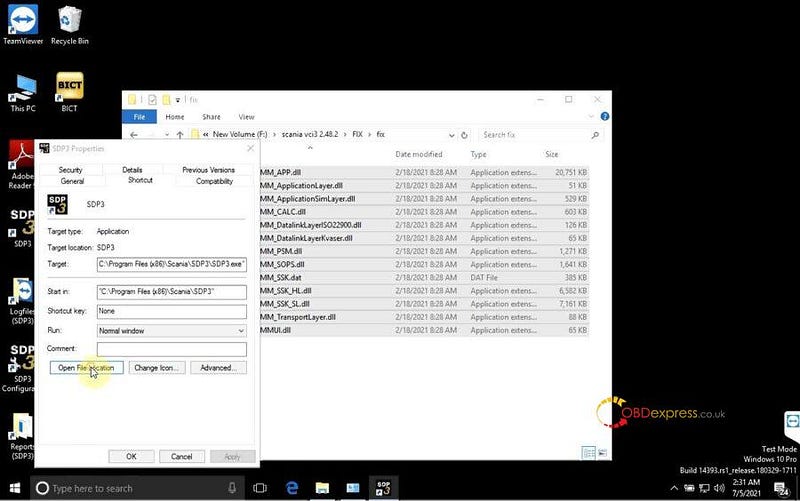
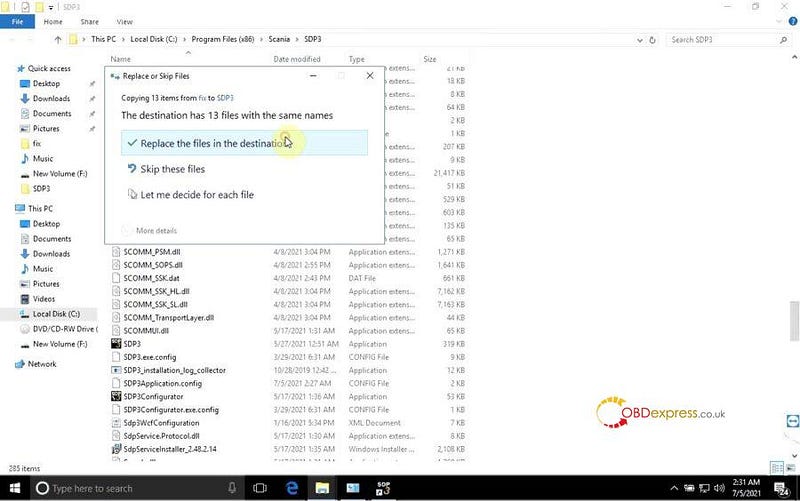
Scania SDP3 2.48.2 free download and installation on win10 64bit

Scania SDP3 2.48.2 free download and installation on win10 64bit

  1. Restart the computer.
  2. Open SDP3 on the desktop.

Technical support by: www.obdexpress.co.uk

Sunday, 10 October 2021

Xhorse BCM2 Solder-Free Adapter for Audi FAQ

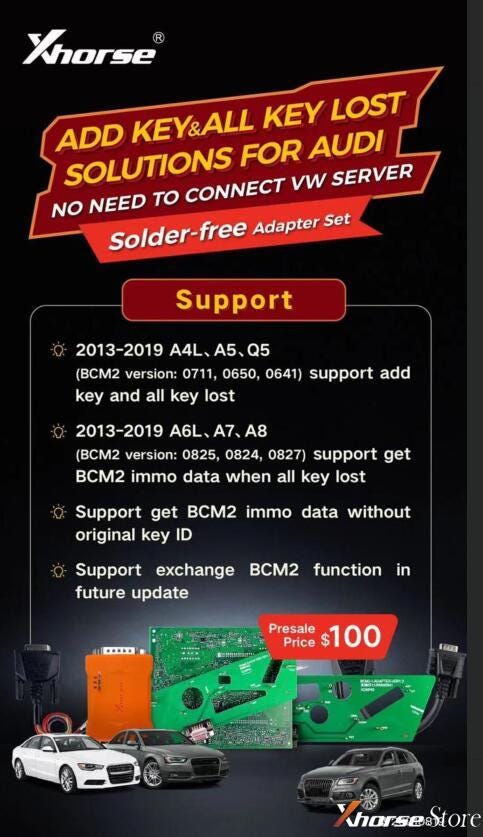
Xhorse BCM2 Solder-free Adapter set for Audi add key & all key lost solution is coming!!! No need to connect VW server, support to get BCM2 IMMO data without original key ID, support to exchange BCM2 function in future update.


Compatible to work with VVDI Key Tool Plus, VVDI2 + VVDI Prog.


  • 2013-2019 A4L, A5, Q5

(BCM2 version:0711, 0650, 0641) support add key and all key lost.

  • 2013-2019 A6L, A7, A8

(BCM2 version: 0825, 0824, 0827) support get BCM2 IMMO data when all key lost.

Xhorse BCM2 Solder-Free Adapter for Audi Add Key & All Key Lost

FAQ

Q: Does it support Audi A6L AKL without data synchronization?

A: A6L does not support currently, it can read BCM2 data & synchronize data by the third party when all key lost. So far, only A4L, A5, Q5 support.


Q: Can it work with VVDI2?

A: Yes, VVDI2 will update the software to support this function, but should work with VVDI Prog together.


Q: When is it available?

A: Early in September, shipped by pre-orders in turn.


Q: Is there an annual fee in the future? Will it deduct tokens?

A: It only charges one-time fee, and does no need any tokens.


Q: What types of keys is it used for?

A: 754J Smart Key on market.


Q: Is BCM2 easy to disassemble?

A: Yes, most people with hands-on ability can. It is a plastic box generally hides after the protection mat in car trunk. Just open it to get the BCM2 board.


Q: Can I read BCM2 data via soldering wires directly?

A: Audi Solder-free Adapter consist of 6 parts, the main part is the orange BCM2 adapter. Soldering wires with it was allowed to read data directly. But it is not sold separately at present. To avoid damaging the BCM, we’ll highly suggest to use solder-free adapters set for newbies.


Now purchase Audi BCM2Adapter + 754J Smart Key together can earn more discounts!

https://www.xhorsestore.co.uk/

Xhorse VVDI Key Tool Plus adds key ID46: Nissan Navara 2017

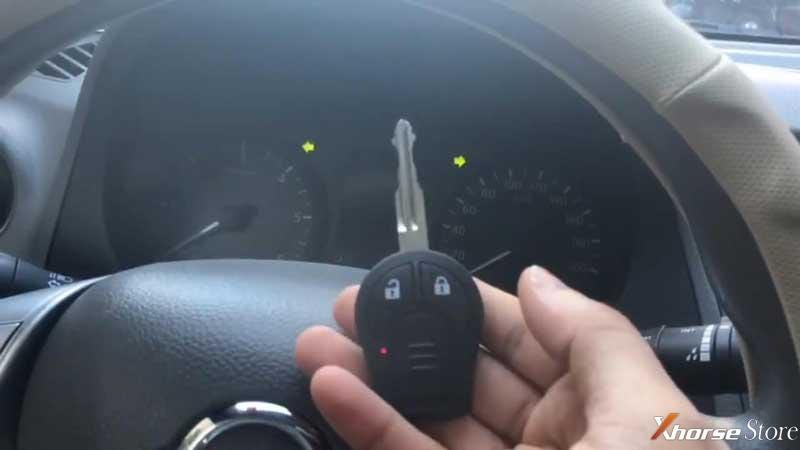
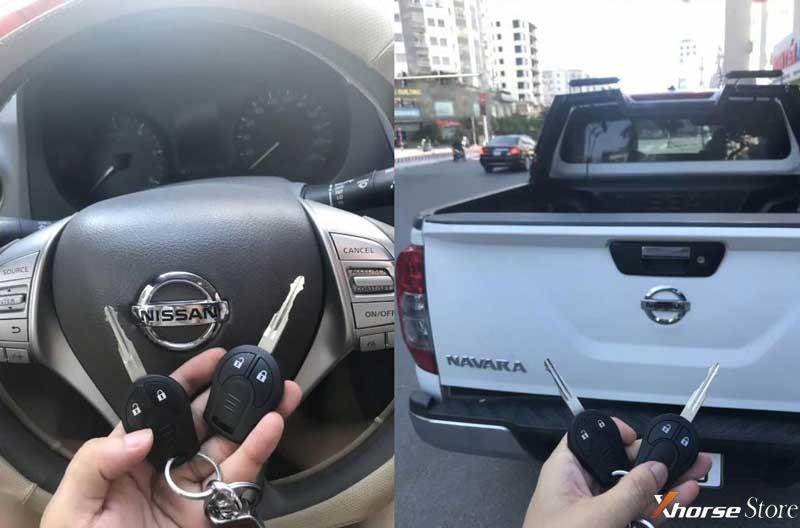
Xhorse VVDI Key Tool Plus is able to add ID46 key for Nissan Navara 2017 via OBD successfully.


Prepare an original working key & a new key.

Frequency: 433Mhz


  • Read & Calculate Pin Code

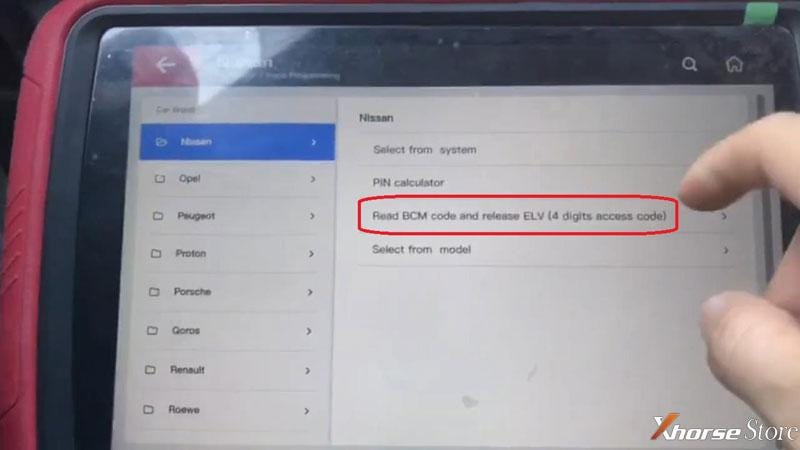
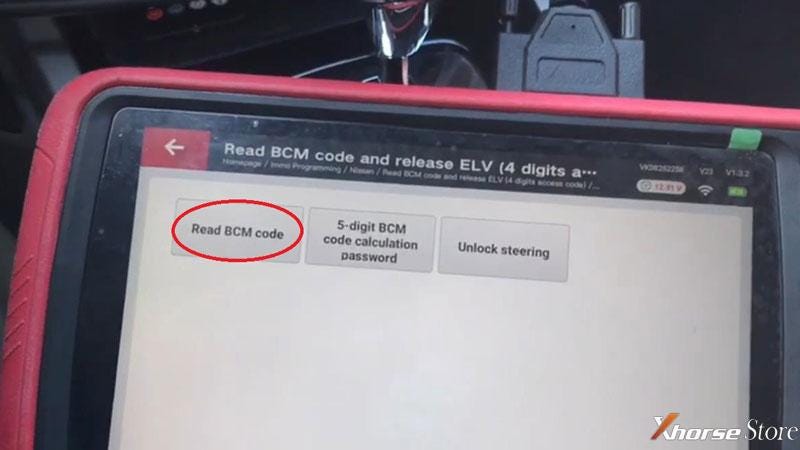
Connect Key Tool Plus with OBD, press

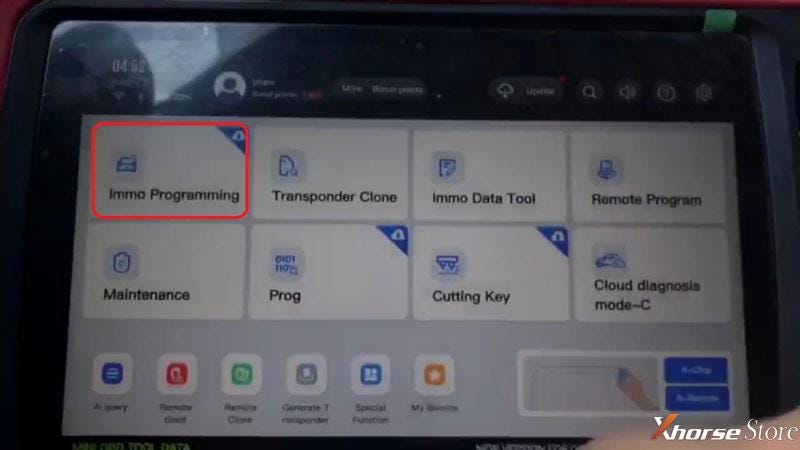
Immo programming >> Nissan >> Read BCM code and release ELV(4 digits access code) >> Start programming >> Read BCM code

Xhorse Plus pad adds key ID46 for Nissan Navara

Xhorse Plus pad adds key ID46 for Nissan Navara

Xhorse Plus pad adds key ID46 for Nissan Navara

Switch ignition on.


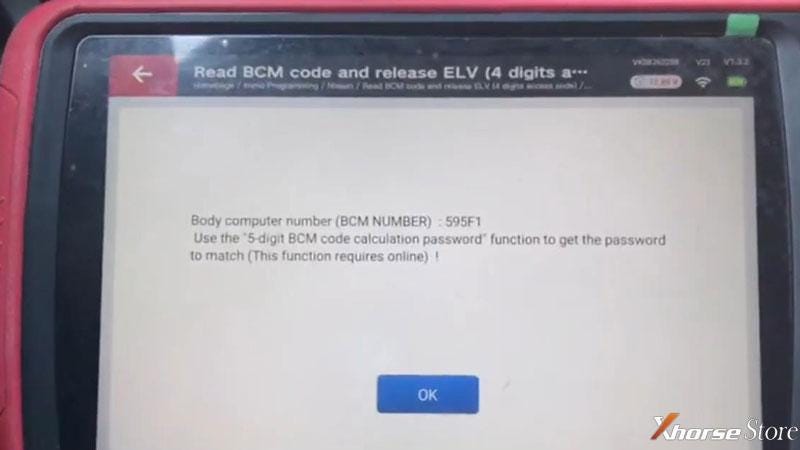
Body computer number(BCM number): 595F1

Press “OK” to get the password match.

Note: please make sure the WiFi is connected.


Whether to calculate the password directly? Yes


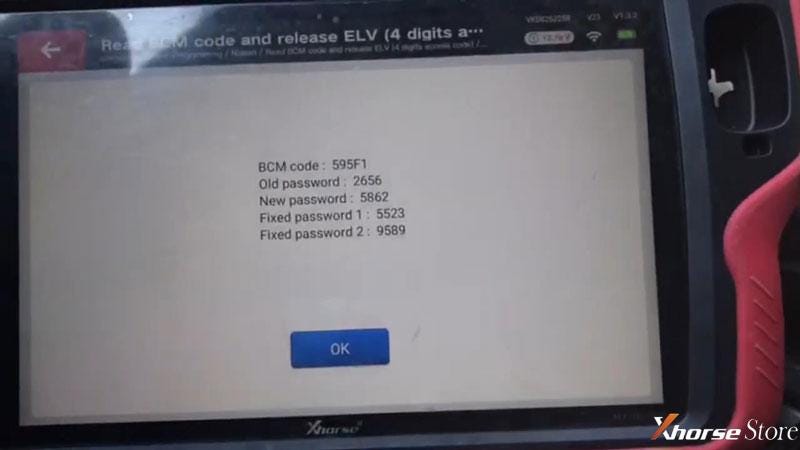
Pin codes have been read out, please record.

Xhorse Plus pad adds key ID46 for Nissan Navara

Xhorse Plus pad adds key ID46 for Nissan Navara

  • Program Key

Go back on VVDI Key Tool Plus,

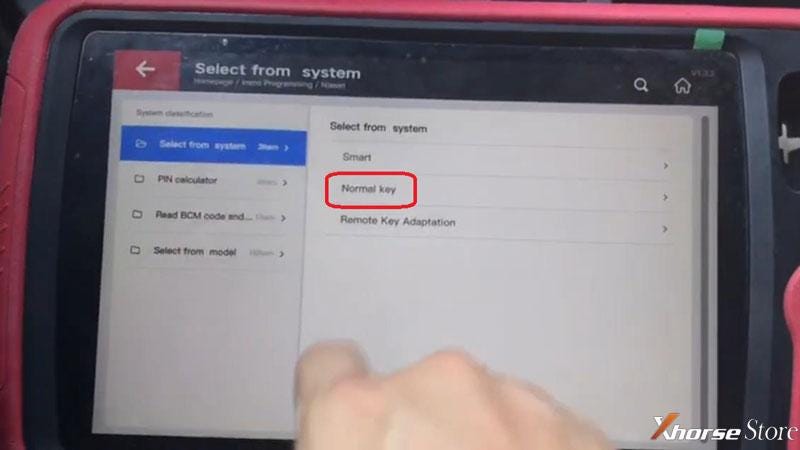
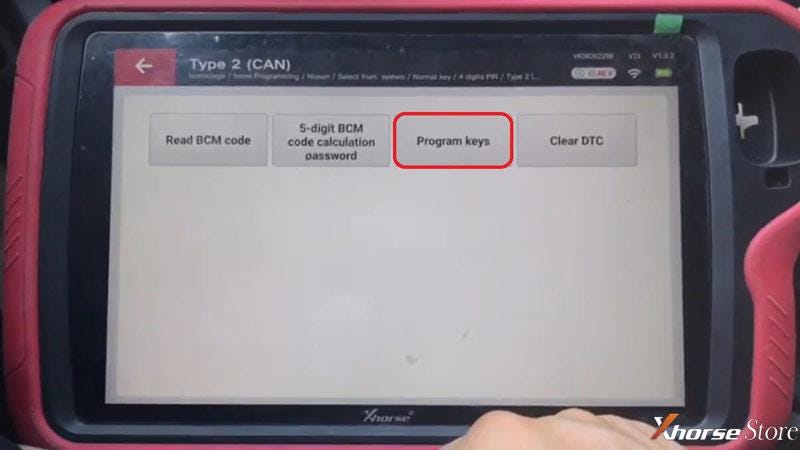
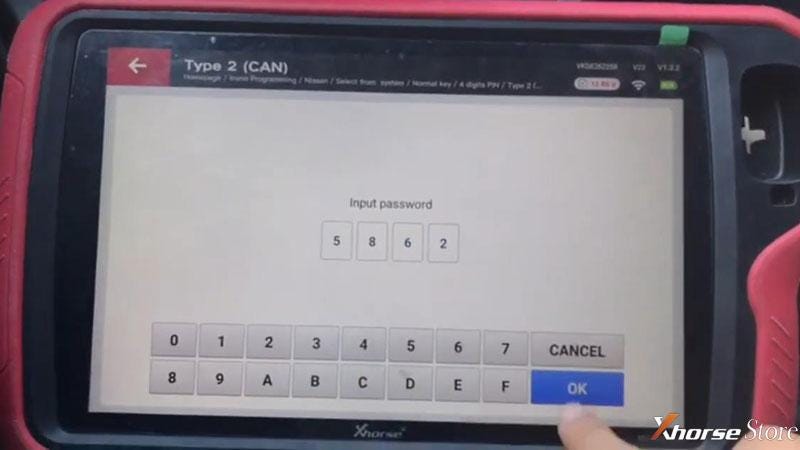
Select from system >> Normal key >> 4 digits PIN >> Type 2(CAN) >> Start programming >> Program keys


Input password: 5862, press “OK”.


Insert the key and switch ignition on.


Please follow the steps below to complete the program:

  1. Turn off ignition switch and remove the key, wait for 5s;
  2. Insert a new key, turn on the ignition switch, wait for 5s;
  3. If want to add multiple keys, please repeat step1, 2.

Note: up to 4 keys can only be added. If the key is full, you need release the direction lock again then perform add key function.


Start the car once with first key, switch ignition off and remove the key, complete the program.

Xhorse Plus pad adds key ID46 for Nissan Navara

Xhorse Plus pad adds key ID46 for Nissan Navara

Xhorse Plus pad adds key ID46 for Nissan Navara

  • Program Remote

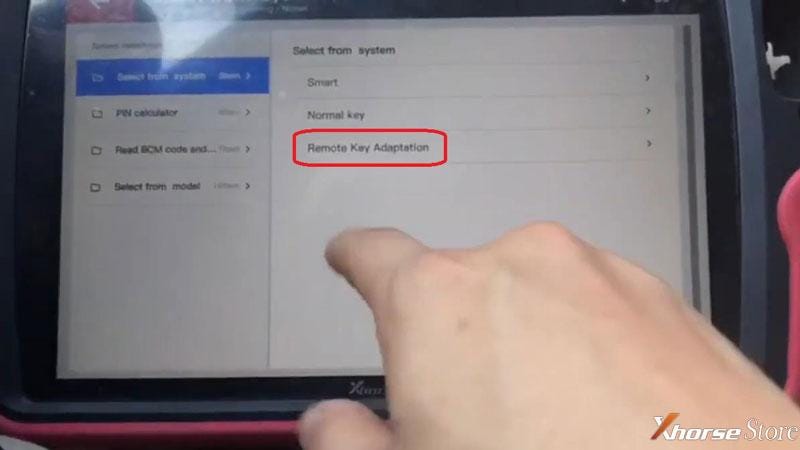
Remote key adaptation >> Type 1 >> Start programming >> Program a remote

Press UNLOCK button of remote.

Success.

Xhorse Plus pad adds key ID46 for Nissan Navara

  • Test Key

Both keys can start the engine, and the remote work well.

Key adding had done!

Xhorse Plus pad adds key ID46 for Nissan Navara

Xhorse Plus pad adds key ID46 for Nissan Navara

This is using VVDI Key Tool Plus to program a Nissan Navara 2017 new key via OBD successfully.

https://www.xhorsestore.co.uk/

Xhorse VVDI Mini Prog + BOSH ECU adapter read VW ECU

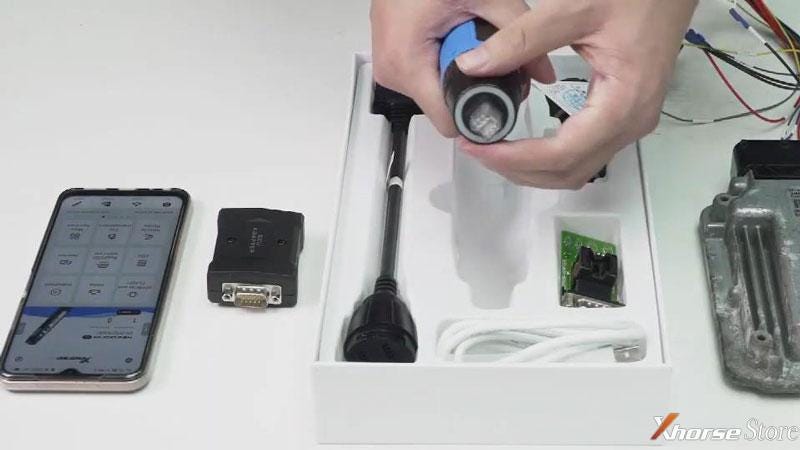
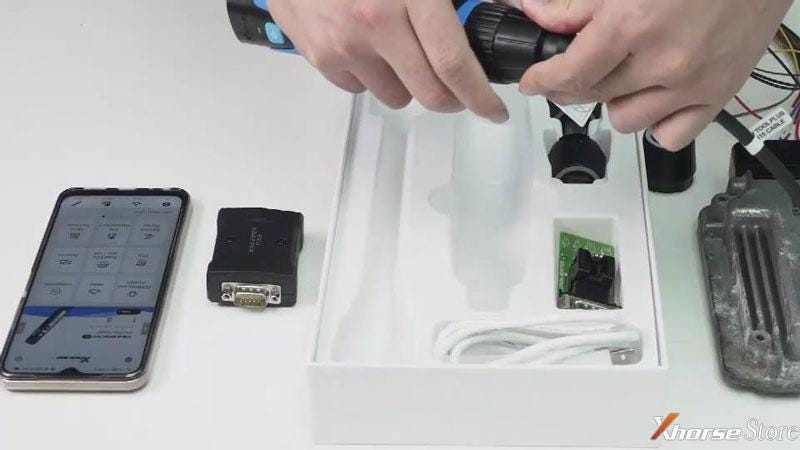
 Xhorse XDNP30ECU Adapter and Cables can work with VVDI MINI Prog or Key Tool Plus to read BOSH ECU, supports N55, N20, B38, B48 and more than 80% F series type.


Here is a quick demo to show how to use MINI Prog& BOSH ECU adapter to read VW ECU.


Steps

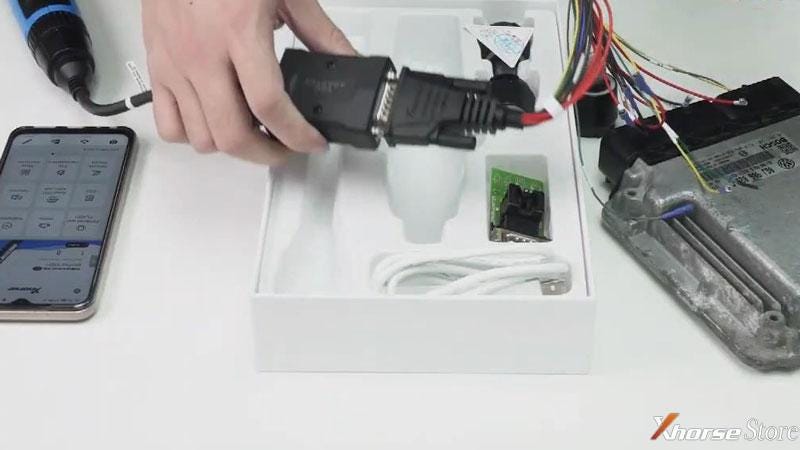
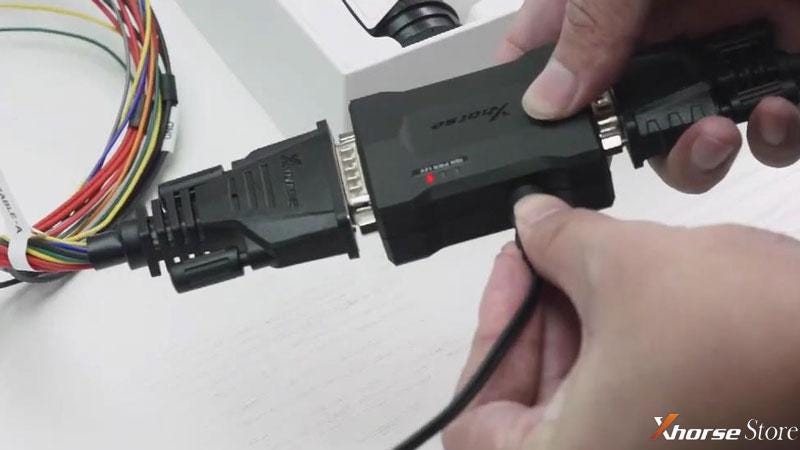
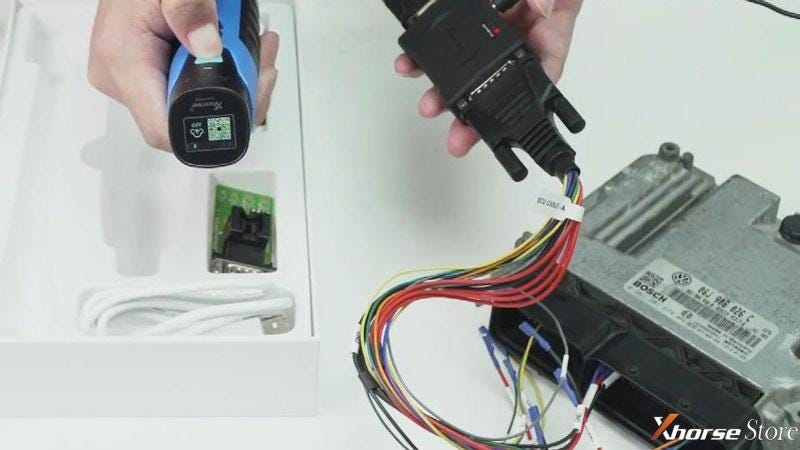
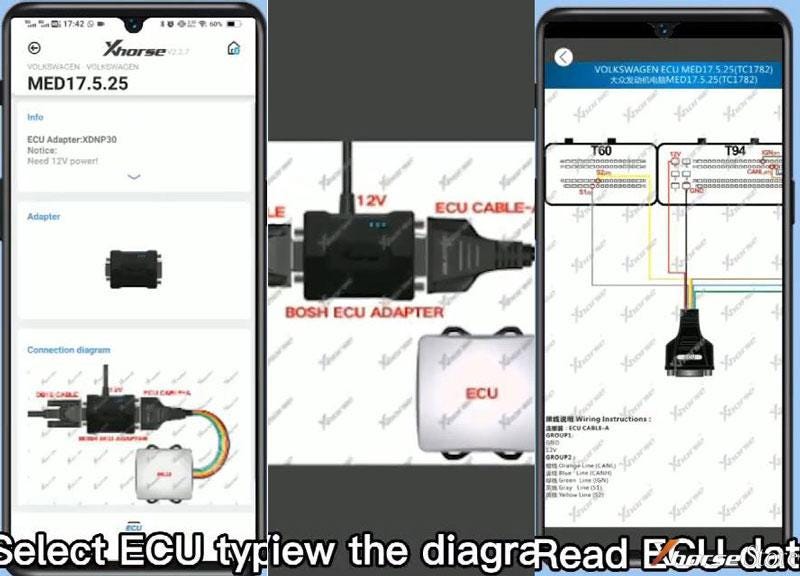
  1. Remove MINI Prog head circular interface, connect to the converter. The other side connects to XDNP30ECU Adapter. Connect ECU Adapter with VW ECU via cable, and plug the power cable;
Xhorse Mini Prog read VW ECU (use BOSH adapter)Xhorse Mini Prog read VW ECU (use BOSH adapter)Xhorse Mini Prog read VW ECU (use BOSH adapter)Xhorse Mini Prog read VW ECU (use BOSH adapter)


  1. Press power button 3s to turn on MINI Prog, connect it with phone via WiFi;

Xhorse Mini Prog read VW ECU (use BOSH adapter)

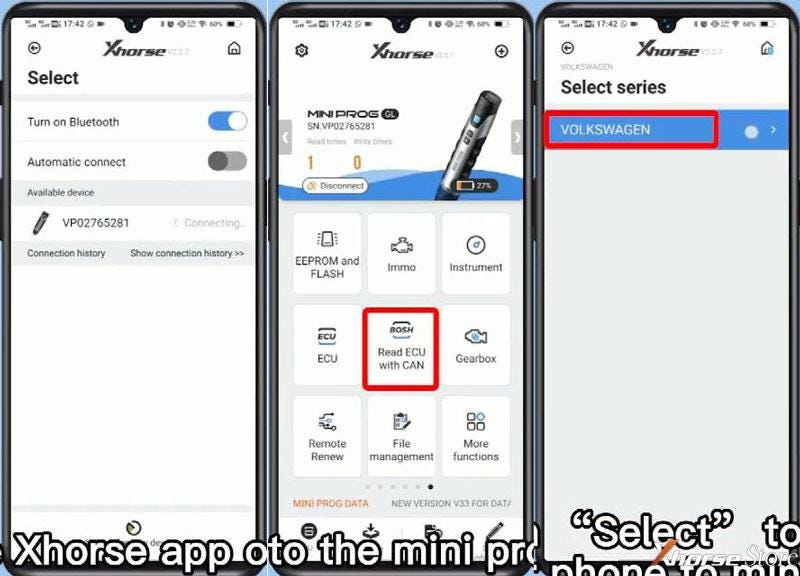
  1. Start Xhorse app on the phone, switch to MINI Prog page, press

Read ECU with CAN >> Volkswagen >> Volkswagen >> MED17.5.25


Here we can check the connection diagram.

Xhorse Mini Prog read VW ECU (use BOSH adapter)

Xhorse Mini Prog read VW ECU (use BOSH adapter)

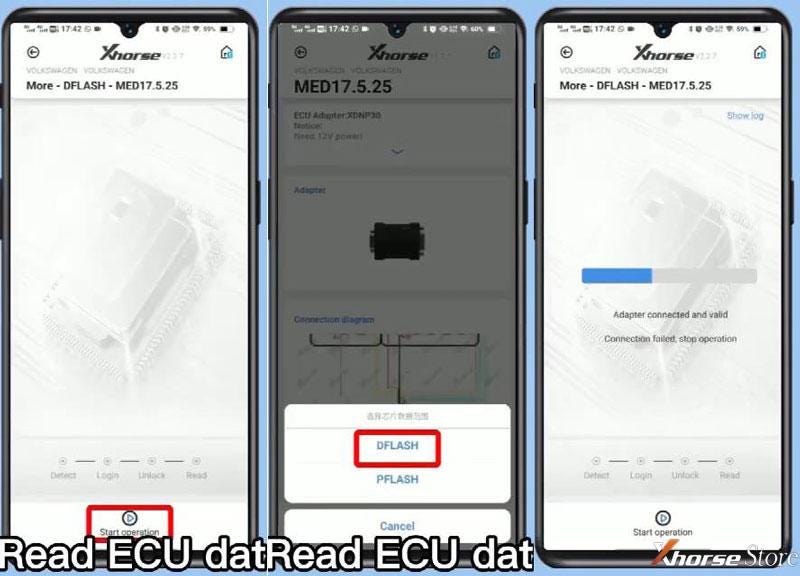
To read ECU data, press

ECU >> DFLASH >> Start operation >> Continue

Done!

Xhorse Mini Prog read VW ECU (use BOSH adapter)

Use the BOSH ECU Adapter without soldering to read data has extremely saved much time during programming work.

https://www.xhorsestore.co.uk/

Friday, 3 September 2021

How to Download & Start to Use Xhorse Smart Key Box?

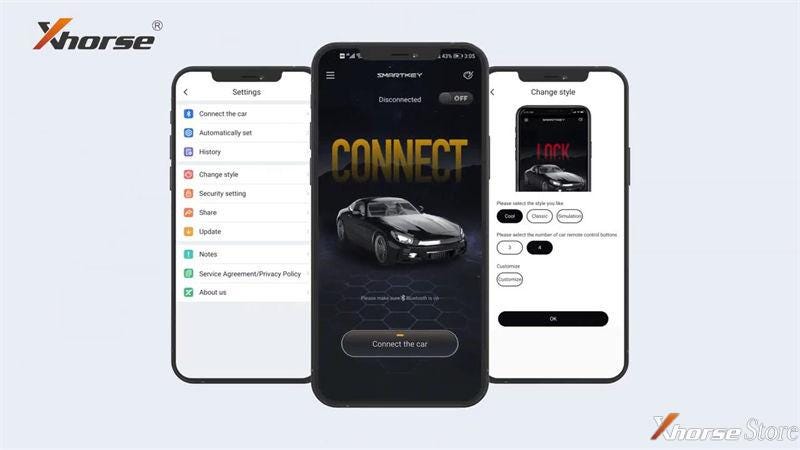
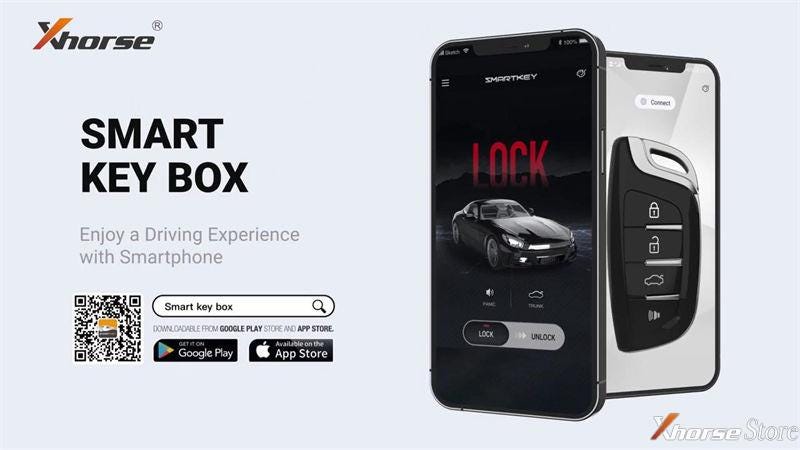
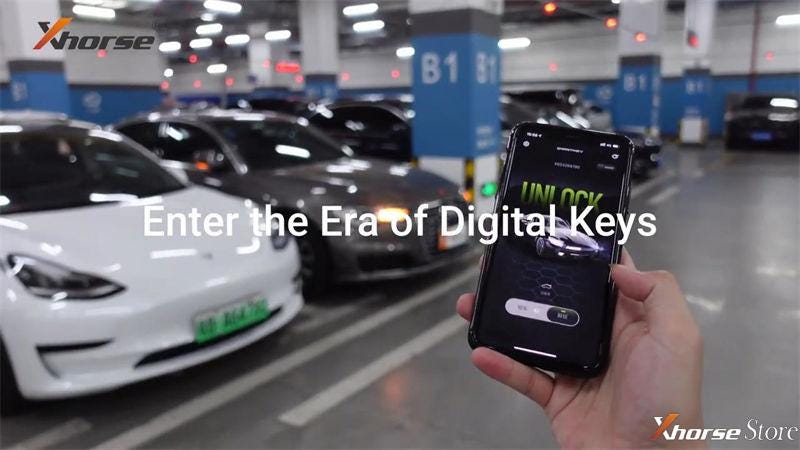
 Xhorse Smart Key Box is an adapter released recently, aim to access a vehicle IMMO system via Bluetooth. Through installing the Smart Key Box app, car owner can lock or unlock a car via a mobile phone. No longer have to worry about carrying a key anywhere.

Xhorse Smart Key Box Quick Installation Guide

  • Where & how to download Smart Key Box app?
  1. Scan the QR code to download directly;

Xhorse Smart Key Box Quick Installation Guide

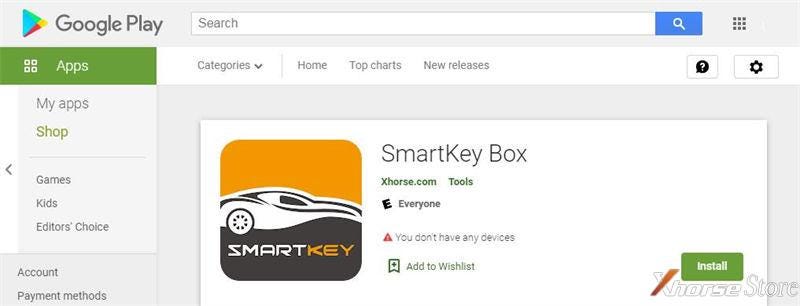
  1. Search “Smart Key Box” in Google Play or APP Store to download.

Xhorse Smart Key Box Quick Installation Guide

  • How to start to use Smart Key Box?

A Smart Key Box is able to add 6 smart phones & 6 keys at most.


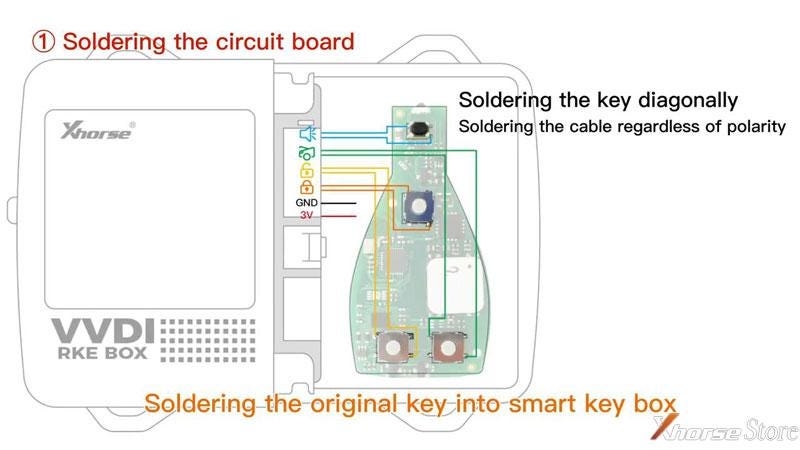
  1. Soldering the circuit board of original key into Smart Key Box;

Xhorse Smart Key Box Quick Installation Guide

Xhorse Smart Key Box Quick Installation Guide

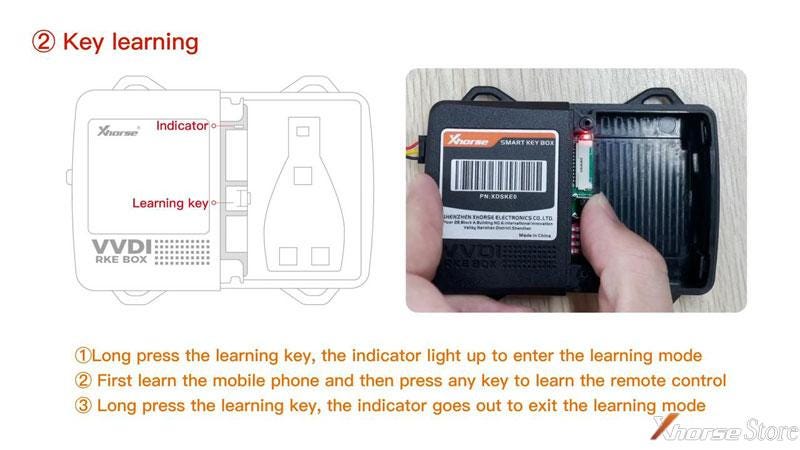
  1. Long press the learning key to learn the mobile phone and remote control. The indicator lighting up means to be learning, the indicator went out means to exit.

Xhorse Smart Key Box Quick Installation Guide

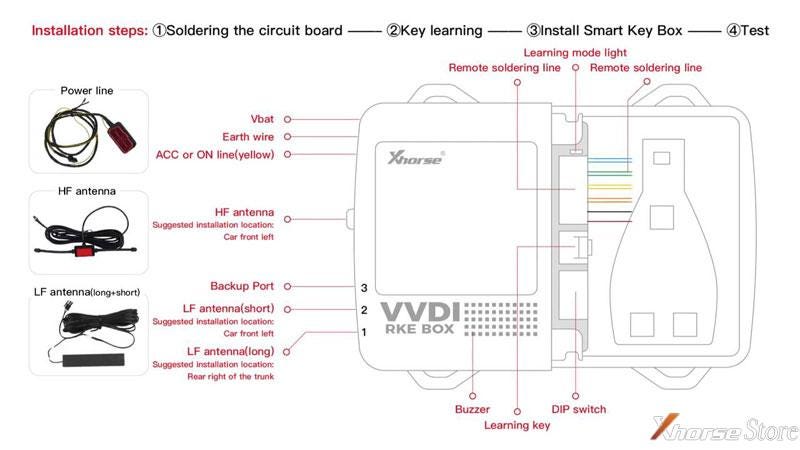
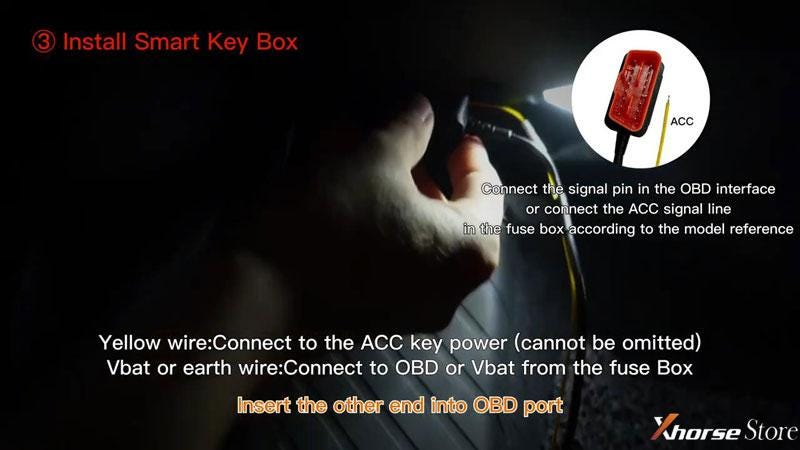
  1. Install Smart Key Box;

Note: If you’re using Bluetooth to control the car only, no need to match more remotes or install HF/LF antenna.


- Insert long LF antenna into Port1, insert short LF antenna into Port2;

- Insert HF antenna into HF Port;

- connect power supply to Smart Key Box.

Xhorse Smart Key Box Quick Installation Guide

  1. Test Keyless Entry/Go function.

Test the lock/unlock function on smart phone by going away and approaching the car.

Done!

Xhorse Smart Key Box Quick Installation Guide

Come on to get one Xhorse Smart Key Box , one button to enter the era of digital keys!


Technical support by: xhorse uk store

Xhorse VVDI Key Tool Plus Adds a Jeep Compass Key Success

 Xhorse VVDI Key Tool Plus is able to program a new key for Jeep Compass 2016 via OBD success. Here I’m gonna show the procedure.


Connect VVDI Key Tool Plus Pad with OBD.

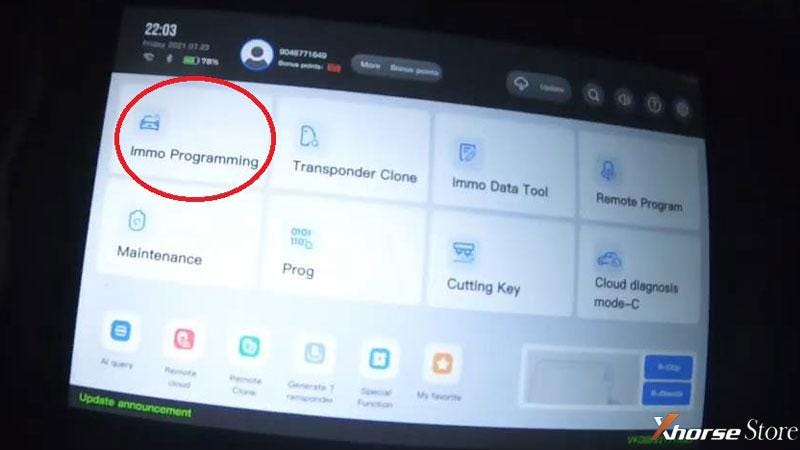
Use a working key to turn ignition on, press

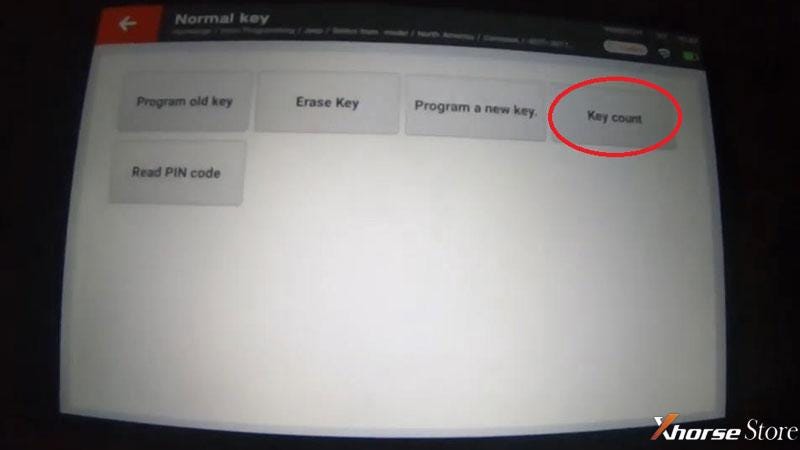
Immo programming >> Jeep >> Select from model >> North America >> Compass >> 2007-2017 >> Normal key >> Start programming >> Key count

Xhorse VVDI Key Tool Plus adds key for Jeep Compass

Xhorse VVDI Key Tool Plus adds key for Jeep Compass

Switch ignition on.

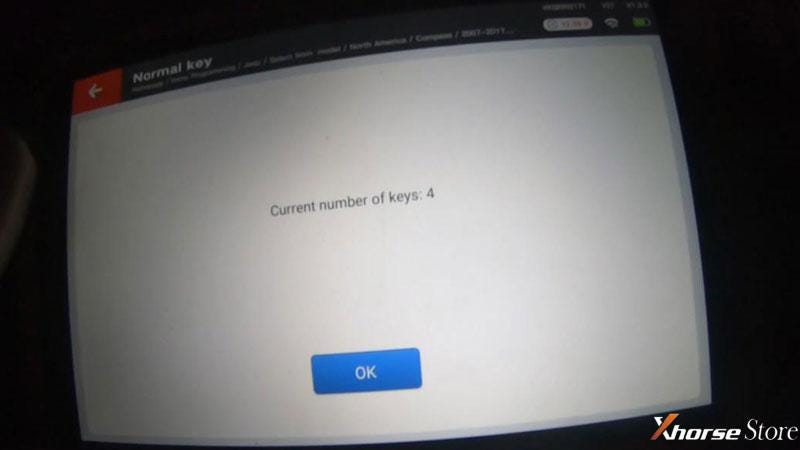
Current key number is 4.


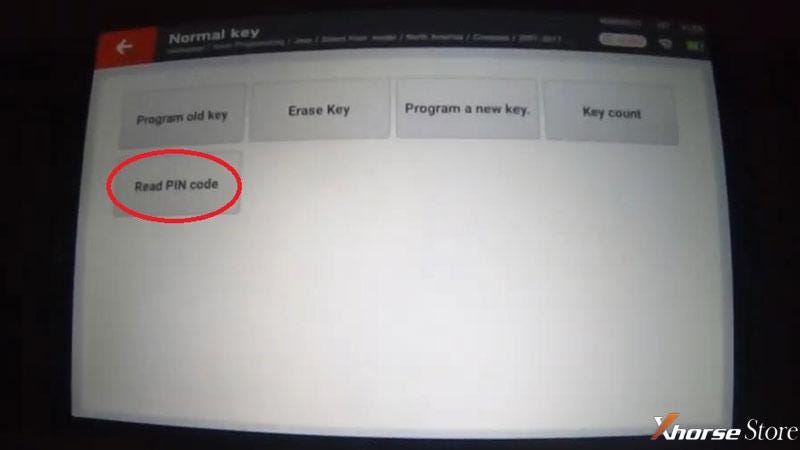
OK >> Read PIN code

Switch ignition on.

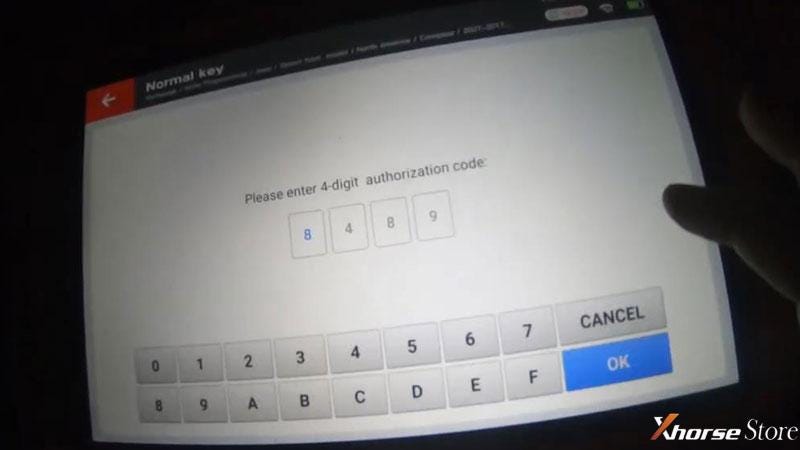
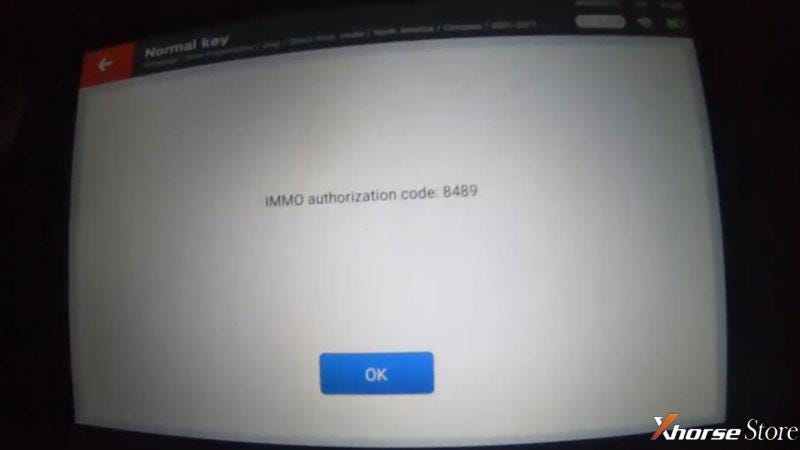
IMMO authorization code: 8489

Xhorse VVDI Key Tool Plus adds key for Jeep Compass

Xhorse VVDI Key Tool Plus adds key for Jeep Compass

Xhorse VVDI Key Tool Plus adds key for Jeep Compass

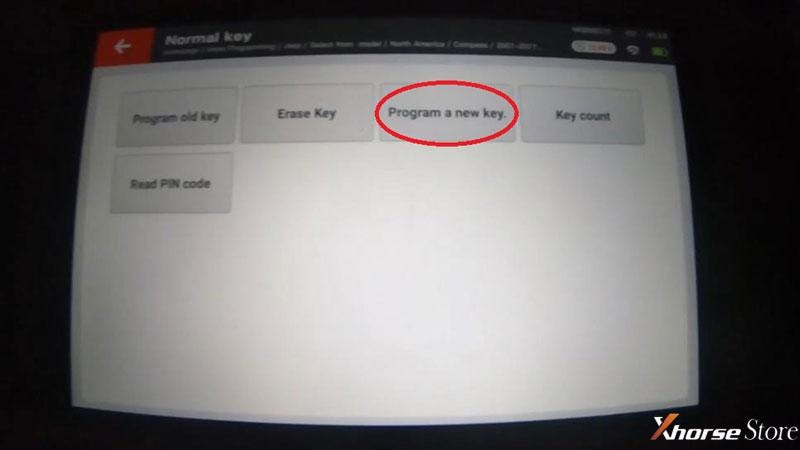
Go back to press “Program a new key”

Insert a new key to turn on ignition switch.

It will automatically enter the code: 8489, press “OK”.


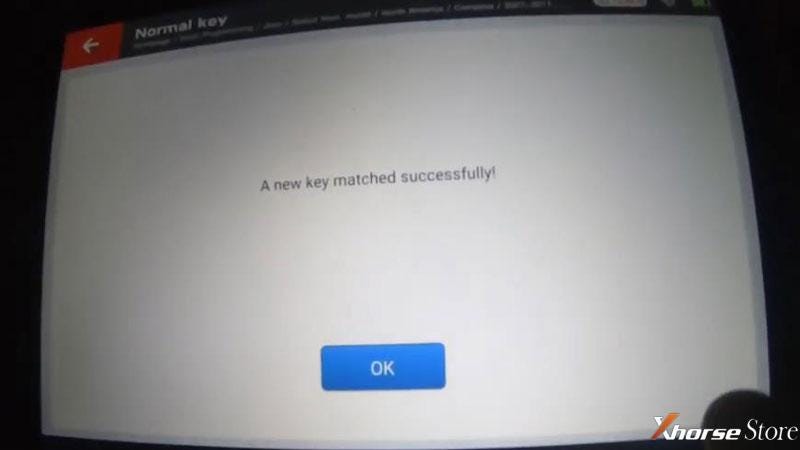
A new key matched successfully!

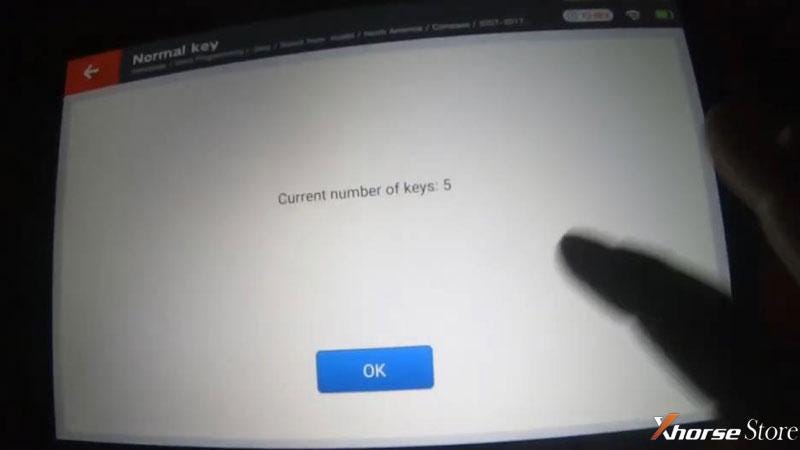
Let’s check the key number again, it’s 5 now.

And the mobilizer light on dashboard is now off.

Xhorse VVDI Key Tool Plus adds key for Jeep Compass

Xhorse VVDI Key Tool Plus adds key for Jeep Compass

Xhorse VVDI Key Tool Plus adds key for Jeep Compass

Xhorse VVDI Key Tool Plus adds key for Jeep Compass

Test the new key, lock & unlock work well, car cranks normally, it’s running.


So this is a new key successfully programmed to a 2016 Jeep Compass with VVDI Key Tool Plus. It is quite easy and fast to finish in 2 minutes.


Technical support by: xhorse uk store

Mercedes-Benz ESL Damage Reasons and Solutions

 The damage to the ESL/ELV should be the easiest way to trigger Benz failures. In a case that the ESL is damaged, it usually requires to replace it by a new ESL module or ELV simulator.


Possible reasons to cause ESL damage:

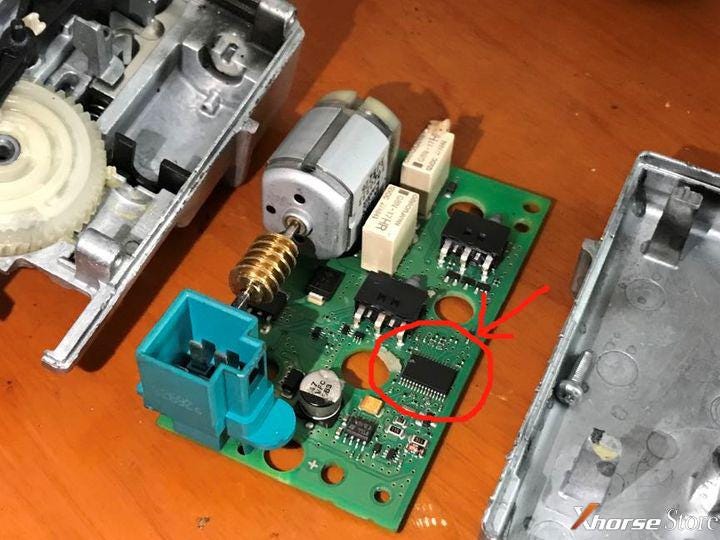
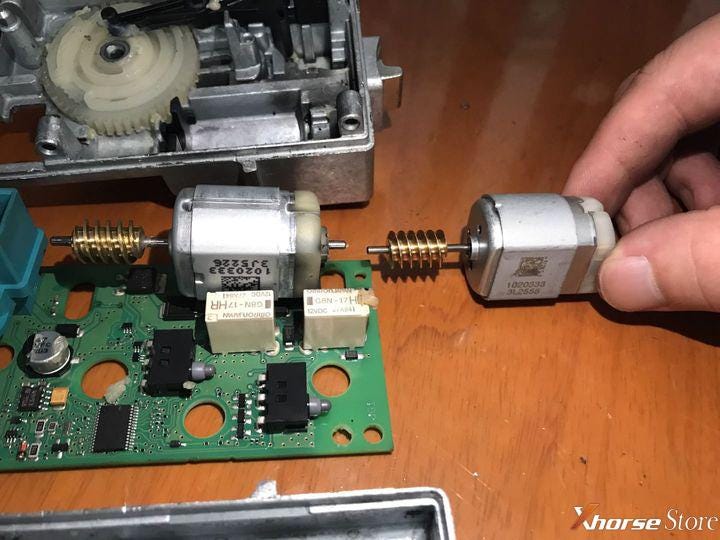
1)The electric motor is damaged

In most cases it’s the aging electric motor that cannot push the bolt to unlock without enough torque force.

Xhorse: ESL lock damage analysis and solutions

2)The internal chip is locked

Rarely it happens: the chip is locked. Actually it’s not damaged but some data errors happen.

Xhorse: ESL lock damage analysis and solutions


Solutions:

1.An emergency solution is to hit the lower part of the steering column for making the electric motor restore the bolt. If done, drive to repair shops immediately.


2.In the case that the electric motor is damaged we just need to replace it. Besides, the new improved electric motor is more durable. However, the problem is the high cost of a brand new ESL module (In some areas it costs about $2,000).


3.When the chip is locked, we need to desolder the chip, repair it by professional tools and rematch it. Only professional locksmiths can do the job by themselves.


4.Replacing ESL by an ELV simulator could be an easier way. There is no mechanical components  that may lock the steering wheel any more, but still signals fed back to the vehicle to unlock the steering wheel.


The ways to match an ESL or an ELV simulator by Xhorse VVDI MB on bench (same procedures):

1)Complete connections on bench as the diagrams and instruction.

2)Get the password through “Password Calculation” as the prompts.

For online calculation, it costs 1 token each time.

3)Read EIS data.

Press

EIS Tools>>Read EIS data

Paste the password on “Key Pass”, then

Press “Save EIS data” to save the file.

Xhorse: ESL lock damage analysis and solutions

4)Press

ESL Tools>>Read ESL data>>Load VVDI-MB EIS data

Check “Auto clear TP and personalized”.

Click “Write” to finish the procedures.

Xhorse: ESL lock damage analysis and solutions

Done!

This is what may cause Benz ESL damage and how to solve it.


Technical support by: www.xhorsestore.co.uk
How to Unlock Ford BOSCH MD1CP006 with OBDSTAR ECU Master via Boot?
 This guide covers the procedure for unlocking, reading, and writing locked Bosch MD1 CP006 engine control units found on Ford F-250 and F-...