Friday, 20 October 2023

Launch X431 ECU Programmer Clone Infiniti VGS2-FDCT TC1784 Gearbox

 How to use Launch X-431 ECU & TCU Programmer to clone Infiniti VGS2-FDCT TC1784 gearbox?

Follow the steps below to operate easily.

Connect X431 ECU Programmer and computer via USB cable

Open X-431 ECU & TCU Programmer PC software

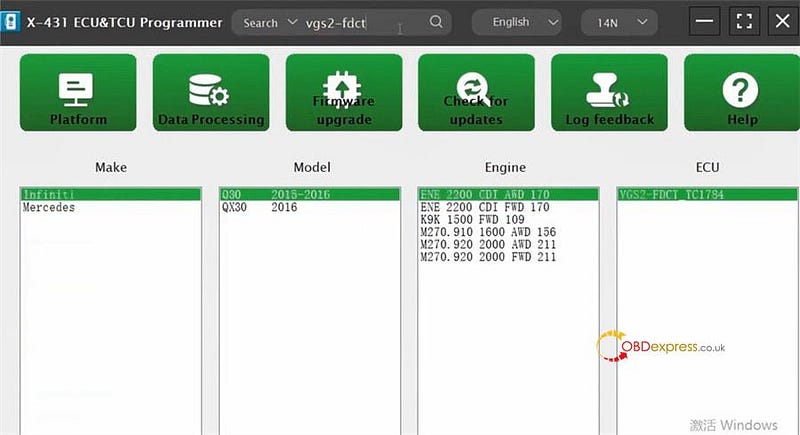
Input vgs2-fdc to quickly find the corresponding ECU model

(Infiniti Q30 2015–2016 ENE 2200 CDI AWD 170 VGS2-FDCT TC1784)

Launch X431 ECU Programmer Clone Infiniti VGS2-FDCT TC1784 Gearbox

Enter the operation page

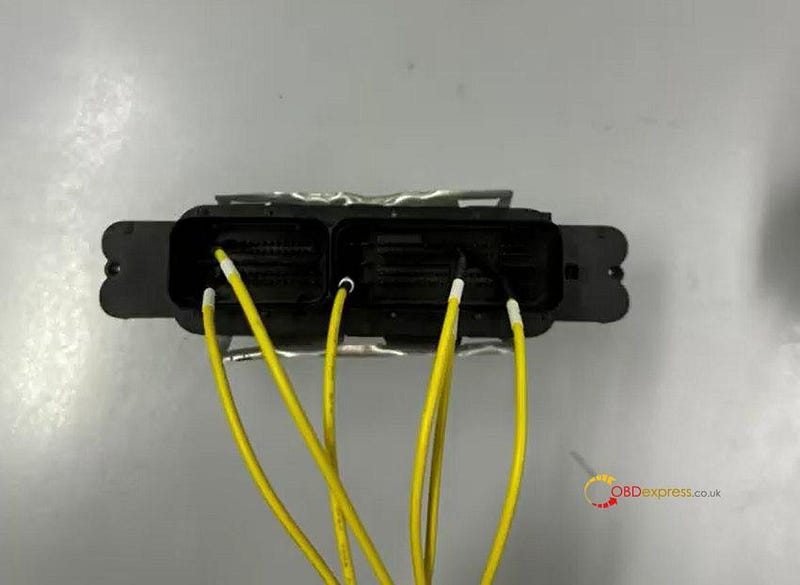
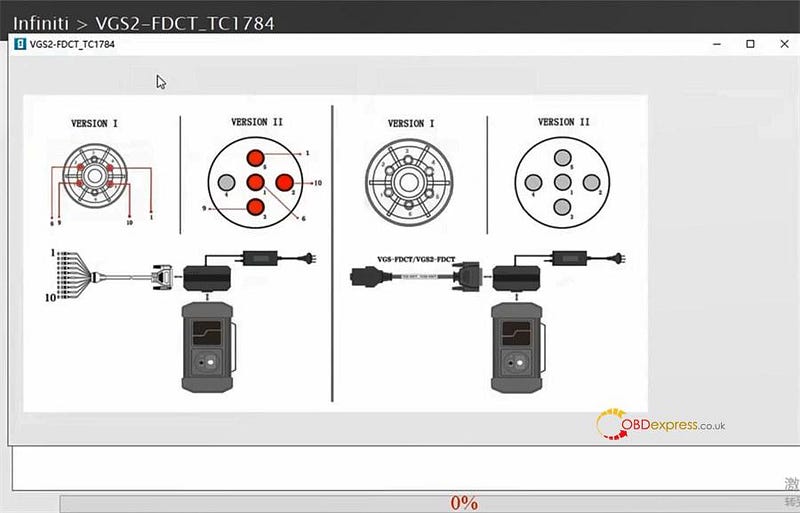
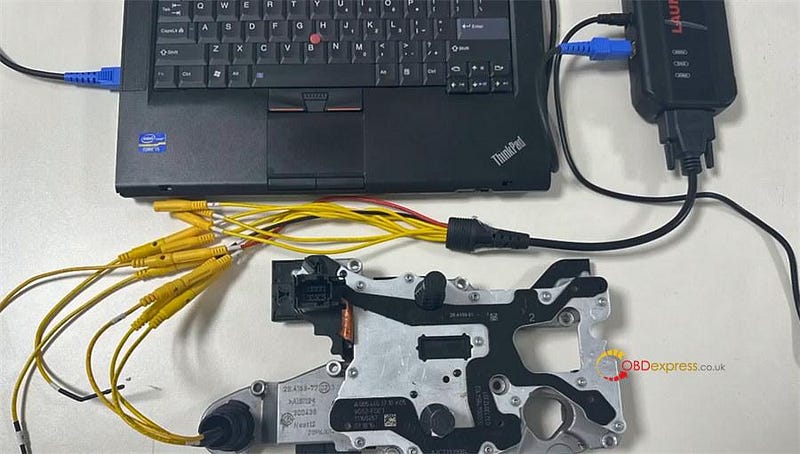
Click "Direct connection of diagram" to check the wiring diagram and follow it to connect X431 ECU Programmer and gearbox ECU

Launch X431 ECU Programmer Clone Infiniti VGS2-FDCT TC1784 Gearbox

Launch X431 ECU Programmer Clone Infiniti VGS2-FDCT TC1784 Gearbox

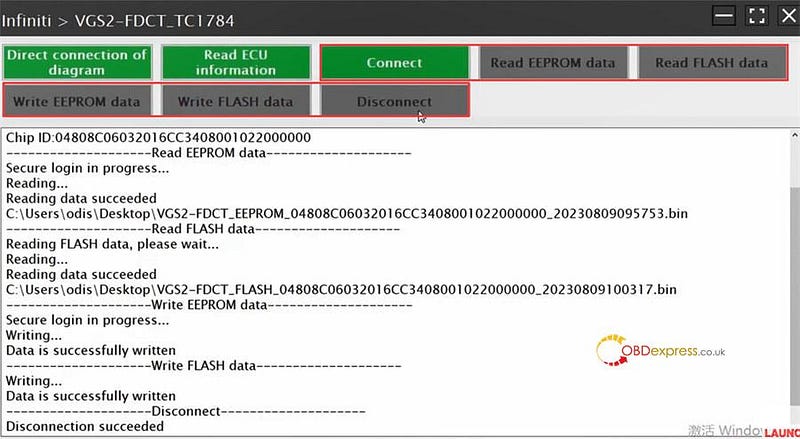
Click "Connect" to read chip ID

Click "Read EEPROM data" and "Read FLASH data" to read and save the original data in sequence

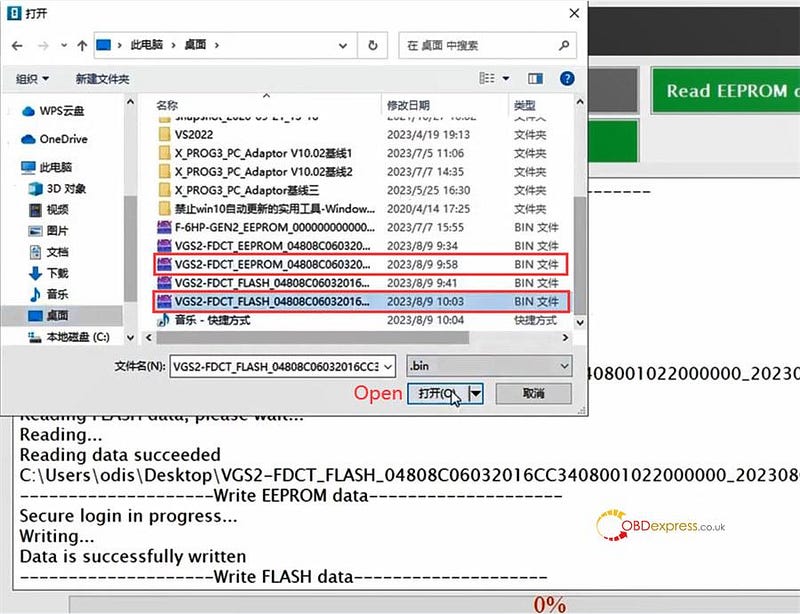
Click "Write EEPROM data" and "Write FLASH data" to select the corresponding original data just saved to write into the new VGS2-FDCT gearbox ECU

All read and write operations are completed with X431 ECU & TCU Programmer, click "Disconnect" and exit the system

Launch X431 ECU Programmer Clone Infiniti VGS2-FDCT TC1784 Gearbox

Launch X431 ECU Programmer Clone Infiniti VGS2-FDCT TC1784 Gearbox

Done!

www.obdexpress.co.uk

OBDSTAR DC706 Clone Ford LEAR MC9S12XEP768 BCM

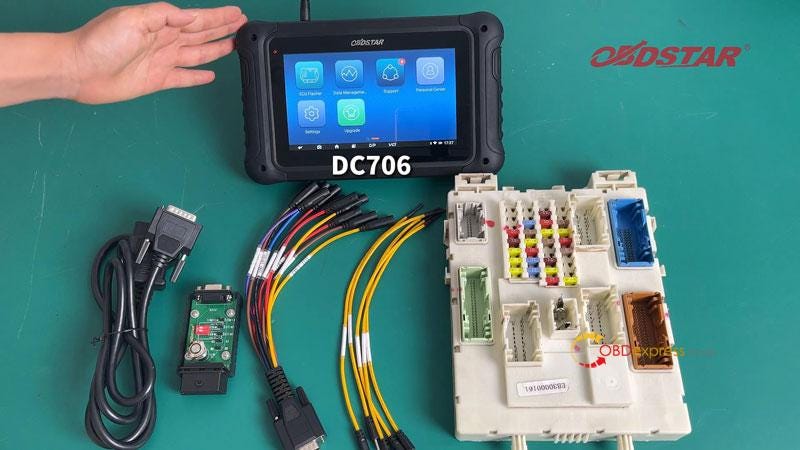
 This is a tutorial on how to use OBDSTAR DC706 ECU Tool to read & write Ford LEAR MC9S12XEP768 BCM by bench.

Accessories Required

OBDSTAR DC706

Main cable

P004 Adapter + ECU Clone Jumper

Ford BCM

* Please ensure DC706 is charging and communicating during the whole process.

OBDSTAR DC706 Clone Ford LEAR MC9S12XEP768 BCM

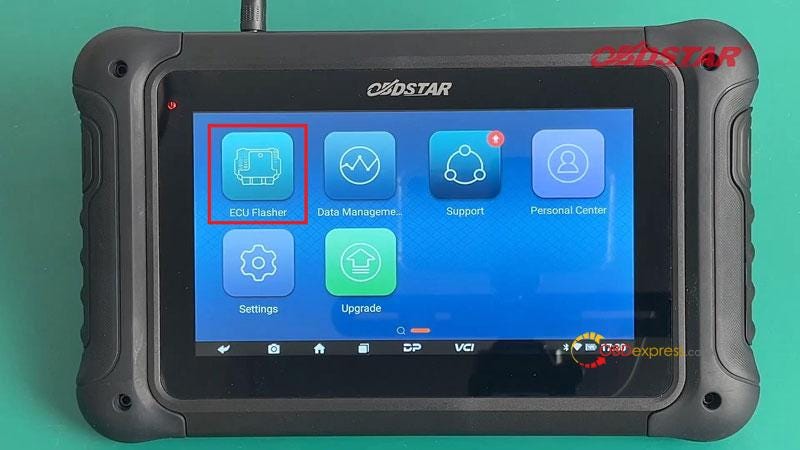
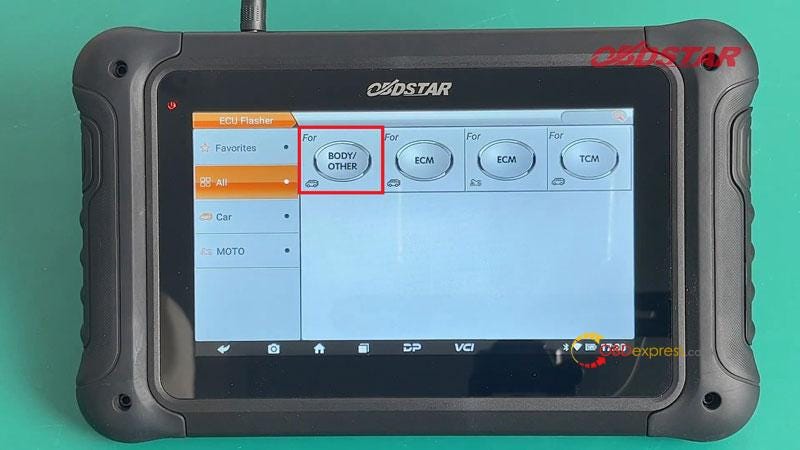
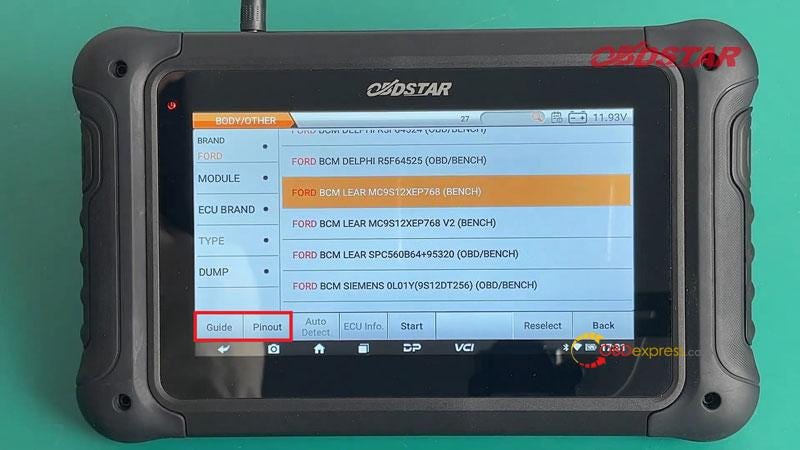
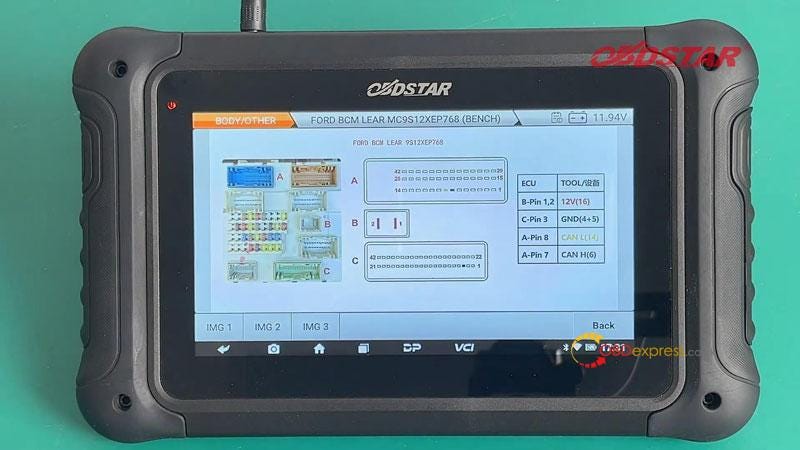
ECU Flasher >> BODY/ OTHER >> Latest Version >> Brand >> FORD >> FORD BCM LEAR MC9S12XEP768(BENCH) >> Guide/Pinout

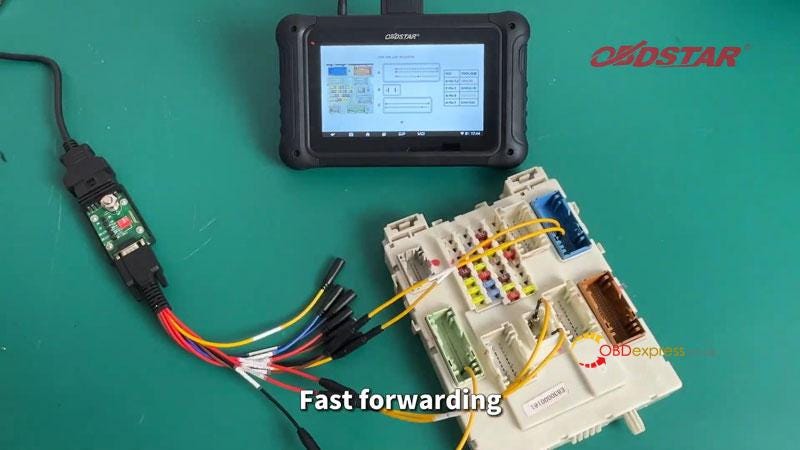
Connect the harness according to the wiring diagram.

OBDSTAR DC706 Clone Ford LEAR MC9S12XEP768 BCM

OBDSTAR DC706 Clone Ford LEAR MC9S12XEP768 BCM

OBDSTAR DC706 Clone Ford LEAR MC9S12XEP768 BCM

OBDSTAR DC706 Clone Ford LEAR MC9S12XEP768 BCM

OBDSTAR DC706 Clone Ford LEAR MC9S12XEP768 BCM

Once completed, turn on the power of P004 adapter and connect to ECU:

Start >> OK >> Connect

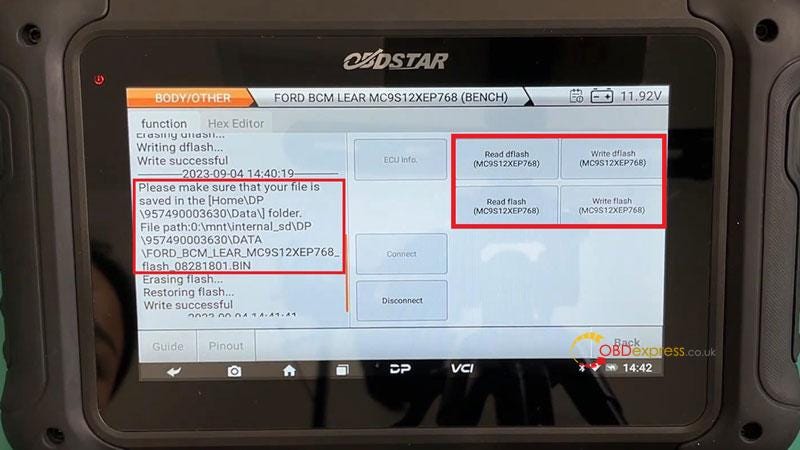
Here we can read and write MC9S12XEP768 dflash & flash.

After the file is read, we can modify the file name to save. Then continue to write file.

On the left side of scree, we can check the log to find saved path.

After BCM read and write operation is completed, remember to disconnect.

OBDSTAR DC706 Clone Ford LEAR MC9S12XEP768 BCM

www.obdexpress.co.uk

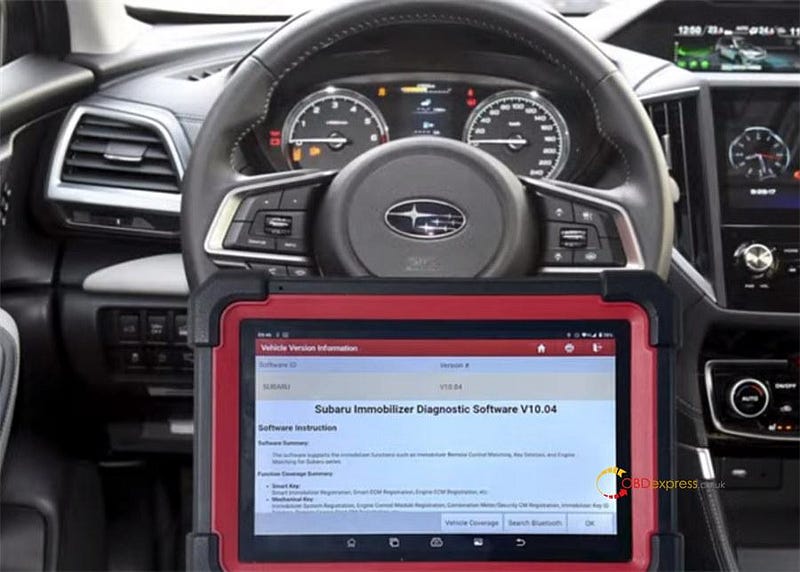
Subaru Anti-theft Key Matching with Launch X431 IMMO Plus/ Elite

 How to use Launch X431 IMMO Plus/IMMO Elite to do Subaru anti-theft key matching?

It can be performed easily and fast according to the on-screen prompts.

Subaru Anti-theft Key Matching with Launch X431 IMMO Plus_Elite

Connect X431 IMMO key programmer to vehicle properly

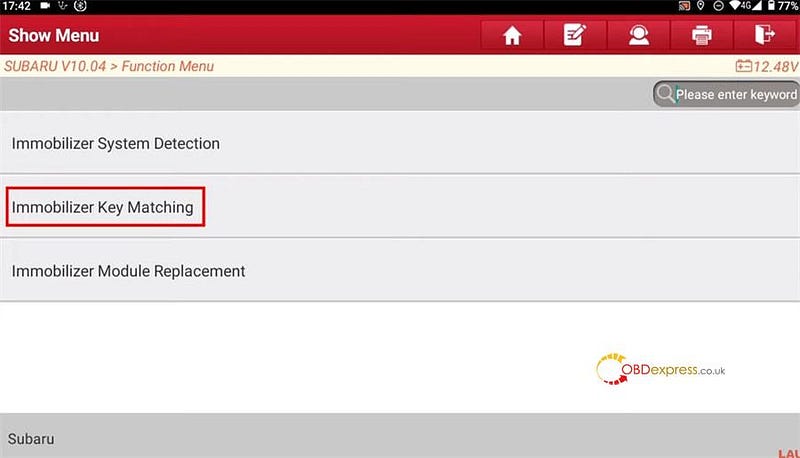
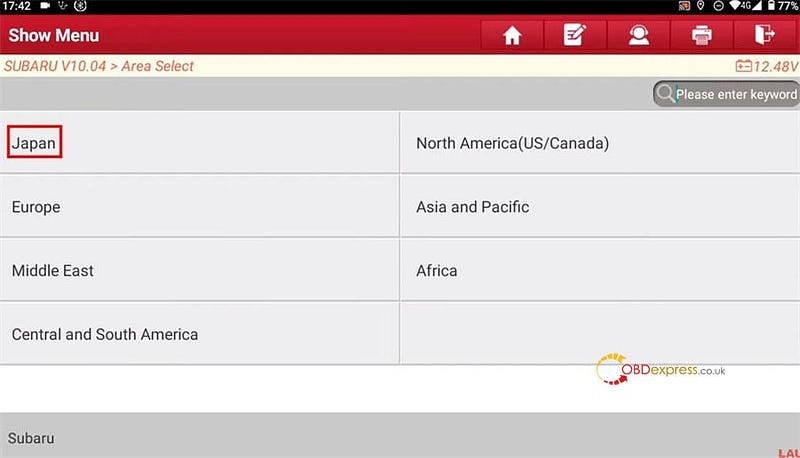
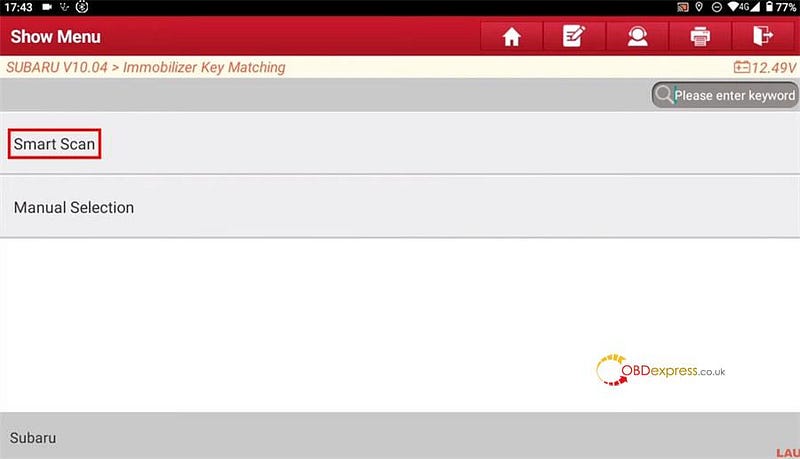
Select IMMO>> Subaru>> Immobilizer Key Matching>> Japan>> Smart Scan

Subaru Anti-theft Key Matching with Launch X431 IMMO Plus_Elite

Subaru Anti-theft Key Matching with Launch X431 IMMO Plus_Elite

Subaru Anti-theft Key Matching with Launch X431 IMMO Plus_Elite

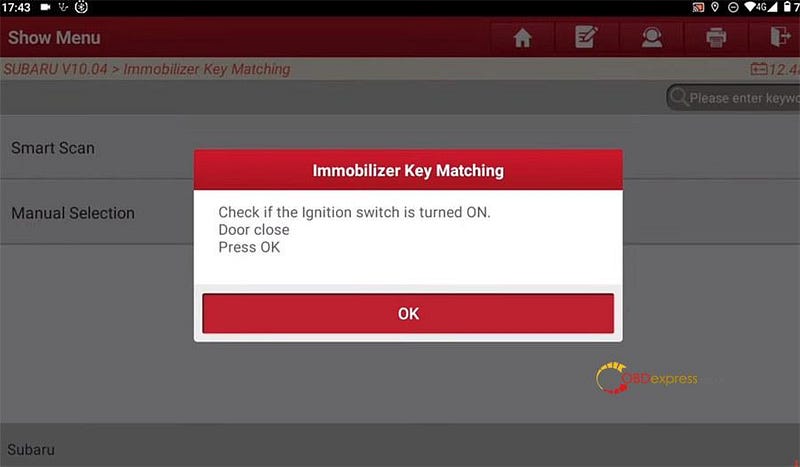
Check if the ignition switch is turned on and the doors are closed.

Subaru Anti-theft Key Matching with Launch X431 IMMO Plus_Elite

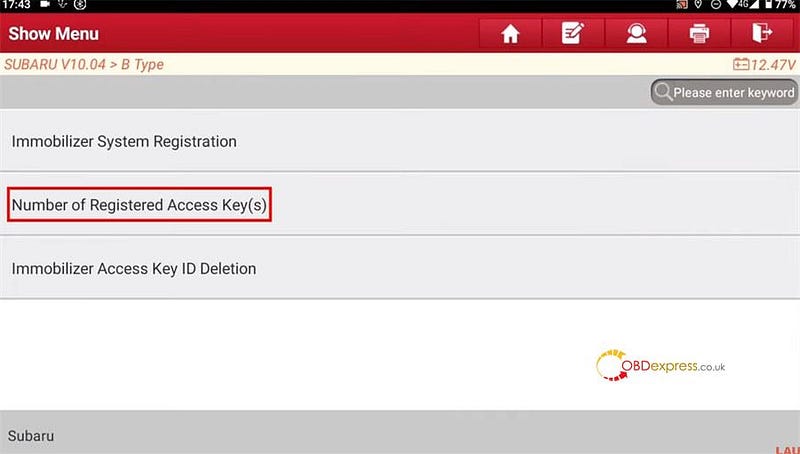
Click Number of Registered Access Key (s)

Subaru Anti-theft Key Matching with Launch X431 IMMO Plus_Elite

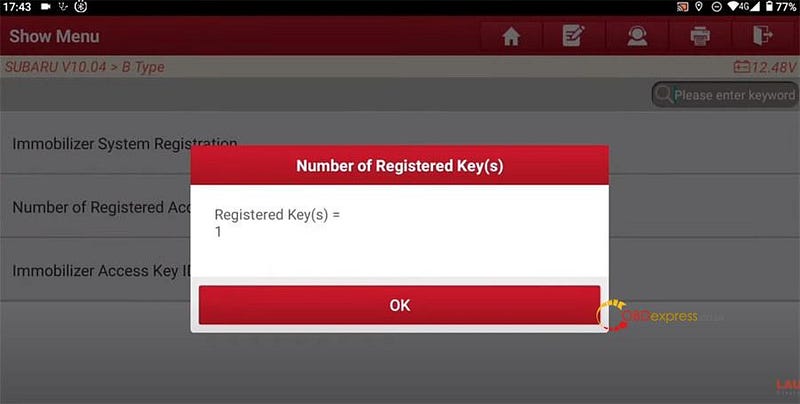
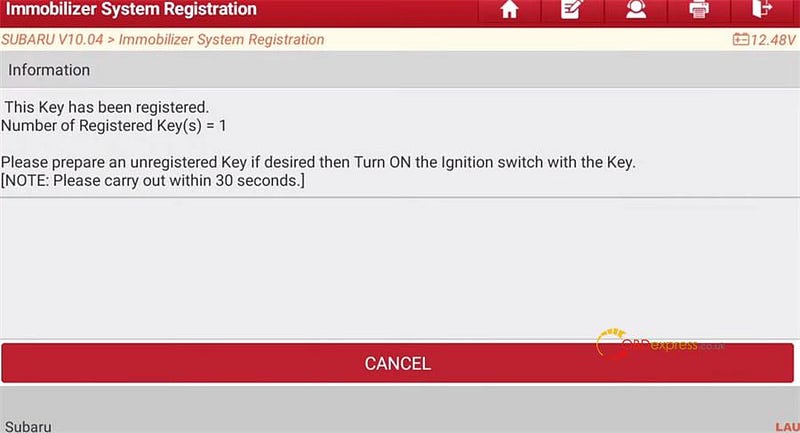
Confirm the registered key number

It's 1.

Subaru Anti-theft Key Matching with Launch X431 IMMO Plus_Elite

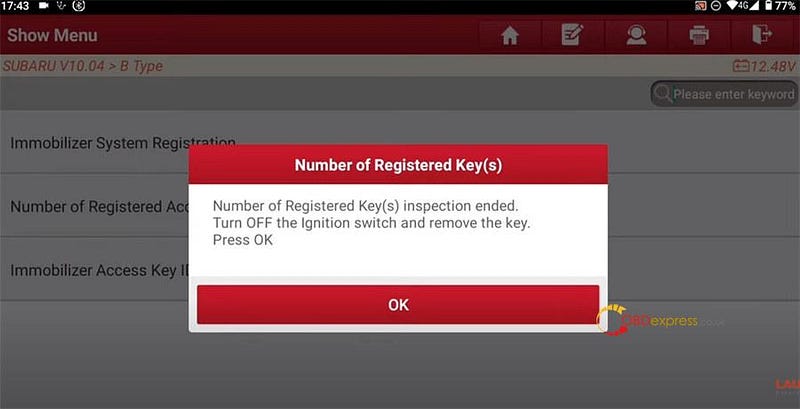
Inspect the Number of Registered key successfully. Turn the ignition switch off and remove the key

Subaru Anti-theft Key Matching with Launch X431 IMMO Plus_Elite

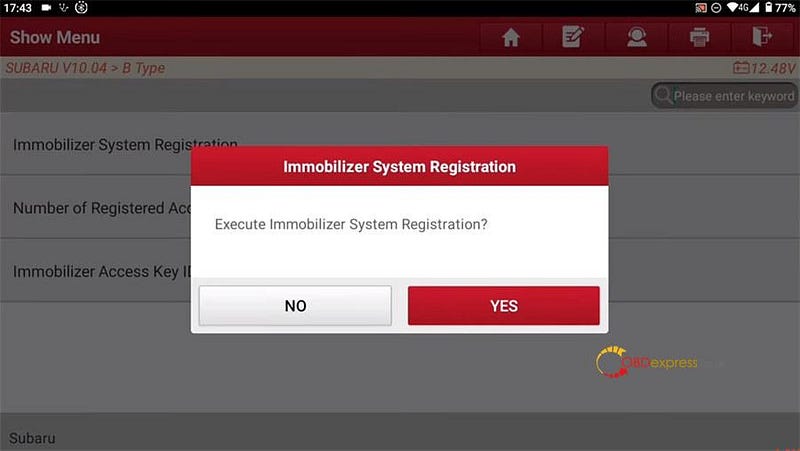
Execute Immobilizer system Registration

Subaru Anti-theft Key Matching with Launch X431 IMMO Plus_Elite

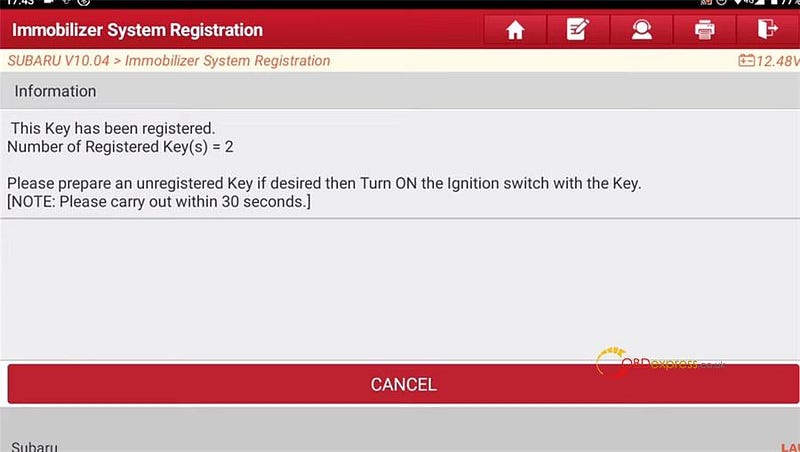
Follow the prompt to prepare unregistered keys to turn on the ignition switch

Subaru Anti-theft Key Matching with Launch X431 IMMO Plus_Elite

Subaru Anti-theft Key Matching with Launch X431 IMMO Plus_Elite

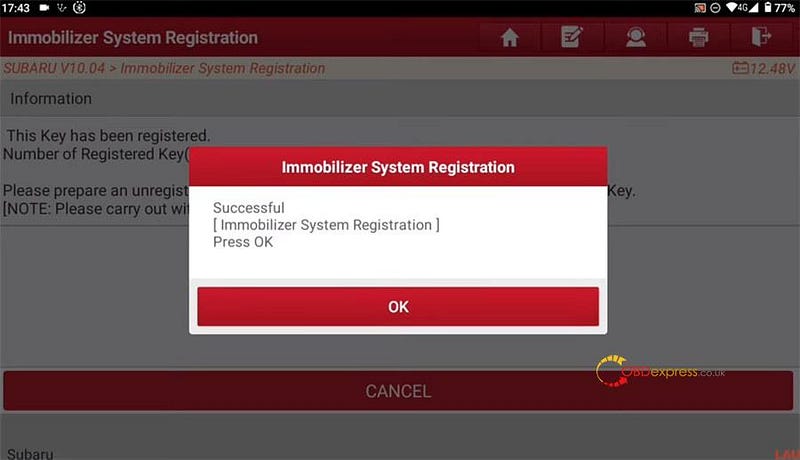
Register 2 keys with X-431 IMMO Plus/Elite successfully

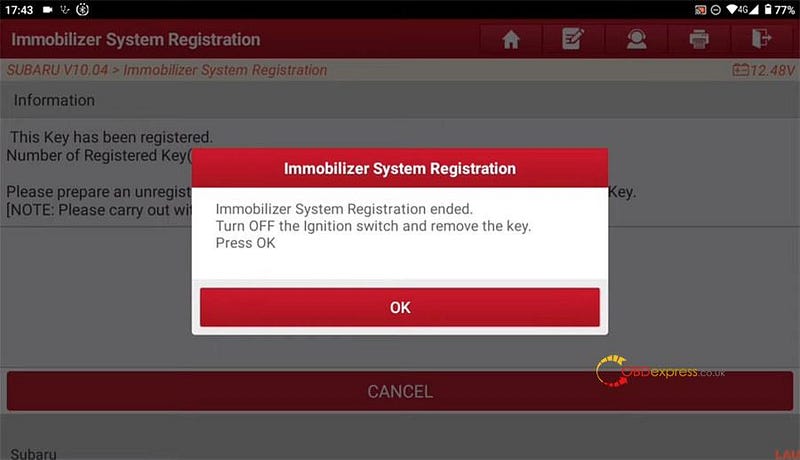
Turn the ignition switch off and remove the key

Subaru Anti-theft Key Matching with Launch X431 IMMO Plus_Elite

Subaru Anti-theft Key Matching with Launch X431 IMMO Plus_Elite

Done!

www.obdexpress.co.uk


Monday, 16 October 2023

Xtruck Y006 Nitrogen & Oxygen Detector Software Upgrade Guide

 This is a tutorial on how to update Xtruck Y006 Nitrogen & Oxygen Detector software for the first time. Read this article carefully to get start.

Step1. Connect device & update the program

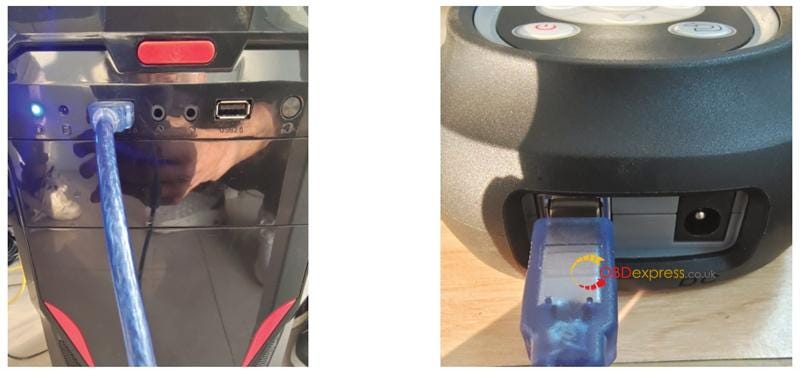
  • Please connect Xtruck Y006 to the computer through USB interface, as shown below:
    1. Xtruck Y006 Nitrogen Oxygen Detector Software Upgrade Guide

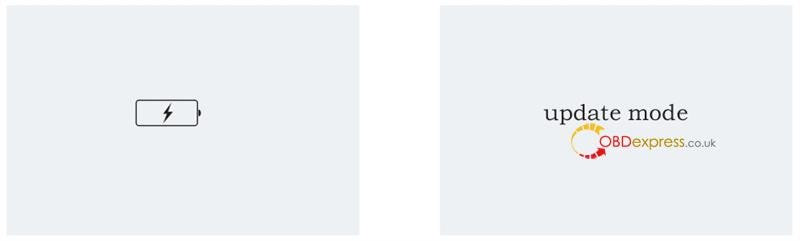
    2. After successful connection, press "return" button to enter the update mode. If the screen displays "Update mode", it means that is has successfully entered the update mode.
      1. Xtruck Y006 Nitrogen Oxygen Detector Software Upgrade Guide

        Step2. Install the CH340 serial driver

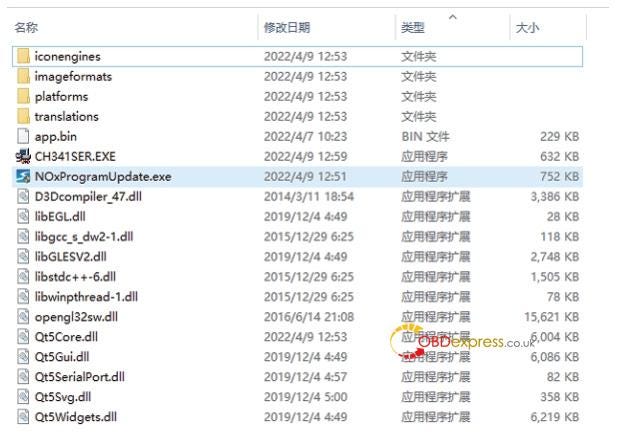
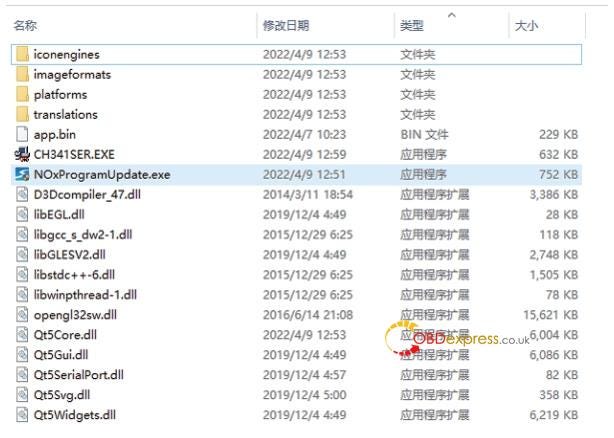
      2. Open the CyberPower Disc Creator of Nitrogen and Oxygen sensor program, click NOxProgramUpdate.
        1. Xtruck Y006 Nitrogen Oxygen Detector Software Upgrade Guide

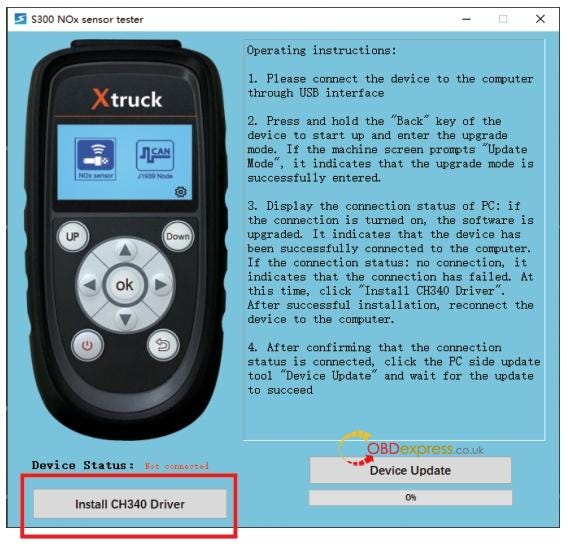
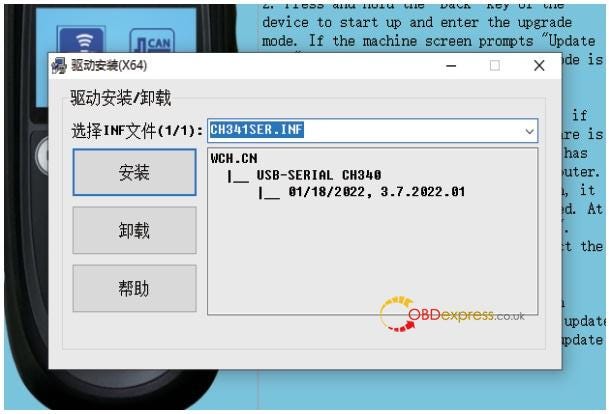
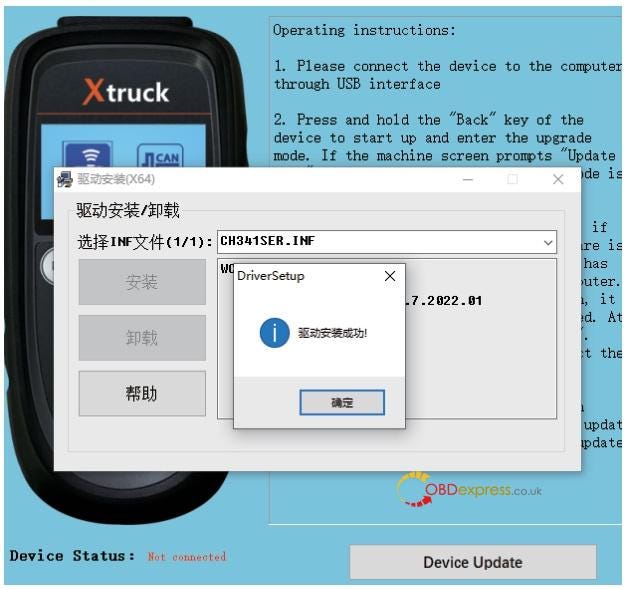
        2. Install the CH340 driver, just as shown below:
          1. Xtruck Y006 Nitrogen Oxygen Detector Software Upgrade Guide

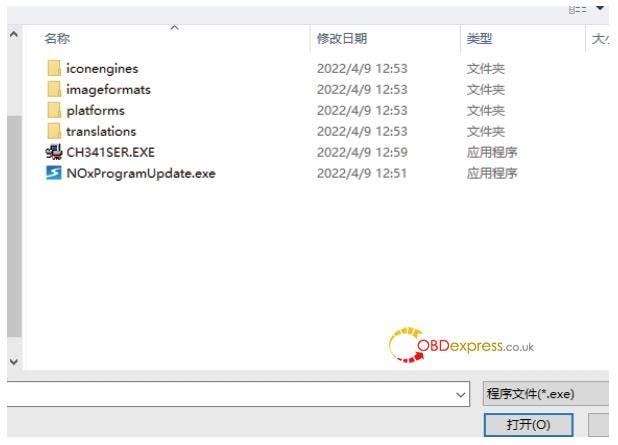
          2. Find the file directory and click the SETUP.EXE file below, just as shown below:
            1. Xtruck Y006 Nitrogen Oxygen Detector Software Upgrade Guide

            2. Click the Install button, the interface as shown in the figure will pop up, and just wait for the installation.
              1. Xtruck Y006 Nitrogen Oxygen Detector Software Upgrade Guide

              2. NOxProgramUpdate
                1. Re-open the CyberPower Disc Creator "NOxProgramUpdate" of the nitrogen and oxygen sensorprogram.

                  Xtruck Y006 Nitrogen Oxygen Detector Software Upgrade Guide

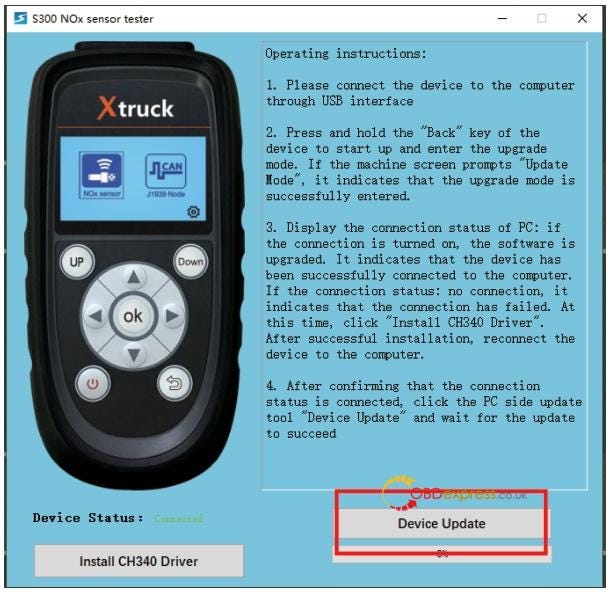
                2. If the connection status shows connected(as shown below), click the button to update the main program.
                  1. Xtruck Y006 Nitrogen Oxygen Detector Software Upgrade Guide

                  2. Wait for the update, if the following pop-up window is displayed, it means that the program update is successful.
                    1. Xtruck Y006 Nitrogen Oxygen Detector Software Upgrade Guide

                      www.obdexpress.co.uk

                      Which Launch Tool Can Clone VW/AUDI ME17.5.22 Engine Computer?

                       Question:

                      I'm looking for a tool to clone VW/AUDI ME17.5.22 engine computer. Many people say Launch tool. Which one is better to use?

                      Here is the suggestion:

                      Many Launch scan tools support this function.

                      Such as Launch X431 IMMO Elite, X431 IMMO Plus, X-431 ECU & TCU Programmer, X431 X-Prog3 PC Adapter (need X-PROG3), X431 PAD VII, PAD V, PROS Anti-theft matching tool and other diagnostic devices + X-Prog 3 GIII programmer.

                      They are good devices. Choose the one depending on what vehicle, what function and budget you want.

                      1.X431 IMMO Elite/IMMO Plus

                      These two tools have the same hardware, the main difference is that IMMO Plus not only covers the function of IMMO Elite, but also supports ECU Coding and advanced system diagnosis.

                      The clone procedure is the same.

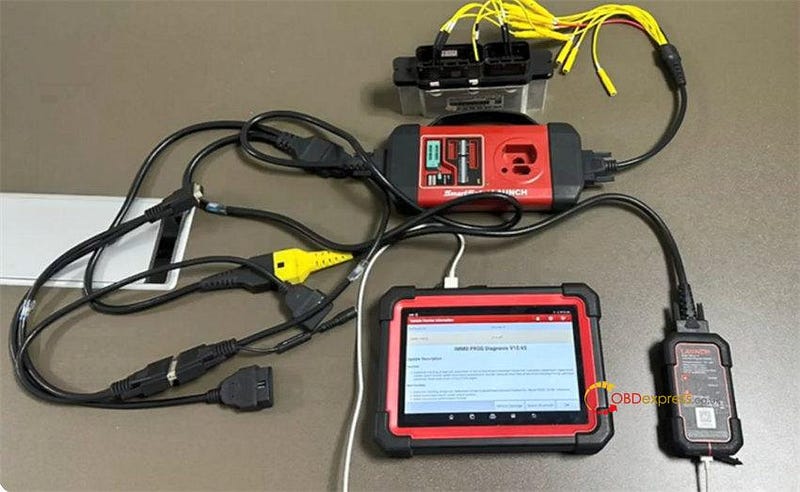
                      Both need to work with DBSCar VII Connector and X-Prog3 to clone VW/AUDI engine computer. Due to the ECU may be damaged due to erratic reading and writing data of Bluetooth or WiFi in bench mode, it's recommended to use USB to connect device and connector to improve communication stability.
                      Launch Tool Clone VW AUDI ME17.5.22 Engine Computer

                      Preparation:

                      X-431 IMMO Elite or X-431 IMMO Plus

                      DBScar VII VCI Connector

                      Launch X-PROG 3 immobilizer programmer kit

                      Other cables and adaptors in the device package

                      Original and new VW/AUDI ME17.5.22 TC1724 engine computer

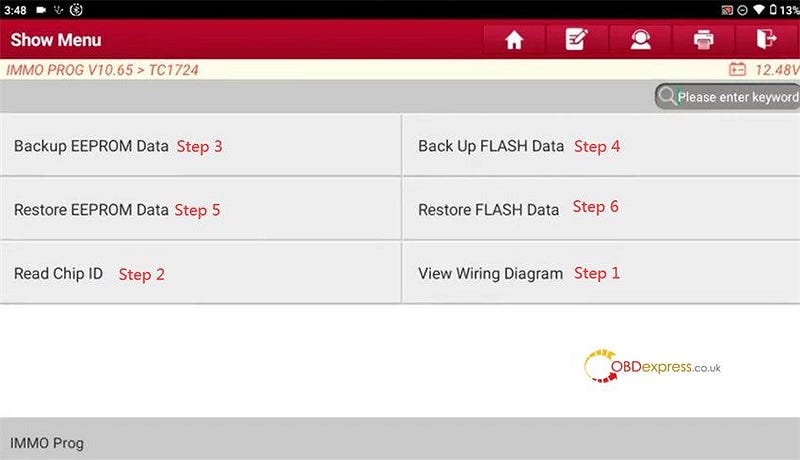
                      Main steps:

                      Step 1: View Wiring Diagram to connect devices

                      Step 2: Read Chip ID

                      Step 3: Backup EEPROM Data

                      Step 4: Backup FLASH Data

                      Step 5: Restore EEPROM Data

                      Step 6: Restore FLASH Data
                      Launch Tool Clone VW AUDI ME17.5.22 Engine Computer

                      Operation process:

                      Turn on X431 IMMO Tablet and enter IMMO Prog function

                      Connect Launch X431 IMMO Plus or IMMO Elite programmer and DBScar VII VCI Connector simultaneously

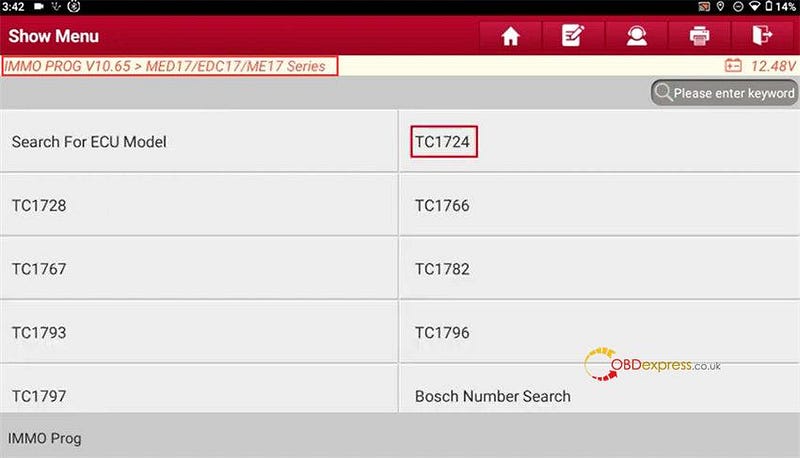
                      Select IMMO Prog V10.65>>MED17/EDC17/ME17 Series>> TC1724
                      Launch Tool Clone VW AUDI ME17.5.22 Engine Computer

                      If the current engine belongs to any of VW or Porsche models, you need to access the car model software to perform the cloning function.

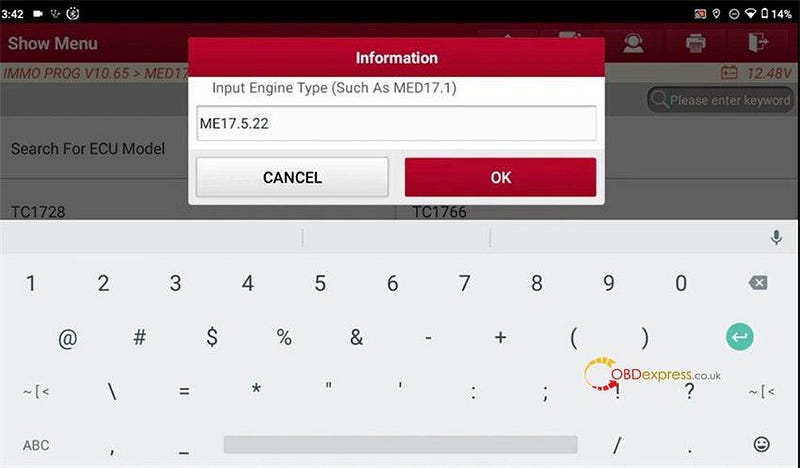
                      Input engine type (ME17.5.22)
                      Launch Tool Clone VW AUDI ME17.5.22 Engine Computer

                      It shows the main control chip corresponding to the current engine type TC1724.
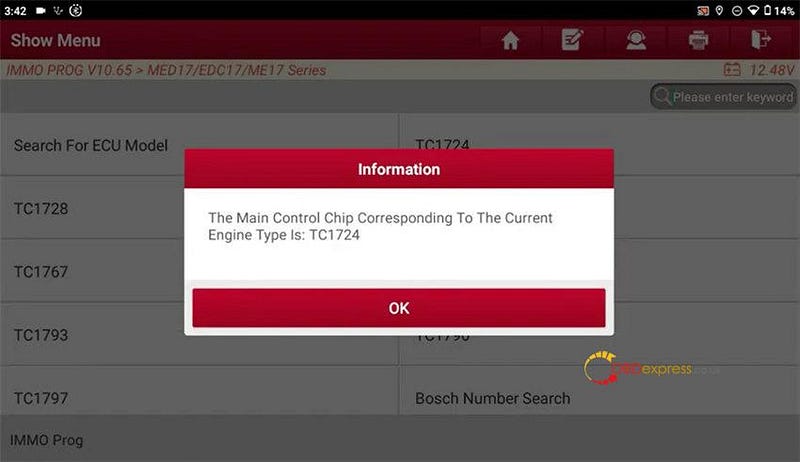
                      Launch Tool Clone VW AUDI ME17.5.22 Engine Computer

                      Confirm and perform the main steps below.

                      Step 1: View Wiring Diagram

                      Follow the wiring diagram to connect X-Prog3 and the original engine computer, and also power the device on.
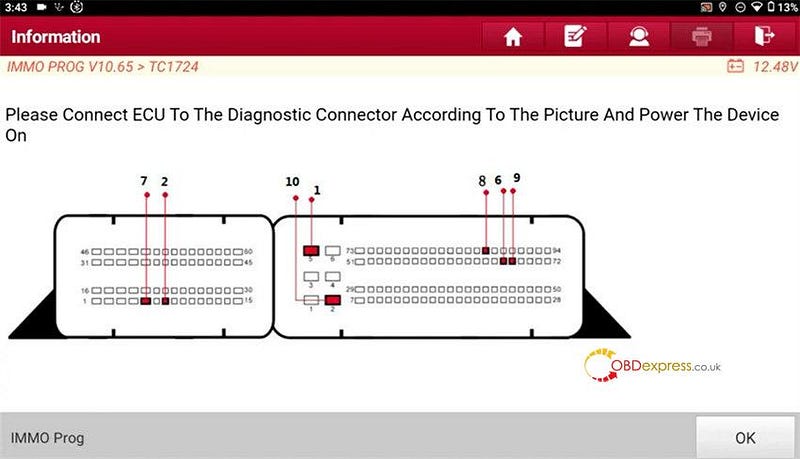
                      Launch Tool Clone VW AUDI ME17.5.22 Engine Computer

                      Launch Tool Clone VW AUDI ME17.5.22 Engine Computer

                      Step 2: Read Chip ID

                      Read chip ID successfully
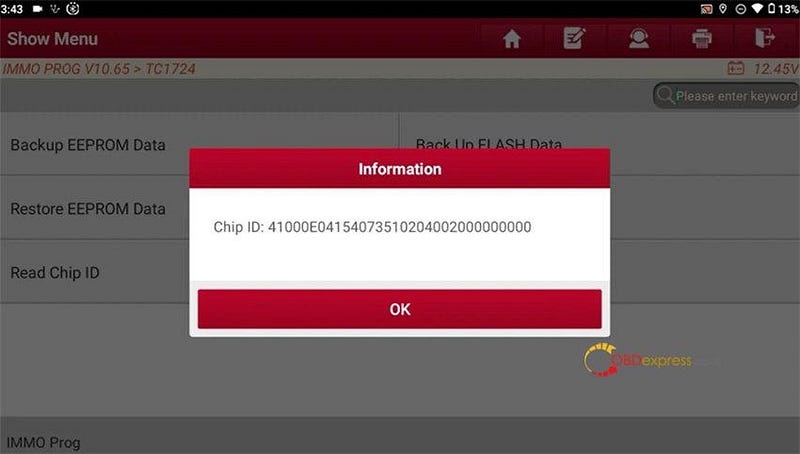
                      Launch Tool Clone VW AUDI ME17.5.22 Engine Computer

                      Step 3: Backup EEPROM Data

                      Read and back up the original EEPROM data
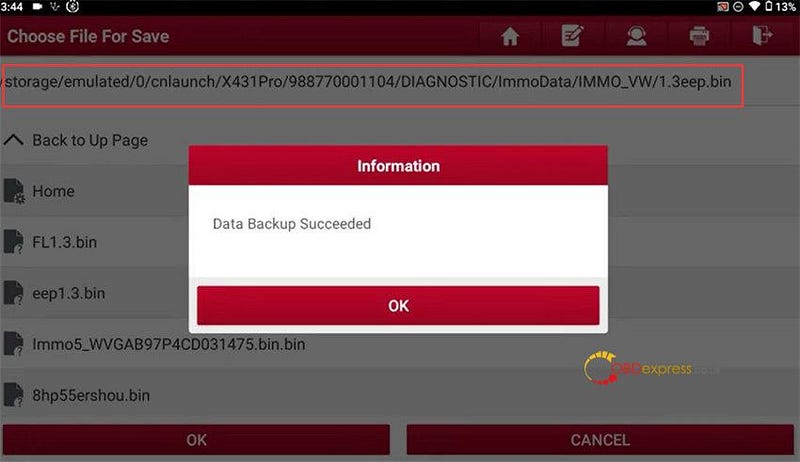
                      Launch Tool Clone VW AUDI ME17.5.22 Engine Computer

                      Step 4: Backup FLASH Data

                      Read and back up the original FLASH data
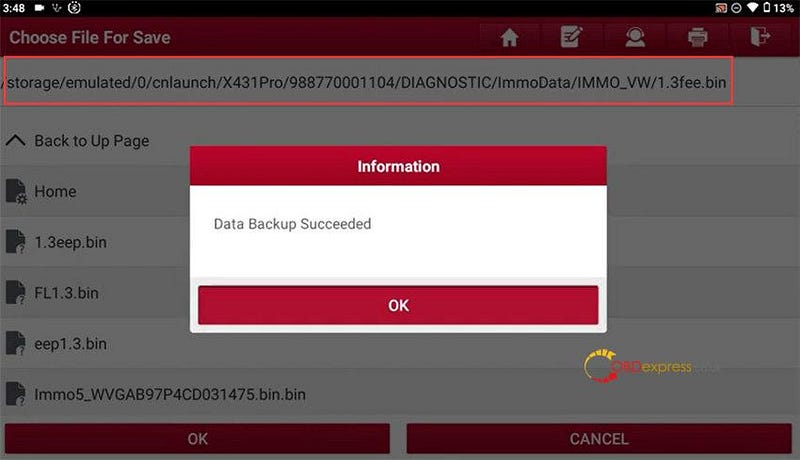
                      Launch Tool Clone VW AUDI ME17.5.22 Engine Computer

                      Disconnect Launch X431 IMMO device and the original engine computer, and connect to new one

                      Step 5: Restore EEPROM Data

                      Select the original eeprom data to write into the new engine computer.
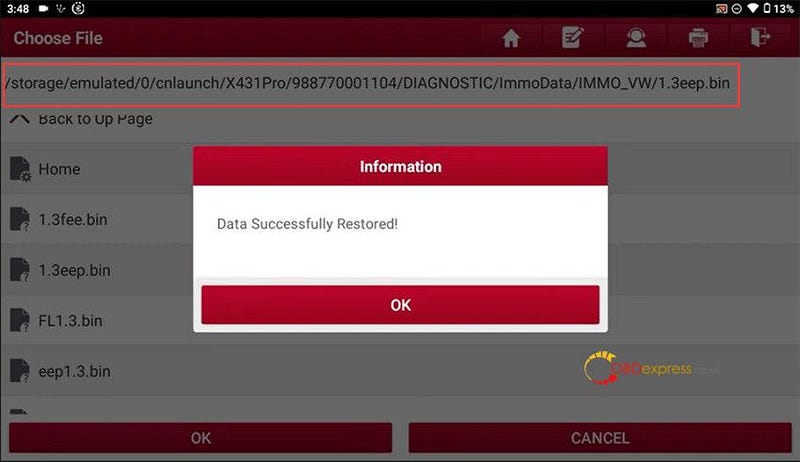
                      Launch Tool Clone VW AUDI ME17.5.22 Engine Computer

                      Step 6: Restore FLASH Data

                      Select the original FLASH data to write into the new engine computer.
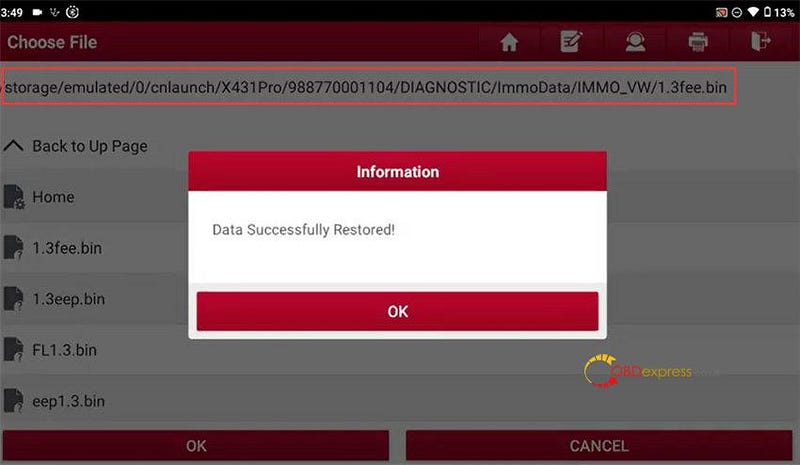
                      Launch Tool Clone VW AUDI ME17.5.22 Engine Computer

                      2.Launch X-431 ECU & TCU Programmer/ X-Prog3 PC Adapter

                      X431 ECU Programmer can work alone while X-PROG3 PC Adapter needs to work with X431 X-PROG3 key programmer. They have unique PC software, but the function and operation steps are similar.

                      Refer to:

                      http://blog.obdexpress.co.uk/2023/09/27/launch-x431-ecu-programmer-clone-vw-me17-5-22-engine-computer/

                      3.Launch X431 PAD VII/PAD V/PROS + GIII

                      http://blog.obdexpress.co.uk/2021/12/09/replace-vw-audi-uds-me17-5-22-engine-with-launch-x431-padiii-padv-pro-g3/

                      Launch X-431 IMMO Elite (€1,099):

                      https://www.obdexpress.co.uk/wholesale/launch-x431-immo-elite.html

                      Launch X-431 IMMO Plus (€1,199):

                      https://www.obdexpress.co.uk/wholesale/launch-x431-immo-plus.html

                      Launch X431 ECU & TCU Programmer (€640):

                      https://www.obdexpress.co.uk/wholesale/launch-x431-ecu-tcu-programmer.html

                      Launch X431 X-Prog3 PC Adapter (€183):

                      https://www.obdexpress.co.uk/wholesale/launch-xprog3-pc-adapter.html

                      Launch X-431 PAD VII (€2,199):

                      https://www.obdexpress.co.uk/wholesale/launch-x431-padvii-diagnostic-tool.html

                      Launch X-431PROS (€699):

                      https://www.obdexpress.co.uk/wholesale/launch-x431-pros-v4.0-diagnostic-tool.html

                      LAUNCH X431 X-PROG3 GIII Key Programmer (€519):

                      https://www.obdexpress.co.uk/wholesale/launch-xprog3-key-programmer.html

                      www.obdexpress.co.uk

                      OBDSTAR X300 DP Plus Program 2020 Hyundai Elantra AKL

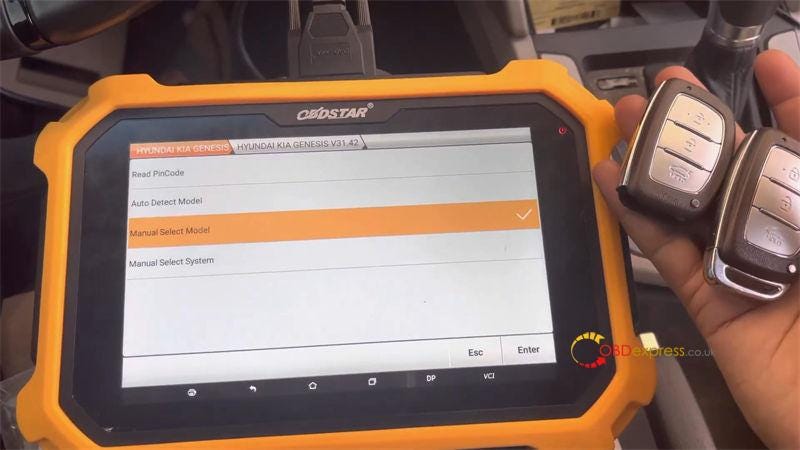
                       Today I'm gonna use OBDSTAR X300 DP Plus to program 2020 Hyundai Elantra all keys lost with free pincode. Here are 2 keys to be programmed. Following I'm gonna show how to do.

                      OBDSTAR X300 DP Plus Program 2020 Hyundai Elantra AKL

                      Read Pincode

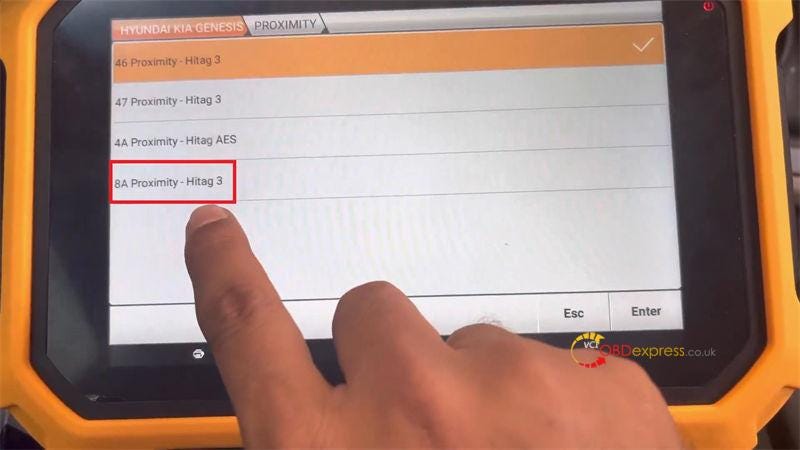
                      CAR IMMO >> HYUNDAI KIA GENESIS >> Latest version >> Read PinCode >> PROXIMITY >> 8A Proximity — Hitag 3

                      This function is available by connecting the server, please ensure the Internet connection is normal.

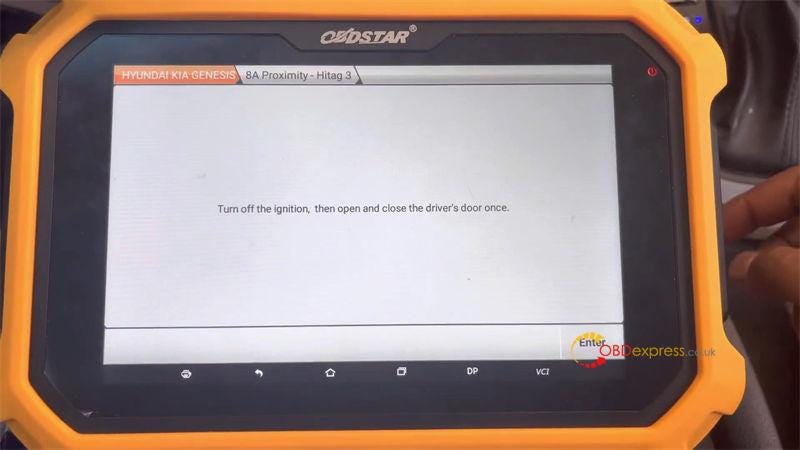
                      Turn off the ignition, then open and close the driver's door once.

                      Reading data…

                      Pincode: 212243

                      It has been successfully read out, just take a photo for record.

                      OBDSTAR X300 DP Plus Program 2020 Hyundai Elantra AKL

                      OBDSTAR X300 DP Plus Program 2020 Hyundai Elantra AKL

                      Program Smart Key

                      Manual select model >> HYUNDAI >> AUSTRALIA >> ELANTRA >> 2015–2020 >> PROXIMITY >> Program smart keys

                      Please press start button, press ENTER to continue.

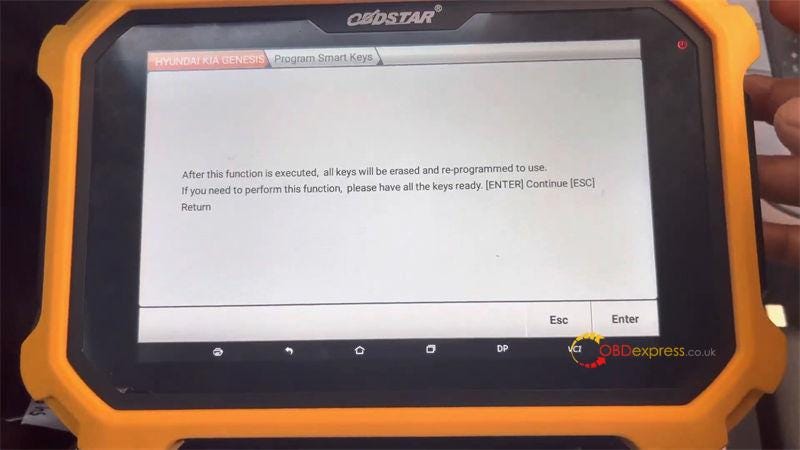
                      After this function is executed, all keys will be erased and re-programmed to use.

                      If you need to perform this function, please have all the keys ready.

                      Press "Enter" to continue.

                      Switch ignition off.

                      Open driver door, then close the door.

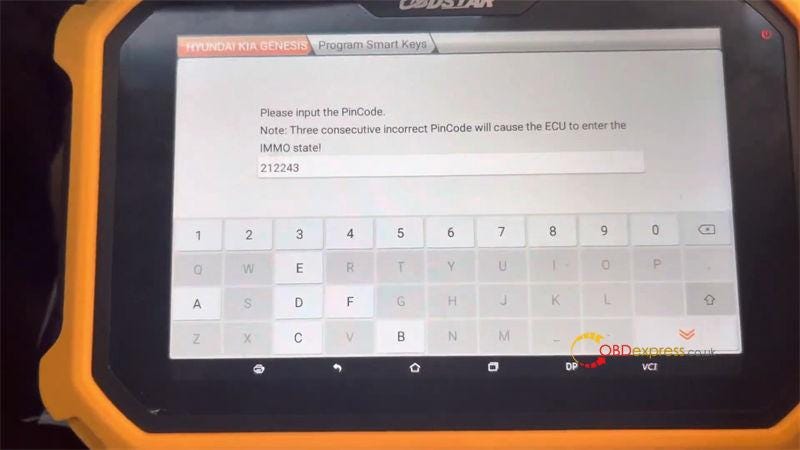
                      Please input the Pincode: 212243

                      Note: Three consecutive incorrect Pincode will cause the ECU to enter the IMMO state!

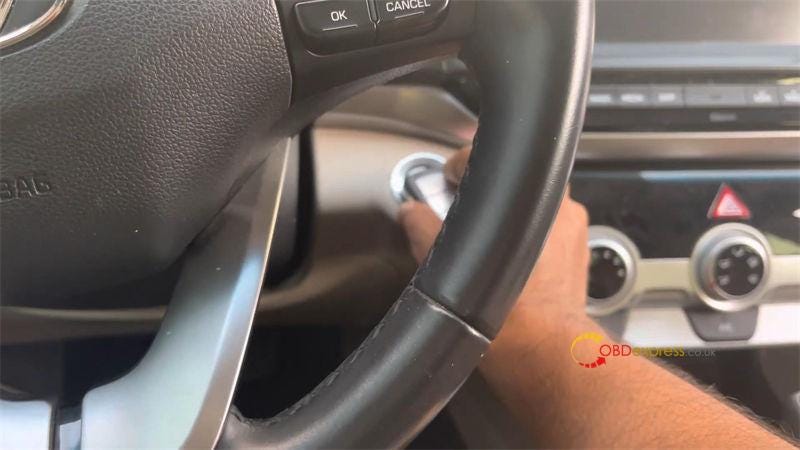
                      Press the ENTER button, then within 5s, use the top of the proximity key(the end with the indicator) to keep pressing the start/stop button for 5s, then immobiliser light will flash.

                      (If the operation fails according to the prompt, please remove the key housing and perform this function again)

                      Press "Enter".

                      Within 5s, use the top of the proximity key to keep pressing the start/stop button for 5s, the immobiliser light will flash.

                      Program success.

                      Press "Enter" to program next key…

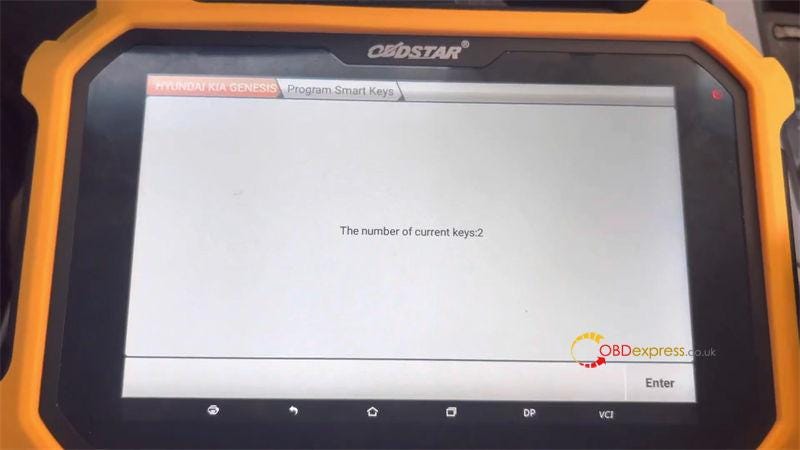
                      The number of current keys: 2

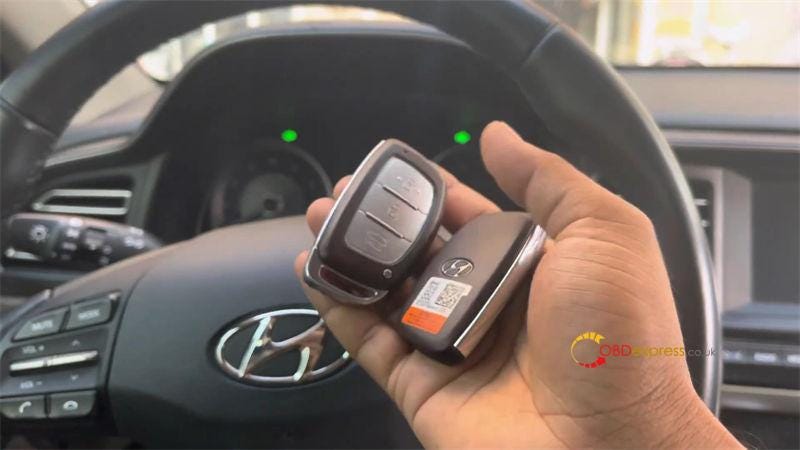
                      Test the 2 keys, both can work normally.

                      Perfectly done.

                      This is how to program 2020 Hyundai Elantra all keys lost with OBDSTAR Key Master Plus successfully.

                      OBDSTAR X300 DP Plus Program 2020 Hyundai Elantra AKL

                      OBDSTAR X300 DP Plus Program 2020 Hyundai Elantra AKL

                      OBDSTAR X300 DP Plus Program 2020 Hyundai Elantra AKL

                      OBDSTAR X300 DP Plus Program 2020 Hyundai Elantra AKL

                      OBDSTAR X300 DP Plus Program 2020 Hyundai Elantra AKL

                      www.obdexpress.co.uk
                      EoneBoss HK003: 6A Full Unlock Support for Hyundai/Kia Keys
                       The EoneBoss HK003 has been upgraded with 6A full unlock support for Hyundai/Kia smart keys , giving locksmiths a simpler way to handle ...