Showing posts with label Launch X431 ECU Programmer. Show all posts

Tuesday, 13 August 2024

LAUNCH-X431 ECU Programmer Clone Geely Bosch MED17.8.10 on Bench

 Confirmed! LAUNCH-X431 ECU & TCU Programmer can read chip ID, read and write EEPROM and Flash data on Geely Bosch MED17.8.10 ECU by Bench. No need X431 tablet! Only 3 mins!

STEP 1.Obtain ECU Model

Connect X431 ECU Programmer to a computer via USB cable

Open X-431 ECU & TCU Programmer software

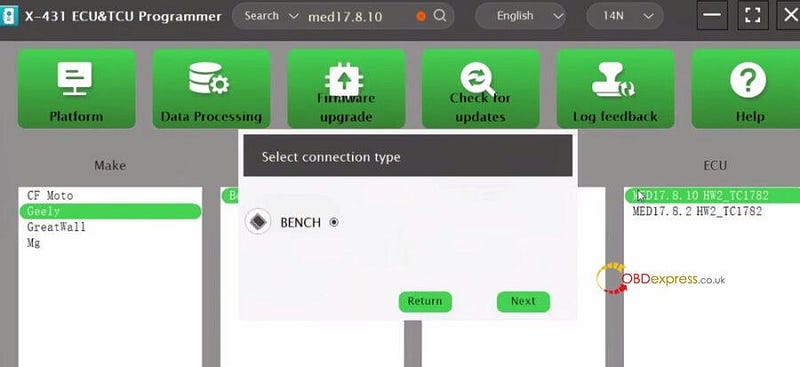
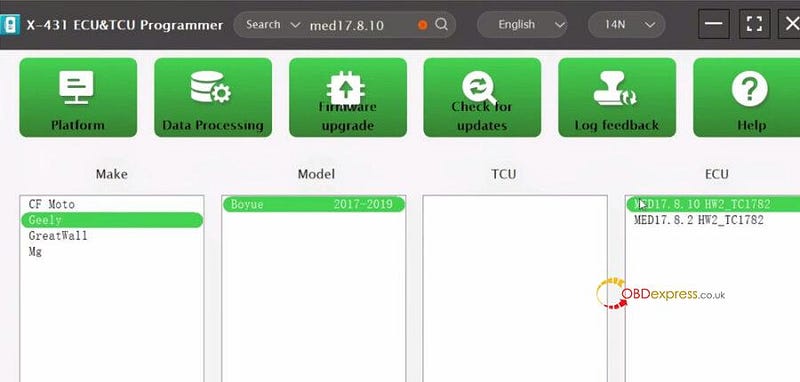
Input med17.8.10 in the search box to quickly find the ECU model

It’s Geely Boyue 2017–2019 MED17.8.10 HW2_TC1782

LAUNCH-X431 ECU Programmer Clone Geely Bosch MED17.8.10 on Bench

Select BENCH mode


LAUNCH-X431 ECU Programmer Clone Geely Bosch MED17.8.10 on Bench

STEP 2.Connect device and ECU

Double click the ECU to enter the main operation interface

Obtain the wiring diagram by clicking "Direct connection of diagram"
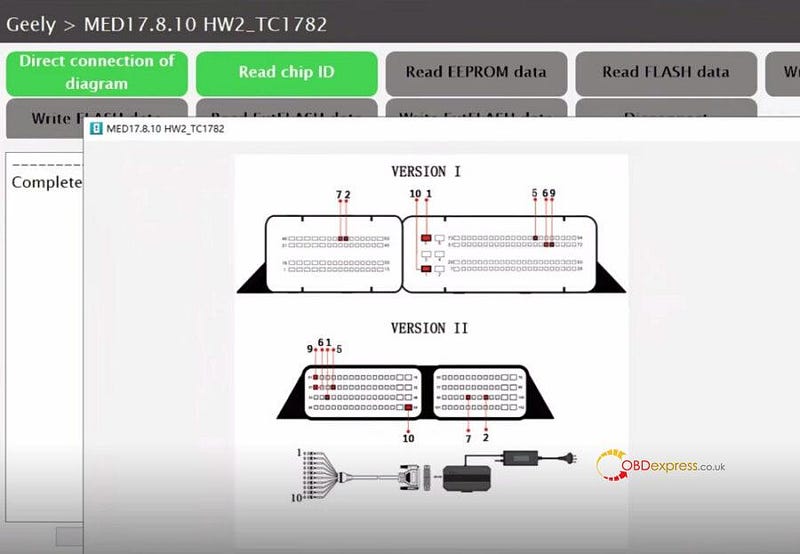

LAUNCH-X431 ECU Programmer Clone Geely Bosch MED17.8.10 on Bench

Follow the diagram to connect X-431 ECU Programmer and Bosch MED17.8.10 ECU with the BENCH harness properly

Connect the power supply to the programmer as well
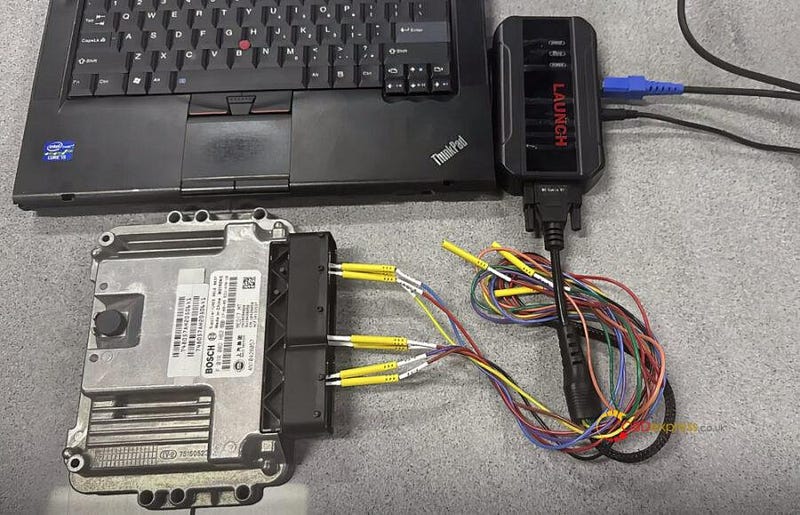

LAUNCH-X431 ECU Programmer Clone Geely Bosch MED17.8.10 on Bench

Start to read and write ECU.

STEP 3. Backup the original MED17.8.10 ECU data

Read chip ID

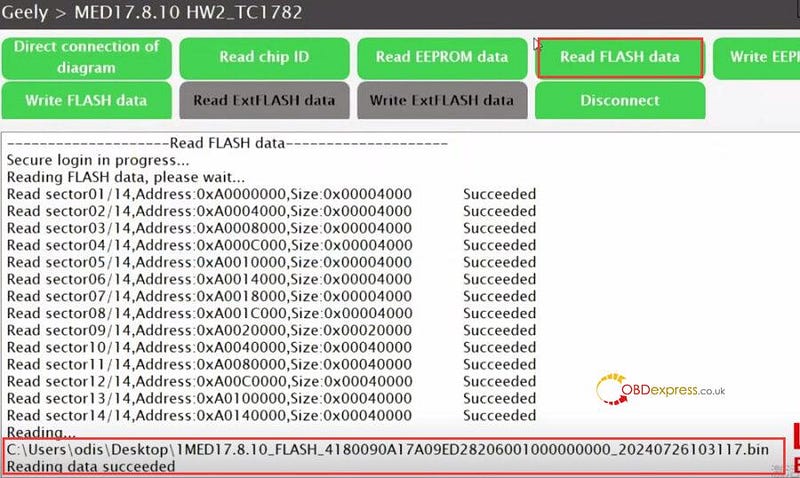
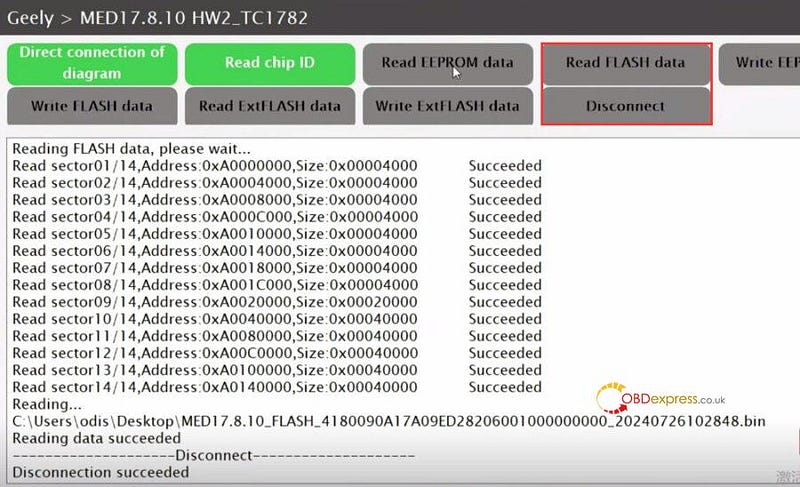
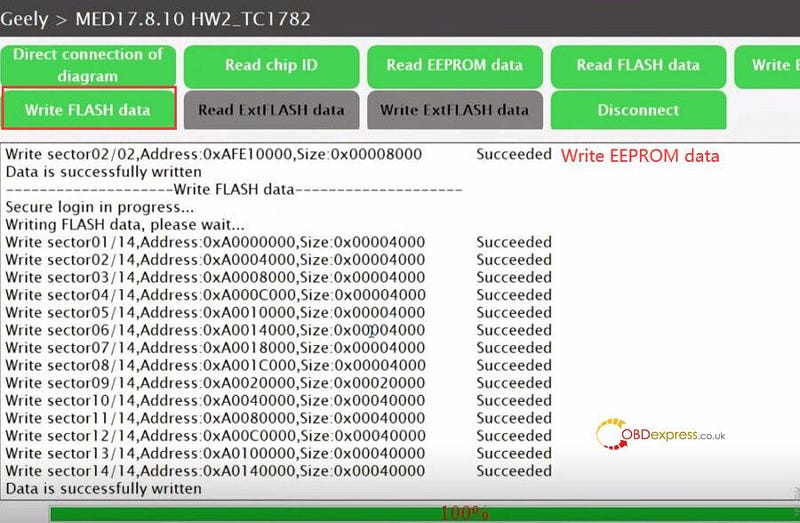
Read EEPROM data and Flash data

Save the original data after reading

Disconnect
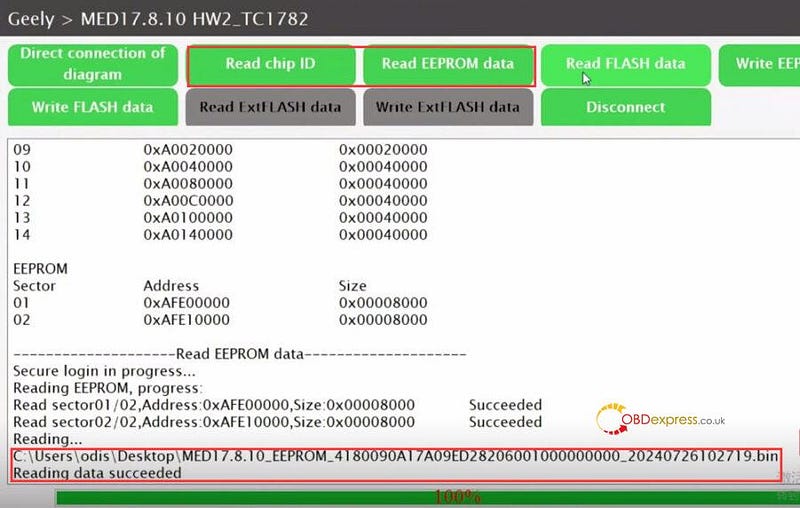

LAUNCH-X431 ECU Programmer Clone Geely Bosch MED17.8.10 on Bench

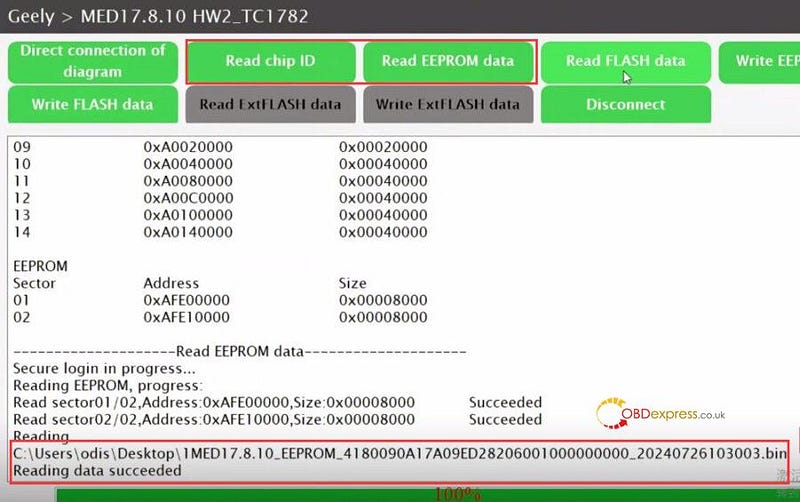
STEP 4.Backup the new MED17.8.10 ECU data

Connect Launch ECU Programmer to a new ECU, and repeat the same steps to back up the new ECU


LAUNCH-X431 ECU Programmer Clone Geely Bosch MED17.8.10 on Bench

STEP 5.Write the original ECU data into new ECU

Upload the original data to write into the new MED17.8.10 Bosch ECU

Write data successfully

Disconnect


LAUNCH-X431 ECU Programmer Clone Geely Bosch MED17.8.10 on Bench

LAUNCH-X431 X-PROG3 with PC Adapter also can clone MED17.8.10 Bosch ECU the same as X-431 ECU Programmer.

www.obdexpress.co.uk

Wednesday, 21 February 2024

Buick Bosch MED9.6.1 ECU Clone with Launch-X431 ECU Programmer

 How to use Launch X431 ECU Programmer to read and write Buick Bosch MED9.6.1 ECU on bench?

It's very easy and fast to operate with the wiring diagram in the software. No need X431 tablet! Only 2 mins!

STEP 1.Obtain ECU Model

Connect X431 ECU Programmer to a computer via USB cable

Open X-431 ECU & TCU Programmer software

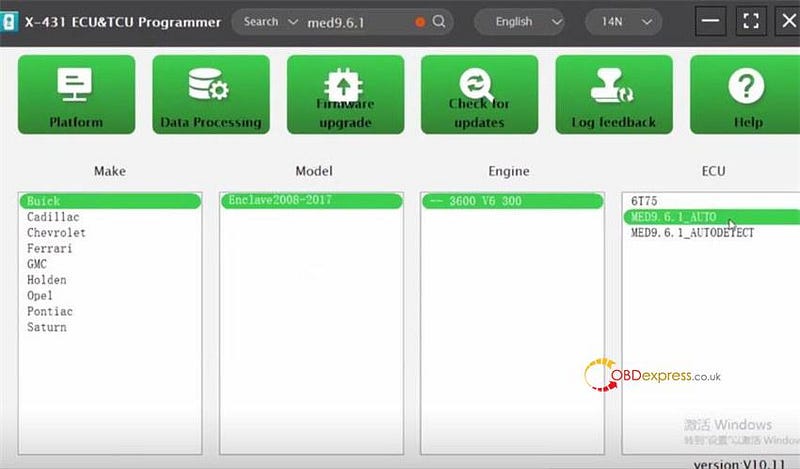
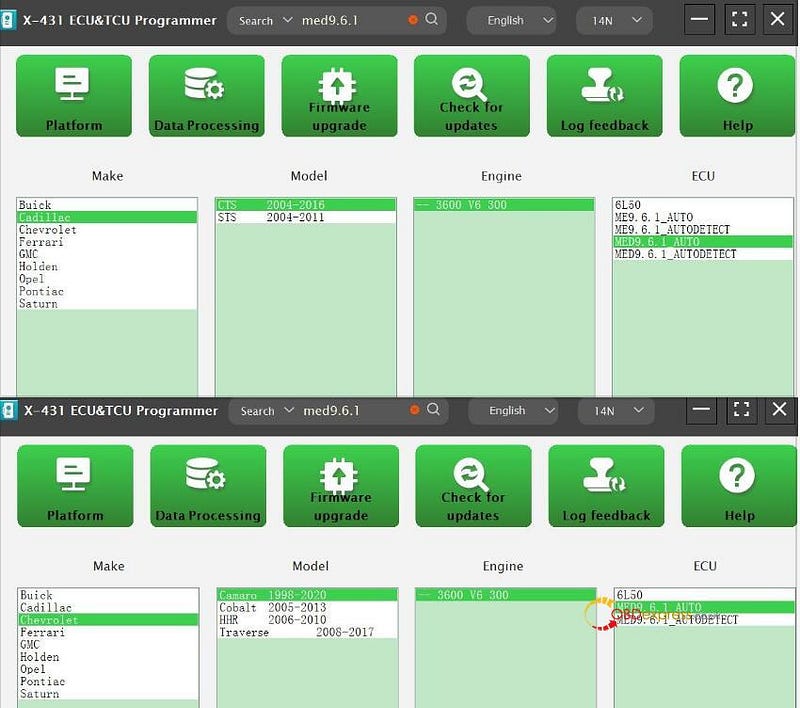
Input med9.6.1 in the search box to quickly find the ECU model

It's Buick Enclave 2008–2017 3600 V6 300 MED9.6.1_Auto

Buick Bosch MED9.6.1 ECU Clone with Launch-X431 ECU Programmer

STEP 2.Connect device and ECU

Double click the ECU to enter the main operation interface

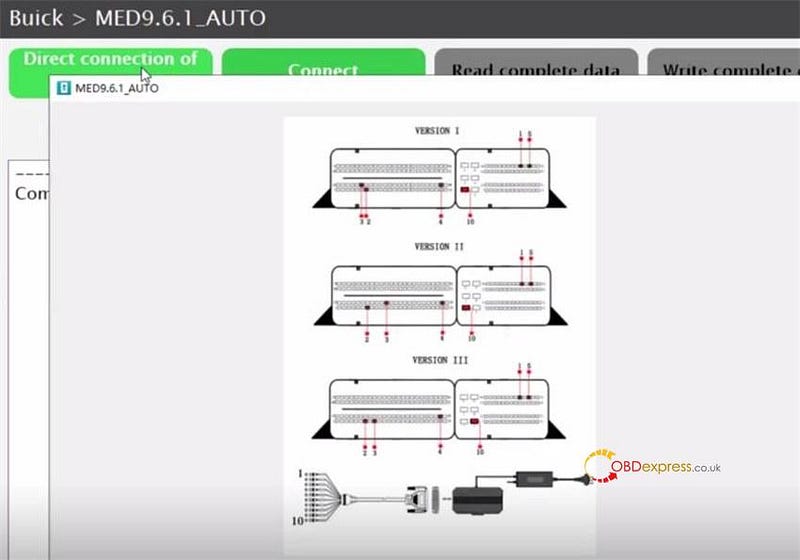
Obtain the wiring diagram by clicking "Direct connection of diagram"

Buick Bosch MED9.6.1 ECU Clone with Launch-X431 ECU Programmer

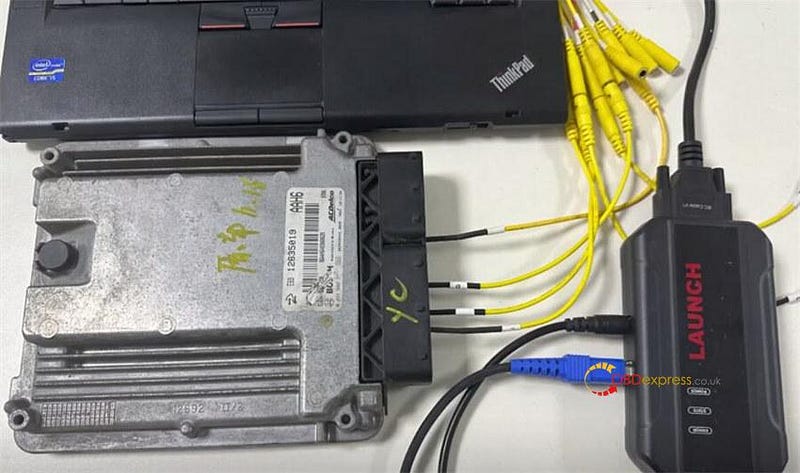
Follow the diagram to connect X-431 ECU Programmer and Bosch MED9.6.1 ECU with the BENCH mode line properly

Connect the power supply to the programmer as well

Buick Bosch MED9.6.1 ECU Clone with Launch-X431 ECU Programmer

Start to read and write ECU.

STEP 3. Backup the original MED9.6.1 ECU data

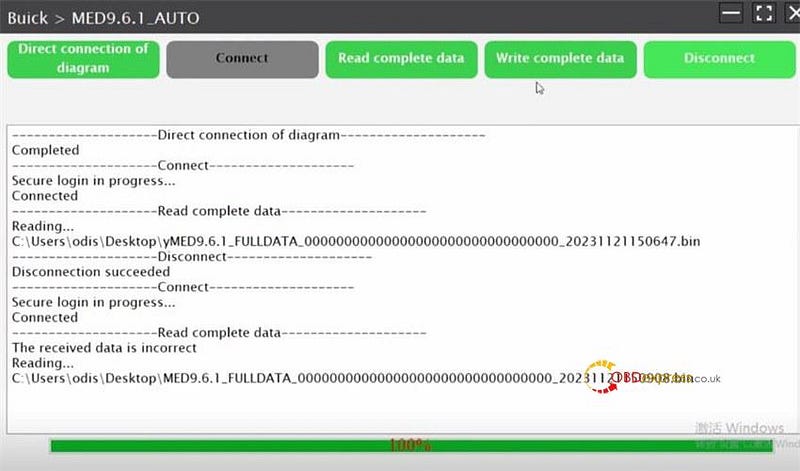
Connect

Read complete data

Save the original data after reading

Disconnect
STEP 4.Backup the new MED9.6.1 ECU data

Connect Launch ECU Programmer to a new ECU, and repeat the same steps to back up the new ECU
Buick Bosch MED9.6.1 ECU Clone with Launch-X431 ECU Programmer

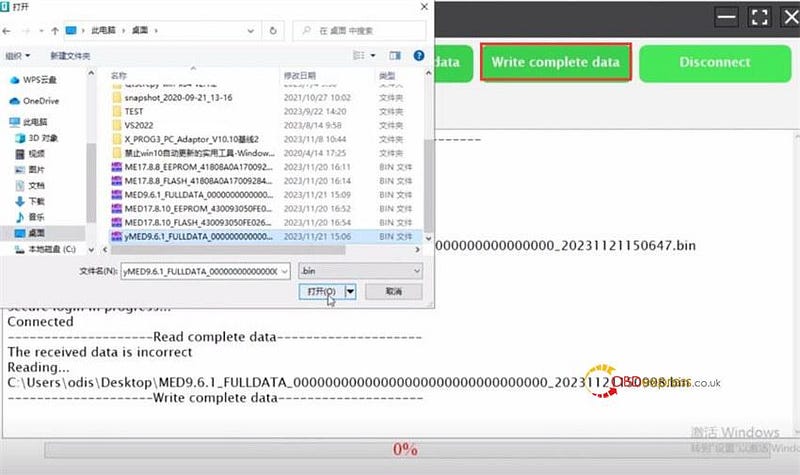
STEP 5.Write the original ECU data into new ECU

Upload the original data to write into the new MED9.6.1 Bosch ECU

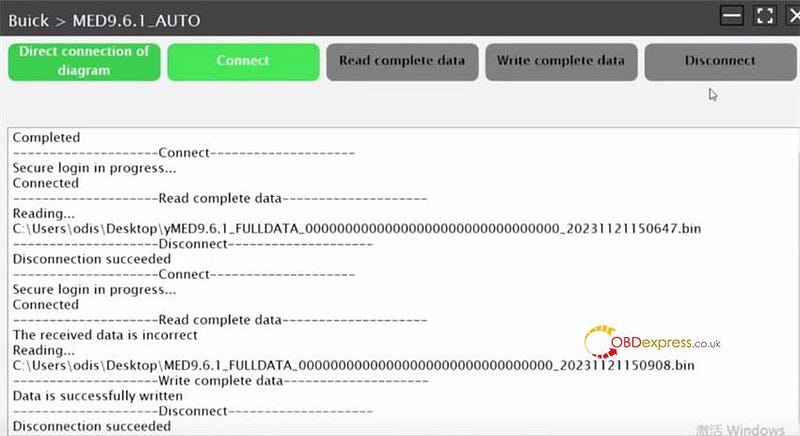
Write data successfully

Disconnect
Buick Bosch MED9.6.1 ECU Clone with Launch-X431 ECU Programmer

Buick Bosch MED9.6.1 ECU Clone with Launch-X431 ECU Programmer

LAUNCH X431 X-PROG3 with PC Adapter works with its PC software can clone MED9.6.1 Bosch ECU the same as X-431 ECU Programmer as well.
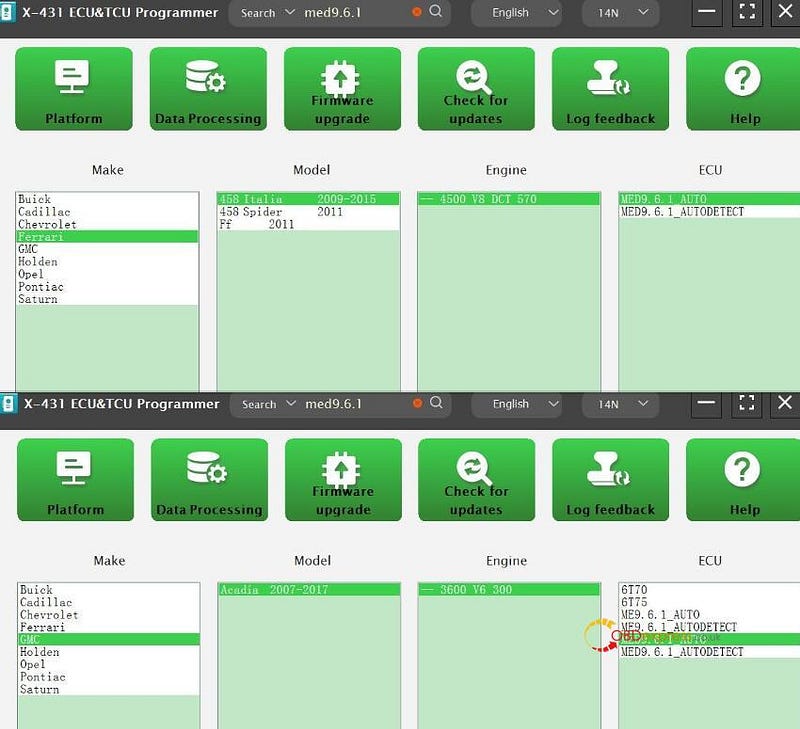
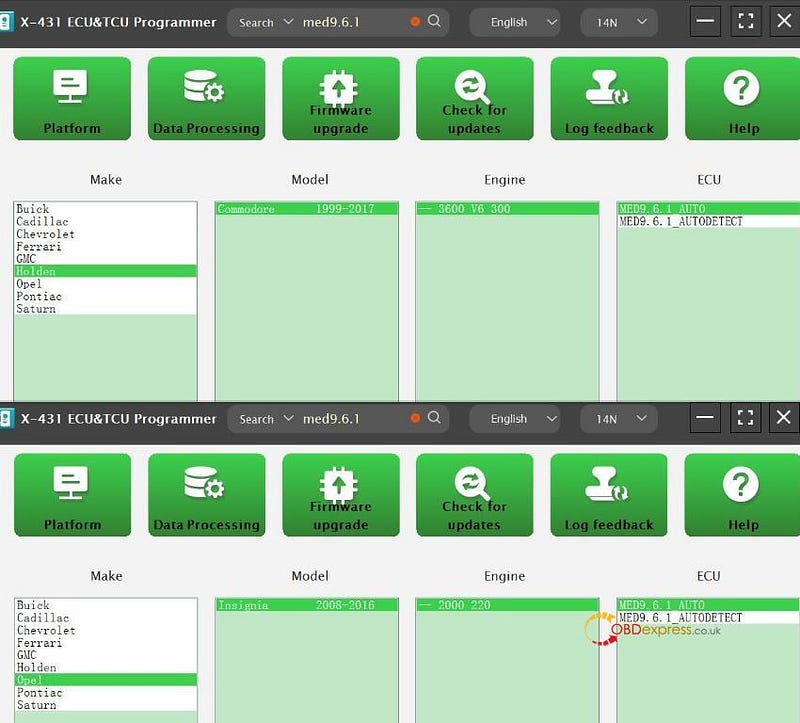
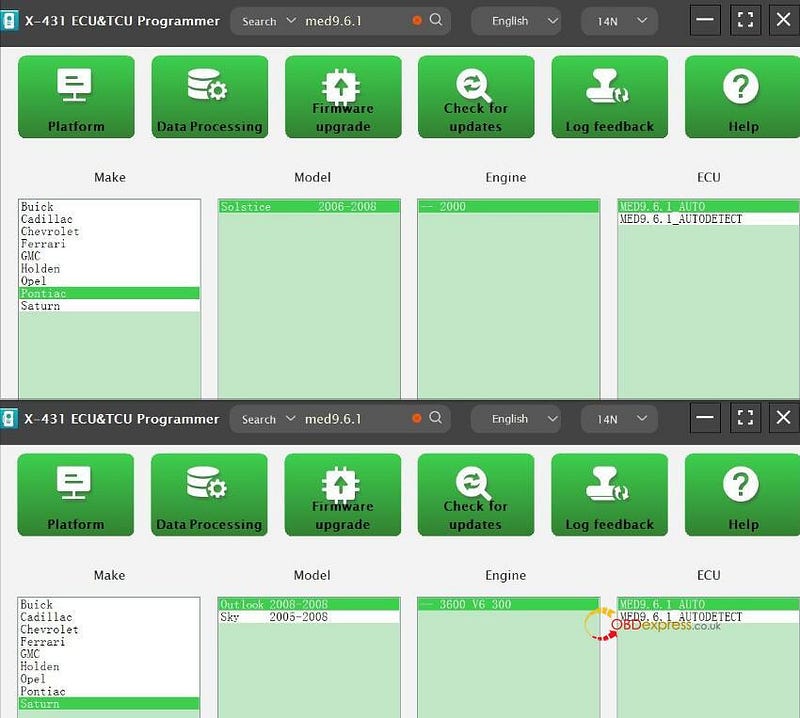
Besides Buick, both tools support the other brands Bosch MED9.6.1 ECUs below.

Cadillac CTS 2004–2016

Cadillac STS 2004–2011

Chevrolet Camaro 1998–2020

Chevrolet Cobalt 2005–2013

Chevrolet HHR 2006–2010

Chevrolet Traverse 2008–2017

Ferrari 458 Italia 2009–2015

Ferrari 458 Spider 2011

Ferrari Ff 2011

GMC Acadia 2007–2017

Holden Commodore 1999–2017

Opel Insignia 2008–2016

Pontiac Solstice 2006–2008

Saturn Outlook 2008

Saturn Sky 2005–2008

Keep updating…

Buick Bosch MED9.6.1 ECU Clone with Launch-X431 ECU Programmer

Buick Bosch MED9.6.1 ECU Clone with Launch-X431 ECU Programmer

Buick Bosch MED9.6.1 ECU Clone with Launch-X431 ECU Programmer

Buick Bosch MED9.6.1 ECU Clone with Launch-X431 ECU Programmer

www.obdexpress.co.uk

Tuesday, 12 December 2023

Launch X431 ECU Programmer Clone Bosch MED17.8.10 TC1728

 Confirmed! Launch X431 ECU & TCU Programmer clone BOSCH MED17.8.10 TC1728 ECM on bench perfectly. No need X431 tablet! Easy operation with the wiring diagram in the software. Only 2 or 3 Minutes!

Here is the operation procedure.

1.Device connection

Connect X431 ECU Programmer to a computer via USB cable

Open X-431 ECU & TCU Programmer software

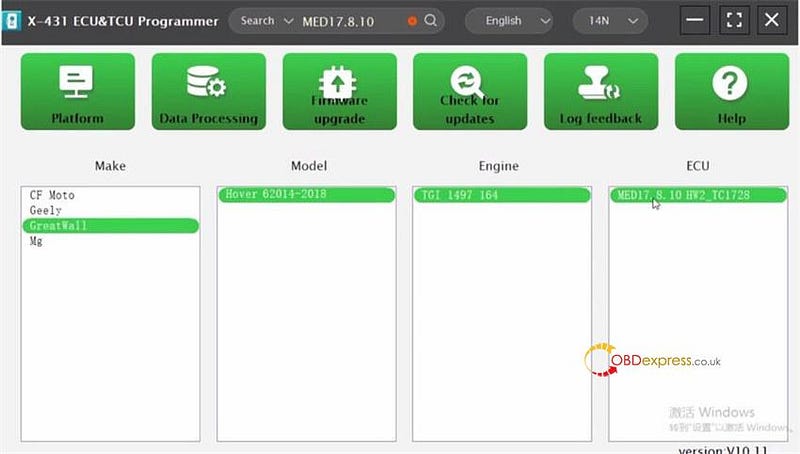
Input med17.8.10 in the search box to quickly find the ECU model

It's GreatWall Hover 62014–2018 TGI 1497 164 MED17.8.10 HW2_TC1728

Launch X431 ECU Programmer Clone Bosch MED17.8.10 TC1728

Double click the ECU to enter the main operation interface

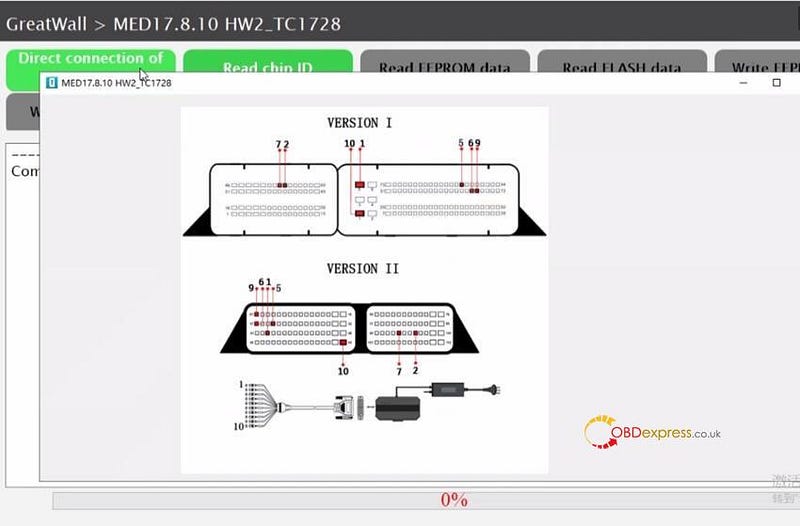
Obtain the wiring diagram by clicking "Direct connection of diagram"

Launch X431 ECU Programmer Clone Bosch MED17.8.10 TC1728

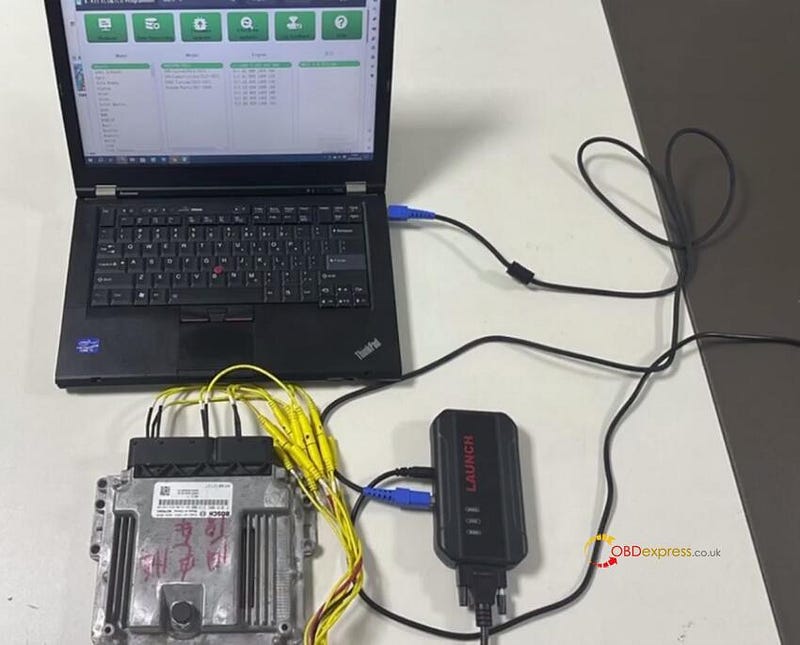
Follow the diagram to connect X-431 ECU Programmer and Bosch MED17.8.10 ECM with the BENCH mode line properly

Connect the power supply to the programmer as well

Launch X431 ECU Programmer Clone Bosch MED17.8.10 TC1728

Start to read and write ECU.

2.Read and write Bosch MED17.8.10 ECM

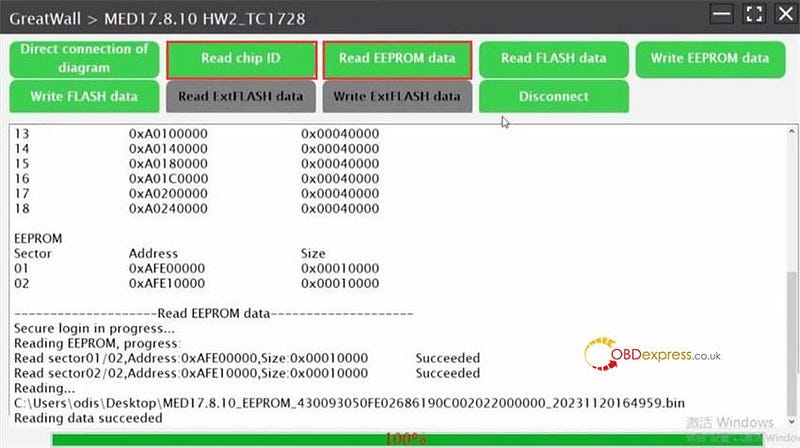
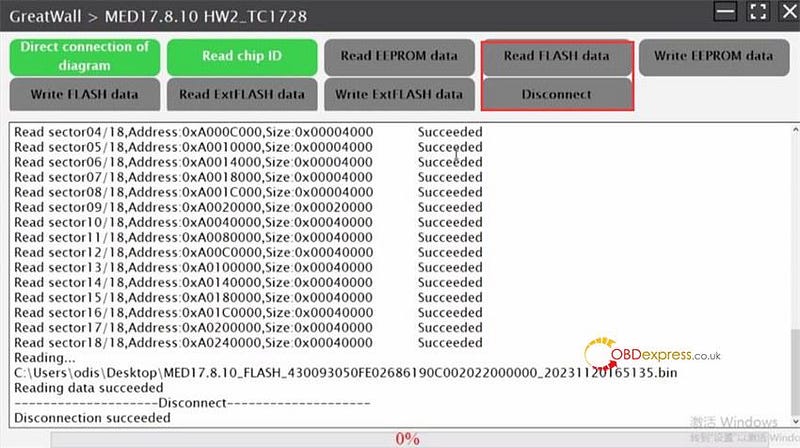
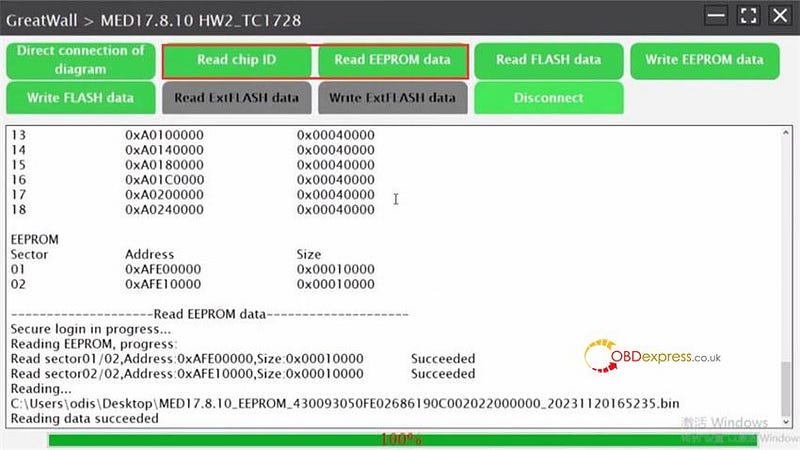
First, read chip ID

Next, read the original EEPROM data and save the data

Launch X431 ECU Programmer Clone Bosch MED17.8.10 TC1728

Then, read the original FLASH data and save the data

Last, disconnect

Launch X431 ECU Programmer Clone Bosch MED17.8.10 TC1728

After backup the original Bosch ECU data, use the same steps to read and save the new Bosch ECU.

Launch X431 ECU Programmer Clone Bosch MED17.8.10 TC1728

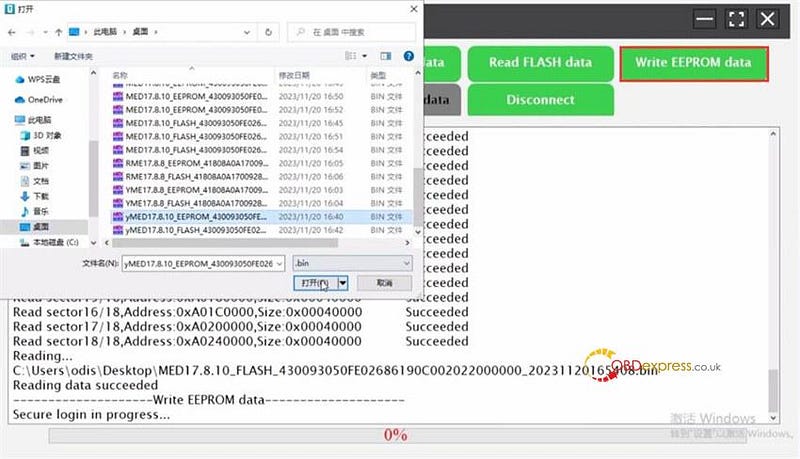
Finally, upload the corresponding files to write into the new Bosch ECU

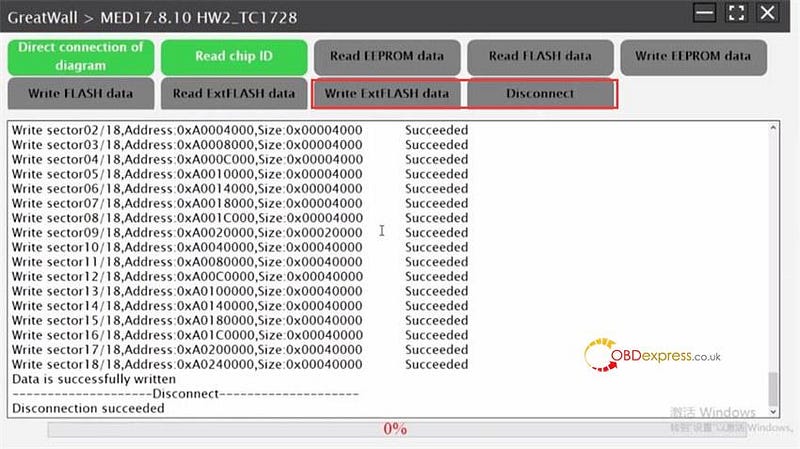
Launch X431 ECU Programmer Clone Bosch MED17.8.10 TC1728

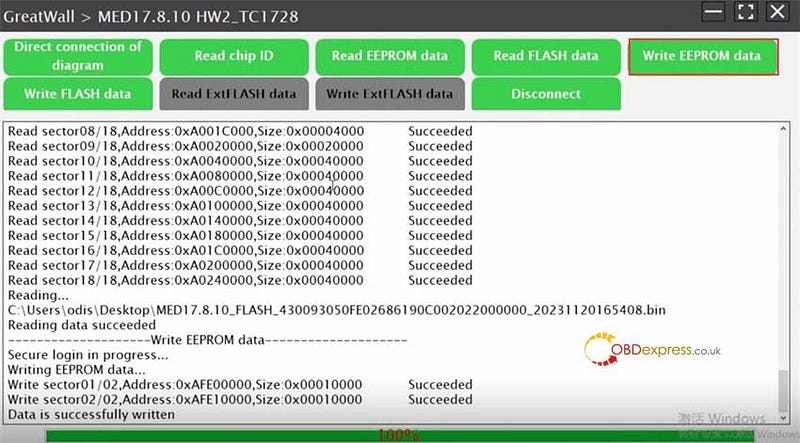
Wait a while until the operation is completed.

Launch X431 ECU Programmer Clone Bosch MED17.8.10 TC1728

Launch X431 ECU Programmer Clone Bosch MED17.8.10 TC1728

Alright! Launch X431 ECU Programmer clone MED17.8.10 ECU successfully.

LAUNCH X431 X-PROG3 with PC Adapter can perform this function as well.

www.obdexpress.co.uk


Monday, 27 November 2023

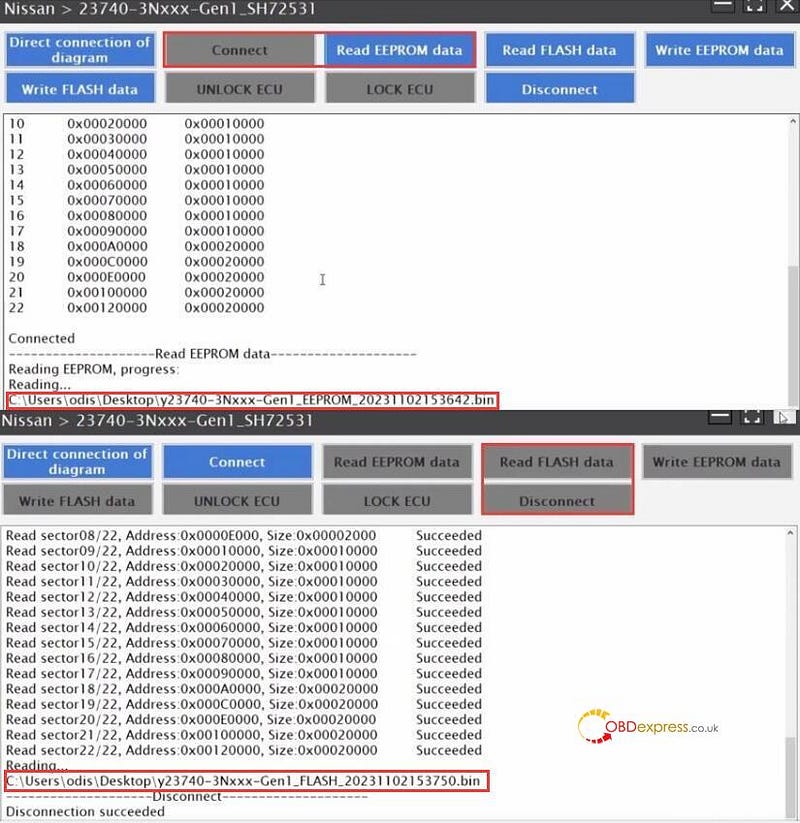
Nissan Engine Computer Clone by LAUNCH X431 ECU Programmer/ X-PROG3 PC Adapter

 Both Launch X431 ECU Programmer and X431 X-PROG3 PC Adapter is able to clone Nissan Engine Computer on bench no issues. No need X431 tablet.

Car model:

i.e. 2014–2017 Nissan Leaf 23740–3Nxxx-Gen1_SH72531

Connection:

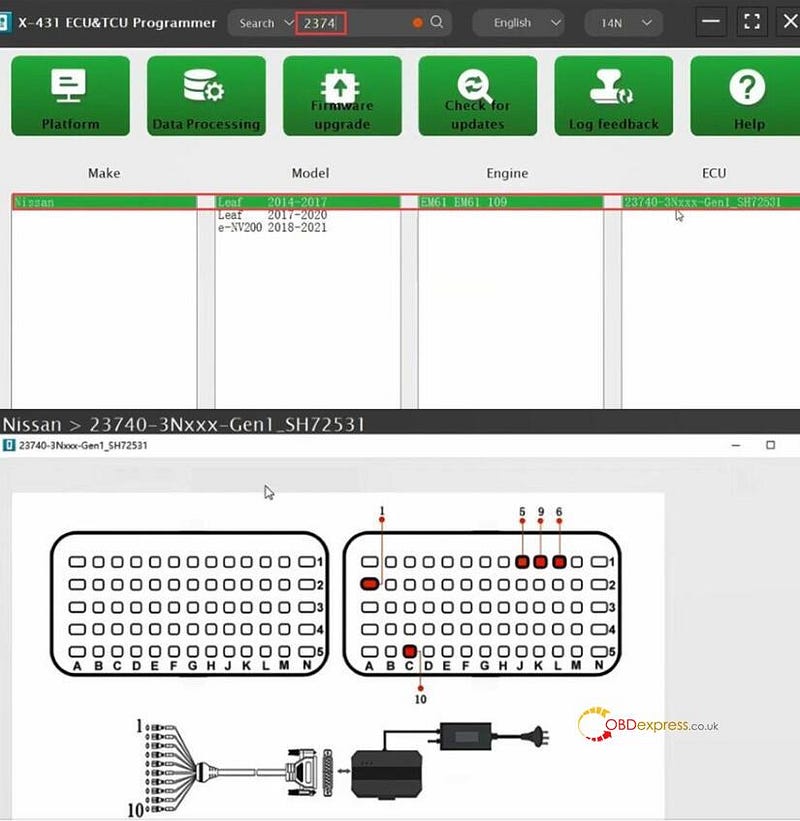
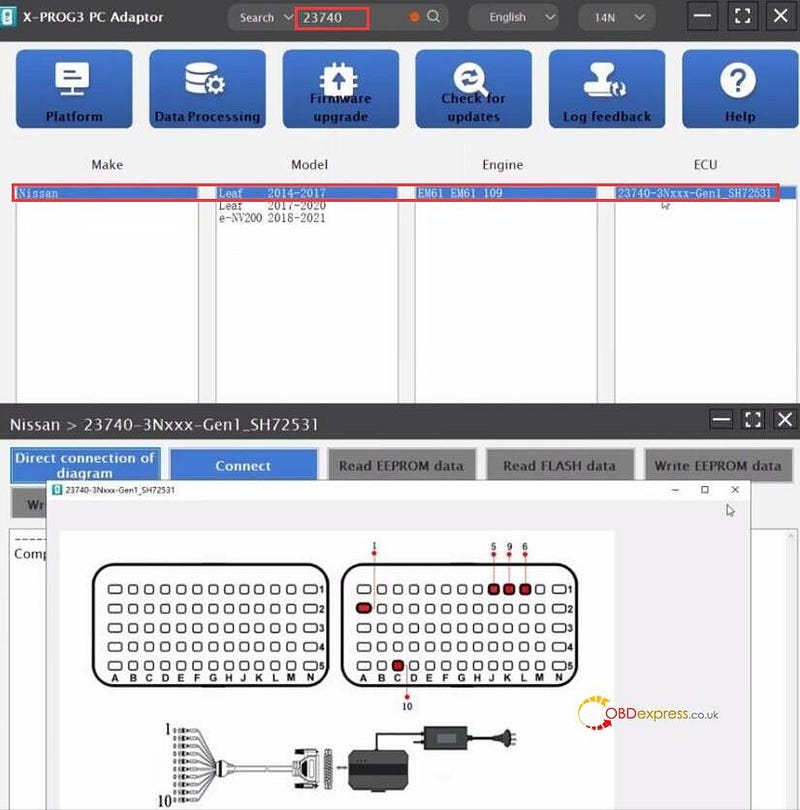
The connection diagram can be checked in the PC software.

Path: input 23740 to quickly find the corresponding ECU model

Then double-click it to check the direct connect of diagram

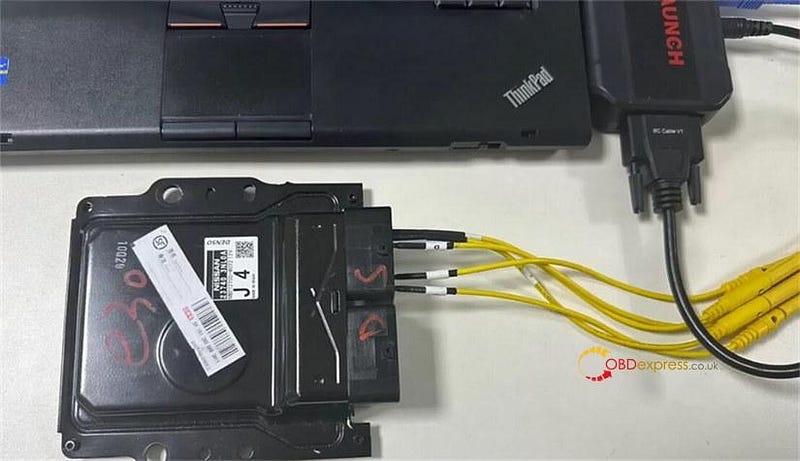
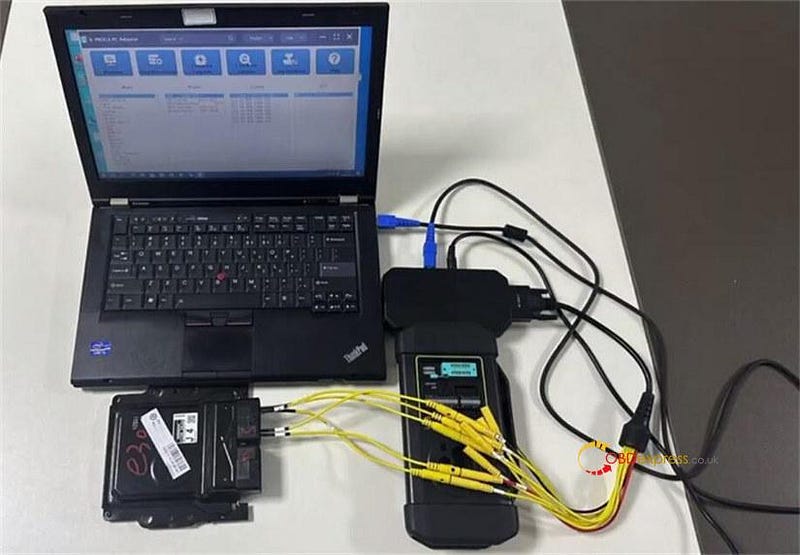
Follow it to connect device and ECU, also connect to a PC via USB cable

X-PROG3 PC Adapter also needs to connect with X431 X-Prog3 key programmer

Operation guide:

Step 1: Backup Original Nissan ECU EEPROM & FLASH Data

Open X431 ECU & TCU Programmer software or X-PROG3 PC Adaptor software

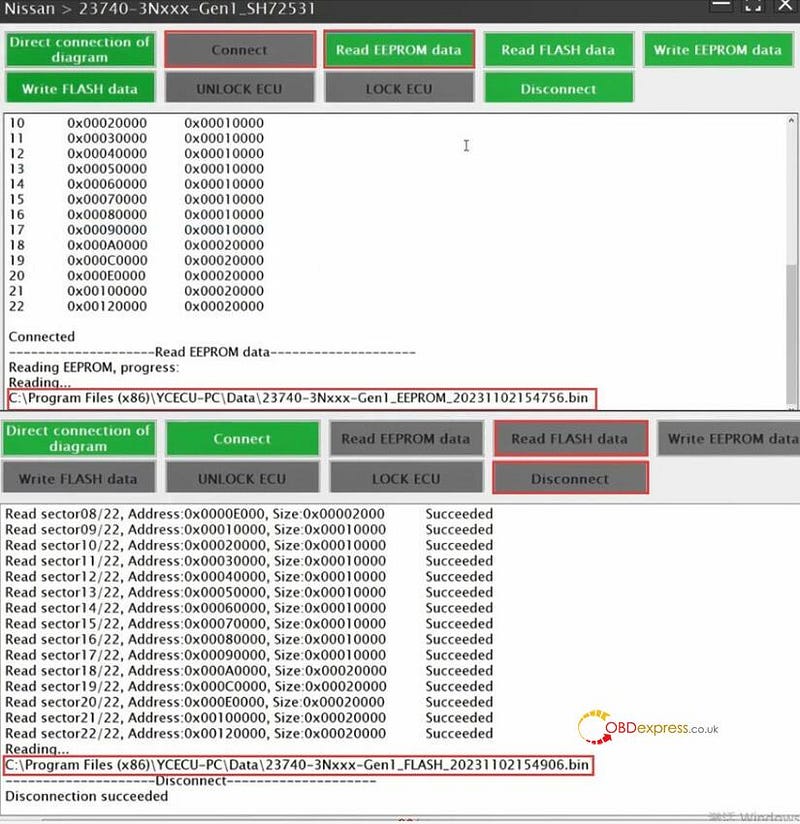
Connect ECU

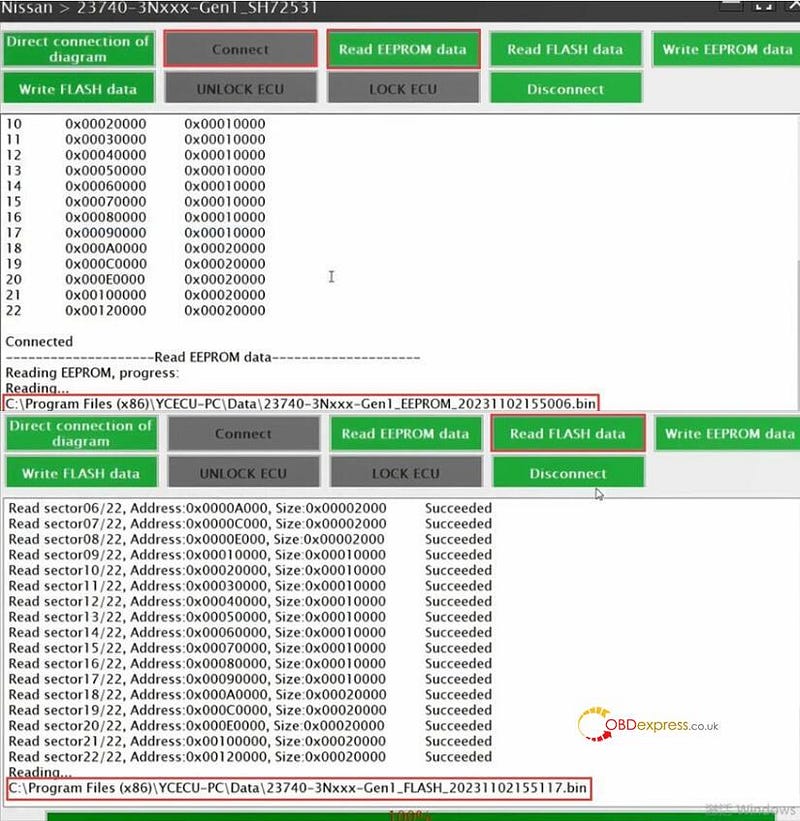
After connected, read EEPROM and FLASH data separately, and save the data after reading.

Disconnect the ECU connection

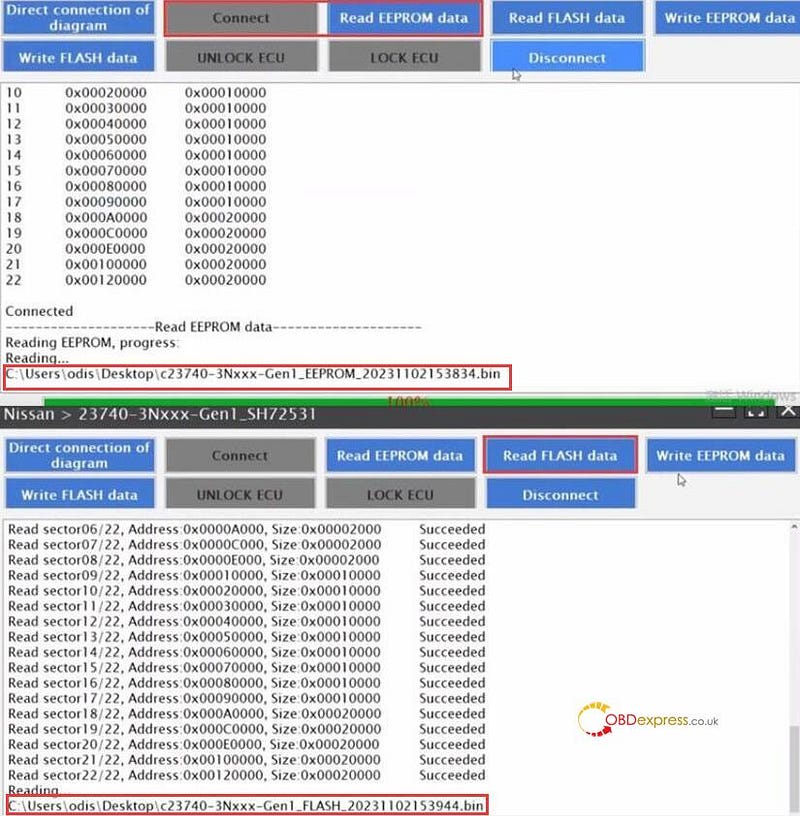
Step 2: Backup New Nissan ECU EEPROM & FLASH Data

Connect X-431 ECU & TCU Programmer/X431 X-PROG3 PC Adaptor to a new Nissan engine computer

Repeat the same steps as step 1 to connect ECU, read and save new EEPROM and Flash data in sequence

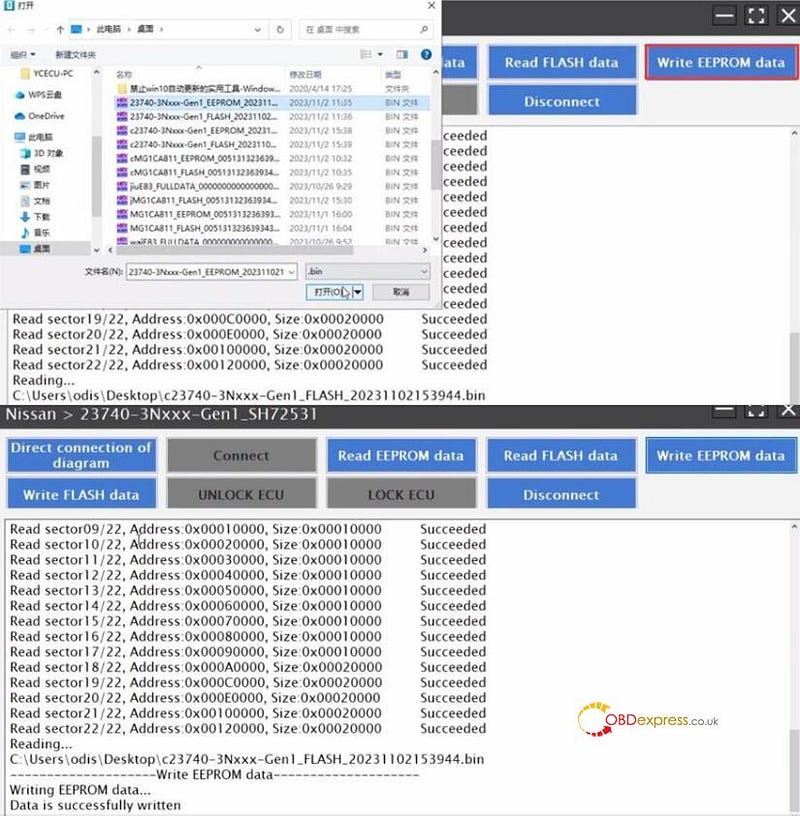
Step 3: Write EEPROM and FLASH data

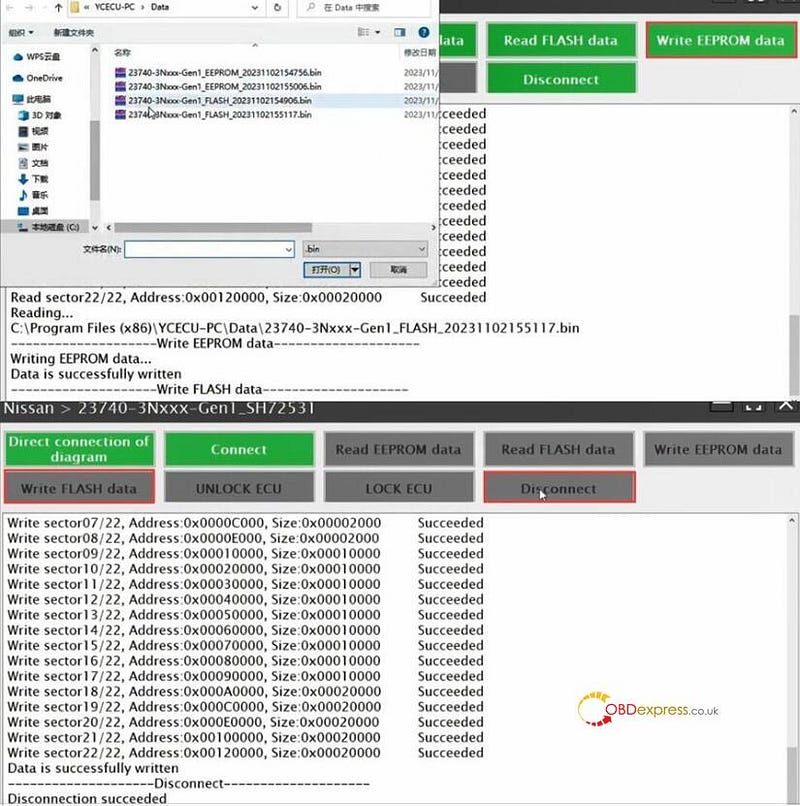
Select the EEPROM and Flash data of the original Nissan engine computer and write them into the new one respectively.

Disconnect after data writing is completed.

Launch X431 ECU & TCU Programmer clone Nissan Engine Computer:

Nissan Engine Computer Clone by Launch X431 ECU Programmer or X-PROG3 PC Adapter

Nissan Engine Computer Clone by Launch X431 ECU Programmer or X-PROG3 PC Adapter

Nissan Engine Computer Clone by Launch X431 ECU Programmer or X-PROG3 PC Adapter

Nissan Engine Computer Clone by Launch X431 ECU Programmer or X-PROG3 PC Adapter

Nissan Engine Computer Clone by Launch X431 ECU Programmer or X-PROG3 PC Adapter

Launch X431 X-PROG3 PC Adapter clone Nissan Engine Computer:

Nissan Engine Computer Clone by Launch X431 ECU Programmer or X-PROG3 PC Adapter

Nissan Engine Computer Clone by Launch X431 ECU Programmer or X-PROG3 PC Adapter

Nissan Engine Computer Clone by Launch X431 ECU Programmer or X-PROG3 PC Adapter

Nissan Engine Computer Clone by Launch X431 ECU Programmer or X-PROG3 PC Adapter

Nissan Engine Computer Clone by Launch X431 ECU Programmer or X-PROG3 PC Adapter

www.obdexpress.co.uk

Friday, 20 October 2023

Launch X431 ECU Programmer Clone Infiniti VGS2-FDCT TC1784 Gearbox

 How to use Launch X-431 ECU & TCU Programmer to clone Infiniti VGS2-FDCT TC1784 gearbox?

Follow the steps below to operate easily.

Connect X431 ECU Programmer and computer via USB cable

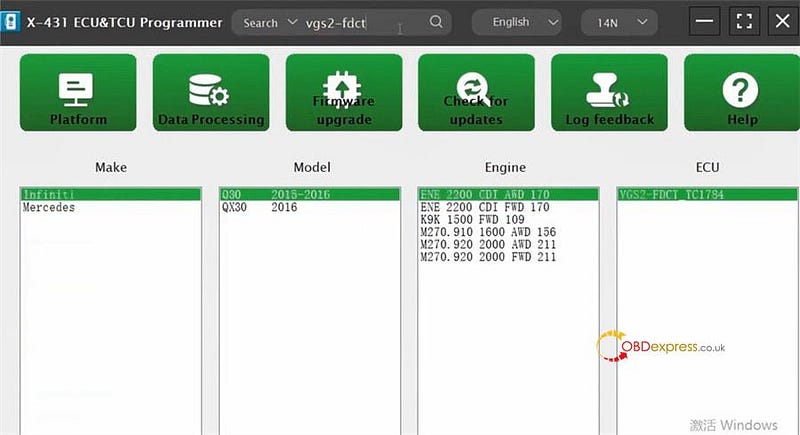
Open X-431 ECU & TCU Programmer PC software

Input vgs2-fdc to quickly find the corresponding ECU model

(Infiniti Q30 2015–2016 ENE 2200 CDI AWD 170 VGS2-FDCT TC1784)

Launch X431 ECU Programmer Clone Infiniti VGS2-FDCT TC1784 Gearbox

Enter the operation page

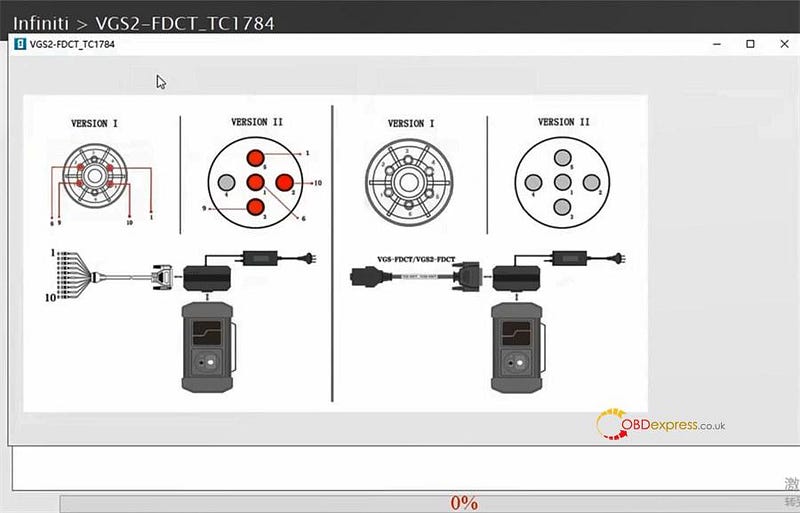
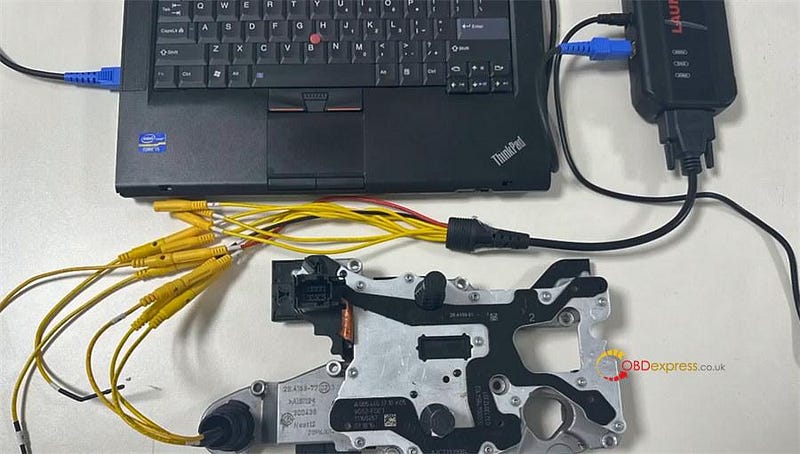
Click "Direct connection of diagram" to check the wiring diagram and follow it to connect X431 ECU Programmer and gearbox ECU

Launch X431 ECU Programmer Clone Infiniti VGS2-FDCT TC1784 Gearbox

Launch X431 ECU Programmer Clone Infiniti VGS2-FDCT TC1784 Gearbox

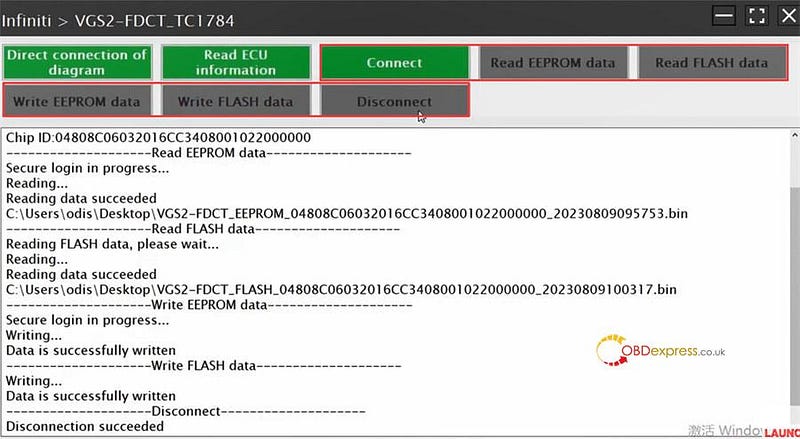
Click "Connect" to read chip ID

Click "Read EEPROM data" and "Read FLASH data" to read and save the original data in sequence

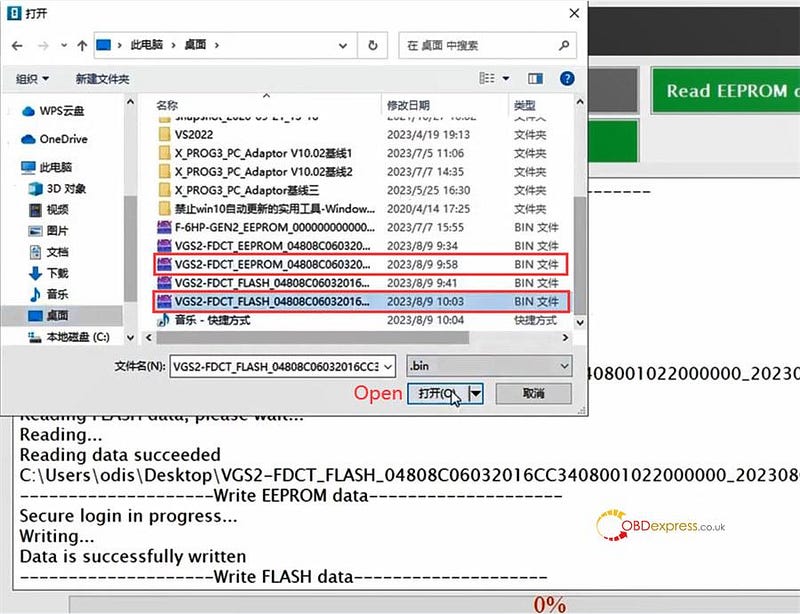
Click "Write EEPROM data" and "Write FLASH data" to select the corresponding original data just saved to write into the new VGS2-FDCT gearbox ECU

All read and write operations are completed with X431 ECU & TCU Programmer, click "Disconnect" and exit the system

Launch X431 ECU Programmer Clone Infiniti VGS2-FDCT TC1784 Gearbox

Launch X431 ECU Programmer Clone Infiniti VGS2-FDCT TC1784 Gearbox

Done!

www.obdexpress.co.uk

Monday, 9 October 2023

Launch X431 ECU Programmer Clone VW ME17.5.22 Engine Computer

 How to clone VW ME17.5.22 engine computer with Launch X431 ECU & TCU Programmer?

You need to backup the Flash and EEPROM data of original and new engine computer, and clone the data, then write the clone data and original flash data in to the new engine.

1.Read and backup original & new engine computer data

Connect X431 ECU & TCU Programmer and computer via a USB cable

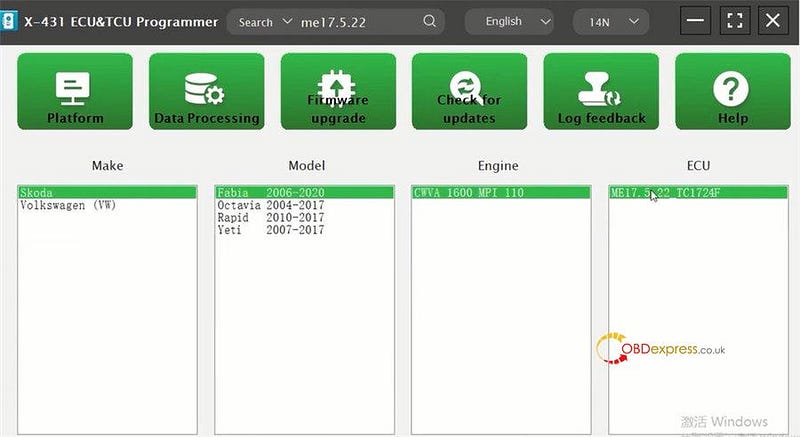
Open X-431 ECU & TCU Programmer PC software

Input me17.5.22 to quickly obtain the corresponding ECU (Skoda Fabia 2006–2020 CWVA 1600 MPI 110 ME17.5.22 TC1724F)

Launch X431 ECU Programmer Clone VW ME17.5.22 Engine Computer

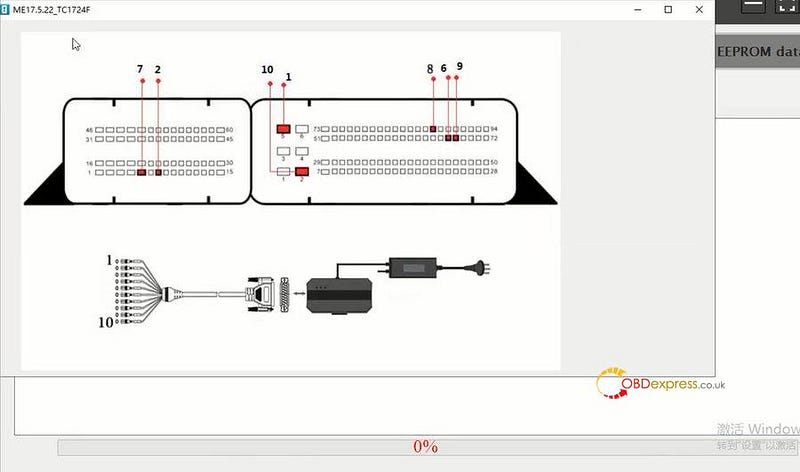
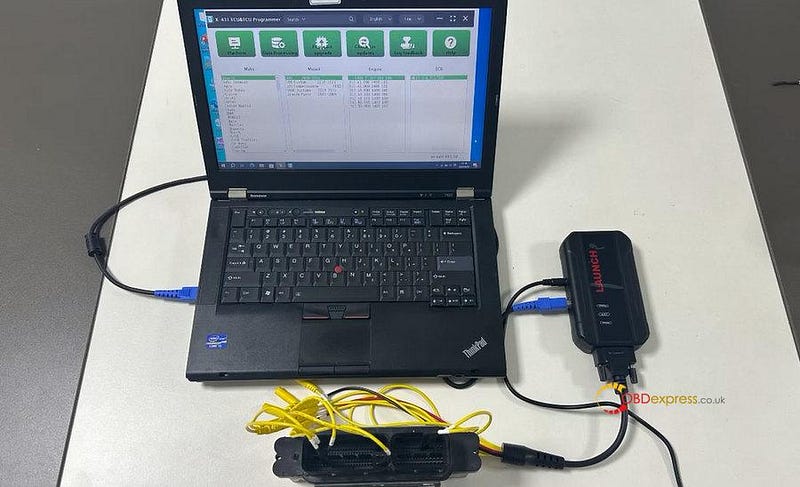
Check the wiring diagram to connect X431 ECU Programmer and engine computer correctly

Launch X431 ECU Programmer Clone VW ME17.5.22 Engine Computer

Launch X431 ECU Programmer Clone VW ME17.5.22 Engine Computer

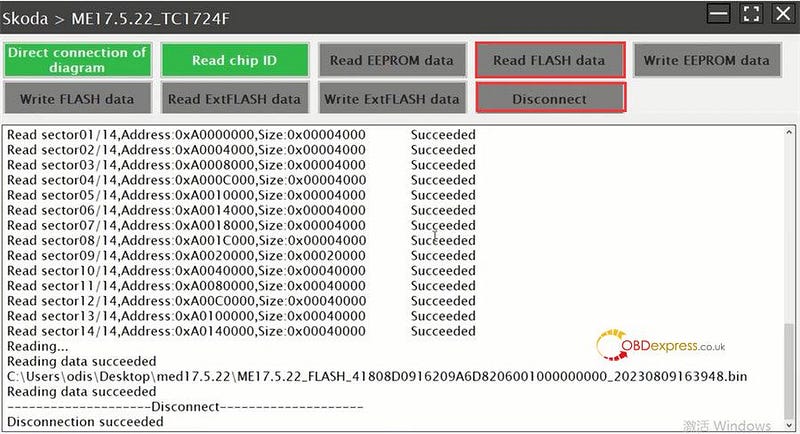
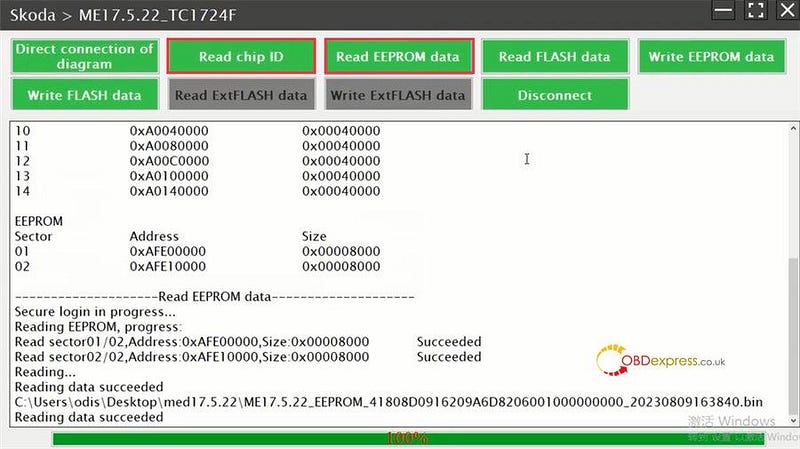
Read chip ID

Read and save EEPROM and FLASH data in sequence

After saving the data, disconnect the system

Launch X431 ECU Programmer Clone VW ME17.5.22 Engine Computer

Launch X431 ECU Programmer Clone VW ME17.5.22 Engine Computer

2.Clone engine computer data

Back to the main menu

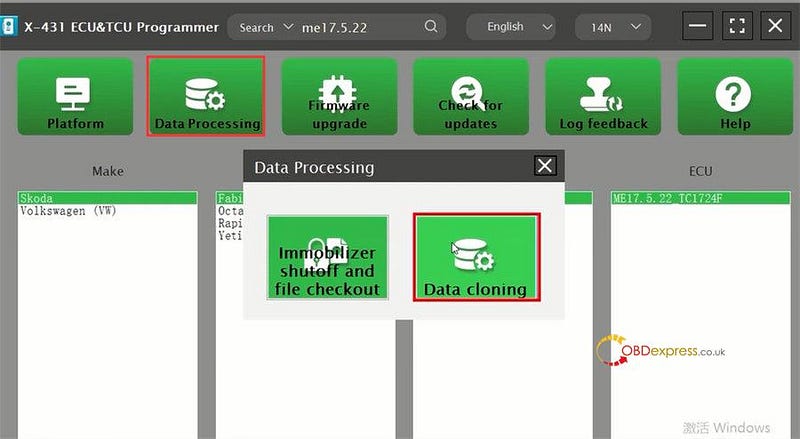
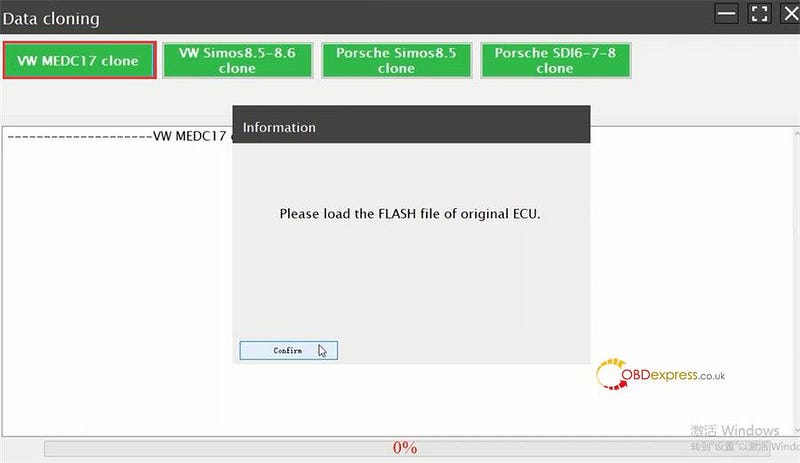
Select Data Processing>> Data cloning>> VW MEDC17 clone

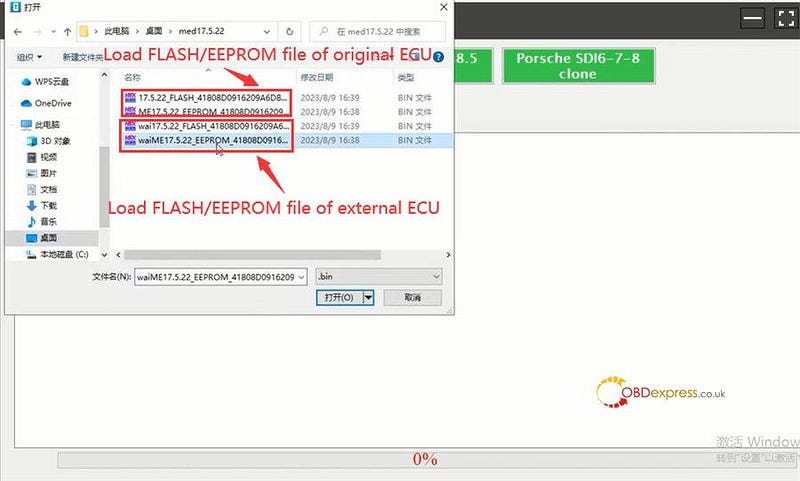
Load the FLASH file and EEPROM file of origianl and external ECU one by one

Launch X431 ECU Programmer Clone VW ME17.5.22 Engine Computer

Launch X431 ECU Programmer Clone VW ME17.5.22 Engine Computer

Launch X431 ECU Programmer Clone VW ME17.5.22 Engine Computer

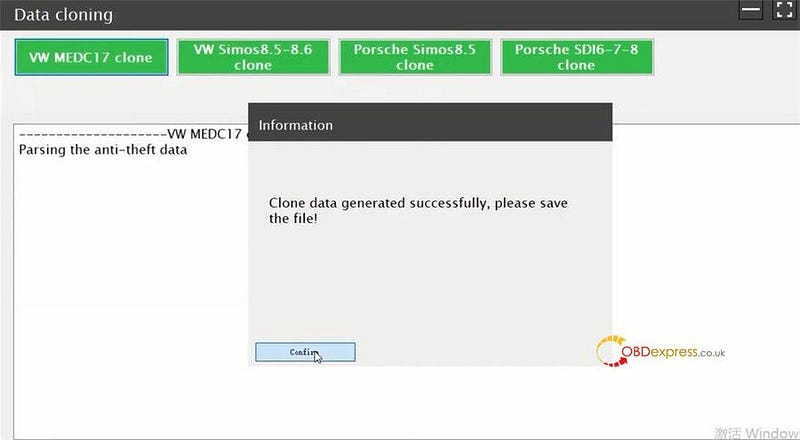
Genenerate clone data successfully, and then save the data

Launch X431 ECU Programmer Clone VW ME17.5.22 Engine Computer

3.Write clone data and original Flash data

Back to the main menu

Select the corresponding to enter operation interface again

Read chip ID

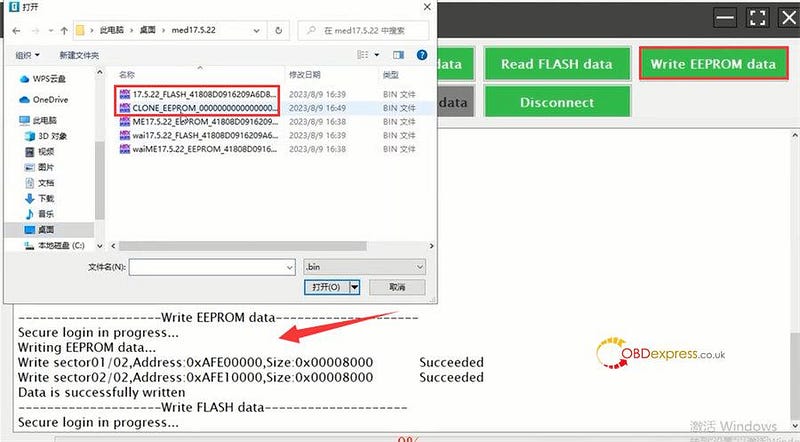
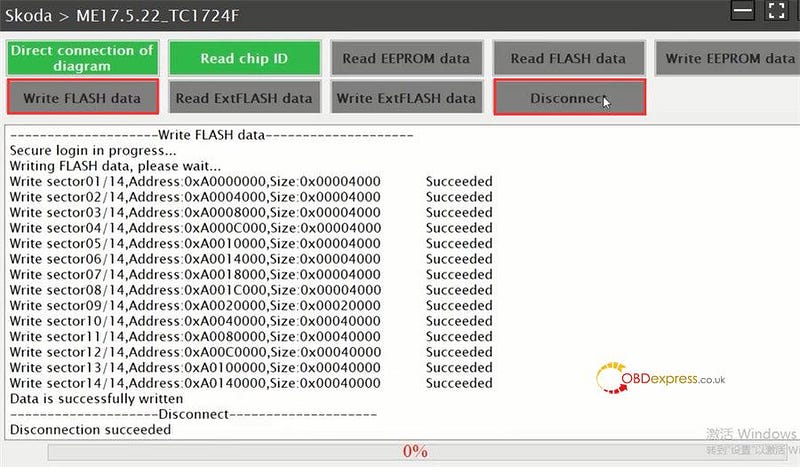
Select the ECU data that has just been cloned and origainl car FLASH data restoration to write back in sequence

Finally, disconnect Launch X-431 ECU & TCU Programmer system.

Launch X431 ECU Programmer Clone VW ME17.5.22 Engine Computer

Launch X431 ECU Programmer Clone VW ME17.5.22 Engine Computer

All operation are completed.

In addition, Launch X431 PAD VII, PAD V, PROS Anti-theft matching tool and other diagnostic devices + X-Prog 3 GIII programmer also can replace VW Audi UDS ME17.5.22 Engine replacement.

http://blog.obdexpress.co.uk/2021/12/09/replace-vw-audi-uds-me17-5-22-engine-with-launch-x431-padiii-padv-pro-g3/


KEYDIY New KD-Moto Adapter Adds Honda, Yamaha & Ducati

  Motorcycle key programming is now coming to the KEYDIY KD-X4 . The new KEYDIY KD-Moto Adapter adds dedicated motorcycle coverage for a w...