Tuesday, 29 September 2020

Renault Can Clip V200 Free Download, Activation & Setup

 Dear Renault Can Clip users, welcome back for clip V200 software free download source and reliable source.


Reliable source of Renault Can Clip V200:

https://share.weiyun.com/qlF995HR

Password: 4ixw6z

Security: 100% yes

Any problem to download it, please email at Sales@OBDexpress.co.uk


Can Clip V200 installation method:

https://youtu.be/lmj4QWKdEWA (as the same as that of Clip V195)


Clip V200 is compatible with Chinese clone Renault Can Clip ( incl. Item No. SP19-A / SP19-C / SP19-D/ SP19-C-1)

OS: Windows 7, 10 32bit 64bit (not with XP)


Language: Multilingual (English, French, German, Italian, Russian and other)


The program for the diagnosis of electronic systems of cars Renault, Dacia, Samsung. Working with scanner Renault CAN Clip only.


Clip V200 free Source:

https://mega.nz/file/fhUxwQSS#QaQ3BSYhXyjhvH2hvP-iIfcJVJg69BPT47ucvhpwIJQ

Renault Can Clip 200 Activation + Patch:

https://fex.net/ru/s/rokezfz


CAN Clip 200 Activation Steps:

  1. After Installation finish DO NOT run your CLiP!

1st replace the original RSWin.exe file (backup 1st your original file!!!)

with the Cracked .exe file in C:\CLIP_X91\Lib\Application\

1


  1. Now from the SAME location as you are (C:\CLIP_X91\Lib\Application\) run the RSWin.exe,

choose “Register me now” and in the next window select “NO”!

2


  1. Use this Key for Registration: 333DEF-111DEF-111DEF-222DEF-221DEF-000DEF

It will work till 31/12/2020

3


  1. Now as you are, RESTORE your original RSWin.exe and REMOVE the patched one!

(Just keep a backup from the patched file somewhere…)

4


  1. From your Desktop anymore, run your CLiP, accept the Terms and CLiP it will load.

5


Done! 


Enjoy!


Monday, 31 August 2020

Benz VCI C6 Mercedes Diagnostic Tool Using Tips


This article is on how to use Benz VCI C6 Mercedes diagnostic tool.


Simple guide:

Benz VCI C6 software is frozen by the factory and needs to be activated using teamviewer after receiving the package (contact at email: Sales@OBDexpress.co.uk) . After that, plug VCI C6 to the computer and the car, open the software to directly use without any settings.


VCI C6 compatible software:

xentry, epc, wis, star finder, Sdmedia, dts monaco, vediamo

Tips: Not support HHT-WIN, not support das and not work with the old Mercedes car models, do cars after 2011.


Language:

Bulgarian / Danish / Greek / Spanish / French / Italian / Korean / Polish / Roman / Serbian Croatian / Turkish / Czech / German / English / Finnish / Hungarian / Japanese / Dutch / Portuguese / Russian / Swedish / Chinese


OEM (Clone) Xentry VCI Clone feedback:

It looks original but inside its different. It works like Ecom.
I have one here. I can post pictures of “inside” and share my experience.

Images of “outside”:

Oem Clone Xentry Vci Clone Feedback 01

Oem Clone Xentry Vci Clone Feedback 02


Images of “inside”: Benz VCI C6 PCB

Oem Clone Xentry Vci Clone Feedback 03Oem Clone Xentry Vci Clone Feedback 04

Oem Clone Xentry Vci Clone Feedback 05

Using tips:

You can use ordinary XDOS without VXdiag Driver.

Only config ecom and ready.

No wireless or wifi, usb and lan only.

Use ordinary Xentry openshell

It doesn’t work with older DAS vehicles.

Doip is working.

Oem Clone Xentry Vci Clone Feedback 06Oem Clone Xentry Vci Clone Feedback 07


Please be free to contact at E-Mail: Sales@OBDexpress.co.uk for any Benz VCI C6 tech support.


https://www.obdexpress.co.uk/

Friday, 28 August 2020

How to register and update Creator C600

Here is the step-by-step instruction on how to register and install BMW software on Creator C600 obd2 code reader

Part1: Creator C600 register:

1. The  Creator C600’s interface will be displayed when it is powered on for the first time

How-to-register-Creator-C600-1 

How-to-register-Creator-C600-2

2 Click  YES or the fourth button, the  interface will be displayed below:

How-to-register-Creator-C600-2How-to-register-Creator-C600-3

3. Select the car model you needed, press OK

How-to-register-Creator-C600-4
NOTE : After press [OK], your selection will be save and can not change.you can: Press no to exit, press yes to continue

4. Then Press OK or press the Fourth button to complete the registration
How To Register Creator C600 4

Part2: How to update BMW software on Creator C600 Professional Multi-System Scanner

5. Remove SD card  from Creator C600 code reader  after power off , then  insert it into the computer, click on the SD card /creator/sys/CONFIG.BINHow-to-register-Creator-C600-7

Delete the CONFIG.BIN file, then reinsert the SD card into the Creator C600 , and power on.

6. Turn off the power again, then remove the SD card, and then insert it to the computer

7. Go to official website to download the upgrade tool software, URL: http://www.szcreator.com/page105How-to-register-Creator-C600-7

8. Download the C50X update tool and install it. After the installation is complete,   . Run this softwareHow-to-register-Creator-C600-8 and the following interface will be displayed below:

How-to-register-Creator-C600-9
9. Click BROWER SD, select the drive letter of the SD card, and click [Select File]How-to-register-Creator-C600-10

The software will read the product serial number, and then click the [CONNECT] button:How-to-register-Creator-C600-11
10.Car model support list:

How-to-register-Creator-C600-11

11. Click the [DOWNLOAD] button,the upgrade tool will automatically download the software and save it to the SD card.

12. Upgrade complete!

How-to-register-Creator-C600-12

13. Finally, remove the SD card from the computer and insert it into C600, then power on C600.

BMW software update successfully!!!

How-to-register-Creator-C600- 13

Note: At present, deleting CONFIG.BIN file is a necessary step.

 Source:https://www.obdexpress.co.uk/service/how-to-register-creator-c600.html

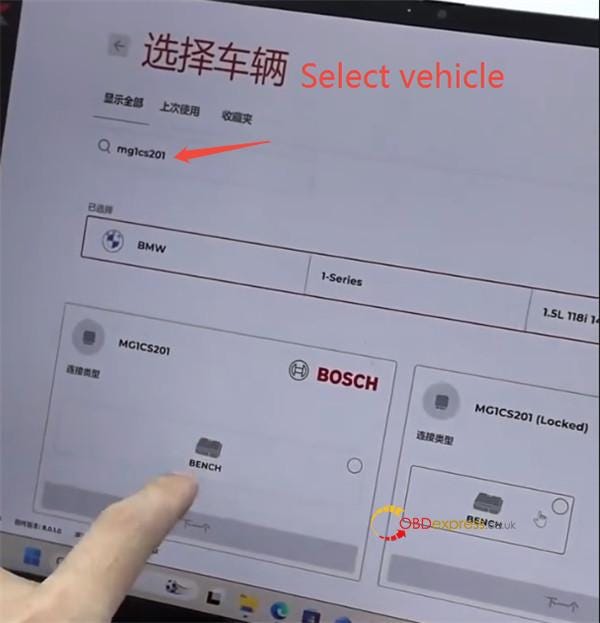
How to Unlock BMW B48 MG1CS201 B58 MG1CS024 ECUs by FLEX?

 Interested in Flex ’s new BMW ECU unlock feature, but don’t own a FLEX tool — or lack an active subscription to access online protocols? T...