Tuesday, 5 November 2024

OBDSTAR X300 Classic G3 Program Benz 2011 W207 EIS AKL on Bench

 This post comes with a new guide about Mercedes-Benz 2011 W207 EIS all keys lost programming with OBDSTAR X300 Classic G3 on Bench. Prepare all tools required and update the software to the latest version (Benz V40.56 or later). Check more info below.

Required Tools:

MP001 Programmer

BENCH- A V3 Clone Jumper

OBDSTAR BENZ FBS3 Kit (C4–04, C4–05)

OBDSTAR X300 Classic G3 Key Programmer

Main Cable

12V Power Supply

Mercedes-Benz W207 EIS

Blank BE Key
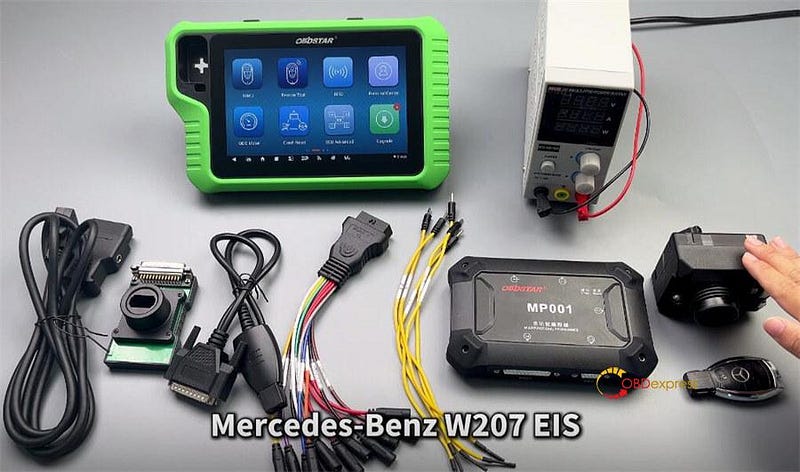

OBDSTAR X300 Classic G3 Program Benz 2011 W207 EIS AKL on Bench

Menu Function Path:

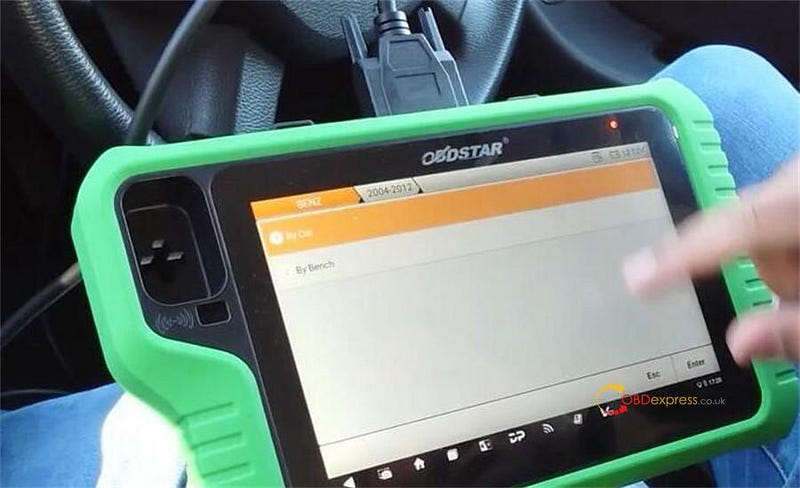
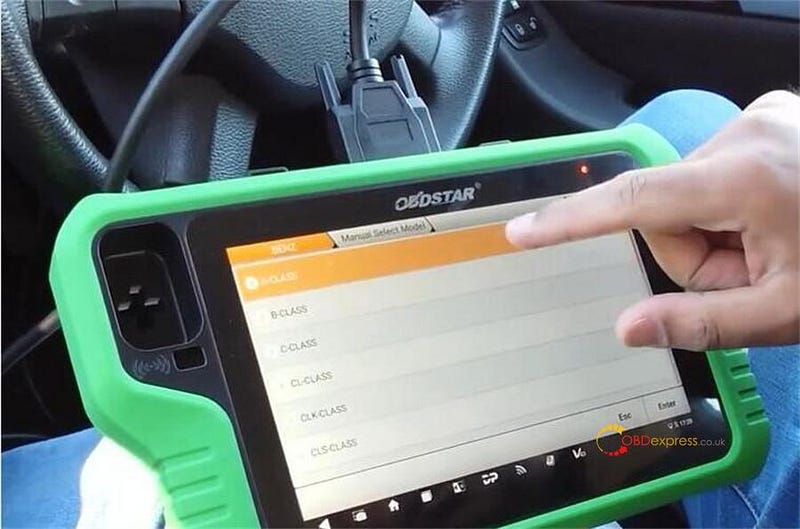
Select IMMO >> BENZ >> BENZ V40.56>> Manual Select Chassis >> Program Keys (FBS3) >> By Bench >> Guide
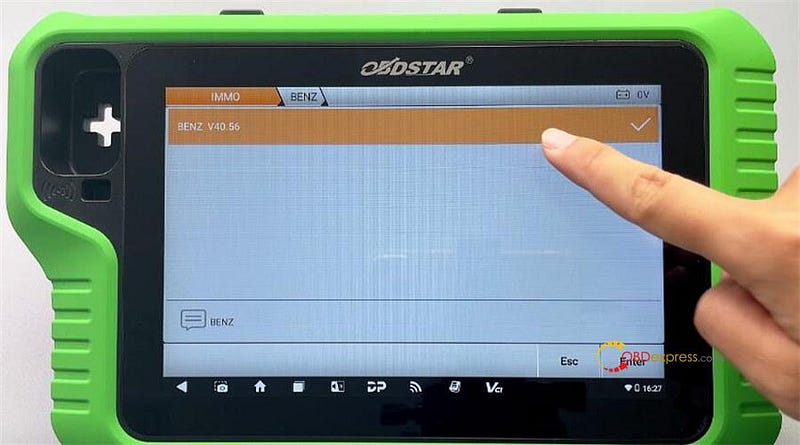
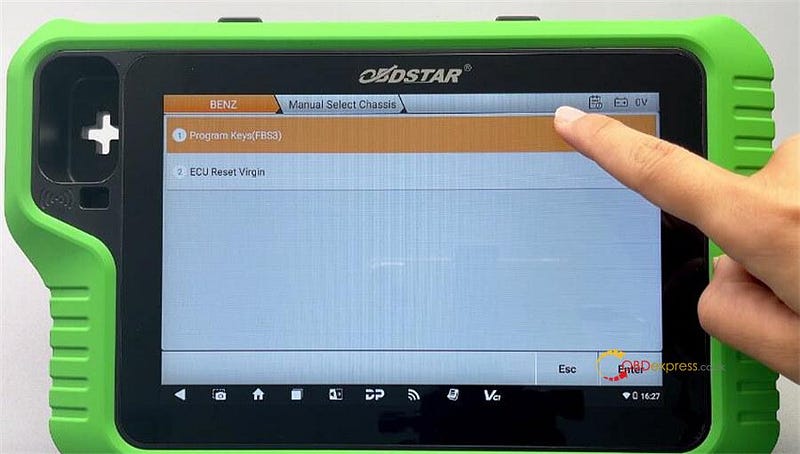
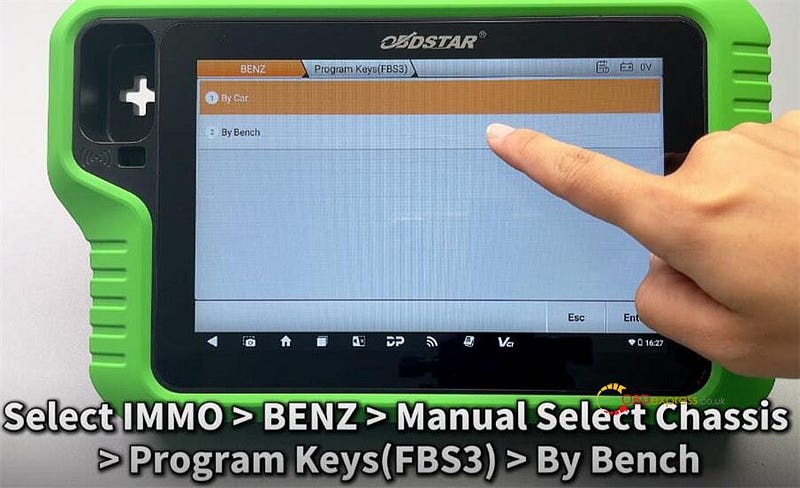
OBDSTAR X300 Classic G3 Program Benz 2011 W207 EIS AKL on Bench

We can follow the diagram to identify the EIS type

Select W207 >> All Keys Lost >> Guide
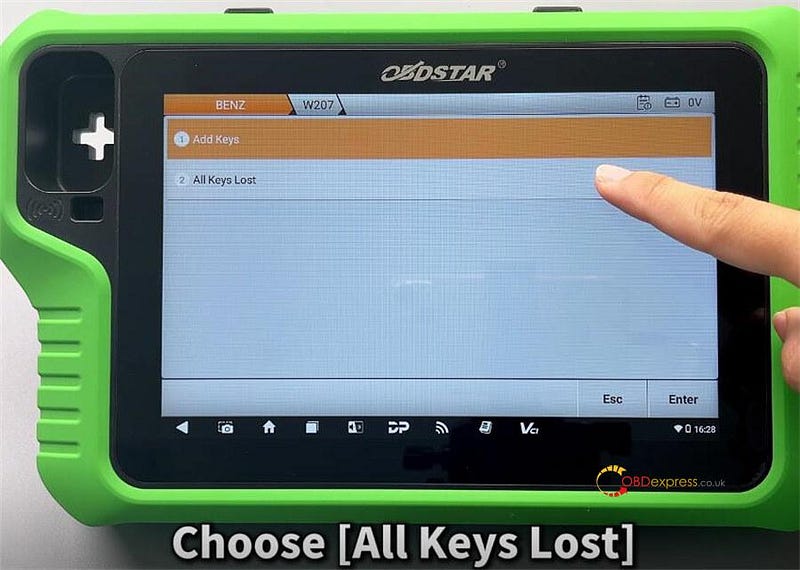

OBDSTAR X300 Classic G3 Program Benz 2011 W207 EIS AKL on Bench

Main operation steps:

Step1: Read PinCode

Step2: Generate BE Key File

Step 3: Reset Virgin BE Key Data
Step 4: Read Key Info

Step 5: Write BE Key Data

Step 6: Examine Car Key
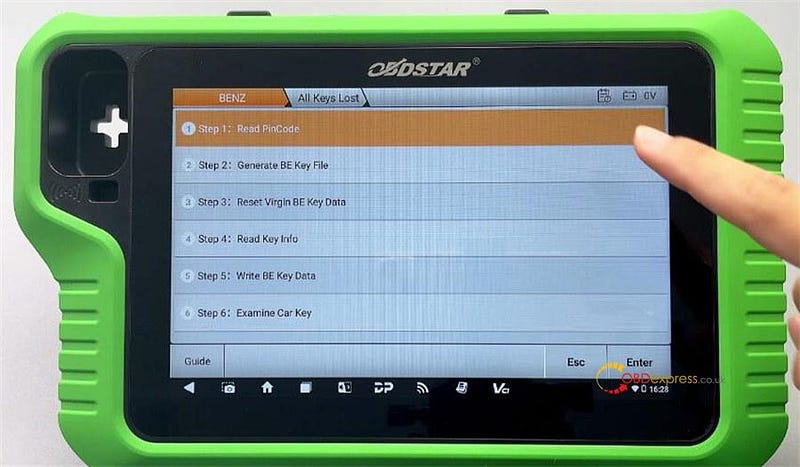

OBDSTAR X300 Classic G3 Program Benz 2011 W207 EIS AKL on Bench

Step1: Read PinCode

Click "Pinout" to check the EIS Pinout

EIS ToolA-Pin 712V (11)A-Pin 10GND (4+5)A-Pin 5K (15)A-Pin 1CAN L (14)A-Pin 2CAN H (6)
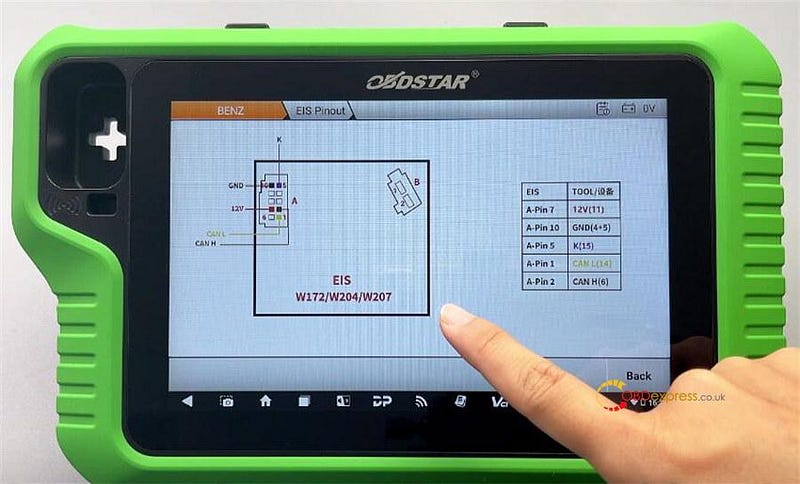

OBDSTAR X300 Classic G3 Program Benz 2011 W207 EIS AKL on Bench

Select PinCode Collection >> OK

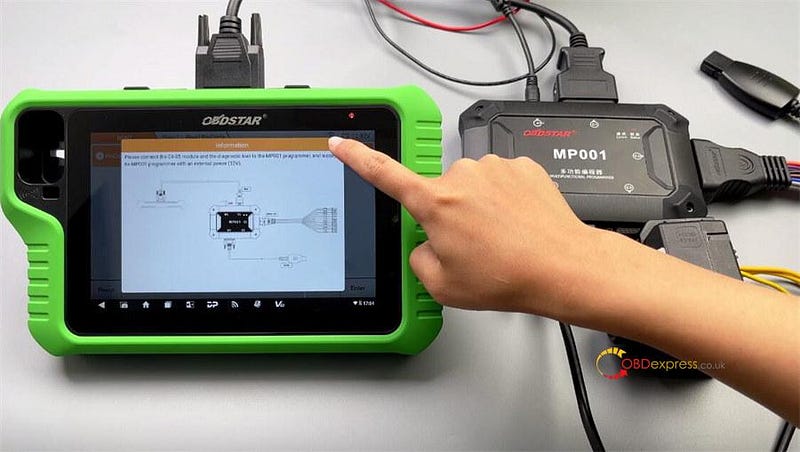
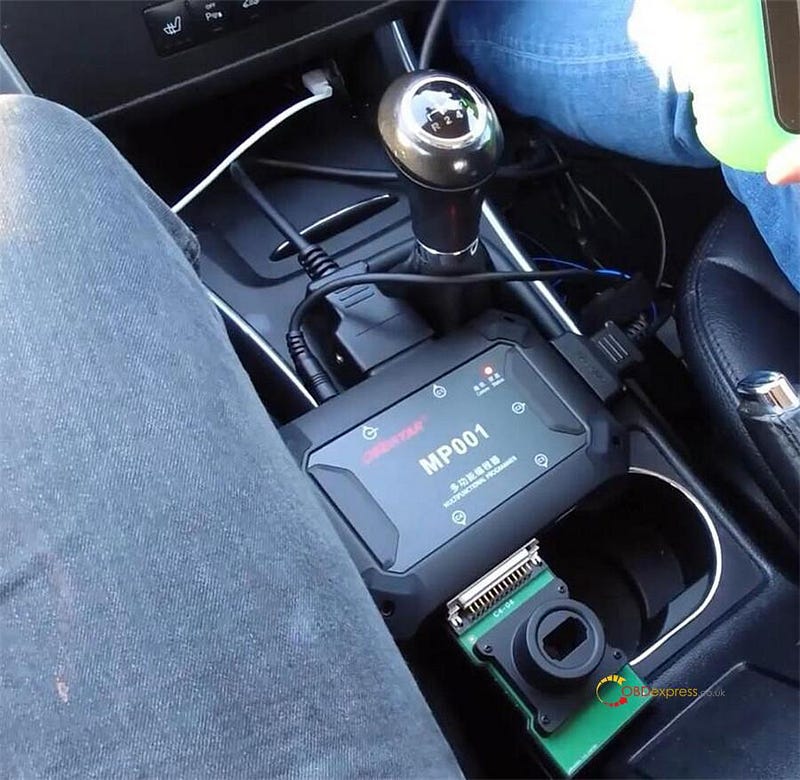
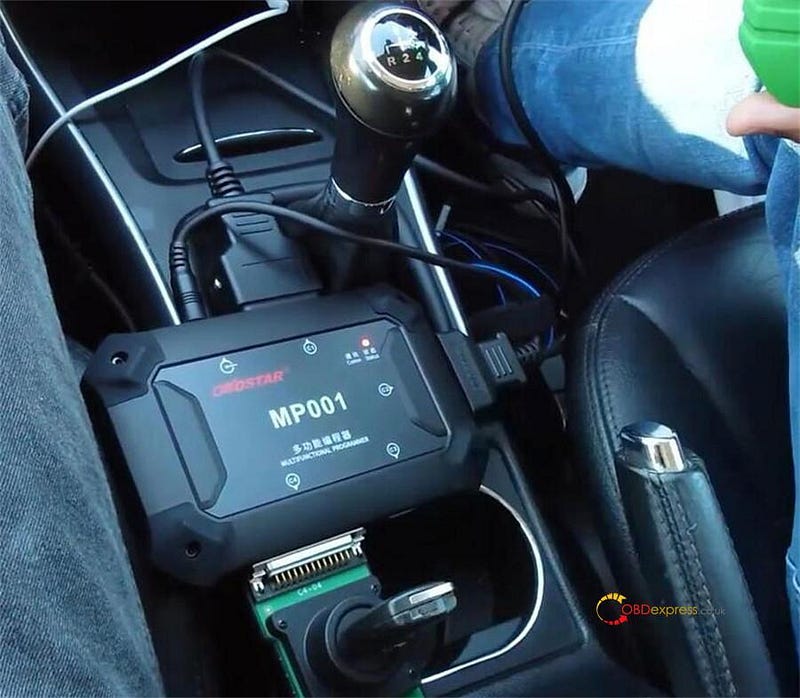
Please connect the C4–05 module and the diagnostic tool to the OBDSTAR MP001 programmer, and supply the MP001 programmer with an external power (12V).

Click "Help" and follow the device prompts to connect the C4–05 and the diagnostic tool to the MP001 programmer.

Click "Yes".
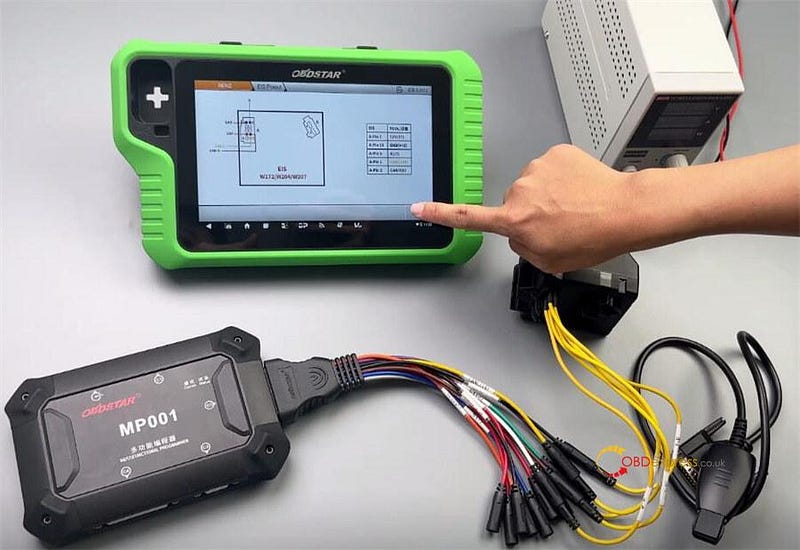

OBDSTAR X300 Classic G3 Program Benz 2011 W207 EIS AKL on Bench

Note:

  1. This function requires Internet access, please keep the network connection throughout the process.
  2. Please follow the instructions strictly and do not disconnect in the middle of the process.

Please confirm that the EIS has been disconnected from the ELV, and then tap the button "OK".

Please insert the infrared key simulator C4–05 (for Mercedes-Benz) into the EIS. If it has been inserted, please pull it out first and then reinsert it.

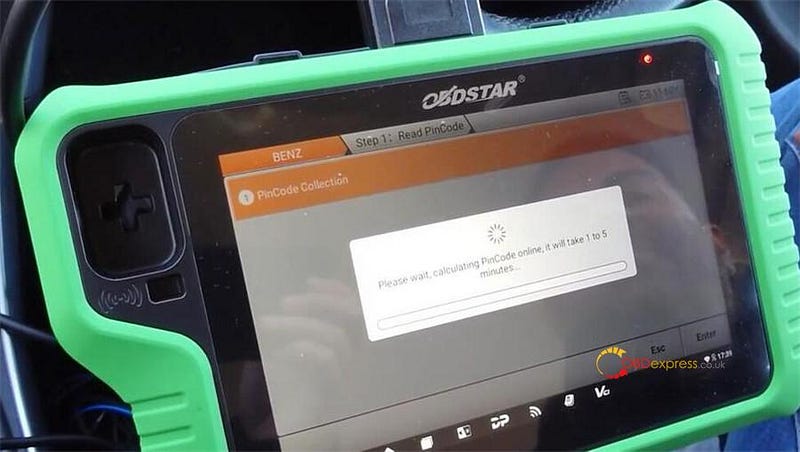
Wait for the system to collect data. The device will automatically parse out the PinCode of the key.

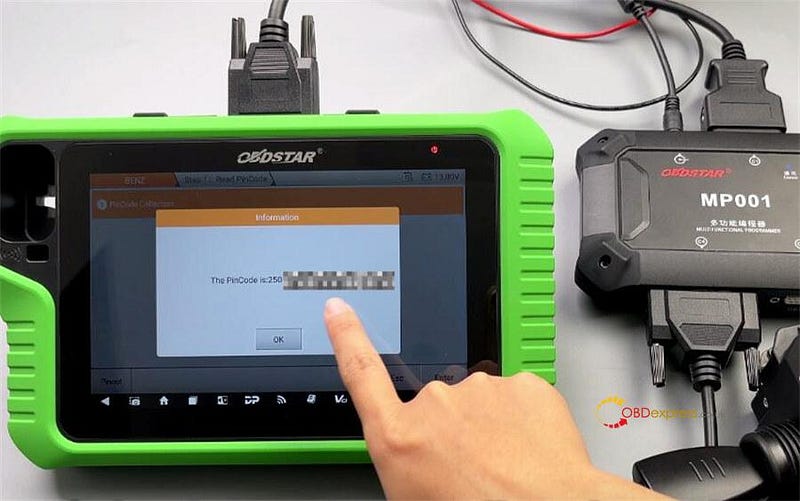
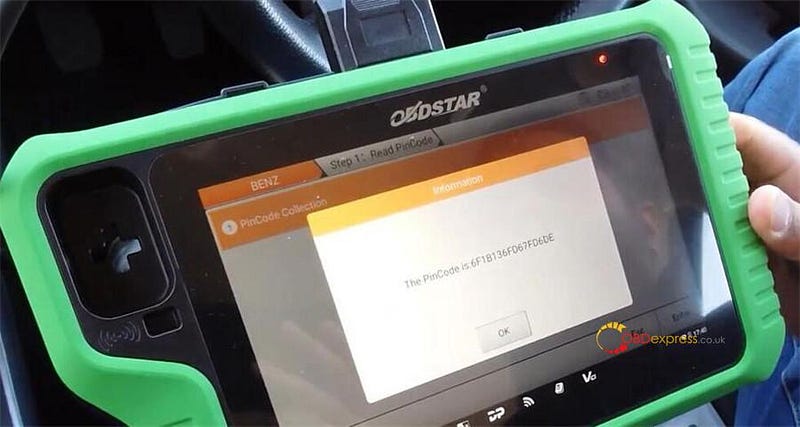
Read the PinCode successfully
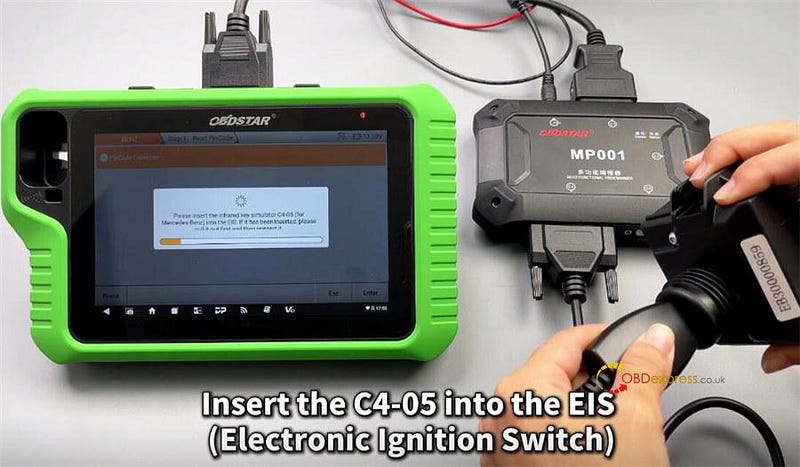

OBDSTAR X300 Classic G3 Program Benz 2011 W207 EIS AKL on Bench

Restore any parts that were removed from the vehicle!

Step 2: Generate BE Key File

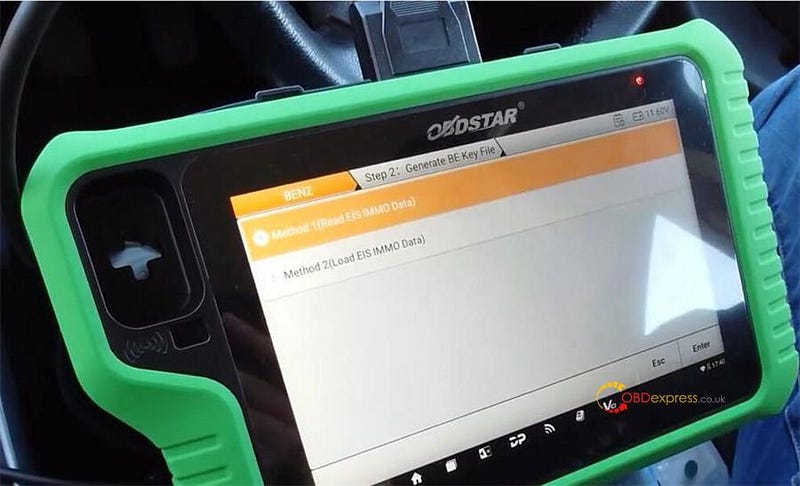
Select Method 1 (Read EIS IMMO Data) >> OK

Pay attention to the prompt and check the wiring diagram, and remove the C4–05 cable.

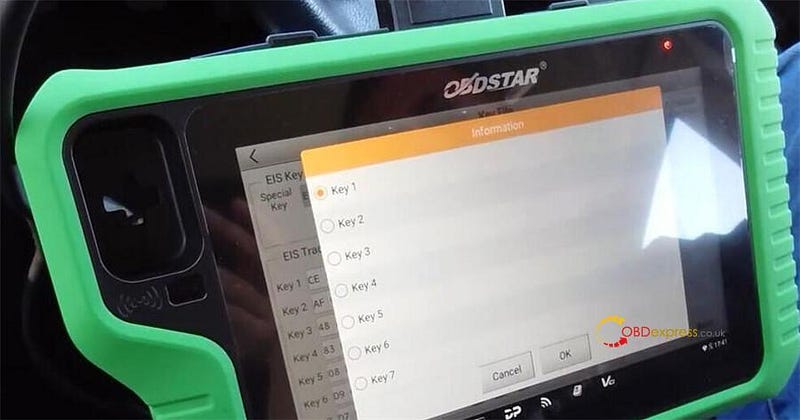
Click Yes >> Generate Key File >> Selected key position: Key1

For all keys lost programming, we can select any one of the key positions.

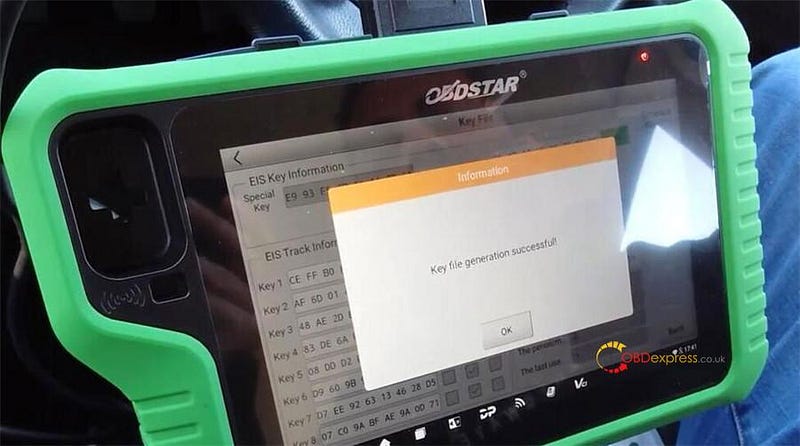
Generate Key file successfully
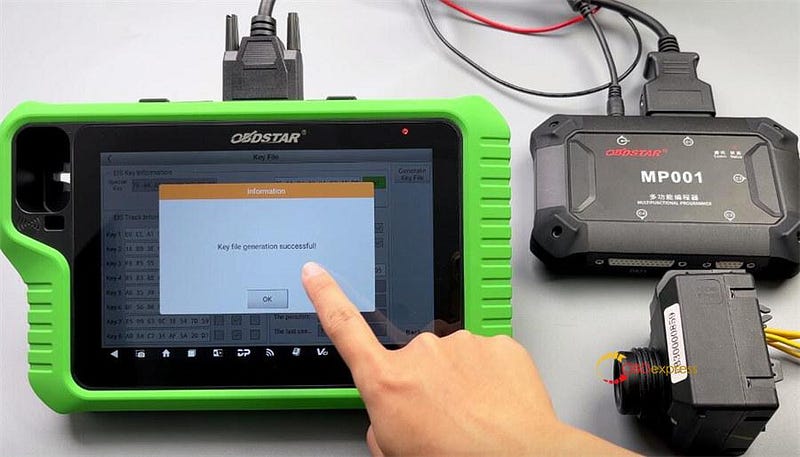

OBDSTAR X300 Classic G3 Program Benz 2011 W207 EIS AKL on Bench

Step 3: Reset Virgin BE Key Data

Please connect the C4–04 module and the diagnostic tool to the MP001 programmer, and supply the MP001 programmer with an external power (12V).

Tap "Help" to view the wiring diagram.

We need to connect an additional C4–04 board.

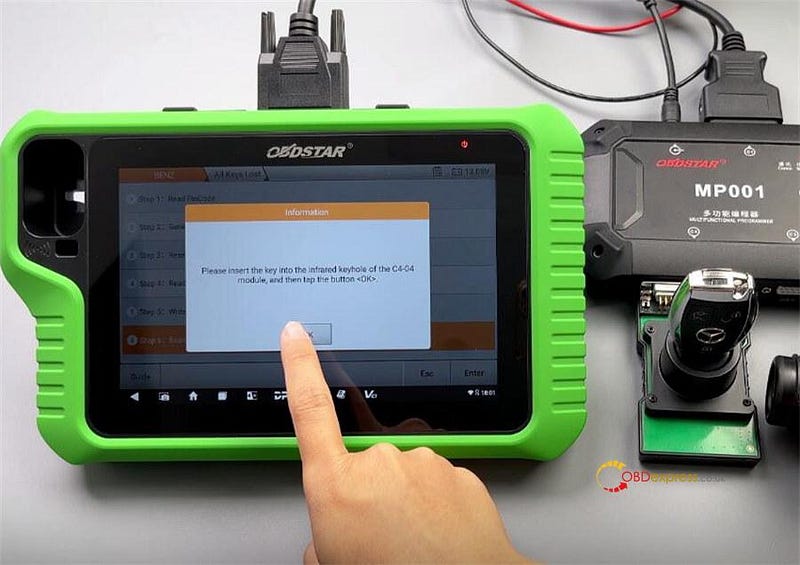
Please insert the key into the infrared keyhole of the C4–04 module, and then tap the button "OK".

Confirm to reset virgin the key

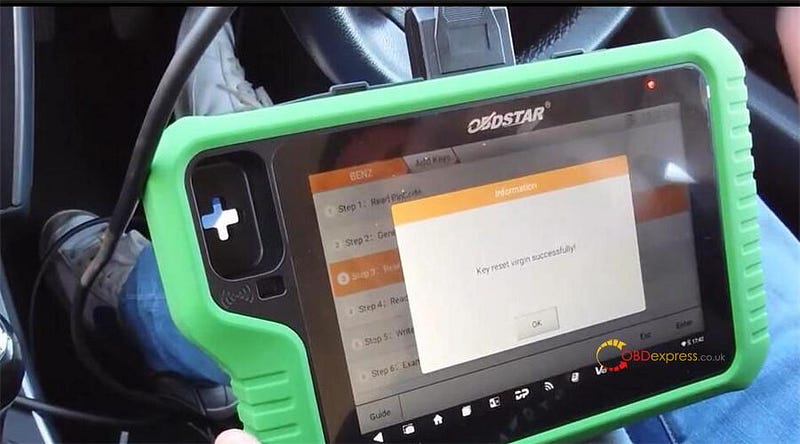
Reset key virgin successfully
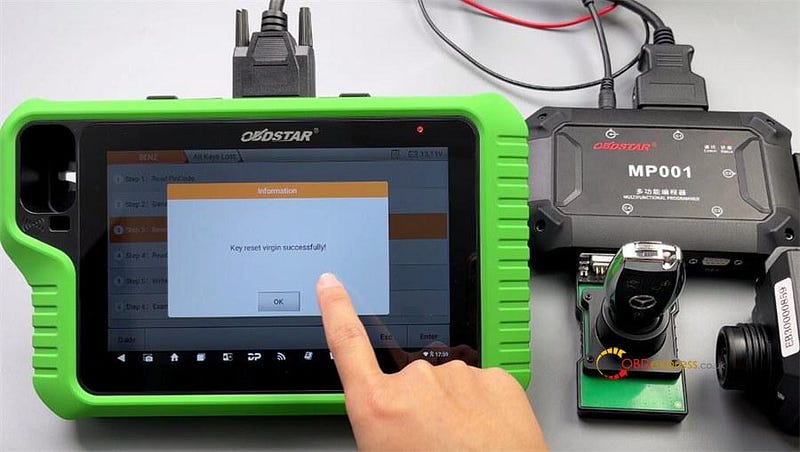

OBDSTAR X300 Classic G3 Program Benz 2011 W207 EIS AKL on Bench

Step 4: Read Key Info

Click Yes >> OK

The key still needs to be inserted into the infrared keyhole of the C4–04.

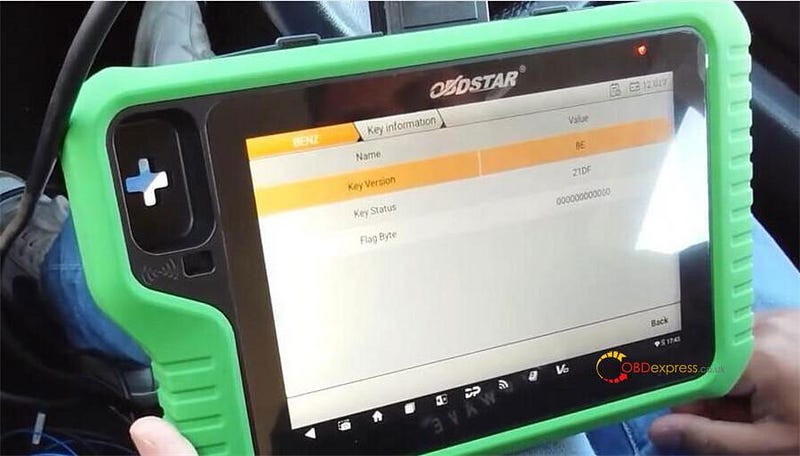
This indicates the key has been reset virgin successfully.
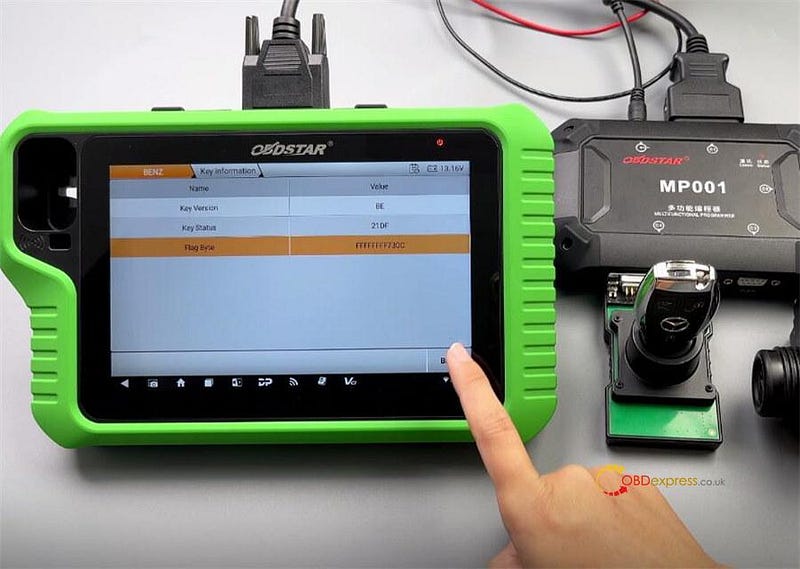

OBDSTAR X300 Classic G3 Program Benz 2011 W207 EIS AKL on Bench

Step 5: Write BE Key Data

Click Yes >> OK

Follow the prompts to place the Mercedes-Benz key into the infrared keyhole of the C4–04

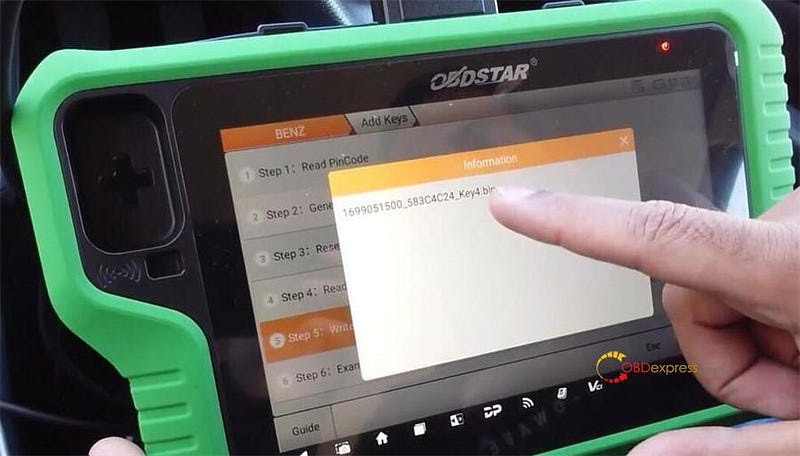
Select the key file just generated

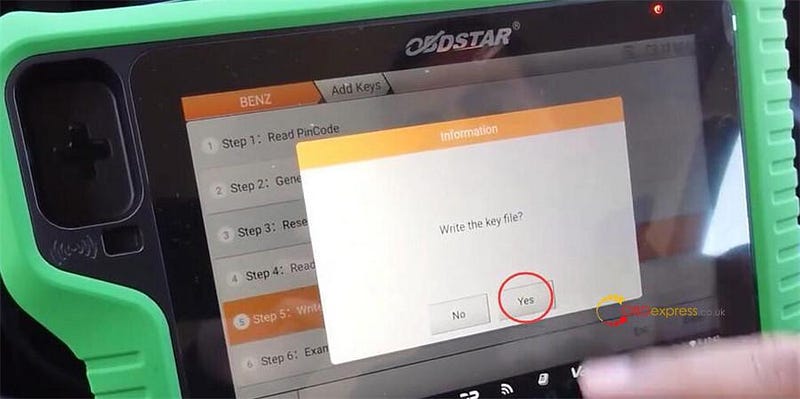
Confirm to write the key file

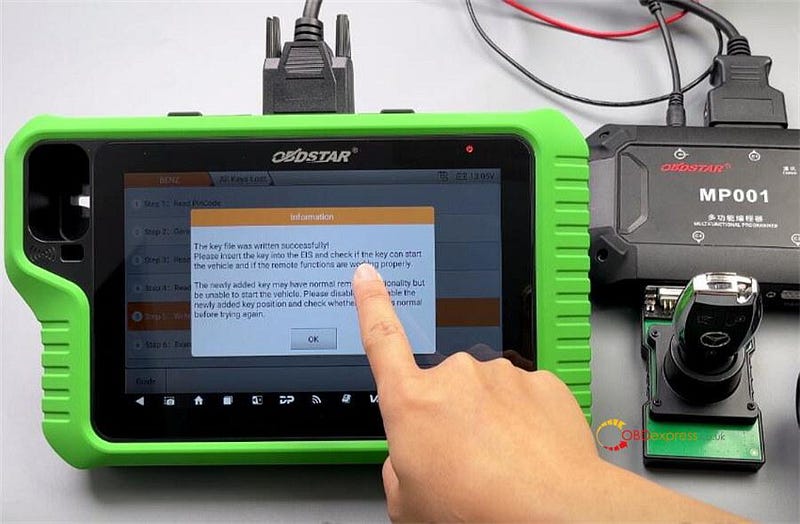
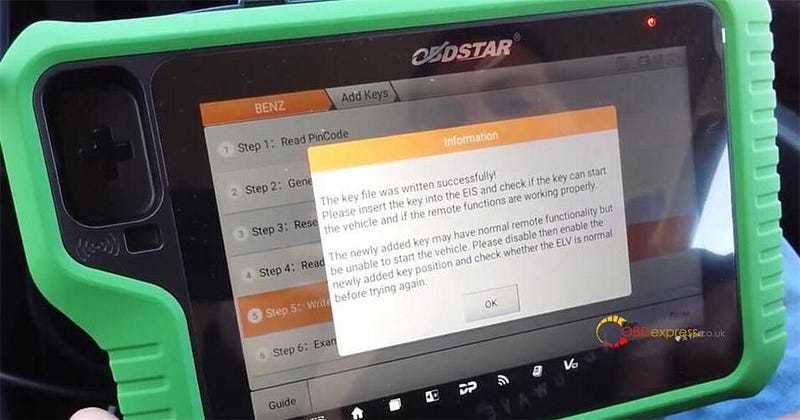
Write the key file successfully!
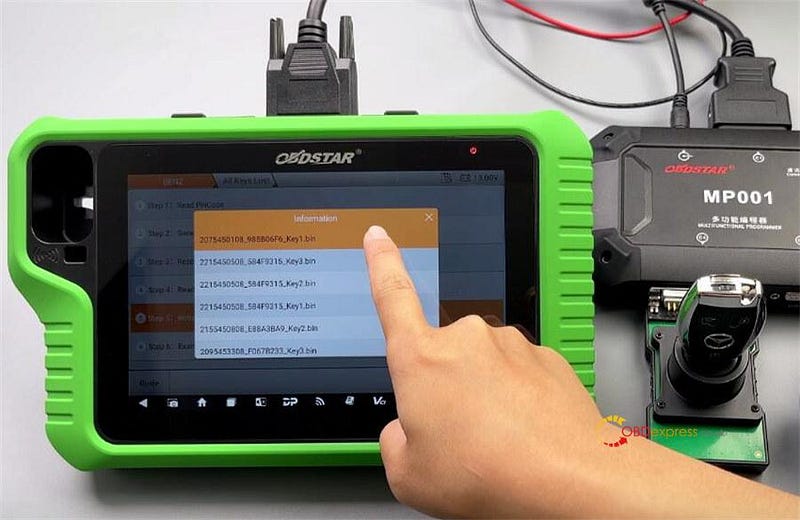

OBDSTAR X300 Classic G3 Program Benz 2011 W207 EIS AKL on Bench

Step 6: Examine Car Key

Click Yes >> OK

Please insert the ignition key into the EIS.

Please remove the ignition key from the EIS, then insert it into the EIS and tap the button "OK".

Please insert the key into the infrared keyhole of the C4–04 module, and then tap the button "OK".

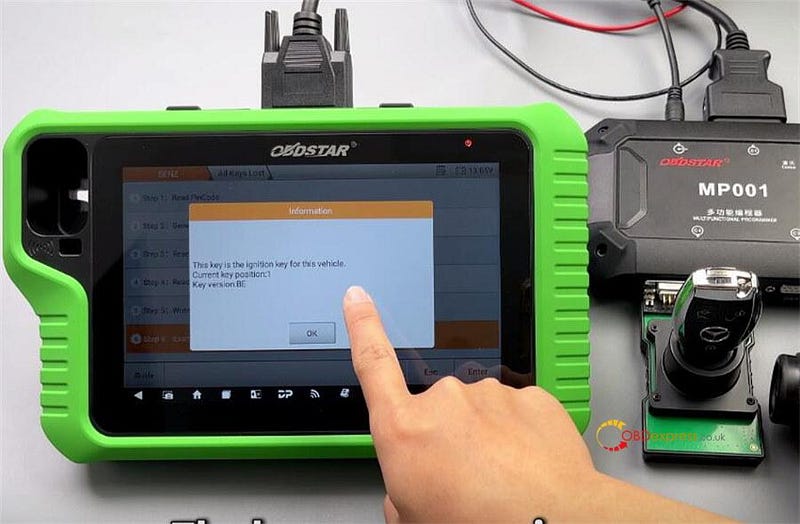
This key is the ignition key for this vehicle.

Program the key was successfully
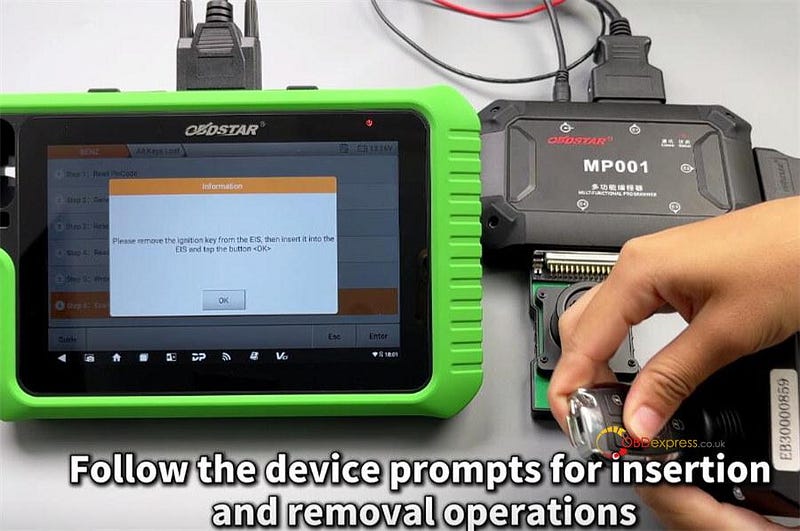

OBDSTAR X300 Classic G3 Program Benz 2011 W207 EIS AKL on Bench

Verify by inserting the key into the EIS and turning it to ensure it works properly.

The newly added key may have normal remote functionality but be unable to start the vehicle. Please disable then enable the newly added key position and check whether the ELV is normal before tying again.
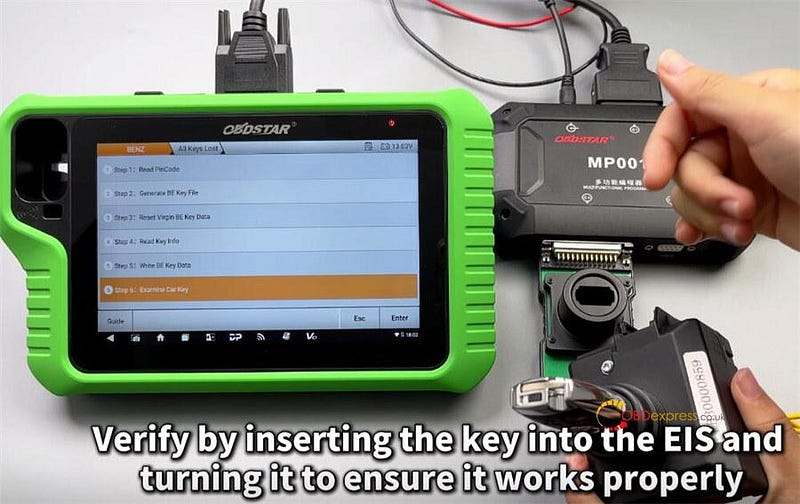

OBDSTAR X300 Classic G3 Program Benz 2011 W207 EIS AKL on Bench

Done!

Read also:
http://blog.obdexpress.co.uk/2024/10/23/how-to-program-mercedes-benz-fbs3-be-key-by-obdstar-x300-classic-g3/

www.obdexpress.co.uk

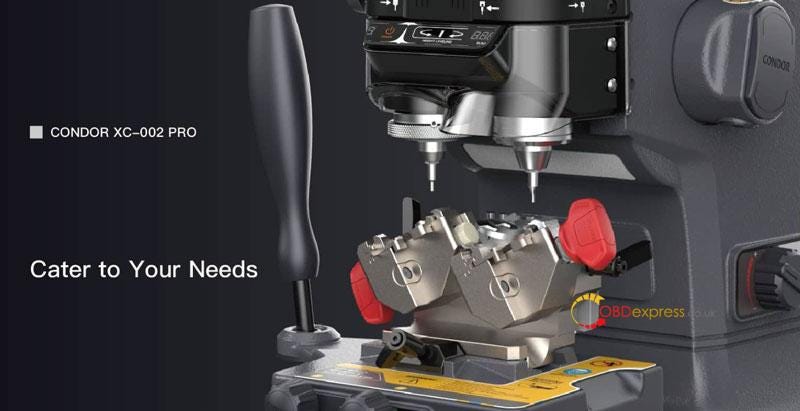
Xhorse Condor XC002 PRO Highlight, Parameter, Feature Instruction

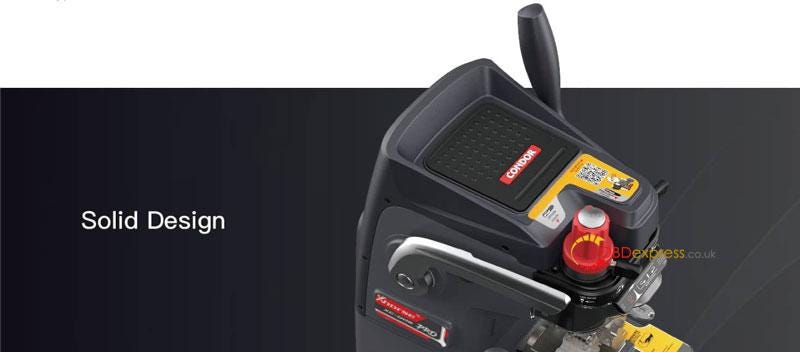
 XHORSE Condor XC002 PRO Key Cutting Machine comes with a brand-new design that supports probes & cutter switching quickly without a Ailan wranch. The optimized performance, which can bring ultra-high precision duplication.

Highlight

  • Probes & Cutters Switching Quickly
  • Central Clamping
  • Internal Cut/External Cut/Dimple Key
  • 0–45°Rotatable Clamp
  • High-Speed Motor
  • All-aluminum Body
  • Calibrating Light
  • Micro-adjust Guide

XHORSE Condor XC002 PRO Instruction

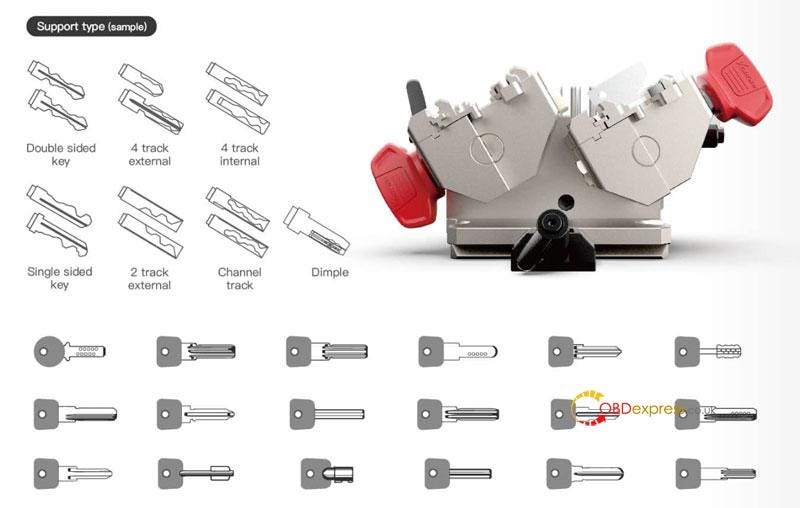
Support Type

Double sided key, 4 track external, 4 track internal, single sided key, 2 track external, channel track, dimple.


XHORSE Condor XC002 PRO Instruction

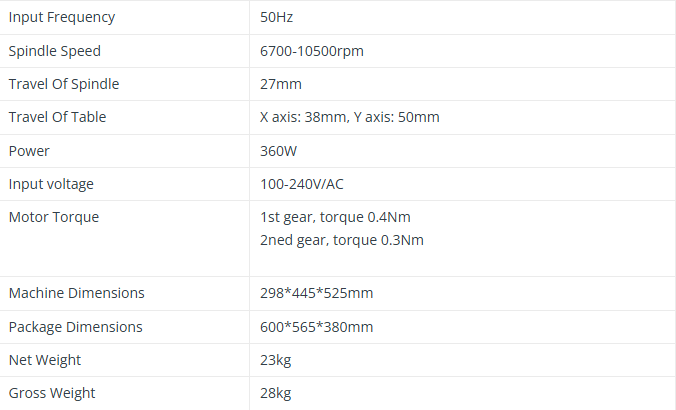
Parameters


XHORSE Condor XC002 PRO Instruction

Features

  • Upgraded Solution

The Condor XC002 PRO lock switch can achieve probes and cutters switching quickly and central clamping of the probe and cutter easily with no need for an Allen wrench, bringing a seamless and efficient working experience.

  • Reliable Mechanical Structure

Condor XC002 PRO is manufactured with reliable mechanical components, ensuring ultra-high precision duplication.

Its Korean-made retainer cage greatly maintains a good running status; its British Renishaw online testing system spots flawless key cutting locations; covered with specialized coating, the cutter made of Japanese raw materials guarantees a long service life.

  • Masterful Craftsmanship

At the bottom of the machine, the storage box thoughtfully designed helps users store probes, cutters and key blades.

The machine body forged by the all-aluminum die casting process(thermal treatment) ensures greater stability.

All the main components processed by the German-made DMG CNC machine guarantee high-precision duplicating results.

  • Multiple Option Available

Multiple gears allow users to adjust the spindle speed in accordance with their needs to elevate efficiency and prolong its service life.

Standard mode and dimple mode are added to facilitate dimple key and ordinary key cutting.

  • Ergonomic Design

Every detail you care about is addressed with these thoughtful design.

Based on deep research on users’ operation habit, Condor XC002 PRO has been greatly optimized regarding its materials, handle radian, grip, touch, touch, control, and cutting operation.

With built-in indicator light, you can level the probe and the cutter at ease. An intelligent LCD screen displays the spindle speed for your convenience.

  • Innovative Multi-function Clamp

The multi-function clamp equipped allows for cutting dimple keys of different angles(0–45°). Users can adjust the angle of clamp to finish cutting based on the original key. Currently, Condor XC002 PRO supports duplicating standard single sided, double sided, 4 track external, 2 track external, 4 track internal, channel track and dimple keys with angles.

  • Lifelong Free Technical Support

With "Customer Service" on Xhorse APP, you’ll get live and free technical support from a professional and dedicated team to help you tackle any problems.

  • Worry-free Warranty

A one-year(365 days) warranty is offered from the data you purchased the product.


XHORSE Condor XC002 PRO Instruction

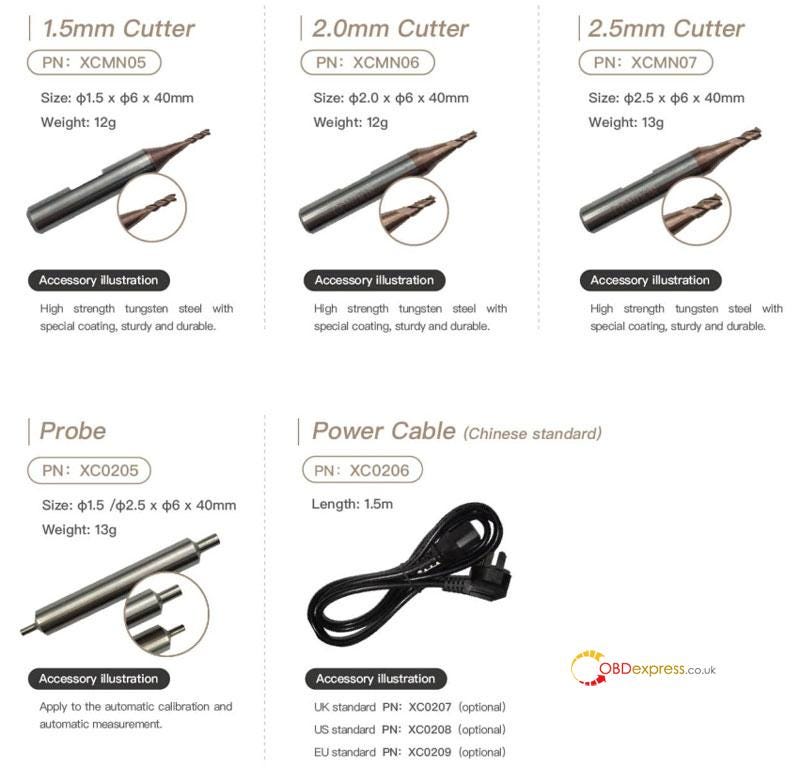
Other Accessories

  • 5mm/2.0mm/2.5mm cutter, high strength tungsten steel with special coating, sturdy and durable.
  • Probe, apply to the automatic calibration and automatic measurement.
  • Power cable.

XHORSE Condor XC002 PRO Instruction

www.obdexpress.co.uk

Wednesday, 30 October 2024

How to Change Language of LAUNCH CRP919 EV?

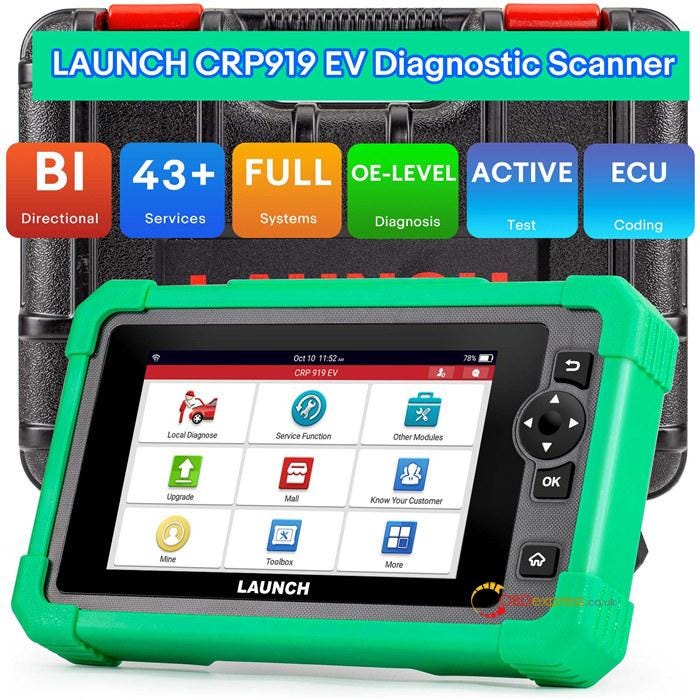
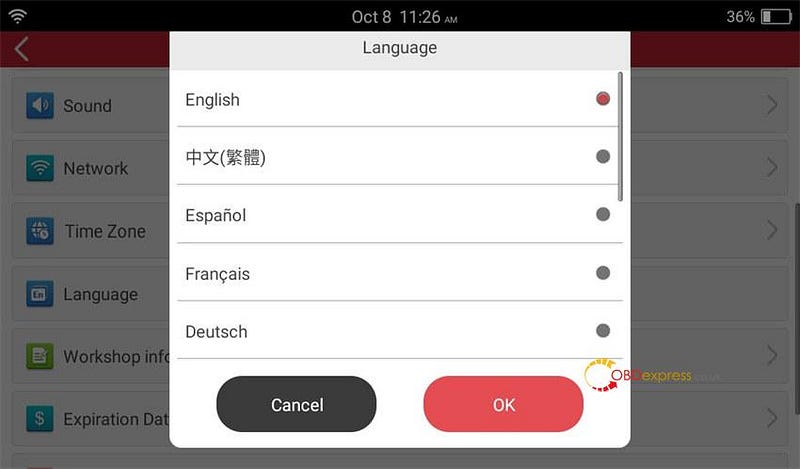
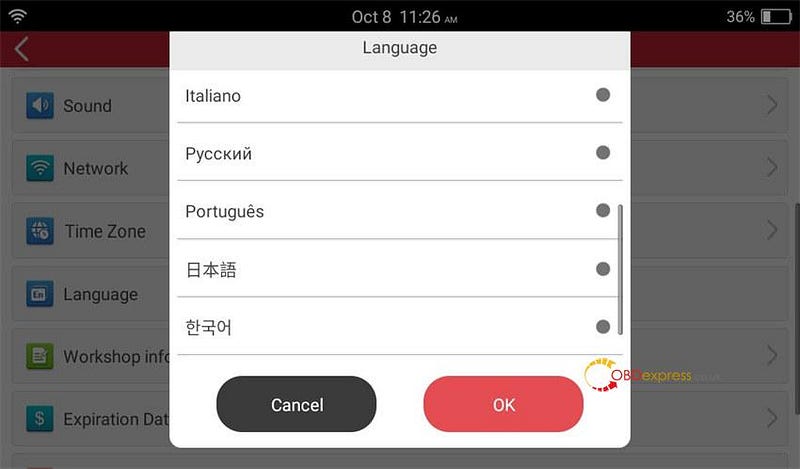
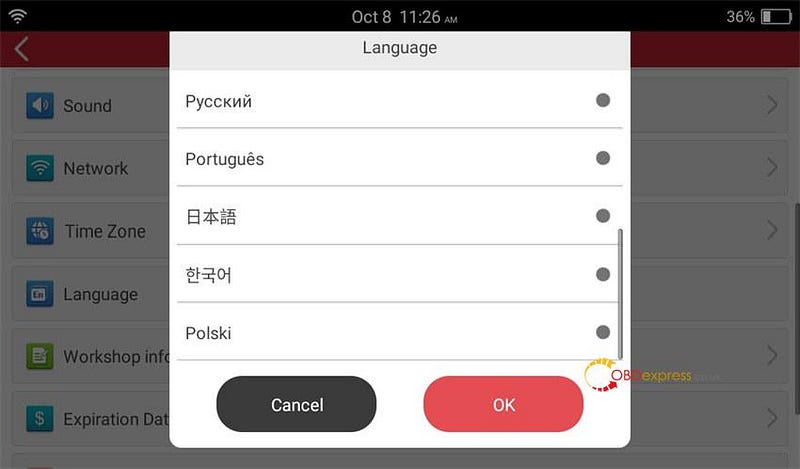
 Launch X431 CRP919 EV diagnostic scanner is available in 11 languages, including English, French, Spanish, German, Italian, Russian, Portuguese, Japanese, Korean, Polish, and Traditional Chinese. The default language is English, how to change the language to others?


How to Change Language of Launch X431 CRP919 EV

Here is the operation guide:
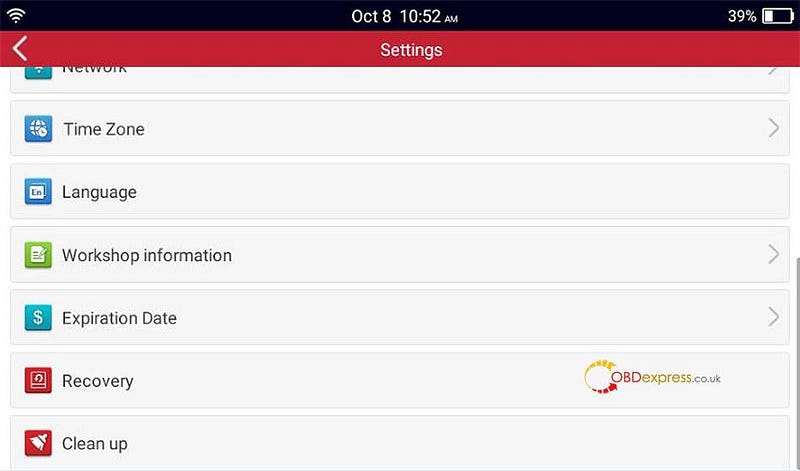
Go to Settings>> Language


How to Change Language of Launch X431 CRP919 EV

Select the language you desire and click "OK"


How to Change Language of Launch X431 CRP919 EV

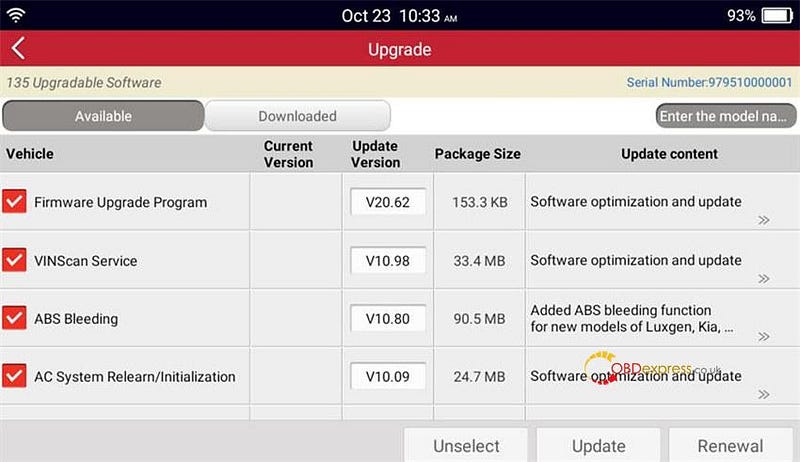
After changing, go to Software Update to update the software again.


How to Change Language of Launch X431 CRP919 EV

Learn more:

http://blog.obdexpress.co.uk/2024/10/15/launch-x431-crp919-ev-functioncoveragespecification/

www.obdexpress.co.uk

How to Install Yanhua BMW ID7 Special Filter Correctly?

 One customer gave feedback that he installed the Yanhua ID7 Special Filter to his BMW instrument, but the mileage was still synchronized to the cluster. He asked if he needed to adjust the resistor above the filter.

OBDEXPRESS.co.uk engineer offered the solution below.

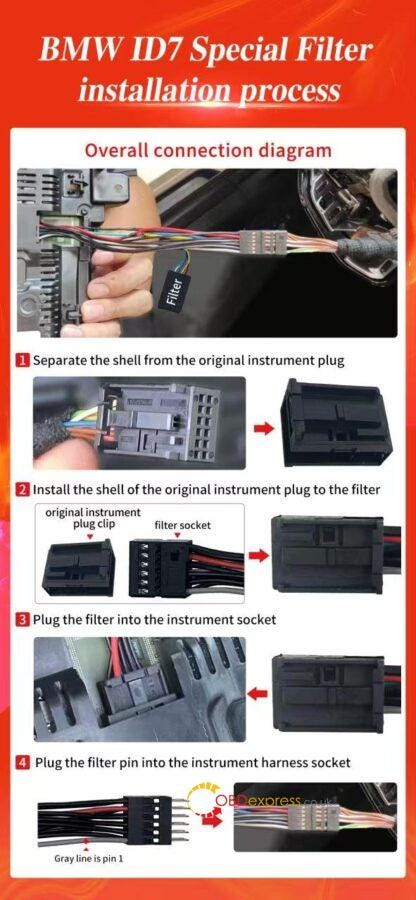
The id7 can filter is plugged into the rear of the instrument

No need to adjust the resistor above the filter.

The gray line is PIN 1. Check whether the connection is correct.

Correct connection mode:

1.Separate the shell from the original instrument plug

2.Install the shell of the original instrument plug to the BMW ID7 Special Filter

3.Plug the filter into the instrument socket

4.Plug the filter pin into the instrument harness socket


How to Install Yanhua BMW ID7 Special Filter Correctly

www.obdexpress.co.uk

XTOOL D7 Add 2018 Toyota RAV4/ Camry/ Corolla Smart Key

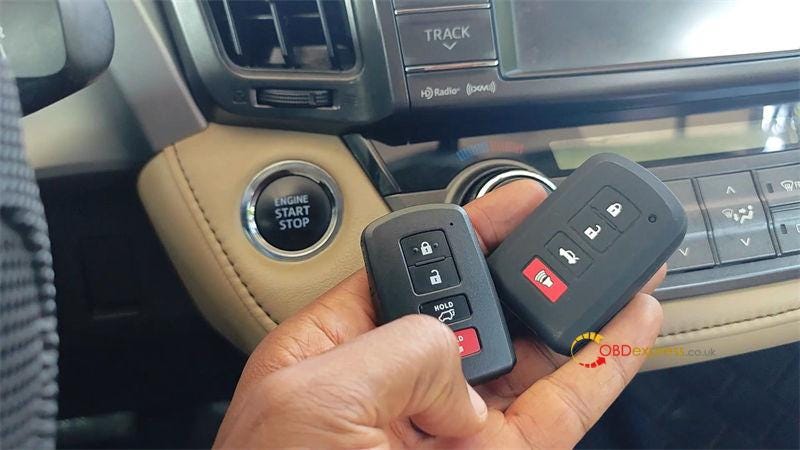
 Today I’m gonna program keys to this 2013 Toyota RAV4 which has a push-start system. I’ll use the XTOOL D7 to do the job today. The procedure covers 2013–2018 RAV4, as well as Camry, Corolla and Avalon. As long as you have a similar looking smart fob and the D7S/D7W tablet.

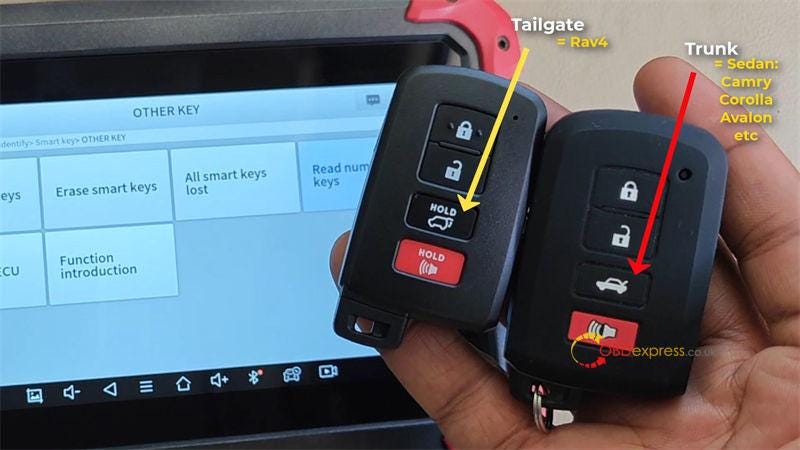
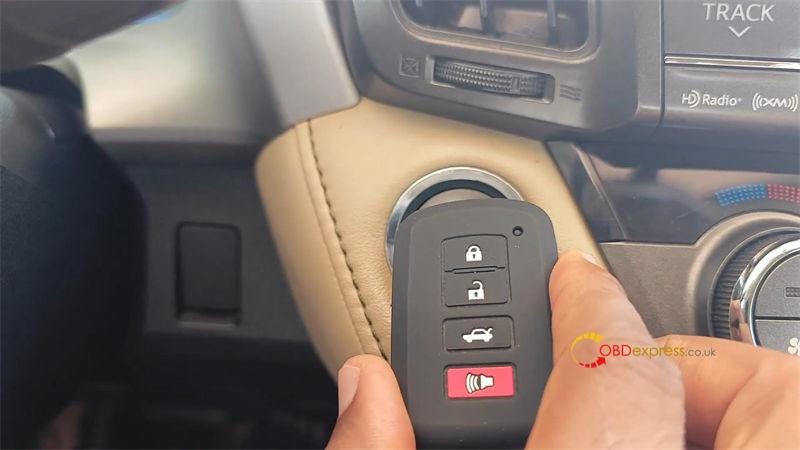
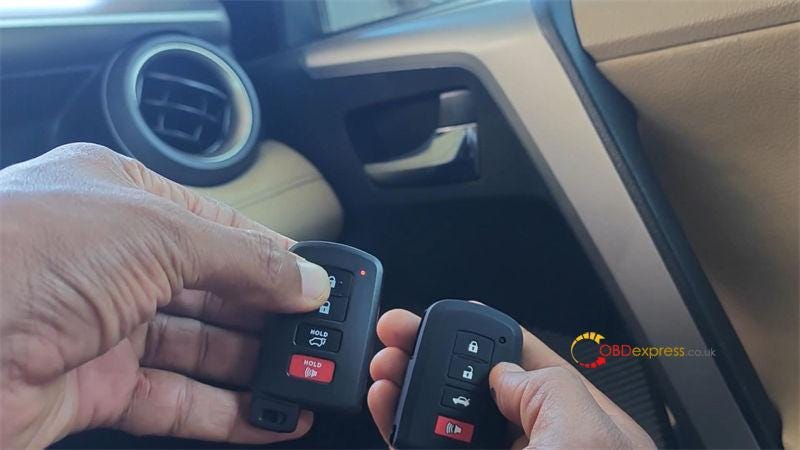
This is an aftermarket smart key to be programmed, it’s specific to the RAV4. You can see this "HOLD" button features a tailgate symbol instead of a trunk. Just be sure to select the right key for your car, because if you don’t, the programming is going to fail.


XTOOL D7 Add 2018 Toyota RAV4_Camry_Corolla Smart Key

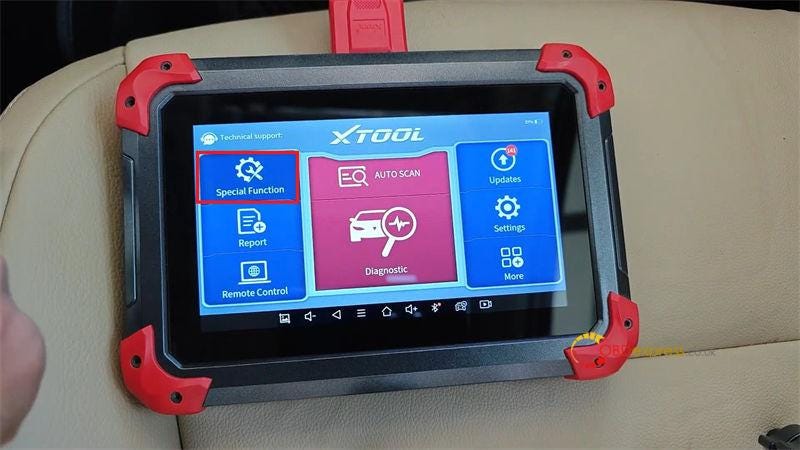
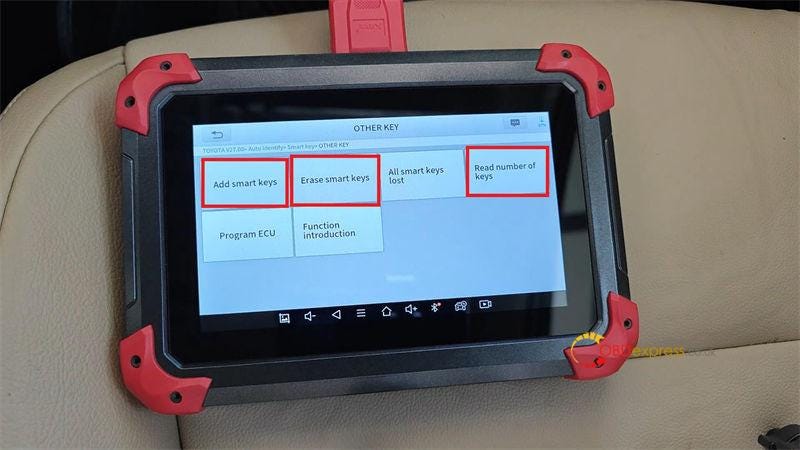
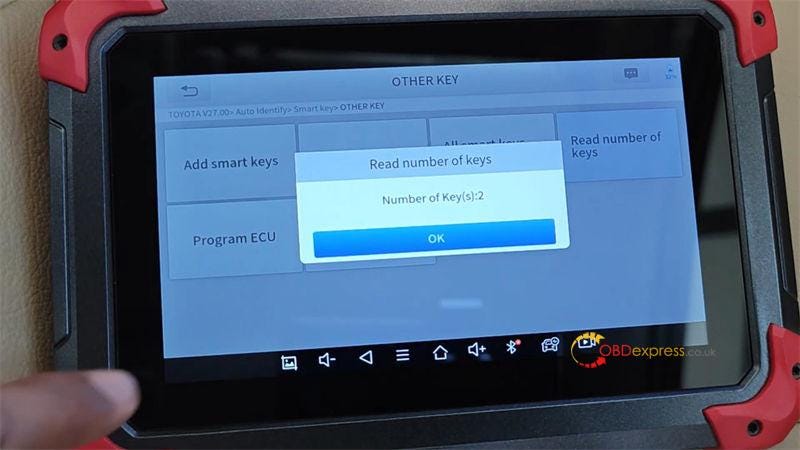
Special function >> Key programming >> Agreed >> TOYOTA >> Auto identify >> Smart key >> Type 3 >> Other key >> Read number of keys

Number of keys: 3

Press "Erase smart keys".

Use a programmed smart key(the key will not be erased) to contact the "Start/Stop" button.

Erasing stored keys in memory, please wait…

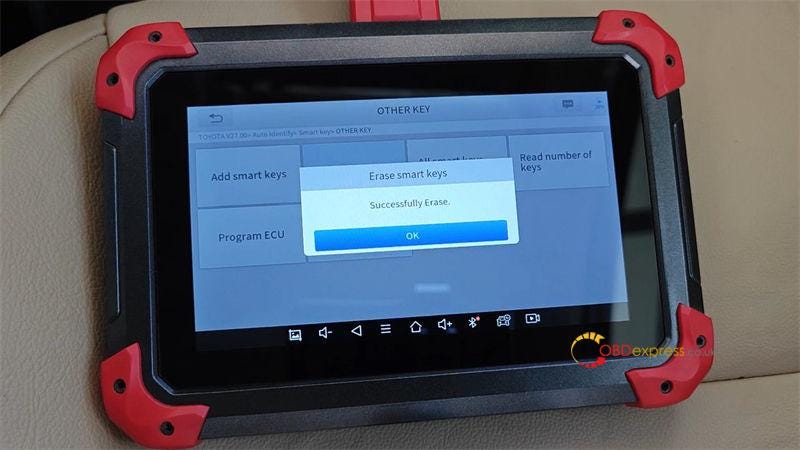
Successfully erase.

Number of keys: 1

Now there’s only one key is stored.


XTOOL D7 Add 2018 Toyota RAV4_Camry_Corolla Smart Key

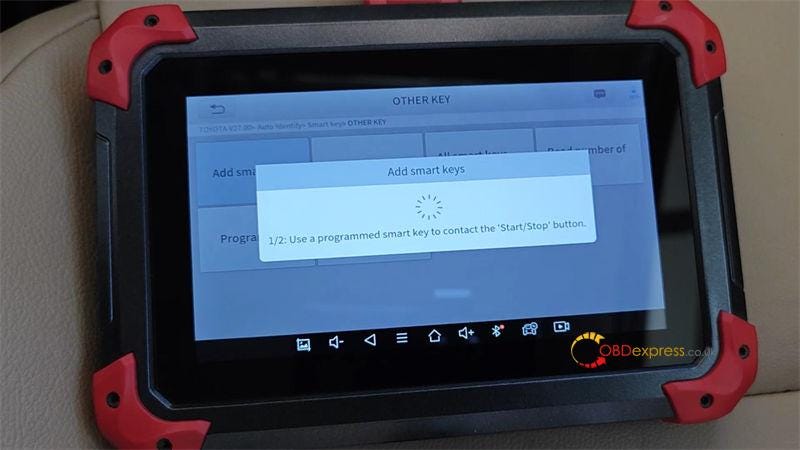
Press "Add smart keys".

The feature requires an original car key or an emulated key(in all keys lost situation), and a new key with the correct type.

Please confirm the following conditions:

  1. Turn on the engine/power switch.
  2. Do not bring any device that may generate radio waves(such as mobile phones) into the car.
  3. Do not bring 2 or more keys into the car, which may cause the function to fail.

Use a programmed smart key to contact the "Start/Stop" button.

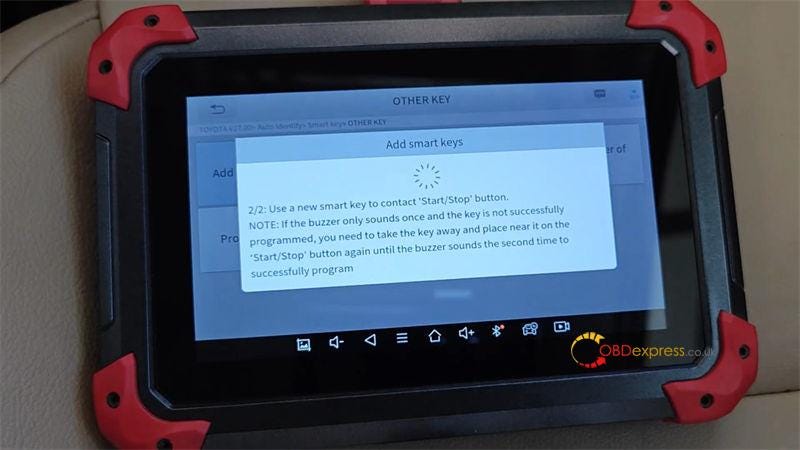
Use a new smart key to contact "Start/Stop" button.

Note: If the buzzer only sounds once and the key is not successfully programmed, you need to take the key away and place near it on the "Start/Stop" button again until the buzzer sounds the second time to successfully program.

Currently 1 key has been programmed.

Programming success.

Number of keys: 2

Check the keys, both can work well.

Done.


XTOOL D7 Add 2018 Toyota RAV4_Camry_Corolla Smart Key

www.obdexpress.co.uk

Thursday, 24 October 2024

How to Program Mercedes-Benz FBS3 BE Key by OBDSTAR X300 Classic G3?

 OBDSTAR X300 Classic G3 Key Programmer with Mercedes-Benz FBS3 Kit and MP001 Programmer can program keys to Mercedes-Benz FBS3 car models via OBD now.


How to Program Mercedes-Benz FBS3 BE Key by OBDSTAR X300 Classic G3

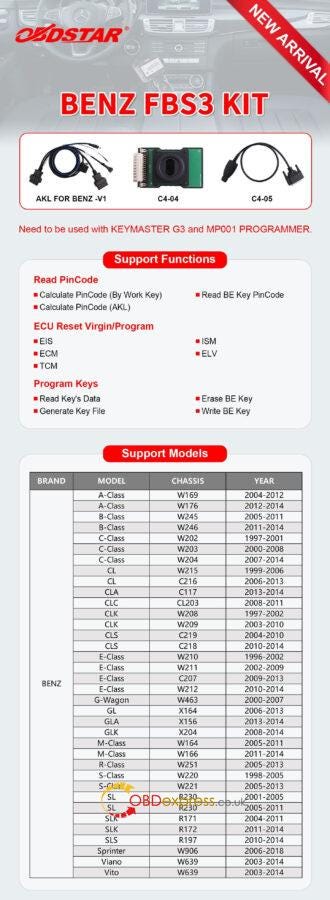
What is OBDSTAR Mercedes-Benz FBS3 Kit?

The Benz FBS3 Kit is equipped with AKL for BENZ-V1 cable, C4–04 board and C4–05 cable.

It has the features below:

1.Read PinCode

  • Calculate PinCode (By Work Key)
  • Calculate PinCode (AKL)
  • Read BE Key PinCode

2.ECU Reset Virgin/Program

  • EIS
  • ECM
  • TCM
  • ISM
  • ELV

3.Program Keys

  • Read Key’s Data
  • Generate Key File
  • Erase BE Key
  • Write BE Key

OBDSTAR Benz FBS3 Kit Support List:

With OBDSTAR Benz FBS3 Kit, X300 Classic G3 will support Benz FBS3 W169, W176, W245, W246, W202, W203, W204, W215, C216, C117, CL203, W208, W209, C219, C218, W210, W211, C207, W212, W463, X164, X156, X204, W164, W166, W251, W220, W221, R230, R171, R172, R197, W906, and W639, etc in the feature.

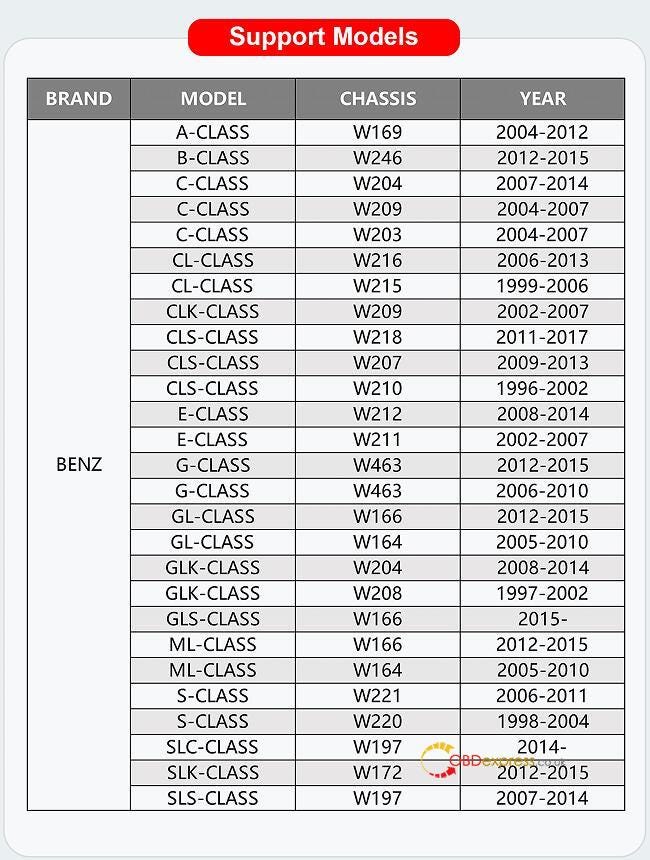
OBDSTAR Benz FBS3 Kit Support List Update on October 24th, 2024:

The following car models are supported now. In addition to these models, other chassis models will be updated in the later software version soon.


Program Mercedes-Benz FBS3 BE Key by OBDSTAR X300 Classic G3

How to program Benz FBS3 Key by OBDSTAR G3 and Benz FBS3 Kit?

e.g. Mercedes- Benz A-Class W169

Two methods to select the car model:

Way 1: select by model or by Chassis.

For example, select A Class>> 2004–2012>> by Car

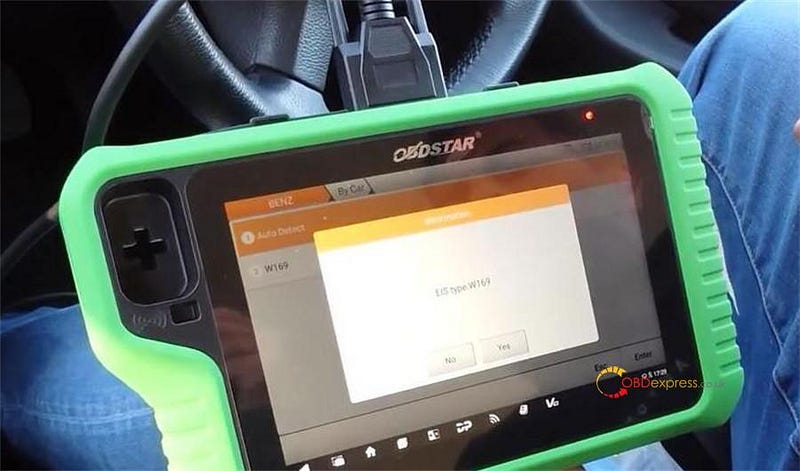
Way 2: Auto detect it or use the W169

If press Auto detect just use the original key to turn on the ignition


Program Mercedes-Benz FBS3 BE Key by OBDSTAR X300 Classic G3

Connect the OBDSTAR G3 Key Programmer with the OBDSTAR MP001 programmer and OBDSTAR Benz FBS3 Kit


Program Mercedes-Benz FBS3 BE Key by OBDSTAR X300 Classic G3

Auto detect the EIS type is W169

Press "Yes" to the next page


Program Mercedes-Benz FBS3 BE Key by OBDSTAR X300 Classic G3

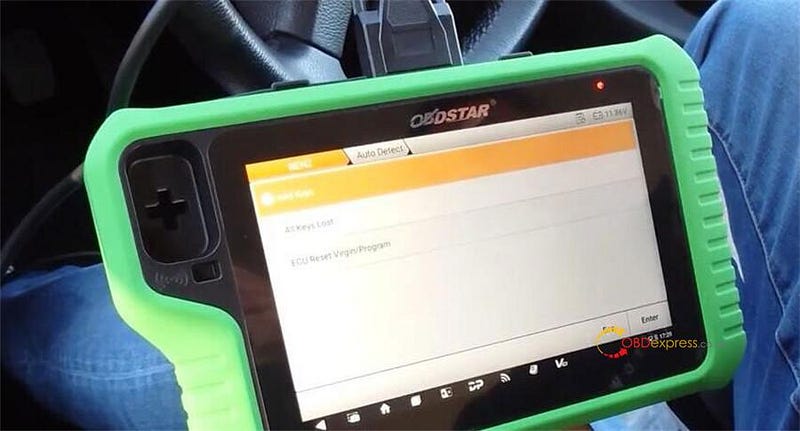
You can see the functions incl. Add Keys, All Keys Lost, and ECU Reset Virgin/Program.


Program Mercedes-Benz FBS3 BE Key by OBDSTAR X300 Classic G3

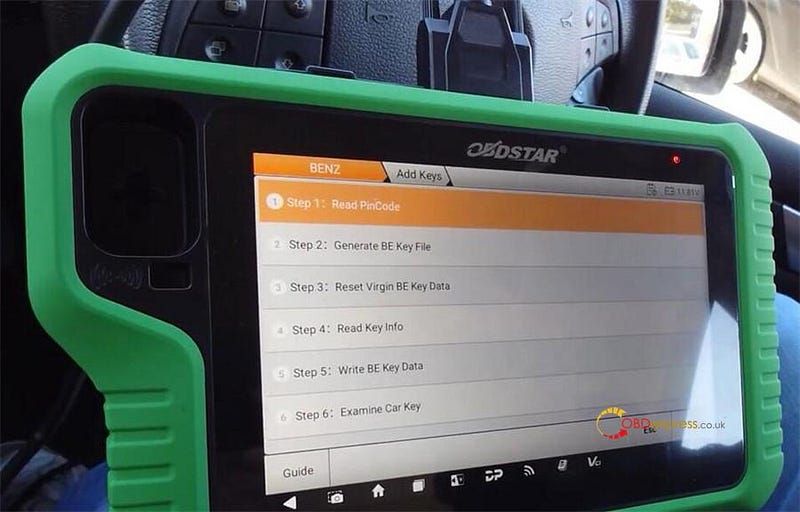
Select "Add Keys", and you can see the step-by-step guide.

Step 1: Read PinCode

Step 2: Generate BE Key File

Step 3: Reset Virgin BE Key Data

Step 4: Read Key Info

Step 5: Write BE Key Data

Step 6: Examine Car Key

Click "Guide" to check the operation steps and how to connect the actual device correctly.


Program Mercedes-Benz FBS3 BE Key by OBDSTAR X300 Classic G3

In detail…

Step 1: Read PinCode

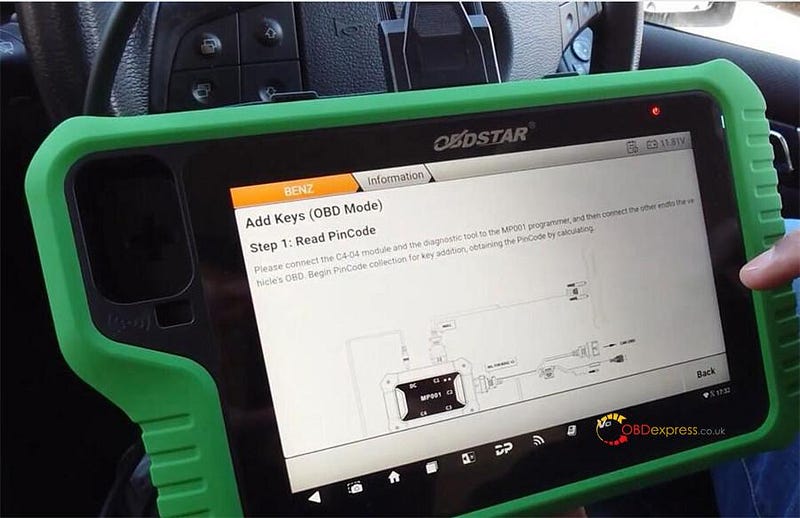
Select Step 1: Read PinCode>> PinCode Collection

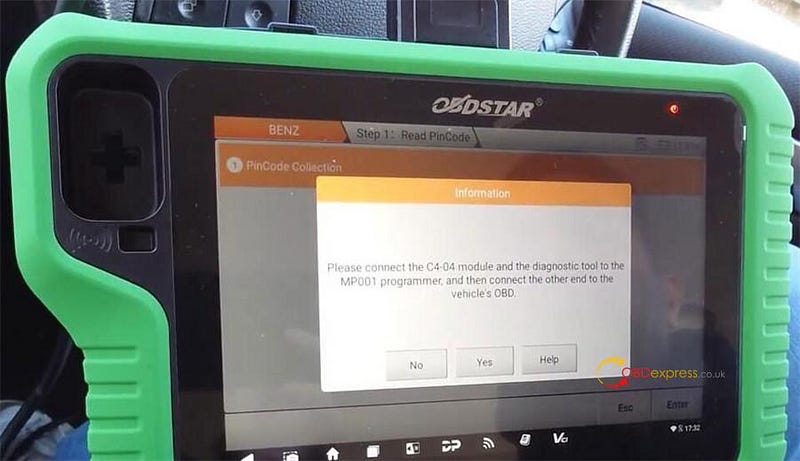
To perform this function, you need to connect to the server, and connect the C4–04 module and X300 Classic G3 key programmer to the MP001 programmer, and then connect the other end to the vehicle’s OBD.


Program Mercedes-Benz FBS3 BE Key by OBDSTAR X300 Classic G3

Insert and remove the ignition key from the EIS 3 times, then insert it into the EIS


Program Mercedes-Benz FBS3 BE Key by OBDSTAR X300 Classic G3

Follow the on-screen prompt to turn the ignition key to the ON position, and observe whether the dashboard lights up. If it cannot be turned to the ON position or the dashboard does not light up. Try repeatedly until it succeeds.

Reading the EIS key data…

Collecting data for PinCode calculations (package 1). This process will take 5–10 minutes, please keep patience.

Wait… calculating PinCode online, it will take 1 or 5 minutes…

Calculate the PinCode successfully

That is the key password for the vehicle.


Program Mercedes-Benz FBS3 BE Key by OBDSTAR X300 Classic G3

Step 2: Generate BE Key File

There are two methods.

Method 1: Read EIS IMMO Data

Method 2: Load EIS IMMO Data


Program Mercedes-Benz FBS3 BE Key by OBDSTAR X300 Classic G3

Here select the method 1 to operate via OBD.

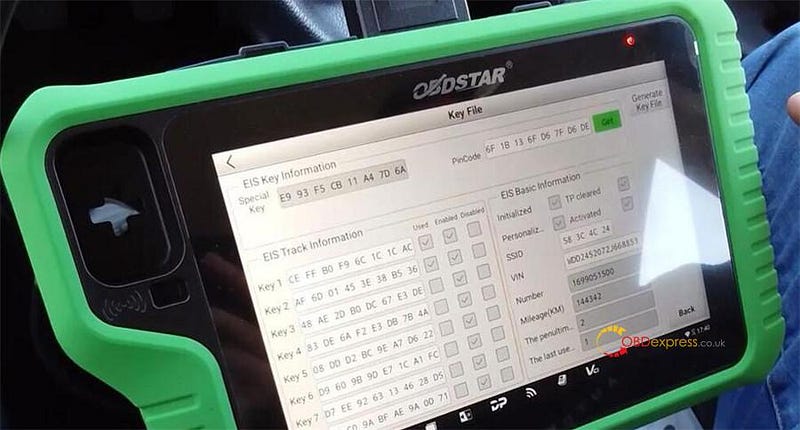
Read EIS IMMO data successfully, you can see the special key, PinCode, EIS track info, and EIS basic info.

Press "Generate Key File", you see the key1 and key2 have got keys, so you can select other key position to operate (e.g. Key 4), press "OK" to generate the key file.

Key file generation is successful.

Take the key out of the ignition as well and before do any other programming. Ensure that the vehicle still starts. The vehicle still starts no warning lights on the dashboard and you can hear the ignition lot going every time so we know everything’s good.


Program Mercedes-Benz FBS3 BE Key by OBDSTAR X300 Classic G3

Step 3: Reset Virgin Be Key Data

If you’ve bought an aftermarket key or you bought a key and it’s already got key data on there. This is so it resets the key that you’re using.

Insert the key into the infrared Keyhole. Putting new key inside here, and reset the key.

Reset version successfully.


Program Mercedes-Benz FBS3 BE Key by OBDSTAR X300 Classic G3

Step 4: Read Key Info

It will read the key info reading reset the new key. It was already virginized but obviously it’s just good practice to read key info again.


Program Mercedes-Benz FBS3 BE Key by OBDSTAR X300 Classic G3

Step 5: Write BE Key Data

Then it will write the data that it’s made that it’s created from the vehicle.

Insert the blank key. Select key file generated in Step 2.

Write key file. This is now writing the data onto the key.

Write key file successfully. Insert the key into the EIS and check if the key can start the vehicle and if the remote functions are working properly.


Program Mercedes-Benz FBS3 BE Key by OBDSTAR X300 Classic G3

Step 6: Examine Car Key

After doing all the above steps, we need to check if the car key can be used normally.

Just put it onto the key and once put that onto the successful key insert the key and check if it can start.

Done!

OBDSTAR Mercedes-Benz FBS3 Kit will be available on Nov. 10th, 2024 at OBDEXPRESS.co.uk.

You can pre-order it now!

https://www.obdexpress.co.uk/wholesale/obdstar-g3-mb-fbs3-kit.html

www.obdexpress.co.uk

How to Unlock Ford BOSCH MD1CP006 with OBDSTAR ECU Master via Boot?

 This guide covers the procedure for unlocking, reading, and writing locked Bosch MD1 CP006 engine control units found on Ford F-250 and F-...