Thursday, 11 April 2024

OBDSTAR X300 Classic G3 Introduction: Comparison with X300 DP PLUS

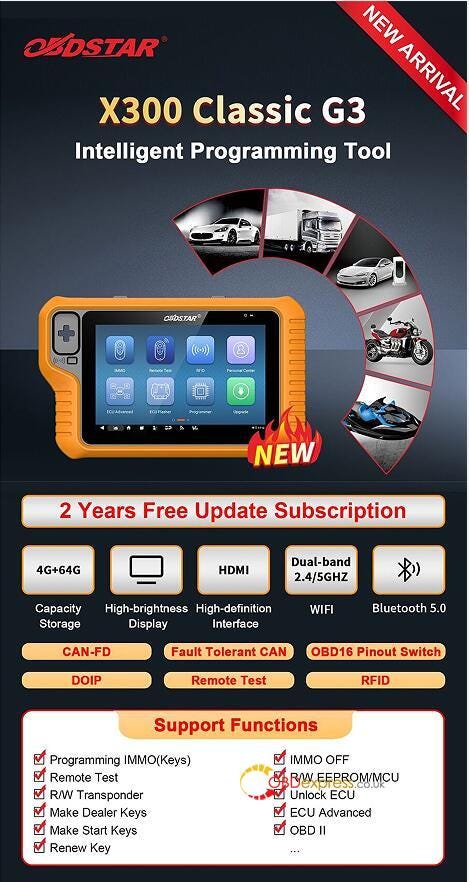
 OBDSTAR X300 Classic G3 (Key Master G3) is a new generation intelligent key programmer for Car/HD/E-Car/Motorcycles/Jet Ski. It's not only a key programmer, it also can be a comprehensive tool for mileage correction, ECU flasher, airbag reset, test platform and the other functions. You need to purchase the corresponding software activation service.
OBDSTAR X300 Classic G3 Introduction

What is the basic function of X300 Classic G3?

  • Programming IMMO (Keys)
  • Test Remote
  • R/W Transponder
  • Make Dealer Keys
  • Make Start Keys
  • Renew Key
  • IMMO OFF
  • R/W EEPROM/MCU
  • Unlock ECU
  • ECU Advanced
  • OBD II

Which vehicle is supported by X300 Classic G3 Key Programmer?

Car, HD, E-Car, MOTO, Marine (jet-ski)

  • Support MOTO key programming (no need pincode) function for HARLEY, TRIUMPH, DUCATI, KAWASAKI, HONDA, SUZUKI, YAMAHA, BRP, INDIAN, DAYANG, APRILIA, PIAGGIO, VESPA, DERBY, GIRELLA, GUZZI, PEUGEOT, ITAJET and others;
  • Support Marine key programming function for BRP, KAWASAKI, YAMAHA and others;
  • Support E-Car key programming function for LI, NETA, LEAPMOTOR, SERES, AITO and others;
  • Support unlock ECU function for ALFA ROMEO, FIAT, CHRYSLER, DODGE, JEEP and others;
  • Support programming solutions for SMART 453 that have lost all keys and all functions have been disabled;
  • Support programming solutions that have lost all keys and all functions have been disabled for RENAULT CITY K-ZE, KWID, SANDERO, TRAFIC, TWINGO, LODGY, DUSTER PH3;
  • Support pincode reading function that have lost all keys (No risk, and will not turn your car into a brick) for Renault post-2015 ESPACE, KADJAR, KOLEOS, MEGAN, SCENIC, TALISMAN and Samsung QM6\SM6 models.

What is the difference between X300 Classic G3 and X300 DP Plus?

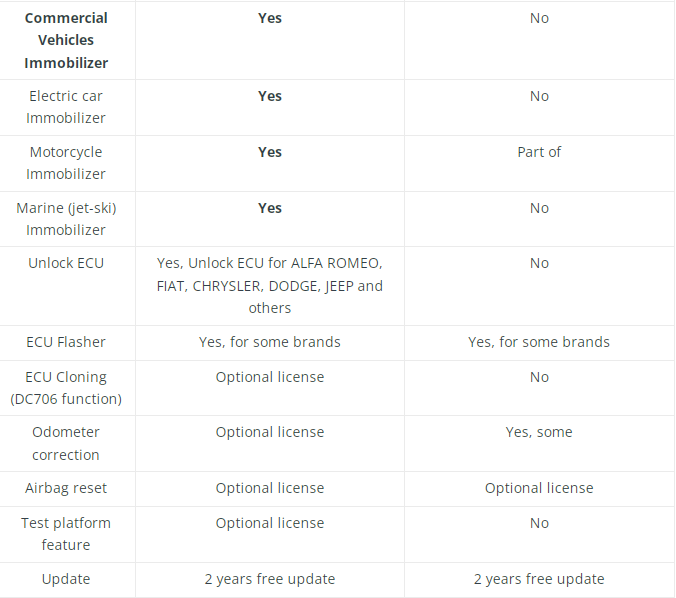
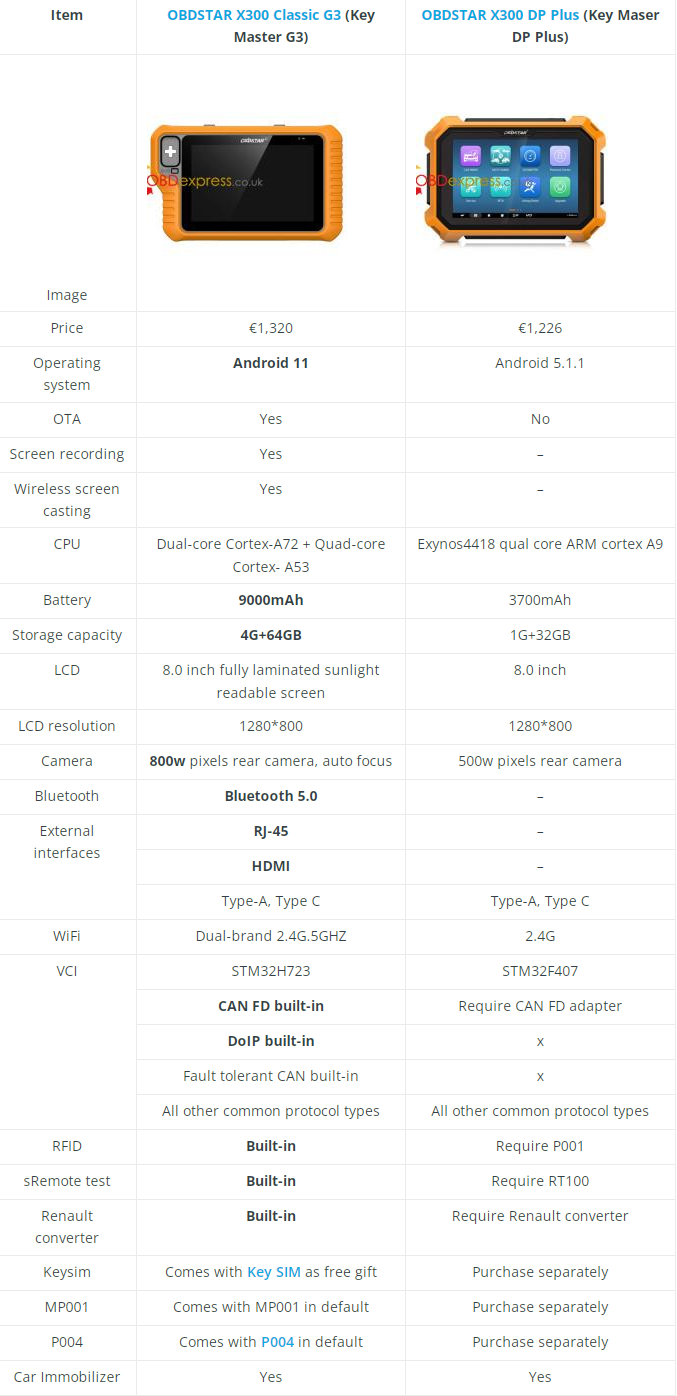
G3 is mainly targeted at automotive electronics repairers or professional locksmiths, so it does not include the diagnostic and maintenance functions of X300 DP Plus key programmer (except for Manual Service Lamp Reset), but it adds a lot of new special functions.

  • G3 has advanced operating system, OTA, screen recording, wireless screen casting, Bluetooth 5.0, RJ-45, HDMI interface, larger battery, storage capacity and pixels rear camera.
  • G3 has built-in CAN FD, DoIP, Fault tolerant CAN, RFID, Remote test, and Renault converters.
  • G3 comes with MP001 and P004 in default, and has key SIM/ Motorcycle cables set (M034, M037, M040, M041, M042, M043, M053, M054) as a free gift (choose one of two).

Check the comparison table below carefully.
OBDSTAR X300 Classic G3 Introduction

OBDSTAR X300 Classic G3 Introduction

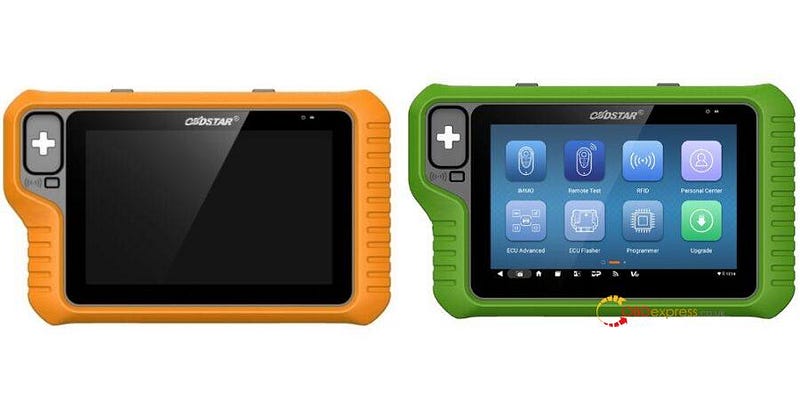
What is the difference between X300 Classic G3 and KEY MASTER G3?

They support the same function. The only difference is that X300 Classic G3 is in orange and for Chinese resellers. Key Master G3 is in green and for aboard resellers.
OBDSTAR X300 Classic G3 Introduction

2024 OBDSTAR X300 Classic G3 Key Programmer:

https://www.obdexpress.co.uk/wholesale/obdstar-x300-classic-g3-key-programmer.html


Saturday, 6 April 2024
Launch-X431 IMMO Plus Generate and Program Citroen Key

 Use Launch-X431 IMMO Plus and X431 Key Programmer to generate remote and program key to Citroen perfectly.

Here is the operation guide:

Applies to X431 IMMO Elite as well

Connect X431 IMMO Plus key programmer, Launch key programmer and vehicle properly

Then start to operate on X431 IMMO Plus tablet

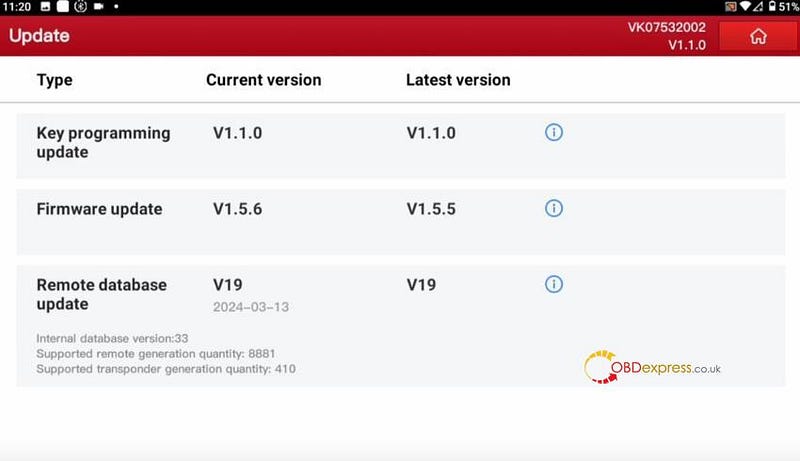
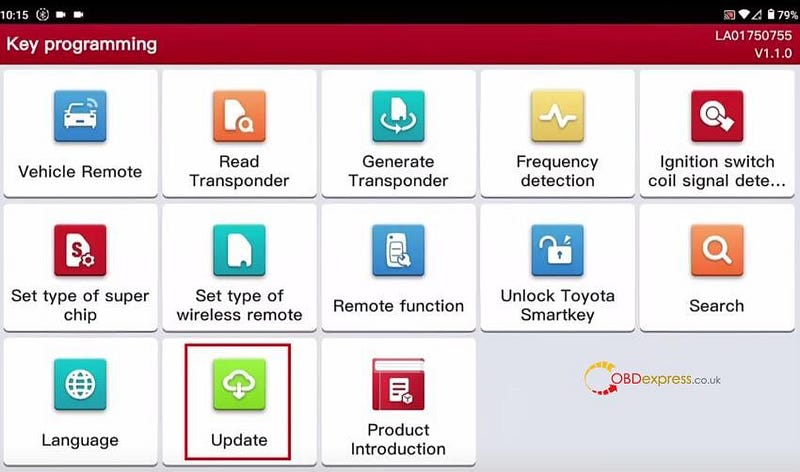
1.Update the software to the latest version

Launch-X431 IMMO Plus Generate and Program Citroen Key

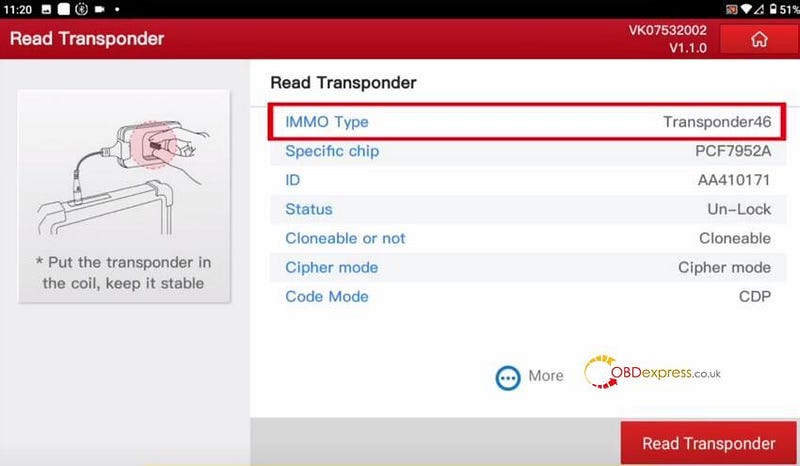
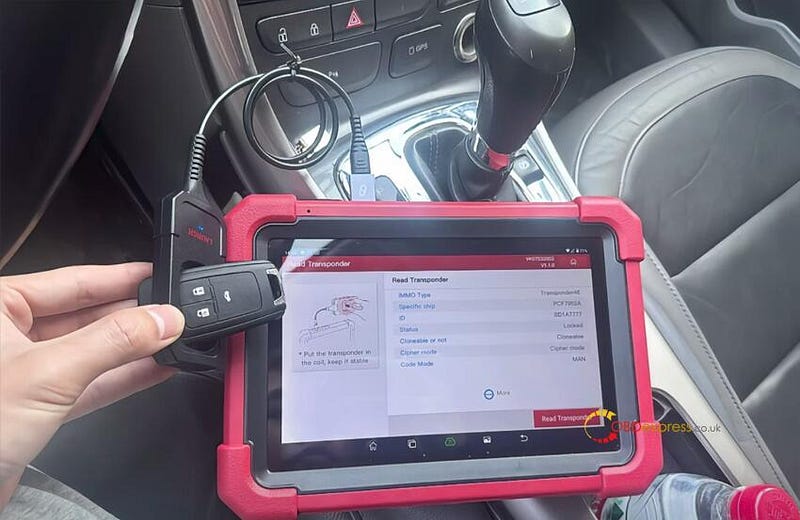
2.Read transponder

Put the original key into the coil of Launch-X431 key programmer to read transponder, and remember the IMMO type (transponder 46)

Launch-X431 IMMO Plus Generate and Program Citroen Key

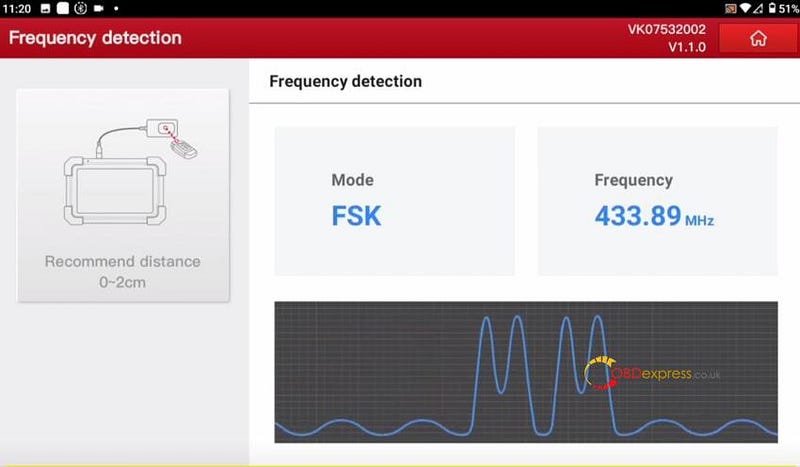
3.Detect frequency

Put the original key into the coil of Launch-X431 key programmer, and press the key remote control button to identify the key frequency (433.89MHZ)

Launch-X431 IMMO Plus Generate and Program Citroen Key

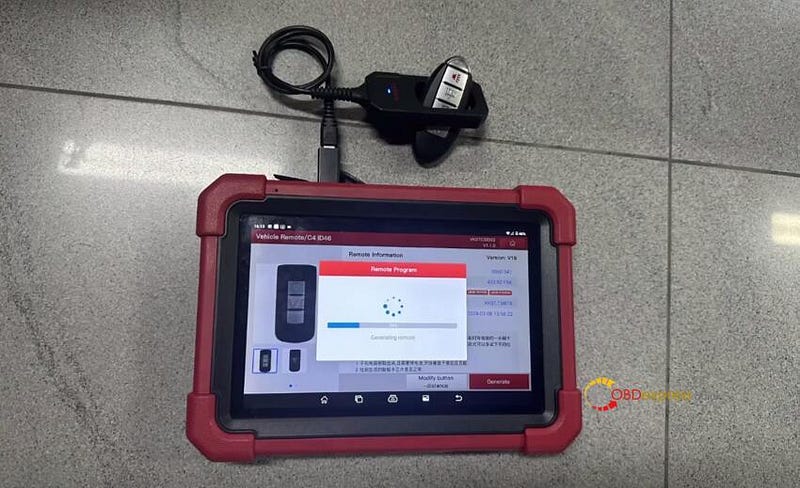
4.Generate remote

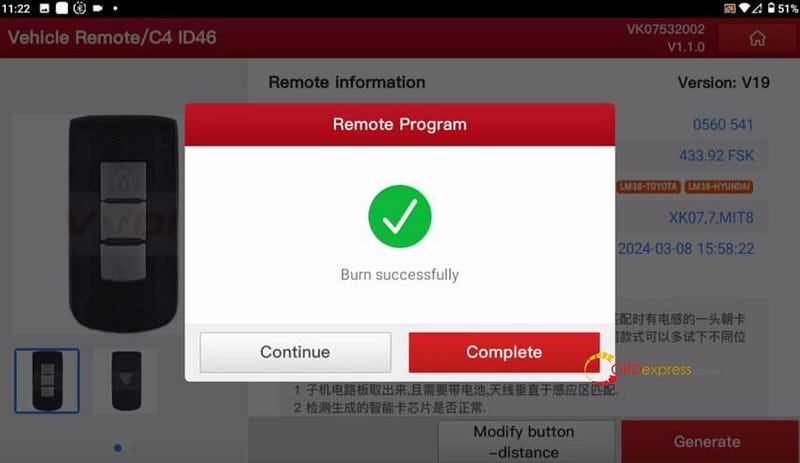
Select vehicle remote>> Europe>> Citroen>> C4/ID46>> Generate

Burn successfully

Launch-X431 IMMO Plus Generate and Program Citroen Key

Launch-X431 IMMO Plus Generate and Program Citroen Key

5.Program key

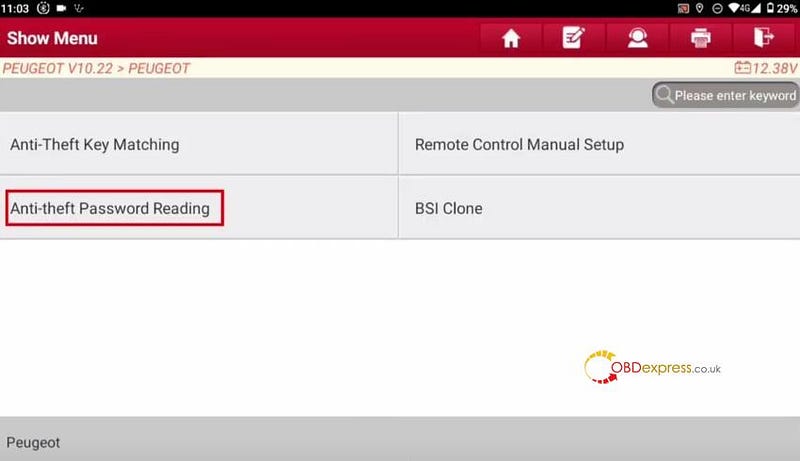
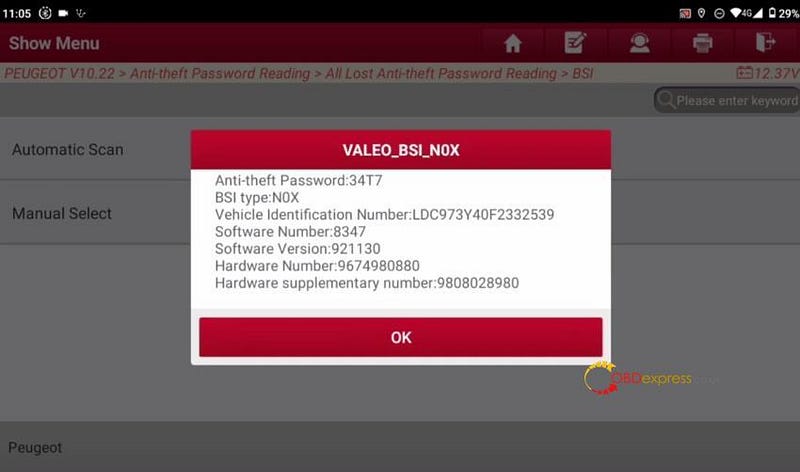
Select Peugeot software>> Peugeot>> Anti-theft Password Reading>> All Lost Anti-theft Password Reading>> BSI>> Automatic Scan

Follow the on-screen prompts to operate

Read the anti-theft password and vehicle info successfully.

Write download the password to use later

Launch-X431 IMMO Plus Generate and Program Citroen Key

Launch-X431 IMMO Plus Generate and Program Citroen Key

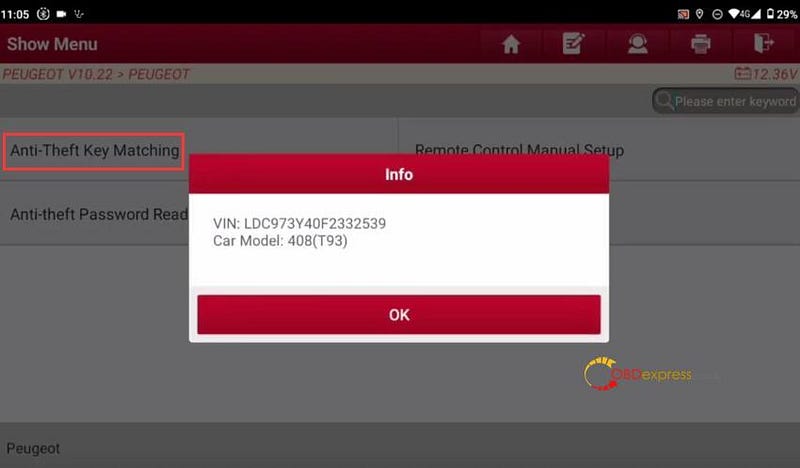
Select Anti-theft Key Matching

Identify the vehicle VIN and car model successfully

Launch-X431 IMMO Plus Generate and Program Citroen Key

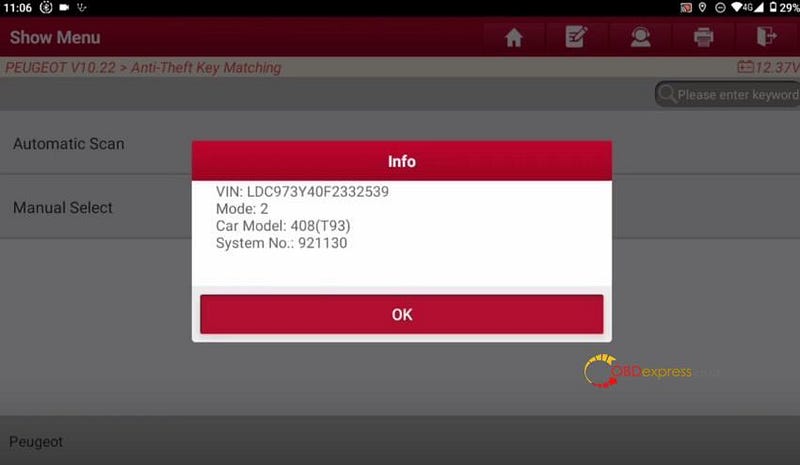
Select Automatic Scan

Identify the vehicle VIN, mode, car model and system No. successfully

Launch-X431 IMMO Plus Generate and Program Citroen Key

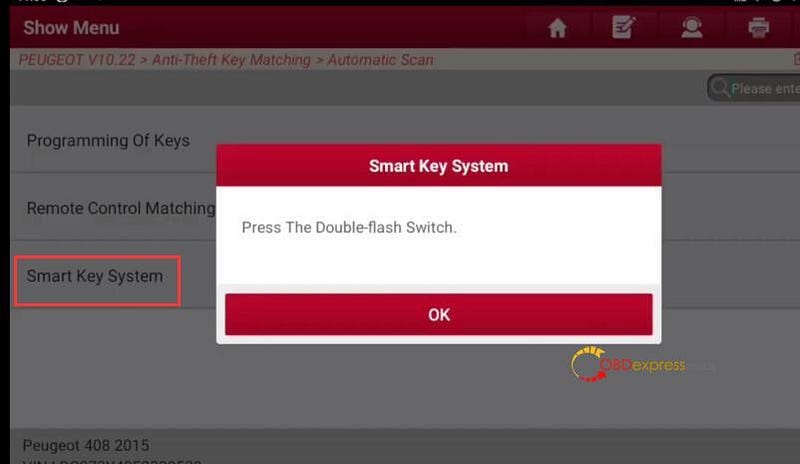
Select Smart Key System

Press the double-flash switch and get all keys ready

Launch-X431 IMMO Plus Generate and Program Citroen Key

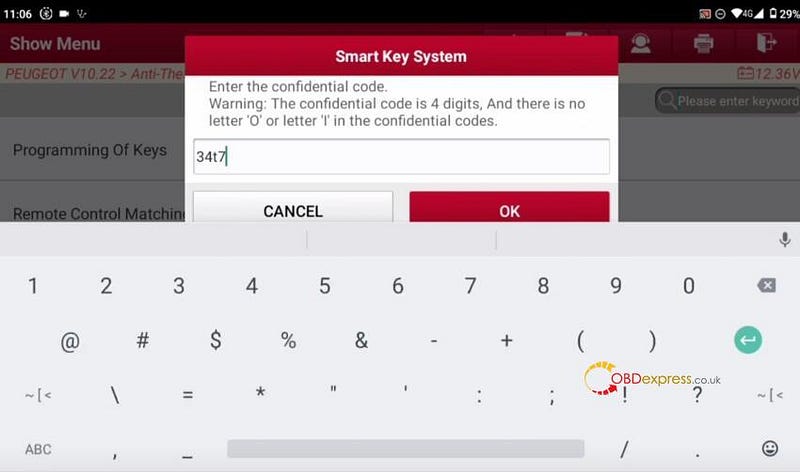
Enter the anti-theft password

Launch-X431 IMMO Plus Generate and Program Citroen Key

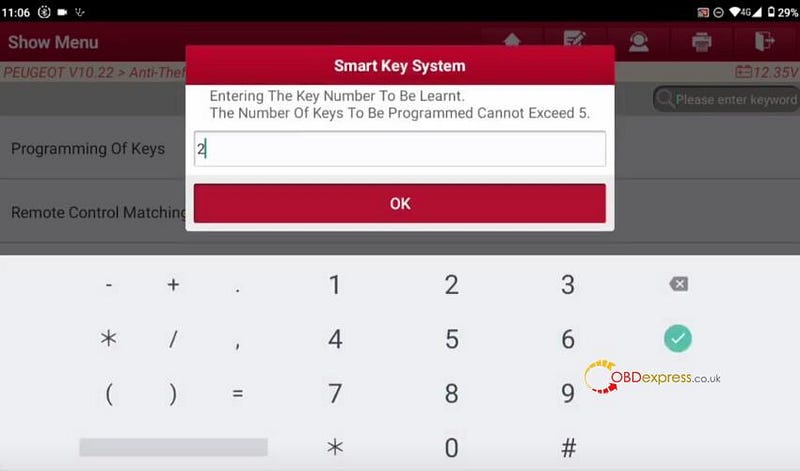
Enter the key number to be learnt

Launch-X431 IMMO Plus Generate and Program Citroen Key

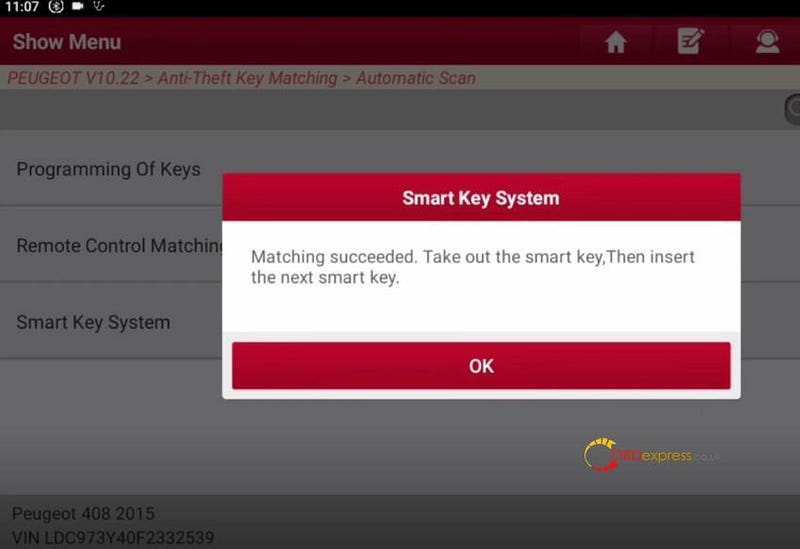
Insert the smart key to be matched into the smart key card slot and pay attention to the prompt

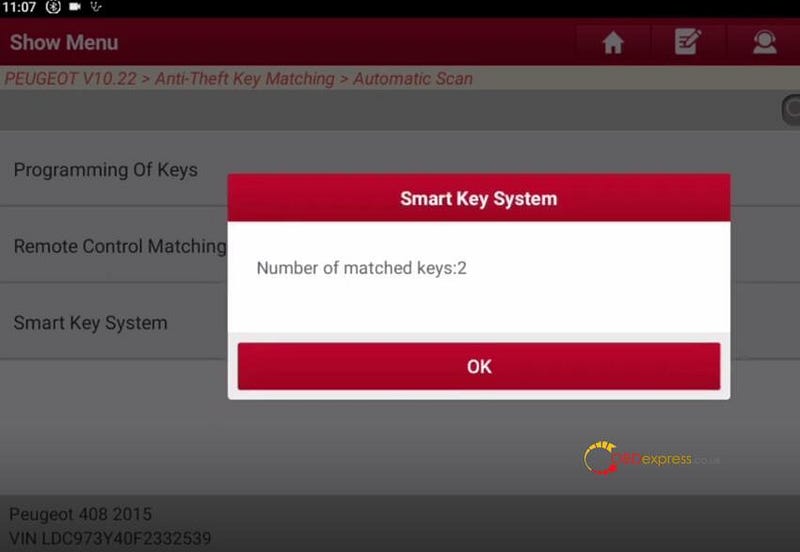
Match the first key successfully, and then use the same method to match the second key.

Two keys are matched successfully with X431 IMMO Plus and X-431 Key Programmer Remote Maker.

Launch-X431 IMMO Plus Generate and Program Citroen Key

Launch-X431 IMMO Plus Generate and Program Citroen Key

Done!

www.obdexpress.co.uk


Lonsdor K518 Pro Adds 2020 Mazda 6 Smart Key by OBD

 This is 2020 Mazda 6, I'm going to make a spare key with Lonsdor K518 Pro Key Programmer for this car. So let's see how to do it.

Lonsdor K518 Pro Adds 2020 Mazda 6 Smart Key by OBD

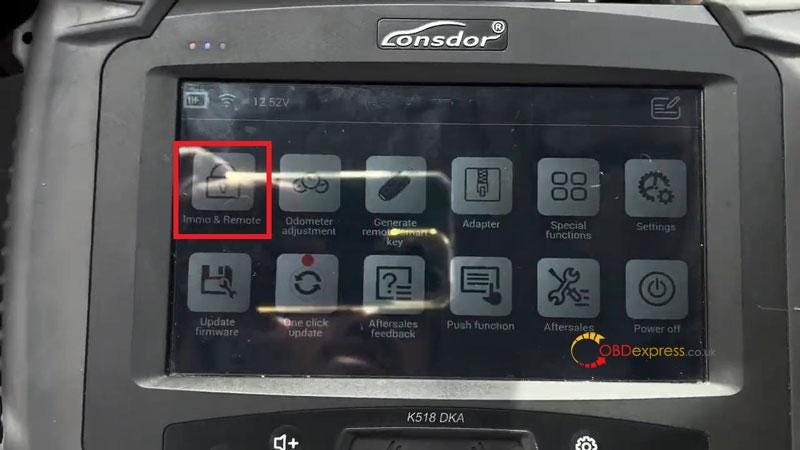
Connect Lonsdor K518 Pro with OBD.

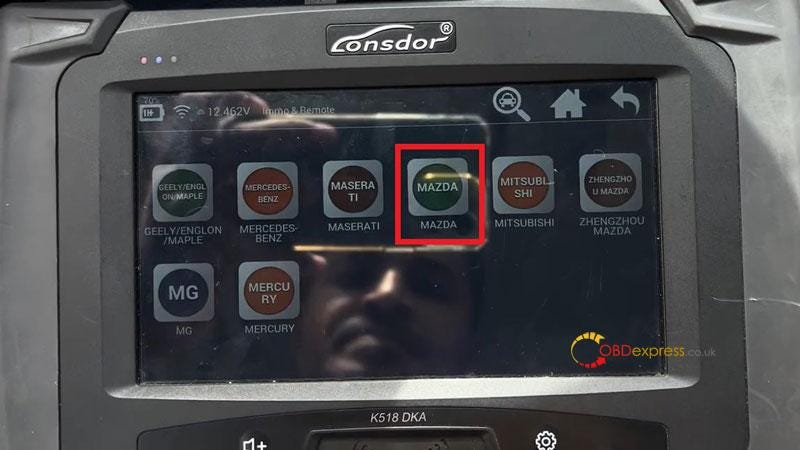
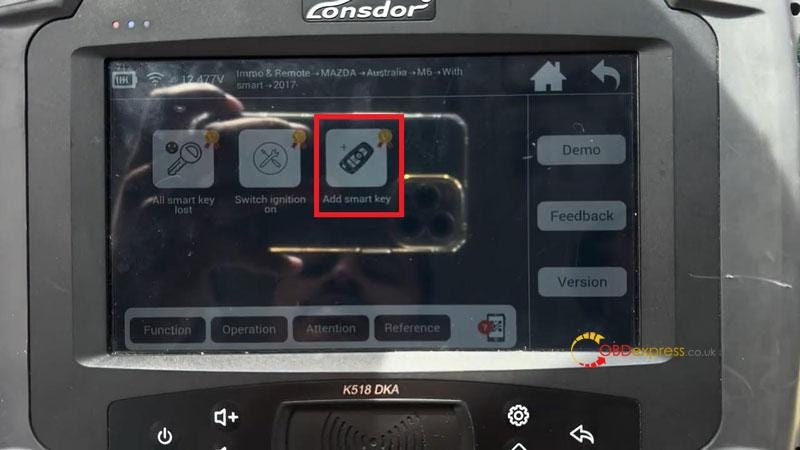
Immo & Remote >> MAZDA >> Australia >> M6 >> With smart >> 2017- >> Add smart key

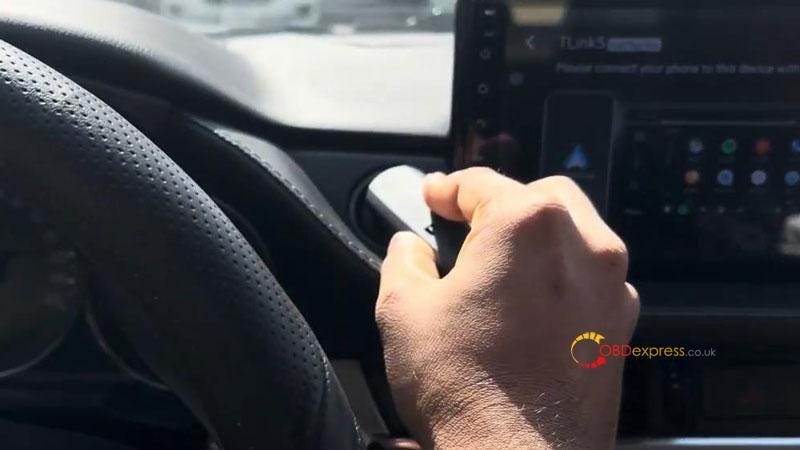
Switch ignition on.

Current key count: 2

Is ignition on? OK

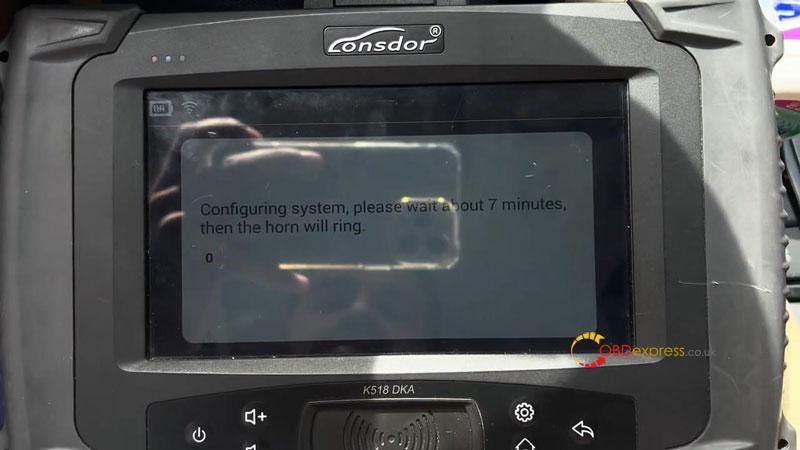
K518 Pro is configuring system, please wait about 7 minutes, then the horn will ring…

Lonsdor K518 Pro Adds 2020 Mazda 6 Smart Key by OBD

Lonsdor K518 Pro Adds 2020 Mazda 6 Smart Key by OBD

Lonsdor K518 Pro Adds 2020 Mazda 6 Smart Key by OBD

Lonsdor K518 Pro Adds 2020 Mazda 6 Smart Key by OBD

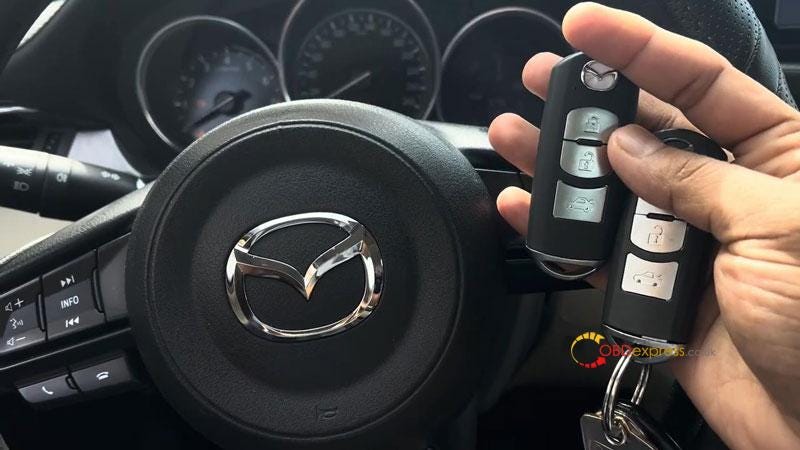
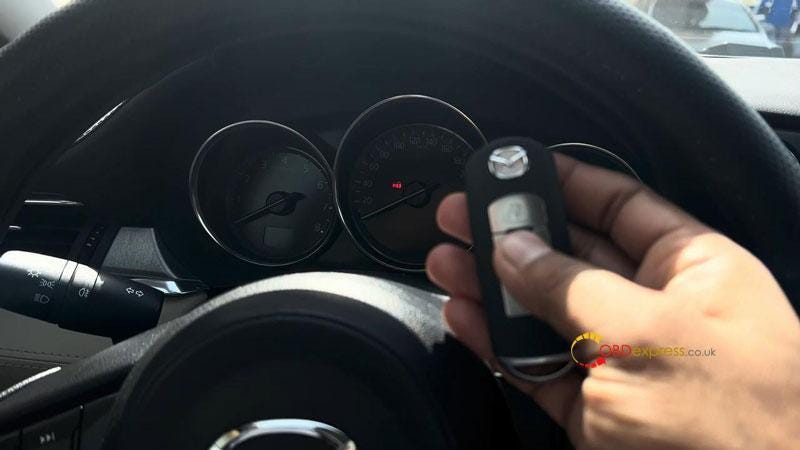
  • Hold the logo end of the smart key closer to Start button.
  • For AT, step down the brake; for MT, step down the clutch.
    1. Within 10s put the smart key's logo side close to car start button…

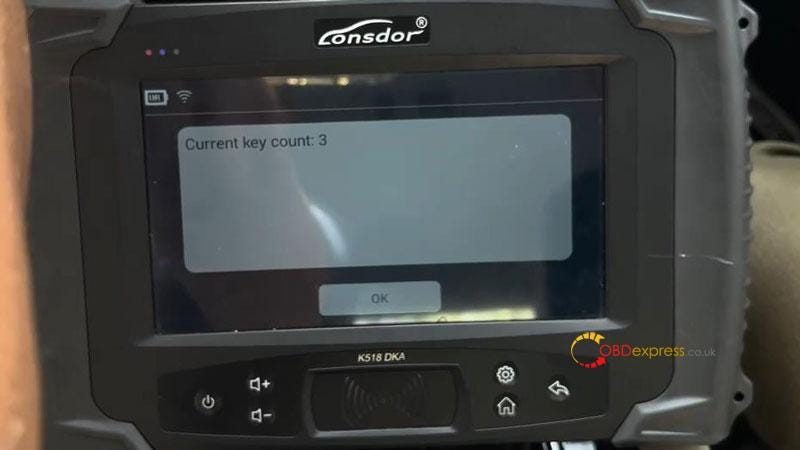
      Current key count: 3

      Program completed.

      Press "OK" to program more keys, otherwise press "Cancel" to complete.

      Before start car engine, you will need to complete below operation steps:

      For AT vehicles

    2. Slam on the brake.
    3. In turn to put each programmed key onto car start button to start engine for 3s, then turn ignition OFF.
      1. Programming complete.

        Check the new key, it's working.

        Done.

        Lonsdor K518 Pro Adds 2020 Mazda 6 Smart Key by OBD

        Lonsdor K518 Pro Adds 2020 Mazda 6 Smart Key by OBD

        Lonsdor K518 Pro Adds 2020 Mazda 6 Smart Key by OBD

        www.obdexpress.co.uk

        Digimaster 3 Change 2012 Nissan Note 24C16 Chip Mileage

         How to Change Mileage of 2012 Nissan Note with 24C16 chip with Yanhua Digimaster 3?

        Here is the simply guide:

        1.Read chip data

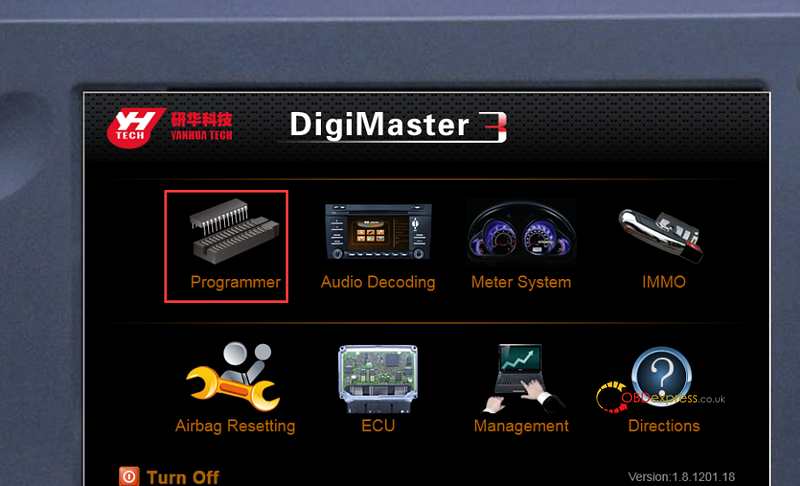
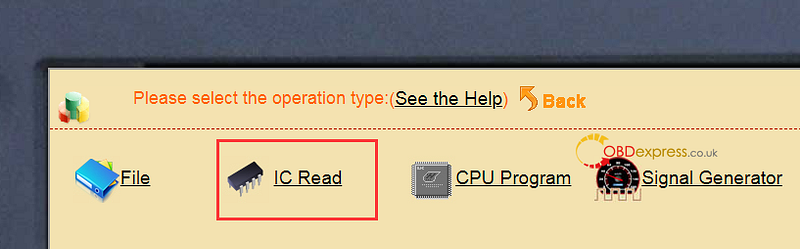
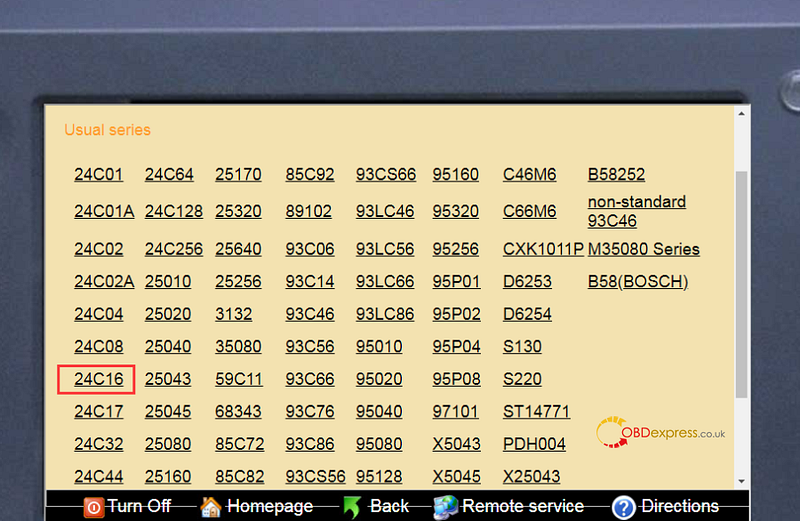
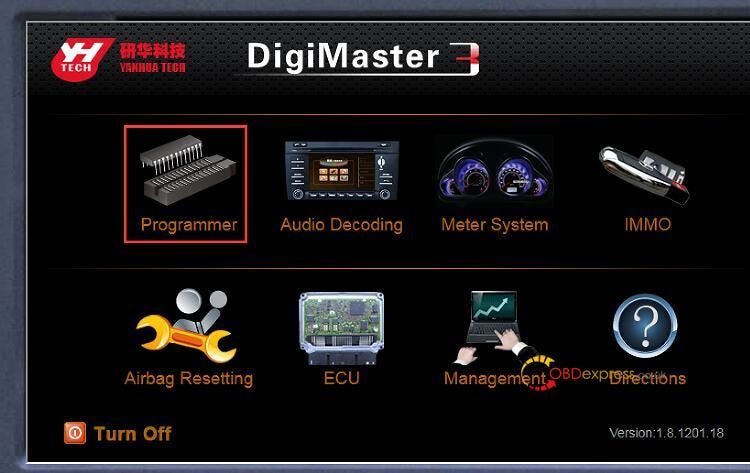
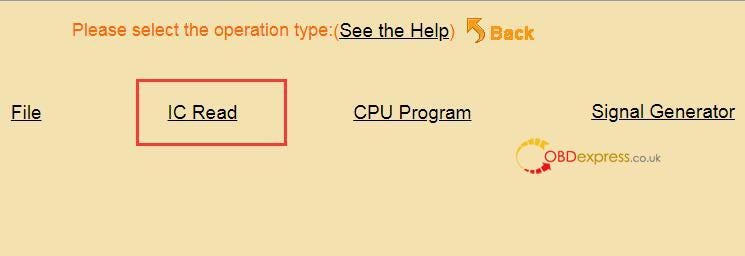
        Select Programmer>> IC Read>> 24C16

        Digimaster 3 Change 2012 Nissan Note 24C16 Chip Mileage

        Digimaster 3 Change 2012 Nissan Note 24C16 Chip Mileage

        2.Save the data in the SD card of Digimaster 3, and export the data to a computer

        3.Send the data just saved, the original mileage, and the new mileage you want to our customer service

        4.Yanhua engineer will change the mileage to you, and then you write the new data into the chip directly.

        Tech support:

        1.Email: sales@OBDexpress.co.uk

        2.Skype: obd2express.co.uk

        3.WhatsApp Business: +44 7418609676

        4.WhatsApp After-sales Service: +86 18750906257

        5.WeChat(微信): 15705931767

        Online Customer Service

        Working Time: 9:00am — 18:00 pm (UTC+08:00), Monday to Friday

        https://www.obdexpress.co.uk/

        Monday, 1 April 2024

        Yanhua Digimaster 3 Read Nissan NP200 5020A Chip, Possible?

         Customer problem:

        Is it possible to read Nissan Np200 with 5020A chip by Digimaster 3? I haven't found this type on the car list. But I see other people did it successfully.

        Obdexpress.co.uk engineer replied:

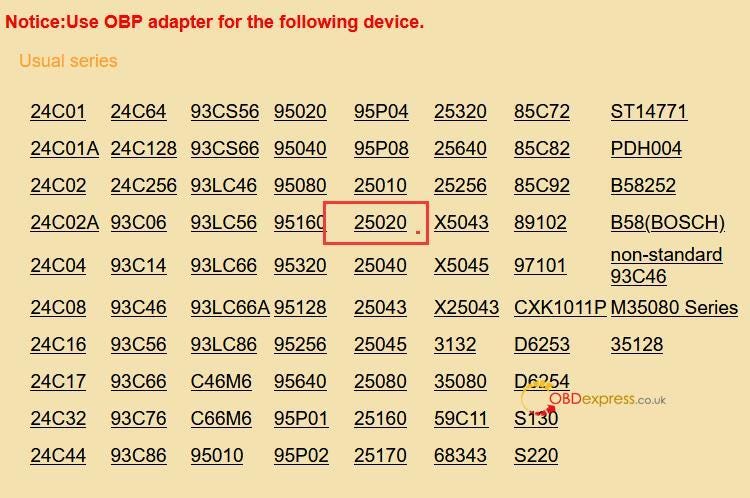
        Try to use the 25020 chip option to read it.

        D3 Menu Function Path:

        Programmer>> IC Read>>25020

        Yanhua Digimaster 3 Read Nissan NP200 5020A Chip

        Yanhua Digimaster 3 Read Nissan NP200 5020A Chip

        Yanhua Digimaster 3 Read Nissan NP200 5020A Chip

        Kindly Notice:

        If you want to change the mileage on this type, please save the data in the SD card of Digimaster III, and export it to a computer, then send the data, original mileage, and new mileage you desire to our customer service. Yanhua Tech will change the mileage manually, and we'll send it back to you to write into the chip.

        Tech support:

        1.Email: sales@OBDexpress.co.uk

        2.Skype: obd2express.co.uk

        3.WhatsApp Business: +44 7418609676

        4.WhatsApp After-sales Service: +86 18750906257

        5.WeChat(微信): 15705931767

        6.Online Customer Service

        Working Time: 9:00am — 18:00 pm (UTC+08:00), Monday to Friday

        https://www.obdexpress.co.uk/

        OBDSTAR P50 Repair Toyota Steering Angle Sensor by Bench

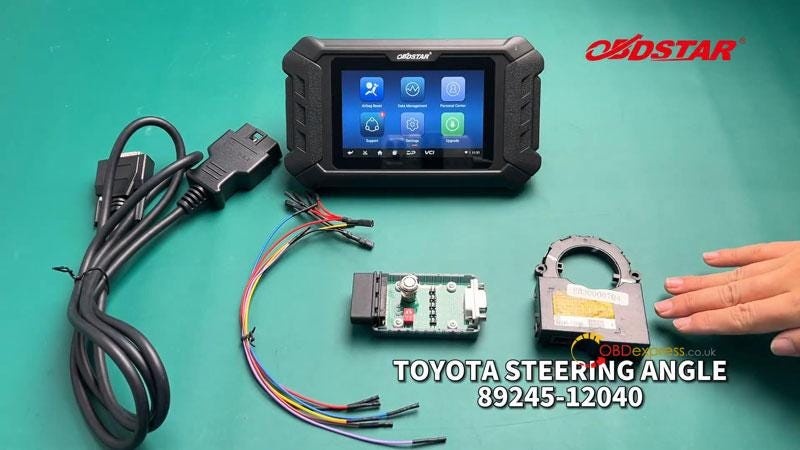
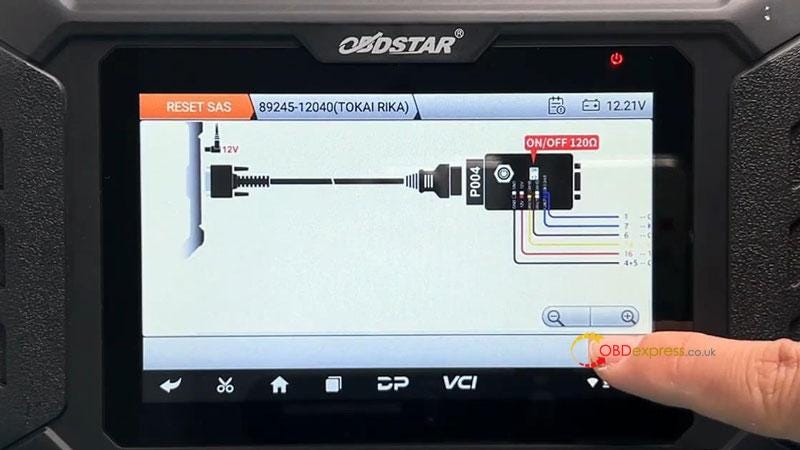
         This is a tutorial on how to use OBDSTAR P50 Airbag Reset Tool to repair Toyota 89245–12040 TOKAI RIKA steering angle sensor on bench. Easy done in 2 minutes.

        Tools Required

        OBDSTAR P50

        Main Cable

        P004 Jumper + Adapter

        Toyota Steering Angle 89245–12040

        OBDSTAR P50 Repair Toyota Steering Angle Sensor by Bench

        Operation Process

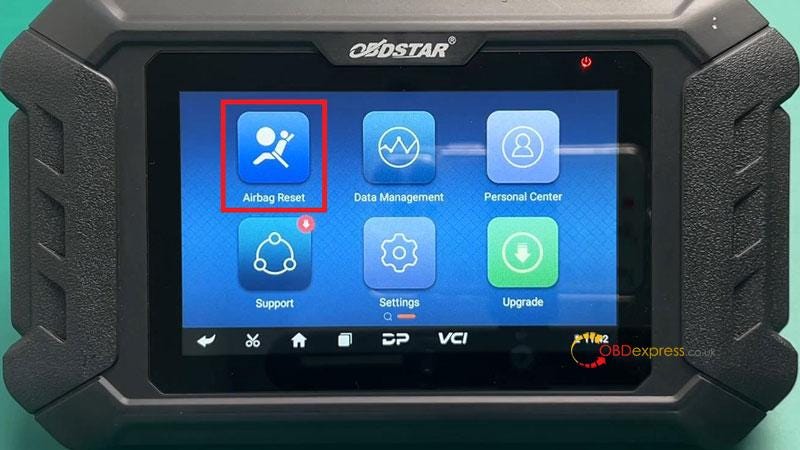
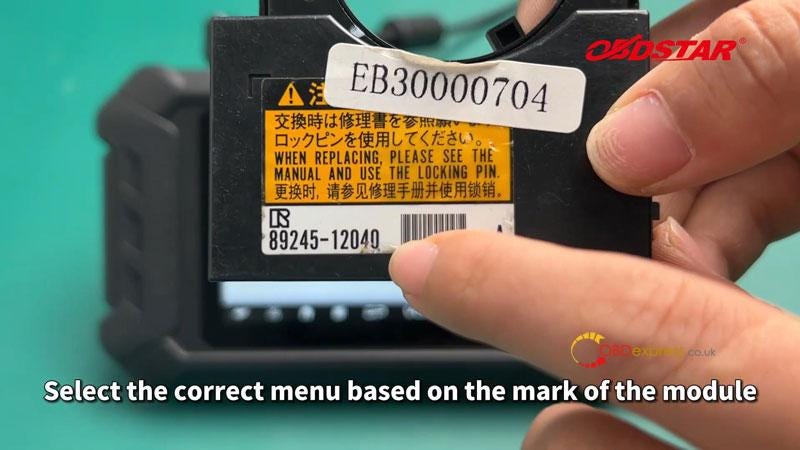
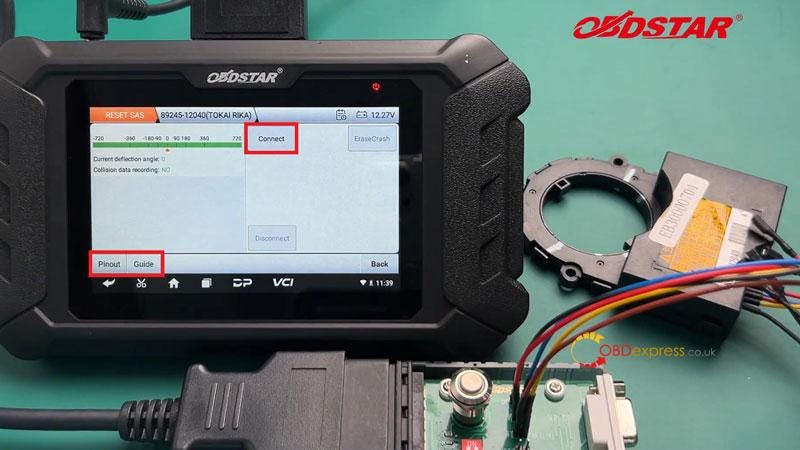
        Airbag Reset >> 89245–12040(TOKAI RIKA)

        *Select the correct menu based on the mark of the module

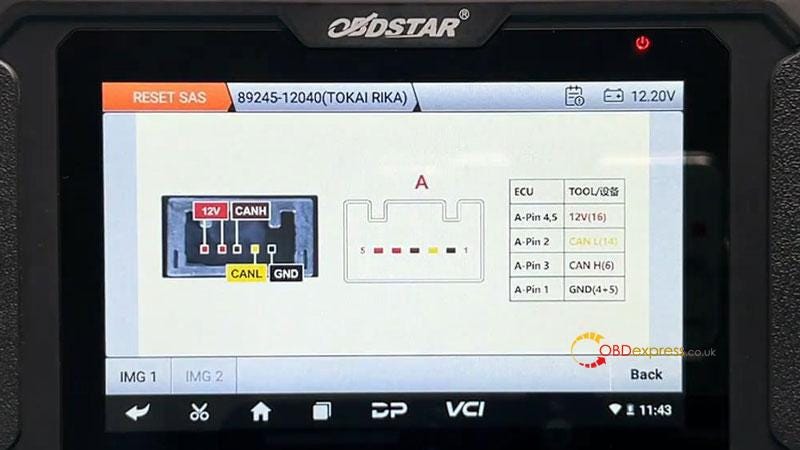
        Click "Guide" at the bottom left to check the best connection method.

        Click "Pinout" to connect the harness.

        OBDSTAR P50 Repair Toyota Steering Angle Sensor by Bench

        OBDSTAR P50 Repair Toyota Steering Angle Sensor by Bench

        OBDSTAR P50 Repair Toyota Steering Angle Sensor by Bench

        OBDSTAR P50 Repair Toyota Steering Angle Sensor by Bench

        OBDSTAR P50 Repair Toyota Steering Angle Sensor by Bench

        Turn on the power of P004 and connect to ECU.

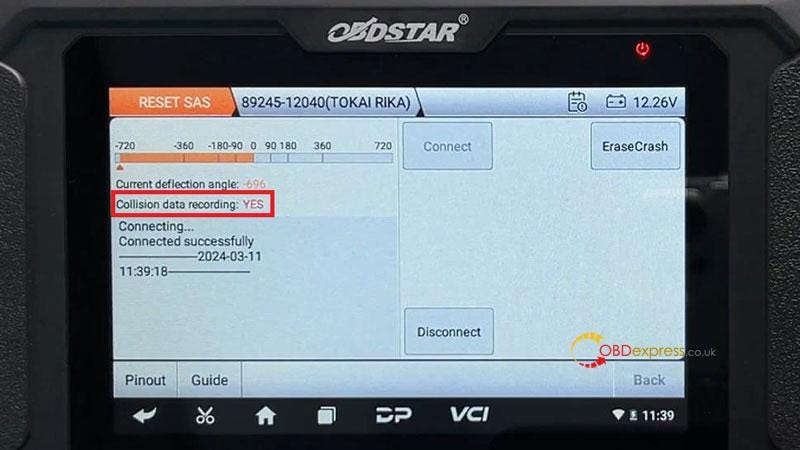
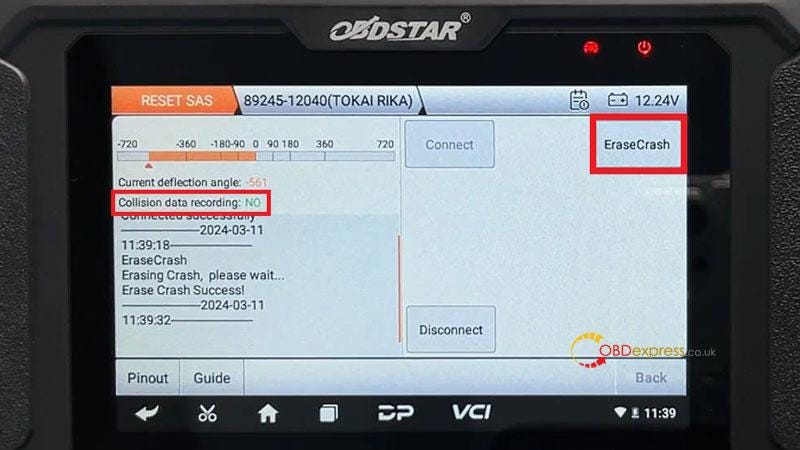
        After the connection is successful, you can find that there are collision data records in the module data.

        Click "Erase Crash" button.

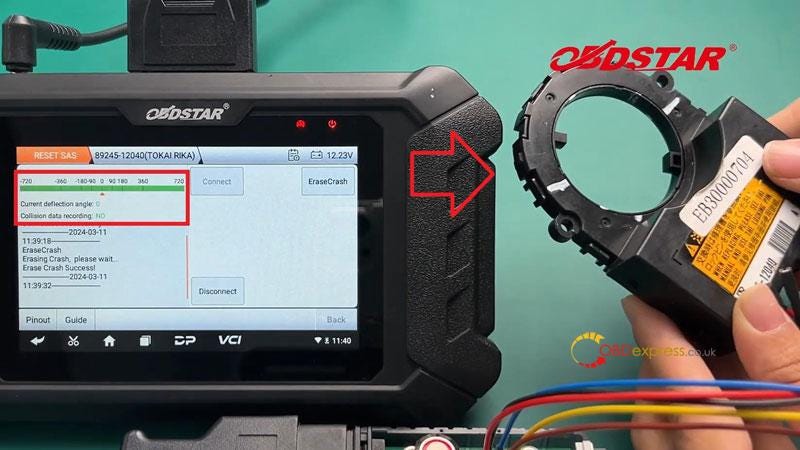
        Now you need to calibrate the angle back to zero degree.

        At zero degree, it will show green.

        Disconnect and turn off P004 power to complete.

        Once the calibration is completed, we can fix it with a tire to prevent deviation.

        When loading, make sure that the steering wheel is centered and key off before installing the angle sensor.

        OBDSTAR P50 Repair Toyota Steering Angle Sensor by Bench

        OBDSTAR P50 Repair Toyota Steering Angle Sensor by Bench

        OBDSTAR P50 Repair Toyota Steering Angle Sensor by Bench

        www.obdexpress.co.uk

        Chevrolet Mechanical Key AKL Matching with Launch X431 IMMO Plus/ Elite

         Launch X431 IMMO Plus/X431 IMMO Elite Feedback:

        Works well on Chevrolet Keyless Go ID46 Mechanical Key.

        Read transponder-OK

        Detect frequency- OK

        Generate remote- OK

        All keys lost matching/programming- OK

        Tips:

        • Update the software to the latest version;

        Chevrolet Mechanical Key AKL Matching with Launch X431 IMMO Tool

        Chevrolet Mechanical Key AKL Matching with Launch X431 IMMO Tool

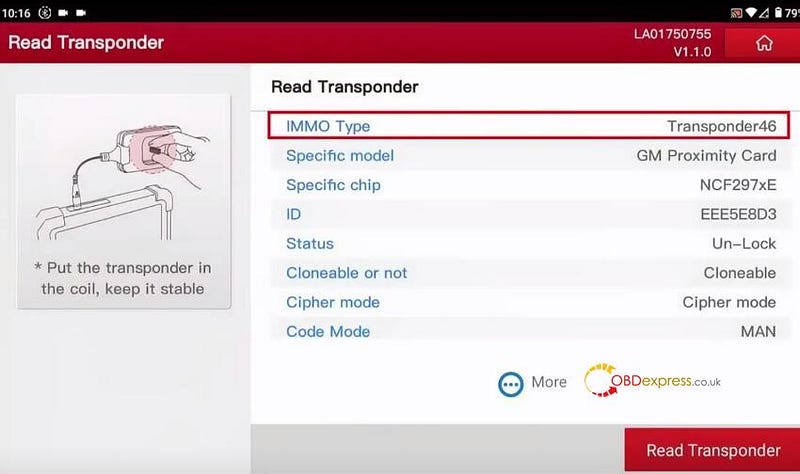
        1.Read transponder

        The IMMO type read out is transponder 46. Remember the car key chip model.

        Chevrolet Mechanical Key AKL Matching with Launch X431 IMMO Tool

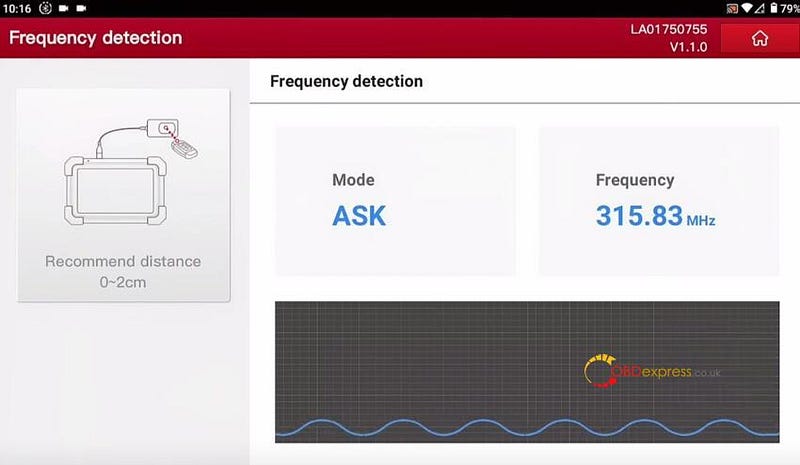
        2.Detect frequency

        The frequency detected is 315.83 MHz.

        Chevrolet Mechanical Key AKL Matching with Launch X431 IMMO Tool

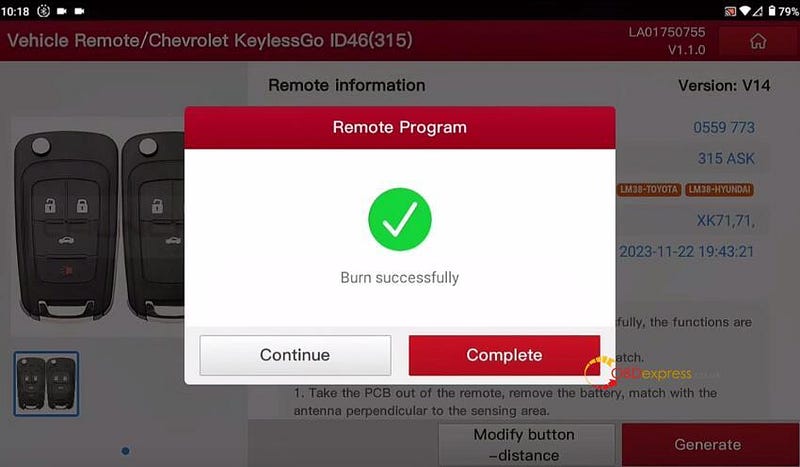
        3.Generate remote

        Select Vehicle Remote>> American>> Chevrolet>> All remotes>> Chevrolet KeylessGo ID46 (315) >> Generate

        Burn successfully

        Chevrolet Mechanical Key AKL Matching with Launch X431 IMMO Tool

        4.All keys lost matching

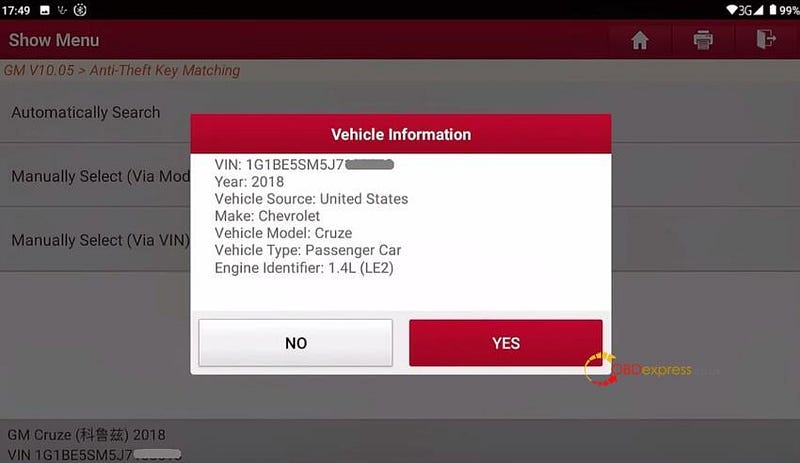
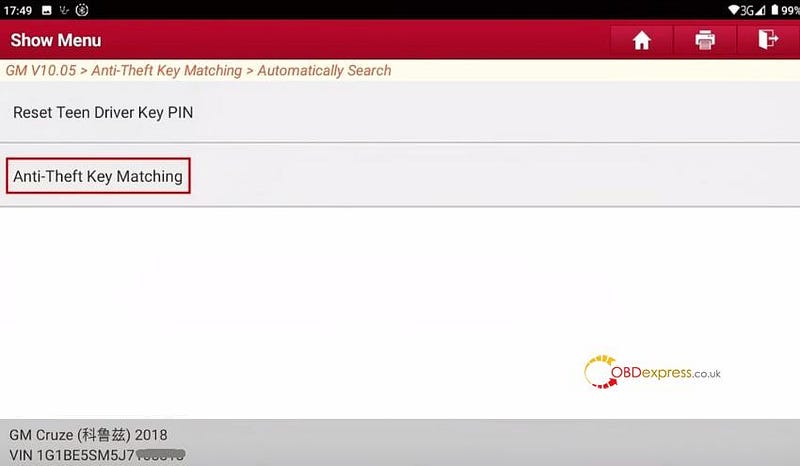
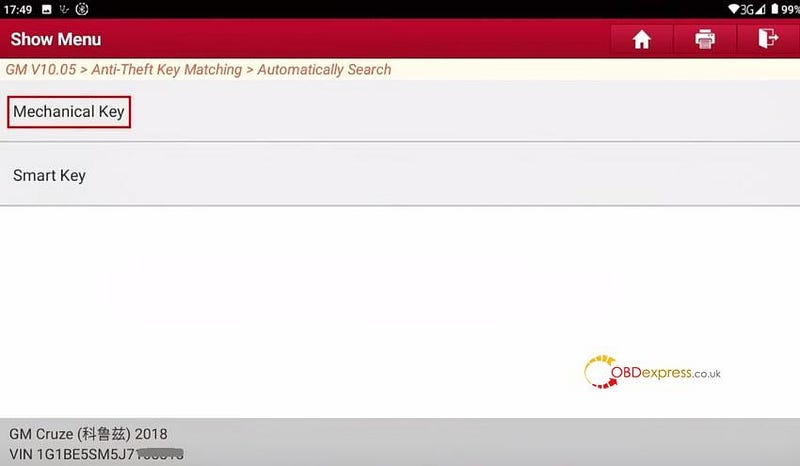
        Go to GM anti-theft software, select Anti-Theft Key Matching>> Automatically Search

        Confirm the vehicle info identified

        Chevrolet Mechanical Key AKL Matching with Launch X431 IMMO Tool

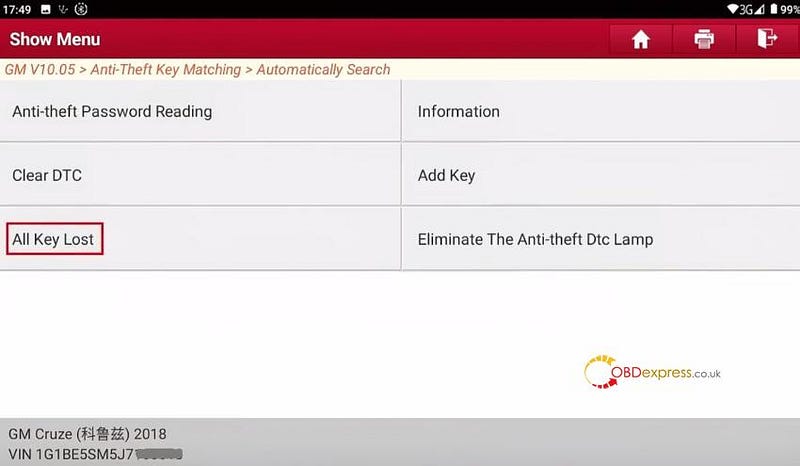
        Select Anti-Theft Key Matching>> Mechanical Key>> All Key Lost

        Chevrolet Mechanical Key AKL Matching with Launch X431 IMMO Tool

        Chevrolet Mechanical Key AKL Matching with Launch X431 IMMO Tool

        Chevrolet Mechanical Key AKL Matching with Launch X431 IMMO Tool

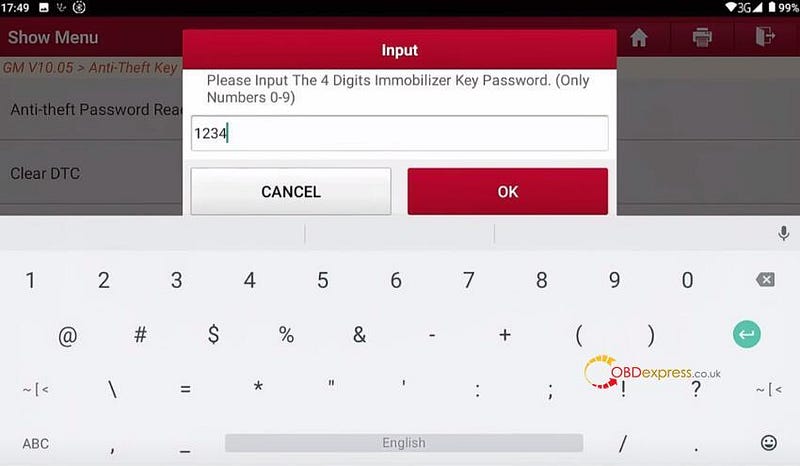
        Follow the on-screen prompts to operate one by one

        Need to input the 4-digit immobilizer key password and put the key to be programmed to turn on ignition

        Chevrolet Mechanical Key AKL Matching with Launch X431 IMMO Tool

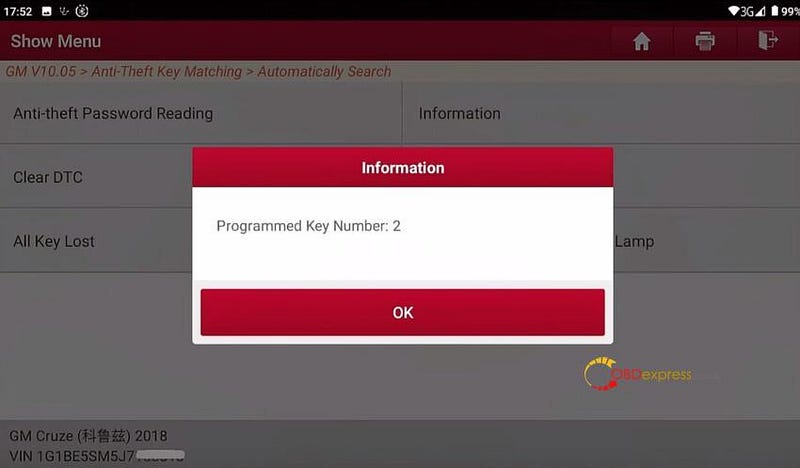
        Program two keys with X431 IMMO Plus/IMMO Elite Key Programmer successfully

        Chevrolet Mechanical Key AKL Matching with Launch X431 IMMO Tool

        Chevrolet Mechanical Key AKL Matching with Launch X431 IMMO Tool

        www.obdexpress.co.uk

        CGDI BD006 Manual: Battery, Cranking, Charging & Voltage Tests

         The CGDI BD006 Car Battery Tester uses conductance testing technology to quickly measure a starting battery’s cold-cranking capability a...