Monday, 21 November 2022

VXDIAG VCX SE with Xentry 09.2022 to diagnose Benz W204

 Confirmed! VXDIAG VCX SE Benz with 2022.09 Xentry software can diagnose Mercedes- Benz W204. 100% working! No issues!

Operation mode:

On bench

The test:

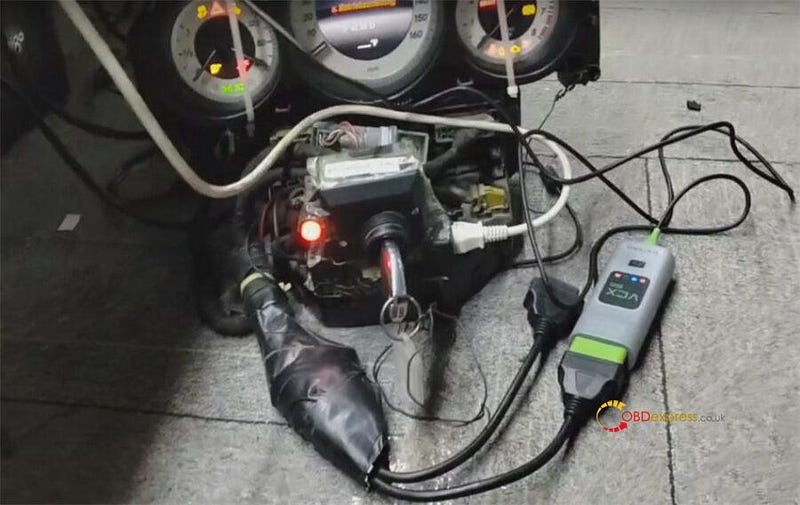
Connect VXDIAG VCX SE for Benz and vehicle correctly (here has removed the dashboard from the car)

Use the original key to turn on the ignition on
VXDIAG VCX SE with Xentry 09.2022 to diagnose Benz W204

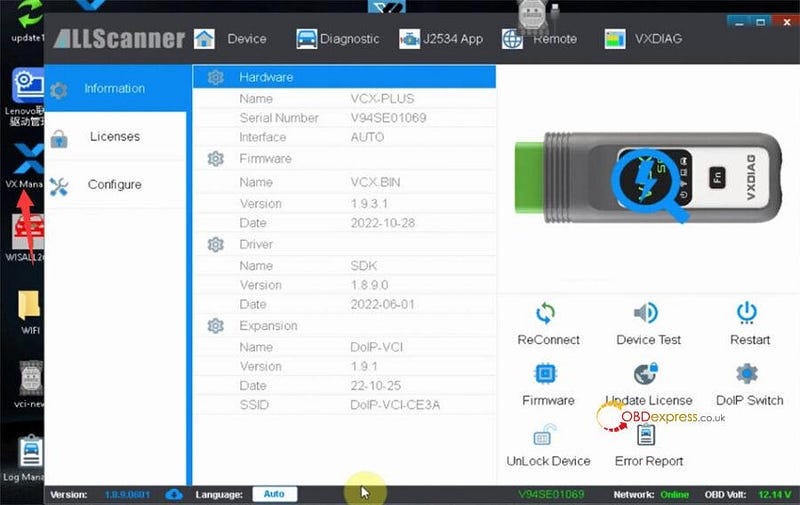
Run VX Manager

Check the current version of VCX SE Benz
VXDIAG VCX SE with Xentry 09.2022 to diagnose Benz W204

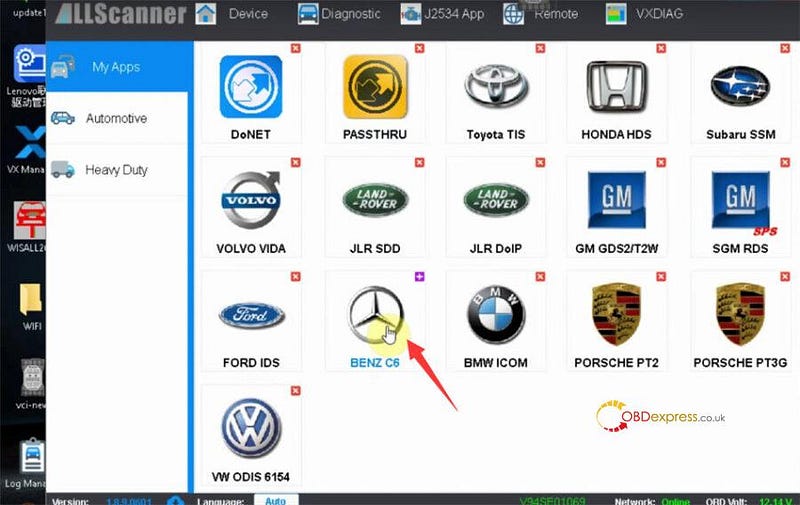
Click 'Diagnostic' on the top menu bar

And click 'BENZ C6'
VXDIAG VCX SE with Xentry 09.2022 to diagnose Benz W204

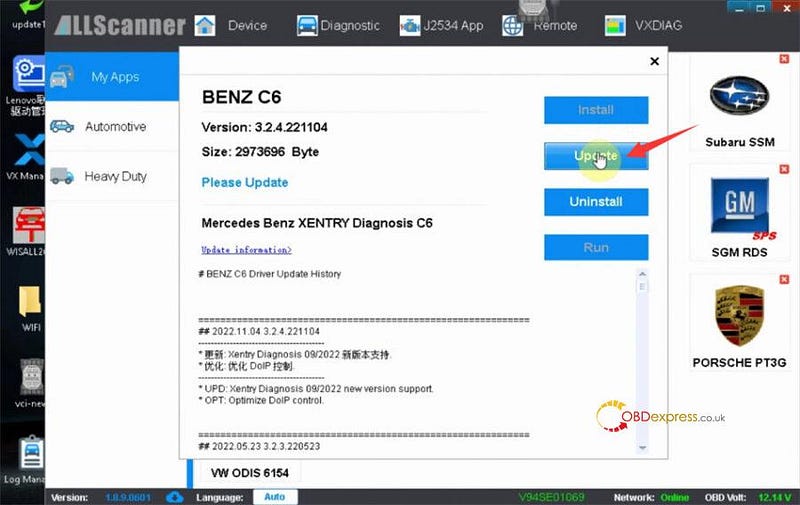
There is a new update version.

Click 'Update' to finish the upgrade process
VXDIAG VCX SE with Xentry 09.2022 to diagnose Benz W204

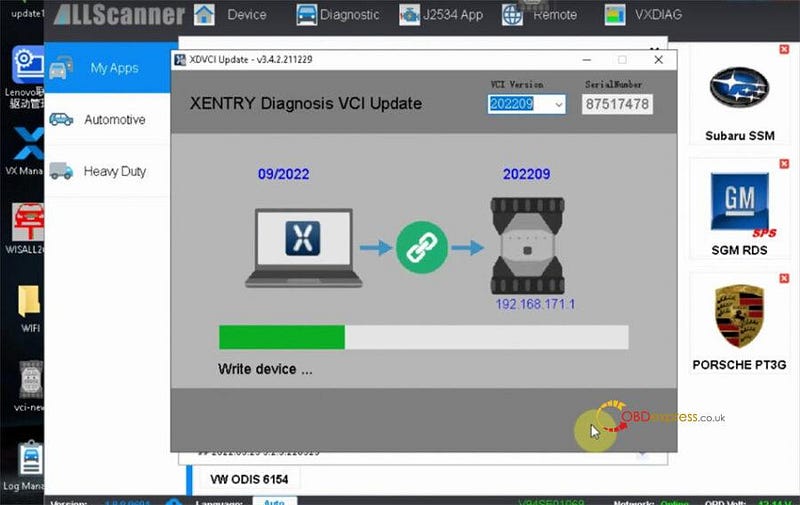
It will uninstall the VCI driver, and update VCI to newest version
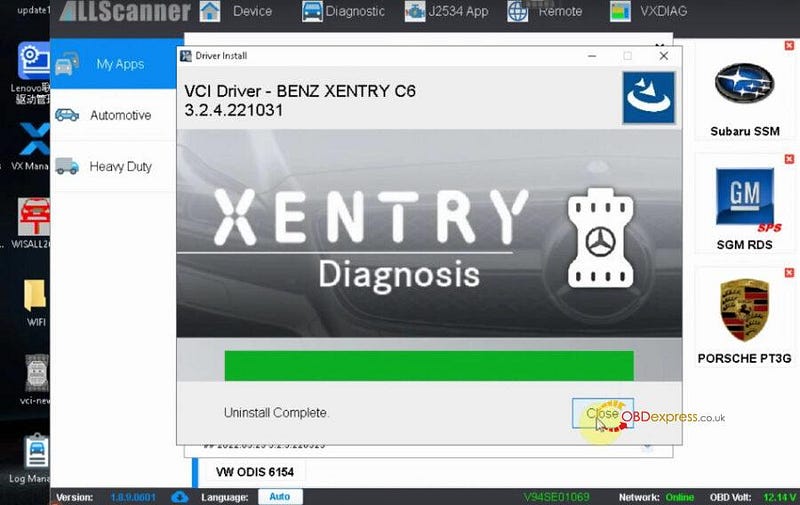
VXDIAG VCX SE with Xentry 09.2022 to diagnose Benz W204

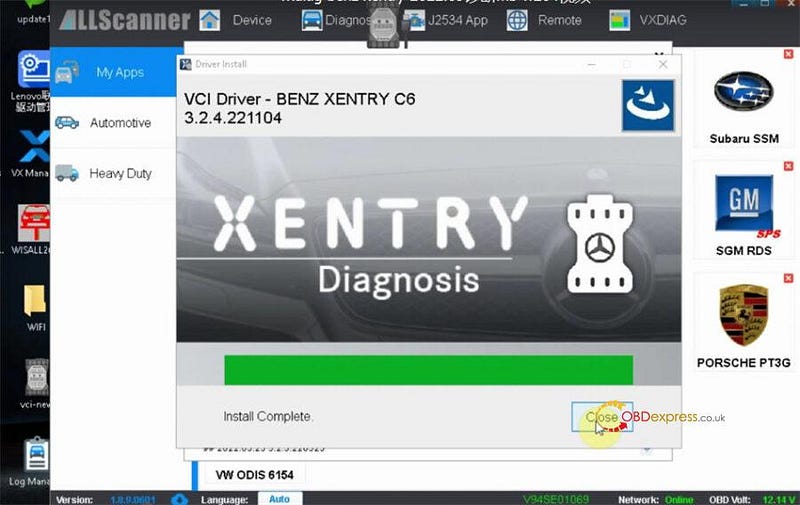
VXDIAG VCX SE with Xentry 09.2022 to diagnose Benz W204

Install complete

VXDIAG VCX SE with Xentry 09.2022 to diagnose Benz W204

Then run Xentry Diagnosis software

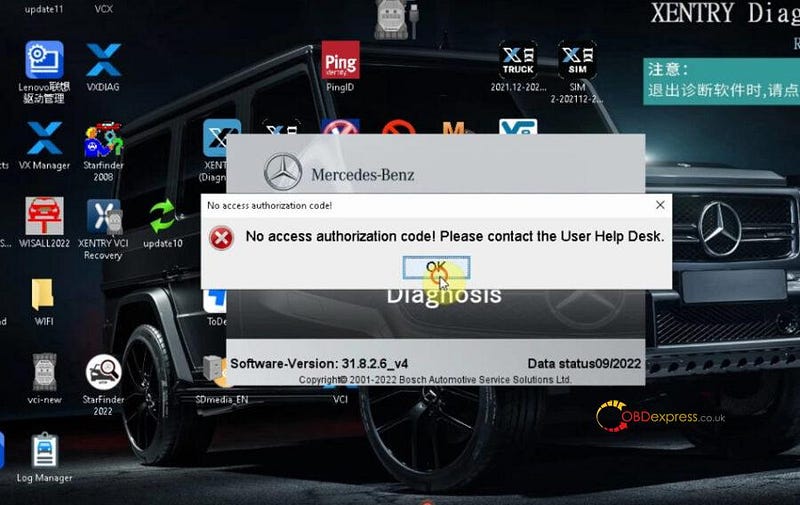
When you open the xentry software, it may report an error 'No access authorization code! Please contact the user help desk'. Just close it and reopen, and click OK to continue. The problem will be resolved.
VXDIAG VCX SE with Xentry 09.2022 to diagnose Benz W204

Diagnose Benz W204

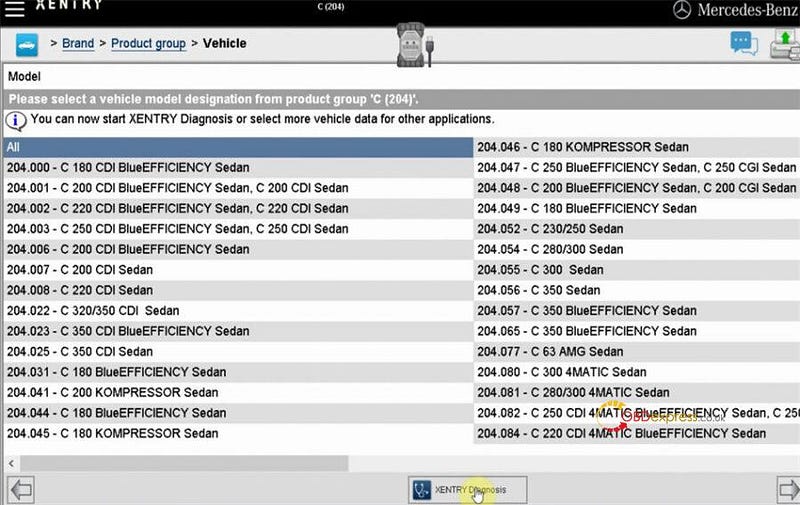
Select Mercedes- Benz>> Passenger car>> C (204)>> All>> Xentry Diagnosis
VXDIAG VCX SE with Xentry 09.2022 to diagnose Benz W204

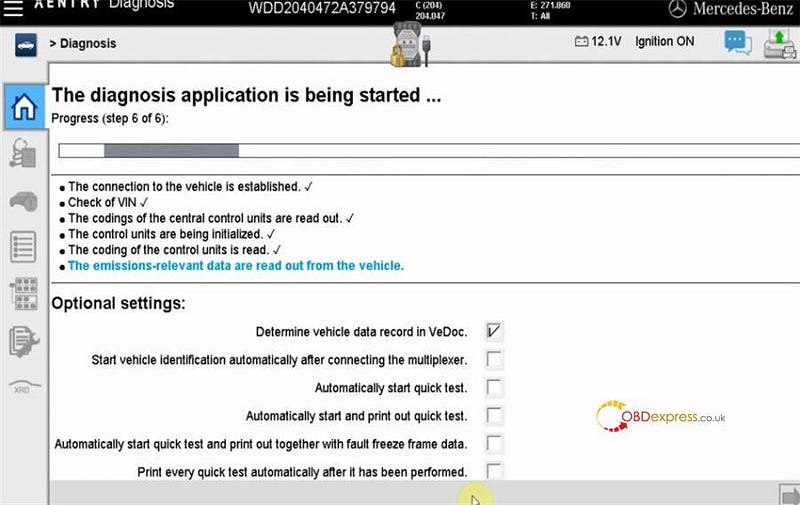
The diagnosis application is being started…

Just wait a moment
VXDIAG VCX SE with Xentry 09.2022 to diagnose Benz W204

Click 'Initial quick test' to continue
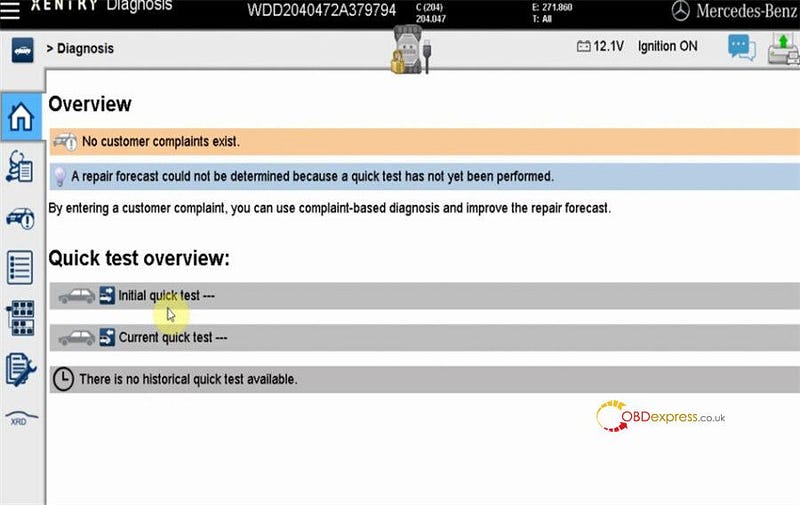
VXDIAG VCX SE with Xentry 09.2022 to diagnose Benz W204

Save the quick test automatically

The quick test is being performed…
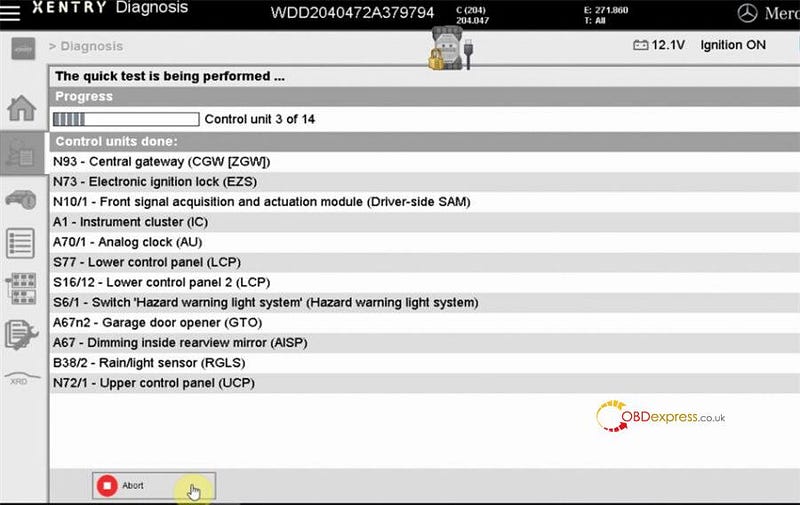
VXDIAG VCX SE with Xentry 09.2022 to diagnose Benz W204

The repair forecasts are determined.

Done
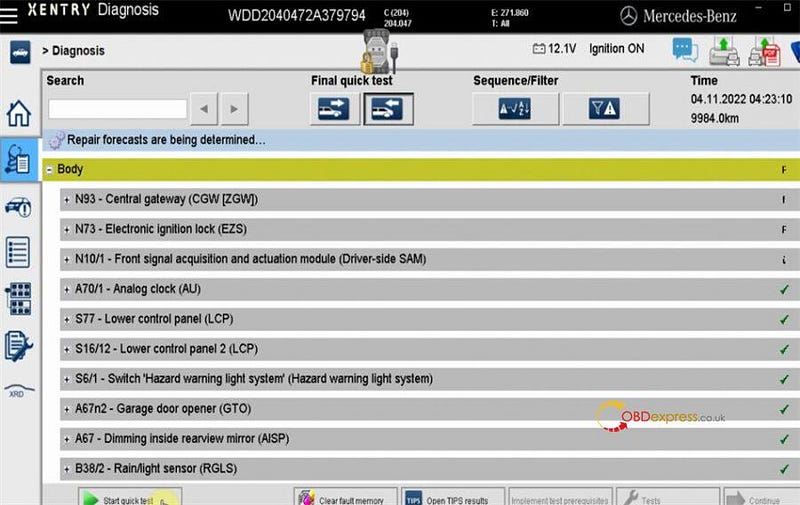
VXDIAG VCX SE with Xentry 09.2022 to diagnose Benz W204

Device used:

V2022.09 VXDIAG VCX SE for Mercedes Benz with Free DoNet Authorization & Xentry DTS Monaco Software HDD:

https://www.obdexpress.co.uk/wholesale/vxdiag-vcx-se-for-benz-doip-hdd.html

www.obdexpress.co.uk

OBDSTAR X300 DP Plus Program 2021 Toyota RAV4 8A-AA Key

 OBDSTAR IMMO key tools can program 2018+ Toyota 8A-AA key adding & all keys lost with free pincode. The function is available on OBDSTAR X300 DP Plus & X300 Pro4. Following is a quick demo to show the procedure.

Read also:

OBDSTAR Toyota Lexus Honda Acura IMMO Upgrade in Sep.

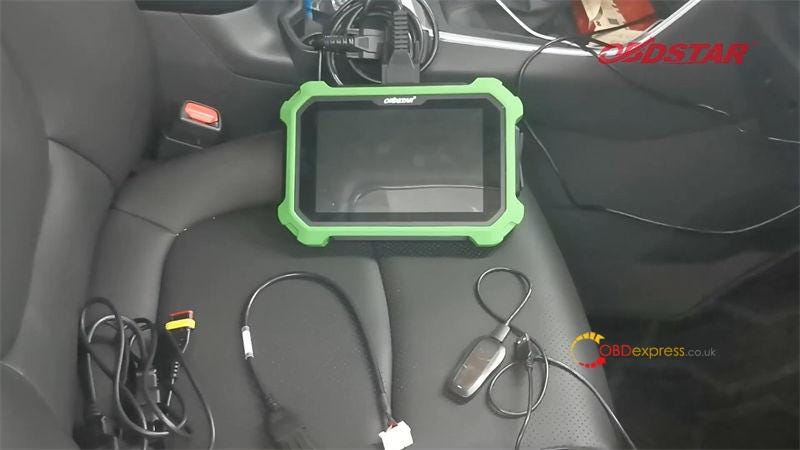
Tools Required

OBDSTAR Key Mater Plus

CAN DIRECT KIT (TOYOTA-27 + CAN Direct)

Key Sim

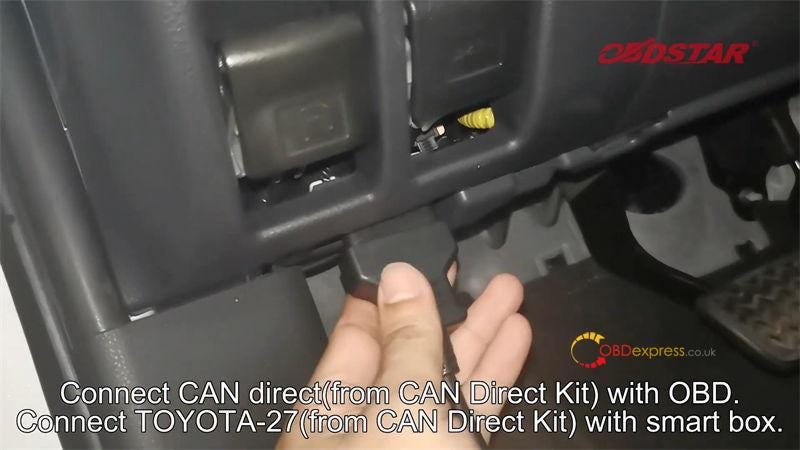
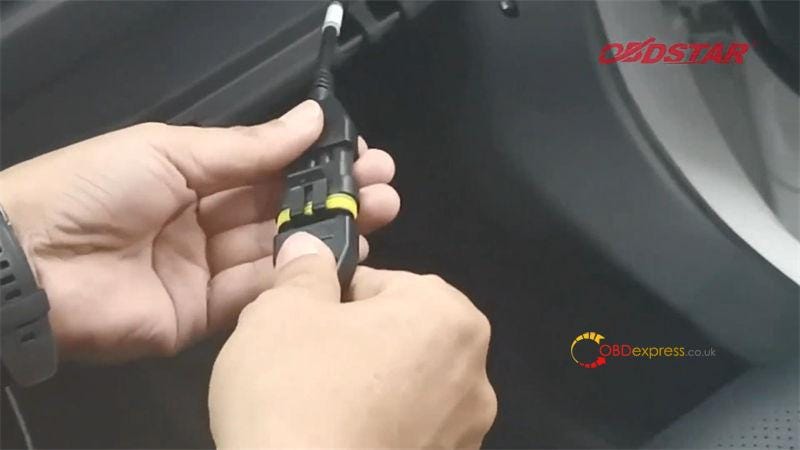
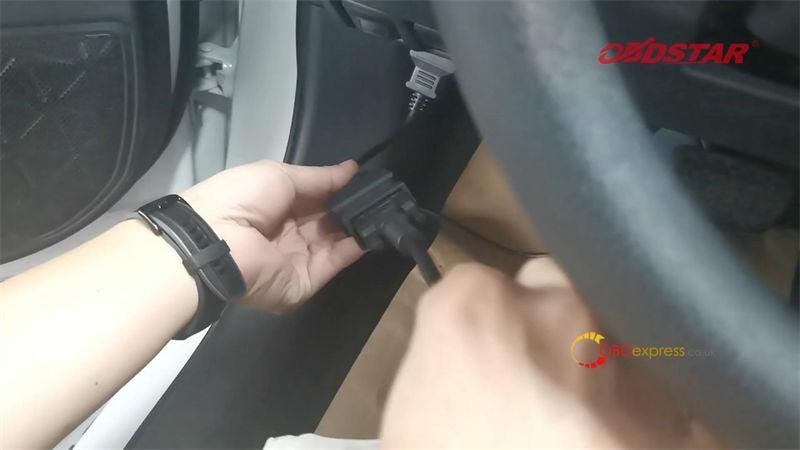
Connect CAN direct cable with OBD.

Connect TOYOTA-27 cable with smart box.

Connect diagnostic cable to X300 DP Plus.

OBDSTAR X300 DP Plus Programming Toyota 8A-AA Key

OBDSTAR X300 DP Plus Programming Toyota 8A-AA Key

OBDSTAR X300 DP Plus Programming Toyota 8A-AA Key

OBDSTAR X300 DP Plus Programming Toyota 8A-AA Key

Step1. Read Immo Data

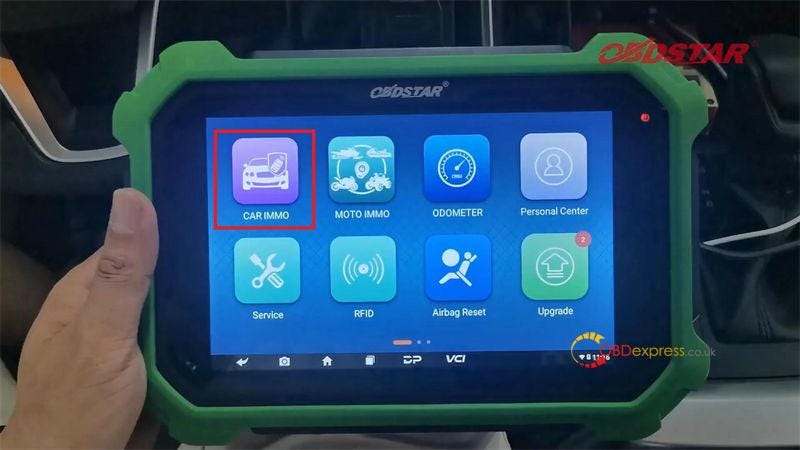
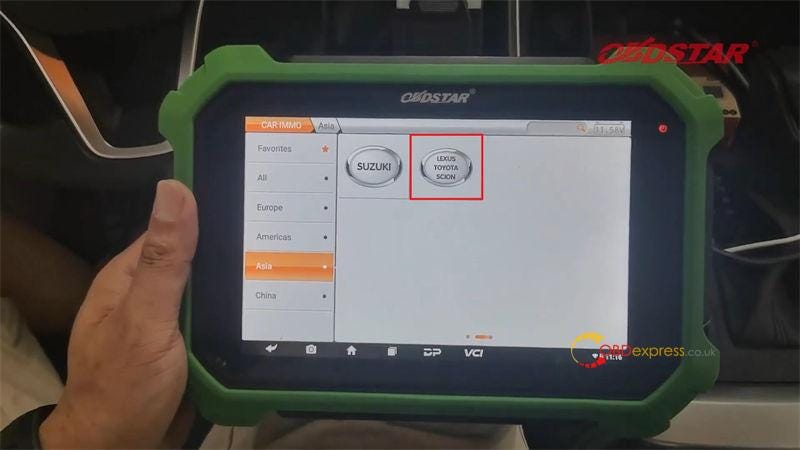
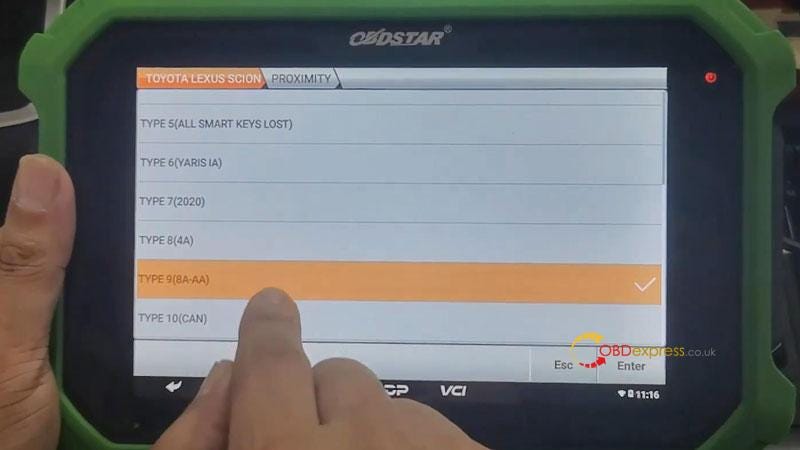
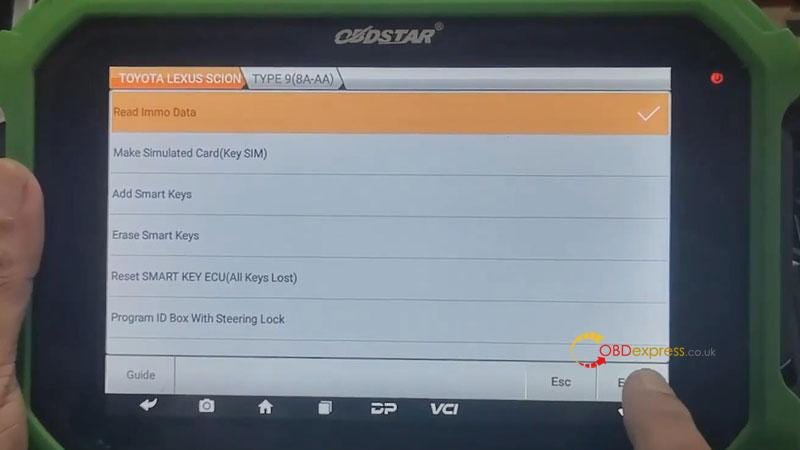
Car IMMO >> Asia >> LEXUS TOYOTA SCION >> Latest version >> Manual select system >> Proximity >> TYPE 9(8A-AA) >> Read Immo data >> Operation in the car(CAN DIRECT KIT) >> Enter

Rename & save data file.

Reading data success.

OBDSTAR X300 DP Plus Programming Toyota 8A-AA Key

OBDSTAR X300 DP Plus Programming Toyota 8A-AA Key

OBDSTAR X300 DP Plus Programming Toyota 8A-AA Key

OBDSTAR X300 DP Plus Programming Toyota 8A-AA Key

Step2. Make Simulated Key

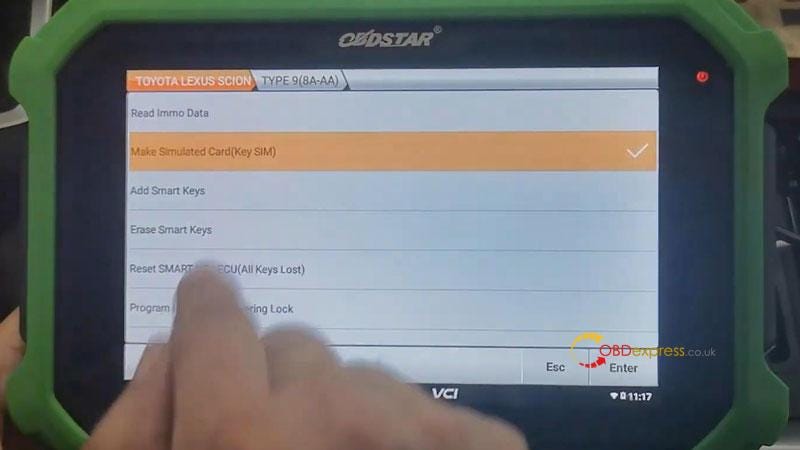
Go back to select "Make simulated card(Key SIM)".

This function is available by connecting the server, please ensure the Internet connection is normal.

  • This function can make simulated key when all the keys are lost;
    1. (note: simulated key needs to be kept charged, and it needs to be made again after the power is off)

    2. The simulated key can replace the original car key to add keys, erase keys and other operations;
    3. Has the current vehicle immo data been read? If the immo data is not read, please execute the immo data reading function first.
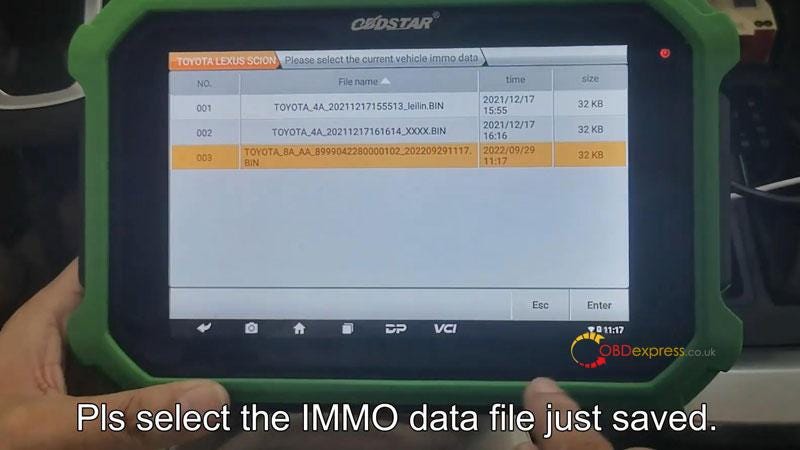
      1. Select the saved immo file.

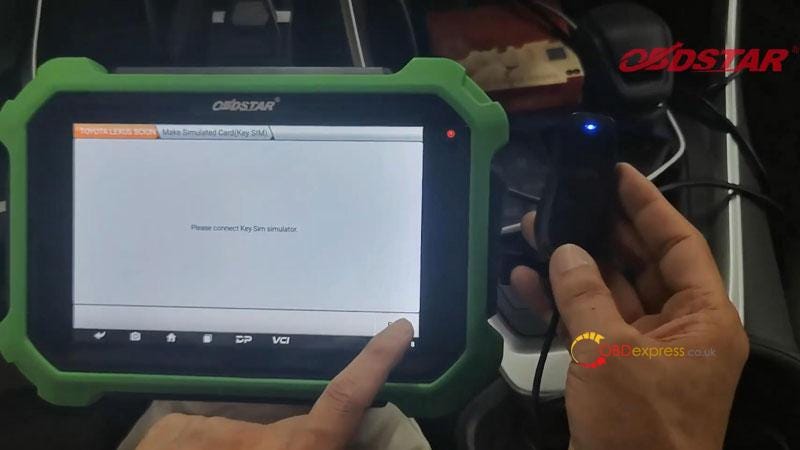
        Plug Key Sim into X300 DP Plus device.

        Loading module…

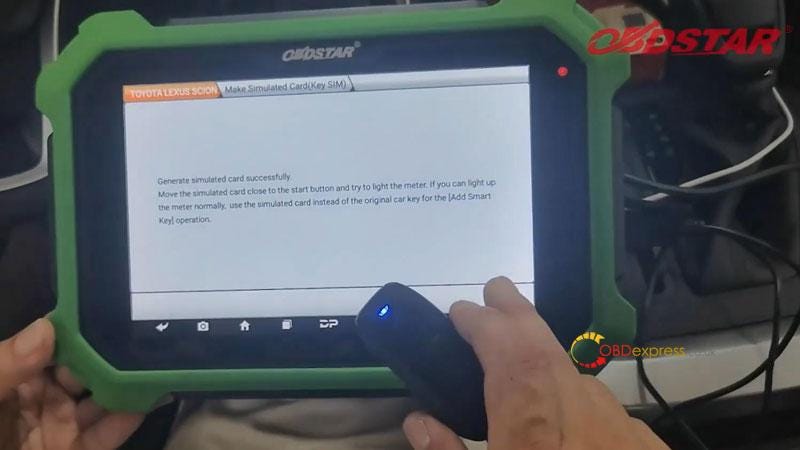
        Generate simulated card successfully.

        Move SIM key close to the start button and try to light the meter.

        If you can light up the meter normally, use the simulated card instead of the original card key for the "Add smart key" operation.

        Restore smart box cable.

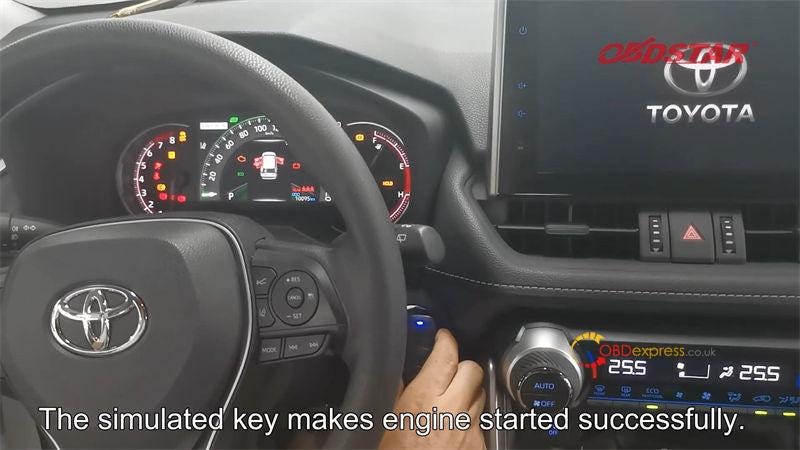
        The SIM key can successfully makeengine started.

        Now you can go on to program key adding or all keys lost.

        OBDSTAR X300 DP Plus Programming Toyota 8A-AA Key

        OBDSTAR X300 DP Plus Programming Toyota 8A-AA Key

        OBDSTAR X300 DP Plus Programming Toyota 8A-AA Key

        OBDSTAR X300 DP Plus Programming Toyota 8A-AA Key

        OBDSTAR X300 DP Plus Programming Toyota 8A-AA Key

        For more information, please contact us:

        Email: sales@OBDexpress.co.uk

        WhatsApp: +86 18750906257

        Skype: obd2express.co.uk

        Monday, 14 November 2022

        FoxFlash ECU Programmer introduction and advantage comparison

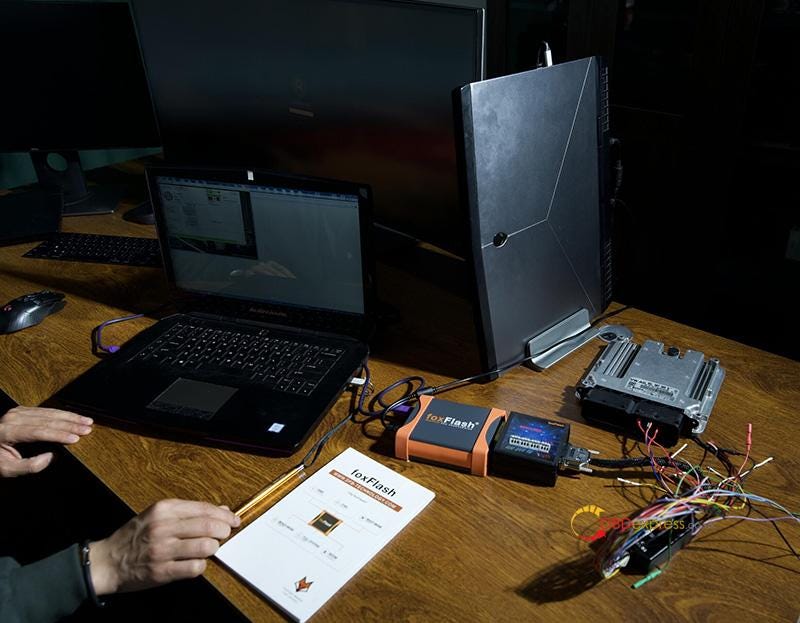
         FoxFlash is a new powerful ECU programmer with better quality BOM and PCB than other tools. It's a Master version, and supports the full version with all protocols active. It can work online and offline, and also supports MEDC17 free clone service. Moreover, it provides far better servers with VR supply, more stable and reliable!

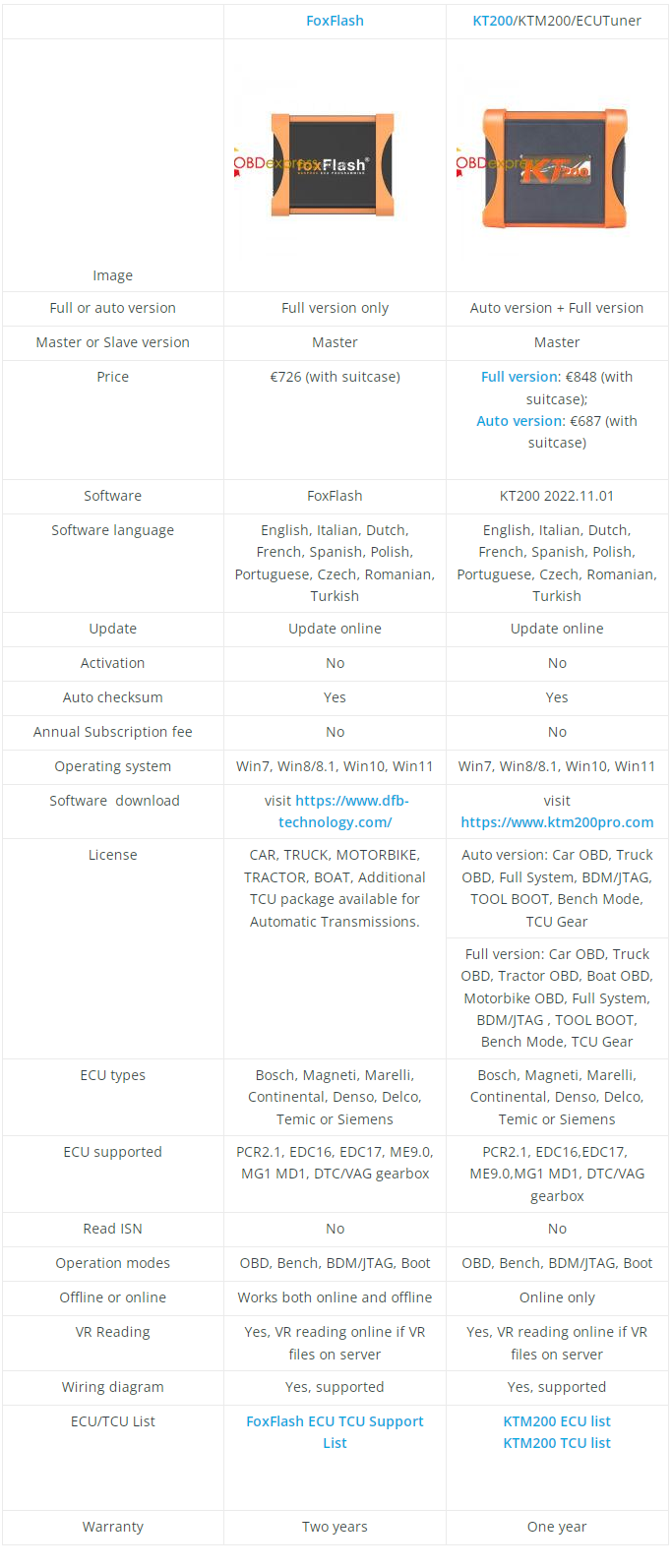
        Comparison of FoxFlash function and KT200

        What is FoxFlash ECU programmer?

        foxFlash is a new, unique and revolutionary tool for automotive professionals, tuners and engine calibration engineers. It's not only an ECU programming tool, but also a perfect flashtool for reading/writing operations.

        What's the advantage of FoxFlash?

      2. Master version
      3. Full protocols open
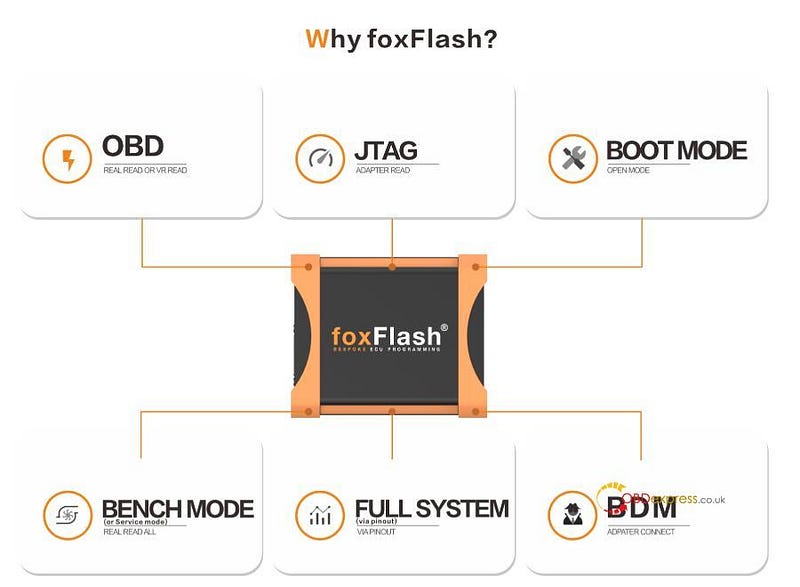
      4. Support Five Mode: OBD, BENCH, JTAG, BOOT, BDM
      5. VR read online work (some ECUs need to use our VR system, tool auto connect to our server download file)
      6. ECU can be restored to original if your ECU was damaged or meet some bad tuning
      7. Free update. No subscription, no annual fee.
      8. Can work online and offline (some ECUs and functions can be done offline)
      9. Auto checksum
      10. Online support
      11. Help desk and tuner account
      12. ECU and TCU connect wires with pdf
      13. Special functions
      14. Auto support eeprom and flash checksum
      15. Support MEDC17 free clone service (most other tools need to patch the files after reading out, but ours is free)
      16. Two Years Warranty
      17. Excellent technical support
        1. What can FoxFlash do?

          ECU clone

          TCU clone

          Chiptuning

          Stage1-stage4

          Vmax off

          Adblue and SCR off

          DPF OFF

          Flaps OFF

          Popbangs

          Gearbox data to adjust LC sport display

          IMMO off

          DPF off

          DTC off

          GPF/OPF Removal

          DPF Removal

          EGR Removal

          DTC Removal

          ADBlue Removal

          HOT Start Fix

          IMMO Removal

          Readiness Calibration

          Flaps/ Swirl Removal

          TVA Removal

          Sport Displays Calibration

          Cold Start Noise Reduction

          Kickdown Deactivation

          StartStop Disable

          MAF Removal

          Speed Limiter Removal

          Torque Monitoring Disable

          Burbles Activation

          Popcorn Activation

          EVAP Removal

          Exhaust Flap Removal

          SAP Removal

          AGS Removal

          BMS/BPCM

          Lambda/O2 Removal

          Launch Control

          OBD Reading Protection

          Boost Sensor Calibration

          LC, AL and NLS for MED9.1

          Checksum Fix

          vmax, swirl off

          Restoring ECU or TCU factory setting service VIN fix

          (EEPROM support checksum,

          So you can easy change VIN then write back)

          What's the difference between FoxFlash and KT200?

          Comparison of FoxFlash function and KT200

          Attach some images of FoxFlash ECU programmer.

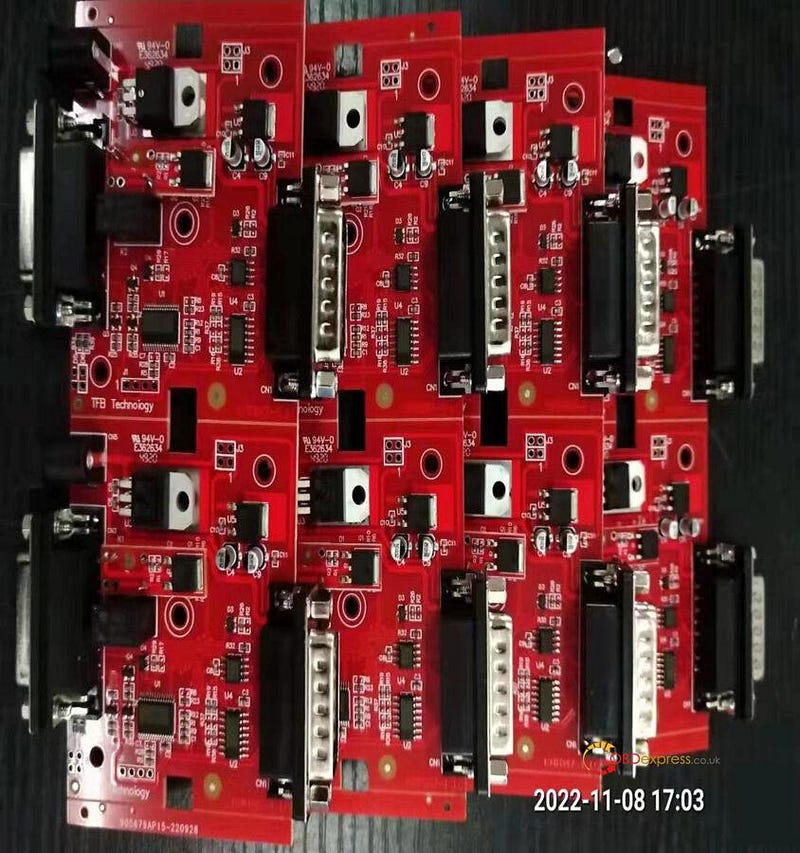
          FoxFlash PCB:

          Comparison of FoxFlash function and KT200

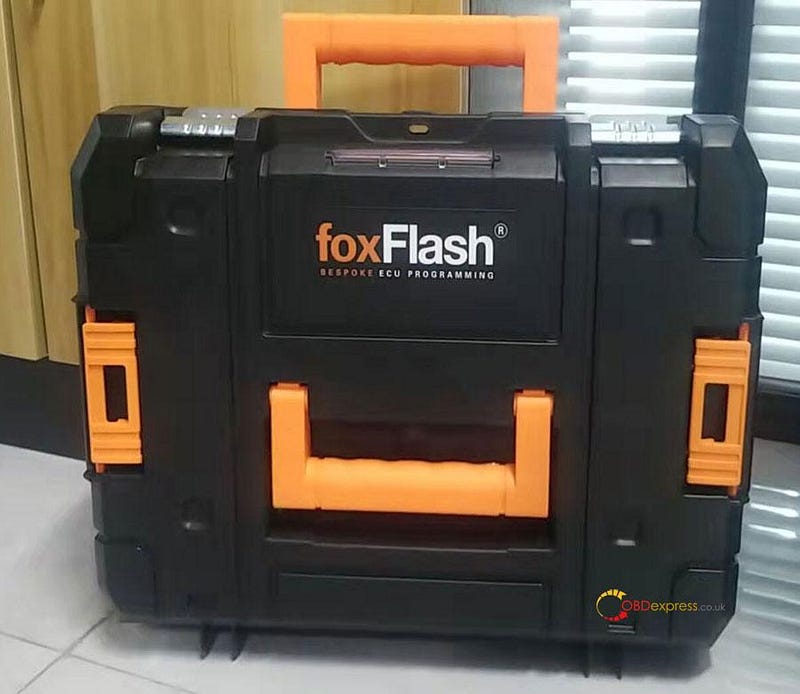
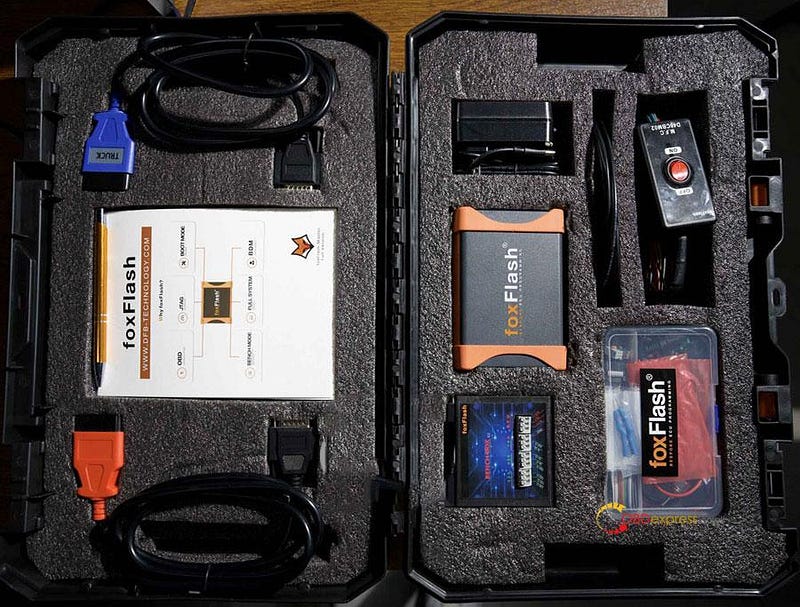
          FoxFlash package:

          Comparison of FoxFlash function and KT200

          Comparison of FoxFlash function and KT200

          FoxFlash connection diagram:

          Comparison of FoxFlash function and KT200

          More info of 2022 foxFlash Chiptuning Tool:

          https://www.obdexpress.co.uk/wholesale/foxflash-super-ecu-tcu-tool.html

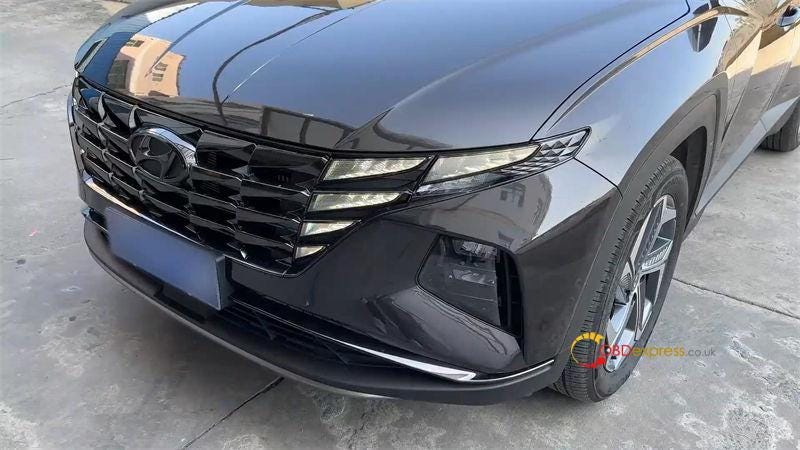
          Hyundai Tucson 2021 PIN Read by OBD Tools Recommended

           If you're looking for any key programmer tools that can read 2021 Hyundai Tucson pincode by OBD, this article will help you without doubt. The feature is all free at no extra charge. It's especially useful for locksmiths who need to program the latest Hyundai car keys.
          Nonsense not to say, let's get straight to see what tools are they?

          Hyundai Tucson 2021

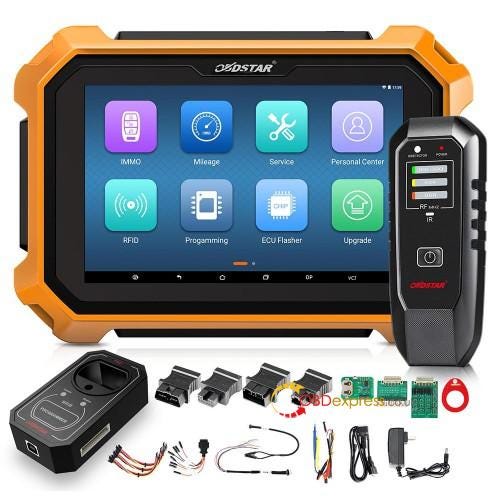
        2. OBDSTAR X300 DP Plus
          1. Reference Price: €1,499

            Hyundai Tucson 2021 Key Programming Tool Recommended

            Operation Procedure

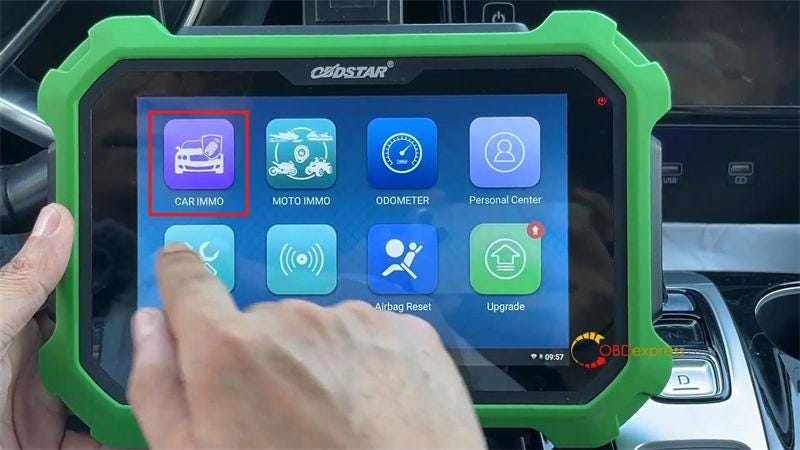
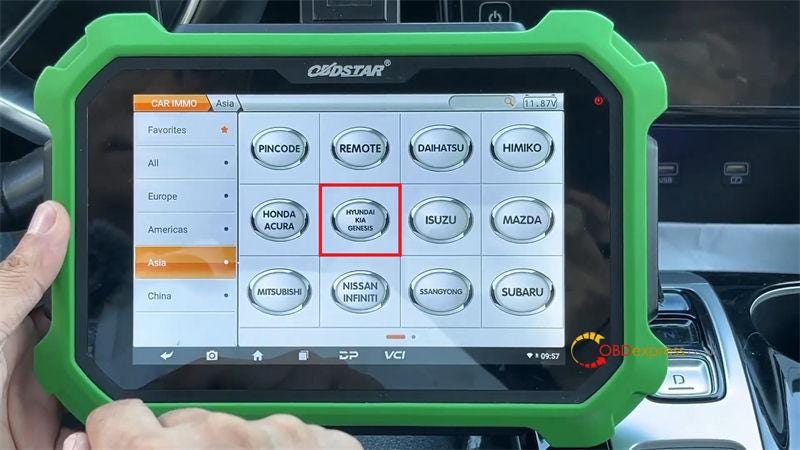
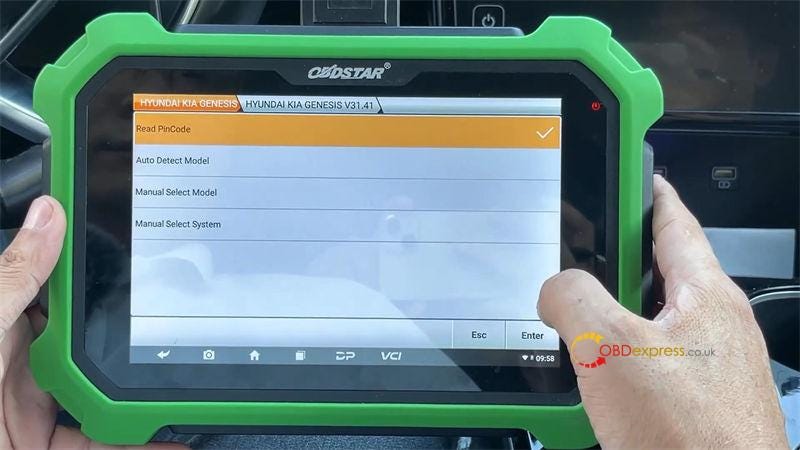
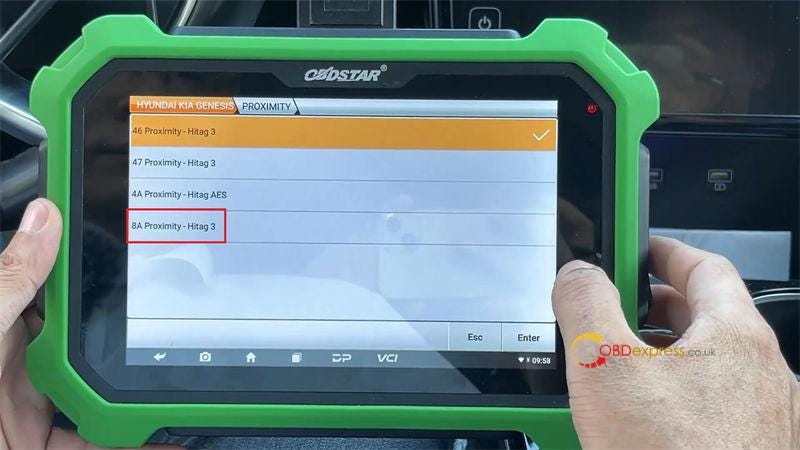
            Car IMMO >> Asia >> HYUNDAI KIA GENESIS >> Latest Version >> Read Pincode >> Proximity >> 8A Proximity — Hitag 3

            This function is available by connecting the server, please ensure the Internet connection normal.

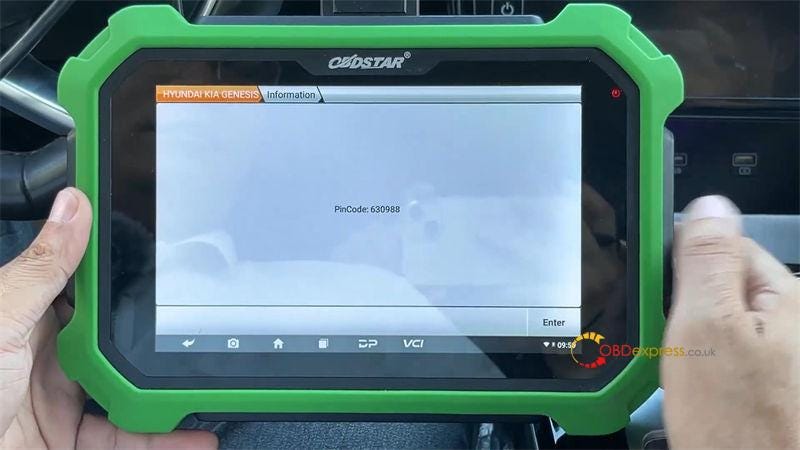
            Pincode has been successfully read out.

            Hyundai Tucson 2021 Key Programming Tool Recommended

            Hyundai Tucson 2021 Key Programming Tool Recommended

            Hyundai Tucson 2021 Key Programming Tool Recommended

            Hyundai Tucson 2021 Key Programming Tool Recommended

            Hyundai Tucson 2021 Key Programming Tool Recommended

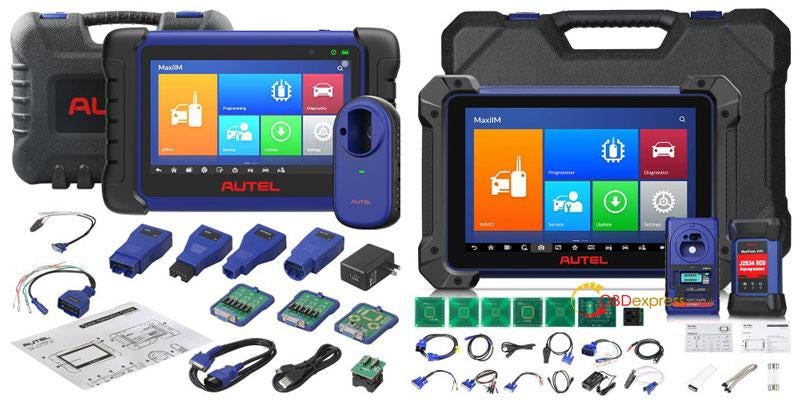
          2. Autel MaxiIM IM508 / IM608 Key Programmer
            1. Autel IM508: €1,299

              Autel IM608: €2,137

              Hyundai Tucson 2021 Key Programming Tool Recommended

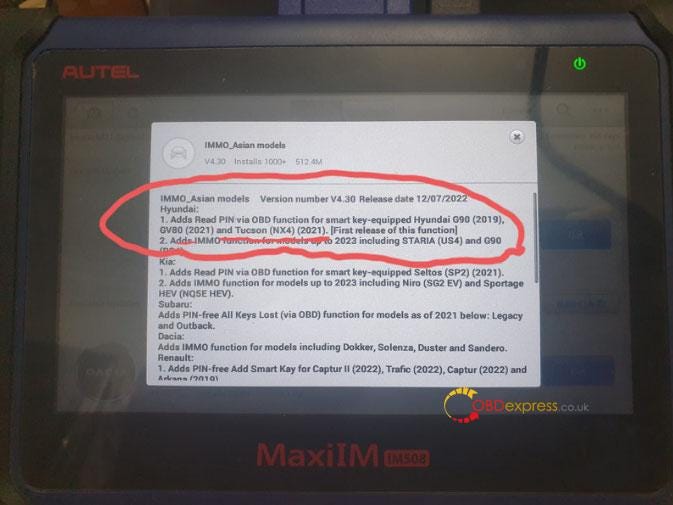
              Autel IMMO series had released the function on 12th, July, 2022.

              Software update version number V4.30.

            2. Support to read PIN via OBD for smart key-equipped
              1. 2019 Hyundai G90

                2021 Hyundai GV80

                2021 Hyundai Tucson (NX4)

              2. Added IMMO function for models up to 2023 including
                1. Hyundai Staria(US4)

                  Hyundai G90

                  Hyundai Tucson 2021 Key Programming Tool Recommended

                  www.obdexpress.co.uk

                  How to Repair BMW Dashboard by VVDI Prog?

                   How to use Xhorse VVDI Prog programmer to repair a BMW dashboard? Here takes BMW ST D160 as an example to demonstrate the operation procedure.

                  The step-by-step guide:

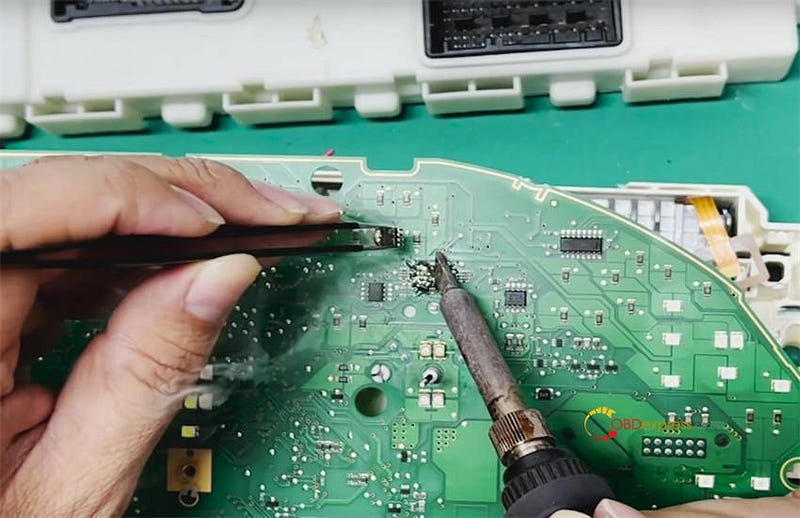
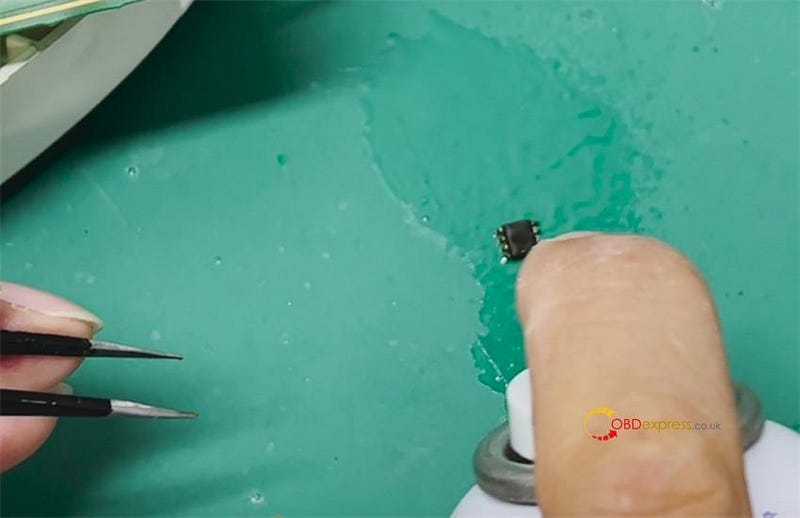
                  Use a soldering tool and a clip to remove the chip from the dashboard

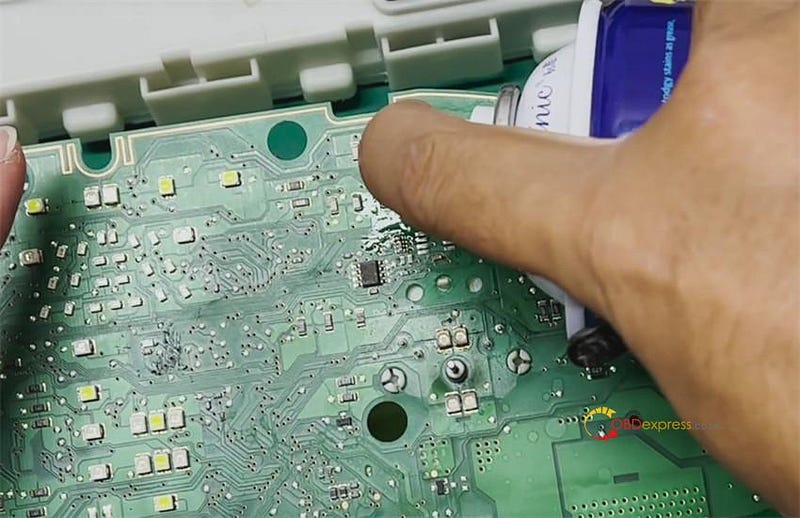
                  Spray with special cleaning agent on the dashboard and chip, and dry with paper towel

                  Xhorse VVDI Prog Repairs BMW ST D160 Dashboard

                  Xhorse VVDI Prog Repairs BMW ST D160 Dashboard

                  Xhorse VVDI Prog Repairs BMW ST D160 Dashboard

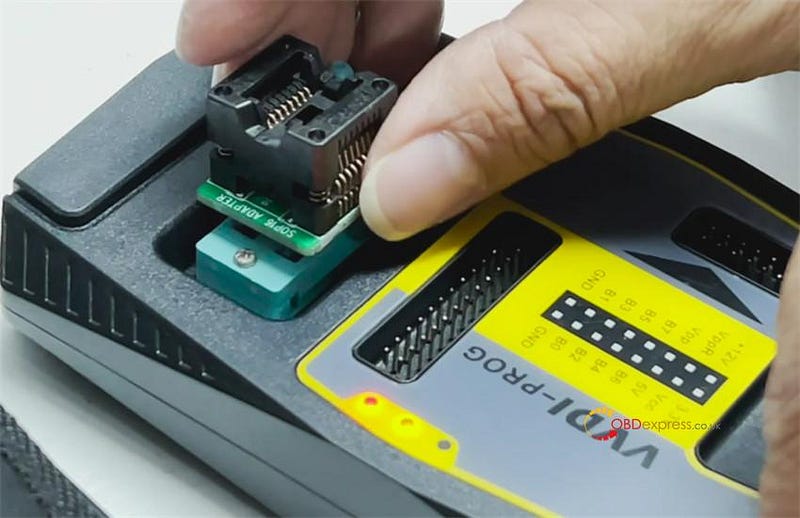
                  Plug the SOP16 test socket to VVDI Prog

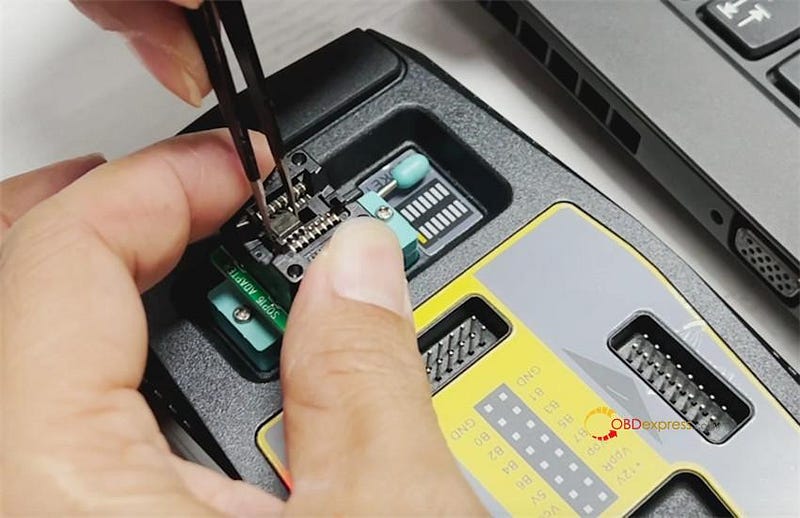
                  Then use the clip to put the BMW chip carefully into the SOP16 socket adapter

                  Xhorse VVDI Prog Repairs BMW ST D160 Dashboard

                  Xhorse VVDI Prog Repairs BMW ST D160 Dashboard

                  Run VVDI Prog software

                  Click Open and select the original data file F18D160 to open

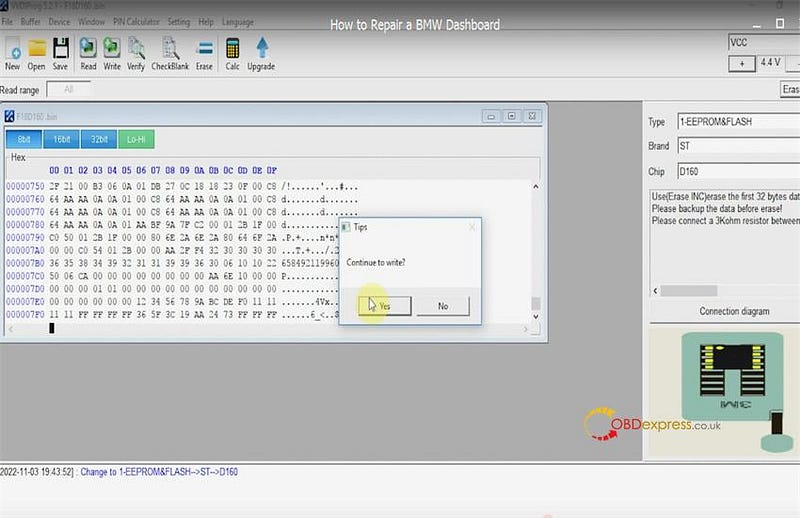
                  Then click Write to write the data into the chip

                  Confirm to write

                  Xhorse VVDI Prog Repairs BMW ST D160 Dashboard

                  Write data successfully

                  Xhorse VVDI Prog Repairs BMW ST D160 Dashboard

                  Close the software and open again

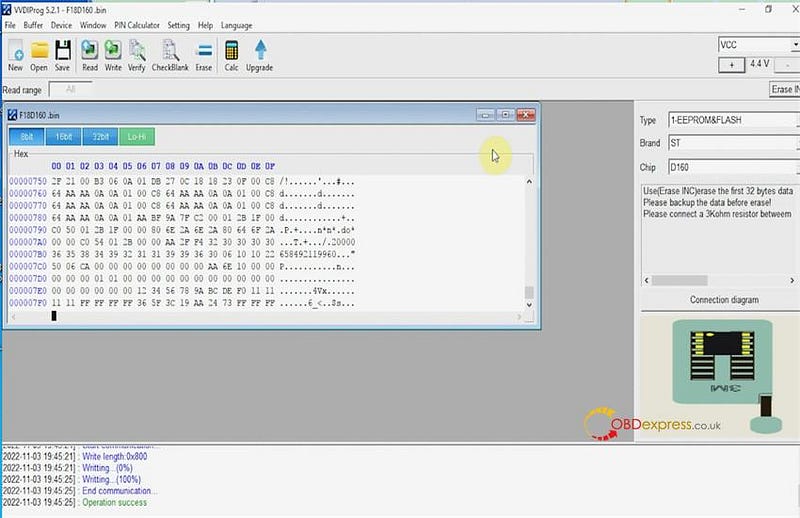
                  On the right menu bar, select type: 1-EEPROM& FLASH, brand: ST, and chip: D160

                  Click Read

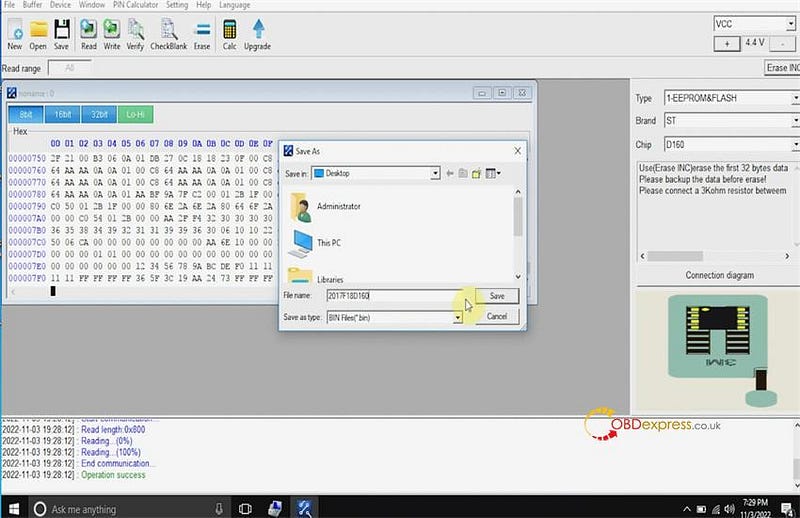
                  Read data successfully and then save it

                  Xhorse VVDI Prog Repairs BMW ST D160 Dashboard

                  Finally, solder the chip back to the BMW dashboard

                  Alright, BMW dashboard has been repaired by VVDI Prog programmer perfectly.

                  Easy and fast!

                  www.obdexpress.co.uk


                  Friday, 4 November 2022

                  Xhorse VVDI Key Tool Plus Adds Mercedes W207 BE Key

                   It's pretty easy to add a Mercedes Benz W207 BE key with Xhorse VVDI Key Tool Plus Pad. Having disassembled EIS module from car, and prepared a working key. Let's go ahead.

                  Connect VVDI Key Tool Plus to EIS module.

                  Switch ignition on with working key.

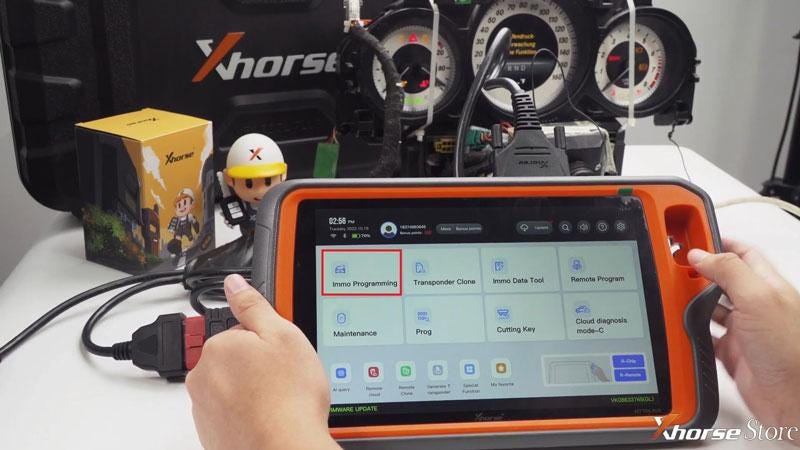
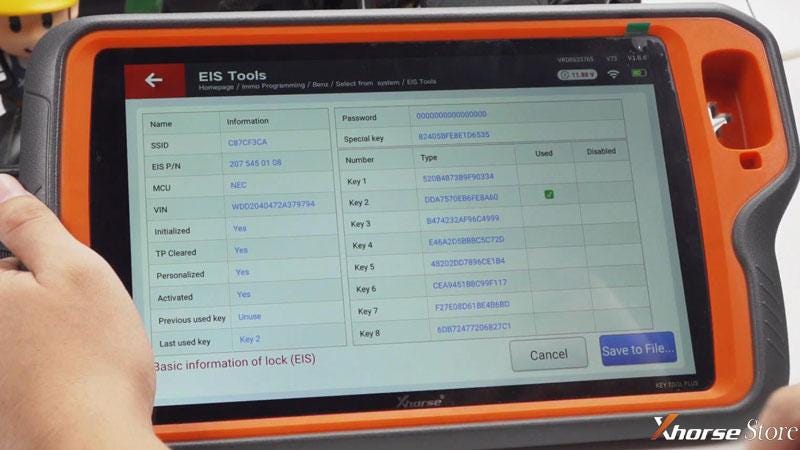
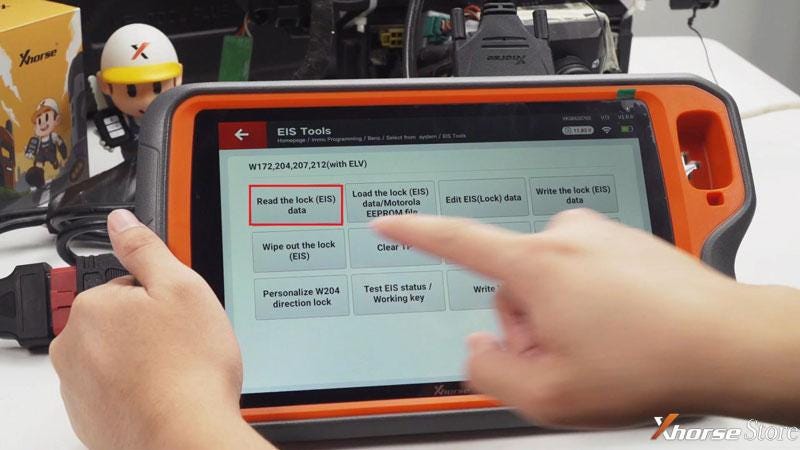
                  Immo programming >> Europe >> Benz >> Select from system >> EIS tool >> Start programming >> Read the lock(EIS) data >> OBD

                  Save data file.

                  add Benz W207 BE key with Xhorse VVDI Key Tool Plus

                  add Benz W207 BE key with Xhorse VVDI Key Tool Plus

                  add Benz W207 BE key with Xhorse VVDI Key Tool Plus

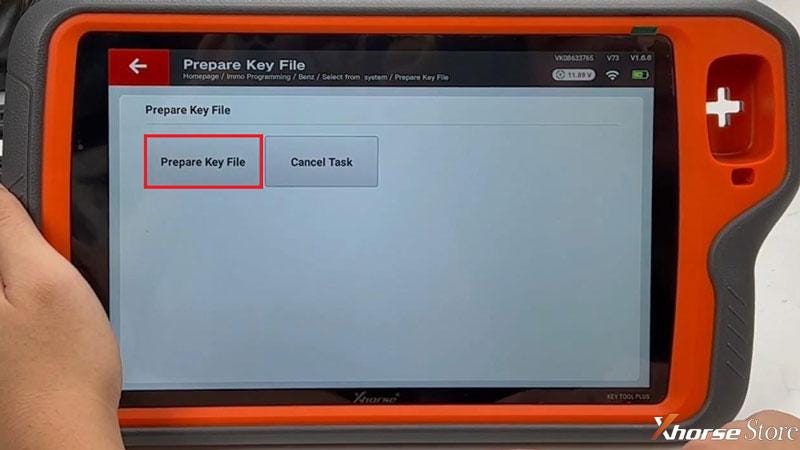
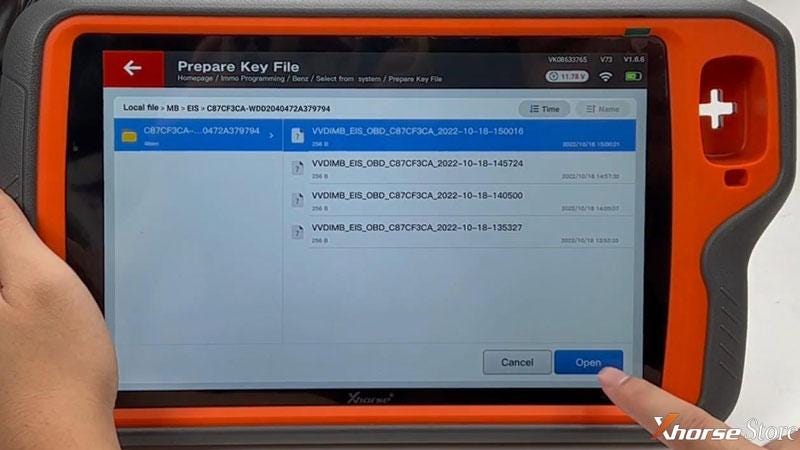
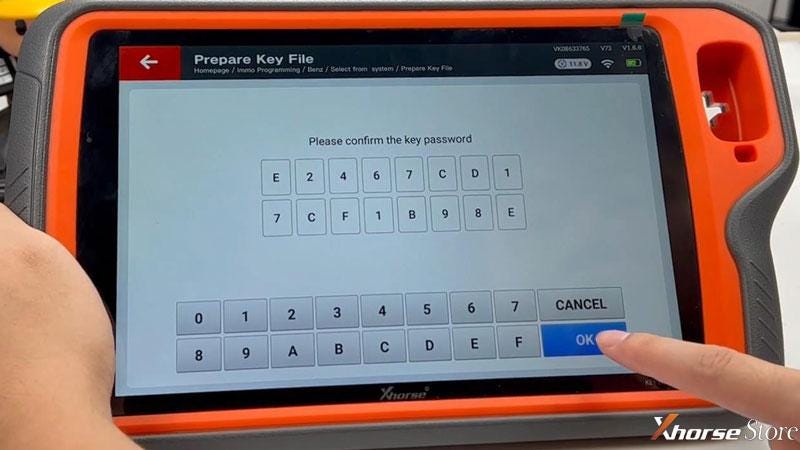
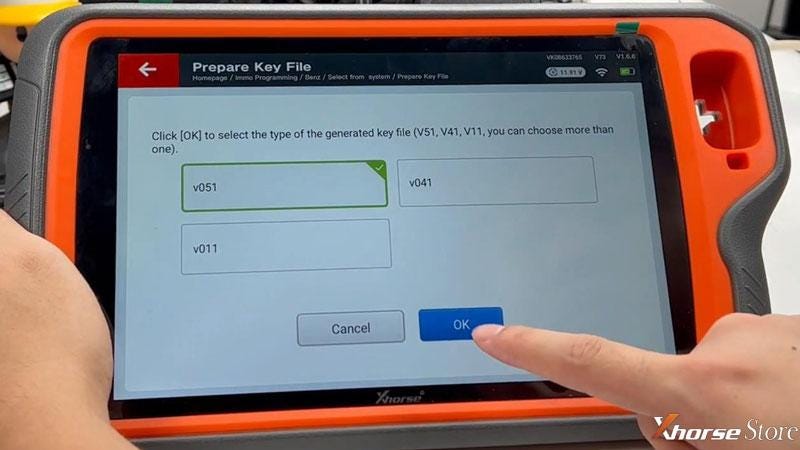
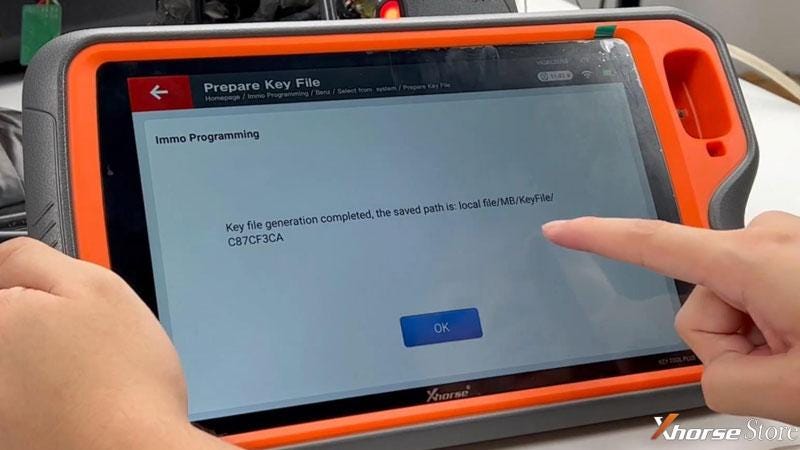
                  Select from system >> Prepare key file >> Start programming >> Prepare key file >> Load data file >> Input key password >> v051 >> Save key file

                  Key file generation completed.

                  add Benz W207 BE key with Xhorse VVDI Key Tool Plus

                  add Benz W207 BE key with Xhorse VVDI Key Tool Plus

                  add Benz W207 BE key with Xhorse VVDI Key Tool Plus

                  add Benz W207 BE key with Xhorse VVDI Key Tool Plus

                  add Benz W207 BE key with Xhorse VVDI Key Tool Plus

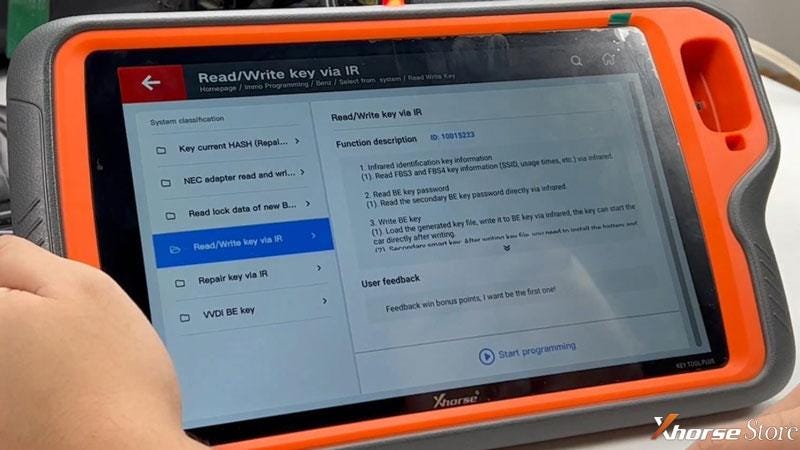
                  Select from system >> Read write key >> Read/write key via IR >> Start programming

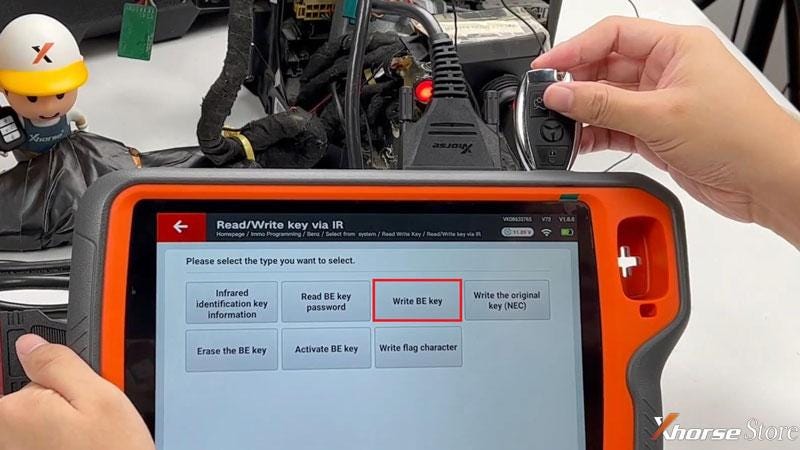
                  Insert the new MB BE Key into infrared antenna of Key Tool Plus Pad.

                  Write BE key >> Load key file >> OK

                  add Benz W207 BE key with Xhorse VVDI Key Tool Plus

                  add Benz W207 BE key with Xhorse VVDI Key Tool Plus

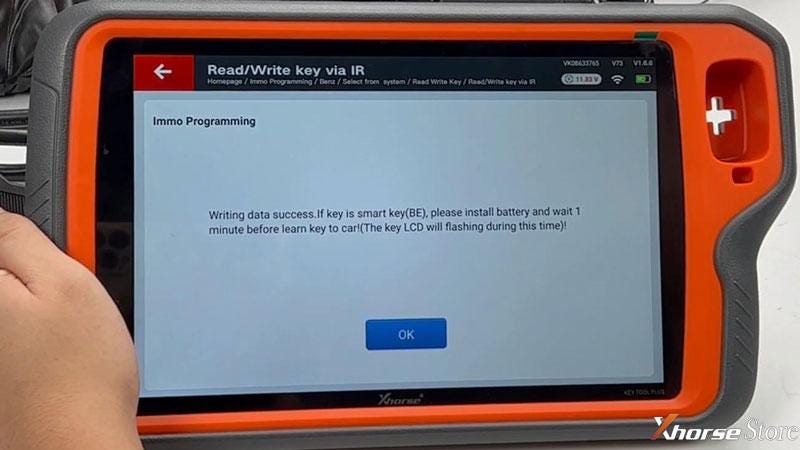
                  Wiring data success.

                  If key is smart key(BE), please install battery and wait 1 minute before learn key to car!

                  (The key LCD will flash during this time!)

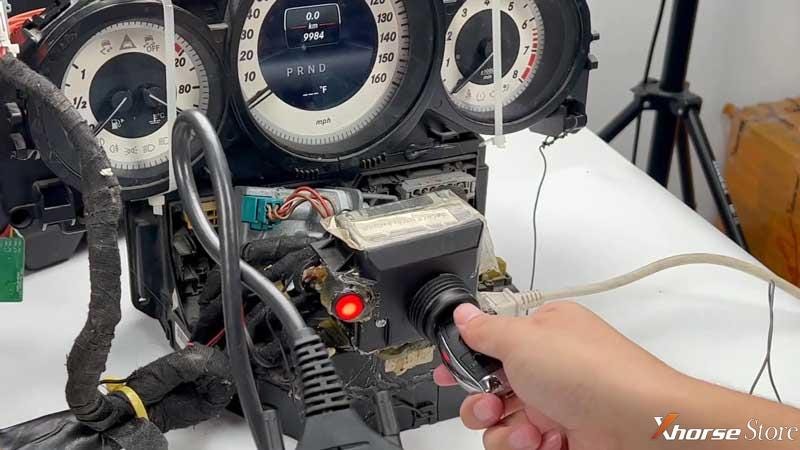
                  The activatation key generally directly inserted into the car to activate, if you cannot activate, please try the following methods:

                2. Manual activation by: select from system >> read write key >> read/write key via IR >> activate
                3. Read EIS data again and generate key file again.
                4. Try to unplug the OBD connector, insert the BE key into EIS to activate.
                  1. Completed.

                    add Benz W207 BE key with Xhorse VVDI Key Tool Plus

                    add Benz W207 BE key with Xhorse VVDI Key Tool Plus

                    www.xhorsestore.co.uk

                    EoneBoss HK003: 6A Full Unlock Support for Hyundai/Kia Keys

                     The EoneBoss HK003 has been upgraded with 6A full unlock support for Hyundai/Kia smart keys , giving locksmiths a simpler way to handle ...