Showing posts with label VXDIAG VCX SE. Show all posts

Thursday, 30 July 2026

Fix VXDIAG VCX SE Update License Failed (Error 100 Invalid Parameter)

Problem: The VXDIAG VCX SE displays "Update License Failed, Retry! Error info:[100] Invalid parameter" when using the Update License function. Updating the firmware or powering off the device does not fix the error. Check whether the computer’s system date and time are correct before running Update License again.
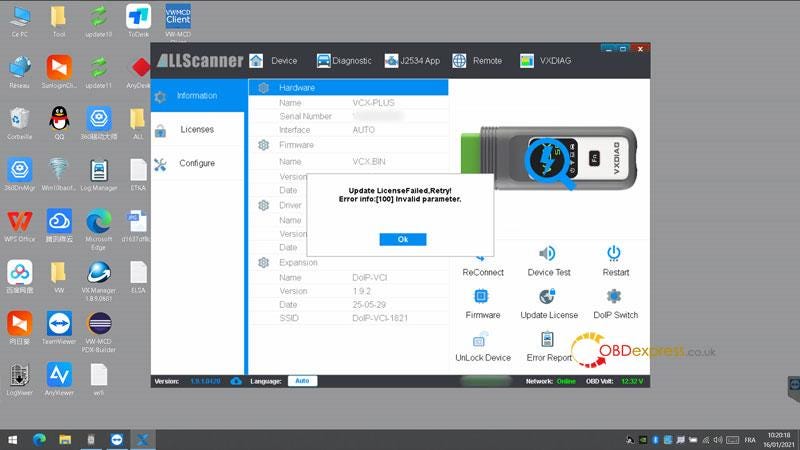

Fix VXDIAG VCX SE Error 100 Invalid Parameter

Technical Explanation

Error code 100 indicates that the computer’s system date and time are incorrect.

Solution

  1. Verify the system date and time on the computer connected to the VXDIAG.
  2. If the date or time is incorrect, update it to the current correct value.
  3. Run the Update License function again.
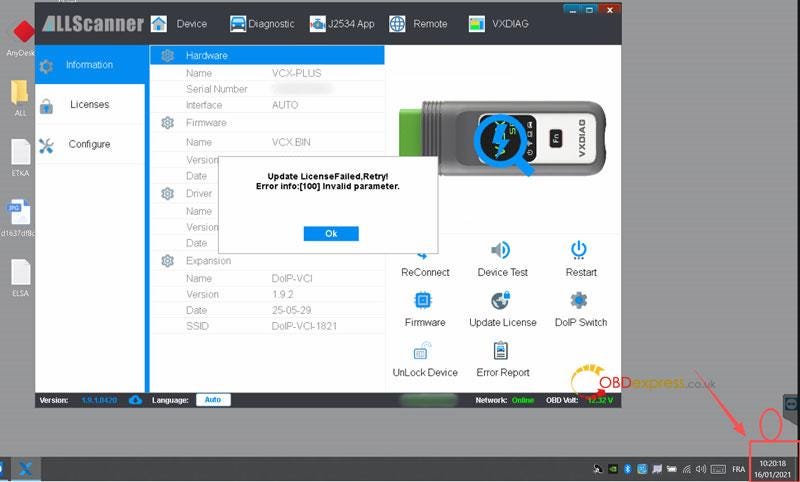

Fix VXDIAG VCX SE Error 100 Invalid Parameter

Final Result

The error message no longer appears, and the issue is resolved.

www.obdexpress.co.uk

Monday, 21 November 2022

VXDIAG VCX SE with Xentry 09.2022 to diagnose Benz W204

 Confirmed! VXDIAG VCX SE Benz with 2022.09 Xentry software can diagnose Mercedes- Benz W204. 100% working! No issues!

Operation mode:

On bench

The test:

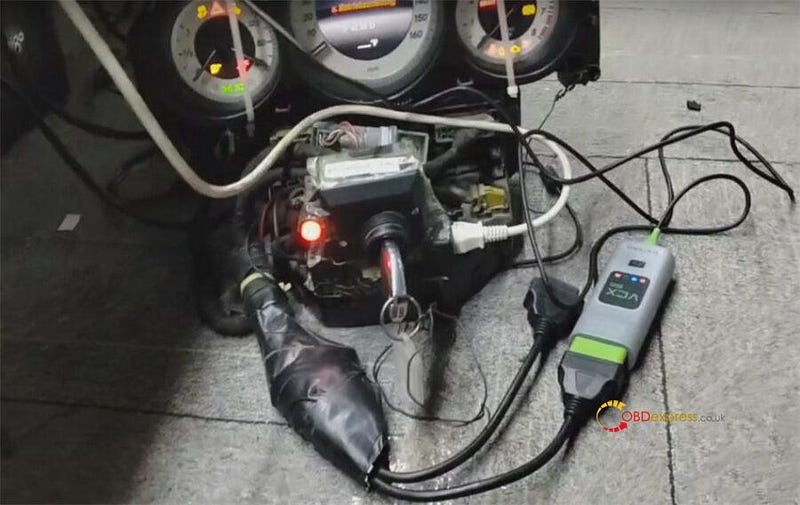
Connect VXDIAG VCX SE for Benz and vehicle correctly (here has removed the dashboard from the car)

Use the original key to turn on the ignition on

VXDIAG VCX SE with Xentry 09.2022 to diagnose Benz W204

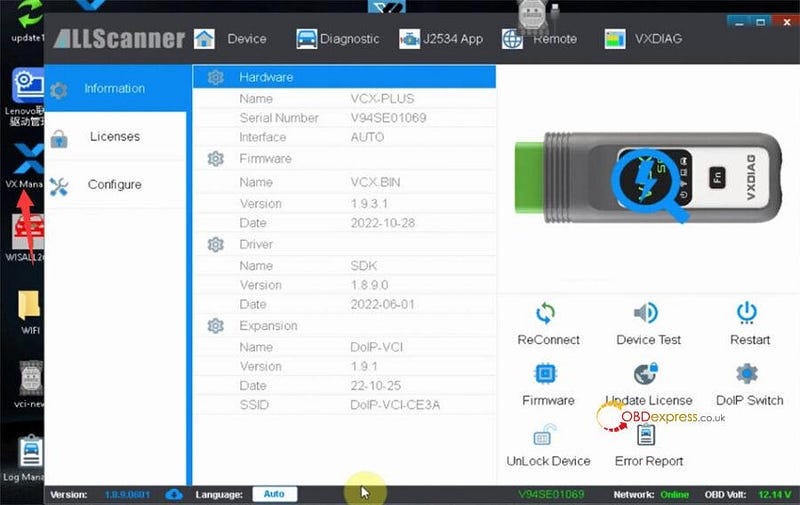
Run VX Manager

Check the current version of VCX SE Benz

VXDIAG VCX SE with Xentry 09.2022 to diagnose Benz W204

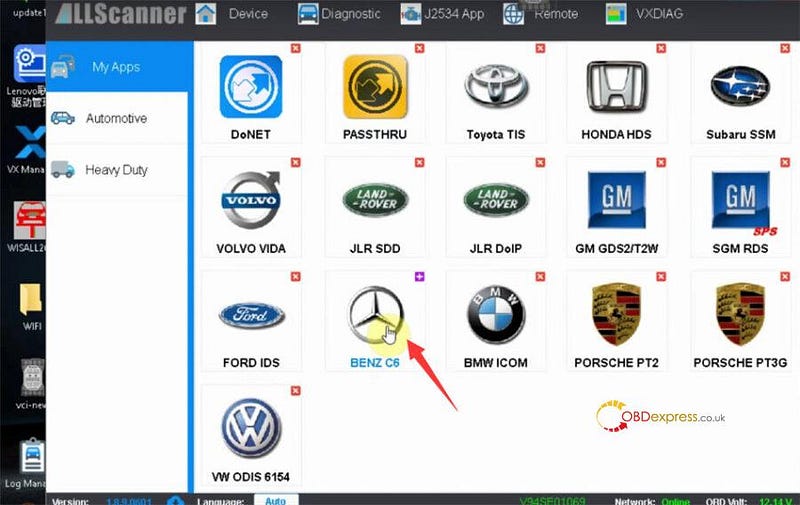
Click 'Diagnostic' on the top menu bar

And click 'BENZ C6'

VXDIAG VCX SE with Xentry 09.2022 to diagnose Benz W204

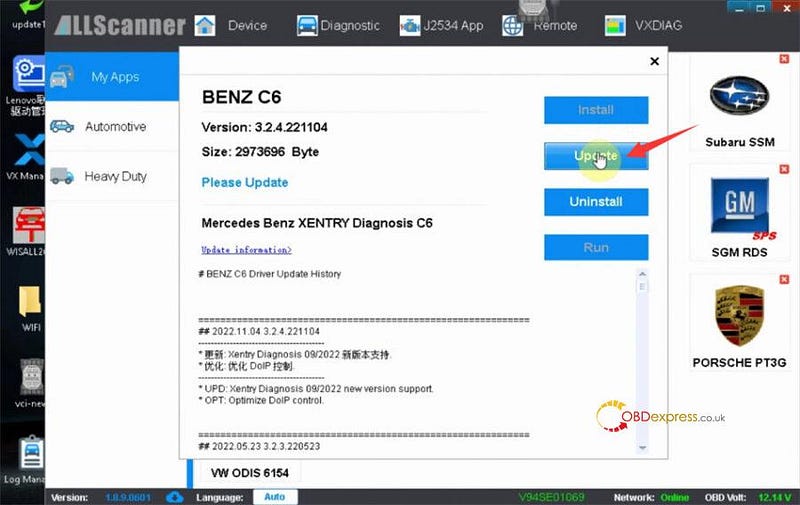
There is a new update version.

Click 'Update' to finish the upgrade process

VXDIAG VCX SE with Xentry 09.2022 to diagnose Benz W204

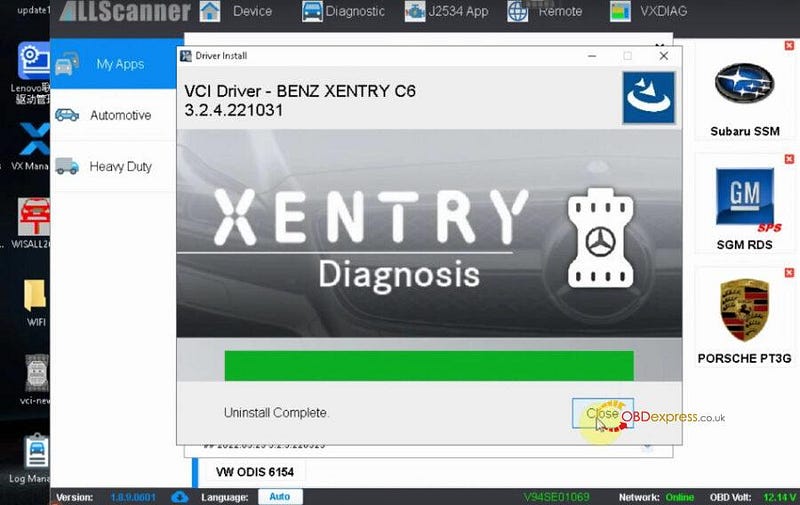
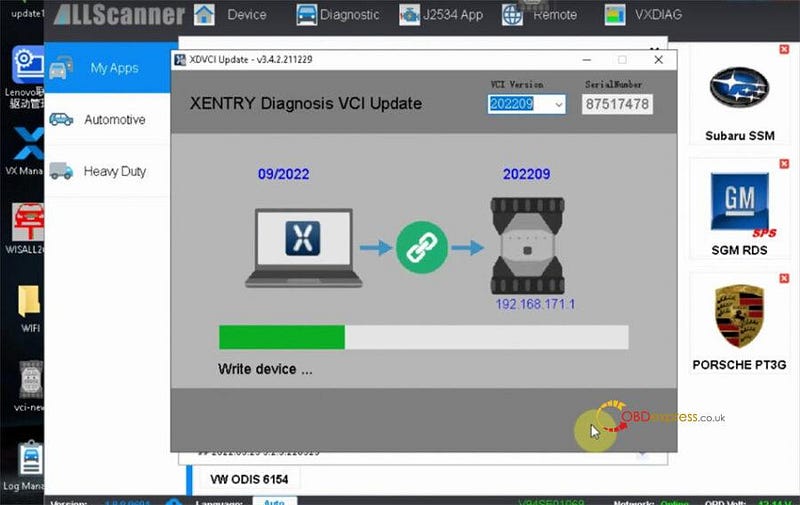
It will uninstall the VCI driver, and update VCI to newest version

VXDIAG VCX SE with Xentry 09.2022 to diagnose Benz W204

VXDIAG VCX SE with Xentry 09.2022 to diagnose Benz W204

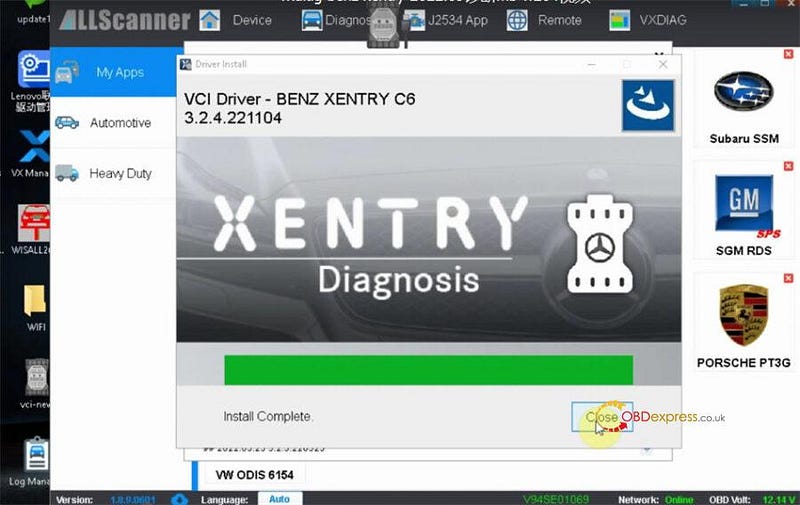
Install complete

VXDIAG VCX SE with Xentry 09.2022 to diagnose Benz W204

Then run Xentry Diagnosis software

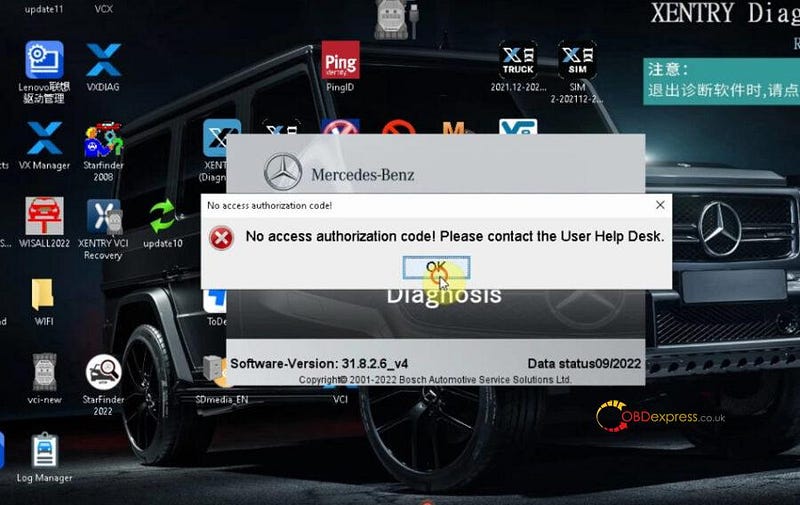
When you open the xentry software, it may report an error 'No access authorization code! Please contact the user help desk'. Just close it and reopen, and click OK to continue. The problem will be resolved.

VXDIAG VCX SE with Xentry 09.2022 to diagnose Benz W204

Diagnose Benz W204

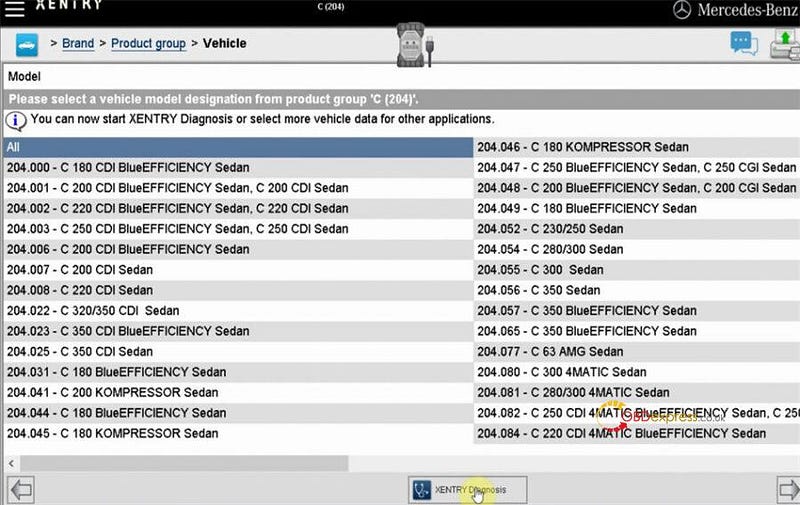
Select Mercedes- Benz>> Passenger car>> C (204)>> All>> Xentry Diagnosis

VXDIAG VCX SE with Xentry 09.2022 to diagnose Benz W204

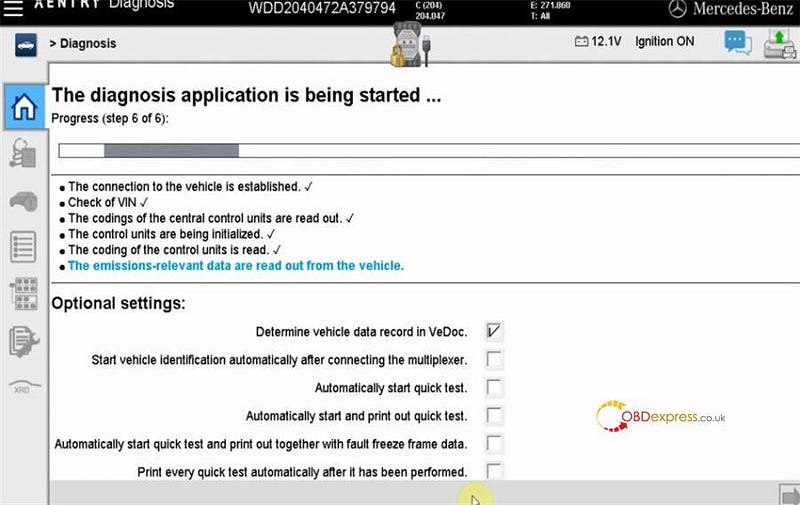
The diagnosis application is being started…

Just wait a moment

VXDIAG VCX SE with Xentry 09.2022 to diagnose Benz W204

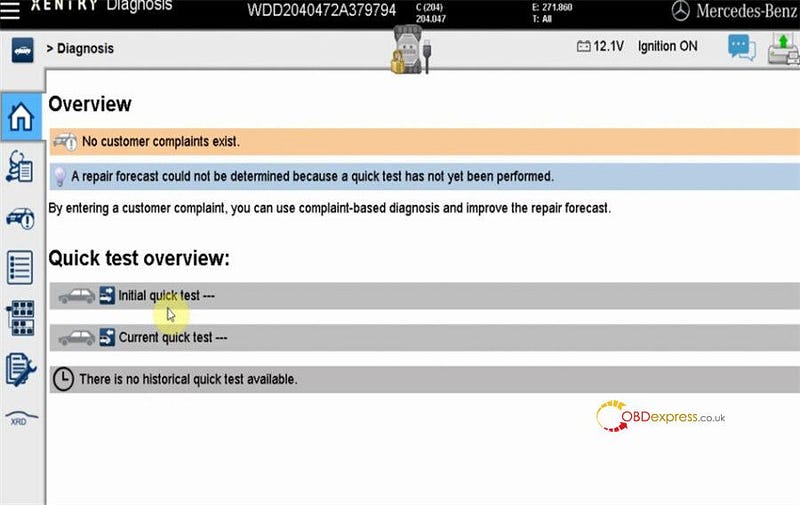
Click 'Initial quick test' to continue

VXDIAG VCX SE with Xentry 09.2022 to diagnose Benz W204

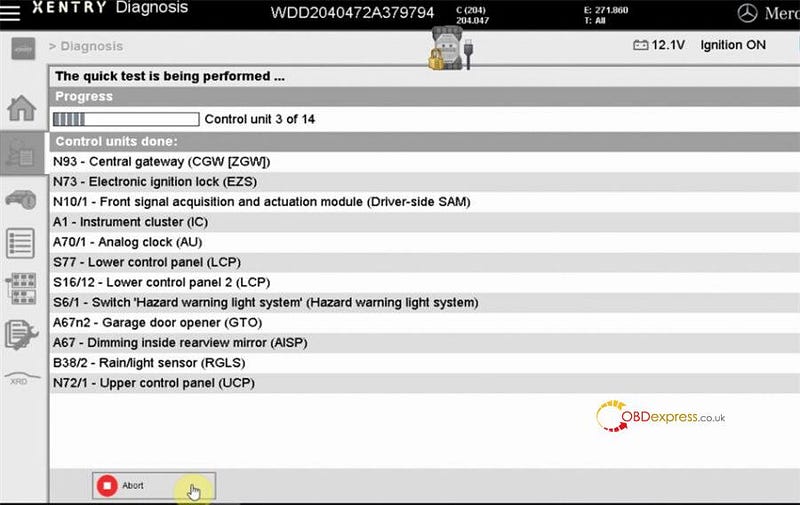
Save the quick test automatically

The quick test is being performed…

VXDIAG VCX SE with Xentry 09.2022 to diagnose Benz W204

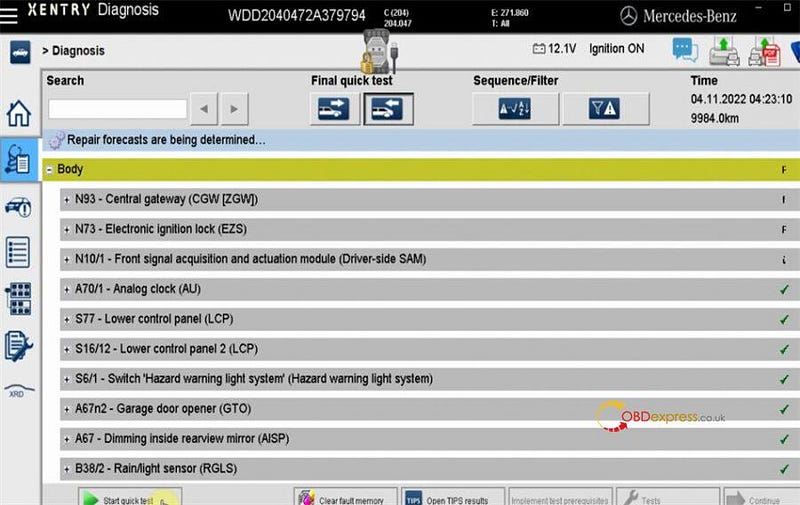
The repair forecasts are determined.

Done

VXDIAG VCX SE with Xentry 09.2022 to diagnose Benz W204

Device used:

V2022.09 VXDIAG VCX SE for Mercedes Benz with Free DoNet Authorization & Xentry DTS Monaco Software HDD:

https://www.obdexpress.co.uk/wholesale/vxdiag-vcx-se-for-benz-doip-hdd.html

www.obdexpress.co.uk

How to Unlock Ford BOSCH MD1CP006 with OBDSTAR ECU Master via Boot?

 This guide covers the procedure for unlocking, reading, and writing locked Bosch MD1 CP006 engine control units found on Ford F-250 and F-...