Tuesday, 29 December 2020

If Autel AP200 can read soot loading of the DPF for Sprinter?

 Has anyone figured out if Autel AP200 scanner can read soot loading of the DPF to help in predicting active regens? The car is Sprinter.

Answer:

In a Sprinter active regenerations occur about every 600 miles or so, unless high differential pressure indicates a need to do it sooner. Since that usually doesn’t happen regeneration is primarily mileage-based.

Is there a reason you want to try to predict them? Doing that with any great precision would probably be difficult. If you are trying to avoid shutting down during a regen the best method is to use a Scanguage and take a glance to see if a regen happens to be in progress prior to stopping the engine.
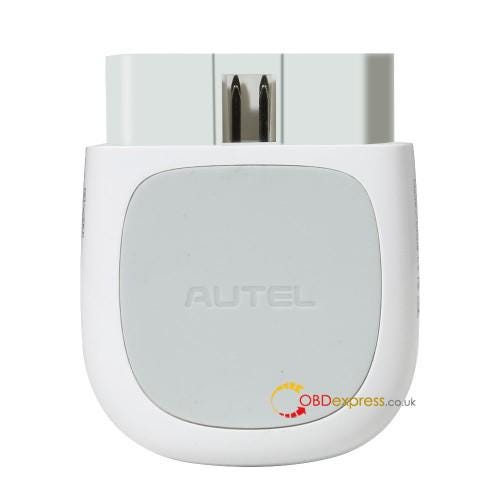
If Autel AP200 can read soot loading of the DPF for Sprinter?

Update:

Yes I do not want to interrupt a regen. I presently monitor EGTs with Torque Pro which will tell me the same thing as Scangauge but with a much nicer, easier to read display. On my TDI I have an app (VAG-DPF) that will keep track of the soot loading model (TDI has 4 parameters for triggering a regen, actual soot load, calculated soot load, miles driven and time) and lets me know exactly when it is going to happen, it shows percentage and when it reaches 100% it triggers a regen. It also shows the percentage decrease as the regen progresses so you know when it will end. This can be very helpful in planning your drive cycle. The VW of course having a small DPF regens around 250 miles in highway and 125 miles in city, regens last from 11 to 20 minutes depending on driving conditions. Once I can establish a pattern like that I can use the trip odometer to roughly know when one is close.

Got mine Autel AP200 this week and finally had time to set it up. Are you guys using your VIN or your FIN to set it up? I used VIN and it still asked me for a lot of info like engine number, transmission number, then on another screen there are a lot of questions about analog vs digital on some of the sensors for instance the DPF differential sensor. The default settings are not all correct, at least the ones I could understand without further research. I’ll take a screen shot of that page next time. In live data you have to know your ECM CDI version which is simple enough.

I only had a little time but I was pretty impressed with all the exhaust system info available. It seems to be able to read all 4 soot loading models. Some of the data is in red and I wonder if this means it is out of some sort of range, possibly a range you can adjust by clicking on the configuration wrench? Also is there any way to change the units like to Fahrenheit and miles etc that anyone has found?

One disappointment is you cannot save any sessions, set up required each time as far as I can see. Torque Pro has it beat hands down in this aspect as TP stays all set up forever, just open it and it is ready to go for where you left it last time. The Autel however beats TP hands down for available live data, at least on Sprinter. Will have to tinker more and look into adaptations etc. Can it do the MAF sensor adaptation? Can it do the NOX sensor teach in? Be nice if there was a comprehensive manual somewhere. Still a great deal and easy to carry in the vehicle at all times.

Update:

Answering some of my own questions, the user manual is available both in the app and online. It does say NOX sensor teach in possible but I will be very surprised if this is the case for Mercedes. There is a units selection in settings but only offers metric and English meaning Imperial.

Enjoy!

www.obexpress.co.uk

Monday, 28 December 2020

How to Bind SKE Emulator to Lonsdor K518 key programmer?

 When using the SKE_LT series emulator keys, it is must to bind it to Lonsdor K518 host, so that you can program Toyota when all smart keys lost.

Guide on how to bind SKE_LT series emulator keys to Lonsdor K518:

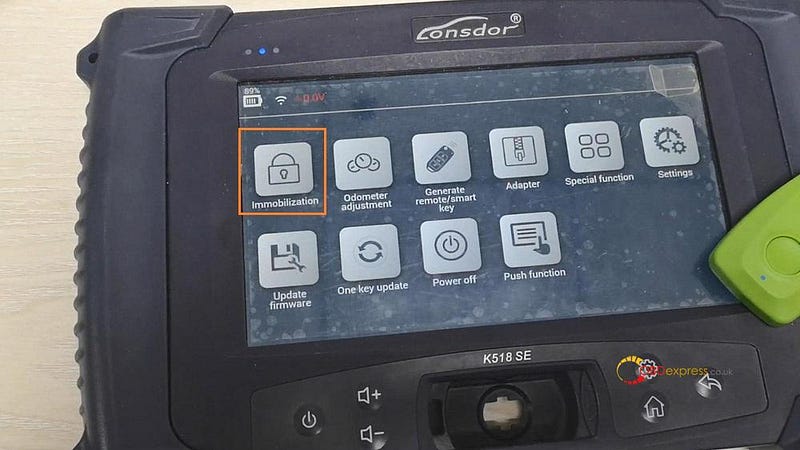
Tap “Immobilization”.

How to Bind SKE Emulator to Lonsdor K518 key programmer?

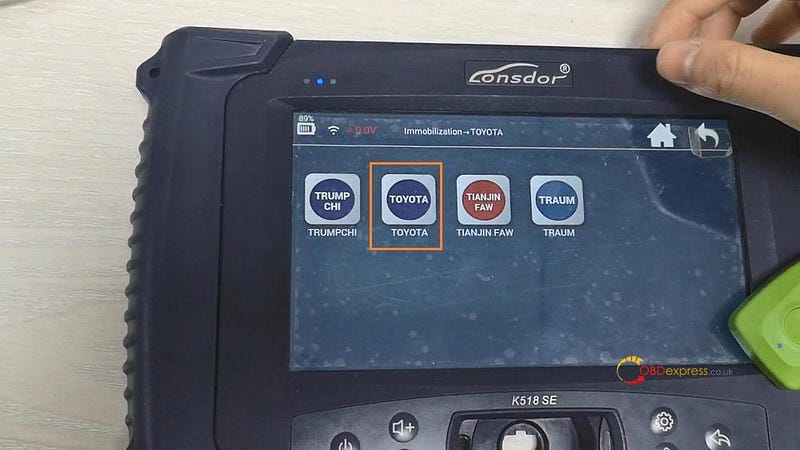
Search “Toyota”.

How to Bind SKE Emulator to Lonsdor K518 key programmer?

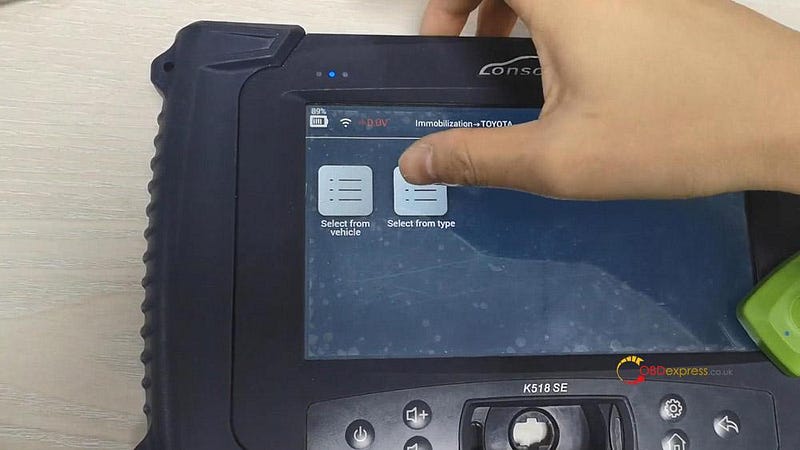
Tap “Select from type”.

How to Bind SKE Emulator to Lonsdor K518 key programmer?

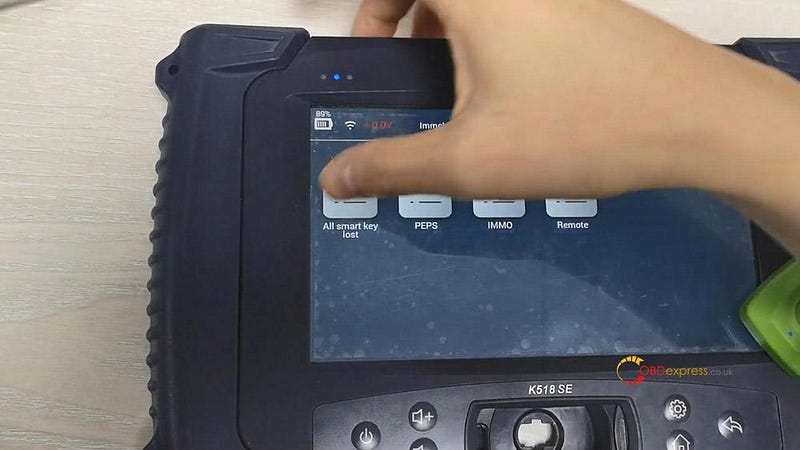
Tap “All smart key lost”, then “All key lost”.

How to Bind SKE Emulator to Lonsdor K518 key programmer?

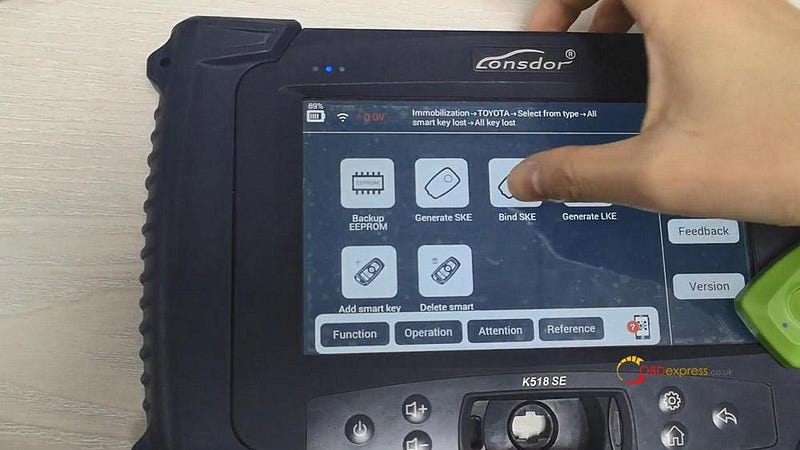
Tap “Bind SKE”.

How to Bind SKE Emulator to Lonsdor K518 key programmer?

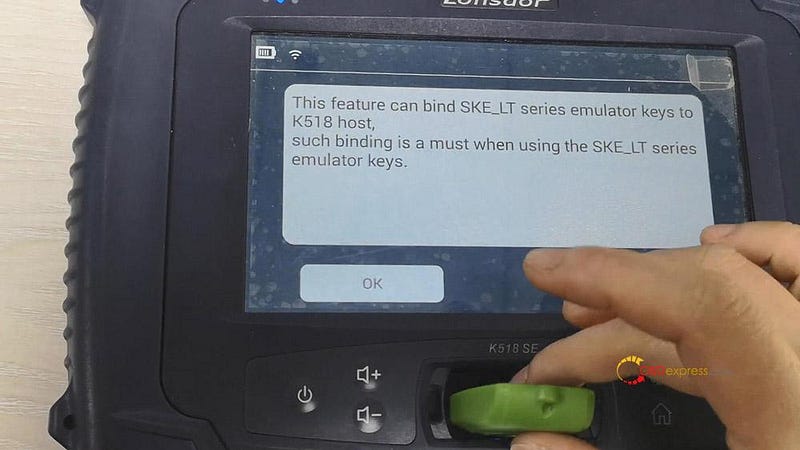
Tap “Ok” after putting the SKE_LT series emulator keys into the host slot.

Note: in the following image, it is the green one (supports 98 smart key), now Lonsdor is only available with the LKE Smart key 5-in-1 simulator.

How to Bind SKE Emulator to Lonsdor K518 key programmer?

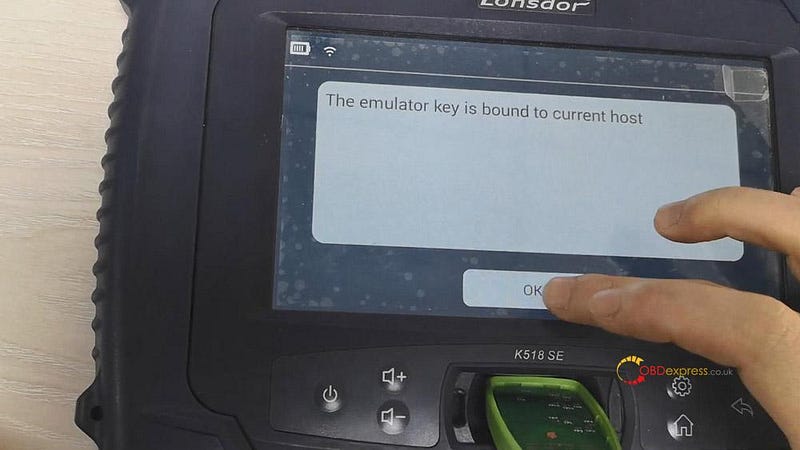
Soon, it will say “The emulator key is bound to current host”.

Enjoy!

www.obdexpress.co.uk

Monday, 21 December 2020

Xhorse VVDI2 possible Adapt cluster VDO Audi 8p 2008?

 Question: adapt cluster vdo audi 8p 2008 is possible with Xhorse vvdi2 tool ?

Answer: Yes, easy job.

To change the KM for Audi with VVDI2, what you need is only the OBD2 cable without any special adapter.

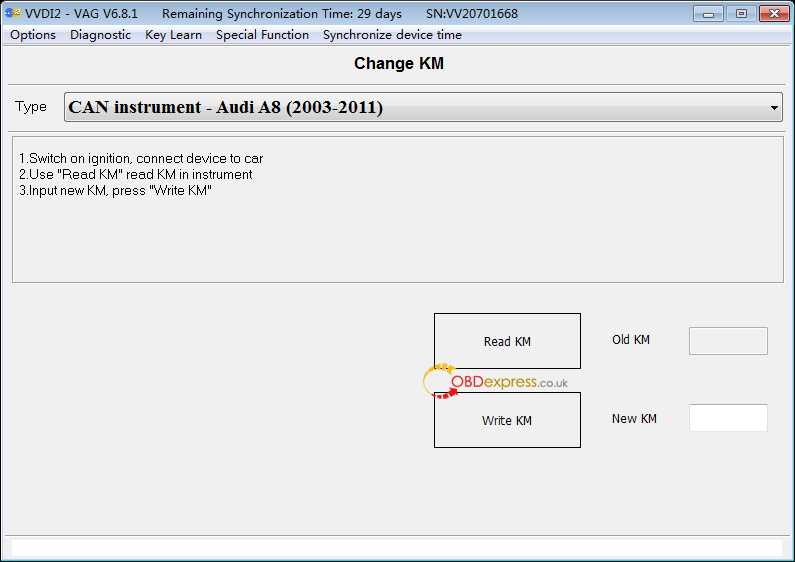
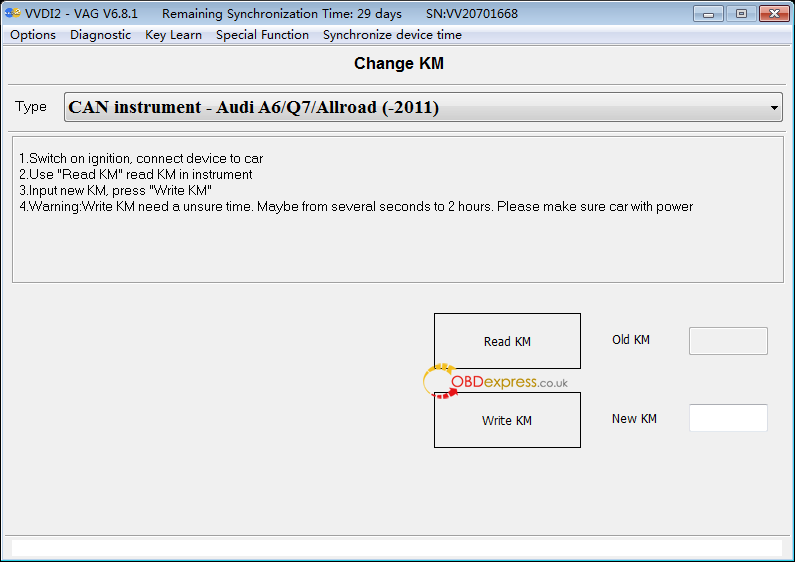
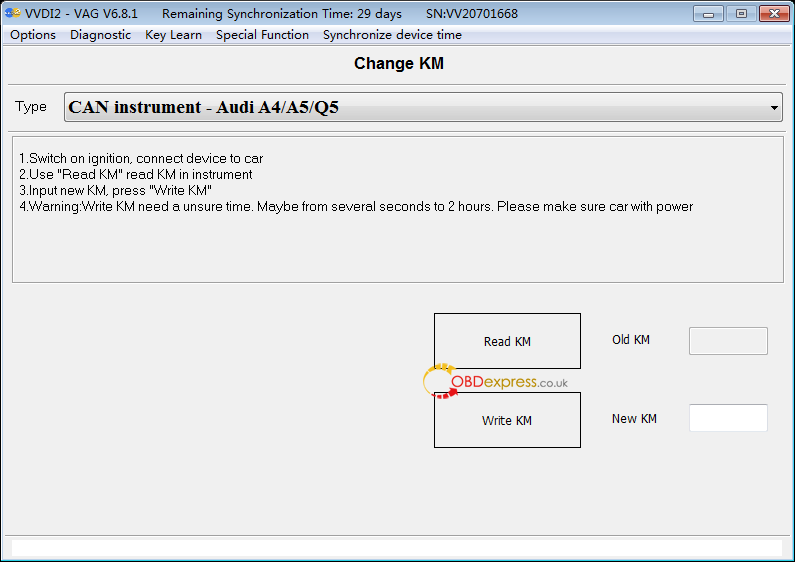
Look at the following 3 images which display VVDI2 VAG V6.8.1 change KM for CAN instrument — Audi A8 (2003–2011), Audi A6 /Q7/ Allroad (-2011), Audi A4 / A5 / Q5.

Xhorse VVDI2 possible Adapt cluster VDO Audi 8p 2008?

Please follow the on-screen instruction to finish the job:

  1. Switch on ignition, connect device to car.
  2. Use “Read KM” to read KM in instrument.
  3. Input new KM, press “Write KM”.
  4. Warning: Write KM will cost an unsure time. Maybe from several seconds to 2 hours. Please make sure car with power.

Enjoy:)

www.obdexpress.co.uk

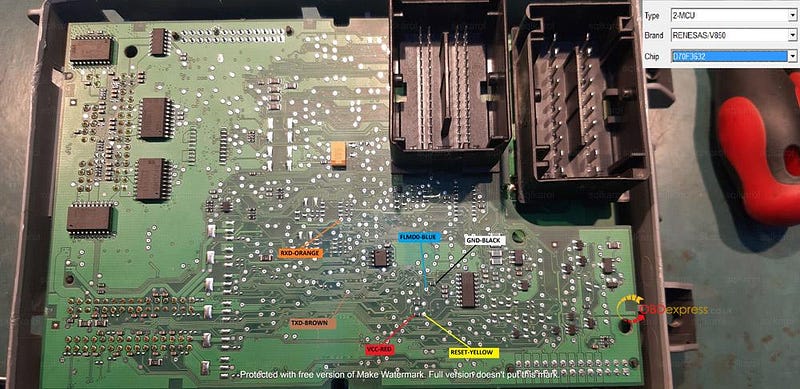
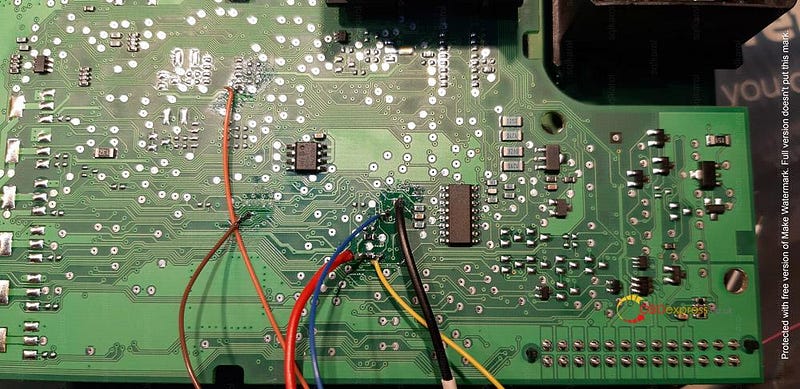
VVDI Prog diagram Fiat BCM D70F3632 + eep 93C86

 Look at Xhorse VVDI Prog connection diagram of FIAT BCM D70F3632 + eep 93C86. Big thanks to @ sqlkarol.

VVDI Prog diagram Fiat BCM D70F3632 + eep 93C86

Alright, Xhorse VVDI Prog is on Xmas Sale, guess you are in need of one, here you can go:

https://www.obdexpress.co.uk/wholesale/vvdi-prog-vvdi-prog-super-programmer.html

Wednesday, 16 December 2020

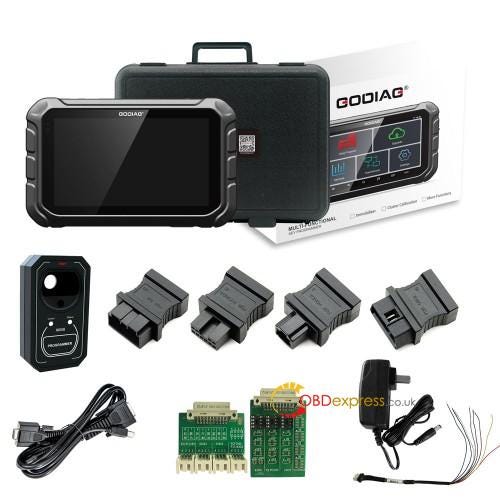
GODIAG GD801 OBD Odometer Correction tool Function List

 GODIAG GD801 is a Android-based Odometer Correction tool and Immobilizer key programmer via OBD. Generally speaking, if you know OBDSTAR X300 DP Key Master, you will know what GODIAG GD801 can do.

GODIAG GD801 OBD Odometer Correction tool Function List

In this following parts, I’d like to write-up GODIAG GD801OBD2 odometer correction function list.

For Bentley:

https://mega.nz/file/MFQx0YIR#guaI0LMvPvU4RvZvtdD_T5bOBvpe1f0_gx48ce2wNl8

Year: 2012 onwards.

For Chrysler

https://mega.nz/file/xIJBnaAY#QTXVgn1b7sTKyYop3PCJeZU9jiGRkSvNuvZ70aiGqAY

For Fiat

https://mega.nz/file/lYY3XSxC#iF4YGj_i4_EGLZkdiFuuZamB_fh3bORqyRochNX0_LI

For Ford

https://mega.nz/file/lcAngQaS#BePlNz8nhWPJDIWcoq04urjTc_P4ul-hsGuYcaLjrMA

For Geely

https://mega.nz/file/1VRHiKoI#V-GknL2v7lh51oPnPe1AqtGdPeDMG1lqyPP5R7K2_vU

For GM

https://mega.nz/file/sUAhiK7a#ejeNw7lfNCOMr8dnYIqRQ37aDrs_HZRyp9zZE70Ue9Y

For Great Wall

https://mega.nz/file/IVIDjYCI#t2Kf_9Y99X4auy2HamCstrd1icxAFvr1XGOLBfBX3VY

For Hyundai

https://mega.nz/file/4ZYHnYJZ#T1krRw2HKCqYIDOiMDeFQDAn0EIC_ek7_MA5fY1hpSY

For Infiniti

https://mega.nz/file/NRRD0SDD#J9-rCg9DbVP6bahHnGvD2o9ELTqNcrWNyUNxN__KKtA

For Landrover

https://mega.nz/file/QRAn0KJY#dPdk5e_0CItGdR_fr0V8v1zTa-g1VTbMAaaC_SDHwa8

For Maserati

https://mega.nz/file/QVJVkSBB#k-FGwuZmqRLNtzFksB-Eh1QePpKEMOnbxno9PbYFuuE

For Mazda

https://mega.nz/file/1ZYhnQRZ#GiNwPgLAMEtE-9XQp_PWLF49Qzn2Om4mqMzJqaVkeMc

For Mitsubishi

https://mega.nz/file/kdBVDYrJ#25oRMslT97MXDCl5WbllEYEfBKUoOabtPK3FA5723Tg

For Nissan

https://mega.nz/file/1YIXgAhQ#CvoJNJcmGdGxZVu648NZvdc_BKOuqoVIqHvGLuk2gZg

For Opel

https://mega.nz/file/YNIHCCYR#9wV-524mMIjGCgcYXXVhnz9I_39VCDq93Qnv32O3wfs

For Peugeot

https://mega.nz/file/RNZhGQZS#znoHuFPhg09PA2JjhpzvJsHZlCLiqE2Hi1uXOkWfpgs

For Porsche

https://mega.nz/file/4FAH2SqS#6BeV6D07RhI5eVtCaAQTPy3yQgenIsrRGFM-7Z1kEmo

For Renault

https://mega.nz/file/VEQHTA4K#0HI8HCJY3YLQIXA5nZ2qTtTwR2_r9v0a6284D_9GPrM

For Smart

https://mega.nz/file/NVRF2AAB#O38pTlvGeFHS36YGP5MZE_kUJUoA3oOEHTGrZC-oyrw

For Suzuki

https://mega.nz/file/VIRnBSYL#gpPSJa4I6RssOYGMli3rDbb9n88qR4wWm2sAzliKW_U

For Toyota

https://mega.nz/file/5MJXRARB#jw4D_etyltIomV2OhsZsHAl_QbEpk5m9LVoYoNv4ipo

For Volvo

https://mega.nz/file/0EYl1QbZ#0s8Li6PLXQOLmfB9-ZPTgz0M7gjfb8V6Dlv3MLedTSo

For VW

https://mega.nz/file/wQJDBIKZ#jhKYIDHlMKBZLzRgXoXgqD_yDtXhl9OKCTgA6iMz4lA

For Other Car Brands

https://mega.nz/file/5FInGQLa#4Ig2LBueOOgHrigeehMI96komkizMD9f6DyS9555JtI

More nice features of GODIAG GD801 Odometer Correction tool:

- One Key Upgrade

-Wi-Fi: supported

-LCD: 7.0 inches

-CPU: RK3128 Quad-Core,ARM Cortex A7@1.2Ghz

-Extension memory card: 32G Micro SD (TF) card supported

- Multi-lingual: English, Italian, Spanish, French, German, Portuguese, Polish, Russian etc.

Alright, more GODIAG GD801 Odometer Correction tool test reports will be added.

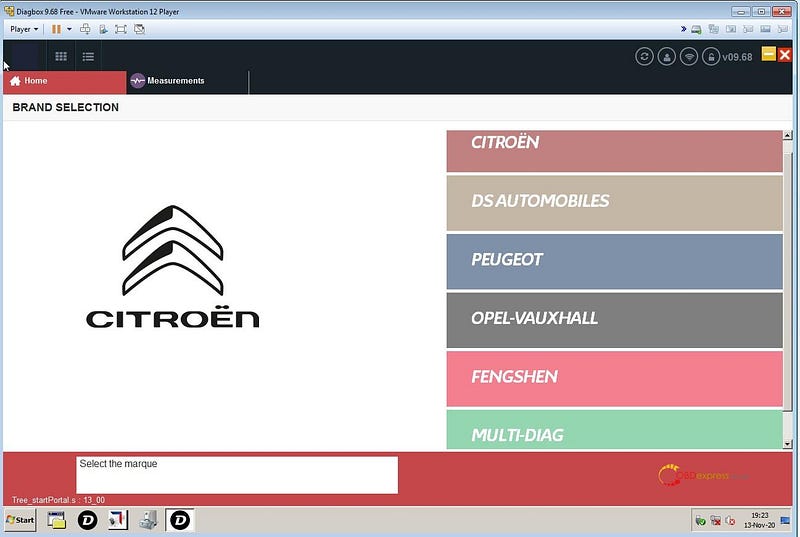
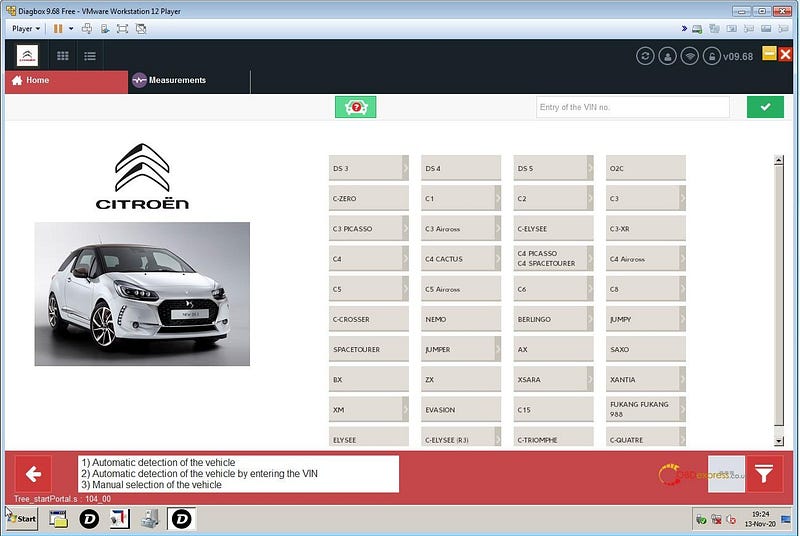
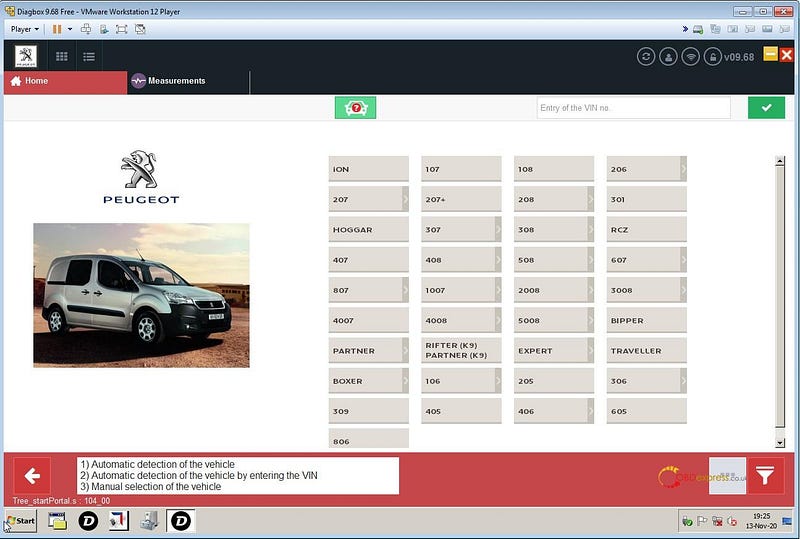
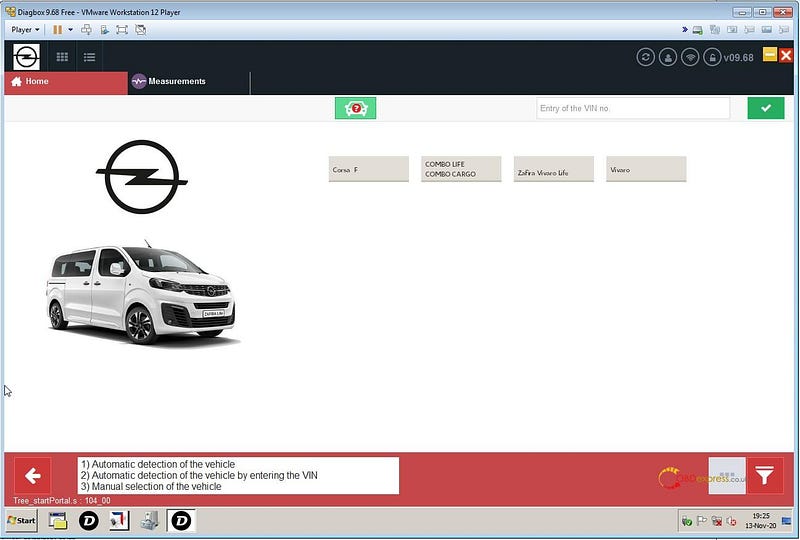
Diagbox 9.68 Free VMWARE English Image Free download

Diagbox 9.68 in VmWare image from version 12 up, newly able to support USB 3.0 and full English available.

https://yadi.sk/d/rdhQHMNXLJPbLA

or

https://easyupload.io/mwlhpi

Credits to @ fantomel

How to Use Diagbox 9.68 Free VMWARE English Image?

(From VMWARE Player 12 UP with USB 3.0 Support)

  1. Extract Content of archive to any folder you want.
  2. Install VMWare Player if you don’t have it already and reboot your computer after install(see Player Folder).
  3. Create a shortcut on your Desktop from file Diagbox_968_Free.vmx
  4. Click on previous created shortcut and the VM will RUN
  5. Very Important !!!!!! — On first run when asked choose option “I MOVED IT” and not another !!!!!!!!!!
  6. When VM is fully launched connect your interface to USB port and you will be asked to connect it to the VM, do it.
  7. Run Diagbox from VM and it will upgrade your interface to latest firmware then it will work.
Diagbox 9.68 Free VMWARE English Image Free download

Good to know:

So far, no one has tested that Diagbox 9.68 can be compatible with clone lexia-3 hardware. For safety, it is best to install and use the lower version diagbox 7.83 packed in the lexia-3 package. There are an increasing number of users purchase Lexia3 with Diagbox software V7.83 and verified working fine.


Tuesday, 15 December 2020

WiTech MicroPod 2 Program spare fob on Chrysler Minivans 2008–2020

 Car model and year: Chrysler Minivans 2008–2020

Purpose:

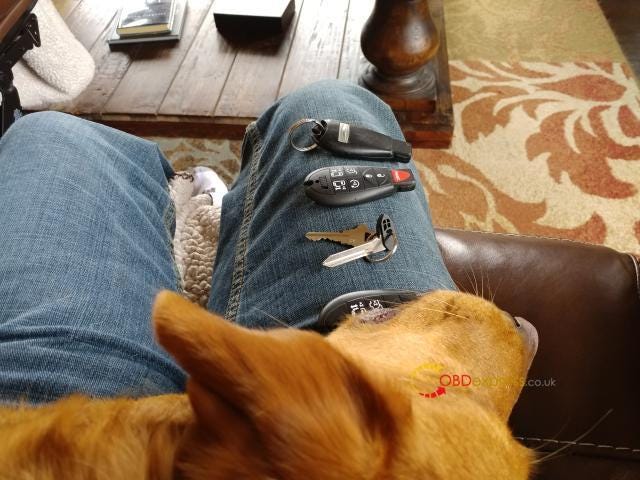
My new-to-me T&C only came with one key fob. it doesn’t have the backup mechanical key inside. I’ve acquired and programmed a two spare fobs. but I currently have no way to unlock the door if the battery dies.

Look at my key fob:

WiTech MicroPod 2 Program spare fob on Chrysler Minivans 2008–2020

The method I program the key fobs:

I used V17.04.27 wiTech MicroPod 2. Seemed to work well.


CGDI BD006 Manual: Battery, Cranking, Charging & Voltage Tests

 The CGDI BD006 Car Battery Tester uses conductance testing technology to quickly measure a starting battery’s cold-cranking capability a...