Showing posts with label car key programmer. Show all posts

Monday, 14 February 2022

Volvo Smart Key Removal Tutorial: Replacing the Battery

 In this article, we will show you how to remove blade and replace battery in Volvo Keys. This method is available in the new S90, V90, V90 Cross Country, XC60, XC90 and XC40.


Part 1. Key Blade

To uninstall,

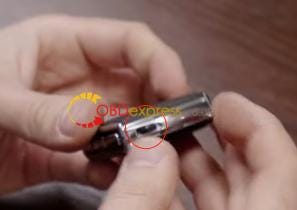
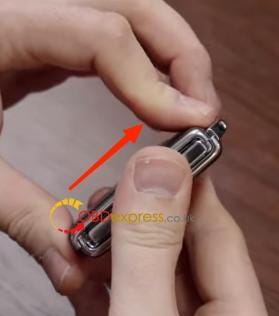
1)Loosen the black clip on the bottom.

Volvo smart key disassembly graphic tutorial

Volvo smart key disassembly graphic tutorial

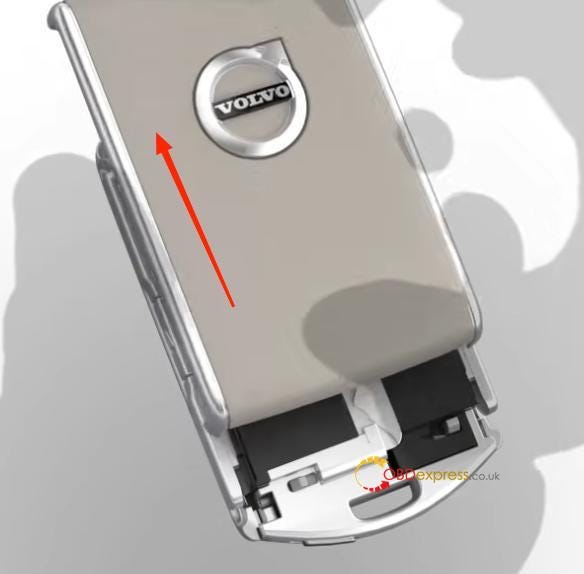
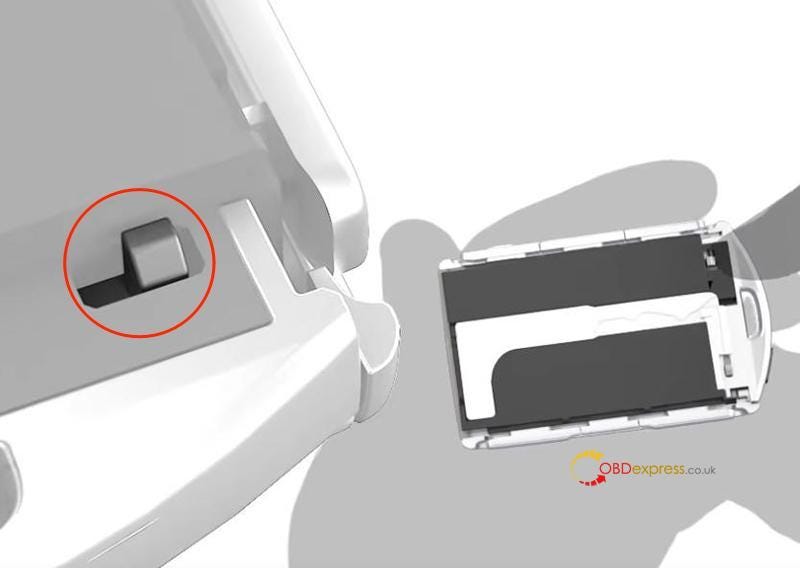
2)Push up the front shell to remove the front shell, so we can see the key blade or the position.

Volvo smart key disassembly graphic tutorial

Volvo smart key disassembly graphic tutorial

To install back,

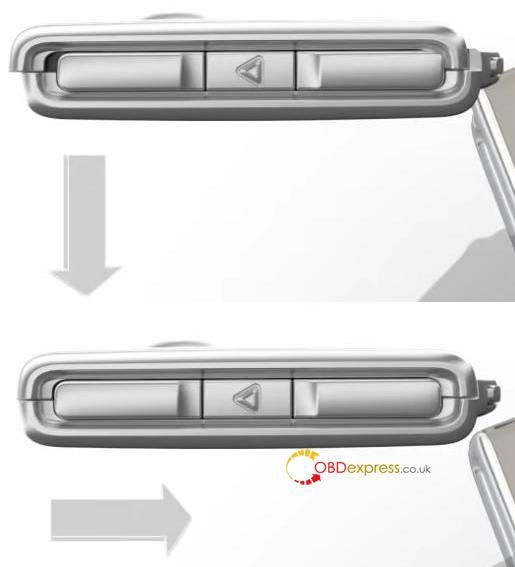
1)Push down the front shell and close the clip.

Volvo smart key disassembly graphic tutorial

Volvo smart key disassembly graphic tutorial


2)Close the black clip on the bottom.


Part 2. Battery

To uninstall after part 1,

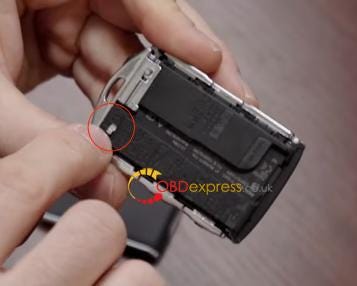
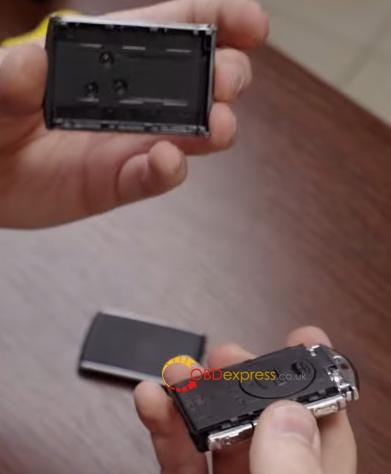
1)Loosen the clip on the black shell.

Volvo smart key disassembly graphic tutorial

Volvo smart key disassembly graphic tutorial


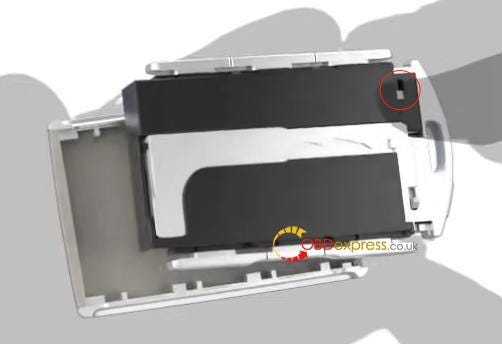
2)Hold the clip and remove the back shell, so we can see the battery cover.

Volvo smart key disassembly graphic tutorial

Volvo smart key disassembly graphic tutorial


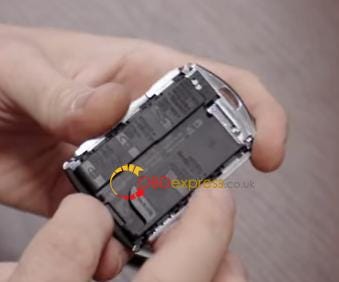
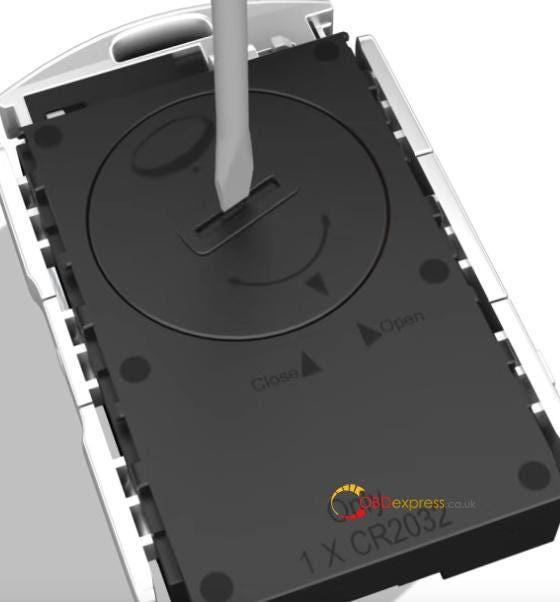
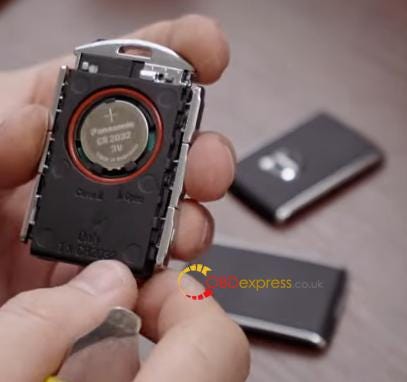
3)Use tools to turn battery cover to remove it, so we can see the battery.

Volvo smart key disassembly graphic tutorial

Volvo smart key disassembly graphic tutorial


Credits to Volvo Cars and KEY-SHOP.

Hope this could help!


5 options to program Volvo keys:

Autel MaxiIM IM508/IM608 (large coverage but require to get dump by desoldering)

VVDI Key Tool Plus + Volvo Adapters (no soldering)

Londsdor K518ISE/K518S + Volvo license (relatively new update)

Yanhua ACDP + Module 20 for New Volvo (relatively new update, no soldering)

OEM Software (remote programming via OBD)


https://www.obdexpress.co.uk/

Wednesday, 10 November 2021

Xhorse VVDI Key Tool Plus use case: add Mazda3 key

 How to use Xhorse VVDI Key Tool Plus Pad to add a new key for 2012 Mazda 3 via OBD? Following I’m gonna make a quick demo to show the procedure.


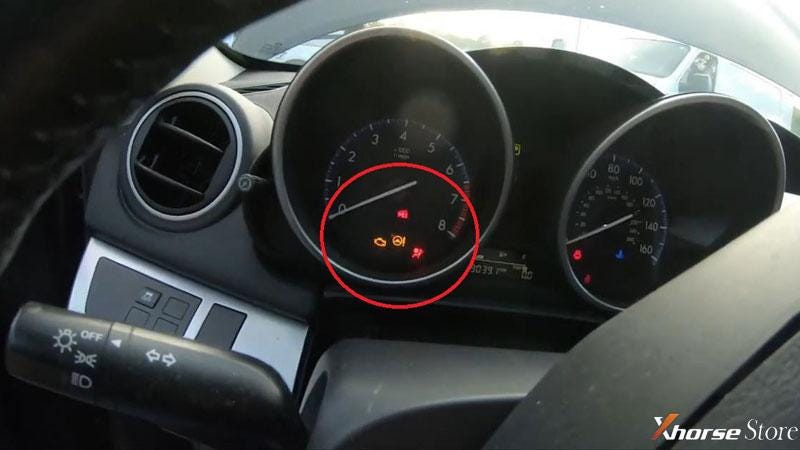
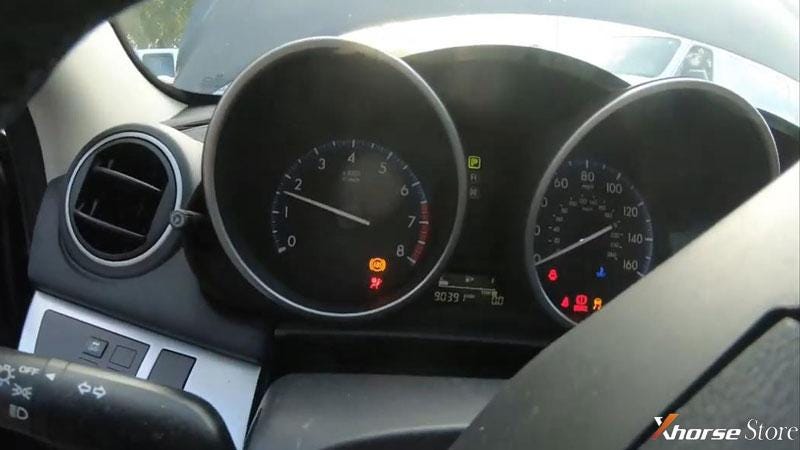
This is a basically F4 Mazda, it has got an IMMO light flashes on dashboard, which means it’s not programmed.

Xhorse VVDI Key Tool Plus adds key for 2012 Mazda3

Xhorse VVDI Key Tool Plus adds key for 2012 Mazda3


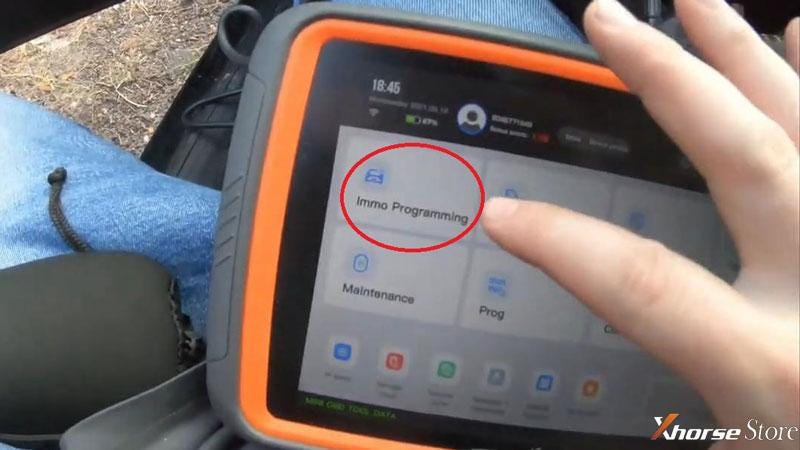
Here we go to plug VVDI Key Tool Plus connector into OBD, press

Immo programming >> Mazda >> Select by regional car model >> USA >> Mazda 3 >> Immo system >> 2010-2013 >> Start programming


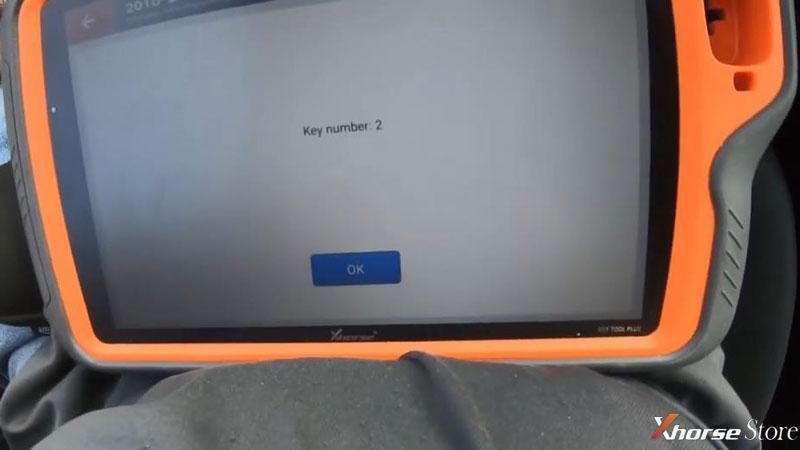
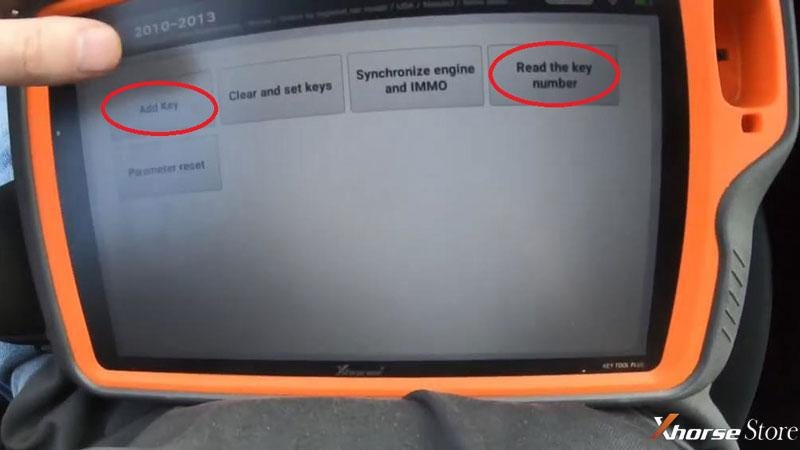
Press “Read the key number” to check, it’s 2 in total.


Go to “Add key”.

Xhorse VVDI Key Tool Plus adds key for 2012 Mazda3

Xhorse VVDI Key Tool Plus adds key for 2012 Mazda3

Xhorse VVDI Key Tool Plus adds key for 2012 Mazda3

Switch ignition on.

Insert the new key to ignition switch, turn the ignition switch on.


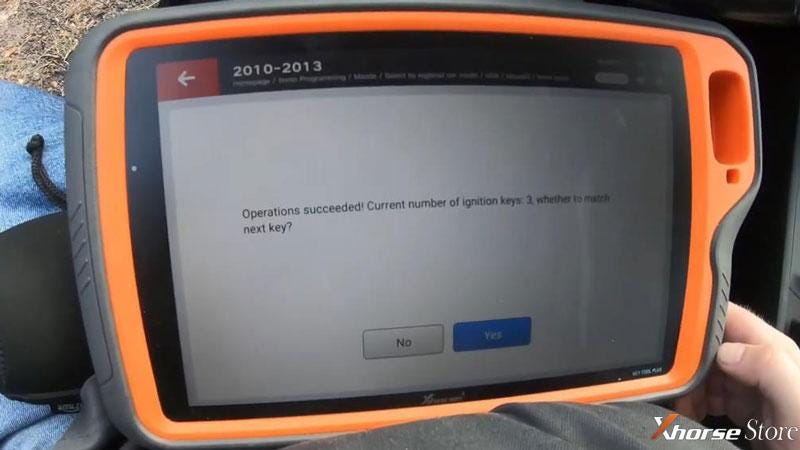
Operations succeeded!

Key Tool Plus shows the current number of ignition key is 3 now.

Press “Yes” to program next one, press “No” to complete.


Okay the immo light on dashboard went out.

Let me try the new key, it does start the engine.

Done!

Xhorse VVDI Key Tool Plus adds key for 2012 Mazda3

Xhorse VVDI Key Tool Plus adds key for 2012 Mazda3

Awesome easy and fast!

It only takes me 2 minutes to add Mazda 3 key successfully via VVDI Key Tool Plus.

Technical support by: https://www.xhorsestore.co.uk/

Monday, 30 July 2018

How to use Super SBB2 for Nissan NV200 key programming

we professionals working for obdexpress.co.uk have tested Super SBB2 key programmer:How to program a new key to Nissan Navara NV200. 


Here you go.


Nissan Navara and the key
super-sbb2-Nissan Navara-key-program

super-sbb2-Nissan Navara-key-program

super-sbb2-Nissan Navara-key-program 1


Step 1: Super SBB2 gets security code of Nissan Navara

super-sbb2-Nissan Navara-key-program 2

super-sbb2-Nissan Navara-key-program 3

super-sbb2-Nissan Navara-key-program 4

super-sbb2-Nissan Navara-key-program 5

super-sbb2-Nissan Navara-key-program 6


Step 2: Super SBB2 does immobilizer to Nissan NV200


super-sbb2-Nissan Navara-key-program 2
super-sbb2-Nissan Navara-key-program 8

If you don’t know Type 1 (CAN) or Type 2 (KWP), try one by one

First, try Type 1(CAN)

super-sbb2-Nissan Navara-key-program 9

super-sbb2-Nissan Navara-key-program 10


The key tool failed to connect the car

super-sbb2-Nissan Navara-key-program 11


Then, it should be Type 2 (KWP)

super-sbb2-Nissan Navara-key-program 12


Switch ignition on and press ENTER to continue

super-sbb2-Nissan Navara-key-program 13


The machine communicates with the car successfully!

Program keys:

You have to complete the following procedures.

engine can be started:

1. switch ignition off and remove the key

2. insert the first key and switch on for 5 sec;

then switch off and remove the key

3. if you want to add more keys, please repeat

super-sbb2-Nissan Navara-key-program 14

super-sbb2-Nissan Navara-key-program 15

super-sbb2-Nissan Navara-key-program 16

super-sbb2-Nissan Navara-key-program 17

super-sbb2-Nissan Navara-key-program 18

super-sbb2-Nissan Navara-key-program 19

super-sbb2-Nissan Navara-key-program 20

super-sbb2-Nissan Navara-key-program 21

super-sbb2-Nissan Navara-key-program 22

super-sbb2-Nissan Navara-key-program 23


Job’s done!


Confirmed! Super SBB2 is able to program new keys to Nissan Nv200.

Src:

Wednesday, 13 June 2018

How to use TOYO KEY PRO OBDII For All Key Lost

This TOYO KEY PRO OBD2 OBD II for Toyota 40/80/128 BIT is specially designed for Toyota 4D67 / 4D68 / G / H,
no matter you have original keys or not.
toyo-key-pro-obd2-toyota-4d-9

 
TOYO KEY PRO Vs TOYO KEY TJECU:
TOYO KEY PRO can work alone, it is plug-and-play.
TOYO KEY TJECU is supposed to work with cn900mini/ND900 mini
 
 
1. This TOYO KEY PRO OBD II Can work alone, it's plug-and-play.
2. Works on 40/80/128 BIT (4D, 4D-G, 4D-H)
3. Can use this device to match 2 master keys and 1 valet key.
 
Using Steps / How to use TOYO KEY PRO? 
 
Video guide:
 
In words:
1. Insert the key into the ignition lock.
use-toyo-key-pro-ii-1

2.Plug the TOYO KEY Pro OBD-II adapter into the car.
use-toyo-key-pro-ii-2


3. When you hear the beeps for the first time, pull out the key and insert the key again.
use-toyo-key-pro-ii-3


4. When you hear the beeps again, it means the first key is matched successful. Meanwhile the immobilizer light is on and the car enters the matching mode.
use-toyo-key-pro-ii-4

5. Pull out the first key , then insert the keys which need to be matched one by one.
use-toyo-key-pro-ii-5

6. If the immobilizer light goes out, that means all work done and you can start the car.
use-toyo-key-pro-ii-6


7. If the immobilizer light is on all the time, use any key on-off it for 5 times to finish matching.

use-toyo-key-pro-ii-7

トヨタOBD-2操作方法:
1.キーを入れます。
2.OBDを入れます
3.『DI DI』の音が連続に2回した時、キーを引き抜き、またキーを入れます
4.″DIDI″の音が2回した時、一番目のキーがマッチング完了できました。その時のsecurity
lighが長くついています。マッチング模式に入ったとの意味を表示します。
5.一番のキーを抜き出して手順に従って作り必要なキーを入れます。
6.もしsecurity light が消えたら全部マッチング終わりました。車を始動できます
7.もしsecurity lightがずっと点いたら随意1個のキーでON-OFFイグニッション5回してマッチングを終わります。
PS:40/80/12Bit(4D/4D-G/4D-H)に適用です
この商品で多くてもmaster2個、vice1個にチップキーをマッチングできます
Шаги управления Тойота OBD-Ⅱ
1) вставлять ключ
2) вставлять OBD-Ⅱ
3) когда появится безостановочный сигнал,
высвобождать ключ, еще раз вставлять ключ.
4) Когда слышать сигнал два раза,
первый ключ успешно согласовали.
в это время указанный свет светит, начать согласовать.
5) Высвобождать первый ключ, и вставлять согласованный ключ.
6) Если противоугонное устройство глушит,
все закончились.можно зажигать мишину.
7) Если противоугонное устройство светлеет,
зажигать 5 раза любым ключом,и все
Примечание:подходит чипам 40/80/128 bit (4D /4D–G /4D-H)
Только согласовать с ключами главными 2шт и неглавным 1шт этим прибором.
Package List:
1pc x NEW TOYO KEY PRO OBD II Support Toyota 40/80/128 BIT (4D, 4D-G, 4D-H) All Key Lost
toyo-key-pro-obd2-toyota-4d-5

toyo-key-pro-obd2-toyota-4d-6

toyo-key-pro-obd2-toyota-4d-7


http://blog.obdexpress.co.uk/2018/06/14/how-to-use-toyo-key-pro-obdii/

How to Unlock Ford BOSCH MD1CP006 with OBDSTAR ECU Master via Boot?

 This guide covers the procedure for unlocking, reading, and writing locked Bosch MD1 CP006 engine control units found on Ford F-250 and F-...