Showing posts with label Xhorse VVDI Mini Key. Show all posts

Monday, 21 June 2021

VVDI Mini Key Tool errors and solutions

 This is a collection about common errors and corresponding solutions during the use of Xhorse VVDI Mini Key Tool.


1.“SAFE2”“USB---PC” error

Issue description:

Xhorse VVDI Mini Key Tool stuck on the upgrading for 6 hours with nothing on the screen but “SAFE2” or “USB---PC” prompts.
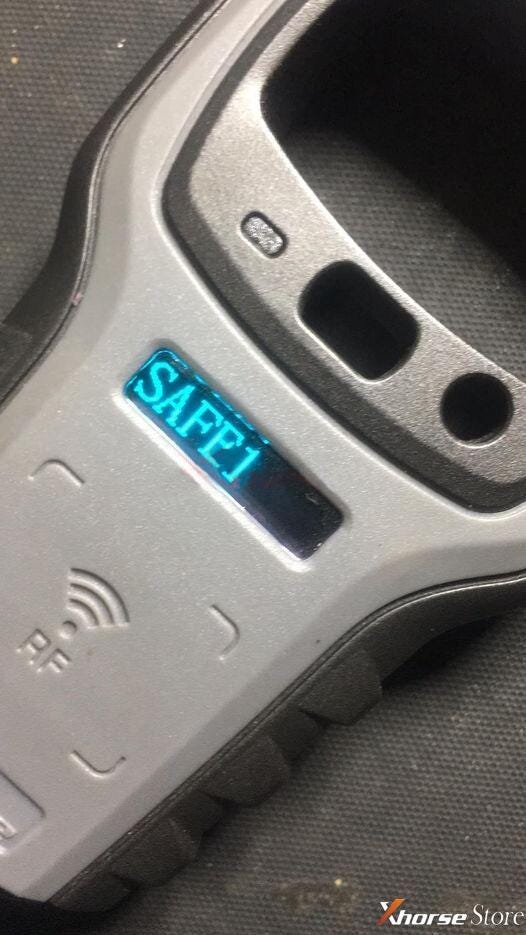
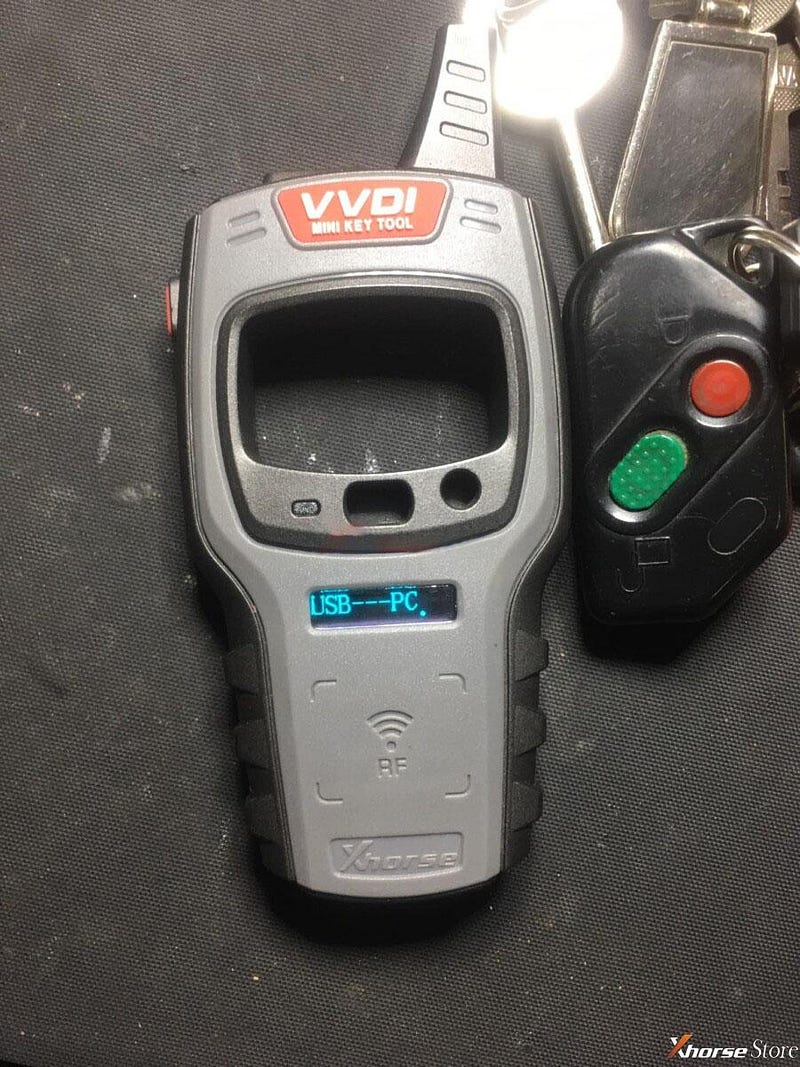
Xhorse VVDI Mini Key Tool Errors&Solutions Collection

Xhorse VVDI Mini Key Tool Errors&Solutions Collection


Solution:

Update firmware on the Upgrade Kit

1)Connect the device to a computer via USB cable

2)Start the Upgrade Kit, and then select “Mini-Keytool(KeyLark)” and press “Find Device”

3)Press “Upgrade” and wait until Upgrade completed


2.The storage space of reward point is full, please synchronize

Issue description:

Try to generate remote by Xhorse VVDI Mini Key Tool, but it says storage full. How to synchronize or delete it?
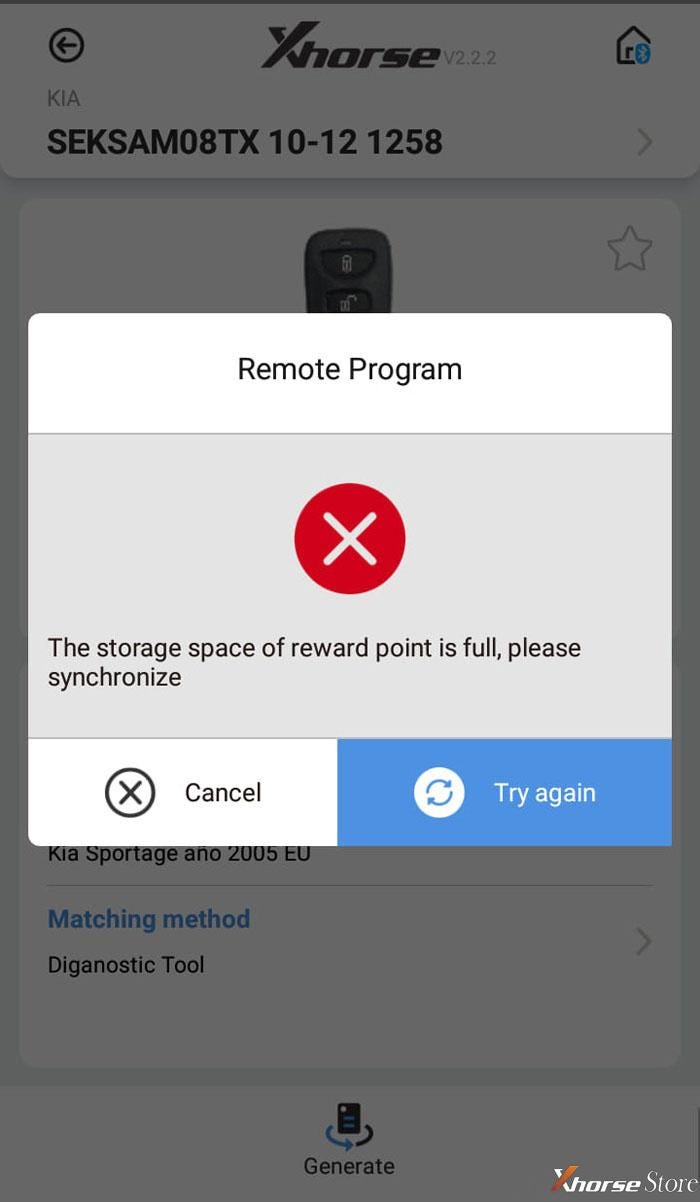
Xhorse VVDI Mini Key Tool Errors&Solutions Collection


Solution:

A firmware update on the Xhorse Upgrade Kit will solve this problem.

1)Update firmware as above

2)Update database by the connection of Xhorse app via Bluetooth
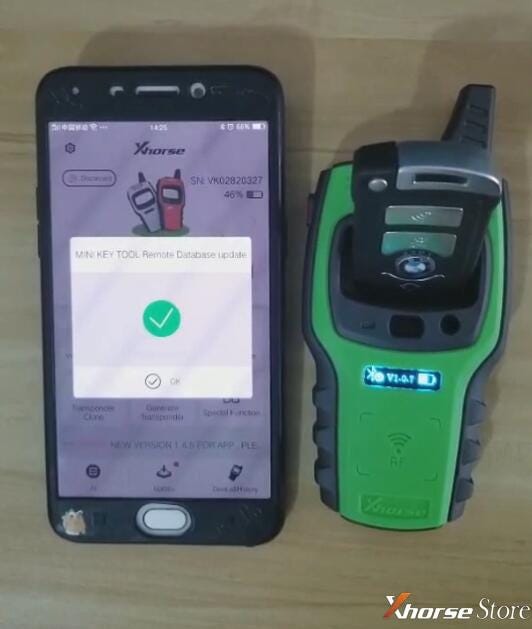
Xhorse VVDI Mini Key Tool Errors&Solutions Collection


3.error code: Error:9B

Issue description:

Fail to generate Toyota XM series key by Xhorse VVDI Mini Key Tool. It shows the error, what’s the problem?
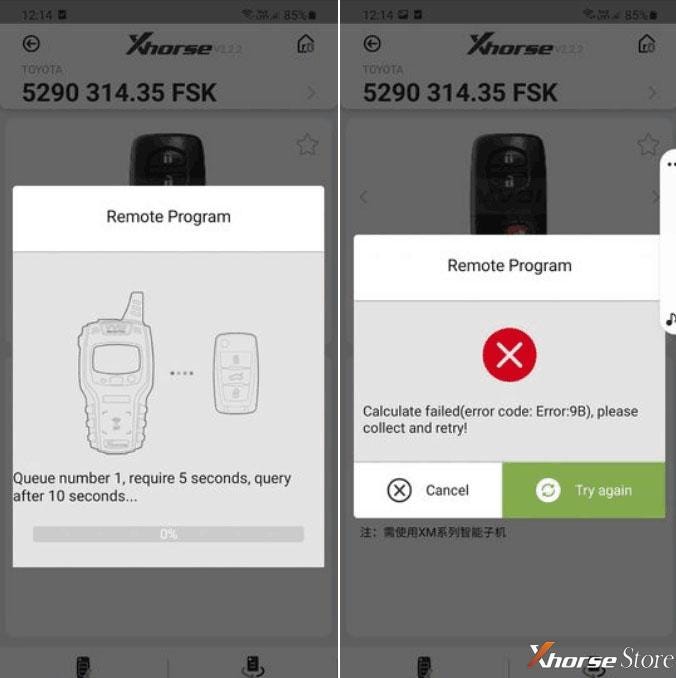
Xhorse VVDI Mini Key Tool Errors&Solutions Collection


Solution:

Change other keys to program.

The key used may be a Chinese version one, so it cannot be used with an overseas device.


4.Fail to generate

Issue description:

Use Xhorse VVDI Mini Key Tool to generate a remote as the prompt but failed.

Solution:

Change the position of wireless smart remote because the sensing area may not be able to recognize the chip with weak signal.
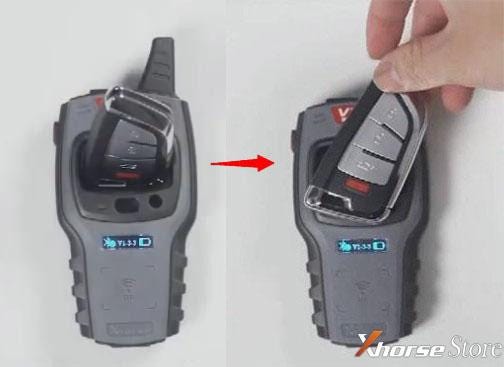
Xhorse VVDI Mini Key Tool Errors&Solutions Collection


5.Always asks to update

Issue description:

Always asks to update when using Xhorse VVDI Mini Key Tool. After successful update, it will prompt me to update as well.
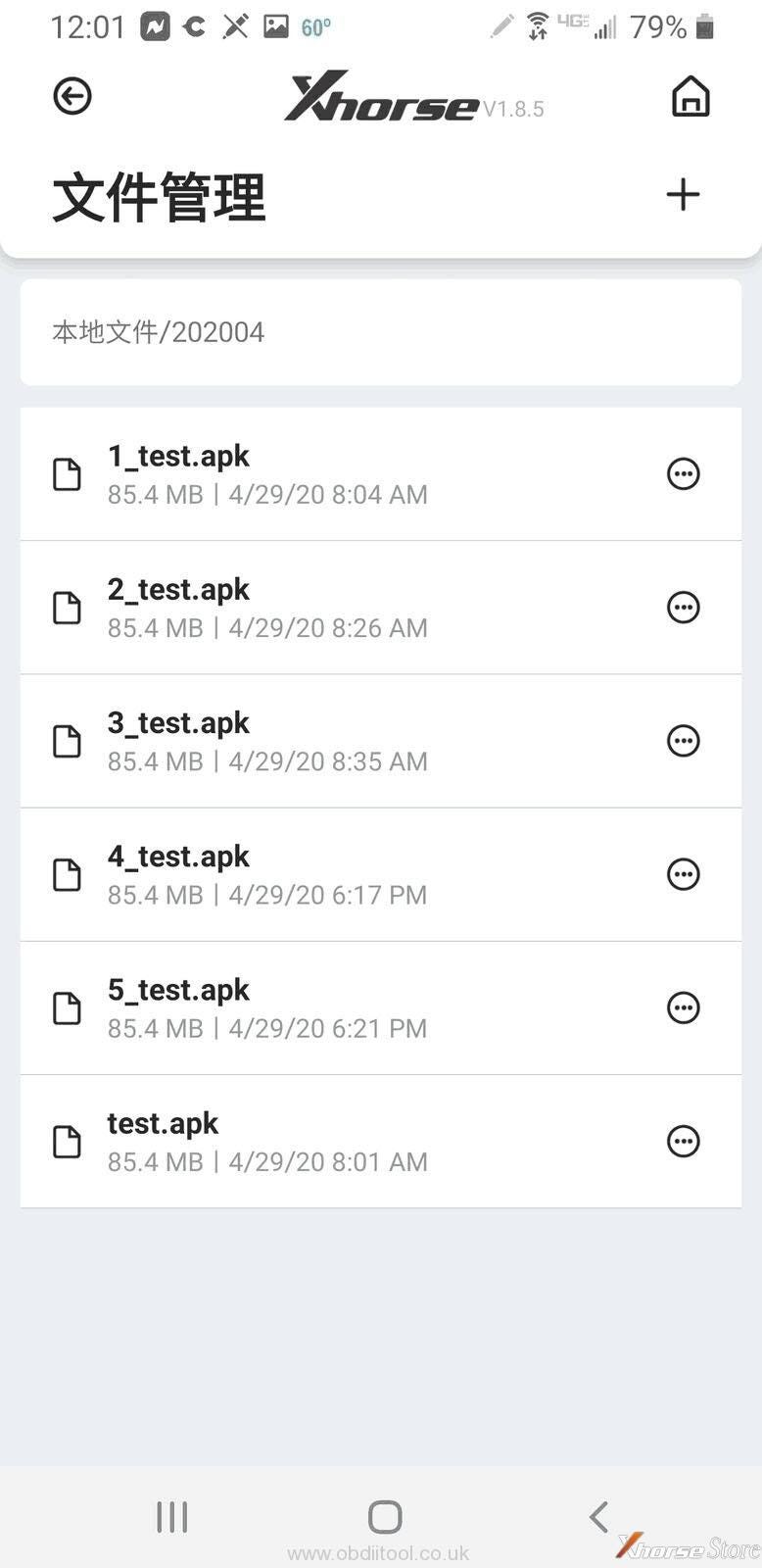
Xhorse VVDI Mini Key Tool Errors&Solutions Collection


Solution:

1)Reinstall Xhorse app

2)Install and login in on other phones. No need for extra fees in the same account.


6.Cannot read immo data

Issue description:

Have tried many keys, still cannot read immo data by Xhorse VVDI Mini Key Tool.
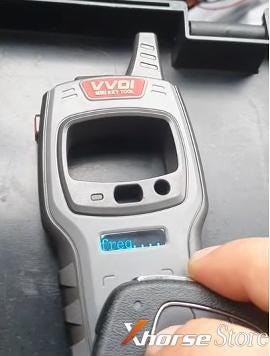
Xhorse VVDI Mini Key Tool Errors&Solutions Collection


Solution:

Select “Special Function” and then try “Key Charge”. Keep operating for about one minute and then go to read immo data. The key’s frequency should be recognized.

Done!Simple and nice.


https://www.xhorsestore.co.uk/

Thursday, 8 April 2021

With what tool u can cover big amount of locksmith job for start

 There are no lack of locksmith tools, when you need to constantly update something. The first thing is that are you ready to constantly invest in equipment? Because many people think that they bought it once and all. I am aware that electronics evolve and that the tools change without cessation, thereafter there is no problem to invest again if necessary.


With this tool u can cover very big amount of locksmith job for start ..

Recommended for universal locksmith tools

for cutting:

Xhorse Condor Dolphin XP-005 Key Cutting Machine

Works on Mobile Phone APP with Built in Battery.

Some manual side cutting machine (cheap)


My first machine is Dolphin 007, belive me, no need to improve any skills , i cut almost 50 keys till now and every key is good.
i also want to buy Defu machine but thank to god i did not buy. my frend buy defu, it is ok, he work with those machine but if you have money buy Condor 007


What about Defu 368?

The very first machine I bought was a Defu - the dearer of the two laser key versions. It worked for laser keys, and it was really just for personal use - it was cheaper than buying two keys from the dealer. It needed a bit of fettling, and I learned a bit using it.


As a learning experience, or to do a few keys, or as a backup machine, it's well worth the money.

As a serious commercial key cutting machine? No.


for copies:

KD X2, and VVDI mini key tool


For vag:

VVDI2 and VVDI prog

vvdi 2 full 13 options: no subscription on VVDI2 tool


For Renault:

OBDSTAR x300dp


For PSA:

OBD STAR x300dp


for the next 20%:

Autel IM508 and xp400pro


Lishi:

vag, renault, psa (around 400 euros)


In addition:

With OBDstar and Autel you will cover all your job like beginner in this job, more than enough to start and see what u missing in short time.

I start only with KD X2.


for Automatic machine.. yes you decode with lishi and directly input manual biting and cut . but you need to much practice about this job with lishi. it is not soo easy but not so hard when you understand what are you doing. practice, practice and practice.

Personally I buy locks on scrapyard, put on bench and try to unlock, decode ...


U need more than money for this job. u need to read & search.


Alright, all of the above locksmith tools are decent and you can search their good reviews.

Tuesday, 2 April 2019

Xhorse VVDI Mini Key Tool-Purchase Notes

Xhorse VVDI Mini Key Tool (VVDI Lark) user manual including: version /Area, language, color, update, price, comparison with VVDI Key Tool, how to use with IOS/Android etc.

Importance!!!
VVDI key tool - renew remote (function) = VVDI Mini Key Tool.
Xhorse new APP: for VVDI Mini Key Tool ,VVDI key tool and Condor Dolphin.

1. VVDI Mini Key Tool version /Area
Available with US and European version.

2. VVDI Mini Key Tool Language:
English
Polish
Thai
Hindi
Chinese
VVDI Mini Key Tool Language


3. VVDI Mini Key Tool Color:
Orange
Green
Red
PS: the seller will ship in random.

VVDI Mini Key Tool Color

VVDI Mini Key Tool Color

VVDI Mini Key Tool Color

Look here: full package

- Remote programming cable (Connect the wire remote to generate the remote)
- USB cable (Charging battery and update)
VVDI Mini Key Tool ca ble


4. VVDI Mini Key Tool Update
Via the new Xhorse APP to update online.

5. VVDI Mini Key Tool Price:
VVDI mini key tool is 100euro cheaper than VVDI key tool.

6. VVDI Mini Key Tool capabilities:
Transponder Editing &Cloning
Detect most immobilizer transponder, edit and clone common transponder in the market.


VVDI Mini Key Tool capabilities

VVDI Mini Key Tool capabilities


Transponder Generating
Support TP transponder & parts of special transponder more than 700 vehicle
models, reduce the stock of transponders efficiently.

Remote Cloning
Support the HCS/Fixed code cloning, support non-HCS rolling code cloning, support
PT22XX, LX918, HT6P20, VD5026, AX5326, HT12X fixed code editing.

Garage Remote Generating
Supporting more than 100 types.

Remote Generate
Support 128 brands, over 2000 vehicle models. Generate more abundant and
thorough key pictures, transponder types, key blanks and remote matching data.

Frequency Test
Support the power test within the range of 300-450MHz.

Toyota H transponder
Activate Toyota H transponder generation function

7. How to use VVDI Mini Key Tool on Android and IOS?
Use "Google Play store" and "App Store" to search "Xhrose", then install to use.
VVDI Mini Key Tool APP


When launch the APP, it will give two images on how to use VVDI mini key tool for the first time.
Start: Press and hold power button 1 second.

Shutdown: Press and hold power button 4 seconds.
The machine comes with Bluetooth Status button and Battery level button as well as firmware version.

Detect transponder
Press and hold power button 1 second to stitch.

Frequency test: press and hold power button 2 seconds to switch.
 How to use VVDI Mini Key Tool on Android and IOS

 How to use VVDI Mini Key Tool on Android and IOS


VVDI Mini Key Tool new APP:
VVDI Mini Key Tool new APP


New APP Bluetooth setting: Turn on Bluetooth (to connect vvdi key tool ,vvdi mini key tool, Dolphin);
New APP Language: Chinese and English so far.
VVDI Mini Key Tool new APP

VVDI Mini Key Tool new APP


The same:
1. Share the same new APP
2. Both can perform: Vehicle remote, Garage remote, Remote clone, Transponder clone, Generate transponder.
3. Both have American and European version.
4. Update firmware via Xhorse Update kit software.
5. Bluetooth Connection available.

The difference:
1). VVDI key tool functions - renew remote function = VVDI Mini Key Tool.
Mini Key tool capabilities:
Vehicle remote
Garage remote
Remote clone
Transponder clone
Generate transponder
Special function


VVDI Key tool capabilities:
Vehicle remote
Garage remote
Remote clone
Remote renew
Transponder clone
Generate transponder
Collect bonus points

Mini Key tool capabilities
2) VVDI key tool: with bigger screen (2.4"), it can work alone except the online function such as 46 4D offline copy, and it can perform online functions by connecting to the phone.
VVDI Mini key tool: most functions is completed via phone, it has smaller screen (0.91")

3) VVDI Mini key tool comes with big-capacity battery.
Here comes VVDI mini key tool parameters:
OLED Size: 0.91 "
Extra Power: 5V/1A
Usage Time: >10 Hour
Product Size: 140x64.5x23.5mm
Weight: 86g
Charge Current: 650mA
Battery Capacity: 8 00mAh
Battery Voltage: 3.6-4.2V
OLED resolution: 128*32

Here comes VVDI key tool parameters:
OLED Size: 2.4"
Extra Power: 5V/1A
Usage Time: >10 Hour
Product Size: 108x6194x28mm
Weight: 229g
Charge Current: 1A
Battery Capacity: 150Ah
Power: 600mW
Battery Voltage: 3.6-4.2V
OLED resolution: 320*240

4) The last but not least. VVDi Mini key tool is 100 cheaper than VVDI key tool.

VVDI Mini key tool tech support is supplied by www.obdexpress.co.uk .


KEYDIY New KD-Moto Adapter Adds Honda, Yamaha & Ducati

  Motorcycle key programming is now coming to the KEYDIY KD-X4 . The new KEYDIY KD-Moto Adapter adds dedicated motorcycle coverage for a w...