Showing posts with label Launch X431 XPROG3. Show all posts

Friday, 14 February 2025

LAUNCH X431 XPROG3 PC Adapter BENZ Bosch Gearbox Wiping

 This is a tutorial on how to perform Mercedes-Benz 4-Speed Bosch Gearbox Wiping with LAUNCH X431 XPROG3 + PC Adapter by bench.

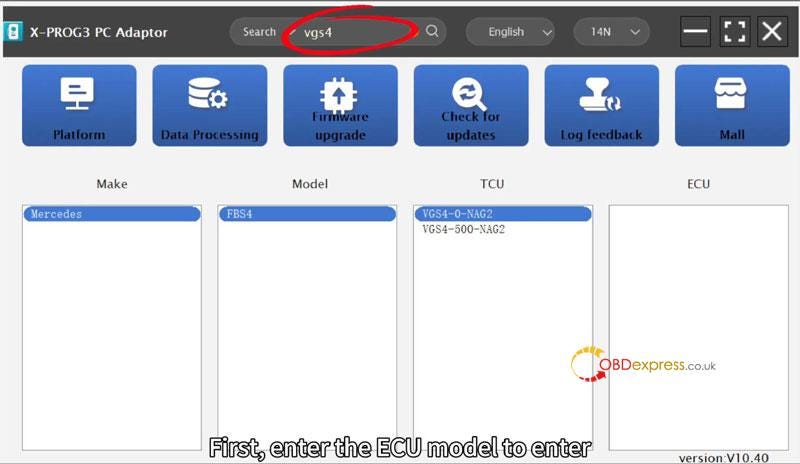
Open X-Prog3 PC Adapter softare, enter ECU model to search:

Make: Mercedes

Model: FBS4

TCU: VGS4–0-NAG2

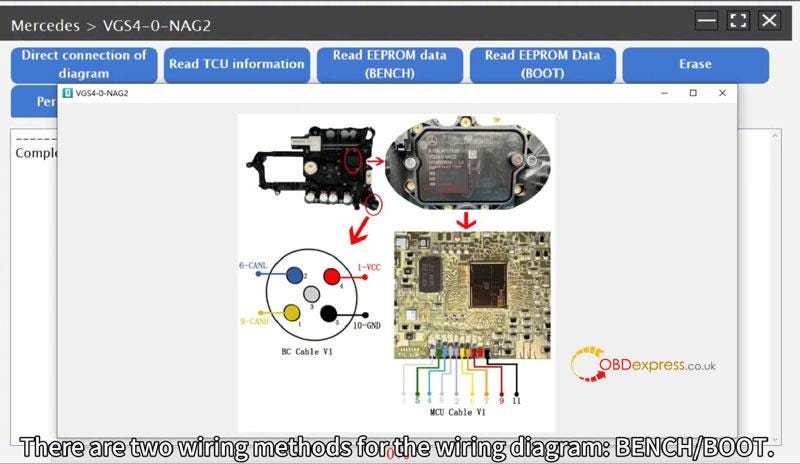
Click "Direct connection on diagram".

There are 2 wiring methods for the wiring diagram: BENCH/BOOT.

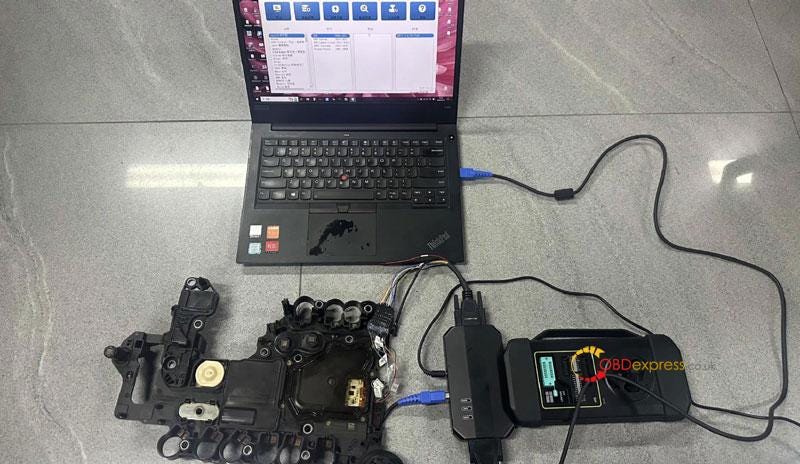
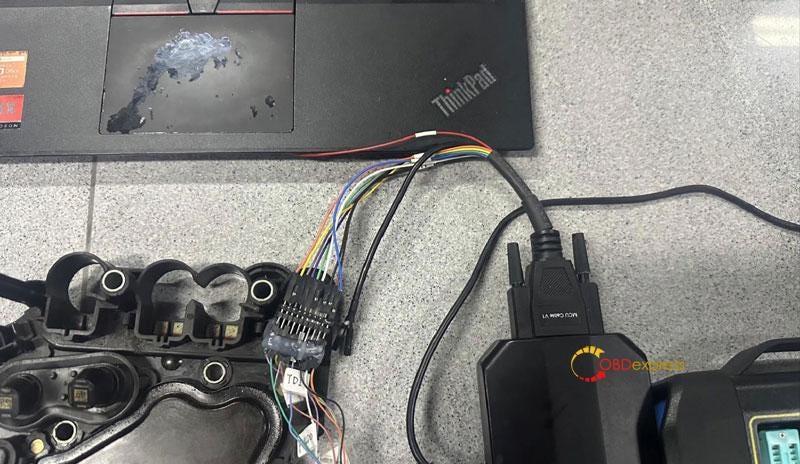
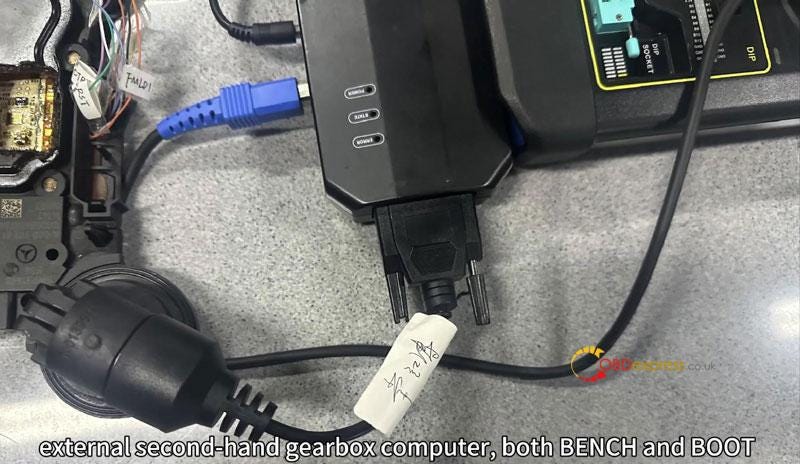
The BENCH mode is used to read data from the original car’s gearbox computer. When performing wiping and personalized functions on, an external second-hand gearbox computer, both BENCH and BOOT modes need to be connected together.
LAUNCH X431 XPROG3 PC Adapter BENZ Bosch Gearbox Wiping

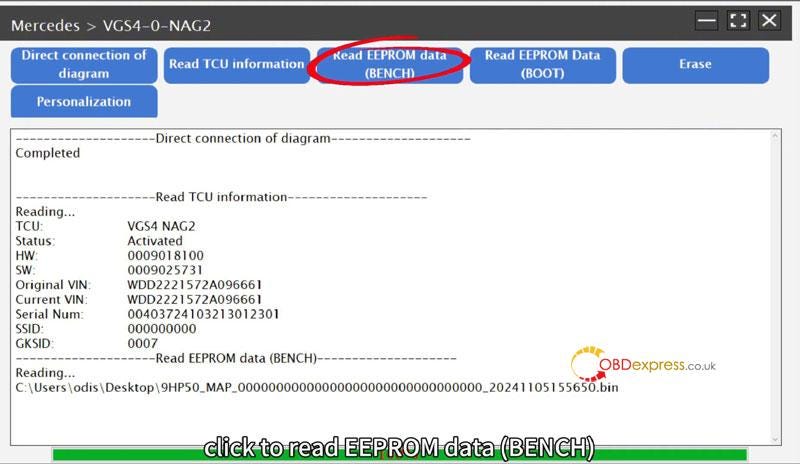
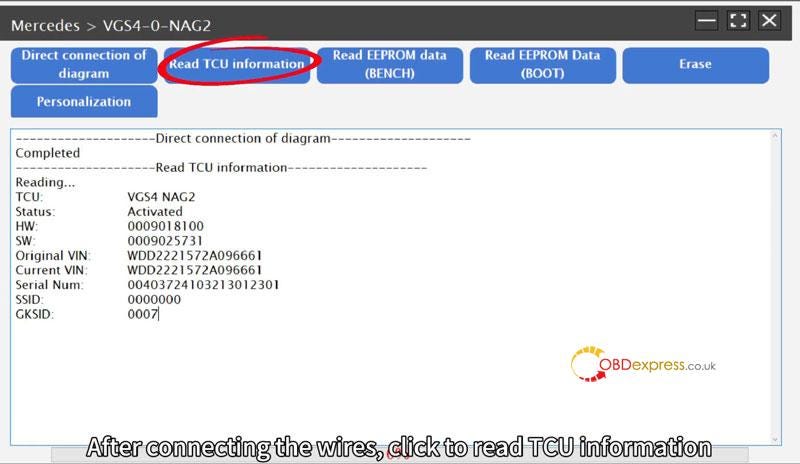
After connecting the wires, click "Read TCU Information".

After successful information reading, click "Read EEPROM data(BENCH)".

If BENCH mode cannot read, select BOOT mode.

LAUNCH X431 XPROG3 PC Adapter BENZ Bosch Gearbox Wiping

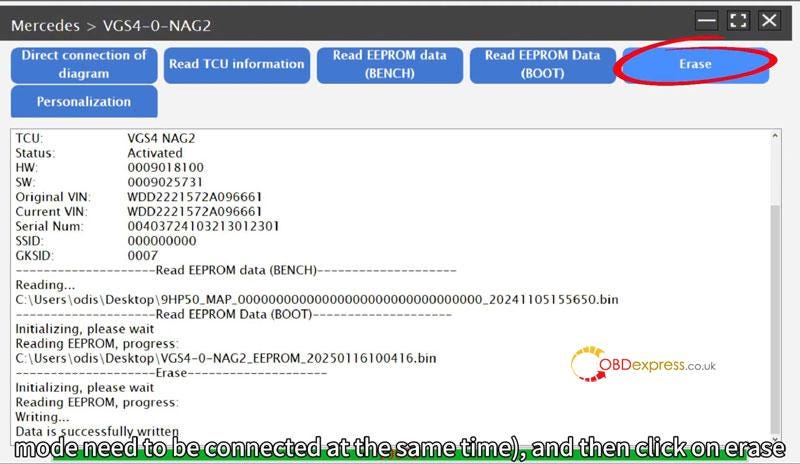
After the original vehicle ECU computer data is read, connect the external ECU computer(both BENCH mode and BOOT mode need to be connected at the same time)

Click "Erase".

LAUNCH X431 XPROG3 PC Adapter BENZ Bosch Gearbox Wiping

Click "Personalization" and select "Original Car EEPROM Data Write".

Click OK after successful personalization.
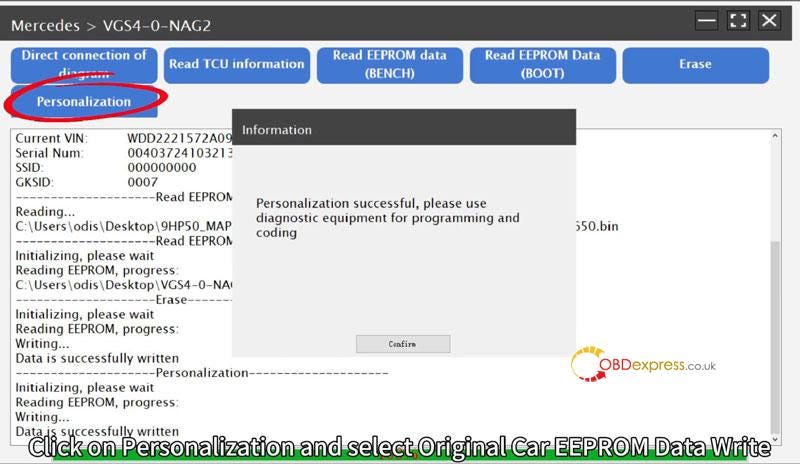

LAUNCH X431 XPROG3 PC Adapter BENZ Bosch Gearbox Wiping

After personalization click "Read TCU information" to see if the ECU has been successfully erased, then install the vehicle for programming and coding.
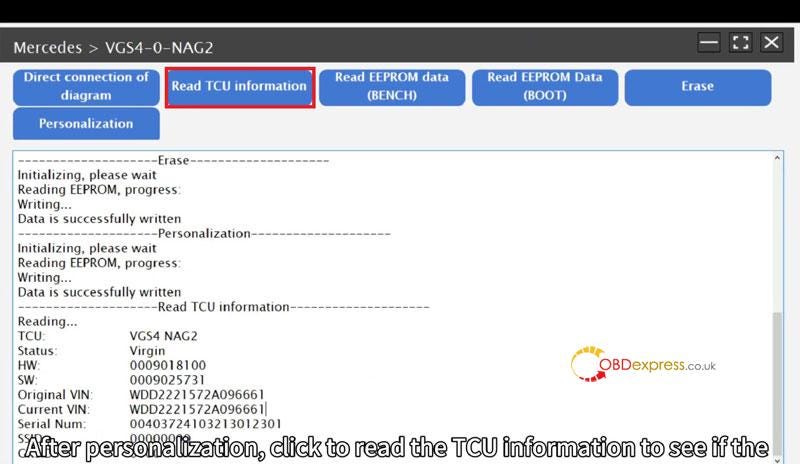

LAUNCH X431 XPROG3 PC Adapter BENZ Bosch Gearbox Wiping

www.obdexpress.co.uk

Wednesday, 18 September 2024

Clone ISUZU MD1CS089 ECU with LAUNCH X431 XPROG3 PC Adapter

 It has been tested and verified that LAUNCH-X431 X-Prog3 with PC Adapter can clone ISUZU Bosch MD1CS089 ECU in Bench mode perfectly. No need X431 tablet.

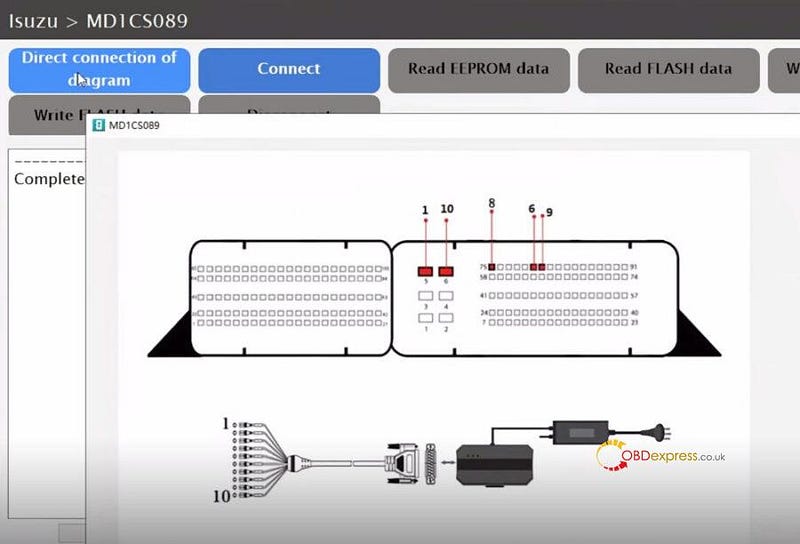
Direct connection diagram:


LAUNCH-X431 X-Prog3 PC Adapter Clone ISUZU MD1CS089 on Bench

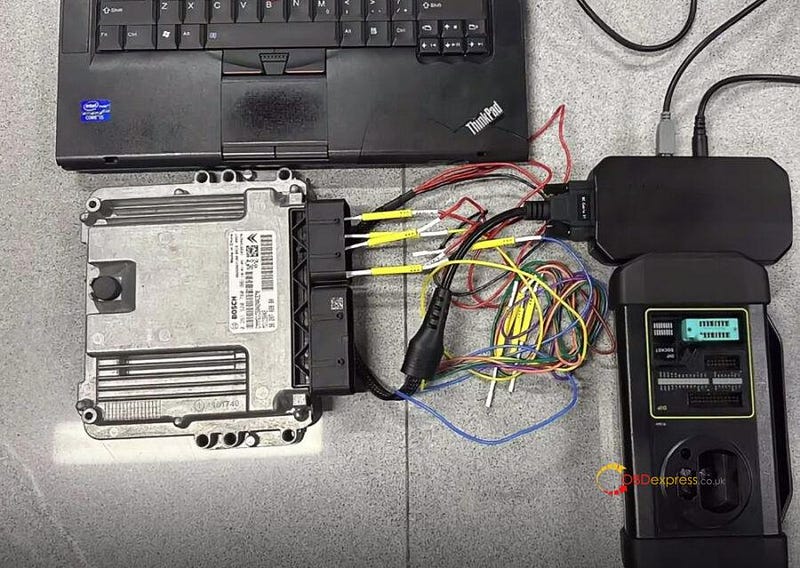
Follow the diagram in the X-Prog3 PC Adaptor PC software to connect Launch X-Prog3 PC Adapter and ISUZU ECU, and then connect PC Adapter to X431 X-Prog3 key programmer and computer properly


LAUNCH-X431 X-Prog3 PC Adapter Clone ISUZU MD1CS089 on Bench

Menu path:

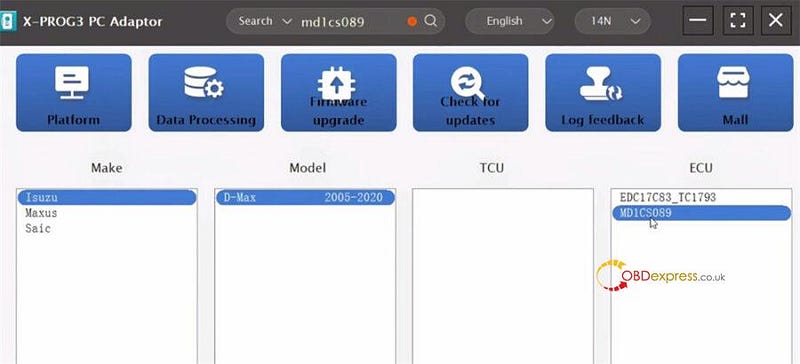
Input "md1cs089" in the search box to find the corresponding car model (Isuzu D-Max 2005–2020 MD1CS089 ECU)


LAUNCH-X431 X-Prog3 PC Adapter Clone ISUZU MD1CS089 on Bench

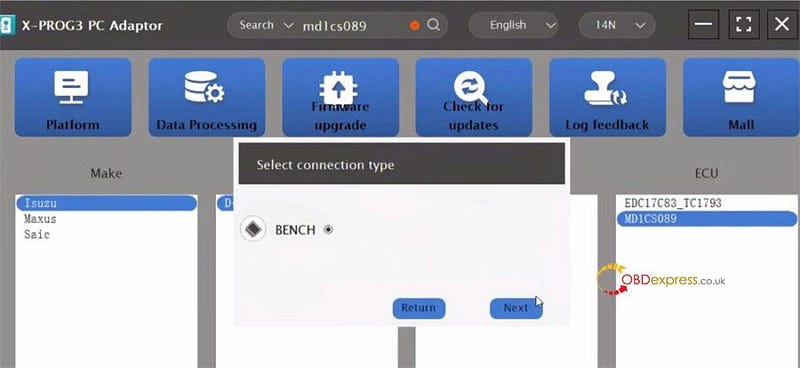
Select "BENCH" connection type and click "Next"


LAUNCH-X431 X-Prog3 PC Adapter Clone ISUZU MD1CS089 on Bench

Ensure the device connection is correct, and start to perform the reading and writing functions.

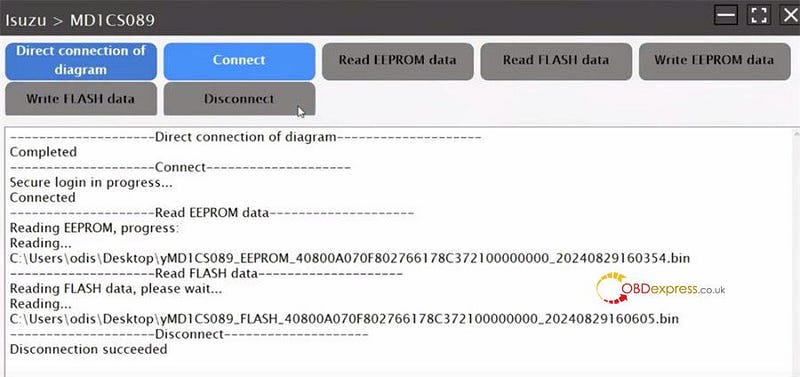
Back up the original ISUZU MD1CS089 ECU data:

Connect>> Read EEPROM data >> Read FLASH data>> Disconnect


LAUNCH-X431 X-Prog3 PC Adapter Clone ISUZU MD1CS089 on Bench

Note: Remember to save the original EEPROM data and Flash data after reading

Back up the new ISUZU MD1CS089 ECU data:

Repeat the same steps as original ECU to back up the new ECU data

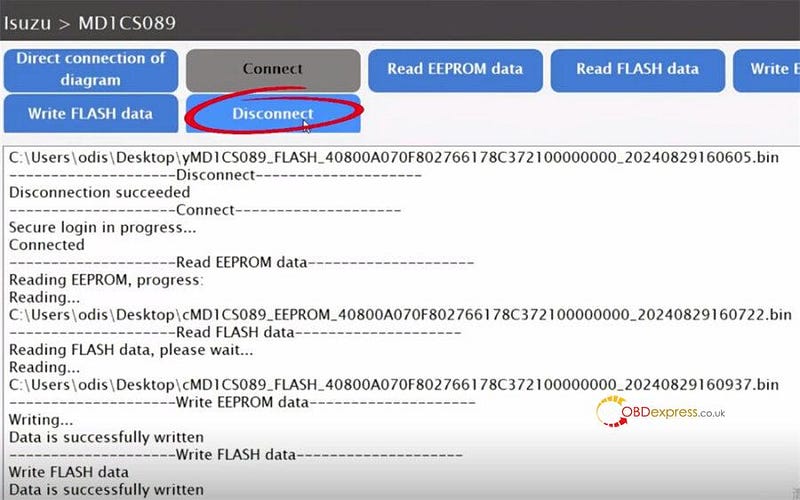
Finally, write the original ISUZU MD1CS089 ECU data into the new ECU


LAUNCH-X431 X-Prog3 PC Adapter Clone ISUZU MD1CS089 on Bench

Alright! ISUZU MD1CS089 ECU is cloned by LAUNCH-X431 X-Prog3 and PC Adaptor successfully!

www.obdexpress.co.uk

Friday, 28 June 2024

LAUNCH X431 XPROG3 + PC Adapter Clear Mercedes VGS3 TCU

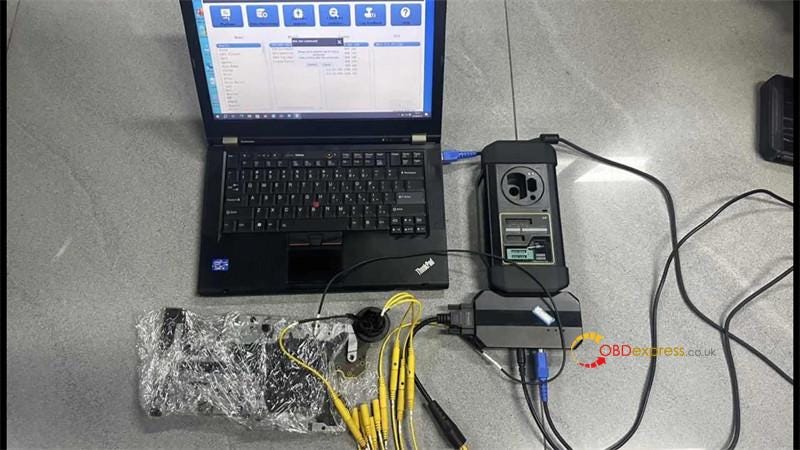
 This is a tutorial on how to clear Mercedes-Benz VGS3 TCU with Launch X431 XPROG3 + PC Adapter on bench. You can use the LAUNCH X431 ECU & TCU Programmer to perform the function as well.

Launch X431 XPROG3 + PC Adapter Clear Mercedes VGS3 TCU

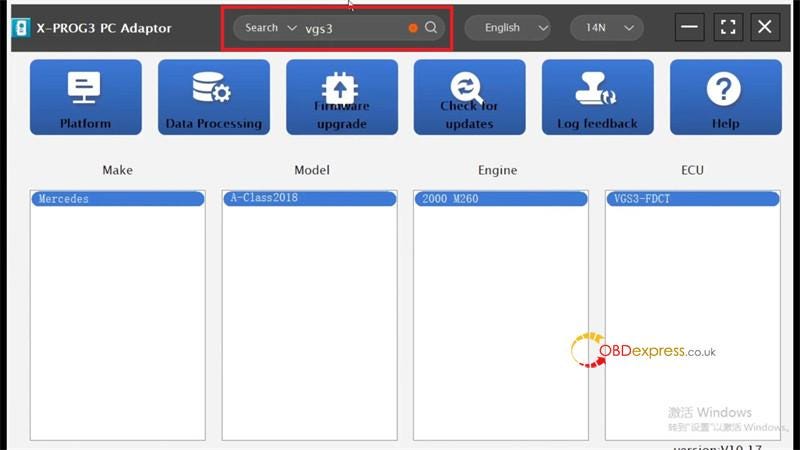
Open XProg3 PC Adapter software to search “VGS3”.

Make: Mercedes

Model: A-Class 2018

Engine: 2000 M260

ECU: VGS3-FDCT

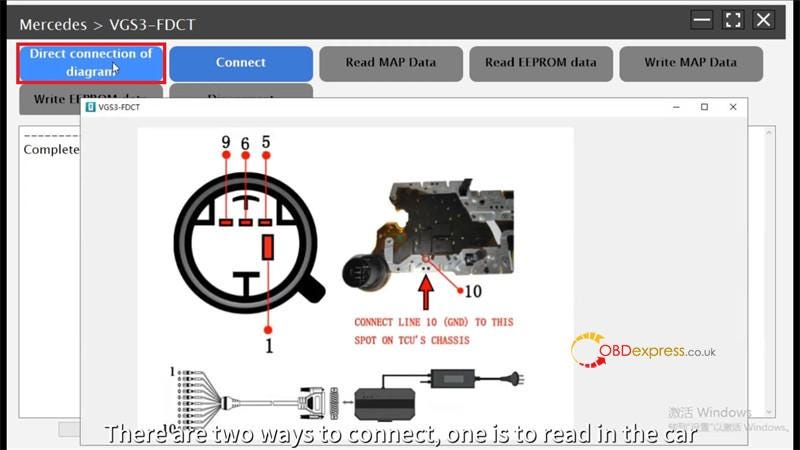
BENCH >> Direct connection of diagram

There are 2 ways to connect, one is to read in the car and the other is to remove and read.

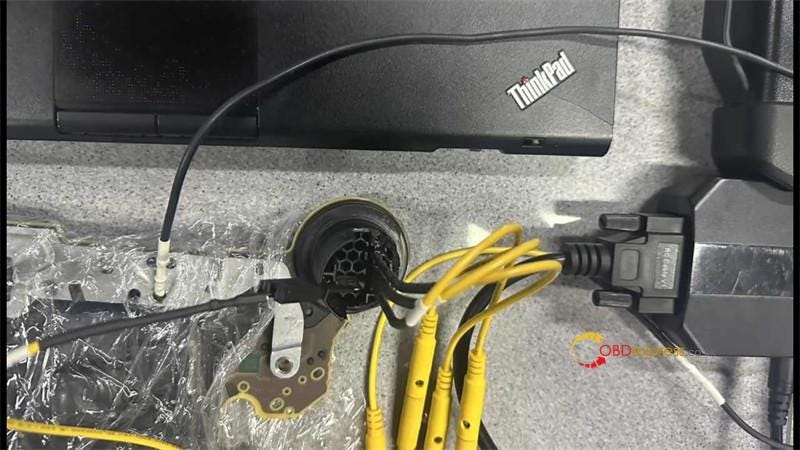
Follow the diagram to connect XProg3, PC adapter & TCU.

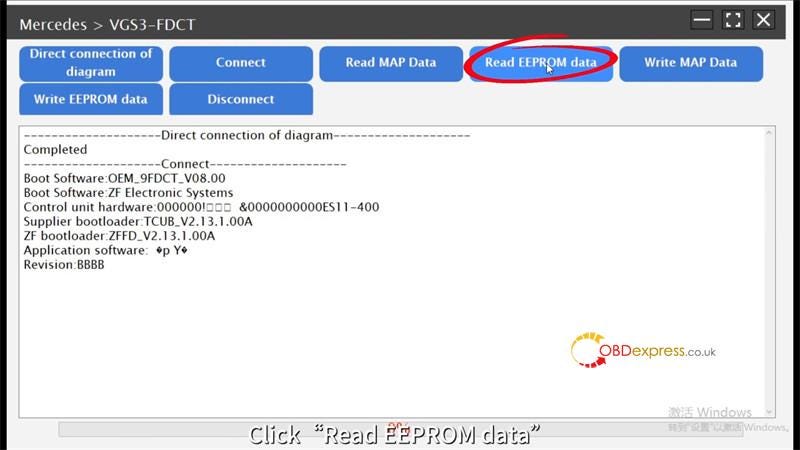
Click “Connect”.

Launch X431 XPROG3 + PC Adapter Clear Mercedes VGS3 TCU

Read EEPROM data.

Reading data succeeded.

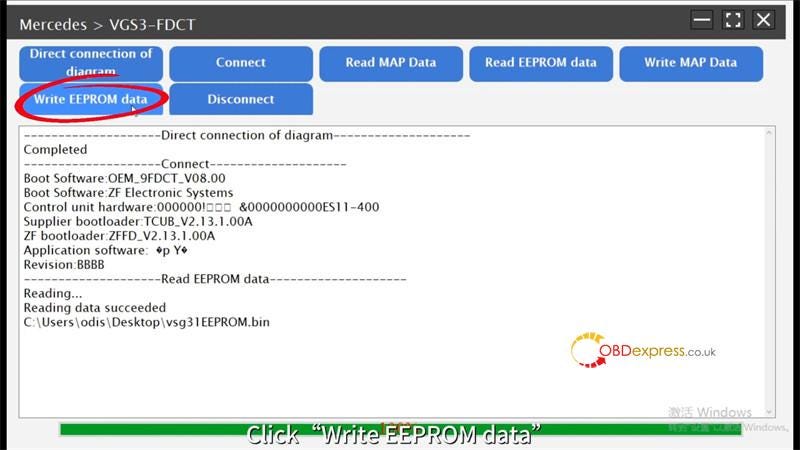
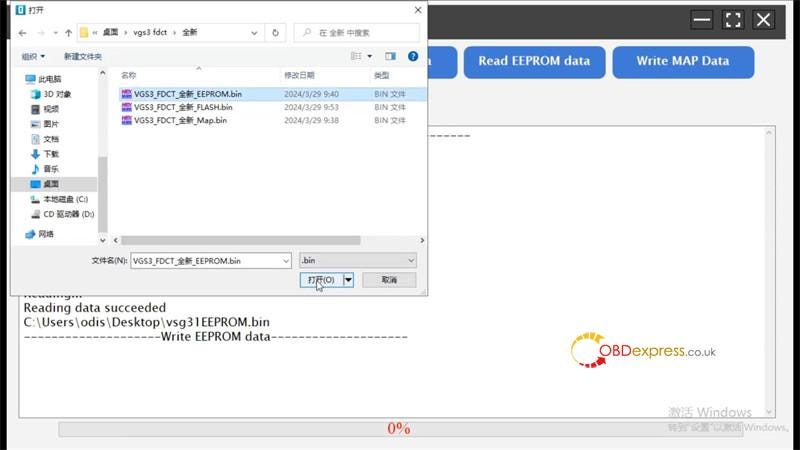
After reading the data backup, you need to write a new data in it.

(You can contact customer service for the new data.)

Write EEPROM data >> Load the saved data

Reading data succeed.

Click “Disconnect”.

After the emptying is finished, you need to do the programming code.

Launch X431 XPROG3 + PC Adapter Clear Mercedes VGS3 TCU

www.obdexpress.co.uk


KEYDIY New KD-Moto Adapter Adds Honda, Yamaha & Ducati

  Motorcycle key programming is now coming to the KEYDIY KD-X4 . The new KEYDIY KD-Moto Adapter adds dedicated motorcycle coverage for a w...