Showing posts with label Honda. Show all posts

Tuesday, 9 November 2021

Xhorse Smart Key Box tested on Honda City car

 Just got a new gadget Xhorse XDSKE0EN Smart Key Box this week, so I’m gonna make an unboxing quick review and test it on a Honda City.


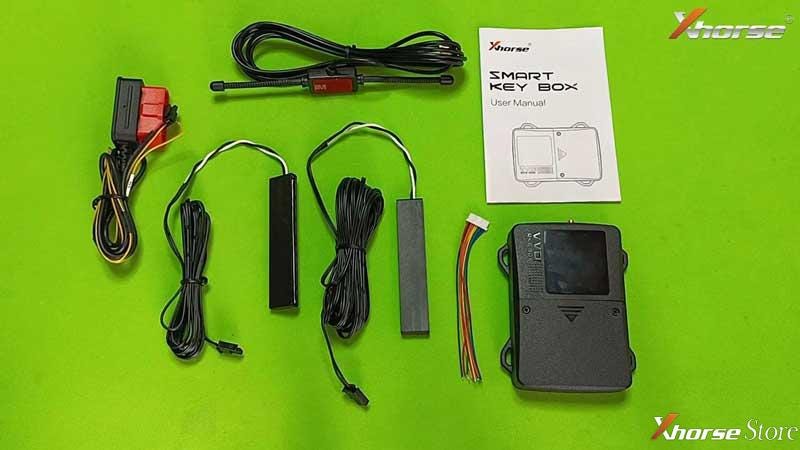
What’s in Smart Key Box Package?

  • 1pc Smart Key Box;
  • 2pcs LF antenna;
  • 1pc HF antenna;
  • 1pc Power Supply Cable;
  • 1pc Remote Soldering Line;
  • 1pc User Manual;
  • 1pc Product Quality Certificate.

Xhorse Smart Key Box tested on Honda City car

  • Set Up Smart Key Box
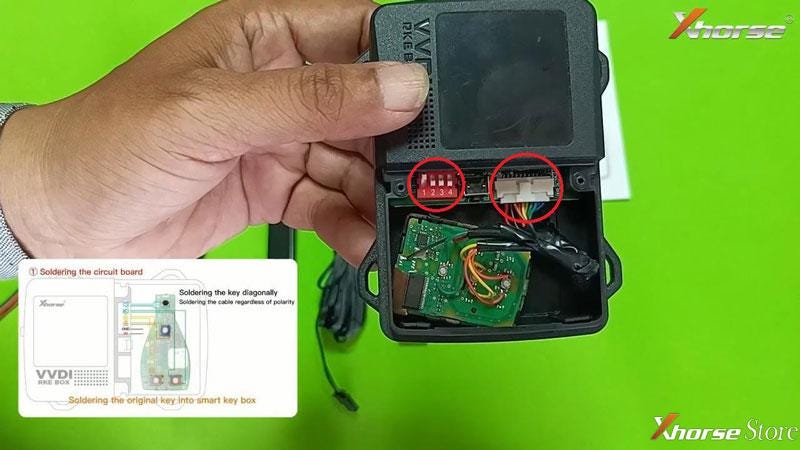
  1. Solder the remote soldering lines with circuit board of smart key, then insert into Smart Key Box;
  2. Turn on the DIP switch 1.


Don’t know how to install? It may help:

How to download & start to use Xhorse Smart Key Box?

http://blog.xhorsestore.co.uk/xhorse-keys-chips/how-to-download-start-to-use-xhorse-smart-key-box/


The soldering is not difficult, anyone who has the operational ability can do it. Just follow the instructions.
Xhorse Smart Key Box tested on Honda City car

  • Connect Smart Key Box via OBD & Key Learning
  1. Take out Smart Key Box to the vehicle. Insert power supply cable, RF antenna and LF antenna into the port. Connect to vehicle via OBD.
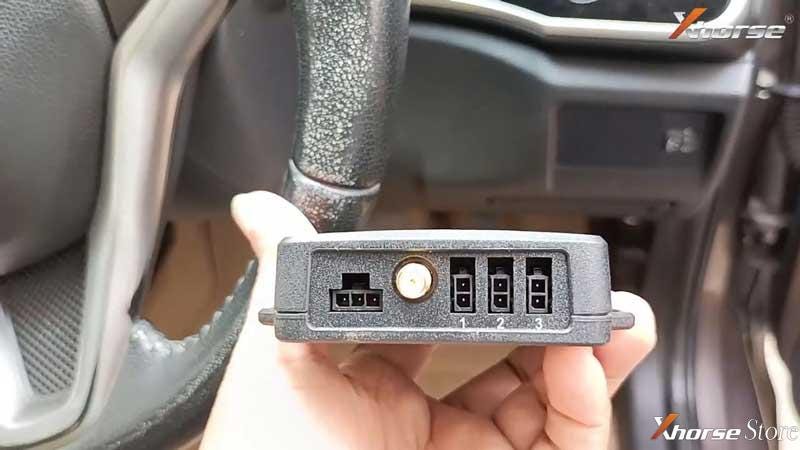
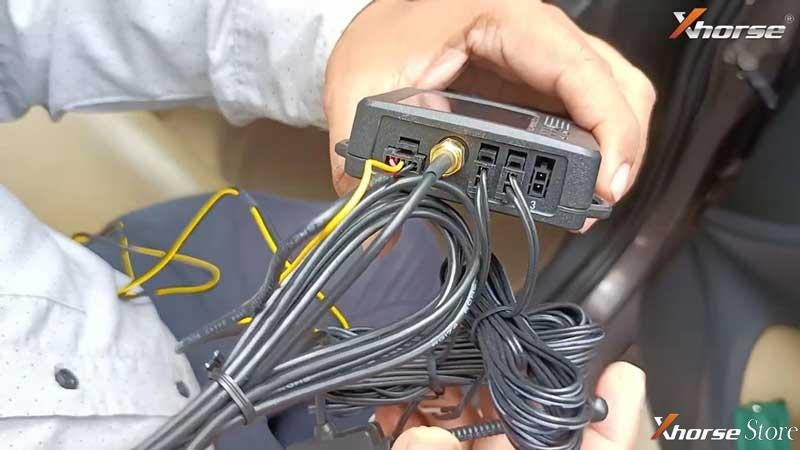
Xhorse Smart Key Box tested on Honda City car

Xhorse Smart Key Box tested on Honda City car

  1. Start Smart Key Box app to connect device via Bluetooth, long press the “learn button” until hearing a beep with a indicate lights on.
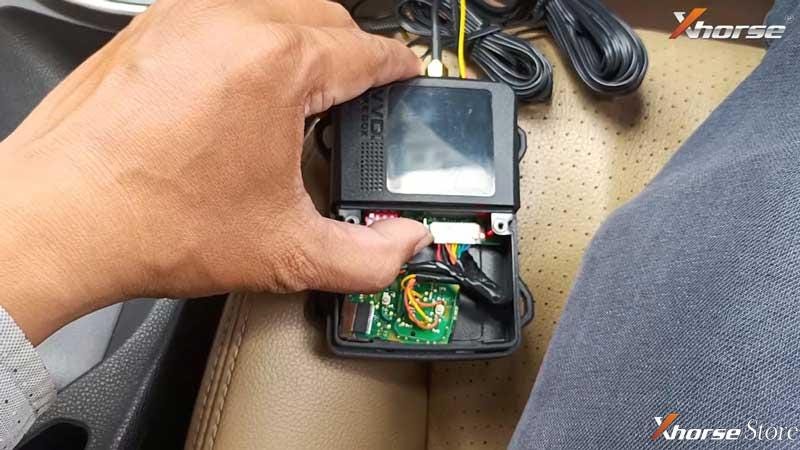
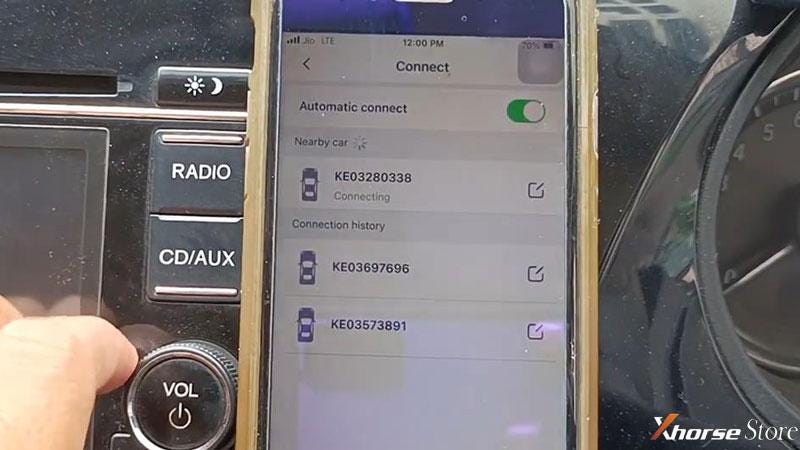
Xhorse Smart Key Box tested on Honda City car

Xhorse Smart Key Box tested on Honda City car


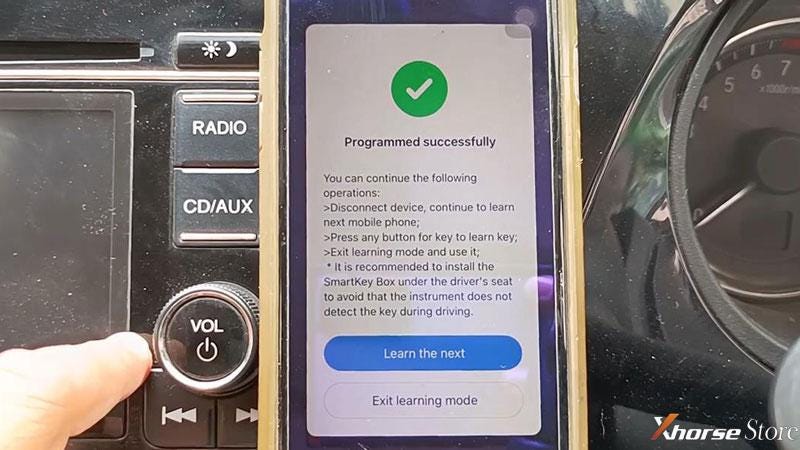
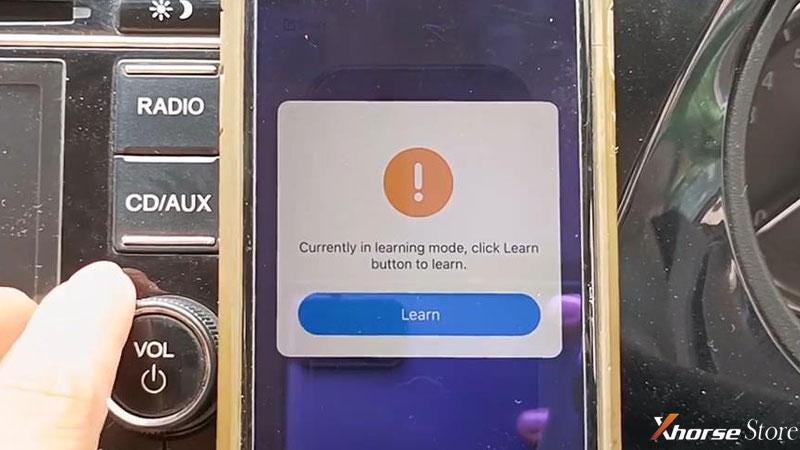
  1. It’s in learning mode, press “Learn”. You’ll hear 2 short beeps when programming successfully.


To learn the next one, press “Learn the next”, otherwise, press “Exit learning mode”.

Don’t forget to long press “learn button” again when completed.


It’s quite easy and smart until now. Let’s test if the functions work.
Xhorse Smart Key Box tested on Honda City car

Xhorse Smart Key Box tested on Honda City car

  • Test Keyless Entry/Go Function

Take the phone to go away.

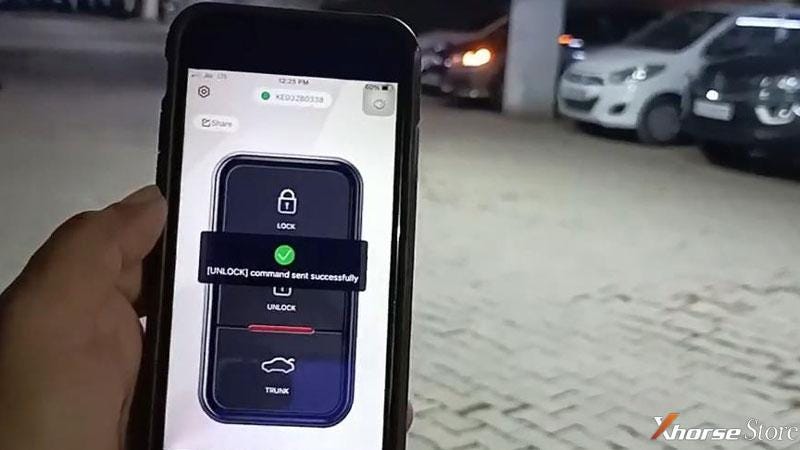
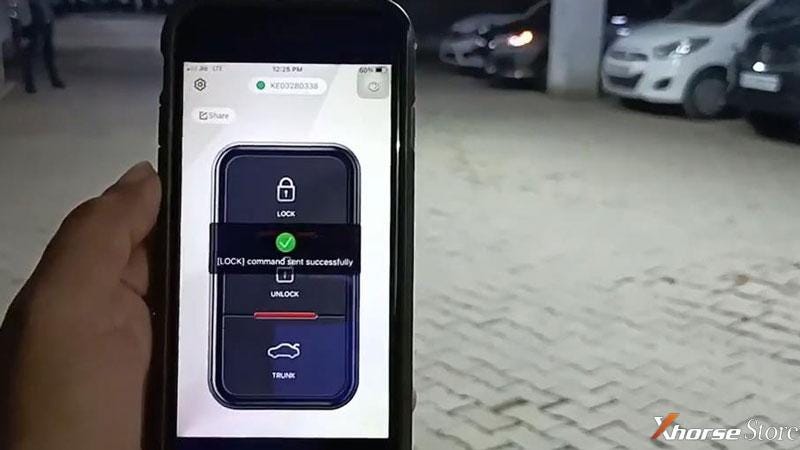
  1. Press LOCK, okay.
  2. Press UNLOCK, okay.

The Xhorse Smart Key Box is working on Honda City successfully!


It is a great and amazing tool that will bring me convenience simply to have a phone at hand.
Xhorse Smart Key Box tested on Honda City car

Xhorse Smart Key Box tested on Honda City car


Technical support by: https://www.xhorsestore.co.uk/

Wednesday, 15 January 2020

Experience with best OBD2 code reader for Honda Civic & Ford

Car models: couple of Honda Civics and a Ford and they all have OBD II ports.

User: the first-time user

Code readers to recommend:
  1. Bluetooth dongles and the torque app running with mobile phone.
  2. Hondas HDS scanner software
  3. Mastertech scanner
  4. NGS scanner

Reviews one-by-one:

  1. Bluetooth dongles and the torque app running with mobile phone.
I bought a cheap one, well, cheap back then ($60 in 2007) and it's been plenty useful. With the aid of mobile Google machines, you can easily and quickly begin to troubleshoot CELs. The only I bought only shows you the code and allows you to delete them. Fancier ones actually give readouts and stuff. There's also cheap ones you can plug into the OBD2 port and get readings on your phone via Bluetooth, so there's that.

  1. scangauge
You can get dongles that you plug into the port and it bluetooth all the data to your cell phone. and clears codes as well.
I prefer scangauge or similar so i can check many more things iat the dash instead of a hidden phone in my pocket. better temp gauge, MPG, etc.
I have a code reader that reads SRS and Honda specific codes as well.

  1. Hondas HDS scanner software, Mastertech scanner, NGS scanner etc
A code reader is a tool just like anything else in a tool box. Its effectiveness is up to you.
Some codes are easy, read code and throw a part at it....other codes aren't so simple and some people can waste a lot of money by not doing their homework first.
Sometimes people post with codes that can't exist in their car, that means some code readers aren't 100% accurate at reading the codes.
80% of my entire career has revolved around your pesky warning lights LOL
I have:
Hondas HDS scanner software (on two of my personal laptops)
Mastertech scanner (mine, pretty much obsolete now)
NGS scanner (mine, obsolete now)
Still considering getting a $20 engine code reader/eraser just for speed
Our shop has a scanner from Matco that gets a lot of use too.
My car has an Ultragauge on the dash, displays quite a bit of live data and can read/erase codes if needed

Advices and experience sharing:
Advice 1.
the reader gets obsolete with new cars
as long as you own an old car, does not matter much.
select it more for if it reads Honda specific codes (fords were not that fickly, most readers should do the job)
I chose mine for Honda codes, got a newer one for the SRS Honda codes)

Advice 2.
I have an older version of that $70 reader, I got it for $20 on clearance. You can check and clear codes, look up the vin (on newer cars), and check the readiness monitors.
The $180 one will also do freeze frame and live operating data which is handy for diagnostic purposes. And it will apparently do abs codes but iy might not work on all cars.
Or you can save $150 and get a $20 dongle and $5 app. You just won't be able to do abs codes, which with the multiple different vehicles I've owned (2 Fords and 5 Hondas) I have never needed abs scanning. You can always get partsource (or another parts store) to scan it for you if you do have the abs light come on.
You do what you want I'm just trying to save you money.
Honda HIM Picture share from the customer
Hds Him Z Tek 1 Hds Him Z Tek 2 Hds Him Z Tek 3

www.obdexpress.co.uk
Source:http://blog.obdexpress.co.uk/2020/01/16/best-obd2-code-reader-for-honda-civic-ford-reviews/

Best 5 Key Cutting Machines: Xhorse vs. 2M2 Buying Guide

  Choosing an automotive key cutting machine depends on five factors: portability, operation method, cutting efficiency, key coverage, and ...