Showing posts with label ENET Interface Cable. Show all posts

Thursday, 27 August 2020

ISTA-D error “the vehicle could not be identified successfully” Solution


This article starts with the problem: I have some issues with ISTA-D Version 4.22. installed through the Bimmergeeks installation pack. I have also tried the one through Mikes Easy install before with the same result.
I keep getting the following error when trying to connect to vehicle: “The vehicle could not be identified successfully. Check vehicle interface and ‘PAD active’.”
The same error shows up when I try to use E-NET cable (which works without an issue for E-SYS coding), as well as K+D CAN cable (which works without an issue for INPA).

I have checked the settings in EDIABAS.ini and all looks good, as I said it works well with INPA.


Advice:

Do you unzip all files in required folders? I think yes. You need to feed the registry values to computer so it can understand your standalone installation (which in fact is not executable installation) and variables.


Question:

They are actually executable files, installing everything through an installer. There were no manual registry entries nor *.reg files to load into the registry, neither with Mikes or Bimmergeeks installations.


Advice:

I see. Then check with regedit what settings you have

under [HKEY_LOCAL_MACHINE\SOFTWARE\Wow6432Node\BMWGroup\ISPI\Rheingold] or similar path.


Question:

Sure, see the attached picture of the reg entries I have in that path.Reg


Advice:

Try onlinemode = true


Finally! Works!


Good to know:

There is no connection with servers. Its offline. These registries makes windows and ista having proper configuration for running application.

 http://blog.obdexpress.co.uk/tag/bmw-ista-d/

Monday, 8 October 2018

How To Fix E-Sys can’t connect. Open Connect Target blank..

BMW E-Sys cannot connect:
I just can’t seem to connect using E-Sys (With E-Sys Launcher)
I’ve tried 2 computers with the same result.
E-Sys V3.27.1
Using Launcher with F080
Basically I am unable to select a target.
Connect via VIN looks correct
Connect button isn’t highlighted.
esys_connection-issue

Suggestion from Shawnsheridan: (Big thanks)

If the “Open Connection” window under “Target” is empty (no targets), verify the following:
  1. That the “psdzdata” folder is installed properly (From the PSdZData_Lite or PSdZData_Full extraction, copy the “psdzdata” folder to “C:\Data\” (i.e. “C:\Data\psdzdata”)
  2. That the psdzdata chassis folders each have an empty “dist” folder. Make sure that there is an empty “dist” folder in each of the psdzdata chassis folders, and if missing, create as needed, e.g.:
    1. C:\Data\psdzdata\mainseries\F001\F001_xx_xx_xxx\od x\dist
    2. C:\Data\psdzdata\mainseries\F010\F010_xx_xx_xxx\od x\dist
    3. C:\Data\psdzdata\mainseries\F020\F020_xx_xx_xxx\od x\dist
    4. C:\Data\psdzdata\mainseries\F025\F025_xx_xx_xxx\od x\dist
    5. C:\Data\psdzdata\mainseries\F056\F056_xx_xx_xxx\od x\dist
    6. C:\Data\psdzdata\mainseries\I001\I001_xx_xx_xxx\od x\dist
    7. C:\Data\psdzdata\mainseries\K001\K001_xx_xx_xxx\od x\dist
    8. C:\Data\psdzdata\mainseries\KE01\KE01_xx_xx_xxx\od x\dist
    9. C:\Data\psdzdata\mainseries\RR01\RR01_xx_xx_xxx\od x\dist
  3. The the E-Sys “Options” => “Settings” => “Directories => Data: path” is set properly (e.g. “C:\Data”)
You can wait 2 more days, or just follow the instructions provided to you:
* NOTE: E-Sys Launcher 2.x Car Series MUST be set to exactly match the car’s chassis type you are coding (e.g. F01, F06, F07, F10, F12, F15, F25, F30, F82, F83, etc.)If after install it defaults to F999 and it cannot be changed, change PC Date ahead 4 days, then change E-Sys Launcher Car Series, then change PC Date back to current date. DO NOT create .EST Token and PIN with PC Date advanced 4 days as the Validity Start Date for the token will be 4 days in the future.

For F80:
E-Sys Laucnher Car Series = F080
E-Sys Connection Target = F020
If you are missing E-Sys Connection Targets, then something is not correct with your PSdZData. You need to replace it.

BMW ESYS confirmed to work:

Thursday, 18 May 2017

E-sys PSdZData Lite 61.4 vs PSdZData Full 61.4

 Here you go the latest E-sys PSdZData Lite 61.4 vs PSdZData Full 61.4…


v61.4 PSdZData Lite download free: (not tested)
https://mega.nz/#!1wJyEQwA!XQ1-ICTzcR84_evKoN-8qenmDQ0-HBiVXKDIDObXRZw 
 v61.4 PSdZData Full download: (not tested)
https://mega.nz/#F!MgJiERYT!cGOuG5uQrem2bNhty_Qucw

E-Sys 3.28.1 Psdzdata Lite V3.61.1 download: (not tested)
https://mega.nz/#F!tc00gSIb!QSJatG3d3e4JVaDMt2aIhw

Esys 3.23.4 PSdZData 60.3 download: (tested OK)
bmw-enet-ethernet-to-obd-interface-cable-e-sys-icom-coding-f-series-bb-1


61.4 PSdZData – Lite and Full Versions are not password protected!!

Latest works with all F /I / G cars, no matter ECU set.


ISTA/P 3.61.4 released notes:

E89X-16-11-500;E060-16-11-500;E065-15-07-500;RR01-16-07-500;R056-17-03-504;E070-16-11-500;F001-17-03-505;F010-17-03-505;F020-17-03-505;F025-17-03-508;K01X-16-11-500;K024-16-11-500;K001-17-03-502;KH24-13-02-500;I001-17-03-507;F056-17-03-507;KE01-17-03-500;S15A-17-03-507;KS01-17-04-500;S15C-17-03-506


what is the psdzdata?

The Psdzdata is basically a pack that contains all the data needed for E-sys software to be able to code a car, flash ecus and firmware update of the modules on the car.


Full Psdzdata vs Lite Psdzdata for Esys

  1. The Lite version contains only the basic files needed for Coding only and it`s much smaller in size..around 400mb.
  2. The Full version is HUGE, it has over 20GB and it`s not needed by most people because it contains data that is used only for Firmware update which is not recommended doing with an ENET Cable anyway, for that purpose you need anICOM and other kind of software like the BMW ISTA-P.


which version to choose? Psdzdata full or lite?

You can go ahead with either one depending on how much free space you have on your laptop`s HDD.


When to use Psdzdata full? When to use Psdzdata lite?

Car got reprogrammed. Can i get a link for latest ESYS and lite psdzdata.

Create a Flash TAL with Lite version, and see what ECU’s are targeted for update, and then if needed, download Full version and Flash them.

If you’re not going to flash the ECU and just doing FDL coding then the lite version is all you need.

Lite version is identical, but with all the SWFL (flash firmware files) removed, which are only needed for Flashing (not coding), so it weighs in at only 25% of the size.

Actually, people should download only what they need.
Does Psdzdata work with the obdii bluetooth module or only the enet cable?


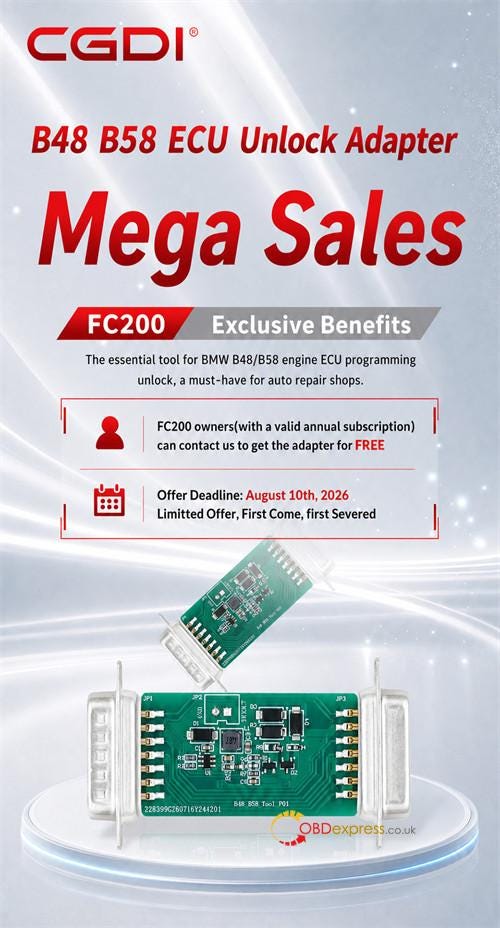
How to Get Free CG FC200 BMW B48 B58 Unlock Adapter?

  CG FC200 owners can receive a free BMW B48/B58 ECU Unlock Adapter for MG1CS024 and MG1CS201 bench setups by paying a€9 shipping charge ...