Showing posts with label Autel im508. Show all posts

Wednesday, 10 June 2026

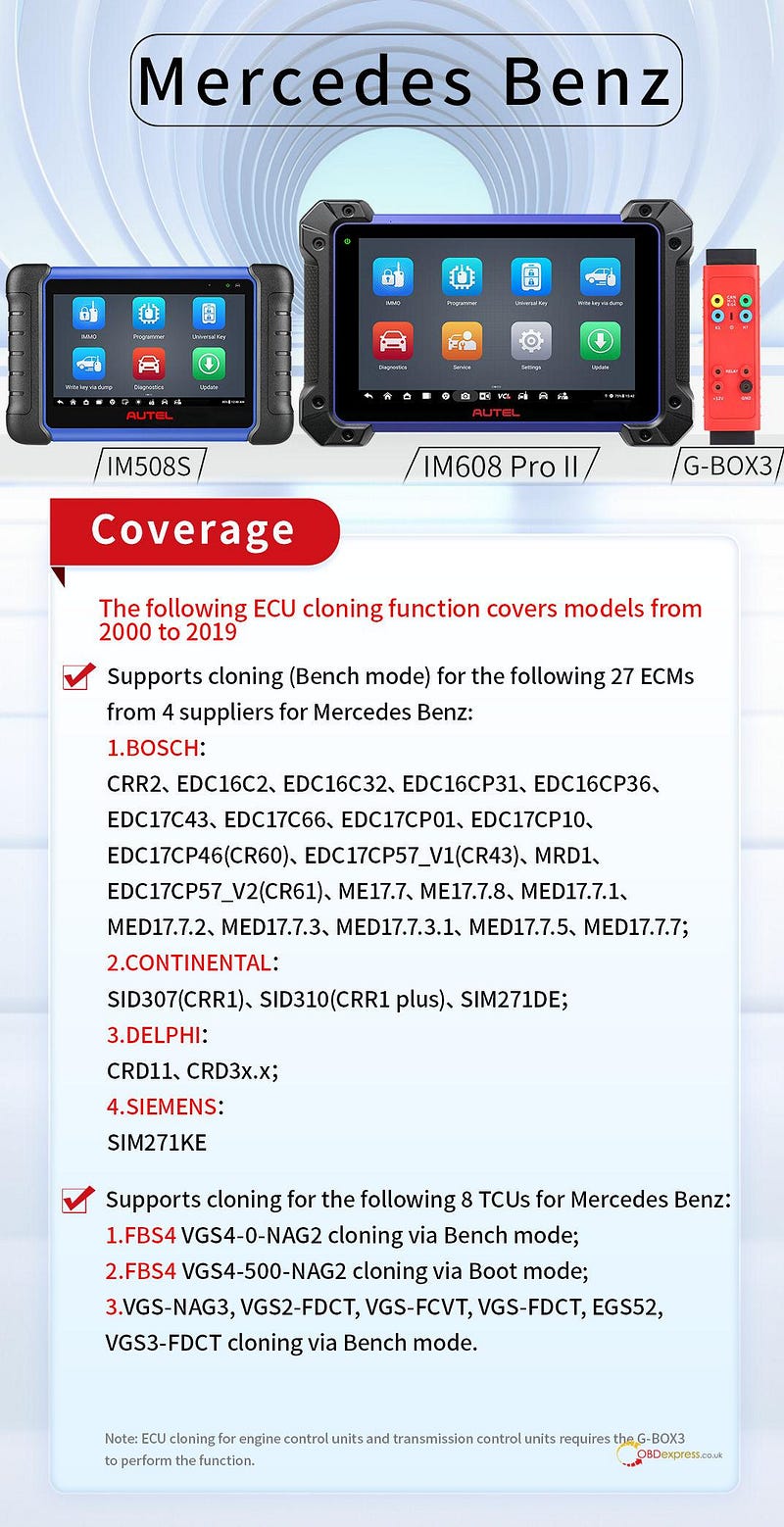
Autel IM508 IM608 Major Update: Benz BMW VAG ECU TCU Cloning

We are excited to announce a major software update for Autel IM508S and IM608 PRO II series, expanding ECU and TCU cloning capabilities across leading European manufacturers.

Important Hardware Notice:

To perform these functions, Autel G-BOX3 Adapter is required.

Mercedes-Benz (New Feature Alert)

New cloning features cover a wide range of Mercedes-Benz models manufactured between 2000 and 2019.

ECU Cloning (Bench Mode): Supports 27 ECMs across 4 major suppliers:

  • BOSCH: CRR2, EDC16C2, EDC16C32, EDC16CP31, EDC16CP36, EDC17C43, EDC17C66, EDC17CP01, EDC17CP10, EDC17CP46(CR60), EDC17CP57_V1(CR43), EDC17CP57_V2(CR61), ME17.7, ME17.7.8, MED17.7.1, MED17.7.2, MED17.7.3, MED17.7.3.1, MED17.7.5, MED17.7.7, MRD1
  • CONTINENTAL: SID307(CRR1), SID310(CRR1 plus), SIM271DE
  • DELPHI: CRD11, CRD3x.x
  • SIEMENS: SIM271KE

TCU Cloning: Supports 8 Transmission Control Units:

  • Bench Mode: FSB4 VGS4–0-NAG2, VGS-NAG3, VGS2-FDCT, VGS-FCVT, VGS-FDCT, EGS52, VGS3-FDCT
  • Boot Mode: FSB4 VGS4–500-NAG2

Autel IM508 IM608 Update Benz BMW VAG ECU TCU Cloning

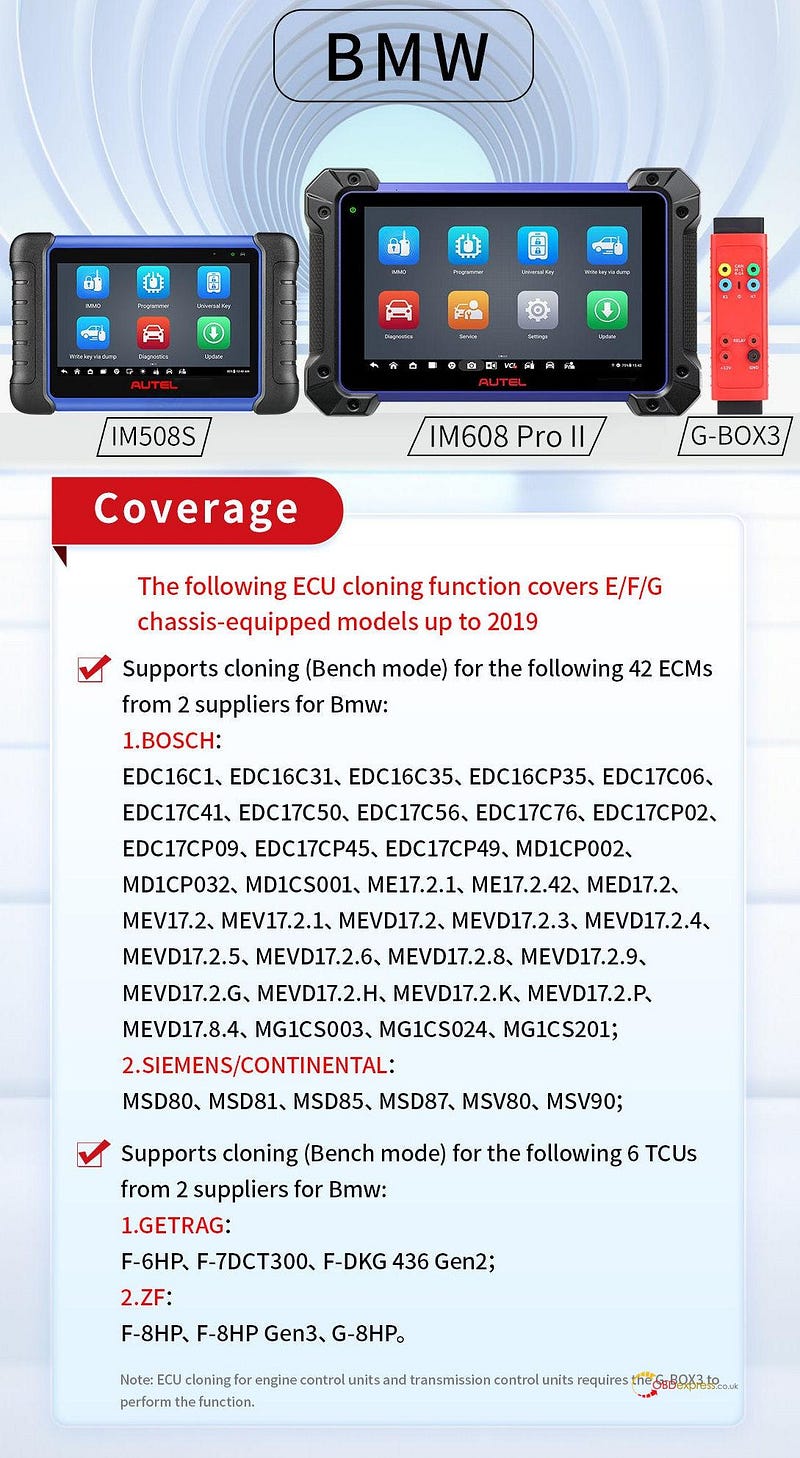
BMW

Extensive cloning support for BMW E, F, and G chassis models up to 2019.

ECU Cloning (Bench Mode): Supports 42 ECMs across 2 suppliers:

  • BOSCH: EDC16C1, EDC16C31, EDC16C35, EDC16CP35, EDC17C06, EDC17C41, EDC17C50, EDC17C56, EDC17C76, EDC17CP02, EDC17CP09, EDC17CP45, EDC17CP49, MD1CP002, MD1CP032, MD1CS001, ME17.2.1, ME17.2.42, MED17.2, MEV17.2, MEV17.2.1, MEVD17.2, MEVD17.2.3, MEVD17.2.4, MEVD17.2.5, MEVD17.2.6, MEVD17.2.8, MEVD17.2.9, MEVD17.2.G, MEVD17.2.H, MEVD17.2.K, MEVD17.2.P, MEVD17.8.4, MG1CS003, MG1CS024, MG1CS201
  • SIEMENS/CONTINENTAL: MSD80, MSD81, MSD85, MSD87, MSV80, MSV90

TCU Cloning (Bench Mode): Supports 6 TCUs across 2 suppliers:

  • GETRAG: F-6HP, F-7DCT300, F-DKG 436 Gen2
  • TCM ZF: F-8HP, F-8HP Gen3, G-8HP

Autel IM508 IM608 Update Benz BMW VAG ECU TCU Cloning

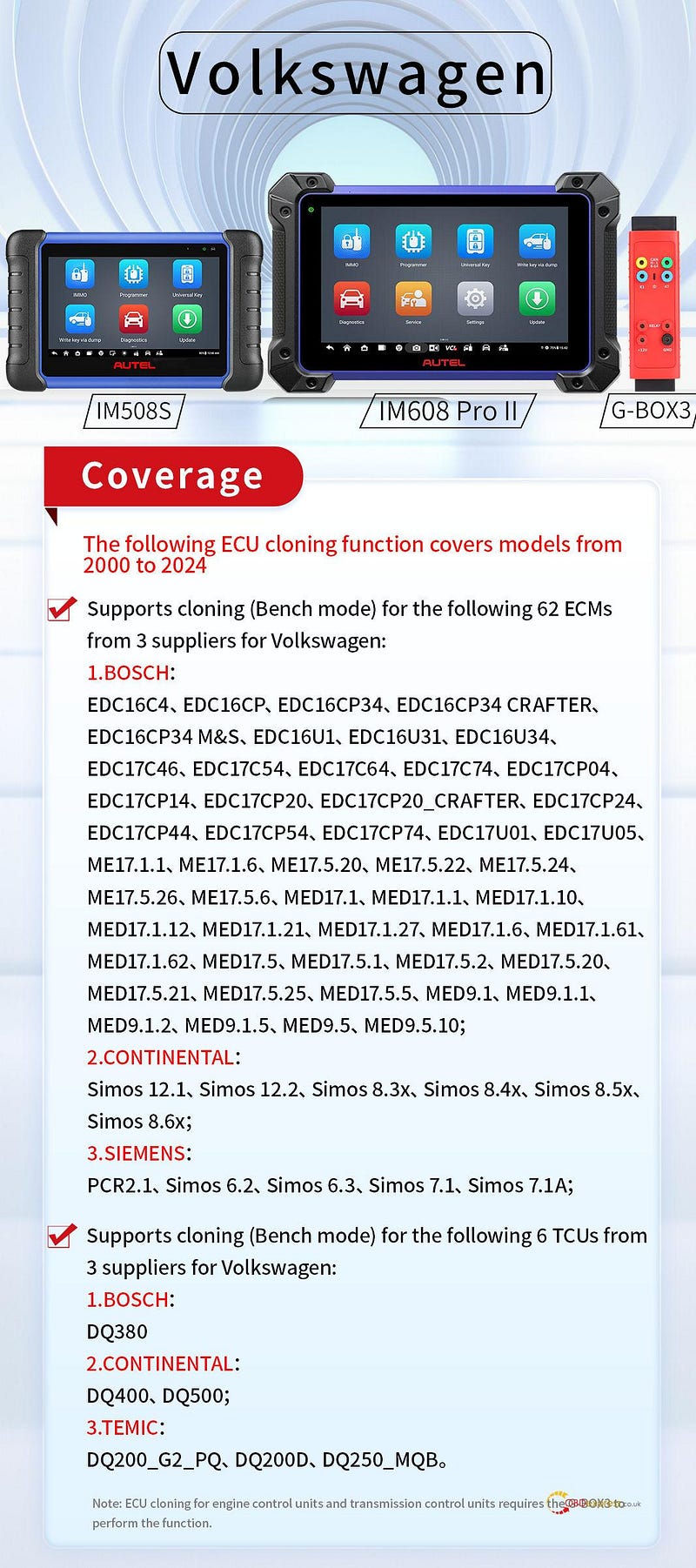
Volkswagen (VAG)

Industry-leading coverage for VAG models spanning from 2000 all the way to 2024.

ECU Cloning (Bench Mode): Supports 62 ECMs across 3 suppliers:

  • BOSCH: EDC16C4, EDC16CP, EDC16CP34, EDC16CP34 CRAFTER, EDC16CP34 M&S, EDC16U1, EDC16U31, EDC16U34, EDC17C46, EDC17C54, EDC17C64, EDC17C74, EDC17CP04, EDC17CP14, EDC17CP20, EDC17CP20_CRAFTER, EDC17CP24, EDC17CP44, EDC17CP54, EDC17CP74, EDC17U01, EDC17U05, ME17.1.1, ME17.1.6, ME17.5.20, ME17.5.22, ME17.5.24, ME17.5.26, ME17.5.6, MED17.1, MED17.1.1, MED17.1.10, MED17.1.12, MED17.1.21, MED17.1.27, MED17.1.6, MED17.1.61, MED17.1.62, MED17.5, MED17.5.1, MED17.5.2, MED17.5.20, MED17.5.21, MED17.5.25, MED17.5.5, MED9.1, MED9.1.1, MED9.1.2, MED9.1.5, MED9.5, MED9.5.10
  • CONTINENTAL: Simos 12.1, Simos 12.2, Simos 8.3x, Simos 8.4x, Simos 8.5x, Simos 8.6x
  • SIEMENS:1, Simos 6.2, Simos 6.3, Simos 7.1, Simos 7.1A

TCU Cloning (Bench Mode): Supports 6 TCUs across 3 suppliers:

  • BOSCH: DQ380
  • CONTINENTAL: DQ400, DQ500
  • TEMIC: DQ200_G2_PQ, DQ200D, DQ250_MQB

Autel IM508 IM608 Update Benz BMW VAG ECU TCU Cloning

www.obdexpress.co.uk

Tuesday, 24 March 2026

Autel IM508, IM608 Add VW MQB49 5C/5D Key Guide

Autel MaxiIM IM508 and IM608 series is able to add key to VAG MQB49 5C/5D now.

XP400/ XP400 PRO programmer and APB113 adapter board are required. (Review here)

Follow this guide to learn how to add key successfully.


Autel IM508 IM608 Add VW MQB49 5C 5D Key Guide

VAG MQB49 5C 5D Support Vehicle List

Audi

A3 (2021–), A5 (2025–), A6 (2026–), Q4 (2022–), Q5 (2025–), Q6 (2023–), Q8 (2024–)

Skoda

Fabia (2022–), Superb (2020–), Kodiaq (2020–), Octavia (2021–), Enyaq (2021–), Kushaq (2021–), Kamiq (2021–), Karoq (2020–)

Seat

Leon (2020–), Tarraco (2019–), Formentor (2021–), Born (2022–), Tavascan (2024–), Ibiza (2018–), Arona (2018–), Ateca (2020–)

Volkswagen

Multivan (2020–), Arteon (2020–), Atlas (2020–), Caddy (2021–), CC (2019–), Crafter (2020–), Golf (2020–), Jetta (2019–), Nivus (2021–), Passat (2022–), Polo (2020–), Taigo (2022–), Taos (2021–), T-Cross (2019–), Teramont (2019–), Tiguan (2019–), Touran (2020–), Transporter (2020–), T-Roc (2020–), Vento (2020–), Virtus (2020–), ID.3 (2022–), ID.4 (2021–), ID.5 (2021–), ID.7 (2024–), ID.Buzz (2023–)

Important Precautions

Before diving into the programming process, keep these points in mind:

The original car key must be present on-site.

Required hardware: a compatible programmer (XP401 / XP401Pro / XP400 / XP400Pro / XP1 Pro, etc.), an APB113 board, and a new key.

Pay close attention to the key board type and follow the correct wiring method for that specific type.

During key learning, keep all other keys outside the vehicle to prevent signal interference.

Main steps

1.Read Vehicle Information — Pull the VIN, current key IDs, and other essential data through the OBD port.

2.Read IMMO Data –Take apart the original key and use a programmer with an adapter to read its immobilizer information.

3.Make Dealer Key –Create a new dealer key using the immobilizer data obtained from the original.

4.SFD Unlock –For 2024 models and later, perform an SFD (Vehicle Diagnostic Protection) unlock before moving forward.

5.Key Learning –With the immobilizer data and dealer key ready, complete the process by learning the key(s) to the vehicle.

Step-by-Step Guide:

Step 1: Read Vehicle Information

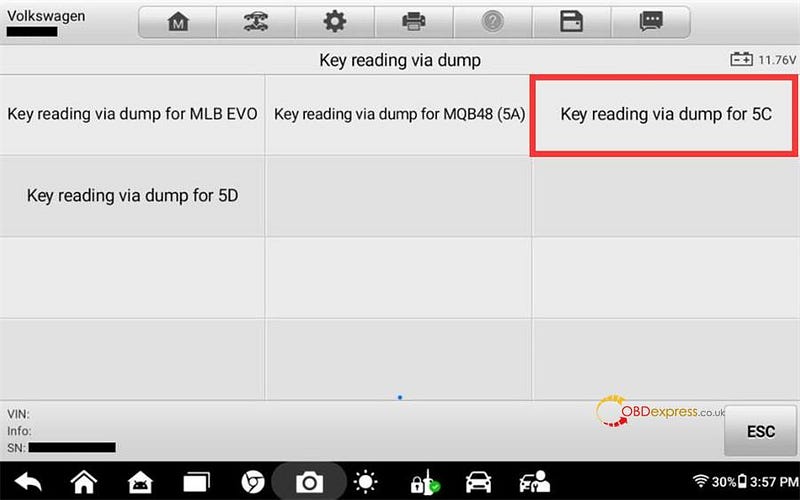
On your Autel diagnostic tablet, select Volkswagen, then navigate to:

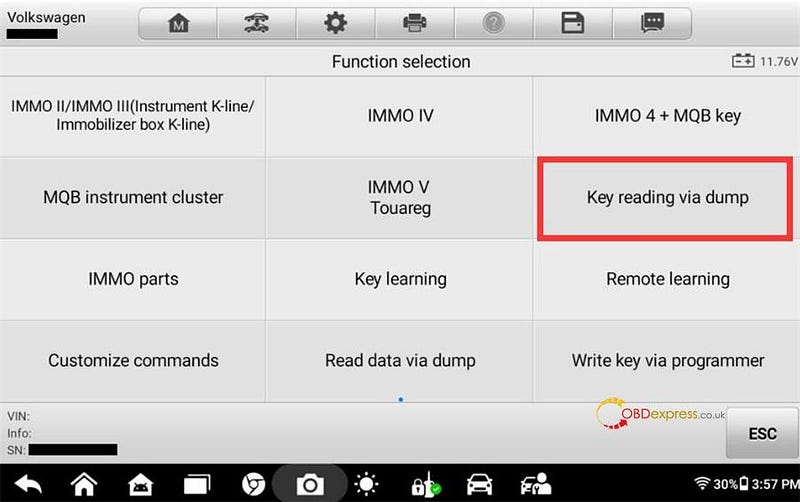
Expert Selection → Key Reading via Dump → Key Reading via Dump for 5C or 5D


Autel IM508 IM608 Add VW MQB49 5C 5D Key Guide

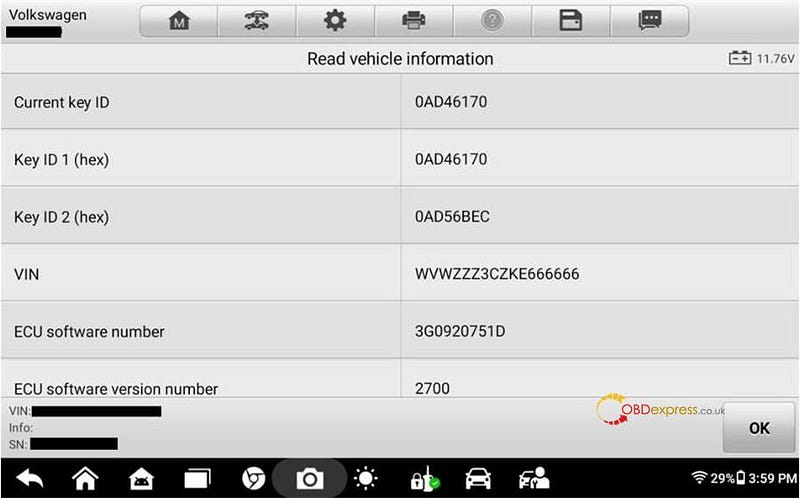
Connect the tablet to the vehicle via OBD and run the function to read vehicle information.


Autel IM508 IM608 Add VW MQB49 5C 5D Key Guide

The system will show details such as:

  • Current key ID
  • Key ID1 (hex)
  • Key ID2 (hex)
  • VIN


Autel IM508 IM608 Add VW MQB49 5C 5D Key Guide

Carefully follow any on-screen instructions.

Step 2: Read IMMO Data

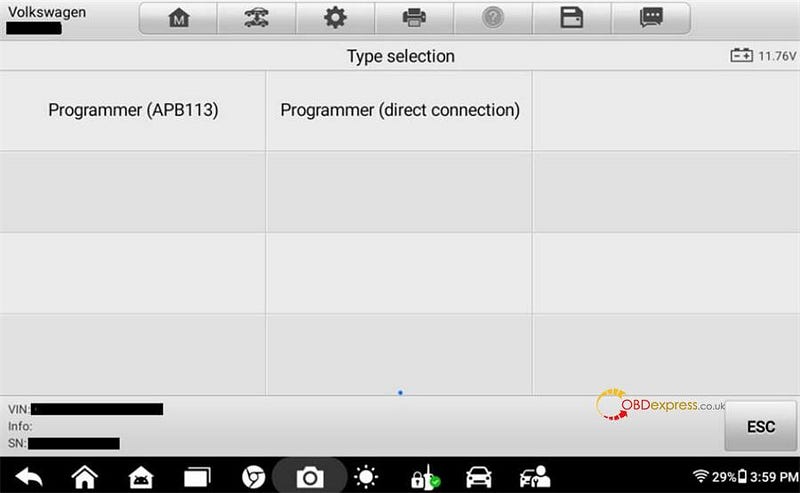
Two options are available; this guide uses the Programmer (APB113) method.

Select Programmer (APB113) and follow the operation guide.


Autel IM508 IM608 Add VW MQB49 5C 5D Key Guide

Remove the PCB from the original key.

Refer to the guide to identify the key board type, then connect the PCB and APB113 adapter as shown in the wiring diagram.


Autel IM508 IM608 Add VW MQB49 5C 5D Key Guide

Mount the adapter onto your programmer (e.g., Autel XP400 Pro, XP401).


Autel IM508 IM608 Add VW MQB49 5C 5D Key Guide

Important: Ensure the programmer is connected to a 12V power source and linked to your tablet.

Click OK to begin reading.

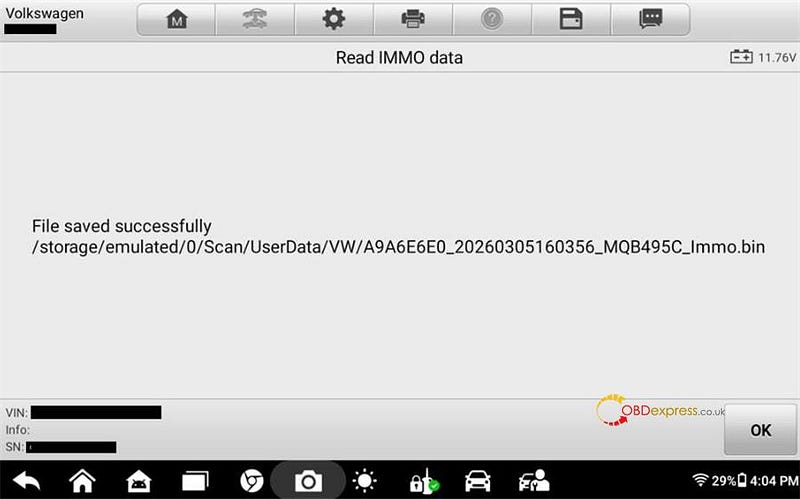
Once successful, the system will display the file name and save location for the immobilizer data. Jot this down — you’ll need it in the next steps.


Autel IM508 IM608 Add VW MQB49 5C 5D Key Guide

Step 3: Make Dealer Key

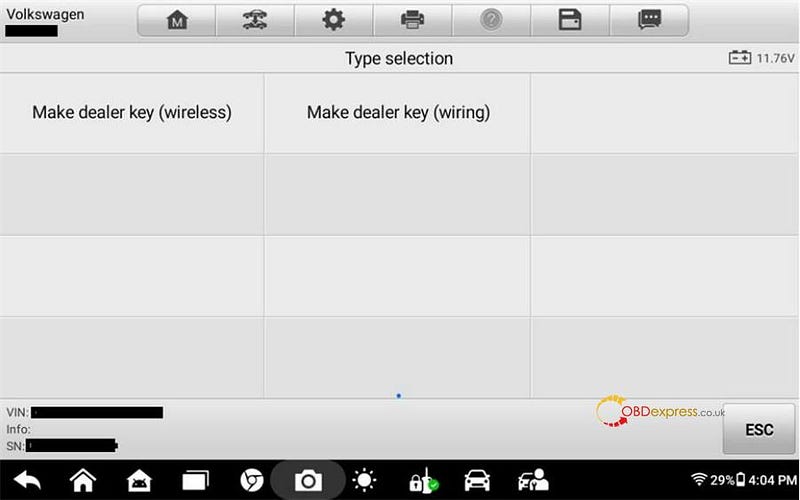
You can choose either wireless or wired. This example uses the wired method.

Select Make Dealer Key (Wiring) to enter the submenu.


Autel IM508 IM608 Add VW MQB49 5C 5D Key Guide

Choose Programmer (APB113).


Autel IM508 IM608 Add VW MQB49 5C 5D Key Guide

Remove the PCB from the new key and connect it according to the wiring diagram.

Connect the key PCB, APB113, XP400 Pro, and your Autel IM508S/IM608S tablet.

Click OK, then load the immobilizer data (.bin file) saved in Step 2.


Autel IM508 IM608 Add VW MQB49 5C 5D Key Guide

Step 4: Learn new Key

Load the same immobilizer data file used in Step 2.


Autel IM508 IM608 Add VW MQB49 5C 5D Key Guide

Select the key type: YES for smart keys, NO for mechanical keys.

Enter the total number of keys to program (including the original).


Autel IM508 IM608 Add VW MQB49 5C 5D Key Guide

Follow the on-screen prompts to program each key.

Reminder: Keep all other keys away from the vehicle during this process to avoid interference.


Autel IM508 IM608 Add VW MQB49 5C 5D Key Guide

Once finished, the new key(s) will be successfully programmed to the vehicle.


Autel IM508 IM608 Add VW MQB49 5C 5D Key Guide

That’s it — you’ve just added a key to a VAG MQB49 5C/5D vehicle using an Autel IM508II or IM608II series device.

www.obdexpress.co.uk

Tuesday, 27 January 2026

Autel Update BMW BDC2 BDC3 BCP Key Copy Function

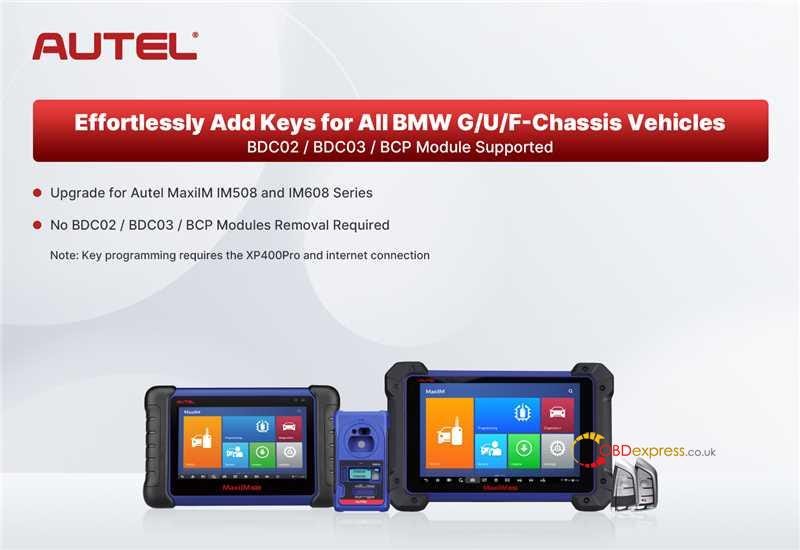
 Goode news! Autel MaxiIM IM508 and IM608 series key programmers will support all BMW G/U/F chassis vehicles key adding next week.

Update Highlights:

  • Full Vehicle Coverage: Seamlessly program keys for all BMW G/U/F chassis models.
  • Module Support: Compatible with BDC2, BDC3, and BCP modules.
  • Tool Compatibility: Available for Autel IM608 and IM508 series devices.
  • No Module Removal: Perform key programming without removing any vehicle modules.
Autel Update BMW BDC2 BDC3 BCP Key Copy Function

Important Notes:

Autel XP400 Pro and a stable internet connection are required for key programming.

The BDC2, BDC3, and BCP key programming function is free to update and no longer requires an additional software license.

Only Autel dedicated BMW iKeys (IKEYBW003AL 3-button or IKEYBW004AL 4-button) are supported for this feature.

www.obdexpress.co.uk

Monday, 15 December 2025

How to Solve Autel IM508 not Working on BMW CAS3?

 Problem: Comfort access fails after programming new keys on BMW CAS3+ using Autel IM508 on bench.


How to Solve Autel IM508 not Working on BMW CAS3

Solution:

The BMW CAS system only allows two comfort access keys to be active at once. To fix this, follow these steps:

  • You do not need to erase all keys from the system. Only need to erase one of them and put the key in the same slot
  • Use your diagnostic tool to disable the extra comfort access keys.
  • Ensure only your two preferred keys remain enabled.
  • The comfort access feature will now work for the two enabled keys

www.obdexpress.co.uk

Tuesday, 26 November 2024

Autel Black Friday Sale: Factory Bottom Price, Up to 30% OFF

 Autel Black Friday Sale lasts from Nov. 21st to Dec.2nd, 2024. Enjoy the factory bottom price at OBDexpress.co.uk, up to 30% off! Don’t miss out this great sale!


Autel Black Friday Sale: Factory Bottom Price, Up to 30% OFF

Hot-selling Autel products recommended:

Black Friday Sale: €2,399 (€3,190), 25% off

Two Years Free Update

Black Friday Sale: €2,699 (€3,399), 21% off

Two Years Free Update

Black Friday Sale: €799 (€1,099), 27% off

Two Years Free Update

Black Friday Sale: €1,439 (€1,709), 16% off

Two Years Free Update

Black Friday Sale: €384 (€599), 36% off

Lifetime Free Update

Black Friday Sale: €1,519 (€1,999), 24% off

One Year Free Update

Black Friday Sale: €2,399 (€2,949), 19% off

Two Years Free Update

Black Friday Sale: €3,439 (€4,599), 25% off

One Year Free Update

Black Friday Sale: €319 (€369), 14% off

One Year Free Update

Black Friday Sale: €969 (€1,399), 31% off

One Year Free Update

Black Friday Sale: €405 (€499), 19% off

One Year Free Update

Black Friday Sale: €589 (€726), 19% off

One Year Free Update

Black Friday Sale: €418 (€469), 11% off

One Year Free Update

Autel MaxiCOM MK908 PRO II

Black Friday Sale: €1,519 (€1,999), 24% off

One Year Free Update

Autel MaxiSys MS908S Pro II Get Free MaxiVideo MV108S

Black Friday Sale: €1,519 (€1,999), 24% off

One Year Free Update

Black Friday Sale: €419 (€550), 24% off

One Year Free Update

Black Friday Sale: €590 (€659), 10% off

One Year Free Update

Black Friday Sale: €510 (€699), 27% off

One Year Free Update

Black Friday Sale: €761 (€899), 15% off

Black Friday Sale: €624 (€850), 27% off

One Year Free Update Online

Black Friday Sale: €1,765 (€2,399), 26% off

One Year Free Update Online

All Autel products:

https://www.obdexpress.co.uk/wholesale/brand-autel/

Tuesday, 22 August 2023

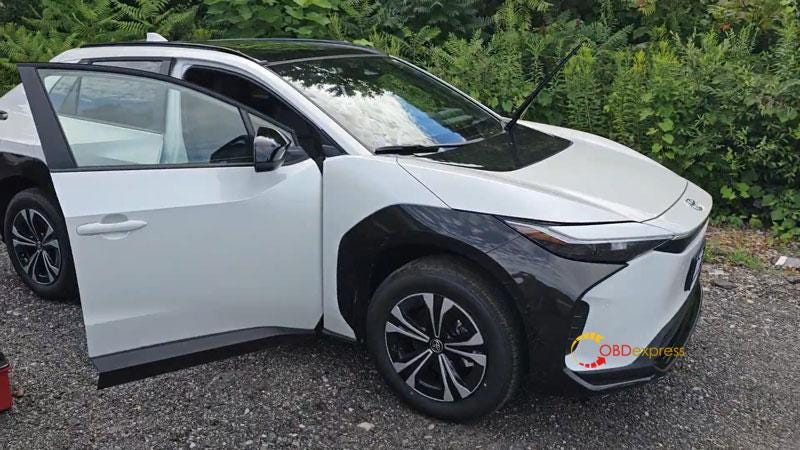
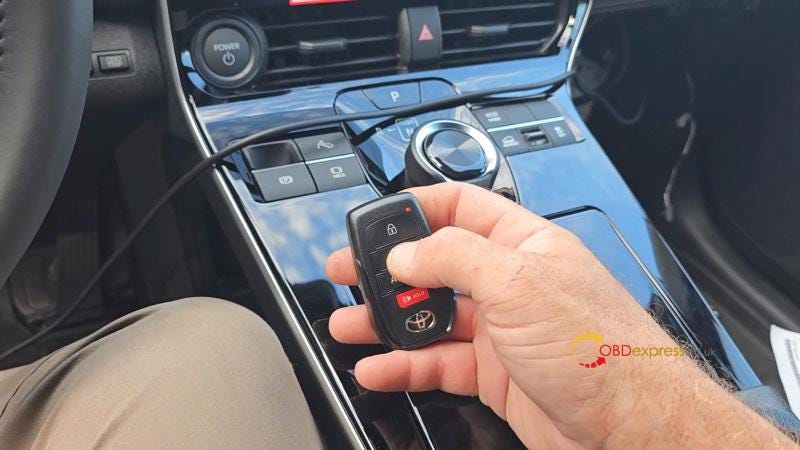
Autel IM508 + Obdstar 30PIN Cable Add 2023 Toyota BZ4X Key

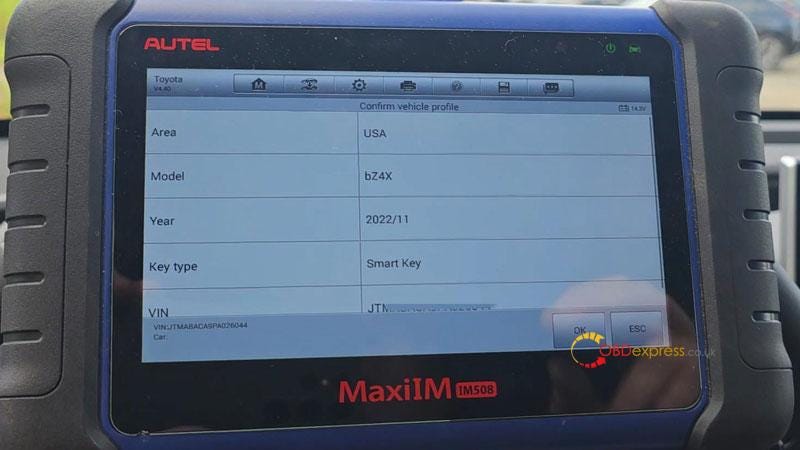
 Autel MaxiIM IM508 + Obdstar 30PIN Cable is able to add a new key for 2023–2024 Toyota BZ4X without pincode by OBD. The Toyota-30 Cable is a fairly new cable from Obdstar that allows to do 4A/8A-BA key programming without pincode. Surely we could also have TechStream or find the third party to pay for that codes.

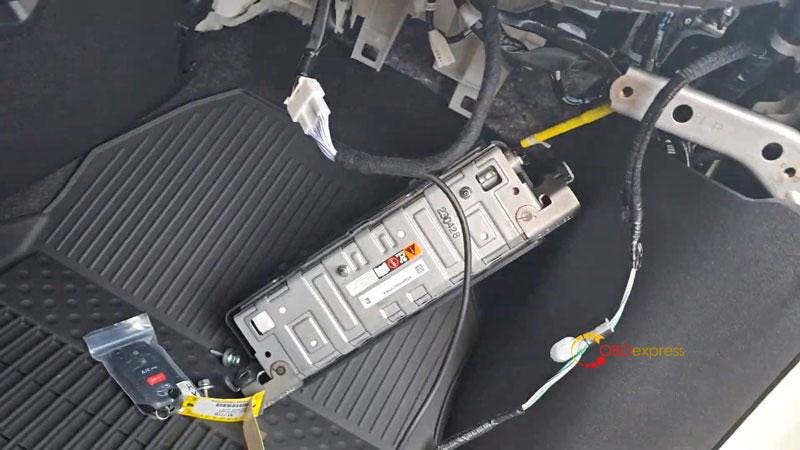
Generally, Toyota-30 cable is designed for Obdstar X300 DP Plus & X300 Pro4, but it also works with Autel. Here I have a factory key and a new key, next I'll demonstrate how to add a new key to this vehicle.

Autel IM508 and Obdstar 30PIN Cable Add 2023 Toyota BZ4X Key

Autel IM508 and Obdstar 30PIN Cable Add 2023 Toyota BZ4X Key

Autel IM508 and Obdstar 30PIN Cable Add 2023 Toyota BZ4X Key

  • Backup EEPROM Data
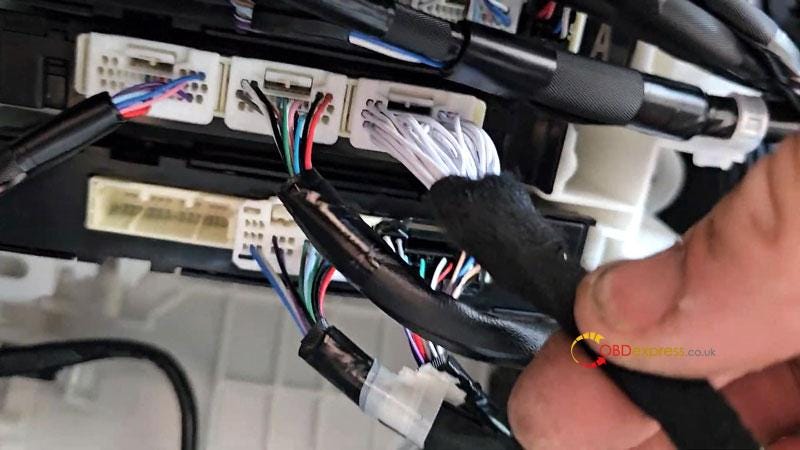
    1. Pop airbag out to find the 30PIN port, plug in Toyota-30 Cable.

      Then connect with Autel IM508.

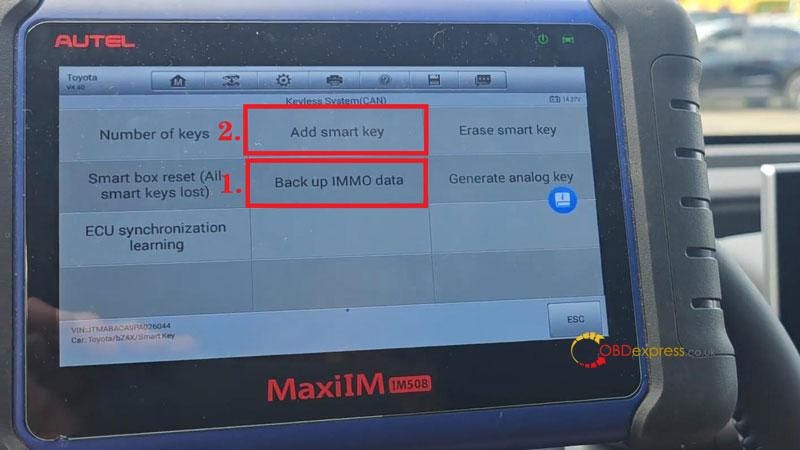
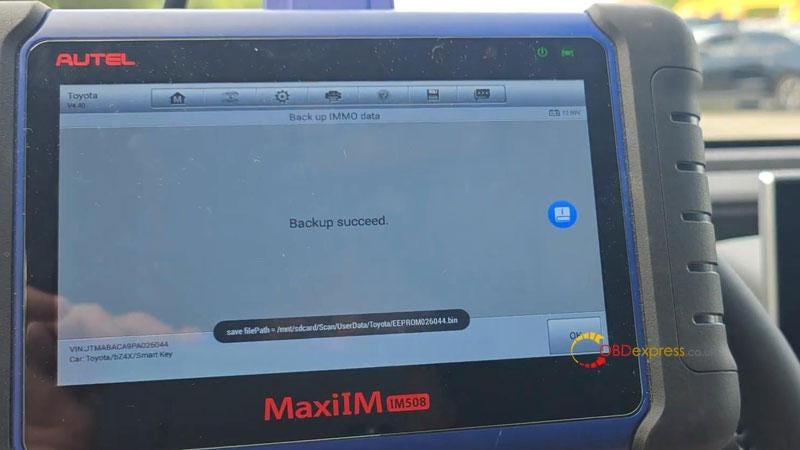
      IMMO >> Auto detect >> Toyota(Asia) >> OK >> OK >> Control unit >> Keyless system(CAN) >> Back up IMMO data

      This function is used to back up EEPROM data of the smart main ECU, which can be used to perform IMMO related function without PIN.

      This function supports models with 8A-BA smart key as of 2022(equipped with TMLF19D smart main ECU).

      Press "Yes" to continue.

      Ensure that the network connection of the device is good.

      Turn the ignition off, and turn the hazard warning lamps on and off once.

      Press "OK".

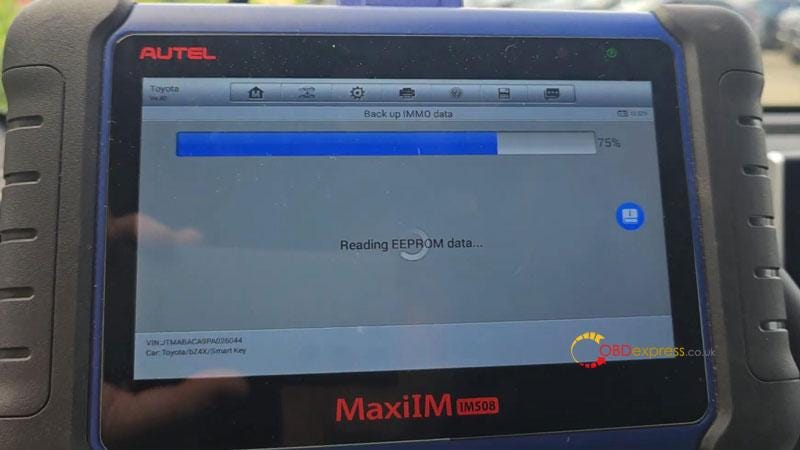
      Reading EEPROM data…

      Save EEPROM data file.

      Autel IM508 and Obdstar 30PIN Cable Add 2023 Toyota BZ4X Key

      Autel IM508 and Obdstar 30PIN Cable Add 2023 Toyota BZ4X Key

      Autel IM508 and Obdstar 30PIN Cable Add 2023 Toyota BZ4X Key

      Autel IM508 and Obdstar 30PIN Cable Add 2023 Toyota BZ4X Key

    2. Add New Key
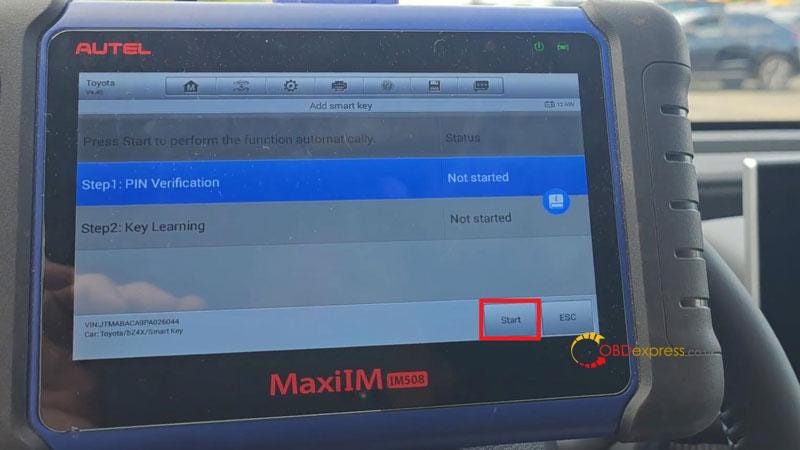
      1. Add smart key >> Start

        This function serves to learn keys. Please complete the steps within specified time.

        Turn on the ignition.

        Press "OK" to confirm VIN.

        Have you backed up the EERPOM data of this vehicle? Yes

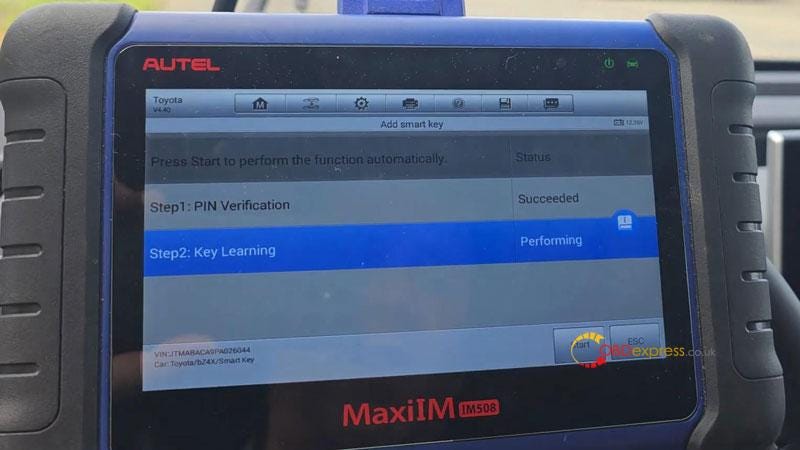
        Select the saved file.

        Reading PIN succeeded.

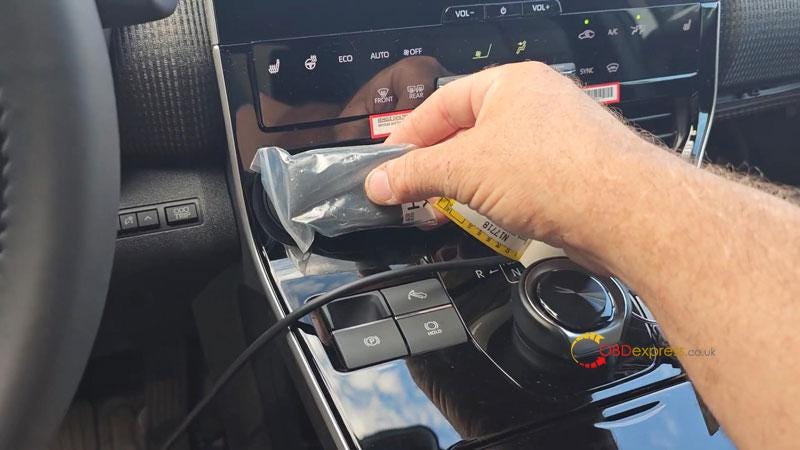
        Keep a learned key close to the start button.

        Learning succeeded.

        Test the new key.

        It does work. That's perfectly done.

        BTW, this is 2023 Toyota BZ4X electric vehicle, and I've also done on 2024. it's not problem for Autel to handle it.

        Autel IM508 and Obdstar 30PIN Cable Add 2023 Toyota BZ4X Key

        Autel IM508 and Obdstar 30PIN Cable Add 2023 Toyota BZ4X Key

        Autel IM508 and Obdstar 30PIN Cable Add 2023 Toyota BZ4X Key

        Autel IM508 and Obdstar 30PIN Cable Add 2023 Toyota BZ4X Key

        Read also:

        OBDSTAR Toyota-30 Cable for 4A/8A-BA Add Key & All Keys Lost

        Thursday, 10 August 2023

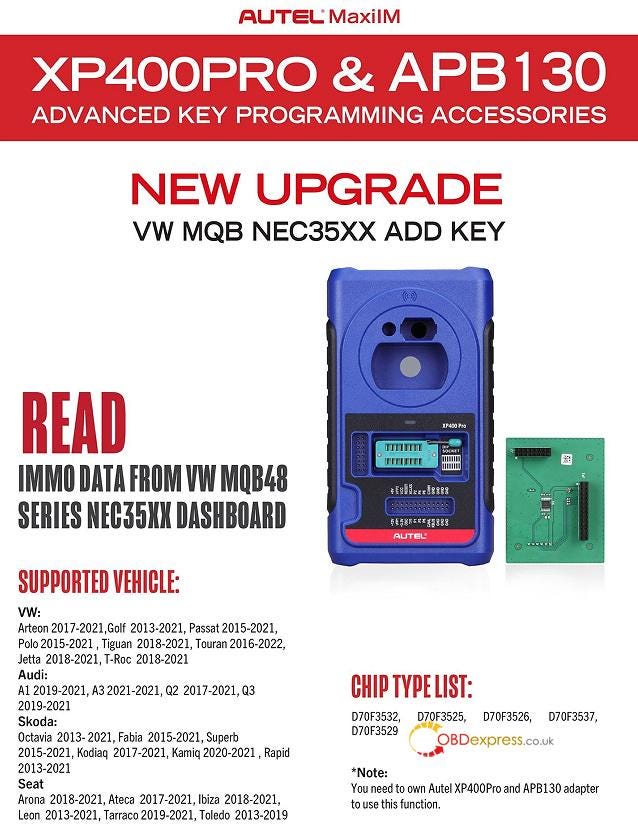
        How to Read VW MQB NEC35XX Locked IMMO Data with Autel IM508/ IM608?
         Is it possible to read IMMO data from VAG MQB48 series NEC35XX dashboard with Autel IM508 or IM608 series?

        The answer is YES.

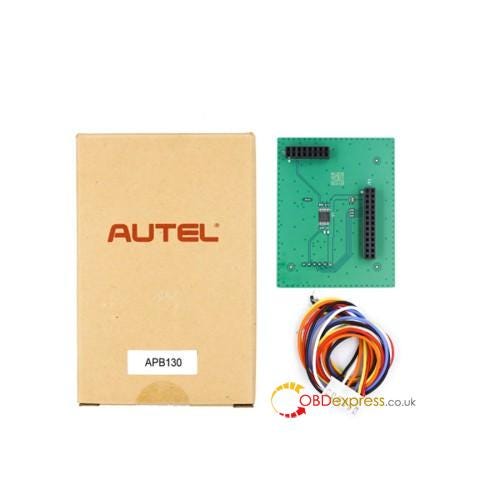
        Autel released this new VAG software upgrade on June, and the locked IMMO data can be read from VAG MQB NEC35XX Board (Johnson Control, VDO, Visteon). You need to own Autel XP400Pro and APB130 adapter to work with Autel IM608 PRO II (IM608 II), IM608 PRO, IM508, or IM508S.
        Read VW MQB NEC35XX Locked IMMO Data with Autel IM508 and IM608
        NOTE:

        This VAG software upgrade is free during your Autel product membership. In case you do not have a membership or one of Autel devices supported by this purpose, please renew your annual subscription or acquire one of the devices.

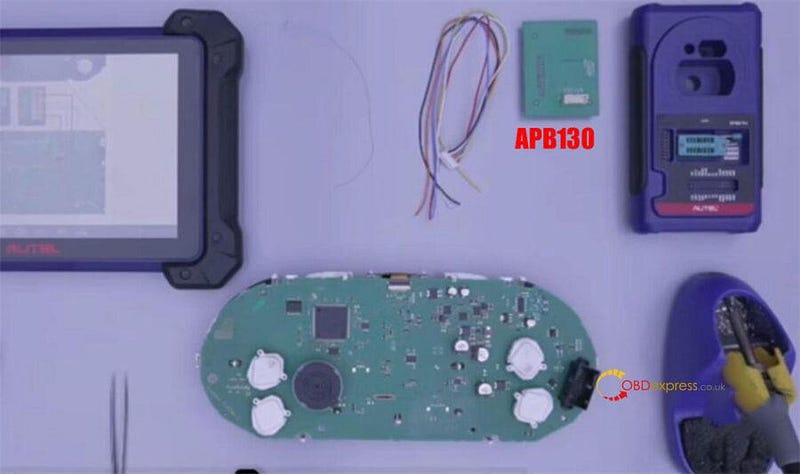
        Prepare all goods below:

        Autel IM508 or IM608 series tablet with XP400 Pro

        Autel APB130 VW MQB NEC35XX Adapter

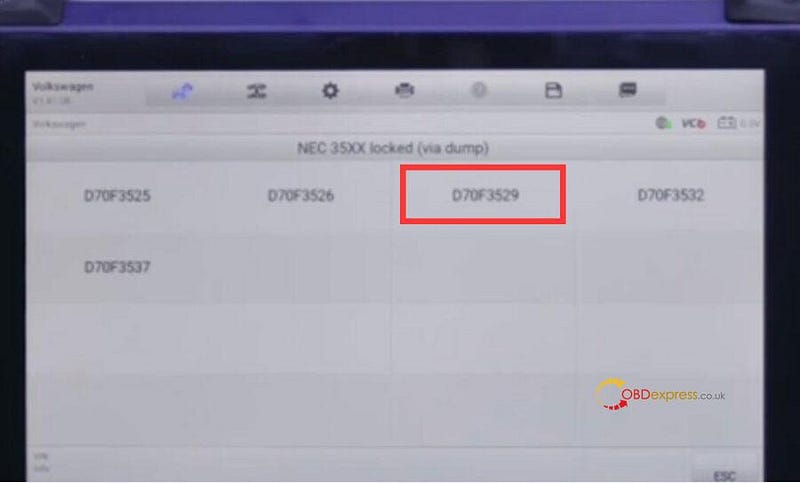
        VW MQB NEC35XX dashboard (chip type: i.e. D70F3529)

        Read VW MQB NEC35XX Locked IMMO Data with Autel IM508 and IM608

        Operation:

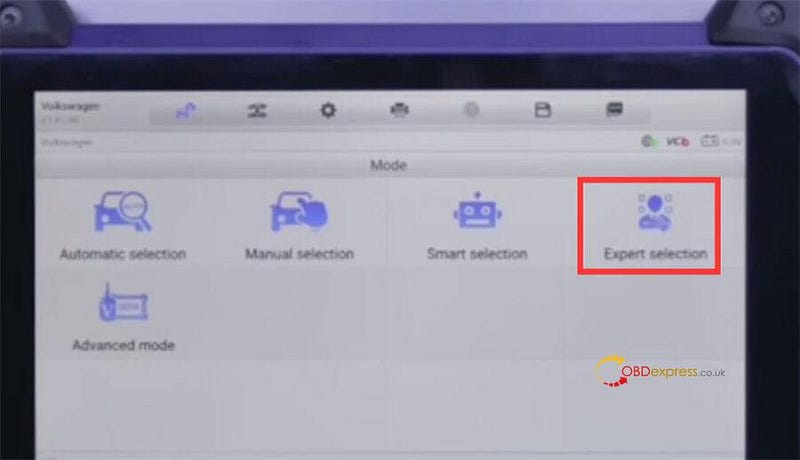
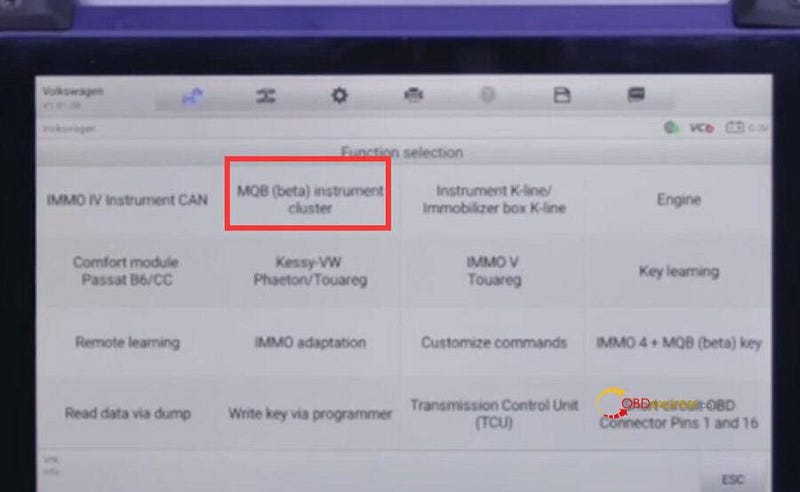
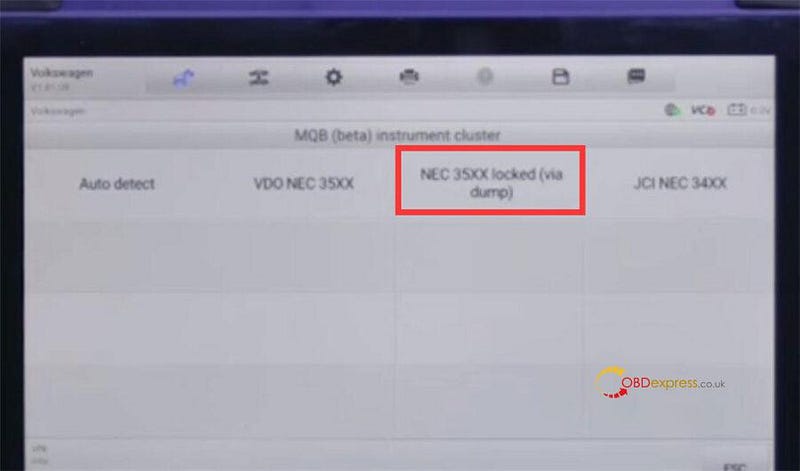
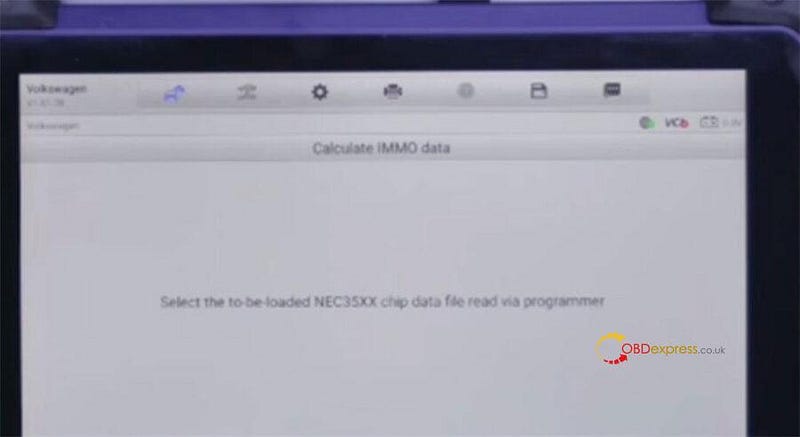
        Select VW>> Expert selection>> MQB (beta) instrument cluster>> NEC35XX locked (via dump)>> D70F3529>> Step 1: Read chip data via programmer>> Step 2: Calculate IMMO Data

        Read VW MQB NEC35XX Locked IMMO Data with Autel IM508 and IM608

        Read VW MQB NEC35XX Locked IMMO Data with Autel IM508 and IM608

        Read VW MQB NEC35XX Locked IMMO Data with Autel IM508 and IM608

        Read VW MQB NEC35XX Locked IMMO Data with Autel IM508 and IM608

        Step 1: Read chip data via programmer

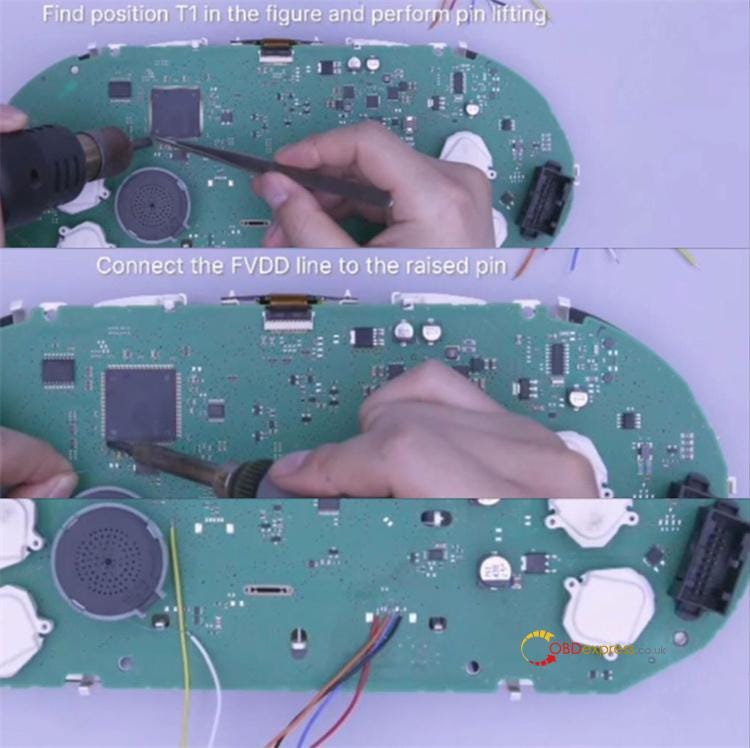
        Follow the lift pin connection diagram to solder mqb cluster

        • Find position T1 in the figure and perform pin lifting
        • Connect the FVDD line to the raised pin

        Read VW MQB NEC35XX Locked IMMO Data with Autel IM508 and IM608

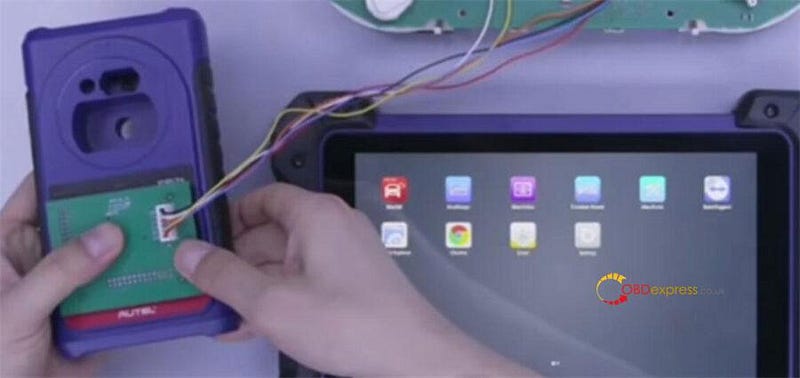
        Connect APB130 Adapter with Autel xp400 pro, connect xp400 pro with Autel MaxiIM tablet via USB cable, and also connect a 12V DC power adapter to xp400 pro.

        Read VW MQB NEC35XX Locked IMMO Data with Autel IM508 and IM608

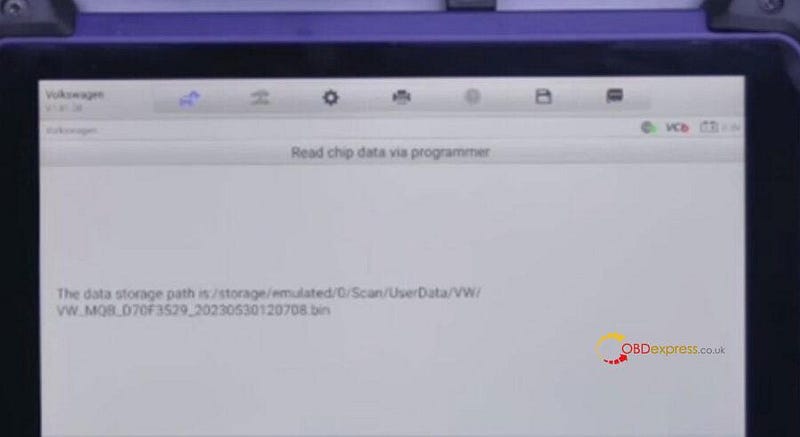
        After connection, start to read chip data. It takes about 5–10 minutes.

        Save the original data after reading.

        Read VW MQB NEC35XX Locked IMMO Data with Autel IM508 and IM608

        Step 2: Calculate IMMO Data

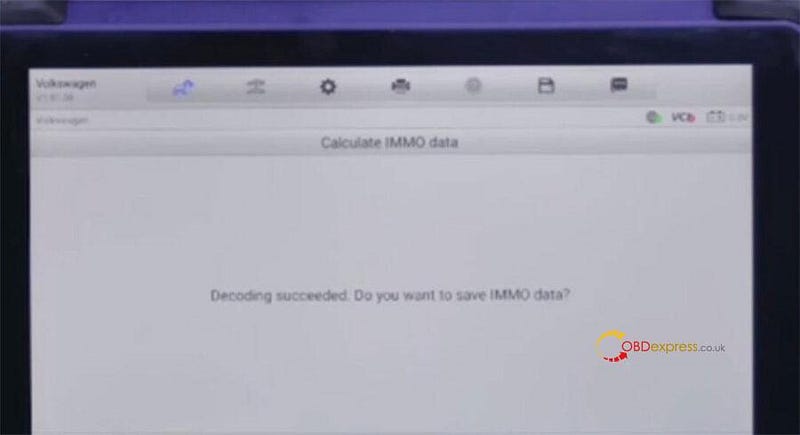
        Upload the immo data just saved to decode

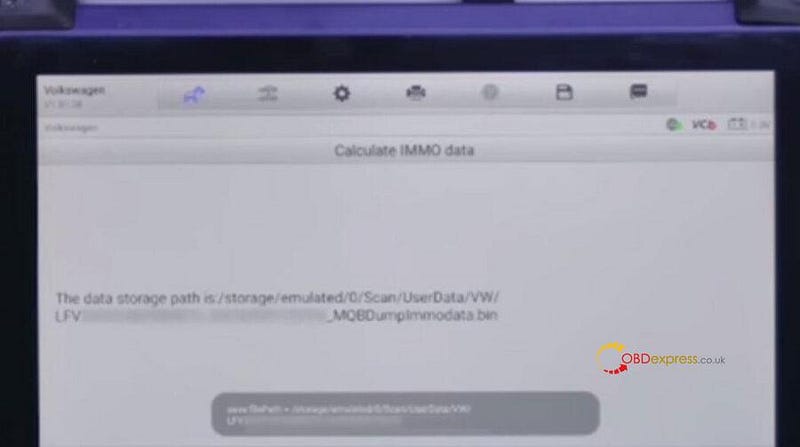
        After decoding succeeded, save the new immo data

        Read VW MQB NEC35XX Locked IMMO Data with Autel IM508 and IM608

        Read VW MQB NEC35XX Locked IMMO Data with Autel IM508 and IM608

        Read VW MQB NEC35XX Locked IMMO Data with Autel IM508 and IM608

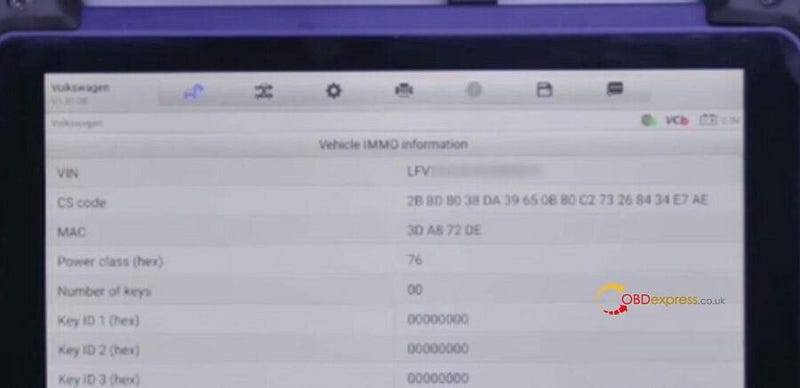
        The vehicle IMMO info incl. VIN, CS code, MAC, etc is got, and you can use the immo data to make dealer key and learn key later.

        Read VW MQB NEC35XX Locked IMMO Data with Autel IM508 and IM608

        FYI…

        Autel IM508/IM608 VAG MQB NEC35XX Read IMMO Data/Add Key Support List:

        VW:

        Arteon 2017–2021

        Golf 2013–2021

        Passat 2015–2021

        Polo 2015–2021

        T-Roc 2018–2021

        Audi:

        A1 2019–2021

        A3 2021–2021

        Q2 2017–2021

        Q3 2019–2021

        Seat:

        Arona 2018–2021

        Ateca 2018–2021

        Lbiza 2018–2021

        Leon 2013–2021

        Tarraco 2019–2021

        Toledo 2013–2019

        Skoda:

        Octavia 2013–2021

        Fabia 2015–2021

        Superb 2015–2021

        Kodiaq 2017–2021

        Kamiq 2020–2021

        Radid 2013–2021

        Chip Types:

        D703532, D70F3525, D70F3526, D70F3537, D70F3529

        2023 AUTEL APB130 Adapter Add Key for VW MQB NEC35XX:

        Read VW MQB NEC35XX Locked IMMO Data with Autel IM508 and IM608

        https://www.obdexpress.co.uk/wholesale/autel-apb130-adapter.html


        How to Unlock Ford BOSCH MD1CP006 with OBDSTAR ECU Master via Boot?

         This guide covers the procedure for unlocking, reading, and writing locked Bosch MD1 CP006 engine control units found on Ford F-250 and F-...