Showing posts with label Autel IM608 II. Show all posts

Wednesday, 12 February 2025

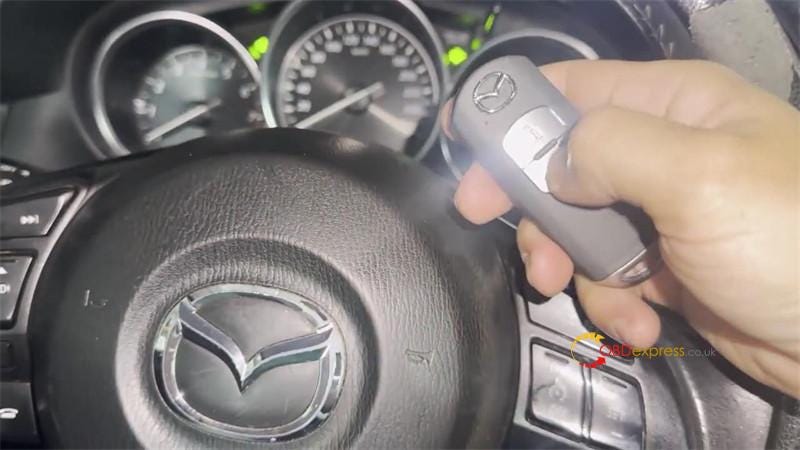
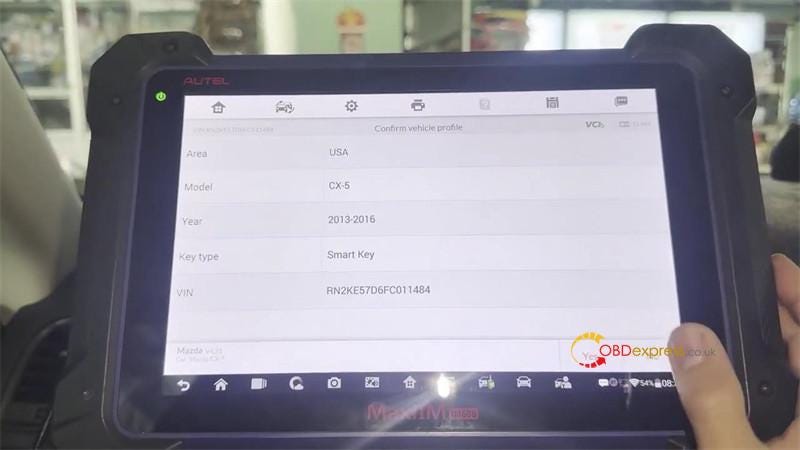
Autel IM608 II Adds 2013-2016 Mazda 2 Smart Key by OBD

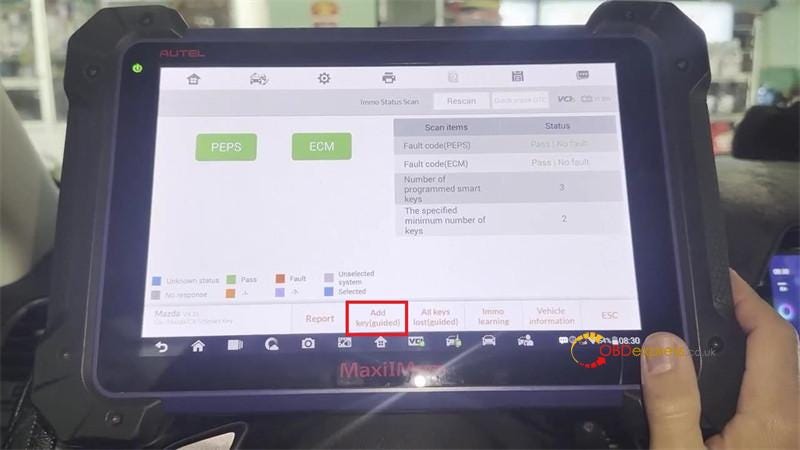
 This is a quick demo on how to add 2013–2016 Mazda 2 smart keys with Autel MaxiIM IM608 II by OBD. Following I’m gonna show the procedure.

IMMO >> Accept >> Mazda >> Automatic selection >> Read >> OK >> USA >> 2013–2016 Smart Key >> Yes >> Immo status scan >> Add key >> Start

Note: This function will not erase existing keys.

Press Yes.

Turn the ignition on.

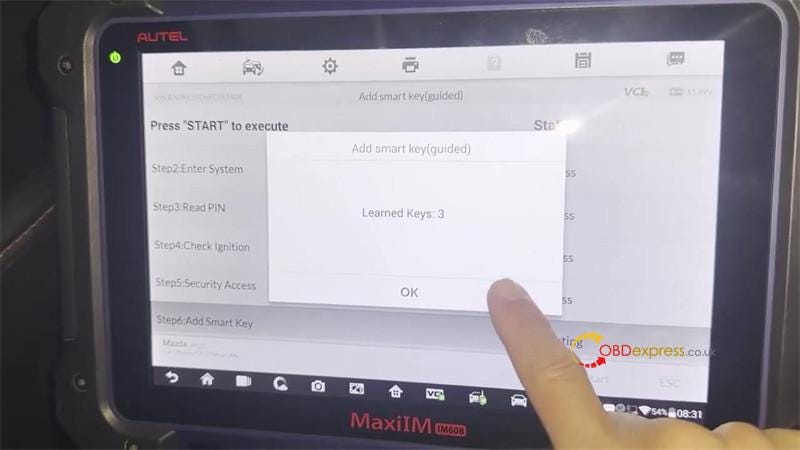
Learned keys: 3

Learning key, please wait…


Autel IM608 II Adds 2013–2016 Mazda 2 Smart Key by OBD

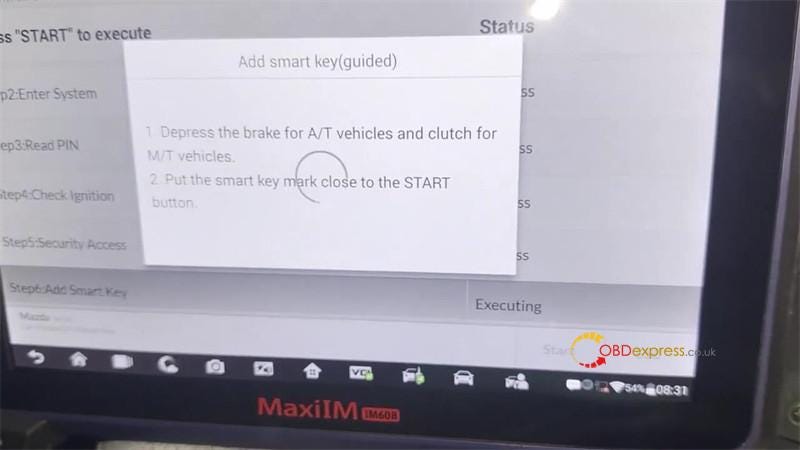
Autel IM608 Pro II prompts:

  1. Depress the brake for A/T vehicle and clutch for M/T vehicle.
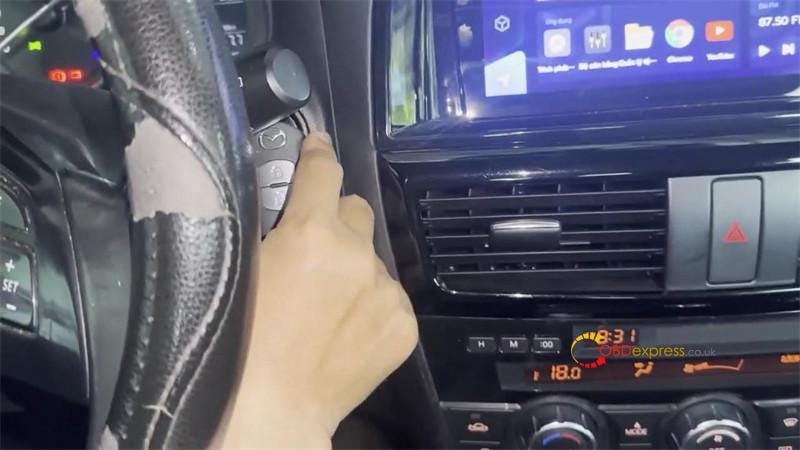
  2. Put the smart key mark close to the START button.

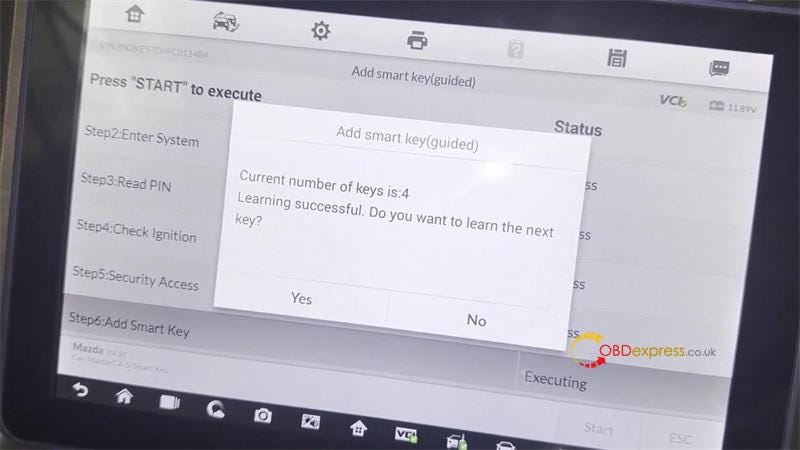
Current number of keys is: 4

Learning successful. Do you want to learn the next key? No

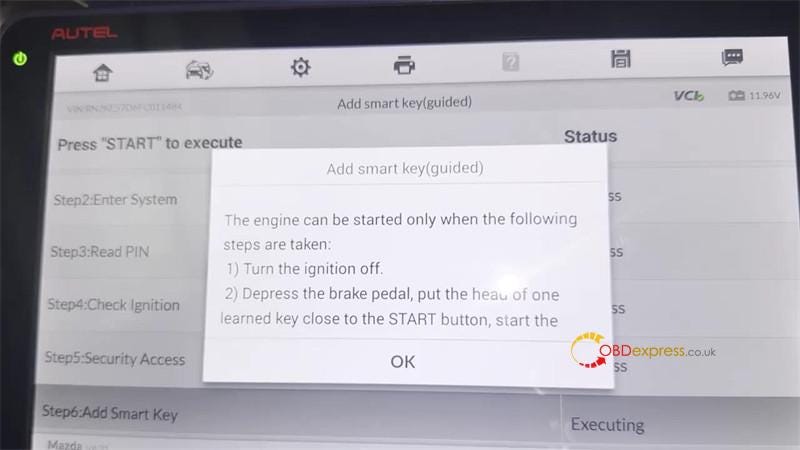
The engine can be started only when the following steps are taken:

  • Turn the ignition off.
  • Depress the brake pedal, put the head of one learned key close to the START button, start the vehicle.

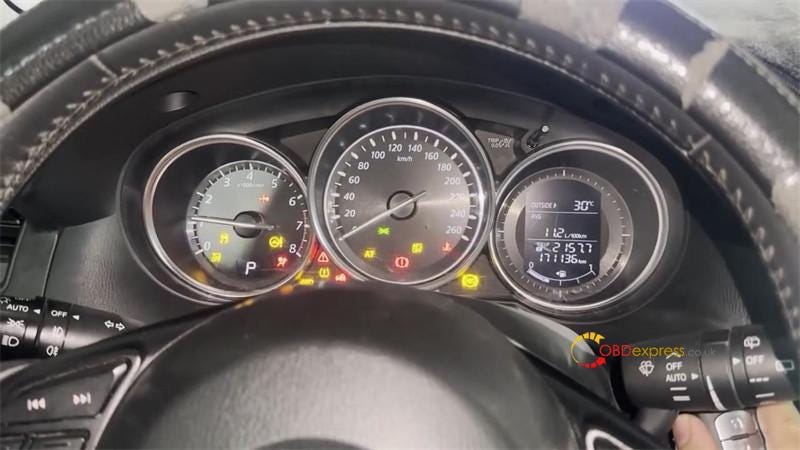
Test the new keys, all remotes work well.

Done.


Autel IM608 II Adds 2013–2016 Mazda 2 Smart Key by OBD

www.obdexpress.co.uk

Monday, 29 January 2024

Autel IM608 II and Godiag BMW Test Platform Add CAS2 Mechanical Key

 Autel MaxiIM IM608 II with XP400 Pro can add CAS2 mechanical and semi smart key on bench.

Use APA109 cable to connect XP400 Pro and CAS2 module, add key with IM608II, and then detect the CAS and key synchronization by Godiag CAS2 Test Platform.

For different CAS2 key types, select the corresponding Godiag BMW CAS2 Test Platform.

For the mechanical key, choose Godiag CAS1 CAS2 Test Platform. For the semi smart key, choose Godiag CAS2 CAS3 Test Platform.

What is the difference between CAS2 mechanical and semi smart?

For example:

Semi smart: CAS2 (E8x/E9x)- on the left side

Mechanical: CAS2 (E6x)- on the right side

The chip type is similar. The difference is that semi smart type has the long chip marked while the mechanical one doesn't have.
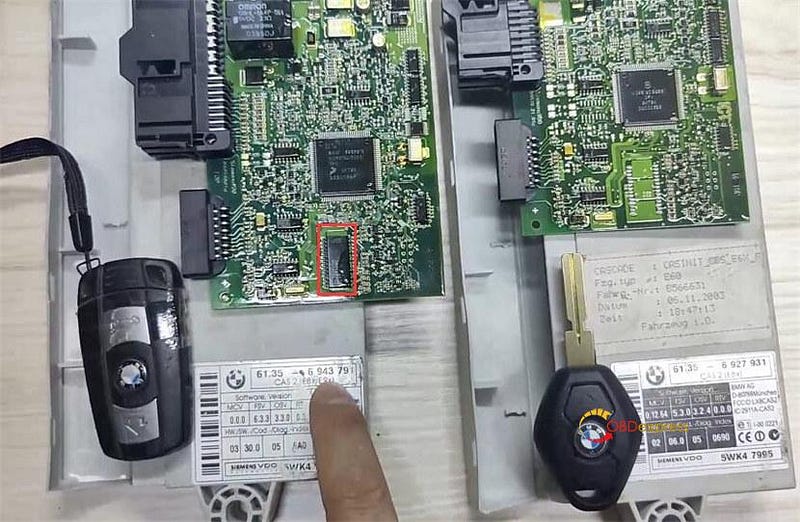
Autel IM608 II and Godiag BMW Test Platform Add CAS2 Mechanical Key

How to add a key and detect key synchronization?

Here take CAS2 mechanical key as an example.

STEP 1.Connect devices and CAS2 module

Connect Autel IM608II, MaxiFlash JVCI, XP400 Pro key programmer, Godiag CAS2 Mech-Key Test Platform correctly
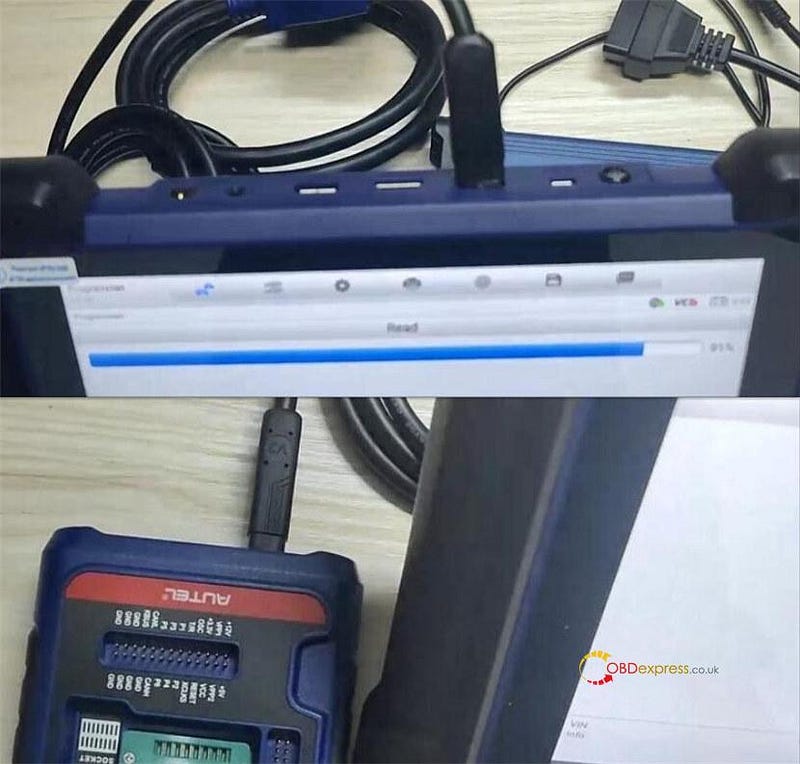
Autel IM608 II and Godiag BMW Test Platform Add CAS2 Mechanical Key

Go to Write key via dump >> Europe>> BMW>> CAS2>> MC9S12DC256C
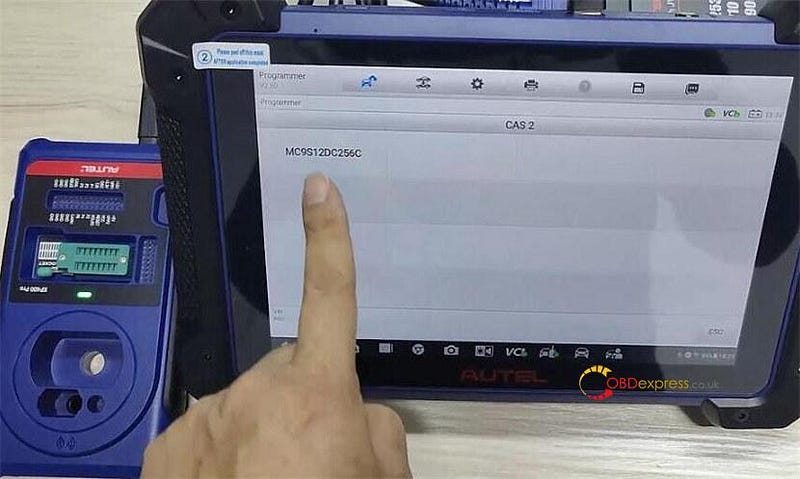
Autel IM608 II and Godiag BMW Test Platform Add CAS2 Mechanical Key

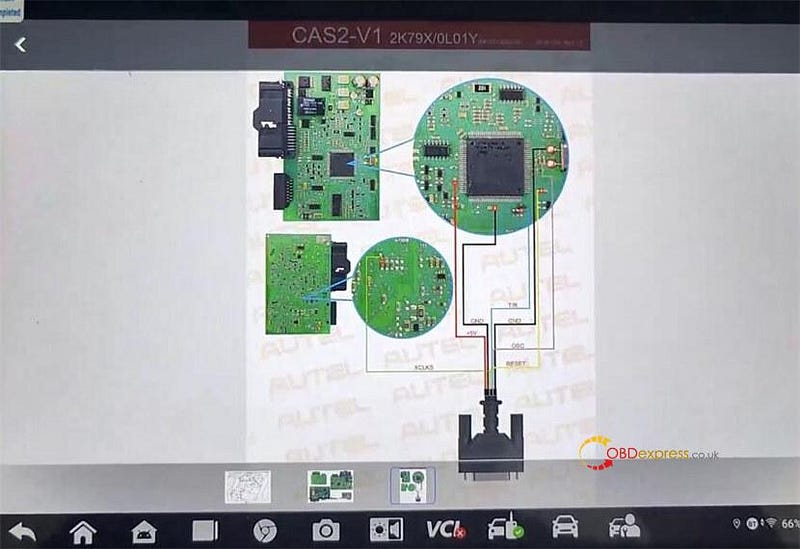
Remove the component from the vehicle, check the circuit board of the current component and identify the corresponding circuit board, and connect XP400 Pro and CAS2 module via Autel APA109 cable according to the wiring diagram
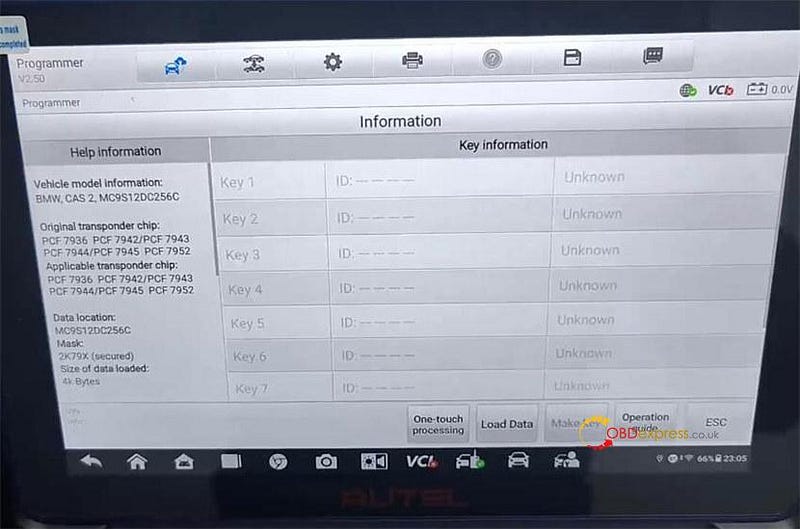
Autel IM608 II and Godiag BMW Test Platform Add CAS2 Mechanical Key

Autel IM608 II and Godiag BMW Test Platform Add CAS2 Mechanical Key

STEP 2.Read EEPROM and FLASH data

After connection, go to "Programmer" option

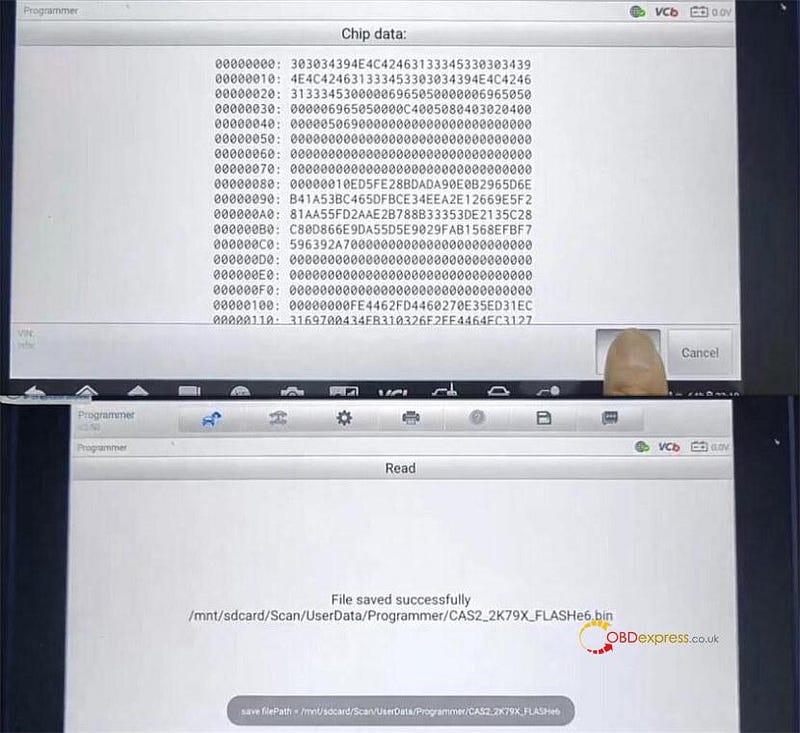
Select Chip (EEPROM/MCU/…)>> Chip Reading/Writing>> Immobilizer>> BMW>> CAS2>2K79X>RW>> EEPROM or FLASH>> Read
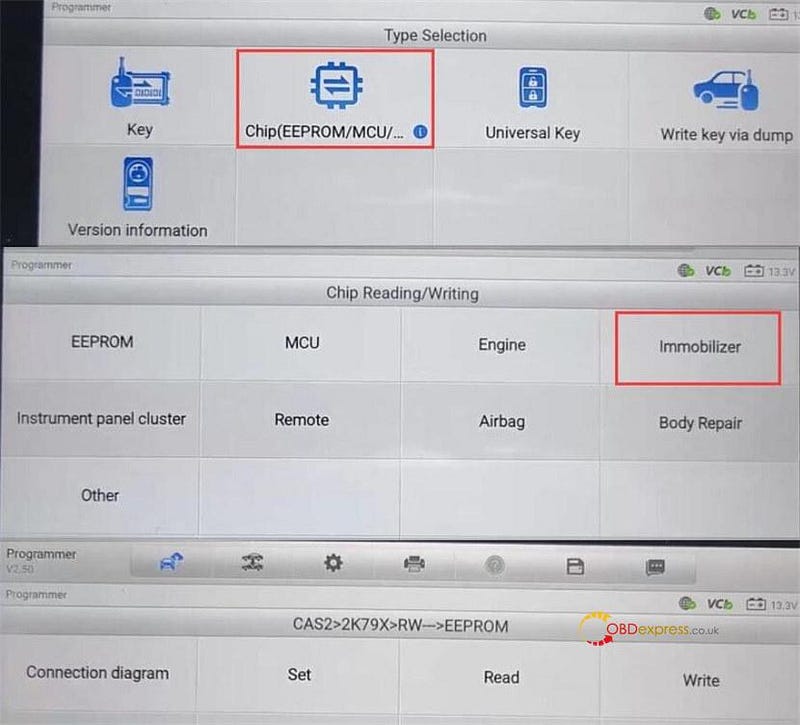
Autel IM608 II and Godiag BMW Test Platform Add CAS2 Mechanical Key

Read EEPROM and FLASH data separately, and save the file after reading
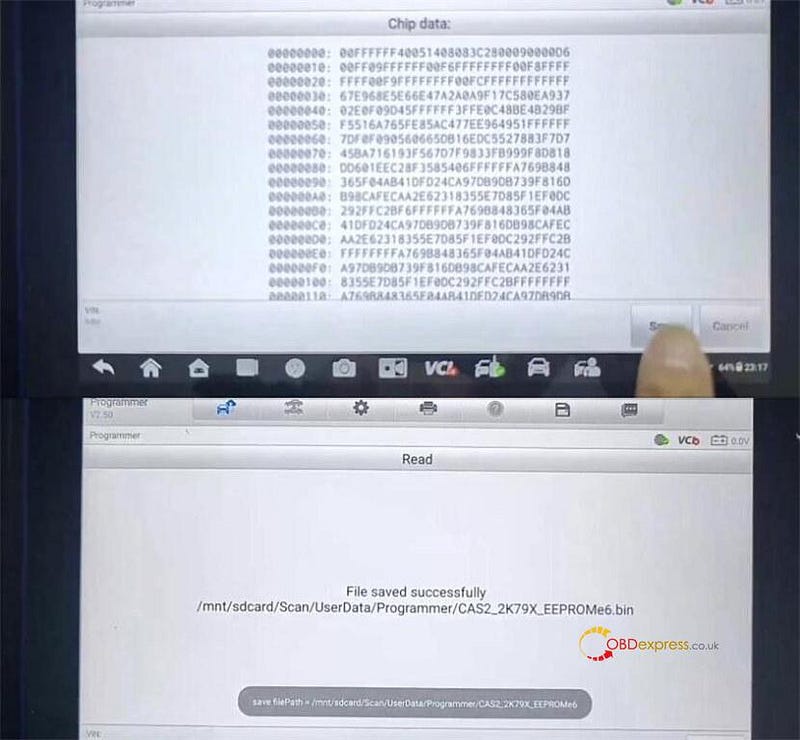
Autel IM608 II and Godiag BMW Test Platform Add CAS2 Mechanical Key

Autel IM608 II and Godiag BMW Test Platform Add CAS2 Mechanical Key

STEP 3.Add key

Go to "Write key via dump" option and select the corresponding CAS2 module type the same as step 1

Disconnect APA109 cable

Tap "Load data" to select the EEPROM data just saved
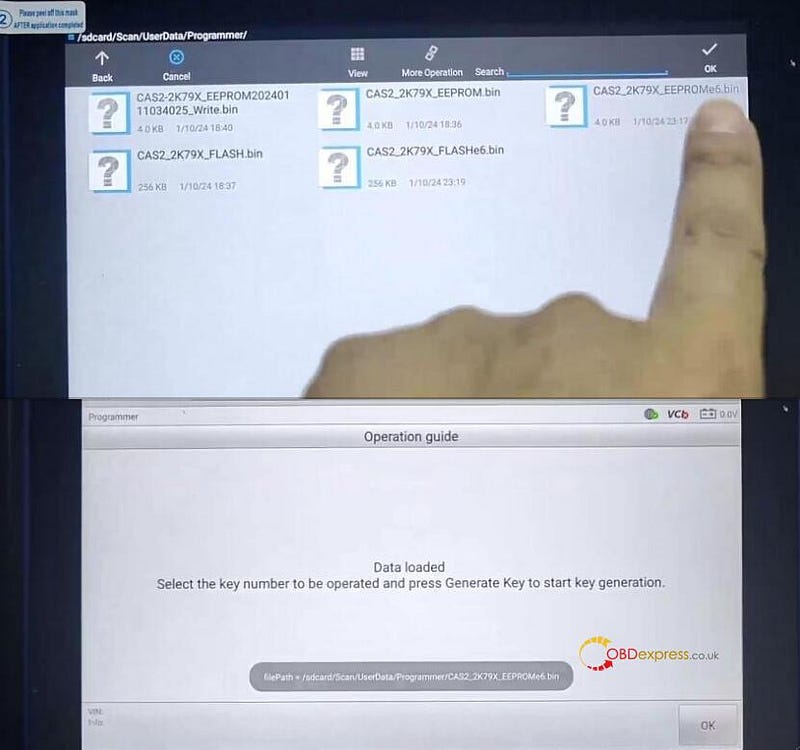
Autel IM608 II and Godiag BMW Test Platform Add CAS2 Mechanical Key

Put a blank key into the coil of Autel XP400 Pro programmer

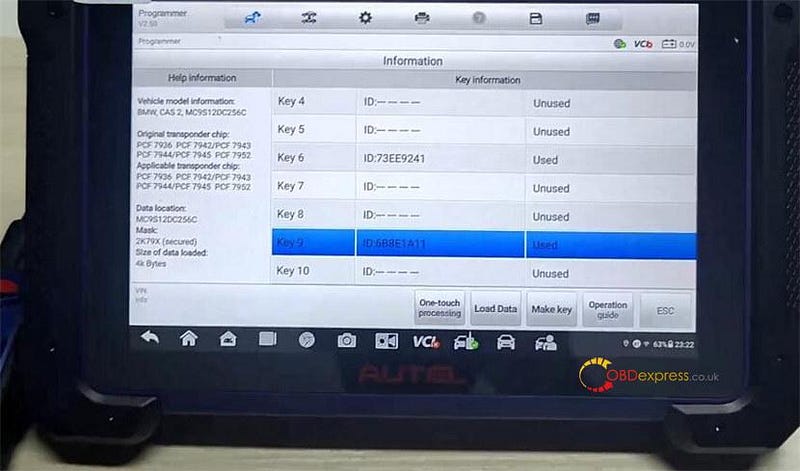
Select an unused key position (i.e key9) and tap "Make key"
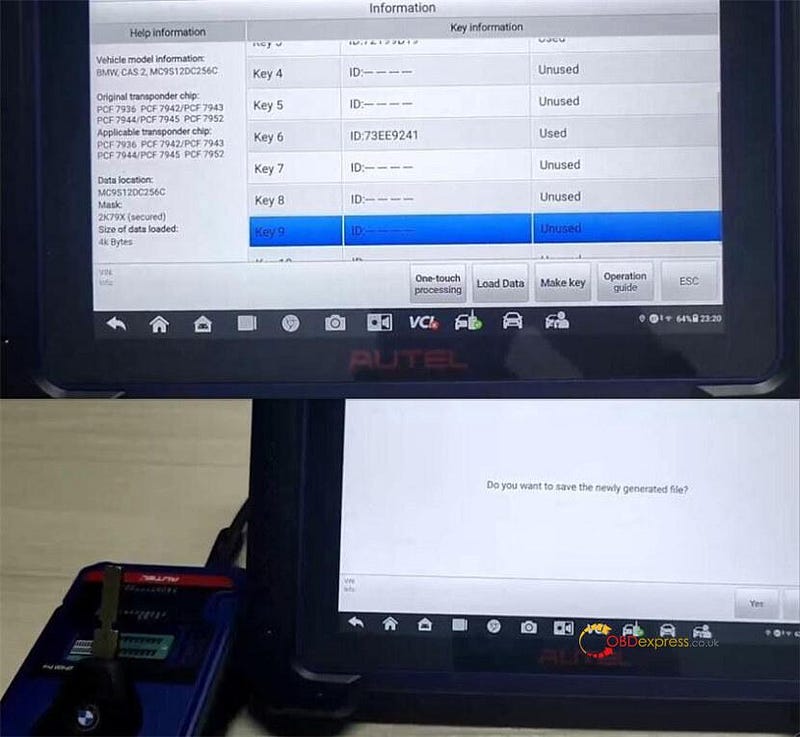
Autel IM608 II and Godiag BMW Test Platform Add CAS2 Mechanical Key

Reading key info

Confirm add a key to key 9

Creating data…writing back key

Save the newly generated file

Generate key successfully
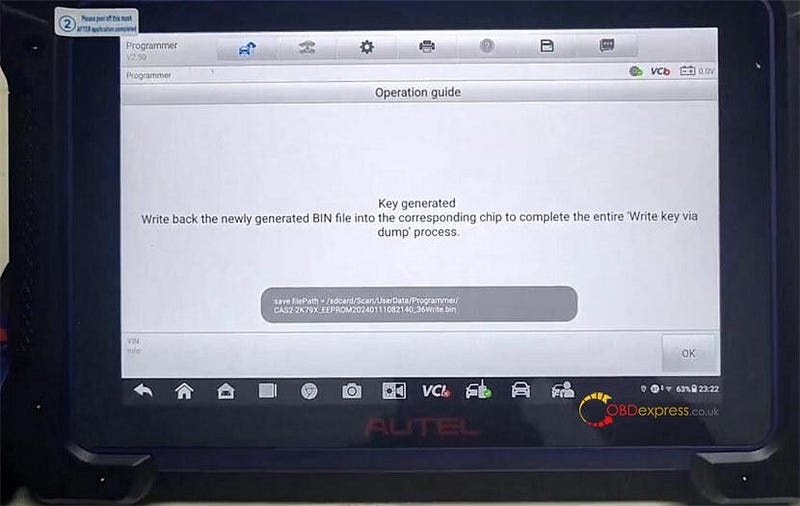
Autel IM608 II and Godiag BMW Test Platform Add CAS2 Mechanical Key

The key 9 is used now.

Autel IM608 II and Godiag BMW Test Platform Add CAS2 Mechanical Key

STEP 4.Check if key and CAS module is synchronized

Disconnect all cables on the CAS2 module

Connect Godiag CAS1 CAS2 Mech- Key Test Platform and CAS2 module

Put the key generated into the coil of Godiag Test Platform

Press the START button

The IMMO indicator doesn't light up, which means the key is unsynchronized with CAS2 module.
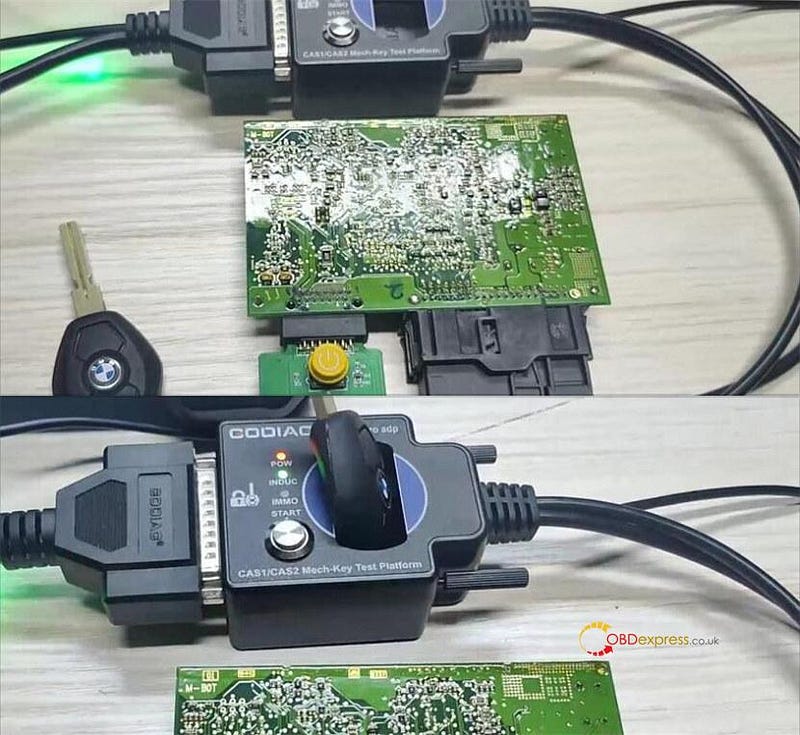
Autel IM608 II and Godiag BMW Test Platform Add CAS2 Mechanical Key

STEP 5.Write the key generated BIN file into CAS2 module

Connect XP400 Pro programmer and CAS module again

Select Chip (EEPROM/MCU/…)>> Chip Reading/Writing>> Immobilizer>> BMW>> CAS2>2K79X>RW>> EEPOM>> Write

Select the newly generated BIN file in step 3 and write it into the corresponding chip

Write to chip successfully
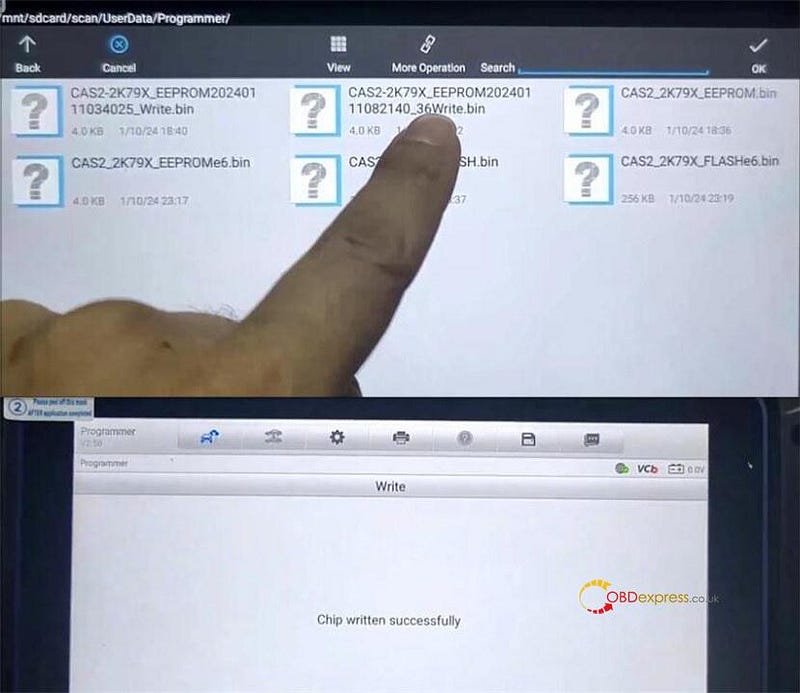
Autel IM608 II and Godiag BMW Test Platform Add CAS2 Mechanical Key

Finally, insert the key programmed to Godiag BMW CAS1 CAS2 Test Platform to test again, the IMMO indicator lights up this time. The CAS2 mechanical key is written successfully to CAS2 now.
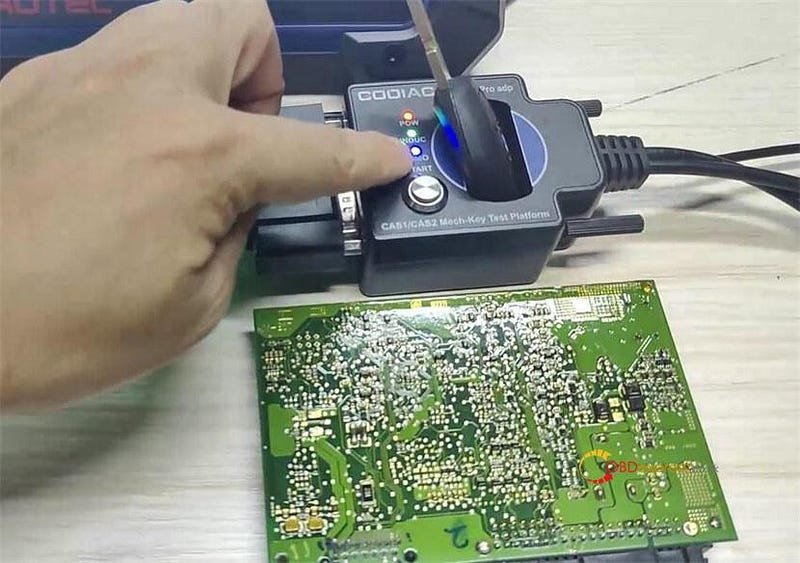
Autel IM608 II and Godiag BMW Test Platform Add CAS2 Mechanical Key

GODIAG BMW CAS1/CAS2 Mech-Key Test Platform:

https://www.obdexpress.co.uk/wholesale/godiag-bmw-cas-test-platform.html

GODIAG BMW CAS2/CAS3 SER Semi Smart Key Test Platform:
https://www.obdexpress.co.uk/wholesale/godiag-bmw-cas-smart-key-test-platform.html
Tuesday, 14 March 2023

Autel IM608 II Generate VW Golf MQB 2009- 2022 Universal Key

 Autel MaxiIM IM608 II (IM608 Pro II) can generate universal key to 2009–2022 Volkswagen Golf MQB without any issue.

Here we'll take VW Golf 2019 315MHz MQB48 as an example.

Autel IM608 II Generate VW Golf MQB 2009-2022 Universal Key

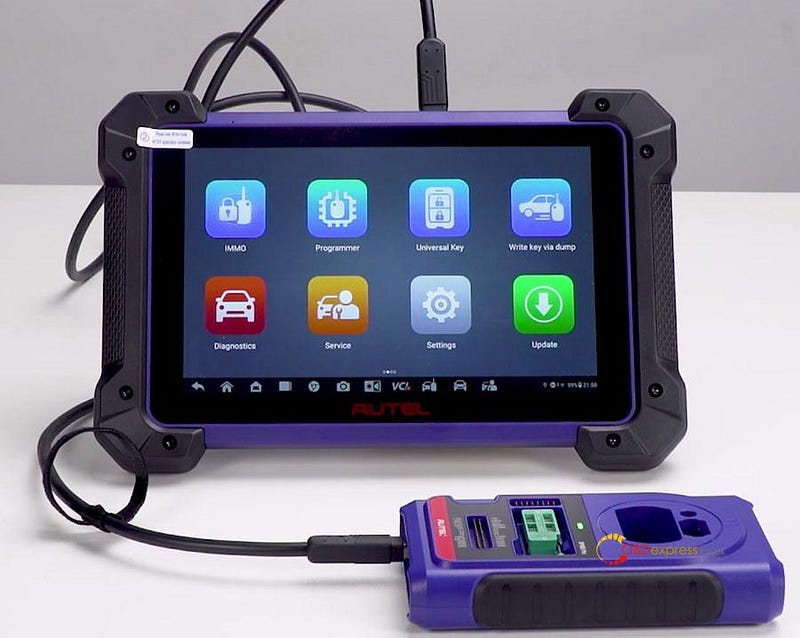
Connect Autel IM608 II and XP400 Pro with the black USB cable

Autel IM608 II Generate VW Golf MQB 2009-2022 Universal Key

Turn on IM608 II tablet

Enter Universal Key function

Accept the disclaimer

It's checking upgrade file…

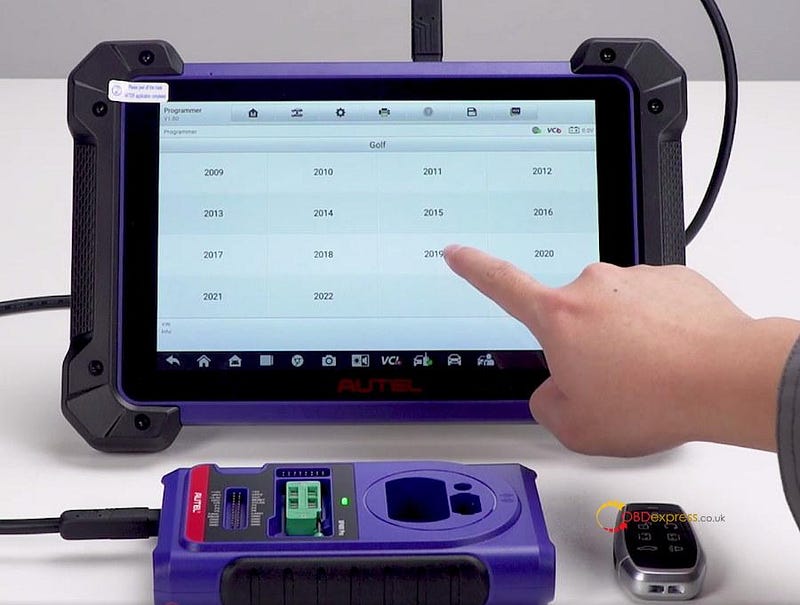
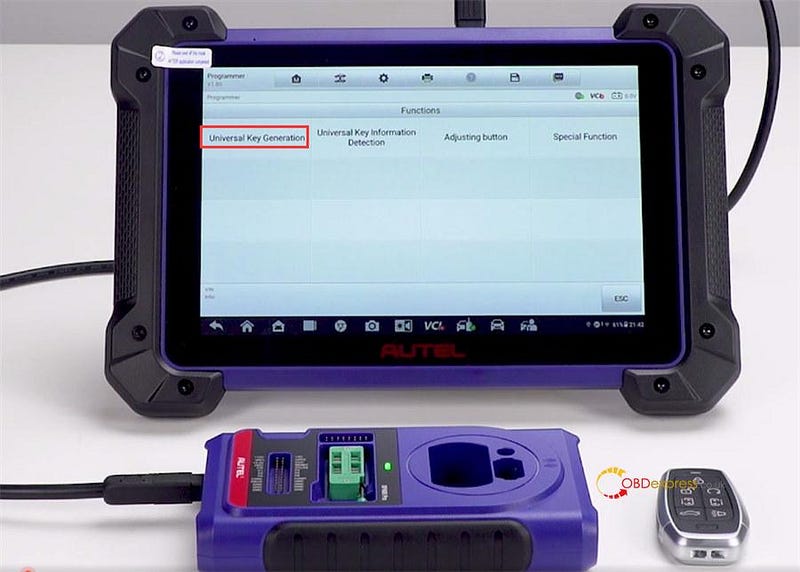
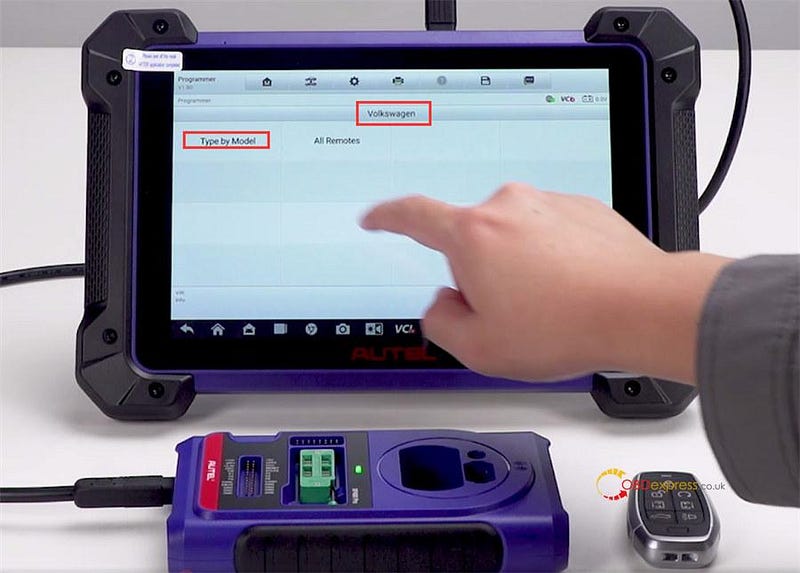
Select Universal Key Generation>> European>> Volkswagen>> Type by Model>> Golf>> 2019

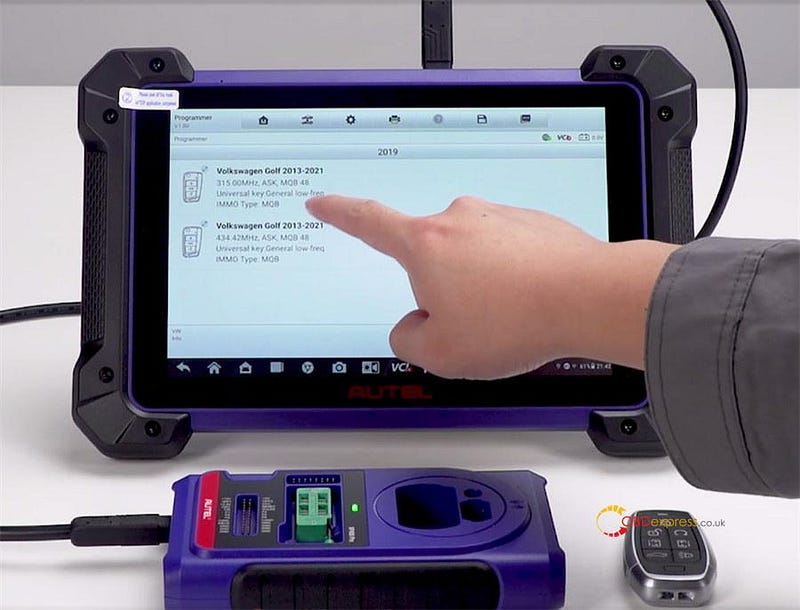
There are two options for choosing.

The difference is the frequency. One is 315MHz and another is 434.42MHz.

Select 315Mhz option

Autel IM608 II Generate VW Golf MQB 2009-2022 Universal Key

Autel IM608 II Generate VW Golf MQB 2009-2022 Universal Key

Autel IM608 II Generate VW Golf MQB 2009-2022 Universal Key

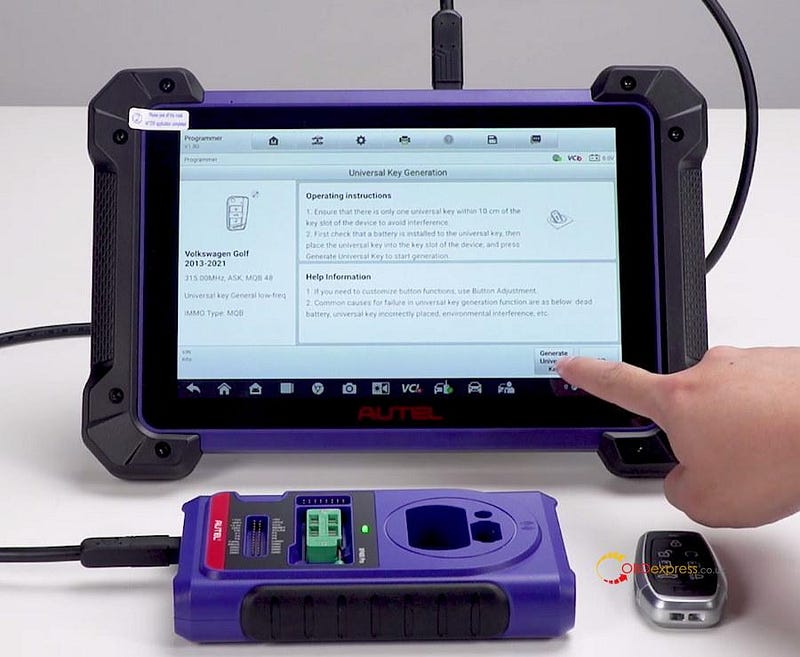
Then you can see the detailed operating instructions and help information, which can help you generate the key easily.

Autel IM608 II Generate VW Golf MQB 2009-2022 Universal Key

Place the VW key into the detection coil of Autel XP400 Pro

And tap Generate Universal Key

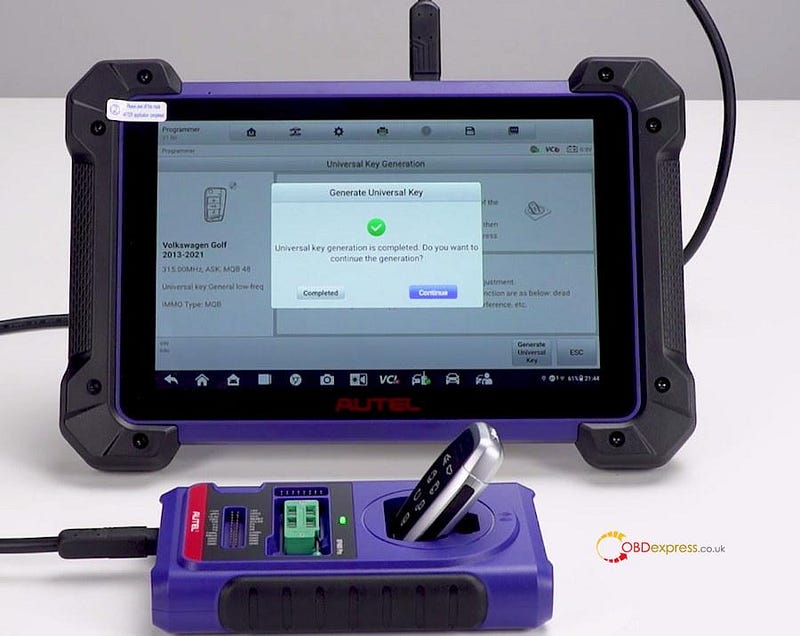
Wait a moment and it will generate the key quickly.

Generate the VW Golf universal key successfully.

Autel IM608 II Generate VW Golf MQB 2009-2022 Universal Key

If you want to generate more keys, just tap continue.

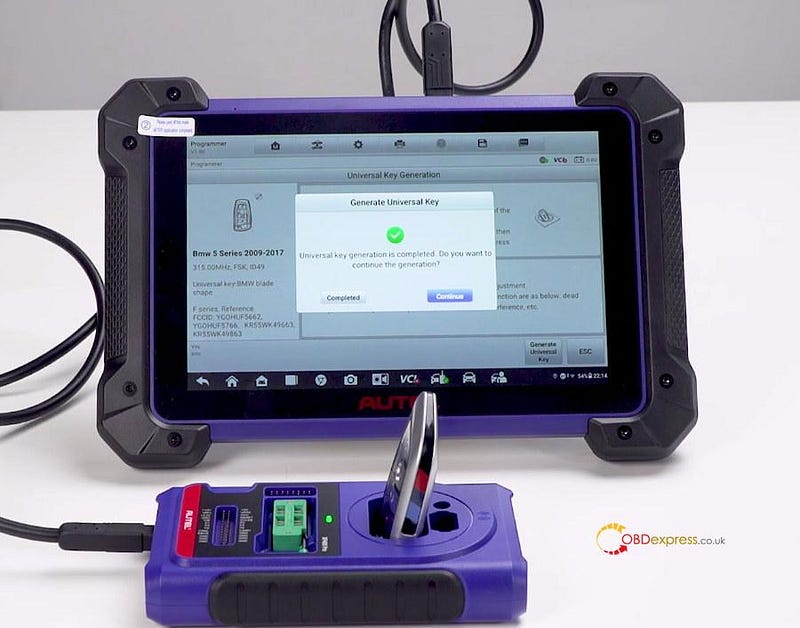
The BMW 5 series 2009- 2017 ID49 universal key is also generated perfectly with Autel IM608 II key programmer.

Autel IM608 II Generate VW Golf MQB 2009-2022 Universal Key

Read more:

How to Use Autel IM608 Pro II: Register+ Update + Print Data via Wireless?

Autel IM Series Comparison: IM608 II VS IM608 VS IM508 VS KM100

www.obdexpress.co.uk


Wednesday, 8 February 2023

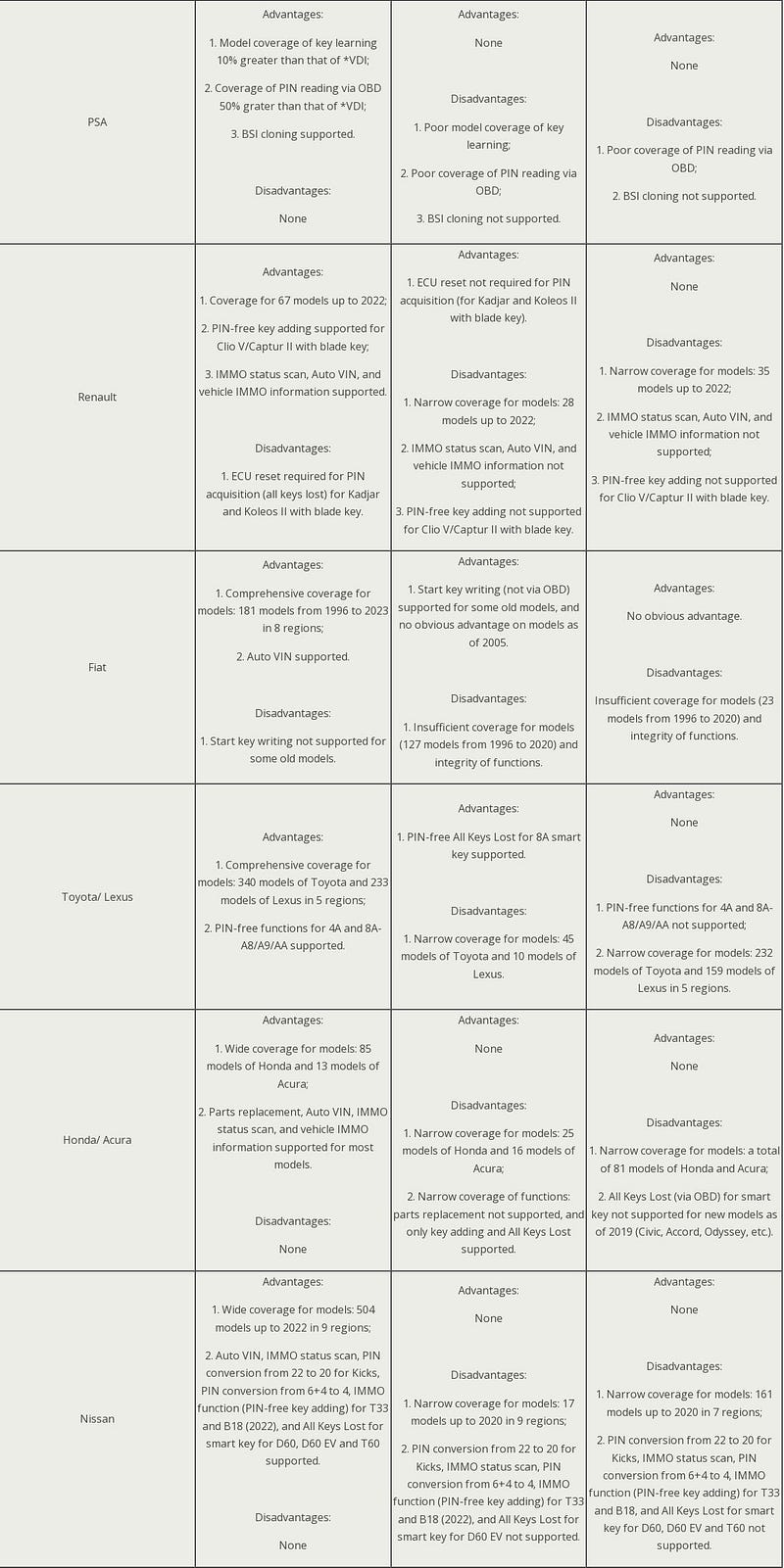
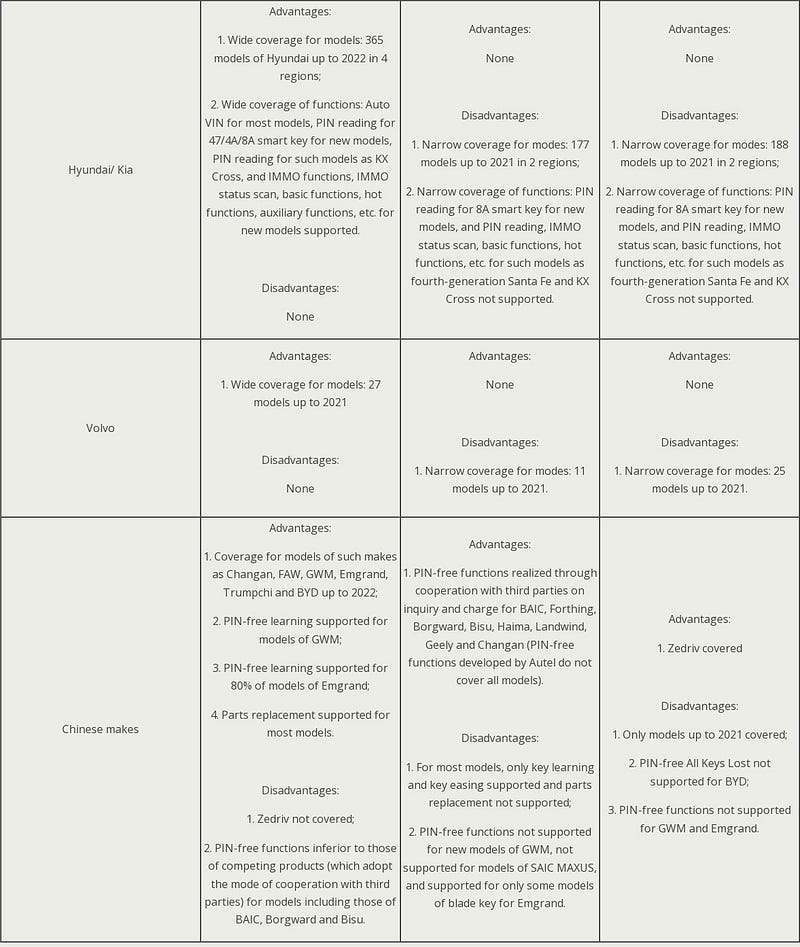
Autel IM608 Pro2 vs. VVDI Key Tool Plus vs. X431 IMMO Pad

 Since there are many of key programming brands on market, such as Autel, Xhorse and Launch. How should we choose? Today we've brought 3 of their featured tool into comparison: they are Autel MaxiIM IM608 Pro 2, Xhorse VVDI Key Tool Plus & Launch X431 IMMO Pad.

Trying to figure out which one is better for you.

IM608 II vs. Key Tool Plus vs. X431 IMMO Pad

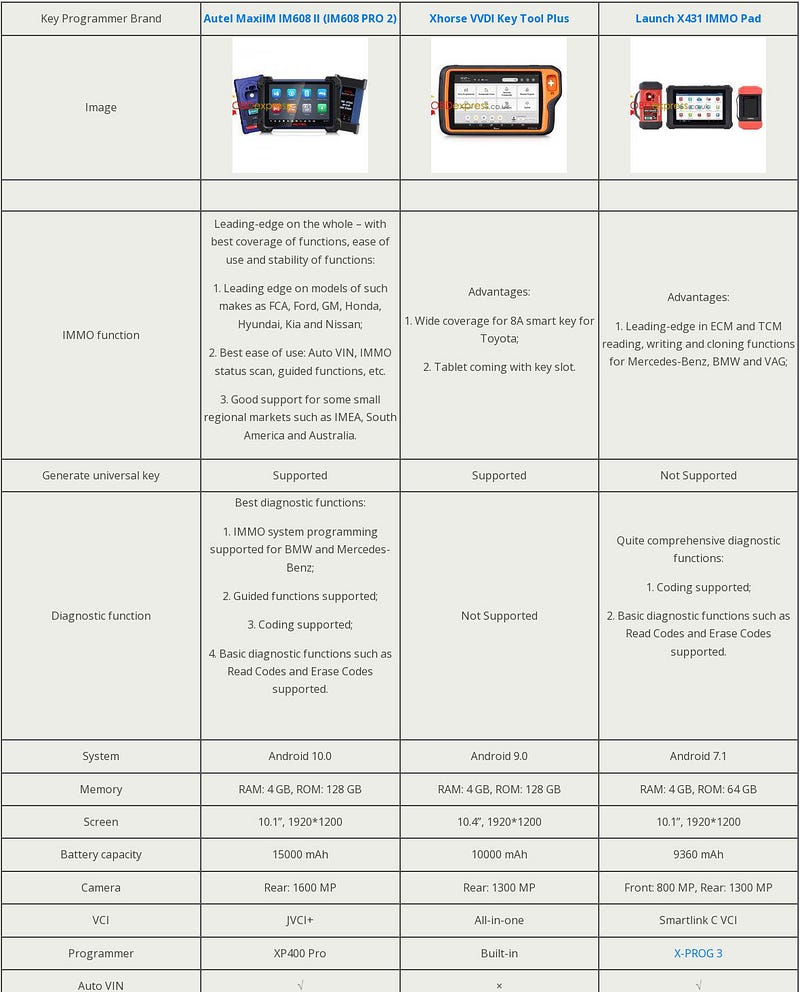
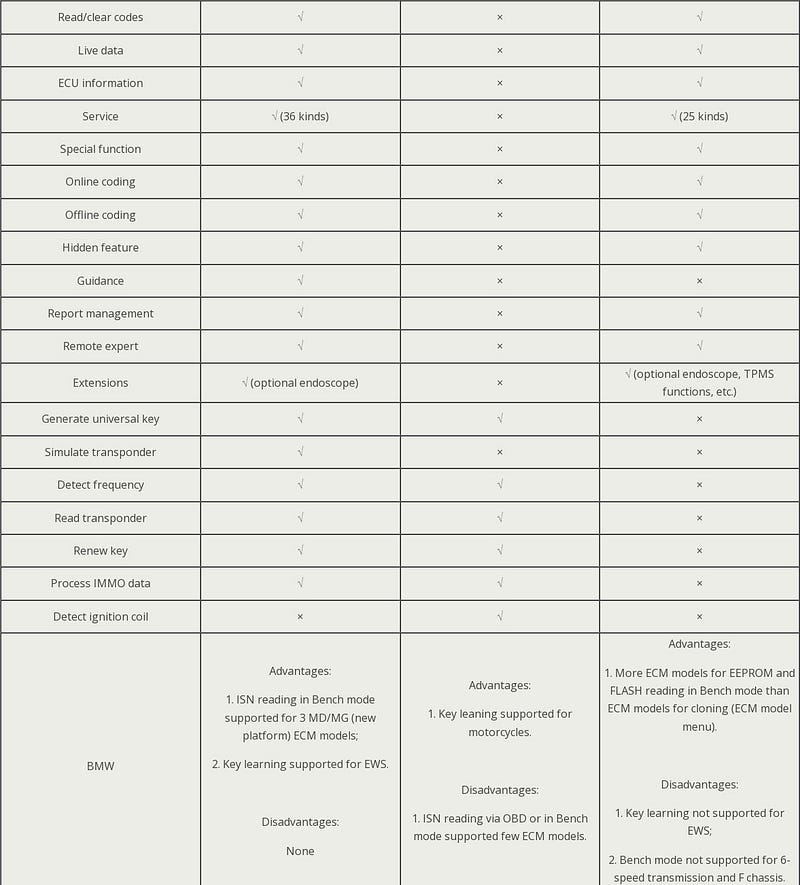
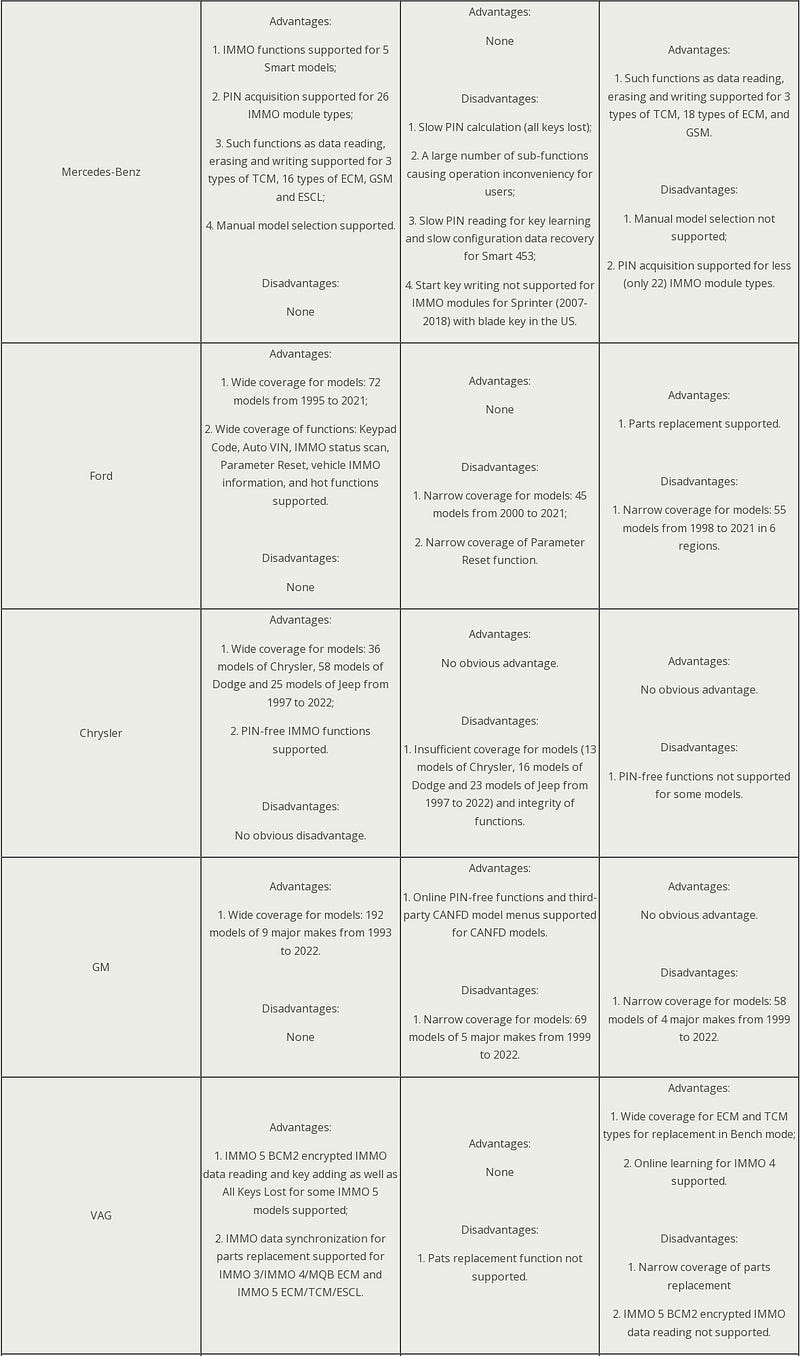
Autel IM608 II function comparison Xhorse Pad and Launch X431 Pad

Autel IM608 II function comparison Xhorse Pad and Launch X431 Pad

Autel IM608 II function comparison Xhorse Pad and Launch X431 Pad

Autel IM608 II function comparison Xhorse Pad and Launch X431 Pad

Autel IM608 II function comparison Xhorse Pad and Launch X431 Pad

Comparison

  • Price

Autel IM608 II > Launch X431 IMMO Pad > Xhorse Key Tool Plus

Autel IM608 II is highest priced while Xhorse Key Tool Plus is the cheapest.

  • IMMO
  • Autel IM608 II has a wider coverage of car models, it's good at programming FCA, Ford, GM, Honda, Hyundai, Kia and Nissan. Having a good support for IMEA, South America and Australia vehicles.
  • Xhorse Key Tool Plus has a wide coverage for Toyota 8A smart key, and it's specialized in programming Benz, BMW, VAG, Toyota.
  • Launch X431 IMMO Pad is better at ECM/TCM reading, writing and cloning, especially for Benz, BMW, VAG.
  • Autel IM608 II & Xhorse Key Tool Plus supports to generate universal key, detect frequency and ignition coil, renew key, read transponder while Launch X431 IMMO Pad does not support.
      • Diagnosis
    1. Autel IM608 II is excellent in coding and guided functions, programming BMW, Benz IMMO function.
    2. Launch X431 IMMO Pad is comprehensive in coding, reading codes and erasing codes.
    3. Xhorse Key Tool Plus does not have the function.
        • Hardware
      1. Autel IM608 II is latest released with higher and larger configuration.
      2. Xhorse Key Tool Plus is featured with built-in VCI and programmer, more portable and easy to carry.
          • Expansibility
        1. Launch X431 IMMO Pad supports more, like endoscope, TPMS, etc.
        2. Autel IM608 II supports to work with optional endoscope.
          1. Conclusion

            In sum, all three brands have their advantages and disadvantages. In the performance of different models, they also have functions that are better at. How to pick a better tool is depending on the car models that are frequently used, and your budget, of course.

            www.obdexpress.co.uk

            Monday, 6 February 2023

            Autel IM608 Pro II User Manual

             Autel IM608 Pro II comes with the latest powerful hardware configuration, features in smart mode and expert mode solution in one tool to easy operation, and works for 85% cars in the worldwide including BMW, BENZ, VW, AUDI etc… It's easy to use as same as other Autel tablet. Check the quick start guide below.

            How to start Autel IM608 Pro II to use?

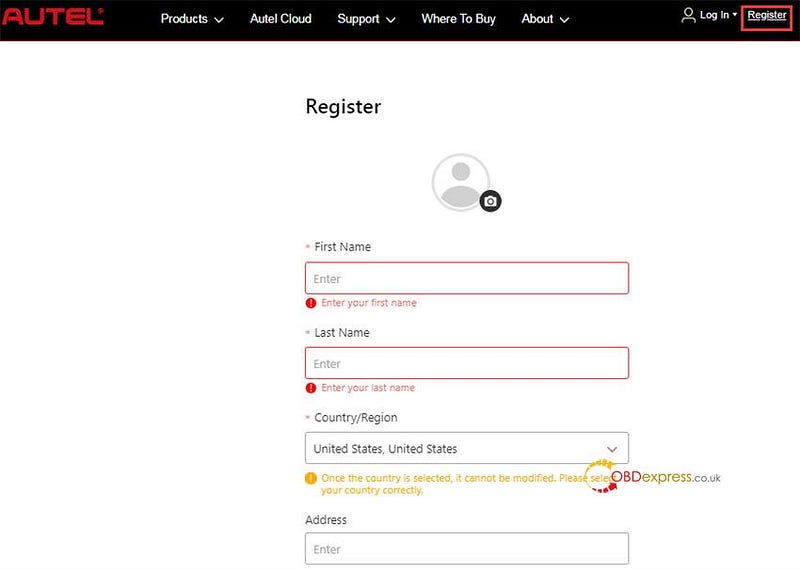
            1.Creat Autel ID and register IM608 II

            Visit the Autel official website https://pro.autel.com/

            Click Register at the top right corner to create an Autel ID

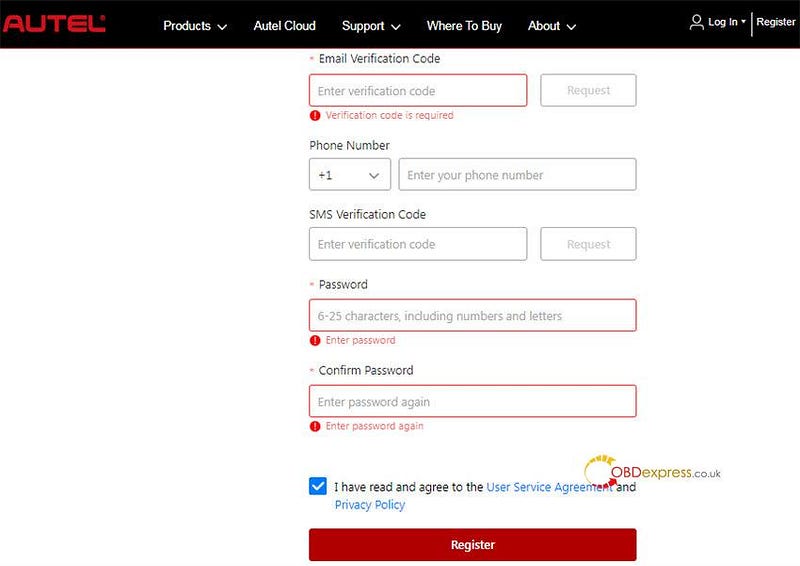
            Fill in your name, country, postal code, city, state, email, email verification code and password

            Autel IM608 Pro II User Manual

            Autel IM608 Pro II User Manual

            Note: Once the country is selected, it cannot be modified. Please select your country correctly.

            Then register IM608 Pro II with the device's SN and password

            2.Turn on IM608 II tablet and pair with VCI

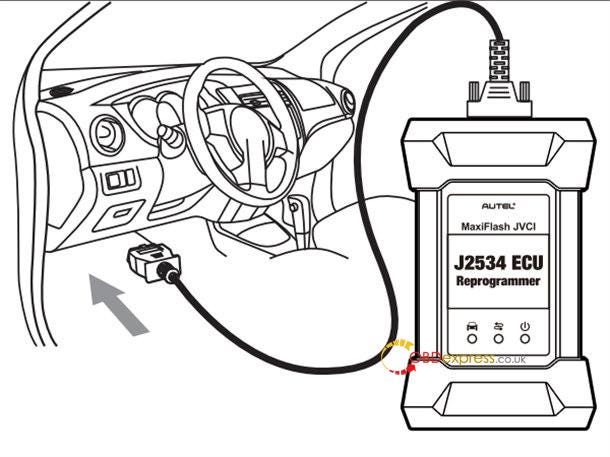
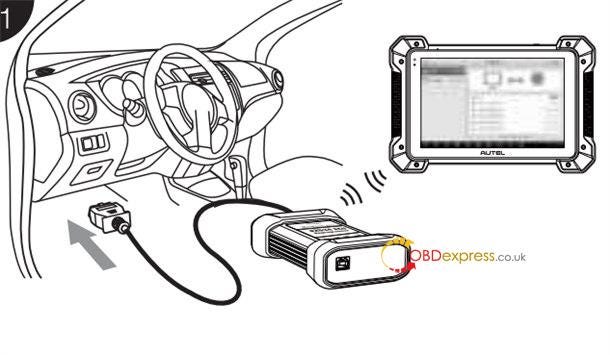
            Connect the VCI with the vehicle's DLC

            Note: The DLC is generally located under the vehicle dash.

            Autel IM608 Pro II User Manual

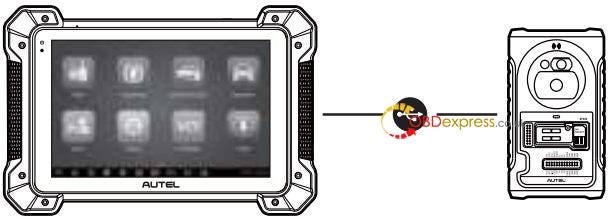
            Connect IM608 Pro II tablet and XP400 Pro with the included APC001 (USB cable)

            Autel IM608 Pro II User Manual

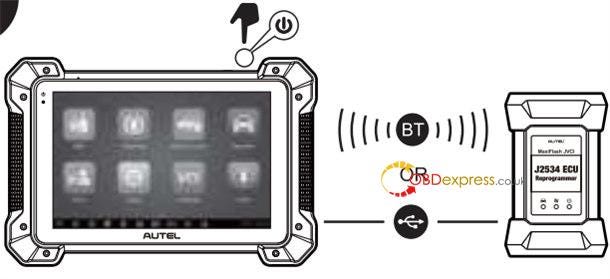
            Long press the Lock/Power button to turn on IM608 II key programmer

            Pair up the tool with the VCI device via Bluetooth or the included USB cable (2m) to establish a communication link

            Autel IM608 Pro II User Manual

            Now your key programmer is ready to use.

            3.Update Autel IM608 Pro II software

            Connect the key programmer to the Internet

            Tap Update in the MaxiIM Job Menu to view all the available updates

            Select the related software to update

            How to print data via wireless on PC?

            Make sure Autel IM608 II and the PC are on the same network (Wi-Fi or hard-wired) as the printer.

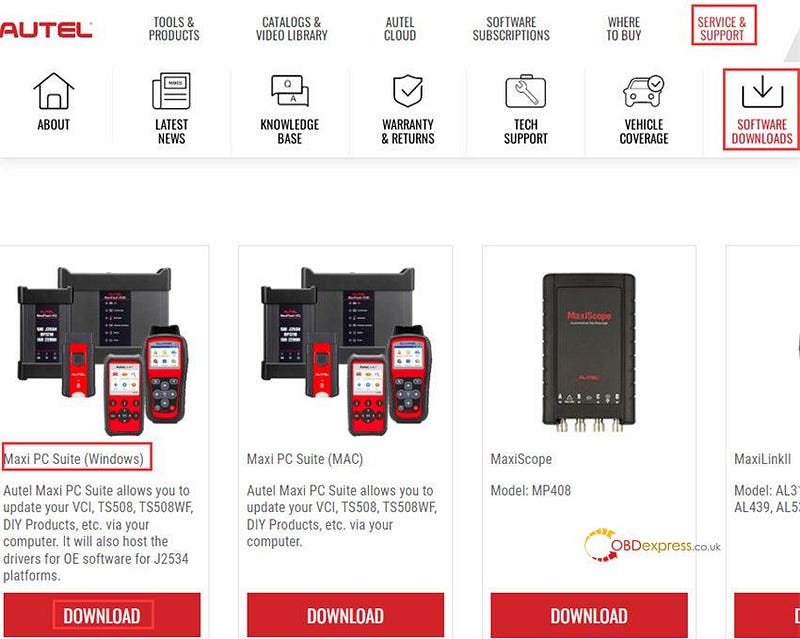
            Step 1: Download Maxi PC Suite from www.autel.com

            Click Service &Support>> Software Downloads>> Maxi PC Suite (Windows), and install it to Windows-based PC

            Autel IM608 Pro II User Manual

            Step 2: Launch the PC Link application on the PC and click the MaxiSys Printer tab

            Step 3: Click Test Print to make sure the printer is working successfully

            Step 4: Tap Print on the toolbar of the tool. A temporary document will be created and sent to the PC

            • If the Auto Print option in the MaxiSys Printer is selected, the MaxiSys Printer will print the received document automatically.
            • If the Auto Print option is not selected, click Open PDF File to view all the temporary files. Select the files you want to print and click Print.

            Besides, you also can perform immobilizer and programming functions.

            • For IMMO:

            It needs to connect MaxiIM IM608 II, XP400 Pro and the vehicle correctly

            And pair up IM608 II with VCI device via Bluetooth to establish a communication link with the vehicle.

            Autel IM608 Pro II User Manual

            • For key programming:

            It needs to connect MaxiIM IM608 Pro II and XP400 Pro Key and Chip Programmer properly.

            Autel MaxiIM IM608 II (IM608 PRO II) All-In-One Key Programmer (No Area Restriction):

            https://www.obdexpress.co.uk/wholesale/autel-maxiim-im608-pro-ii.html
            www.obdexpress.co.uk

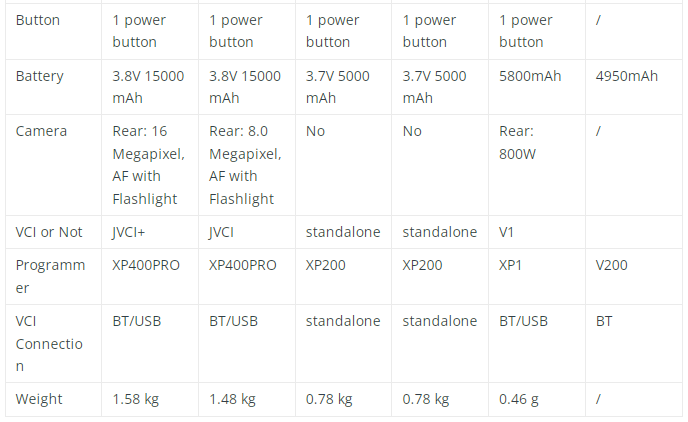
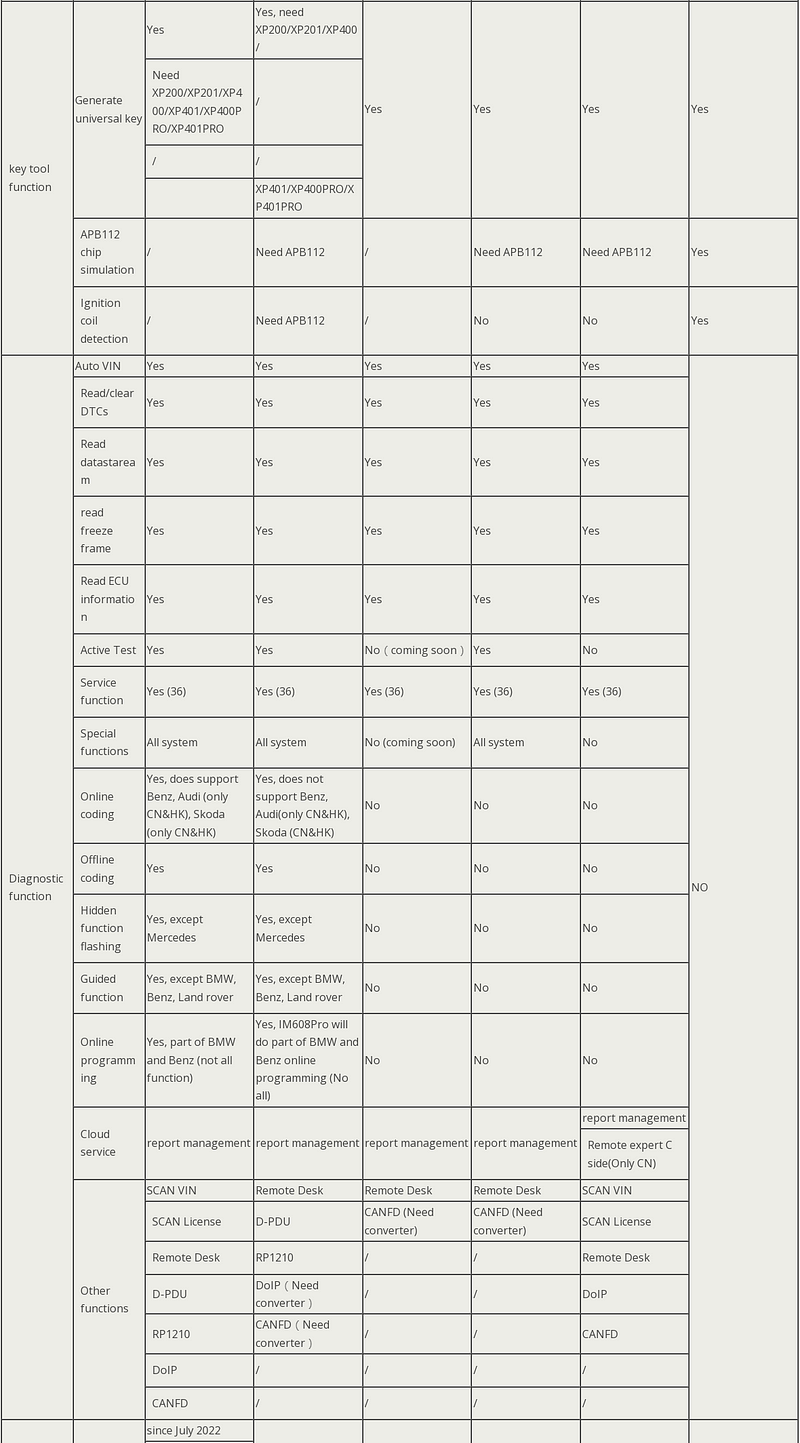
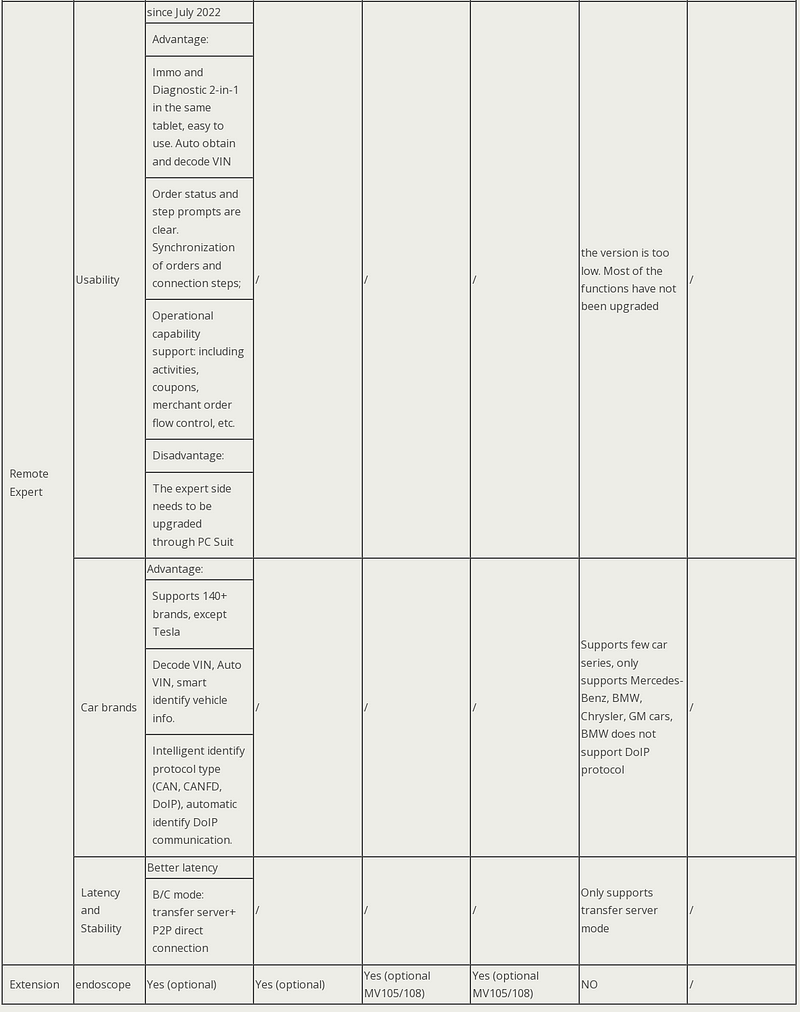
            Autel IM Series Comparison: IM608 II VS IM608 VS IM508 VS KM100

             obdexpress.co.uk has released a new 2023 Autel IM key programmer- IM608 Pro II (IM608 II). It's the upgraded version of Autel IM608 and IM608 Pro. The firmware has been improved, comes with larger RAM & ROM and new JVCI+ VCI. It also adds built-in DoIP and CAN FD protocol (don't need converter), and supports CAN protocol read/write without a password and remote expert function.

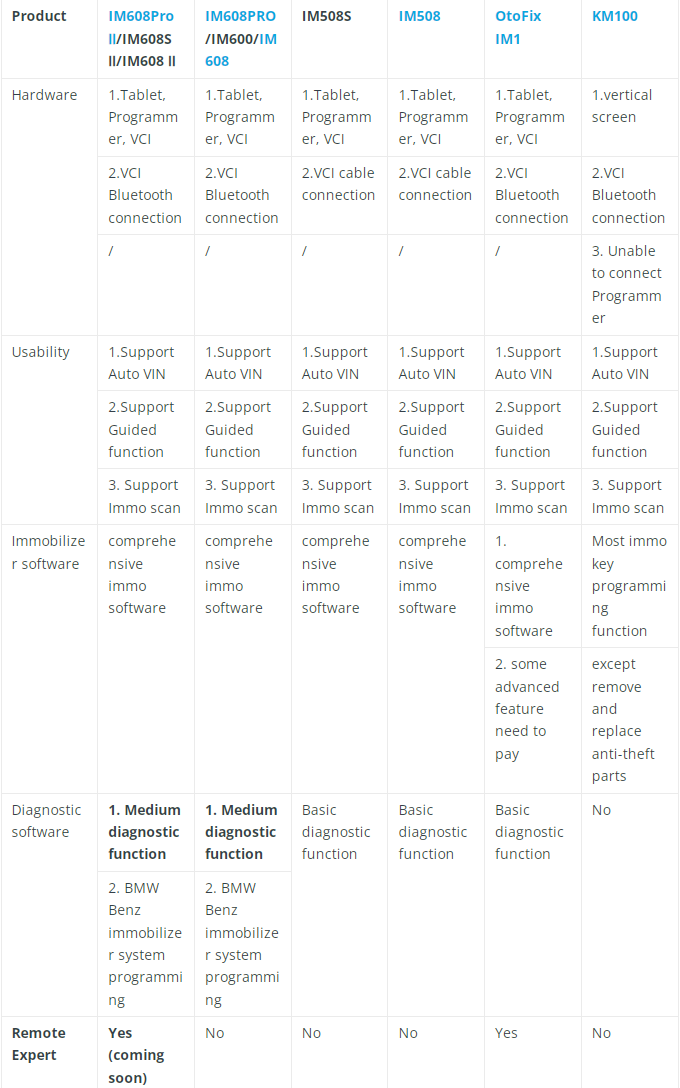
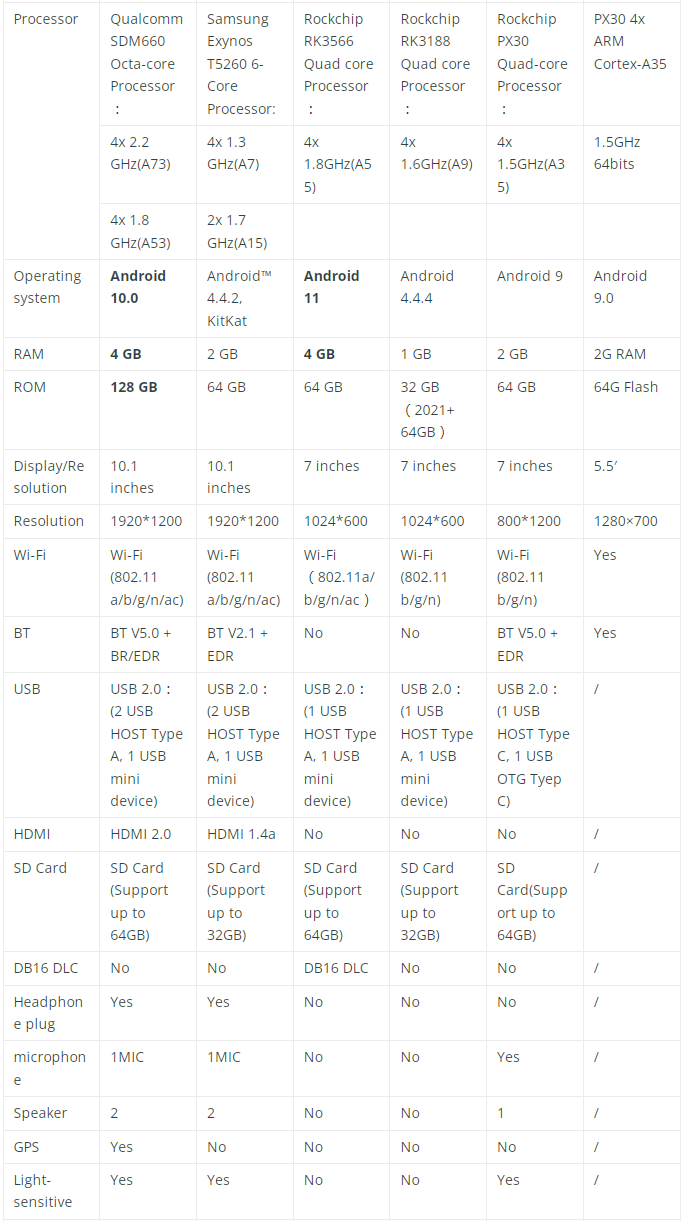
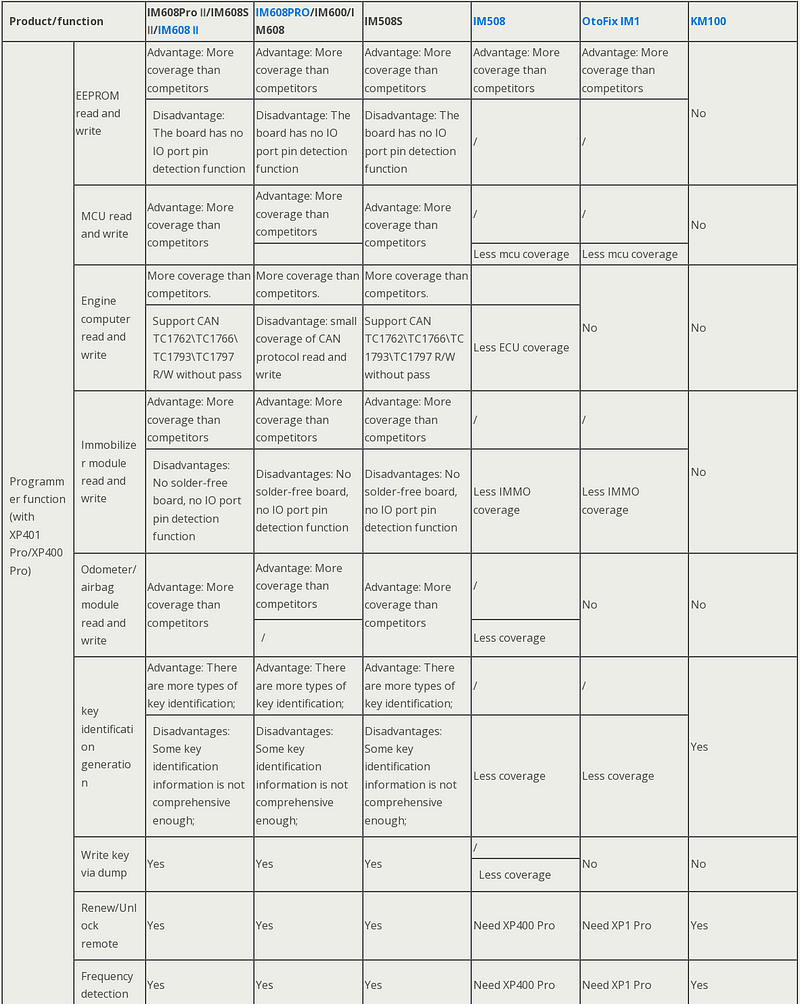
            Comparison list between Autel IM608 II and old models

            For more details, check the following comparison tables.

            • Product:

            Autel MaxiIM IM608 II, IM608 Pro, IM608, IM508, IM508S, OtoFix IM1 and KM100

            • Content:

            Hardware configuration and software function

            Comparison table 1: Hardware parameter

            Comparison list between Autel IM608 II and old models

            Comparison list between Autel IM608 II and old models

            Comparison list between Autel IM608 II and old models

            Comparison table 2: Function

            Comparison list between Autel IM608 II and old models

            Comparison list between Autel IM608 II and old models

            Comparison list between Autel IM608 II and old models

            To sum up:

            The main differences between Autel MaxiIM 1st and 2nd generation key programmer are as follows:

            1.Accessories are different, and the IM function is gradually increased.

            2.The diagnostic functions are gradually increased.

            Which one is better to choose? It just depends on your actual need (budget and function).

            www.obdexpress.co.uk


            EoneBoss HK003: 6A Full Unlock Support for Hyundai/Kia Keys

             The EoneBoss HK003 has been upgraded with 6A full unlock support for Hyundai/Kia smart keys , giving locksmiths a simpler way to handle ...