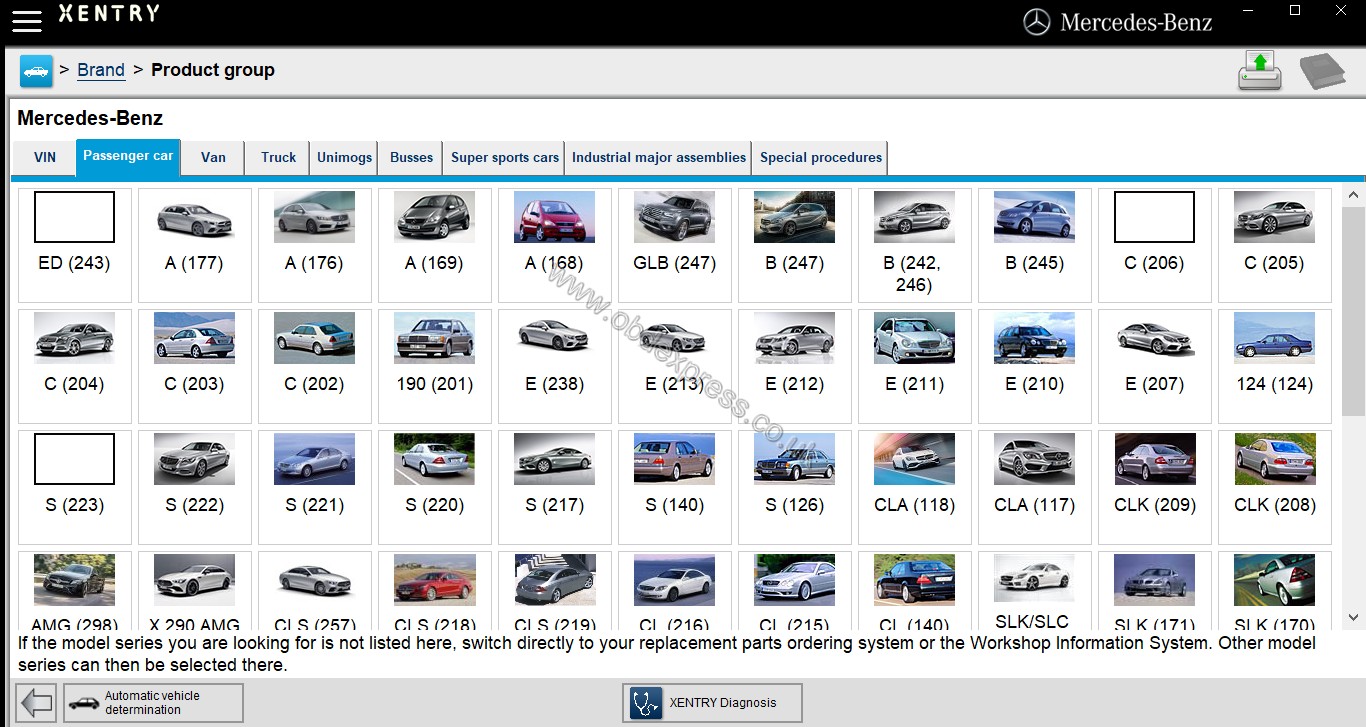
This is
the best solution for newbies who has trouble in 09.2018 Xentry XDOS installation or activation:
http://www.obdexpress.co.uk/wholesale/mb-sd-connect-compact-4-star-dell-d630-laptop.html
Why do I think it’s the best for newbies?
Because the full kit (
SDconnect C4 +
09.2018 XDOS +
Dell D630) is handy and help save a lot.
All software is installed on the Dell D630 laptop, done before shipping to your end.
With the dedicated serial port on D630, there is no issue for users…. it was plug and play… the HDD with Mercedes software is loaded into the Dell laptop and WIS/EPC and XENTRY/DAS has been activated with “activation keys” before delivery...you can use it for Mercedes-Benz diagnostics, coding or programming with SD connect C4, when you receive the package.
Source:
http://www.obdexpress.co.uk/wholesale/2018-09-mb-sd-benz-c4-c5-software-ssd.html
Note that HTT-WIN is updated to 09.2018 Mercedes software disk. Software released in 2017 and 2018 doesn’t come with HTT-WIN. But now, it comes again!
On a side note, Dell D630 is second-hand but 100% functional - no worries!
With the
SD connect C4 full kit, you’ll NEVER have issues of setup on a laptop, installation and activation as what the users complaints
Attach: Error and solution on Dell D630
Error: have now installed it on my recently acquired Dell 630. Everything installed well, however when I get to the point of using it and it automatically goes to use HHT(as my car is a 1993 model)it says"diagnostic connector is being initialised" however then it says"com port assigned! close other use!"
Solution: go to the windows system menu in control panel and under the harware section look at the com port assignmennts and make sure the com port you designated isn't already assigned to something else.
also, does the dell630 have a dedicated RS232 com port or are you using a usb/pcmcia/cardbus to RS232 converter.
This is
the best solution for newbies who has trouble in 09.2018 Xentry XDOS installation or activation:
http://www.obdexpress.co.uk/wholesale/mb-sd-connect-compact-4-star-dell-d630-laptop.html
Why do I think it’s the best for newbies?
Because the full kit (
SDconnect C4 +
09.2018 XDOS +
Dell D630) is handy and help save a lot.
All software is installed on the Dell D630 laptop, done before shipping to your end.
With the dedicated serial port on D630, there is no issue for users…. it was plug and play… the HDD with Mercedes software is loaded into the Dell laptop and WIS/EPC and XENTRY/DAS has been activated with “activation keys” before delivery...you can use it for Mercedes-Benz diagnostics, coding or programming with SD connect C4, when you receive the package.
Source:
http://www.obdexpress.co.uk/wholesale/2018-09-mb-sd-benz-c4-c5-software-ssd.html
Note that HTT-WIN is updated to 09.2018 Mercedes software disk. Software released in 2017 and 2018 doesn’t come with HTT-WIN. But now, it comes again!
On a side note, Dell D630 is second-hand but 100% functional - no worries!
With the SDconnect C4 full kit, you’ll NEVER have issues of setup on a laptop, installation and activation as what the users complaints
Attach: Error and solution on Dell D630
Error: have now installed it on my recently acquired Dell 630. Everything installed well, however when I get to the point of using it and it automatically goes to use HHT(as my car is a 1993 model)it says"diagnostic connector is being initialised" however then it says"com port assigned! close other use!"
Solution: go to the windows system menu in control panel and under the harware section look at the com port assignmennts and make sure the com port you designated isn't already assigned to something else.
also, does the dell630 have a dedicated RS232 com port or are you using a usb/pcmcia/cardbus to RS232 converter.
Source:
http://blog.obdexpress.co.uk/2018/09/14/xentry-xdos-install-activate/