Monday, 19 February 2024

How to Register Yanhua Mini ACDP2 Account?

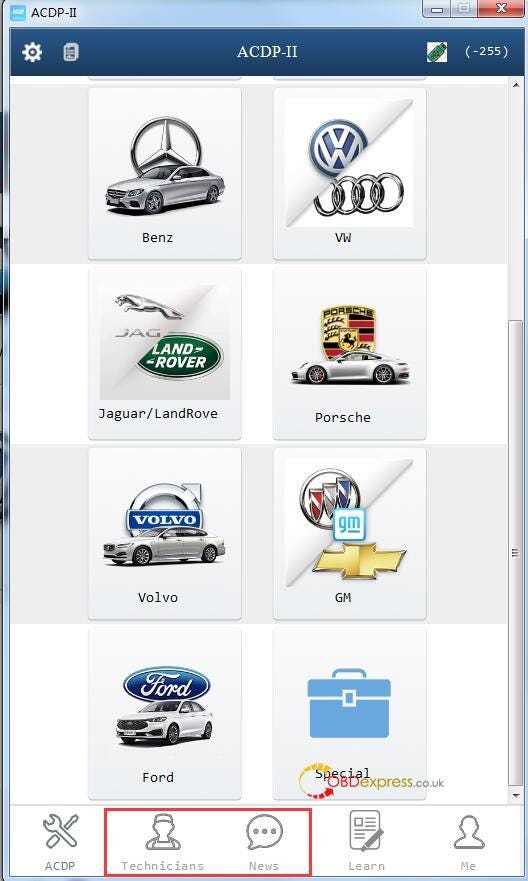
 If you want to use the "Technicians" and "News" functions on Mini ACDP2 APP or ACDP-II software, you need to register an account. Here share the registration guide for the new users.

How to Register Yanhua Mini ACDP2 Account

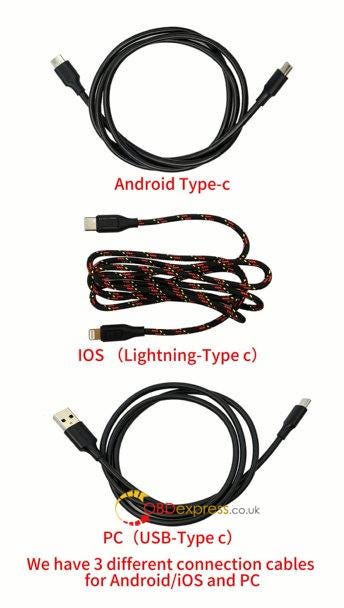
First, use the corresponding USB cable to connect Yanhua ACDP-2 device and Android/iOS smart phone/PC

  • Type- C cable: Android phone
  • Lighting Type- C cable: iPhone/iPad
  • USB Type-C cable: PC

How to Register Yanhua Mini ACDP2 Account

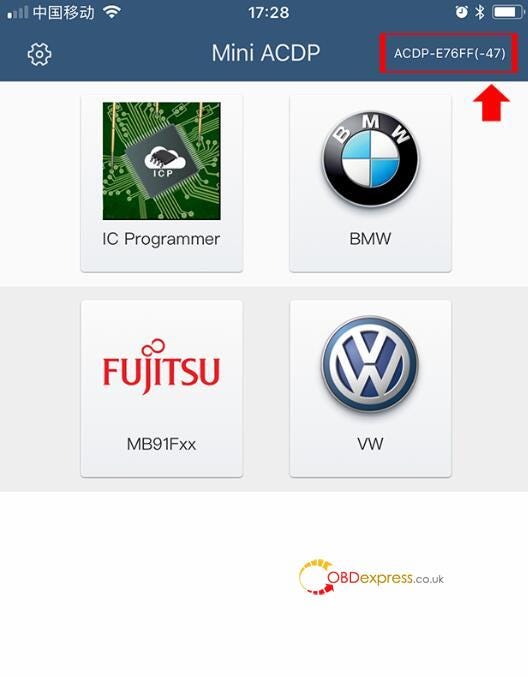
Next, bind ACDP 2 device and ACDP APP or software (click here to check the bind guide)

How to Register Yanhua Mini ACDP2 Account

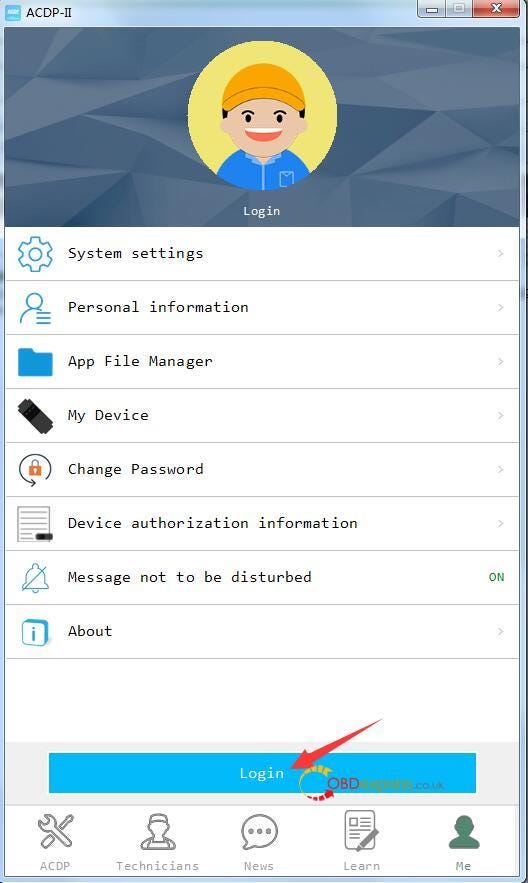
Then, click "Me" at the right bottom

Click "Login"

How to Register Yanhua Mini ACDP2 Account

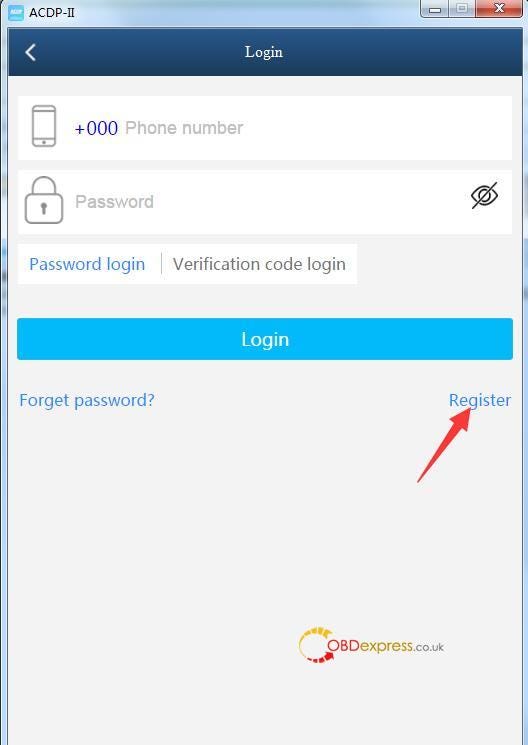
Click "Register"

How to Register Yanhua Mini ACDP2 Account

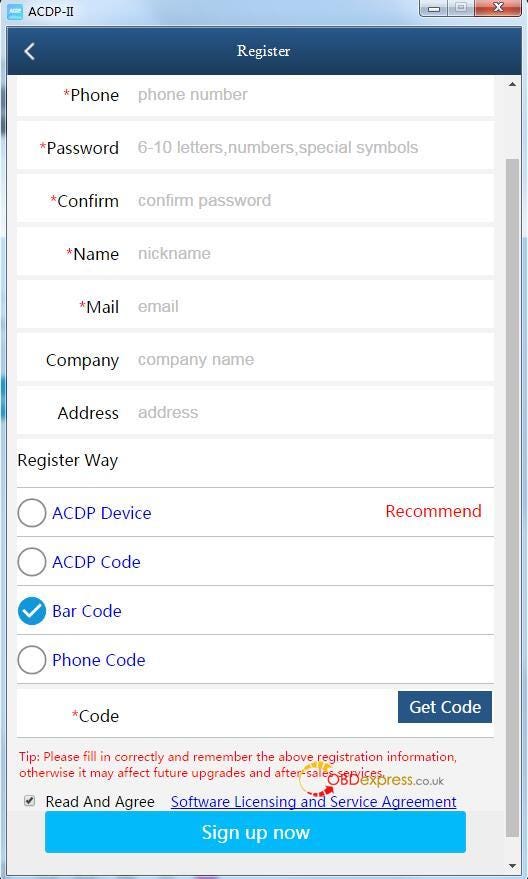
Fill in your zone, phone number, password, name and mail correctly

It's recommended to select "Bar Code" to get code for the registration. Easy and fast!

Click "Sign up now"

How to Register Yanhua Mini ACDP2 Account

Note: please remember the registration information. Otherwise, it may affect the future upgrade and after-sale services.

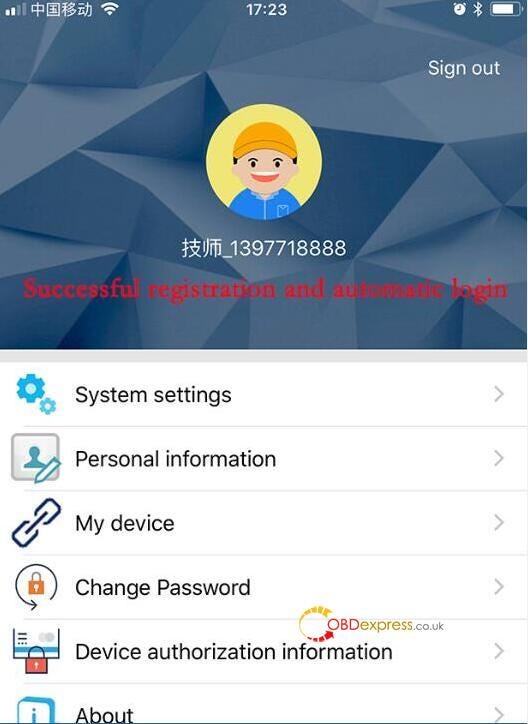
After the registration is successful, you can log in with the available account to use ACDP2 software normally.

How to Register Yanhua Mini ACDP2 Account


Launch-X431 IMMO Plus + Key Programmer Add Chevy Cruze Key

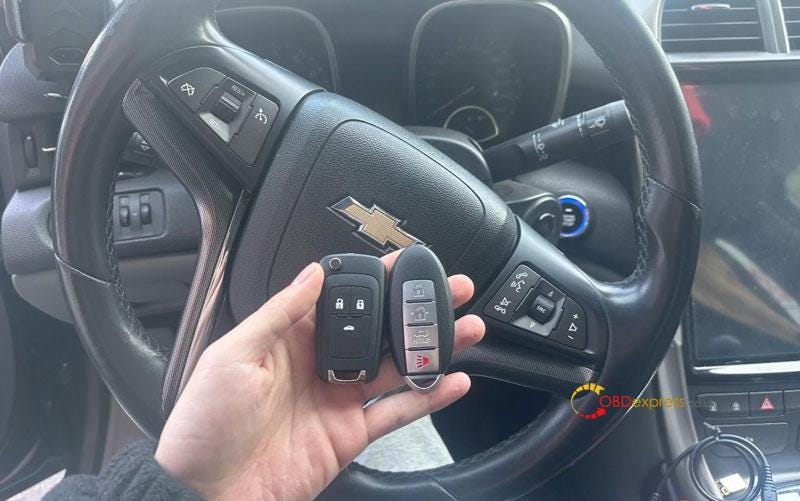
 This is a quick guide on how to add 2018 Chevrolet Cruze mechanical keys with Launch X431 Key Programmer + X431 IMMO PLUS. Users of X431 IMMO ELITE or IMMO PRO can refer to the same procedure as well.

Launch X431 IMMO Plus and Key Programmer Add Chevy Cruze Key

Step1. Generate Remote

Connect X431 Key Programmer & IMMO PLUS tablet, enter "Key Programmer" menu:

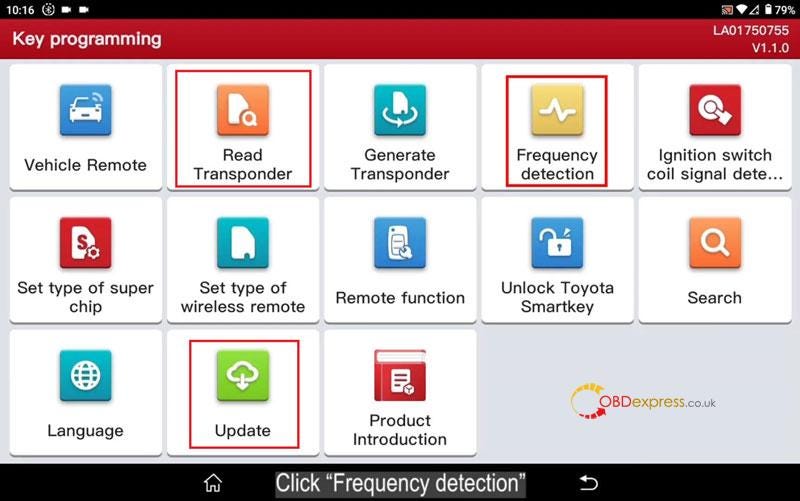
  • Check if the software version is updated to latest or not.
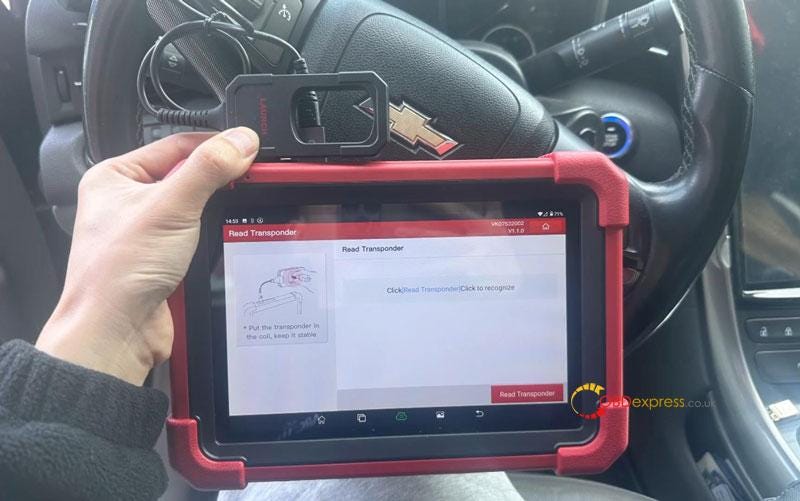
  • Read transponder of original key.
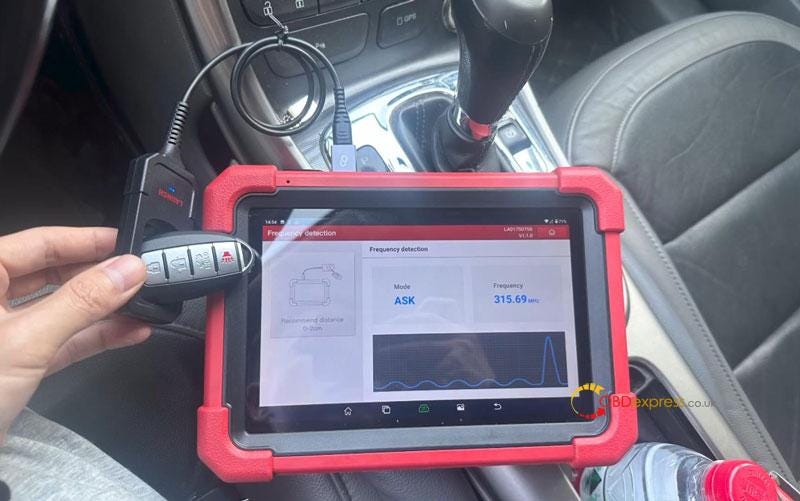
  • Detect original key frequency.
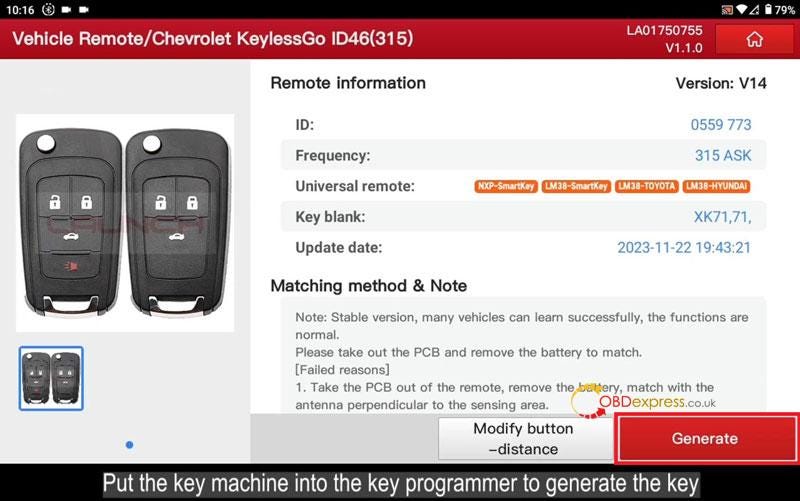
  • Generate remote

Put a new key into X431 Key Programmer slot.

Vehicle remote >> American >> Chevrolet >> All remotes >> Chevrolet KeylessGo ID46(315) >> Generate

Burn successfully.

Launch X431 IMMO Plus and Key Programmer Add Chevy Cruze Key

Launch X431 IMMO Plus and Key Programmer Add Chevy Cruze Key

Launch X431 IMMO Plus and Key Programmer Add Chevy Cruze Key

Step2. Add Key

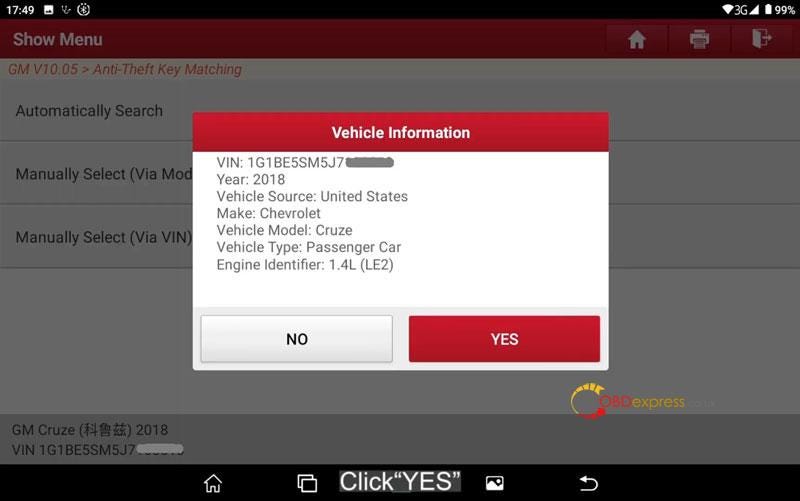
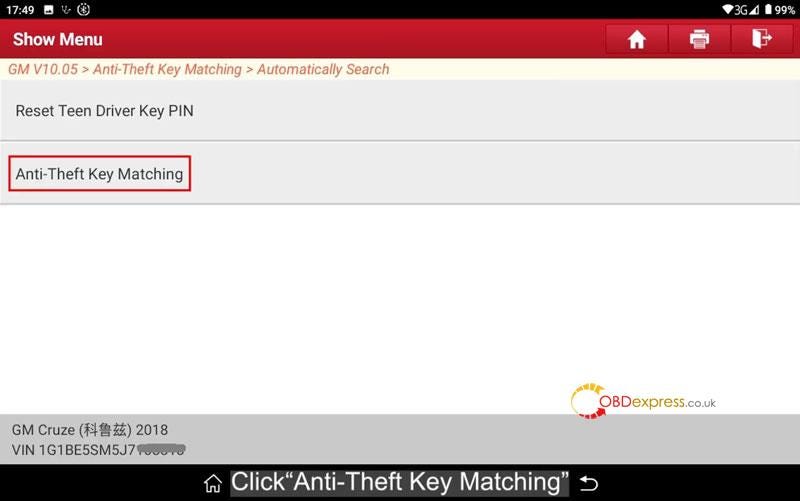
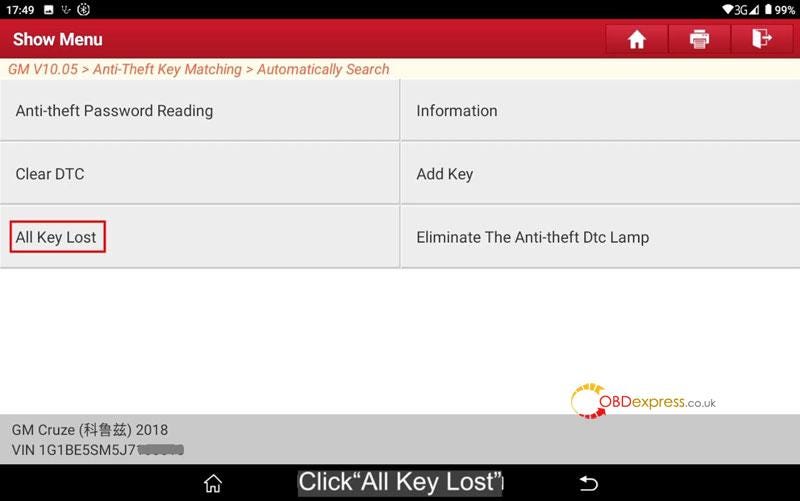
IMMO >> GM >> Anti-Theft Key Matching >> Automatically Search >> YES >> Anti-Theft Key Matching >> Mechanical Key >> All Key Lost

Please close all doors, turn ignition ON.

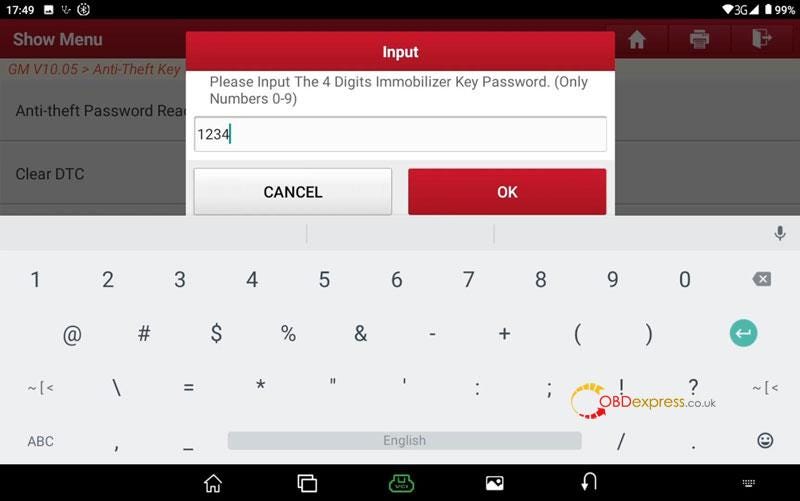
Please input the 4 digits immobilizer key password.

Please turn off ignition and pull out the key.

Please open door and close door, ensure that all electrical equipment are off.

Please input the key need programmed and turn on ignition.

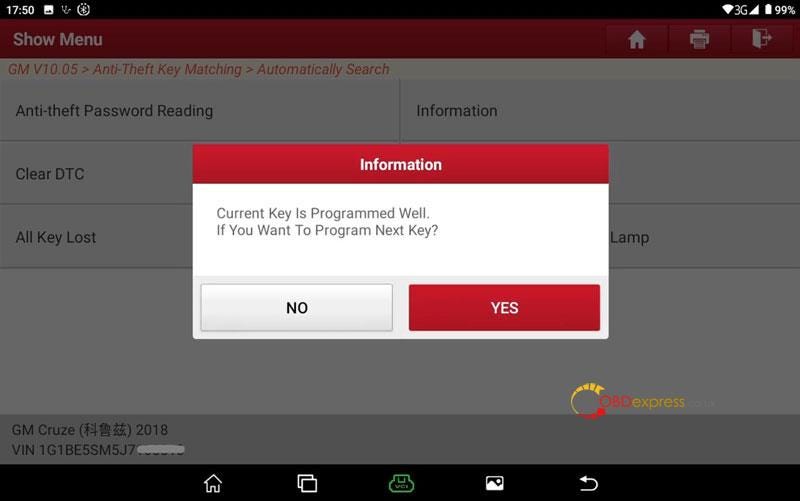
Current key is programmed well.

If you want to program next key? No

Please turn off ignition and pull out the key.

Please open door and close door, ensure that all electrical equipment are off.

Turn the ignition ON.

Please turn off ignition.

Please turn on ignition.

Programmed key number: 2

Program completed.

Launch X431 IMMO Plus and Key Programmer Add Chevy Cruze Key

Launch X431 IMMO Plus and Key Programmer Add Chevy Cruze Key

Launch X431 IMMO Plus and Key Programmer Add Chevy Cruze Key

Launch X431 IMMO Plus and Key Programmer Add Chevy Cruze Key

Launch X431 IMMO Plus and Key Programmer Add Chevy Cruze Key

Launch X431 IMMO Plus and Key Programmer Add Chevy Cruze Key

www.obdexpress.co.uk

Saturday, 17 February 2024

ALIENTECH KESS V3 Feedback: Success or Failure

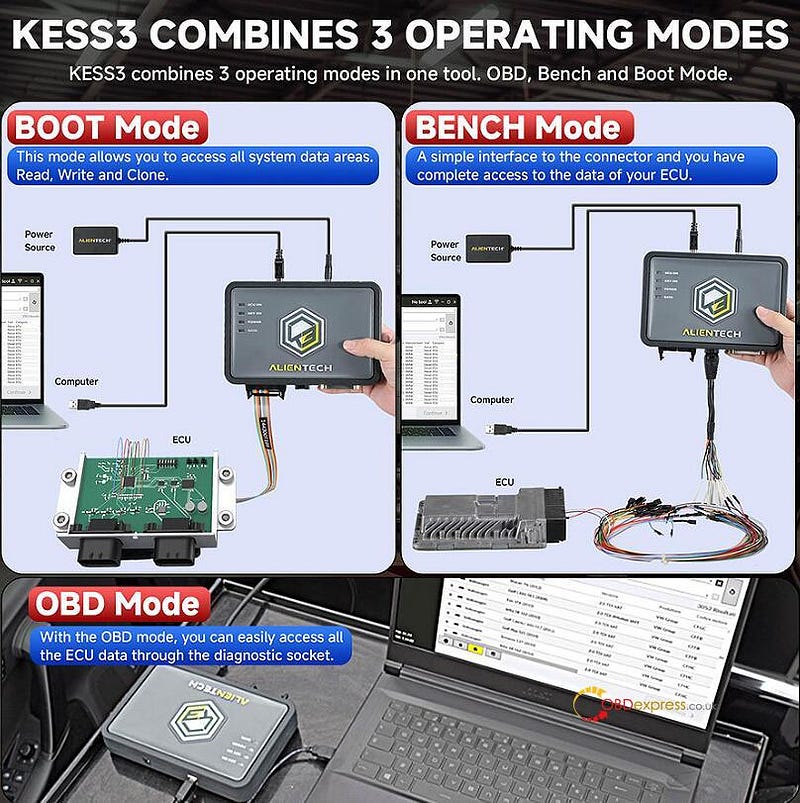
 As we know, original ALIENTECH KESS V3 is the one of the most advanced ECU & TCU programmers which combines Kess v2 and Ktag to one tool. This new tool allows users to access system data areas to read, write and clone via OBD, boot and bench modes, remap in a faster, easier way than ever before. Here have collected some customer's feedback. Let's see what ECU type works and what doesn't work with kess3 below.

ALIENTECH KESS V3 Feedback

so far tested old edc15p obd

fiat 9gf_t7 bench

edc17c64 boot and bench

insignia edc17c19 bench

old jag delhi mpc555 bdm fail but ktag worked

mazda r2ak under r2ab obd ok

peugeot dmc3.5 obd ok

psa edc17c10 obd , write 30 seconds ish ok

renault edc17c42 obd ok

ford dcm6.1 obd ok

JAGUAR MEDC17.9 BENCH OK

AUDI EDC17C46 BENCH OK

AUDI EDC16CP34 BENCH OK

RENAULT MASTER SID310 BOOT OK

BMW G11 MD1 BENCH OK

NEW 2021 MIN F54 LCI MG1 NOT OK (BUT FLEX TO)

CITROEN EDC17C60 BENCH OK

FORD sid209 obd locked ecu, no recovery

(Use TGflash for FORD SID209 (over OBD) with full recovery — Tactrix OpenPort 2 will work fine)

CNH edc16 and EDC7, not wok recovery original and recorded with kess v2 work,

VAG med17.5.5 not read boot, ktag work read

BMW Mevd17.1.2 obd not work

marelli 6jf in bench does not work

marelli 6f3 in bench does not work does not connect and in bdm does not calculate the chk

mjd603 works with bdm connected for cloning,

crd1.1 on bench but using obd worked

ALIENTECH KESS V3 Feedback

FIAT MJ8F3 BENCH OK

AUDI EDC17CP14 BENCH OK

OPEL EDC16C9 BENCH OK

FORD SID208 BENCH OK

PSA SID208 BENCH OK

FORD MED17.2.2 BENCH OK

OPEL EDC16C39 BENCH OK

FIAT 9DF (AFTER 2021) BENCH NOT OK BUT FLEX TO FAIL

I´ve done many SID 206 Ford all ok with Kess 3.

Sid209 ford no read boot mode, read password failed for OBD…With sid 208 ford bench I had no problems but sid 208 PSA I tried endless connections until I was able to write.

To be continued…

Read also:

Original ALIENTECH Kess V3 User Guide:

http://blog.obdexpress.co.uk/2023/12/13/original-alientech-kess-v3-user-guide-comparison-software-license-support-list/

ALIENTECH KESS V3 ECU & TCU Programmer FAQs

http://blog.obdexpress.co.uk/2023/12/28/alientech-kess-v3-ecu-tcu-programmer-faqs/

www.obdexpress.co.uk

How Foxflash Read MINI/ BMW EDC17C50 Engine ECU on Bench?

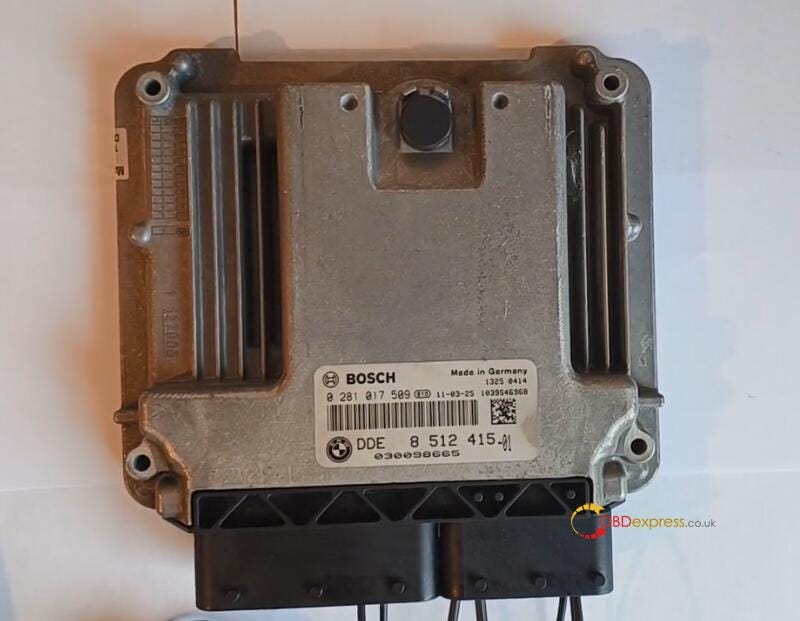
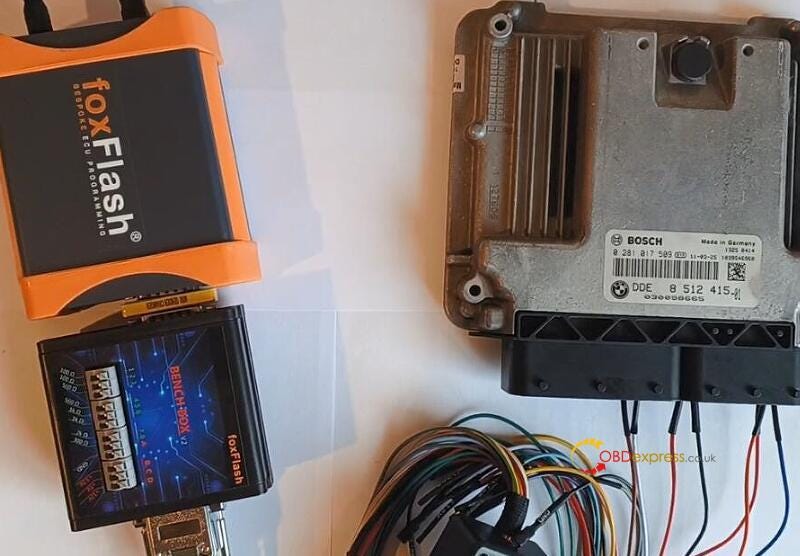
 Foxflash ECU programmer is able to read, write and do auto checksum for MINI BMW EDC17C50 engine ECU on bench. It's important to connect device and ECU according to the Pinout diagram strictly. Check more details below.

How Foxflash Read MINI or BMW EDC17C50 Engine ECU on Bench

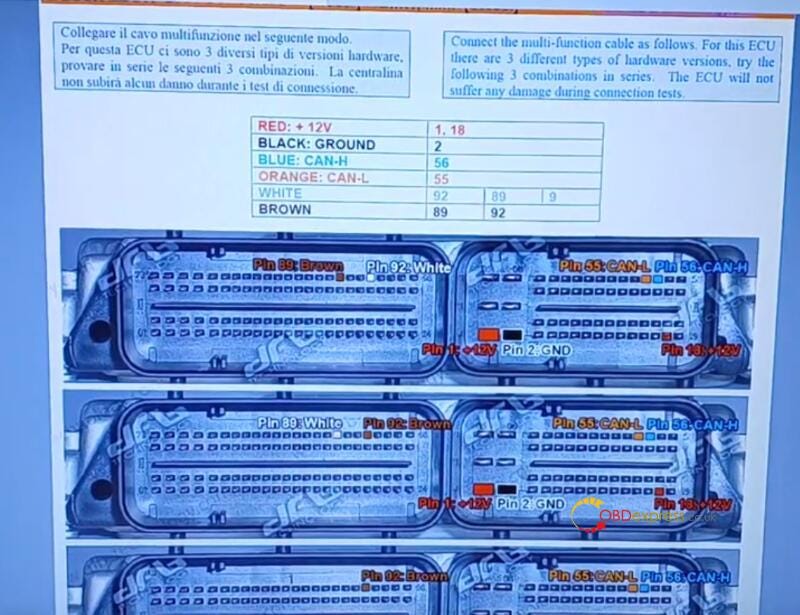
Foxflash BMW EDC17C50 ECU Pinout diagram:

Red: +12 V (Pin1, 18)

Black: Ground (Pin 2)

Blue: CAN-H (Pin 56)

Orange: CAN- L (Pin 55)

White: Pin 92, Pin 89, Pin 9

Brown: Pin 89, Pin 92

How Foxflash Read MINI or BMW EDC17C50 Engine ECU on Bench

Connect the multi-function cable correctly. There are 3 different types of hardware versions for this ECU. Try the above combinations in series. The ECU will not suffer any damage during connection tests.

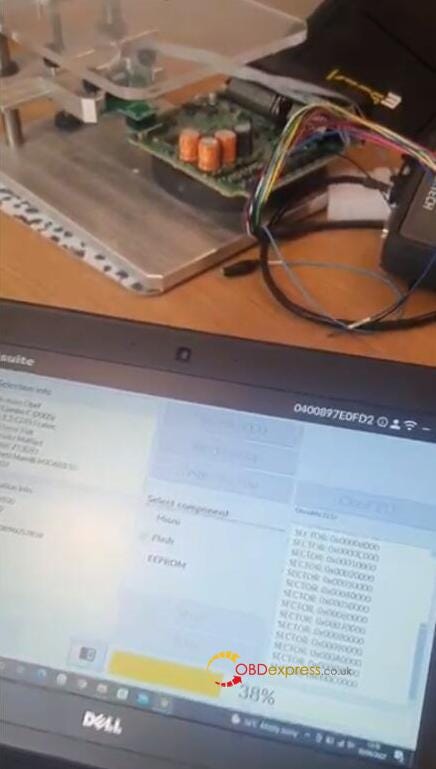
Connect Foxflash ECU Tool and BMW ECU via bench box and multifunction cables

How Foxflash Read MINI or BMW EDC17C50 Engine ECU on Bench

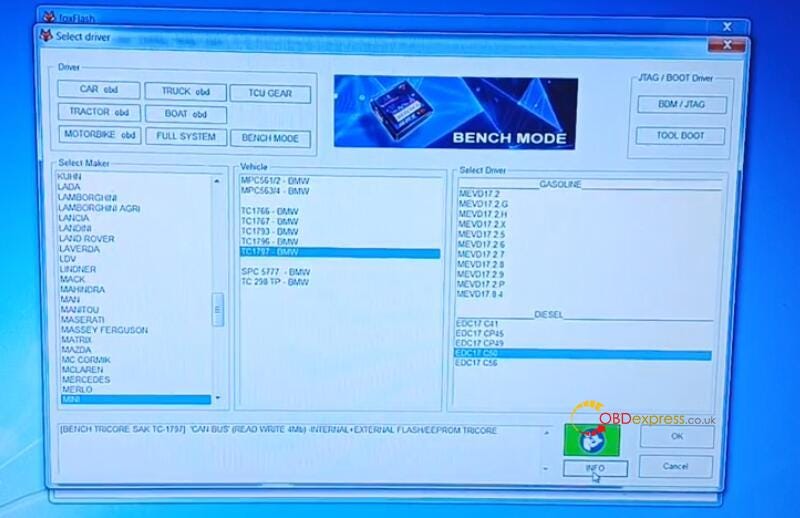
Run Foxflash Manager and Foxflash software

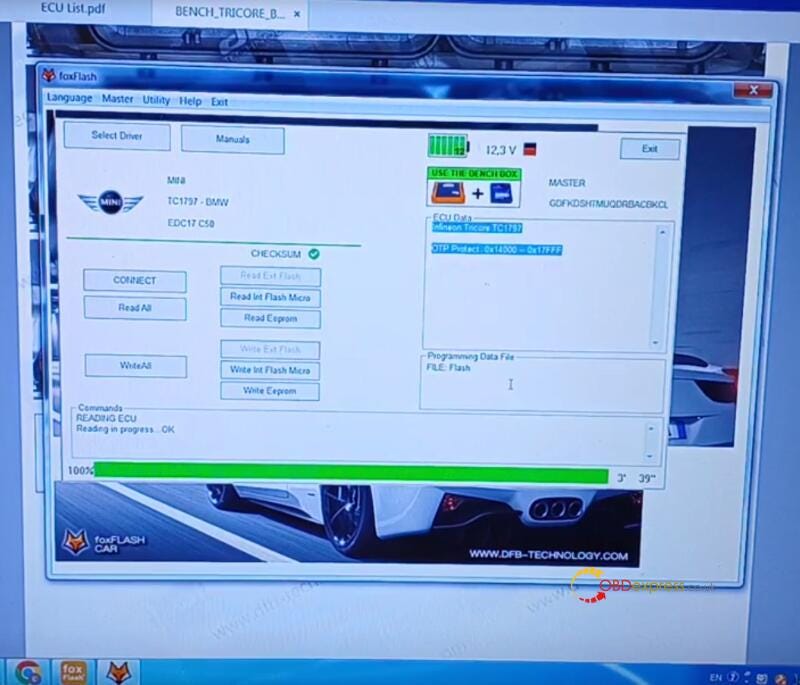
Select BENCH MODE>> MINI>> TC1797-BMW>> EDC17C50

How Foxflash Read MINI or BMW EDC17C50 Engine ECU on Bench

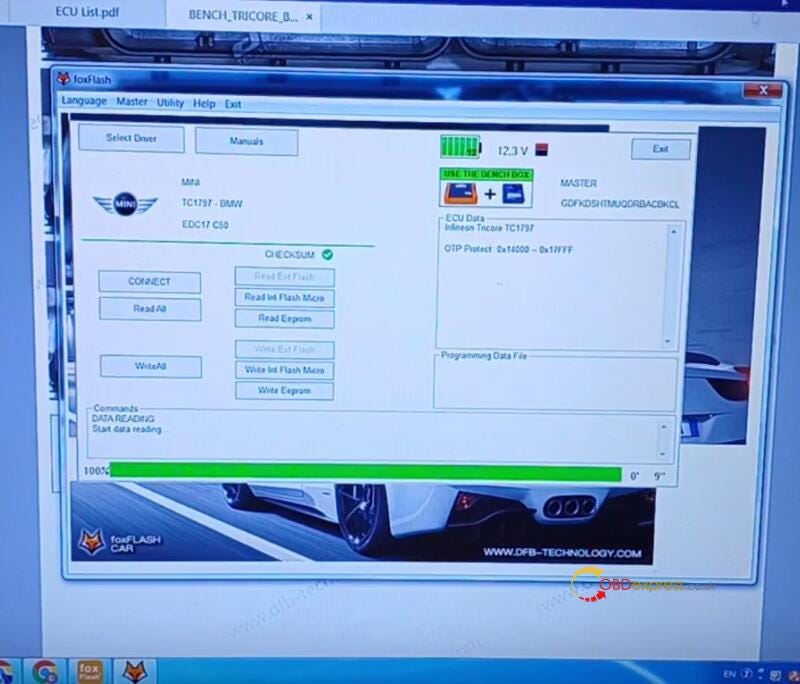
Connect ECU, read ECU-OK

How Foxflash Read MINI or BMW EDC17C50 Engine ECU on Bench

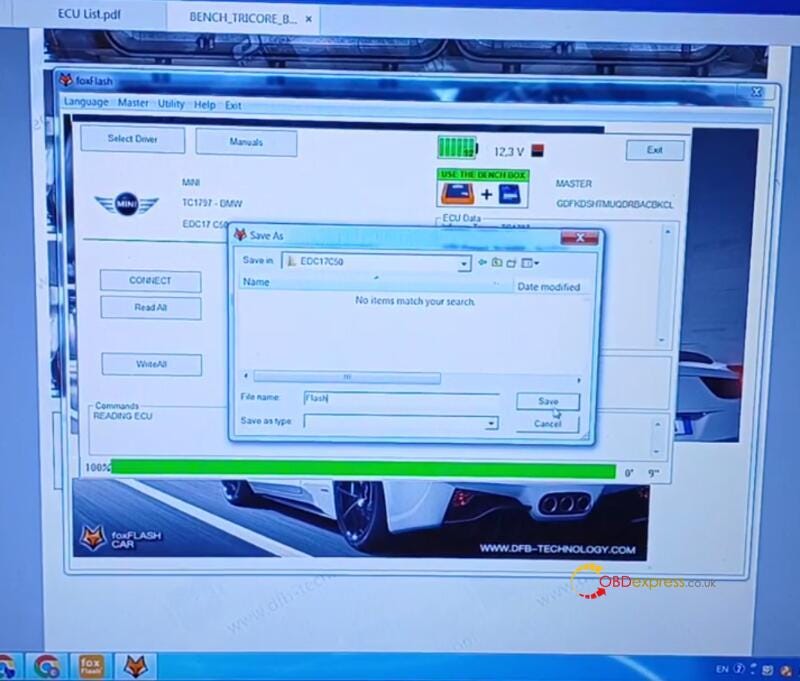
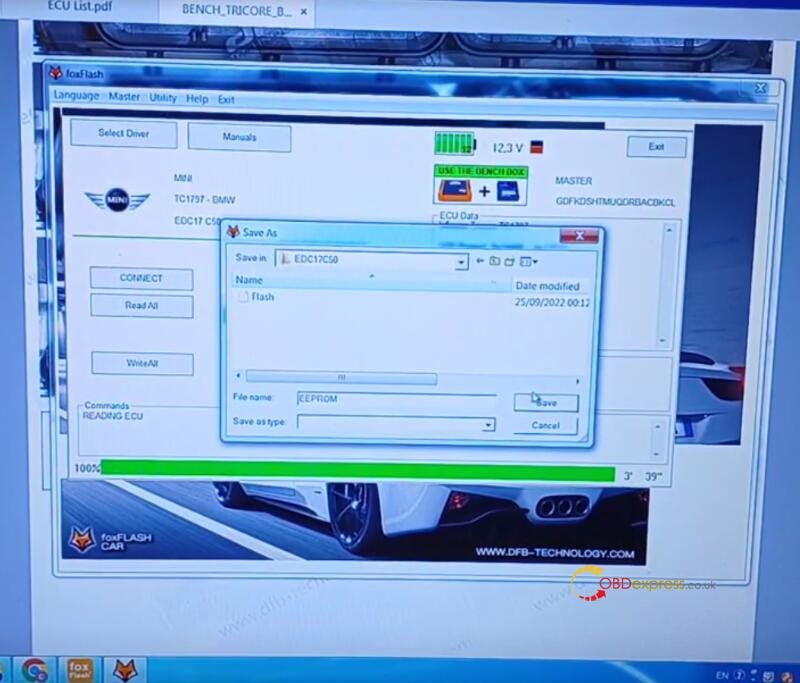
Read Int Flash Micro and save the data-OK

How Foxflash Read MINI or BMW EDC17C50 Engine ECU on Bench

How Foxflash Read MINI or BMW EDC17C50 Engine ECU on Bench

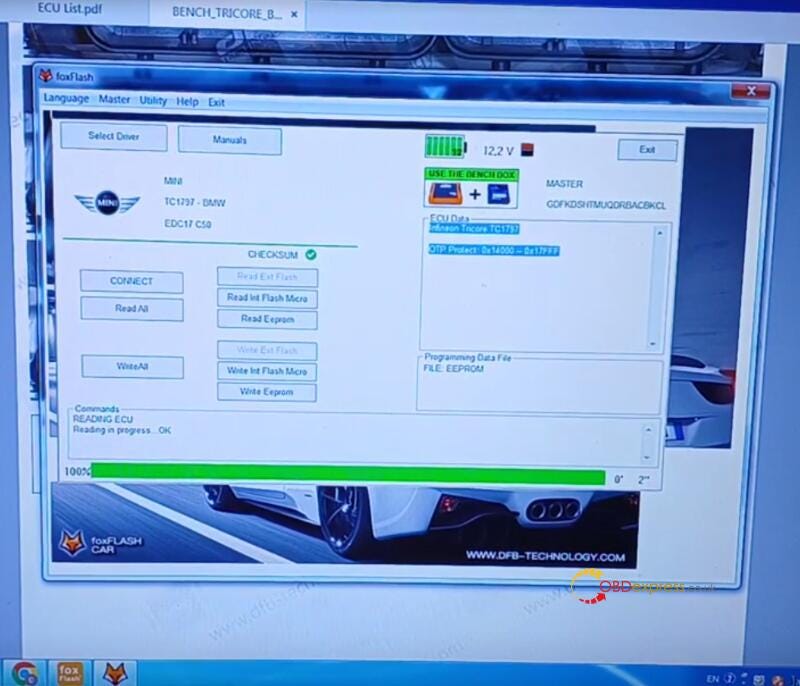
Read EEPROM and save the data- OK

How Foxflash Read MINI or BMW EDC17C50 Engine ECU on Bench

How Foxflash Read MINI or BMW EDC17C50 Engine ECU on Bench

All work perfectly!

Some related Foxflash FAQs:

Q1: If you doing an ECU cloning, do you read both flash data and EEPROM and do write all??

A: Yes, for cloning service you need to read Flash and EEPROM from the original ECU and write both files in the replacement ECU.

Q2: Works well with windows 7?

A: Yes, works well in Win7, sometimes lost driver but could be from antivirus.

Q3: Can foxflash read and write Isn for bmw ecus?

A: FoxFlash read/write data but not extract ISN.

Q4: If i want to clone bmw ecu i need also another tool for that? If only cloning dme with foxflash it aint working in the car?

A: For cloning ECU's FoxFlash ECU Chip Tuning Tool is enough only for part numbers from FoxFlash ECU& TCU Support List.

Autel MP900TS vs. MK808S-TS vs. MP808S-TS TPMS Scan Tool

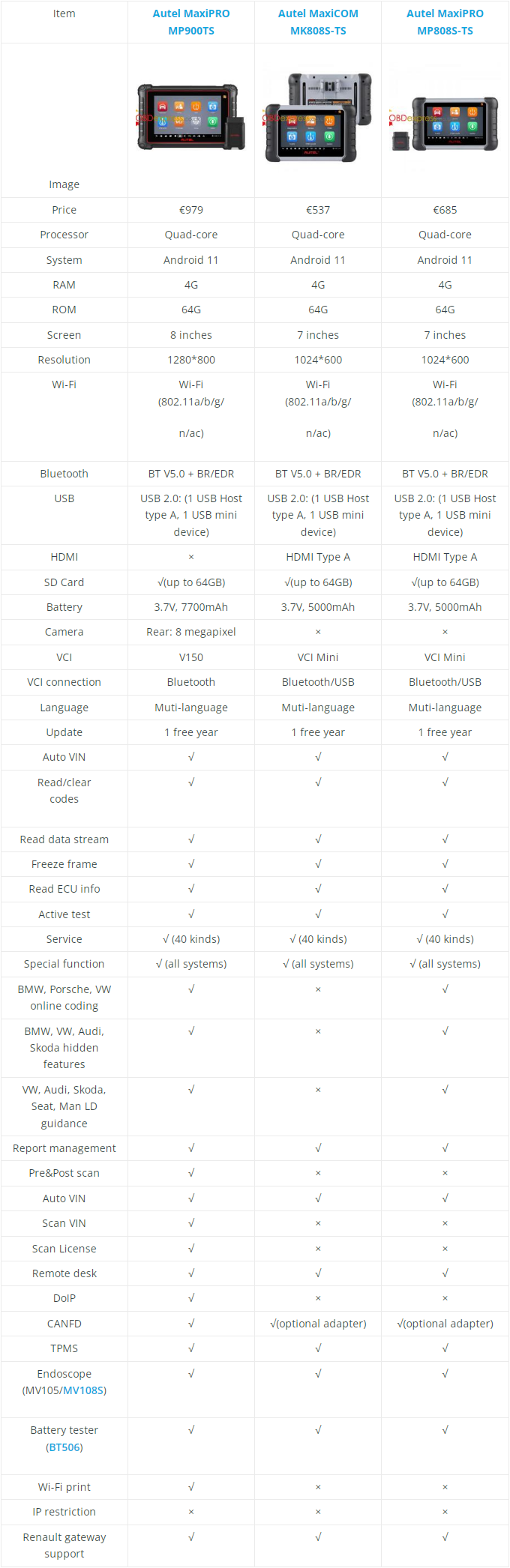
 How to choose Autel TPMS diagnostic tools: Autel MP900TS, MK808S-TS and MP808S-TS scanner? And what's the differences between them? No worries, just refer to the comparison table below, then you'll find the answer.

Read also

Autel MP900BT/MP900TS vs. Xtool D8/D8BT vs. Thinktool Pro

Comparison Table

Autel MP900TS vs. MK808S-TS vs. MP808S-TS TPMS Scan Tool

Differences & Similarities

  • Price
    1. Autel MP900TS > MP808S-TS > MK808S-TS

      MP900TS is the most expensive while MK808S-TS is the cheapest, MP808S-TS places the second.

    2. Hardware
      1. Autel MP900TS > MK808S-TS = MP808S-TS

        The hardware configuration of MP900TS is higher than MK808S-TS & MP808S-TS tablets, such as screen, resolution, battery and camera. The 808 series configuration are the same to support HDMI and VCI USB connection while MP900TS cannot.

      2. Software
          • MP900TS supports most advanced features like BMW/VW/Porsche online coding, BMW/Audi/VW hidden features, pre&post scan, scan VIN/ license, Wi-Fi print, etc.
          • All 3 models support basic diagnosis like full system diagnose, read & clear codes, read data stream, freeze frame, active test and 40 kinds of maintenance function, etc.
          • All 3 models are professional TPMS diagnostic tool that can program & activate MX-Sensor, etc.
        1. Extensibility
          1. All 3 models are able to work with Autel endoscope & battery tester.

            In conclusion, Autel MP900TS is latest and newer than 808 series tablets, which is featured with higher configuration. Generally, It's better to buy new for smart products. But if you're on a limit budget, then the 808 series is also the king of cost performance that can be considered.

            www.obdexpress.co.uk

            Friday, 2 February 2024

            Launch-X431 IMMO Plus and Key Programmer Add Buick Smart Key

             Confirmed! Launch X431 IMMO Plus/Elite and X431 Key Programmer can generate key remote and add smart key to Buick Enclave 2020 via OBD.

            Ensure the connection between Launch IMMO Matching Tool, X431 Remote Maker and vehicle is correct.
            Launch X431 IMMO Plus and Key Programmer Add Buick Smart Key

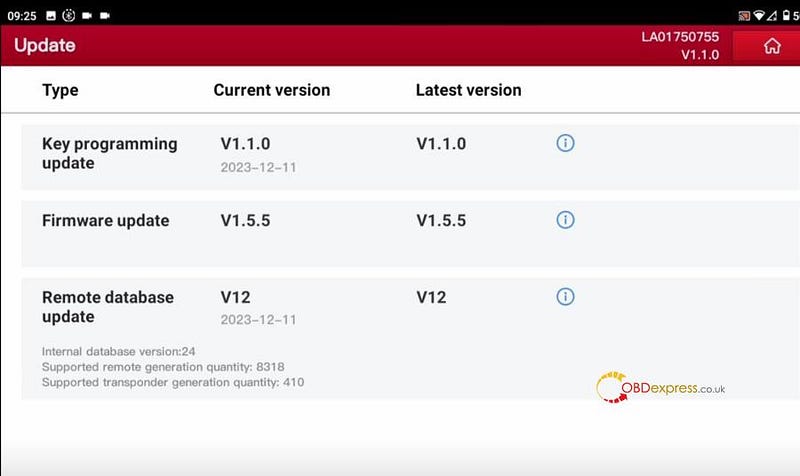
            Before the operation, check if the key programmer software is updated to the latest version

            Go to Key Programmer>> Update

            If the software is the newest version, update it first.
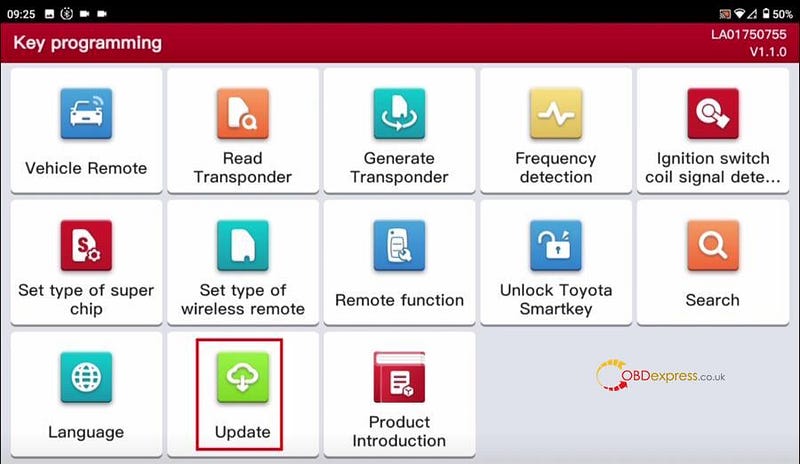
            Launch X431 IMMO Plus and Key Programmer Add Buick Smart Key

            Launch X431 IMMO Plus and Key Programmer Add Buick Smart Key

            Then start to perform the related functions below.

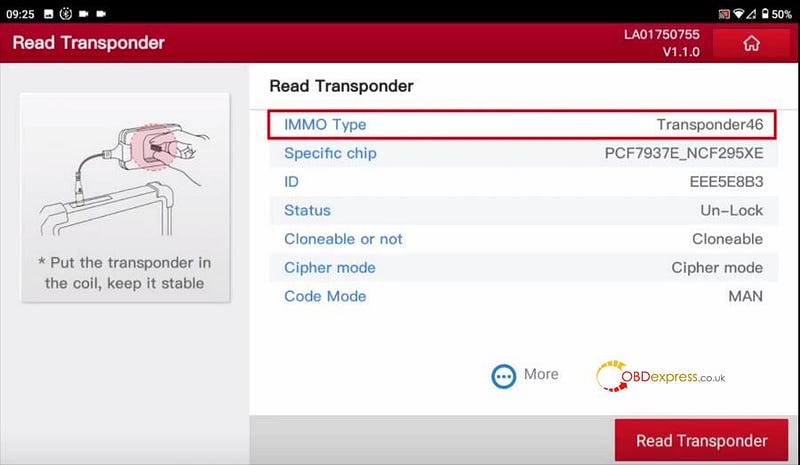
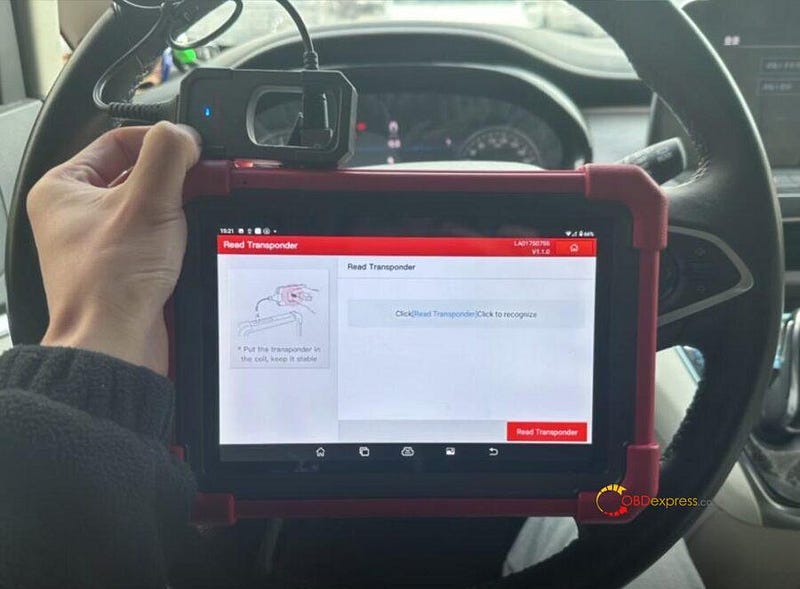
            1.Read Transponder

            Select "Read Transponder"

            Put the original car key into the coil of Launch X431 Key Programmer

            Start to read transponder

            Remember the IMMO type after reading successfully
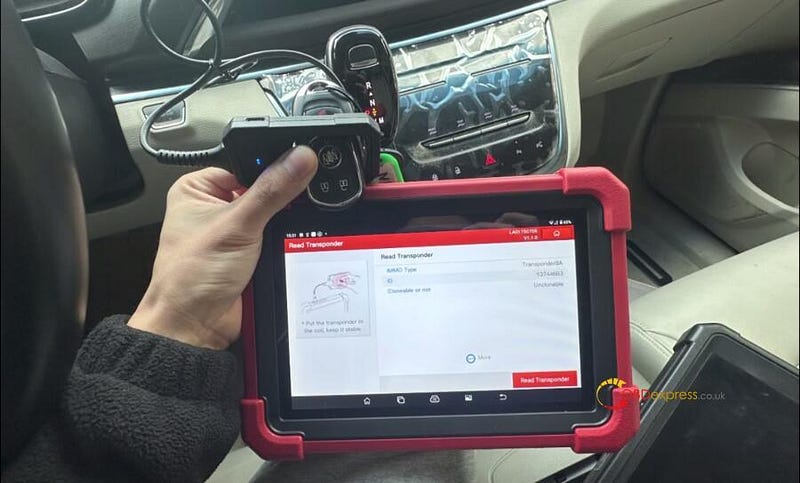
            Launch X431 IMMO Plus and Key Programmer Add Buick Smart Key

            Launch X431 IMMO Plus and Key Programmer Add Buick Smart Key

            2.Detect Frequency

            Select "Frequency detection"

            Put the original car key close to Launch Key Programmer to detect

            Read the frequency successfully
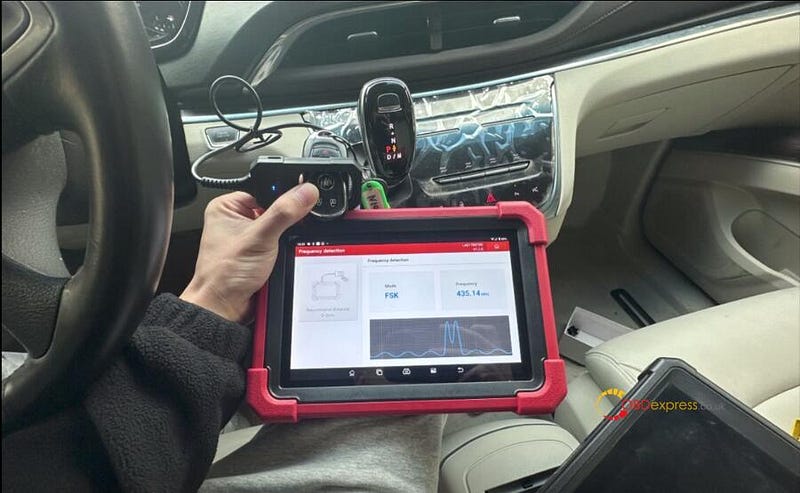
            Launch X431 IMMO Plus and Key Programmer Add Buick Smart Key

            3.Generate Vehicle Remote

            Select Vehicle Remote>> Buick>> All remotes>> Enclave (2018–2019) KeylessGo ID46 433

            Put the key into the coil of Key Programmer to generate remote

            Burn successfully
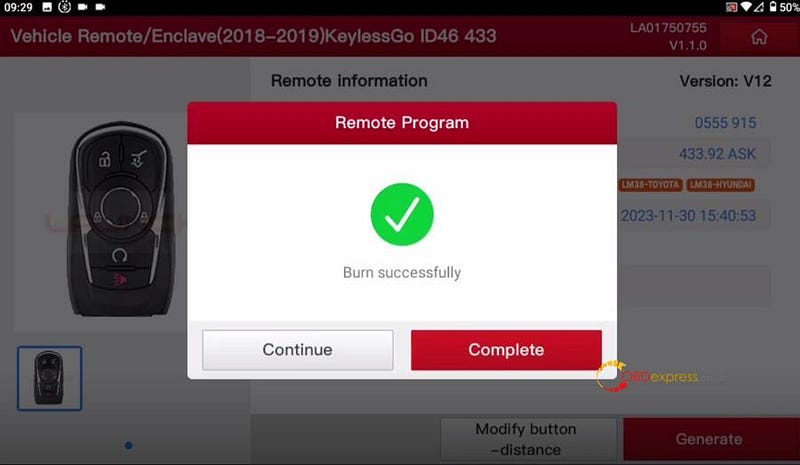
            Launch X431 IMMO Plus and Key Programmer Add Buick Smart Key

            4.Add New Key

            After generation, open the Anti-Theft software to add a new key.

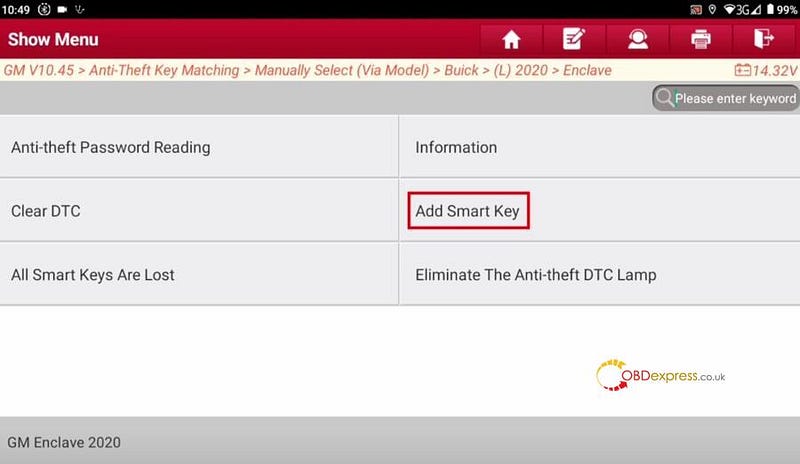
            Select IMMO>> GM>> GM software>> Anti-Theft Key Matching>> Manually Select (Via Model)>> Buick>> (L) 2020>> Enclave>> Anti-Theft Key Matching>> Smart Key>> Add Smart Key
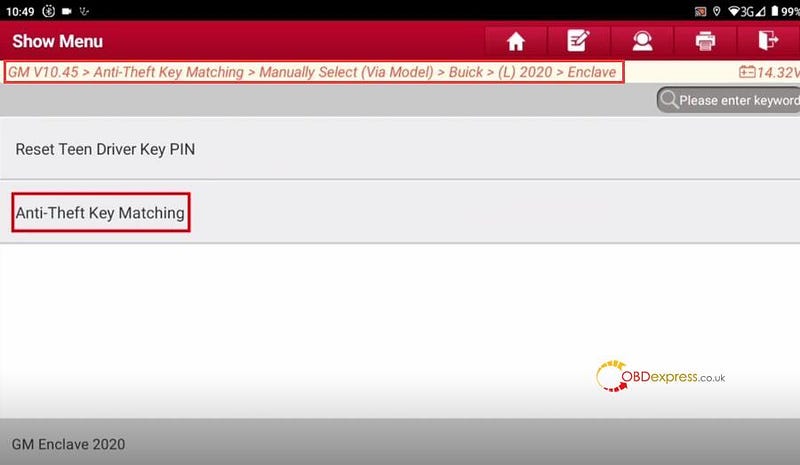
            Launch X431 IMMO Plus and Key Programmer Add Buick Smart Key

            Launch X431 IMMO Plus and Key Programmer Add Buick Smart Key

            Turn ignition on (turn the key to on position. For push-start vehicle, long press the Start button for 5–10s to turn ignition on)

            Press Start/Stop button

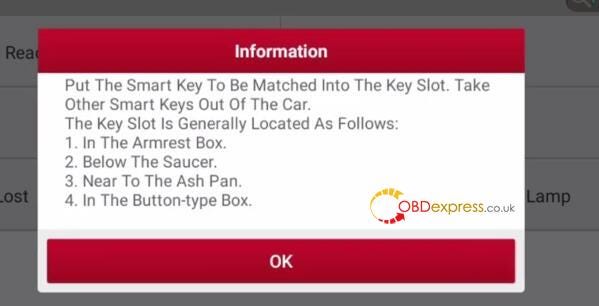
            Put the smart key to be matched into the key slot, take other smart keys out of the car.

            The key slot is generally located as follows:

            1.In the Armrest box

            2.Below the saucer

            3.Near to the Ash Pan

            4.In the button-type box
            Launch X431 IMMO Plus and Key Programmer Add Buick Smart Key

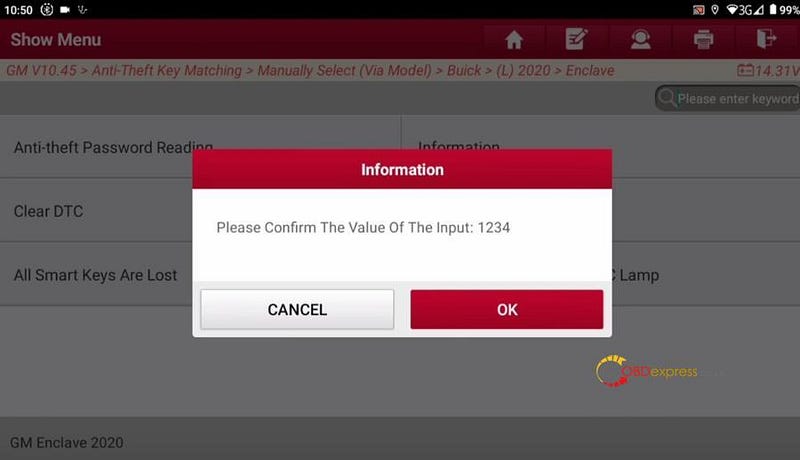
            Input the 4 digit PIN and confirm the value
            Launch X431 IMMO Plus and Key Programmer Add Buick Smart Key

            Turn off ignition

            Press Start/Stop button

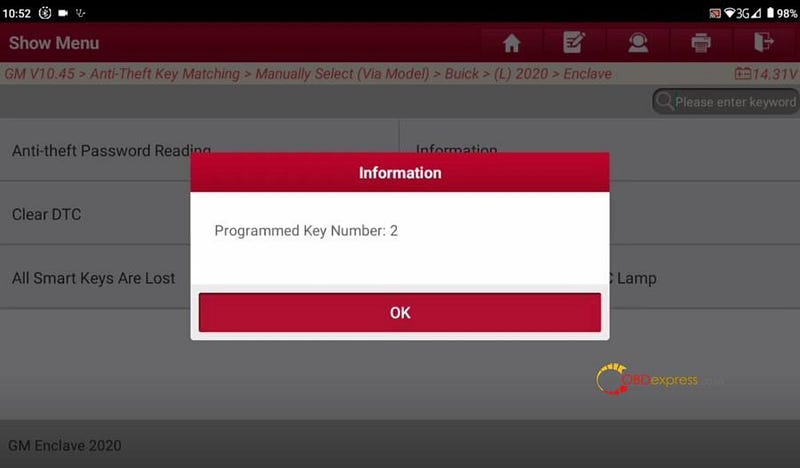
            Programmed key number is 2
            Launch X431 IMMO Plus and Key Programmer Add Buick Smart Key

            Turn off engine

            Open driver door and then close driver door

            Take out the smart key

            Press simultaneously the lock and unlock buttons and release them.

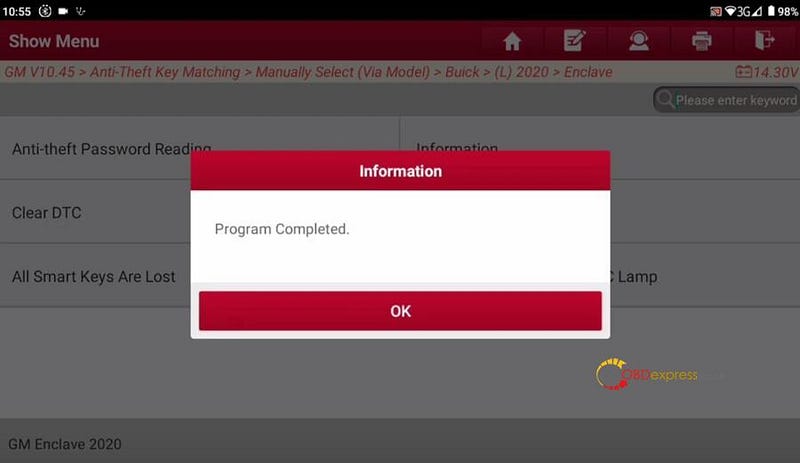
            Program the new key successfully

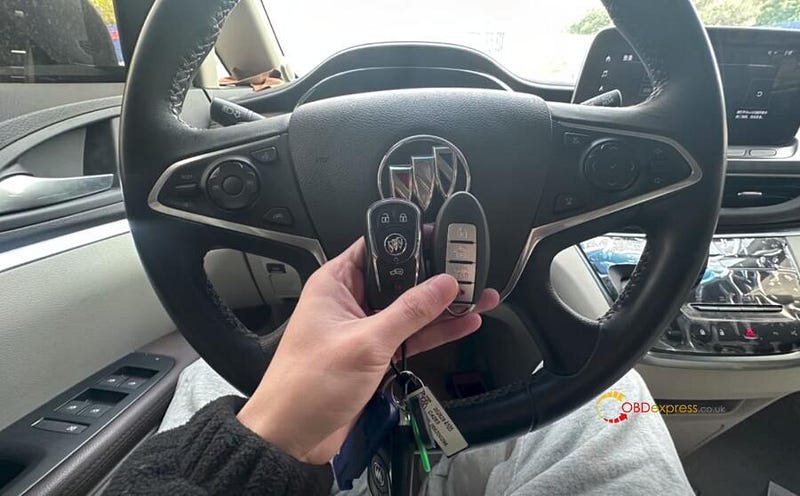
            Finally, use the key programmed to start the car and test the remote, all works fine!
            Launch X431 IMMO Plus and Key Programmer Add Buick Smart Key

            Launch X431 IMMO Plus and Key Programmer Add Buick Smart Key

            Read also:

            • What's Launch X431 Key Programmer Remote Maker? How to Use?

            http://blog.obdexpress.co.uk/2023/09/13/whats-launch-x431-key-programmer-remote-maker-how-to-use/

            http://blog.obdexpress.co.uk/2024/01/05/launch-x431-immo-plus-key-programmer-add-nissan-key/
            How to use Xhorse Multi-Prog Third-Party Script Function?

             Xhorse Multi-Prog Programmer is able to read and write related chips. Considering it usually needs to modify data before writing some chips. That's what Multi-Prog can do. The device provides a scripting interface, which allows you to process and save the original data using scripts developed by third parties, and then write it using the device.

            use Xhorse Multi-Prog Third-Party Script Function

            How to use Third-Party Script function?

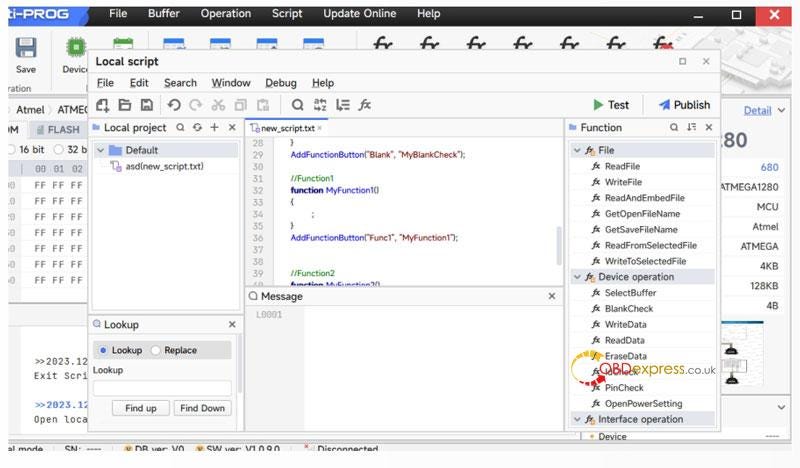
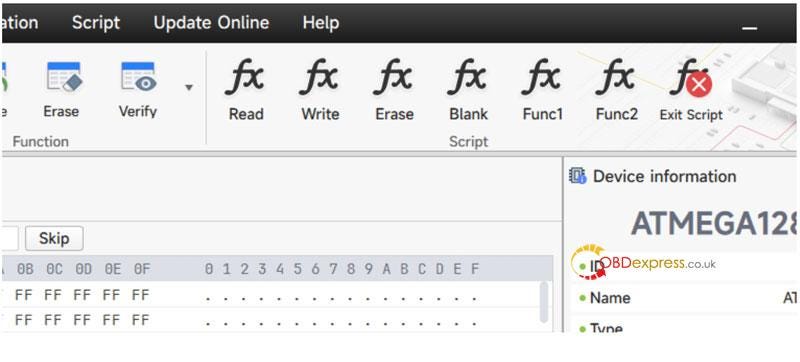
          2. After the Xhorse Multi-Prog enters the read/write option, tap the script function, select "Published Functions";
          3. Then select the specific function script you want to use;
          4. you can run the corresponding script and use the script function. As shown in the below pic, the script provides the function of modifying data.
            1. Note:

              Please refer to the script development documentation that comes with the software for script development methodology and development examples, no further details are provided here.

              use Xhorse Multi-Prog Third-Party Script Function

              Chip Batch Writing

              Besides, Multi-Prog Programmer also supports batch writing of chips. Batch writing of chips is often used in factories when production requires large-scale writing of chips. The types of writes supported are common memory series and common microcontroller series.

              For the specific usage of batch writing, please refer to the documentation of the factory usage mode that comes with the software, no further details are provided here.

              Read also:

              Xhorse Multi-Prog ECU/TCU Read & Write Operation Guide

              How to Unlock BMW B48 MG1CS201 B58 MG1CS024 ECUs by FLEX?

               Interested in Flex ’s new BMW ECU unlock feature, but don’t own a FLEX tool — or lack an active subscription to access online protocols? T...