Wednesday, 27 March 2024

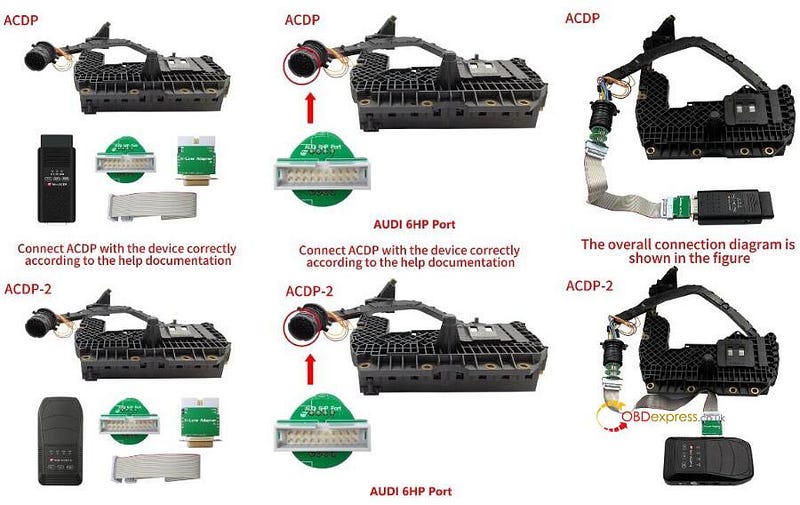
How to Clone Audi 6HP TCU by Yanhua ACDP 2 and Module 32?

 Question:

Is it possible to use Yanhua Mini ACDP2 to clone Audi 6HP TCU?

Here is the answer:

Yes, Yanhua ACDP Module 32 is required to work with ACDP-2.

Besides 6HP Bosch TCU, it also supports MPC56X chip DME clone, incl.ME9.0/ MED9.1/ MED9.5/ MED9.5.10/ EDC16C2/ EDC16C8/ EDC16CP31/ EDC16CP35 DME etc.

http://blog.obdexpress.co.uk/2024/01/30/yanhua-mini-acdp-module-32-k-line-module-clone-diagram/

How to do:

Power on ACDP
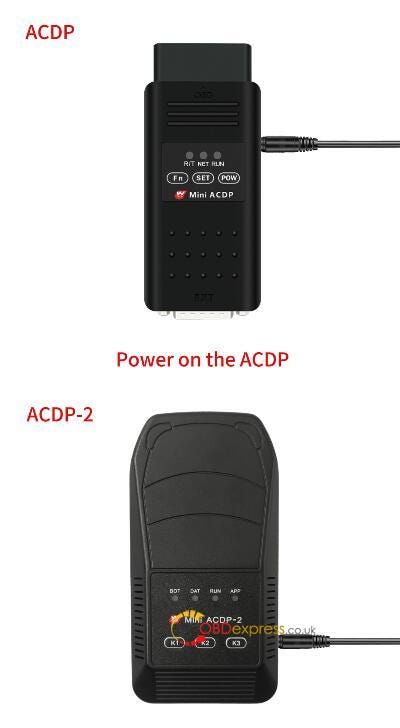
How to Clone Audi 6HP TCU by Yanhua ACDP 2 and Module 32

Open Mini ACDP App, check if device is connected

Select Module>> K-Line module clone>> 6HP BOSCH (VAG)

Click [Help] icon on the right side to check the accessories required and connection method

Follow it to connect ACDP 2, Yanhua Module 32 and 6HP gearbox correctly
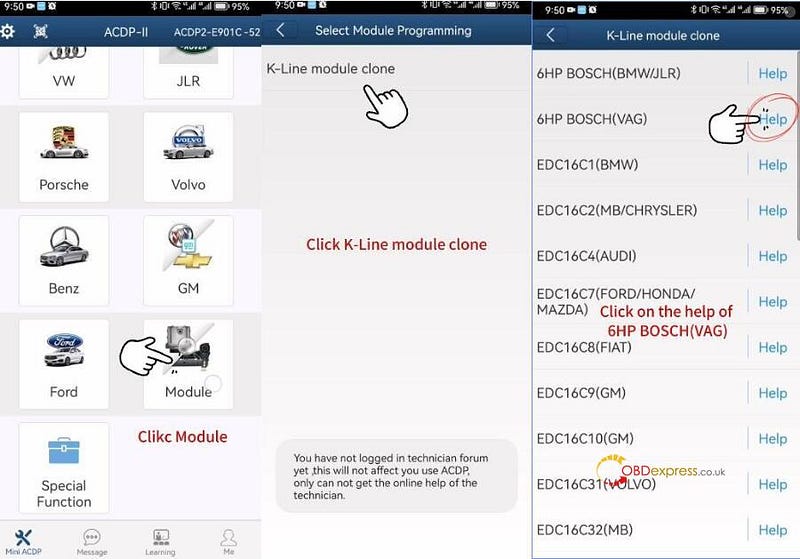
How to Clone Audi 6HP TCU by Yanhua ACDP 2 and Module 32

How to Clone Audi 6HP TCU by Yanhua ACDP 2 and Module 32

Then perform the functions below one by one.

Step 1: Identify

Step 2: Full backup data

Step 3: Full write data

Use the ACDP standard power adapter (voltage +12V, current>= 2.5A), and ensure the stable network connection and DO NOT pull out the device during it working.

Step 1: Identify

Confirm the system info and save a screenshot

Identify chip info finish
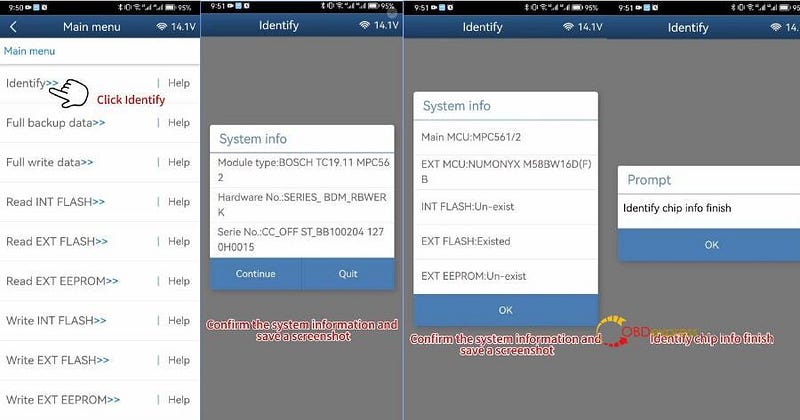
How to Clone Audi 6HP TCU by Yanhua ACDP 2 and Module 32

Step 2: Full Backup Data

Read chip data, and save the data file after reading

Backup data success
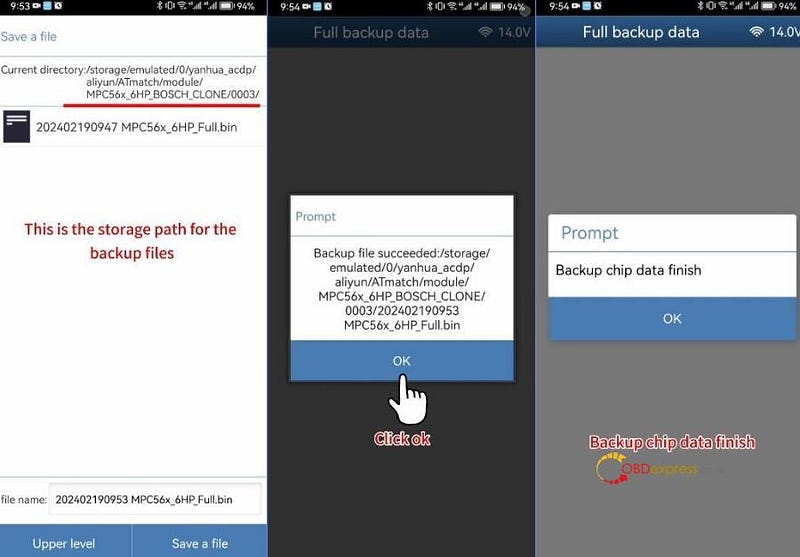
How to Clone Audi 6HP TCU by Yanhua ACDP 2 and Module 32

Step 3: Full write data

Connect Mini ACDP 2 to a new Audi 6HP gearbox TCU
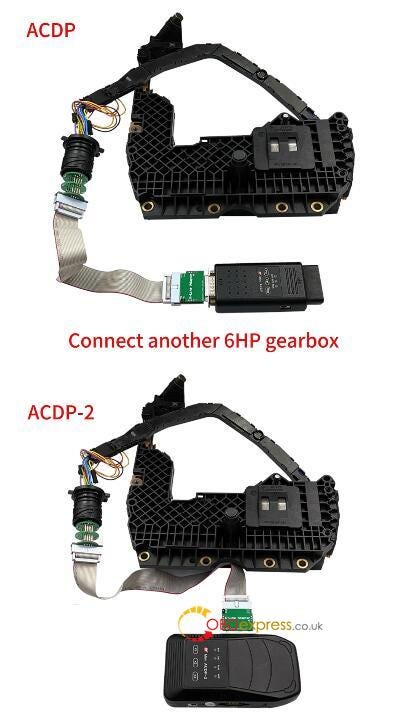
How to Clone Audi 6HP TCU by Yanhua ACDP 2 and Module 32

Confirm the system info and save a screenshot

Select the original chip data and write into the new TCU

Don't cut the power nor pull out the device during the programming

Write chip data successfully
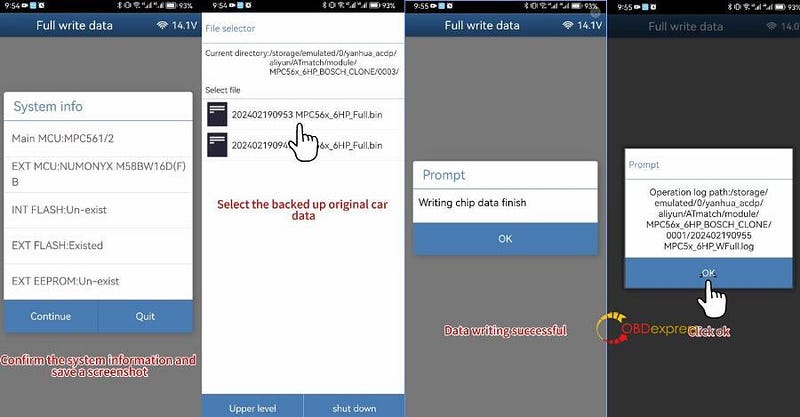
How to Clone Audi 6HP TCU by Yanhua ACDP 2 and Module 32

Done!
www.obdexpress.co.uk

Tuesday, 12 March 2024

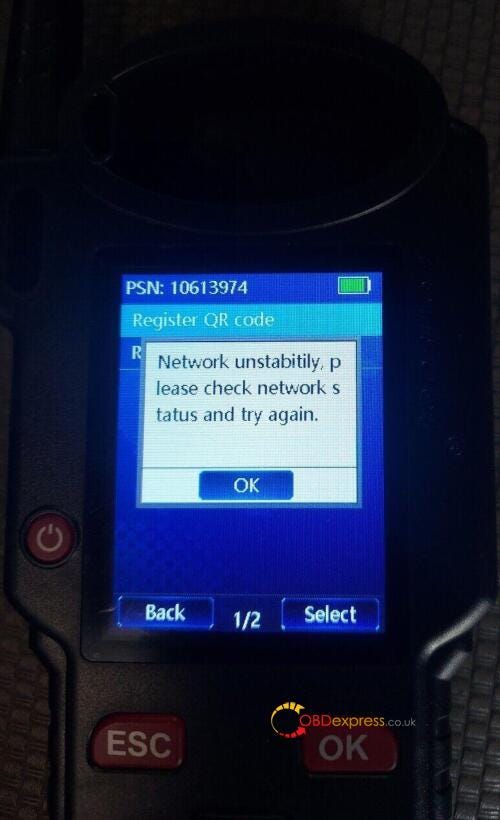
How to Solve Lonsdor KH100+ Network Unstability Problem?

 Recently, some customers gave feedback that Lonsdor KH100+ remote maker appeared "Network Unstability" error when using. It still cannot use even if changed network.

Solve Lonsdor KH100+ Network Unstability Problem

Obdexpress.co.uk engineer gave the suggestion below.

1.Connect with your smartphone hotspot

2.Try to repair KH100 via update tool.

KH100+ repair (WiFi)

Follow video inside to fix KH100+, it will be fine.

https://www.obdexpress.co.uk/

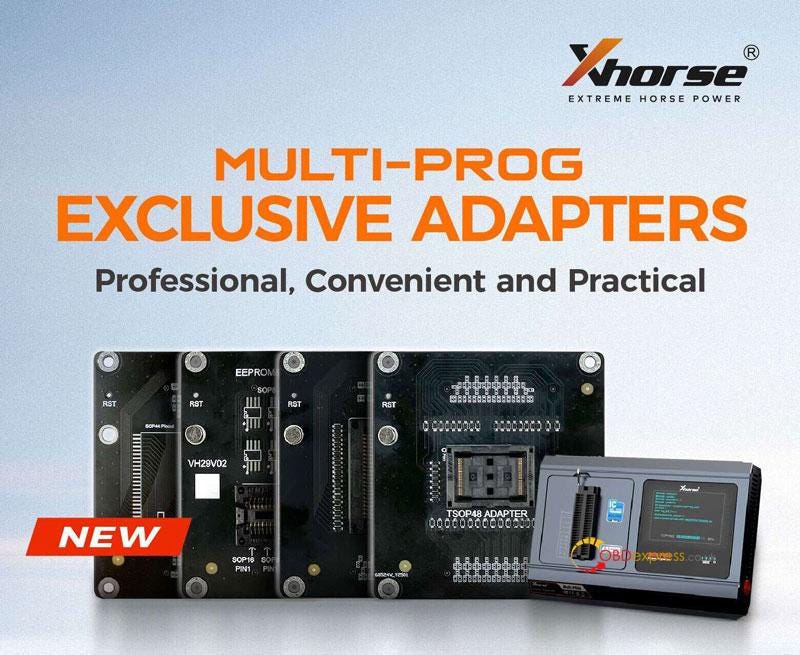
Xhorse Multi-Prog SOP44/TSOP48 EEPROM & FLASH Adapter

 Latest 2024 exclusive adapters for Xhorse Multi-Prog Programmer have been released. Including 4 professional adapters to read and write SOP44/TSOP48 package FLASH chips or common 8-pin chip data. Convenient and practical that you will need it very much.

Xhorse Multi-Prog SOP44 TSOP48 EEPROM and FLASH Adapter

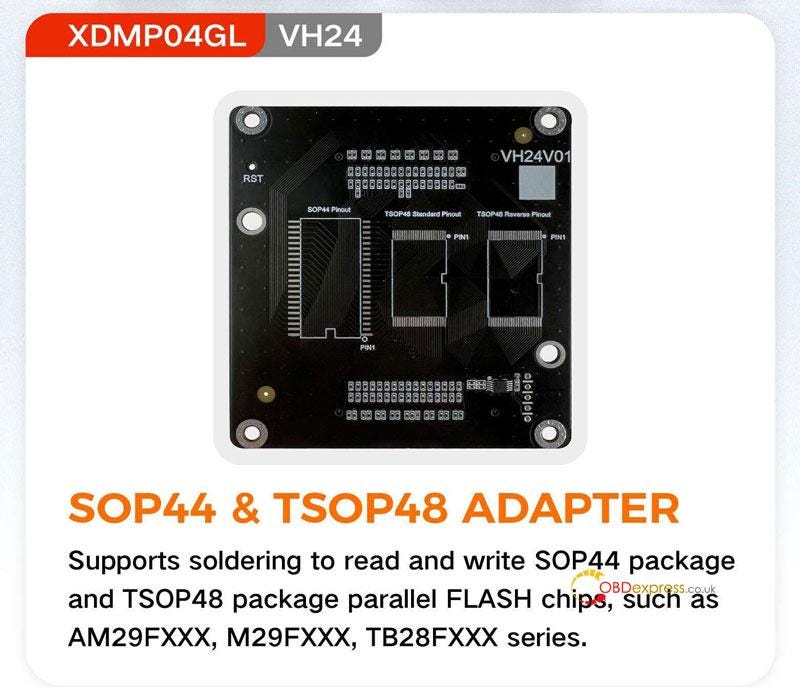
  • SOP44 & TSOP48 Adapter
    1. Model: XDMP04GL VH24

      Function: Supports to read and write SOP44 package and TSOP48 package parallel FLASH chips by soldering, covering AM29FXXX, M29FXXX, TB28FXXX series.

      Xhorse Multi-Prog SOP44 TSOP48 EEPROM and FLASH Adapter

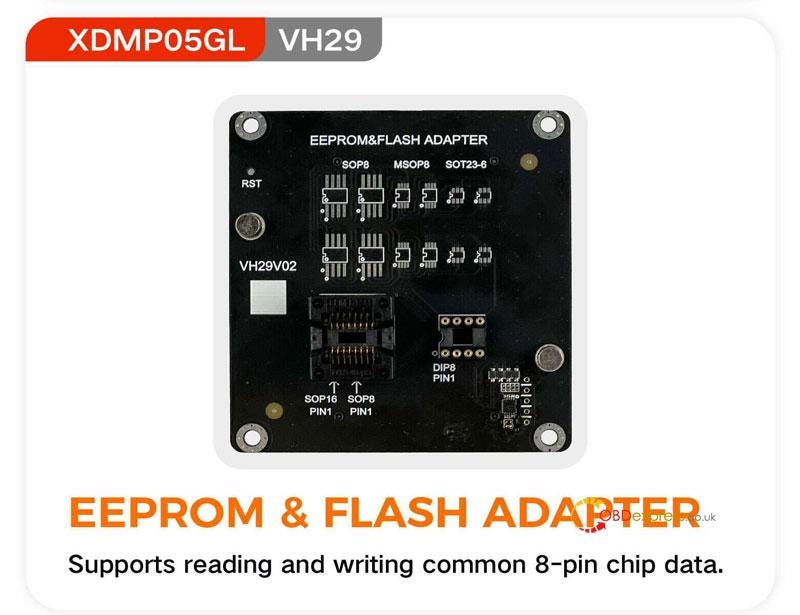
    2. EEPROM & FLASH Adapter
      1. Model: XDMP05GL VH29

        Function: supports to read and write common 8-pin chip data.

        Xhorse Multi-Prog SOP44 TSOP48 EEPROM and FLASH Adapter

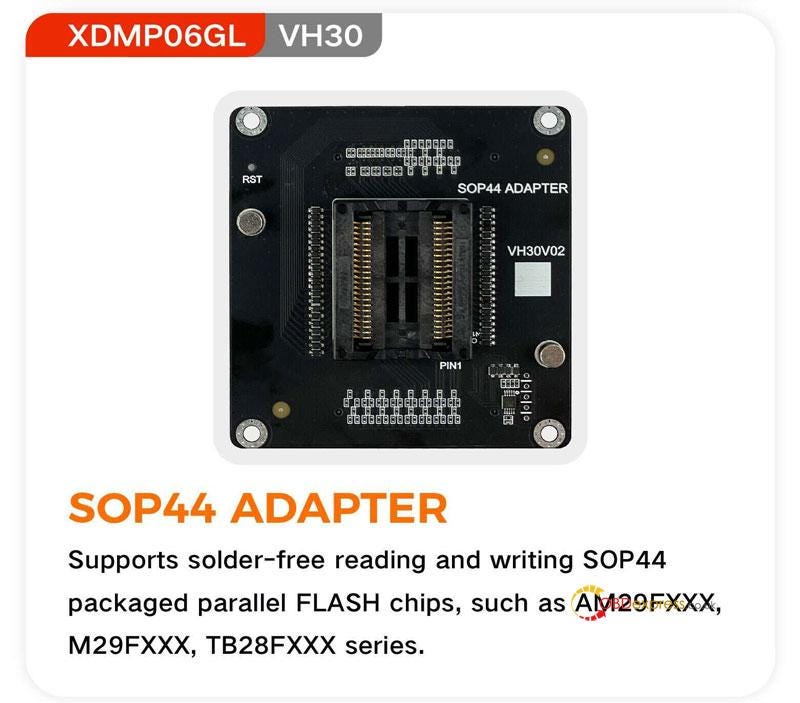
      2. SOP44 Adapter(Solder-Free)
        1. Model: XDMP06GL VH30

          Function: supports to read and write SOP44 packaged parallel FLASH chips without soldering, covering AM29FXXX, M29FXXX, TB28FXXX series.

          Xhorse Multi-Prog SOP44 TSOP48 EEPROM and FLASH Adapter

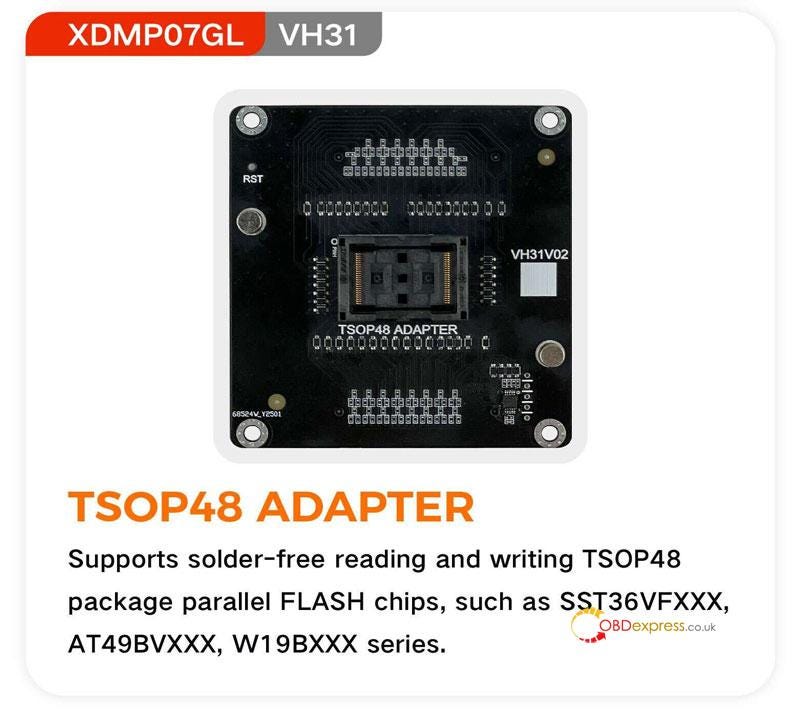
        2. TSOP48 Adapter(Solder-Free)
          1. Model: XDMP07GL VH31

            Function: supports to read and write TSOP48 package parallel FLASH chips without soldering, covering SST36VFXXX, AT49BVXXX, W19BXXX series.

            Xhorse Multi-Prog SOP44 TSOP48 EEPROM and FLASH Adapter

            www.obdexpress.co.uk

            VW MED17.5 ECU Read and Write by Alientech Kess V3 on Bench

             How to clone VW MED17.5 ECU with Alientech Kess V3?

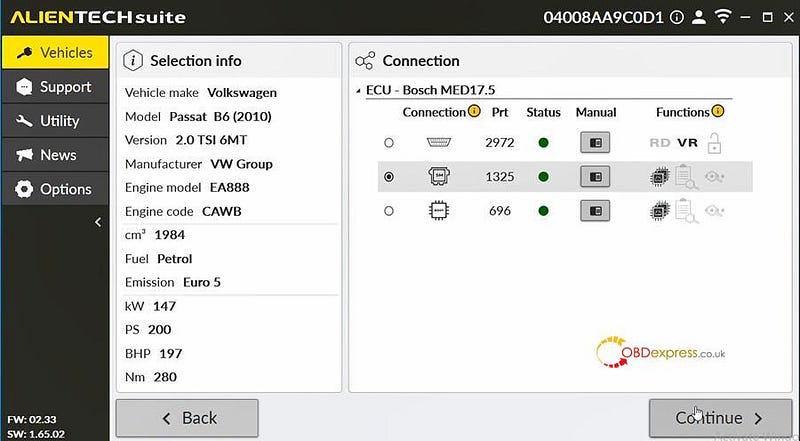
            Kess 3 can support most of MED17.5 ECUs via OBD, Bench, and Boot modes.

            For example:

            Car model: Passat B6 (2010) 2.0 TSI 6MT with Bosch MED17.5 ECU

            Supported mode: OBD/Bench/Boot

            Connection method and instruction: can be found in the Alientech Suite software

            Operation guide:

            On Bench mode

            Remove the ECU from the vehicle

            Connect to the ECU

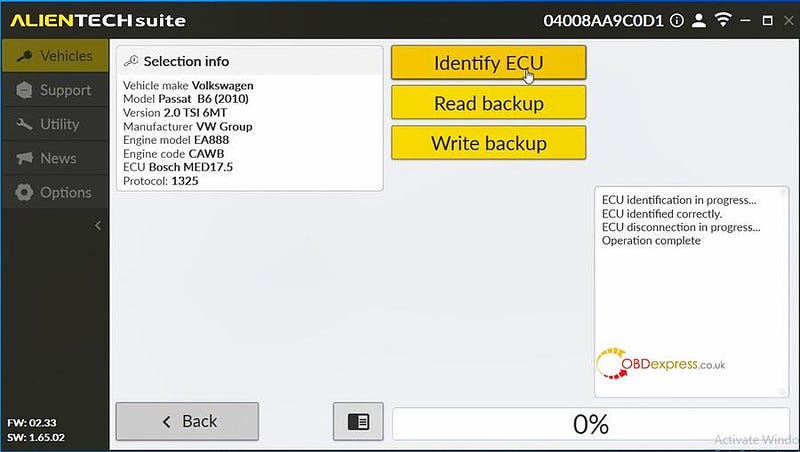
            Select Identify ECU in the programming menu to allow correct recognition of the ECU

            Always make a full backup of the ECU

            Proceed with read backup and write backup.

            Connection modes:

            VW MED17.5 ECU Read and Write by Alientech Kess V3 on Bench

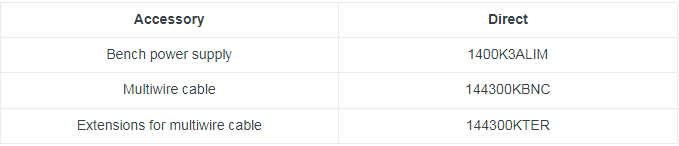
            Plug in the bench power supply 1400K3ALIM to the KESS3 ECU programmer

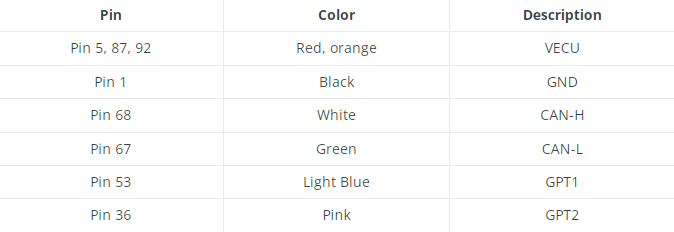
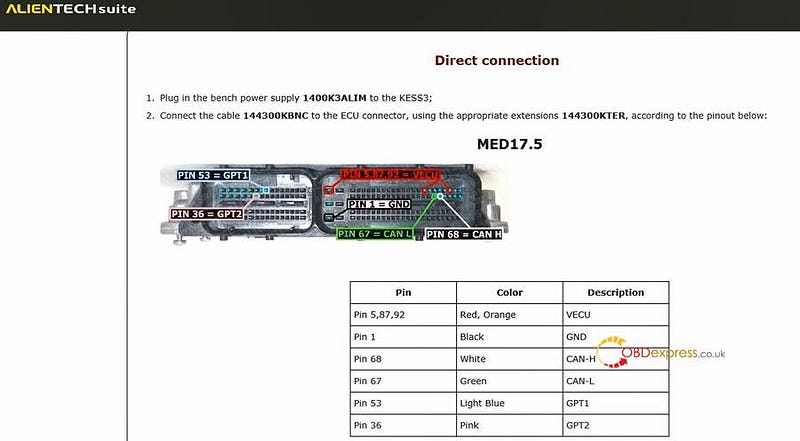
            Connect the cable 144300KBNC to the ECU connector, using the appropriate extensions 144300KTER according to the pinout below.

            VW MED17.5 ECU Read and Write by Alientech Kess V3 on Bench

            VW MED17.5 ECU Read and Write by Alientech Kess V3 on Bench

            Actual operation:

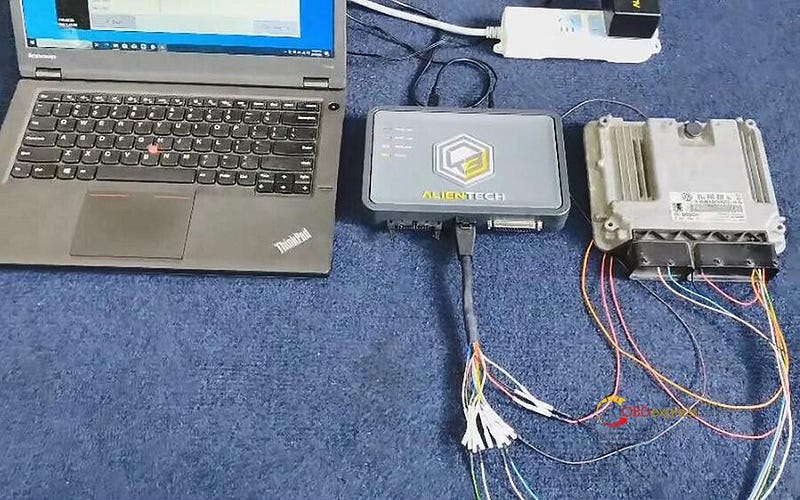
            Connect Kess V3 to MED17.5 ECU and computer by the corresponding cable, and supply power to Kess3 as well

            VW MED17.5 ECU Read and Write by Alientech Kess V3 on Bench

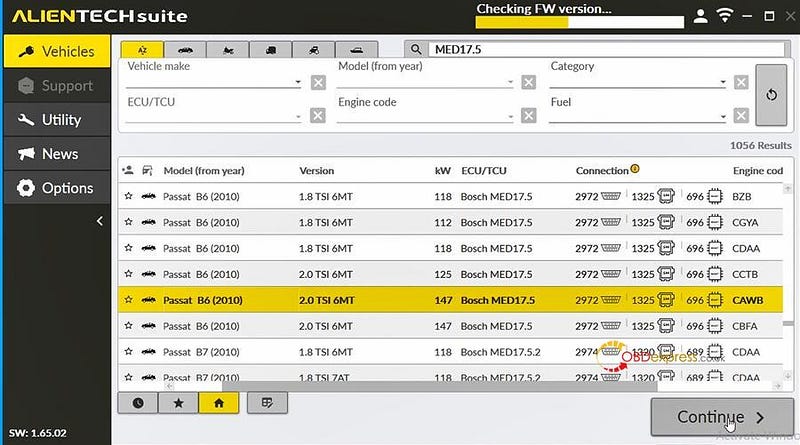
            Run Alientech Suite software, select the MED17.5 ECU desired and bench mode

            VW MED17.5 ECU Read and Write by Alientech Kess V3 on Bench

            VW MED17.5 ECU Read and Write by Alientech Kess V3 on Bench

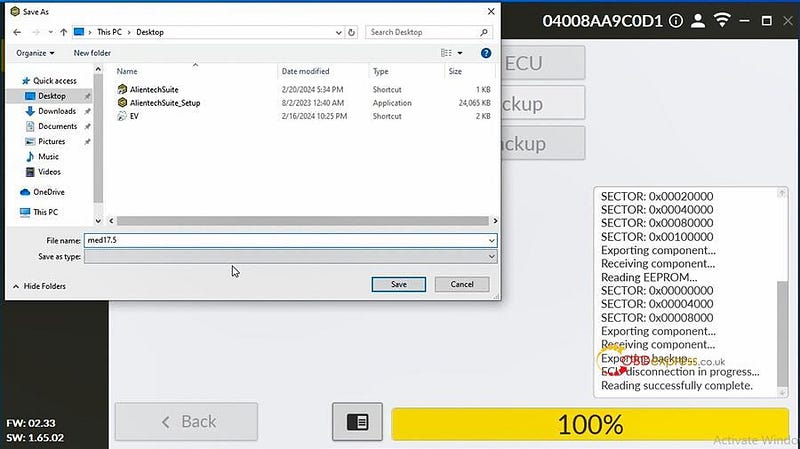
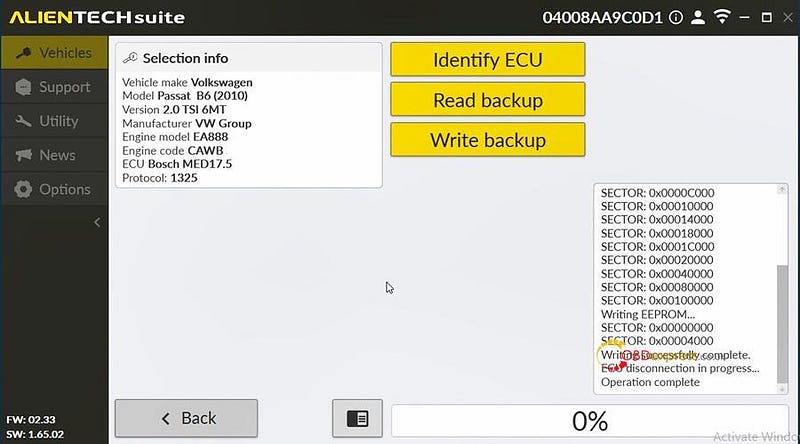
            Identify ECU>> Read backup>> Write backup

            It takes about 3 minutes to read backup the data, keep patient!

            Write data very fast!

            VW MED17.5 ECU Read and Write by Alientech Kess V3 on Bench

            VW MED17.5 ECU Read and Write by Alientech Kess V3 on Bench

            VW MED17.5 ECU Read and Write by Alientech Kess V3 on Bench

            www.obdexpress.co.uk

            Tuesday, 5 March 2024

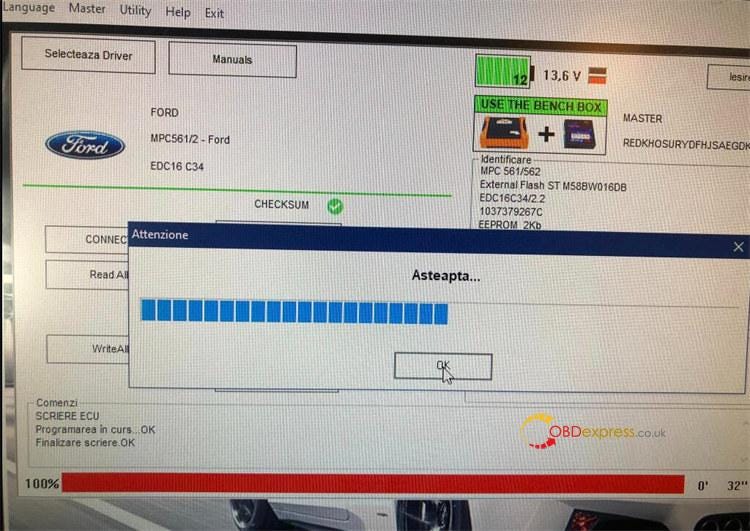
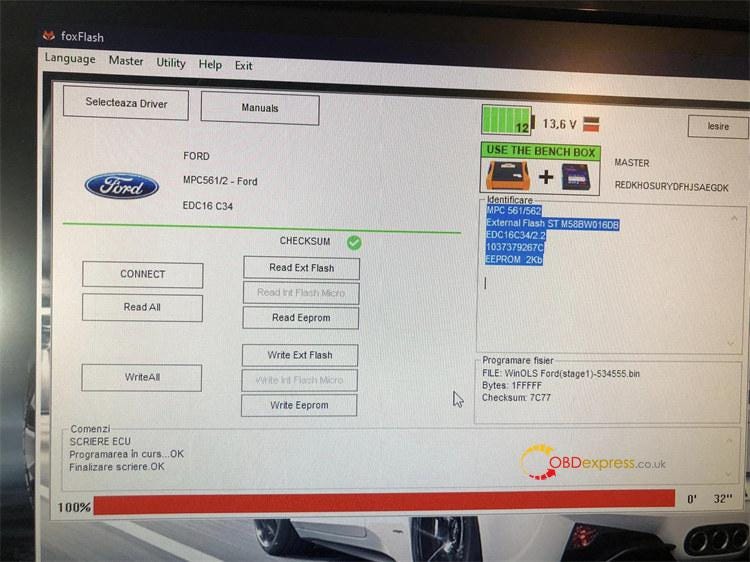
            Ford EDC16C34 Stage 1 Read Write Checksum OK with Foxflash

             Foxflash ECU Programmer new feedback:

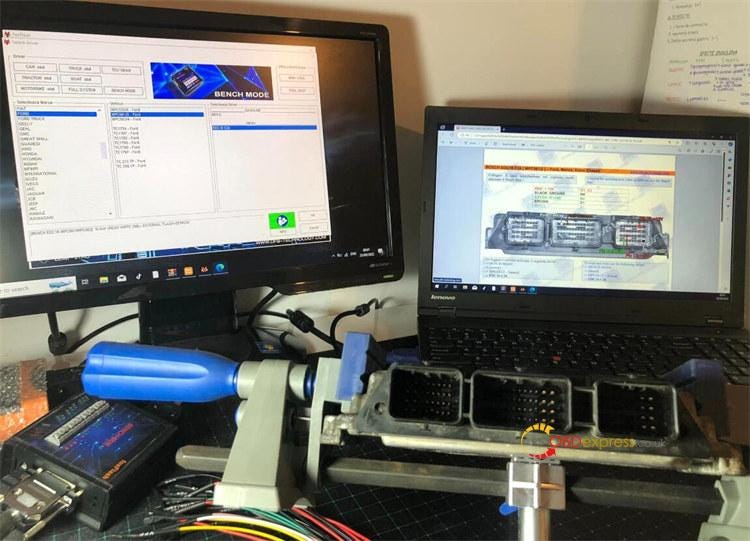
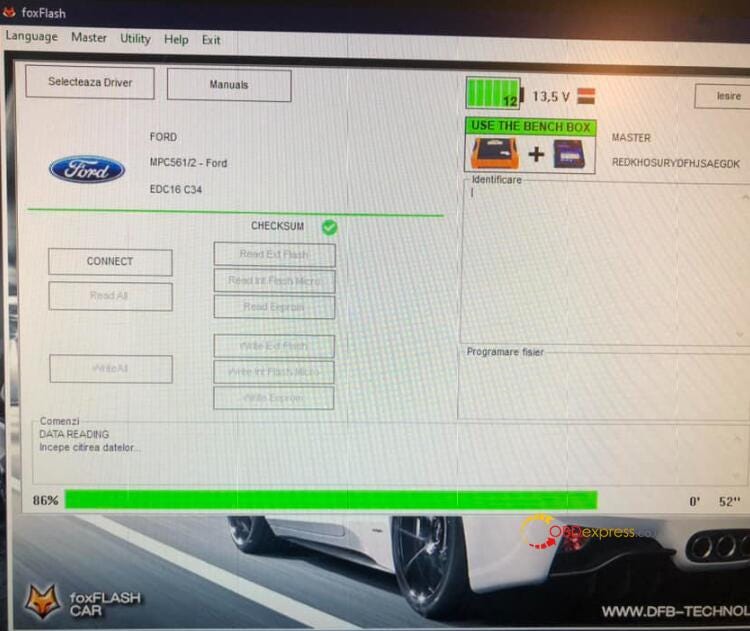
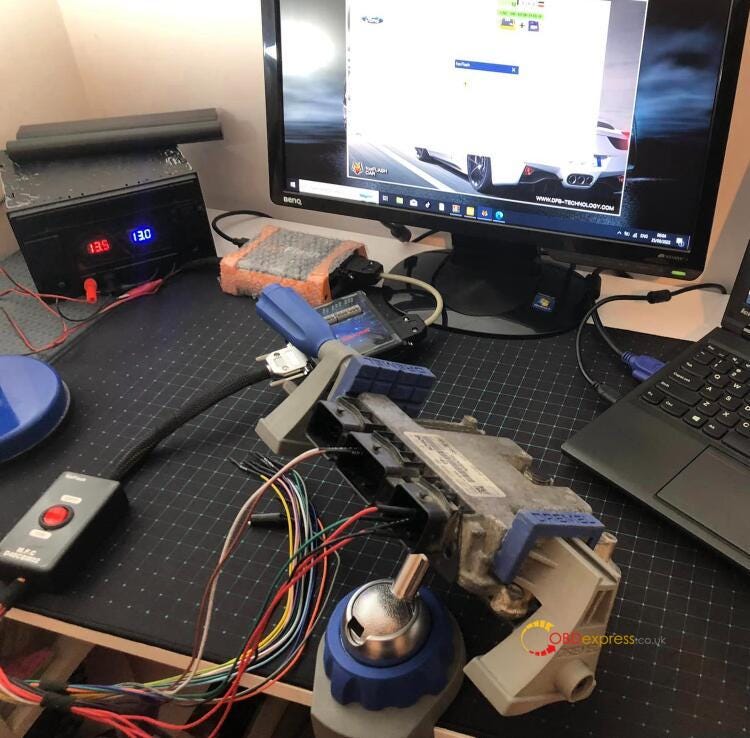
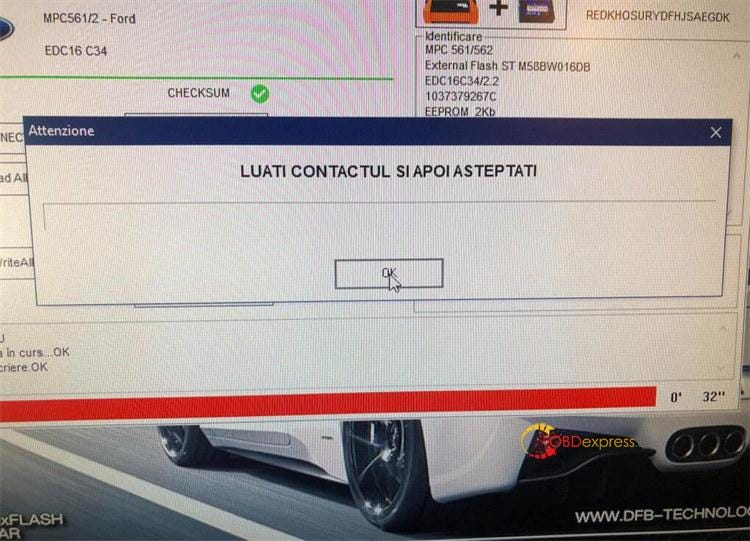
            Works on Ford EDC 16C34 Stage 1 on bench, R/W and checksum OK, Foxflash bench box is required.

            Ford EDC16C34 Stage 1 Read Write Checksum OK with Foxflash

            Ford EDC16C34 Stage 1 Read Write Checksum OK with Foxflash

            Ford EDC16C34 Stage 1 Read Write Checksum OK with Foxflash

            Ford EDC16C34 Stage 1 Read Write Checksum OK with Foxflash

            Ford EDC16C34 Stage 1 Read Write Checksum OK with Foxflash

            Ford EDC16C34 Stage 1 Read Write Checksum OK with Foxflash

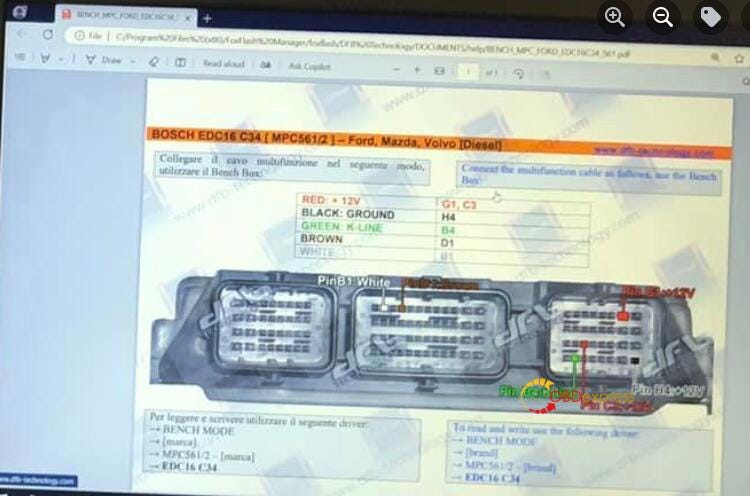
            Bosch EDC16C34 (MPC561/2)- Ford, Mazda, Volvo (Diesel) Pinout to Foxflash:

            Pin B1: White

            Pin D1: Brown

            Pin B4: Green K-Line

            Pin H4: Black Ground

            Pin G1, C3: Red +12 V

            To read and write using the following driver:

            ->BENCH MODE

            ->[Brand]: FORD

            ->[Vehicle]: MPC561/2- Ford

            ->EDC16C34

            Ford EDC16C34 Stage 1 Read Write Checksum OK with Foxflash

            www.obdexpress.co.uk

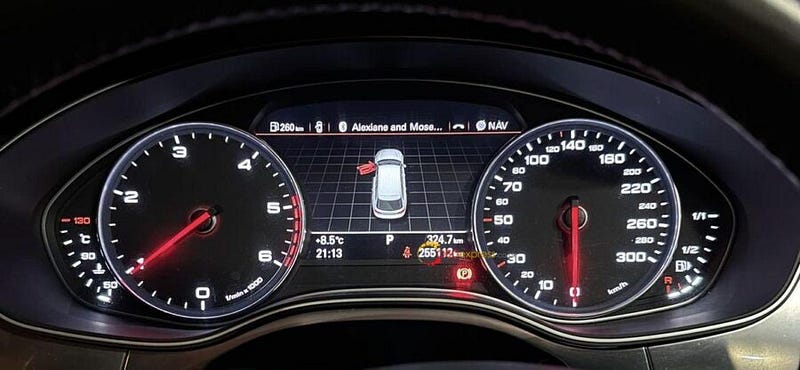
            Recommended mileage correction tool for Audi Speedometer (A6 A7 4G)

             I have a Speedometer (Audi A6 A7 4G) and a VVDI2, how should I correct the mileage?

            Hardware: 4g8920932m
            SW: 0515
            Year: 2013

            Recommended mileage correction tool for Audi Speedometer (A6 A7 4G)

            Solution:
            In fact, many tools can do this through OBD2, such as VVDI2. But first, you need a tool to read epprom 95320, and then upload it to vvdi2 to save the changed data and write it back.

            A6 4G and A7 have different procedure because of Skey, read S key with SMOK or Xtool by OBD and then desolder eeprom 95320 load skey and then change to 0 put back eeprom and dashboard and then by OBD put new mileage.

            Autel KM100 Adds 2021 Lexus NX300 Smart Key by OBD

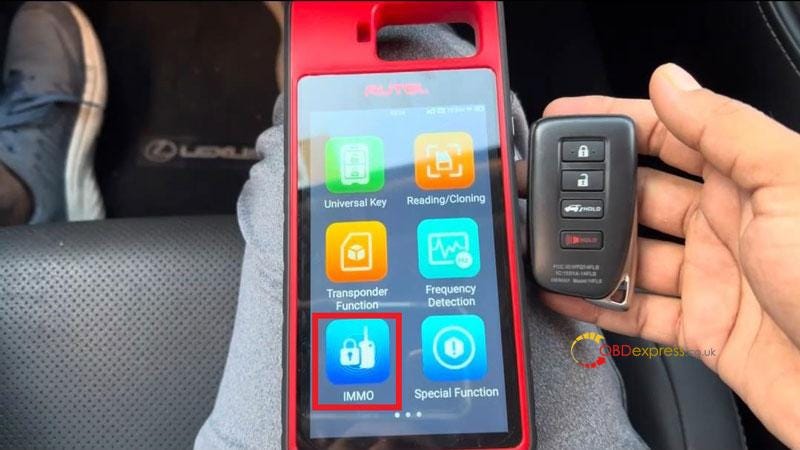
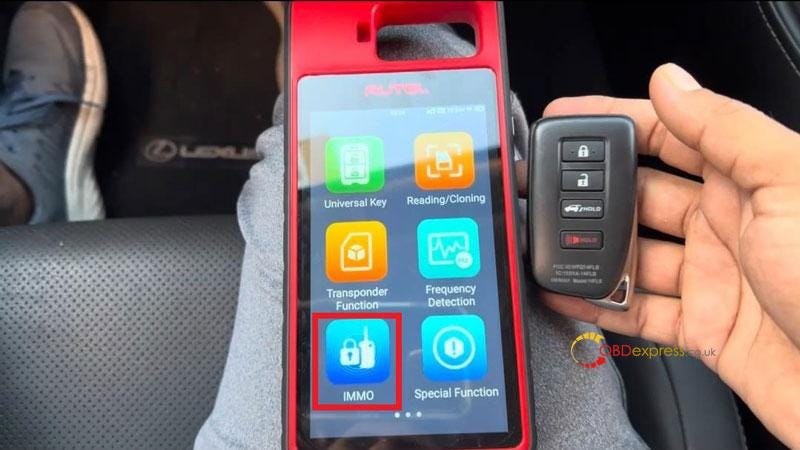
             This is 2021 Lexus NX300, I'm going to make a new key for this car with Autel MaxiIM KM100 Universal Key Generator by OBD.

            Autel KM100 Adds 2021 Lexus NX300 Smart Key by OBD

            Plug VCI 200 into OBD, connect to KM100.

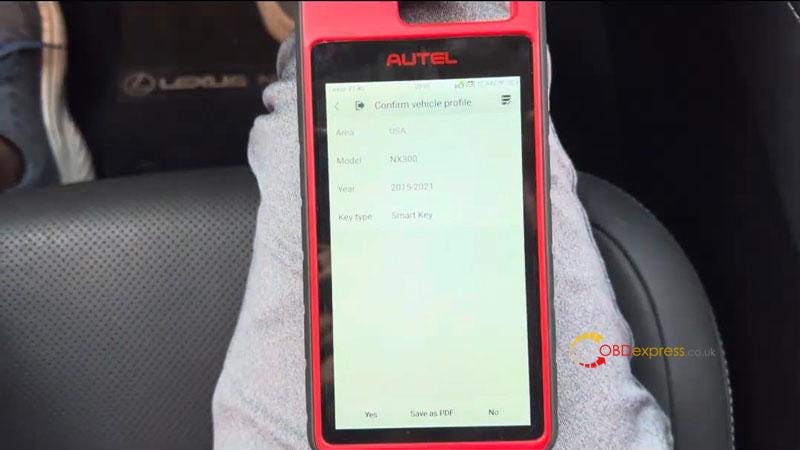
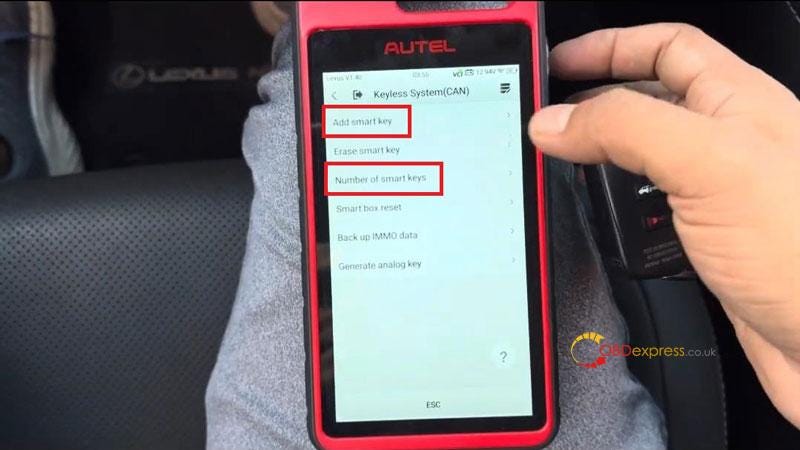
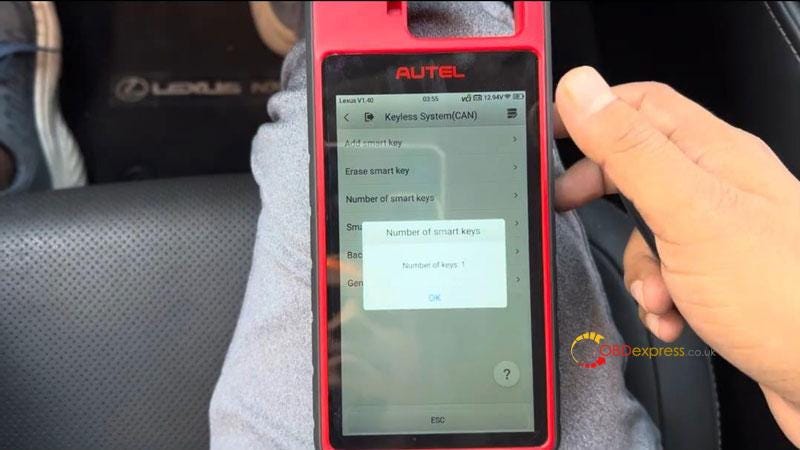
            IMMO >> Lexus >> Manual selection >> USA >> NX300 >> 2015–2021 >> Smart Key >> Yes >> Control Unit >> Keyless System(CAN) >> Number of smart keys

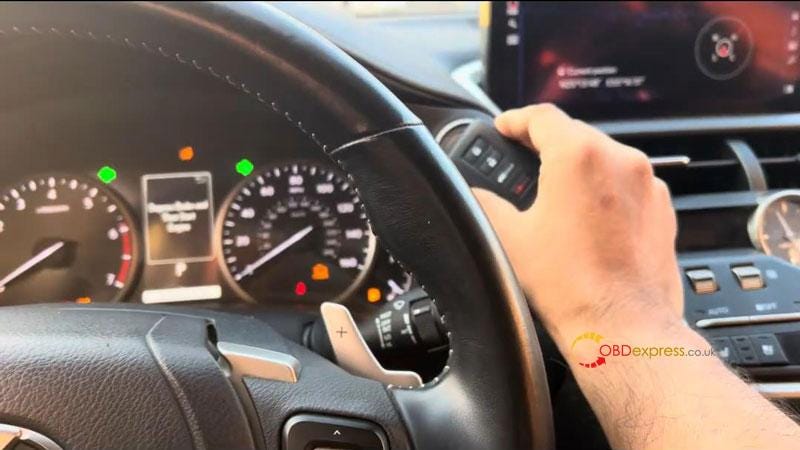
            Turn on hazard warning lamps.

            Number of keys: 1

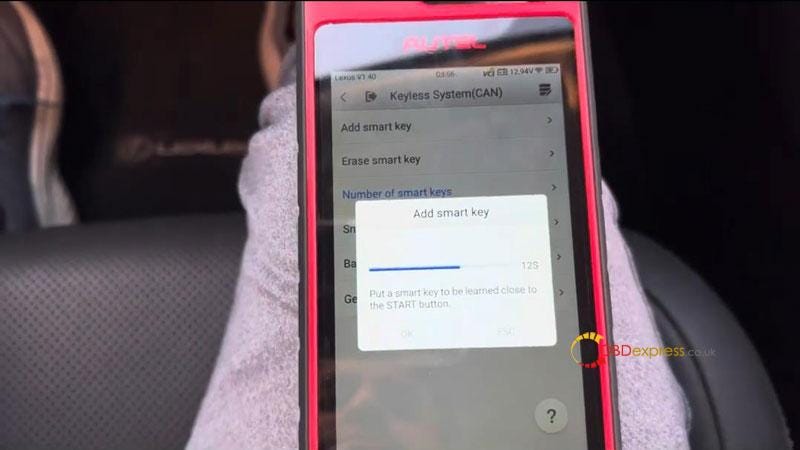
            Add smart key >> Turn on hazard warning lamps.

            Notice:

            Each step must be completed within the specified time.

            The position for learning include: 6

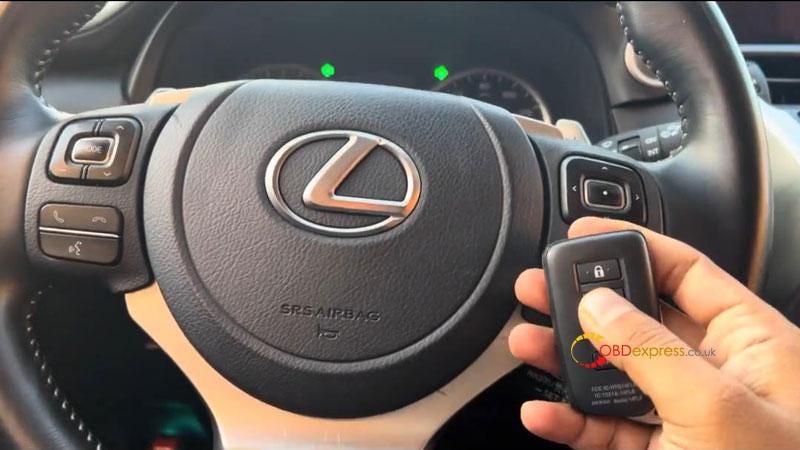
            Put a smart key to be learned close to the STAR button.

            Learning succeed.

            Autel KM100 Adds 2021 Lexus NX300 Smart Key by OBD

            Autel KM100 Adds 2021 Lexus NX300 Smart Key by OBD

            Autel KM100 Adds 2021 Lexus NX300 Smart Key by OBD

            Autel KM100 Adds 2021 Lexus NX300 Smart Key by OBD

            Autel KM100 Adds 2021 Lexus NX300 Smart Key by OBD

            Go back to check the number of smart keys.

            Now Autel KM100 tells it's total 2 keys.

            Test the new key, it can work normally.

            Done.

            Autel KM100 Adds 2021 Lexus NX300 Smart Key by OBD

            www.obdexpress.co.uk

            How to Unlock BMW B48 MG1CS201 B58 MG1CS024 ECUs by FLEX?

             Interested in Flex ’s new BMW ECU unlock feature, but don’t own a FLEX tool — or lack an active subscription to access online protocols? T...