Showing posts with label Topdon Rlink X7. Show all posts

Friday, 6 September 2024

TOPDON RLink X7 for BMW/ VW/ GM/ Benz/ Porsche FAQs

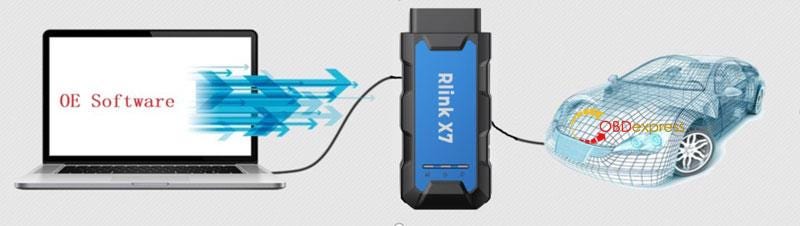
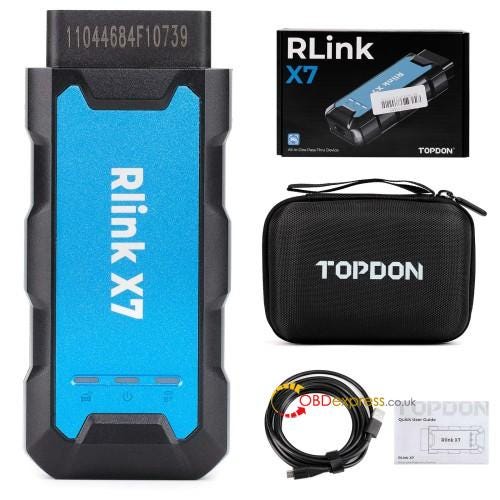
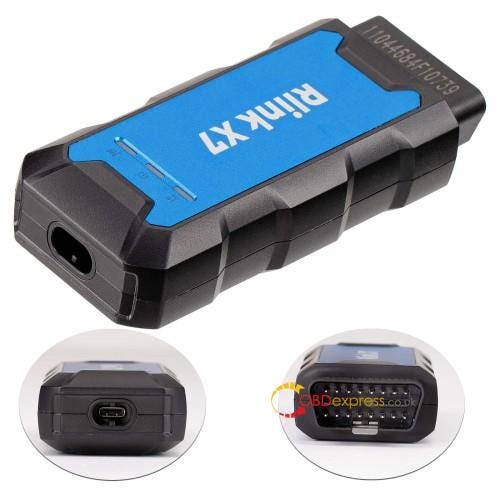
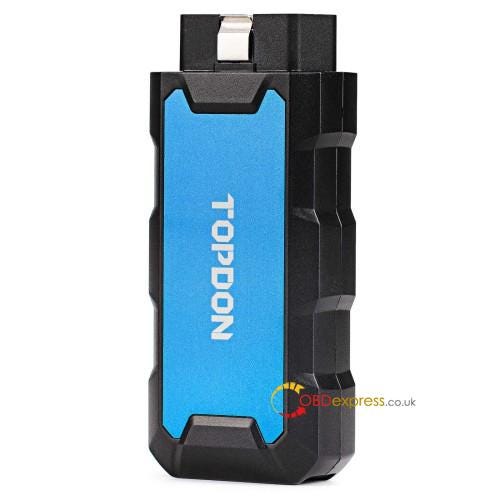
 RLink X7 is an all-in-one diagnostic tool developed by TOPDON, working with the original OE software for diagnosis, programming, modification and more. It can replace the original VCI box to perform all software functions on equipment. The RLink X7 is currently sold in 5 vehicles: RLink X7 for BMW, Rlink X7 for VW, Rlink X7 for Benz, Rlink X7 for GM and Rlink X7 for Porsche.

TOPDON RLink X7 FAQs
  • Frequently Asked Questions(FAQs)

Q: How to do if the mailbox is registered?

A: 1. Please check whether the account has been registered and used on other TOPDON devices

(If yes, please find the correct account to log in. If you forget the account, please provide with serial number and invoice of product for after-sales service.)

  1. If there’s not other device is bound for registration, please give feedback for TOPDON technical support.
TOPDON RLink X7 FAQs

Q: Why RLink X7 prompts "The device is bound to another account" when logging?

A: 1. Please select the correct account to log in.

(Note: one device can only be bound to one account, but one account can be bound to multiple devices.)

  1. If you’ve forgot the account, please provide SN for TOPDON technical support.

Q: An error occurred when logging in RLink X7?

A: 1. Check whether the network is connected or available.

  1. If the network is not problem, please check whether there is a software update.

Q: RLink X7 prompts the device is disconnected and cannot be bound?

A: 1. Check whether the device is properly connected to the computer.

  1. Check whether the USB cable is good.
  2. Check whether the PC network is normal.
TOPDON RLink X7 FAQs

Q: OE software cannot recognize VIN when connections are all correct?

A: 1. Please check whether the ignition switch is turned on.

  1. Please check whether the software driver was downloaded and selected the correct driver(If there are other drivers, please uninstall and try again).
  2. Check whether RLink diagnostic VCI is set as the communication interface in OE software.
  3. Check whether the RLink X7 has software update.
  4. If all above troubleshooting do not work, restart the diagnosis of OE software(OE software may appear connection bugs).

Q: How to accurately find the ignition switch position of vehicle?

A: 1. It requires the OE software support the function. Currently, Volkswagen, Audi and Porsche OE software support. The Honda OE software does not support.

  1. Open OE software to check the ignition switch status.

Note: As long as the vehicle ignition is on, OE software can normally work even if the ignition switch position was not identified.

Q: After downloading driver, can I turn off the RLink X7 for OE software local diagnosis?

A: Absolutely yes, only the BMW OE software CANNOT. Shutdown RLink X7 BMW will cause no diagnosis.

TOPDON RLink X7 FAQs

Read also

What is TOPDON RLink X7 J2534? How to Use?

www.obdexpress.co.uk

Monday, 29 July 2024

What is Topdon Rlink X7 J2534? How to Use?

 Recently, TOPDON released two Rlink X7 J2534 diagnostic interfaces- Rlink X7 GM and Rlink X7 VAG. They support the same function as VXDIAG, and both support CAN FD and DoIP protocols. More car brands will be added in Rlink X7 in the feature (Sep. or Oct. 2024). Let’s check more details below.

PART ONE

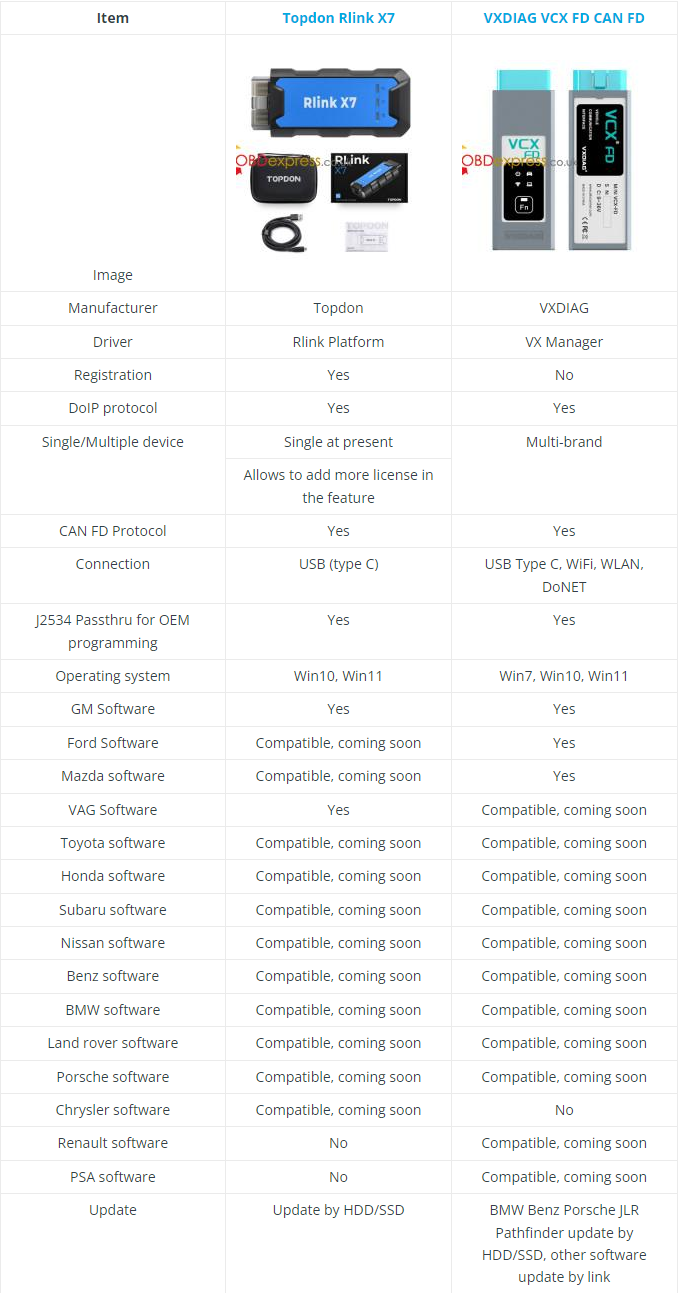
Topdon Rlink X7 vs. VXDIAG VCX FD J2534


Topdon Rlink X7 vs. VXDIAG VCX FD J2534

Similarities:

1.Both diagnostic interfaces can be used as J2534 passthru interfaces for OEM programming.

2.Both are compatible with Toyota, Honda, Volvo, Subaru, Benz, BMW, Land rover, Porsche software, other license are not ready.

3.Both support Win10, Win11 operating system.

Differences:

1.Topdon uses Rlink Platform driver, while VXDIAG uses VX Manager driver.

2.Topdon Rlink X7 supports GM and VAG, while VXDIAG VCX FD supports GM and Ford/Mazda now.

3.Rlink supports Chrysler software, VXDIAG VCX FD does not, but VXDIAG can support Renault and PSA software (coming soon).

4.Rlink 7 only supports USB connection (type-C) currently, but VCX FD can supports WiFi, WLAN and DoNet connection.

What can Topdon RLink X7 VW do?

  • Online ECU programming
  • ECU coding
  • Key programming
  • Full system diagnostics
  • Component protection
  • Vehicle modification

RLink X7 for Volkswagen Highlights:

1.Complete replacement for OEM tools such as VAS 5054 and VAS 6154

2.Software version: ODI-S V23.05, Project V17.01

3.Supports Windows 10 and Windows 11

4.Supported vehicle models: Volkswagen, Audi, Skoda, Seat, Bentley, Lamborghini (2001–2024)

5.OEM-level diagnostics allows you to quickly understand the vehicle’s fault conditions and minimize your repair time

6.Uses USB Type-C connection for faster operation

7.With a large amount of diagnostic data and practical experience based on more than 10,000 real vehicle tests, the device functions are more stable.

8.RLink Platform driver management platform allows you to download the latest driver management program and enjoy lifetime free updates.

9.Three CAN channels: supports three CAN channels working simultaneously, including CAN-FD and CAN-CC, which can support more car models and achieve higher diagnostic efficiency.

Supported Vehicle Systems:

K-line (ISO9141–2)

High-speed CAN (ISO 11898–2)

Low-speed CAN (ISO 11898–3)

KWP1281

KWP2000

TP16

TP20

UDS protocol

List of Supported Vehicle Makes

VW, Audi, Skoda, Seat, Bentley and Lamborghini are the default vehicle models supported by RLink X7 6154.

What can Topdon RLink X7 GM do?

1.Supports GM Tech2Win and GDS2, can replace OEM tool of GM (MDI/Tech2).

2.Compatible with diagnostic applications such as engines, transmissions, ABS, dashboards, etc.

3.Quick access to vehicle data for maintenance or management reports.

4.Quickly connect to the vehicle’s diagnostic connector.

5.Supports GM vehicles from 2000 to 2024 (Chevrolet, Buick, Cadillac, Opel, Holden)

6.OEM-level diagnostics allows you to quickly understand the vehicle’s fault conditions and minimize your repair time.

7.Online programming (ECU programming, ECU performance upgrade)

PART TWO

How to use TOPDON RLINK X7 J2534?

For the first time use, need to download Topdon Rlink X7 J2534 Driver, bind and activate your Rlink X7 device, and then it can work with the corresponding software to diagnose VW or GM.

1.Download TOPDON Rlink X7 J2534 Driver on WIN10 or WIN11

Rlink X7 platform driver

https://mega.nz/file/tTtQ2JRT#HVEwo5fYgbo1ZSLLfH2IHMK29fIgq6HjyyZyvqNdSLM

Double-click the software to install.

Note:

Some computers have high security. When opening the driver, a prompt requiring administrator rights will appear. Click Yes. This driver will not have any adverse effects on the computer.

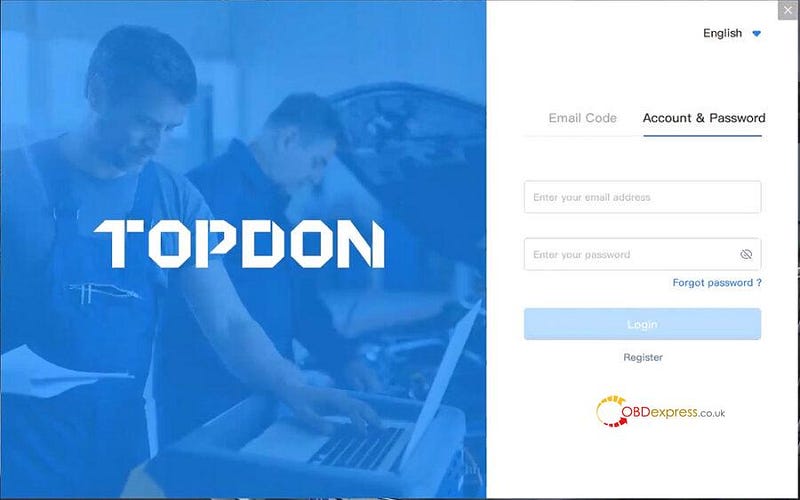
2.Register TOPDON account

If you don’t have a TOPDON account, you need to register one.

Click "Account & Password" and "Register"


What is Topdon Rlink X7 J2534

If you have already registered on the RLink, just login to the account.

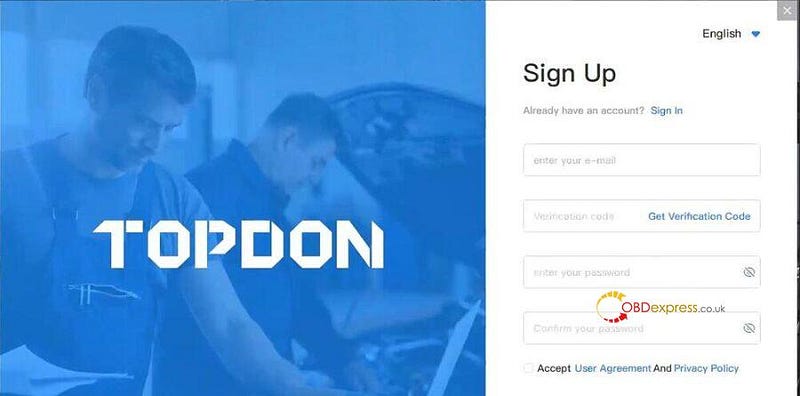
Input the personal info to complete the registration as follows:

Available email address+ verification code (get from your email) + password

Read the User Agreement and Privacy Policy carefully and check the Accept box

Click SIGN UP


What is Topdon Rlink X7 J2534

After the registration is successful, it will jump to the login page.

3.Bind and activate Rlink X7 J2534

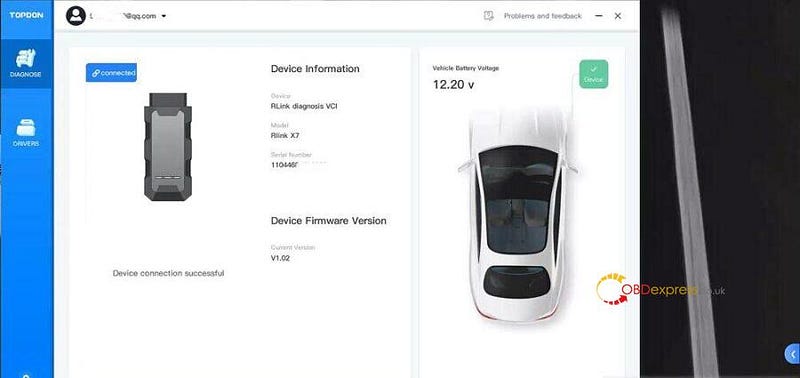
Log in with the account and password you registered

Connect the Rlink J2534 to a PC via the USB type C port.

Then the device information will appear on the screen.


What is Topdon Rlink X7 J2534

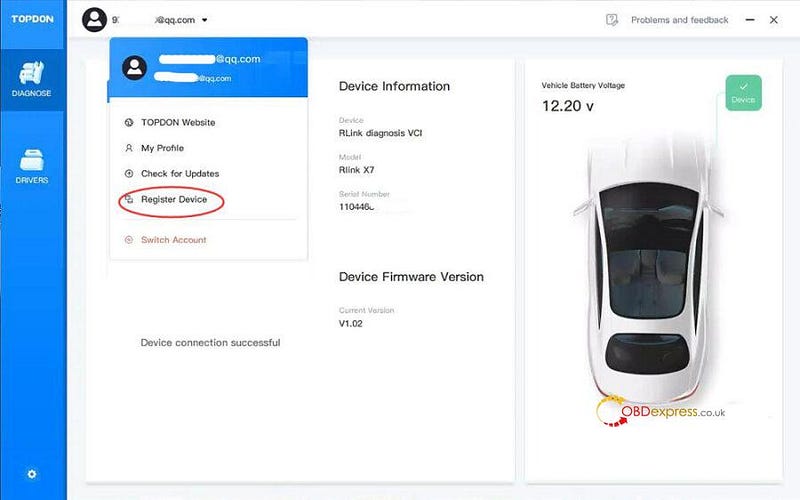
Click User info on the top left.

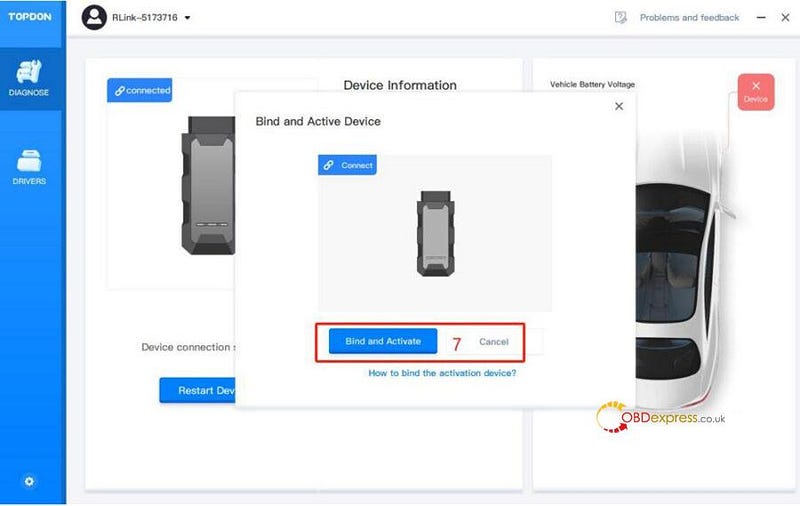
Click Register Device>> Bind and Activate


What is Topdon Rlink X7 J2534

4.Download software

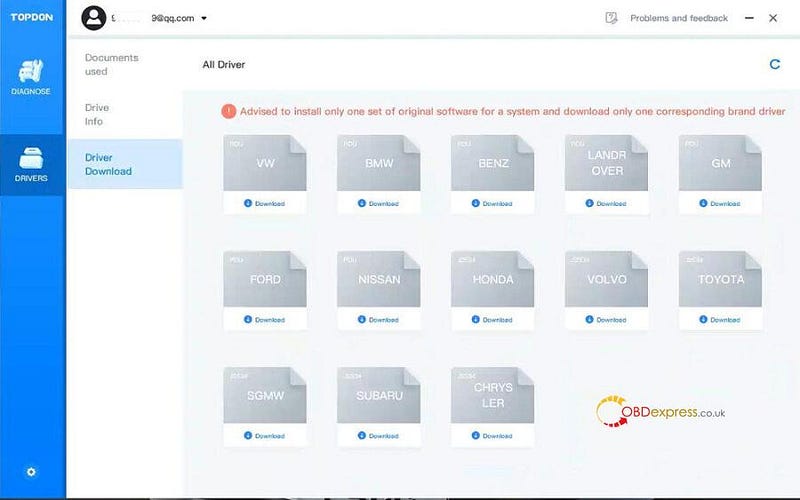
Go to Drivers>> Drivers Download


What is Topdon Rlink X7 J2534

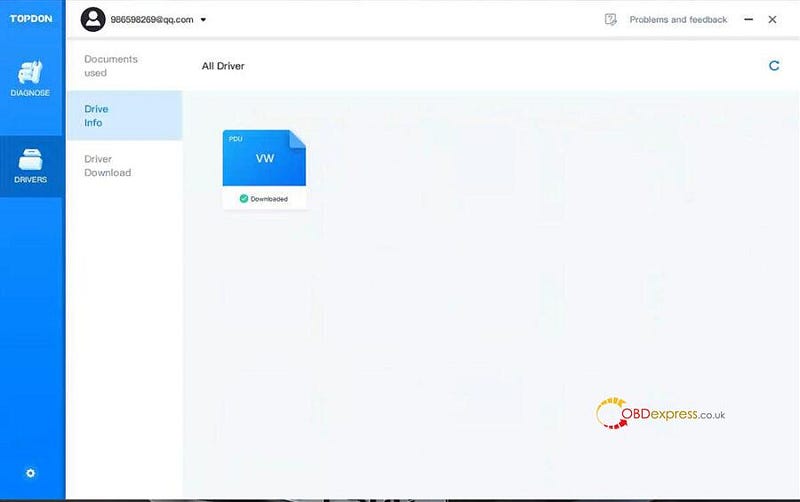
Download driver you desire

It is recommended to install only 1 driver only for a system.

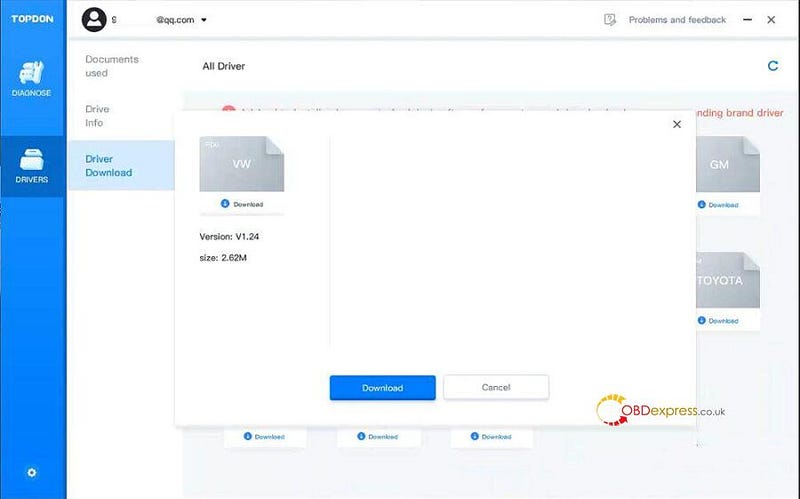
For example, install VW driver

Download VW driver


What is Topdon Rlink X7 J2534

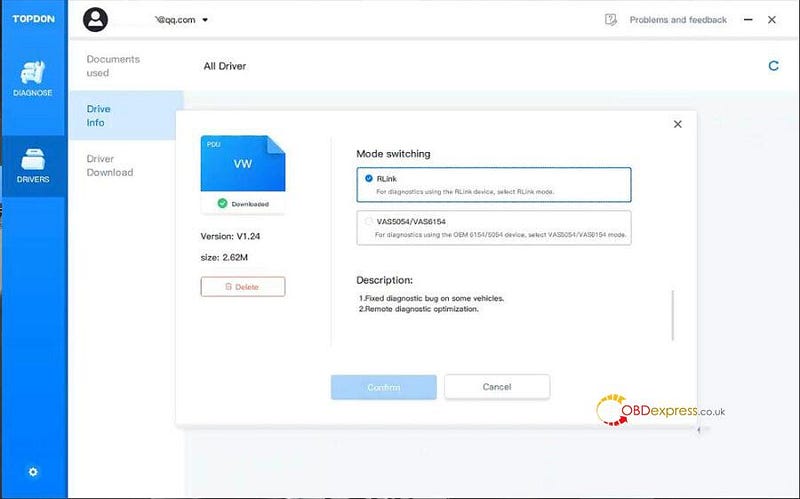
Select Rlink mode


What is Topdon Rlink X7 J2534

After the corresponding software is installed successfully, the Rlink X7 J2534 device is ready to use.

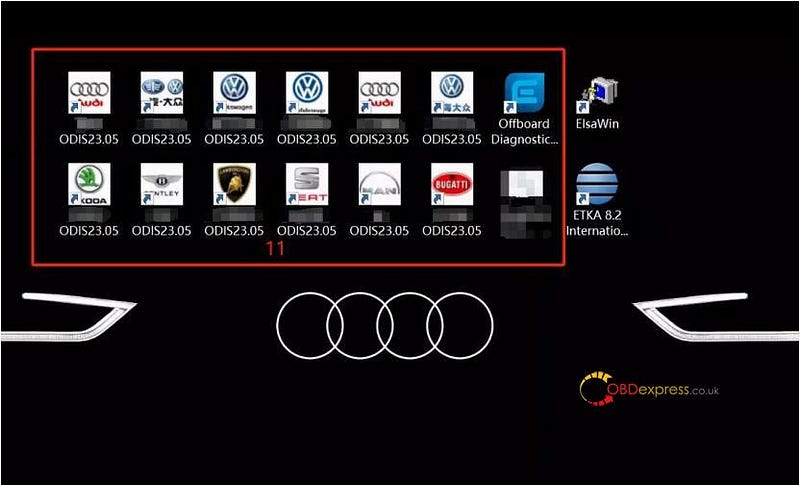
TOPDON Rlink X7 VW is compatible with ODIS-S V23 and ODIS-E V17 software.


What is Topdon Rlink X7 J2534

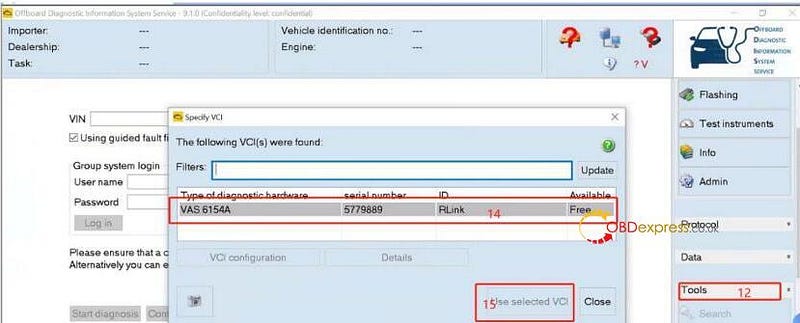
Choose RLink driver mode following the order below.


What is Topdon Rlink X7 J2534

The same procedure applies to other brands.

TOPDON Rlink X7 for Volkswagen:

https://www.obdexpress.co.uk/wholesale/topdon-rlink-x7-volkswagen.html

TOPDON RLink X7 for GM:

https://www.obdexpress.co.uk/wholesale/topdon-rlink-x7-gm.html

www.obdexpress.co.uk

How to Unlock Ford BOSCH MD1CP006 with OBDSTAR ECU Master via Boot?

 This guide covers the procedure for unlocking, reading, and writing locked Bosch MD1 CP006 engine control units found on Ford F-250 and F-...