Showing posts with label OBDEMOTO 900PRO. Show all posts

Wednesday, 18 June 2025

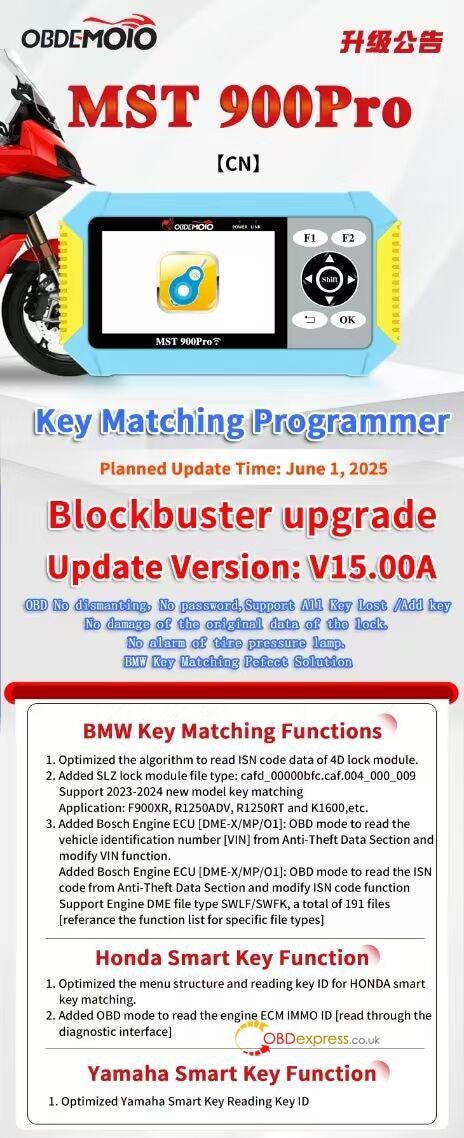
OBDEMOTO 900PRO V15.00A Upgrade: Add 2023-2024 BMW Models

 The latest OBDEMOTO 900PRO Key Matching Programmer V15.00A delivers a revolutionary upgrade for automotive locksmiths, dealerships, and key programmers. This update ensures seamless OBD key programming without dismantling, passwords, or damaging original lock data. It supports All Key Lost (AKL) and Add Key functions while preventing tire pressure lamp alarms — making it the perfect BMW key matching solution.

Planned Update Release: June 1, 2025
Version: V15.00A


OBDEMOTO 900PRO V15.00A Upgrade

BMW Key Matching Enhancements

Advanced ISN Code Reading

  • Optimized algorithm for reading 4D lock module ISN codes with higher accuracy.
  • Supports 2023–2024 BMW models, including: F900XR, R1250ADV, R1250RT, K1600, and more.

Expanded SLZ Lock Module Support

  • Added new file type: cafd_00000bfc.caf.004_000_009 for enhanced compatibility.

Bosch Engine ECU (DME) Functions

  • OBD Mode VIN & ISN Code Management:
  • Read VIN from Anti-Theft Data Section.
  • Modify VIN and ISN directly via OBD.
  • Supports 191 DME file types (SWLF/SWFK).

Refer to: OBDEMOTO 900PRO BMW Key OBD Matching Function Table

Honda Smart Key Improvements

  • Optimized Menu Structure for faster navigation.
  • OBD Mode ECM IMMO ID Reading — Retrieve engine immobilizer ID via diagnostic interface.

Yamaha Smart Key Upgrade

  • Faster Key ID Reading with improved efficiency.

OBDEMOTO 900PRO V15.00A Upgrade

Why Upgrade to V15.00A?

- No Dismantling Required — Full OBD functionality.
- No Data Corruption — Original lock data remains intact.
- Wider Vehicle Coverage — Latest BMW, Honda, and Yamaha models supported.
- Enhanced Security Features — No tire pressure lamp alarms triggered.

Get the Upgrade Now!

Don’t miss the June 1, 2025 release — enhance your key programming toolkit with OBDEMOTO 900PRO V15.00A for unmatched performance and compatibility.

www.obdexpress.co.uk

Sunday, 16 June 2024

VOLVO AISIN AWF21 SH7055S TCM Clone by OBDSTAR DC706 on Bench

 This is an operation instruction on how to use OBDEMOTO 900PRO Key Programmer for motorcycles. Content includes connection, function, anti-theft matching, system setting and version information.

How to connect OBDEMOTO 900PRO?

Please follow the steps in "Instructions for connecting to vehicle" to connect the 900PRO diagnostic scanner to the motorcycle.

Function Options

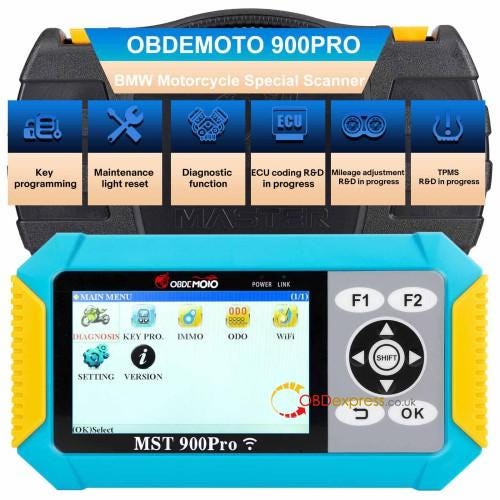
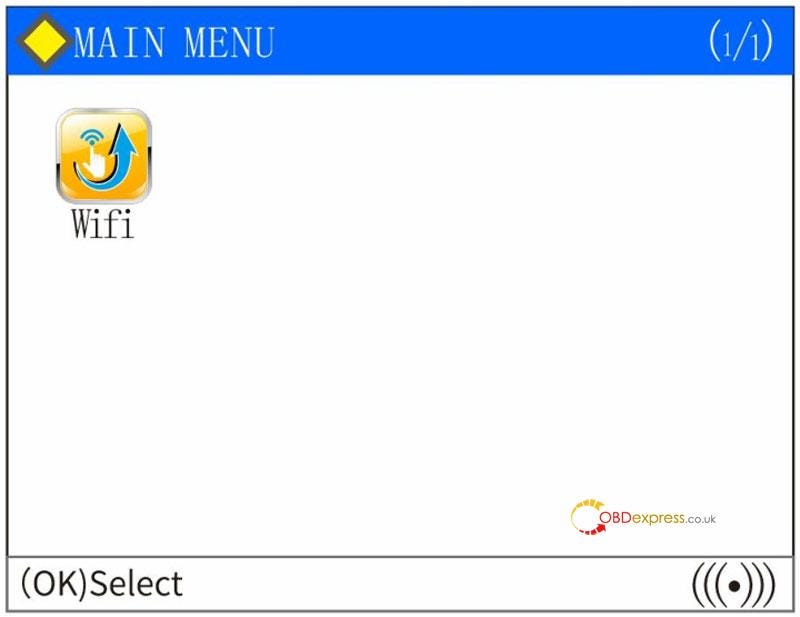
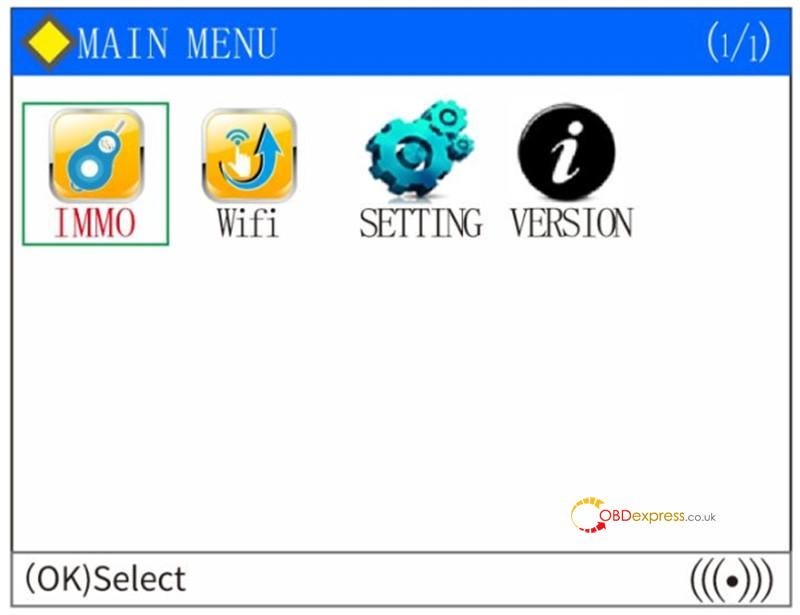
When the motorcycle ignition switch is turned on (the flameout switch also needs to be turned on for the model with flameout switch) and the OBDEMOTO 900PRO diagnostic scanner is powered on, the following interface will appear. As the screenshot shown below:

OBDEMOTO 900PRO BMW Motorcycle Scanner Upgrade Guide

Anti-theft: Key matching of motorcycle anti-theft function, including 46 chip, 4D chip and 8A anti-theft system.

One-click Upgrade: Connect WIFI to the company server and update data.

System Setup: Set language, buzzer and scanner module check.

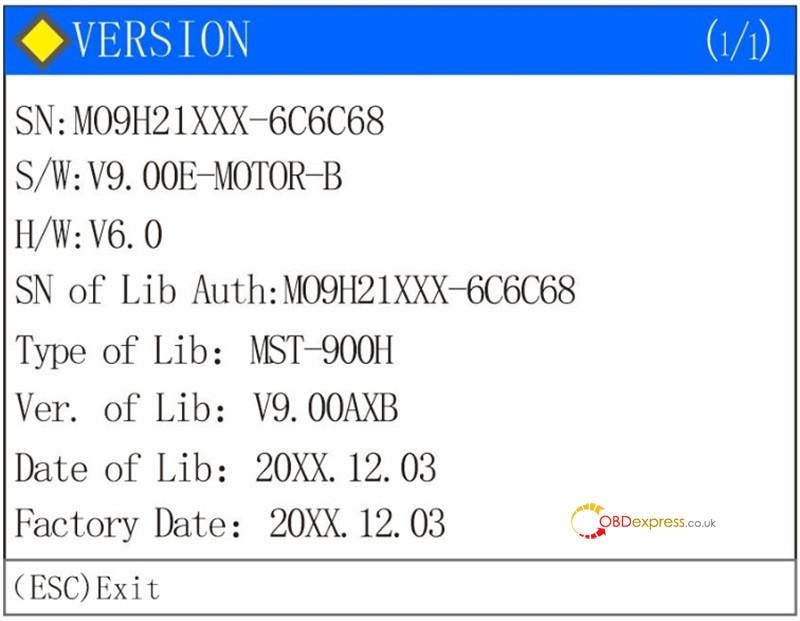
Version Information: Display the serial number, software version, hardware version, MFG and other information.

How to do Anti-Theft Matching?

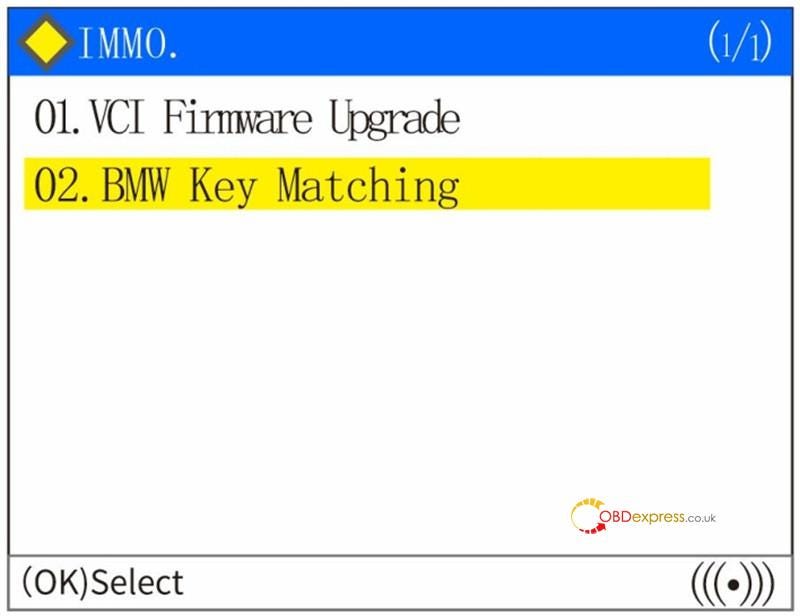
Select "Anti-theft", press the [OK] button, read the disclaimer, and press the [OK] button to proceed to the next step. As the screenshot shown below:

OBDEMOTO 900PRO BMW Motorcycle Scanner Upgrade Guide

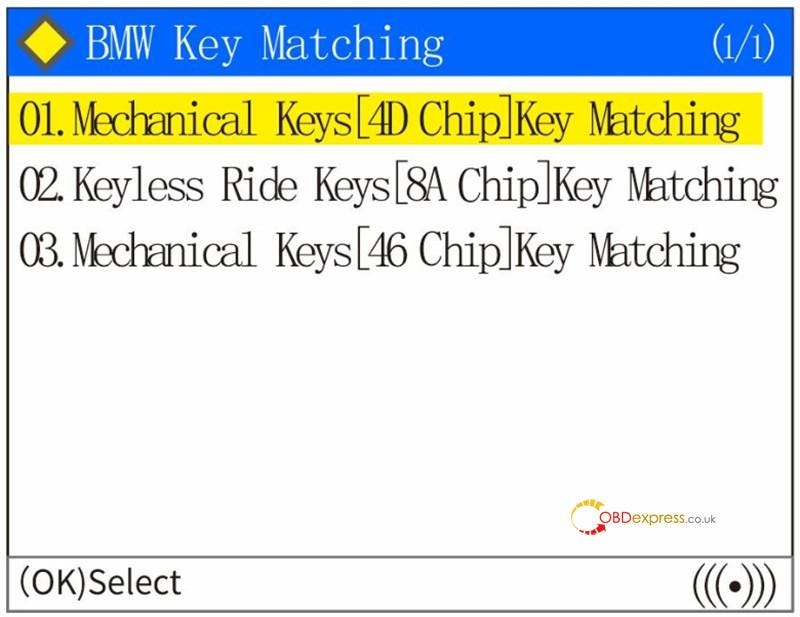
Select "02 BMW Key Match". The following screen appears. You can select the type of the tested system, such as the system type of Mechanical Key 4D, Keyless Start 8A or Mechanical Key 46 chip. As the screenshot shown below:

OBDEMOTO 900PRO BMW Motorcycle Scanner Upgrade Guide

Select the corresponding system menu according to the type of anti-theft key, and execute according to the operation prompts of the diagnostic scanner.

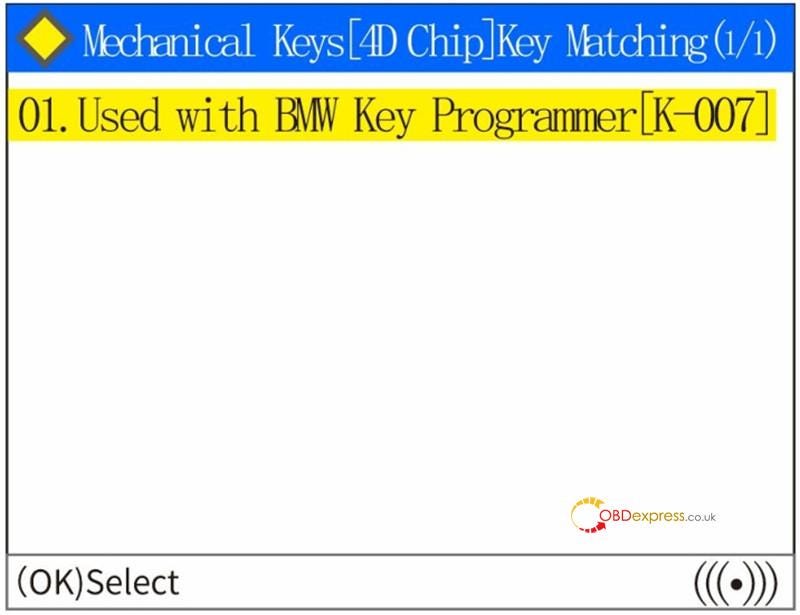
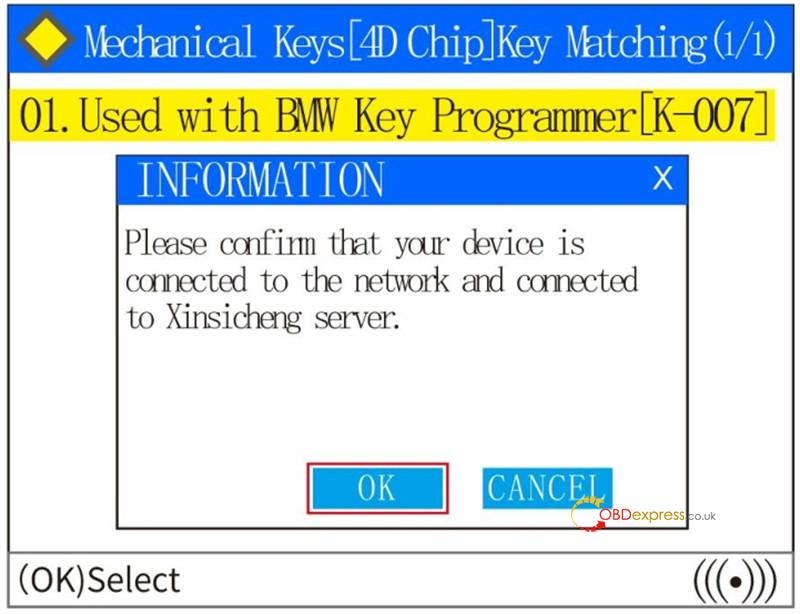
For example: If you select the "01 Mechanical Key 4D Chip Key Match" from the menu, and press the [OK] key to continue. The diagnostic scanner will prompt you to use the corresponding key programmer to connect correctly, as the screenshot shown below:

OBDEMOTO 900PRO BMW Motorcycle Scanner Upgrade Guide

Press the [OK] button to proceed to the next step, and the diagnostic scanner will prompt you to connect to a WiFi.

[see "V. WIFI connect and upgrade instructions" for details] As the screenshot shown below:

OBDEMOTO 900PRO BMW Motorcycle Scanner Upgrade Guide

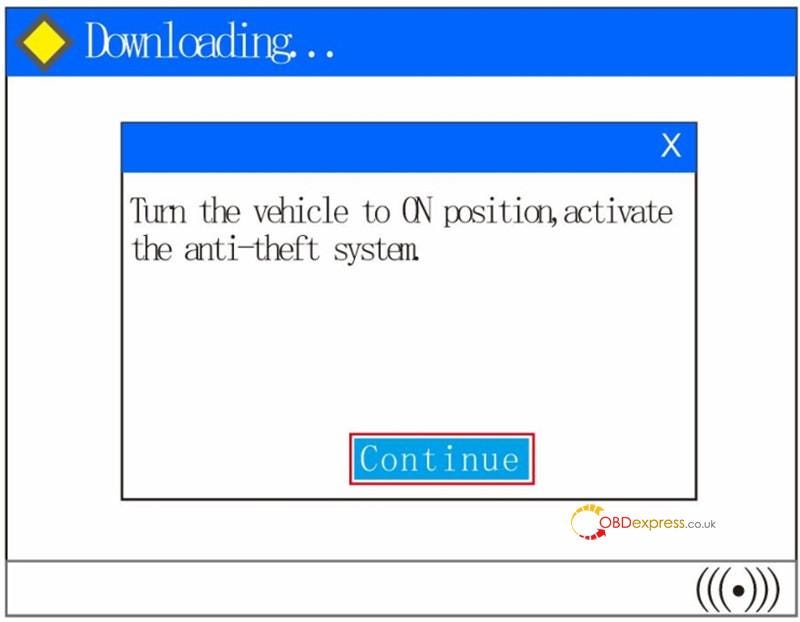
If the WIFI has been connected, press the [OK] button to continue the next step. The diagnostic scanner prompts to turn on the ignition switch and activate the anti-theft system, as the screenshot shown below:

OBDEMOTO 900PRO BMW Motorcycle Scanner Upgrade Guide

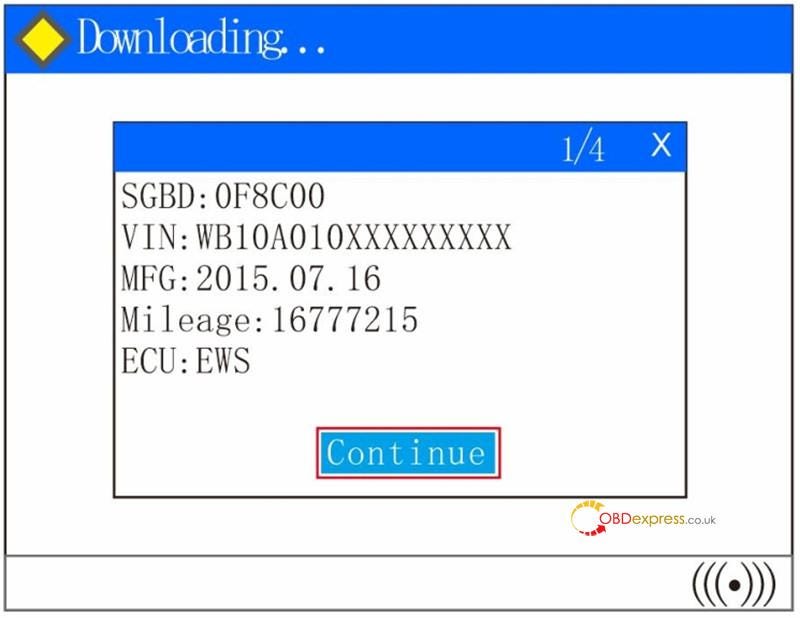
Press the [OK] button to proceed to the next step. After the diagnostic scanner is correctly connected to the anti-theft system, the relevant information of the ECU will appear. As the screenshot shown below:

OBDEMOTO 900PRO BMW Motorcycle Scanner Upgrade Guide

If the diagnostic scanner prompts communication failure, can not connect to the ECU, please check the reason for such communication failure: such as whether the ignition switch is opened correctly, anti-theft system type selection is correct and so on.

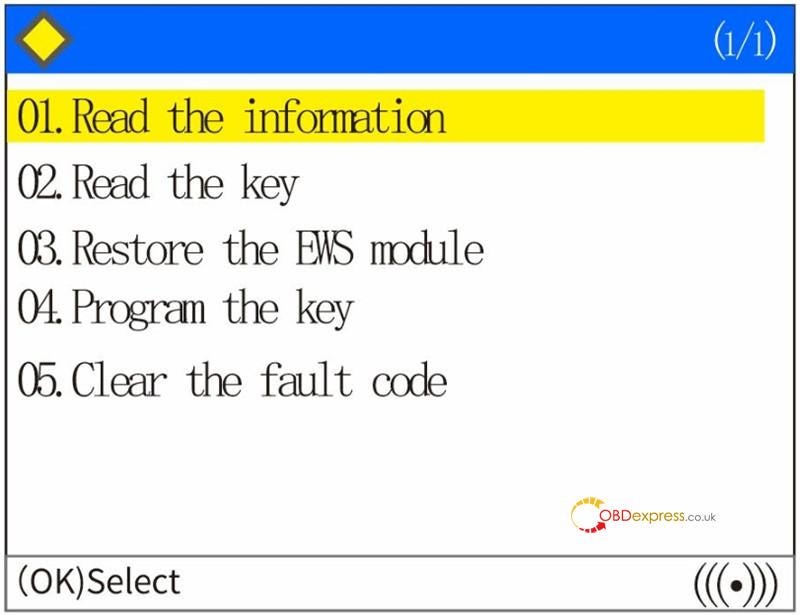
Press the [OK] button to proceed to the next step, and the related function menu of ECU will appear. As the screenshot shown below:

OBDEMOTO 900PRO BMW Motorcycle Scanner Upgrade Guide

01 Read Information: Use for reading ECU related information, such as VIN, software number, and so on.

02 Read The Key: Use for reading the key channel information, you can get the number of keys have been matched and so on.

03 Restore The EWS Module: Use for restoring the damaged EWS module.

04 Key Programming: Use for adding a new activate key or deleting an existing key.

05 Clear Fault Code: Use for clearing the fault code of the EWS module. Select the corresponding functions from the menu and follow the prompts of the diagnostic scanner to operate. If you have any questions, feel free to contact our technical support.

System Setting

Select "System Settings" from the main menu and press the (OK) button. The following interface will appear:

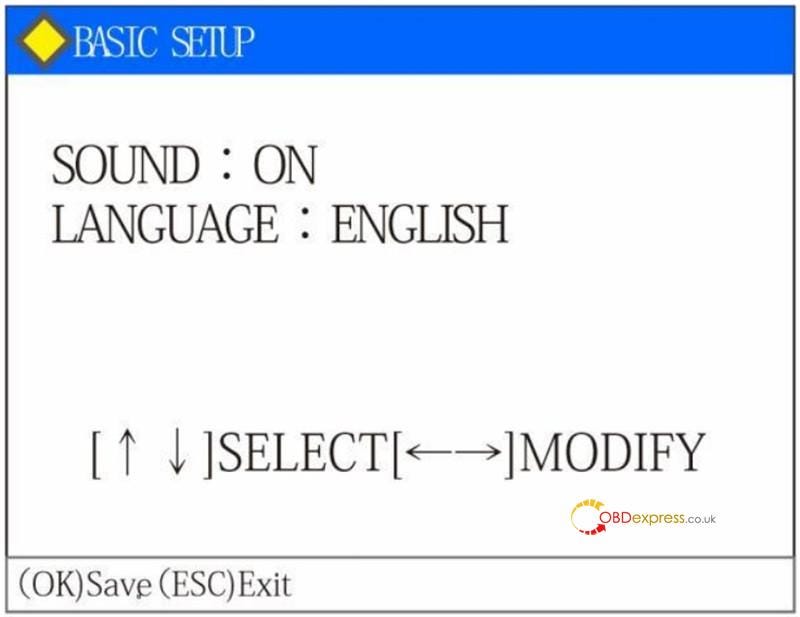
  1. Basic Setup

This function can set whether the keystroke will make sound and modify the current language.

OBDEMOTO 900PRO BMW Motorcycle Scanner Upgrade Guide

Press [ ↑] [ ↓] button to select an item, and press [←][ →] button to modify the value.

(Note: Language can be configured according to different countries, but the factory setting is limited to one single language).

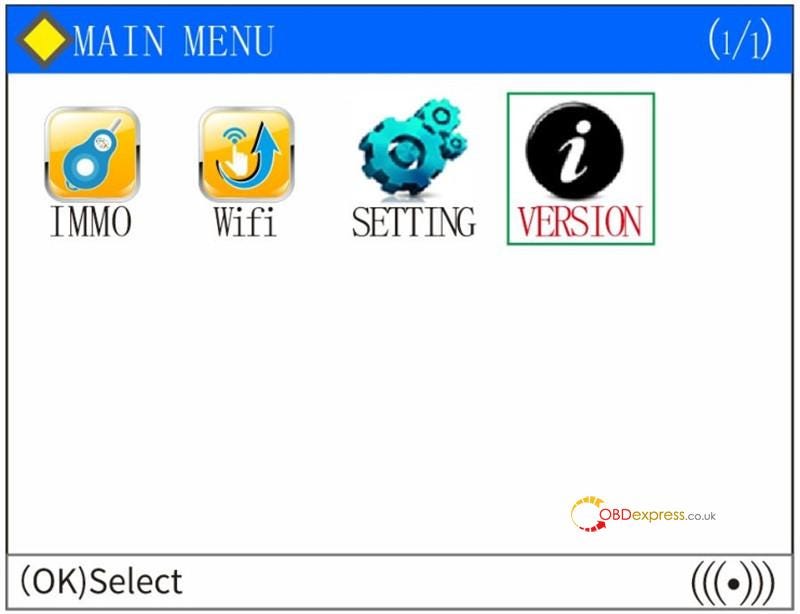
Version Information

Select "Version Information" from the main menu.

After you press the (OK) button, the following screen will be displayed: You can view the serial number, software version and other detail information of the product.

OBDEMOTO 900PRO BMW Motorcycle Scanner Upgrade Guide

www.obdexpress.co.uk
Wednesday, 12 June 2024

OBDEMOTO 900PRO BMW Motorcycle Scanner Upgrade Guide

 OBDEMOTO 900PRO Key Programmer is 3-in-1 muti-functional scanner that can support motorcycle diagnosis, key matching & ODO mileage correction. It’s also the BMW key matching perfect solution to support all keys lost/add key programming by OBD. No dismantling, no password, no breaking the original data of lock, and the tire pressure lamp won’t alarm.

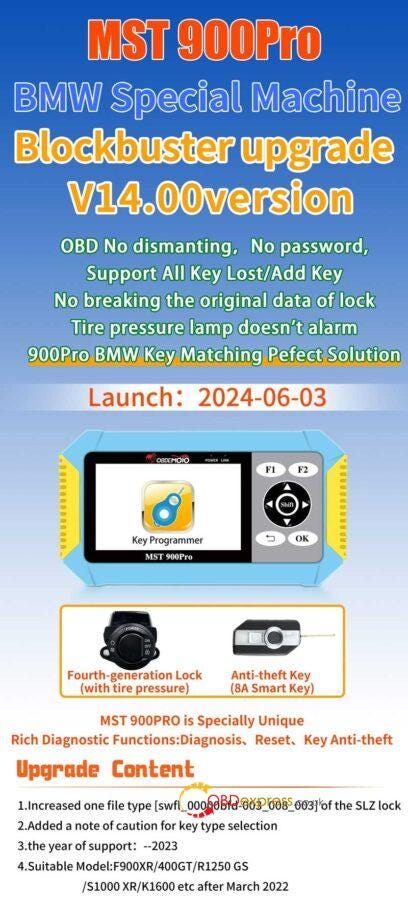
OBDEMOTO 900PRO Blockbuster Upgrade V14.00 Version has been released on 3rd, June 6, 2024. Please keep your device update to date for latest features.

V14.00 Upgraded Details

  1. Increased one file type[swfl_00000bfd-003_008_003] of the SLZ lock.
  2. Added a note of caution for key type selection.
  3. The year of support: — 2023
  4. Suitable model: F900XR/400GT/R1250 GS/S1000 XR/K1600 etc. after March 2022.

OBDEMOTO 900PRO BMW Motorcycle Scanner Upgrade Guide

How to upgrade OBDEMOTO 900PRO Software?

Method 1. Software Upgrade

  1. Obtain the corresponding upgrade file according to the serial number of the diagnostic scanner, and save it to your local PC.

2.Unzip the upgrade package to a new folder.

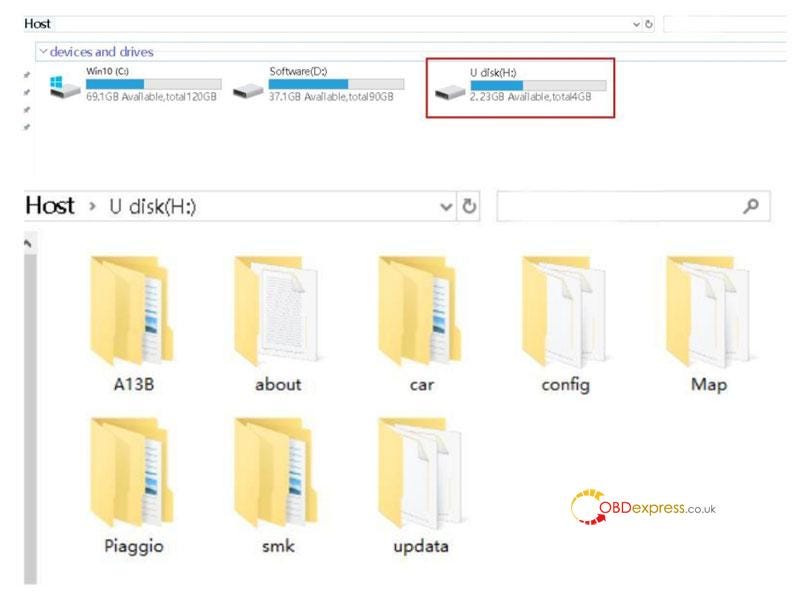
3.Connect the computer through a SD card with SD card reader, click my computer, find the U disk(SD card), and click enter.


OBDEMOTO 900PRO BMW Motorcycle Scanner Upgrade Guide

4.Copy the contents of the unzipped folder to the U disk(SD card).

5.Insert the SD card back into the diagnostic scanner and power on.

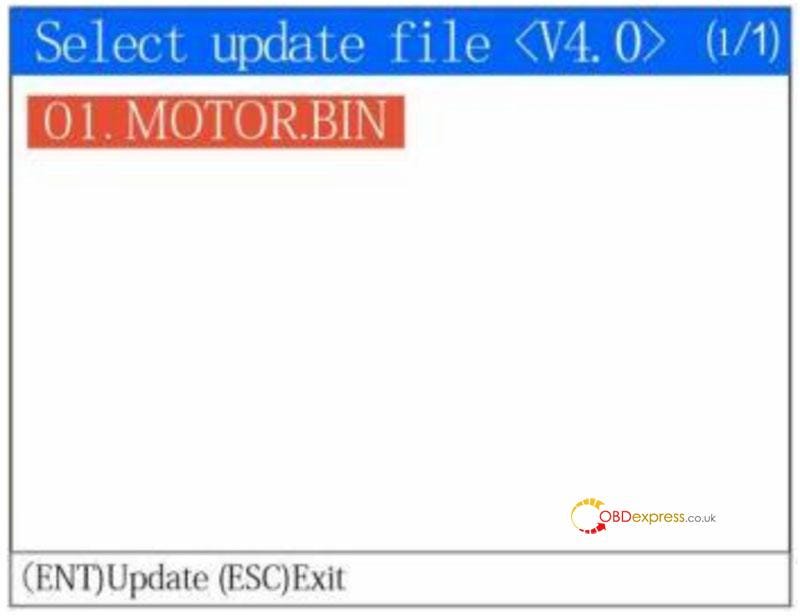
6.The following screen will be displayed after the diagnostic scanner is started:


OBDEMOTO 900PRO BMW Motorcycle Scanner Upgrade Guide

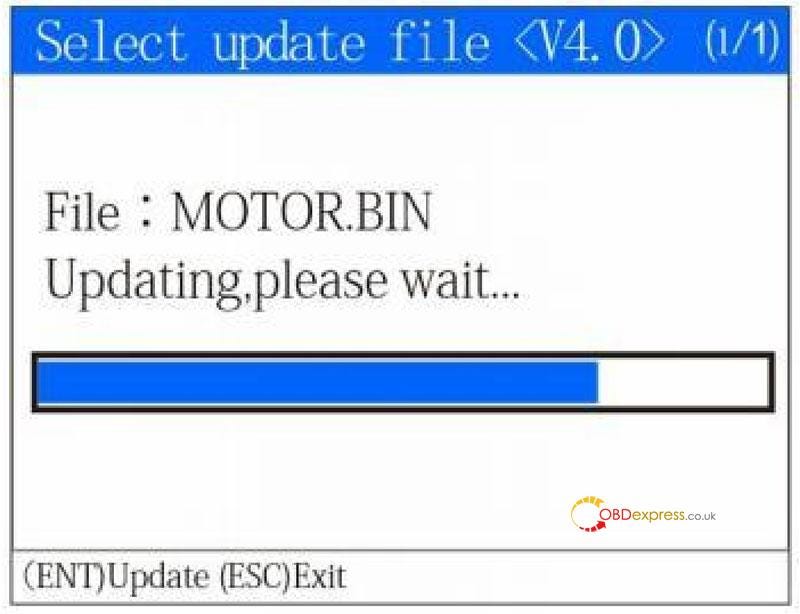
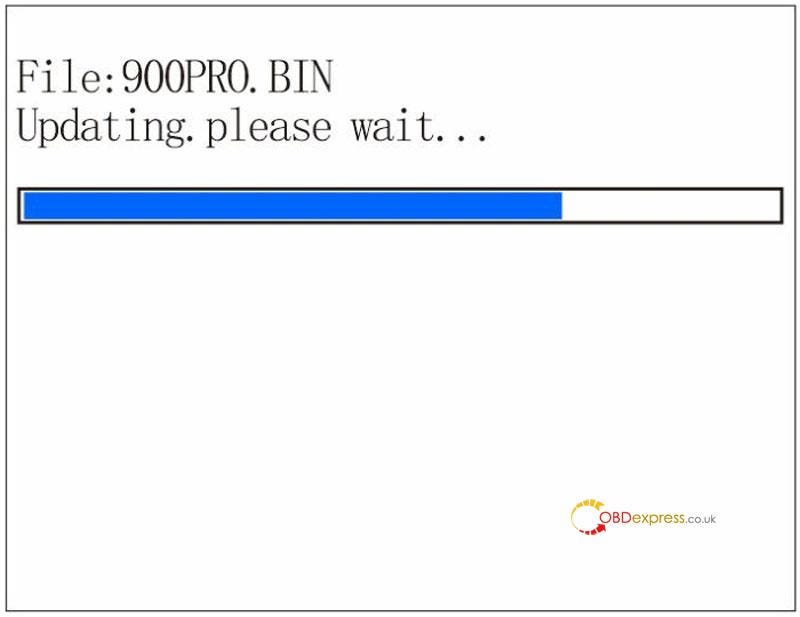
Press the OK button to start the upgrade process:


OBDEMOTO 900PRO BMW Motorcycle Scanner Upgrade Guide

Once the upgrade process has been finished, the diagnostic scanner will start normally. If the upgrade process failed, repeat the preceding steps.

Note:

  1. The format of SD card used by 900PRO diagnostic scanner is FAT32. Please pay attention when formatting the SD card, otherwise the diagnostic scanner will not work normally.
  2. Only when the serial number of the 900PRO diagnostic scanner is the same as the serial number of the software can be upgrade. If they are different, the software will not work normally or be unable to upgrade the diagnostic scanner.

Method 2. Upgrade via WiFi

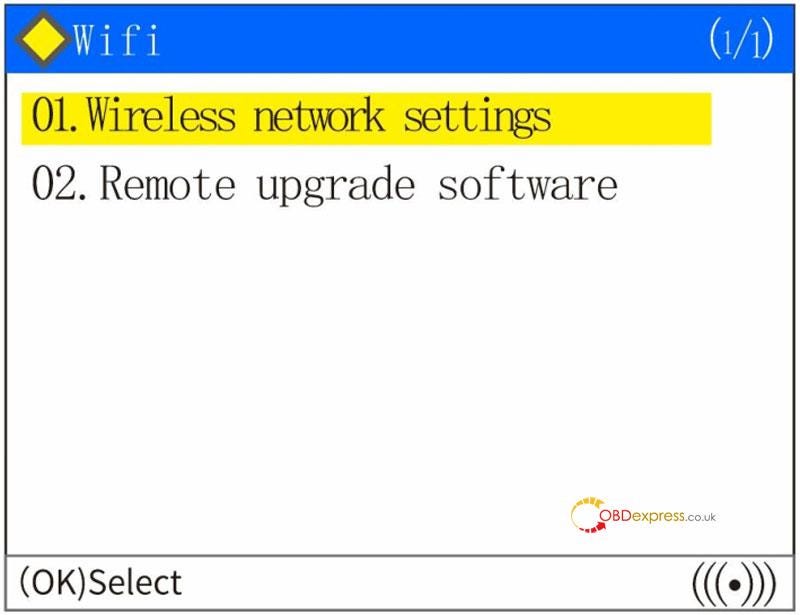
  1. The diagnostic scanner is connected to the external power supply. After the diagnostic scanner is powered on, click the "One-click Upgrade" icon on the home screen.

OBDEMOTO 900PRO BMW Motorcycle Scanner Upgrade Guide
  1. Enter the one-click upgrade page.

OBDEMOTO 900PRO BMW Motorcycle Scanner Upgrade Guide
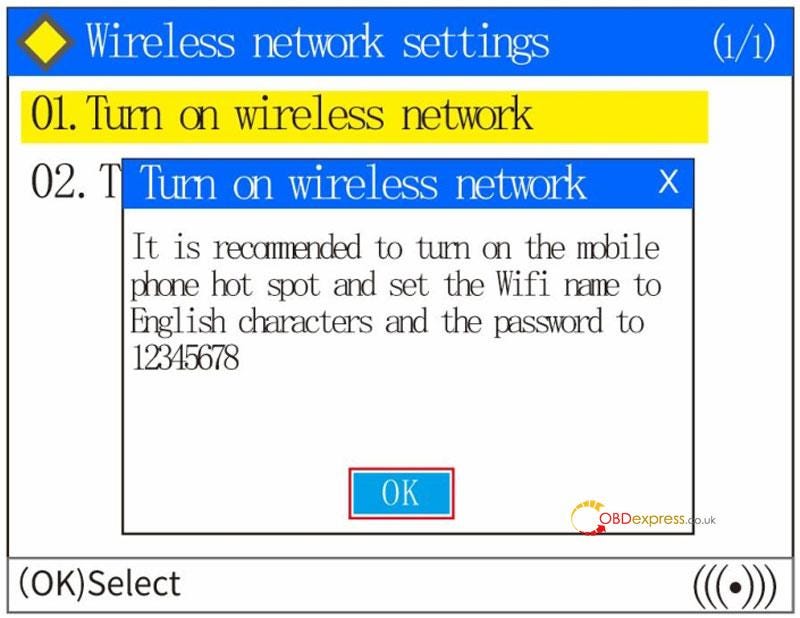
  1. Select "Wireless Network Settings" to enter, and select the "Turn On Wireless Network" option. Select "OK" to enter.

OBDEMOTO 900PRO BMW Motorcycle Scanner Upgrade Guide
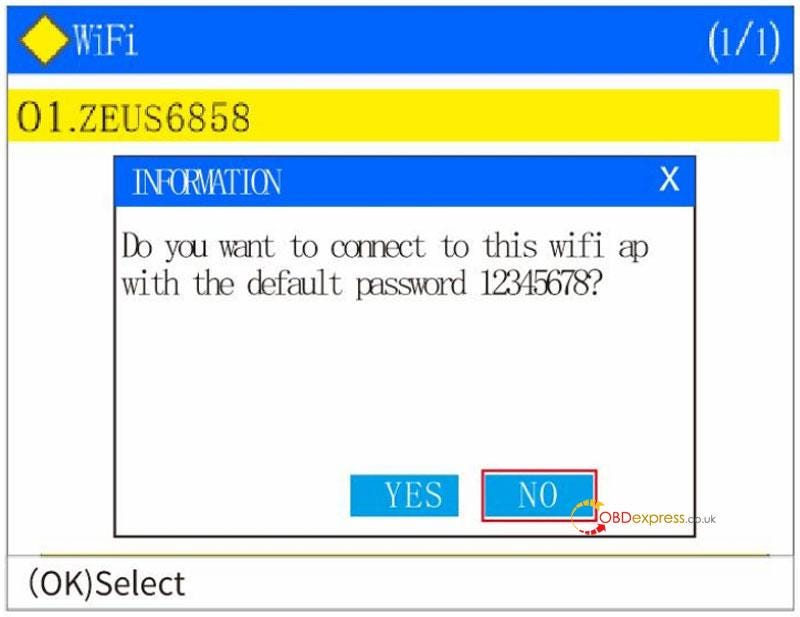
  1. After finding your network option, you can select "Yes", but you need to change the connection password through the hotspot on your personal phone to use the default password[shortcut for WiFi link]; If you select "No", you will need to enter the WIFI connection password by selecting "No".

OBDEMOTO 900PRO BMW Motorcycle Scanner Upgrade Guide
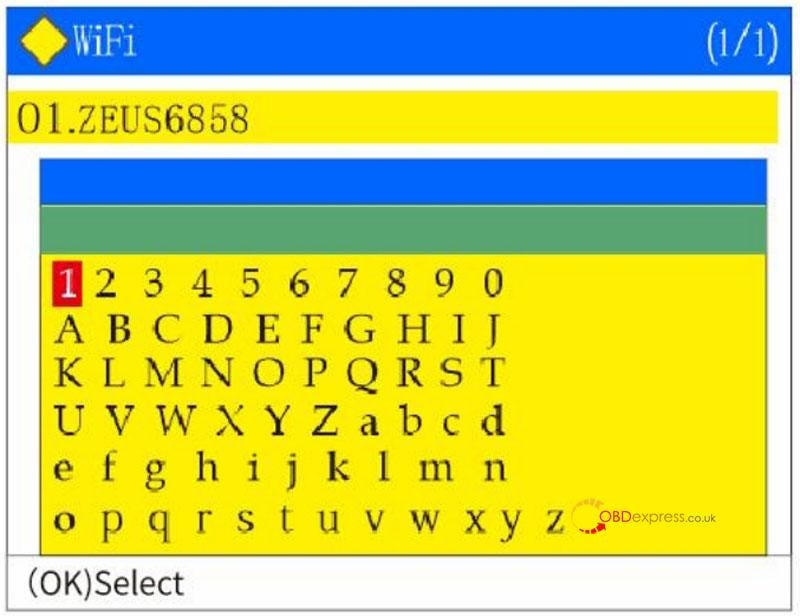
  1. Press up "▲", down "▼", left "◄" and right "►" arrow button to select the alphabet character and Arabic numerals corresponding to your WIFI password. F1 button is for confirming the selection. Enter the complete password and press "OK" button, the diagnostic scanner will indicate that the connection is successful.

OBDEMOTO 900PRO BMW Motorcycle Scanner Upgrade Guide
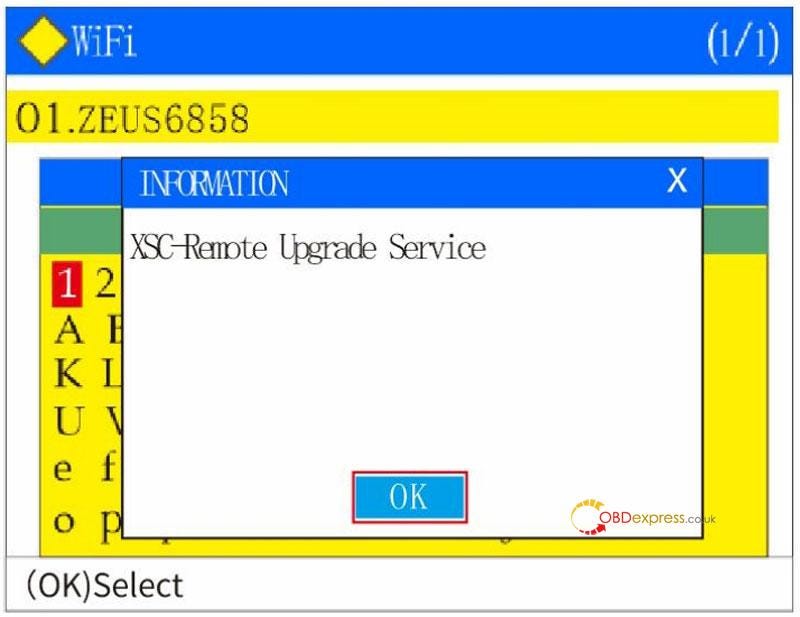
  1. After the diagnostic scanner prompts that the network connection is successful, it will enter the "Xinsicheng — Remote Upgrade Service System". After the WIFI connection is successful, select "OK".

OBDEMOTO 900PRO BMW Motorcycle Scanner Upgrade Guide
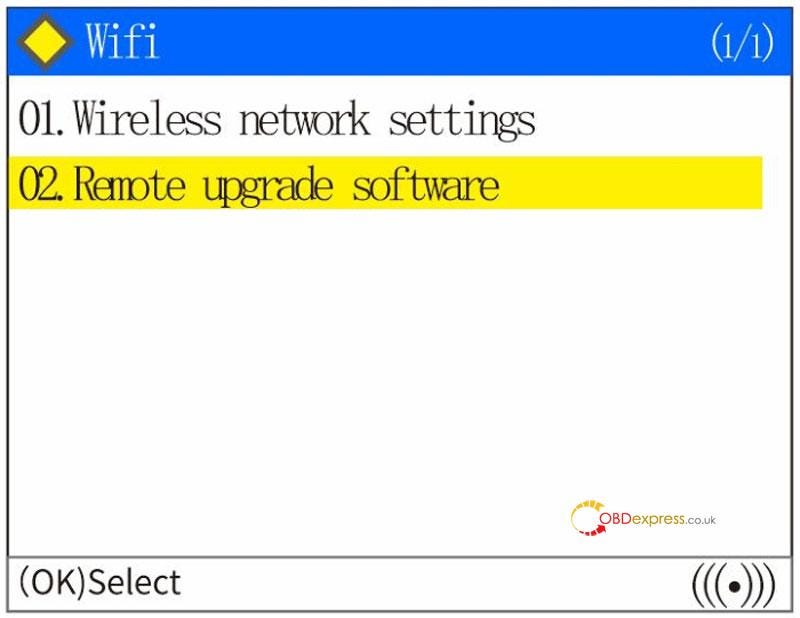
  1. The one-click upgrade page is displayed. To upgrade the software, select "Remote Upgrade Software". Press the return button to exit, if you do not need to upgrade the software.

OBDEMOTO 900PRO BMW Motorcycle Scanner Upgrade Guide
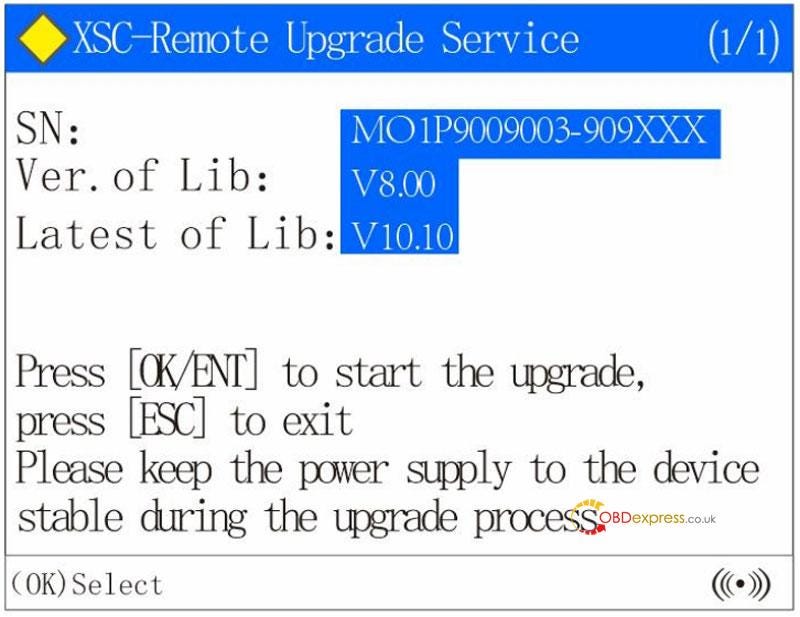
  1. If you select "Remote Upgrade Software", the diagnostic scanner will display the machine serial number, current software version, and latest software version, and press "OK" to start the upgrade process.

OBDEMOTO 900PRO BMW Motorcycle Scanner Upgrade Guide
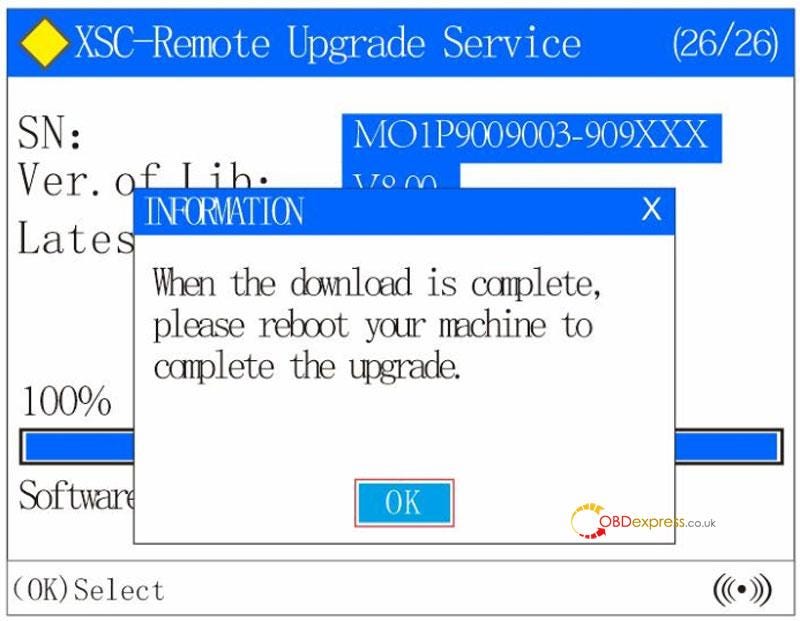
  1. Wait for the download process display bar reaches 100%, the diagnostic scanner will prompt you that the download process is complete. select "OK" to restart the diagnostic scanner to update the software [power off/then power on again].

OBDEMOTO 900PRO BMW Motorcycle Scanner Upgrade Guide
  1. Wait for the display bar to finish and the software update is complete.

OBDEMOTO 900PRO BMW Motorcycle Scanner Upgrade Guide

www.obdexpress.co.uk

How to Unlock Ford BOSCH MD1CP006 with OBDSTAR ECU Master via Boot?

 This guide covers the procedure for unlocking, reading, and writing locked Bosch MD1 CP006 engine control units found on Ford F-250 and F-...