Showing posts with label Launch-X431. Show all posts

Friday, 26 May 2023

Launch-X431 Activate EV Battery Pack Diagnostic Configuration

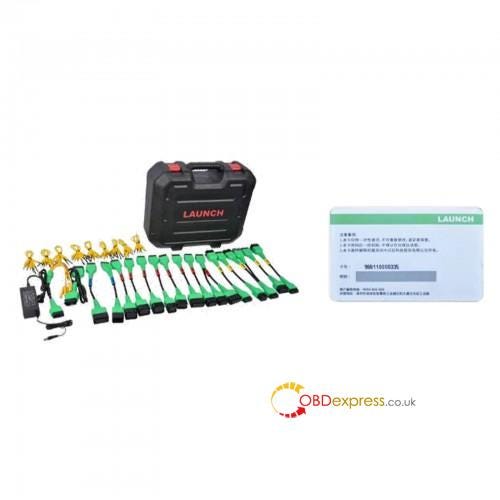
 New Launch X431 EV Diagnostic Upgrade Kit has been released recently, including activation card and adapters to analyse battery pack for specific electric vehicles. This is an instruction to guide to activate Launch-X431 new energy battery pack diagnostic configuration.
Launch X431 Activate EV Battery Pack Diagnostic Configuration

Requirements

  • Users should already have the X431 EV Diagnostic Upgrade Kit and X431 PAD V/ X431 PAD VII (Currently only supports the 2 models);
  • It's workable to choose either one below method for activation.
    1. Method1. Activate via Job Menu

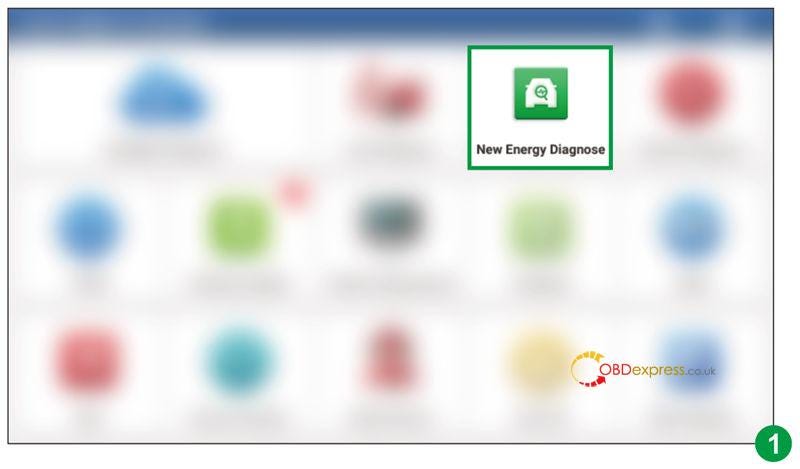
    2. Update the main diagnostic app to latest version(PAD 5 V7.03.025/ PAD7 V7.00.021 or above), a New Energy Diagnose app will appear on the Job Menu.
      1. Launch X431 Activate EV Battery Pack Diagnostic Configuration

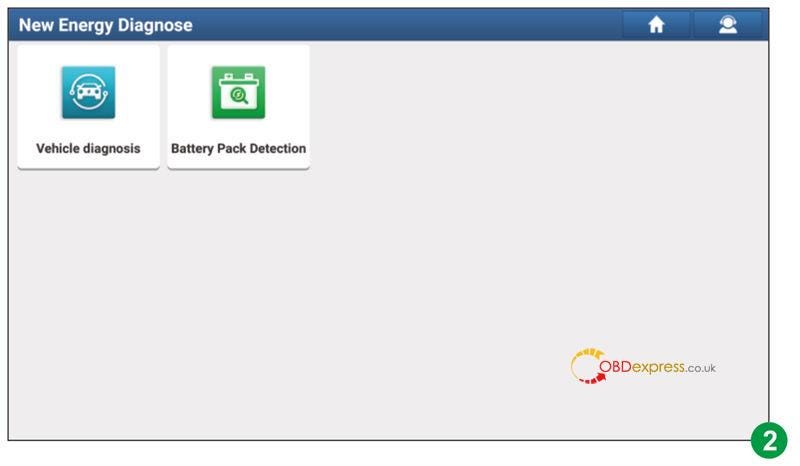
      2. Enter into New Energy Diagnose app, it covers all new energy vehicle diagnostic software included in the original product configuration.
        1. Launch X431 Activate EV Battery Pack Diagnostic Configuration

          Launch X431 Activate EV Battery Pack Diagnostic Configuration

        2. Press Battery Pack Detection. The system will auto identify whether the current user account has been activated or not.
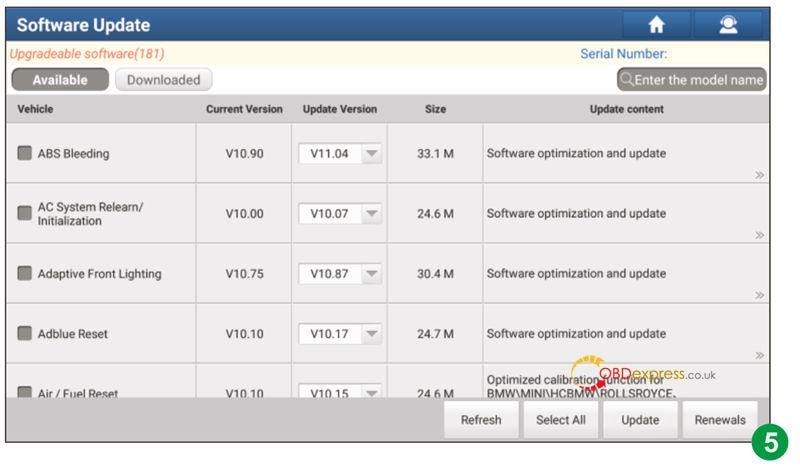
        3. If not activated. It will navigate to the Mall module directly. Press Subscription Renewal Card Pay then enter 24-digit password to activate it. After successful activation, go to Software Update to download and install the battery pack diagnostic software.
          1. Launch X431 Activate EV Battery Pack Diagnostic Configuration

          2. If already activated but no having the battery pack diagnostic software. It'll go to Software Update to download.
            1. Launch X431 Activate EV Battery Pack Diagnostic Configuration

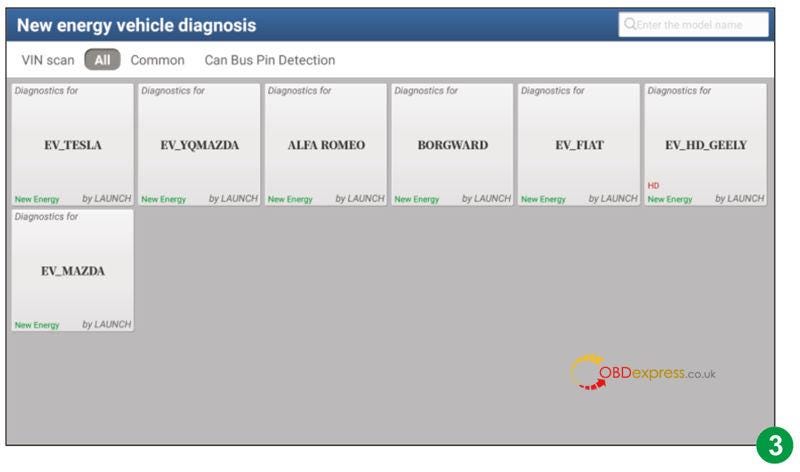
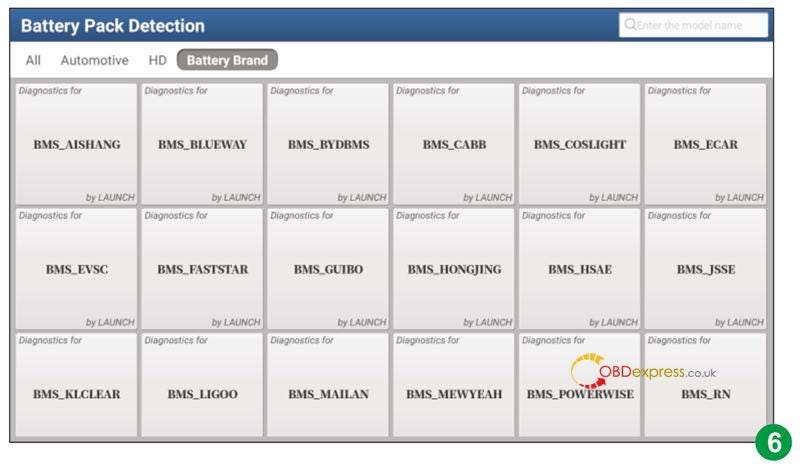
            2. If already activated and have the battery pack diagnostic software. It'll enter the battery pack brand selection screen.
              1. Launch X431 Activate EV Battery Pack Diagnostic Configuration

                Method2. Activate via Mall

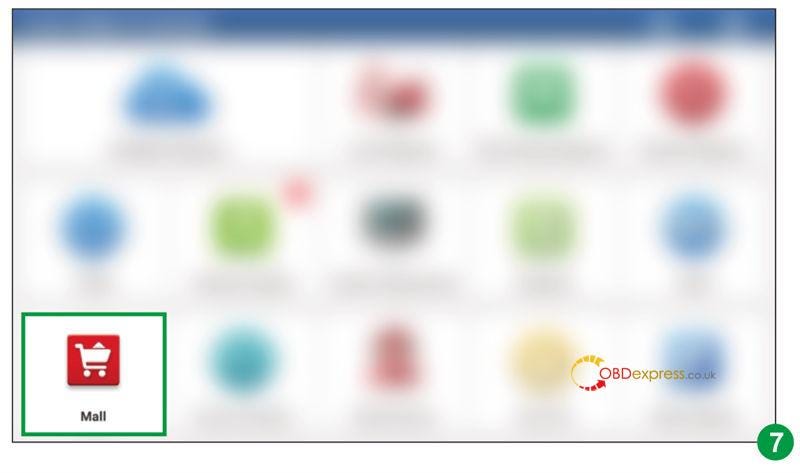
              2. Update the main diagnostic app to latest version(PAD 5 V7.03.025/ PAD7 V7.00.021 or above), press Mall on the Job Menu.
                1. Launch X431 Activate EV Battery Pack Diagnostic Configuration

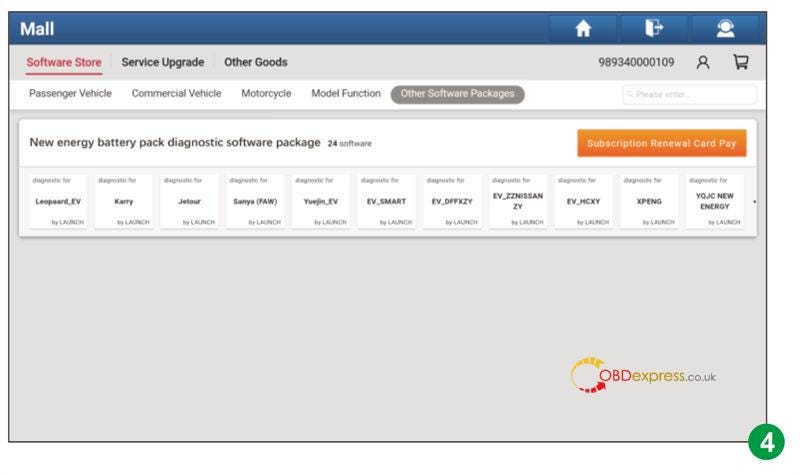
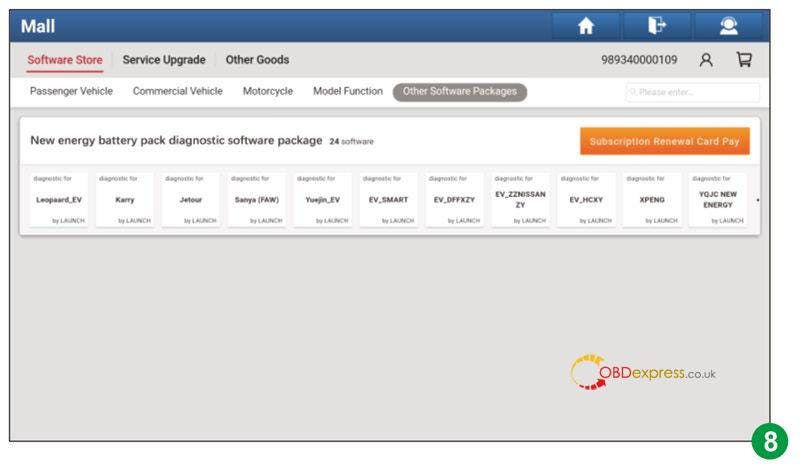
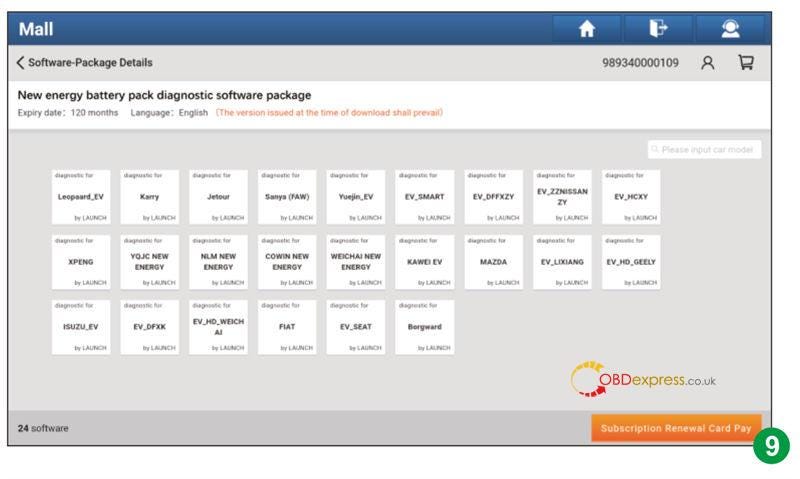
                2. Go to: Other Software Package >> New energy battery pack diagnostic software package >> Subscription Renewal Card Pay
                  1. Launch X431 Activate EV Battery Pack Diagnostic Configuration

                    Launch X431 Activate EV Battery Pack Diagnostic Configuration

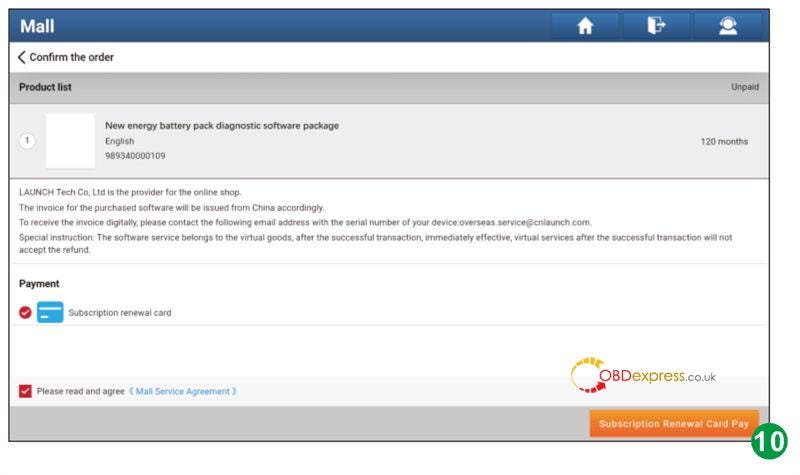
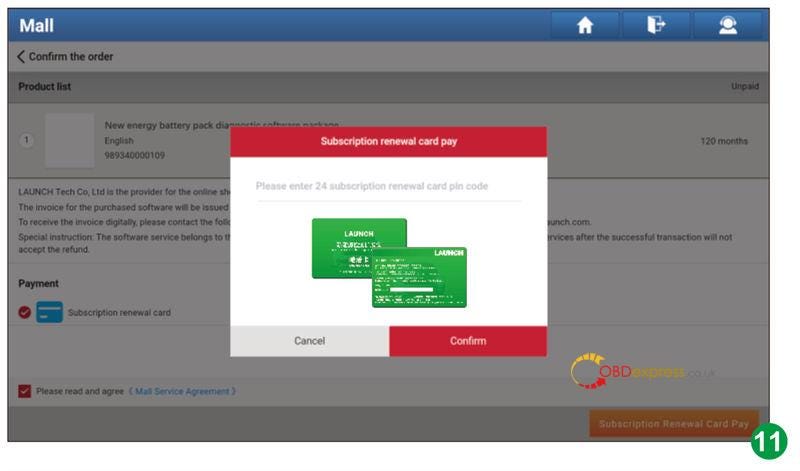
                  2. Press Subscription Renewal Card Pay then enter 24-digit password to activate it.
                    1. Launch X431 Activate EV Battery Pack Diagnostic Configuration

                      Launch X431 Activate EV Battery Pack Diagnostic Configuration

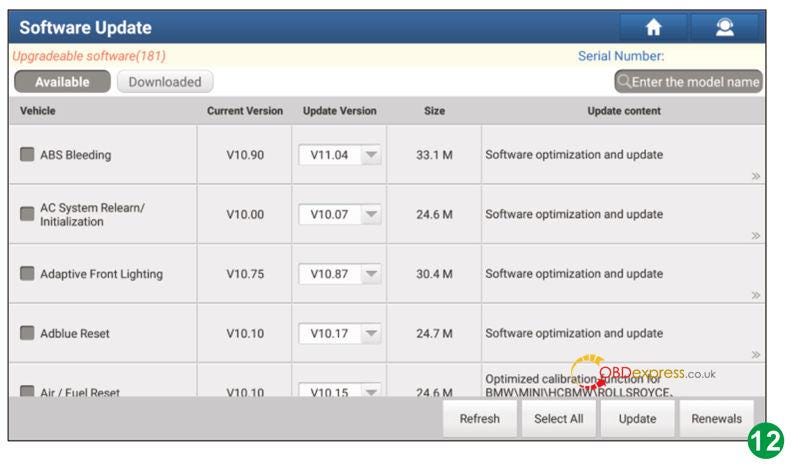
                    2. After successful activation, go to Software Update to download and install the battery pack diagnostic software.
                      1. Launch X431 Activate EV Battery Pack Diagnostic Configuration

                      2. When download is completed, press: New Energy Diagnose >> Battery Pack Detection. The system will enter the battery pack brand selection screen(pic.6).
                        1. Note: all illustration and description in this operation instruction are based on the latest information available at the time of publication. Due to continuing improvements, actual product may differ slightly from the product described herein.

                          www.obdexpress.co.uk

                          Thursday, 2 March 2023

                          Maximizing Your Launch-X431 Experience with Online Tech Support

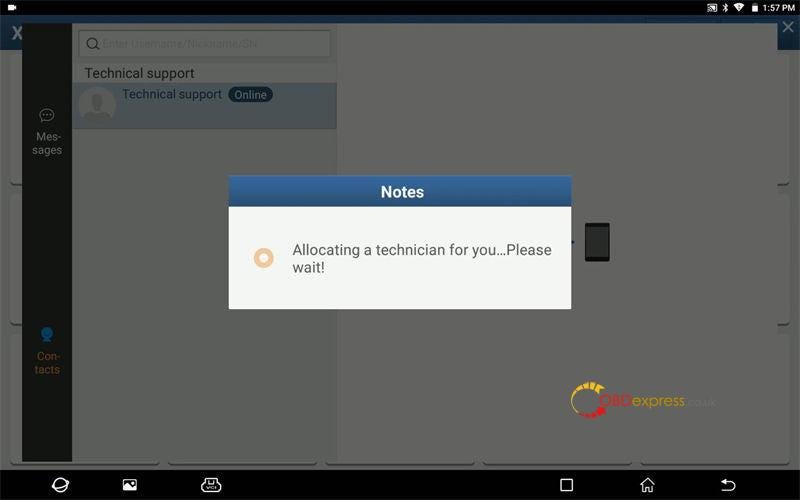
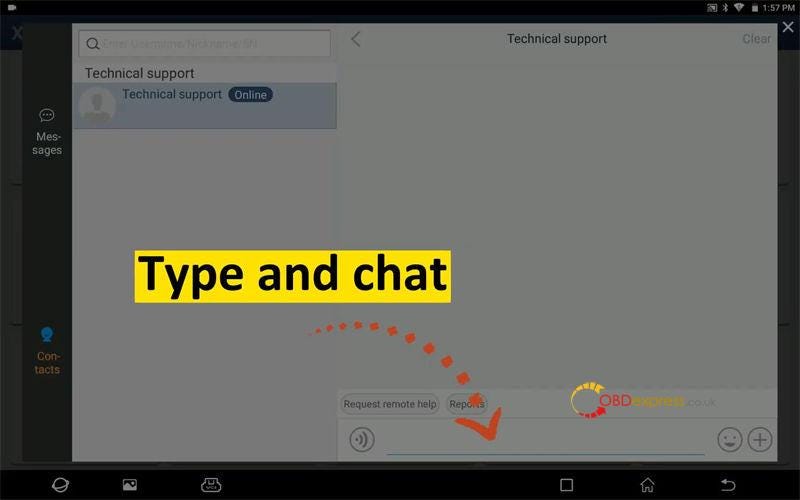
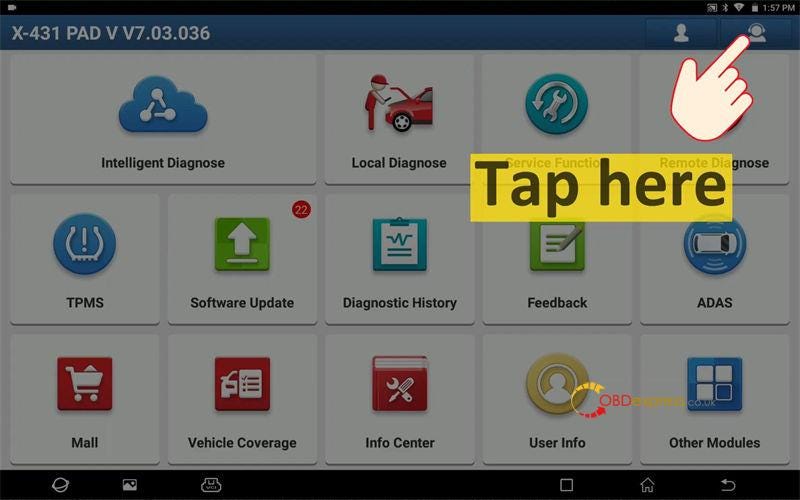
                           How to do in case you forget email address or ran into an error problem when using Launch-X431 diagnostic tool? No worries, the Launch online technical support will provide quick help directly on your tablet. Just update your X431 scanner to get FREE 24-hours online technical support.

                          Service time: 5*24hours, Monday to Friday(Beijing Time, GMT+8)

                          Available on X431 series tools, eg. LAUNCH X431 PRO5, X431 PAD 7, etc.

                          How to get Launch online tech support?

                        2. Tap Support icon at the top right corner of Homepage;
                        3. Type and chat any questions you've met in the dialog box.
                        4. Launch technician will provide instant support to solve your problem.
                          1. Launch-X431 Experience with Online Tech Support

                            Launch-X431 Experience with Online Tech Support

                            Launch-X431 Experience with Online Tech Support

                            www.obdexpress.co.uk

                            Wednesday, 31 August 2022

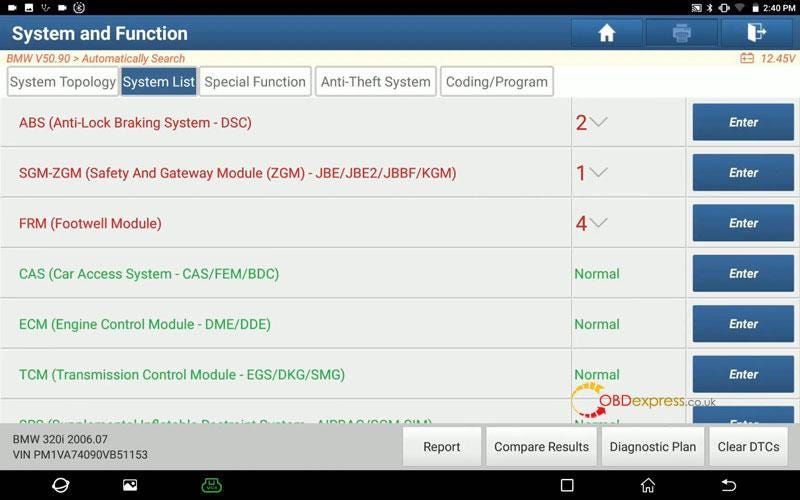
                            Launch-X431 Coding BMW E90 2006 DSC(ABS) to Fix 5E3F DTC

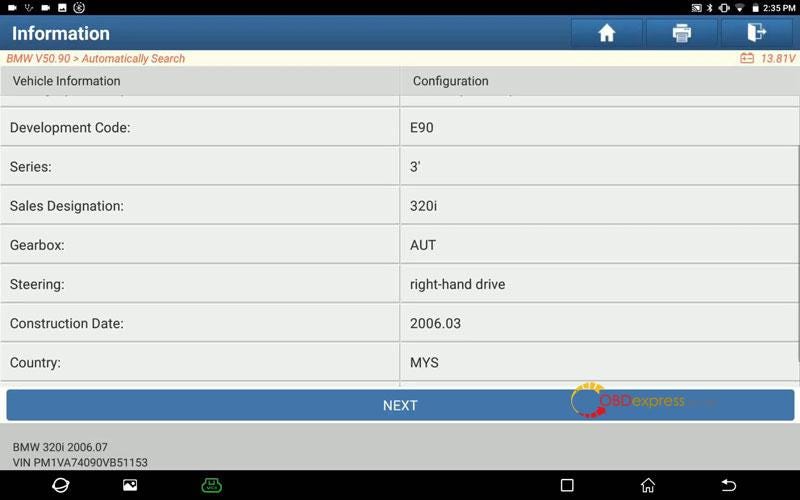
                             Launch-X431 Diagnostic Tool is able to fix BMW trouble code 5E3F by coding DSC(ABS). Here's using Launch X431 PAD VII as a demonstration.

                            Full System Diagnose

                            BMW >> Automatically search >> Next

                            To ensure the accuracy of the test results, do the following:

                          2. Turn off the ignition switch.
                          3. Wait 10s.
                          4. Turn on the ignition switch.
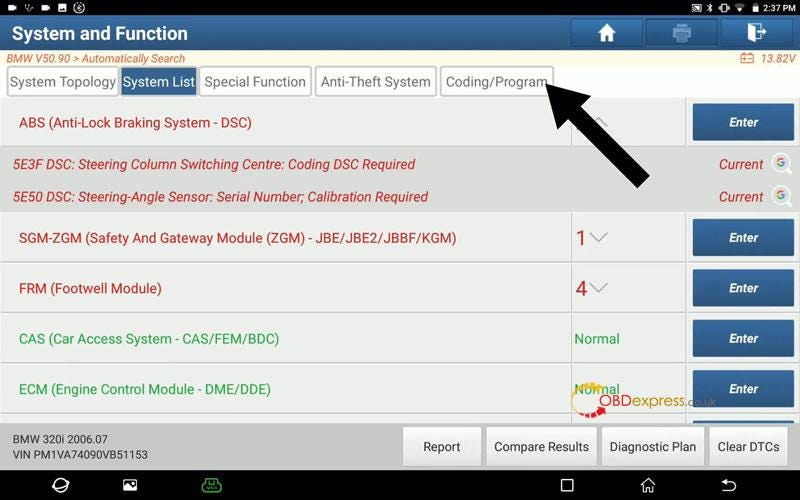
                            1. There is a fault code in ABS system.

                              5E3F DSC — steering column switching centre: coding DSC required

                              Launch-X431 fixes and clears BMW car fault code 5E3F

                              Launch-X431 fixes and clears BMW car fault code 5E3F

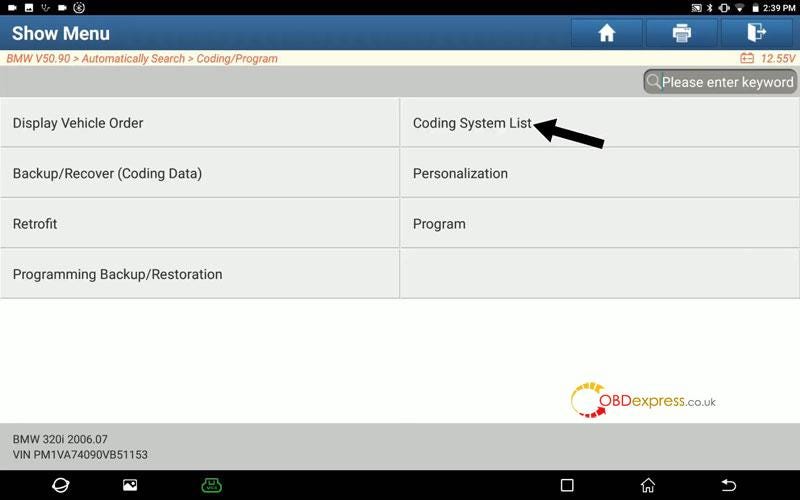
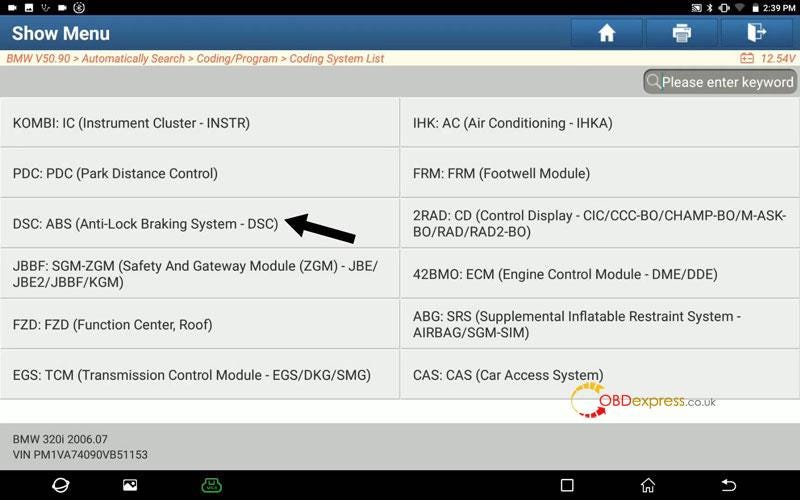
                              How to do DSC(ABS) Coding?

                              Coding/ program >> Next >> Coding system list >> DSC: ABS(Anti-lock braking system — DSC)

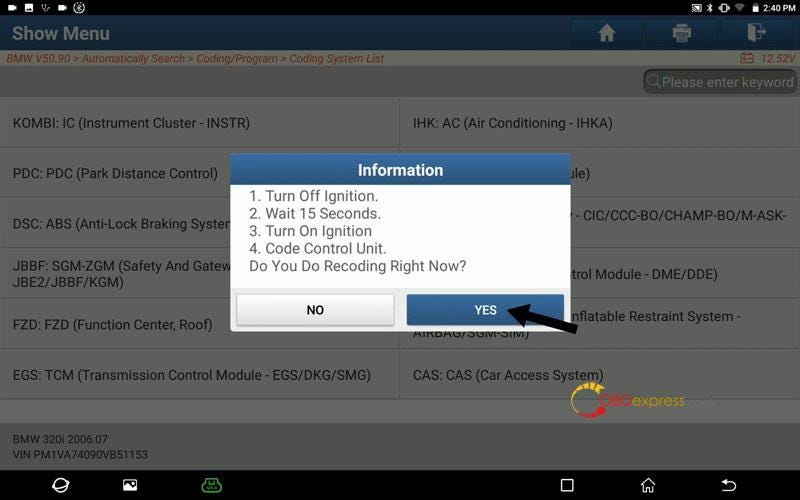
                            2. Turn off ignition.
                            3. Wait 15s.
                            4. Turn on ignition.
                            5. Code control unit.
                              1. Do you do recoding right now? Yes

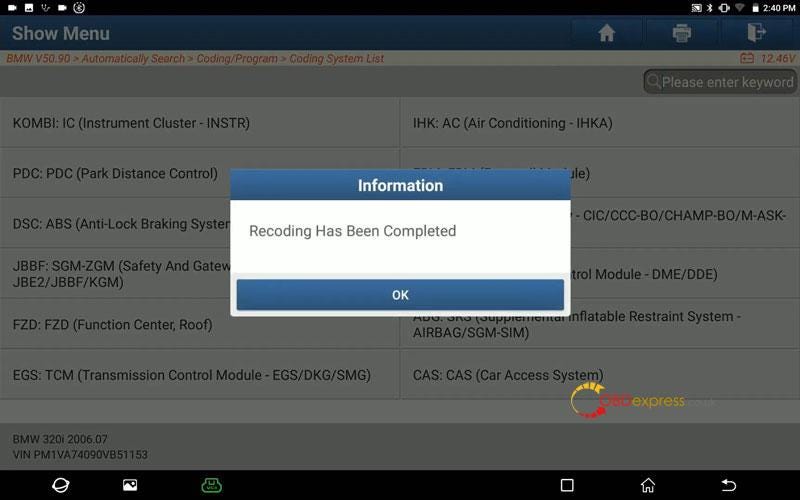
                                Recoding has been completed.

                                Launch-X431 fixes and clears BMW car fault code 5E3F

                                Launch-X431 fixes and clears BMW car fault code 5E3F

                                Launch-X431 fixes and clears BMW car fault code 5E3F

                                Launch-X431 fixes and clears BMW car fault code 5E3F

                                Clear Codes

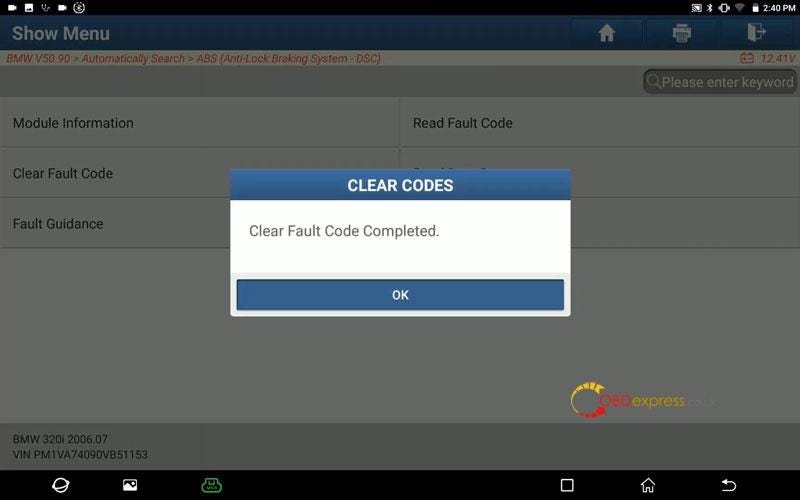
                                Go back to System List >> ABS >> Continue >> Clear fault code

                                Clear fault code completed.

                                Done.

                                5E3F fault code has gone.

                                Launch-X431 fixes and clears BMW car fault code 5E3F

                                Launch-X431 fixes and clears BMW car fault code 5E3F

                                This is how to use X431 PAD 7 to do BMW E90 2006 DSC(ABS) coding successfully.

                                www.obdexpress.co.uk

                                How to Unlock Ford BOSCH MD1CP006 with OBDSTAR ECU Master via Boot?

                                 This guide covers the procedure for unlocking, reading, and writing locked Bosch MD1 CP006 engine control units found on Ford F-250 and F-...