Showing posts with label GODIAG GPT Boot Adapter. Show all posts

Wednesday, 1 November 2023

How to Get GODIAG ECU GPT Boot Adapter PINOUT?

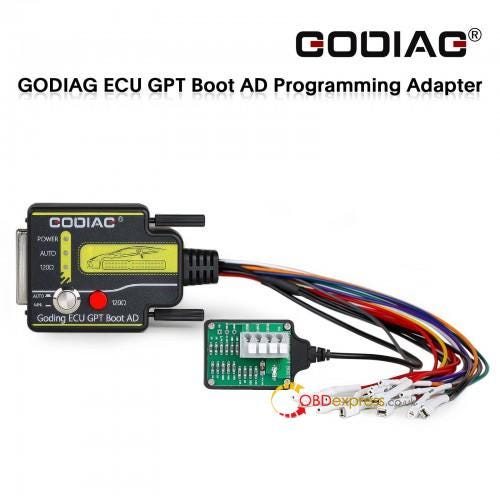
 Currently, it is not possible to read and write all ECUs through the OBD2 diagnostic interface or without opening the ECU, there are still many ECUs that need to open the cover to read and write data. The GODIAG ECU GPT Boot Adapter ECU Connector can be used for ECU PINOUTs of different manufacturers and brands according to the wiring definition. It can not only be simulated as a standard OBD2 diagnostic interface, but also supports ECU connection via GPT Bench without disassembling the ECU or Boot mode with disassembling the ECU.

With the Pinout connection diagram, it's easy and fast to connect GODIAG Adapter, J2534 device/ECU programmer (SM2 Pro, OpenPort 2.0, Foxflash, PCMtuner…) and ECU for ECU data reading and writing. Here obdexpress.co.uk offers the methods to get ECU Pinout diagram below.
How to Get GODIAG ECU GPT Boot Adapter PINOUT

Way 1:

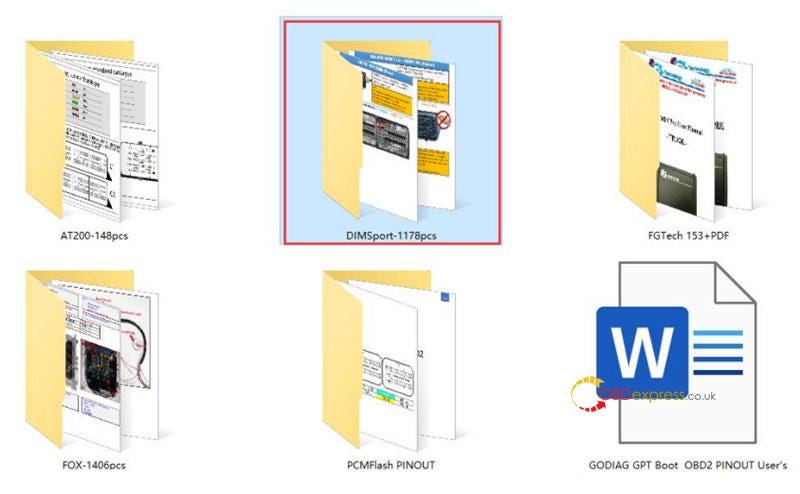
Free download ECU OBD2 GPT Boot Pinout.zip directly (Size: 3.15GB)

Way 2:

Visit the corresponding website to check the different ECU tools Pinout.

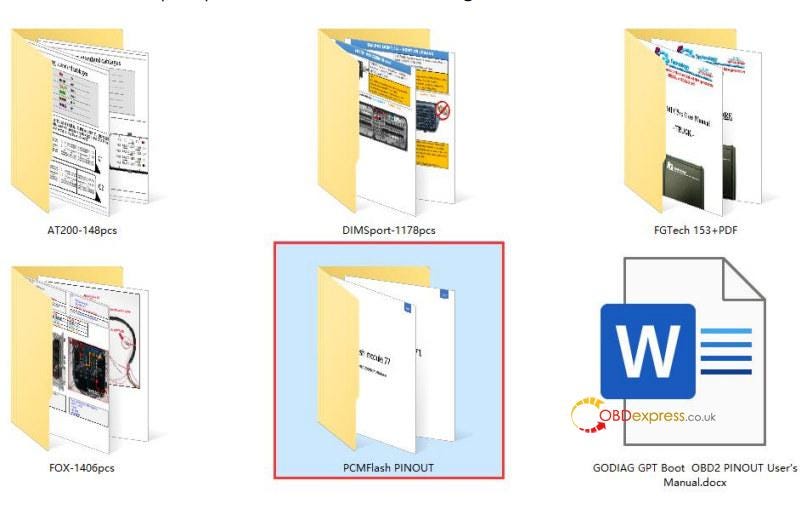
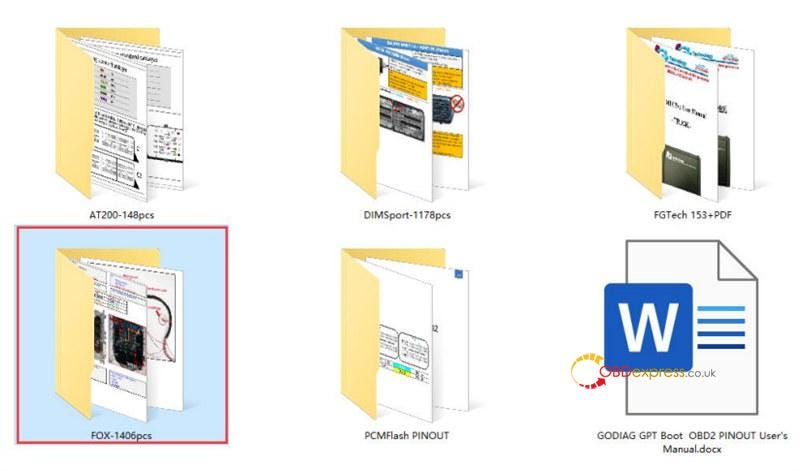
1.For the wiring diagram using PCMFLASH PINOUT, please refer to https://pcmflash.ru/downloads/english.html
How to Get GODIAG ECU GPT Boot Adapter PINOUT

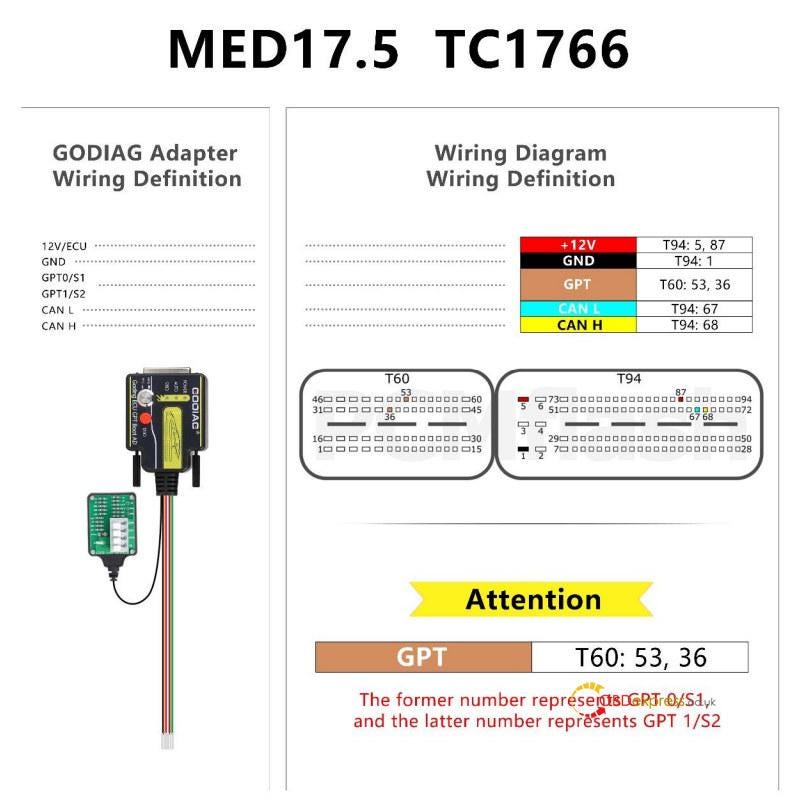
i.e.MED17.5 TC1766

How to Get GODIAG ECU GPT Boot Adapter PINOUT

  • The PINOUT connection diagram of DIMsport KESSV2 KTAG products
    1. How to Get GODIAG ECU GPT Boot Adapter PINOUT

      How to Get GODIAG ECU GPT Boot Adapter PINOUT

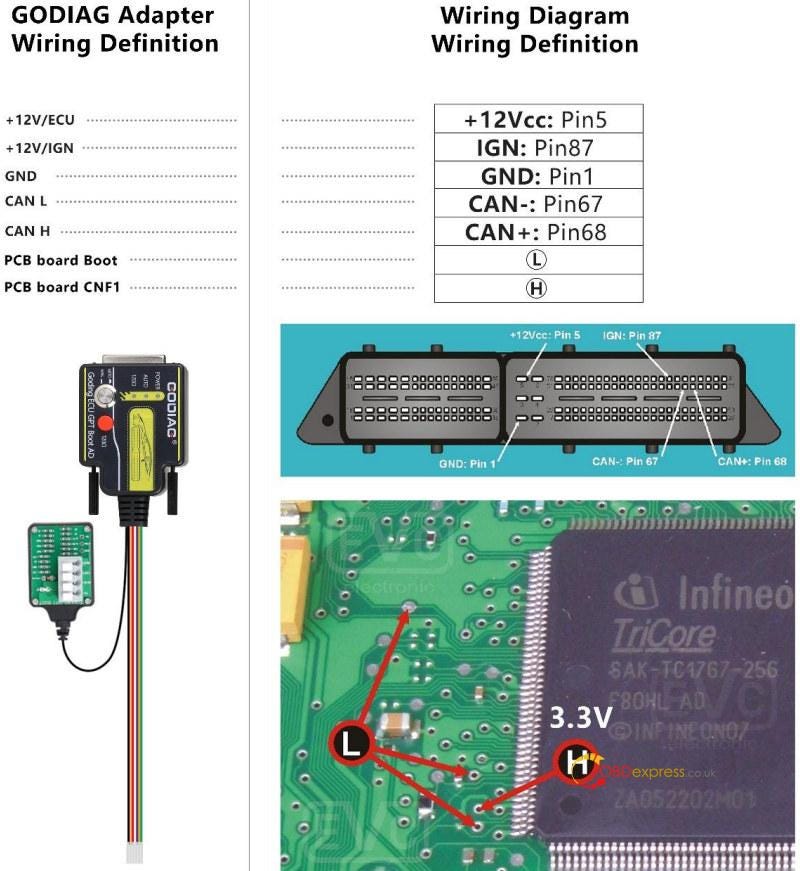
      3.For the PINOUT connection diagram of EVC products, please refer to https://www.evc.de/en/product/bsl/ecu.asp

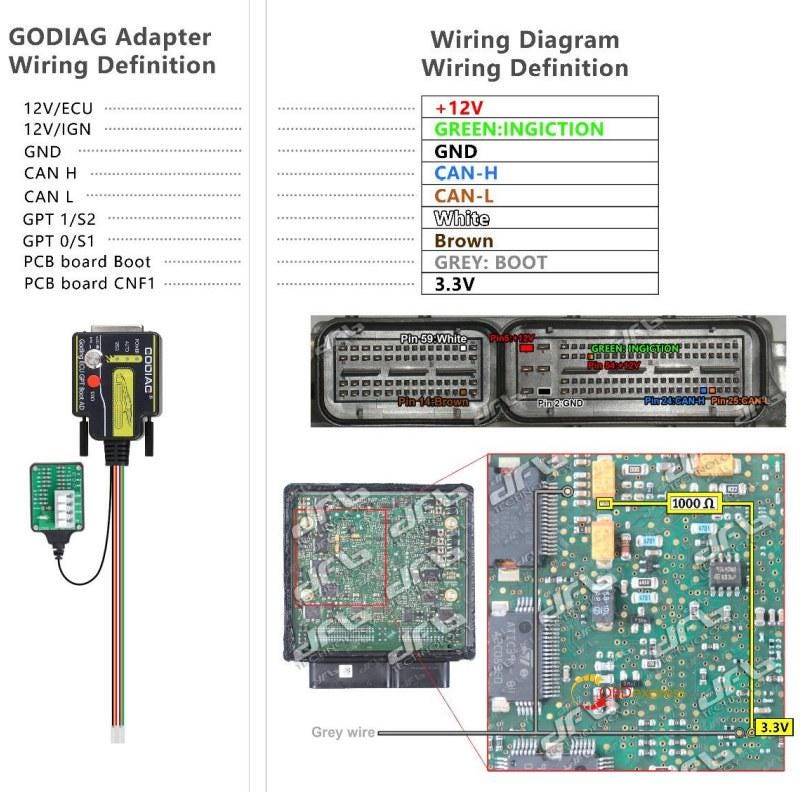
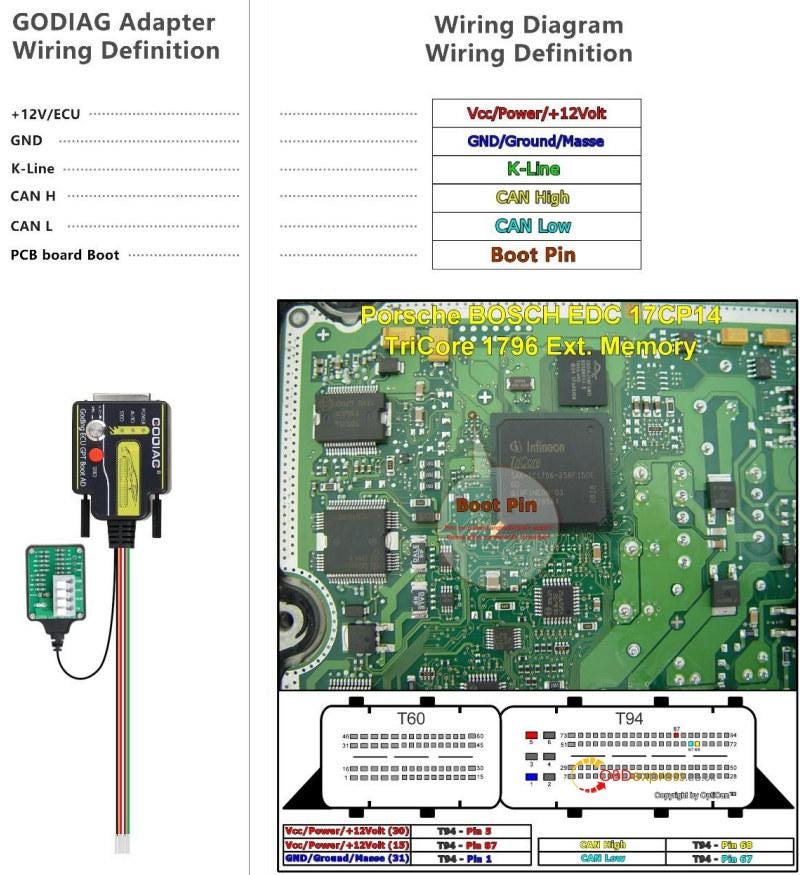
      The L connection point is connected to the Boot connection port on the GODIAG ECU GPT Boot AD, and the H point is connected to CNF1.
      How to Get GODIAG ECU GPT Boot Adapter PINOUT

      4.For the PINOUT connection diagram of kt-prog or FOX FGtech products, please refer to https://wiring.fg-technology.uk/index.php?m=Home&c=wiring&a=index

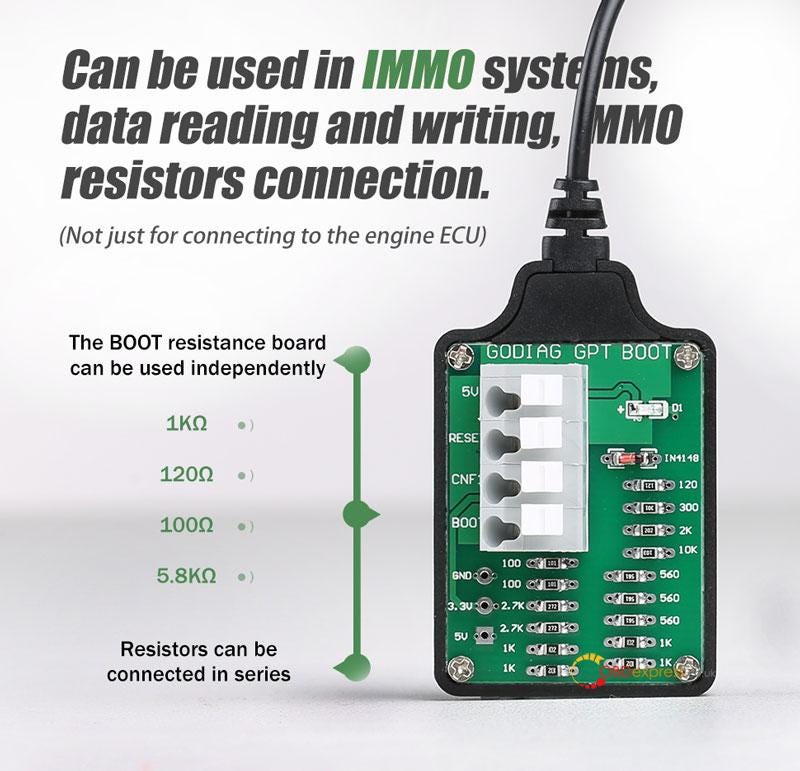
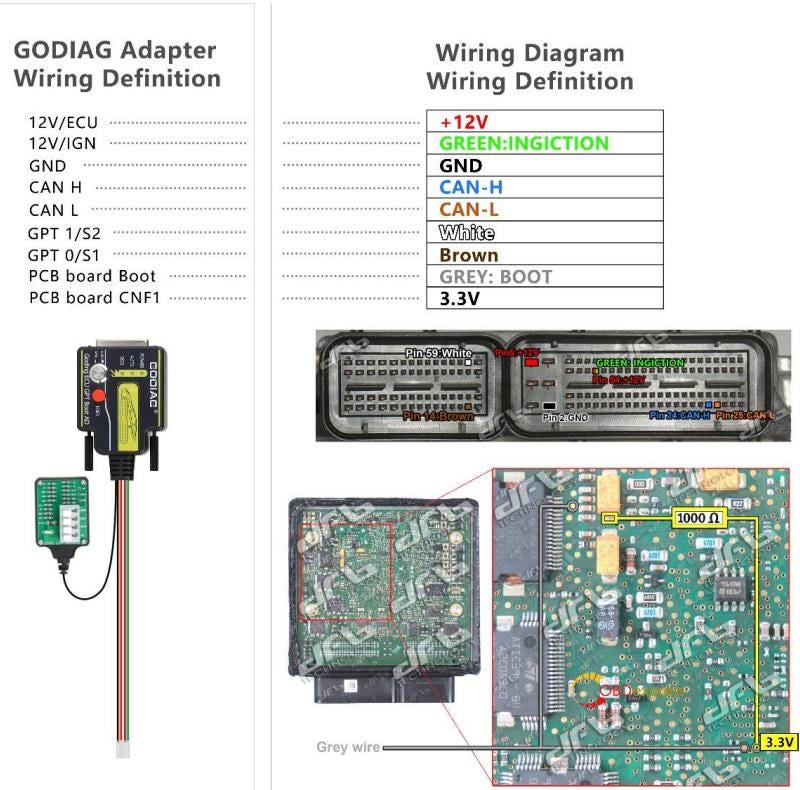
      The Gray line connection point in the picture is Boot. The CNF1 or 3.3V in the picture is connected to the 1KΩ resistor point, or the resistor is connected as shown in the picture. The brown wiring in the picture is connected to GPT0, and the white wiring in the picture is connected to GPT1.
      How to Get GODIAG ECU GPT Boot Adapter PINOUT

      How to Get GODIAG ECU GPT Boot Adapter PINOUT

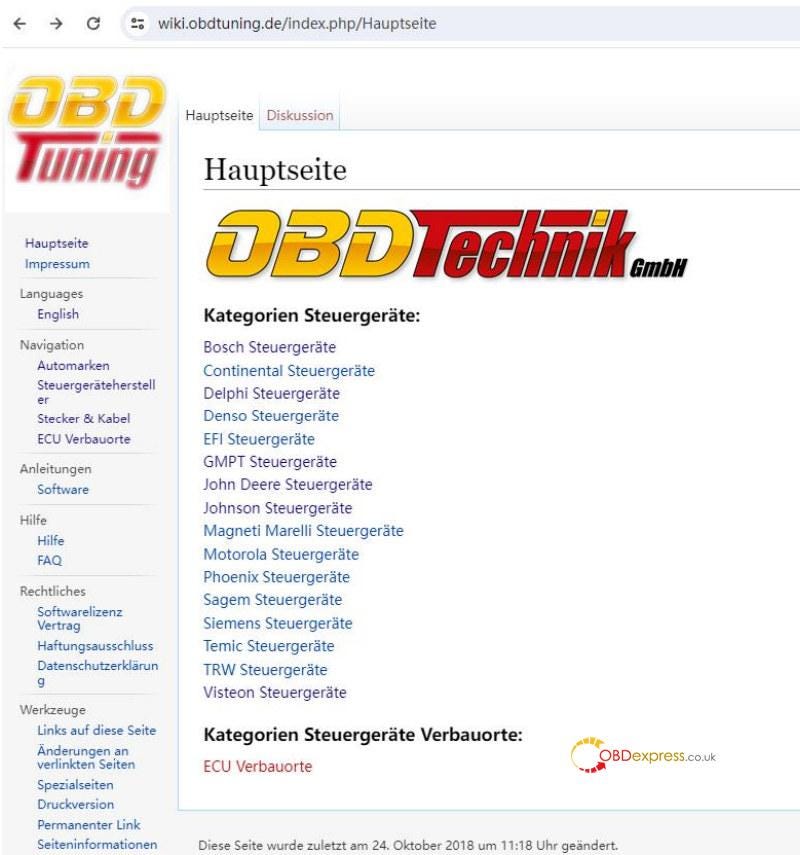
      5.For the PINOUT connection diagram of obdtuning products, please refer to https://wiki.obdtuning.de/index.php/Hauptseite

      OBD2 Bench, GPT Bench, Boot
      How to Get GODIAG ECU GPT Boot Adapter PINOUT

      How to Get GODIAG ECU GPT Boot Adapter PINOUT


      www.obdexpress.co.uk


      GODIAG ECU GPT Boot Adapter: Plug and Play J2534 Tool

       GODIAG ECU GPT Boot Adapter is designed to read and write ECU data without disassembling the ECU by OBD2 bench, GTP bench or boot method. It's coming with a short-circuit-proof boot resistance board to protect ECU. Customers can use existing J2534 devices with PCMFlash software directly.

      GODIAG ECU GPT Boot Adapter-Plug and Play J2534 Tool

      Features

    2. Support GPT method to read & write ECU data without disassembling.
    3. Support BOOT method to read & write ECU data.
    4. Support read & write ECU data by OBD2.
    5. BOOT resistance board and connection cable have insulation protection of high temperature and environmental protection silicone wire.
    6. Support RESET, BOOT, CNF1, GPT1, GPT2, 5V, 3.3V, VPP, GND.
    7. Support PCMFlash automatic control ignition power supply.
    8. Support manual ignition power control.
    9. Free switching with CANbus 120Ω
    10. Equipped with ECU dedicated connection terminal.
    11. The ECU port cable is labeled.
      1. GODIAG ECU GPT Boot Adapter-Plug and Play J2534 Tool

        Compatibility

      2. Diagnosis support standard OBD2 protocol.
      3. Support to read and write ECU data with J2534 device.
      4. Only Scanmatik 2 PRO for PCMflash allows to form GPT1, GPT2 signals. Necessary to work with Module 71.
      5. Support other devices like Scanmatik, OpenPort 2.0, Mongoose JLR, MongoosePro JLR, Teradyne GNA600(VCM 1), Mazda VCM2… to read and write ECU data by OBD2 or BOOT 53 mode.
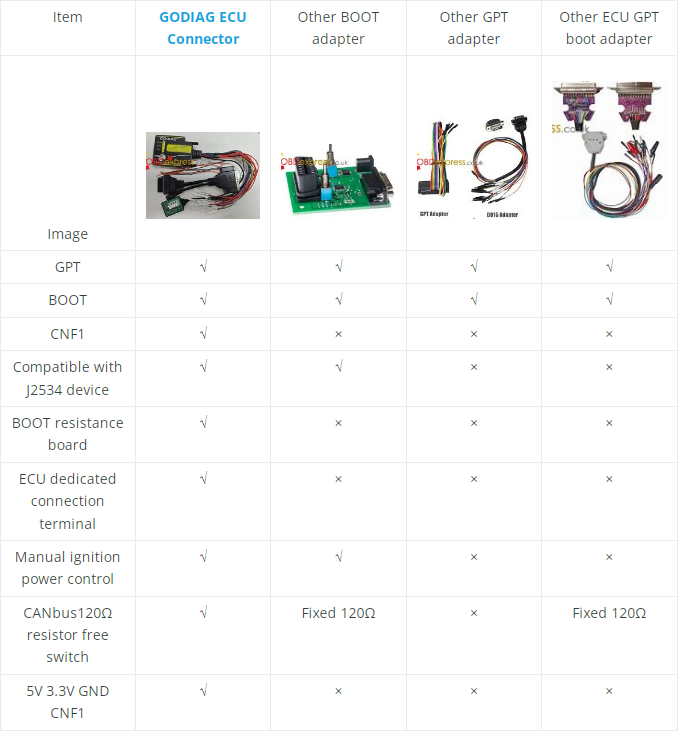
        1. Comparison

          GODIAG ECU GPT Boot Adapter-Plug and Play J2534 Tool

          Connection

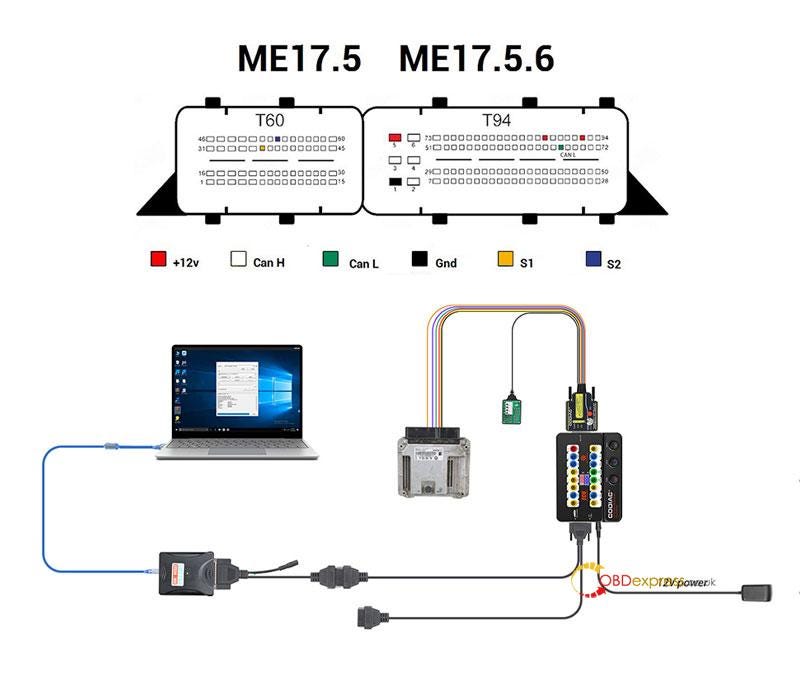
          ME17.5 ME17.5.6 Connection Diagram

          GODIAG ECU GPT Boot Adapter-Plug and Play J2534 Tool

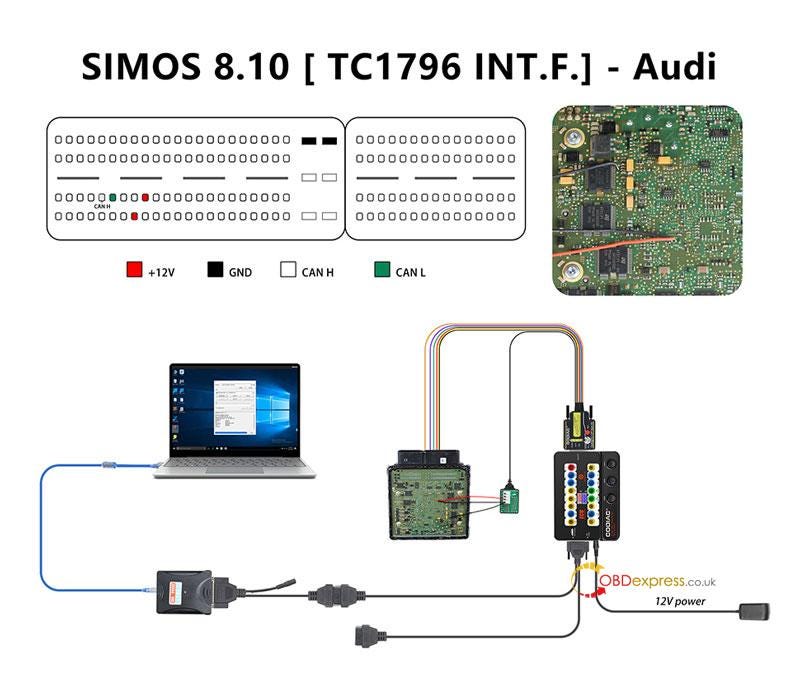
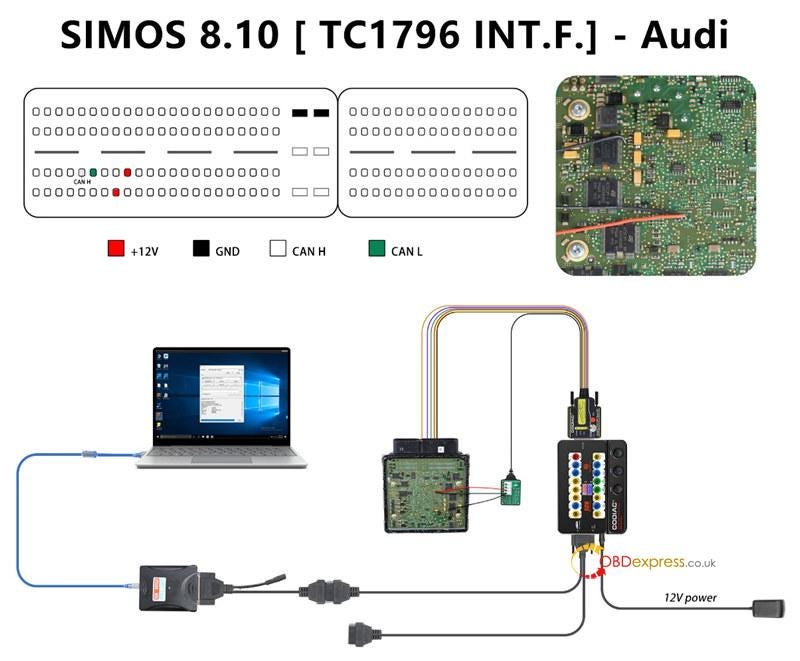
          SIMOS 8.10 [TC1796 INT.F.] — Audi Connection Diagram

          GODIAG ECU GPT Boot Adapter-Plug and Play J2534 Tool

          Why to buy GODIAG ECU Adapter?

        2. The fixed resistance board can be used for longtime.
        3. Equipped with 15cm silicone wire for extending.
        4. The fixed resistance can prevent from losing.
        5. The resistance board is separated to support multiple-series connection.
        6. Except for ECU, it also supports to read and write immo, airbag…module for diagnosing, matching, programming or coding by OBD2.
        7. Easy to plug, save time and effort.
        8. Compatible with most available J2534 devices.
        9. The adapter has already done the standard OBD2 pwm+ pwm- CAN+ CAN- 120Ω K-line communication protocol.
          1. www.obdexpress.co.uk

            How to Unlock Ford BOSCH MD1CP006 with OBDSTAR ECU Master via Boot?

             This guide covers the procedure for unlocking, reading, and writing locked Bosch MD1 CP006 engine control units found on Ford F-250 and F-...