The DIAGXT T80 is a professional-grade automotive oscilloscope designed for precision vehicle diagnostics. This guide provides a concise overview of its specialized features, button operations, and touch gestures to help you master engine timing and signal analysis.
Specialized Automotive Features
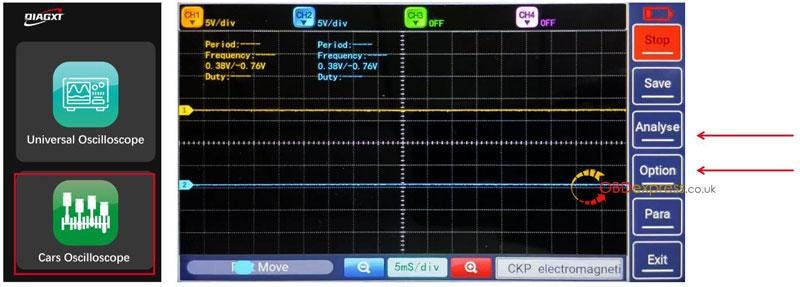
Unlike standard oscilloscopes, the T80 includes two dedicated functions for vehicle repair: Analyse and Option.
Waveform Analysis (Analyse)
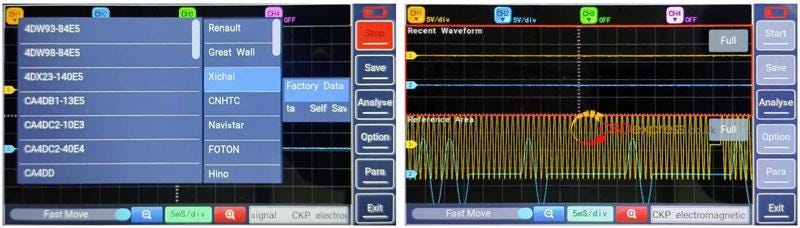
The T80 features a built-in library of standard waveforms from over 90% of vehicle manufacturers.
- How it works: After capturing a signal, click Analyse to select the corresponding manufacturer and engine model.
- Comparison: The system displays the standard factory data alongside your live signal on the same screen for instant comparison.
One-Touch Test Options (Option)
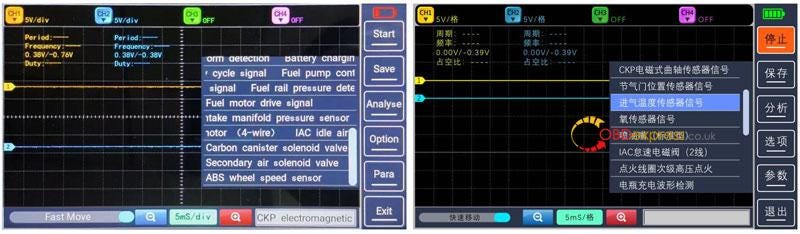
This menu simplifies the setup process for common automotive components.
- Automatic Presets: Selecting a component from this menu automatically configures the time and voltage scales — no manual adjustment required. For example, when testing a Fuel Injector, the T80 automatically sets the ideal time base to capture the full pulse width.
- Supported Components: Includes Crankshaft/Camshaft sensors (CKP), Throttle Position, Intake Temperature, Oxygen sensors, Fuel Injectors, Battery voltage, and Ignition coils.
Controls and Navigation
Physical Button Operations
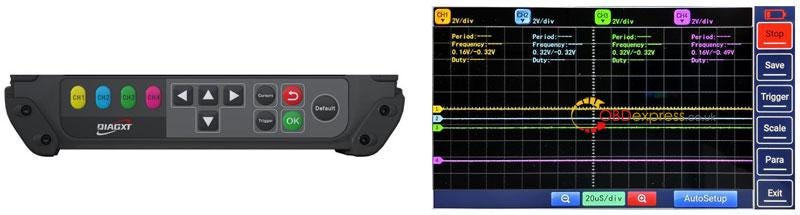
The device’s physical buttons mirror the on-screen functions for flexible operation.
ButtonFunctionDirection KeysUsed to zoom the waveform in/out (Up/Down) or shift it (Left/Right).DefaultInstantly restores all parameters to calibrated factory initials to fix display errors.OK / TriggerConfirms selections and manages signal triggering.
Touch Gestures
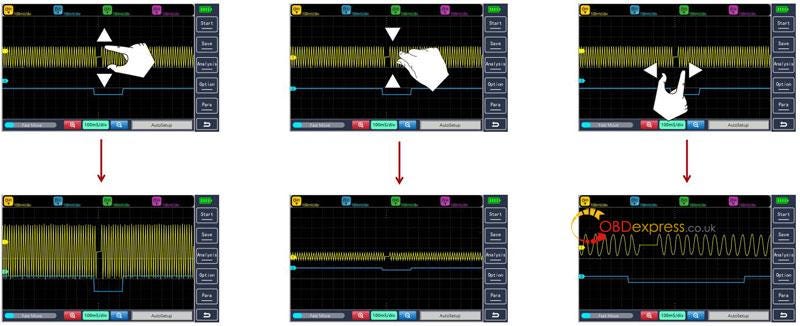
The T80 supports intuitive smartphone-style gestures for waveform manipulation:
- Vertical Stretch/Pinch: Adjusts the voltage scale ($V/div$) to make the signal taller or shorter.
- Horizontal Stretch/Pinch: Adjusts the time base ($mS/div$) to expand or compress the waveform view.
Waveform Management (Waveform Viewer)
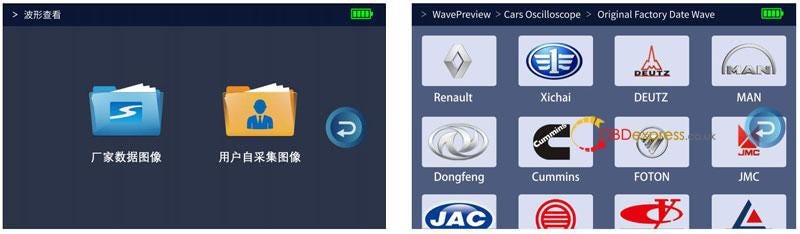
The T80 serves as a personal diagnostic knowledge base by organizing data into two categories:
- Factory Data: Access standard engine timing waveforms from major brands like Renault, Cummins, Hino, and Foton.
- User Data (Self Sav): View and manage waveforms you have previously saved during your own diagnostic sessions.
Path: WavePreview > Cars Oscilloscope > Original Factory Data Wave
Read also
http://blog.obdexpress.co.uk/2025/12/30/diagxt-t80-oscilloscope-manual-how-to-connect-setup/
Ready to Upgrade Your Vehicle Diagnostics?
Don’t let complex engine timing issues slow you down. Get the DIAGXT T80 Universal Oscilloscope today and streamline your repair process with professional-grade waveform analysis.
www.obdexpress.co.uk — Your trusted source for premium automotive diagnostic tools.



No comments:
Post a Comment