Wednesday, 4 February 2026

FormulaFlash V1.1.2.0 Update: VAG CS Codes One-Click Reading

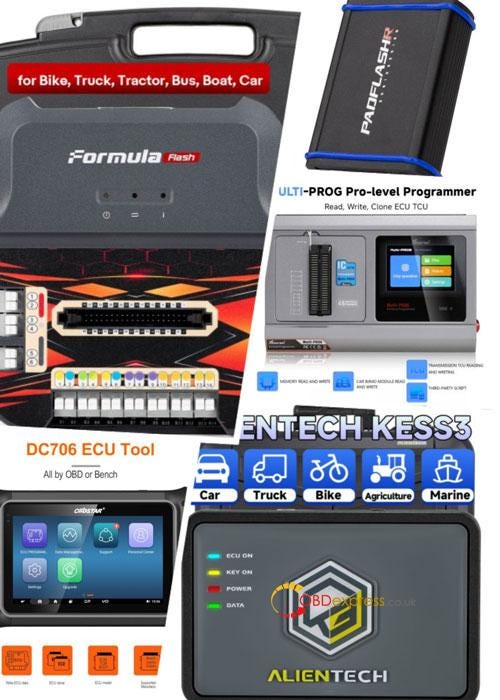
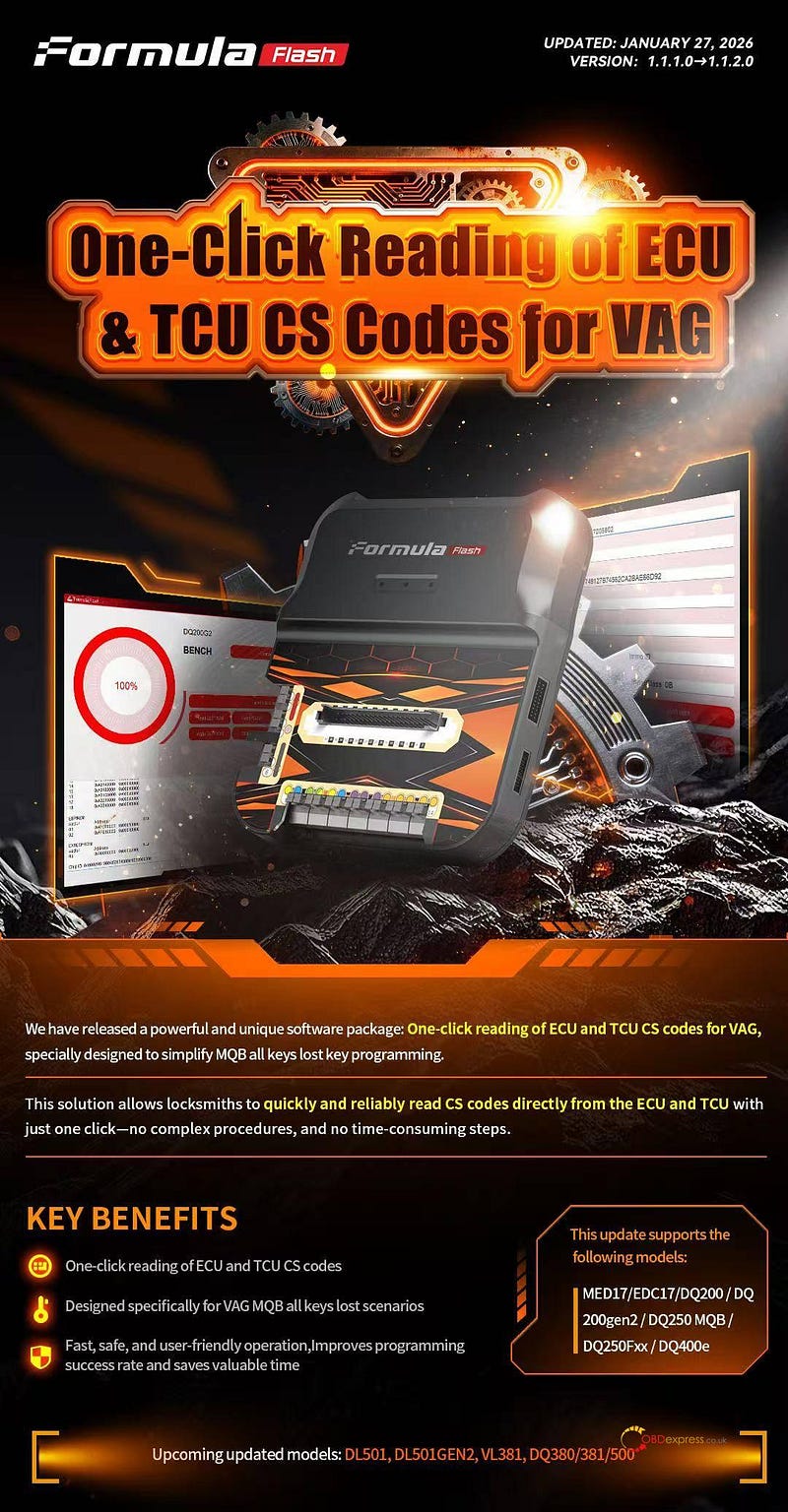
 FormulaFlash ECU programmer released a powerful and unique software package:

One-click reading of ECU and TCU CS codes for VAG, specially designed for "all keys lost" key programming on VAG MQB platform cars, transforming a complicated task into a fast, reliable, single-step process.

Release Details & Key Benefits:

1.Update date: January 27, 2026

2.Version: 1.1.1.0-> 1.1.2.0

3.Core Innovation: One-click reading of ECU and TCU CS codes for VAG

4.Breakthrough:

✅ One-Click Operation: Instantly read both ECU & TCU CS codes.

✅ Built for MQB: Specifically designed for VAG "all keys lost" jobs.

✅ Fast & Foolproof: Eliminates complex procedures — saves time, increases success rates.

5.Coverage:

  • Supported Now: MED17, EDC17, DQ200, DQ200gen2, DQ250 MQB, DQ250Fxx, DQ400e.
  • Coming Soon: DL501, DL501GEN2, VL381, DQ380/381/500.

FormulaFlash V1.1.2.0 Update_VAG CS Codes One-Click Reading

Upgrade to FormulaFlash software V1.1.2.0 and turn a difficult job into a simple click.

www.obdexpress.co.uk

How to Program 2024 Honda CRV Smart Key via Lonsdor K518 Pro

 Adding a spare smart key to the 2024 Honda CRV (4A Chip) is a straightforward process using the Lonsdor K518 PRO. This step-by-step guide will help you generate and program your new key quickly and efficiently.

Preparation & Tools

Before starting, ensure you have the following items ready:

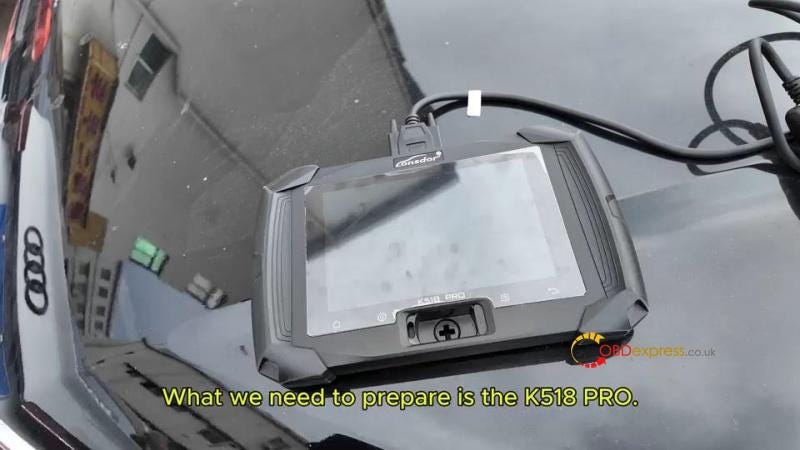
Device: Lonsdor K518 Pro Key Programmer.

Cable: OBD Communication Cable.

Original Key: One working programmed smart key.

New Key: A compatible Lonsdor Smart Key.


How to Program 2024 Honda CRV Smart Key via Lonsdor K518 Pro

Step 1: Generate the Lonsdor Smart Key

You must first prepare the Lonsdor universal key to match the 2024 CRV’s system.

  1. Connect Device: Plug the K518 Pro into the vehicle’s OBD port.
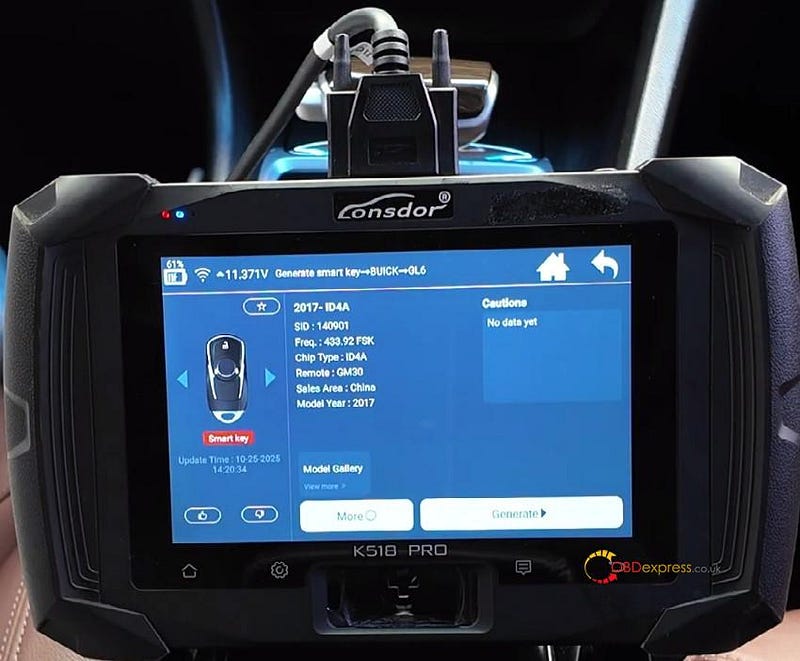
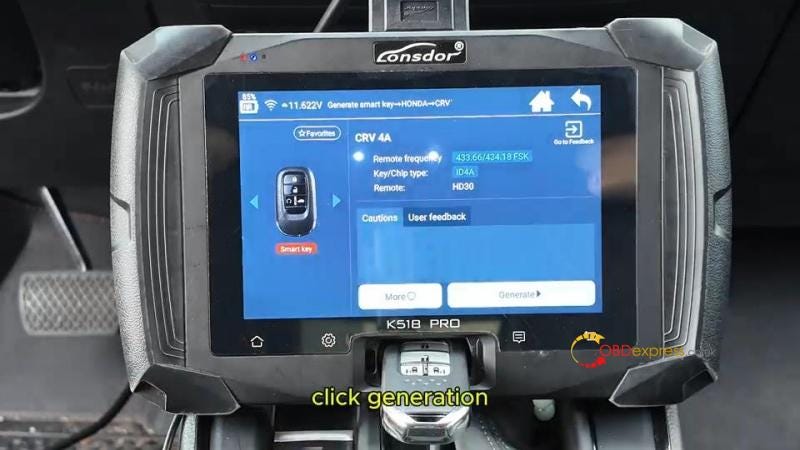
  2. Access Menu: Navigate to Generate smart key > Honda > CRV > CRV 4A Menu.
  3. Insert Key: Place the new Lonsdor key into the K518 Pro device card slot.
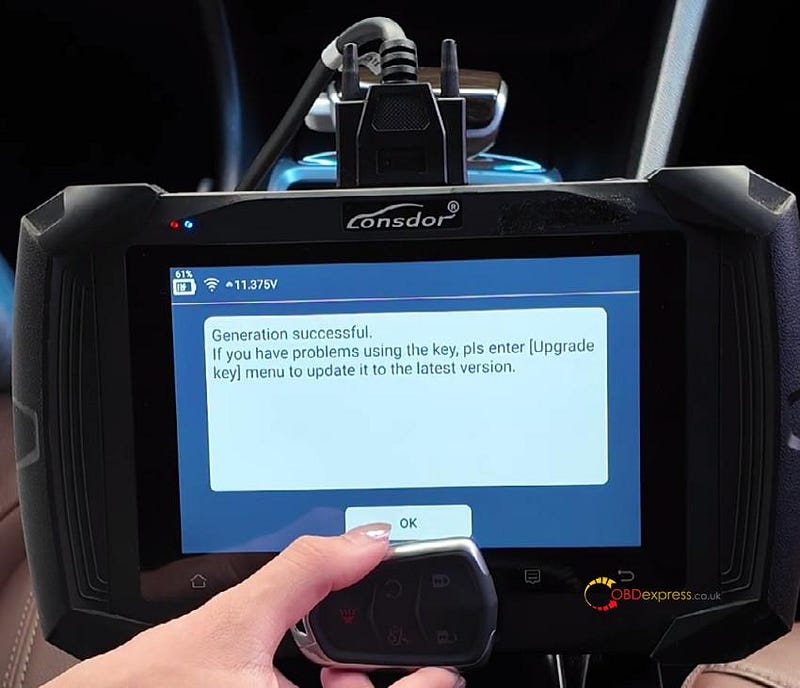
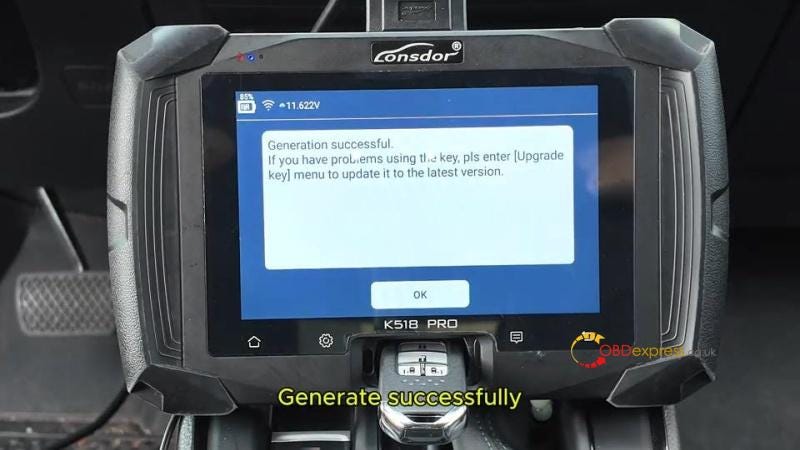
  4. Generate: Click Generation and wait for the "Generate successfully" confirmation.

How to Program 2024 Honda CRV Smart Key via Lonsdor K518 Pro

Step 2: Program the New Key to the Vehicle

Once the key is generated, follow these steps to sync it with the car’s IMMO system.

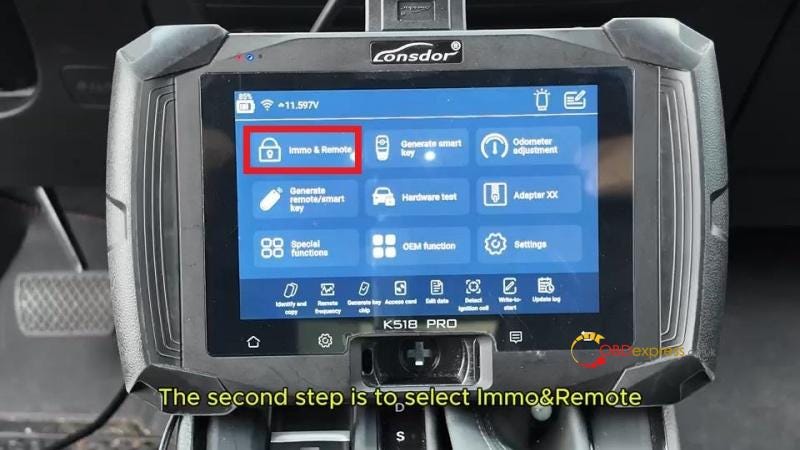
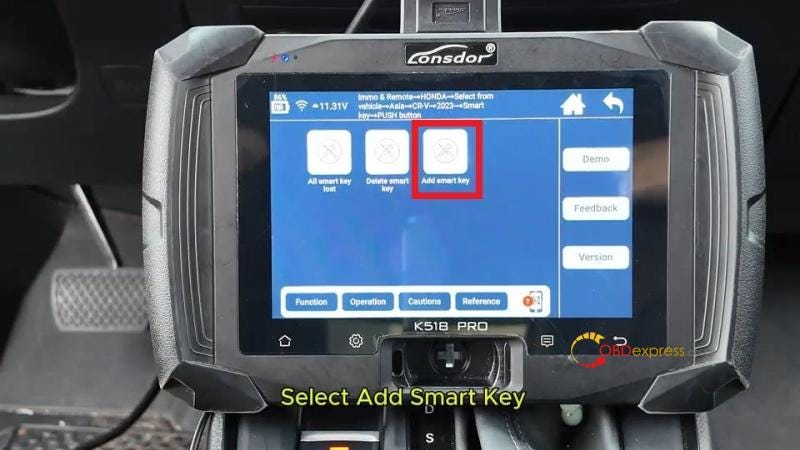
  1. Select Path: Go to Immo & Remote > Honda > Select from vehicle > Asia > CR-V > 2023- > Smart Key > Push Button > Add Smart Key.
  2. Initial Setup: Turn off the ignition. Place only one already programmed key inside the car.
  3. Clear Interference: Move all other smart keys at least 5 meters away from the vehicle.
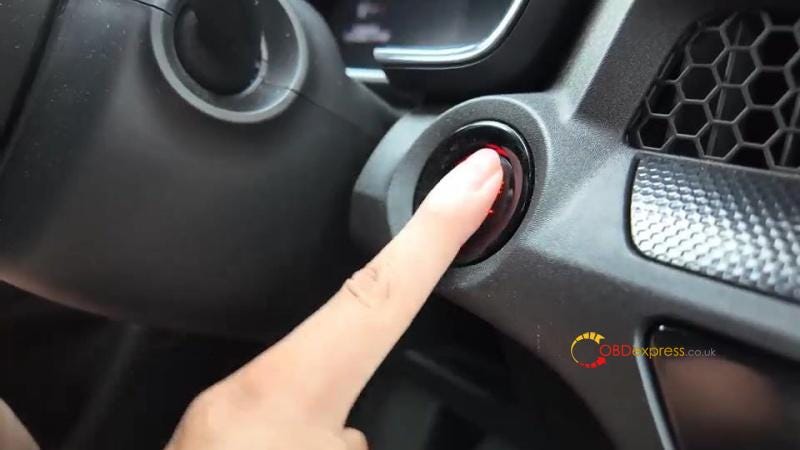
  4. Ignition Sync: Press the Start button twice to turn the ignition ON.
  5. Key Swap: * Remove all keys from the car within 100 seconds.

Place the new key to be programmed inside the car.

  1. System Sync: Follow the on-screen prompts to cycle the ignition (OFF and ON) within 15-second intervals as requested by the K518 Pro.
  2. Confirmation: Check the dashboard to ensure the security light turns off. The device will display the updated number of programmed keys.

How to Program 2024 Honda CRV Smart Key via Lonsdor K518 Pro

Step 3: Verify Functionality

Always test both keys before finishing the job.

Engine Start: Verify that both the original and the new key can start the engine.

Remote Functions: Test the Lock and Unlock buttons on both remotes to ensure full functionality.


How to Program 2024 Honda CRV Smart Key via Lonsdor K518 Pro

Pro Tips for Success

  • Timing is Key: During "System Sync," ensure you switch the ignition within the 15-second window, or the process may fail.
  • Battery Voltage: Ensure the vehicle battery is stable before beginning OBD communication to prevent data errors.
  • Device Updates: Always check that your Lonsdor K518 is running the latest firmware for the best compatibility with 2023+ Honda models.
Get Your Professional Tools Today

Upgrade your toolkit with the Lonsdor Key Programing Tools at the best prices.
For professional hardware and technical support, visit: www.obdexpress.co.uk

KEYDIY FAQs: Verify Real Name, Earn and Share KD-Coins

 Here you’ll find helpful answers to common questions about KEYDIY account setup, KD-coins, and feature activation. This information applies to KEYDIY tools such as KD-X4 and KD-MAX.
Q1: What is account verification and why do I need to do it?

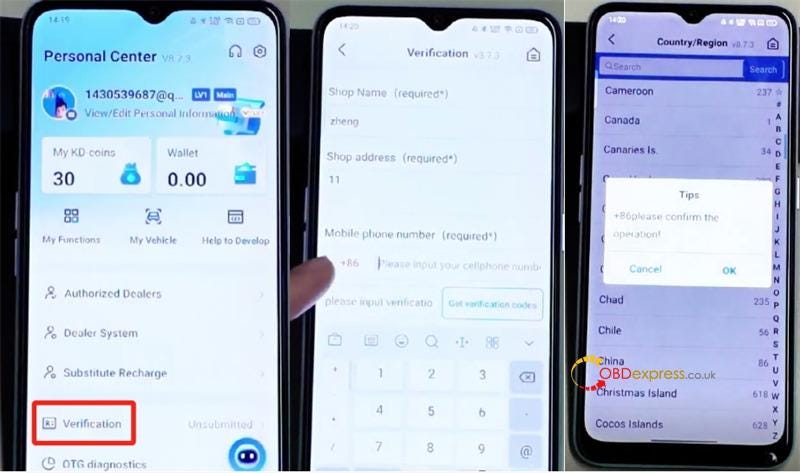
A: Account verification helps us keep your KEYDIY account secure and ensures you have full access to all features. It links your account to your mobile number for easy identification. You’ll need to complete this one-time step after logging in for the first time.

Q2: How do I verify my account?

A: Simply follow these easy steps:

Enter your preferred name or any text in the required fields.

Select your country/region and enter your mobile number.

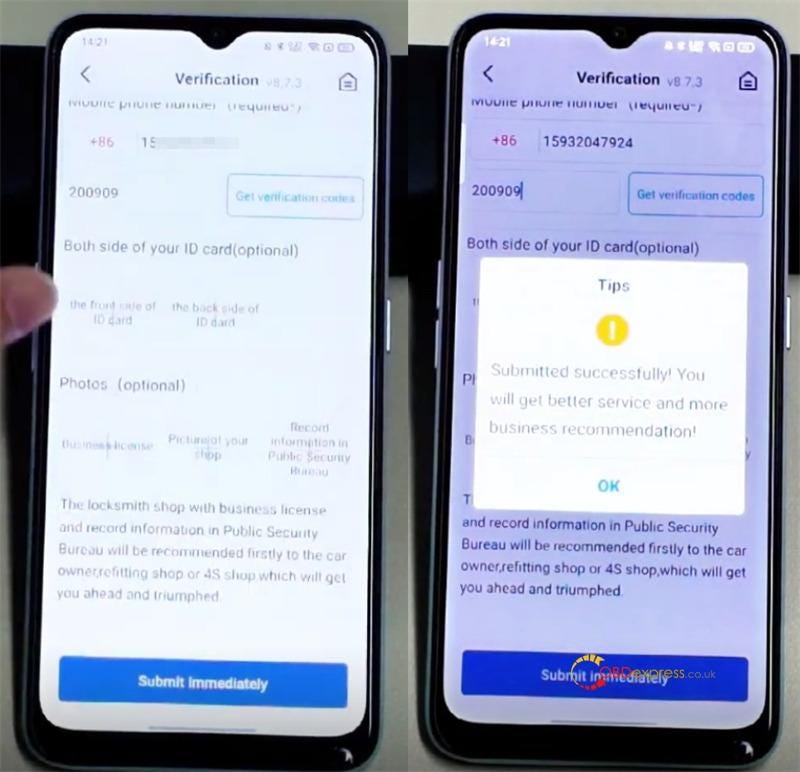
If you don’t receive a text with a verification code, you can enter 200909 instead.

You may skip any optional fields.

Once submitted, your account will usually be verified within 2–3 minutes, and you’ll receive 50 KD coins as a welcome bonus.


KEYDIY FAQs_Verify Real Name, Earn and Share KD-Coins

Q3: How can I earn KD coins?

A: Some methods are available below.

1.Finish user verification to get 50 KD coins in your account.

2.Earn KD coins by generating new KD remote keys using KEYDIY key programmer:

  • Create a standard new remote: get 20 KD coins.
  • Create a new smart remote: get 30 KD coins.

3.Receive coins as a gift from a friend.

Note: KD coins are not available for direct purchase.

Q4: How do I add money to my wallet?

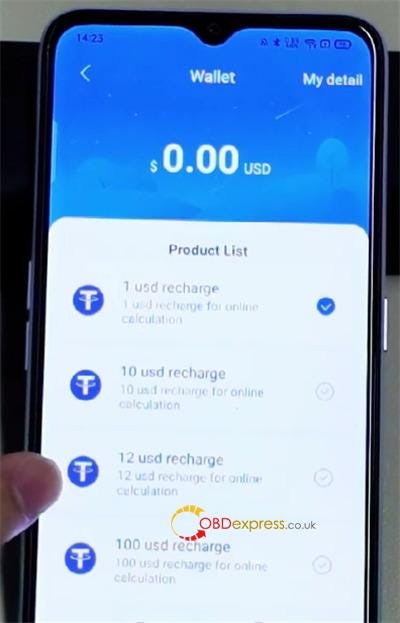
A: At this time, adding funds is only available for Android users via Google Pay. iPhone recharge is not currently supported.


KEYDIY FAQs_Verify Real Name, Earn and Share KD-Coins

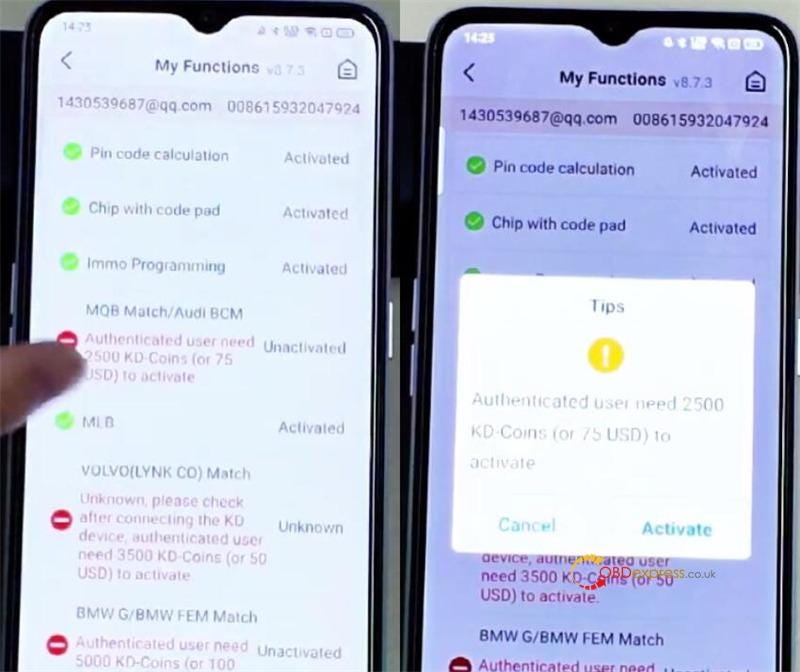
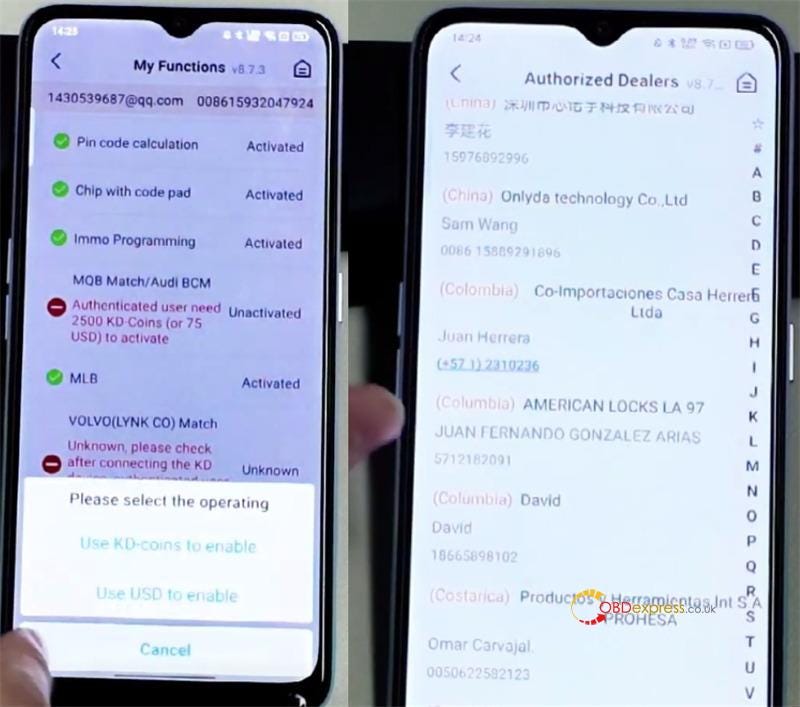
Q5: What if I don’t have enough coins or dollars to unlock a feature?

A: No problem! You can ask another KEYDIY user — such as your dealer, a local locksmith, or a friend — to activate the feature for you. They can complete the payment on your behalf.


KEYDIY FAQs_Verify Real Name, Earn and Share KD-Coins

Q6: How does someone activate a feature for me?

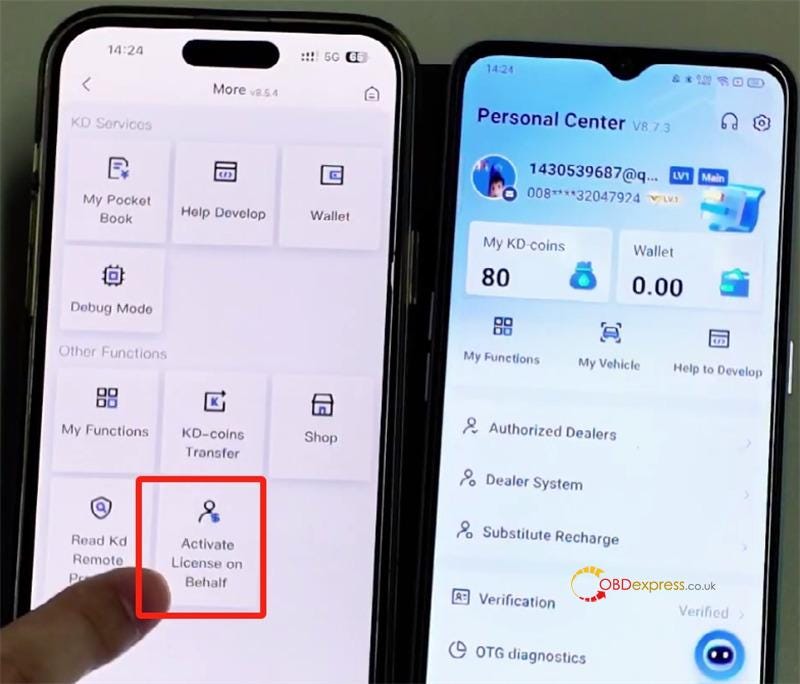
A: The person assisting you should:

Open KEYDIY App and go to More > Activate License on Behalf.


KEYDIY FAQs_Verify Real Name, Earn and Share KD-Coins

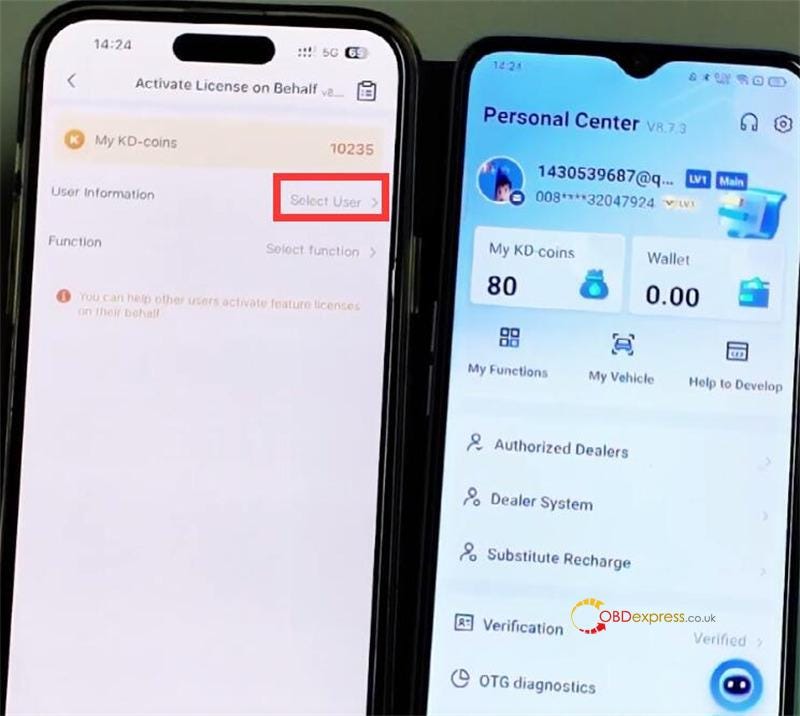
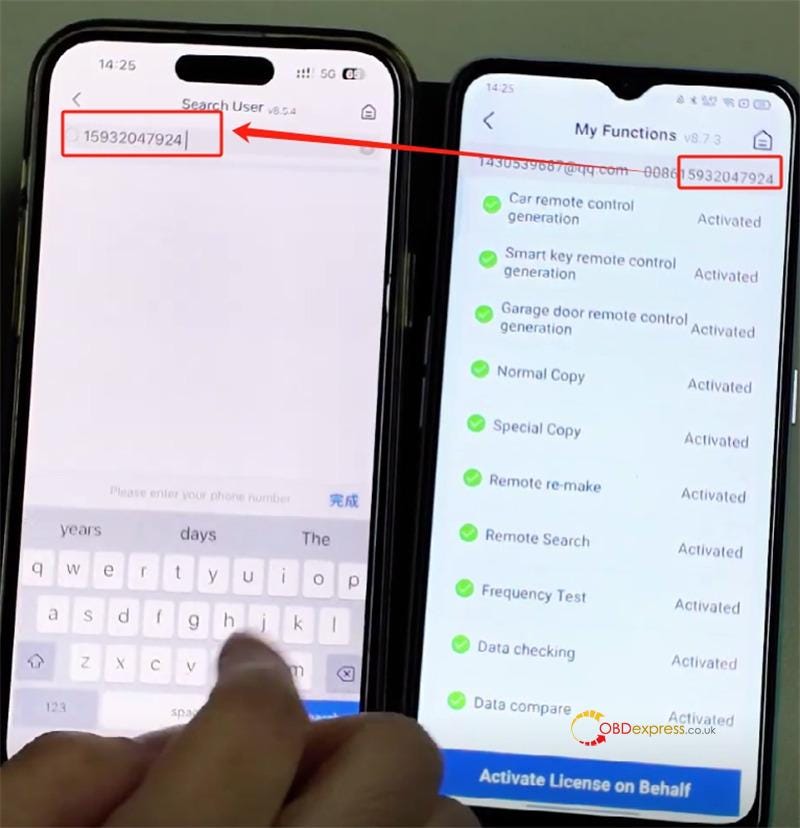
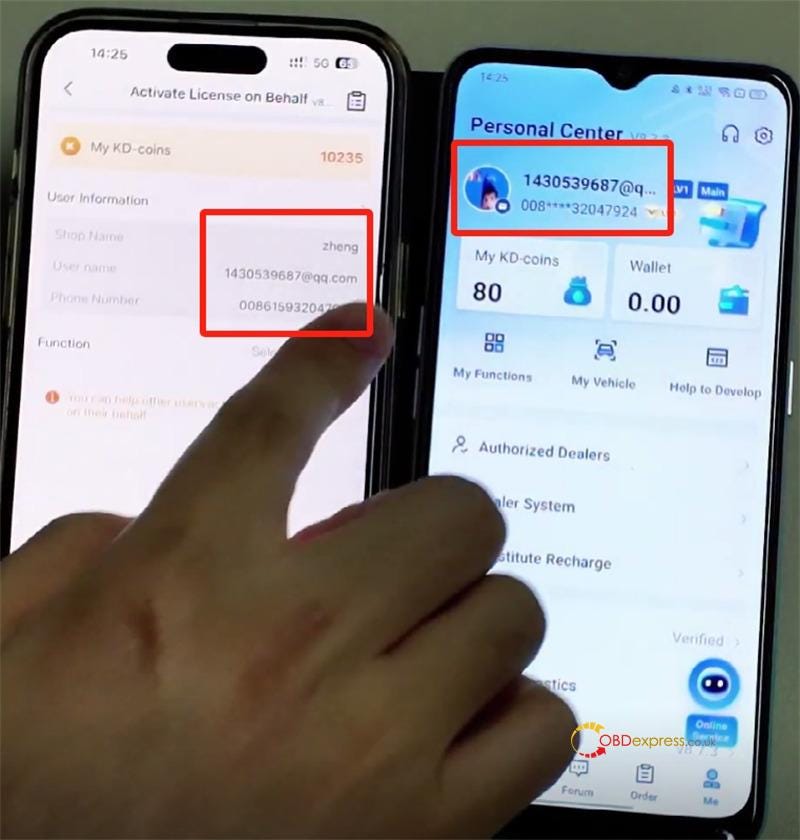
Tap "Select User" and enter your registered mobile number.


KEYDIY FAQs_Verify Real Name, Earn and Share KD-Coins

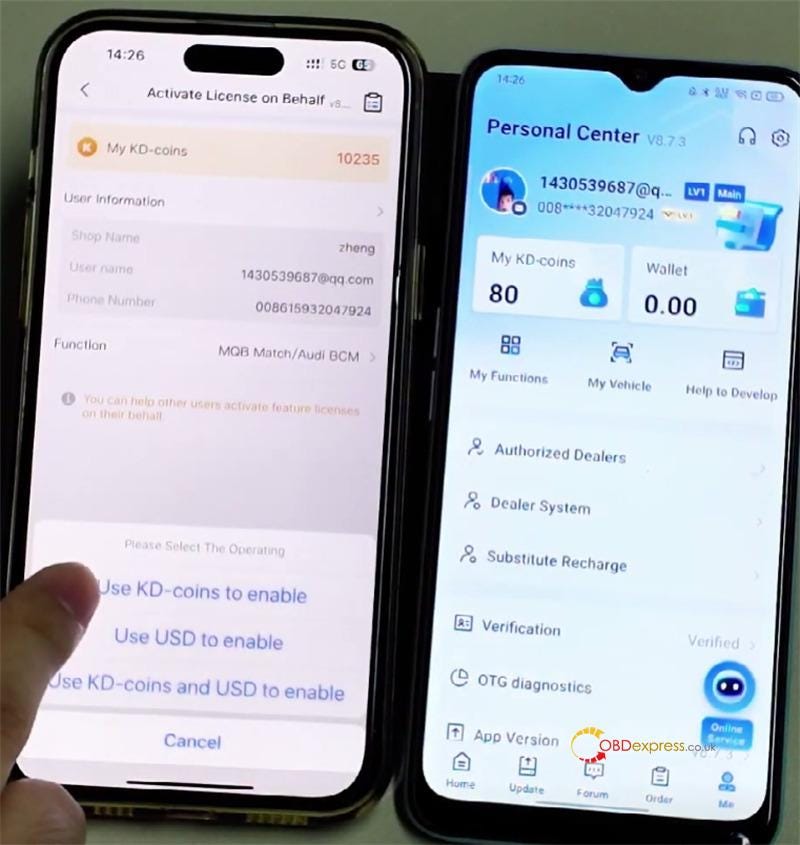
Choose the feature(s) you’d like (e.g., MQB, BMW) and select whether to pay with KD coins or dollars.


KEYDIY FAQs_Verify Real Name, Earn and Share KD-Coins

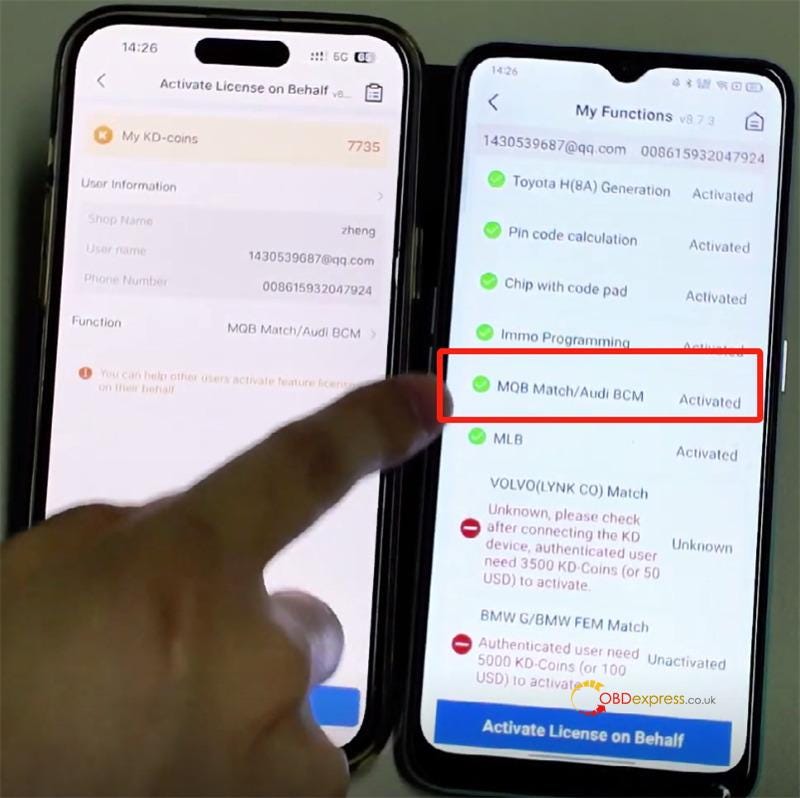
Complete the payment. Once done, the feature will be available in your account right away.


KEYDIY FAQs_Verify Real Name, Earn and Share KD-Coins

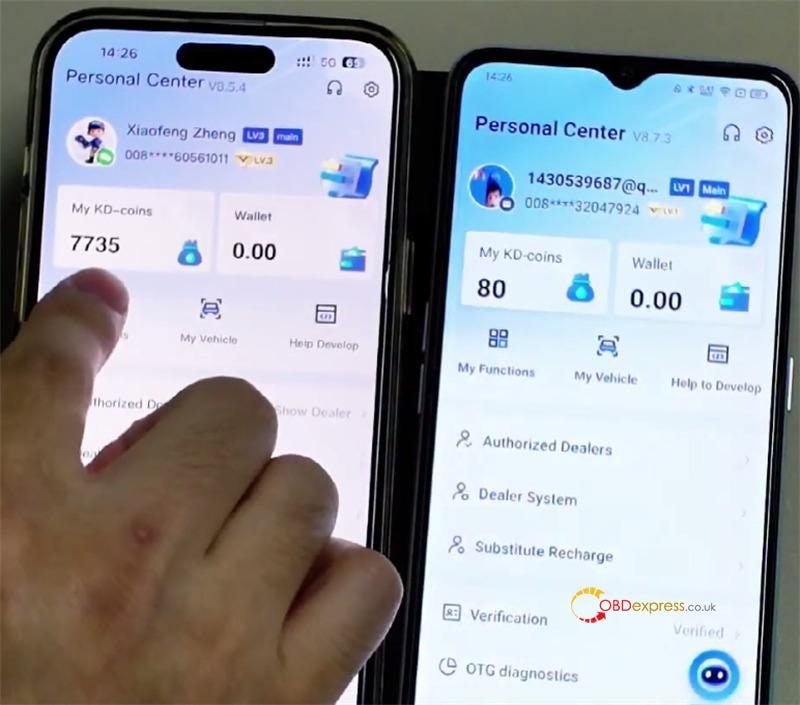
Q7: Can I send KEYDIY KD Coins to another user?

A: Yes, you can! Here’s how:

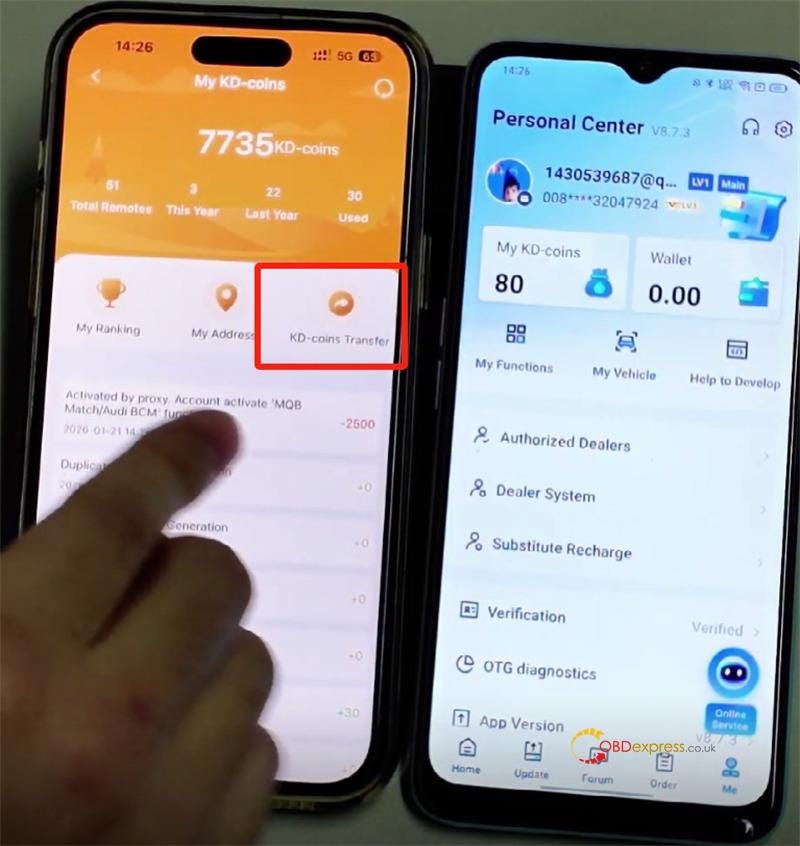
Go to My KD-coins > KD-coins Transfer.


KEYDIY FAQs_Verify Real Name, Earn and Share KD-Coins

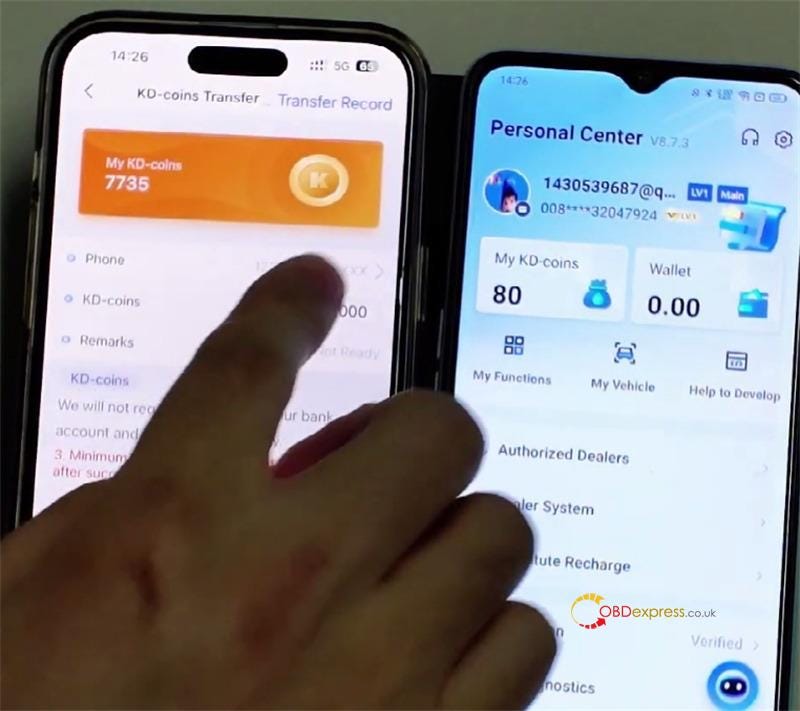
Enter the recipient’s mobile number.


KEYDIY FAQs_Verify Real Name, Earn and Share KD-Coins

Enter the amount you’d like to send and tap "Transfer".


KEYDIY FAQs_Verify Real Name, Earn and Share KD-Coins

The coins will move from your balance to theirs immediately.


KEYDIY FAQs_Verify Real Name, Earn and Share KD-Coins

Video guide:

https://youtu.be/TpRRFQZKjiU

If you need further assistance, feel free to reach out to our support team. We’re here to help!

1.Email: sales@OBDexpress.co.uk

2.WhatsApp: +44 7418609676

www.obdexpress.co.uk

FormulaFlash V1.1.2.0 Update: VAG CS Codes One-Click Reading

  FormulaFlash ECU programmer released a powerful and unique software package: One-click reading of ECU and TCU CS codes for VAG, special...