Tuesday, 13 May 2025

Porsche Cayenne 2018-2023 Program Battery by OBDSTAR X300 Classic G3

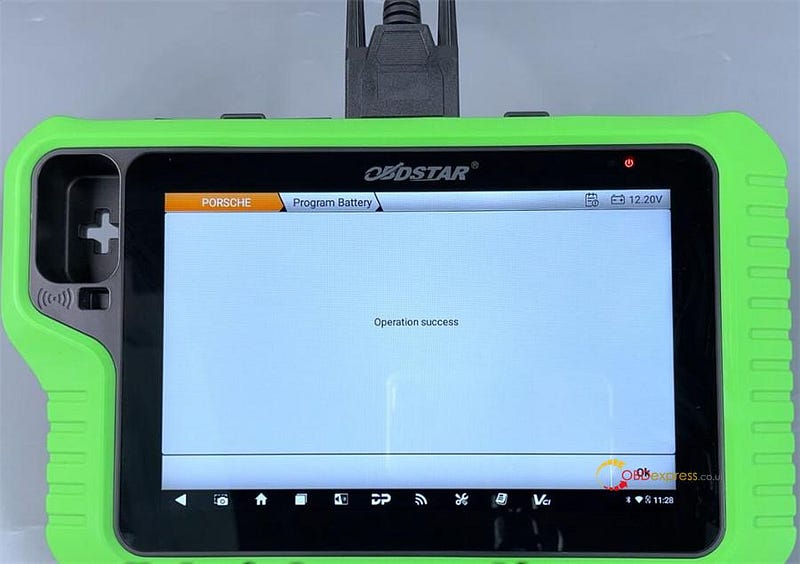
 OBDSTAR X300 Classic G3 now supports battery programming new feature in the ECU Advanced software V30.00 for 2018–2023 Porsche Cayenne models. This update allows users to modify battery parameters through the OBD interface, such as change lithium batteries to lead-acid batteries (AGM), provide one-click automatic code setting, and program battery nominal capacity, battery technology, battery manufacturer, and battery serial number information.

How to program battery for Porsche Cayenne 2018–2023 by OBDSTAR G3?

Connect X300 Classic G3 and Porsche Cayenne via OBD cable

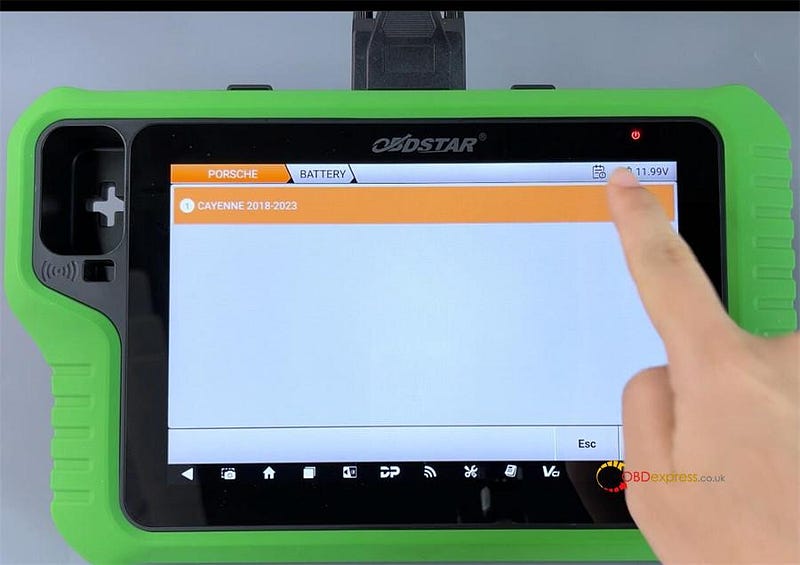
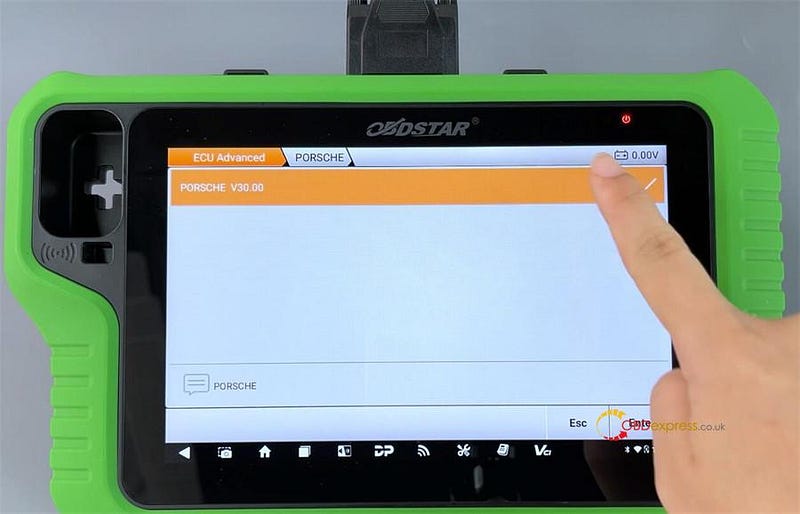
Select ECU Advanced-> PORSCHE-> PORSCHE V30.00-> BATTERY-> CAYENNE 2018–2023

Porsche Cayenne 2018–2023 Program Battery by OBDSTAR X300 Classic G3

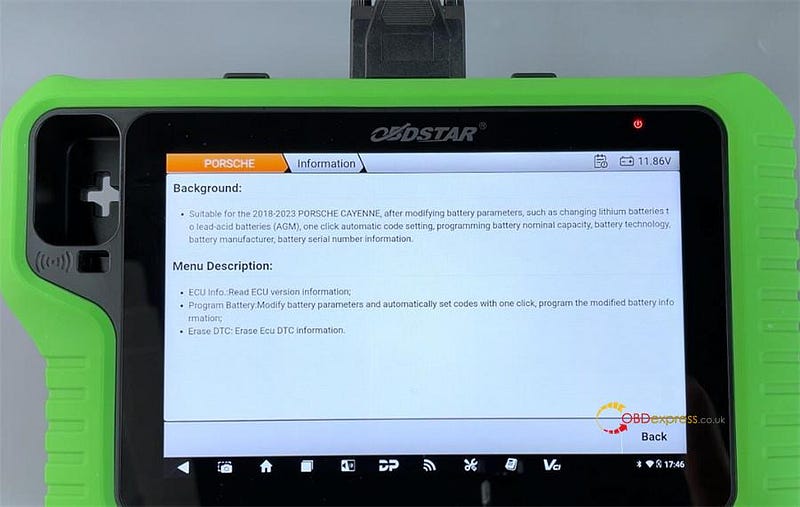
Click [Guide] to check the background and menu description.

Porsche Cayenne 2018–2023 Program Battery by OBDSTAR X300 Classic G3

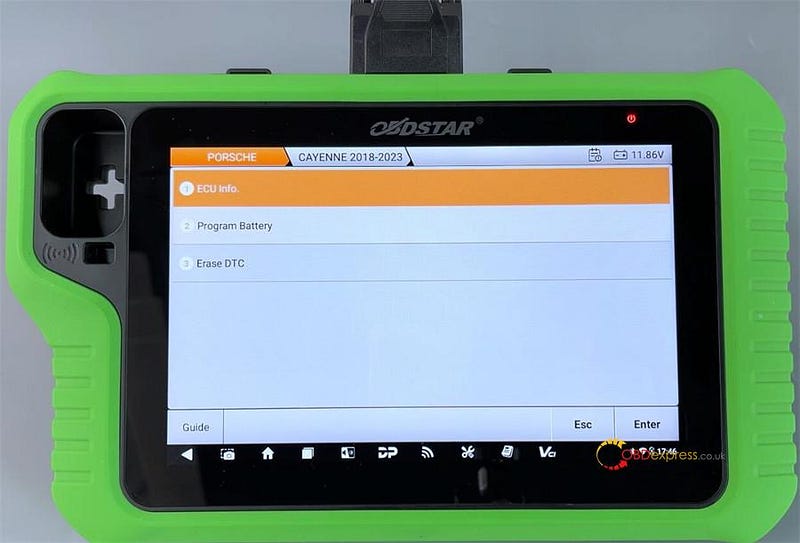
Functions supported:

  1. ECU Info.
  2. Program Battery
  3. Erase DTC

Porsche Cayenne 2018–2023 Program Battery by OBDSTAR X300 Classic G3

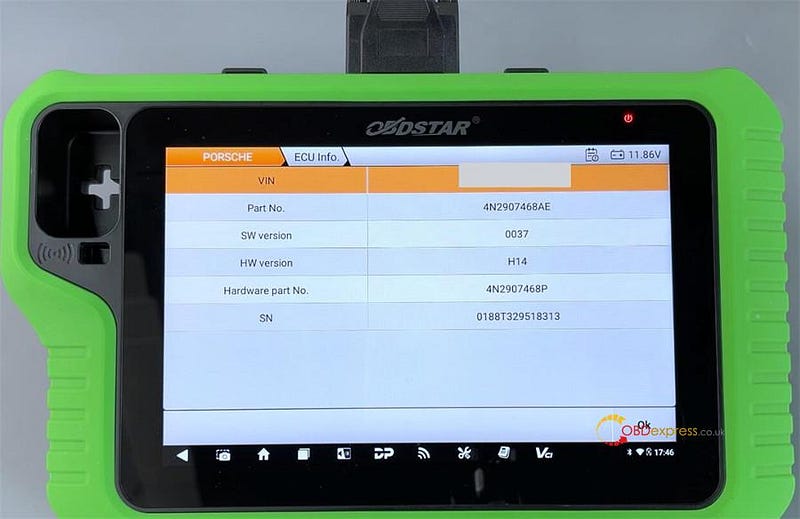
1.ECU Info.

Confirm if the ECU information is correct

Porsche Cayenne 2018–2023 Program Battery by OBDSTAR X300 Classic G3

2.Program Battery

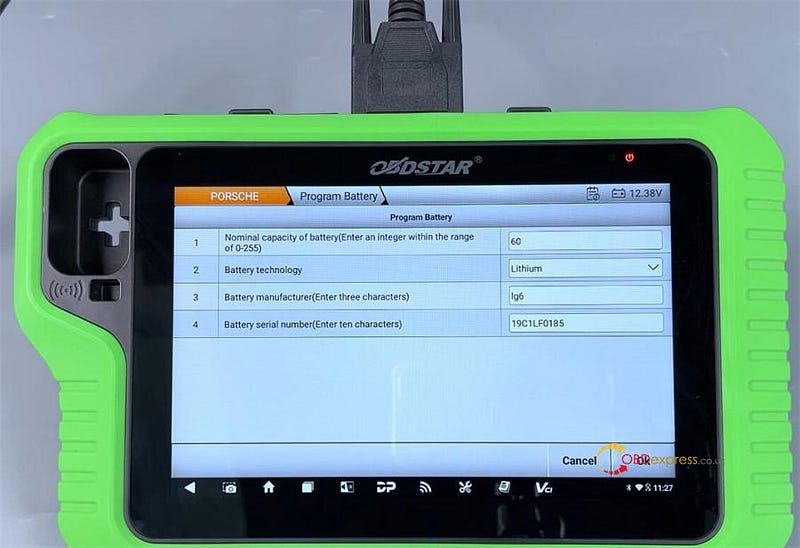
You can change the battery nominal capacity, battery technology, battery manufacturer, and battery serial number.

For example:

The original battery parameters:

  • Battery nominal capacity: 60
  • Battery technology: Lithium
  • Battery manufacturer: lg6
  • Battery serial number: 19C1LF0185

Porsche Cayenne 2018–2023 Program Battery by OBDSTAR X300 Classic G3

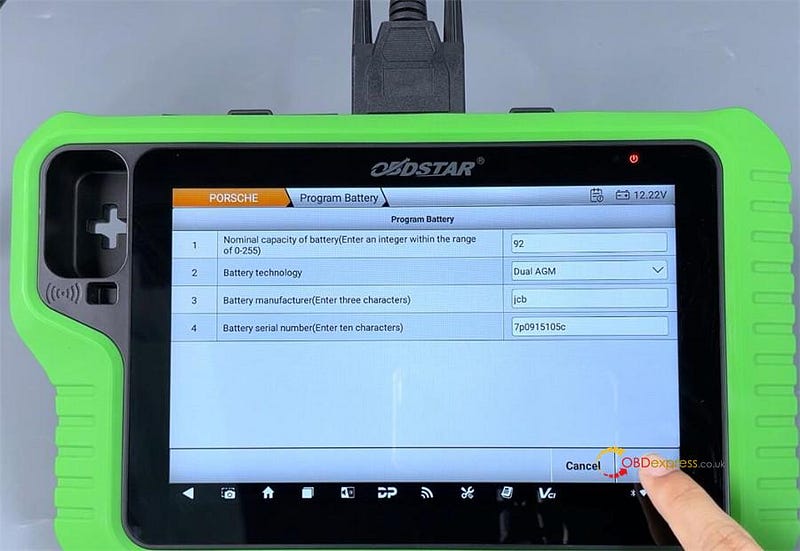
After programming:

  • Battery nominal capacity: 92
  • Battery technology: Dual AGM
  • Battery manufacturer: jcb
  • Battery serial number: 7p0915105c

Porsche Cayenne 2018–2023 Program Battery by OBDSTAR X300 Classic G3

Ensure all input information is accurate, then tap [OK] to complete the operation successfully.
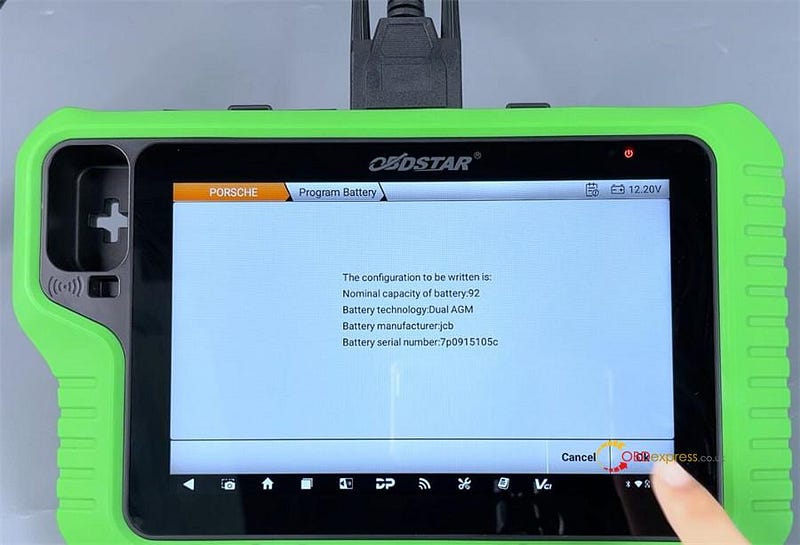

Porsche Cayenne 2018–2023 Program Battery by OBDSTAR X300 Classic G3

www.obdexpress.co.uk

Monday, 12 May 2025

OBDSTAR ODO Calibration Upgrade: New Suzuki, Lexus, Benz Added!

The latest OBDSTAR Cluster Recalibration Software Upgrade is available on Odo Master & X300 Classic G3, packed with new features for Suzuki, Toyota, Lexus, Benz and GREATWALL/HAVAL models. Mileage calibration, auto-detect dashboards, and more — now easier than ever. Check out the full list below and get your tools ready!

SUZUKI [Version: V41.36]

- Add SUZUKI DASHBOARD AUTO DETECT function.

- Add Mileage Calibration function for below models:

- SUZUKI ERTIGA 24C16

- SUZUKI SWIFT TYPE1(2022-VDO RH850)

- SUZUKI SWIFT TYPE2(2021 70F353X)

- SUZUKI SWIFT TYPE11(2017-D76F352X)

- SUZUKI SWIFT TYPE14(2015-D78F3524)

TOYOTA [Version: V40.48]

Add ECU Info.Read eeprom(R7F701401), Mileage Calibration, Write eeprom(R7F701401), Erase DTC functions for below models:

- LEXUS CX550 2023-DENSO (R7F701401)

- LEXUS LM3501 DENSO (R7F701401)

- LEXUS LIS500 2023-DENSO (R7F701401)

- LEXUS RX350 DENSO (R7F701401)

- LEXUS RX350 2023-DENSO (R7F701401)

- LEXUS RX4501 2023-DENSO (R7F701401)

- LEXUS RX5001 2023-DENSO (R7F701401)

- TOYOTA ALPHAED 2023-DENSO (R7F701401)

- TOYOTA BZX 2023-DENSO (R7F701401)

- TOYOTA CAMRY 80 2024-DENSO (R7F701401)

- TOYOTA COROLLA CROSS 2023-DENSO (R7F701401)

- TOYOTA CROWN 2024-DENSO (R7F701401)

- TOYOTA HARRIER 2020-DENSO (R7F701401)

- TOYOTA HIGHLANDER 2023-AUTO DENSO (R7F701401)

- TOYOTA LEUN 2024-DENSO (R7F701401)

- TOYOTA RAW4 2024-DENSO (R7F701401)

- TOYOTA TACOMA IV 2024-DENSO (R7F701401)

- TOYOTA TUNDRA 2022-DENSO (R7F701401)

- TOYOTA VELLIFIEE III 2023-DENSO (R7F701401)

BENZ [Version: V40.75]

Add Mileage Calibration function for below models:

- BENZ DASHBOARD B CLASS W246 TYPE2

- BENZ DASHBOARD C CLASS W203 2005

- BENZ DASHBOARD C CLASS W205 RH850(2017–2019)

- BENZ DASHBOARD C CLASS W207 20F35XX(2013–2014)

- BENZ DASHBOARD CLA CLASS W117 TYPE2

- BENZ DASHBOARD CLC CLASS W219

- BENZ DASHBOARD E CLASS W210(2001)

- BENZ DASHBOARD G CLASS W463(-2018)

- BENZ DASHBOARD GL CLASS X168 TYPE2

- BENZ DASHBOARD SL CLASS W165 TYPE2

- BENZ DASHBOARD SL CLASS R231 TYPE2

- BENZ DASHBOARD SLK CLASS RT72 TYPE2

- BENZ DASHBOARD SPRINTER W006

- BENZ DASHBOARD V CLASS W447 RH850(2017–2019)

- BENZ DASHBOARD V CLASS W447 70F35XX(2013–2014)

- BENZ DASHBOARD X CLASS W470(2018)

GREATWALL/HAVAL [Version: V41.43]

Add mileage calibration function for below models:

GREATWALL KINGKONG POER 2022 R7F701442

GREATWALL SHANHAI POER 2023 R7F7016513

HAVAL H9 TYPE6(2018-)

Supported Tools

- KEYMASTER G3 (X300 Classic G3)

- ODO MASTER


OBDSTAR ODO Calibration Upgrade

www.obdexpress.co.uk

Xhorse Bluetooth Digital Smart Key User Manual

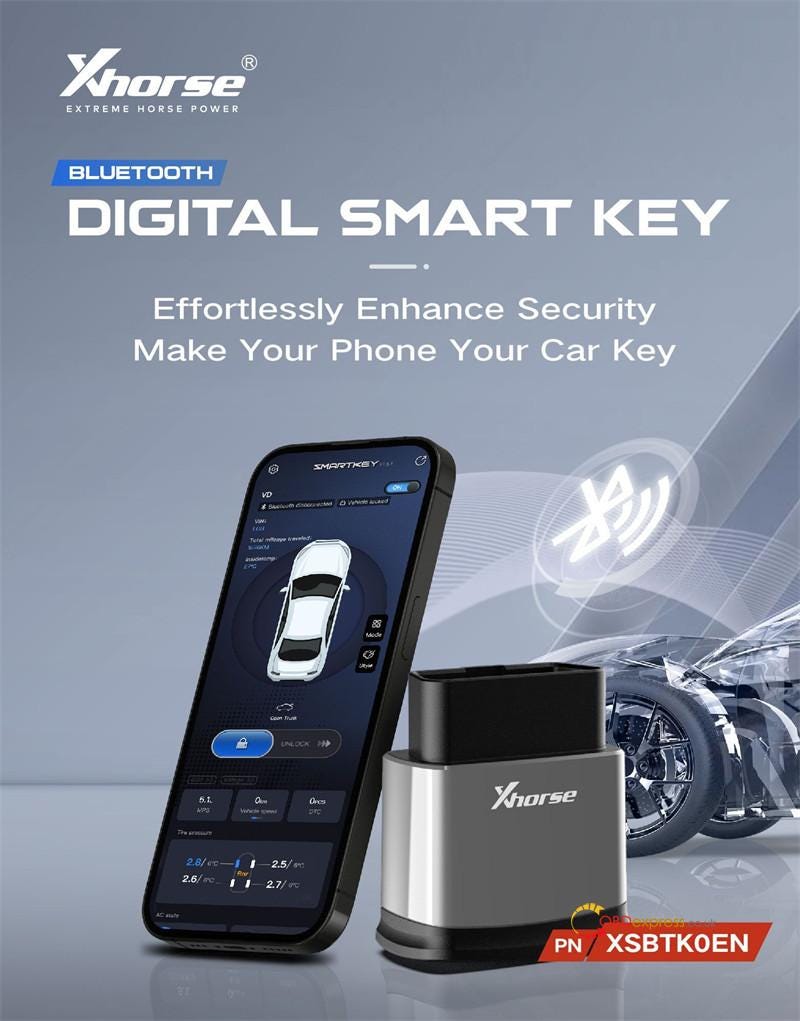
 Xhorse Bluetooth Digital Smart Key is available at OBDexpress.co.uk. It can transform your phone into a powerful car key and enjoy advanced features designed for convenience and security. With this device, you can perform keyless entry & touchless locking, keyless start via Bluetooth, multifunctional remote control, real-time vehicle diagnostics, remote authorization & sharing, and advanced customization, etc.


Xhorse Bluetooth Digital Smart Key User Manual

Key Features & Benefits

1.Keyless Entry & Touchless Locking

  • Auto Unlock/Lock: Your car detects your phone’s proximity — unlocking as you approach and locking when you walk away.
  • Smart Sensing: Works even when your phone screen is off.
  • Customizable Settings: Adjust sensing distance or temporarily disable auto-lock (ideal for car washes or close-proximity scenarios).

2.Keyless Start via Bluetooth

Start your car effortlessly — no physical key needed!

3.Multifunctional Remote Control

  • Lock/unlock doors
  • Open the trunk
  • Control preset features (e.g., auto climate control)
  • Compatible with iOS & Android

4.Real-Time Vehicle Diagnostics

  • Check engine status, DTCs, and more via the SmartKey Box App.

5.Remote Authorization & Sharing

  • Grant temporary access to others via authorization codes.
  • Set usage limits (days/access count).
  • View sharing history for added security.

6. Advanced Customization

  • Custom Buttons: Personalize remote shortcuts.
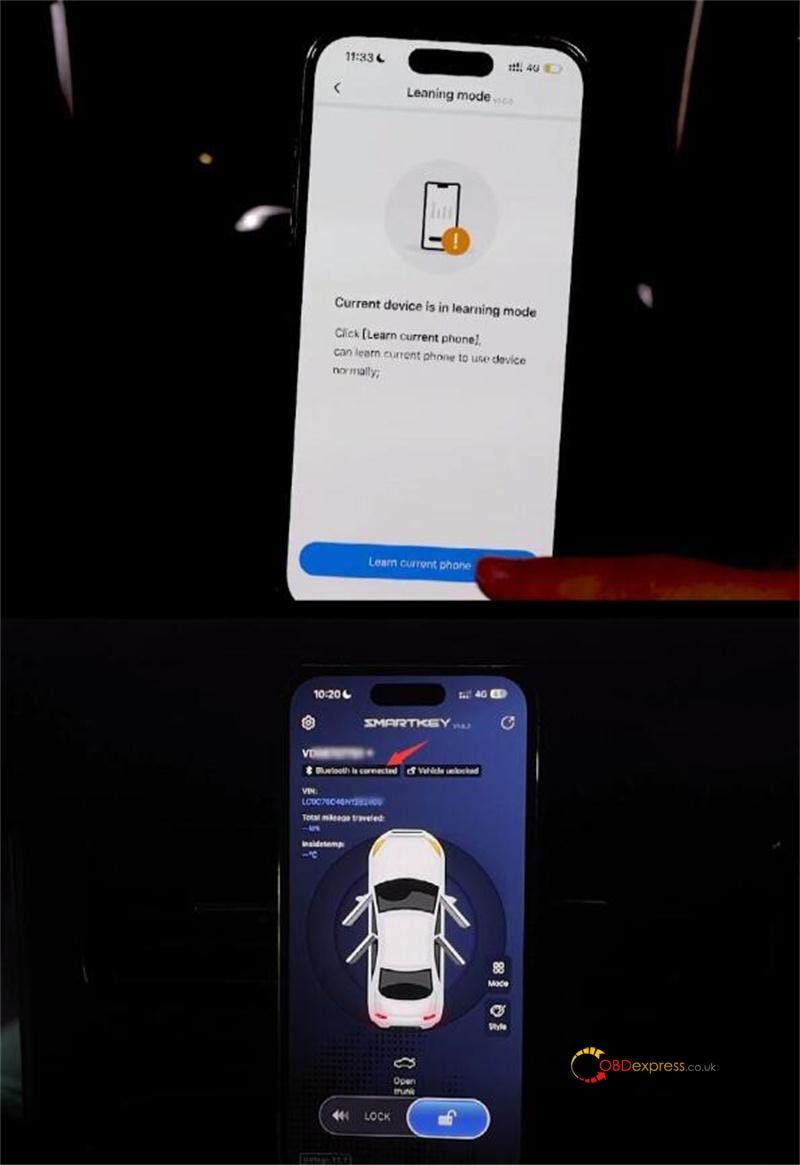
  • Learning Mode: Bind up to 12 phones.
  • Change Password: Reset Bluetooth access for security.
  • Maintenance Mode: Keep the car running without your phone (e.g., during servicing).

7.Military-Grade Security

  • Dual authentication to prevent hacking.
  • Unauthorized Bluetooth = No engine start.
  • No need to bury/hide your original key!

8.Easy OBD Installation

  • Plug & play — no wiring, cutting, or modifications.
  • Safe OBD power (no overheating risks).

How to use Xhorse Bluetooth Smart Key?

  1. Program the Key
  2. Bind the Device
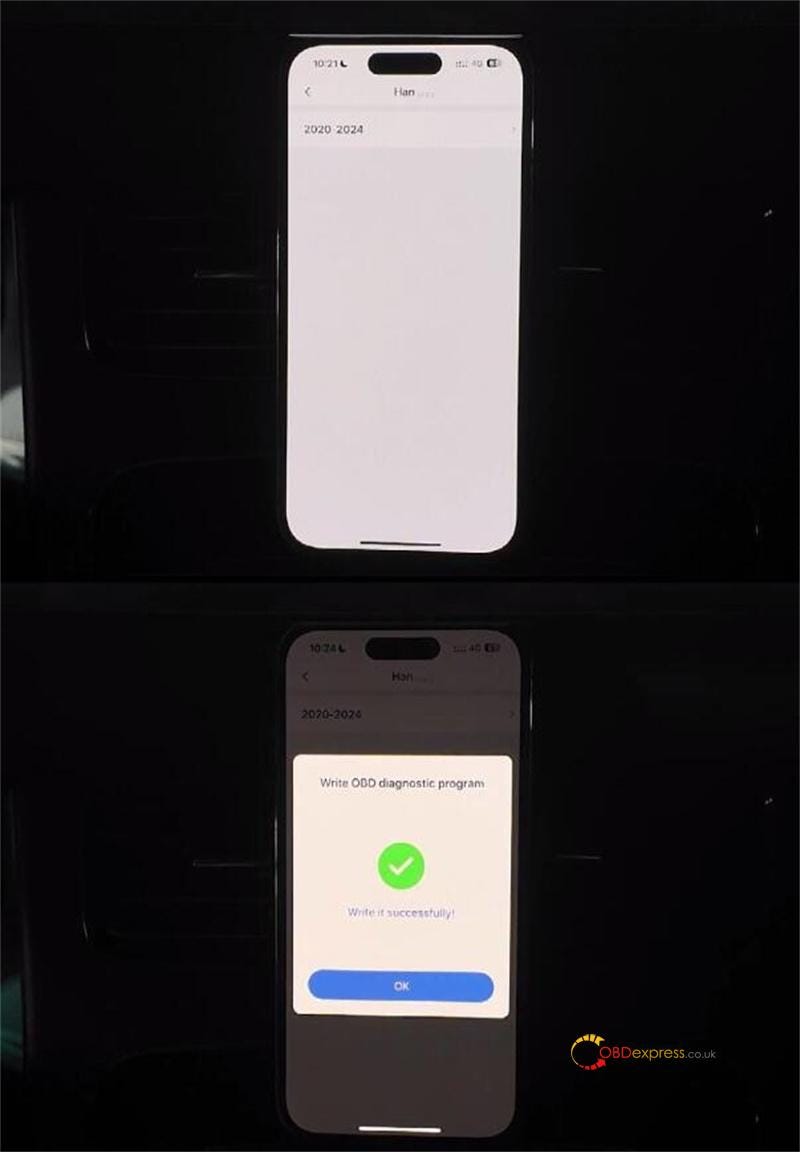
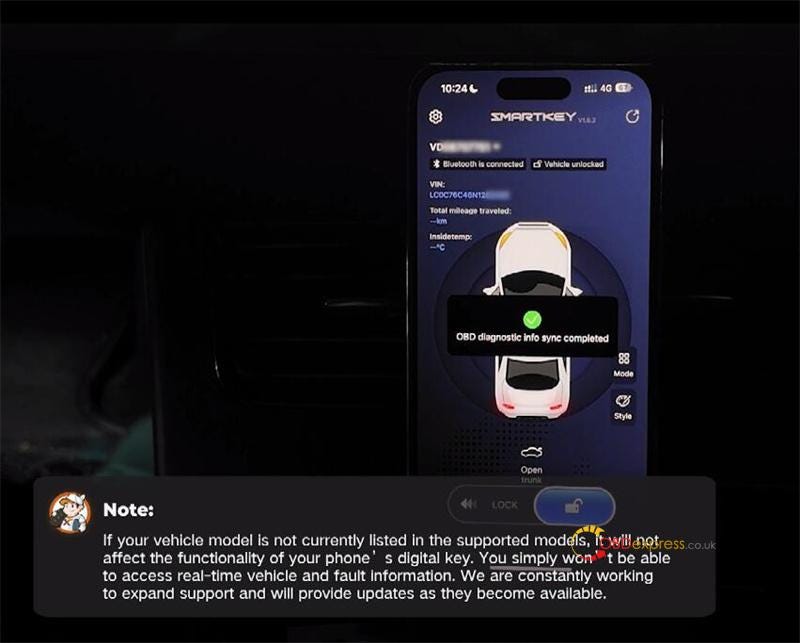
  3. Write OBD Diagnostic Program (Optional)

NOTE:

For vehicle security, this product requires professional Xhorse tool during the initial installation.

For Automotive Locksmith

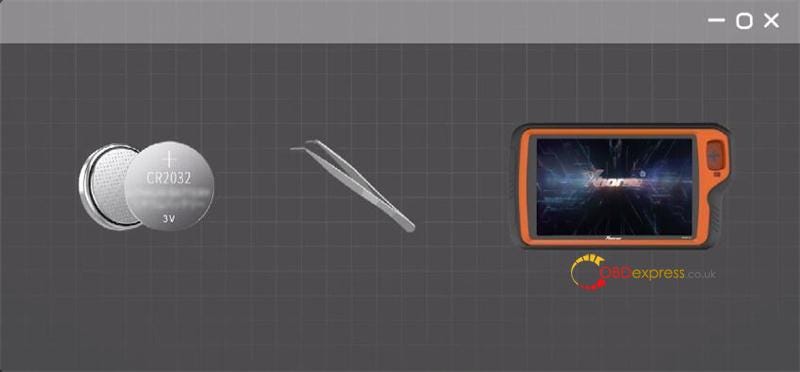
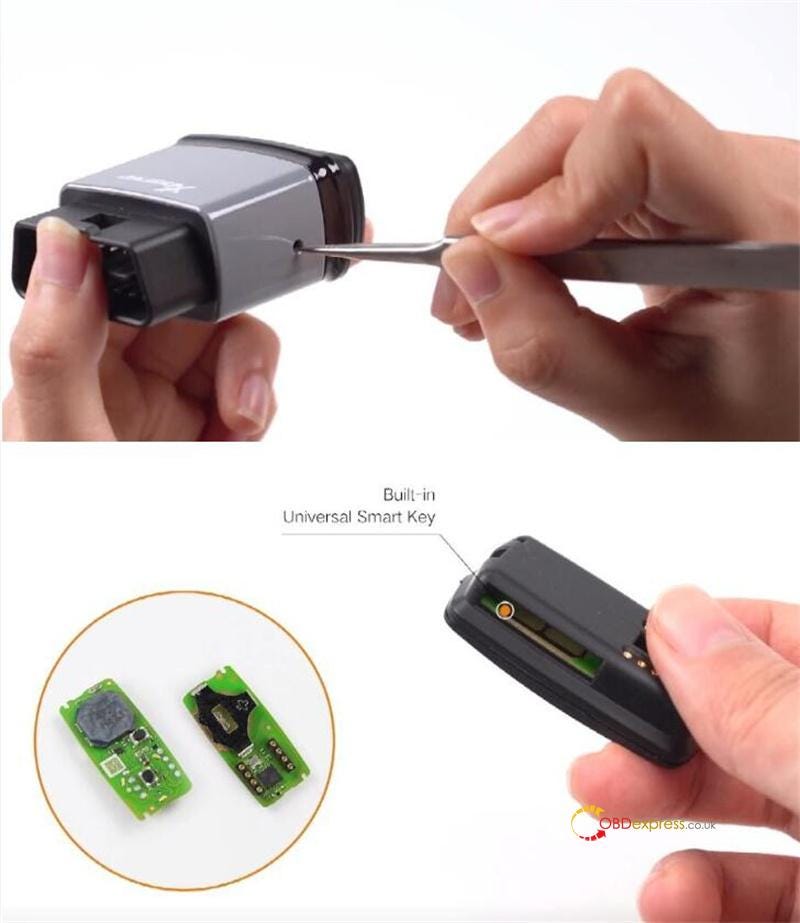
Ensure you have a battery and a pressing tool ready — tweezers are highly recommended for this process, and any Xhorse generation matching device like VVDI Key Tool Plus.

For Individual Car Owner

The first-time installation will require assistance from a professional automotive locksmith or repair shop to complete the process.

1.Program the Key

Tools Required:

  • Professional tools (e.g.Xhorse VVDI Key Tool Plus Pad)
  • Tweezers/Pressing Tool (for disassembly)
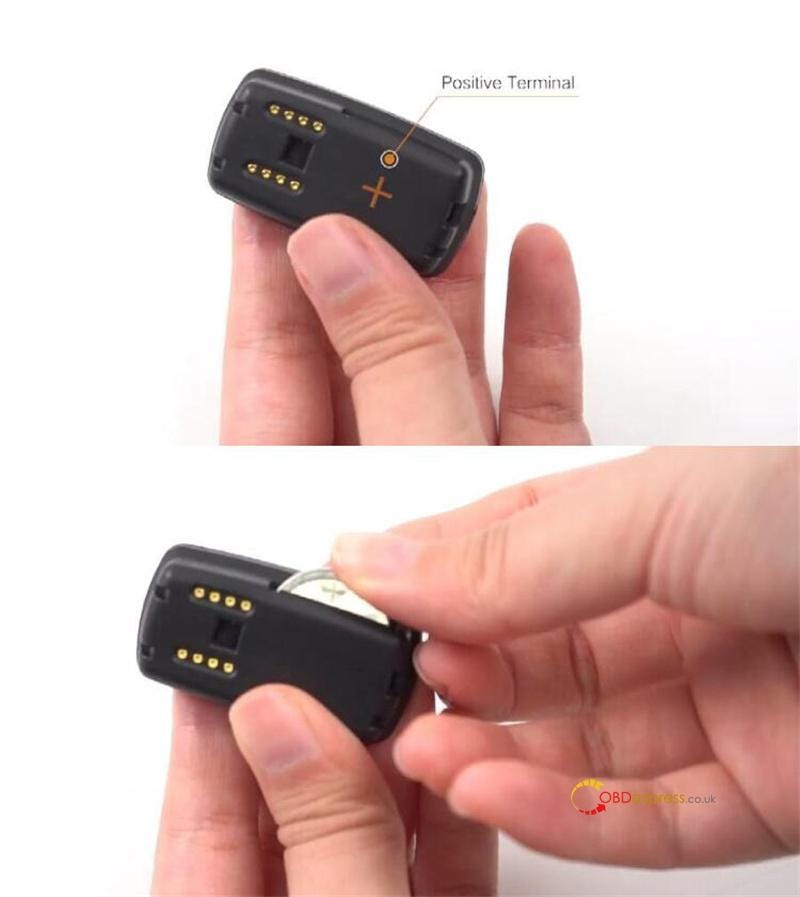
  • CR2032 Battery (note polarity during installation)

Step 1: Prepare the Smart Key

Use a pressing tool to disassemble the key fob carefully

Locate the built-in universal smart key inside

Battery Installation:

  • Insert the battery, ensuring the positive (+) and negative (-) terminals align correctly
  • Warning: Incorrect polarity may damage the key.

Xhorse Bluetooth Digital Smart Key User Manual

Step 2: Program the Remote

1).Remote Programming Setup

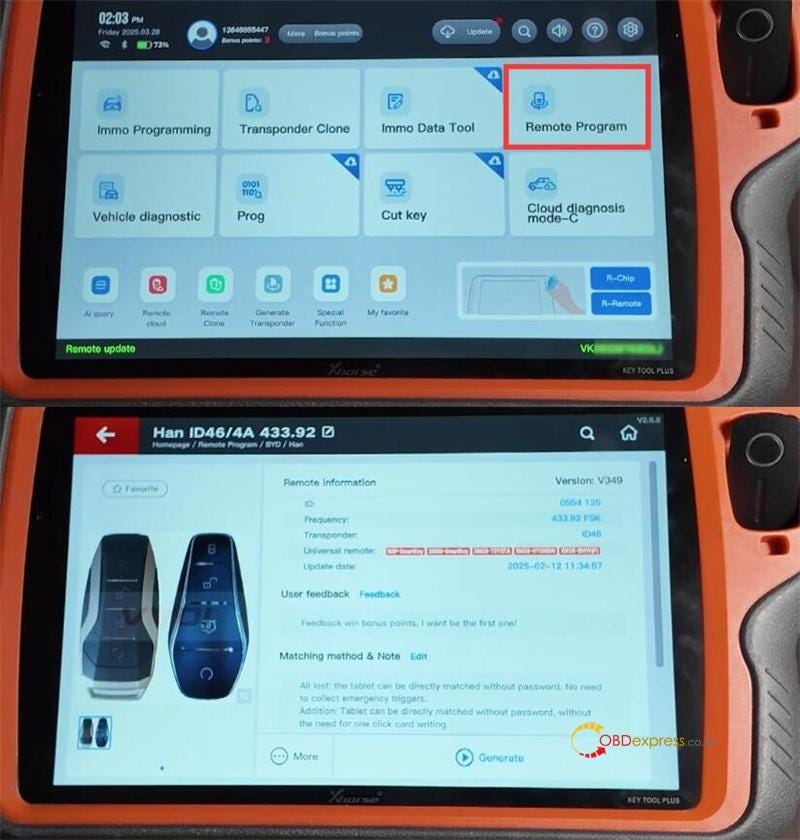
Software Path: Remote Program > BYD > Han > Han ID46/4A 433.92 > Generate.

Verify Settings:

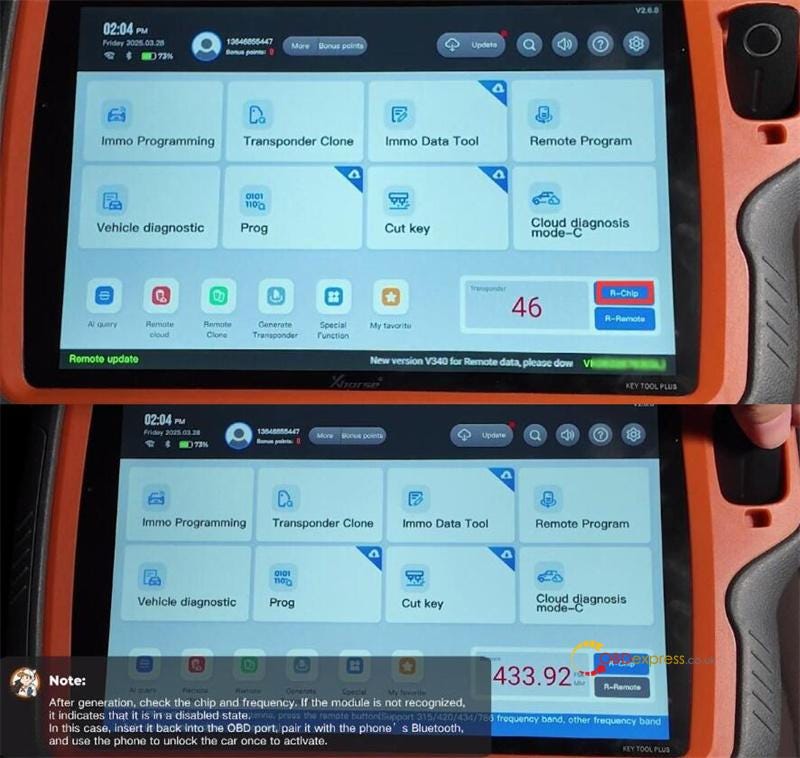
Check R-Chip (chip compatibility) and R-Remote (frequency: 433.92 MHz).

2).Troubleshooting

If the module isn’t recognized:

  • Reinsert the device into the OBD port.
  • Pair via Bluetooth using the Xhorse SmartKey Box App.
  • Unlock the car once via your phone to activate communication.

Generate the key and sync it to the vehicle.

3).Sync the Key to the Vehicle:

Use the remote programming and IMMO programming to sync it to your car.


Xhorse Bluetooth Digital Smart Key User Manual

Step 3: Program IMMO (Immobilizer)

1).IMMO Programming Path

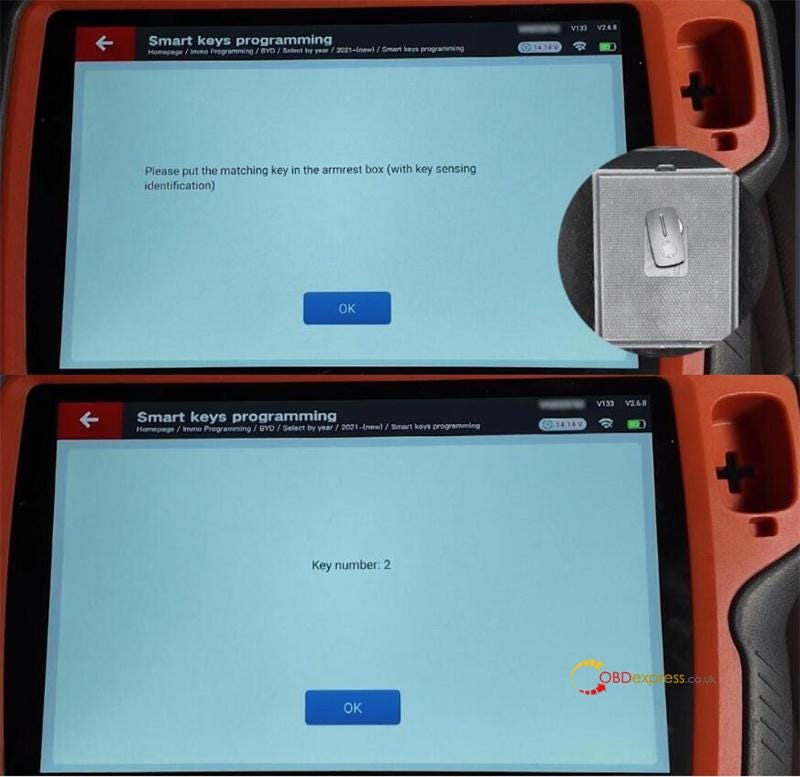
Software Path: Immo Programming > BYD > Select by Year > 2021- (New)/Smart Keys Programming > Key Programming.

2).Key Placement

The key number is 2

Place the matching key in the vehicle’s armrest box (key sensing area).


Xhorse Bluetooth Digital Smart Key User Manual

3).Post-Programming Test

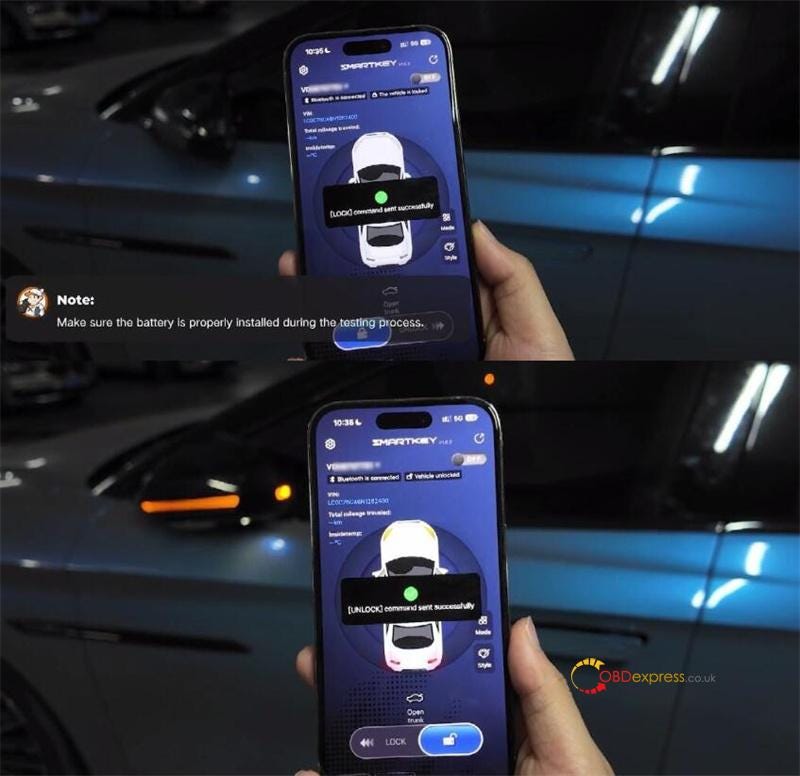
Ensure the Xhorse Bluetooth Smart Key’s battery is properly installed.

Test lock/unlock functions (both must succeed)


Xhorse Bluetooth Digital Smart Key User Manual

Bind the Device

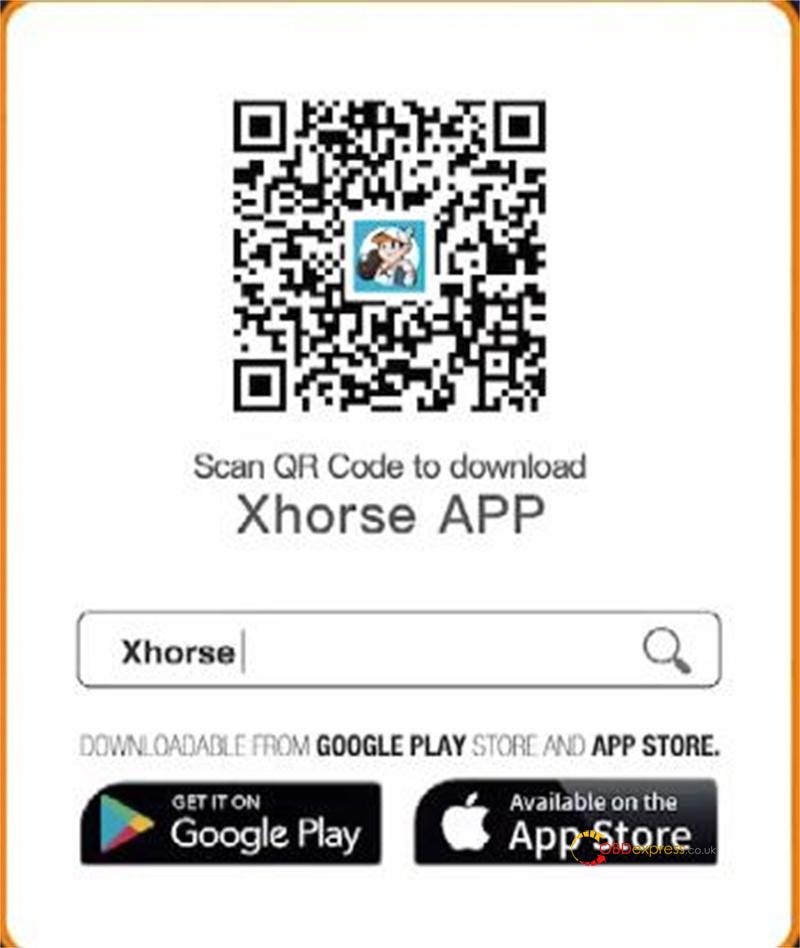
Download Xhorse "SmartKey Box" App (iOS/Android).

Remove the battery from the Xhorse before initial use.

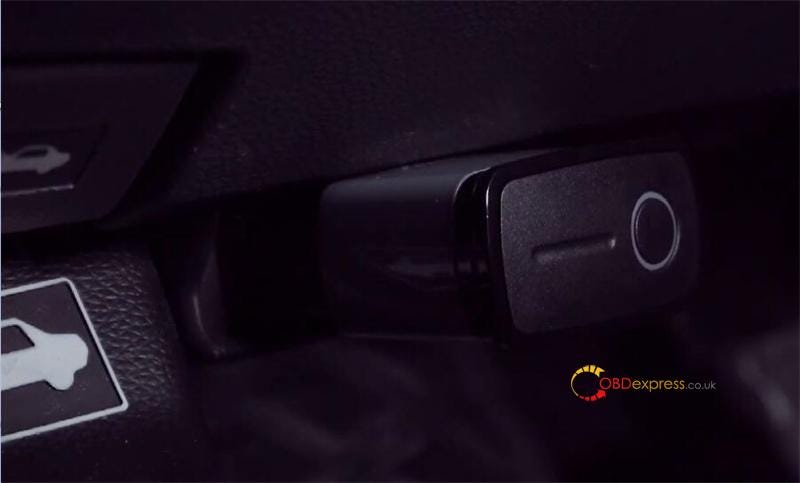
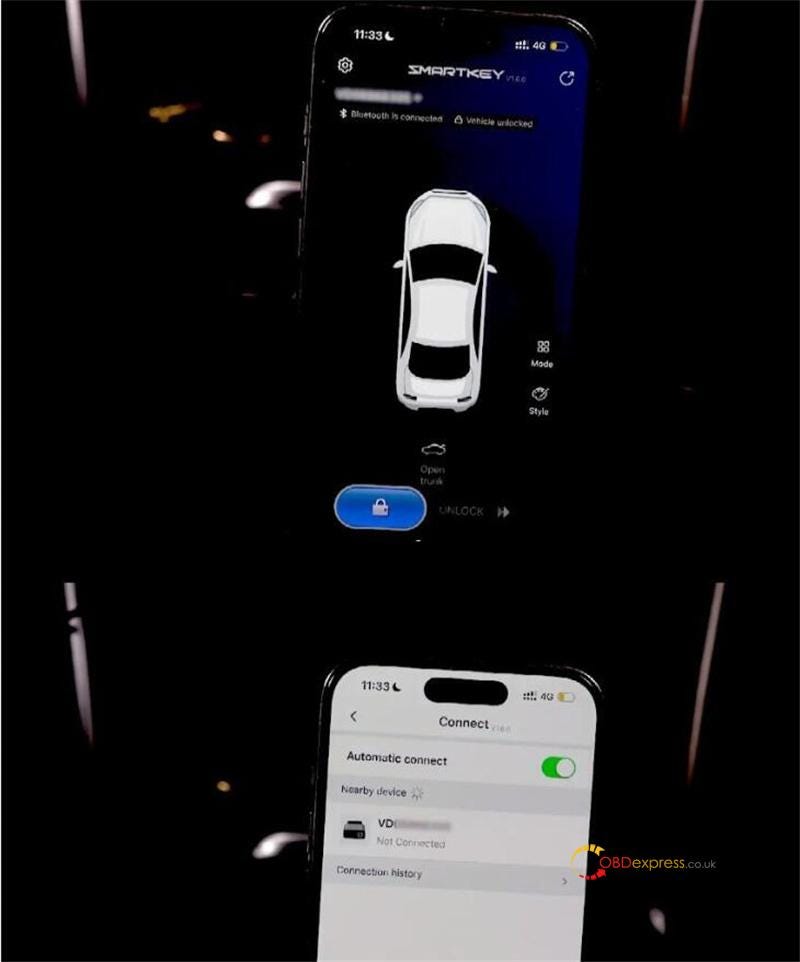
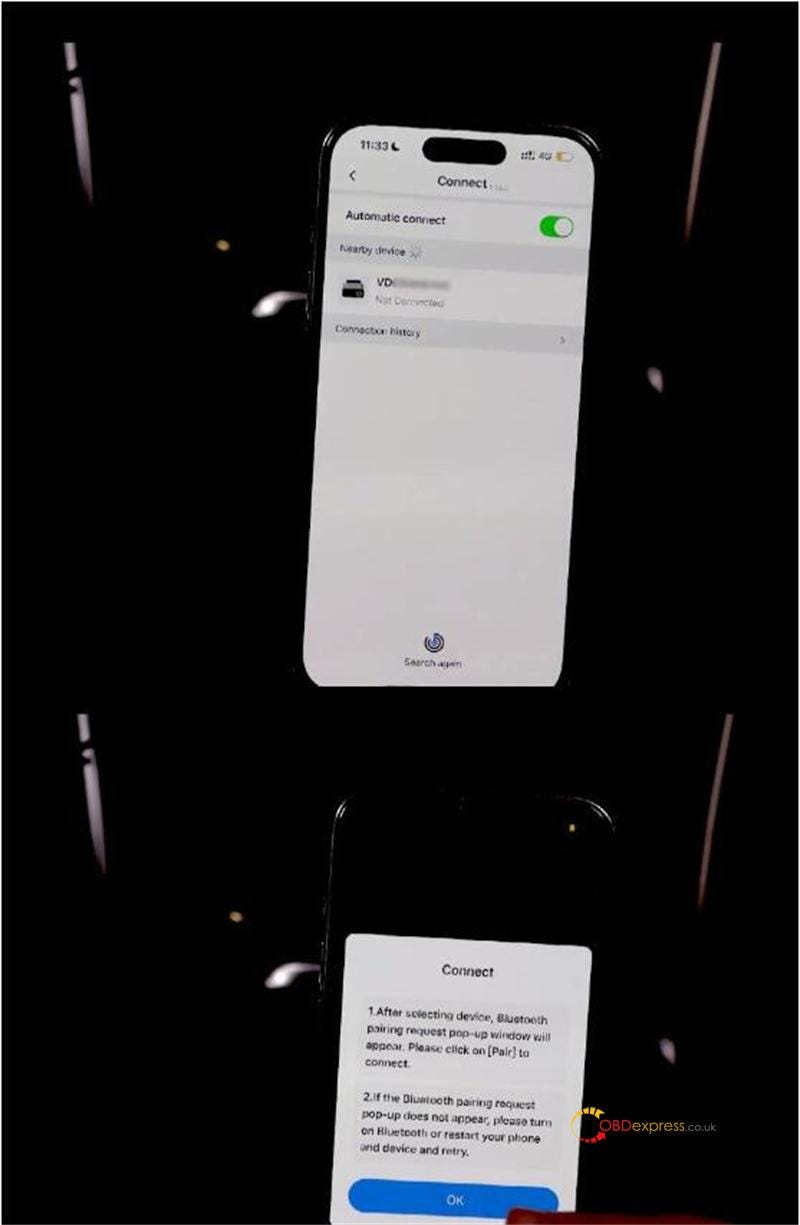
Plug the Xhorse Digital Smart Key into the OBD port-> pair via Bluetooth.


Xhorse Bluetooth Digital Smart Key User Manual

Optional: Write OBD Diagnostic Program

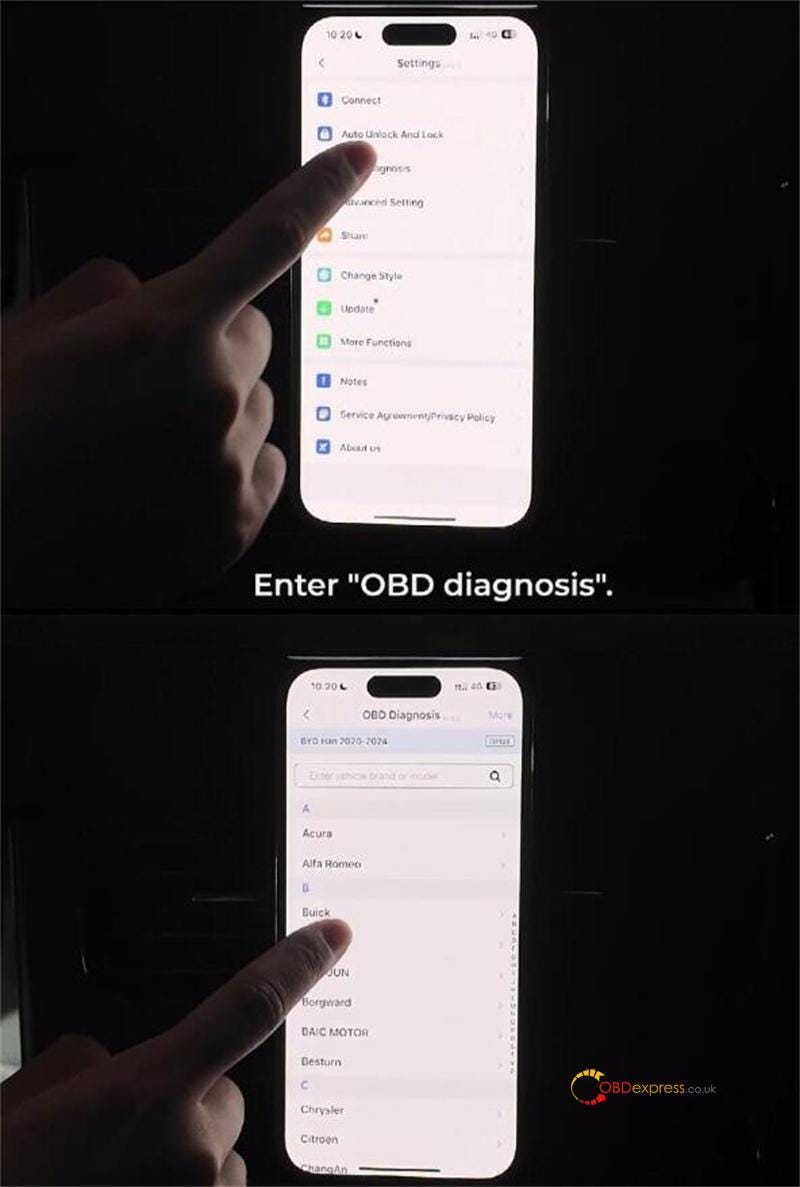
In the app: OBD Diagnosis > Select Vehicle Model > Write Program to Key


Xhorse Bluetooth Digital Smart Key User Manual

Critical Notes

  • Battery Safety: Always disconnect the battery before handling internal components.
  • Bluetooth Pairing: Ensure the vehicle’s ignition is ON during pairing.
  • Testing: Confirm all functions (start, lock, unlock) work before finalizing.

Xhorse XSBTK0EN Bluetooth Digital Smart Key:

https://www.obdexpress.co.uk/wholesale/xhorse-xsbtk0en-bluetooth-digital-smart-key.html

www.obdexpress.co.uk

How to register and upgrade software for OBDSTAR DC706

 This article will introduce how to upgrade and register the OBDSTAR DC706 device. Please keep it charged and connected to the network before registering and upgrading.

Operation steps:

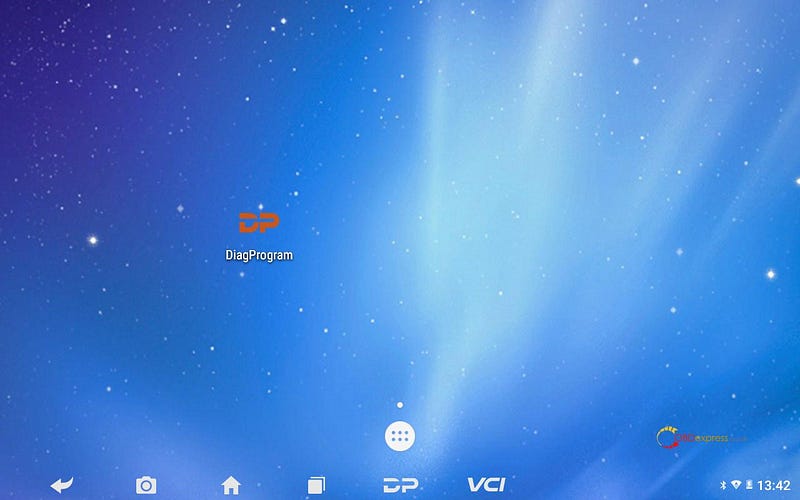
1. Open the OBDSTAR DC706 device, Click [DiagProgram].


How to register and upgrade software for OBDSTAR DC706

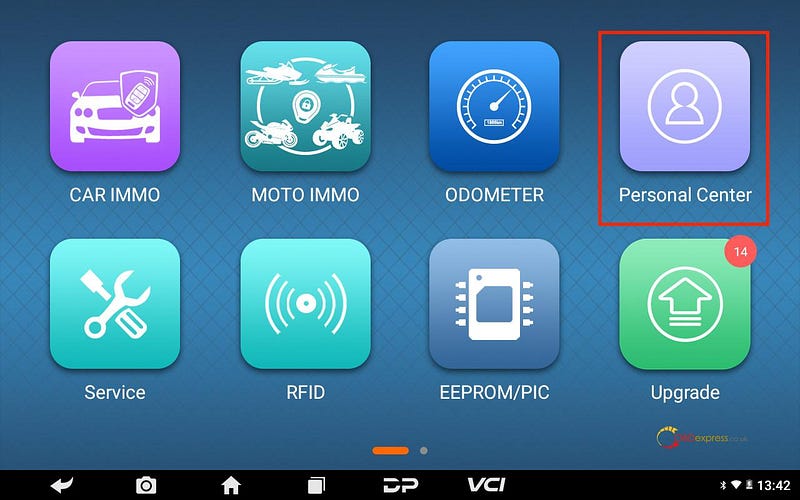
2. Click [Personal Center].


How to register and upgrade software for OBDSTAR DC706

3. Click [Register].


How to register and upgrade software for OBDSTAR DC706

4. Fill in personal information.


How to register and upgrade software for OBDSTAR DC706

5. After successful registration, log in to your account.


How to register and upgrade software for OBDSTAR DC706

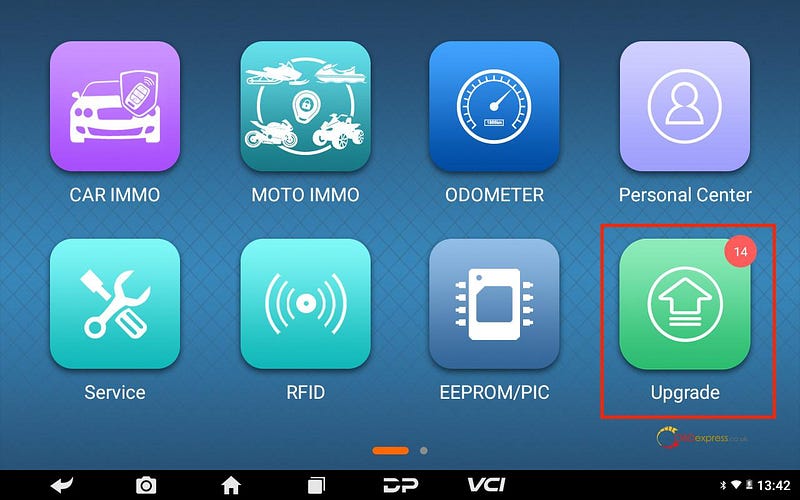
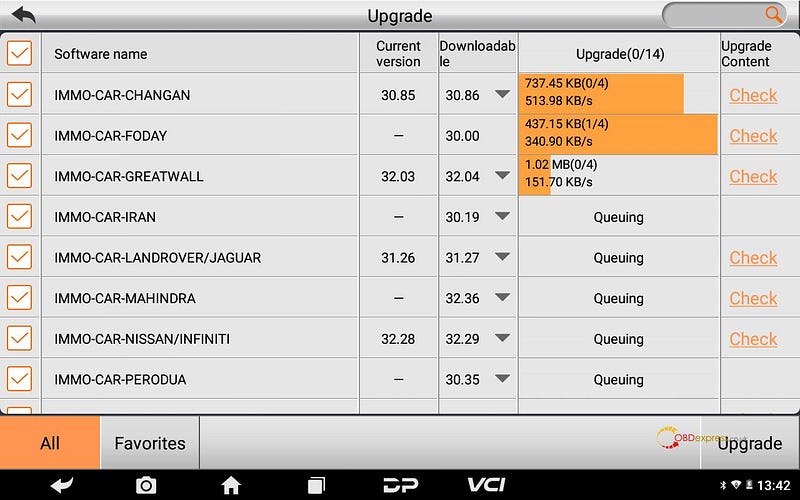
6. Back to the main menu, click [Upgrade].


How to register and upgrade software for OBDSTAR DC706

www.obdexpress.co.uk

Tuesday, 6 May 2025

Xhorse Dolphin + OBDSTAR G3 to Make 2018 Ford Transit Key

 Today I’m gonna use Xhorse Dolphin XP005L + OBDSTAR X300 Classic G3 to make 2018 Ford Transit keys. The procedure includes cutting key & program keys.

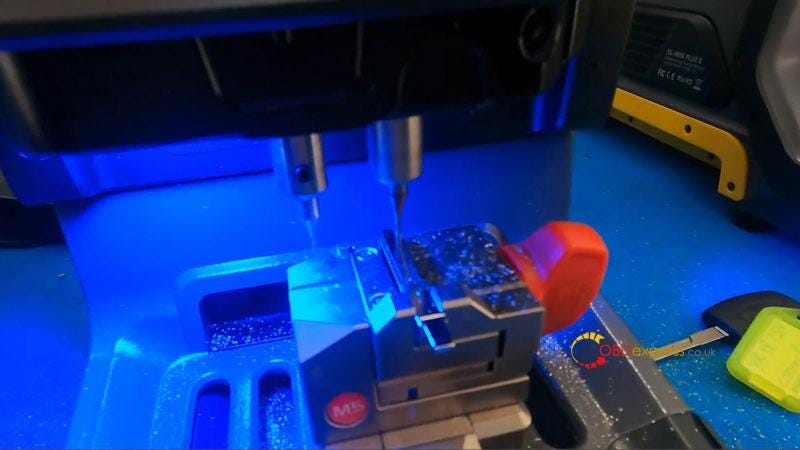
1. Cut Key via Dolphin XP005L

Install the original key on clamp.

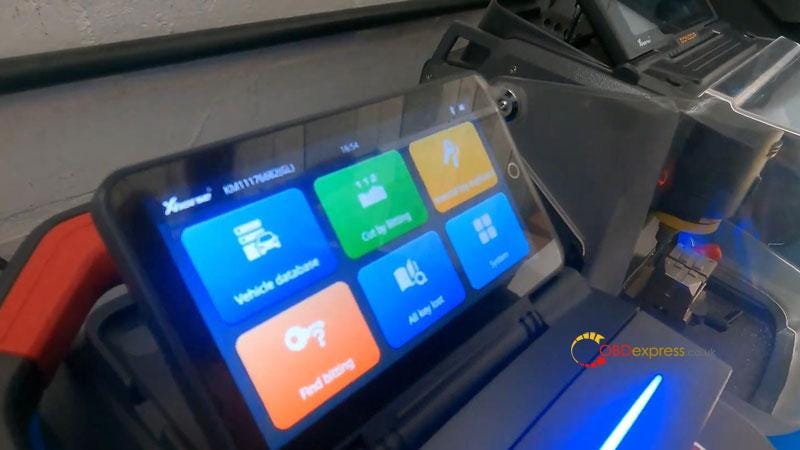
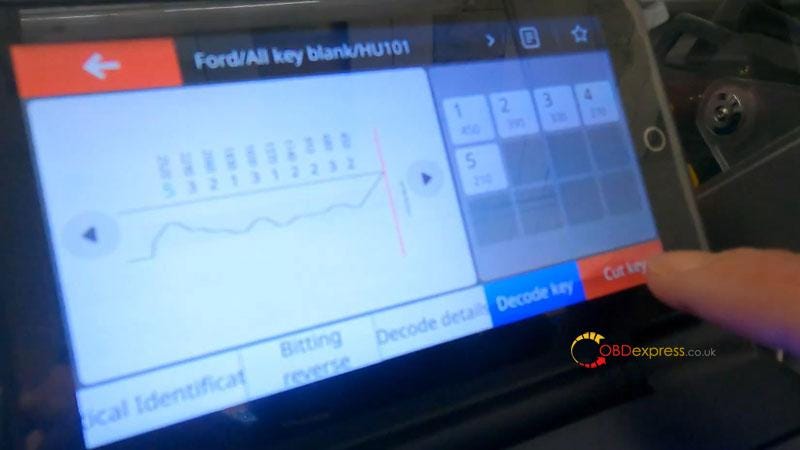
Vehicle database >> Ford >> Decode key

Decode key complete.

Remove the original key, fix a blank key on clamp instead.

Cut key >> Cut

Xhorse Dolphin will start to cut key automatically…

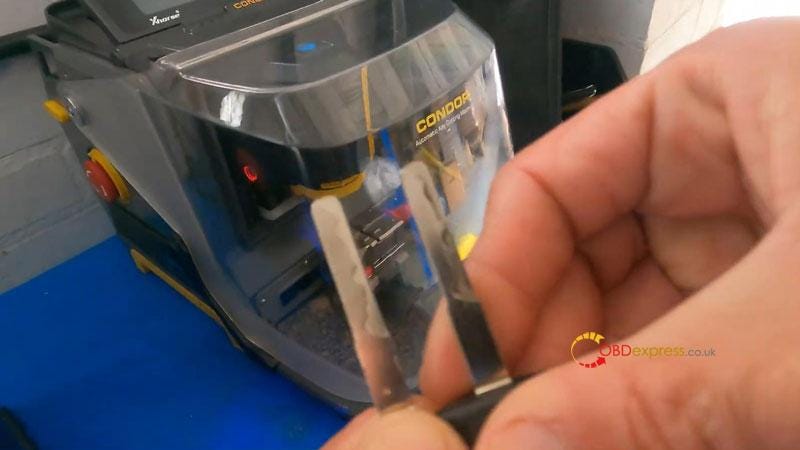
Cutting key completed.


Xhorse Dolphin and OBDSTAR X300 Classic G3 Make 2018 Ford Transit Key

2. Program Key via X300 Classic G3

Here we have 2 keys to add to this vehicle.

Connect X300 Classic G3 to car OBD.

Insert the original key to turn ignition on.

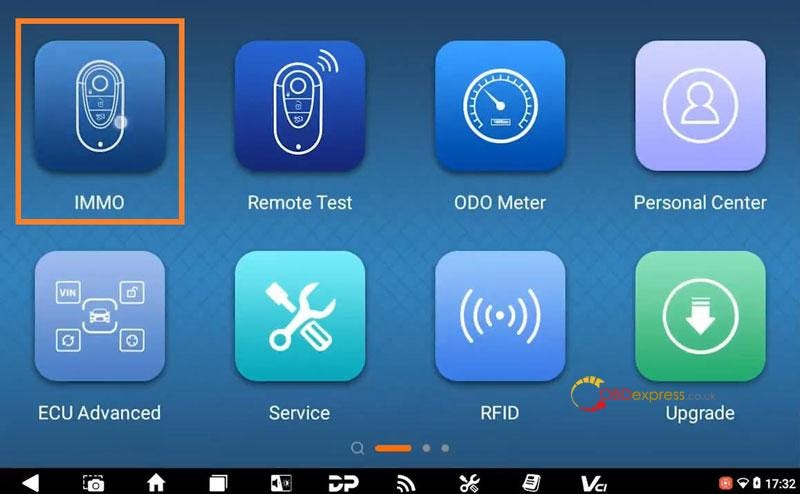
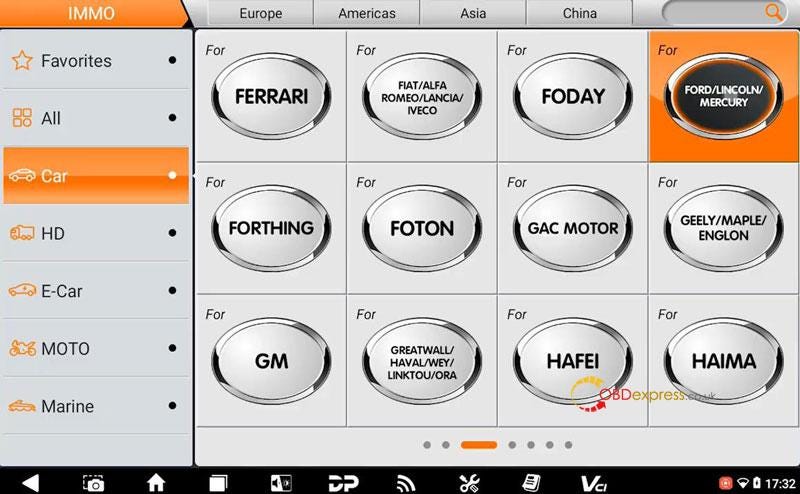
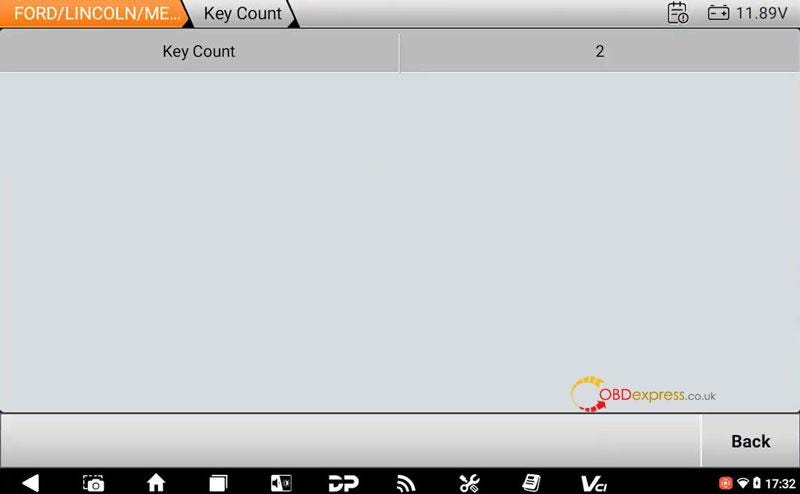
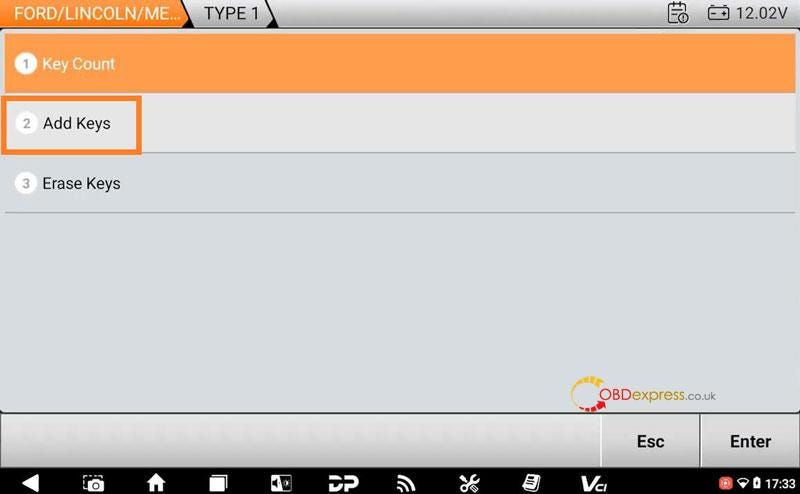
IMMO >> FORD/LINCOLN/MERCURY >> Latest Version >> Manual Select Model >> FORD >> EUROPE >> TOURNEO CONNECT >> BLADE >> 2015–2019 >> TYPE 1 >> Key Count

Switch ignition on.

Key count: 2

Add Keys >> OK

Please use the original car key to turn on the ignition.

Confirm VIN.

Reading the PinCode, please wait for a few minutes…

Confirm key count.

Switch ignition off.

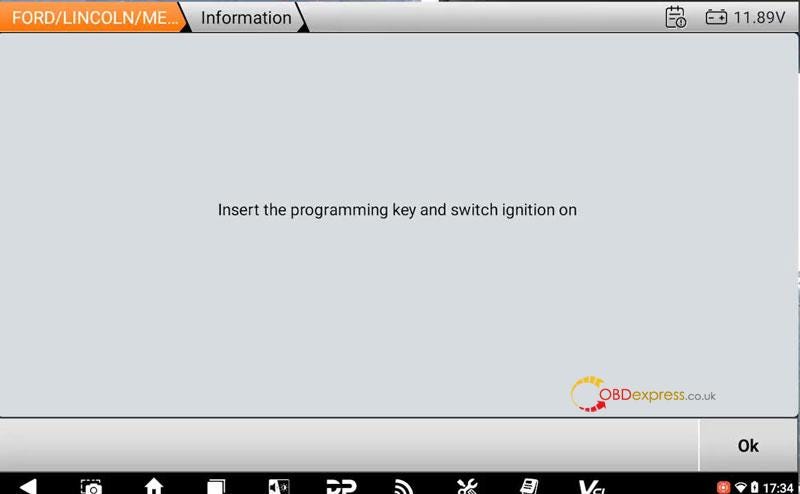
Insert the programming key and switch ignition on.

Key count: 3

Program success, press Yes to program next one.

Just repeat the operation as before.

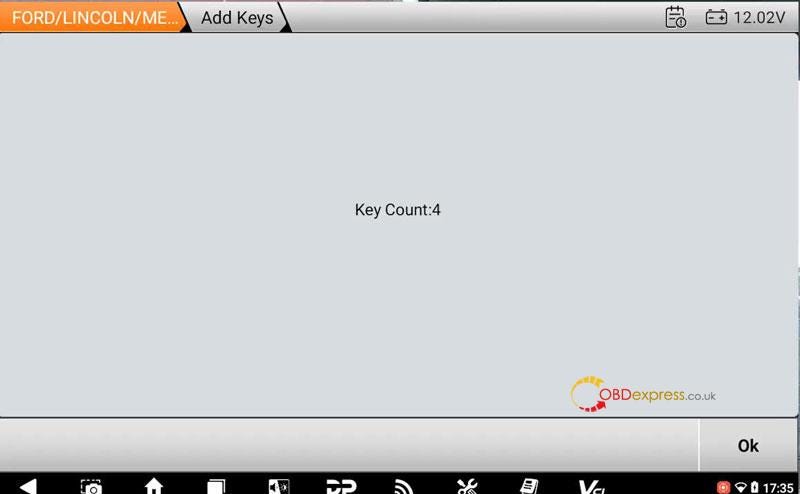
Key count: 4

Program complete.

Test the new keys, all can work well.

Successfully done.


Xhorse Dolphin and OBDSTAR X300 Classic G3 Make 2018 Ford Transit Key

www.obdexpress.co.uk

OBDSTAR X300 Classic G3 Update R7F701401 S6J3XX Mileage Calibration

 OBDSTAR X300 Classic G3 newly added TOYOTA/LEXUS 2019- S6J3XX and 2021- R7F701401 dashboard mileage calibration in the latest software. It requires OBDSTAR TOYOTA-30 Cable for some models, instead of disassembling the dashboard. This upgrade also applies to OBDSTAR ODO Master.


OBDSTAR X300 Classic G3 Update R7F701401 S6J3XX Mileage Calibration

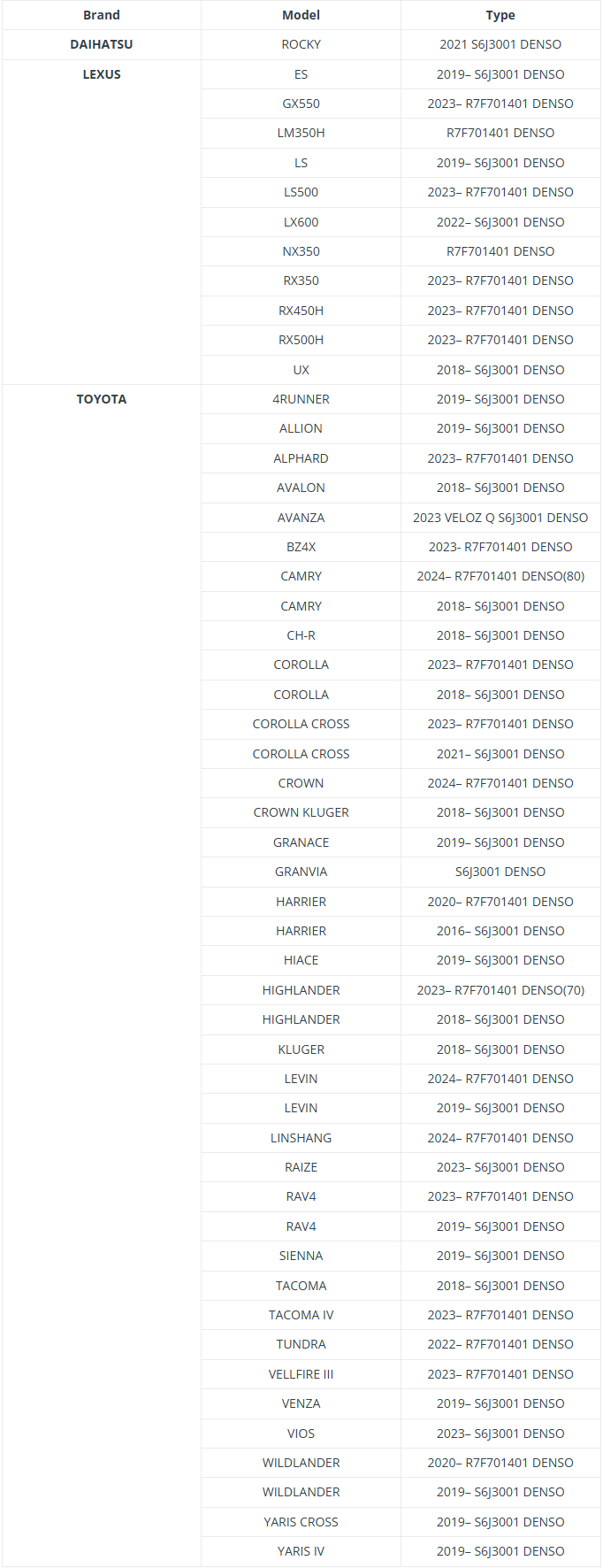
Which models are supported?

Check the support list below.


OBDSTAR X300 Classic G3 Update R7F701401 S6J3XX Mileage Calibration

In addition, OBDSTAR TOYOTA-30 Cable supports the following functions as well:

  • ID4A proximity key programming
    (All keys lost, no need pincode)
  • ID8A-BA proximity key programming
    (All keys lost, no need pincode)
  • ID8A-B9 proximity key programming
    (All keys lost, no need pincode)

* Mileage calibration support for additional dashboards (e.g., R7F701441, R7F701442) coming soon.

Compatible devices:

* Supports use with third-party tools directly (unlimited functions)

OBDSTAR TOYOTA-30 Cable Support Models:

TOYOTA:

Yaris 2020–

Yaris Cross 2020–

Corolla Facelift 2022–

Corolla Cross Facelift 2022–

Sienna 2020–

Land Cruiser 2021–

Harrier/Venza 2020–

RAV4 Facelift 2022–

Tundra 2021–

ALPHARD 2023–

CAMRY 2024–

LEXUS:

NX 2022–

RX 2023–

www.obdexpress.co.uk

Battle of XTOOL X100 MAX2, MAX, PAD3 or IK618 - Which Wins?

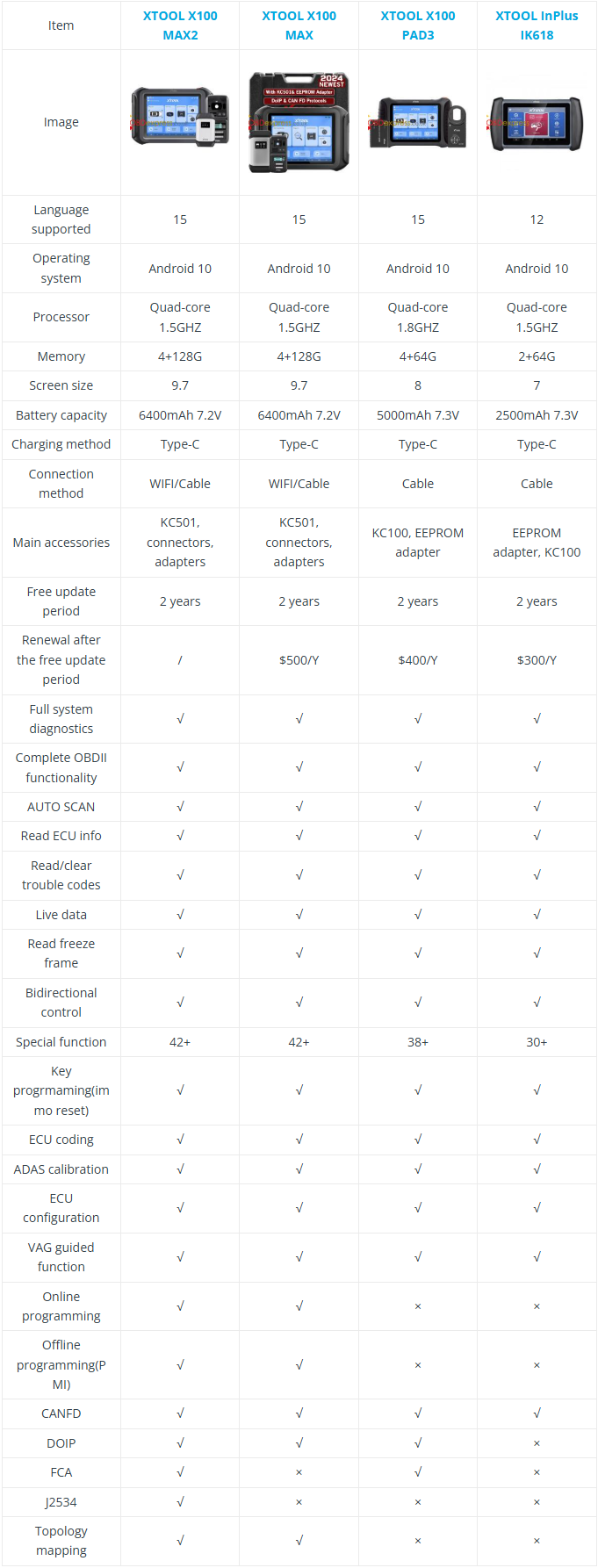
 Choosing the right car key programming tool can be overwhelming  -  XTOOL offers four powerful options: the X100 MAX2, MAX, PAD3, and IK618. But which one fits your needs? Whether you’re a professional mechanic, a DIY enthusiast, or a budget-conscious buyer, this comparison breaks down specs, features, and pricing to help you decide. No fluff, just the facts. Let’s find your perfect match!

Comparison Table


Battle of XTOOL X100 MAX2, MAX, PAD3 or IK618

Differences

Performance & Storage:

- X100 MAX2 and X100 MAX lead with 4+128G memory.

- X100 PAD3 (4+64G) and IK618 (2+64G) are less powerful.

Screen Size:

- MAX2/ MAX: 9.7 inches (best for detailed work).

- PAD3: 8 inches, IK618: 7 inches (more compact).

Battery:

- MAX2/ MAX: 6400mAh (longest use).

- PAD3: 5000mAh, IK618: 2500mAh (shorter runtime).

Connectivity:

- MAX2/ MAX: WiFi + Cable.

- PAD3/ IK618: Cable-only.
Advanced Features:

- MAX2 is the only one with J2534 and FCA support.

- MAX2/MAX support online/offline programming and topology mapping; PAD3/IK618 lack these.

Special Functions:

- MAX2/ MAX: 42+ functions.

- PAD3: 38+, IK618: 30+.

Recommendations

For Professional Mechanics/Workshops:

XTOOL X100 MAX2 — Best overall with top specs, advanced features (J2534, FCA), and WiFi. Ideal for heavy use and complex diagnostics.

For Budget-Conscious Pros:

XTOOL X100 MAX — Nearly identical to MAX2 but lacks J2534/FCA. Great if you don’t need those extras.

For Basic Diagnostics/Key Programming:

XTOOL X100 PAD3 — Compact with decent features, but no WiFi or online programming. Good for entry-level or mobile use.

For Casual Users/ Students:

XTOOL IK618 — Affordable and simple, but limited functions and battery life. Best for light or occasional use.

Final Tip

If you need future-proofing and advanced capabilities, go for the MAX2.

For everyday use, the MAX or PAD3 should suffice.

The IK618 is a budget pick for minimal needs.

www.obdexpress.co.uk

How to Unlock Ford BOSCH MD1CP006 with OBDSTAR ECU Master via Boot?

 This guide covers the procedure for unlocking, reading, and writing locked Bosch MD1 CP006 engine control units found on Ford F-250 and F-...