Monday, 27 November 2023

How to Activate LAUNCH Renewal Card?

This post comes with Launch Renewal Card activation guide for the Launch scanners that software free upgrade expires.

The Subscription Renewal Card is only applicable for those products which are produced by LAUNCH and supports software payment and renewal. Buying Launch Renewal Card can help extend your warranty coverage and your software support for one or more additional years.

Step-by-step to activate the Subscription Renewal Card:

For example: Launch X431 V

Make sure the Launch X431 tool has a strong Wi-Fi connection

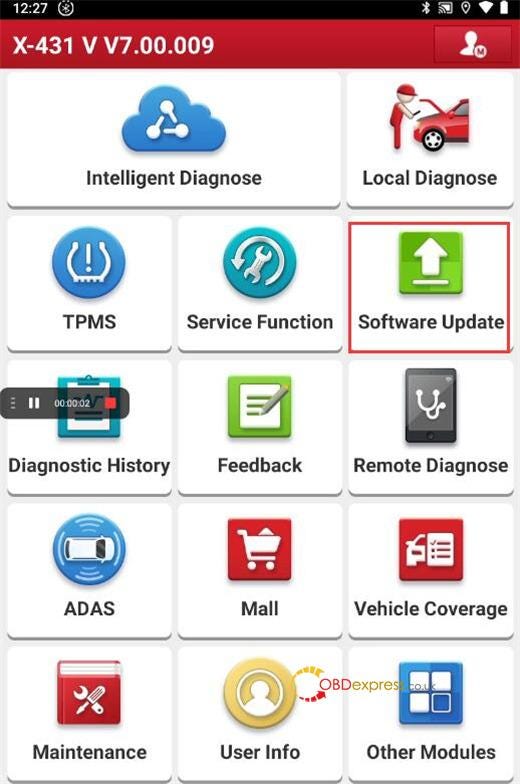
Step 1: Select [Software Update] on the main menu
How to Activate Launch Renewal Card

Step 2: Select [Renewal] on the software update page
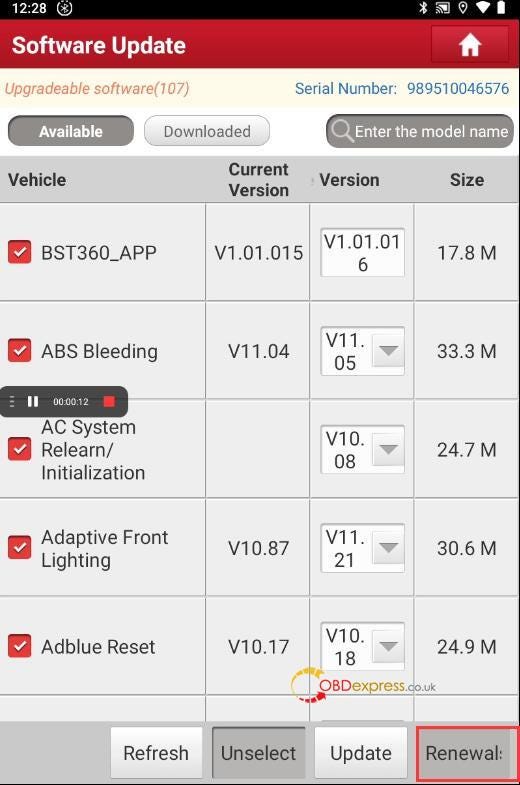
How to Activate Launch Renewal Card

Step 3: Select [Service Upgrade] in the Mall

You can see the different vehicle software packages cost.
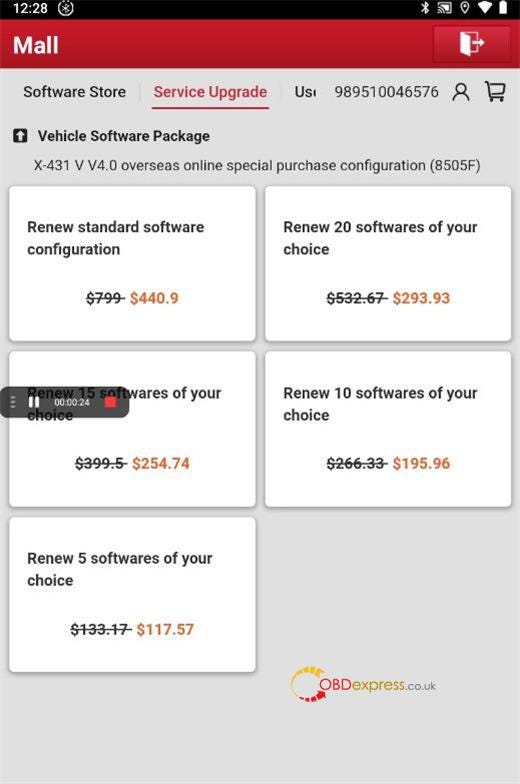
How to Activate Launch Renewal Card

Step 4: Select [Use Renewal Card]>> [Renew standard software configuration]
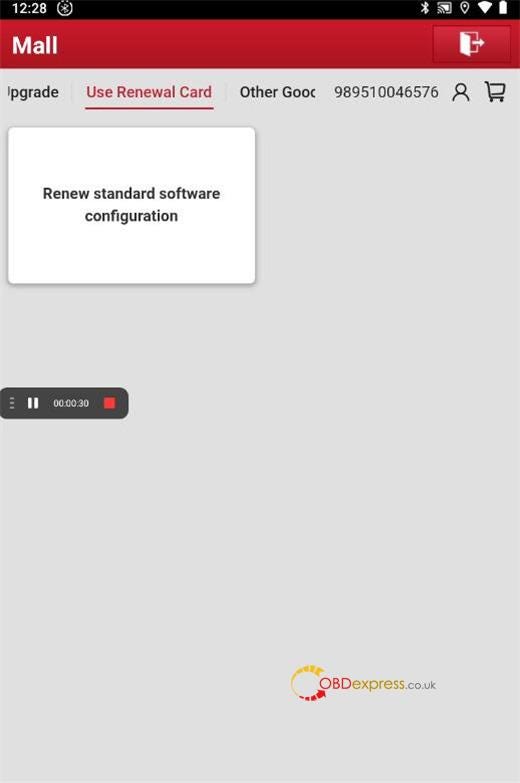
How to Activate Launch Renewal Card

Step 5: You can see the related vehicle software included.

Click [Confirm]
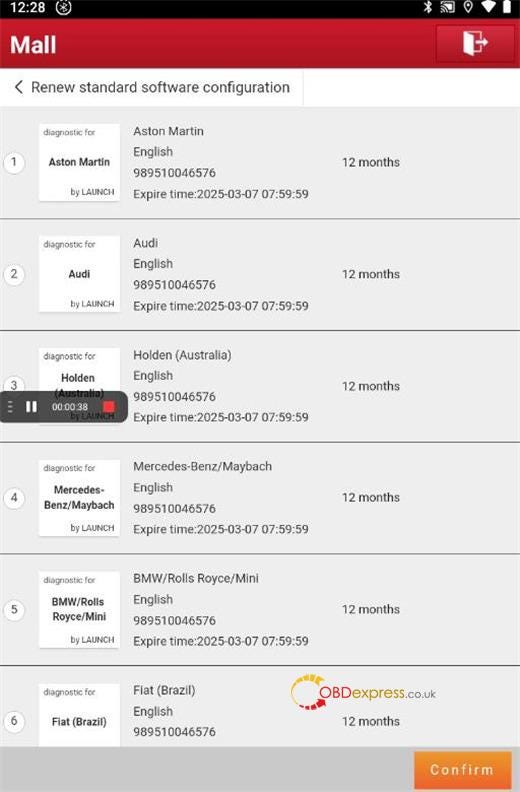
How to Activate Launch Renewal Card

Enter the password of subscription renewal card (24-digit numbers)

Tap "Confirm" to finish the transaction
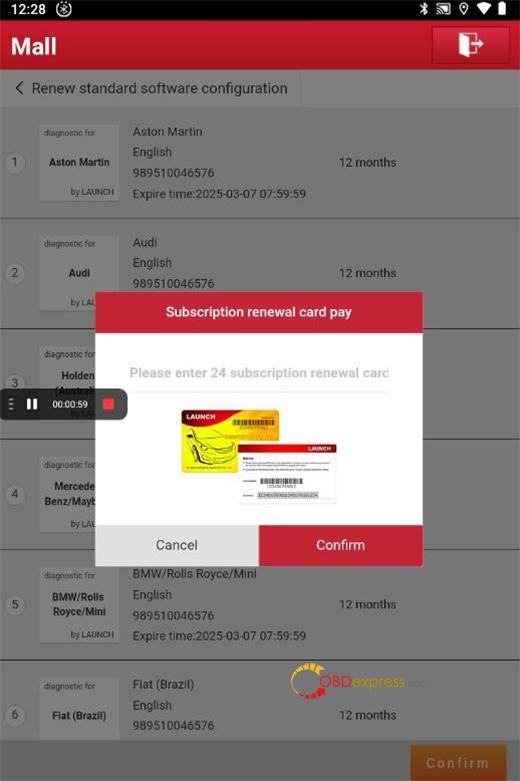
How to Activate Launch Renewal Card

Note: To avoid purchasing a forfeit Subscription Renewal Card, please purchase it from us or other authorized LAUNCH dealers.

https://youtu.be/dYZzSKhlYqQ

X431 Renewal Card is suitable for Launch diagnostic tool below:

LAUNCH X431 Diagun IV, X431 Diagun V, X431 V, X431 V+, X431 Pro Mini, X431 Pros Mini, X431 PRO3S+, X431 PRO 5…

Contact Info:

  • Email: sales@OBDexpress.co.uk
  • Skype: obd2express.co.uk
  • WhatsApp Business:+44 7418609676
  • WhatsApp After-sales Service: +86 18750906257
  • WeChat(微信): 15705931767
  • Online Customer Service
    1. Working Time: 9:00am — 18:00 pm (UTC+08:00), Monday to Friday.

      www.obdexpress.co.uk

      Autel IM608 Pro2 Renew Used 2006 Mercedes C230 TCU

       Today I'm going to show how to renew 2006 Mercedes-Benz C230 TCU(Transmission Control Unit) module with Autel MaxiIM IM608 PRO II on bench. Somebody already replaced the transmission on this vehicle. Actually I don't have to remove the whole transmission, lift the car and disconnect transmission connector with my own harness.

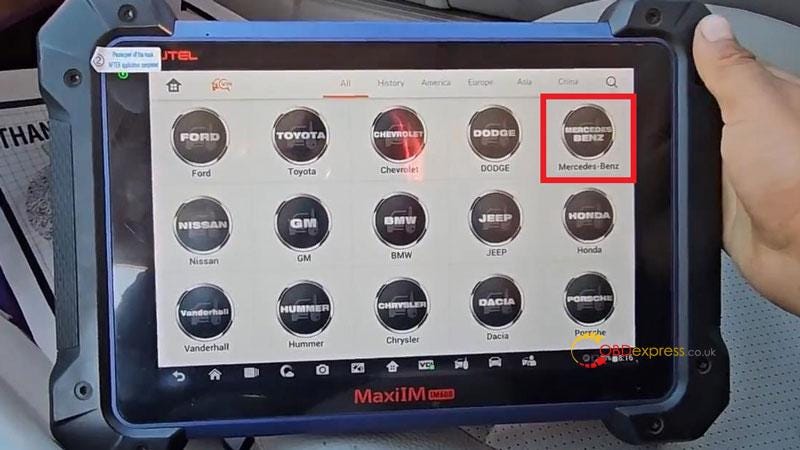
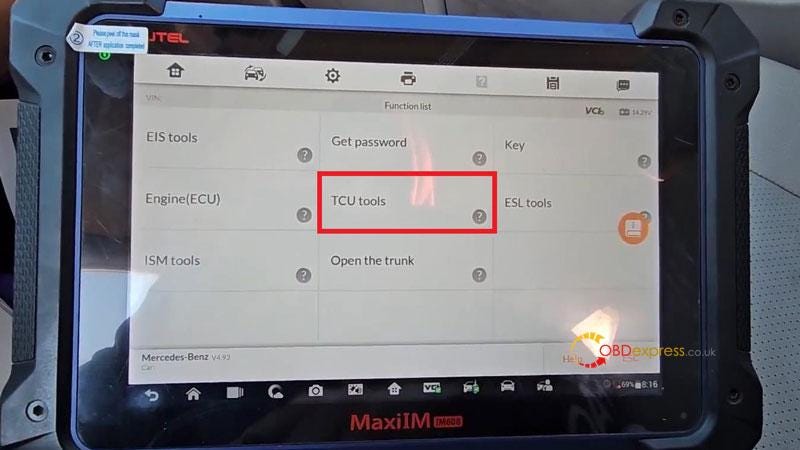
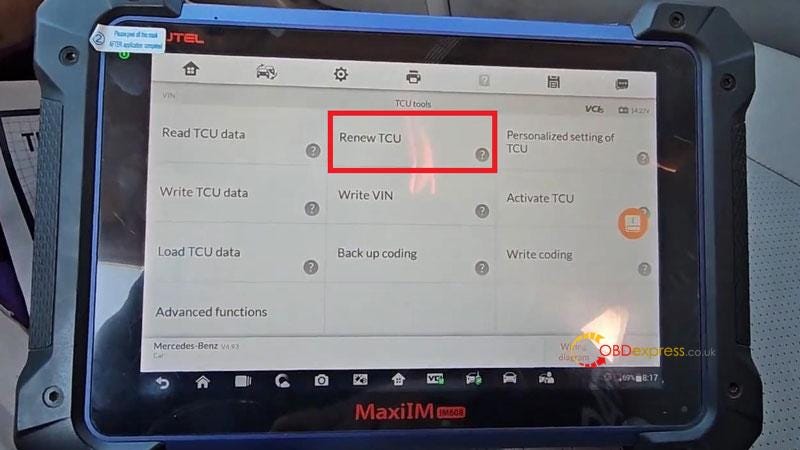
      IMMO >> Accept >> Mercedes-Benz >> Expert selection >> TCU tools >> Wiring diagram

      Autel IM608 Pro2 Renew Used 2006 Mercedes C230 TCU

      Autel IM608 Pro2 Renew Used 2006 Mercedes C230 TCU

      Autel IM608 Pro2 Renew Used 2006 Mercedes C230 TCU

      Autel IM608 Pro2 Renew Used 2006 Mercedes C230 TCU

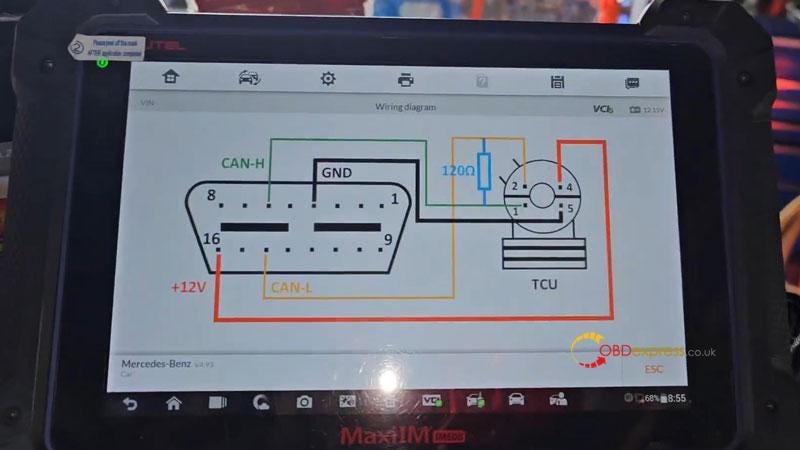
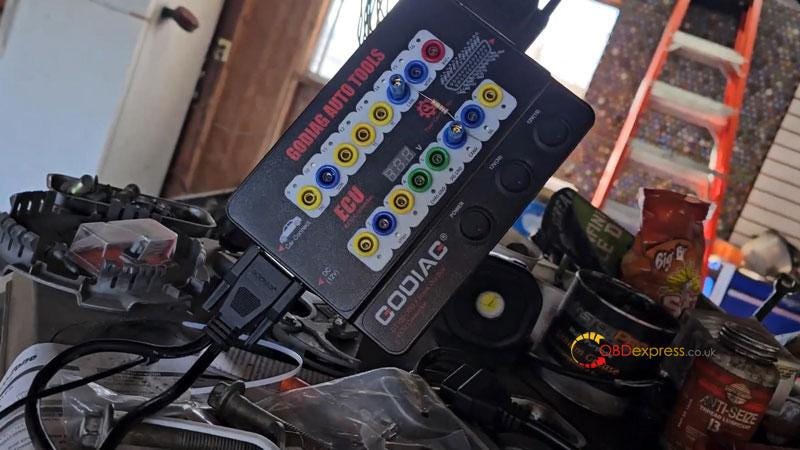
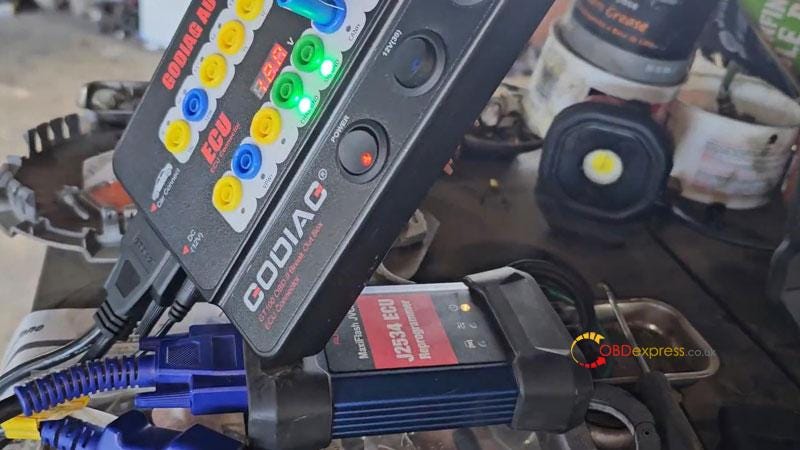
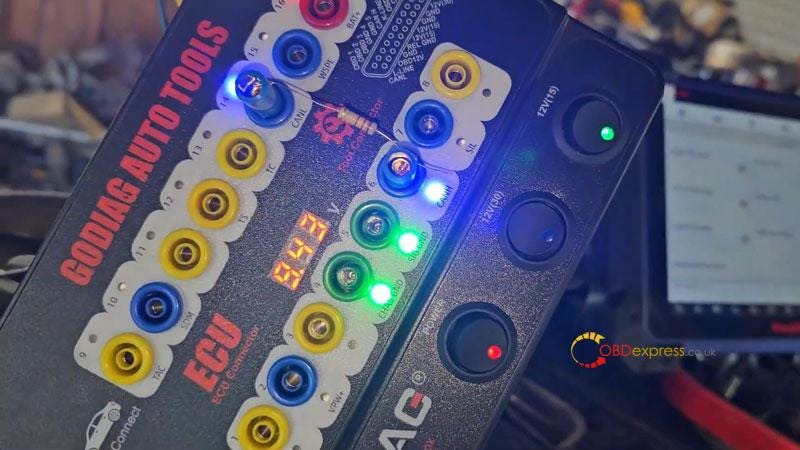
      Follow the diagram to connect Autel IM608 II, GODIAG GT100 & TCU module.

    2. Here it needs a power ground, 2 high and low lines & a 120ohm resistor.
    3. Then I connect the OBD2 port through this cool pass through interface.
      1. Autel IM608 Pro2 Renew Used 2006 Mercedes C230 TCU

        Autel IM608 Pro2 Renew Used 2006 Mercedes C230 TCU

        Autel IM608 Pro2 Renew Used 2006 Mercedes C230 TCU

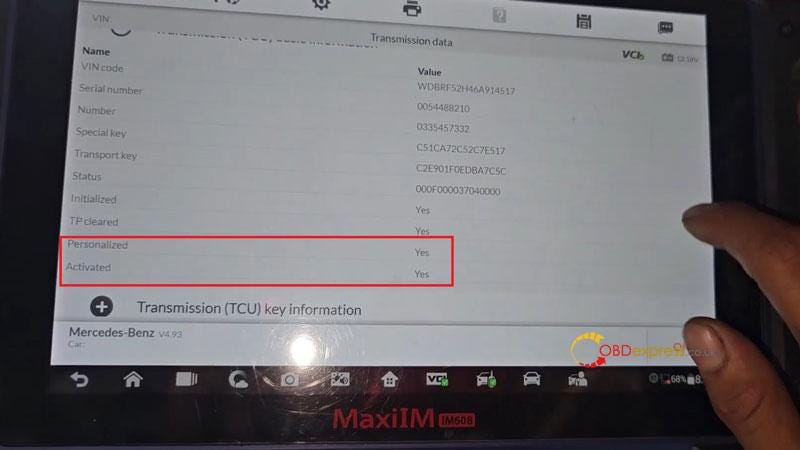
        Read TCU data >> OK

        Here we got the data already, the status of Activated & Personalized are "Yes".

        Do you want to save transmission data? Yes

        Succeeded in saving transmission data!

        I need another power supply cause that's not going to last. So turn on 12V(15) button on GODIAG.

        Renew TCU >> Yes

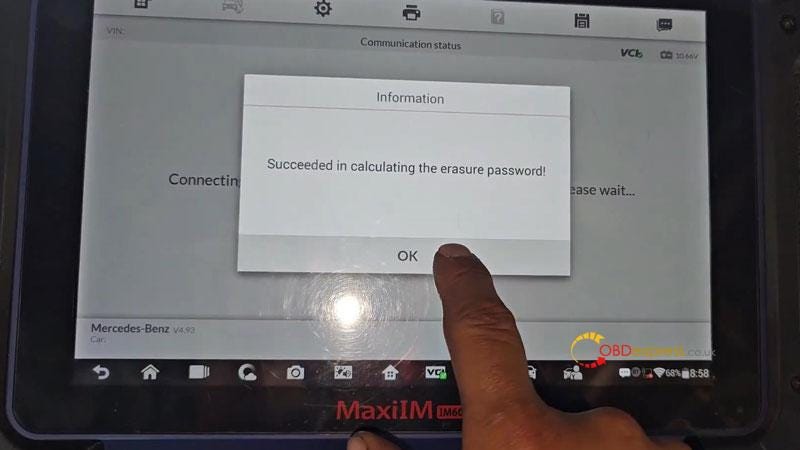
        Do you want to obtain the erasure password? OK

        Succeeded in calculating the erasure password!

        Press "Yes" to save transmission data.

        Succeeded in renewing transmission.

        Do you want to read transmission data? Yes

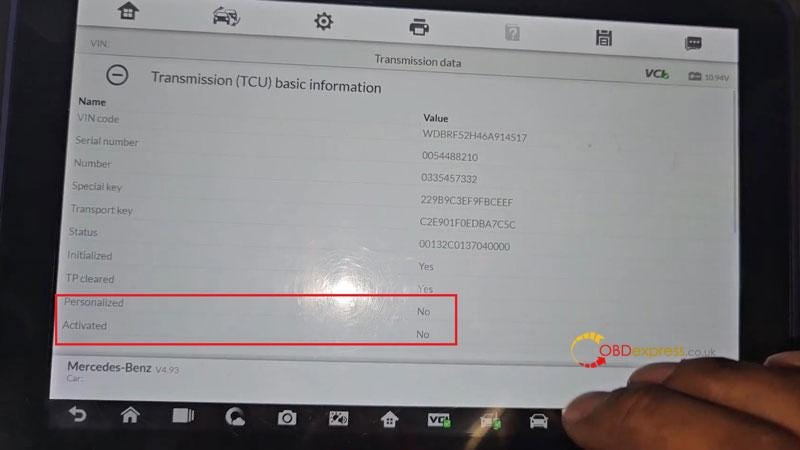
        As we can see, Personalized & Activated were changed to be "No". That means the transmission has been renewed.

        Autel IM608 Pro2 Renew Used 2006 Mercedes C230 TCU

        Autel IM608 Pro2 Renew Used 2006 Mercedes C230 TCU

        Autel IM608 Pro2 Renew Used 2006 Mercedes C230 TCU

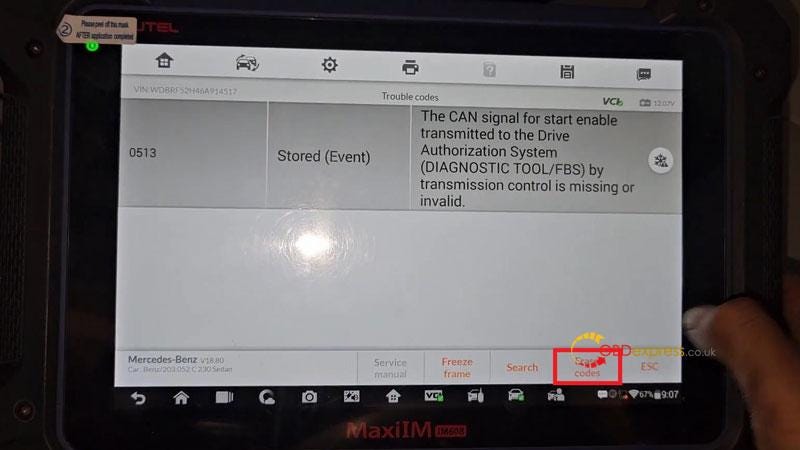
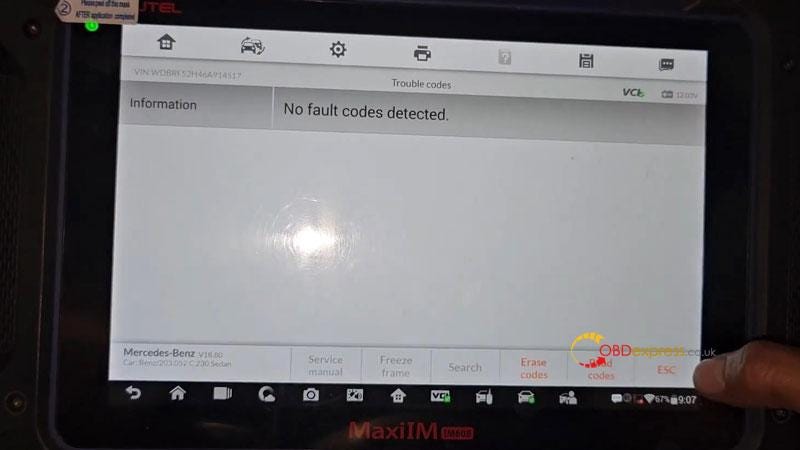
        Before testing, ease the transmission code stored before:

        0513 — The CAN signal for start enable transmitted to the Drive Authorization System(DIAGNOSTIC TOOL/FBS) by transmission control is missing or invalid.

        Now unplug all connection to check if the transmission is good.

        The transmission is working fine.

        Done.

        Autel IM608 Pro2 Renew Used 2006 Mercedes C230 TCU

        Autel IM608 Pro2 Renew Used 2006 Mercedes C230 TCU

        www.obdexpress.co.uk

        Tuesday, 14 November 2023

        BMW CAS4/ CAS4+ Mileage Correction with Yanhua ACDP1/ ACDP2

         Yanhua Mini ACDP2/ACDP1 can change mileage on BMW CAS4/CAS4+ perfectly. Check the step-by-step guide below to operate.
        Step 1: Reset CAS4 Mileage via OBD

        Remove the cluster from the vehicle

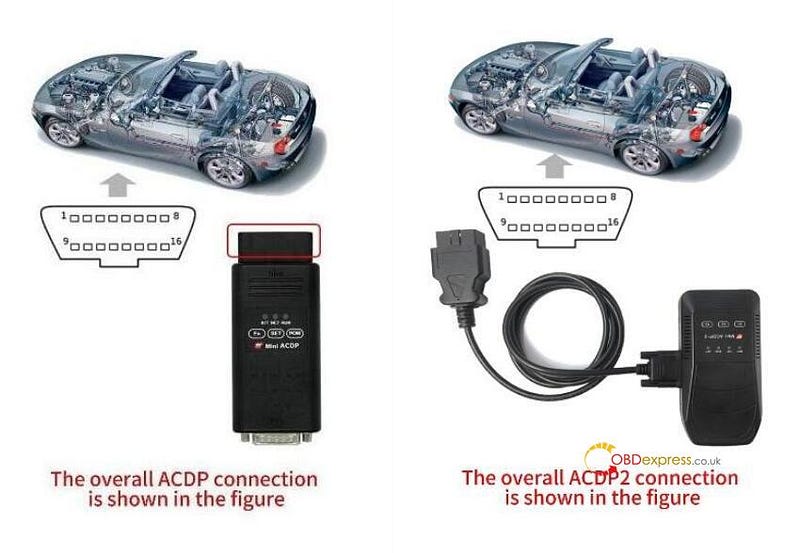
        Follow the ACDP OBD connection to connect ACDP device and vehicle OBD port

        BMW CAS4 CAS4+ Mileage Correction with Yanhua ACDP1 ACDP2

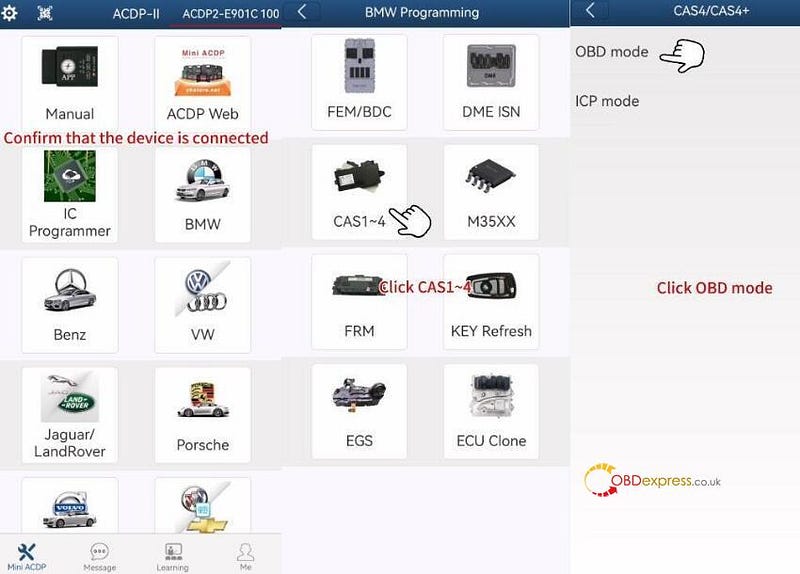
        Open Mini ACDP APP

        Confirm the ACDP device is connected

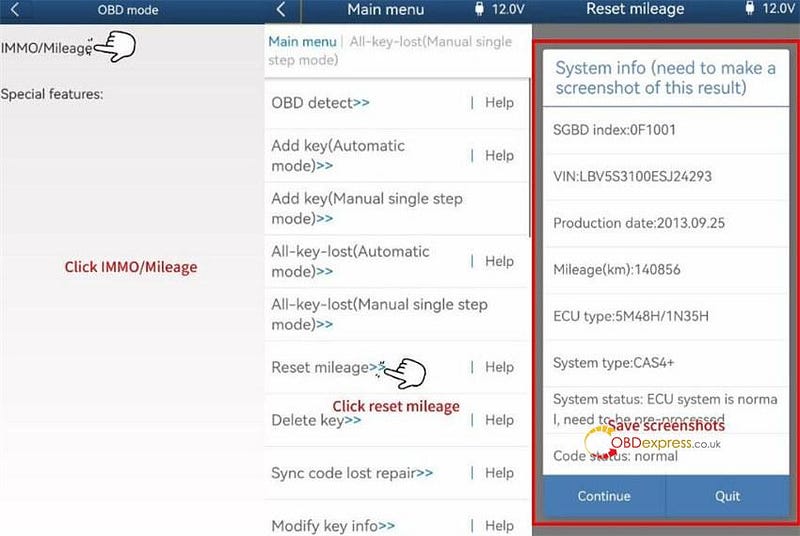
        1.Select BMW>> CAS1~4 >> CAS4/CAS4+>> OBD mode>> IMMO/Mileage>> Reset mileage

        Use the ACDP standard power adapter (voltage+ 12V, current>=2.5A)

        Device is being reconnected

        Confirm ACDP is connected to vehicle OBD port

        Read out the original mileage and vehicle info read out

        Make a screenshot to save it

        BMW CAS4 CAS4+ Mileage Correction with Yanhua ACDP1 ACDP2

        BMW CAS4 CAS4+ Mileage Correction with Yanhua ACDP1 ACDP2

        Pay attention to the on-screen note

        If the ECU does not pre-process, preprogram it first.

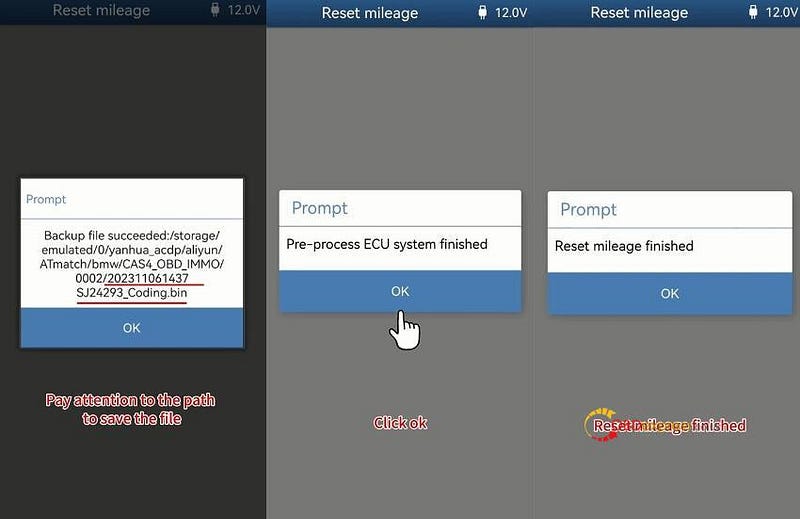
        Backup coding file…

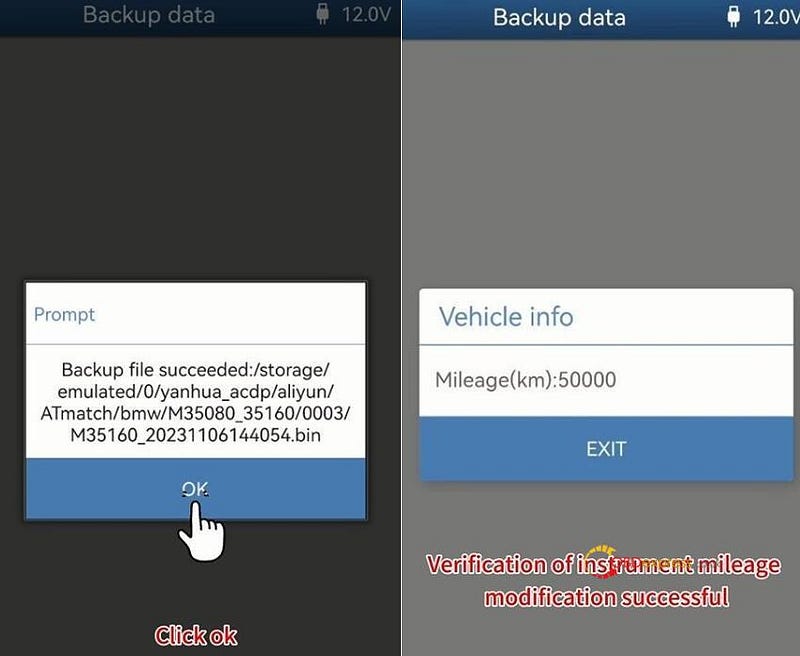
        Backup file succeeded. Pay attention to the path to save the file

        Pre-process ECU system finished

        Reset mileage finished

        Record the operation log path

        BMW CAS4 CAS4+ Mileage Correction with Yanhua ACDP1 ACDP2

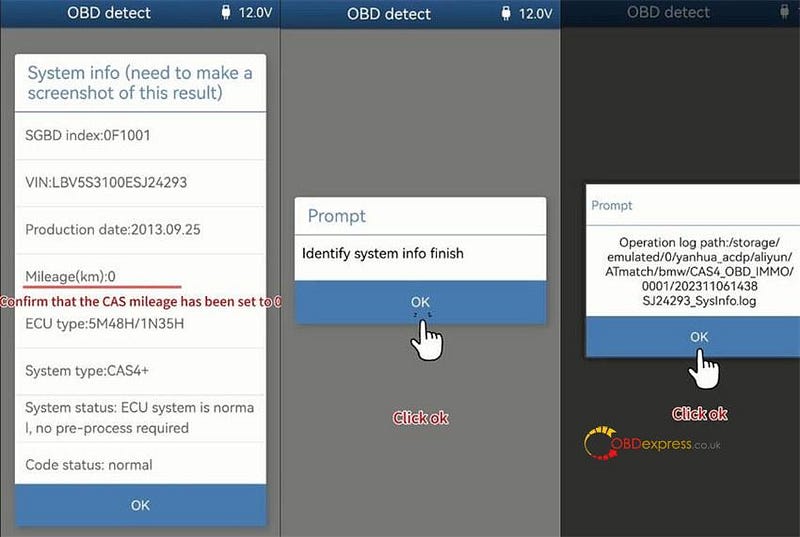
        2.Select OBD detect

        Confirm the notes and continue

        The CAS mileage has been set to 0.

        Identify system info is completed.

        BMW CAS4 CAS4+ Mileage Correction with Yanhua ACDP1 ACDP2

        Step 2: Change Instrument Chip Mileage

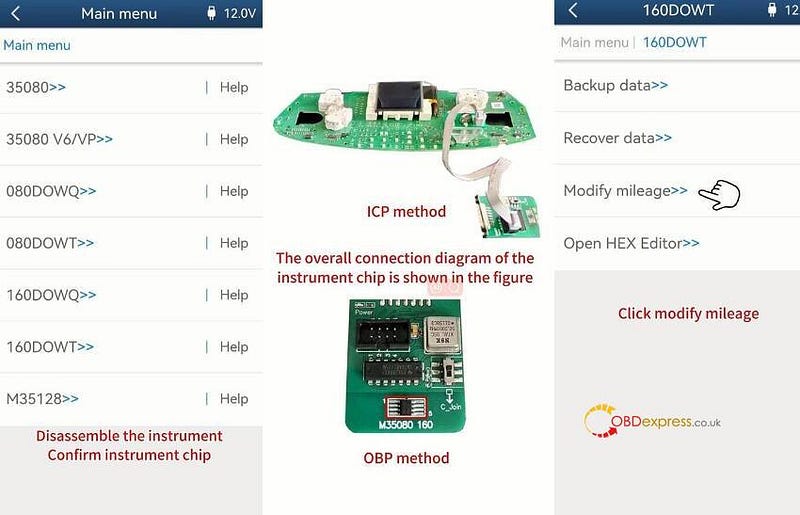
        Disassemble the instrument to confirm the instrument chip

        Select M35XX and select the corresponding chip type (i.e 160DOWT)

        Follow the overall connection diagram of the instrument chip (ICP method and OBD method) to connect shown in the following figure.

        1.Select Modify mileage

        BMW CAS4 CAS4+ Mileage Correction with Yanhua ACDP1 ACDP2

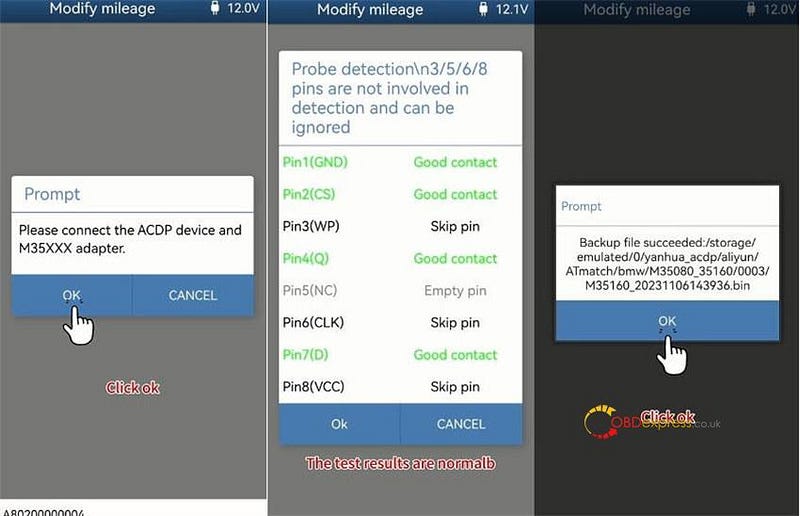
        Confirm use the ACDP standard power adapter and connect Yanhua ACDP device with M35XXX adapter (Yanhua ACDP Module 4)

        Detect Pins successfully and then save the result

        BMW CAS4 CAS4+ Mileage Correction with Yanhua ACDP1 ACDP2

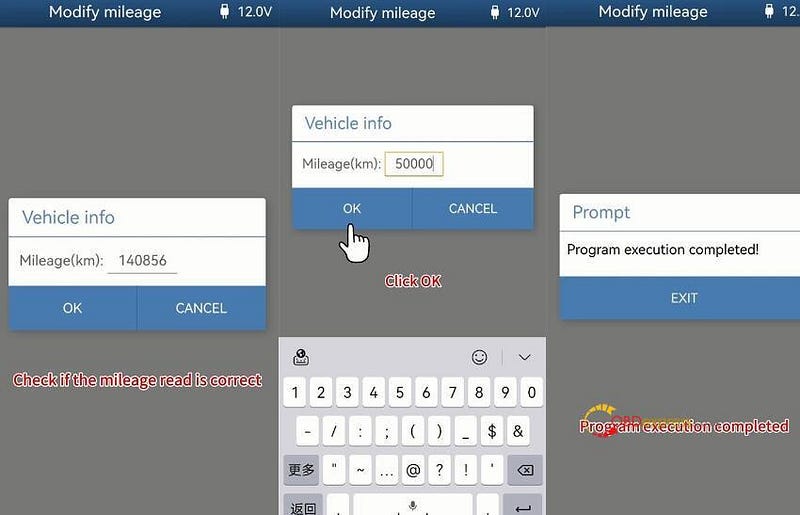
        Check the mileage is 140856

        Input a new mileage such as 50000

        Program execution completed

        BMW CAS4 CAS4+ Mileage Correction with Yanhua ACDP1 ACDP2

        2.Select Backup data

        Confirm use the ACDP standard power adapter and Mini ACDP-2/ACDP-1 device connect with M35XX adapter

        Test the probe Pins are normal

        Save the data and pay attention to the file name

        The instrument mileage is modified successfully

        BMW CAS4 CAS4+ Mileage Correction with Yanhua ACDP1 ACDP2

        Finally, install the dashboard back into the car and check if the mileage on the panel is normal.

        Done!

        www.obdexpress.co.uk

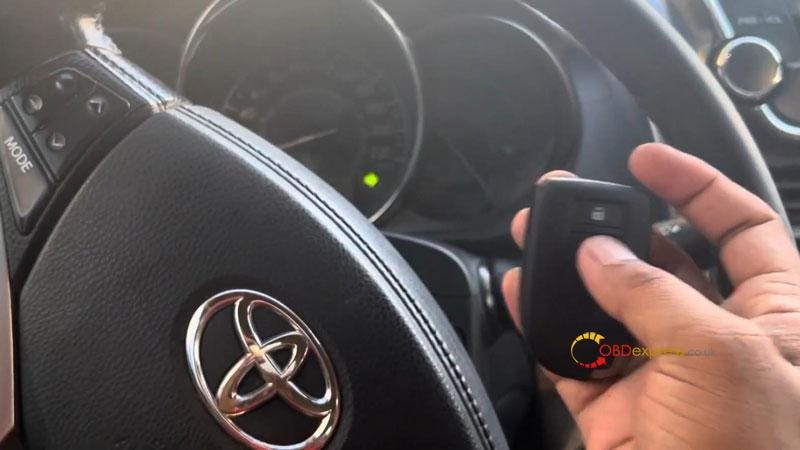
        Lonsdor K518 Program 2012-2020 Toyota Yaris All Keys Lost

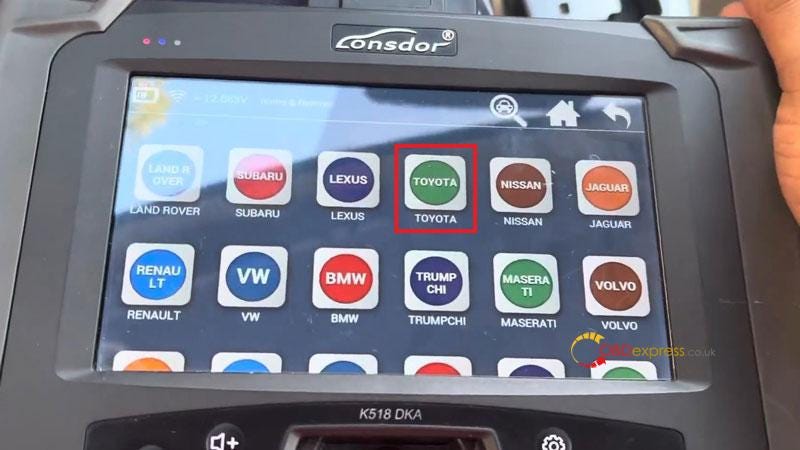
         This is 2012 Toyota Yaris push to start all keys lost, I'm gonna program it with Lonsdor K518ISE + LKE Key Emulator. The latest version Lonsdor K518 Pro can support to program it directly. Now let's see how to do it.

      2. Backup EEPROM Data
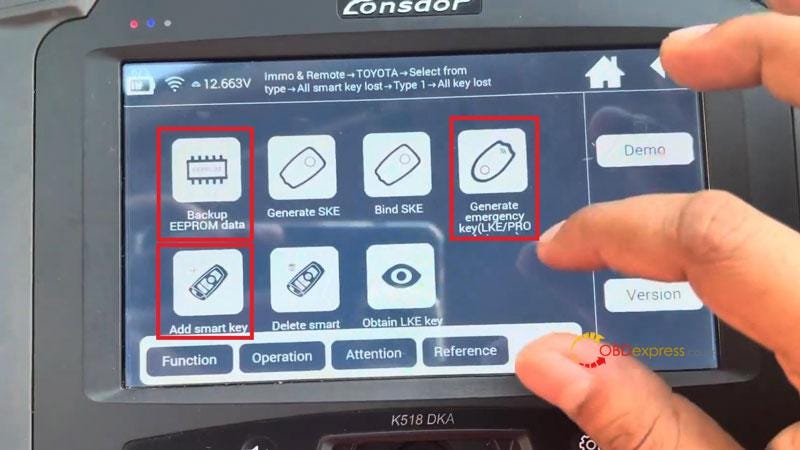
        1. Immo & remote >> TOYOTA >> Select from type >> All smart key lost >> Type 1 >> All key lost >> Backup EEPROM data

        2. This function can back up car EEPROM data;
        3. Generate an emergency emulator key after data backup is complete;
        4. Hold the key closer to Start button to light up dashboard, so as to add keys.
          1. Press OK.

            Obtaining car data, about 3 minutes…

            Enter filename to save data.

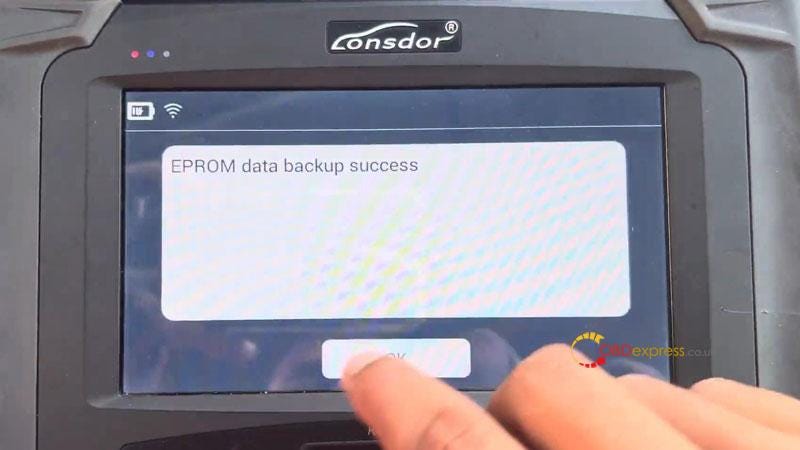
            EEPROM data backup success.

            Data backup is complete, please go to "Generate emergency key" to generate a spare working key.

            Lonsdor K518 Program 2012–2020 Toyota Yaris All Keys Lost

            Lonsdor K518 Program 2012–2020 Toyota Yaris All Keys Lost

            Lonsdor K518 Program 2012–2020 Toyota Yaris All Keys Lost

          2. Generate LKE Simulator
            1. Press "Generate emergency key".

              This function can load backup data to generate an emergency key in AKL situation, then you use this key to turn on dashboard to add keys.

              Please place key emulator into Lonsdor K518 device's card slot.

              The Key Emulator(LKE) is already bound to the device, whether to choose the required EEPROM backup file to generate LKE?

              Press OK to select file.

              Count of keys: 2, key type:39

              Generating…

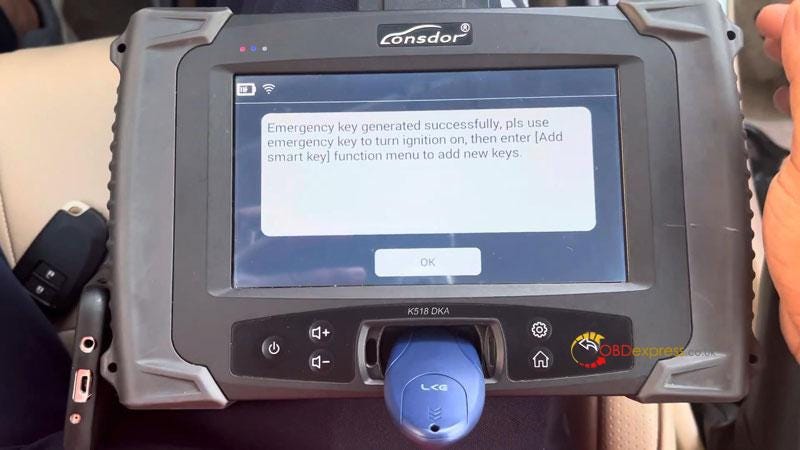
              Emergency key generated successfully, please use emergency key to turn ignition on, then enter "Add smart key" function menu to add new keys.

              Operation hints:

            2. Press ignition switch once.
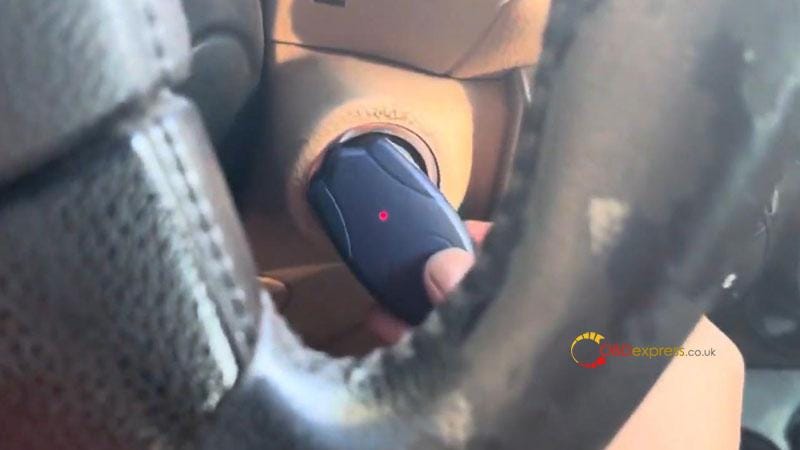
            3. Quickly place LKE vertically on ignition switch, keep the antenna end of LKE aimed at the central position of ignition switch, and wait until dashboard lights up.
            4. If dashboard fails to light up after 3s, please try to repeat step 1&2.
            5. If dashboard fails to light up after multiple attempts, please contact after-sales for technical.
              1. Lonsdor K518 Program 2012–2020 Toyota Yaris All Keys Lost

              2. Add Key
                1. Press "Add smart key".

                  Make sure smart key battery is full.

                  Insufficient power may cause program failure.

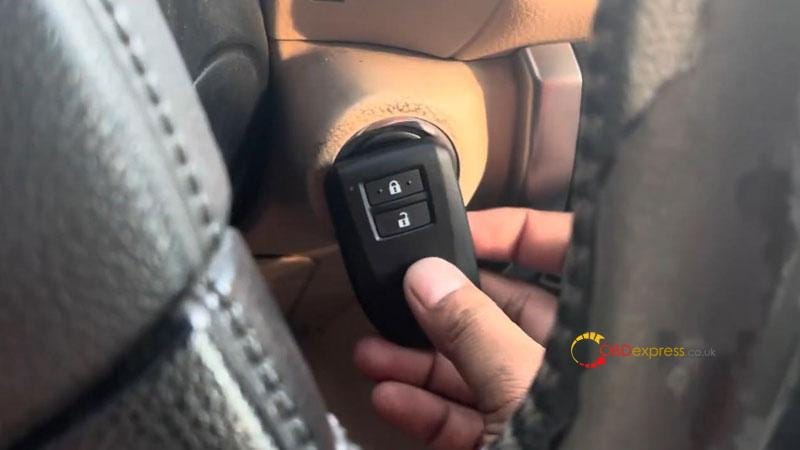
                  Hold a generated emulator key or workable key closer to ignition switch, and tap it until dashboard lights up.

                  Current key count: 2

                  Hold the registered key's back closer to Start button, when buzzer beeps once, take the key away from the button.

                  Within 30s to put back of the key to be registered close to car Start button, when buzzer beeps twice, remove the key.

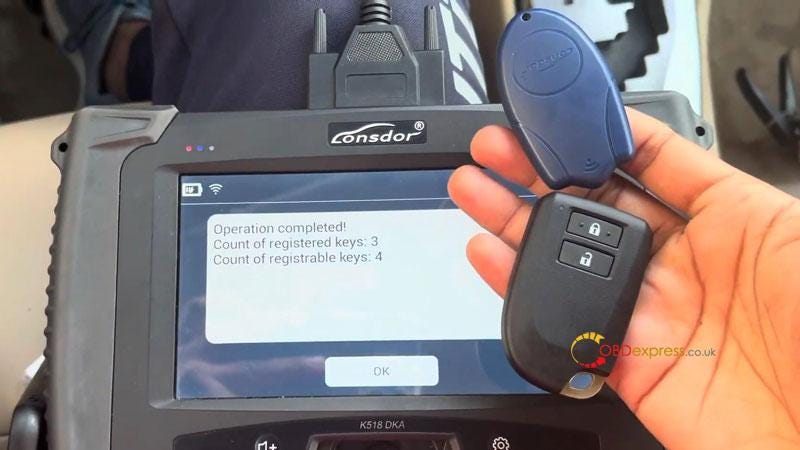
                  Operation completed!

                  Count of registered keys: 3

                  Count of registrable keys: 4

                  Please turn ignition off, check if the key works properly. If remote function doesn't generate, please enter "Register ECU and ID code box" menu, and select "Sync ID code box with steering lock".

                  Test the new key, it's working fine.

                  Done.

                  Lonsdor K518 Program 2012–2020 Toyota Yaris All Keys Lost

                  Lonsdor K518 Program 2012–2020 Toyota Yaris All Keys Lost

                  Lonsdor K518 Program 2012–2020 Toyota Yaris All Keys Lost

                  Lonsdor K518 Program 2012–2020 Toyota Yaris All Keys Lost

                  www.obdexpress.co.uk

                  Yanhua Mini ACDP1/ACDP2 Volvo 2022- Key Programming Guide

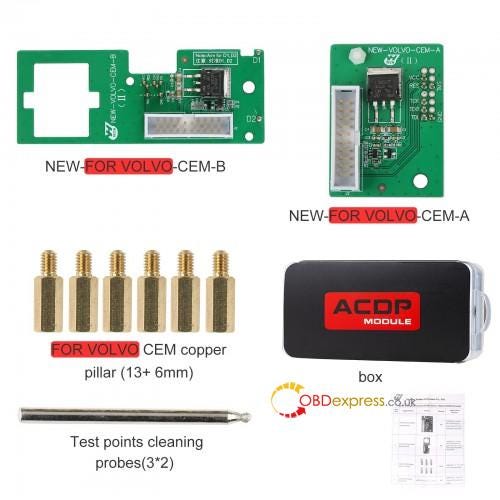
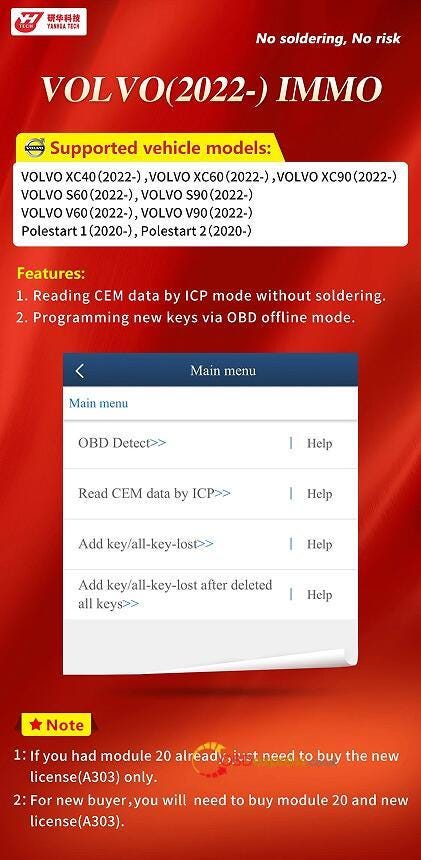
                   Yanhua Mini ACDP2/ACDP1 is able to read CEM data by ICP mode without soldering, and program new keys via OBD offline mode for new Volvo 2022- car models. The software license A303 and Module 20 are required.

                  Yanhua Mini ACDP1 ACDP2 Volvo 2022- Key Programming Guide

                  Yanhua Tech released it on Nov.8th, 2023.

                  For the customers who already had Yanhua module 20, just need to buy the new A303 license only.

                  For the new buyers, you will need to buy both module 20 and new A303 license.

                  Yanhua Mini ACDP1 ACDP2 Volvo 2022- Key Programming Guide

                  Which Volvo car models are supported?

                  Volvo XC40 2022-

                  Volvo XC60 2022-

                  Volvo XC90 2022-

                  Volvo S60 2022-

                  Volvo S90 2022-

                  Volvo V60 2022-

                  Volvo V90 2022-

                  Polestart 1 2021-

                  Polestart 2 2022-

                  www.obdexpress.co.uk

                  Tuesday, 7 November 2023

                  XTOOL D7 Mercedes-Benz ECU Coding Update Test Review

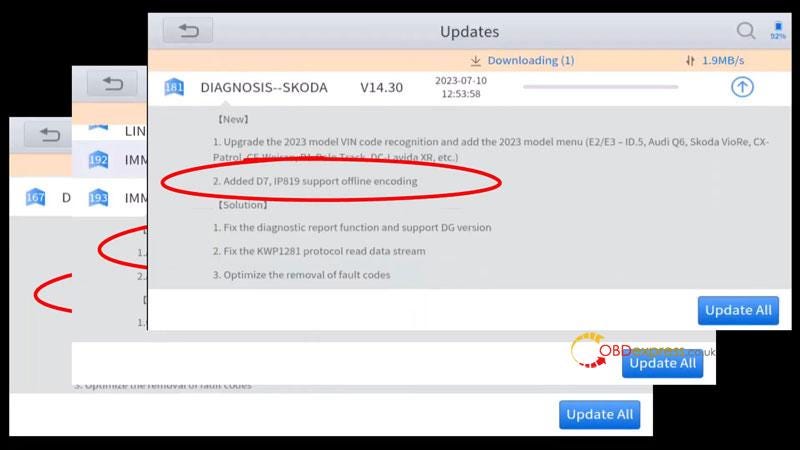
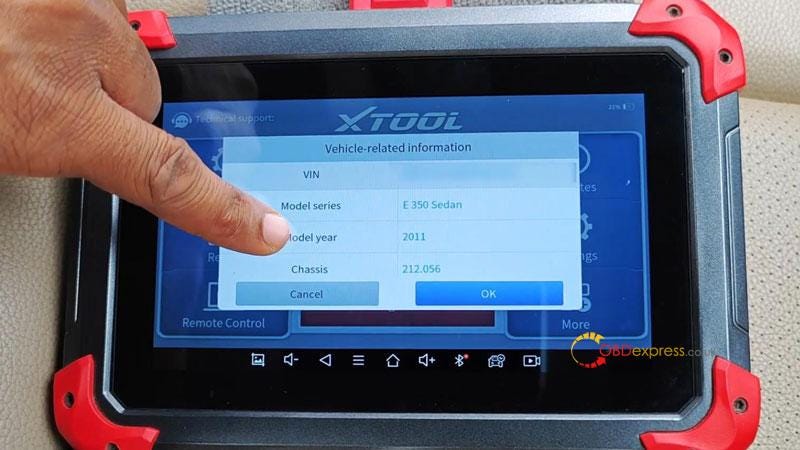
                   I was doing updates on my XTOOL D7 Diagnostic Tool and noticed that an ECU coding updates has been rolled out to a couple of car brands like Audi, BMW, Skoda and Mercedes. Since I got my hand on a 2011 Mercedes E-class W212 today, I decided to explore whether this update was true.

                  XTOOL D7 Mercedes-Benz ECU Coding Update Test Review

                  XTOOL D7 Mercedes-Benz ECU Coding Update Test Review

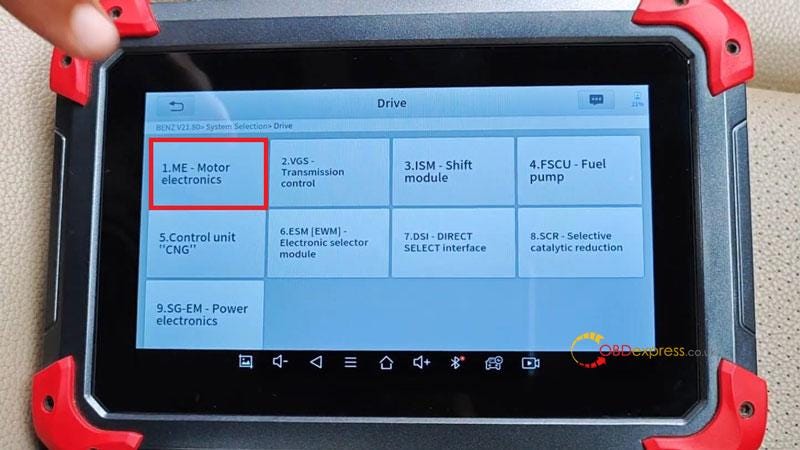
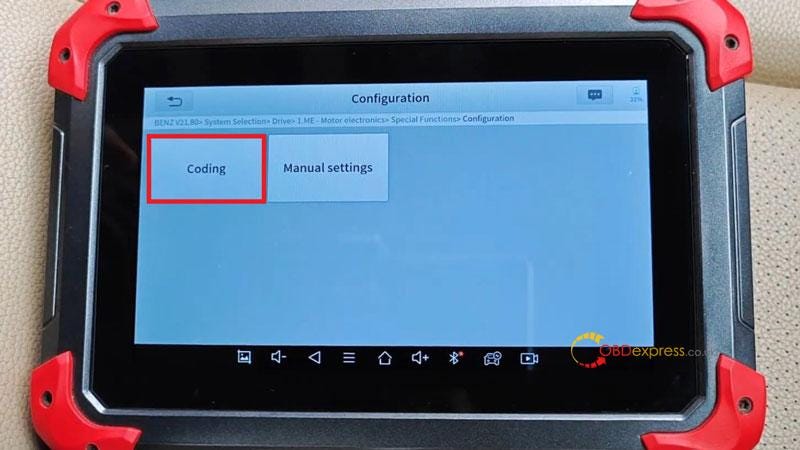
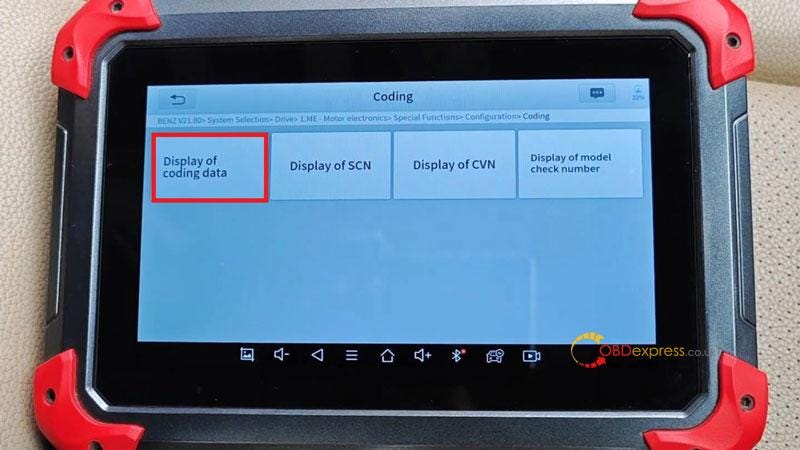
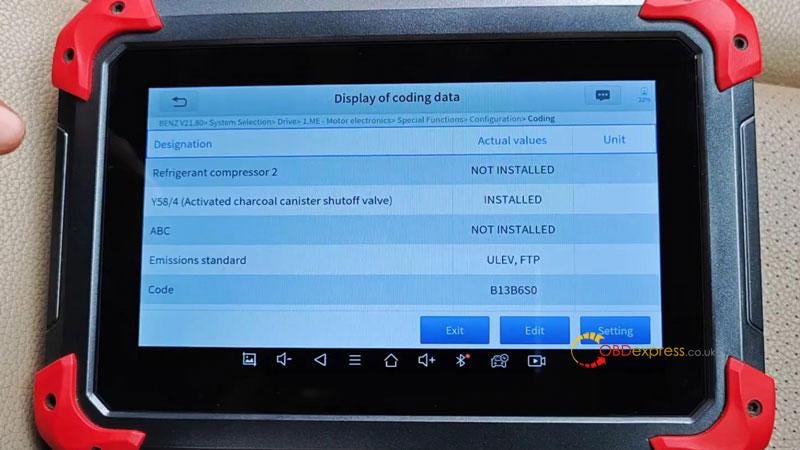
                  AUTO SCAN >> Press OK to confirm VIN >> System Selection >> Drive >> ME — Motor electronics >> Special functions >> Configuration >> Coding >> Display of coding data

                  XTOOL D7 Mercedes-Benz ECU Coding Update Test Review

                  XTOOL D7 Mercedes-Benz ECU Coding Update Test Review

                  XTOOL D7 Mercedes-Benz ECU Coding Update Test Review

                  XTOOL D7 Mercedes-Benz ECU Coding Update Test Review

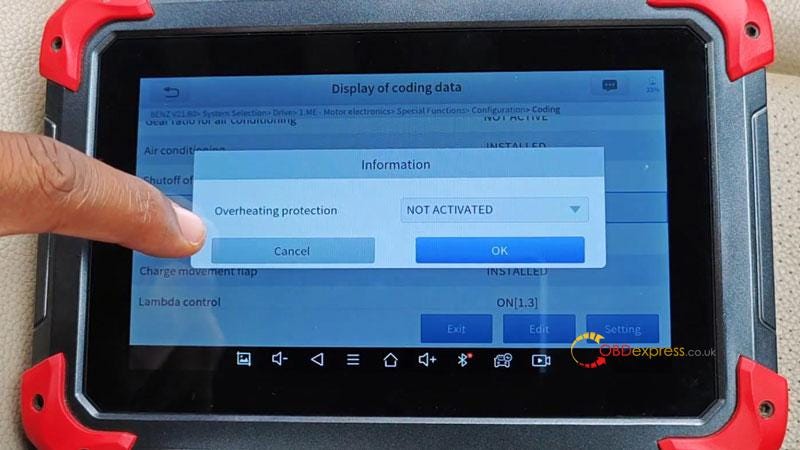
                  Here's all the data points or variables that you can code or update their values. So if I select "Overheating protection", which is currently activated. I can deactivate it. There's a ton of things to code, for example designation, refrigerant compressor 2, emissions standard, speed limit(REVERSE), torque converter, etc.

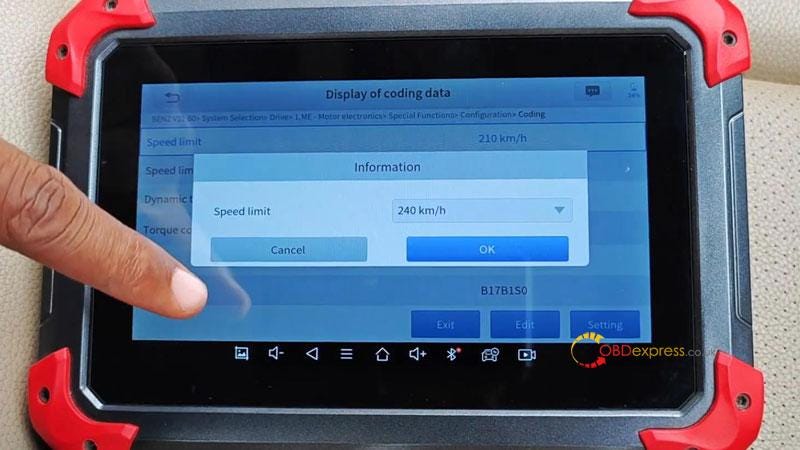
                  Let's scroll down to select "Speed limit". We can see it's currently set to 210km/h, I'll change that to something higher like 240km/h.

                  XTOOL D7 Mercedes-Benz ECU Coding Update Test Review

                  XTOOL D7 Mercedes-Benz ECU Coding Update Test Review

                  XTOOL D7 Mercedes-Benz ECU Coding Update Test Review

                  It's really good if you know your way around coding for Mercedes. One caveat I'll say especially for beginners, it's don't go around tinkering with settings you don't know. You can actually damage your car.

                  One other interesting point I noticed with the ECU coding on XTOOL D7 is that everything is done offline. Itmeans that I didn't need to connect to the Internet at any point while some scanners only support online coding for Mercedes.

                  For me, it's always great to see when a manufacturer adds a massive function previously unavailable to a tool. As it just really boosts the value proposition for the scanner.

                  Hope this is helpful.

                  Peace!

                  www.obdexpress.co.uk


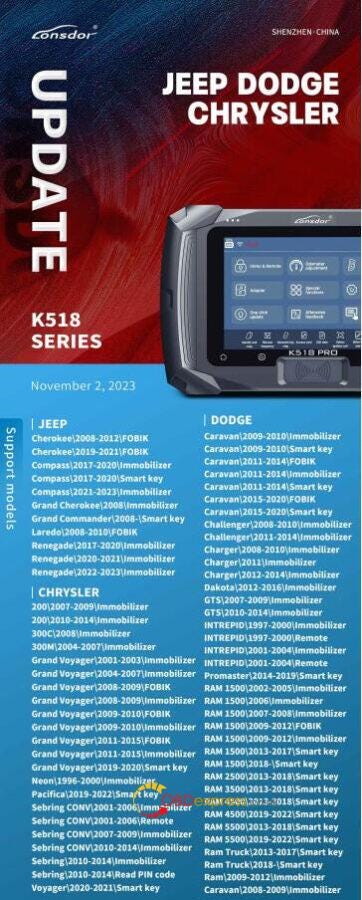
                  Lonsdor K518ISE/ K518 Pro Update: Added JEEP DODGE CHRYSLER Models

                   Lonsdor K518 series key programmer newest update on Nov. 2, 2023: Added more JEEP, CHRYSLER and DODGE car models.

                  Compatible devices:

                  Lonsdor K518 Pro, K518ISE, K518S

                  Updated vehicles:

                  • JEEP

                  Cherokee\2008–2012\FOBIK

                  Cherokee\2019–2021\FOBIK

                  Compass\2017–2020\lmmobilizer

                  Compass\2017–2020\Smart key

                  Compass\2021–2023\lmmobilizer

                  Grand Cherokee\2008\lmmobilizer

                  Grand Commander\2008-\Smart key

                  Laredo\2008–2010\FOBIK

                  Renegade\2017–2020\lmmobilizer

                  Renegade \2020–2021\ lmmobilizer

                  Renegade\2022–2023\ lmmobilizer

                  • CHRYSLER

                  2 00\2007–2009\ lmmobilizer

                  200\2010–2014\ lmmobilizer

                  300C\2008\ lmmobilizer

                  300M\2004–2007\ lmmobilizer

                  Grand Voyager\2001–2003\ lmmobilizer

                  Grand Voyager\2004>2007\ lmmobilizer

                  Grand Voyager\2008>2009\FOBIK

                  Grand Voyager\2008>2009\ lmmobilizer

                  Grand Voyager\2009–2010\FOBIK

                  Grand Voyager\ 2009–2010\ lmmobilizer

                  Grand Voyager\2011–2015\FOBIK

                  Grand Voyager \2011–2015\ lmmobilizer

                  Grand Voyager\2019–2020\Smart key

                  Neon\1996–2000\ lmmobilizer

                  PacificaU0I9.2022\Smart key

                  Sebring CONV\2001–2006\ lmmobilizer

                  Sebring CONV\2001–2 0 06\Remote

                  Sebring CONV\2007–2009\ lmmobilizer

                  Sebring CONV\2010–2014\ lmmobilizer

                  Sebring\2010–2014\ lmmobilizer

                  Sebring\2010–2014\Read PIN code

                  Voyager\2020- 2021\Smart key

                  • DODGE

                  Caravan \2009–2010\ lmmobilizer

                  Caravan\2009–2010\Smart key

                  Caravan \2011–2014\FOBIK

                  Caravan \2011–2014\ lmmobilizer

                  Caravan\2011–2014\Smart key

                  Caravan \2015–2020\FOBIK

                  Caravan \2015–2020\Smart key

                  Challenger\2008–2010\Immobilizer

                  Challenger \2011–2014\Immobilizer

                  Charger\2008–2010\ lmmobilizer

                  Charger\2011\ lmmobilizer

                  Charger \2012–2014\ lmmobilizer

                  Dakota\2012–2016\ lmmobilizer

                  GTS\2007–2009\ lmmobilizer

                  GTS\2010–2014\ lmmobilizer

                  INTREPID\1997–2000\ lmmobilizer

                  IMTREPID\1997–2000\Remote

                  INTREPID\2001–2004\ lmmobilizer

                  INTREPID \2001–2004\Remote

                  Promaster\2014–2019\Smart key

                  RAM 1500\2002- 2005\ lmmobilizer

                  RAM 1500\2006\ lmmobilizer

                  RAM 1500\2007–2008\ lmmobilizer

                  RAM I500\2009–2012\FOBIK

                  RAM 1500\2009–2012\ lmmobilizer

                  RAM 1500\2013–2017\Smart key

                  RAM 1500\2018-\Smart key

                  RAM 2500\2013–2018\Smart key

                  RAM 3 500\2 013–2 018\Smart key

                  RAM 4500\2013–2018\Smart key

                  RAM 4500\2019–2022\Smart key

                  RAM 5500\2013–2018\Smart key

                  RAM 5500\2019–2022\Smart key

                  Ram Truck \2013–2017\Smart key

                  Ram Truck\2018-\Smart key

                  Ram\2009–2012\lmmobilizer

                  Caravan\2008–2009\lmmobilizer

                  Lonsdor K518ISE, K518 Pro Update-Added JEEP DODGE CHRYSLER Models

                  www.obdexpress.co.uk

                  How to Unlock Ford BOSCH MD1CP006 with OBDSTAR ECU Master via Boot?

                   This guide covers the procedure for unlocking, reading, and writing locked Bosch MD1 CP006 engine control units found on Ford F-250 and F-...