Showing posts with label GM MDI GDS 2. Show all posts

Saturday, 2 April 2022

Solved! Computer Blue Stop Error Screen with GM MDI 2 Tool

 Problem: My computer was shut down with a blue stop error screen when inserting GM MDI 2 Multiple Diagnostic Tool. It tells to remove GM MID 2 hard drive. What’s the problem? Please help me.

Screen as below:

“A problem has been detected and windows has been shut down to prevent damage to your computer.”

“Check for viruses on your computer. Remove any newly installed hard drives or hard controller. Check your hard drive to make sure it is properly configured and terminated. Run CHKDSK/ F to check for hard drive corruption, and then restart your computer.”

Technical information:

STOP: 0x0000007B(0xFFFFF880009A97E8. 0xFFFFFFFFC0000034. 0x0000000000000000. 0x0000000000000000)
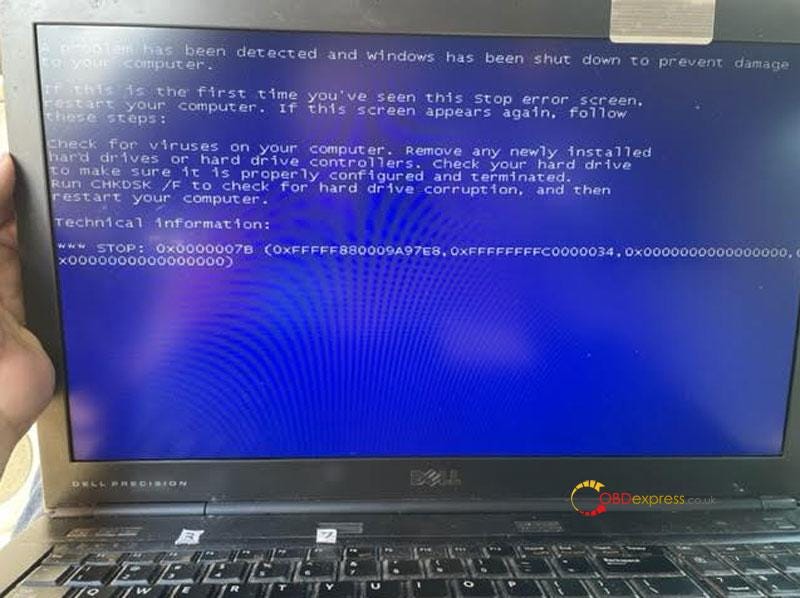
fix blue screen error of GM MDI 2 Tool

Solution

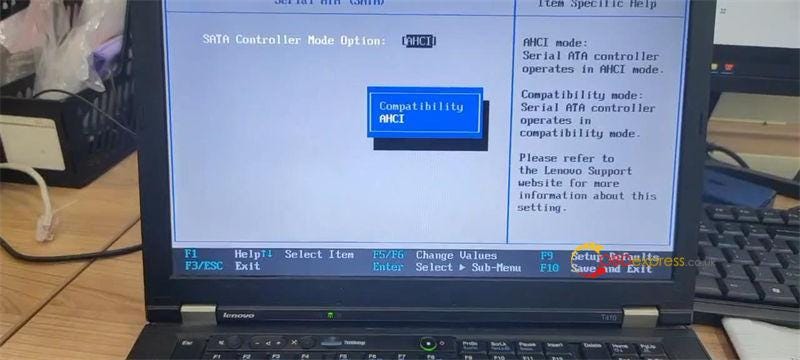
The reason to cause the problem is because of incorrect HDD format. Through changing Hard Disk Format to AHCI in bios can solve it.

How to change hard disk format to AHCI?

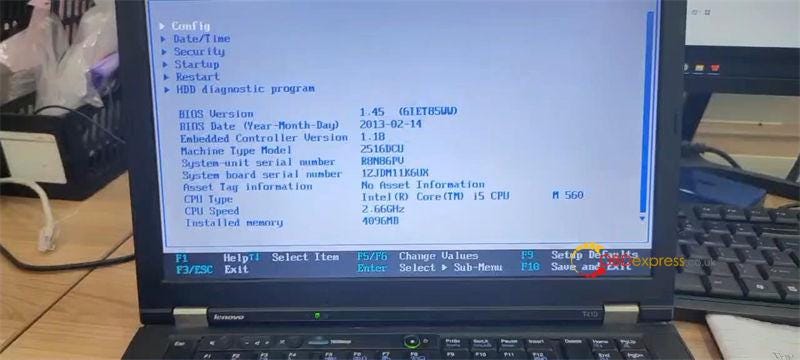
Step1. Restart computer, continuous press F1/F4/F12 button to access bios version.

(*Different computers may need to press different buttons. )

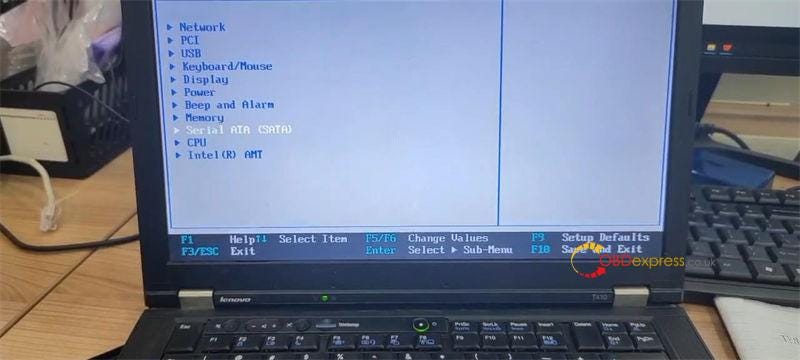
Step2. Continue >> Config >> Serial ATA(SATA) >> SATA Controller Mode Option: AHCI >> Change value to AHCI
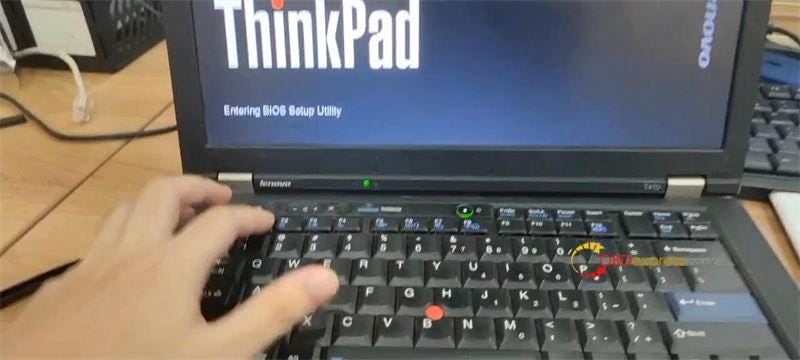
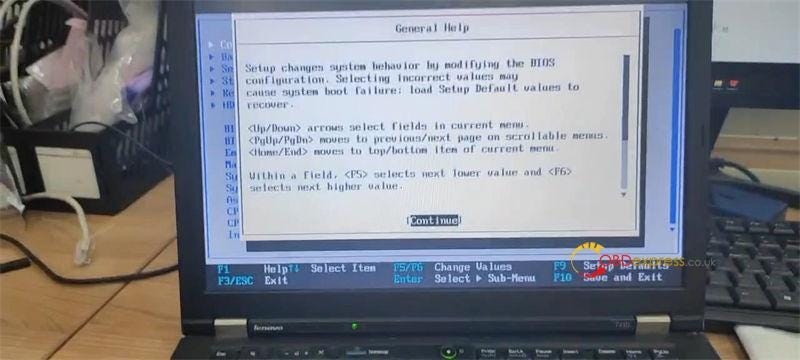
fix blue screen error of GM MDI 2 Toolfix blue screen error of GM MDI 2 Toolfix blue screen error of GM MDI 2 Toolfix blue screen error of GM MDI 2 Toolfix blue screen error of GM MDI 2 Tool

Problem was solved!

More questions about GM MDI 2 Tool, please contact us.

Tuesday, 27 March 2018

How to keep GM GDS2 - NEVER expires


Found a way to keep GM GDS2 for longer than 30 days after downloading it.

So I found a way to keep GDS2 indefinitely…or as long as you own your computer. First of all I’m not sure if this works for the 3 day subscription but I don’t see why not. So after you download GDS2 in Tis2web, to keep the license going there is a program(free) called ‘runasdate’, there is a 64 bit version and a 32 bit version. Use the 32 bit version. If you need help setting it up I can screen shot how I set mine up, although it’s incredibly easy. Enjoy and thanks and rep would be appreciated if you found this useful
P.S. Don’t let this leak to GM so they don’t close this loophole. Also, ignore the 30 days countdown in GDS2 once you set it up, it’ll count all the way down to 0 days but still work beyond that!

Easy way from obdexpress.co.uk:
You can change the time of your GDS2 installation and it will continue to work

Look here: GDS2 works perfect
GDS2 works perfect 1

GDS2 works perfect 2

GDS2 works perfect 3

GDS2 works perfect 4

GDS2 works perfect 5

GDS2 works perfect 6

GDS2 works perfect 7

GDS2 works perfect 9

 GDS2 works perfect 10

GDS2 works perfect 11

GDS2 works perfect 12

GDS2 works perfect 13

 GDS2 works perfect 14


www.mbstartool.com

How to Get Credit Point for Lonsdor K518 Pro?

 To perform encrypted key cloning on BMW G-series BDC2 and BDC3, or key learning on VAG MQB49 5C/5D using Lonsdor K518 Pro FCV , please ens...