Yanhua ACDP2 currently supports both English and Chinese. Language can be switched directly within the app or software.
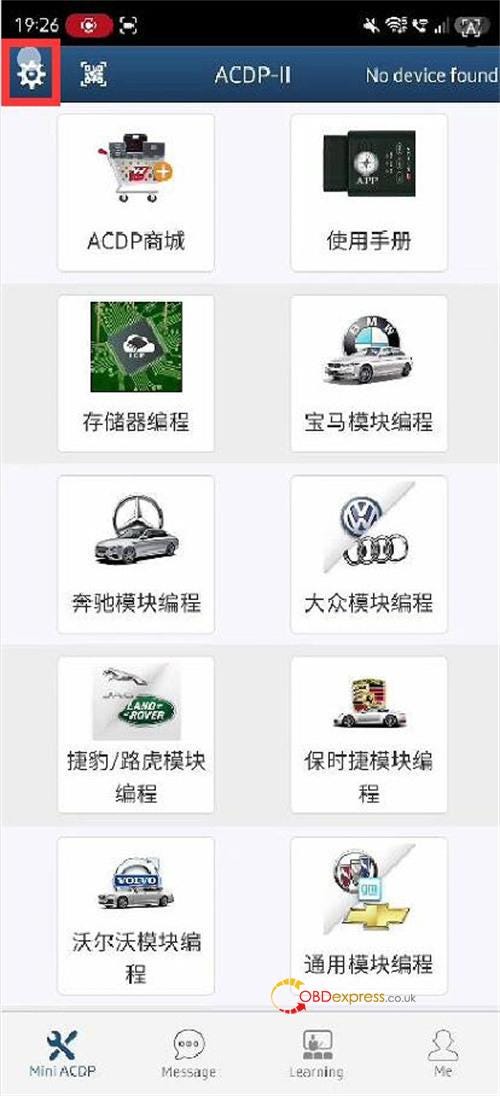
How to Switch Languages:
1.Go to "System settings".
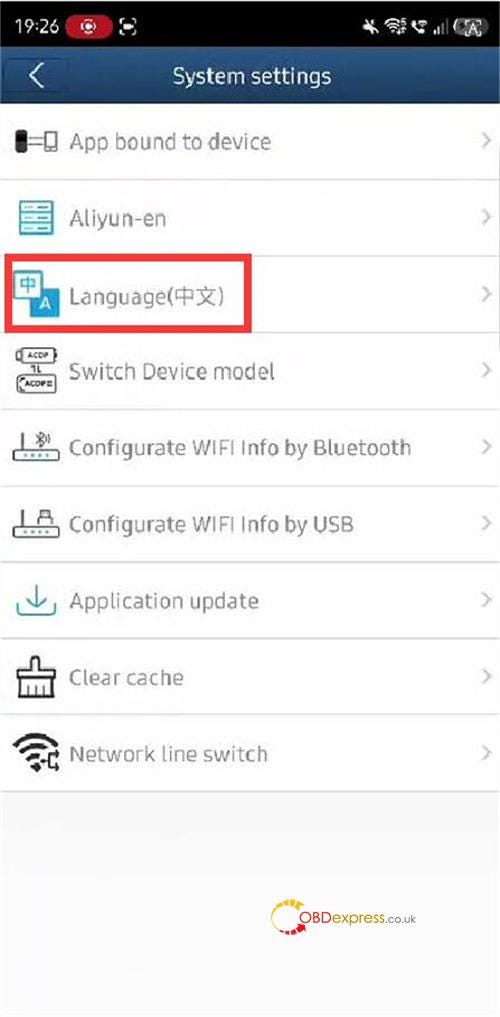
2.Select "Language".
3.Choose either Chinese or English

Troubleshooting Tip:
If you see a "Load resource failed" error in ACDP2 software, the required language files may not be downloaded yet.
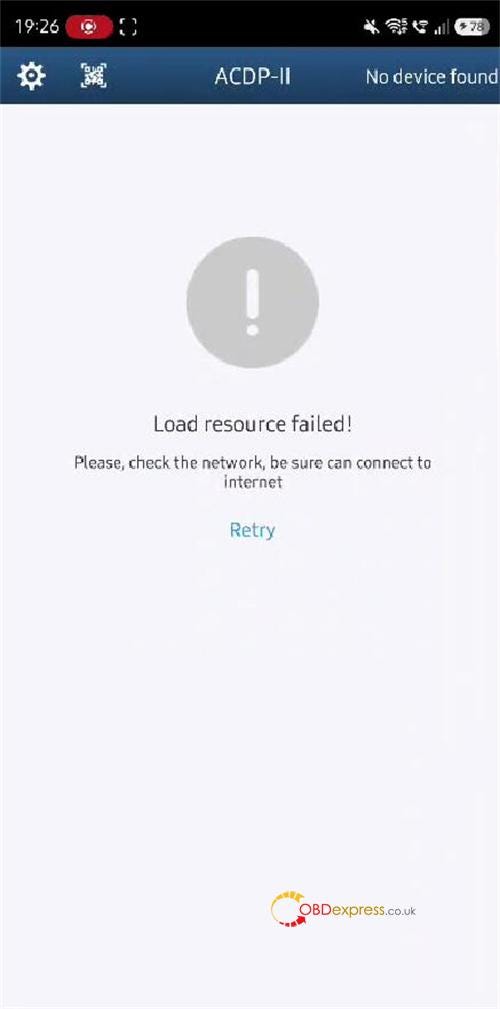
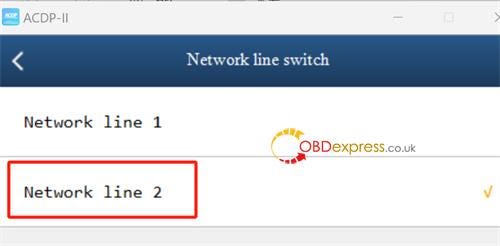
Simply switch your network line to resolve this:
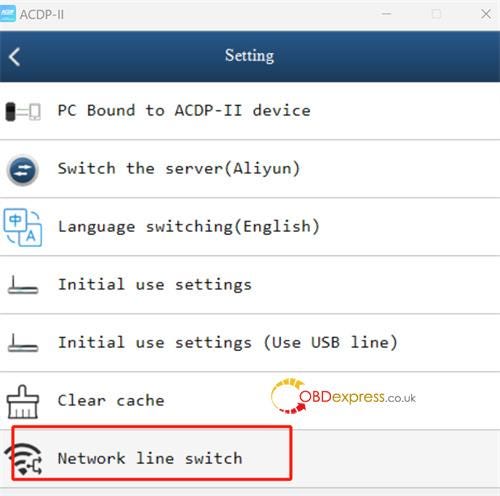
1.Go to Setting > Network line switch.
2.Select Network line 2.
3.Return to the Language settings and choose your desired language.
No comments:
Post a Comment